Customer Ratings & Reviews

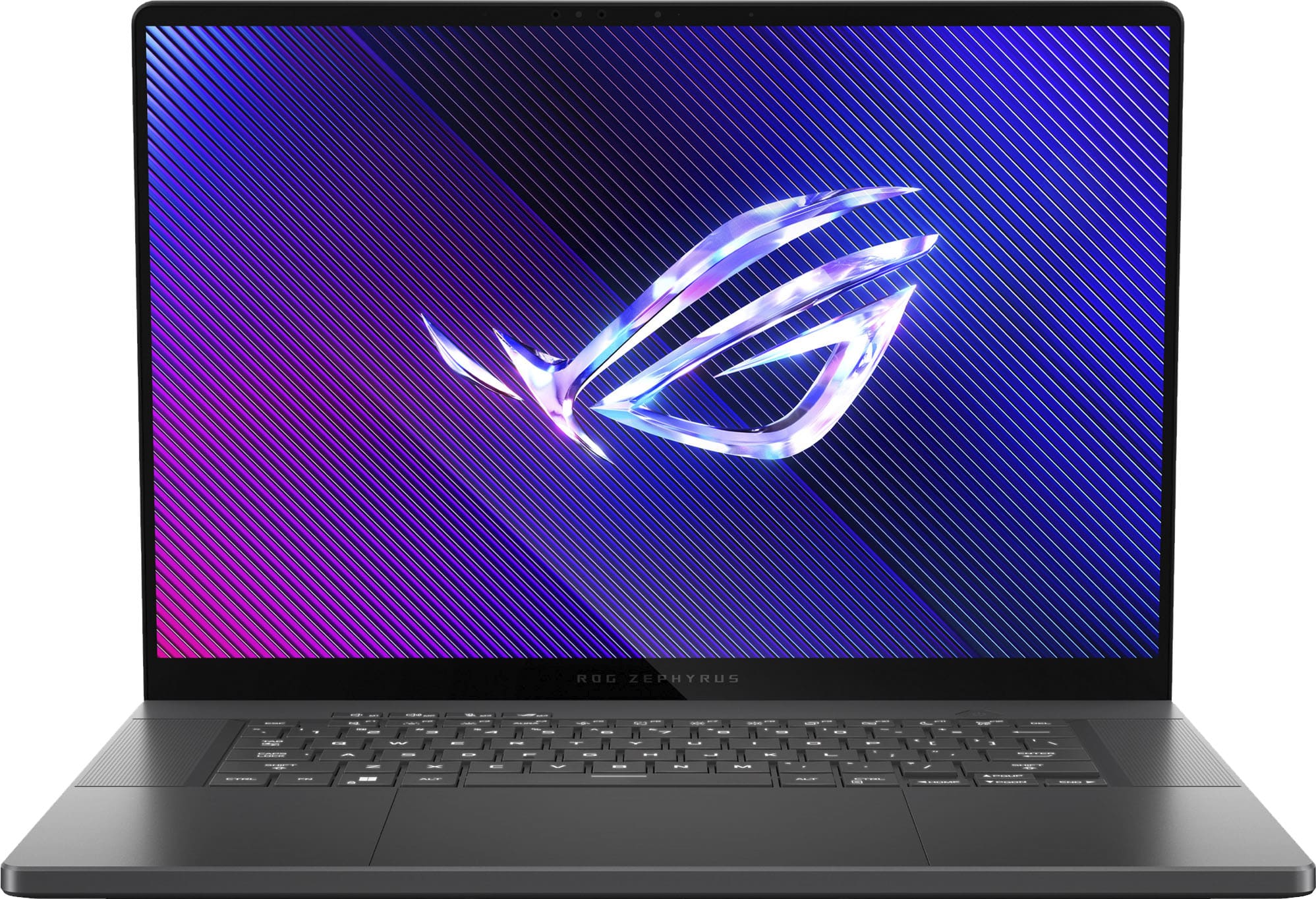
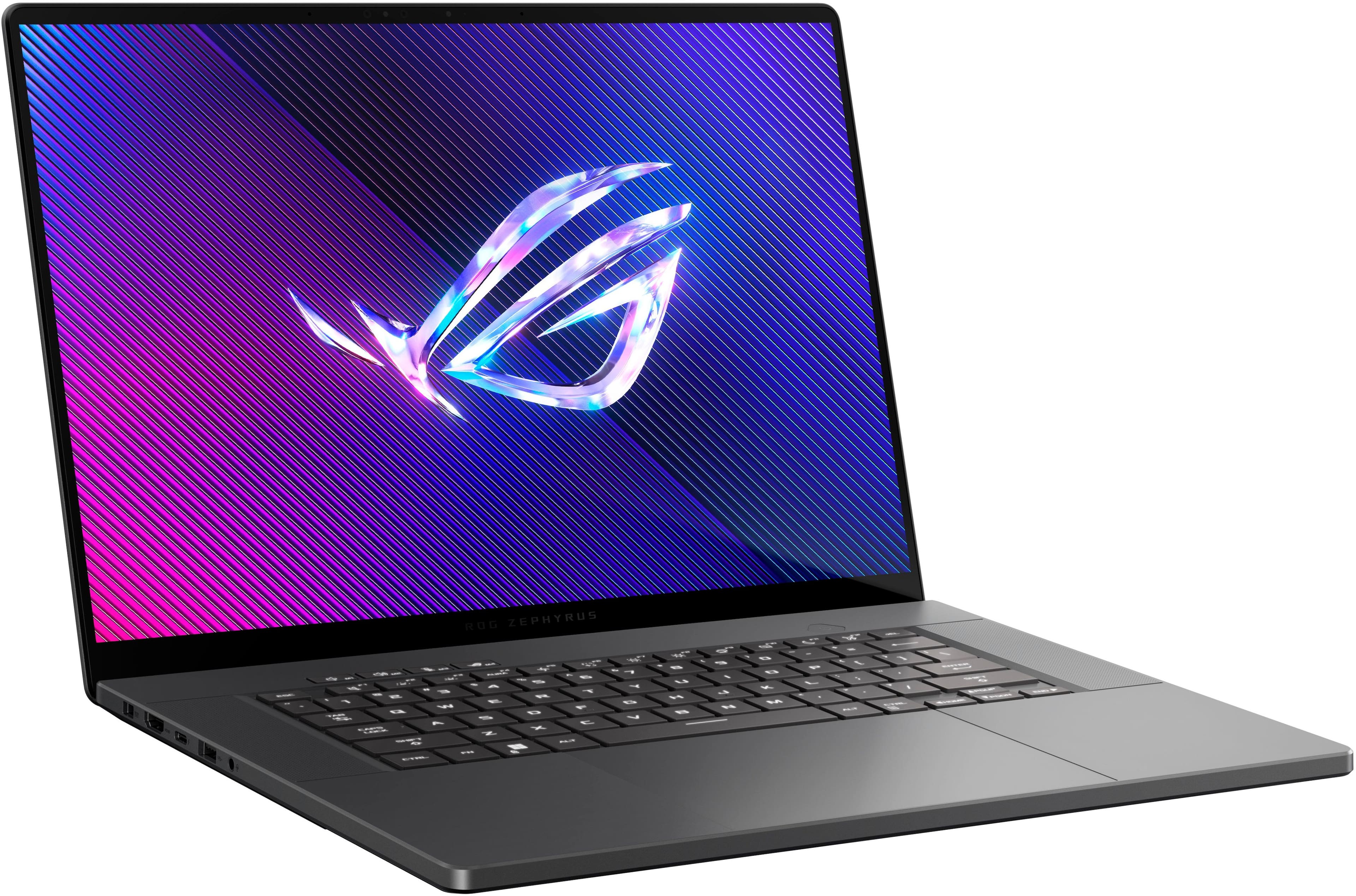
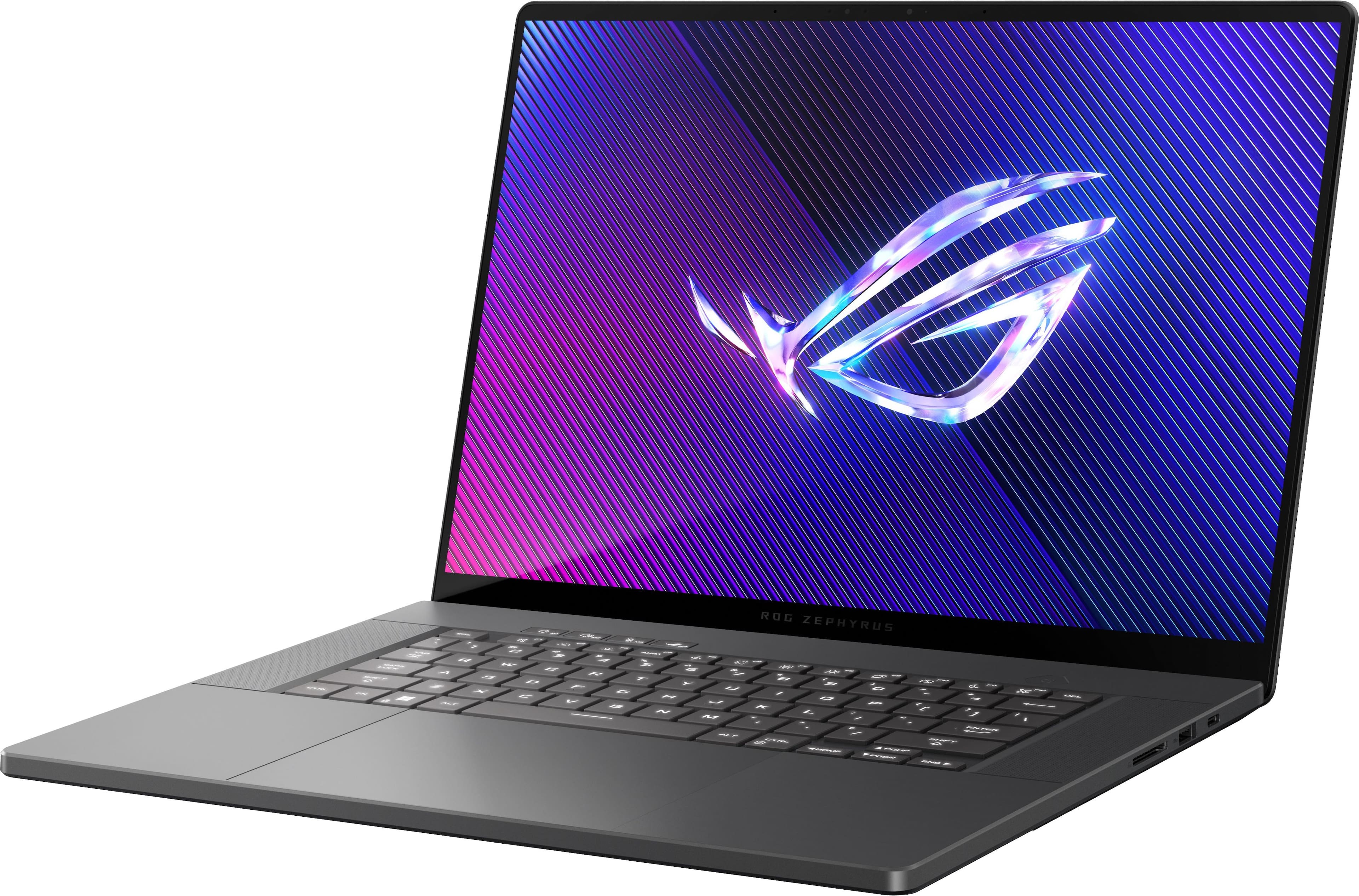
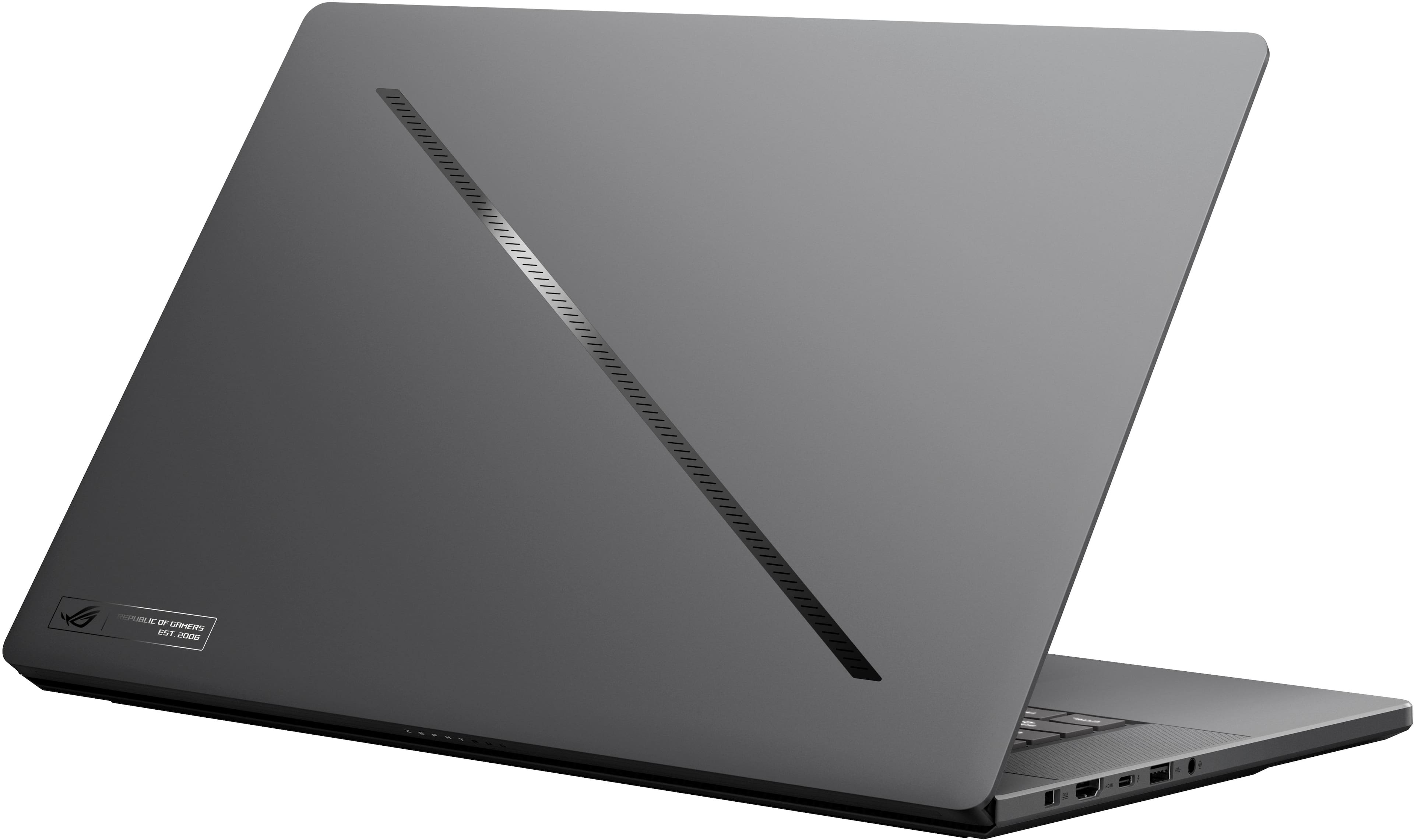
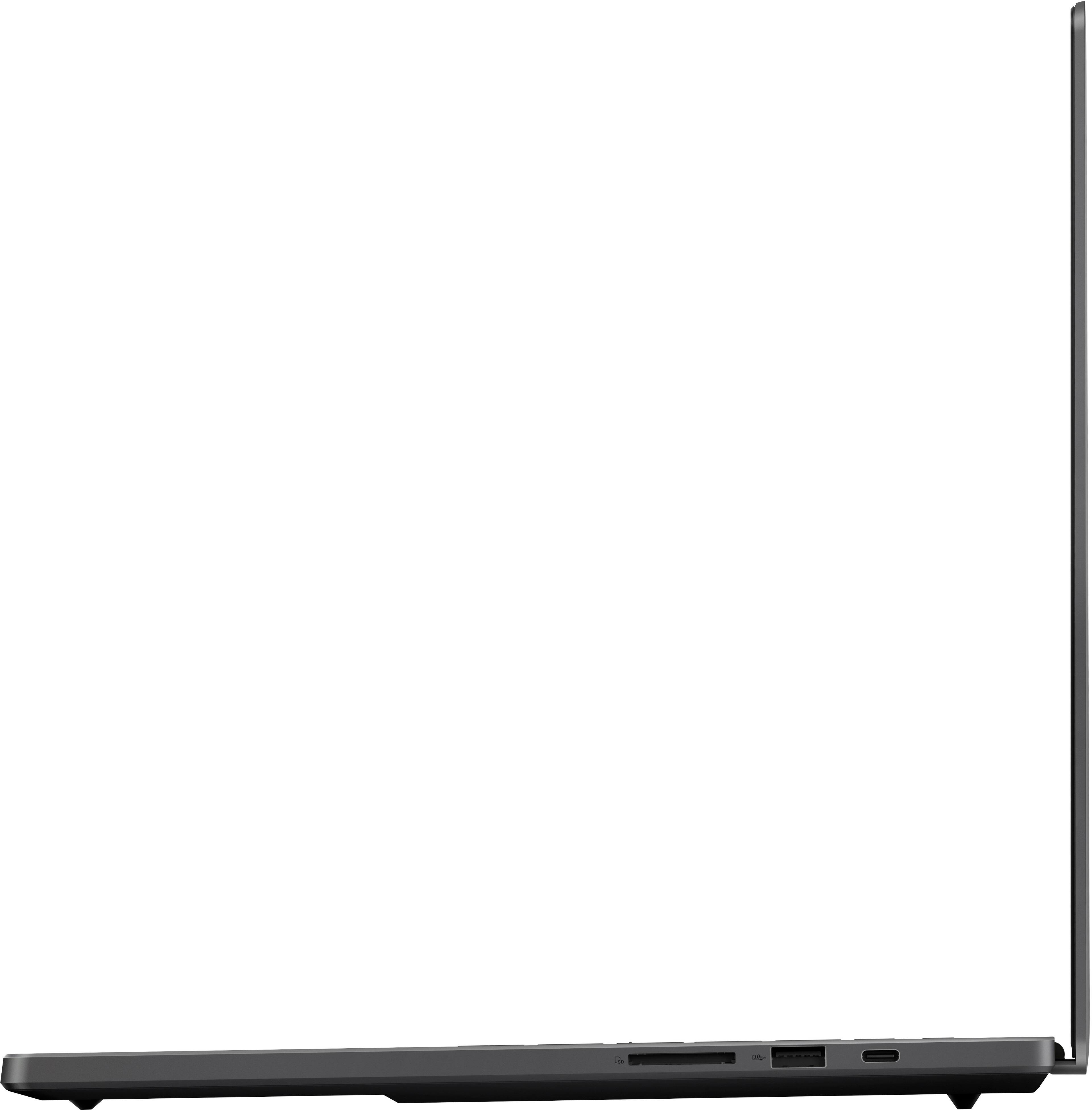
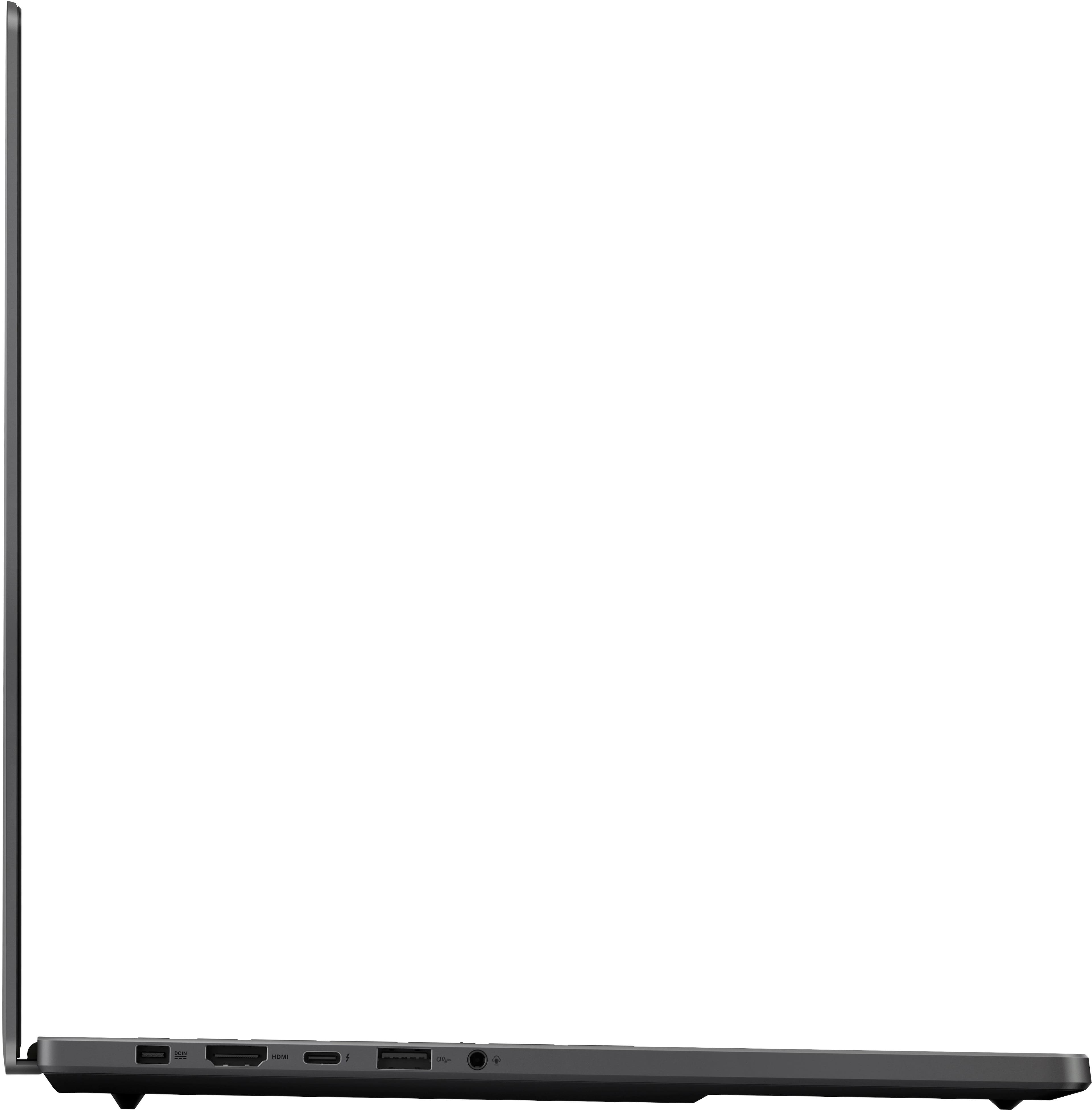
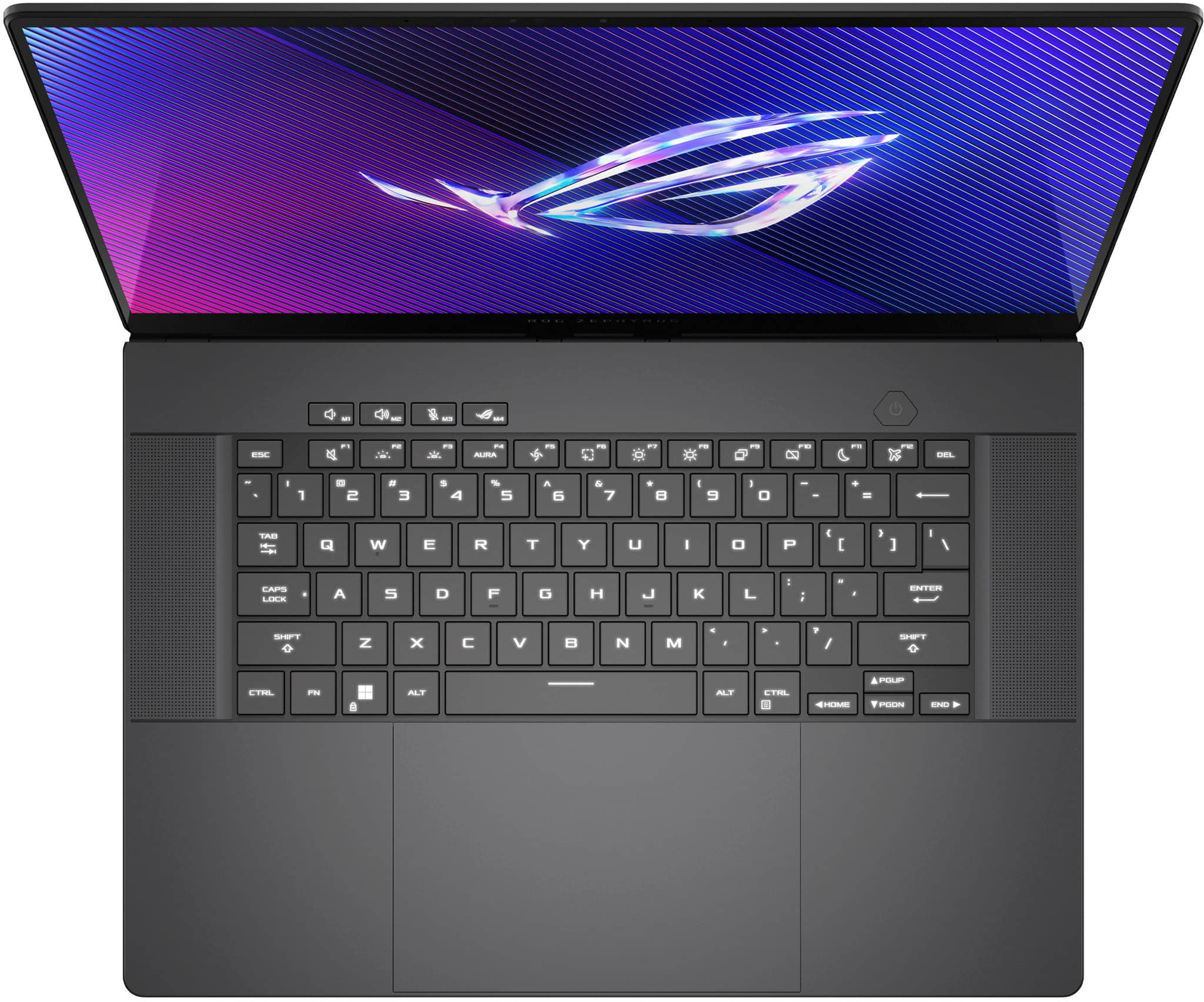
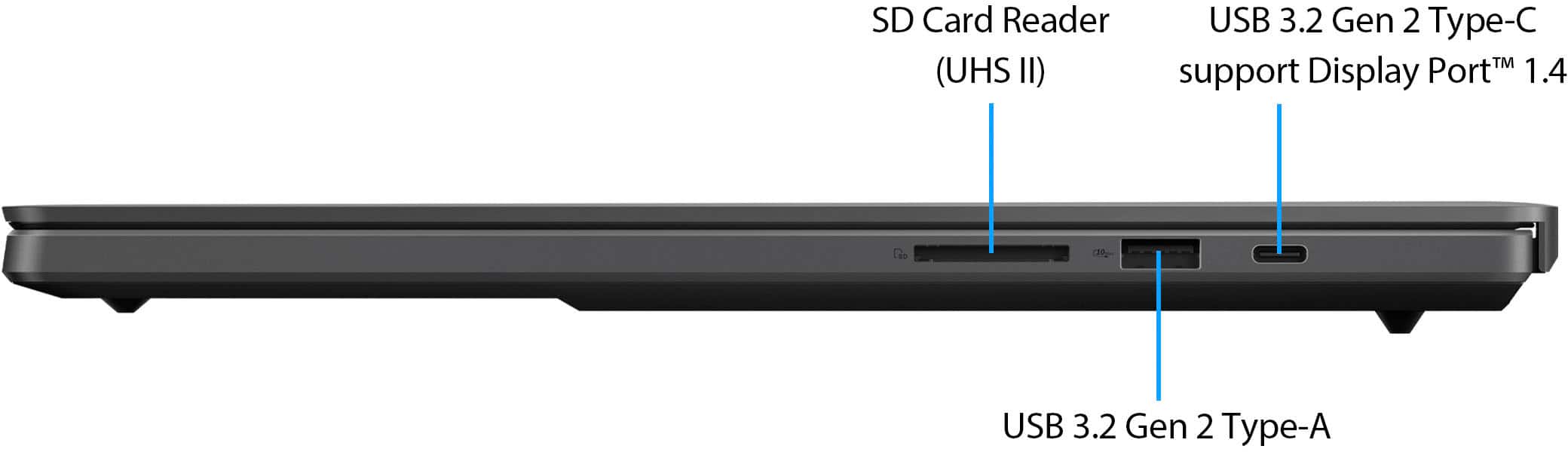





- Model:
- GU605MZ-G16.U94080
- SKU:
- 6570223
Rating by feature
- Battery Life
Rating 4.0 out of 5 stars
- Speed
Rating 4.6 out of 5 stars
- Display
Rating 4.7 out of 5 stars
Customers are saying
Customers have good things to say about the ROG Zephyrus G16, highlighting its excellent build quality, smooth performance, and beautiful OLED display. The laptop is also praised for its portability and decent battery life. Some users have noted that the fans can get loud and the device can get hot, while others find the touchpad clicks a bit stiff.
This summary was generated by AI based on customer reviews.
- Pros mentioned:Build quality
Hardware faults
||Posted . Owned for 3 weeks when reviewed.This reviewer received promo considerations or sweepstakes entry for writing a review.Speakers were distorted and games always ran choppy. Overall beautiful screen but not worth the issues for the price.
No, I would not recommend this to a friendBrand response from ASUS Answers
Posted .Dear Nathan C,
We sincerely apologize for the issues you've faced with the notebook and for the inconvenience caused. This is not the kind of quality to expect from ASUS products and it's not the norm. At ASUS, we take quality control, testing, and inspections seriously to ensure our products meet high standards. What you've experienced was not intentional or representative of our brand. The decision to make a purchase can be an important one, and we want to ensure that our customers receive the best products and services. We understand the impression this may have created and we hope this will not be a long-term lasting impression as you have chosen ASUS as a trusted brand for excellence. Providing our customers with a high level of satisfaction is our top priority, and we'll forward your feedback to our Product Team for review.
Please allow us to make your experience with ASUS a better one. To troubleshoot the speaker and performance issue described, we recommend following the steps in the FAQ below. Should the issue persist, please contact our support team at https://www.asus.com/us/support/CallUs to further investigate the problems or assist with repairing the device.
We stand behind our products and continuously strive to improve our products and processes to achieve customer service excellence. For more information, email us at customerloyalty@asus.com and include the case number "N2403008258-0004" as a reference. We will do our best to resolve your case quickly. Your feedback is very important to us and enables us to improve our support channels. Thank you for choosing ASUS.
Best Regards,
Chantae
ASUS Customer Loyalty US Support
https://www.asus.com/in/support/faq/1015070/
https://www.asus.com/support/faq/1038855/
Nearly perfect laptop
||Posted . Owned for 1 week when reviewed.This reviewer received promo considerations or sweepstakes entry for writing a review.Sleek and fast Good to have 4080 and such thin laptop
I would recommend this to a friend- Pros mentioned:Battery life, Build quality, Performance

Zephyrus G16 2024
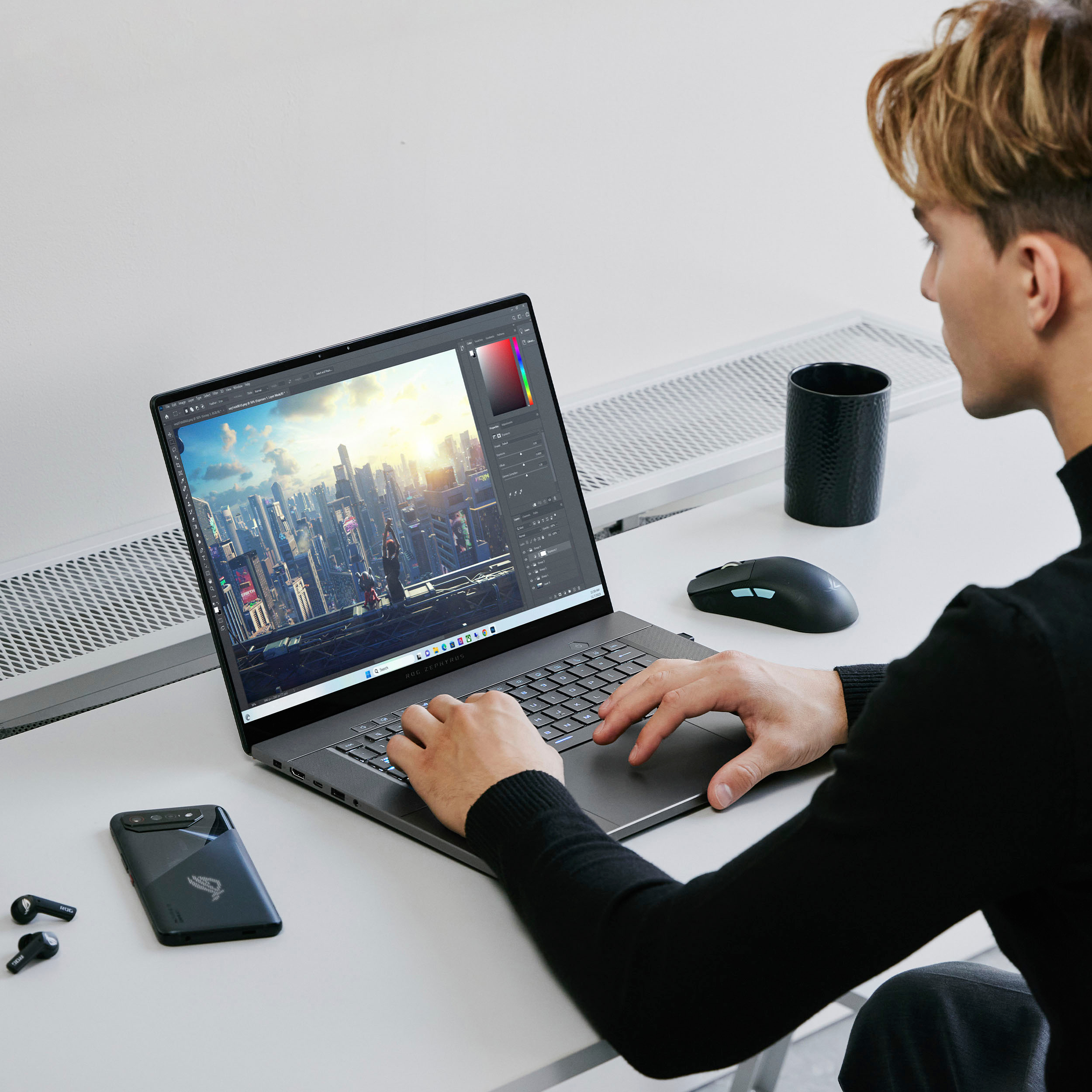
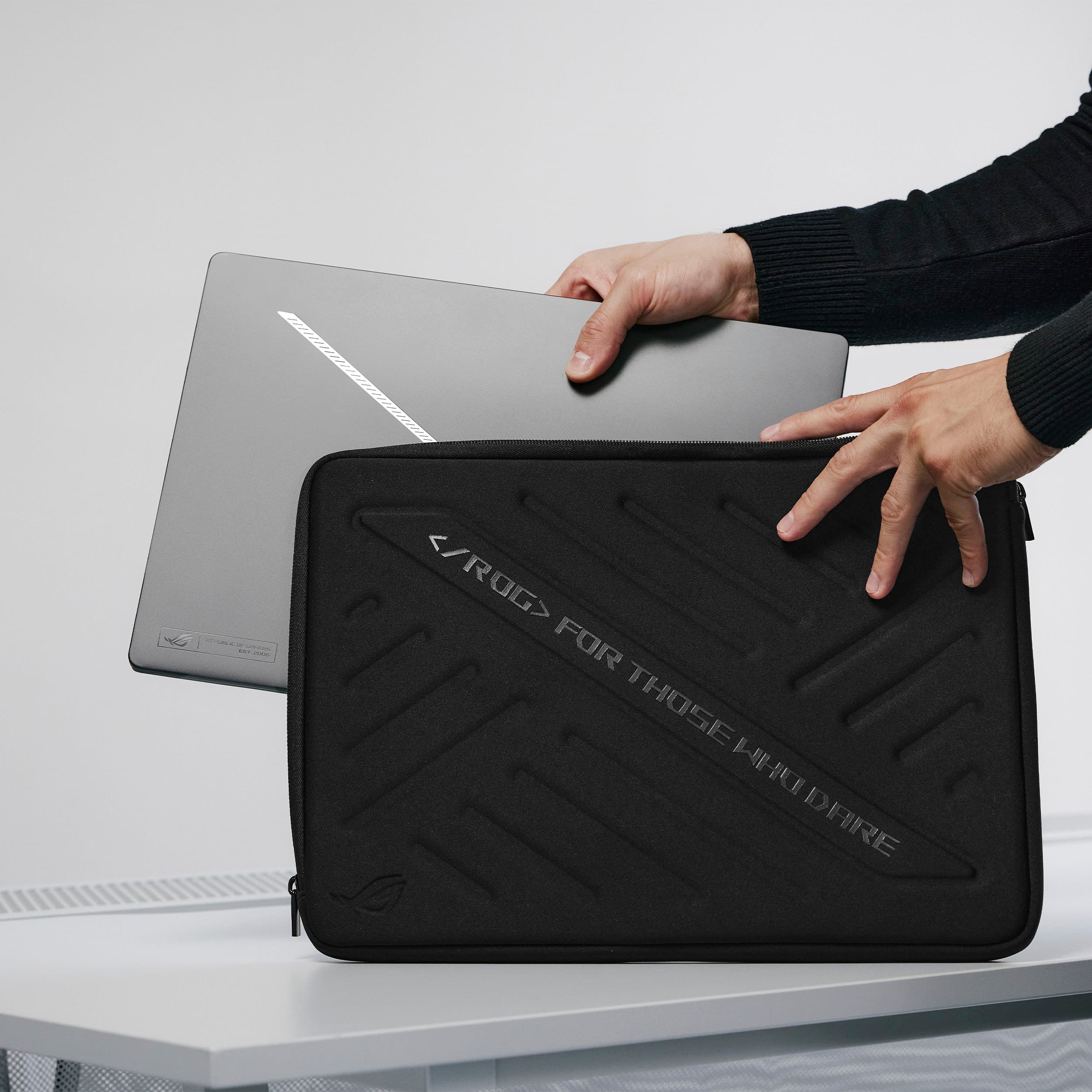
|Posted .This reviewer received promo considerations or sweepstakes entry for writing a review.The ASUS Zephyrus G16 (2024) is a remarkable blend of form and function, packing a serious punch in a compact and quiet package. It’s equipped with an Intel Core Ultra 9 processor, 32GB LPDDR5X RAM, GeForce RTX 4080 GPU, and a 1TB SSD, all encased in an Eclipse Grey shell that’s as sleek as it is practical. The laptop’s design is minimalist and modern, with a slim profile that makes it easy to carry around. The Eclipse Grey color gives it a professional look that stands out without being ostentatious. However, the shell does tend to show fingerprints, so you might find yourself wiping it down more often than you’d like. The 16-inch display is crisp and colorful, perfect for gaming or creative work that requires precise color accuracy. However, it’s worth noting that the screen is not touch-sensitive, which could be a drawback for those who prefer a more hands-on approach. Performance-wise, the G16 is a powerhouse. The latest games run smoothly, and creative tasks like video editing are handled with ease. The keystrokes do have a bit of noise, which might be noticeable in a quiet room, but the overall typing experience is comfortable. The cooling system is impressively quiet, especially considering the powerful hardware inside. It’s quite an achievement how ASUS has managed to keep the machine so small and yet so silent, even under load. The touchpad deserves a special mention for its size. It’s spacious and responsive, making navigation and gesture controls a breeze. You’ll find all the necessary ports for connectivity, and the Wi-Fi 6E support ensures a stable and fast internet connection. The ROG startup sound can be a bit jarring, and figuring out how to disable it isn’t as straightforward as it could be, which is a minor annoyance. While the battery life isn’t the longest when it comes to intense gaming or heavy tasks, it does perform quite well under light usage. You can expect a decent number of hours of operation if you’re just browsing the web or working on documents. The laptop runs on Windows 11 and includes ASUS’ Armoury Crate software for system monitoring and settings adjustments. The RGB lighting on the keyboard is subtle and understated, which is appreciated, especially for those who don’t see the appeal in flashy lights. In conclusion, the ASUS Zephyrus G16 impresses with its sleek appearance, quiet operation, and powerful performance. The fingerprint-prone shell and the non-touch display are minor gripes in an otherwise excellent device. The awe-inspiring combination of compact size and robust hardware makes this laptop a top choice for gamers and professionals alike.
I would recommend this to a friend - Pros mentioned:Oled quality, PerformanceCons mentioned:Heat dissipation
Breathaking
|Posted .This reviewer received promo considerations or sweepstakes entry for writing a review.In a word… breathtaking. This is my 2nd ASUS laptop and I continue to be impressed with them as a top not computing brand. My previous ASUS laptop is knocking on 4 years old and still mostly going strong, but it’s starting to show its age so it was time to start looking for an upgrade and this was it! The first thing that stands out to me about this is the screen. ASUS knocks it out of the park, this AMOLED screen has some of the deepest truest blacks I’ve ever seen. That said, it’s also bright… the whites are super white. For games and HDR content, the extremes of darks-to-white make for a display that absolutely pops with color and clarity. Be mindful though, if you dim the screen below about 55% you’ll get a notice that “dc dimming is disabled” which is totally fine, it’s just letting you know that if you dim the screen too much it will lose one of its tricks for achieving maximum enhancement. Performance in games is equally impressive, I had no problem running an array of games from FPS to sports at maximum detail, and the 240hz display contributes to a smooth, high frame rate, and tear free experience. And when it games, the laptop will (not surprisingly) get quite warm, possibly even uncomfortably warm for some if it’s actually on your lap. Lighting. One feature that I personally found more of a gimmick than useful is the “slash lighting” which is lighting on the back of the display. Although you can choose from multiple patterns it’s all limited to just the one white color, so customization options are pretty scant. It’s not a bad feature, I was just underwhelmed and personally ended up turning it completely off. Charging and USB-C. One other quirk (not bad, but you should be aware) is that this laptop only “kinda” charges on USB-C. Like my previous ASUS, It clearly prefers to use the proprietary charger. After some experimentation I found that you actually can run and charge it using USB-C but even a beefy USB-C charger from another gaming laptop doesn’t provide enough power and Windows will complain… but it will charge. Here’s the main quirk that stood out to me though; at the time of writing this the laptop won’t charge via USB-C if it’s completely turned off. At least it didn’t for me. I had to have the computer “on” and then it would charge albeit kind of begrudgingly. Due to the system power demands when operating at peak performance I can totally understand why it wouldn’t favor USB-C, but for that same reason I’d think it’d at least charge over USB-C in a pinch when powered off. It’s a bit counterintuitive to have to turn the laptop on in order for it to charge via a method that it constantly warns you isn’t really sufficient. It’ll get the job done in a pinch, but you’d think it would do best at USB-C charging while completely powered off. Maybe I overlooked something, but after leaving it off and plugged-in to USB-C all night it didn't charge at all; but did start charging the moment I turned it on. I'm not tracking the design logic of that at all. The feel of the keyboard and touchpad are pretty typical. Not bad, nothing special. The keyboard backlight options are especially nice though as you can choose from a full array of static colors or pick from some default active color patterns like rainbow, breathing, etc, or design your own in Aura Creator. The 32GB of RAM is a very nice touch and gives this laptop true chops for demanding gaming and heavy content production. For keeping track of all your system’s vital stats and settings, the included and customizable Armory Crate dashboard gives you at-a-glance feedback and configuration control over your CPU, GPU, memory, storage, lighting, performance settings, custom macros, etc. I’ve had this laptop for a few days and I’ve barely scratched the surface of what I know I can do in Armory Crate and Aura Creator to tweak the system to my exact liking. Some minor quirks aside, this laptop is a thing of beauty and I have no regrets about it or recommending it to those looking for portable peak performance. Work or play, you won’t be disappointed.
I would recommend this to a friend Overheats and Underperforms
||Posted . Owned for 2 weeks when reviewed.This reviewer received promo considerations or sweepstakes entry for writing a review.Overheats and Underperforms browsing the internet CPU is reaching 95c same thing in lightroom and other programs.
No, I would not recommend this to a friendBrand response from ASUS Answers
Posted .Dear Austin D,
We sincerely apologize for the issues you've faced with the notebook and the inconvenience caused. This is not the kind of quality to expect from ASUS products and it's not the norm. At ASUS, we take quality control, testing, and inspections seriously to ensure our products meet high standards. What you've experienced was not intentional or representative of our brand. The decision to make a purchase can be an important one, and we want to ensure that our customers receive the best products and services. We understand the impression this may have created and we hope this will not be a long-term lasting impression as you have chosen ASUS as a trusted brand for excellence. Providing our customers with a high level of satisfaction is our top priority, and we'll forward your feedback to our Product Team for review.
Please allow us to make your experience with ASUS a better one. To troubleshoot the overheating issue described, we recommend following the steps in the FAQ below. Should the issue persist, please contact our support team at https://www.asus.com/us/support/CallUs to further investigate the problems or assist with repairing the device.
We stand behind our products and continuously strive to improve our products and processes to achieve customer service excellence. For more information, email us at customerloyalty@asus.com and include the case number "N2403002072-0003" as a reference. We will do our best to resolve your case quickly. Your feedback is very important to us and enables us to improve our support channels. Thank you for choosing ASUS.
Best Regards,
Chantae
ASUS Customer Loyalty US Support
https://www.asus.com/support/faq/1015064/
Laptop
||Posted . Owned for 1 week when reviewed.This reviewer received promo considerations or sweepstakes entry for writing a review.Overall a solid laptop. Light weight and portable. A bit noisy when playing games for a long time.
I would recommend this to a friendBrand response from ASUS Answers
Posted .Dear Cecilia,
Thank you for sharing your experience with the laptop, and we apologize for the noise issue you've encountered. At ASUS, we take quality control, testing, and inspections seriously to ensure our products meet high standards. What you've experienced was not intentional. Customer satisfaction is our top priority, and we strive to make every purchase enjoyable. We understand that purchases can be an important decision and we want to ensure that our customers are receiving the best products and services. Please allow us to make your experience with ASUS a better one. To investigate the problem further, please contact our support team at https://www.asus.com/us/support/CallUs.
We do stand behind our products and we continuously strive to improve our products and processes to achieve customer service excellence. For more information, please send us an email at customerloyalty@asus.com and include the case number "N2403002072-0002" as a reference. We will do our best to resolve your case quickly. Your feedback is very important to us, and it enables us to improve our support channels. Thank you for choosing ASUS.
Best Regards,
Chantae
ASUS Customer Loyalty US Support
Bait and Switch
||Posted . Owned for 1 month when reviewed.This reviewer received promo considerations or sweepstakes entry for writing a review.Bait and switch. This is the laptop I ordered. What I received was not the same. I waited for the sale and chose open box which makes it a problem. I would have had to return it and order again which means missing the sale. I also needed it right away and it would have added another month wait had it been returned and I still would have had to pay more. Not to mention i live in an area where the nearest best buy is 3 hours away. So in the end I got something with less memory and a worse video card. I am so displeased. If there were negative stars it wouldn't be low enough.
No, I would not recommend this to a friendBrand response from ASUS Answers
Posted .Dear Soulstys,
We're sorry to hear that you received the wrong device and we apologize for the inconvenience caused. This is not the kind of experience we want our customers to have with our resellers. To file a formal complaint, we recommended contacting BestBuy customer service at 1-888-237-8289.
We do stand behind our products and continuously strive to improve our products and processes to achieve customer service excellence. If you require any further assistance, please email us at customerloyalty@asus.com and include the case number "N2405037624-0005" as a reference. We will do our best to resolve your case quickly. Your feedback is very important to us and enables us to improve our support channels. Thank you for choosing ASUS.
Best Regards,
Chantae
ASUS Customer Loyalty US Support
- Pros mentioned:Battery life, Build qualityCons mentioned:Heat dissipation
Asus gamer
|Posted .This reviewer received promo considerations or sweepstakes entry for writing a review.If first impressions are an indicator of performance, this computer might just hit it out of the park. The first impression I’m talking about is the packaging. It’s very sleek and high-end. The black box has a velvet like texture and inside the laptop sits up high in all its glory. There’s a separate box for the power cord, not as sleek but still nice. This was a great introduction to the laptop. Manufacturers know that the unboxing is part of the experience and Asus delivered in this department. Plus everything can go in the recycle bin. About the laptop itself. The first thing that stood out is that this thing was running hot during setup. I had it sitting on my lap while I worked through the setup process and it was somewhat uncomfortable. I know that I’ll need a cooling mat or some kind of external fan or something while working with this model. However, the cooling fan is very quiet. There’s no need to turn up the volume to drown out the sound of the fan while it’s running. Setup was a bit clunky. It grabbed my wifi easily at first. I put in my password and everything was connected. A couple of minutes later I got a message saying that the laptop had lost the connection to the router so I had to connect again. That was sort of strange to me. The next step it took you through was asking to set up facial recognition. I didn’t do that yet but I did want to set up a 4 digit PIN to unlock the PC instead. I followed the instructions on the screen but the initial PIN setup failed. It asked me to try again. I did and it failed again. So during the initial setup I was unsuccessful at setting up a PIN even though I followed the instructions to a T. The PC then went through the process of updating and after I signed in for the first time, I was presented with facial recognition and PIN options again. This time the PIN setup worked. I have no idea what happened the first time but I’m glad I was able to get through that step. There was one other thing I noticed after going through the setup process and that was the time displayed on the computer. It would show the right time but it picked up the wrong time zone initially. This eventually worked itself out after about 24 hours but it felt weird. Not something that makes or breaks the experience though. I keep touching the screen because I’m expecting all newer PCs to be touchscreen capable. It is a slight disappointment but not one that I can’t work around. As with all computers it’s simple to connect a wireless mouse and keyboard if desired. I will say that the keyboard on the laptop is very nice. The keys are comfortable to touch and they have just the right amount of spring so typing is very easy. The keys are responsive and quick. The board itself is backlit, as expected, and it provides a light show. There’s a function button on the keyboard that controls the backlight. There are four options – static, breathing, strobe, and color cycle. All do what their name implies. Another keyboard shortcut is a one-touch key at the very top that when pressed brings up your computer performance screen. You can see the status of everything from memory and storage, CPU status, a gaming visual control panel, your game library, profiles, game purchases, and gaming news. Yes, a multitude of features with one button press. The laptop is replacing an older gaming model that’s about 5 years old. Obviously this is much more responsive, but I appreciate how quickly it charges and how long it hold a charge, at least when you’re not gaming. If you’re gaming then you really need to keep it plugged in. This unit serves double duty for me so I use it both for work and gaming. I can have it unplugged for a few hours working on Office applications without it being plugged in. Not so much for gaming. The battery dies quickly but this is not unexpected knowing how much power is required for graphics, storage, and such while playing. Downloading is also fast. I was able to download a 70 GB game in about 40 minutes. Again, comparing it to my old computer, this one blows it out of the water. The sound is good. I tested it by turning the volume up to the max and while it was semi loud it wasn’t obnoxious. If it were up to me I would have given the speakers a bit more bass but again, not a deal breaker. Wireless headphones connect with ease and there is no sound lag like I’ve experienced on other laptops. The display is vibrant. Everything pops against the dark black screen. There are several options to customize the display depending on your preference or current gaming experience. The entire laptop is highly customizable so that you can make your gaming exactly to your specifications. The touchpad is large and responsive which makes it comfortable to use while playing a game if you’re not using a mouse or controller. It is a viable option to the other accessories. There are also several different kinds of ports so that you can connect all your gaming peripherals with ease. Among them are USB-C, HDMI, flashcard reader and more. These are more options for customization. Ok, even though it’s advertised as a gaming computer it also functions just fine as a work computer. As mentioned earlier the keyboard is easy to type on and your fingers don’t get fatigued after a long working session. The front facing camera is a little grainy but still acceptable for a Zoom or Teams meeting. With the touchpad being so large, if you’re resting your wrists on the keyboard there will be a tendency to activate the touchpad. It can get in the way but this can be worked around by connecting a wireless or Bluetooth keyboard. Overall, if you’re looking to upgrade an older gaming machine, this one is quite impressive. The minor quirks don’t take away from the gaming experience.
I would recommend this to a friend Overheats all the time + defective keyboard
||Posted . Owned for 1 month when reviewed.This reviewer received promo considerations or sweepstakes entry for writing a review.Garbage product. Space bar isn't working. Best Buy not offering repairs unless you pay a few hundred bucks or subscribe to their membership. Laptop overheats all the time no matter what because it can't handle its - admittedly gorgeous - screen. What a regretful and very expensive purchase this was. Apparently plenty of people on Reddit having the same issues, so that really sucks and ASUS not taking accountability either. Only way to fix it is to run the PC on minimum performance mode / throttling everything, so you're better off buying a weaker one for the same perf.
No, I would not recommend this to a friendBrand response from ASUS Answers
Posted .Dear JayJay,
We sincerely apologize for the issues you've faced with the notebook and the inconvenience caused. This is not the kind of quality to expect from ASUS products and it's not the norm. At ASUS, we take quality control, testing, and inspections seriously to ensure our products meet high standards. What you've experienced was not intentional or representative of our brand. The decision to make a purchase can be an important one, and we want to ensure that our customers receive the best products and services. We understand the impression this may have created and we hope this will not be a long-term lasting impression as you have chosen ASUS as a trusted brand for excellence. Providing our customers with a high level of satisfaction is our top priority, and we'll forward your feedback to our Product Team for review.
Please allow us to make your experience with ASUS a better one. To further investigate the problems you're experiencing or obtain assistance with getting the device repaired, we recommend contacting our support team at https://www.asus.com/us/support/CallUs.
We stand behind our products and continuously strive to improve our products and processes to achieve customer service excellence. For more information, email us at customerloyalty@asus.com and include the case number "N2405037624-0003" as a reference. We will do our best to resolve your case quickly. Your feedback is very important to us and enables us to improve our support channels. Thank you for choosing ASUS.
Best Regards,
Chantae
ASUS Customer Loyalty US Support
Do not buy
||Posted . Owned for 10 months when reviewed.This reviewer received promo considerations or sweepstakes entry for writing a review.Had mine for about 4 weeks before the screen cracked with one hairline fracture by simply opening it. Super fragile screen and won’t be considered a “defect” by Asus. $700 to repair just to have another fragile screen installed. More reports similar to this if you search around on Reddit.
No, I would not recommend this to a friendBrand response from ASUS Answers
Posted .Dear Noah,
We're sorry to hear that the notebook screen broke and we apologize for the inconvenience this may have caused you. To further investigate this issue or obtain assistance with repairing the device, we recommend contacting our support team at https://www.asus.com/us/support/CallUs.
We stand behind our products and continuously strive to improve our products and processes to achieve customer service excellence. For more information, email us at customerloyalty@asus.com and include the case number "N2405037624-0011" as a reference. We will do our best to resolve your case quickly. Your feedback is very important to us and enables us to improve our support channels. Thank you for choosing ASUS.
Best Regards,
Chantae
ASUS Customer Loyalty US Support
Peach Street BestBuy- Mike the general manager is
||Posted . Owned for 1 week when reviewed.This reviewer received promo considerations or sweepstakes entry for writing a review.Hello This review is not about the computer, but since I cant get any help from anyone at Bestbuy, i will put this in a post. My family and i had a horrible experience at the BestBuy in Erie on Peach st. Mike is the general manager their, he was extremely rude, condescending, implied that i am a liar, and he did Nothing to help us. I have called BestBuy at least 6 times, no one has helped me with this. Shame on BestBuy for not caring about their customers
I would recommend this to a friendBrand response from ASUS Answers
Posted .Dear Trevor,
We certainly understand your dissatisfaction with the quality of your recent customer service experience and the inconvenience this may have caused.
Regarding the ASUS laptop, if you need further assistance, please email me at cl-rodel@asus.com and I would be more than happy to help. Or, you are most welcome to call Product Support Hotline at: 1(888) 678-3688. Also, you can chat with an ASUS live support agent from the link: https://www.asus.com/us/support/article/1135/.
Thank you for choosing an ASUS product.
Regards,
Rodel
ASUS Customer Loyalty
dead on arrival
||Posted . Owned for less than 1 week when reviewed.This reviewer received promo considerations or sweepstakes entry for writing a review.no shame to best buy, I guess I got unlucky with this specific laptop because less than 24 hours after having it, it does not power on. geek squad looked at it and also couldnt fix it. The geek squad employee was very helpful, waiting on a replacement to ship to me.
I would recommend this to a friendBrand response from ASUS Answers
Posted .Dear Lewis,
Thank you for reaching out.
We do understand your disappointment and the inconvenience this may have caused. If the laptop will not powr on, boot up or it's just black screen suddenly, please do the following. Please try to do a power cycle by pressing and holding down the power button to shut it down completely. If it still black screen after a few minutes, at least 10 minutes, please repeat the power cycle process again. If the laptop is applying updates in the System Registry, it will black screen temporarily until the update are applied successfully. Additionally, please try to disconnect the power cable and let the unit drain for 24 hours to clear the memory. This will reset the hardware to default settings. After doing this, please reconnect your AC adapter, do not power on the laptop until the battery is charged. If you need further assistance, please email me at cl-rodel@asus.com and I will be more than happy to help. Or you are most welcome to call Product Support Hotline at: 1(888) 678-3688. Also, you can chat with an ASUS live support agent from the link: https://www.asus.com/us/support/article/1135/.
Thank you for choosing an ASUS product.
Regards,
Rodel
ASUS Customer Loyalty
Can't recommend
||Posted . Owned for 3 weeks when reviewed.This reviewer received promo considerations or sweepstakes entry for writing a review.I bought three of these and each one failed in its own unique way...
No, I would not recommend this to a friendBrand response from ASUS Answers
Posted .Dear Veridiux,
We sincerely apologize for the failure of the notebooks and for the inconvenience caused. This is not the kind of quality to expect from ASUS products and it's not the norm. At ASUS, we take quality control, testing, and inspections seriously to ensure our products meet high standards. What you've experienced was not intentional or representative of our brand. The decision to make a purchase can be an important one, and we want to ensure that our customers receive the best products and services. We understand the impression this may have created and we hope this will not be a long-term lasting impression as you have chosen ASUS as a trusted brand for excellence. Providing our customers with a high level of satisfaction is our top priority, and we'll forward your feedback to our Product Team for review.
Please allow us to make your experience with ASUS a better one. To further investigate the problems you're experiencing or obtain assistance with getting the devices repaired, we recommend contacting our support team at https://www.asus.com/us/support/CallUs.
We do stand behind our products and continuously strive to improve our products and processes to achieve customer service excellence. For more information, email us at customerloyalty@asus.com and include the case number "N2403008258-0005" as a reference. We will do our best to resolve your case quickly. Your feedback is very important to us and enables us to improve our support channels. Thank you for choosing ASUS.
Best Regards,
Chantae
ASUS Customer Loyalty US Support
- Pros mentioned:Build quality, PerformanceCons mentioned:Noise level
Falls Just a Little Short But Excellent Gaming PC
|Posted .This reviewer received promo considerations or sweepstakes entry for writing a review.Out of the box I knew this laptop was going to be premium just by the look and feel. The all aluminum eclipse gray chasis gives it durability while maintaining a lightweight feel. After set up I immediately went into downloading Red Dead Redemption 2 off steam which took about 30 minutes and booted up quickly. All of my settings were on Ultra and the beautiful Nebula display really highlighted the computers graphics capabilities while allowing the feeling of immersion with the built in speakers on both sides of the keyboard. The downside was that the fans kicked in on full blast immediately during gameplay from cut scenes to the actual game and I noticed a bit of lag so I had to turn down settings. Once those fans kick in you can't really hear the audio as clearly as you would want to during gameplay so I opted for headphones. The feel of the keyboard and track pad is one of the best with good travel and ample amount of feedback. I found it very easy to maneuver and glide over the keys when needed as well as maintained good control on the track pad. It's still recommended to get a mouse but if the track pad is all you have it's big enough for my small hands and works well. Overall, I played Warzone, Tomb Raider, Red Dead 2, MS Flight Simulator, and MW3 with slight hiccups during each game on the performance side so I had to make little tweaks throughout the process but I enjoyed myself. It's a great fit for gamers and task heavy users alike.
I would recommend this to a friend - Pros mentioned:Build quality, Oled quality, Performance
The G-Series Matures, but Still Crushes
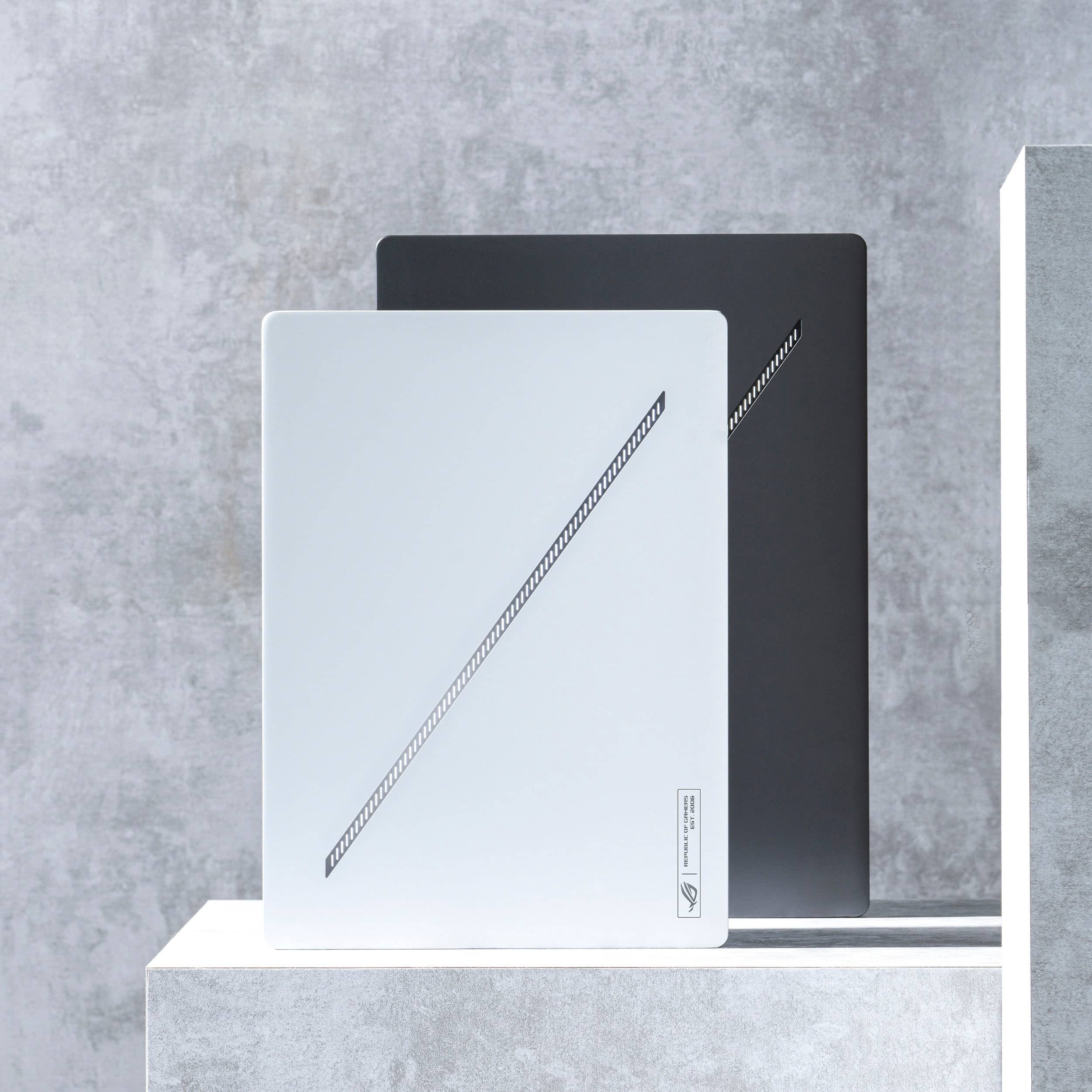
|Posted .This reviewer received promo considerations or sweepstakes entry for writing a review.I have been a fan of the Zephyrus G-Series line since I first watched reviews back in 2020 and its ability to pack some power while staying portable and relatively affordable. Unfortunately I never got to experience those devices, so when the opportunity to test this year's model I had to jump at the chance. I'm no stranger to Asus and their PC products as I have used a ZenBook 14" OLED for the better of 2 years with no issues as a daily light work PC and have the ROG Ally with the Z1 Extreme for when I want to bring my games with me. So I felt right at home when I got the G16 up and running. Now with the 2024 G-Series line up, it's moved to a more mature aesthetic replacing the dox matrix lid with the "Slash" lighting running diagonally across the lid. The aluminum body feels sturdy and too me oozes quality. One of the main draws of the G16 is the OLED panel running up to 1440p and 240Hz is amazing to me. Everything looks amazing, black levels are clearly exceptional, colors look accurate and vibrant. I've enjoyed this panel so much that I kind of get bummed when I have to hook it up to my monitor when I need a bit more screen real estate. That being said, if you don't see yourself needing or wanting the OLED, definitely save a few hundred dollars and opt for the IPS panel. As far as burn in concerns, Asus built in some things to counteract/minimize the chances, such as the Aura Wallpaper, which are just Asus curated live wallpapers. But as I said before, I've used a OLED ZenBook for the better part of 2 years and have experienced zero burn in, but your mileage may vary. On the topic of performance, with the RTX 4080, 32GB DDR5 RAM (insane to me, this thing is barely bigger than my 15" Surface Laptop 5) and 1TB of SSD, playing pretty much any game on custom high/ultra settings with it on Performance mode via Armoury Crate caused minimal lag/stutters issues. The only game I had to bump down some settings to medium was Generation Zero which has lots of textures and scenery changes resulted in stutters/lag. Overall, this has been an amazing gaming PC and comes with just about everything that made the Zephyrus G-Series such a darling in the ultra portable gaming PC space, it's just now able to be taken to a boardroom and not have anyone give you a weird look. Still miss the Dot Matrix lid tho.
I would recommend this to a friend Died in 6 months
||Posted . Owned for 7 months when reviewed.This reviewer received promo considerations or sweepstakes entry for writing a review.Worked great for 6 months. Then the SSD died. So far customer service has been awful and it's still under warranty.
No, I would not recommend this to a friendBrand response from ASUS Answers
Posted .Dear Jordan E,
We regret to hear that the laptop's SSD failed, and we apologize for the difficulties you have encountered with our support team. We would like to make your experience with us a better one.
Please email us at customerloyalty@asus.com and include the case number "N2405037624-0013" as a reference so that we can investigate this issue further. Maintaining a functioning unit is an urgent matter, and we are committed to helping you.
We stand behind our products and continuously strive to improve our products and processes to achieve customer service excellence. We will do our best to resolve your case quickly. Your feedback is very important to us, and it enables us to improve our support channels. Thank you for choosing ASUS.
Best Regards,
Chantae
ASUS Customer Loyalty US Support
- Pros mentioned:Build quality
Checks all of the boxes for a PORTABLE gaming lapt
Posted .This reviewer received promo considerations or sweepstakes entry for writing a review.TL:DR - BEST gaming laptop I've used that check all of the boxes for portability, Screen size and resolution, Light weight, and ultimate performance. This was my first time shopping for a gaming laptop.....so i did a couple test drives on several different gaming laptops. (MSI Thin15, Omen 16, Acer Predator Helios 16, G16 4060 w/3 fans) All of them were great but was always lacking something. From weight, storage, performance, cooling fan speed and etc.) I was able to get a 32/4080 on Black Friday sale and open box sale so it was a STEAL. Additionally this is computer is SOOOO light. Soooo thin. it checks all the boxes....as many will say its built quality wise is like a MacBook(They are not lying) This is my first OLED as well. I def see the hype on OLED and don't think i can ever go back to anything non OLED....speakers ? THE GREATEST and as you will read around highly suggest downloading Ghelper and getting rid of Armory Crate. Night and day difference. So if you are debating what laptop you want for the best all around performance.....THIS IS THE ONE.....This is your sign!
I would recommend this to a friend - Pros mentioned:Performance
Does a laptop replace a desktop?
|Posted .This reviewer received promo considerations or sweepstakes entry for writing a review.The Asus Zephyrus G16 is a fantastic device. I had been toying around with the idea of decommissioning my gaming desktop for a while since I hadn't used it much for its main purpose, gaming. I thought that perhaps a laptop may a nice replacement for when I do get the urge to pick up a game here and there. For what I am using it for, it checks every box. The Asus Zephyrus G16 has a sleek and slender design whose cosmetics resemble a MacBook Pro. Under the hood is a very capable Intel i9 Ultra with a mobile Nvidia 4080. This computer was able to play every game I through at it with ease. World of Warcraft, Cyberpunk 2077, Red Dead Redemption, and GTA 5 all played well. Not only just games played well. What makes this laptop truly exceptional is the display. It is accompanied with a crisp OLED display that has a stunning 240Hz refresh rate. Movies and TV shows looked wonderful as the OLED display is able to produce insane black levels. No more gray "black" shadows. The refresh rate also comes in handy for those who play first person shooters or fast paced games where every movement counts. I know I have talked a lot about the gaming and video capabilities, but this computer can do so much more. With the Intel i9 Ultra paired with Windows 11, I was able to seamlessly switch between tasks. I could have Photoshop, Spotify, Chrome, Slack, Discord, and a media server running and not notice any drop in performance. I would generally think that gaming and other tasks would make a laptop unusable on a lap as it needs ventilation. I used my computer on a desk only so I am not sure if the computer runs warm or not. From the top surface I was not able to feel any noticeable change in temperature. To that, I hardly heard the fans kick on when doing normal tasks. All in all, this computer is dope. It doesn't look like a cheesy gaming computer but has all the capabilities a more casual player would need and then some.
I would recommend this to a friend - Pros mentioned:Battery life
Almost ASUS
Posted .This reviewer received promo considerations or sweepstakes entry for writing a review.Great laptop Macbook Pro replacement this laptop lasted me 11hrs not using GPU. The OLED panel looks eye candy good and it has VRR which changes the screen refresh rate acts like MacBook Pro ProMotion. The only thing wrong about this laptop is that Slash LED on the Laptop cover kinda embarrassing in the business setting, would have been better if it was plain and simple.
I would recommend this to a friend - Pros mentioned:PerformanceCons mentioned:Heat dissipation
Solid performance, a tad hot
Posted .This reviewer received promo considerations or sweepstakes entry for writing a review.Really good laptop, my only complaint is that it runs too hot to run games while in clam-shell mode. Other than that I think its a great device.
I would recommend this to a friend