Customer Ratings & Reviews







- Model:
- GU605MZ-G16.U94080
- SKU:
- 6570223
Rating by feature
- Battery Life
Rating 4.0 out of 5 stars
- Speed
Rating 4.6 out of 5 stars
- Display
Rating 4.7 out of 5 stars
Customers are saying
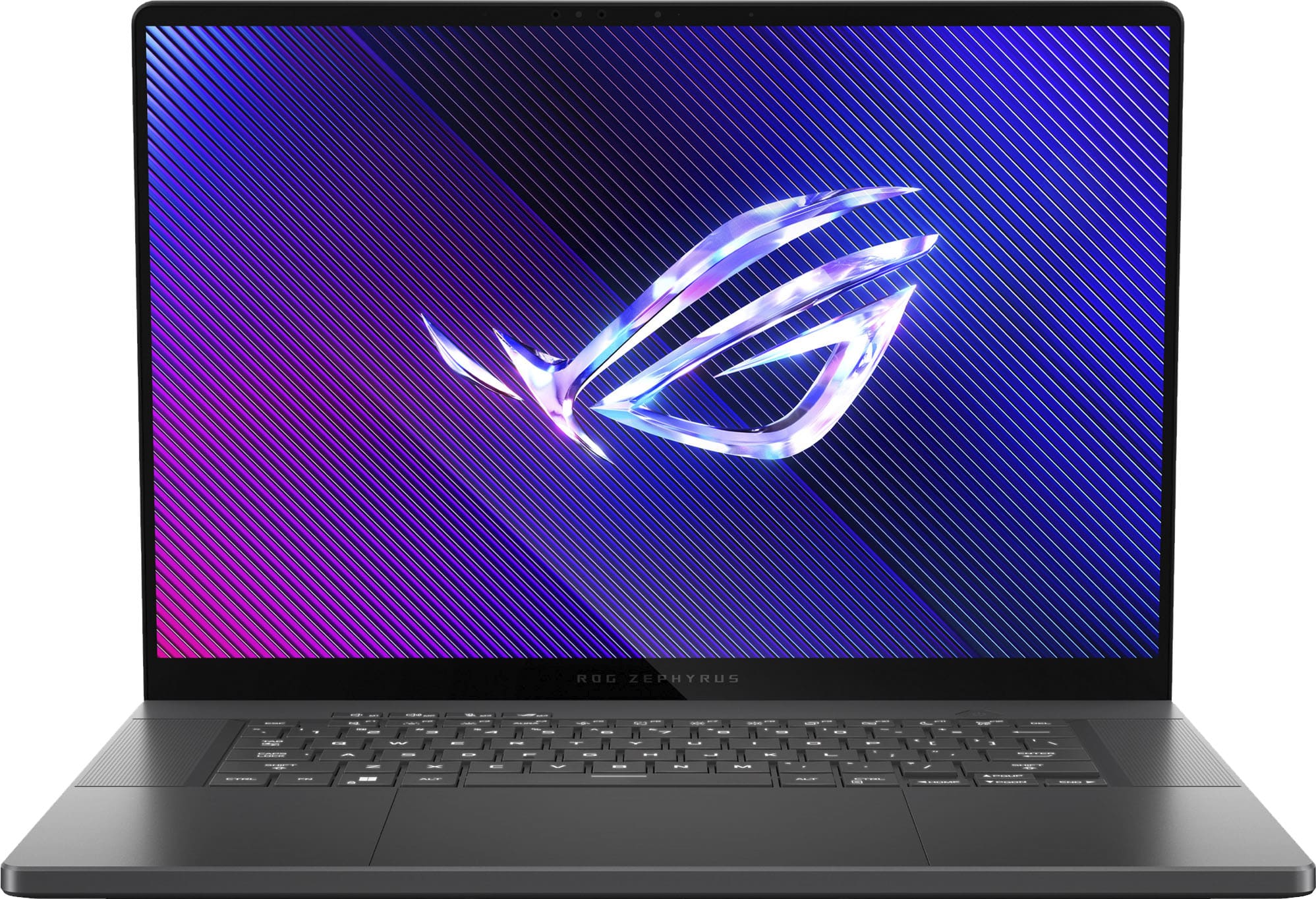
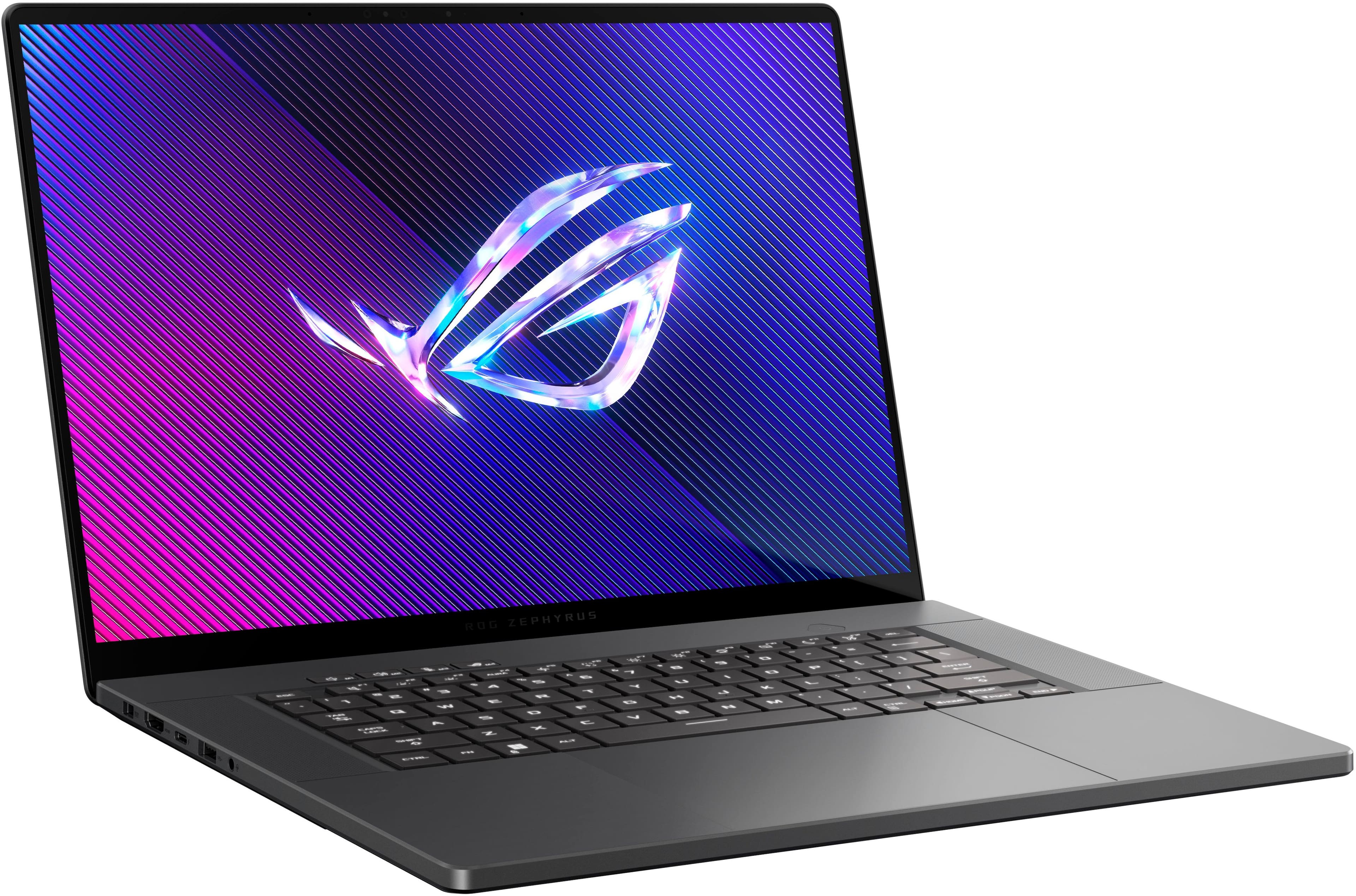
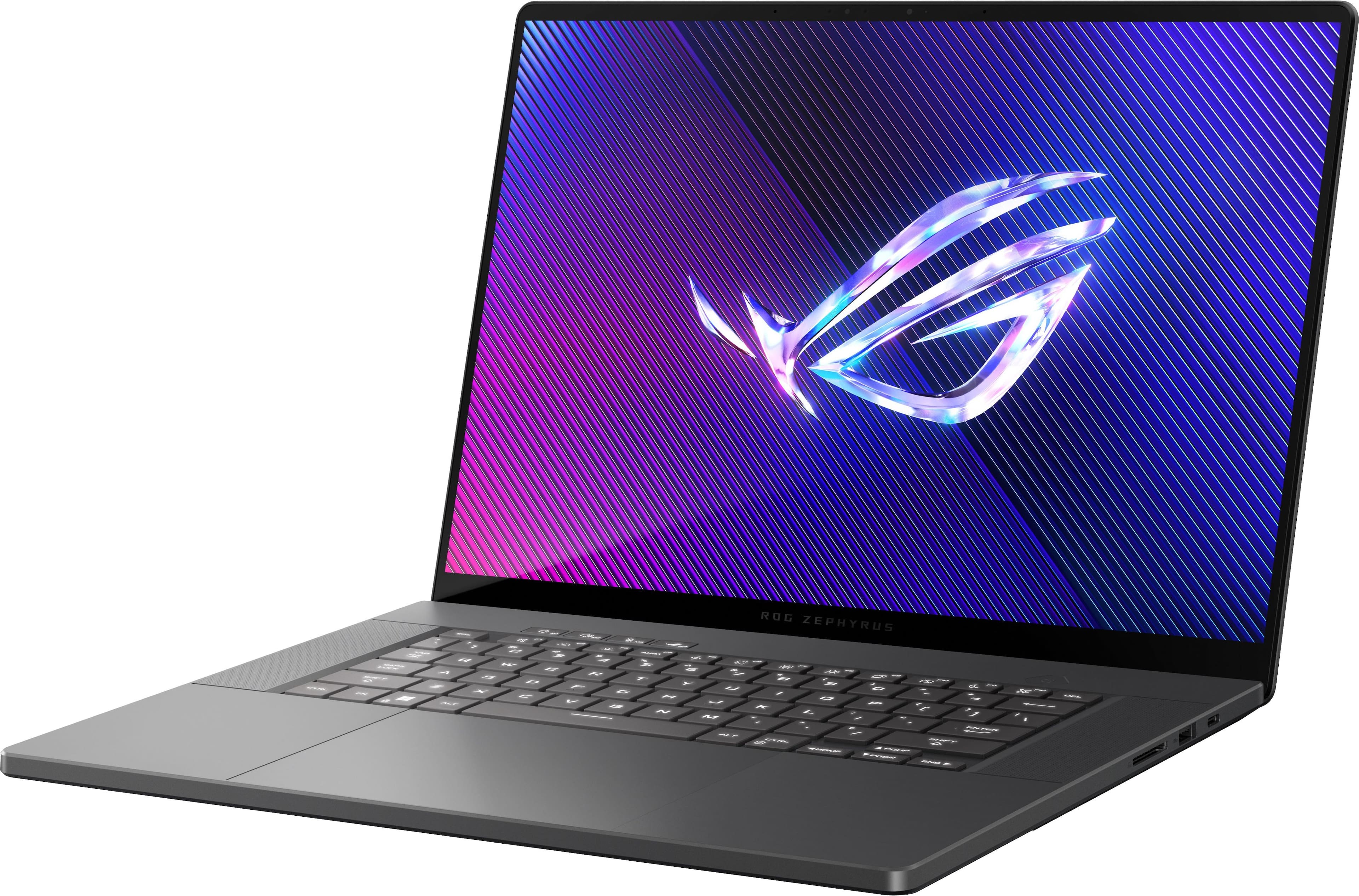
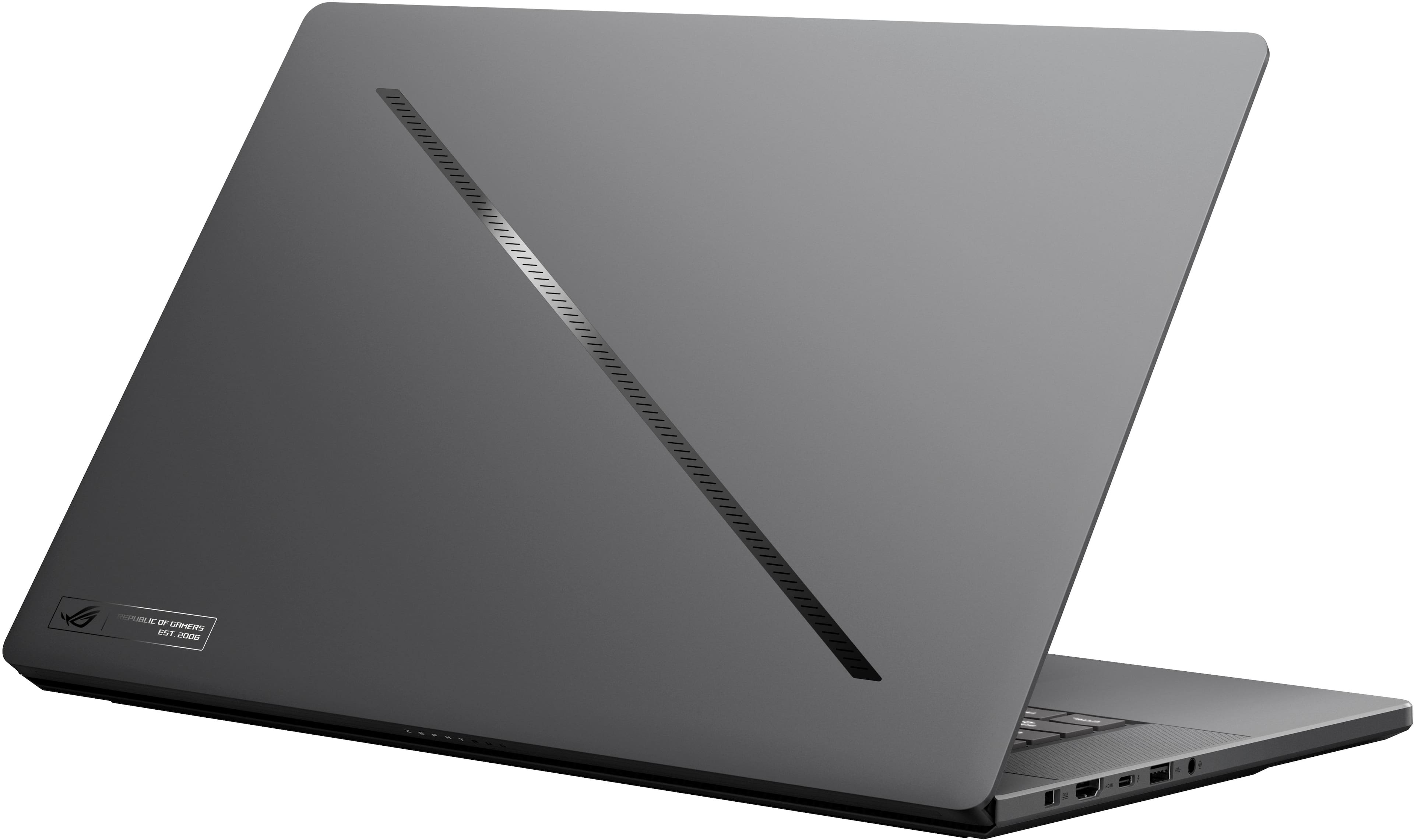
Customers have good things to say about the ROG Zephyrus G16, highlighting its excellent build quality, smooth performance, and beautiful OLED display. The laptop is also praised for its portability and decent battery life. Some users have noted that the fans can get loud and the device can get hot, while others find the touchpad clicks a bit stiff.
This summary was generated by AI based on customer reviews.
Gaming macbook
||Posted . Owned for 2 months when reviewed.This reviewer received promo considerations or sweepstakes entry for writing a review.Feels as good if not better than my 16 inch MacBook Pro and I’m able to play any game I want thanks to the 4080 gpu. The oled display is beautiful and the the refresh rate makes watching movies and videos feel amazing!
I would recommend this to a friend- Pros mentioned:Battery life, Build quality, Oled quality

Gaming Meets Everyday Laptop...Awesome!
|Posted .This reviewer received promo considerations or sweepstakes entry for writing a review.Short answer: call it the Little Laptop that Could! This is probably the most versatile laptop I've ever owned and certainly the most satisfying. The Asus ROG Zephyrus G16 GU605MZ is the upper middle model of the line, equipped with an Intel U9 processor and Nvidia RTX 4080 laptop graphics processor. This is wrapped in an elegant and solid aluminum case with a full size keyboard and a magnificent 16in 2K+ (2560x1600) OLED display. It comes with a hefty 240w power brick. Out of the box, the Zephyrus G16 is immediately impressive. It feels solid, no plastic, no flexing and weighs in at an immensely portable 4lbs. The next thing you notice is that the chassis is incredibly thin. At 16mm, it's about half the thickness of a typical gaming laptop and a pound or two lighter. The 240w power brick adds another pound plus to your carry weight, but it is thinner than most. There is a significant but to this... the Zephyrus G16 can charge on a 100w usb-c charger. For gaming you'll obviously want to use the high power brick, but for day to day use and travel, a much smaller, and lighter, power option is available. Charging with the 240W supply took about 2 hrs from 10%. Charging with a 100W supply took around 6 hrs. The only odd note: The three LED indicators for charging, disk, and lighting are on back bottom of the display bezel and are not visible when the lid is open. Initial power on is the usual Windows setup, update, setup again cycle, then on to game and utility installs. The Asus Armory Crate app has a host of monitoring and performance/economy options and has worked well. It also mercifully lets you control or disable all the lighting effects. One thing you will notice immediately, especially if you have used a gaming laptop in the past, is the lack of noise. Even in full on gaming mode, the cooling fans are quite livable, not the jet roar of prior generation gaming laptops. The display and speaker quality are both first rate. At 16 inches the display is quite readable; I could reduce the scaling to 2/3 of the recommended scaling with no readability issues. The display is absolutely gorgeous and quite bright, with nice saturated colors. Using it outdoors is sunlight was quite workable. Additionally, the murky shadows (think Diablo or any dungeon crawler) don't hide the bad guys. The dynamic range is impressive. The speakers are good, excellent by laptop standards, but still won't replace a good Bluetooth speaker or headset. The keyboard is chicklet style with nice large keys for those of us fat fingered types. The keys have respectable throw and good tactile feedback. I do wish Asus had found a way to add a numeric keypad. I did run some benchmarks before playing any games. The SSD and WLAN were up there with the fastest of them. CPU was mid-pack as was the graphics performance. It's really remarkable that Asus was able to get the level of performance they did given the thermal limiting going on to squeeze all that power into a relatively quiet, very thin laptop. Games were a different story. So far, it's been Diablo 4, Horizon Zero dawn, and a couple of shooters. No tearing or lag, and response time has been as instantaneous as I can see. I also do a lot of video editing and rendering was exceptionally fast. Music and audio processing was similarly fast. Battery life was quite interesting. Using it as a general purpose laptop (web surfing, email), I was able to go 7 to 8 hours on a charge. Video streaming seemed to have about the same runtime. In gaming mode, even with refresh turned down to 60hz, I was only able to go about an hour & 15 minutes before the battery hit 10%. In 240hz, it dropped to an hour. it was interesting that even plugged in and in game, the laptop never became more than warm and the fans became noticeable but never objectionable. There is some really elegant cooling going on there! Bottom line, if you're looking for ultimate performance from a gaming laptop, look elsewhere. If you want a hybrid use laptop that will provide near top of the line game power, that you will actually want to carry, that can handle multimedia processing efficiently, that can run near silent in an office environment, and is an absolute joy to use, look no further. The awesome Asus ROG Zephyrus G16MZ should be the top of your list. Well done Asus!
I would recommend this to a friend - Pros mentioned:Build quality, Oled quality, PortabilityCons mentioned:Noise level
A Lightweight Premium Build w/ Gaming at Its Core
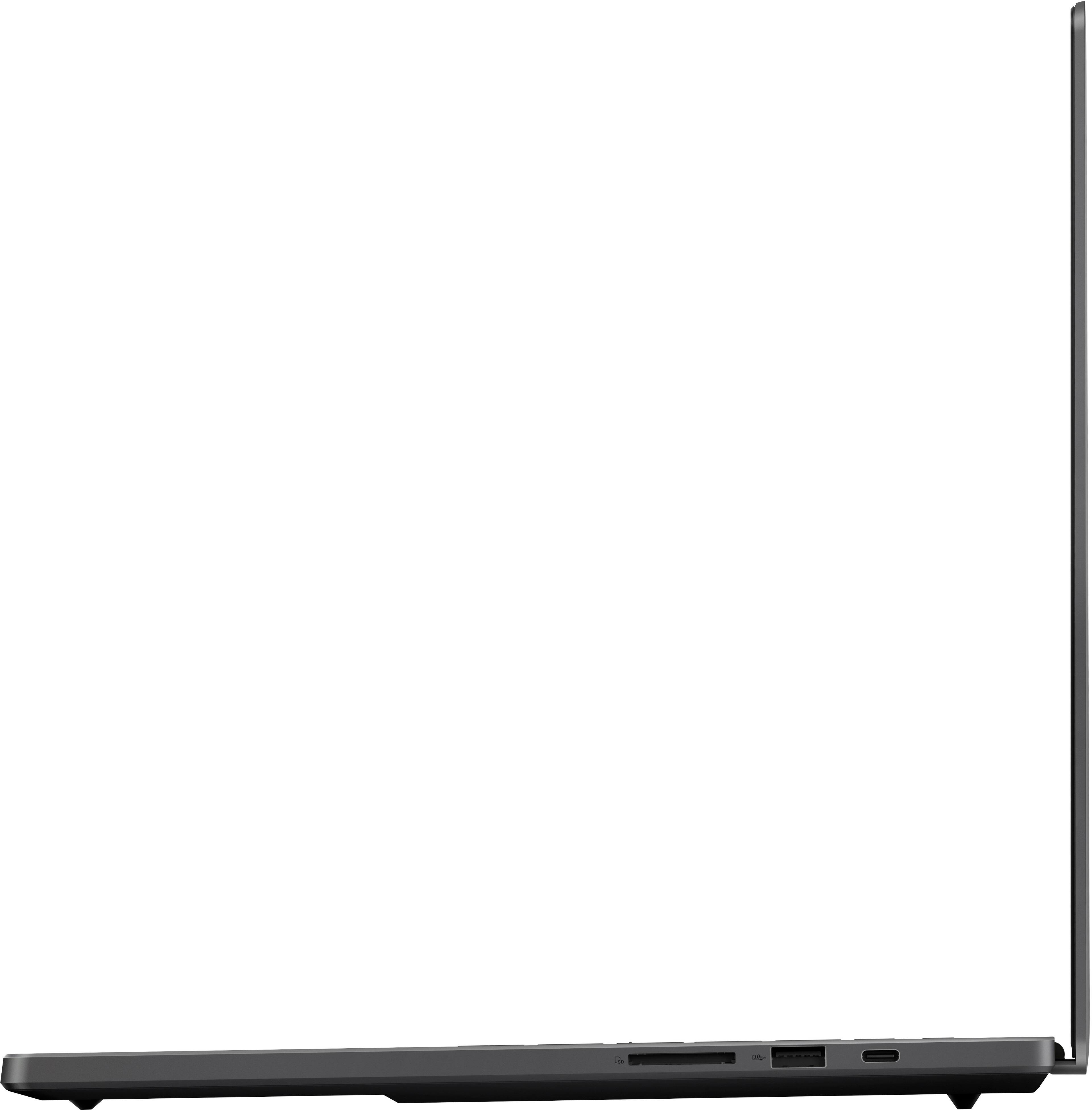
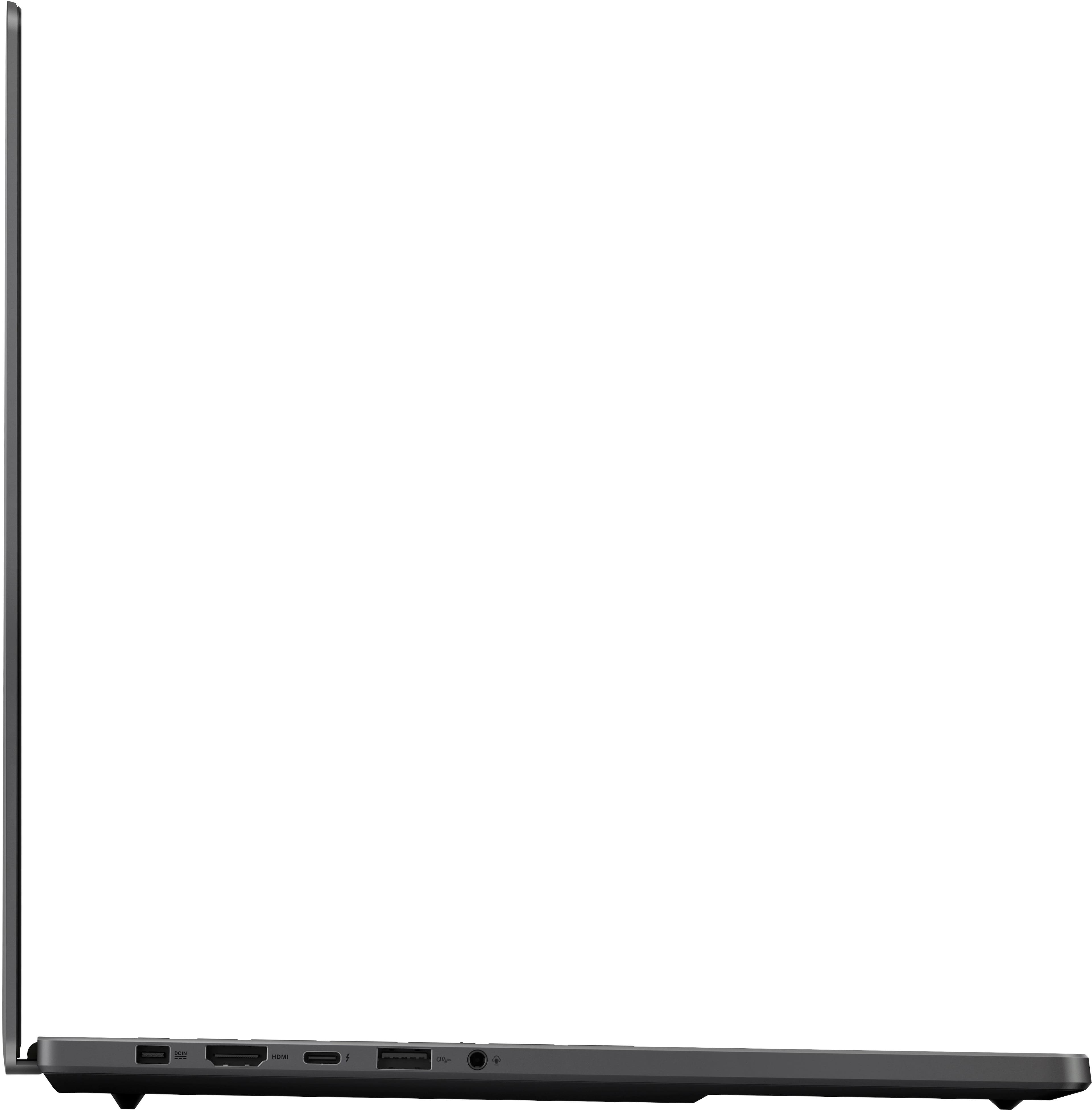
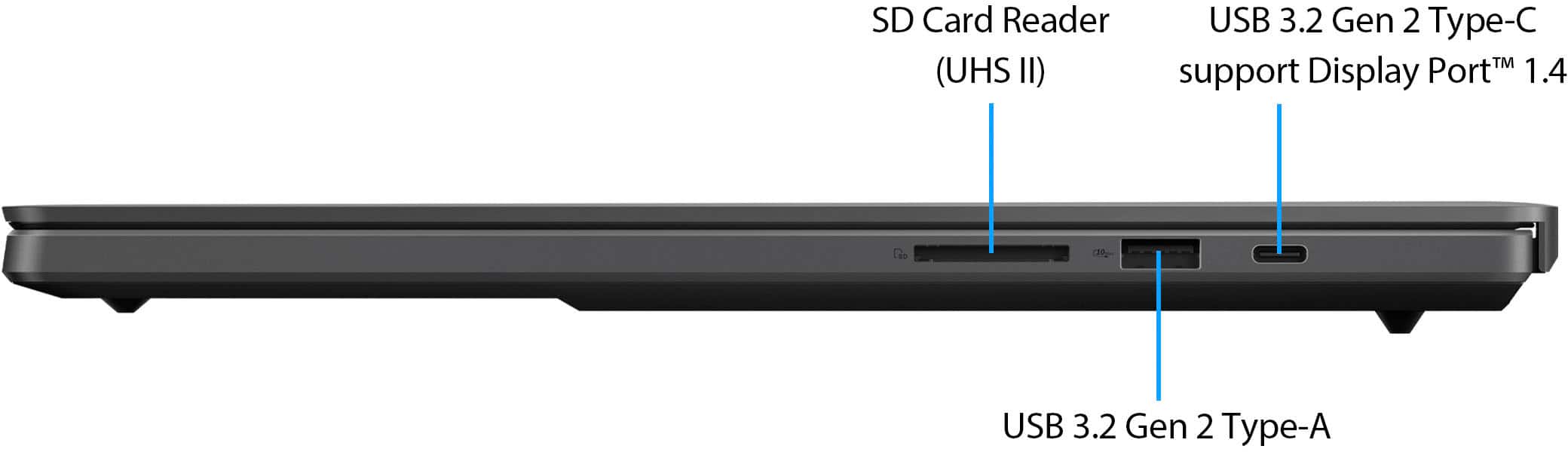
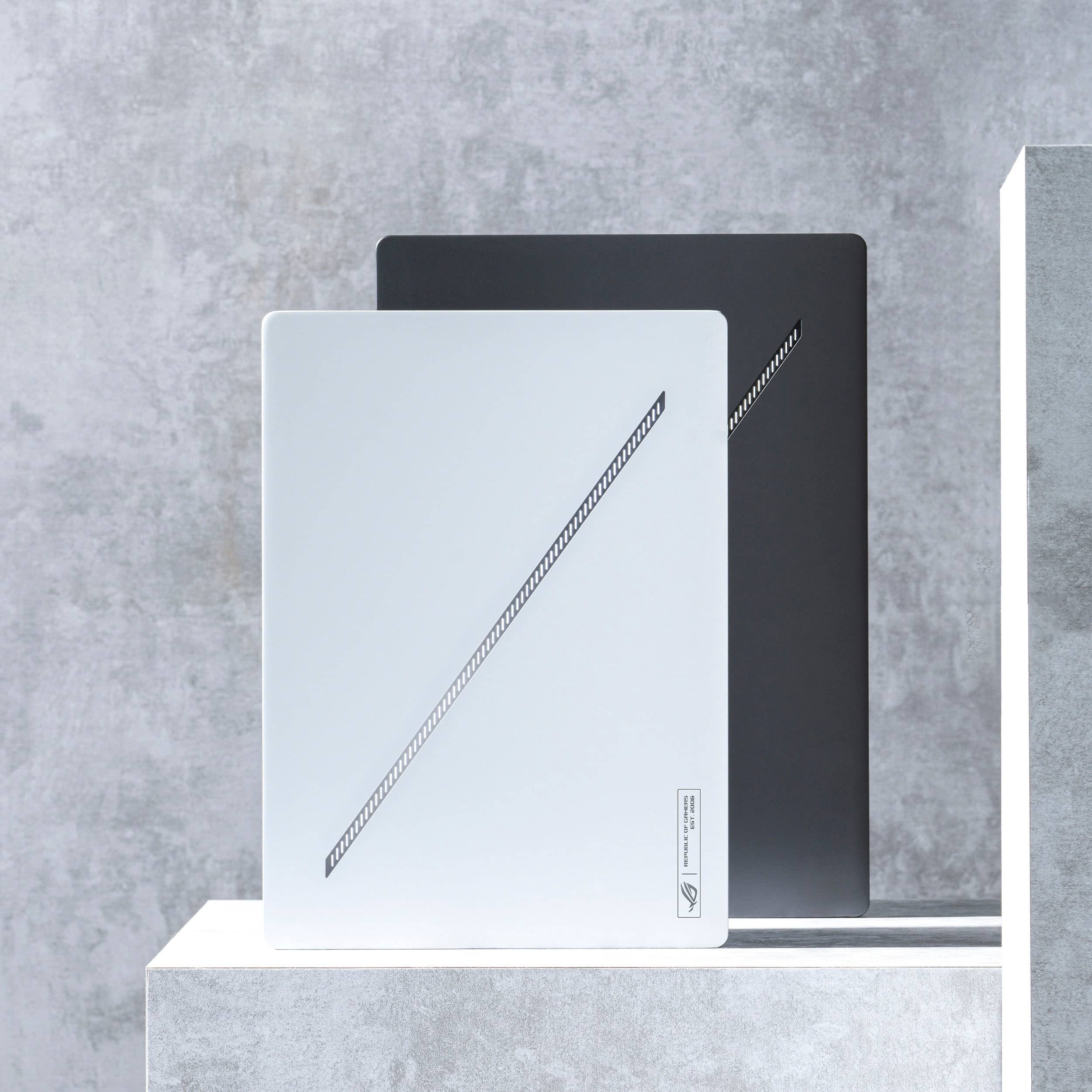
|Posted .This reviewer received promo considerations or sweepstakes entry for writing a review.💪 BUILD: First impression of the G16 is that ASUS really stepped up their build materials compared to previous years. It’s an all-aluminum design from the base to the keyboard deck to the lid. It’s an overall thin profile that feels more durable and confidence-inspiring, and just feels more portable at 4.3lbs—which is great for a gaming laptop of this caliber. On the top lid you have the new Slash Lighting array which you can configure in Armoury Crate, and on the bottom you have 11 T6 Torx screws to gain access to the internals. Other than the rubber feet spanning across the bottom, the Zephyrus G16 is thinner than the MacBook Pro 16, but when placed side by side on a flat surface, the G16 stands thinner at the front and becomes taller at the rear due to the protruding rubber feet. 🔌PORTS: For the I/O, the G16 sports a proprietary 240W power input. Personally, I really wish ASUS would support 240W over an additional USB-C port, but I’m sure that’s additional cost and engineering time. Even so, it does support 1x Thunderbolt 4 USB-C port as well as a USB 3.2 gen 2 USB-C port—each of which supports 100W USB-C Power Delivery. I do wish ASUS would make both of these Thunderbolt 4 compliant since it would give additional flexibility when using thunderbolt docking stations, external thunderbolt storage, and potentially eGPUs. Additionally, gamers will appreciate the 2x USB 3.2 gen 2 Type-A ports—especially for peripherals like mice, keyboards and USB headsets. And if you have a modern TV that supports HDMI 2.1, you’ll be able to achieve full bandwidth for a native 4k120Hz connection as long as you have a proper HDMI cable. Lastly, I appreciate having the option for a 3.5mm analog headphone/microphone combo jack for music, gaming or meetings, and a UHS-II SD card slot for creators. 🔧 EXPANSION & UPGRADES: Expandability on the G16 is one of its weaker points. On the bottom of the laptop are 11 T6 Torx screws. While 9 of the screws are exposed, you’ll need to remove two smaller rubber stoppers at the rear of the laptop to expose the 2 additional screws to gain access to the bottom of the chassis. And unfortunately, the screws are of different lengths, so you may want to keep track of the locations for each screw, or consult the service repair manual from their support website if you accidentally forget. Once the rear cover is removed, you’ll really only have access to 2x PCIe 4.0 NVMe SSD slots—one of which is unoccupied, and another slot for your WiFi module. It would have been nice to see a WiFi 7 module included instead of a WiFi 6E. But more importantly, you won’t be able to upgrade RAM, so you’ll need to buy the model that fits your needs. ⌨️ KEYBOARD & TOUCHPAD: The keyboard has good tactile feedback and travel, and the deck is rigid without flex. I’m able to type at my normal speed ~112 wpm without constantly fumbling. For work, I use a MacBook Pro 16, but I found that the transition to the G16’s keyboard was fairly natural for me. The RGB backlit keys are also appreciated for darker environments, but admittedly, is something I don’t care much about and don’t find myself often needing. After changing some preferences, I feel that the touchpad is very good. But I think the palm rejection could be improved because I did find myself accidentally changing the cursor position while typing. The physical clicks on the G16 touchpad do feel a bit stiff, but it’s still one of the better touchpads I’ve experienced on a Windows laptop. 💻 DISPLAY: The G16 sports a 2560x1600p@240Hz OLED display. ASUS says it supports 100% of the DCI-P3 color space, and is Pantone Validated for color accuracy. While I don’t have the tools to objectively measure the display, my personal opinion is that it looks fantastic, gets very bright (especially for my use-cases), and HDR content looks fantastic on the OLED display. As a content-creator who focuses more on creating rather than editing and color-grading, it’s still good to know that I’m at least working with a display that should represent colors accurately, but for gaming purposes, I am subjectively impressed with the experience, as colors pop off the screen with excellent contrast in games. And with HDR enabled, you’ll be sure to enjoy an even richer visual experience. 240Hz will be more practical for eSports and games that are just generally less-demanding, but maxing out the most graphically intense modern games will not yield this kind of framerate. However, because the display does support Adaptive Sync, you should experience much less screen-tearing while gaming. 📹 WEBCAM & MICROPHONE: At 1080p, the webcam does perform better than many others, but it’s also not going to replace a dedicated camera if you’re the type of person to stream on Twitch, Discord or YouTube. But for taking a video call, it should be sufficient with not too much noise unless you’re in low-light conditions. Additionally, you can use Windows Studio Effects to leverage the Intel NPU to apply a background blur. And of course, the Windows Hello facial recognition has been more reliable than ASUS’ fingerprint sensors. The microphone also sounds quite good when you configure it correctly. Windows claims that the G16 has a 4-channel microphone, and this checks out. Flanking the webcam on both sides, you have 2 microphone channels, and inside of the left speaker of the G16 are the other 2 channels. In my experience, I got the best quality audio by opening the Realtek Audio Console and setting the microphone to Stereo-Enhanced Mode. And if background noise is a concern, I prefer to use NVIDIA Broadcast to apply AI noise reduction. 🔊 SPEAKERS & HEADPHONE: The built-in speakers on the G16 are a pretty significant improvement over most ASUS laptops I’ve tried in the past. While perhaps not quite at the level of the MacBook Pro, it’s still very good and makes all content sound fantastic. If you want to adjust the sound profile of the speakers (and I think you should), you can open the Dolby Access app and select different presets or set your own EQ. Personally, I created a custom flat EQ without any additional surround virtualizers or volume levelers. As for the headphone experience, this is an area where I prefer to disable Dolby Atmos entirely, since I want a flat EQ so that I can listen to my music through the sound profile of my different headphones. Overall, I found this also to be a pleasant experience and it seemed to deliver decent loudness without distortion on sensitive both in-ear monitors and power-hungry planar magnetic headphones. It certainly won’t be replacing my dedicated DAC and amp, but in a pinch, it’s great to know I don’t have to compromise a ton. ⚡ PERFORMANCE: For these benchmarks, I opened Armoury Crate and set the laptop’s power profile to Turbo Mode and the GPU Mode set to Optimized. I also used a laptop stand for better cooling access. Sometimes I’d run Cinebench Multi Core on the same power profile and yield 14%-16% lower results than what I’ve documented here. So take these with a grain of salt. ◾ Unigine Superposition 1080p Extreme DirectX benchmark: 9588 ◾ 3DMark Time Spy: 14681 https://www.3dmark.com/spy/46231593 ◾ 3DMark CPU Profile: 8866 https://www.3dmark.com/cpu/1789367 ◾ Cinebench R23 Multi Core (10 minutes): 18649 ◾ Cinebench 2024 Multi Core (10 minutes): 1011 Under a full sustained CPU load, the Intel Core Ultra 9 185H can yield very respectable results. During the PL2 load (2min sustained), the CPU would eventually sustain around 4.3GHz @ 96C, then dial back to a PL1 around 3.9GHz @ 83C. During this time, both fans do get loud (~47dB average / ~50dB max), reaching a peak around 5700 RPM, but thankfully without any high-pitched whining. Putting some closed-back headphones (Audeze Maxwell) on, I don’t really notice the fan noise. But there’s no doubt that others in my environment would certainly hear it. It’s also worth mentioning that while plugged in and using the Silent power profile, I could not get less than ~1700 RPM on the fans, but it can reach 0 RPM on battery mode for a truly silent experience. The most graphically demanding games like Cyberpunk 2077, Control, and A Plague Tale: Requiem will play well over 60fps on average while on very high settings with RT and DLSS enabled. But to engage a high frame-rate experience > 120fps, it may be better to dial back some settings, and you’ll still achieve a very crisp visual experience on the native 16” display. But if you’re comparing to other “thin” gaming laptops, the G16 may not have the best performance since the graphics only delivers 95W base + 20W dynamic boost, while others might deliver up to 175W, but those laptops will be much heavier despite having a thin profile. This puts the G16 in very limited competition for all that it offers. 🔋 BATTERY: Battery life continues to be a struggling point for Intel-based laptops, but it’s undoubtedly improving. If you have higher-performance needs for software development purposes, you may only get a few hours of battery life. But if your battery needs are geared towards documents, basic web browsing and video streaming, then I think it’s much more likely that you can get a 6hr to 7hr day while on lower display brightness, RGB effects disabled, and the silent power profile. 🧐 CONCLUSION: The 2024 Zephyrus G16 delivers a lot of improvements compared to last year’s G16 and 2022’s equivalent M16. While you will pay a premium, ASUS delivered much more value this year with a very premium experience for every aspect of the build. If performance is what you’re really after, then there are certainly better options on the market to deliver performance per dollar. But if you want something that is not only slim but lightweight and delivers a premium experience with very solid gaming performance, then the G16 may very well be what you’re looking for.
I would recommend this to a friend - Pros mentioned:Performance
Ok
||Posted . Owned for 2 weeks when reviewed.This reviewer received promo considerations or sweepstakes entry for writing a review.Good pc nice service can try Oder I’m recommend this
I would recommend this to a friend - Pros mentioned:Battery life, Build quality, Oled quality
Really a great laptop!
|Posted .This reviewer received promo considerations or sweepstakes entry for writing a review.I've used many laptops over the years, owned many Mac and Windows laptops. This is an excellent Laptop. Ultra premium build, OLED 240hz screen, great performer for the size. Unboxing and Build Quality In the box I found the laptop and power adapter as well as some standard paperwork documentation. The machine is very thin and light - it's actually a bit smaller than a 16" Macbook Pro. Build quality is excellent. The gray color is similar to Apple space gray and the metal build feels great. There is little to no keyboard deck flex. The slash lighting on top is a cool touch but it can attract dirt and dust easily in the LED gaps. Fingerprint resistance seems OK. The 240w power adapter is smaller than past Asus adapters which is highly welcomed for better portability. It also uses a new rectangular plug which feels sturdy. Setup As with any new laptop, make sure you download the latest updates from Windows Update and use the Asus Armory crate software to upgrade all the drivers. I'd also download the Nvidia app and update the graphics driver as part of setting up a new laptop. I find Asus Armory crate to be functional while performing well and not feeling too bloated, although the settings can be a bit confusing. I wish they had a simplified mode with simple lighting and performance modes and driver update section, and then a more advanced mode to unlock the other settings if desired. It can feel a bit overwhelming to open Armory Crate and see so many options. Most people just want to set the power mode and the lighting color and update drivers. General Usability Great trackpad, perhaps a tiny little bit hard to click but that's OK. It clicks evenly and there is no play. The port selection is great. Love the USB-A and USB-C ports being on both sides. The speakers are excellent - up there with macbook pro quality. They are the best speakers I have ever heard on a windows laptop. Screen The 16" 1600P 240hz OLED screen is one of the main selling points of this laptop. The display is glossy and looks beautiful. It also gets bright enough, I believe the spec is about 400 nits which seems accurate. The glossy display coupled with the OLED display makes for a great display with excellent contrast and bright colors. The gloss screen seems to have a anti reflective layer that in certain lighting conditions gives it a bit of a bluish gray undertone. It's not a big deal, just something I noticed. The 240hz refresh rate is a dream for games like Counter Strike, League of Legends, Call of Duty, Fortnite, Valorant, etc. I played several hours of CS2 and League of Legends and the 240hz refresh rate is wonderful. With G-Sync turned on by default I also saw no screen tearing. The text clarity and subpixel layout are more than acceptable for an OLED display. Around some text theres a very, very small amount of color fringing from the OLED subpixel layout but It's really not noticable at normal viewing distance and It's much better than the fringing on something like an LG 42" OLED TV at a desk as a monitor. I was also very happy to see the screen has no dirty screen effect, no screen door effect, no random dots on it. When it comes to burn-in, as long as you don't leave the screen on 24/7, I see no reason to be concerned about burn in anymore with these displays. Performance For a machine this size, I'm real impressed by what Asus has managed to crank out of this machine. With my 4080 version on Performance mode I managed a timespy score overall 13,100, and with Turbo mode (louder fans, higher power targets) I get 14,700. How this translates into gameplay - Realistically, any modern game including high demand AAA games run excellent on this laptop. Especially with new technology from Nvidia for frame generation in games like hogwarts legacy and others can create an excellent gaming experience. The Intel Core Ultra 9 CPU is more than powerful enough for the job paired with this CPU. In Cinebench on Performance Mode, I get a score of 17,100 over a 10 minute run. Heat, Fans While playing games, the heat management is very good. The palm rests do not get hot, the keyboard does not get hot. The only parts of the laptop that get hot are the area between the keyboard and the display. The fan noise while gaming is actually pretty good for a machine this size. On turbo mode the fans do get whirring pretty loud but that's the price you pay for that extra performance bump. Idling and low drain tasks, the fan curve should be tweaked a bit by Asus. It's a little frustrating to hear the fan whine up and down while watching youtube videos. I'd rather have a continuous nearly quiet sound than a quiet sound with spool ups every few seconds. I think this is a simple software tweak for Asus to implement - while gaming the fan noise is continuous and not changing which is less distracting. Upgradability If you open the laptop to add an SSD or upgrade the wifi, or to clean fans, note that there are two more hidden screws underneath the two small rectangular rubber pieces toward the back. I added an SSD and upgraded the wifi card to a BE200 card. Of course, the SSD was plug and play, and the Wifi 7 card was also plug and play. Battery If you use silent mode on battery, the battery can last well over 5hrs, but silent mode brings the cpu clocks way down. It's perfectly usable for basic tasks or youtube videos, etc, but noticeably slower. Setting it to performance mode in Armory Crate while on battery makes the machine snappier, but the battery gets cut down to 2-3hrs. I don't personally play games while on battery with laptops since the performance drops down. For me battery while playing games is more to just move the machine to a different room in the house, etc. Overall This is a really excellent laptop for high performance portability. The OLED screen is excellent, the performance is good, the speakers are great, keyboard and trackpad are great, and with the right settings can deliver long battery life. I had absolutely zero glitches in my use so far, and the machine performed as expected. If you're after a bit more power, you can get an Asus Scar 18 which is one of the best large desktop replacement laptops, but that comes at a higher price and larger size. I think the Zephyrus G16 strikes the right balance for most people in the premium portability category.
I would recommend this to a friend May not have the correct graphics card
||Posted . Owned for less than 1 week when reviewed.This reviewer received promo considerations or sweepstakes entry for writing a review.I bought an open box excellent condition version of this laptop as no new one was available. Upon getting it all set up and my main games installed i went to benchmark and get an idea of how would would run. Jedi survivor took 15 minutes to get to the opening menu. I was gett 1 frame every 2 seconds. Co closed the game and tried to open invidia control panel to only be popped up with “a graphics card was jot detected. Turns out it has an intel arc 770. Many games wouldnt use the dang thing and would barely function and werent playable. Others would play but tell me the vram had only 128mb available despite the system using 2900mb at the moment. Great looking laptop and would love to keep it but it cant play games so has to go back. Will just go with an MSI and not worry about wasting more time.
No, I would not recommend this to a friendBrand response from ASUS Answers
Posted .Dear Niclas,
We regret to hear that you received a defective product, as well as the inconvenience caused. This is not the kind of quality to expect from ASUS products and it's not the norm. All ASUS products undergo intensive quality control, testing, and inspections. What you've experienced was not intentional or representative of our brand. Please accept our humble apologies. Customer satisfaction is our top priority, and we strive to make every purchase enjoyable. The decision to make a purchase can be important, and we want to ensure that our customers receive the best products and services. We understand that you have returned the device, and we hope that you were able to obtain a functioning replacement and that you are enjoying using it.
We do stand behind our products and continuously strive to improve our products and processes to achieve customer service excellence. For more information, email us at customerloyalty@asus.com and include the case number "N2403008258-0003" as a reference. We will do our best to resolve your case quickly. Your feedback is very important to us and enables us to improve our support channels. Thank you for choosing ASUS.
Best Regards,
Chantae
ASUS Customer Loyalty US Support
Extreme performance at 4 pounds
||Posted .This reviewer received promo considerations or sweepstakes entry for writing a review.It's the best laptop that I ever used. There is no competitor at all at this weight, performance and premium feel.
I would recommend this to a friend- Pros mentioned:Build quality, Performance
The New Benchmark for Gaming Laptops
|Posted .This reviewer received promo considerations or sweepstakes entry for writing a review.The 2024 ASUS ROG Zephyrus G16 is legitimately the best laptop I’ve ever owned. I can’t find anything that’s a dealbreaker (and I usually do with laptops, especially gaming laptops). This is an excellent refinement of the ROG Zephyrus line. I had the original G14 and while I loved it, there were still a lot of things that didn’t work for me. The display, the build quality, the lack of webcam were some of the things that stood out, despite being a stellar product. This solves all of that. We get the absolutely gorgeous OLED display that’s 240hz, color accurate and G-SYNC built in. While it’s not perfect, all of my quibbles are just that, quibbles. Performance-wise, the laptop is a beast, powered by the latest Intel Core Ultra 9 processor and the formidable GeForce RTX 4080 GPU. Whether I'm tackling the latest AAA titles or working on demanding productivity tasks, the G16 handles it all. Even at maxed-out settings and native resolution, the performance remains impressive, as evidenced by the solid frame rates achieved in titles like Baldur's Gate 3 and Palword. I threw Palworld in here because of the lack of optimization this game has being in early access. Its performance is rough across all devices so the fact that settings are maxed and I’m still getting above 60 fps is amazing. Maxed out Settings at Native Resolution(2560:1600), Asus Armoury Crate performance set to "Performance" (I did not see any significant improvement when set to Turbo other than the fans getting very loud) Baldur's Gate 3 Performance: Average 90 FPS Palword Performance: Average 65 FPS The industrial design of the G16 is nothing short of spectacular. It's sleek, stylish, lightweight, and drops all of the gaming laptop stylings that I find tacky. The keyboard is excellent, providing a comfortable typing experience, and the trackpad is responsive and precise although maybe a tad too large. On the downside, the Eclipse Gray finish is a fingerprint magnet, detracting from the laptop's otherwise beautiful appearance. I would definitely go with the white color if you can. Additionally, I wish the proprietary charger was USB-C like all my other devices, I understand that USB-C doesn’t have the kind of power throughput required for this device. It at least seems quite sturdy of a connection and doesn’t have a specific top side of the charger. The light bar does nothing for me and by default is on way too much, including when asleep just ending up being a waste of energy. The absence of a 10-key number pad was disappointing but it did leave room for those excellent speakers. While the Intel Ultra chips boast AI capabilities, their practical utility are so specific that you likely won’t ever be able to use them. Even as someone that works in AI, I still haven’t. Furthermore, achieving performance that fully utilizes the 240Hz display may require dialing down graphics settings in certain scenarios which is kind of a bummer but I’m glad it’s there anyway. Don’t let these quibbles dissuade you though! This is still a 5 star laptop and as someone who’s owned a lot of laptops and usually finds big issues and tradeoffs, I don’t see one here. It’s beautiful, lightweight, powerful, and cheap (relatively). If you are in the market for a gaming laptop, or just a powerhouse laptop, look no further than the new ASUS ROG Zephyrus G16. Pros: Incredible performance Industry leading industrial design Price can’t be beat OLED display is GORGEOUS with excellent color accuracy Speakers are crisp, loud, and have excellent separation Lots of RGB customization Excellent keyboard and trackpad Still has all the ports you need Cons: Eclipse Gray is a fingerprint magnet Proprietary charger versus USB-C (although that’s due to the limitations of USB-C and not ASUS’s fault) The light bar is pretty silly No 10-key number pad Hard to get performance that utilized the 240hz unless I drop the graphics settings down The Intel Ultra chips are gimmicky when it comes to AI
I would recommend this to a friend - Pros mentioned:Build quality, Oled quality, Performance
Extremely Nice Gaming Laptop
|Posted .This reviewer received promo considerations or sweepstakes entry for writing a review.About The ROG Zephyrus G16 is a high end gaming laptop brought to you by Asus. It boasts a 14-core Intel Ultra 9 processor, NVIDIA GeForce RTX 4080 graphics card, 240Hz refresh rate, solid state hard drive, and 32GB of DDR5 RAM. Generous connectivity options are provided while keeping the laptop to a thin and lightweight design. Packaging and Contents The packaging has a nice appearance. Contents included the laptop, power adapter, and small instruction manuals. Note that Asus recommends that you charge the laptop for 3 hours prior to setting it up. General Specifications Screen Size: 16” OLED Screen Resolution: 2560 x 1600 @ 240Hz Processor: Intel Ultra 9 (14-core) Memory: 32GB DDR5 (2 16GB Sticks) Graphics Card: NVIDIA GeForce RTX 4080 (12GB of GDDR6X Video Memory) Storage: 1TB SSD Operating System: Windows 11 Home 64-bit. Audio: 6-speaker Dolby Atmos RGB Lighting: Backlit keyboard with customizable keyboard lighting. Slash lighting at cover. The touchpad mouse is the biggest laptop touchpad I have ever seen. It takes up half of the keyboard. Ports and Connections WiFi: Wireless AX (WiFi 6E) Bluetooth Headphone Jack HDMI Out: 1 (2.1) USB Type A: 2 (3.2) USB Type C: 2 (3.2) USB Type C: 1 Charging Thunderbolt 4: 1 Media Card Reader: SD Card Slot Reader Power: 330 Watts Camera: 1080p Differences from Best Buy’s Website There were a few things about the laptop that currently do not show up correctly on Best Buy’s website: Media Card Reader – There is a Media Card slot installed on the right side. Mic Input – Best Buy shows a Headphone jack and Mic input listed. There is a headphone jack. There is not a separate Mic input. The webcam does have its own microphone built-in. Audio Technology – Best Buy shows a “-“ for this model under Audio Technology. It will do Dolby Atmos. Gaming Experience The screen had a very sharp picture. It was really pretty stunning. The video while gaming had an enjoyable smooth movement. It didn’t have any lag or jitter. Excellent job here. I had one issue with a Steam game not loading. I will accredit the issue as a problem with the game and not with the computer. The other several games worked very well. Other Things I Noticed Features vs Size – Asus did a masterful job with providing a loaded laptop with a larger screen while creating a thinner, less bulky device. It looks good and works well. Mouse Pad – This was one of the few things that I did not like about the laptop. The mouse pad takes up half of the keyboard space. It actually makes it harder to type because it’s so big. This isn’t new for Asus, as my 2022 ROG laptop also has this. Asus Switch – Asus has a program to transfer your files from your other computers over to help you set up the new device. I have 3 other Asus laptops/ROG Ally that have been saved to this profile. I did not want the files brought over to this laptop, but it did it anyway. I told it to set up as a new PC, but it brought over folders, files, and shortcuts against my wishes. That could be improved by Asus. Heat – For gaming laptops, this can be a big issue. I was very impressed with how the laptop handled heat. It really did not get very warm for most anything that I did. The warmest temperature I experienced was while playing a game, Batman: Arkham Knight, but it wasn’t near at hot as my Alienware work laptop just performing normal day-to-day activities. This is a win for Asus. Fingerprints – The gray aluminum finish does show fingerprints. It’s not a huge deal though for me. Overall, this is an excellent gaming laptop. The video motion is smooth and the picture is stunning. It’s simply a higher end machine. While there were a few minor things that I mentioned I still believe that this product deserves 5 stars. I think that most people will find it to be a very solid gaming machine and should be happy with their selection. Asus continues to make good products. This is my third laptop from them, and they all three still work very well.
I would recommend this to a friend - Pros mentioned:Build quality, Oled quality, Performance
Sleek, Powerful, and Flexible Laptop For All
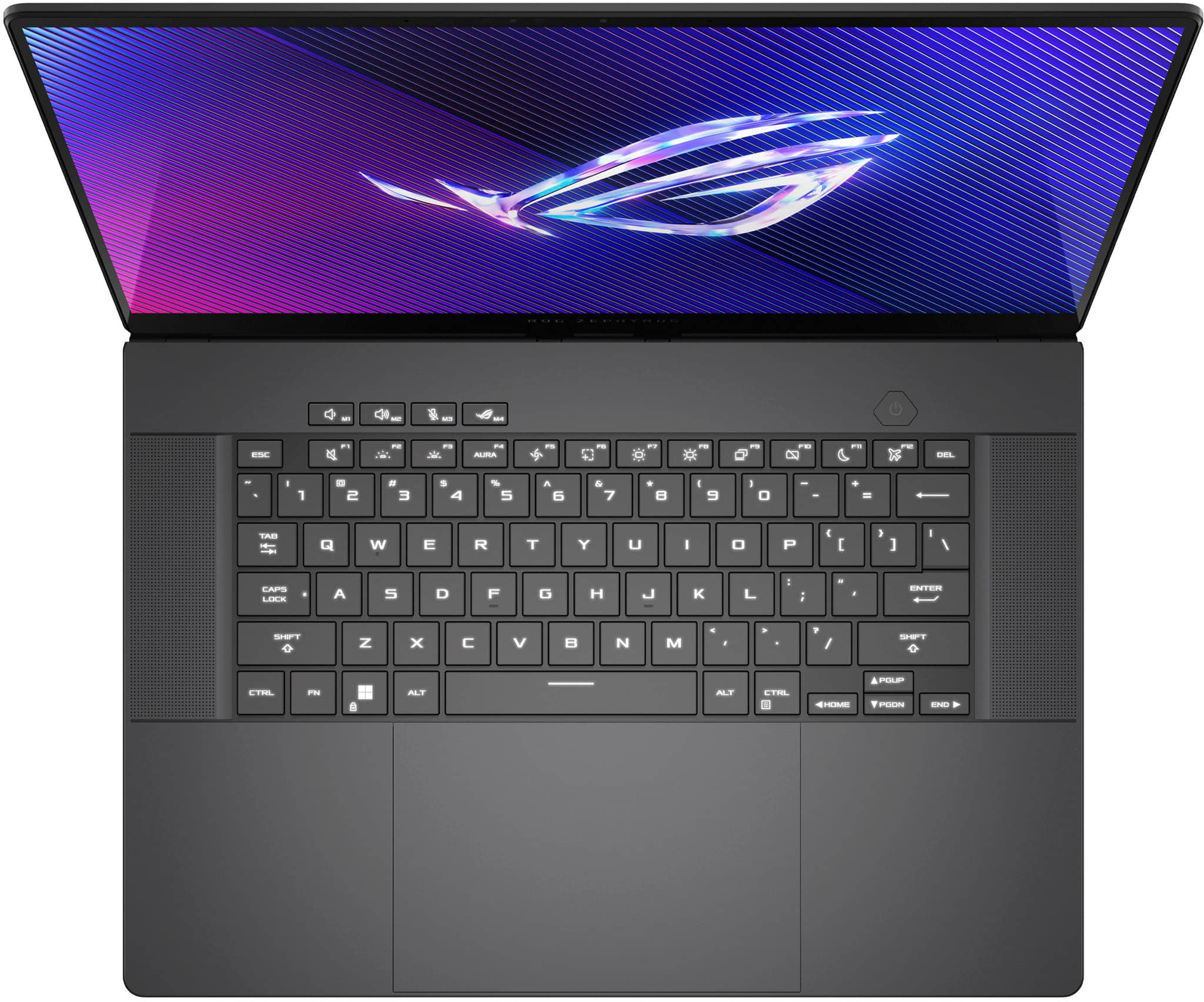
|Posted .This reviewer received promo considerations or sweepstakes entry for writing a review.The ASUS ROG Zephyrus G16 (GU605MZ) is capable of making you second guess the need for a gaming rig because this laptop packs a ton of power. Out of the box, you can see the beautiful design and feel the quality. There’s nothing cheap about this laptop on both the outside and the inside. From the time you start it up, you can see and hear the quality of the laptop. It was super smooth from setup to the first time I fired up a video. The power is there and there wasn’t a ton of noise to let you know it was being stressed either. The combination of the GeForce RTX 480 with the 240Hz refresh rate of the OLED screen presented beautiful colors while gaming, streaming, and more. To touch on the gaming a little more, I didn’t notice any lag or screen tearing either. I was really impressed with how smooth things were as well as how vivid the colors were. It really had me questioning if it was better than my ASUS gaming rig. That says a lot. There are three more things that came to light while I was gaming as well. The first was the noise level that the laptop produced while working hard. The fans were working, but it was really quiet. I turned up the volume a tad, but it was nothing compared to what I have had to do on other laptops that I have played games on. The second thing is the sound quality. I thought the sound was pretty crisp and I didn’t feel like it was muffled or inadequate at all. Like I said, the speakers are more than capable of making you forget about the noise level of the fans because they are producing brilliantly. The last thing is the battery. This is one knock that I have to throw out there. The battery went quick when I was gaming. This is where you can tell that the power of this laptop is really working hard. I didn’t time it to the exact minute, but I definitely didn’t get two hours worth of battery life. That was disappointing. I would certainly recommend gaming while plugged in when you can. The good part is that it charges at a pretty good pace too. In addition to the gorgeous display and great performance, this laptop has a really impressive keyboard and trackpad. The backlit keyboard is a wonderful touch and you can use the function keys to work through a number of options. You can also use the Aura Creator to create your own too. There are also keys for the brightness of the display, Armoury Crate, keyboard brightness, airplane mode, and more. They did a great job designing it. The trackpad is nice too. It’s very large and I had no issues with its responsiveness. I prefer a separate mouse, but it can certainly get the job done. Ultimately, there are only a few small things that keep the ASUS ROG Zephyrus G16 from being perfect. However, they aren’t enough for me to not recommend it for the gamers and high productivity users that want something portable. There’s just too much power and beauty for anyone to ignore.
I would recommend this to a friend - Pros mentioned:Build quality, Performance, PortabilityCons mentioned:Noise level
Elegant build with some ROG snarl....
|Posted .This reviewer received promo considerations or sweepstakes entry for writing a review.The ASUS ROG Zephyrus G16 arrived at a perfect time. My son started college a year and a half ago, and in an effort to get him situated with something that he could work and play on, we got him an ASUS TUFF laptop to try to satisfy both. At the time it was decently powered for gaming, but was pretty robust in size with almost a 17 ½ inch screen and it was as bit chunky at almost 6 lbs. While it is still serviceable for schoolwork and browsing the web, it was definitely becoming somewhat underpowered for his gaming wants. The Zephyrus is an absolute beast with regards to those needs, packaged in a sleek new build that is more reasonably sized for both a great gaming experience and something he can easily throw in a backpack for his classroom and study needs. Out of the box, build quality is front and center as the laptop really uses a different design language from your typical gaming rig. The G16 boasts a pretty sleek looking aluminum shell, simple in design and highlighted by a thin diagonal LED light bar on the lid (sort of a rave party in and of itself when turned on initially, but it has a few different lighting configurations or can be shut off completely in the provided ASUS Armoury Crate software), and otherwise only broken by the few ports on the left and right sides and heat vents on the underside. Coming in at just a hair over 4 lbs. while boasting a slim profile slightly over a half inch thick, It has been dubbed the ‘MacBook Pro’ of gaming machines’, and it is hard to argue the comparison from initial aesthetic impressions. I would offer that, while it certainly has the smooth and subtle presence that screams content creator, there is absolutely some signature ROG gaming snarl under the hood. We selected the buildout with the Ultra 9 185H processer, 32gb of RAM, GeForce RTX 4080 Nvidia graphics and 1TB of onboard PCIe 4.0 SSD storage. High horsepower, the perfect amount of memory for gaming, and decent but expandable storage. Crack the lid open, and you’re greeted by elegant low-profile keycaps that are a joy to work with, whether ripping off kills in an FPS or typing notes in a class (not super important, but I’m paying the freight for college so it is a bonus feature…). ASUS provides a backlit chiclit style keyboard with single-zone LEDs, it is a really smooth journey navigating the keyboard when in a typing rhythm. The tactile clicks are there for sure, and the key actually has a decent travel depth for such a thin chassis. Total score here, as that very interaction with a laptop can make or break your comfort with it. Another big piece of the input experience is the trackpad, and this one is on point. Large in footprint, spacious enough for navigation and multi-finger gestures without feeling cramped or hurting your wrists at all. Very responsive with a minimal click action to register affect, a really nice tactile experience for such a subtle action. This is all topped with a gorgeous 240hz 16” OLED ROG Nebula display. I’ve not had an opportunity to experience gaming with an OLED screen, and it is absolutely jaw-dropping. Contrast and color gamut are the main calling cards of OLED technology, and I just haven’t seen much that compares with the experience. For gaming, it is a vivid otherworldly experience saturated with rich deep colors and a super crisp presentation that absolutely pops. It is another class of gaming, largely what you are looking for when shopping in this stratosphere and I believe that the configuration we picked is the optimal one to really drive the best performance the screen has to offer. We were able to achieve consistent 70-90 FPS performance with zero tear or artifacts in many of our AAA titles, the gameplay was absolutely immaculate and brought an entirely new depth of experience. Nothing made this rig sweat from a performance perspective (although all games will get the fan cranking pretty well, prepare for liftoff when you hit go…as was expected with the design of the deck). Streaming movies and other media use is pretty outstanding on it, between the OLED visual experience and onboard sound he’s found another reason not to leave bed on the weekends. We are all used to needing headphones and mics in the family, as we all game and use our devices to play, chat and video chat. The Zephyrus comes with Dolby Atmos speakers that fire up and down and provide rich full sound that has him passing on the headphone port unless he needs to keep it low key, it is surprisingly good for directional gaming sound, and outstanding for music in general. The onboard camera was generally good for video conferencing, and the three-microphone array was surprisingly crystal clear and front and center – you could pass on a USB mic or headphone boom mic and be more than fine, it was a pretty good quality for group chats, you will likely certainly level up with external gear for more professional streaming. The Armoury Crate software has an audio suite that allows you to choose between a few microphone profiles. The laptop has the normal array of ports as noted in the specs and within other reviews, the only concern I would generally mirror from other reviews is the proprietary power port. I’m not sure if this is something that will over find common ground within the industry but it remains a unique style of jack that looks prone to damage and could be expensive to replace. This is generally not my wheelhouse in terms of knowledge, but I’m praying for a magnetic power supply that can support the higher voltage needs with a clean breakaway (as I stumble through them often and ruin laptops and lives). Either way, there is enough for what you need in terms of adding peripherals, connecting devices and having alternative power solutions. I do particularly like the SD cart port for content creators, my son is starting to play with graphic digital arts and photography, this should come in handy. The onboard battery is as expected, for general use and browsing, we got a little over seven hours out of the box. For the optimal gaming experience you are not expecting to thrive on battery life- unplugged and loaded into a AAA title at max settings, we saw somewhere a little over an hour battery performance. Hard to look at this negatively, lithium has not solved for this level of horsepower, and that isn’t how he expects to use it. The ROG Zephyrus G16 is a premium designed laptop that perfectly blends portability with performance. It has really solid gaming credentials, can perform just as ably in the creator space, and absolutely overdelivers on your daily driving media-consumption tasks wherever you want, whenever you want. Would absolutely recommend, and another win for the ROG family. I have owned and built with ROG components for over a decade, I’ve trusted my gaming with them through three of my own builds, and if you are looking for a top-end pre-built laptop experience, this is definitely it.
I would recommend this to a friend - Pros mentioned:Build quality, Performance, Portability
The Katana of Gaming Laptops
|Posted .This reviewer received promo considerations or sweepstakes entry for writing a review.The ASUS ROG Zephyrus G16 (2024) is a game-changer in the realm of portable gaming laptops, setting a new benchmark for what enthusiasts and professionals alike can expect. My experience with this machine has been nothing short of remarkable, offering a blend of power, elegance, and innovation that's hard to come by. Starting with the design, the Zephyrus G16 gives off a premium feel reminiscent of a MacBook, thanks to its exceptional solid build quality. The laptop's eclipse gray chassis is not only visually appealing but also impressively durable, ensuring it can withstand the rigors of daily use. The standout feature, however, is the distinctive slash lighting on the laptop lid, which adds a unique touch to its overall aesthetic. While the lighting patterns are captivating, the addition of more customization options, including more lighting patterns and RGB capabilities/options, would elevate the user experience further. Performance-wise, the ASUS ROG Zephyrus G16 is in a league of its own. Powered by an Intel Core Ultra 9 processor, 32GB DDR5 memory, and a GeForce RTX 4080 graphics card, this laptop breezes through the most demanding games and creative tasks. The 16" OLED display, with a blistering 240Hz refresh rate, ensures ultra-smooth visuals, making every gaming session immersive. Moreover, the bootup time is virtually instant, a testament to the laptop's optimized hardware and software integration. There is no touch screen on this model, but why waste the processing power? The ASUS Armor Crate software enhances the user experience by providing a centralized platform to customize lighting, optimize gaming performance, custom profiles, screen optimization, manage game libraries, and more. This level of personalization and control is a significant plus, allowing users to tailor their gaming environment to their preferences. Another highlight is the laptop's trackpad, which is generously sized, offering precision and comfort for extended use. Coupled with the laptop's ultra-thin and lightweight design, the Zephyrus G16 is the epitome of gaming mobility without compromising on power. I still can’t believe they packed a 4080 and all the other performance hardware into this super thin machine. However, excellence comes at a price, and the Zephyrus G16 is no exception. While its cost may be on the higher end, the unparalleled performance, exceptional build quality, and unique features justify the investment for those seeking the best gaming experience on the go. Overall, the ASUS ROG Zephyrus G16 (2024) stands out as a marvel of gaming technology, offering a perfect blend of speed, portability, and style. It is an absolute recommendation for anyone looking to elevate their gaming to new heights, regardless of where they are. In my opinion, this is the top dog of gaming laptops so far this year. ASUS knocked it out of the park with this build! Also… virtual pet anyone??
I would recommend this to a friend - Pros mentioned:Build quality, Oled quality, Performance
Quality with a capital Q
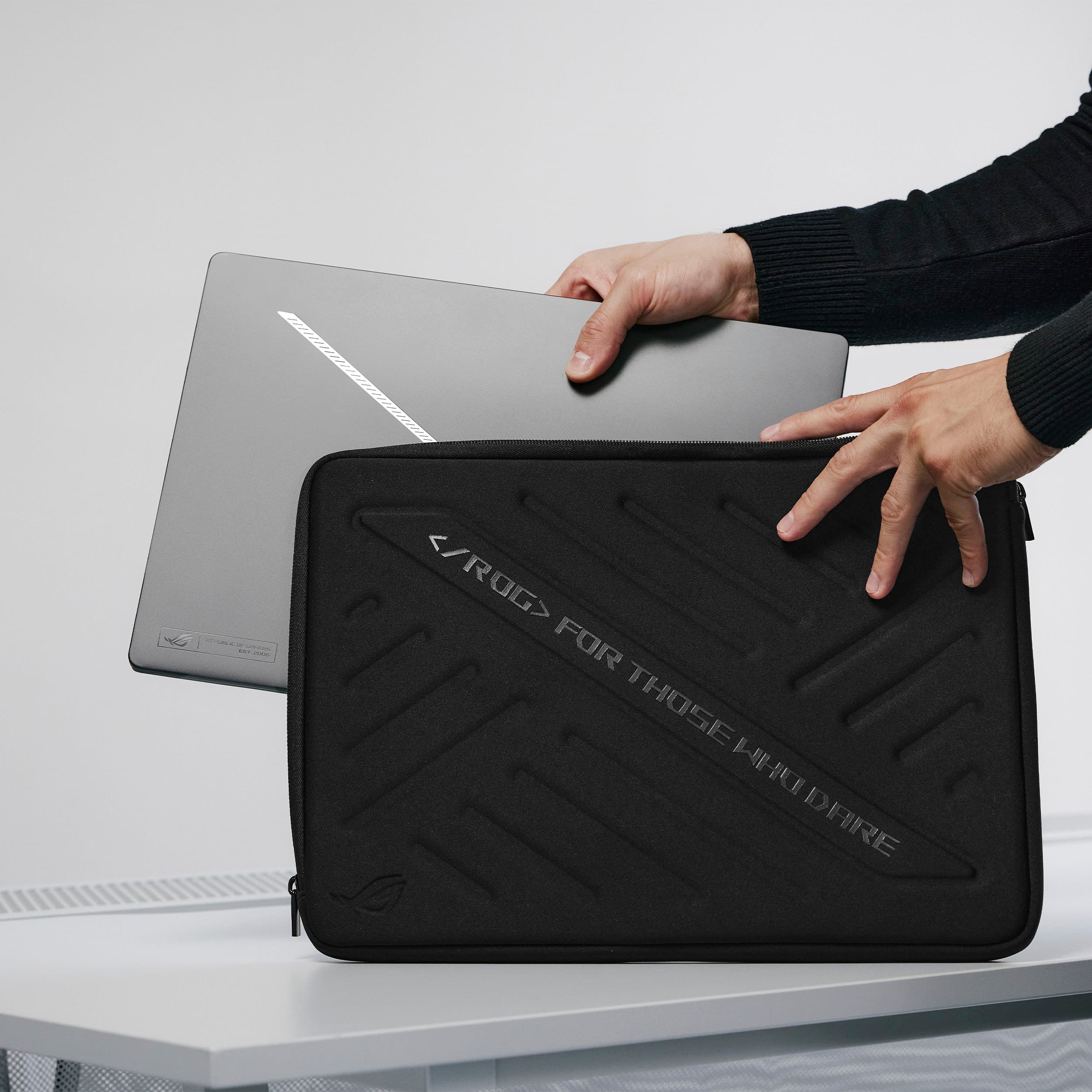
|Posted .This reviewer received promo considerations or sweepstakes entry for writing a review.Rather than clutter this review with specs, ports, charts, graphs, figures, FPSes and, hertz’s, which are widely available elsewhere now, I just want to stick to my overall experience with the 2024 Asus ROG Zephyrus G16 so far. Unboxing: My package showed up slightly crushed, thankfully it was double boxed and the precious contents inside were safe and undamaged. The laptop box itself was nicely laid out, all the contents secure and safely stowed. When I had the laptop in my hand for the first time, my first thought was ‘Quality’. I’ve worked IT for over 20 years, been an engineer for a few years, so I’ve had my share of laptops in my hands. This is the best ‘feeling’ and ‘looking’ laptop I’ve ever had. The full CNC shell is perfect and I’m not sure we could do a better job milling it in our shop (shhh dont tell the boss). The slash lighting is a nice touch, not overbearing with the aesthetics. It can be mellow or loud depending on how bright and obnoxious of a pattern you set. One wish, I wish there was a ‘Night Rider’ setting, you know back and forth like the car Kit. I love the Eclipse Gray color and shell texture, however it attracts and shows smudges easily.. But.. I usually have a chamois cloth nearby that wipes them off just as easily. Setup: Like any new PC, grab a cup or 4 of jo, you’re in for a long ride setting it up. Run through windows setup, logins, accounts, passwords, updates, reboots, more updates blah blah blah and you’ll finally get to installing your software and getting windows setup how you like. What feels like 37 hours later (no fault of Asus) we finally get to ‘play’. Office/general use: In the office or general use around home The Zepherus fits in. The G16 has an infrared camera above the display that supports Windows hello, so no need for logins or passwords after the initial face scan setup, and it’s fast, I look at the camera and windows is open instantly. The trackpad is huge and feels nice with good tactile clicks. I generally hate using trackpads but this one is usable. And off to work we go, click the easy access Armory Crate button (M4) and set to ‘Silent’ mode. This works great for me, plenty fast for normal email, web browsing, etc. Fan noise is nill to not noticeable and processor speed is plenty. The keyboard feels just right and I don't find myself having to correct many mistakes due to the layout or tactile feel. Rendering a 3D CAD model on the Asus Zephyrus (in turbo mode) finished faster than on my CAD workstation, so there is plenty of power there to get work done when needed. Work days over, time to go home and play. Another ‘wish’ here, at the price point these high end laptops come in at, why can’t they include at least a simple padded laptop sleeve to put it in? Not a deal breaker as you can get one for $15. The first thing I try is a program called Zwift. First I use Armory Crate again to switch to performance mode. Zwift is a social type of training/fitness program I use while biking indoors or running on the treadmill. It allows you to bike/run with others round the world in real time while basically showing an avatar of you and everyone else on the road. It's a fairly simple program but must be loaded with bloat. On my existing laptop it takes longer to boot the program than it takes to actually do the workout, and half the time when the program is finally running, it crashes on me. The Asus Zephyrus is awesome, Zwift boots in a fraction of the time and works, no more crashes. Now with the workout out of the way, time to play some games. Back to Armory Crate and switch to turbo mode. I tried assorted games on the laptop and all seem to run well. I can finally run my RC flight sim with graphics and all the options turned to max. Now lets really put it to the test with PC VR goggles. Again with the RC flight sim in VR now instead, I can keep graphics turned up and not I’m not having any issues flying planes or heli’s due to lag. Next out comes MS flight sim and the goggles, go for broke and turn up all the resolutions, and boom.. Ok I knew a laptop 4080 wasn’t going to cut it but I had to try. I’m still working on getting all the proper settings, but I don't doubt I’ll be able to find a perfectly flyable MS sim in VR. Next I loaded up DCS. Again, I still have some tweaking to do, but after a default install and setup I was flying VR with quality graphics in my sim rig. Something I’ve not been able to do until now due to not having a PC capable of it. I also loaded up F1 2022 and with default settings have a perfectly playable game in VR. It’s an entire new world vrs playing these games from the gaming console with a monitor in my sim rig. Couple other notes: When you work this laptop hard, like PCVR, it will get hot. Luckily most of the hot air blows out the back where you wont feel it.. The case will also get quite hot in the center above the keyboard. See attached photo showing hotspot. This was after Cinebench ran for 10 minutes. The other FLIR image shows the back of the laptop heating up the desk it’s sitting on. In the process of making and moving all that hot air, the fans will get noisy. IMHO it’s not an obnoxious noise though. I don't know how to explain other than it's an easier noise to listen to. I’ve heard plenty of other laptops and desktops with fans that are obnoxious, and the ASUS Zephyrus isn’t. The sound from the speakers is the best I’ve heard from a laptop. I feel it might be lacking a little on the high end, but that could also be my aging ears. It gets plenty loud for laptop purposes. That display… WOW…. This is my first OLED anything, other than my smart watch, and dang those whites are white and blacks are black. Overall crisp and clear and so easy to look at for hours. Might have to plug my Huey in to check the color calibration and start editing photos on it too. The screen is glossy but it’s a different kind of glossy. I’ve had other glossy screens that were almost like a black mirror where you could see a perfect reflection of yourself with it off. With this display it’s almost like there is a diffuser that makes it kinda matt looking but also adds a little blue tint. I normally don't like glossy displays, but wouldn’t hesitate getting another like this again.. Bottom line, this laptop is quite the chunk of change, but buy once cry once you are getting a quality laptop that functions awesome from the office to the game room and leaves me disappointed about nothing!
I would recommend this to a friend Horrible experience!
||Posted . Owned for less than 1 week when reviewed.This reviewer received promo considerations or sweepstakes entry for writing a review.Ordered an open box excellent condition. When it came in the mail the box that it was shipped in was beat up and no dunnage in the box. Open it up and the screen flickered. I had to go to Best Buy where I just bought a new one and paid the difference. Had to wait for that one in the mail too. Showed up in the mail opened it up and the laptop wouldn’t boot due to not recognizing there was a hard drive. So had to go back to Best Buy again to get another replacement. If the third one shows up and has issues I will just return again and never buy Asus again. Will update after I receive the third one in the mail.
No, I would not recommend this to a friendBrand response from ASUS Answers
Posted .Dear Carl M,
We sincerely apologize for the issues you've faced with the notebook and for the inconvenience caused. This is not the kind of quality to expect from our products and it's not the norm. We understand the impression this may have created and we hope this will not be a long-term lasting impression as you have chosen ASUS as a trusted brand for excellence. As you have returned the notebook, we hope that you can obtain a replacement that will be functional.
We do stand behind our products and we continuously strive to improve our products and processes to achieve customer service excellence. If you require any further assistance, please send us an email at customerloyalty@asus.com and include the case number "N2405037624-0008" as a reference. We will do our best to resolve your case quickly. Your feedback is very important to us, and it enables us to improve our support channels. Thank you for choosing ASUS.
Best Regards,
Chantae
ASUS Customer Loyalty US Support
- Pros mentioned:Oled quality, Performance, PortabilityCons mentioned:Heat dissipation, Noise level
Excellent Versatility
||Posted . Owned for 6 months when reviewed.This reviewer received promo considerations or sweepstakes entry for writing a review.Context: I was in the market for a laptop that was both capable of playing all the newest games with solid framerates while also not looking out of place at the office or library. The most important criteria to me was: Display Quality, GPU, Portability, and Design. Pros: I'm a huge fan of the form factor and design. In particular, I appreciate this laptop being able to pack all of the hardware and a 16-inch display into a device that is only 0.59-inch thick. This makes it easy to throw into my backpack and bring anywhere. The modern, minimal design with the slash lighting makes it so that I can use this for everyday tasks without the LEDs and bulky design being a distraction to those around me. The gaming is more than sufficient. I will say this: If you are looking for a machine to get the most out of your hardware, this laptop may not be for you. The hardware is toned down a bit due to the slim form factor. Personally, I appreciate that as I prioritize efficiency and portability over raw power. However, this laptop is not targeted for those aiming for maximum framerates. The OLED display is beautiful and I'm a huge fan, in general, of the quality of the displays I have seen from ASUS, lately. Cons: Despite the limitations placed on the hardware, this machine can still get incredibly hot when under heavy load. Gaming for even a short time will make the area near the top of the keyboard extremely uncomfortable to the touch. The fans can also get extremely load in these scenarios. I have had people around me joke about my laptop sounding like a jet engine. If you are the type to spend some time in Armoury Crate tweaking the fan curves, I'm certain you will find a profile that will give you minimal fan noise during everyday tasks while providing adequate cooling during gaming or other intensive tasks. Bottom line: If you are looking for a powerful machine that maintains a slim form factor, this is a strong contender. This laptop, along with perhaps the Lenovo Legion Slim series, are about as close to a thin and light gaming machine as you can get and is a strong candidate for those looking for a powerful productivity machine, as well.
I would recommend this to a friend - Pros mentioned:Battery life, Build quality, Oled qualityCons mentioned:Heat dissipation
A Premium Windows Gaming Experience!
||Posted . Owned for 1 month when reviewed.This reviewer received promo considerations or sweepstakes entry for writing a review.I don't write reviews, but this laptop is the exception that's deserving of one. After using it for a few weeks, the ASUS- ROG Zephyrus G16 (2024) is an absolute monster of a machine in a sleek package. Coming from a Razer Blade 15 with an NVIDIA GTX 1060 Max-Q I purchased in 2018, an "upgrade" is a bit of an understatement. From playing Battlefield 2042, Helldivers 2, Palworld, Apex Legends, to casual YouTube sessions and web browsing, this laptop has been cutting through everything like butter. Add in the amazing speakers that have deep bass that blow out any other laptop I have every owned, the GORGEOUS OLED display, the MacBook-like build quality, and the nice feeling keyboard with the HUGE glass touchpad, this laptop really is the jack of all trades on the market. I highly recommend purchasing the NVIDIA RTX 4080 model here, as you are more future proofed getting 32 GB of soldered on LPDDR5X RAM over the 16 GB of memory on the 4070 and lower models. Unfortunate, but you do get the better benefit of faster RAM as a result of this tradeoff. The RTX 4080 is the nice sweet spot in terms of pricing compared to the RTX 4090 model, which that one is about $600 more. In terms of weight, it is very easy to carry around in my backpack out and about. The charging brick is a decently sized at 240-watts, so keep that in mind if you are one who consistently takes your laptop everywhere with you, as it will add your total carrying weight. The USB-C ports on this laptop do support slower charging at 100-watts, so it's nice in a pinch if you're doing productivity work. As for battery life, I mainly use this plugged in for gaming, but it's been decent, about 5 hours or so with average use. I do use the Smart Charging feature from ASUS, which stops charging at 80% to extend the battery's capacity over time, so you would be able to get more if you prefer to charge it fully at 100%. Also, this laptop does get hot to the touch right above the middle area above the keyboard, and underneath towards the vents, so you'll want to avoid using this on your lap during intensive tasks. I do use a cooling pad with this laptop while gaming, which does help keep the thermals down a little bit. Despite the hot temperatures during gaming and other intensive tasks, which is expected in a slim and light laptop of this caliber, I haven't noticed the ROG Zephyrus G16 thermal throttle yet, which is very impressive to me for its size. Others seem to complain about the fan noise on the 4070 model and lower, but for the 4080 model here, which does have a vaper chamber cooling solution with two fans instead of the three-fan solution on the lower end 4070 and below, I have no complaints. It's noticeably quieter than my five-year-old Razer Blade 15 at full load. Of course, fan noise is subjective for everyone, but the fans are here to make sure your expensive $2,699.99 (before tax) investment doesn't fry the internals, so noise isn't an issue for me. Headphones, and the amazing speakers I mentioned earlier, will drown out the fan noise if it is an issue for you. For those on the fence about this laptop, as I was for a few weeks before purchase, just buy it. You will not be disappointed. ASUS has a winning formula right here and knocked it out of the park with this year's Zephryus lineup!
I would recommend this to a friend Don't go for open box
||Posted . Owned for 1 week when reviewed.This reviewer received promo considerations or sweepstakes entry for writing a review.Got the product online use it for 3 hours and the laptop started having boot issues Would always suggest going for a shield product and avoid open box as in my case a very expensive laptop turn down to be broken in a very short time gives me that feeling that this has been a refurbished / rejected product
No, I would not recommend this to a friendBrand response from ASUS Answers
Posted .Dear Ajay S,
We're sorry to hear that you've received a defective laptop and we apologize for the inconvenience caused. This is not the quality of products we aim to provide and it's not the norm. If you are still within the return window, we recommend contacting the place of purchase for an exchange or return. Please rest assured that if you cannot gain resolution when contacting the place of purchase, we will be glad to provide further assistance.
We stand behind our products and continuously strive to improve our products and processes to achieve customer service excellence. For more information, email us at customerloyalty@asus.com and include the case number "N2405037624-0007" as a reference. We will do our best to resolve your case quickly. Your feedback is very important to us and enables us to improve our support channels. Thank you for choosing ASUS.
Best Regards,
Chantae
ASUS Customer Loyalty US Support
- Pros mentioned:Battery life, Build quality, PerformanceCons mentioned:Heat dissipation
Best laptop I’ve ever owned.
||Posted . Owned for 3 weeks when reviewed.This reviewer received promo considerations or sweepstakes entry for writing a review.Overall Verdict: After a bit of tweaking this laptop is freaking awesome. The Good: The screen is gorgeous, the GPU crushes games, and the bloatware was surprisingly minimal. The build quality is simply amazing and it is fairly light (for a 16”). Also, the battery life is surprisingly good when using discrete graphics (it’s terrible when using performance settings, but that’s expected). The Bad: Asus Armoury Crate is garbage. Removing it and replacing it with an alternative made a noticeable improvement in performance and removed a micro stuttering issue that occurred when gaming. The Random: The bottom of the laptop is almost entirely covered with air intakes which makes finding a laptop stand tricky - and you’ll probably want one for the standoff space, because this thing can get toasty.
I would recommend this to a friend - Pros mentioned:Build quality, Oled quality, PerformanceCons mentioned:Heat dissipation
Awesome laptop
||Posted . Owned for 1 week when reviewed.This reviewer received promo considerations or sweepstakes entry for writing a review.This laptop checkes many boxes on my wishlist: thin and portable, 32gb ram, oled display, high end gpu, clicky keyboard. I purchased it to become my primary coding pc and play games when at a hotel or away from home. It annihilates games. I'm giving it 5 stars even though it's not perfect. Some of the imperfections are opinion based and some are unavoidable due to form factor. First, i wish it had per key rgb and a numberpad on the side of the keyboard. 2nd, this laptop can get very hot due to its thinness and power so heat mitigation is a must. At home you can use a laptop cooler but lugging those around reduces portability. I added retractable feet to the laptop to increase airflow. This did the trick. I removed the stock drive and added two samsung 4tb nvme drives. Having that much space is awesome, but it took some finesse to fix overheating issues. I found thin nvme heatsinks to attach. Most normal nvme heatsinks are too thick to fit in the case properly.
I would recommend this to a friend - Pros mentioned:Build quality, Performance
Solid powerhouse
|Posted .This reviewer received promo considerations or sweepstakes entry for writing a review.It has been a good while since I’ve updated my gaming laptop and I was excited to have a chance to pick up this latest ASUS ROG model as a replacement for my last ROG. If you’ve never had a laptop from this line, you have no idea what you are missing! Right out of the box you can tell it is a solid build. Asus integrated this slash pattern of LEDs on the lid that is very distinctive. From there you open up and find a practically borderless screen that is sharper and has more vivid color than I’ve found on any laptop. That brings me to the speed - oh, the speed! There’s been a lot of grumbling about specs for one of my favorite newly released games, and I was looking forward to cranking the levels up and seeing what would happen. It performed like a champ, holding on for highly complex simulations with no sweat at all. There are so many features and configurations you can make with this computer that I did find it a little overwhelming. Inside of the included Armoury crate is a total command center of functions and performance monitors and choose from. If there was only one weaker spot on this product it’s the audio speakers. I know not to expect too much from a laptop, but these were particularly underwhelming. Thankfully I don’t use them for much and play with a headset. All in all I would say this is a stellar laptop for gaming addicts and anyone that needs a lot of performance for their work.
I would recommend this to a friend