Customer Ratings & Reviews






- Model:
- GU605MZ-G16.U94080
- SKU:
- 6570223
Rating by feature
- Battery Life
Rating 4.0 out of 5 stars
- Speed
Rating 4.6 out of 5 stars
- Display
Rating 4.7 out of 5 stars
Customers are saying
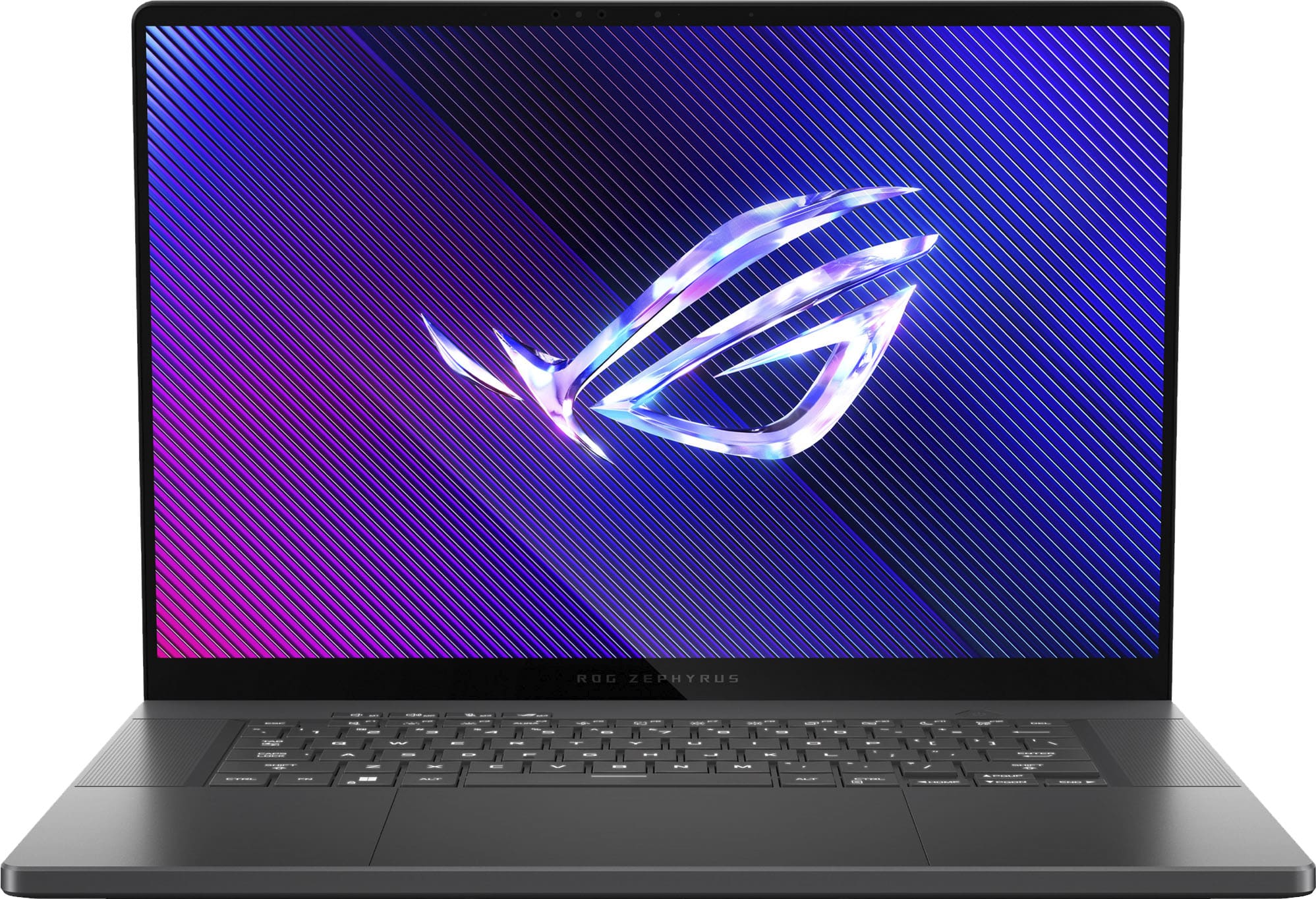
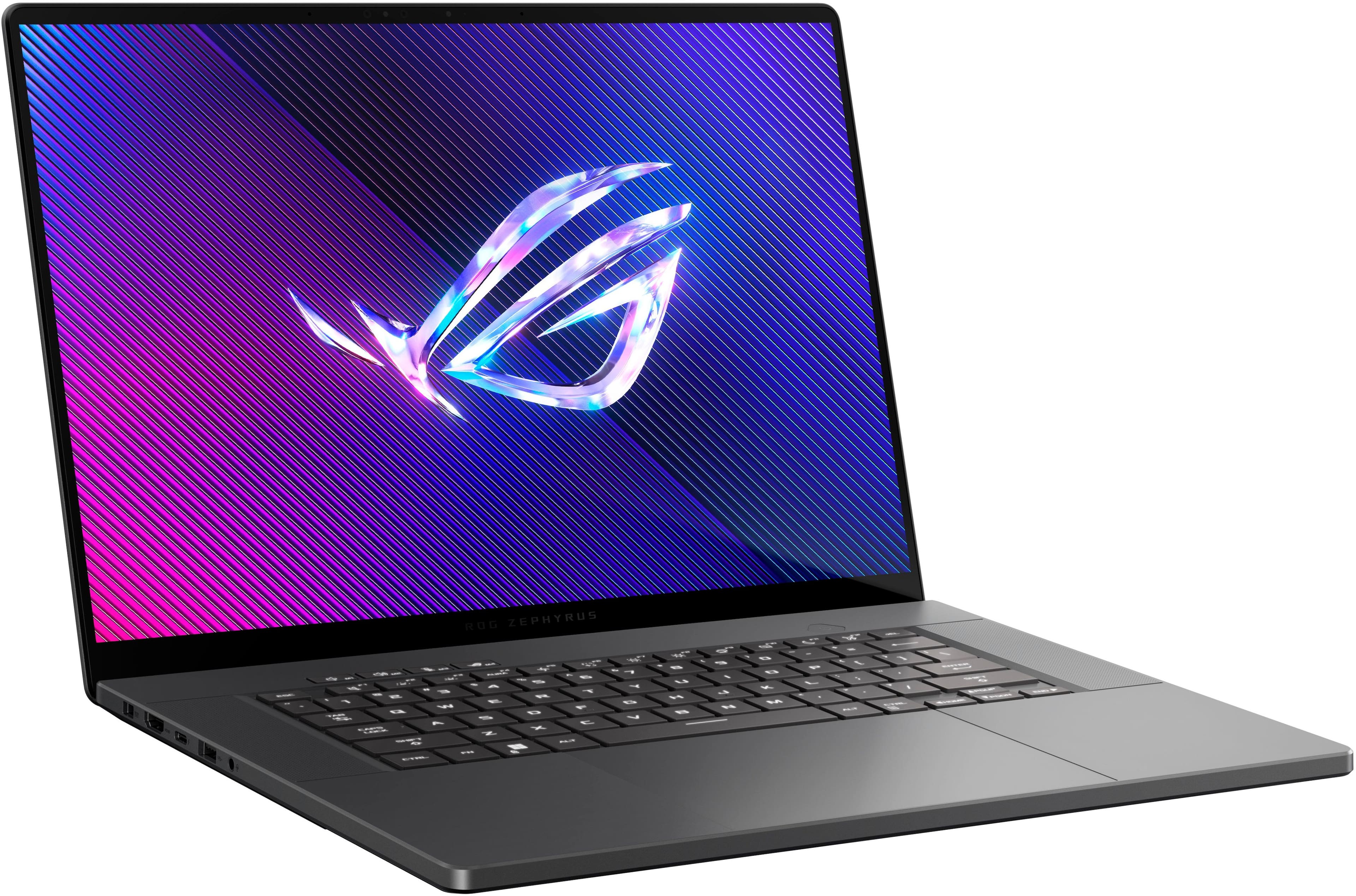
Customers have good things to say about the ROG Zephyrus G16, highlighting its excellent build quality, smooth performance, and beautiful OLED display. The laptop is also praised for its portability and decent battery life. Some users have noted that the fans can get loud and the device can get hot, while others find the touchpad clicks a bit stiff.
This summary was generated by AI based on customer reviews.
- Pros mentioned:Build quality, Performance

Amazing laptop! My new everyday companion
|Posted .This reviewer received promo considerations or sweepstakes entry for writing a review.I feel like every time I get a brand new gaming laptop I say.. this is the best laptop ever! And this new Asus G16 definitely deserves that title. I’ve been using it everyday for a week as my main gaming setup, and I love it so much that I think it might become my main rig for work and play. The OLED screen is beautiful. Videos, Photos, Games all look amazing on this screen. If you’re looking for the best screen on a laptop, I have to say that this machine should be on your shortlist but The screen brightness is only 450 nits, its been plenty bright for me for most situations. I’m not the type to sit outside with a laptop, but if you plan on getting work or gaming done outside at a cafe or something, you might be disappointed with this screen. But 450nits is typical for an OLED screen, it’s just a trade off you have to compromise on. I think it’s to prevent burn in / damage. Speakers on this laptop are also very good! I’ll say that these are the second best speakers I’ve heard on a laptop. They get loud but have a full sound. Bass, and mids are rich and trebles are clean and crisp. I will happily use the built in speakers for music listening and movie watching and gaming. The fans do kick on quite loud while gaming so it’s nice to have a loud set of speakers in the machine to drown out the fans. I haven’t had any issues with overheating yet, the fans and cooling system on this machine keep the laptop running great and I’m pushing graphics to the highest in most of the games I’ve tested. Alan Wake 2 pretty much runs at full max settings. Ray tracing for some reason causes bad frame drops on that game but to my eyes it looks amazing without the setting on. Every game I own looks and plays amazing on this laptop. My short list of current games are Alan Wake 2, Fortnite, Rocket League, Helldivers 2 and Rise of the Tomb Raider. (An oldy, but I wanted to relive it on this beautiful OLED screen.) I can’t wait to try other games now and in the future. I am confident that this machine will run anything coming in the next 5 years. The RTX 4080, paired with the intel i9 and 32GB of ram is a powerful combination that will serve you well for years. This machine has an additional m.2 slot for expanding your storage which I immediately did. I installed a 2TB ssd and now I have 3 TB total for game storage. So cool! Hardware wise, this laptop is very premium. It’s mostly aluminum, the only thing that feels plastic is the bottom cover. You’ll need a T6 security driver to open it but those are easy to find. I could go on all day about this laptop, but if your here and your on the fence. I’m gonna say go ahead and buy it, I highly recommend it. This laptop is powerful enough to play just about every game available, and is also great for work if you’re a photo and video editor / content creator. And when you’re not working or gaming on this machine, you’ll love it for just kicking back on the couch or bed and watching a movie or video.
I would recommend this to a friend - Pros mentioned:Build quality, Oled quality, Performance
2024 Zephyrus G16!!!
||Posted . Owned for 1 week when reviewed.This reviewer received promo considerations or sweepstakes entry for writing a review.I think the G16 with the RTX 4080 is the sweet spot for performance and price at this tier of product. The 4090 is another $600 but the performance increase does not match the increase in price. I have only had the laptop for a few weeks so far but every game I am loading up on it performs great! The screen is incredible! This new OLED is hands down the best laptop screen I have ever used. It's fast, bright, color accurate, and the resolution is perfect for a screen that you sit 18 inches from. It is true what the reviewers all point out that the GPU is relatively underpowered in order to keep temps down but the vapor chamber cooling of the 4080/4090 tier does a great job of managing temps. However, even with the reduced total power available to the GPU/CPU, this laptop performed about 80% better than my 4 year old alienware M15 R2 which had an RTX 2080 Max-q and an intel 9980KH. The keyboard feels great and for my uses the palm rests are the perfect size around the rather large touchpad. Even under full load the laptop is much quieter than my old alienware and when doing everyday stuff like watching content and browsing it is completely silent. I haven't tested battery life yet. Connectivity is great and the size is good too. My alienware had great styling but it was bulky. This laptop is smaller and lighter. The speakers are as good as everyone says. Hands down the best speakers I have ever heard in a laptop. I wish the SSD was bigger than 1 TB for the price BUT there is a slot for another which is no big deal. The wifi seems extremely fast but it is mediatech which has a bad rep amongst reviewers. That being said, if you wanted to swap it out you can.
I would recommend this to a friend - Pros mentioned:Build quality, PortabilityCons mentioned:Heat dissipation, Noise level
Very powerful laptop
||Posted . Owned for 1 week when reviewed.This reviewer received promo considerations or sweepstakes entry for writing a review.Good laptop, solid specs, beautiful display can run almost any game perfectly. It has some minor issues which i can look past, the fan noises are quite loud but with headphones it shouldnt be an issue, and the speakers are very good quality and loud so that also counterracts the noise of the fans. The heat of the laptop is quite a lot as well, as expected of a higher power machine, it may not be comfortable to use on a lap but as a portable desktop its fantastic. The performance drops significantly when not plugged in as expected but the reduction in framerate is frustrating.
I would recommend this to a friend - Pros mentioned:Build quality, Performance
MacBook Pro has competition.
||Posted . Owned for less than 1 week when reviewed.This reviewer received promo considerations or sweepstakes entry for writing a review.Note, I used the built in copilot to help me write the review, its ai assisted my review in making it easier to read. AI took what I wanted to say and made it more presentable The ASUS ROG Zephyrus G16 2024 model not only meets but exceeds expectations. The build quality is on par with the MacBook Pro M2, yet ASUS takes it a step further with an even better keyboard and screen, surpassing even the esteemed Lenovo keyboards. Fan noise is virtually non-existent unless you're running intensive AAA games, making it impressively quiet during regular use. The Armoury Crate software provides excellent system management without hassle; contrary to other reviews, I found it to function flawlessly, particularly when sticking to default settings for optimal performance. The standout feature has to be its multiple CPUs, including an AI NPU from Intel that delivers astonishing speed, enhancing overall performance significantly. In conclusion, the ASUS ROG Zephyrus G16 is not just a MacBook Pro alternative; it's a superior choice in terms of quality and value. I highly recommend this laptop for anyone looking for top-notch performance at a more affordable price. ASUS has truly outdone themselves with this model.
I would recommend this to a friend - Pros mentioned:Performance, Portability
Great gaming laptop
||Posted . Owned for 1 week when reviewed.This reviewer received promo considerations or sweepstakes entry for writing a review.Switched over from a MacBook Pro to this Asus with the 4080 GPU because let’s face it. Apple doesn’t care about gaming. I had a gaming desktop rig that I replaced with this laptop and have been very happy with his performance. Not only does it look and feel like my old MacBook Pro, it’s thinner and lighter. It’s fast enough to play all the games that I like to play at really high frame rates and the OLED screen is beautiful to play them on. They only cause this is sometimes it gets a little too hot to keep on my lap and it’s tough getting used to not having a haptic feedback trackpad. Overall, it’s a five stars and would highly recommend it.
I would recommend this to a friend - Pros mentioned:Battery life, Build quality, Performance
This is one beautiful piece of equipment!
||Posted . Owned for 1 week when reviewed.This reviewer received promo considerations or sweepstakes entry for writing a review.So far I am absolutely lovely this thing. The display is one of the nicest displays I've come across and the speakers are probably the best sound quality on the market, especially on a PC. People have mentioned it gets hot under load and the fans are loud, but in my experience, when it does happen, it will spike and then pretty much come right back down as it levels itself out so fan noise hasn't been an issue. Even when they are high, it's not that bad. As for heat, when it does get warm for a minute, if you elevate the back with a book or something, that will help the airflow and bring it right back down. The battery life is also pretty good for such a powerful laptop. I've been able to get a solid 8 hours or more on normal tasks while web browsing and watching youtube. I dont really game on this so i don't have much I can say on that, but I do photoshop, video editing, Autocad and sketchup on it with no problems. Armoury Crate is a bit if a confusing program to navigate. I had to uninstall and reinstall it a couple of times just to get it working and updated when I first opened it. I also had an issue with a big windows update, but it stopped the update and I was able to reinstall with little issue after that. Overall, I'm really enjoying this laptop. After an agonizing couple of months, watching every youtube video out there on gaming/creator laptops, I think I've finally settled on this. I just wish Asus made this with the ability to upgrade the RAM. I think 32gb should be enough, but i wouldve preferred 64gb.
I would recommend this to a friend - Pros mentioned:Oled quality
Not All Laptops Are Created Equal!!
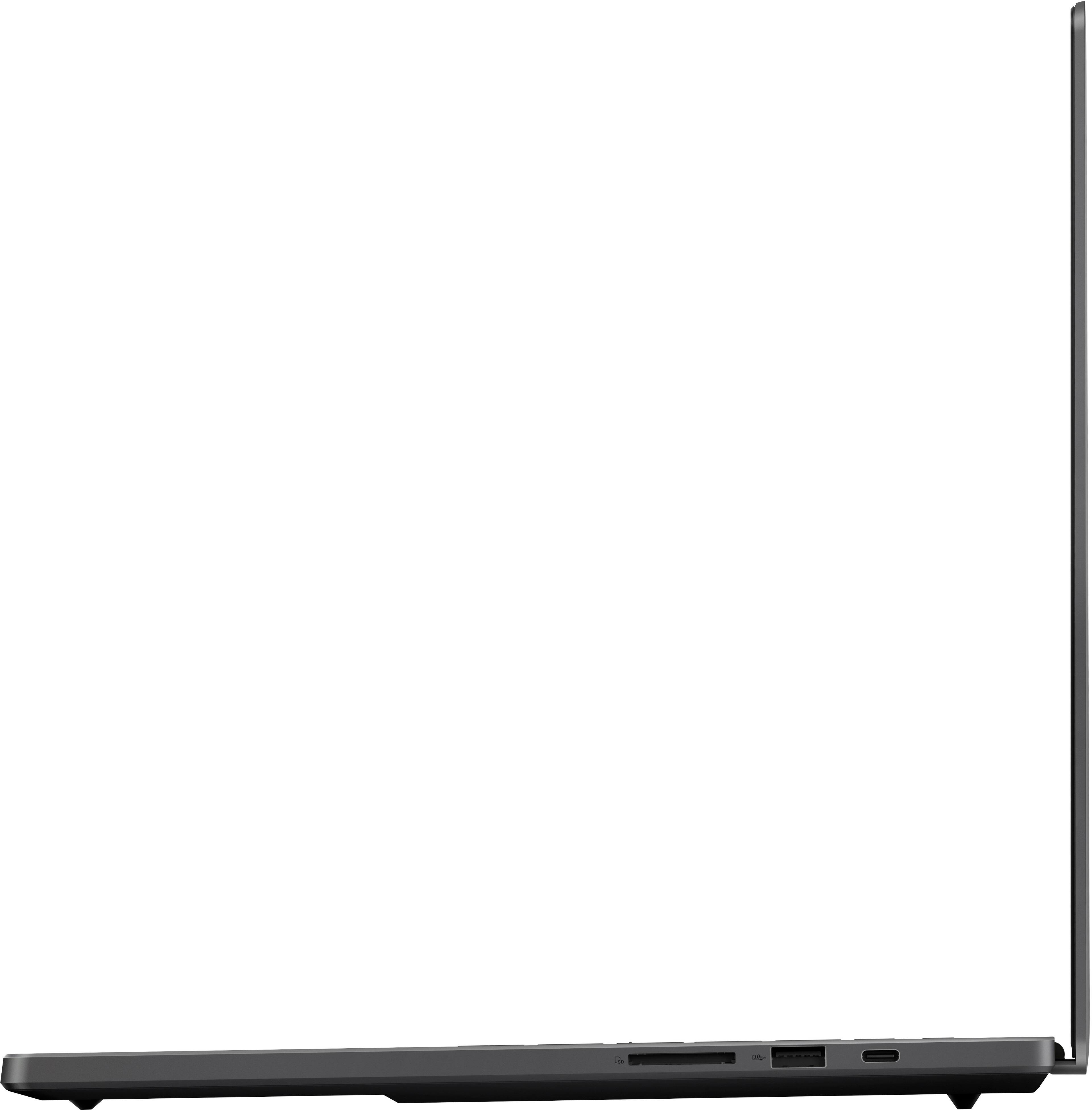
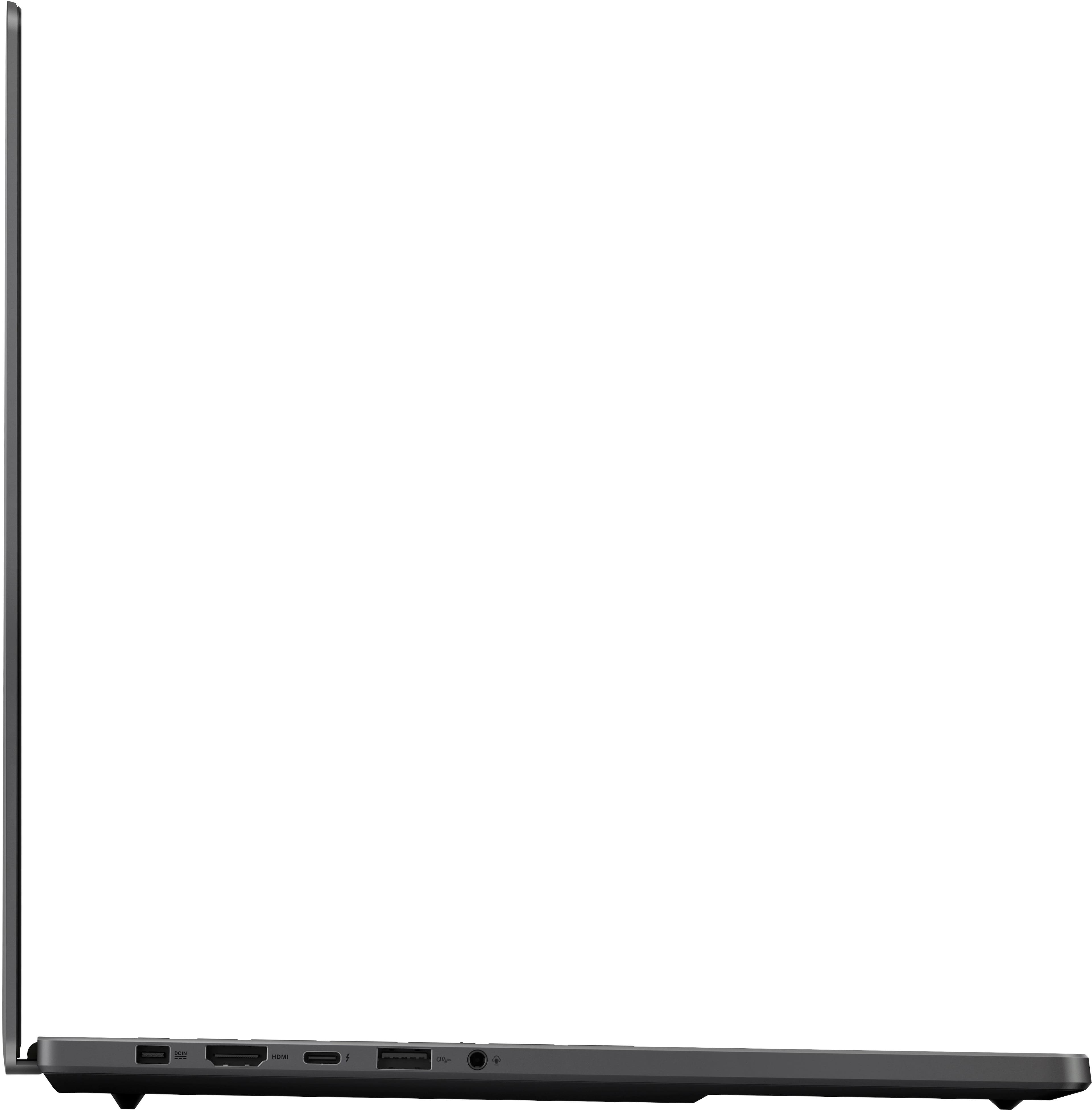
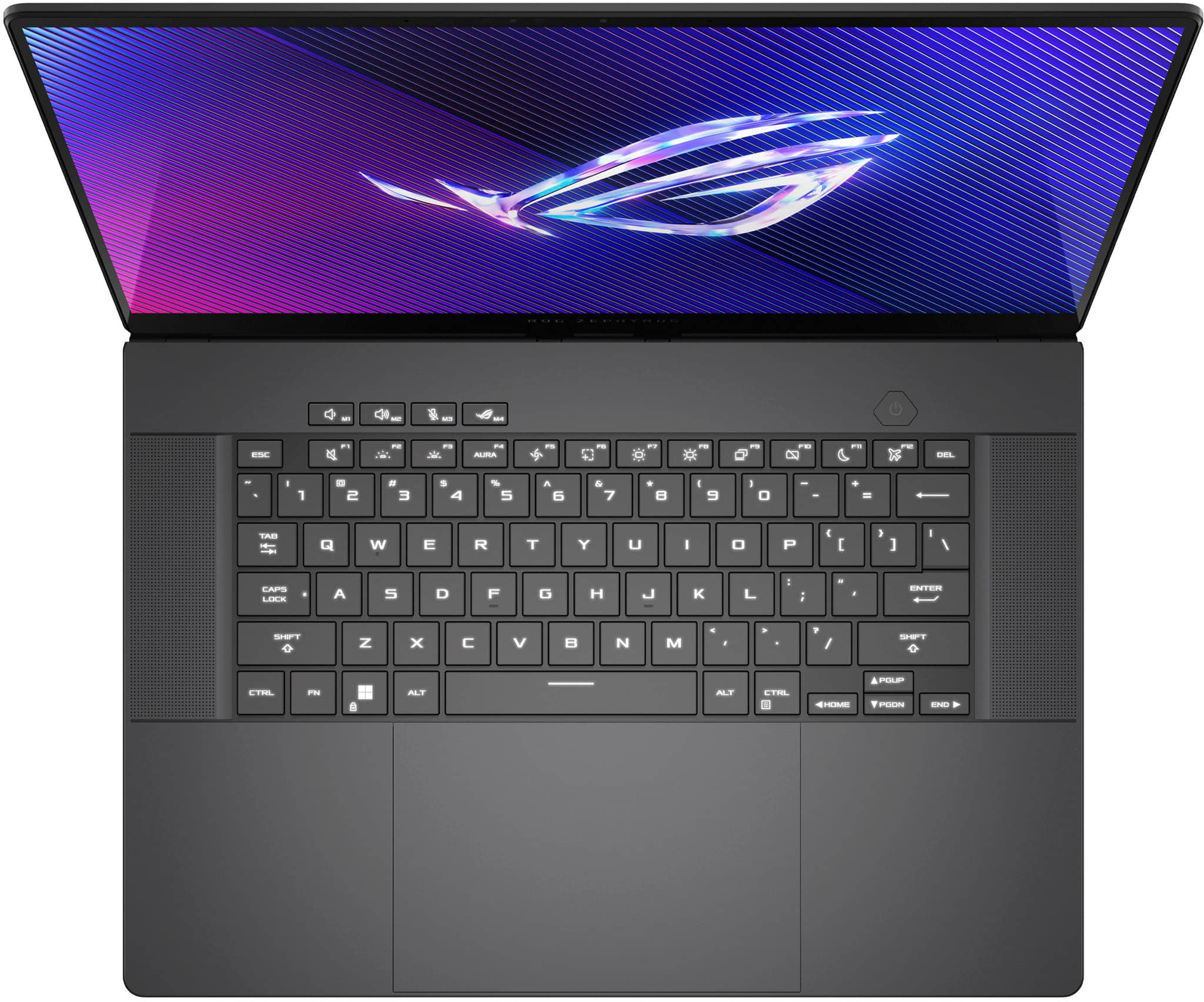
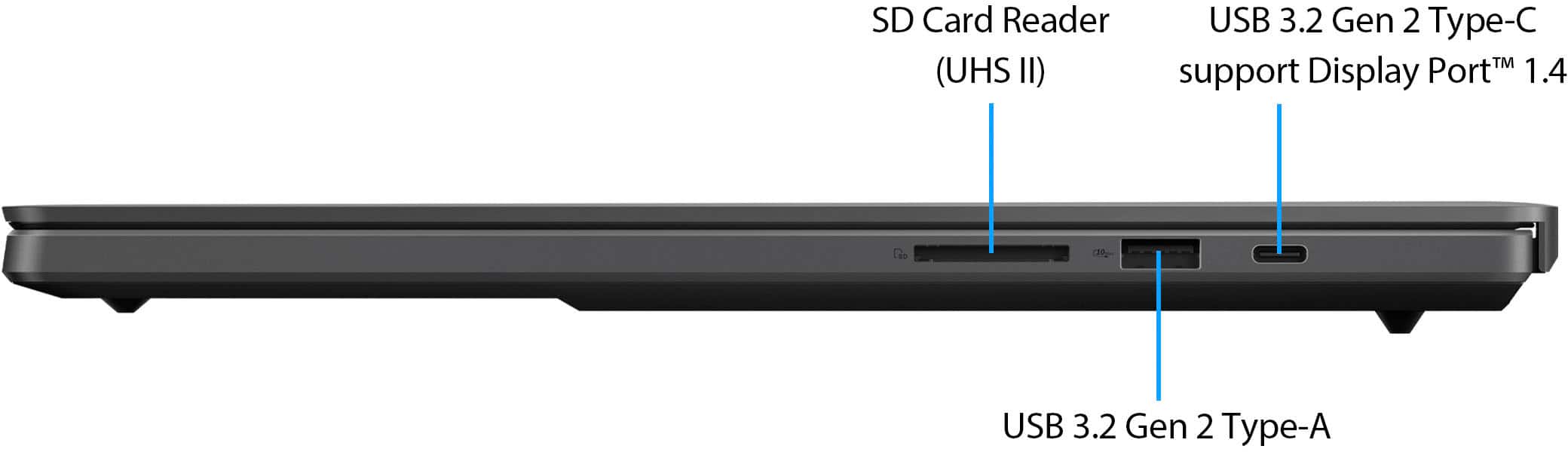
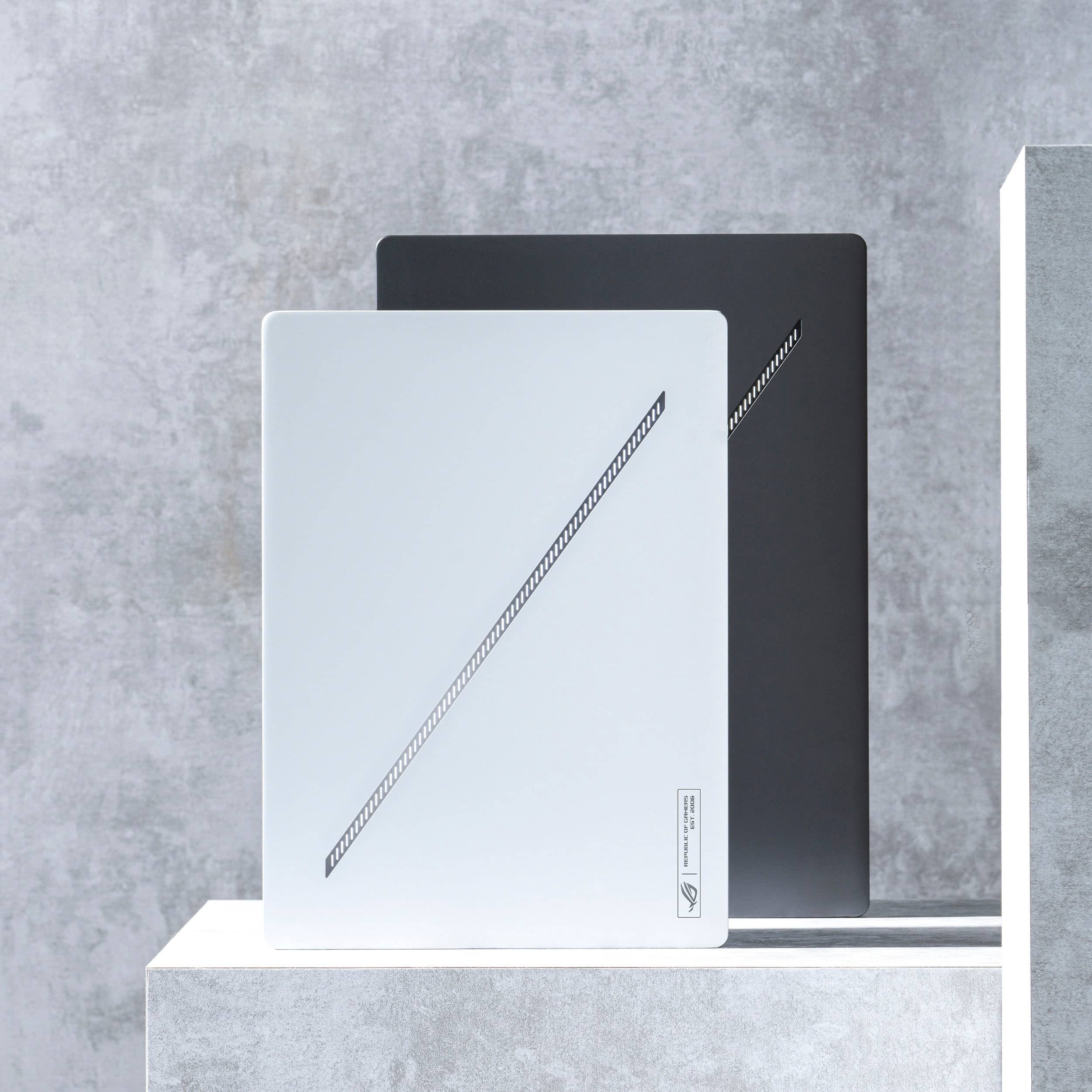
|Posted .This reviewer received promo considerations or sweepstakes entry for writing a review.I have been a PC gamer since the late 90’s early 2000’s. I remember when a gaming desktop weighed 80 pounds and had multiple hard drive bays for 20 gigabyte hard drives and CD-RW writers and 512 MB of ram was a huge deal. To see what pc-gaming has become in 2024 especially in the form of a laptop is astounding to me. Asus was a big motherboard brand back when I did my pc builds, but they never really were big on computers in general. Fast forward to now and I believe that Asus is the best out the box gaming setup you can buy, period. I am reviewing the Asus-ROG Zephyrus G16 laptop today and I feel blessed to have this computer in my hands. It is an absolute BEAST of a machine in such a tiny package its incredible. If you read no further than this just know that you 100% can’t go wrong with this laptop, but let’s dig into the review! Initial impressions of the laptop out the box were shocking. How could such a powerful machine be put into such a paper-thin aluminum chassis? The laptop is only .59 inches thick which is insane! Asus has blown me away with how they’re able to fit an Intel Core Ultra 9 with a RTX 4090 with sufficient cooling into this laptop and weigh less than 5 pounds total. The design is sleek and sophisticated coming with an Eclipse Gray color and a cool customizable LED feature on the top of the screen. The lighting pulses when the laptop is awake like it’s a living breathing entity. You can even setup in the Armoury crate app to have it pulse to the beat of music you play. I will say if you’re a big user of hooking up an additional monitor to your setup and keeping the laptop closed I did find it a tad distracting, but it’s easily able to be turned off if you so choose. Initial setup with Windows 11 was a breeze and I was up and running in a few minutes, did all the updates and off we go! Out the box this laptop is an absolute gaming monster. You can feel confident that anything you throw at it will perform at absolute top specs on any game. An Intel Core 9 185h processor with 32 gb of LPDD5RX ram and a NVIDIA GeForce RTX 4080 leaves little more to be desired in a gaming rig. The laptop also comes with dual USB-C ports, HDMI 2.1, USB 3.2 Gen2 Type-A ports, and a dedicated UHS-II MicroSD card reader which is handy for me since I am a photographer, so this machines doubles as an editing powerhouse! A 1TB SSD is the only thing I wish it had a little bit more space, but that’s easily fixed with an additional M2 slot for upgrades or adding some external hard drives. But 1TB is plenty to hold what I really need on the computer itself. The computer also has a built-in camera that recognizes you when you login which is a nice touch for bypassing the windows pin and handy when doing Microsoft Team meetings! The keyboard is responsive and the keys feel great under your fingers and the mousepad is a robust size. They even have keys dedicated to bringing up Armoury Crate on the fly! The OLED 16-inch monitor is beautiful with great contrast and a buttery smooth 240HZ refresh rate and .02ms response rate. The NVIDIA G-sync makes screen tearing a thing of the past. I also have a 34 inch Samsung widescreen monitor and the I play Apex legends A LOT and that game performs beautifully even with everything going on in the heat of battle. Games like Forza, Starfield, HI-Fi Rush and the new remastered Resident Evil 2 are absolutely breathtaking and I love that the computer comes with 3 free months of XBOX game pass to really give you a wide range of games to test out the box. The one thing I really truly love about ASUS computers though is the Armoury Crate, to me ASUS really knows that gamers and hardcore pc users really want customization and the ability to manipulate settings on the fly! Silent mode is great when your computer usage doesn’t need to be maximized and prolong battery life. But throwing the Laptop into Performance/Turbo mode really unlocks the potential. Being able to adjust the Processors and GPU to tailor what type of games you’re playing whether its Racing, FPS or RTS/RPG’s gives the computer that much more flexibility. OLED Care settings to make sure the OLED settings are correct to help maximize your displays lifespan is a nice touch as well. It’s a very robust app overall that makes ASUS laptops the best in the game in my opinion. Overall, I can’t recommend this laptop enough, it’s an absolute beast of a computer that leaves nothing to be desired in a gaming rig. ASUS has hit a homerun with this laptop and I’ll be curious to see where they go from here because this ones going to be tough to top! If you’re on the fence about it due to the high price tag you should jump immediately and never look back, it’s the best of the best!
I would recommend this to a friend - Pros mentioned:Battery life, Build quality, Portability
Pretty good 16” Thin Gaming Laptop
||Posted . Owned for 2 weeks when reviewed.This reviewer received promo considerations or sweepstakes entry for writing a review.Fans too noisy, even during simple tasks. Great screen, very thin. Personally I am preferring the 14” form factor these days for extra portability. (As I also have a desktop.) But if you want just one computer to do it all, this is a pretty good desktop replacemnt that is still light. If you want something smaller woty better battery life, try the G14, it also has an OLED screen. Its just not quite as powerful graphics wise.
I would recommend this to a friend - Pros mentioned:Build quality, PerformanceCons mentioned:Heat dissipation
Okay laptop that should be great.
||Posted . Owned for 1 week when reviewed.This reviewer received promo considerations or sweepstakes entry for writing a review.This review is a bit of a mess. TL;DR: It's a solid machine if you can get it for <2500. I would not have bought this for sticker price. 3/5 This laptop is too pricey. It's also a bit too thin and a couple hours too short on battery life. No choice for CPU with the 4080 and can only upgrade one stick of RAM. Tips: Download G-Helper and uninstall all of the Asus software you are comfortable with. I've heard too many storieIs of users being annoyed and inconvenienced by software. So I uninstall it. Highly recommend you google "new laptop g16/asus reddit" for threads on best practices for making user experience better. The actual review: Starting off, this laptop is an upgrade: Older laptop: Zephyrus G14 - AMD chip, 16gb ram and the 2060mq. I believe it was the 2020/2021 version. Cost me 1250 and played games at medium settings and the battery lasted about 6 hours. New/This laptop: Zephyrus G16 - Intel Ultra 9 chip with the 4080(mq?) and 32GB ram - cost me 2300 - Open-Box excellent with Best Buy Total Membership and taxes. Immediate comparison and use of this laptop for a week: Good: - the gaming performance. the difference is obviously night and day for me as I'm coming from not being able to run Cyberpunk 2077 to playing Cyberpunk with DLSS at near max settings (with RT) at ~100fps at 1200p. That's the only game I really have to play currently and it looks incredible. I might be biased to the performance because of that jump but I'm very happy with that. - the 16inch screen is immaculate. Just incredible and a joy to use. - the speakers. They're really good but I don't really use them. - build quality. It's basically a gaming macbook. - two m.2 slots. Not sure if this is an expected thing in 16" laptops, but I'm giving it a plus for this. I use one for Windows and gaming and the other for Linux and school. - The webcam and mic aren't bad and are nice to have. I enjoy fingerprint more than Windows Hello but camera seems to be more consistent albeit creepier. - the keyboard is nice but I'm still getting used to it. This is the one thing I almost bought a lenovo for. I type a lot. my biggest annoyances: - the trackpad - too big. Yes, it's smooth and nice and consistent...but my palm ends up hitting it randomly when I type so that's annoying. - the chip and GPU pairing. Not having a 4080 with the AMD AI chip is rude. - Intel is hot and not as power efficient. The two things that really matter in a laptop. - the RAM - from what I know and read, there seems to be little to no reason to upgrade one singular stick of RAM...so why does Asus give us the option? - too much bloat. Asus has unnecessary software and Windows is a mess. This feels stupid to dock the laptop for but considering the software that Asus has on the laptop can absolutely mess with your experience, there you go. Things I'm not too picky about: - The battery life. Obviously it's poor. It's a gaming laptop that is thin and light and is running software that isn't efficient on hardware that isn't efficient. It's a portable gaming machine that I also use to do homework and work. The way I use the machine, I always have an outlet where I am going. I would not get this laptop (or any gaming laptop) if you want Macbook levels of battery. You might be able to get ~7 hours from this. - the heat and noise. It's what you'd expect. It's actually better than what I'm used to. The cooling and lack of coil whine is really nice and I wear noise cancelling headphones so it's hard to say the noise bothers me. I also have the laptop at an angle when it's sitting so the heat hasn't been insane. My biggest why: - the thinness of the laptop - the thinness is something that companies seem to be obsessed with PRing on every year yet most people are okay with a slightly thicker laptop for better thermals and better performance. I don't get it. I'm okay with things being a little thiccc. Come on ASUS. The build quality, screen, thermals and performance of this laptop all surprised me and actually make me really enjoy my experience so far. My experience with this laptop would be a lot better if it wasn't as thin and the trackpad wasn't as big. I got this laptop because I wanted a nice screen with a machine that could pack a punch and also looked and felt premium. This laptop does that. I'll update as necessary.
No, I would not recommend this to a friendBrand response from ASUS Answers
Posted .Dear Asidesalad,
Thank you for sharing your comments regarding the ASUS ROG Zephyrus G16 Laptop. We understand that it didn't meet your full expectations, and we sincerely apologize for that as we do understand your concerns. We are committed to providing our customers with the highest-quality products and we will forward your review to our Product team for review.
We stand behind our products and continuously strive to improve our products and processes to achieve customer service excellence. If you require any further assistance, please email us at customerloyalty@asus.com and include the case number "N2403002072-0005" as a reference. We will do our best to resolve your case quickly. Your feedback is very important to us and enables us to improve our support channels. Thank you for choosing ASUS.
Best Regards,
Chantae
ASUS Customer Loyalty US Support
- Pros mentioned:Battery life, Build quality, Oled qualityCons mentioned:Heat dissipation
Love it
||Posted . Owned for 1 week when reviewed.This reviewer received promo considerations or sweepstakes entry for writing a review.Considering I updated from a 2017 MSI with a 1060, this is leaps and bounds above what I'm used to. The speaker sound quality is excellent and the OLED display is gorgeous. It's handled everything I've thrown at it. It does get rather hot just above the keyboard when gaming with the settings cranked up. I put it on a cooling mat and it's just fine. I don't get any thermal throttling. For everyday tasks, it runs for ages on battery. I could do a full day of work and watch a movie after and it'll still have some juice left.
I would recommend this to a friend - Pros mentioned:Battery life, Build quality, PortabilityCons mentioned:Noise level
Great Laptop
||Posted . Owned for 5 months when reviewed.This reviewer received promo considerations or sweepstakes entry for writing a review.The laptop has great build quality and it's lightweight considering the specs. Battery life is fine during normal use, but it is best to be plugged in while gaming. The fans can get loud when the GPU is really kicking, but you get used to it,
I would recommend this to a friend - Pros mentioned:Build quality, Oled quality, Performance
One of the best options... But
||Posted . Owned for 3 weeks when reviewed.This reviewer received promo considerations or sweepstakes entry for writing a review.Overall, it's a great device - Pros: - Build quality, although, the screen seems too delicate and bends when you open it, a Macbook Air has a better screen frame (speaking only about the chassis). - Performance; I do 3D modeling, and rendering (both GPU & CPU), and no matter what I use, it will run easily. - Hardware control (this helps with battery life, but there is a catch). - The screen; for media, for render, work, etc. Is one of the best options, just take care of it, at the end, it is an OLED panel. Cons: - Armory crate is always the problem with Asus, it can be buggy, sadly this can affect the rest of the device due to it trying to control hardware but there are also other software doing the same, and this can cause issues and cross between the configurations, especially with the GPU and the audio. That is not new, I have a 2019 Zephyrus GX701 and at the beginning, it was the same thing, speakers with crackling (software issue), profiles switching randomly affecting performance, etc. - Asus customer support is one of the worst services out there in my experience. I rather prefer to look over the internet and forums for solutions related to software issues. - The touchpad is good, but at this price, size, and quality, a haptic will be way better, it's a big area to move and select, but if you wanted to press an icon, option, etc. You need to reach the bottom of the touchpad to press and click. I do recommend this device, but if you buy it, the first thing to do is reset the device and start fresh, with more control over the hardware's drivers and configuration, by limiting Armory Crate control over your device.
I would recommend this to a friend - Pros mentioned:Battery life, Oled qualityCons mentioned:Noise level

Overall good laptop
|Posted . Owned for 2 weeks when reviewed.This reviewer received promo considerations or sweepstakes entry for writing a review.[Employee of bestbuy] Outstanding audio, with proper tuning can go toe to toe with a MacBook Pro 16. With Ghelper instead of armory crate, I could manage 6-9 hours of streaming videos, web browsing. Battery and performance felt in line with a mobile Ryzen from a few years ago. OLED screen was fantastic above 70% with minimal reflections. Below 70%, you start to see sand paper textures on grey and dark backgrounds. Fans were acceptable, however the air noise pushing against the frame can be audible at low loads with silent mode off. Unfortunately my unit had a rattling track pad and severe dpc latency with audio that would cause skips and buzzing that I did not have on the 2024 G14/2022 G15. Overall a good choice in contrast with options on the current market if you’re looking for a ultrabook with the exception of audio creation.
I would recommend this to a friend A Metal Multimedia Monster
|Posted .This reviewer received promo considerations or sweepstakes entry for writing a review.PROS + Gorgeous 240hz OLED panel + Super-slim, all aluminum shell that seeps quality, is solid, and lightweight for size + Super solid gaming chops with RTX 4080 Laptop GPU and Intel Ultra 9 185H CPU + Great full-sounding speakers with plenty of volume and impact + Very quiet operation in Silent and Performance modes + Huge and responsive trackpad + 32GB of memory and fast SSD + Plenty of I/O CONS - Sounds like a jet engine when in Turbo mode - Can’t fight physics, it outputs some real heat during stressful gaming sessions SO-SO * Armory Crate software has some useful features, but can feel a bit clunky * RTX 4080 has 115w TGP, so not full 175w TGP potential, but still plenty fast, especially given the size * Battery life is solid for all of the specs, but likely won’t last a full day of usage THE LONG AND SHORT OF IT The Asus ROG Zephyrus G16 is targeted at gamers, but this is a multimedia powerhouse through and through. While it certainly possesses plenty of gaming chops, software, and the tools necessary to have a super solid portable gaming experience, where I think this laptop really excels above and beyond is being an all-around multimedia machine. It has the best screen I have ever seen on a laptop, rich speakers, a solid GPU & CPU for content creation and gaming, lots of I/O, fast memory, quiet operation, great portability, and a respectable battery life for the power. There is really no area where this laptop doesn’t excel. Being a thin and light laptop, that also is doubling as a portable workstation, it cannot outrun physics, and so does require a lot of cooling and fan power to operate in an efficient manner. But if you are looking for a jack of all trades that can do it all well, and are willing to pay a premium for it, this is a fantastic option. BUILD QUALITY At 0.59” thick, and weighing 4.3lbs, it is a very portable 16” laptop that houses a lot of powerful components in a slick package. The body is made of aluminum and has this gunmetal gray finish that looks and feels very premium. The body is rigid with no keyboard flex, creaking, or cheap feeling construction. The screen hinge feels great and can be opened with one finger easily, there is a bit of screen flex if you look for it, but no wobble or issues with screen construction of any form. In terms of lighting, the lightbar/slash on the back looks great when lit-up with its individual LEDs and custom light patterns, although you won’t really see it much during use, so I tended to leave it off to give the laptop a more understated look. The keyboard is a bit on the mushy side, but key travel is just about perfect for me. Overall the keyboard is very comfortable to use for long periods of time and I had no issues writing for several continuous hours on it without issue. The backlight is RGB, and can be fully controlled with lighting patterns as you would expect. If I had one nitpick with the keyboard, it would be that I wish the page up-down left-right buttons where a bit larger, as they are all half-key sized, but this really is a nitpick and not uncommon for a laptop of this size. Overall, the build quality on this laptop is top notch, and I honestly have no complaints at all. It is a premium laptop and it feels like it. Very well done. EVERYDAY USE Everyday usability is where I think this laptop really shines. This all starts with the 240hz OLED screen, which is absolutely gorgeous. It has a very wide color gamut, with perfect black levels and an infinite contrast ratio. It can get plenty bright, and everything from gaming to movies to daily browsing is a visual treat. I can’t speak for color accuracy, as I don’t have the equipment to measure this, but to my eye it looks highly color accurate, playing content that I have played many times on my calibrated monitors. It really is the best screen I have ever used on a laptop, and is buttery smooth with the 240hz refresh rate. Pairing with this are the 6 built-in Dolby Atmos speakers, which are surprisingly rich sounding for their size and the overall real estate within the laptop. They get quite loud, and at larger volumes have a good frequency presence from the low-end to the high-end. While I would definitely recommend a good pair of headphones for media consumption with any laptop, including this one, as that will still offer a better overall experience, the speakers in this are more than sufficient for casual sessions. You won’t get any real spatial audio presence from the Dolby Atmos capability of the speakers, but you do get a solid stereo presentation that is fully above average for most laptop speakers you will find. I should note that I did initially have some distortion issues with the speakers when I first got the laptop, but after a firmware and BIOS update, it all seems to have sorted out and I have not had any more issues since. Elsewhere on the laptop, you get plenty of I/O, with HDMI 2.1, USB-A, & USB-C ports, all of which mean you should be able to use this laptop without the need for an external dock, unless you need more peripherals. The charger that comes with the laptop does use a custom port, which is non-standard if you want to use the full-sized power brick, but you can also charge via USB-C, although at a slower-rate. If gaming, I would recommend using the included charger however to ensure you are getting the full power. GAMING Being a gaming laptop first and foremost, the main question I had getting this laptop was how it was going to perform with modern games, given it is a thin and light laptop first, and not the traditional bulky gaming laptops of old. The RTX 4080 laptop GPU has a 115w TGP, which is less than the 175w possible, but when combined with the Intel Ultra 9 185H CPU & 32GB of LPDDR5X RAM, is a very potent machine. I threw some of my favorite AAA games against it, and I was genuinely surprised how well it performed. With DLSS, Cyberpunk 2077 was playable with medium ray-tracing settings and Alan Wake 2 was playable with medium settings and path-tracing, yielding a better performance than almost any console can do today. While these games are some of the heaviest you can play today, the fact that this laptop was able to play them at playable framerates was really impressive.When I moved to less intensive games, like Resident Evil 4 and Spider-Man, the laptop excelled with high framerates in the 100’s and no real slowdown. Most of my time spent gaming with the laptop was in the “Turbo” mode while plugged-in, which results is a very loud fan and a lot of heat being pushed out the back of the laptop. In this mode I needed to use headphones to enjoy the games fully, but heat was kept well away from the key board and my hands, which meant I was never uncomfortable gaming on the machine. Playing in “Performance” mode was sufficient for lightweight games, and operated significantly quieter and cooler in operation. Battery life while gaming in any of these modes is not great, and you will definitely want to play any serious games while connected to power, unless you want to play on a shorter 1-2 hour timeframe. Overall, I was really impressed by the gaming performance of the laptop. It offers a serious experience, which is scalable depending on the games you play, and when coupled with the build quality and size of the laptop, feels a bit like magic at times, given it is often delivering a superior experience to most modern consoles while being significantly smaller and more power efficient. It isn’t a miracle worker, and you do still have a lot of heat and cooling needed to keep the laptop functioning well, but the machine is very effective with its vapor cooling system at removing heat from the system. If all you play is modern AAA games, I wouldn’t use this as my primary system unless I wanted an all-in-one machine I could take with me, but for non AAA gaming, or even games just a few years old, this machine should be able to handle them without a sweat. DLSS in particular is a real game changer for this machine, and really lets you leverage the higher refresh rate capabilities of the display.
I would recommend this to a friend- Pros mentioned:Build quality, Performance
Slim MacBook like Gaming Laptop!
||Posted . Owned for 1 week when reviewed.This reviewer received promo considerations or sweepstakes entry for writing a review.Laptop build quality is solid, feels real nice and slim. Couple issues though, the trackpad has some wobble and the fans sound like bearings are rubbing at low rpm, which is a quality control issue because my 4070 version doesn’t have the same issues. Performance is great and tweaking settings in manual mode gets about 15.5k graphics in timespy and runs quiet.
I would recommend this to a friend - Pros mentioned:Build quality, Performance, Portability
G16 Big punch in a lightweight package!
||Posted . Owned for 3 weeks when reviewed.This reviewer received promo considerations or sweepstakes entry for writing a review.This 16-inch laptop is an excellent choice if you're looking for a device that's perfect for both productivity and gaming on the go. It is light enough to take with you, yet powerful enough to handle any game you throw at it today with pretty good settings. Pros: The speakers are fantastic, and the screen is breathtaking. Cons: As this is my first gaming laptop, I am unsure if this is a genuine con. I would say the load times and the fact that some games have to be restarted several times before I can play them could be potential issues. Despite these concerns, I firmly believe that I made the right decision in choosing the G16, as it perfectly meets my need for a portable laptop that allows me to play games and be productive while on the go without causing back pain from carrying a ton on my back.
I would recommend this to a friend - Pros mentioned:Build quality, Oled quality, Performance
Future Proof
||Posted . Owned for 2 weeks when reviewed.This reviewer received promo considerations or sweepstakes entry for writing a review.Asus cooked when they designed this laptop, and it's practically future-proof due to the powerful hardware packed into this thing, and all into a thin & light design (and boy is it thin!). It should also be noted that the speakers on this laptop sound insanely good, the sound quality rival Apple's Macbook speakers, which are known to sound amazing. I think the star of the Zephyrus is the 16-inch 240hz OLED display. Packed together with the RTX 4080 GPU and the Core Ultra 9 CPU, the Zephyrus makes for an insanely good gaming experience. Wi-fi is super fast on a wi-fi 6/6e network. The Zephyrus G16 checks all the boxes that make for a good gaming laptop. You can'r go wrong with the ROG Zephyrus G16 and I highly recommend it.
I would recommend this to a friend - Pros mentioned:Build quality, Performance
great
||Posted . Owned for 1 month when reviewed.This reviewer received promo considerations or sweepstakes entry for writing a review.great oled and performance only downside is probably developing fan noise
I would recommend this to a friendBrand response from ASUS Answers
Posted .Dear Kummie,
Thank you for sharing your feedback on the ASUS ROG Zephyrus G16 Gaming Laptop and we apologize for the fan noise you're experiencing. To troubleshoot this issue, we recommend following the steps in the FAQ below. Should the issue persist, please contact our support team at https://www.asus.com/us/support/CallUs to further investigate the problem.
We stand behind our products and continuously strive to improve our products and processes to achieve customer service excellence. For more information, email us at customerloyalty@asus.com and include the case number "N2403002072-0007" as a reference. We will do our best to resolve your case quickly. Your feedback is very important to us and enables us to improve our support channels. Thank you for choosing ASUS.
Best Regards,
Chantae
ASUS Customer Loyalty US Support
[Windows 11/10] Troubleshooting - Overheating and Fan issues - https://www.asus.com/us/support/faq/1015064/
- Pros mentioned:Battery life, Build quality, PortabilityCons mentioned:Heat dissipation
Best slim gaming laptop on the market
||Posted . Owned for 1 week when reviewed.This reviewer received promo considerations or sweepstakes entry for writing a review.very sleek and portable laptop. I love how nice the screen is. The battery life is also amazing when you turn off the dedicated graphics card. It does get quite hot, but this is expected with such a small chassis. Buy now, you won't regret!
I would recommend this to a friend - Pros mentioned:Build quality, Performance
Fantastic laptop 4080
||Posted . Owned for less than 1 week when reviewed.This reviewer received promo considerations or sweepstakes entry for writing a review.My first ROG, the build quality is outstanding. Display in best in the world easily. Keyboard feels really nice. Trackpad is large and accurate (though impossible to click at the top) preformance does.not disapoint. Its a definite win. Now the negatives:The keyboard font is a bit juvenile but i can live with it. Trackpad should have been haptic at this price. Overall Id definitely recommend this as a light very portable professional laptop or a gamer laptop. Its worth checking out if you have the $ and want the best. (Almost perfect) (haptics Asus... Haptics)
I would recommend this to a friend