Customer Ratings & Reviews




- Model:
- FX507VI-F15.I74070
- SKU:
- 6573673
Rating by feature
- Battery Life
Rating 4.2 out of 5 stars
- Speed
Rating 4.8 out of 5 stars
- Display
Rating 4.6 out of 5 stars
Customers are saying
Customers commend the TUF 15.6" Gaming Laptop's performance, graphics capabilities, and ample RAM, frequently praising its excellent value for the price and solid build quality. Positive feedback also highlights the lightweight design, effective cooling system, and vibrant display. However, a common criticism focuses on the relatively short battery life.
This summary was generated by AI based on customer reviews.
Great
||Posted . Owned for 2 weeks when reviewed.This reviewer received promo considerations or sweepstakes entry for writing a review.Excellent product would recommend to all to buy from
I would recommend this to a friendIst's good but Can bé better
||Posted . Owned for 2 weeks when reviewed.This reviewer received promo considerations or sweepstakes entry for writing a review.Need 3 USB type a, better position of charging port, better Screen
I would recommend this to a friendSSD failed within first month
||Posted . Owned for 1 month when reviewed.This reviewer received promo considerations or sweepstakes entry for writing a review.The laptop is OK, just OK. It was really fast but quickly slowed down. Soon after purchase, 29 days to be exact, the SSD hard drive failed with an error on boot, where S.M.A.R.T diagnostics detected the failure. It will boot loop to the BIOS, with the occasional boot to Windows. If it weren't for an immediate failure of the hard drive, this would make a decent gaming laptop.
No, I would not recommend this to a friendBrand response from ASUS Answers
Posted .Dear Michael P,
We sincerely apologize for the SSD issue you've faced with the notebook and for the inconvenience caused. This is not the kind of quality to expect from our products and it's not the norm. To troubleshoot the issue described, we recommend following the steps in the FAQ below. Should the issue persist, please contact our support team at https://www.asus.com/us/support/CallUs to further investigate the problem or assist with repairing the device.
We stand behind our products and continuously strive to improve our products and processes to achieve customer service excellence. For more information, email us at customerloyalty@asus.com and include the case number "N2409016375-0002" as a reference. We will do our best to resolve your case quickly. Your feedback is very important to us and enables us to improve our support channels. Thank you for choosing ASUS.
Best Regards,
Chantae
ASUS Customer Loyalty US Support
https://www.asus.com/support/faq/1010992/
Good Computer
||Posted . Owned for 3 months when reviewed.This reviewer received promo considerations or sweepstakes entry for writing a review.Really good computer for gaming but a month in the right side usb port stopped working and cant get any help to fix it
I would recommend this to a friendBrand response from ASUS Answers
Posted .Dear Tscott,
We're sorry to hear that the USB port on the laptop stopped working and we apologize for the inconvenience this has caused. To troubleshoot this issue, we recommend following the steps in the FAQ below. Should the issue persist, please contact our support team at https://www.asus.com/us/support/CallUs to further investigate the problem or assist with repairing the device.
We stand behind our products and continuously strive to improve our products and processes to achieve customer service excellence. For more information, email us at customerloyalty@asus.com and include the case number "N2406016822-0011" as a reference. We will do our best to resolve your case quickly. Your feedback is very important to us and enables us to improve our support channels. Thank you for choosing ASUS.
Best Regards,
Chantae
ASUS Customer Loyalty US Support
[Windows 11/10] Troubleshooting - USB Functionality Issues - https://www.asus.com/support/faq/1043160/
- Pros mentioned:Graphics, Ram, Speed

You get a lot bang for your buck with asus
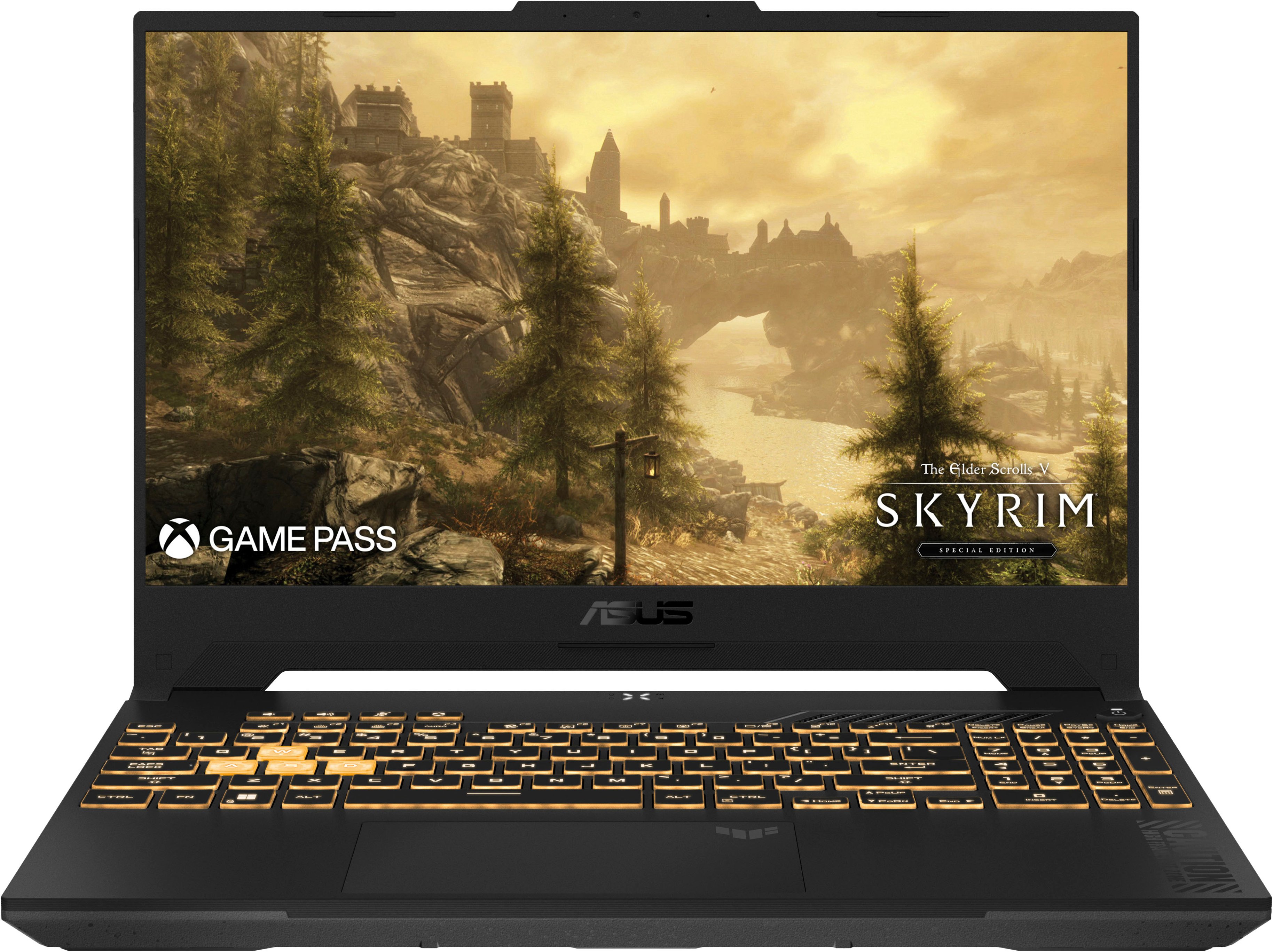
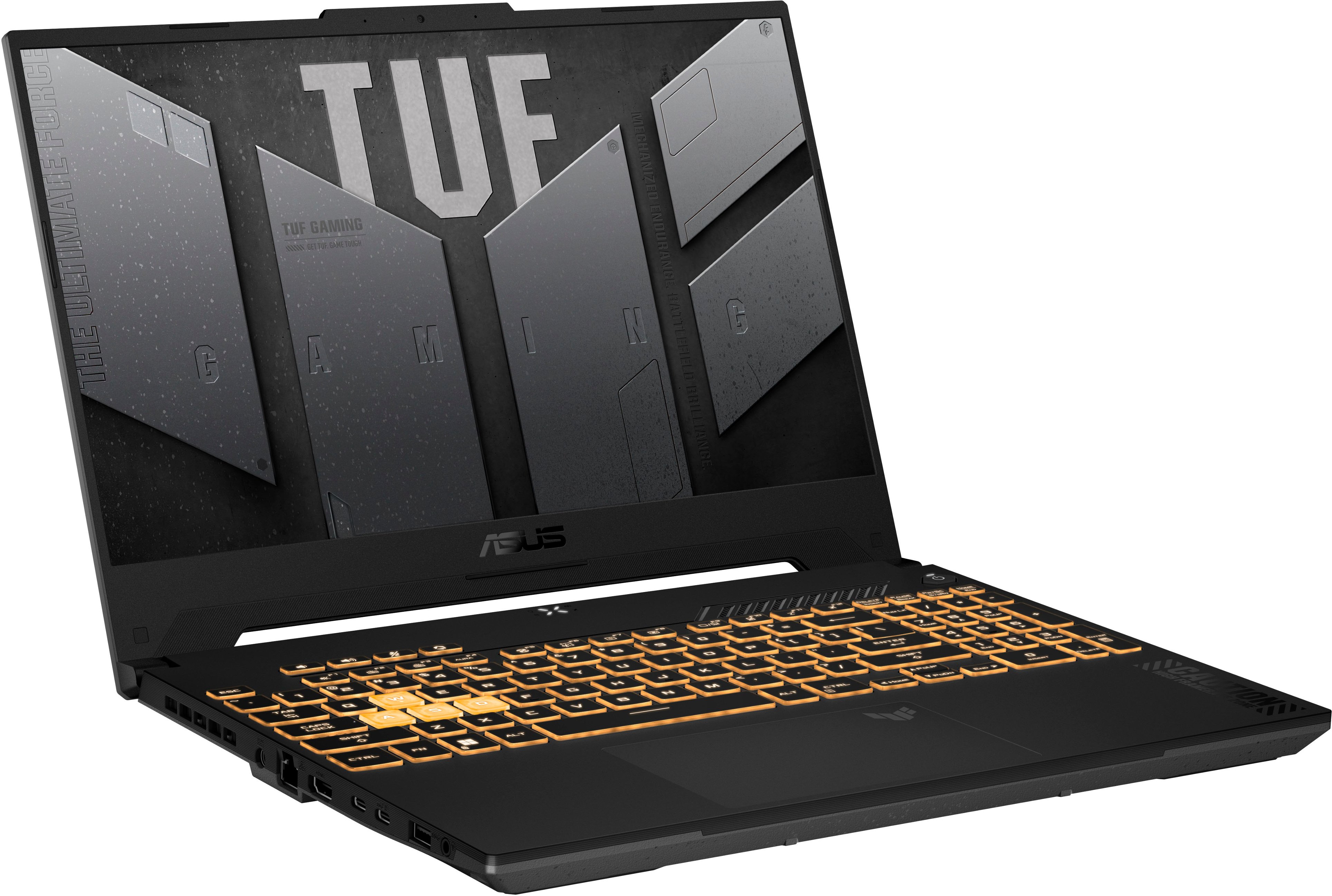
|Posted .This reviewer received promo considerations or sweepstakes entry for writing a review.Amazing gaming laptop from ASUS. you definitely get your money's worth. Pentium i7 10core processor. 1TB of hard drive space , 16GB of RAM, nvidia rtx 4070, plus a 15.6 inch screen full HD 144hz refresh rate! You will definitely be enjoying your games on this laptop. Plus you get ASUS Armory Crate software which i like, its very easy to use. Easy to configure and update the software, drivers and everything that comes in this build. I do enjoy the back lit keyboard easy to see and a pleasure to type on. Not just for gaming but for a lot of other things. Its also pretty light for a big laptop almost 5lbs. The fan will be loud when running a game on max settings. This machine is fast though load times were as expected. Playing shooters on this was much better although not a 4k screen the 144hz does help tremendously. You have 2 usb A and 2 usb c ports. Plus hdmi and thunderbolt for monitor or tv display. Asus made another terrific laptop as usual go get this one because i know they will sell out
I would recommend this to a friend I expected more from this laptop
||Posted . Owned for 1 month when reviewed.This reviewer received promo considerations or sweepstakes entry for writing a review.Faulty USB-C thunderbolt port. Requires 240 watt charger to turn on if the laptop died.
I would recommend this to a friendGood computer, bad microphone
||Posted . Owned for 1 month when reviewed.This reviewer received promo considerations or sweepstakes entry for writing a review.Generally very good, but the in computer microphone doesn't work well at all
I would recommend this to a friendBrand response from ASUS Answers
Posted .Dear Benjamin L,
We're sorry to hear that the microphone on the Gaming Notebook is not working properly and we apologize for the inconvenience caused. To troubleshoot this issue, we recommend following the steps in the FAQ below. Should the issue persist, please contact our support team at https://www.asus.com/us/support/CallUs to further investigate the problem or assist with repairing the device.
We stand behind our products and continuously strive to improve our products and processes to achieve customer service excellence. For more information, email us at customerloyalty@asus.com and include the case number "N2406016822-0007" as a reference. We will do our best to resolve your case quickly. Your feedback is very important to us and enables us to improve our support channels. Thank you for choosing ASUS.
Best Regards,
Chantae
ASUS Customer Loyalty US Support
[Windows 11/10] Troubleshooting - Sound (Speakers/Microphones) problems - https://www.asus.com/support/faq/1015070/
DO NOT BUY
||Posted . Owned for 1 week when reviewed.This reviewer received promo considerations or sweepstakes entry for writing a review.This laptop was became a brick day 3 of owning and since I didn't keep original packaging, no one will do anything about it. I wish i did a Google search before hand. You'll find this laptop has a known motherboard issue that will prevent it from booting up.
No, I would not recommend this to a friendBrand response from ASUS Answers
Posted .Dear Zrob,
We're sorry to hear that the notebook stopped working after three days and we apologize for the inconvenience caused. This is not the kind of quality to expect from our products and it's not the norm. To further investigate this problem you're experiencing or obtain assistance with repairing the device, we recommend contacting our support team at https://www.asus.com/us/support/CallUs.
We stand behind our products and continuously strive to improve our products and processes to achieve customer service excellence. For more information, email us at customerloyalty@asus.com and include the case number "N2406014290-0007" as a reference. We will do our best to resolve your case quickly. Your feedback is very important to us and enables us to improve our support channels. Thank you for choosing ASUS.
Best Regards,
Chantae
ASUS Customer Loyalty US Support
- Pros mentioned:GraphicsCons mentioned:Battery life
Not bad
|Posted .This reviewer received promo considerations or sweepstakes entry for writing a review.Great cooling, which is important to me. Graphics were alright no delays or lag. The FPS could go up to about 40 FPS while sitting comfortably at around 20 under a normal load. It drained the battery fairly quick so I’d recommend keeping it plugged in if you want to play for more than 30-40 minutes. The screen is fairly small for gaming, but it is good for travel or someone with strong eye sight. It didn’t get hot in my lap which is a bonus for a travel laptop. It is a bit on the heavy side which is not totally surprising based on the components built in. A ton of storage is nice to be able to load some games and not bog it down. The red blue green keyboard is a classic gaming computer feature and appreciated even if it isn’t necessarily unique. Works well for general office use as well. User friendly. I was able to start it right up and figure out where everything was without needing to access directions. The case is nothing to write home about looks wise, but appears fairly solid. Not that I wanted to drop it to find out.
I would recommend this to a friend JUNK LAPTOP
||Posted .This reviewer received promo considerations or sweepstakes entry for writing a review.Had to return twice ended up going a different route
No, I would not recommend this to a friendProblems after 6 months :(
||Posted .This reviewer received promo considerations or sweepstakes entry for writing a review.At first I loved this laptop. Got it in Dec 2024. But it's had a few moments of weirdness (shutting off randomly and restarting repeatedly) and finally, today, it shut itself off randomly and hasn't restarted despite hours of troubleshooting and a few false glimmers of hope. Now I'm going to have to get it looked at and based on others experience, that means I'm going to be without this laptop for weeks. Not happy because I use it for work so now I'm gonna have to scramble.
No, I would not recommend this to a friendBrand response from ASUS Answers
Posted .Dear Nathan W,
We're sorry to hear that the notebook is unable to power on, and we apologize for the inconvenience this has caused you. Based on the issue described, we recommend performing a Hard Reset.
Hard Reset
1. Remove all external devices such as the AC adapter, USB devices, etc.
2. Press and hold the power button for 60 seconds.
3. Reconnect the AC adapter.
4. Turn on the power of the device.
Should the issue persist, please contact our support team at https://www.asus.com/us/support/CallUs to further investigate the problem or assist with repairing the device.
We stand behind our products and continuously strive to improve our products and processes to achieve customer service excellence. For more information, email us at customerloyalty@asus.com and include the case number "N2406014290-0018" as a reference. We will do our best to resolve your case quickly. Your feedback is important to us and enables us to improve our support channels. Thank you for choosing ASUS.
Best Regards,
Chantae
ASUS Customer Loyalty US Support
- Pros mentioned:Performance, Ram
Quite a graphics laptop!
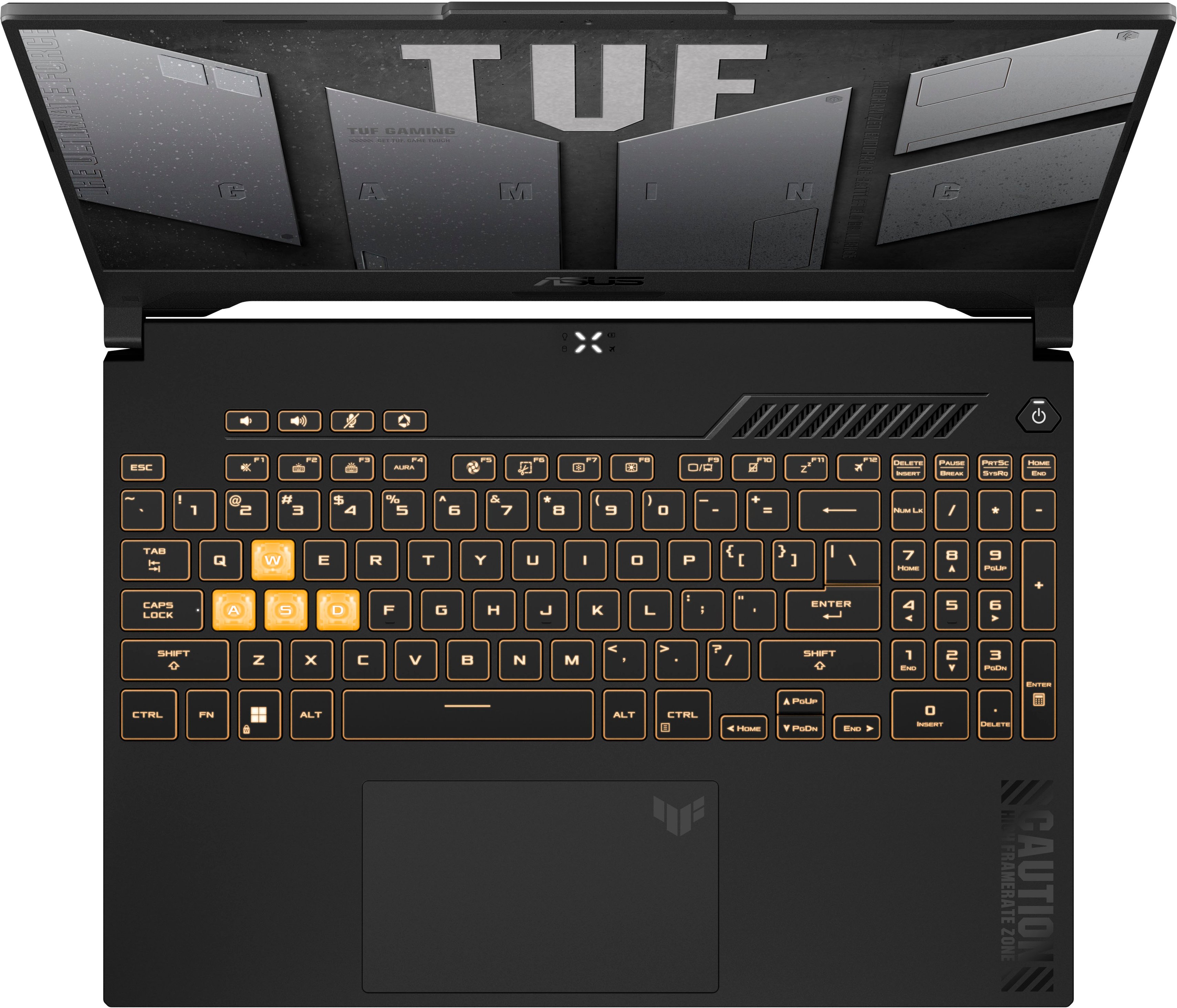
|Posted .This reviewer received promo considerations or sweepstakes entry for writing a review.ASUS - TUF 15.6" Gaming Laptop - Intel Core i7 with 16GB Memory - NVIDIA GeForce RTX 4070 - 1TB SSD - Mecha Grey Right off I will say that anyone wanting a laptop to play games, render video, edit photos, or do CAD work will love this laptop – these activities are at the higher end of demand on any machine, so everything else (school, meeting, office work of all types) will be handled by the laptop without any real effort. The FHD IPS LED screen (1980x1080) will run up to 144 Hz. The bezels are thin, so the screen expanse is large. Colors are quite good. Even though it doesn’t support HDR it will run any HDR video. While it has a built-in web cam above the screen and the necessary microphones, it doesn’t have an IR camera for Windows Hello ID purposes. The keyboard offers RGB backlighting with many color options if you like that. The WASD keys are translucent white for gaming. All-in-all, the keys have nice spacing and travel as well as being quiet while typing – a characteristic I’ve always appreciated. For gamers or serious graphics users, there is a MUX key on the keyboard to manually allow your frames to go directly to the display rather than being sent through the integrated graphics chip as it normally does before getting to the display. Use of the MUX key results in a better frame rate. Or you can enable Advanced Optimus in the settings so that your laptop will automatically switch between these two GPU modes (default through integrated graphics or direct from the NVIDIA GeForce RTX 4070 graphics card to the screen) for the type of demand the job is making on your laptop – in other words, you’re ASUS TUF will handle that job for you on its own reading of the situation. The keyboard offers a number pad to the right of the letter keys, function keys, inline number keys etc. as well as a couple of other game-specific keys. There is a large glass touch pad that I found very smooth and fluid. There is no fingerprint reader for ID purposes. The ASUS TUF has a dedicated charging port with the charging brick included with the laptop. It also has a USB C/Thunderbolt 4 port, as well as a second USB C port that you can use for USB connectivity as well as providing a DisplayPort connection for a monitor that accepts DP connectivity. By the way, you can also charge your laptop through this port if you happen to be traveling and forget your dedicated charger, albeit at a slower rate. And you can use this port to power a USB dock with pass through charging to it and any peripherals attached to it. It also provides two USB A 3.2 Gen 1 ports, Ethernet port, HDMI port, lock port, and headphone/microphone port. The laptop will charge the 90 WH battery approximately from zero to 50% in 30 minutes with its normal dedicated charger. The laptop has a 13th Gen i7 CPU, WiFi 6, and 16 GB of DDR5 RAM along with 8 GB of RAM on the RTX 4070 dedicated graphics card. It also has twin fans designed in such a way to reduce noise while running and offers 4 exhaust vents. During my gaming the fan noise was there (they only spin up under heavy load), but it was not a distraction and wouldn’t be a bother to anyone sitting nearby. It has twin speakers with Dolby Atmos. I would say the sound can be turned up loud enough for most noisy background conditions and was crisp enough to hear conversations from videos without straining. Of course, like most laptops, bass was minimal or slightly above. For the hardware included, the ASUS TUF isn’t close to the heaviest laptops out there. It weighs 4.85 lbs. It’s not a light weight but if you need its power, the weight isn’t a real consideration. I used the ASUS TUF in my office where it powered multiple monitors, various peripherals while running a game with email, browser etc. open. The game I ran was Horizon Forbidden West and I was probably 2/3’s into the game so the graphics demand was high with all that was going on. I didn’t use G-sync because I wanted it to run at the highest frame rates it could so I could observe the quality of the game on the screen. While gaming it ran around 100 FPS normally with a few dips down to 80 and a number of rises to 120 FPS or more. The graphics quality was not compromised at all. There was no stuttering, momentary freezes, jittering or any other hiccups or hesitations. It ran smoothly and flawlessly the whole time. I was using a BT keyboard and gaming mouse during this as well. My conclusion is that if you want a laptop that will handle any graphics load available today at a reasonable price, the ASUS TUF will please you.
I would recommend this to a friend Not what I expected
||Posted . Owned for 2 weeks when reviewed.This reviewer received promo considerations or sweepstakes entry for writing a review.It is an ok computer. Screen resolution is ok but not great. I find speed is ok but not as fast as I expected. Taking advantage of the free software that was offered seems impossible. For that alone I am tempted to return this thing. I am not a happy camper.
No, I would not recommend this to a friendBrand response from ASUS Answers
Posted .Dear Bobtriedit,
Thank you for sharing your comments regarding the laptop. We understand that it didn't meet your full expectations, and we sincerely apologize for that as we do understand your concerns. Providing our customers with high-quality products is our top priority, and we'll forward your feedback to our team for review.
We stand behind our products and continuously strive to improve our products and processes to achieve customer service excellence. If you require any further assistance, please email us at customerloyalty@asus.com and include the case number "N2409016375-0005" as a reference. We will do our best to resolve your case quickly. Your feedback is very important to us and enables us to improve our support channels. Thank you for choosing ASUS.
Best Regards,
Chantae
ASUS Customer Loyalty US Support
Would not recommend
||Posted . Owned for less than 1 week when reviewed.This reviewer received promo considerations or sweepstakes entry for writing a review.I purchased the laptop and brushed off the many other reviews i had seen from others of the conputer randomly bricking out of nowhere. Within 10 minutes of having turned on the laptop after newly receiving it, it bricked and would no longer turn on or start despite being charged. I would highly advise anyone looking at it to look at reviews online as others have had this problem of the laptop dying out of nowhere and no longer turning on.
No, I would not recommend this to a friendBrand response from ASUS Answers
Posted .Dear Maddie,
Thank you for your comment.
We do understand your disappointment and the inconvenience this may have caused if this laptop will not boot up or power on after 10 minutes of usage. If the laptop will not power on, boot up or it's just black screen, please do the following. Please try to do a power cycle by pressing and holding down the power button to shut it down completely, then power on. If it powers on but still a black screen after a few minutes, at least 10 minutes, please repeat the power cycle process again. If the laptop is applying updates in the System Registry, it will black screen temporarily until the update is applied successfully. Additionally, please try to disconnect the power cable and let the unit drain for 24 hours to clear the memory. This will reset the hardware to default settings. After doing this, please reconnect your AC adapter, do not power on the laptop until the battery is charged. If you need further assistance, please email me at cl-rodel@asus.com and I will be more than happy to help. Or you are most welcome to call Product Support Hotline at: 1(888) 678-3688. Also, you can chat with an ASUS live support agent from the link: https://www.asus.com/us/support/article/1135/.
Thank you for choosing an ASUS product.
Regards,
Rodel
ASUS Customer Loyalty
Not a longterm computer
||Posted . Owned for 5 months when reviewed.This reviewer received promo considerations or sweepstakes entry for writing a review.Stay away from ASUS is my advice. I bought 2 gaming laptops from BB....both broke 3 times a piece with internet issues over the course of 2 years. Even though I bought the Geek Squad protection program it was a nightmare working with BB. One of the managers was very rude and combative. ASUS is also dragging their feet clearly they are not interested in real solutions. Buying an ASUS laptop is a huge gamble. I had my first one for a year before problems occurred....my 2nd one only 5months. Initially you may think your getting a good deal but dont be surprised with things stop working. Buy at your own risk!
No, I would not recommend this to a friendBrand response from ASUS Answers
Posted .Dear Tiethree,
Thank you for your feedback.
We do understand your dissatisfaction with the quality of the product and your recent customer service experience with your seller, and the inconvenience this may have caused. All ASUS products undergo intensive quality control testing and inspections, and are built to last. The WIFI issue on both laptops is random. Typically, to resolve the internet issues, check if the laptop is within range to an established wireless router or access point and internet service is working properly. Additionally, check if the laptop is running with the most current system update. Should you need further assistance with the product, please email me at cl-rodel@asus.com and I would be more than happy to help. Or, you are most welcome to call Product Support Hotline at: 1(888) 678-3688. Also, you can chat with an ASUS live support agent from the link: https://www.asus.com/us/support/article/1135/.
Thank you for choosing an ASUS product.
Regards,
Rodel
ASUS Customer Loyalty
- Pros mentioned:Build quality, SpeedCons mentioned:Battery life
Good but runs hot
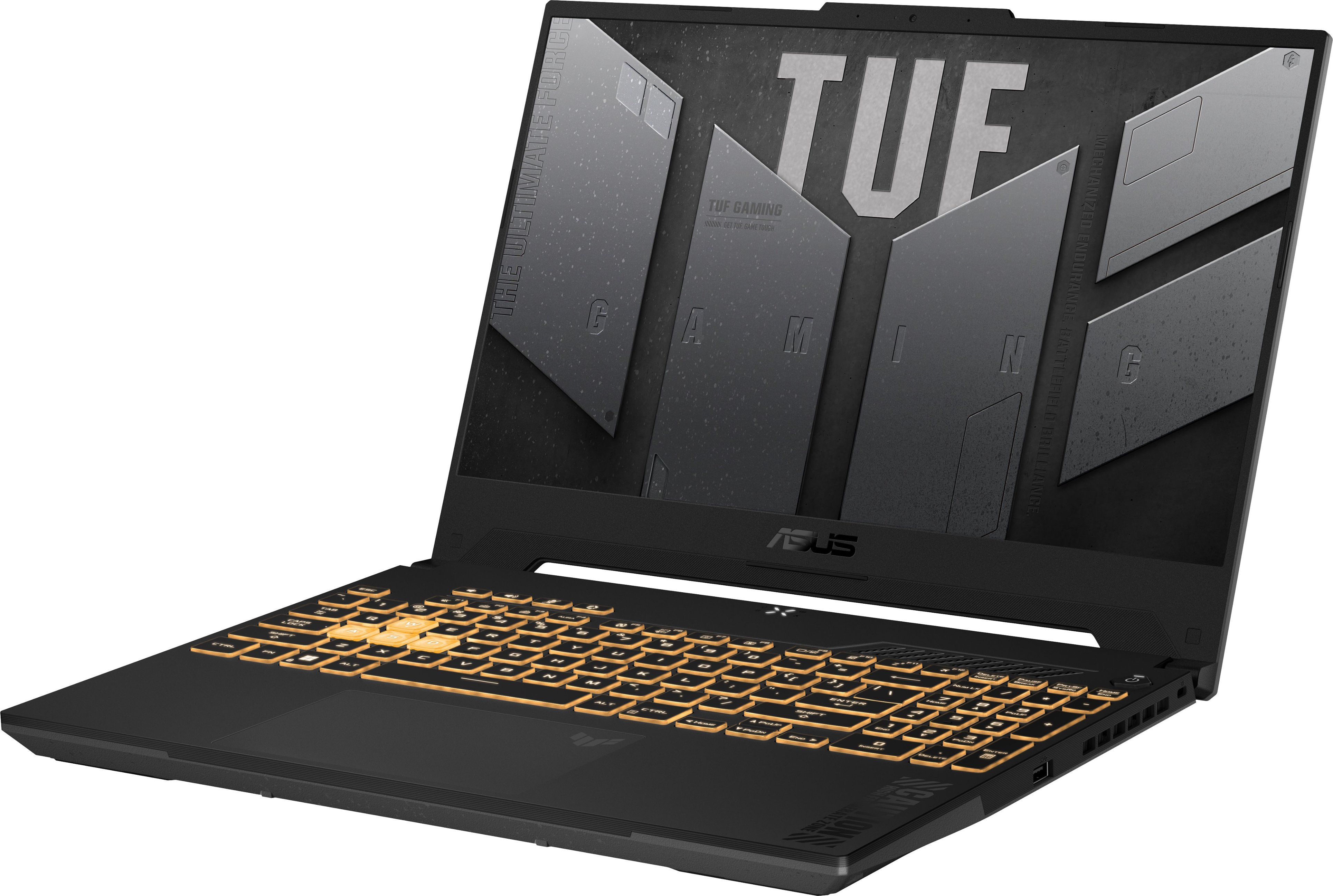
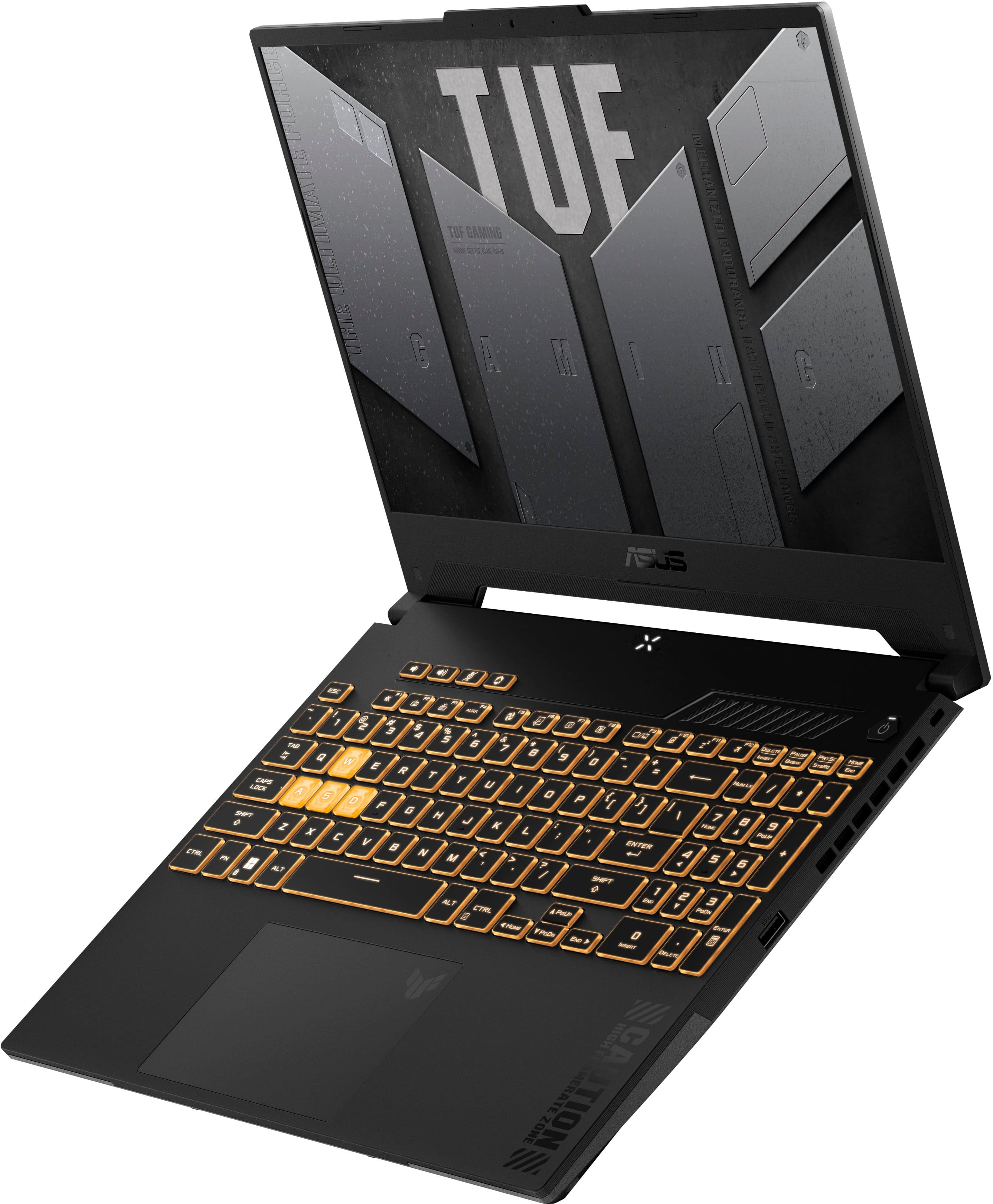
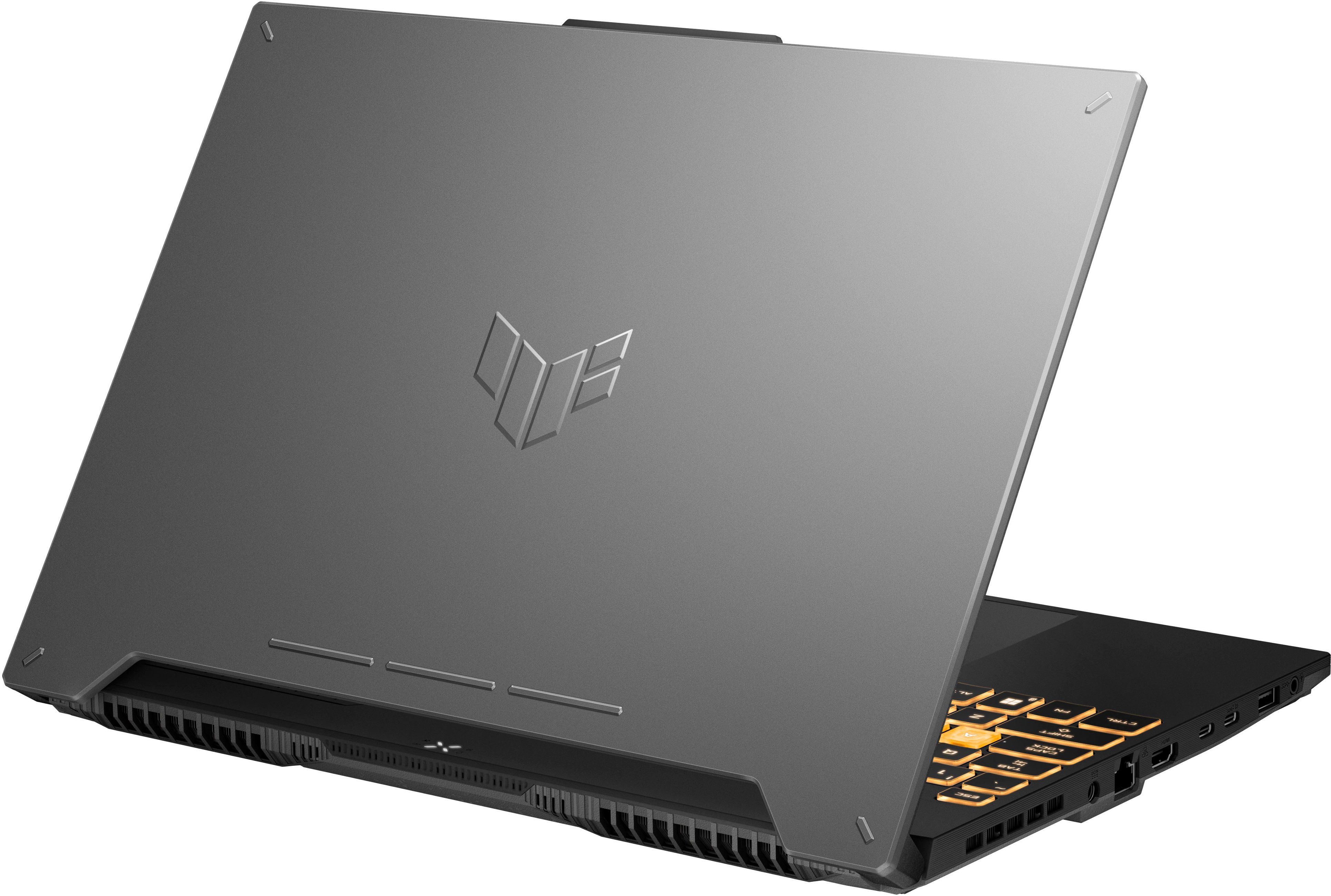
|Posted .This reviewer received promo considerations or sweepstakes entry for writing a review.Aesthetics and Build Quality – From the outside looking in this gaming laptop doesn’t have too much of a gamer style. It is a simple black and grey color scheme with an abstract version of the “TUF” Asus gaming logo embossed on the back of the screen. It’s not super thin so rigidity is not an issue and while it’s not the thinnest laptop ever made it still is very reasonable compared to some other gaming focused laptop monstrosities that exist. For the most part this is a valid option for those that want something for both work and play. When you open the screen there are a few more queues to being gamer focused, like the “Caution high frame rate zone” message that is printed on the wrist rest or the translucent “WASD” keys for even more RGB effect. The hinge on the screen feels a little light in my opinion but not to the point where it’s not able to support the weight of the screen itself. The keyboard is default to the full rainbow color shift effect out of the box, but this is easily changed using the Asus software that is pre-installed if that’s not your style. Typing on this laptop feels pretty good, not my favorite but far from the worst, and it’s essentially a full-size keyboard layout including number pad and standard function keys. Also includes a few additional shortcut keys for volume, mic mute, and access to their “Armory” software. Performance – On battery power the 13620H is a bit anemic, not really packing much of a punch when you aren’t married to the power brick. It runs a peak of 45w when away from the wall but when plugged in it boosted to 4.9ghz and pulled 115w. Reducing this demand is a necessary evil for any hopes of halfway reasonable battery life, and heat management, but it is a noticeable difference in performance. Gamers recommended keeping a wall outlet nearby. It features 6 P-Cores with hyperthreading and 4 E-cores for a total of 16 threads. When plugged in it achieves multi-core performance like a 10900k desktop spec CPU with slightly better single core performance. The problem with all this? It runs hot and the default fan profile seems to be ok with that, barely ramping up in speed as you would expect to try and maintain performance. This results in a CPU that is frequently hitting the thermal limit which causes the CPU to reduce clock rates, so your 4.9ghz CPU is more typically running around 3.8-4ghz. The fans are quiet even at full blast, but it also didn’t seem to have a tremendous impact on the temps. The 4070 that is paired with it performs fine, it is an 80w mobile variant of the card with 8gb of GDDR6. Luckily with the efficiency of the 40 series it manages to stay outside of thermal throttling while pulling all 80w its allowed. The screen is a nice match for the setup at 144hz g-sync compatible 1080p with a web cam at the top. Connectivity is good, no dongle required, it offers 2x USB-A, 2x USB-C (1x being Thunderbolt 4), an HDMI, and an Ethernet port. Verdict – This laptop will play the latest and greatest games and run them well without making too much noise. With how much performance is reduced away from the wall plug however it feels more like a mobile desktop than a way to game away from home. If you are looking for something to double as work and game setup this isn’t the worst option to consider knowing you need to be plugged in/docked for best performance, if you are looking for something gaming specific, I think you can find something better.
I would recommend this to a friend Bad coil whine and stuttery video
||Posted . Owned for less than 1 week when reviewed.This reviewer received promo considerations or sweepstakes entry for writing a review.The laptop has a really bad coilwhine when playing games buzzes like a mosquito zapper, and the intel igpu stutters really bad when watching videos. Going to return and get a amd HHHYZEN flaptop instead.
No, I would not recommend this to a friendBrand response from ASUS Answers
Posted .Dear Lucas T,
We sincerely apologize for the coil whine issue you've faced with the Gaming Notebook and for the inconvenience caused. This is not the kind of quality to expect from ASUS products and it's not the norm. We are committed to providing our customers with the highest-quality products and we will forward your review to our Product team for review.
Although you have returned the notebook, we do stand behind our products and we continuously strive to improve our products and processes to achieve customer service excellence. If you require any further assistance, please send us an email at customerloyalty@asus.com and include the case number "N2409016375-0003" as a reference. We will do our best to resolve your case quickly. Your feedback is very important to us, and it enables us to improve our support channels. Thank you for choosing ASUS.
Best Regards,
Chantae
ASUS Customer Loyalty US Support
- Pros mentioned:Graphics, Ram
Very capable machine, very affordable price
|Posted .This reviewer received promo considerations or sweepstakes entry for writing a review.Asus is a respected Computer Hardware and Electronics Company and their newest product, The TUF 15.6” is no exception. I would consider this laptop, a mid-level entry computer. -Screen- Like its name implies, it features a 15.6 inch 1080p resolution screen with a refresh rate of 144HZ. Very crisp and clear. -GPU- NVIDIA GeForce RTX 4070. Pretty high-end, will play any game out currently, even though it might not be at max settings depending on the game like graphics intensive Warzone or Starfield, other games like Apex or Fortnite play just fine on higher settings. -Processor- Intel Core i7 13th Generation. A very capable and higher end processor, capable of running your laptop, perfectly smooth while gaming or having multiple websites/applications open at the sane time with no problems. -RAM- 16GB DDR5. Very good for today’s standards (but not great) will play pretty much any game currently out now. Not necessarily future proof, but will do the job for now. -Storage- 1TB SSD, pretty much the standard for today’s laptops, 1TB is plenty to download a few big AAA games, A few hours worth of 4k videos, or a ton of music, or a mix of everything... If you store everything, you will eventually run out of storage and might have to start deleting things or get an external storage device with more memory. -Misc- The screen is not touchscreen and I would’ve preferred a 1440p resolution, but ultimately 1080 P on a screen this size Feels just right, some nice extras are the backlit keyboard, plenty of connections, such as 1 HDMI port as well as 2 Thunderbolt 4 ports. And finally pretty decent battery life. Overall, a very capable machine, but at its price point, it has some shortcomings and can only go so far.
I would recommend this to a friend Disappointed After Only 3 Months
||Posted . Owned for 4 months when reviewed.This reviewer received promo considerations or sweepstakes entry for writing a review.It stopped working after only 3 months, and I do not recommend buying it from this store. I didn’t pay close attention at first, but when the problem happened and I took it for repair, they said it was missing a screw. Also, the box didn’t look new when I first received it. Looking back, I realize I should have returned it right away.
No, I would not recommend this to a friendBrand response from ASUS Answers
Posted .Dear Rose,
Thank you for your comment.
We certainly understand your disappointment with the quality of the product and the inconvenience this may have caused. Typically, we recomment to contact your seller for a resolution if a brand-new product was ordered and paid, and a used item was delivered to you. Should you need further assistance with the product, please email me at cl-rodel@asus.com and I would be more than happy to help. Or, you are most welcome to call Product Support Hotline at: 1(888) 678-3688. Also, you can chat with an ASUS live support agent from the link: https://www.asus.com/us/support/article/1135/.
Thank you for choosing an ASUS product.
Regards,
Rodel
ASUS Customer Loyalty
- Pros mentioned:Build quality, PerformanceCons mentioned:Battery life
THE best affordable gaming laptop
|Posted .This reviewer received promo considerations or sweepstakes entry for writing a review.The Asus TUF is a solid performer. NO you won't get custom specd laptop performance, and don't expect desktop performance levels. However, Only the top tier 2% of gamers would notice. It has a solid build feel. I wouldn't drop test it, or drop it repeatedly but from experience it will handle at least one drop from a table onto a vinyl kitchen floor without issue. Should handle being thrown around in a computer backpack just fine. The screen is bright, 1080p not 4k. I love that it has an actual ethernet port for hardwire connection. However the wifi connection is only limited by your router speed. The power port is on the side. I'd prefer in the back, but you get what you get. Performance is a beast! MOBAs (LoL, HoS) play flawlessly with 100FPS on max settings. WoW ran 100+ fps in general areas. in dungeons or congested areas, would drop to 75fps. Still plenty smooth playing. Escape from Tarkov, Call of Duty Warzone, Halo MCC we all at 70-100 fps. You wont have any issues playing games at good framerates. Battery isn't so great in full power gaming mode, getting just over 2 hours. Tweaking the setting results in longer life while sacrificing performance. A good mix can be had, especially if using it for media, class work and general surfing can net nearly 5 hours. There's more extreme settings, and if you're not gaming, I could see getting 7 hours of battery life. But that's on the extreme end. This is a great option for any gamer that wants portability, but also needs to do some productivity work.