Customer Ratings & Reviews
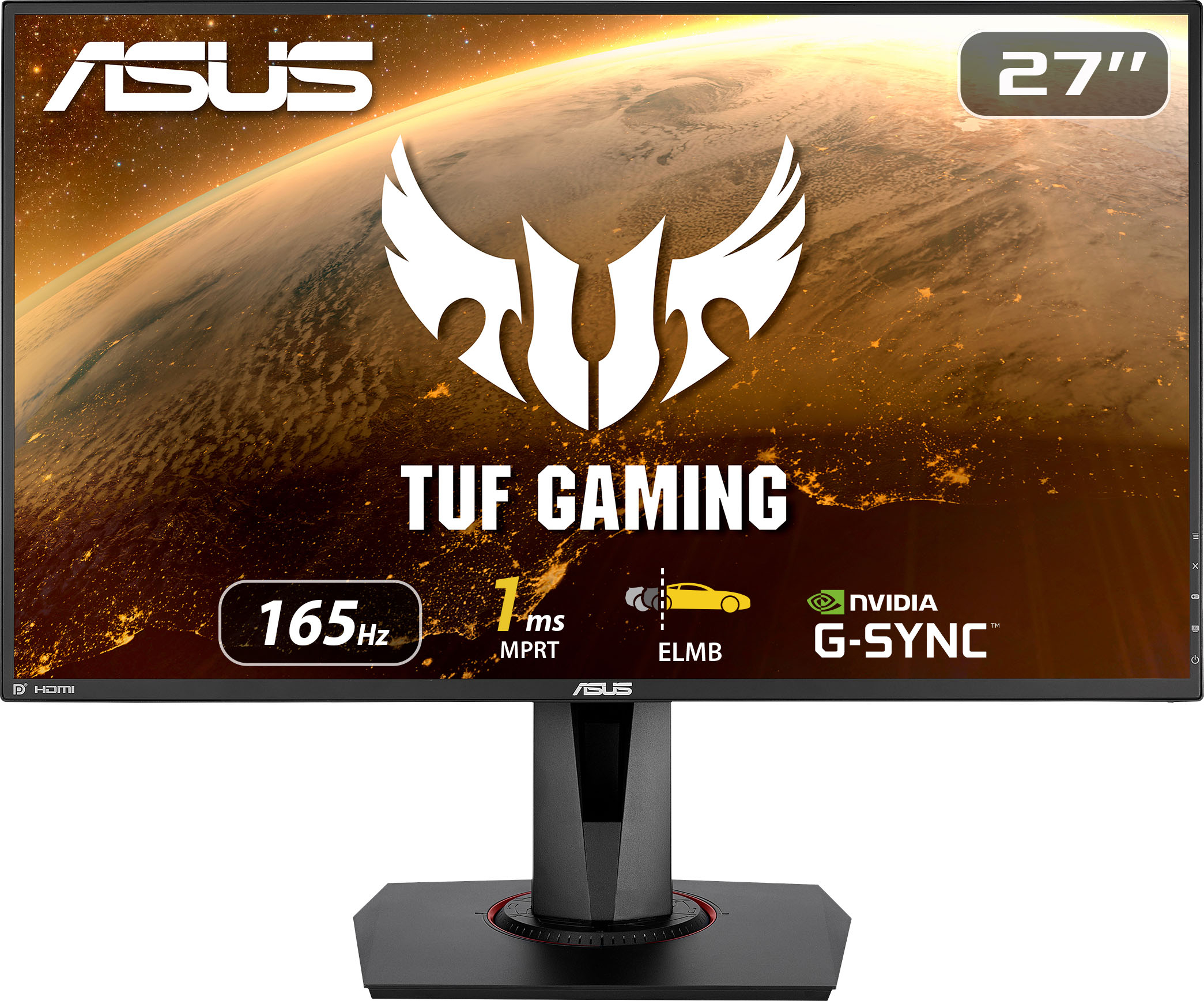
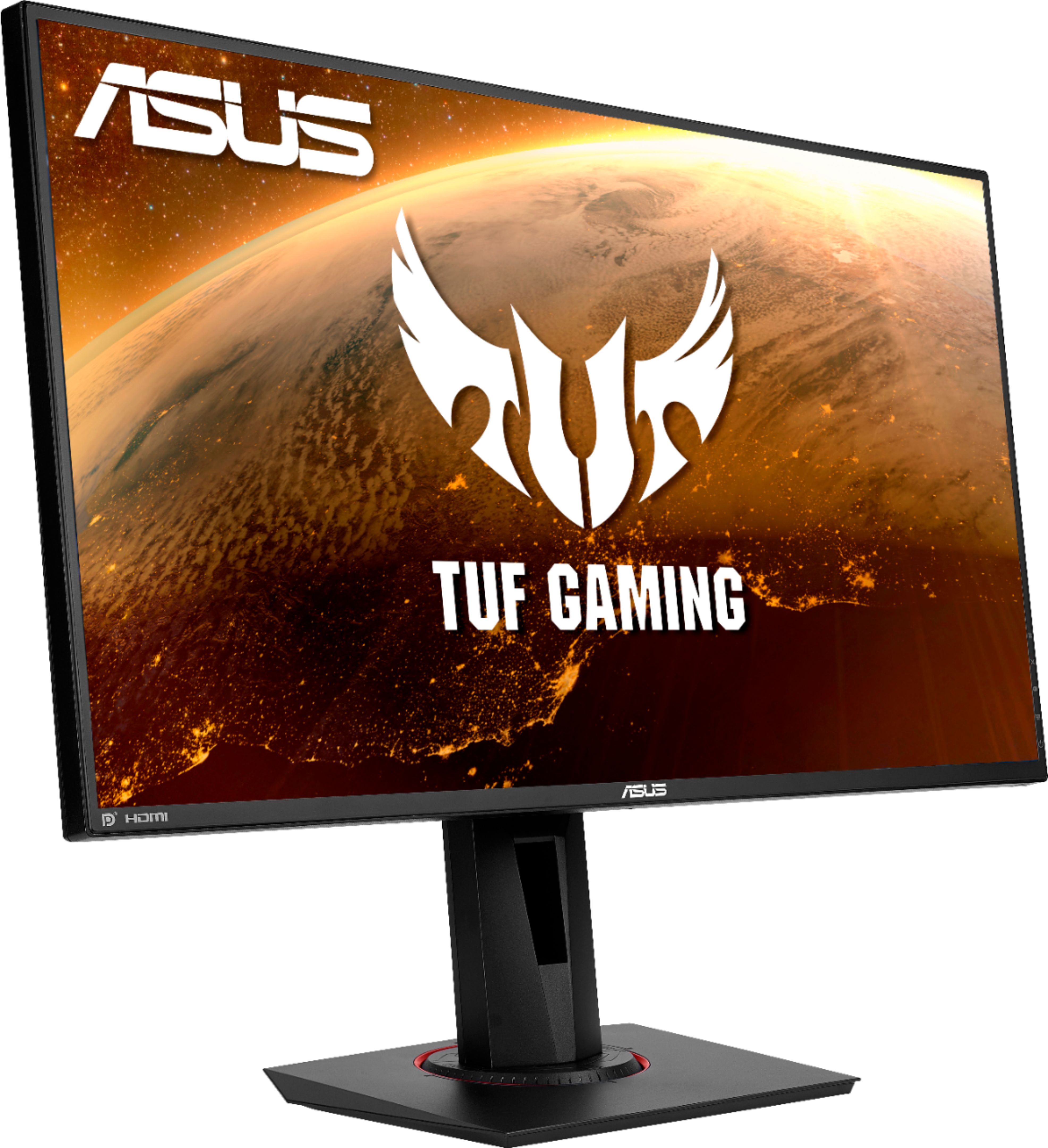

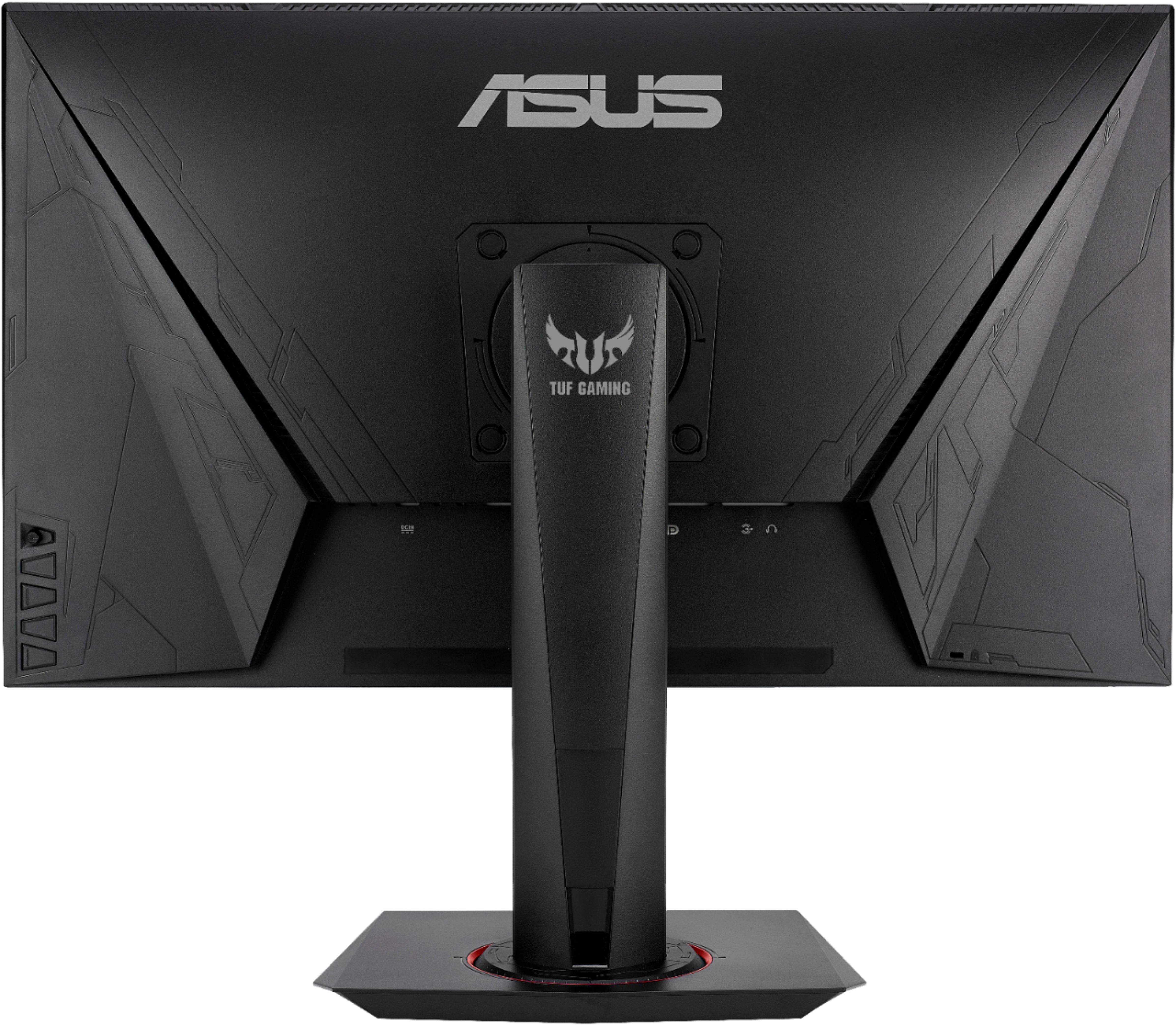
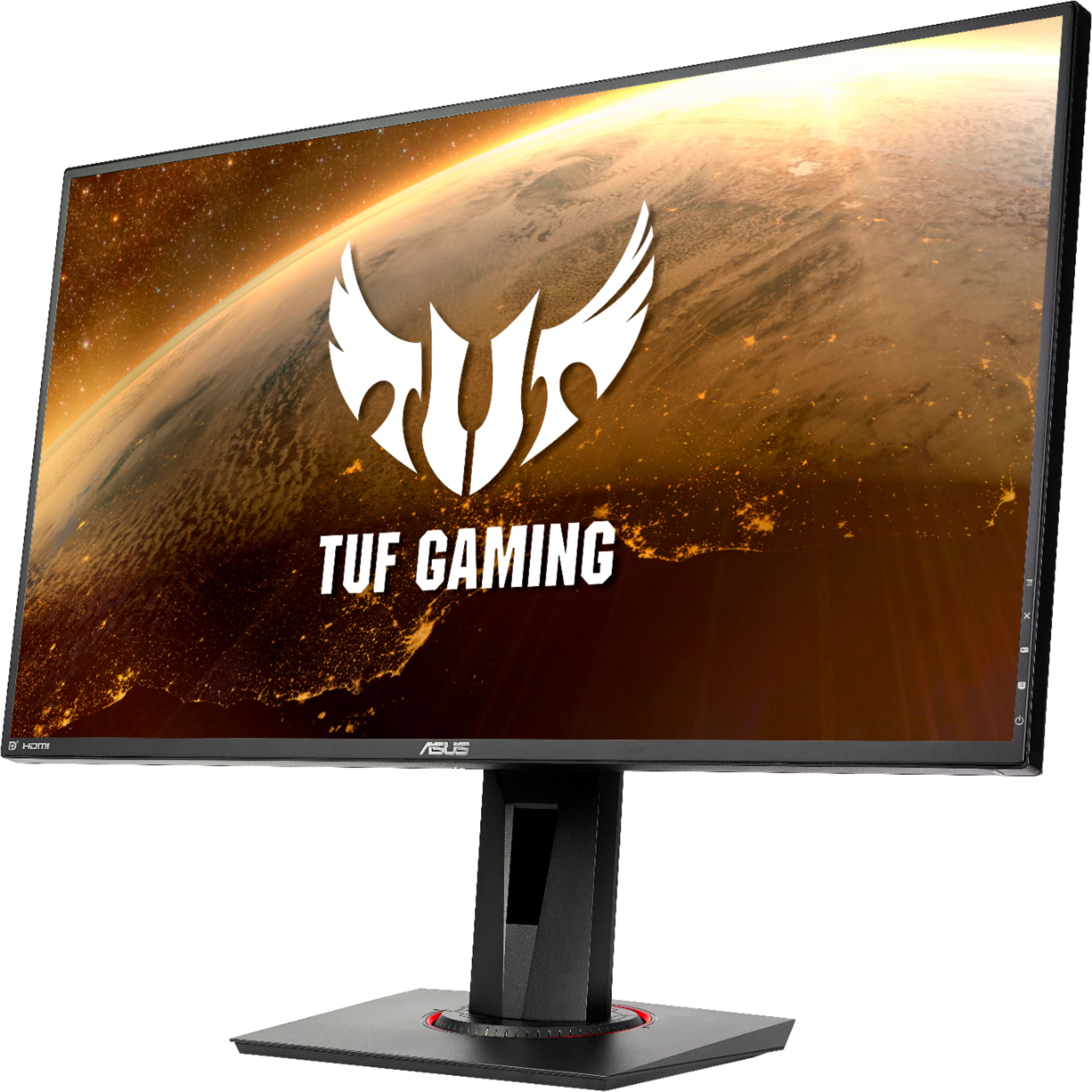
- Model:
- VG279QR
- SKU:
- 6450750
Rating by feature
- Display Quality
Rating 4.8 out of 5 stars
- Ease of Use
Rating 4.8 out of 5 stars
- Features
Rating 4.7 out of 5 stars
Customers are saying
Customers are enthusiastic about the picture quality, refresh rate, and color accuracy of the TUF 27” IPS monitor. Many appreciate the monitor's height adjustability and ease of use, finding it to be a good value for the price. However, some users noted that the built-in speakers could be improved, and a few reported issues with dead pixels. While some users found the lack of HDR support disappointing, others highlighted the monitor's low input lag and lack of motion blur.
This summary was generated by AI based on customer reviews.
- Cons mentioned:Dead pixels
Dead pixel out of box
||Posted .This reviewer received promo considerations or sweepstakes entry for writing a review.Right out the box the screen already had dead pixels. Color is also alright. Sad about dead pixel.
No, I would not recommend this to a friendBrand response from ASUS Answers
Posted .Dear Valued Customer,
It's unfortunate to hear about the dead pixel from out of the box. This is absolutely not the kind of experience we want any of our customers to have. You can return for a replacement via your place of purchase. If you have any concerns, feel free to reach out to me at customerloyalty@asus.com and provide this link for reference. I'll do my best to provide a quick resolution to your case. Your feedback is important as it helps with improvements to ASUS Support channels.
Thank you for choosing ASUS!
Best Regards,
Jamalie,
ASUS Customer Loyalty US Support
Returned it.
||Posted .This reviewer received promo considerations or sweepstakes entry for writing a review.Ordered this monitor for gift and it wasn’t the right one, the box seemed to have been repackaged. Can’t really review it
No, I would not recommend this to a friendBrand response from ASUS Answers
Posted .Dear 408Martian, Certainly, we understand your disappointment with this, be assured that your situation was an exception. We hope that this issue has been resolved and you have received the product that you originally wanted. If you have any further technical concerns, feel free to reach out to me at customerloyalty@asus.com and provide this link for reference. I'll do my best to provide a quick resolution to your case. Thank you for choosing ASUS! Best Regards, Jonelle, ASUS Customer Loyalty US Support
Asus tuf monitor- mid
||Posted .This reviewer received promo considerations or sweepstakes entry for writing a review.Screen resolution wasnt as sharp.. and color accuracy was lacking.. return to purchase the 2k resolution monitor
No, I would not recommend this to a friendBrand response from ASUS Answers
Posted .Dear Valued Customer,
It's unfortunate to hear that you return the unit because of the color and screen resolution. We do take these negative product experiences very seriously and we will pass this over to our product team for further improvements. If you have any concerns about another model, feel free to reach out to me at customerloyalty@asus.com and provide this link for reference. I'll do my best to provide a quick resolution to your case. Your feedback is important as it helps with improvements to ASUS Support channels.
Thank you for choosing ASUS!
Best Regards,
Jamalie,
ASUS Customer Loyalty US Support
- Cons mentioned:Speakers

Excellent large monitor for gaming
|Posted .This reviewer received promo considerations or sweepstakes entry for writing a review.The ASUS TUF Gaming VG279Q1A is an excellent widescreen monitor that is Adaptive-Sync and FreeSync compatible. This is a 165HZ IPS monitor that looks amazing, the colors are really great and blacks aren't washed out at all. This is a great choice for anyone looking to get a high refresh rate monitor that isn't going to require a crazy expensive GPU to run, being a 1080p monitor most modern GPUs should have no problem running this monitor. I like that ASUS has made the new TUF series which features monitors similar to their ROG series just without all the flashy lights and weird designs (in my opinion). The TUF Gaming VG279Q1A features most of the same features as its ROG equivalent without the lights and looks of the ROG series, which for me is a big plus. This makes the TUF monitor a good choice for gamers and for those who are looking for an all-around good monitor that can be used in an office environment or for productivity. The only complaint I have with this monitor is its speakers are very underwhelming, yes it actually has a speaker(s)?, but they are not good enough for everyday use in my opinion. They are fine for troubleshooting your computer, listening to post codes, etc.., but for gaming or entertainment, I would recommend using headphones or speakers. But since most gaming monitors don't even feature a speaker I don't count this against the ASUS TUF monitor, but I also don't consider it a positive in favor of this monitor since they are not good speakers.
I would recommend this to a friend - Pros mentioned:Refresh rate
Great monitor - with some caveats
|Posted .This reviewer received promo considerations or sweepstakes entry for writing a review.I've owned a LOT of monitors over the years, from performance to budget and everything in between. There's always a bit of apprehension when starting with a new monitor as to whether you'll like how it looks, color reproduction, etc. The Asus TUF V279QR is a beautiful monitor, once you spend some time calibrating it. Out of the box it had some of the worst default color settings than I've seen in a long time, although I do realize this is dependent on each panel and others may be better out of the box than mine. However, fortunately the menu navigation is easy due to a small joystick style control on the back right of the monitor. I ran some calibration settings and have ended up with some excellent results. The monitor has a plethora of connectivity capabilities, from a 2x HDMI ports to a Displayport. It's powered by a small power brick as opposed to a standard PC power cable as many devices are. I can't say that I'm a big fan of this type of design as it does not seem to be saving the depth of any of these monitors and it's just one more power brick to lose if you were to have to move the device. Now to the performance. I'll just say one thing... this monitor is fast. Connected to my RTX 2080 TI I was able to push it to the max of it's refresh rate (144hz) in multiple games (Assassin's Creed Valhalla, Forza, Project Cars, and even some World of Warcraft) and it didn't skip a beat. There's no ghosting and it stays true through all of the action on-screen. This is actually a very welcome update from my previous monitor where I could see some very apparent ghosting, particularly (strangely enough) in locations such as Burning Steppes in World of Warcraft Classic. The few downsides I have to this monitor are these: It has a blue-light filter setting which ranges from level 0 to leve 5, however they do not seem to be linear, for example, level 1 seems to be more of a filter than level 2, and I'm not entirely sure why. There are a few pre-set color settings which are oversaturated on the cool or warm side with no indication of color temp. I do appreciate that a lot of the 'extra' features of the monitor (IE: Eco mode) are disabled at the start, so you're not spending 20 minutes turning off all the things you jut dont care about, however you have to make up that time by adjusting the RGB of this monitor (BTW It seems to have some of the best color reproduction in Racing mode). Overall it's a great monitor with good color reproduction if you can spend the time to get it there. It's a worthy contender for anyone looking for a great high refresh rate monitor to game with.
I would recommend this to a friend - Cons mentioned:Speakers
Buttery smooth. Bad speakers.
|Posted .This reviewer received promo considerations or sweepstakes entry for writing a review.Pro: -Good viewing angle -165 hz G-sync -Stand is height adjustable and portrait mode -1 display and 2 hdmi inputs -Joystick and buttons for easy menu navigation Bad: -Speakers -Colors leans blue Display This is my first high refresh rate monitor, and playing a game at 165Hz is a nice experience. It looks incredibly smooth. Being a 1080p at this size, the jagginess is noticeable, especially if you’re coming from a higher resolution. The viewing angle is excellent. The color is consistent until about 45 degrees and even then it’s still acceptable. By default the colors run cool and have a very blue tint. I adjusted it so that it's more accurate, but it’s still a bit too vivid. I find the Cinema or Racing settings to be best. The sRGB has the most accurate colors but the brightness is turned down too much and is too dim in a lighted room. There’s four levels of blue light filter, but it adds a purple tone to everything. The Shadow Boost just ups the brightness and the Vivid Pixel sharpens the image. I didn’t find these worth using at the cost of color accuracy. Build The monitor is sturdy with little wobble. On the back there’s 1 Display Port, 2 HDMI, headphones out, and speakers. The stand is very adjustable, being able to raise it up to 6 inches or lowering it till the bottom of the screen is practically touching the table. It can also rotate to portrait mode, clicking in at about 15 degrees intervals. It can also rotate side to side and have a good amount of tilt. The backplate of the stand pops off for cable management and I like the bottom plate has little tick marks to align the rotation. The menu navigations are on the right side, and most of it is done with the little joystick. This makes going through the menus much easier than having to fumble around with multiple buttons. The other buttons are just shortcuts or used to bring up the gaming features, such as the onscreen crosshair, timer, and FPS counter. Sound To be fair, most monitors have bad speakers and likely won’t be used very often but it’s worth a mention. They’re not good and sound muffled. The headphones out have a bit of humming, even with a ground loop isolator. Overall I think this is a very good monitor with few negatives. The display angle is very good, and the colors are good after some calibrations. There’s some extra display features, but they didn’t seem worthwhile. The stand is sturdy with good height adjustments and good range of tilt and rotation. The speakers are not good. Gaming on it is a smooth experience and will make it hard to go back to 60fps.
I would recommend this to a friend Terrible delivery
||Posted . Owned for 1 month when reviewed.This reviewer received promo considerations or sweepstakes entry for writing a review.Would have been great except the crappy delivery services they use. Sat in my town for 9 days and nobody could even figure out where it was. Bought from another company and it still arrived before theirs. Returned it
I would recommend this to a friendBrand response from ASUS Answers
Posted .Dear Valued Customer,
It's unfortunate to hear that you didn't receive the monitor as expected and you returned it. What you've experienced was not intentional and this was a random case. If you have any concerns about another model, feel free to reach out to me at customerloyalty@asus.com and provide this link for reference. I'll do my best to provide a quick resolution to your case. Your feedback is important as it helps with improvements to ASUS Support channels.
Thank you for choosing ASUS!
Best Regards,
Jamalie,
ASUS Customer Loyalty US Support
Professional purposes
||Posted . Owned for 3 weeks when reviewed.This reviewer received promo considerations or sweepstakes entry for writing a review.I am pleased with this monitor. My only issue is the built in speakers. It is very low. Used in conjunction for work meetings on Microsoft Teams, it is almost inaudible however, the resolution is perfect.
I would recommend this to a friendBrand response from ASUS Answers
Posted .Dear Jesse,
It's unfortunate to hear that the speaker doesn't meet your needs. On your host system, you can try to adjust the speakers within audio settings. I will forward your feedback to the product team for future improvements. If you have any concerns, feel free to reach out to me at customerloyalty@asus.com and provide this link for reference. I'll do my best to provide a quick resolution to your case. Your feedback is important as it helps with improvements to ASUS Support channels.
Thank you for choosing ASUS!
Best Regards,
Jamalie,
ASUS Customer Loyalty US Support
Poor Quality
||Posted . Owned for 1 week when reviewed.This reviewer received promo considerations or sweepstakes entry for writing a review.Was not impressed by the quality of the monitor for the price. Paid almost $300 for a open box, better options out there for around that price range
No, I would not recommend this to a friendBrand response from ASUS Answers
Posted .Dear BUGs,
Please allow me to sincerely apologize on behalf of ASUS for this product not meeting your quality expectations. I would recommend that you reach out to Best Buy support to see if you're able to get a replacement/refund based on their policy. We do value our customers and take customer service experiences very seriously. We do stand behind our product and we continuously strive to improve our approach and processes in order to achieve customer service excellence. For more information send us an email at customerloyalty@asus.com and provide the case number "N2111040240-0008" for reference. We’ll do our best to provide a quick resolution to your case. Your feedback is important as it helps with improvements to ASUS Support channels. Thank you for choosing ASUS.
Best Regards,
Leonardo
ASUS Customer Loyalty US Support
HD-grade gaming display
|Posted .This reviewer received promo considerations or sweepstakes entry for writing a review.This is a big beautiful display and it’s fantastic for games and movies. Keep in mind it’s “only” an HD display, so this isn’t the display for you if you’re looking for peak pixels. But, for the gaming role it was designed for it as admirable -- it’s packed with a lot of great features like up to 165Hz refresh, NVIDIA G-sync to help with stuttering and tearing, IPS for good viewing from a wide range of angles, 1ms MPRT, etc, to keep your game as visually responsive as possible. Simply put, gaming on this is a joy, especially if you have a G-Sync capable video card. The display also has flexible positioning options. It raises and lowers, tilts and swivels, and can rotate a full 90* either direction if a vertical layout fits your needs -- great for coding or doing page-layout graphic design if that’s your thing. Except for the built-in speakers, this is a solid HD-level 27” gaming display that has chops where it counts. The display maxes out at 165Hz which is fantastic on paper, but in order to get that your video card must also be capable of it -- you’ll always be limited by the lesser of the two components. With one computer (a nice but basic productivity Dell) it would never do more than 60Hz. But when I hooked up my ASUS Q538EI gaming laptop it gave me options as high as 120Hz. I do not fault the display for not hitting 165Hz in this case, it’s just a reality of video standards and mixed capabilities so just keep in mind that it’s important to know and match your video capabilities. Nothing wrong with 120Hz though, it makes for a noticeably more solid and responsive video experience than the “normal” 60Hz of most standard displays. Know that Windows may not use the optimum refresh rate automatically so be sure to go to “Display Properties” and “Advanced display settings” and make sure the maximum refresh rate for your configuration is selected. You may ALSO need to visit the Monitor tab of the “Display adapter properties” to select the optimal “Screen refresh rate”. It might seem like a lot of steps to take in at first, but it’s not, and the payoff is that you’ll get the fastest refresh possible for your hardware capabilities, it’s worth it! Two things stood out to me as potential caveats to anyone who may also consider this display. 1) It has no USB connection or ports. This isn’t an issue to me personally but it’s noteworthy because USB ports on displays are so common, so just be aware. 2) The built in speakers. They produce sound -- and that’s about the nicest thing I can say about them. On the other hand the display provides a convenient headphone jack so it’s easy to plug in your own headphones or external speakers and bypass the internal speakers altogether. Otherwise, I cannot imagine how desperate I’d have to be to ever actually use the built-in speakers. Of course, life isn’t all fun and games and sometimes you have to get things done. 27” is plenty spacious to snap apps half-screen/side-by-side for a decent faux dual-dispay experience. While it’s inherently subjective, I found “FPS” mode worked well as a general purpose mode for most gaming, browsing, and general productivity use without needing to constantly cycle display modes. Other modes work OK for specific games but when I came back to reality regular text often looked slightly “off”. So tinker with the modes and be willing to experiment until you find what you like. Good gaming display for the price, so long as you don’t expect or need much from the internal speakers.
I would recommend this to a friendDont buy!!!!!
||Posted . Owned for 3 months when reviewed.This reviewer received promo considerations or sweepstakes entry for writing a review.Doesnt work rurn on after 4 months use. Was refered to me bu a employee, trusted the guy to buy a monitor to just last nothing! Crap!!!
No, I would not recommend this to a friendBrand response from ASUS Answers
Posted .Dear Valued Customer,
It's unfortunate to hear that the monitor failed to turn on after 4 months of usage. This is not the kind of experience we want any of our customers to have. Have you tried to use a different power outlet? Please refer to the FAQ below. For further troubleshooting, feel free to reach out to me at customerloyalty@asus.com and provide this link for reference. I'll do my best to provide a quick resolution to your case. Your feedback is important as it helps with improvements to ASUS Support channels.
Thank you for choosing ASUS!
Best Regards,
Jamalie,
ASUS Customer Loyalty US Support
Troubleshooting - https://www.asus.com/us/support/FAQ/1012723/
Green screen
||Posted .This reviewer received promo considerations or sweepstakes entry for writing a review.Was not that great Had less than 2 months and had a green screen Took back to store and purchased a better model
No, I would not recommend this to a friendBrand response from ASUS Answers
Posted .Dear Terriperalez,
We're sorry to hear that you recieved a green screen with this model and that you had to return it. Green screen issues generally occur because of an outdated or incompatible video driver. Close all open windows and restart the computer once to check if that helps.
Follow these steps to update the Display driver from the Device Manager and check if this helps.
1. Press (Windows key + X) and click on “Device Manager”.
2. Expand “Display Adaptor”.
3. Right click on the video driver and select “Update Driver Software”. Once this is done, restart the computer and check if the issue persists.
For more information send us an email at customerloyalty@asus.com and provide the link of this review for reference. We’ll do our best to provide a quick resolution to your case. Your feedback is important as it helps with improvements to ASUS Support channels. Please copy a link to this post as a reference.
Thank you for choosing ASUS.
Best Regards,
Joan
ASUS Customer Loyalty US Support
Great large gaming monitor from ASUS
|Posted .This reviewer received promo considerations or sweepstakes entry for writing a review.For this review of my first ASUS monitor, I have connected via HDMI to a HP Ryzen 5, driven by AMD Radeon GPU and tested with MS office products as well as Doom Eternal, CoD, a few other games on STEAM, and FF because well, its just graphically fun. Physically this monitor is comparable with other monitors this size, about 12 lbs, monitor includes height adjustment, tilt, and it will rotate up to 90 degrees for vertical viewing. The physical controls include 4 buttons and a toggle switch, found on the back right hand side of the monitor's edge. On the back, there are two x HDMI ports, headphone jack and a Display Port. In the box is the monitor and stand, HDMI and DP cables, power cable, and the normal paperwork. Setup is as expected, insert base and use attached screw to set in place, connect display cord of choice and you're off. One minor thing, I tend to move my monitors around, reconfigure or trade out one, so I'm a bit disappointed that the ASUS doesn't auto select the active channel. I realize this is a first world problem, but one of my pet peeves when I expect my setup to be seamlessly integrated. Behind the wheel, this monitor has an outstanding crispness, powered by a 144 Hz refresh rate (hardware limited down from 165 Hz capability) and 1080 resolution. I would have liked to see a higher resolution on this large of a screen, but from 3'+ viewing distance, this is really a non-issue, I think the price point reflects this as well. I can see an improvement in blur between this monitor and my lower quality monitors, the improvement being that I could not see any type of blur or tearing while playing. The viewing angle is wide, easily crisp beyond 45 degrees off center, which again, is nice as I can move this anywhere in my monitor bank and the display is still as expected. Out of the box, the presets are a bit unrefined, however with some fine tuning I was able to reduce the vibrant color to be something I could look at for extended periods. There are multiple types of settings for different games, and while I can't claim to have tried all combos, I can attest that there are differences in each setting and if you care to spend the time you can find the perfect setting for every game. The blue light reducer on this monitor gives a bit more of a blue tint than I'm used to, but overall comfort level for extended durations is high. The other nice aspect is there are enough display setting configurations that I can use this as a work monitor by day and gaming system by night. Lastly, just to put it out there, there are internal speakers built in. I can confirm the speakers are there, but really, just like any other internal speaker, do not plan on using them for anything, as they are notoriously underwhelming. Overall summary, a bit disappointed in resolution, but that's what makes this affordable. There are enough display settings to adjust for any type of game you throw at it, even if you play in a well lit room. For most, especially those of us who use these setups for both work and play, you'll likely need to upgrade your hardware before you need to upgrade beyond this monitor. If you're on the fence, I recommend going for it, great features and output packed into this huge screen.
I would recommend this to a friendNot much more to ask for in a 1080p monitor
|Posted .This reviewer received promo considerations or sweepstakes entry for writing a review.This monitor replaced a Dell 27" 1080p monitor that worked... fine. But the FreeSync capability caused the monitor to blank out pretty regularly for a couple seconds at a time if you used it as it's highest refresh rate (144hz). Everything about this monitor is so much better and "just works". It might be a little more expensive, but unless I'm looking for a 1440p or 4k display, I can't think of many other things I want in a monitor. Setup was pretty easy. I mount my monitors and it took me a minute to realize the screws to take the stand off were hidden behind rubber but I can't fault the monitor for that one. After mounting it and plugging everything in, it worked as you'd expect. The monitor stand felt sturdy and nice but I didn't use it at all. It comes attached out of the box so it's definitely the easiest way to get up and running. One thing I find sorely lacking in most monitors is good menu control. It's usually just a string of buttons on the side, back or bottom and you have to fiddle around with them to figure out which one means up and down and left and right and select. Never a great experience. This monitor has a nice little joystick that clicks so you immediately understand how to navigate the menus. Understandably you don't have to do this super often but it's so nice to be able to quickly when you do. As far as features included with the menu, you have half a dozen specialized game modes that are named depending on the type of game you're playing. These all actually change the picture quite a bit so finding the one that you like the most might just come down to cycling through them and sticking with whatever looks nice. I found some of them blurred edges a lot and some of them left edges looking much sharper, and then brightness and contrast ran the gamut as well so if you want to use the presets, just take the time to find the best one for you. Then there's a blue light filter you can adjust, the standard brightness/contrast/saturation/color temp settings and another one for skin tone. There are sharpness settings and a handful of other gaming related post processing features I'm not even sure what they do yet. Speaker control (so you can turn them down/off because who uses monitor speakers?). And you can easily switch between the 3 inputs (2 HDMI and a DisplayPort). My all time favorite setting that I found after a couple weeks... Power Key Lock! My dual display settings are pretty specific and if my main monitor gets turned off, a lot of things need to be reset again afterwards so being able to just disable the power button is amazing and I never thought I needed it but I don't know if I can live without it now. Color accuracy feels pretty nice. I haven't been able to get it to look exactly like my 1440p monitor which is also an IPS display but I haven't tried incredibly hard. This is my gaming monitor and color accuracy isn't quite the most important thing here. It's much better than my old Dell which is good enough for me. And the feature that is going to get me to spend a little more on monitors in the future as long as I'm using NVIDIA graphics cards is G-Sync. So far I haven't had a single issue with it. It works great. No screen blanks. Running at a full 165hz at all times without having any issues with dynamic refresh rates is so much nicer than the hit or miss experience I've had with FreeSync in the past. G-Sync monitors tend to cost a little more than FreeSync but I'm sold with this one and will probably throw in the premium to make sure my monitors always have it in the future. All in all, I can't think of much else I'm looking for in a 1080p gaming monitor. One day, when I upgrade my graphics card, I may move to a 1440p or 4k screen and will have to re-evaluate but for 1080p gaming, you really can't do much better than this. If this fits your budget, I would recommend it. If you're on the fence about paying a little extra for this nice G-Sync monitor over a similar specced FreeSync monitor, I'd 100% recommend splurging to anyone using an NVIDIA GPU. It just works.
I would recommend this to a friendSweet gaming monitor!
|Posted .This reviewer received promo considerations or sweepstakes entry for writing a review.This monitor is absolutely great for gaming with G-Sync and the 165hz refresh! If you haven't tried a high refresh rate display, you should and this is definitely a good monitor to try out! I would recommend having a good system with NVIDIA graphics to take advantage of the high refresh rate in gaming (I have an i7 10th gen, with 32gb of ram and an NVIDIA RTX 2080TI). What you'll notice right away without even being in a game is how responsive the mouse feels in Windows and how menus just pop when you click them, it's definitely noticeable! An in games like CS GO having a high refresh rate display and solid system with it can literally make all the difference between winning and losing. That said, even outside of competitive FPS games, it feels better and is more responsive in general. Screen artifacts and tearing disappear and make gaming feel more immersive because it is just more responsive. I like the slim bezel and the overall look of the display when compared to other gaming monitors that have what I would consider extra wasted space with large bulky stands and unnecessary design elements. Asus clearly put the focus on the tech in the monitor and less on how it looks on the outside, and it feels that way having used it now and played quite a few different games. In terms of display quality, the build is good and comparable to other displays and I really do like the tactile buttons to make menu navigation easier to do. In general this display is good with some fine tuning of the color, white balance, brightness and other settings to tweak to your preference. I think the colors look decent and the whites are okay. The blue light reduction definitely helps take the harshness of the blue light and is adjustable or can be turned off. I do wish that this display would have had a USB-C input to help streamline the connectivity and eliminate cables and make it so you could use with other devices. If you had a need for the speakers built-in they are okay so are good to have for when you just want quiet audio separate from your speaker setup. I wouldn't recommend it if you're counting on using the built-in speakers to be loud and immersive as they're not much better than laptop speakers at the end of the day. It can be setup to output audio to another device so you can use it that way but I really don't see the need for it if you have speakers setup. For anyone in to gaming or even getting in to gaming and looking for a high refresh display, this is a good monitor to start out with. It's solid and designed for gaming but would work for an everyday monitor too where like I stated before the high refresh rate feels different even inside of windows. At 27" this monitor is the right size and hits a sweet spot in terms of size vs. performance and would be what I'd recommend.
I would recommend this to a friend- Cons mentioned:Speakers
Top notch 1080p gaming monitor. Highly recommended
|Posted .This reviewer received promo considerations or sweepstakes entry for writing a review.No complaints on this monitor. For gaming you can't really get better for a 1080p 27" monitor at this price. Lightning quick controller response time and no motion blur. Everything is crisp, vibrant and blacks look amazing with the shadow boost feature. The built in speakers are a little weak, but then again many monitors don't even have speakers. Overall, a terrific gaming monitor and also makes videos and movies look super nice. Highly recommended.
I would recommend this to a friend Great for any gaming setup!
|Posted .This reviewer received promo considerations or sweepstakes entry for writing a review.The ASUS is a well-built monitor. The 27-inch screen can be portrait or landscape. Personally, the only time I use it in portrait is to plug in the power and other cables. The screen can be from a low of 14 3/4 inches height to a max of 20 inches. Great for any gaming area. I did have a minor issue when lowering the monitor all the way, the back plastic cable cover kept popping off. But this could be due to the way I have my cables ran?? The display is crystal clear in any lighting condition I threw at it, from bright LED lighting to the dark man cave game room. The refresh rate of 165hz is awesome for fast paced action/shooter games with little to no motion blur. Especially when running or moving across screens with multiple textures in the background, there was not any screen lag or shutter. This is due to the ELMB flicker free certification that is standard in this monitor. This Gsync compatible monitor is one of the better ones at this price range. To help users find their favorite settings for each situation. Asus has presets that are easily set by buttons in the back that are easily accessible. The presets are: Scenery (for pictures), Racing, Cinema, RTS/RPG, FPS, sRGB and Moba. If these setting don’t suit you there is a custom setting you can set and save as well, For those that plan to use this not only as a gaming monitor but also as a home Office monitor as well, will be happy with the Blue light setting. This enables users to adjust the amount of blue light from 0 to 4. Other options for the monitor are the standard brightness, contrast (100,000,000:1), sharpness etc. You can even set how you want your display options to appear. A great addition to this monitor is the hotkey for the Gameplus, which offers enhancements to gaming such as adding or changing their color of cross hairs to your shooter games. Which can only help with your K/D ratio. You can also see your frames per second, or even a display alignment tool to help you set up and align multiple monitors. The monitor has 1 display port, 2 HDMI’s and a headphone jack. In closing I will say that the Asus Monitor is a great addition to my setup. From my at home office to my late night shooter games. The days of getting picked off by campers in low lights areas are a thing of the past thanks to the Shadow boost I have turned on. I would recommend this to family and friends.
I would recommend this to a friendGreat
|Posted .This reviewer received promo considerations or sweepstakes entry for writing a review.TUF Gaming VG279QR Gaming Monitor – 27 inch Full HD (1920 x 1080), 165Hz, Extreme Low Motion Blur™, G-SYNC Compatible ready, 1ms (MPRT), Shadow Boost 27-inch Full HD (1920 x 1080) gaming monitor with ultrafast 165Hz refresh rate designed for professional gamers and immersive gameplay ASUS Extreme Low Motion Blur (ELMB ™) technology enables a 1ms response time (MPRT), eliminating ghosting for sharp gaming visuals Shadow Boost enhances image details in dark areas, brightening scenes without over-exposing bright areas G-SYNC Compatible processing, delivering a seamless, tear-free gaming experience by enabling VRR (variable refresh rate) by default. Features an ergonomically designed stand to offer extensive swivel, tilt, pivot and height adjustments. TUF Gaming VG279QR is a 27-inch, Full HD (1920x1080), IPS display with fast 165Hz refresh rate designed for professional gamers and fast paced gameplay. It also features 1ms MPRT response time and G-Sync compatible(processing), for extremely fluid gameplay without tearing and stuttering. The 27-inch Full HD (1920 X 1080) IPS panel of TUF Gaming VG279QR delivers stunning visuals from all angles with wide 178-degree viewing angles ensure minimal distortion and color shift even when you're viewing from extreme positions. TUF Gaming VG279QR has an ultra-fast 165Hz refresh rate, ensuring that even fast-paced games played at the highest visual settings look buttery smooth and completely lag-free. Get the upper hand in first-person-shooters, racing, real-time strategy and sports titles.
I would recommend this to a friendOne of the Best 1080p Gaming Monitors
|Posted .This reviewer received promo considerations or sweepstakes entry for writing a review.This Asus TUF VG279QR gaming monitor is a fantastic option for anyone that is looking for a very high refresh rate and low response time 1080p monitor. With a 165Hz refresh rate the visuals are super smooth. The VG279QR has a 1 ms response time and with the Extreme Motion Blur feature everything looks sharper and you don't have to deal with smearing! I love that it has two HDMI ports and one display port so I can hook up multiple consoles and my pc to it. One of my favorite features is the stand itself. It has height adjustment, various tilting angles (you can even have it run vertical), but the stand itself rotates on the base so you can get just the right angle without having to worry about where the stand is located. The display is bright and sharp. There are various "GameVisual" presets to use for Racing, RTS/RPG, FPS, and MOBA games that tailor the display to those kind of games, as well as 5 levels of blue light filter. I use the Racing Overall I really love monitor and would definitely recommend it to my gaming buddies!
I would recommend this to a friendsmall step toward perfection-giant leap for gaming
|Posted .This reviewer received promo considerations or sweepstakes entry for writing a review.Overall I can't say I’ve been a long-time PC gamer, roughly 5-6 years. Before that, I was a console gamer. My transition to PC was slow and gradual. What I mean by that is the first gaming PC I built was placed next to the stand that holds consoles. Then I hooked up everything to my existing setup. That said, I was PC gaming on my regular 4K TV in the living room. The biggest difference is that TV’s refresh rate is 120hz vs 144hz on the TUF. These aren’t big number differences and one could argue that the hz on the TV wasn’t actually 120hz. That said, there are subtle differences when playing on each screen. The VG279QR offers great viewing angles and good contrast. No ghosting as far as I can tell. No screen tearing at all. All UFO tests I threw at it were flawless. The stand is sturdy and well built. It slides up and down, tilts forward and back, and can be pivoted into a vertical or horizontal position. With that said, it is a great value FPS gaming monitor.
I would recommend this to a friend