Customer Ratings & Reviews
- Model:
- VG279QMY
- SKU:
- 6450749
Rating by feature
- Display Quality
Rating 4.8 out of 5 stars
- Ease of Use
Rating 4.8 out of 5 stars
- Features
Rating 4.6 out of 5 stars
Customers are saying
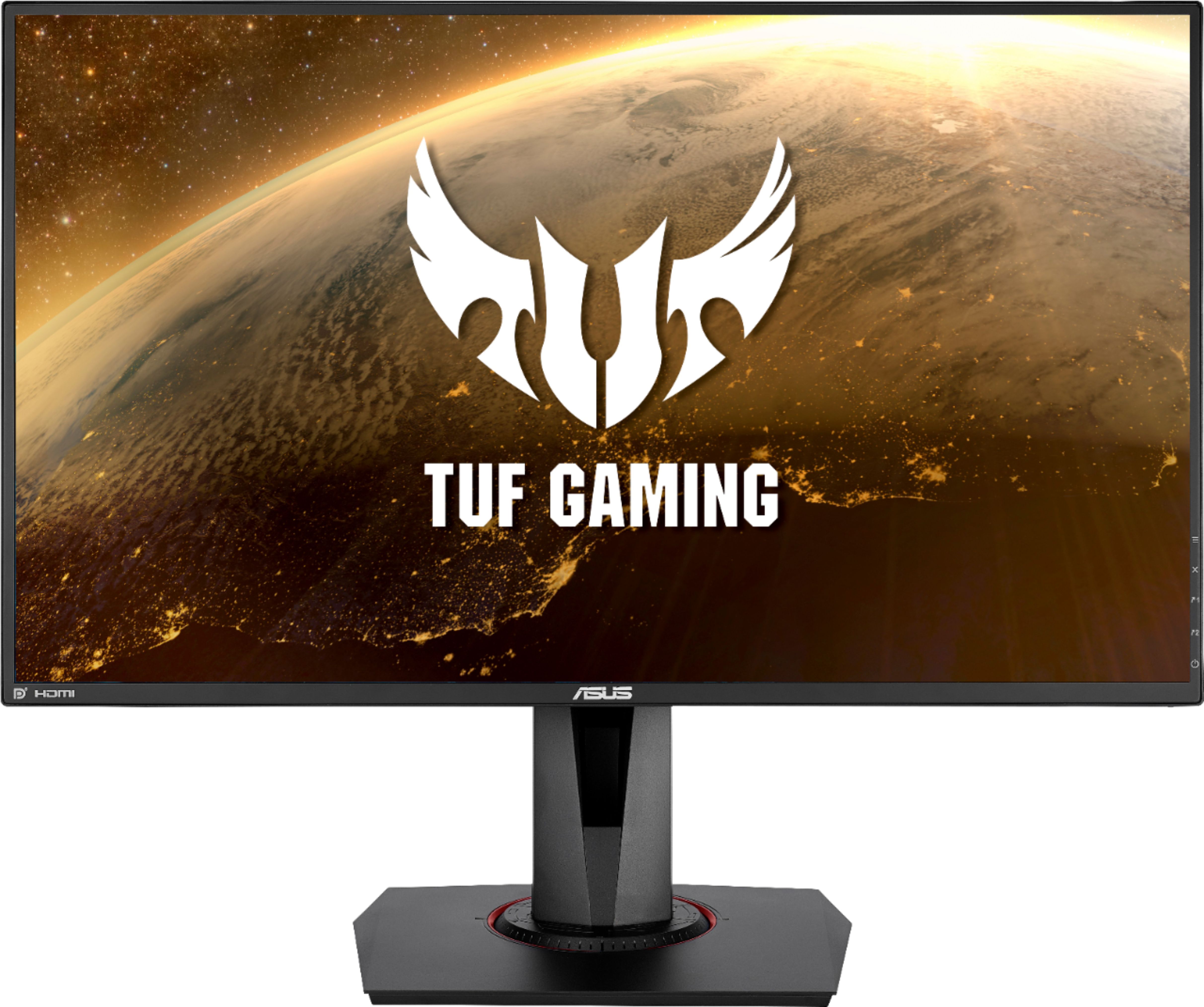
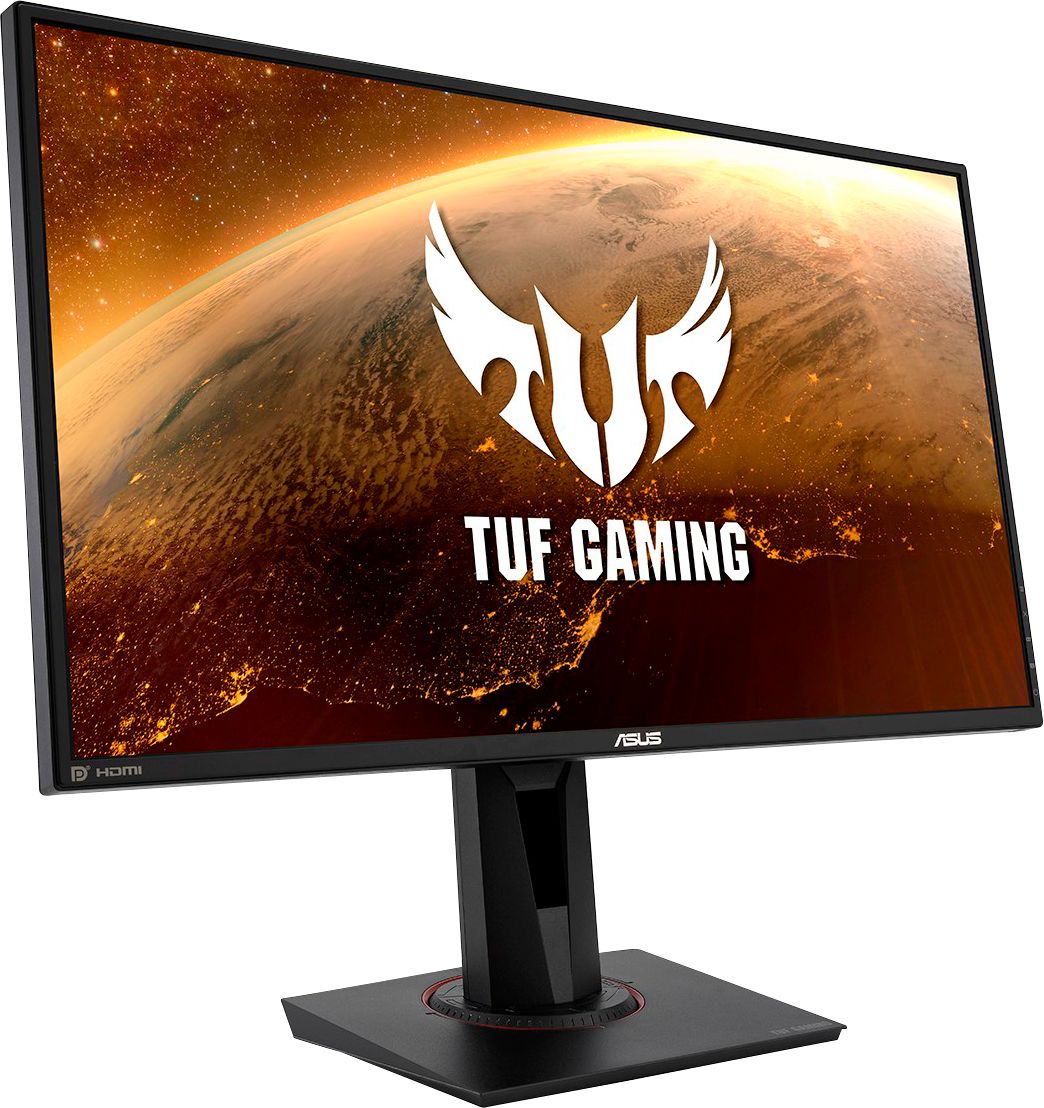
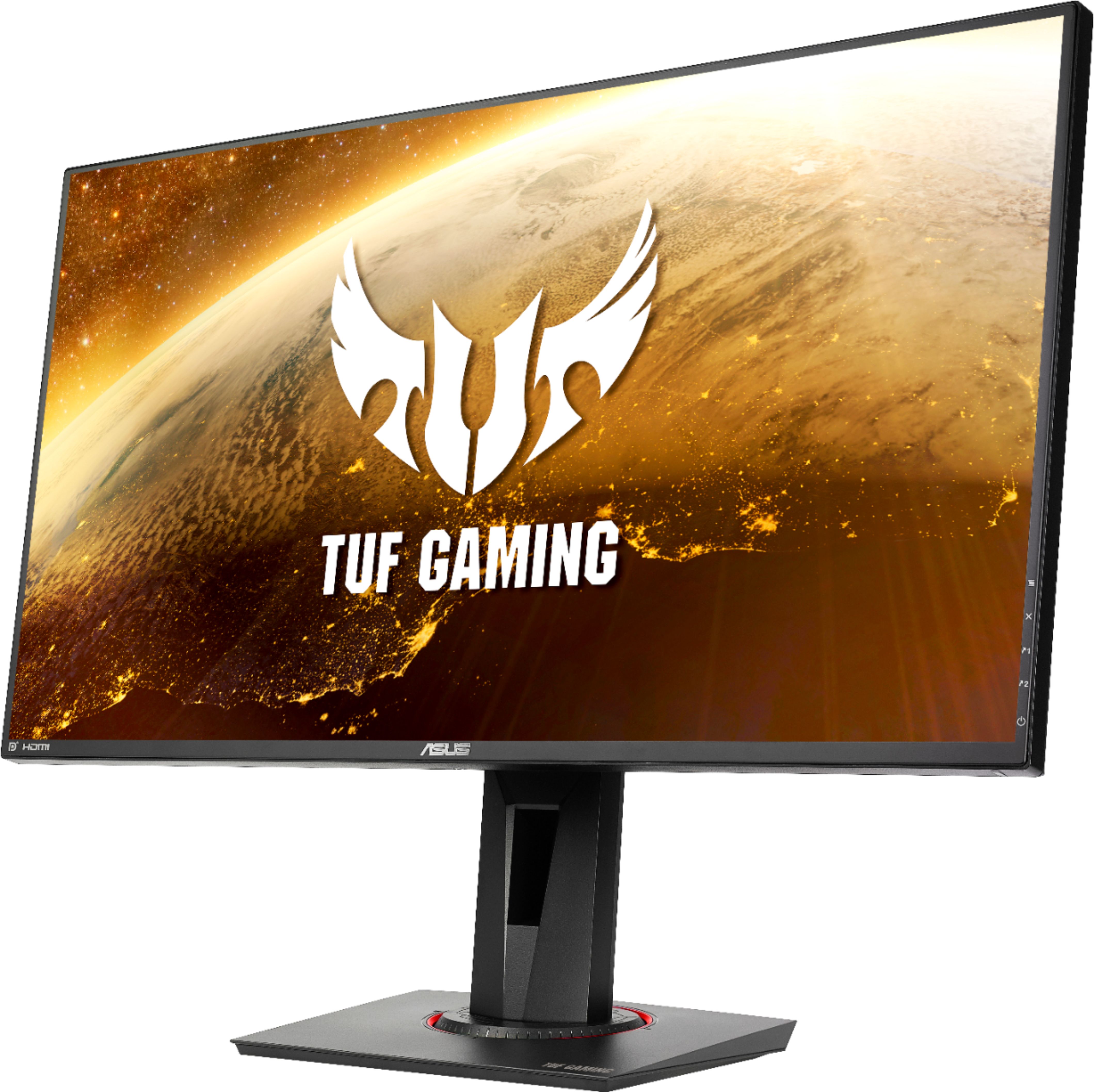
Customers enjoy the TUF 27” IPS LED FHD G-SYNC Gaming Monitor's excellent picture quality, high refresh rate, and vibrant colors, making it great for gaming and other visual tasks. Many appreciate the monitor's value for its price and the adjustable stand. However, some users point out that the built-in speakers are subpar and that there have been some reports of dead pixels.
This summary was generated by AI based on customer reviews.
gaming monitor
||Posted . Owned for 2 weeks when reviewed.This reviewer received promo considerations or sweepstakes entry for writing a review.just right size not too huge.. excellent for gaming. highly recommended.
I would recommend this to a friendOpie
||Posted . Owned for 1 month when reviewed.This reviewer received promo considerations or sweepstakes entry for writing a review.My son loves it he got it for christmas Uses it every day
I would recommend this to a friendGood
||Posted .This reviewer received promo considerations or sweepstakes entry for writing a review.Good product I recommend it………………………………………………………..
I would recommend this to a friendGood gaming monitor
||Posted . Owned for 4 months when reviewed.This reviewer received promo considerations or sweepstakes entry for writing a review.Great gaming monitor. Got it on sale. Son loves it
I would recommend this to a friendGood
||Posted . Owned for 1 week when reviewed.This reviewer received promo considerations or sweepstakes entry for writing a review.Very high quality resolution, and very high frame rate.
I would recommend this to a friendRecommended.
||Posted . Owned for 1 month when reviewed.This reviewer received promo considerations or sweepstakes entry for writing a review.This is a serious upgrade! Great for all around use.
I would recommend this to a friendgaming monitor
||Posted . Owned for 1 month when reviewed.This reviewer received promo considerations or sweepstakes entry for writing a review.this monitor is awesome! Love it with my setup I have
I would recommend this to a friendGood gaming monitor
||Posted . Owned for 3 weeks when reviewed.This reviewer received promo considerations or sweepstakes entry for writing a review.Awesome display great response time great for gaming
I would recommend this to a friendJust a Good monitor , I expected more.
||Posted . Owned for less than 1 week when reviewed.This reviewer received promo considerations or sweepstakes entry for writing a review.I had high hopes for this monitor and it did not deliver. The colors seem washed out, the Asus software on the monitor seems somewhat gimmicky, and honestly the refresh rate wasn’t a big noticeable difference than my 144hz. Just a bit disappointed, or maybe I’m spoiled to my Samsung. Either way, it did not stand Up to the hype.
I would recommend this to a friendBrand response from ASUS Answers
Posted .Dear Shawn,
We are terribly sorry to hear of your disappointment in out unit's performance. We do our best to make products of high quality for customer satisfaction and it is truly unfortunate that we missed the mark for you. We will gladly assist you and we can try to make your experience better in any way we can. Reach out to us at customerloyalty@asus.com and provide the link of this review for reference. We’ll do our best to provide a quick resolution to your case. Your feedback is important as it helps with improvements to ASUS Support channels. Please refer to this case number (N2111012181-0003) for us to better assist you.
Thank you for choosing ASUS.
Best Regards,
Tijean
ASUS Customer Loyalty US Support
Gaming monitor
||Posted .This reviewer received promo considerations or sweepstakes entry for writing a review.Or is a good monitor but i have one dead pixel in the center of the screen. It also comes with a dp cord rather then a hdmi cord which was not stated.
I would recommend this to a friendBrand response from ASUS Answers
Posted .Dear Roack,
It's unfortunate to hear about the dead pixel and you didn't receive the cable as advertised. This is not the kind of experience we want any of our customers to have. Do you see the pixel all the time? Please refer to the FAQ below. For further troubleshooting, feel free to reach out to me at customerloyalty@asus.com and provide this link for reference. I'll do my best to provide a quick resolution to your case. Your feedback is important as it helps with improvements to ASUS Support channels.
Thank you for choosing ASUS!
Best Regards,
Jamalie,
ASUS Customer Loyalty US Support
Troubleshooting - https://www.asus.com/support/FAQ/1013113/
Terrible choice if you want to use it for internet
||Posted . Owned for less than 1 week when reviewed.This reviewer received promo considerations or sweepstakes entry for writing a review.Bought this monitor yesterday after reading a lot of positive reviews and seeing the number of stars. But, unfortunately, I did not read the expert reviews on the site. I bought a gaming monitor not for gaming, but for daily work with text, coding, etc. And the first time I turned it on, I was just disappointed because of the ugly clarity of the text. It's like I turned on an old tube monitor in 1995. Each pixel in a bright image is seen as a separate square from 2 feet away. The text has blurry borders and shadow. It's just impossible to read for a long time. I have another Dell U-series monitor (Ultrasharp) and I use it without glasses. But here I went to put on my glasses, thinking that my eyes were tired in the evening after a long day. And then I went to read the expert reviews from rtings site. They give a very low rating for it as an office monitor, because after their tests it showed an ugly text clarity. So guys, if you're buying a monitor for a teenager just for gaming, this is probably a good choice. But if you plan to at least occasionally use it for text (for the Internet, for example), it will be just a failure. I am currently looking for something else, for working with text, etc., and I will return this monitor within few days.
No, I would not recommend this to a friendBrand response from ASUS Answers
Posted .Dear Vitalii,
We're sorry to hear about the unfortunate experience you're having with the display on this model. Please allow us to make your experience with ASUS a better one. We would reommend that you attempt the steps in the FAQ below to resolve this issue. We do value our customers and take negative customer service experience very seriously. This is not the quality of service expected from ASUS. We do stand behind our product and we continuously strive to improve our approach and processes in order to achieve customer service excellence.
For more information send us an email at customerloyalty@asus.com and provide the link of this review for reference. We’ll do our best to provide a quick resolution to your case. Your feedback is important as it helps with improvements to ASUS Support channels. Please copy a link to this post as a reference.
Thank you for choosing ASUS.
Best Regards,
Joan
ASUS Customer Loyalty US Support

Holy Cow! A sexy monitor?
|Posted .This reviewer received promo considerations or sweepstakes entry for writing a review.First of, kudos to Asus. So many times, you buy a hardware component only to learn you need an extra part, or cord - when you get home. Asus has provided everything you need in the box (IE: DP cable AND HDMI cable). I love to game, but my monitors had a max RR of 75 at best. I have a quad monitor setup, and have been itching to replace my main monitor with one that has a higher RR. Asus, you sold me at 280HZ! The unboxing and setup was super quick and easy. Pop on the stand, and tighten it on with the attached/included hardware (Yay!), insert power and DP - and I'm off to the races. Well, not yet. You see you can overclock the monitor a bit to constantly hit that 280hz. This is all done by the easy to use navigation buttons on the back, right portion of the (very thin, Yay!) bezel. My only heartache was that my monitors are all "4K". And this one isn't. Well........... Guess what? If you have a proper graphics card --- a GTX-1070 for example - it will let you push your resolution to 4K - even if the monitor doesn't "support" it. Could it be just some resizing trickery? Maybe. But to me the 4K looks better than my old monitor. There are a ton of settings for FPS's, and all game types really. I feel that my gaming rig has finally achieved the level of greatness it deserved to have. The higher RR really shines with all games, and even every day applications. Side by side with lower RR monitors, you can definitely tell the difference. I may have to replace all the others now (don't tell the wife! Shhhhhh!). All in all, this monitor can be summed up with one word: Sexy. From its physical design, to the features it provides. I can not think of one single "negative" to point out in this review. It's a monitor, and it Rocks! Asus, you've got this one down-pat. Good job! If you are a serious gamer this monitor is for you. But be warned, you will be spoiled!
I would recommend this to a friendsuperb FPS montior
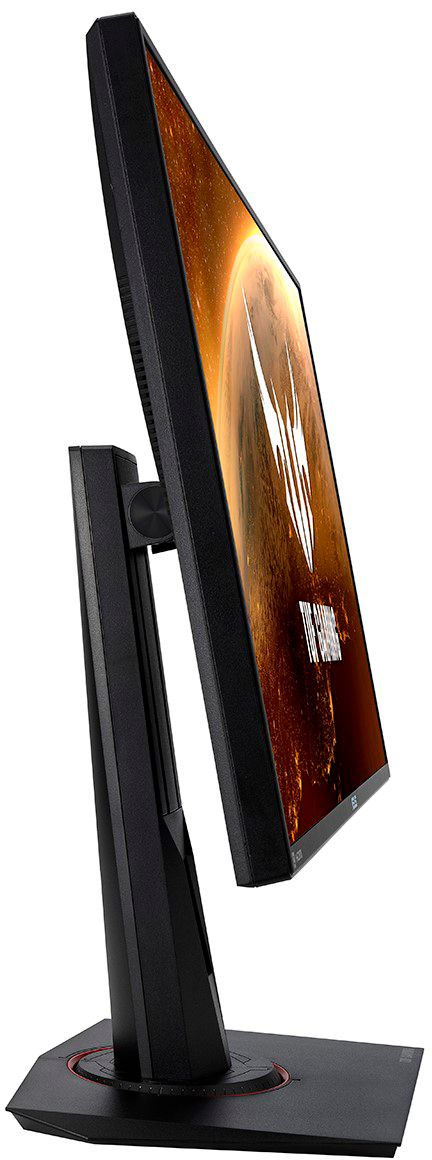
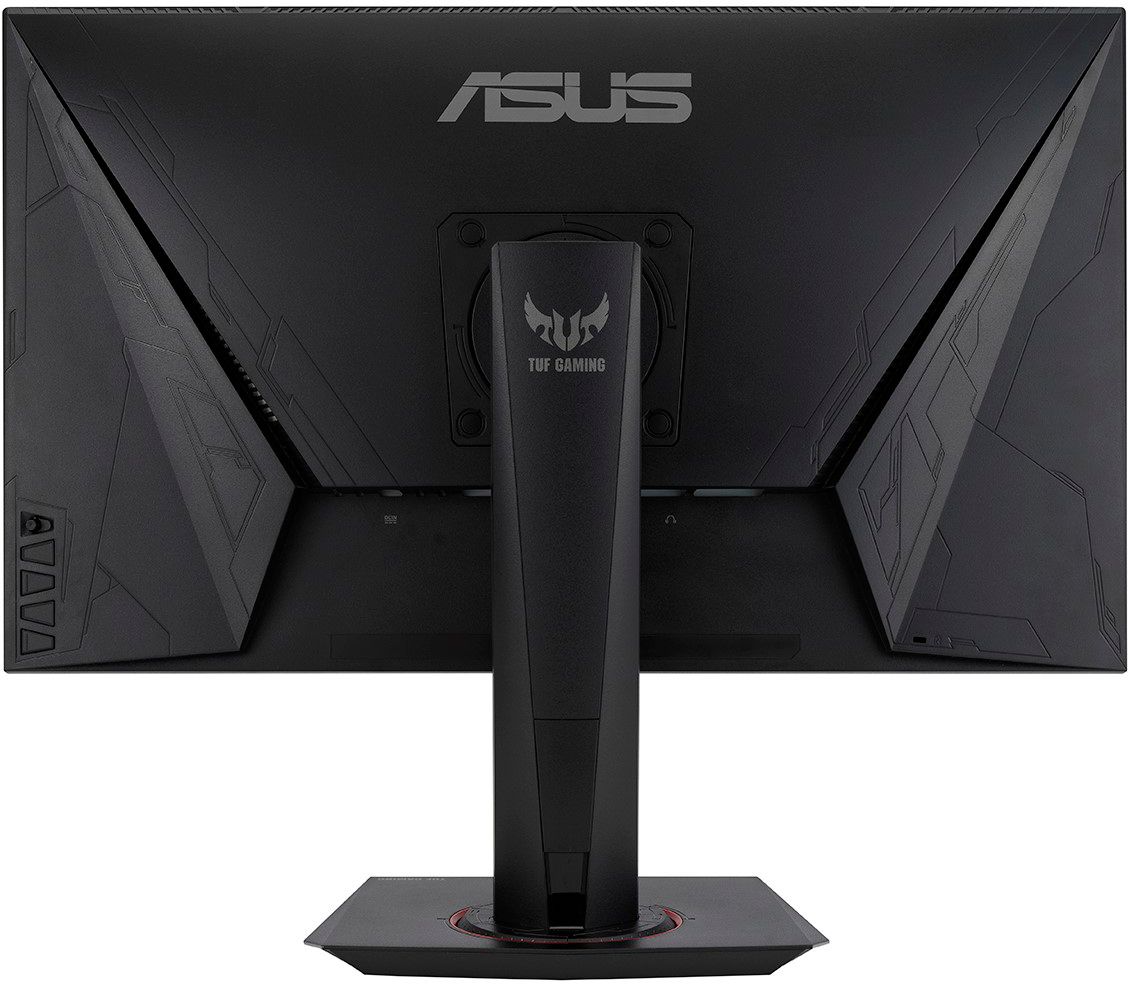
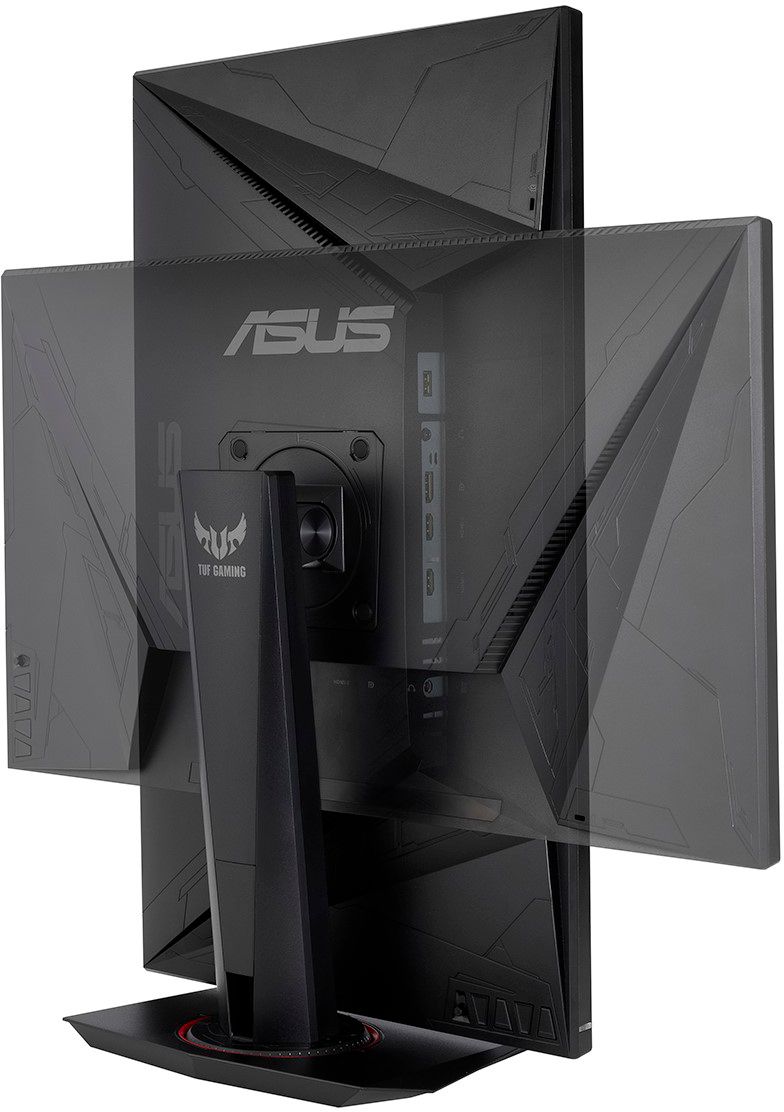
|Posted .This reviewer received promo considerations or sweepstakes entry for writing a review.The Asus gaming monitor offers one the highest refresh rate monitors out there with some of the lowest input lag on the market. This makes for a almost near perfect gaming monitor for those in to competition gaming with fast pace action. This gaming monitor may not fit every ones needs so hopefully this review will help to breakdown rather or not this is the right set up for you. First thing lets talk about the design of the monitor. The set up is very simplistic and yet very functionable. The monitor while mounted on the provided stand allows for height and tilt adjustment while giving you 180 degrees of rotation from side to side. The back of the stand allows access to feed the wires for ease of cable management so that you can keep your desk nice and clean. If the stand is not the way you wish to go there is provided access for a Vesa bracket to mount on your own dual monitor stand. The units power cable uses an external power brick which does add a little more hassle to the cable management side as the brick is kind of big and cumbersome. On the back side of the monitor you will find your standard power joystick button along with 4 other buttons which will provide you with access to your menu items. Through the menu interface you can find everything you need to set up your monitor to your liking including but not limited to, backlight settings, display settings, and overclock settings in order to get that 280hz refresh rate. On to picture quality and performance. This monitor uses your standard IPS display, which is very ideal for competition gaming. Simply put IPS displays allow for awesome displays at just about any viewing angle. What this means is rather your looking far off the side or down on the monitor, all angles should appear crisp and clean with no blur. This means if you have friends over everyone can view the same picture quality regardless of their seating position. Now keep in mind while the IPS display offers great viewing angles it is a trade off when it comes to contrast and viewing quality. What this means is your not going to get the darkest blacks and some color will not appear to be as bright or vibrant as you might find on other monitors. That's not to say that picture quality is bad it just simply means that this would not be your ideal monitor in my opinion for viewing movies or vibrant solo games such as cyberpunk, horizon dawn and other such games. Most people may not notice a big picture quality difference but for being a avid mmo gamer i definitely noticed the contrast ratio difference between this monitor and my VA panel monitor. Keep in mind though IPS monitors such as this one offer better input lag ratio which makes them ideal for high action gaming such as Apex legends, COD, Fortnite and other such games. Now let's talk motion blur and performance. This monitor offers probably one of the highest refresh rates i think i've seen along with a 1ms response time paired with G-Sync means your going to experience almost no motion blur or tearing making it a ideal monitor for FPS (First Person Shooter). So for those that are barely getting in to gaming two things i usually focus on for fast paced gaming is refresh rate and input lag. Refresh rate is that amount of time it takes the monitor to load the next frame on to the monitor while input time is the time it takes from the second you hit your button till the time it actually hits the game. Low refresh rates and high input lag mean that as your opponent runs by you they are going to leave a motion blur or streaking and the long input lag means that even though you may be on target your shots will still miss as the time from the minute the trigger is pulled to the time it hits the game is increased. That's what makes this monitor king for FPS games as every little millisecond counts and makes the difference between you getting the last kill or you being the one shown on the kill cam getting merced. Here's the bottom line. For FPS games i truly don't know if your going to be able to find a better gaming monitor out on the market. If you built your rig around Asus hardware then this will make a great addition to your set up. The low input lag and G-Sync compatibility to your NVidia card means you should have the upper hand in the way of performance. The overdrive setting that this monitor provides means that you can adjust your input lag to match your refresh setting for the best possible motion blur you can get. The overclock setting allows you to adjust your refresh rate to match your hardware and input settings. So should you buy this monitor? That comes down to personal preference and what type of gaming you plan on doing. If you are a avid FPS gamer who plays games such as COD, Battlefield or other such games, then this a no brainer as this monitor will give you access to a wide range of settings to suit your needs all while offering smooth rendering and picture quality without sacrificing performance. Now on the other end of the spectrum if you are the type of person that plays a lot of solo games that are high on resolution quality and immersion then you may want to look at other monitors as input lag is most likely not going to trump picture quality for you. For me this is my go to monitor for FPS games however when playing Horizon Dawn i prefer my VA monitor instead. Like i said at the end of the day its personal preference. Either route you go im almost positive this monitor will not disappoint.
I would recommend this to a friendA very fast 1080p IPS gaming monitor
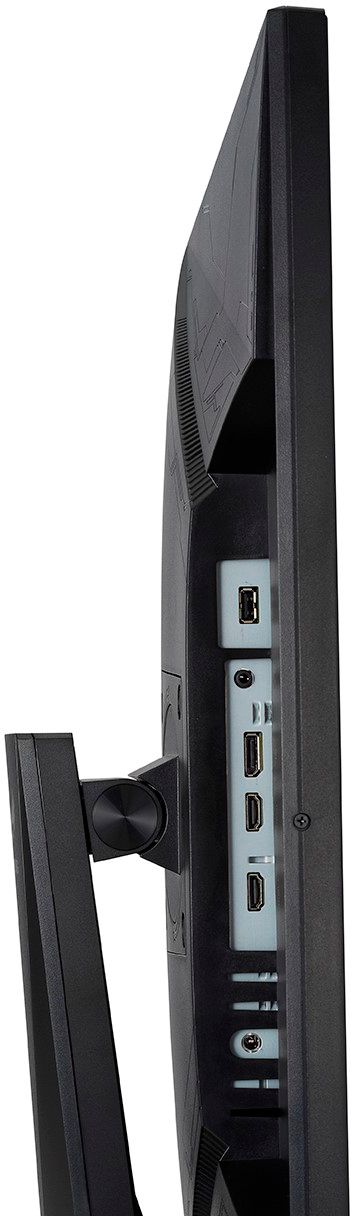
|Posted .This reviewer received promo considerations or sweepstakes entry for writing a review.Bottom Line: Designed for the competitive gamer, the ASUS monitor delivers on all of its flagship features. Pros: sharp picture during high FPS gameplay; easy to use and useful on screen display; versatile and easy to adjust stand; 3 inputs + headphone out Cons: sound quality; DisplayHDR 400 is a only a modest improvement over SDR Review: I picked this monitor up to pair with my ASUS ROG Zephyrus gaming laptop, and I am quite pleased with its performance. The monitor offers the color accuracy and viewing angles one would expect from an IPS display, but it adds really fast response times, which translate to an incredibly sharp picture during fast gameplay. First, I played a few hours of Devil My Cry 5 and Resident Evil 2 at 1080p with high/max settings (both will default to 240Hz with the monitor connected). In DMC5, gameplay runs at 150-170 fps, which taps into the advantage of the fast response and refresh rates of the display. The game quite obviously looks really good on this screen, with the textures and details of the buildings and backgrounds remaining visually sharp during gameplay. In Resident Evil 2, my fps drops to the 120 range. Although it doesn’t fully take advantage of the really fast refresh rate, the larger monitor and vast improvement over a 60Hz monitor did allow me to see some fine details like teeth inside a zombie’s mouth when he attempted to bite my character. Really, though, this monitor is designed for competitive gaming, and the large screen and fast response time benefits situations where being able to see frame animation matters. For Warcraft III: Reforged at 1080p 165Hz with G-Sync, for instance, the larger screen and refresh rate made it a lot easier to track character animations, which helps with microing units in battle. Specifically, knowing which player’s unit is going to strike first is a huge benefit since that’s often the difference between a unit’s life or death especially in the early game. Aside from the image quality, the on screen display buttons were easy to use (toggle stick + 3 buttons including on/off), and there are several useful gamer features built-in: cross-hair overlay for first person shooters; timer, which is handy for RTS or speed-running; and, fps tracking to monitor system performance. In addition to the screen and software controls, I really like the monitor stand. It has integrated cable management, and height adjustment, tilt, and swivel are all easily adjustable with one hand. This is particularly useful if you have multiple devices attached and need to adjust the viewing position. My only gripe with the stand is that you have to tilt the screen before you can rotate it from landscape to portrait. If the max height were just a tad bit higher, you’d be able to just rotate it without tilting first. I’m always happy with more connectivity, and the monitor includes 2xHDMI 2.0 and 1xDisplayPort (includes 1xHDMI and 1xDisplayPort cables). This is great for connecting a second computer, making it easy to double as a gaming and productivity monitor. There’s also a headphone out, which brings me to first criticism. First, the monitor includes 2-watt stereo speakers, which frankly offer, at best, mediocre sound. Part of the problem is that they are, of course, integrated low-watt speakers, but this is compounded by output placement which is behind the screen. As a result, everything tends to sound muffled. Perhaps the assumption is that most gamers wear headphones, and I would certainly recommend them or external speakers to pair with this monitor. Finally, the monitor does meets the DisplayHDR 400 certification, which is the very modest entry-level spec in the DisplayHDR spectrum. Essentially, this boils down to the fact that the monitor is capable of dynamic global dimming. This does create a noticeable visual difference in games with dark areas (e.g., Resident Evil 2), which can often look over-exposed when displayed in SDR at fixed brightness (this is essentially what the shadow boost feature does by upping the brightness). However, you won’t get the dynamic contrast within scenes that would be possible with higher DisplayHDR specs.
I would recommend this to a friendMonitor
||Posted .This reviewer received promo considerations or sweepstakes entry for writing a review.It would randomly turn off & then back on. I am returning it & exchanging it for another. Very disappointed.
No, I would not recommend this to a friendBrand response from ASUS Answers
Posted .Dear ConnieF,
Thank you for writing a comment.
We certainly understand your concern regarding the random on and off issue with the monitor.
The random back screen is possibly related to a recent Windows update. The monitor will randomly blackout temporarily while updates are being applied in the System Registry. Allow the updates to be applied successfully. Please try to check the video cable with connected to another known good power source or AC outlet and verify if the video out port on the PC and the video cable are working properly. Also, ensure Windows and the video driver for the PC are up to date.
If you need further assistance, please email me at cl-rodel@asus.com and I would be more than glad to help. Or, you are most welcome to call Product Support Hotline at: 1(888) 678-3688. Also, you can chat with an ASUS live support agent at: http://bit.ly/AsusLiveChat.
Thank you for choosing an ASUS product.
Regards,
Rodel
ASUS Customer Loyalty
280Hz is the real deal
|Posted .This reviewer received promo considerations or sweepstakes entry for writing a review.Overview: 280hz refresh rate with a 1ms response time makes this the ideal monitor for competitive gaming. With a ton of I/O, customization and features, you won’t be disappointed you went with Asus. Pros: - 280 OC refresh rate. You notice this before you even start gaming. If you have dual monitors, you’ll see the difference between 280 and 60 as the mouse tracks from one to the next. When it comes to gaming, moving and tracking just “feels” better, and definitely looks better. I’m not good enough at any game to say it gives me a “competitive edge”, but I can see where it may be advantageous to someone more skilled than myself. - Feature Rich - With adaptive sync, overclocking (240hz to 280hz), shadow boost, ELMB Sync, HDR, GamePlus (crosshair, fps, game timer, sniper mode), Game Visual Presets as well as look customization and profile saving - Great design - The Asus TUF has a milder design than the ROG series of gaming peripherals. Has great adjustability with raise, lower, rotate and turn axis, you get pretty good angle adjustment. The bezels are there, but they’re thin. - Accessories. The stand is expected, but you have to appreciate the included HDMI and Display Port cable that came in the box. This is something I wish more manufactures did. Cons: - Buttons on the back can be a bit hard to find. There is a “zig-zag” pattern with a notch to let you know it’s a button, but it would have been easier for me, just to have them to be more prominent against the frame . - Some features only work under certain hz settings and with other features turned on or off. If you don’t have the manual handy to see what does or doesn’t work with what, you can get a bit confused as to why something is grayed out as an option. I’m not sure what kind of card you need to push a monitor like this, but I’m using a 2080 super, which is likely more than enough. Setup was a breeze. Everything snaps or finger screws into place. And like most, plug and play took it away. I’ve not used a high refresh rate monitor before so I was pleasantly surprised at how butter smooth the mouse tracked across the screen. I mostly play FPS games so I jumped into Titan Fall 2 which is seeing it’s 2nd wave and was surprised at how different the game felt. Tracking seemed smoother, animations seemed to flow and the game all over seemed fluent. I got the same experience playing Destiny 2. The screen is plenty bright and makes my other monitors seem dull and ancient. I didn’t see any improvement in my games with the additional game features, but it could be useful in other games or with a different play style. If you’re in the market for a feature rich super high refresh rate gaming monitor, this will check most, if not all the boxes you’ll have on the list of “required” features.
I would recommend this to a friendFast Gaming Monitor with Impressive Visual Detail
|Posted .This reviewer received promo considerations or sweepstakes entry for writing a review.Summary: The 27-inch monitor is the perfect size for a desk where it’s big enough to work on multiple elements within the screen, while having a size that is not physically too obstructive. I’m not sure I would want to go larger, unless it’s ultrawide. This monitor hits the sweet spot. It has basic inputs like most monitors. 2x HDMI, a DisplayPort, USB, and earphone jack. It even has built in speakers, although I was not overly impressed with the sound quality compared my stand-alone speakers. It is a Full HD 1920 x 1080 resolution. I do wish it was 4k. But with that said, the colors and the contrast of the images on this monitor is excellent. Black colors look deep and highlights look bright. Because it’s an IPS monitor, the viewing angles are great. It will produce great images even when you’re leaning in weird positions. It has 400 nits of brightness which is plenty bright for the majority of users. A typical computer monitor is around 200-300 nits. Lag is not an issue with this monitor, the response time of the monitor is lightning fast along with a very powerful 280 Hz refresh rate. This alone makes it a very solid choice for gaming so you never miss a fraction of a second during gameplay. Aesthetically, I like the thin edges and overall slim profile. It also makes it feel like you’re using the full scope of the monitor screen. The stand is very convenient. The screen portion tilts and swivels and you can rotate it 90 degrees for portrait mode, which is great for working on documents because you can see the full page all at once with no scrolling. The monitor’s buttons are placed on the bottom right in the back, if you’re facing the monitor, so you will be using your right hand. One of the buttons will have a knob. The installation was quite easy and the settings were straightforward, so I was up and running in no time. Overall, it may be my current favorite gaming monitor because of the fast refresh rate, and the images look beautiful. I still do wish it was 4k. Another addition on my Wishlist would be more USB inputs, I like putting led lights on the back of my monitor and I need more USB power. Features: 27” diagonally wide screen 2 HDMI input DisplayPort input Headphone jack Built in speakers IPS monitor 400 nit brightness 280 HZ refresh rate Full HD 1920 x 1080 resolution Swivel stand for portrait or landscape mode. Pros: Fast refresh rate Excellent overall image quality Great color quality. Blacks look deep and highlights look bright. Optimal ratio for gaming. Thin profile Cons: Not 4K. Could have more USB inputs. Built in speakers are mediocre, but easily supplemented if you have your own sound system or headset
I would recommend this to a friendFor the Price, needs to be 1440p...
|Posted .This reviewer received promo considerations or sweepstakes entry for writing a review.I am an avid PC gamer, have used gaming monitors for a long time now, and I am very picky about them! I was hesitant about this monitor, solely because it is a 27 inch IPS monitor at only 1080p. I just think 1080p is antiquated now and days, the future is heading towards 1440p and 4k. Once you go to these resolutions, going back to 1080p is a slap in the face. Let me start off by saying, this monitor took A LOT of tweaking to get right. More than I am used to. The monitor settings themselves leave a lot to be desired. You really don't have much control on the hardware side of editing color tuning, sharpness etc. Really, all you can do is adjust brightness and contrast and color temp and that's it. Frustrating at the least. All the tuning had to be done in the OS level using the Windows color tuner and NVIDIA settings. So after many hours tuning it, I got it to a setting that looked good. The Bad: - Not 1440p, only 1080p. Come on, for all the features and size and price point, I do not understand why it is not 1440p. - Shadows and black levels leave a lot to be desired. This monitor does not handle black levels that well, they tend to be very washed out and light no matter how you adjust your gamma. - Lack of tuning on the monitor itself - Wish the buttons were not on the side, would've been nice to have them on the bottom, makes it a pain in a dual monitor VESA set up. - Painstaking tuning process on the OS. - The sharpness is not as good as I would like to see on a gaming monitor. In some games, it is difficult to parse text, while on my other (different brand) gaming monitor, the text is very crisp and clear in a good way. The Good: - The latency is great, I mean 1ms, 240HZ, you can't get better than that, you won't have any issues in gaming. - 240 HZ is just beautiful when you are browsing the web. You really aren't going to get benefit from 240HZ while gaming unless you happen to be pulling 240+ FPS on max settings, which I guess you could at 1080p easily now n days. - Color is indeed vivid with HDR gaming, Cyberpunk 2077 loooks gorgeous. - VESA mounting on dual monitor arms was a breeze and works great. All in all, I honestly give it 3.5 stars, but had to round down. I just really am bummed about no 1440p, it really does damper gaming in 2021. And the quality of using the monitor for non-gaming items like office work and web browsing, it is not good at all for that, yes it is a gaming monitor, but it needs to have some versatility too and better handling of shadows and black levels.
No, I would not recommend this to a friendAmazing 280hz Gaming Monitor
|Posted .This reviewer received promo considerations or sweepstakes entry for writing a review.Asus has built a really solid gaming monitor with the 27 VG279QMY. Sporting an insane overclockable 280 refresh rate, 1 ms response time and full HD 1920x1080 this monitor out the box is ready for any game you throw at it. Setup was a breeze and I was up and running in less than a few minutes. The monitors design is sleek and would look good with any gaming rig setup. It has 2 HDMI and Displayport, USB, with a headphone jack and a tilt-able and turnable monitor which is a nice touch. Also I appreciate them including cables in the box! The monitor is an IPS display so its great at all viewing angles and also sports displayhdr 400 technology along with Gsync for anyone using nvidia cards! This monitor was definitely designed for a serious gamer, it has plenty of software options for adjusting Refresh rate and lag to fit the style of game you're playing. I noticed that the monitor does particularly good with FPS and in low light and shadows. I am having a blast with it on Apex Legends as the monitor is responsive and shows zero lag whatsoever. Coming from a 3 year old monitor I'm noticing a huge difference. The only drawback I see really is the speakers. They're very poor quality and honestly just kind of feel like an afterthought. But honestly I use my headphones bout 90 percent of the time anyways, so its not a big deal! All in all I can't say enough about this Asus monitor. It's feature rich and has all the technology that you will need for the next few years as games catch up to the 280hz refresh rate! I am very happy with this monitor and you can't go wrong with it!
I would recommend this to a friendAsus did a great job with this one
|Posted .This reviewer received promo considerations or sweepstakes entry for writing a review.This monitor is absolutely beautiful, fully customizable, and the refresh rate is undeniably fast. It comes with everything included so you don’t need any extra cords, or hardware and screwdrivers to get started. Was able to have everything hooked up and ready to go on the PC in minutes very smooth transition out of box. It’s surprisingly lightweight despite its pretty large screen size. The display is one of the best that I’ve seen. No lag, no issues, crisp and clear display and I honestly feel that it has helped my game play and response times due to the RR. I play mostly shooter games, and I also did just some regular web browsing and watched one episode on Netflix to just fully get an idea of its abilities and overall this monitor is worth the purchase. It’s made me PC game much more frequently over these last few days, and honestly makes it more enjoyable experience overall. The only downside is the sound quality, it’s definitely not the best but I have wireless headset I use anyway so for me it wasn’t enough to knock any stars off. I also thought it would pair nicely with nextgen consoles and I was correct I used it for a game of rainbow 6 on my Xbox and it did not disappoint. I put this monitor to the test in multiple ways, and it shined each time. It’s a PC gamers dream despite it not being 4K you don’t really feel like your missing anything. Easy to use with console gaming. If you’re taking a break from gaming and watching a movie or 2, I mean this is a great overall unit. Asus did great.
I would recommend this to a friend