The vast majority of our reviews come from verified purchases. Reviews from customers may include My Best Buy members, employees, and Tech Insider Network members (as tagged). Select reviewers may receive discounted products, promotional considerations or entries into drawings for honest, helpful reviews.
Page 3 Showing 41-60 of 484 reviews
Rated 5 out of 5 stars
Asus
|
|
Posted . Owned for 2 weeks when reviewed.
This reviewer received promo considerations or sweepstakes entry for writing a review.
Good quality for a cheap price works as should with no issues
This reviewer received promo considerations or sweepstakes entry for writing a review.
What an exceptional gaming monitor with one millisecond speed it runs like lightning. I hooked up a cable 12 feet long to the monitor just send the signal and the lag was 0 the refresh rate was phenomenal the colors are crisp, and the features are outstanding. My opinion about Asus for the most recent purchases was not very bright but this Asus monitor brings back old memories of the quality involved and Asus's products, I was exceptionally happy with its functions.
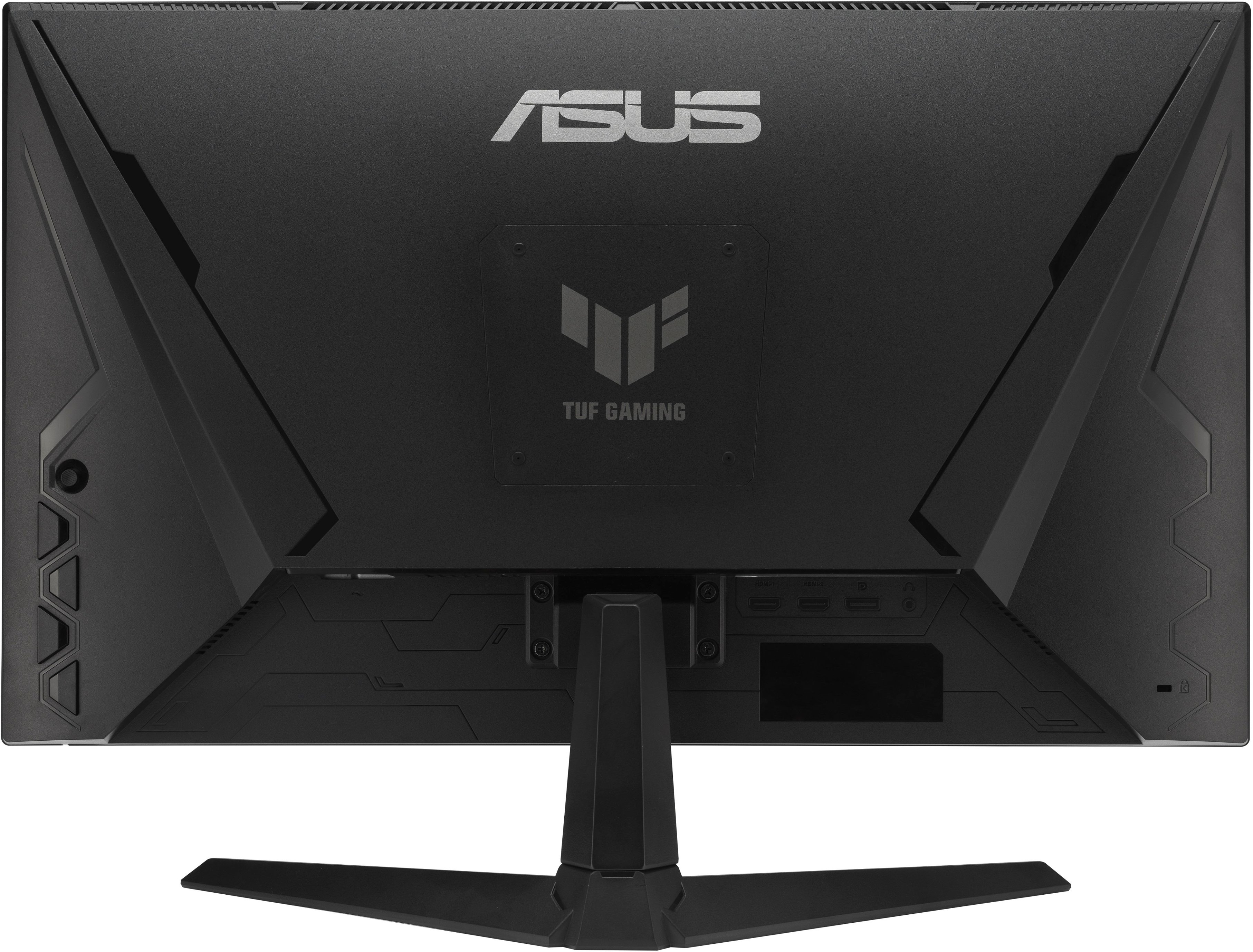
Deployment has mild issues in my opinion. Base stand of the monitor is attached with screws and the 2 inch Phillips screwdriver included in the package is cheesy - you will need a real handled screwdriver to get the four screws into the back of the stand. The wall mount would be problematic its controls are on the back right side of the monitor which means you'd have to reach around and push these buttons to modify the features of the monitor.
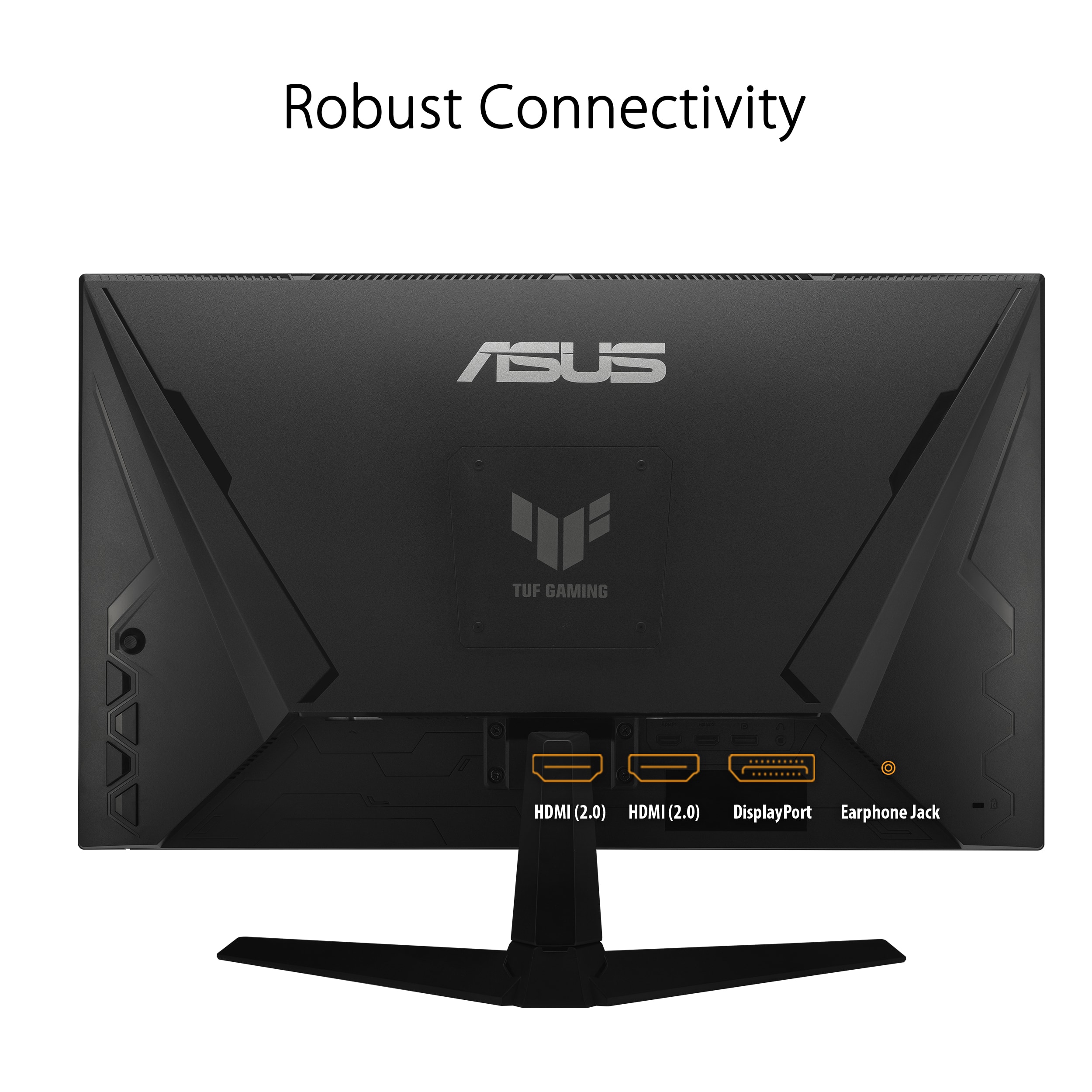
Despite the above statement about deployment, once you got this monitor installed and working you have yourself a gem. The speed is phenomenal as mentioned but the features add a wider scope of functions . A tiny joystick type device that lets you select menu items both up, down, left and right, 2 HDMI & 1 display input, built in speakers, overclock options, 23.8-inch design fits squarely into my desk furniture with a reasonably slim frame ideal for people who sit behind a computer for both work and gaming. But really a super ACTION game monitor.
You can easily navigate the features once you get accustomed to the rear facing menu buttons & joystick.
This reviewer received promo considerations or sweepstakes entry for writing a review.
While there seems to be a lot of focus and buzz around 4K gaming these days, the fact remains that most of us aren't hooking our PCs up to 65" displays or using bleeding-edge graphics cards, and for the average desk, 24" at 1080p is a great size for most users, especially with a high refresh rate to match.
In my experience, TUF is Asus' low-frills gamer line, and is usually more budget-friendly than their ROG products, and that seems to hold true here as well. The display is bright, vibrant, and fast, and packed with features made to appeal to gamers.
I'd highly recommend once you've finished setting up the monitor, that you look the product number up on Asus' website and download their GameVisual app. It makes finding and changing all of the monitor settings as easy as clicking on your mouse, and it's way better than trying to navigate through the monitor's OSD using the buttons on the back. I really wish every monitor had software like this. This also comes with an ICC color profile if that's of interest to you. I found the colors to be pretty accurate out of the box.
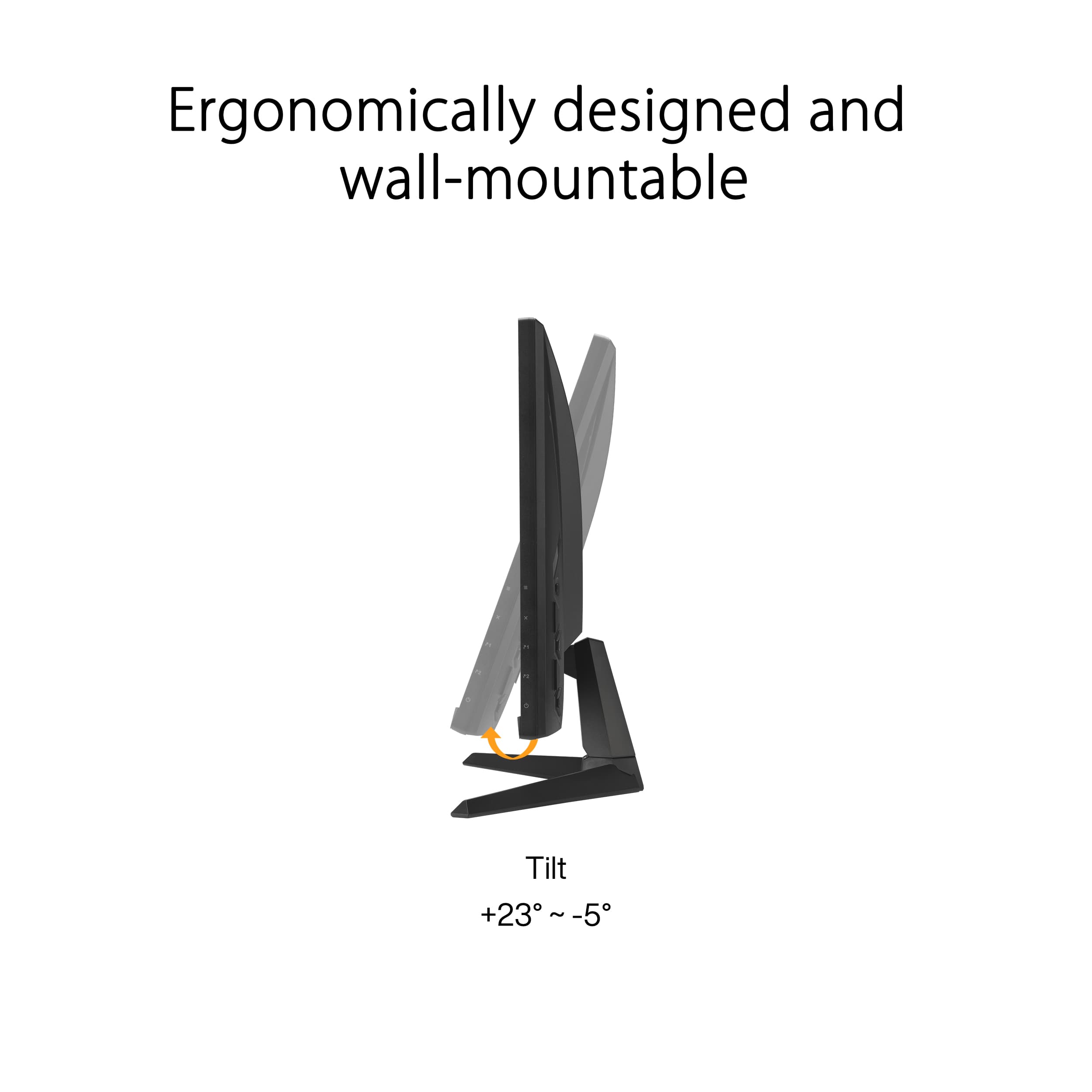
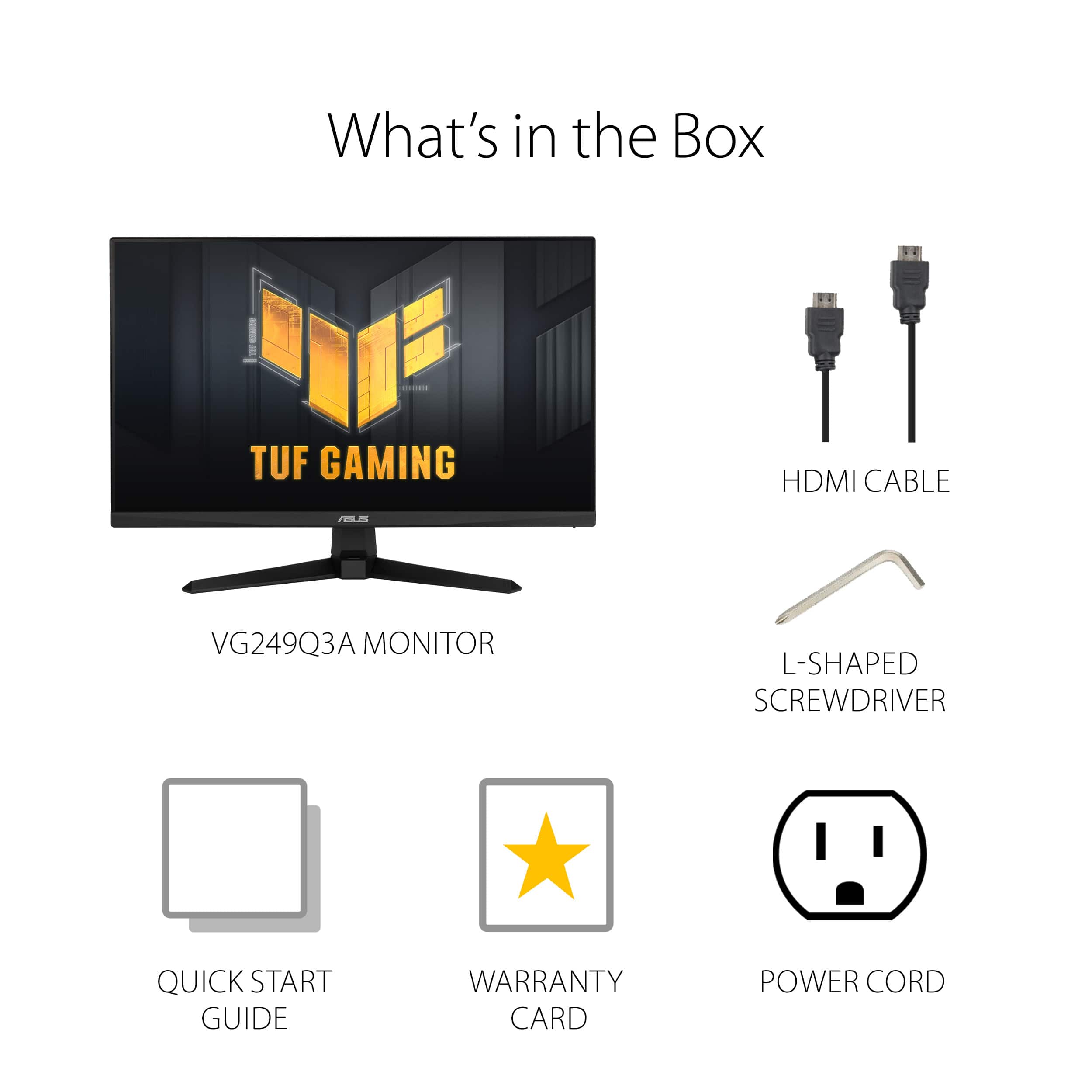
Inside the box you'll get the monitor, stand, power cord, HDMI cable and a manual/setup guide along with warranty information. The stand is very basic, with the only adjustment being forward/backward tilt. I'd really have liked to have seen adjustable height at the very least. I found myself limited to 120hz with the included HDMI cable, but that might be the fault of my GPU. I was able to hit 165Hz (and eventually, 180hz) using DisplayPort. There is a 100mm VESA mount on the back with rubber plugs to hide the screw holes, which is a nice touch.
I did have to go into the monitor settings and enable overclocking in order to enable the 180hz refresh rate, which I feel I shouldn't really have to do for a monitor advertised as being 180hz. Variable Refresh Rate (FreeSync) was enabled by default and was detected by Nvidia software as being g-sync compatible, and this is the first monitor I've used where I didn't have to turn that feature on manually.
Apart from 7 different color/vibrancy presets, you can save custom settings, and the GamePlus feature gives you a variety of different gamer-centric overlays. You can choose from five different crosshair reticles to display, which can give you an edge in games that don't have one, you can turn on an FPS counter with an option to display frametimes, and you can set an on-screen timer for various intervals. The rub here is that you can only choose one of these things at a time. You can't display crosshairs while also showing FPS, for example. The FPS counter is sort of large and obstructive, and while you can move it, it can't be resized, so you'll probably just want to rely on one of the many software options that are out there for this purpose.
In actual use I found the monitor performed beautifully. With g-sync enabled, I experienced no screen tearing whatsoever during my testing. FreeSync Premium means that VRR will work between 48-180hz, and it has low-framerate compensation below 48. HDR isn't a feature that the monitor has, which I expected for a model in this range.
Colors were mostly accurate with a high level of vibrance and I didn't experience any form of smear or ghosting in testing. There was a little blockiness on deep gradients shown onscreen, and in dark scenes the screen tended to pick up ambient light in the room as very soft reflections. There wasn't any notable form of light bleed, and IPS glow was average.
Overall, I'd say this is a great gaming monitor for anyone trying to squeeze the most out of their hardware at 1080p.
Great Color and Low Light Bleed Super Fast Refresh
|
Posted .
This reviewer received promo considerations or sweepstakes entry for writing a review.
First impressions:
This monitor arrived extremely well packed. Apparently they extend the "Tuf" to how it's packed. It was entirely encased in molded Styrofoam.
Unpacking, mounting the stand and attaching the included cables took me about four minutes. A tool was included to install the footplate / stand.
That is MUCH appreciated. At power on there were no issues at all - I was able to Dial the refresh up on the desktop to the 160HZ range on two
different machines I plugged in.
Tuf-ness
I Instantly noticed that this monitor is built "Tuf" and lives up to the Asus line. The Chassis is extremely rigid and finished in the "tuf" motif. This
just became my go-to monitor to pack up and take to a friends house. For those of you used to the standard paper thin wobbly office monitor - this ASUS
is the polar opposite.
Testing:
This monitor was placed on my "play" desk - I.e. gaming and general hobby use. Over the course of the last week and a half I have connected
a high end dev laptop with Nvidia Quadro, A Raspberry Pi and a MacBook. I was able to use a refresh rate over 120HZ without any issue. I did
a variety of office tasks, 3d design and played a few games. The backlighting on this LCD is superb with excellently deep blacks. The light
bleed is extremely low.
Gaming - . . . It's fast ! Everything is very fluid/. The fast refresh rates combined with gaming mode / anti-lag make this a fantastic gaming monitor.
The lower 1080p resolution means even my four year old laptop can run games at extremely high framerates.
Color / Black Level / consistency -
Very good black levels, Color profile is consistent and I can use this for photo work without issue.
Audio -
Yes - it has a functional set of speakers. . . They, ummm.... make sound ! Please do not expect a lot with the integrated speakers. They
work in a pinch but external speakers or headphones are infinitely better. I did take a teams call using the integrated speaker(s) for voice.
They were perfectly clear. The overall volume level is usable but they do not get very loud.
VESA -
It has a VESA standard mount on the back.
What I love -
High refresh performance and great color !
Built "Tuf" - it really is !
Room for improvement -
Cord length - 8ft would be better !
This reviewer received promo considerations or sweepstakes entry for writing a review.
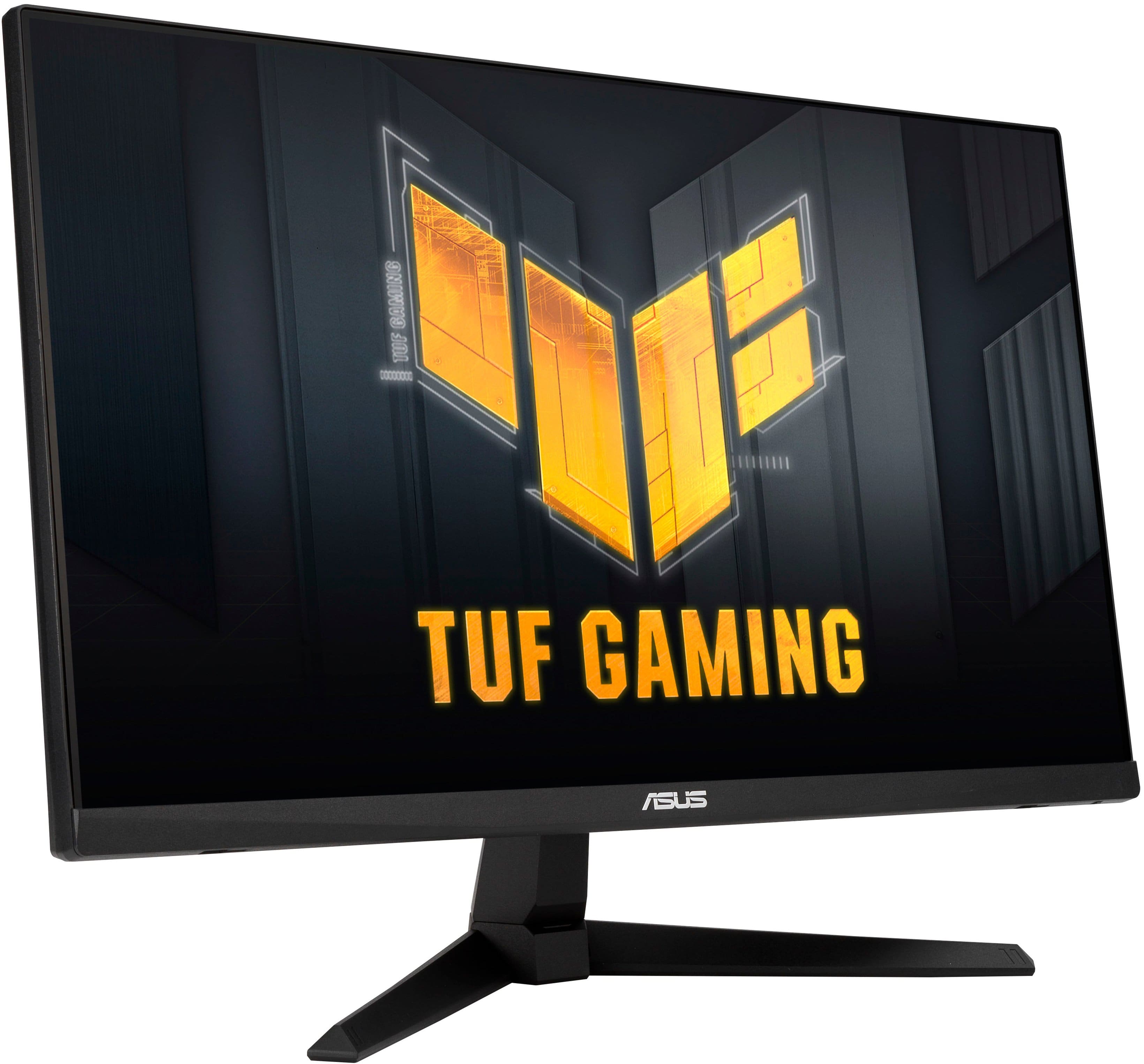
To be straight with you. This thing had me hooked the moment I found out that it hd internal speakers. Monitors with this feature seem to be a rare commodities in todays PC realm. 24" (23.8"W, to be exact) , is what we're working with here. Anyone can tell you 24" is universal sweet spot for gaming. With a refresh rate of 180Hz, the 1920x1080 Full HD display with Game+, the picture quality is so satifying . It makes want to put PS5 on it. The matte style screen and zero bazels gives off a clean and uniformed look to any PC gaming setup. 2 HDMI 2.0 ports 1 display and a headphone jack for those late-night sesions in the dorm or when your mate needs to get some much needed sleep. But again, as I said. There are internal speakers Tuff one. I just love that. The manual controls are located on the right side( from power to menu navigation. Plus ASUS's naivigation stick sitting right above the all of the buttons. Yoy'll get you power supply, an HDMI cord, boomerang stand and spine. It also comes with allen style screwdriver and screws for optional mounting. All you need is a console of choice and and some free time. All that in an affordable package. I don't see why you shouldn't grab one up.
This reviewer received promo considerations or sweepstakes entry for writing a review.
I recently purchased the ASUS 180Hz monitor, and I have to say, it’s an absolute game-changer. The high refresh rate delivers buttery-smooth gameplay, especially in fast-paced titles like FPS and racing games. I noticed a significant reduction in motion blur and screen tearing, which makes for a much more immersive experience. The colors are vibrant and the contrast is sharp, providing stunning visuals whether I’m gaming or just browsing. The design is sleek with minimal bezels, and the setup was a breeze. Overall, it’s an excellent choice for both casual and competitive gamers looking for performance without sacrificing style.
This reviewer received promo considerations or sweepstakes entry for writing a review.
I'm happy to see that the website specifications for this monitor have been fixed to show that the stand height is NOT adjustable. Even though the stand height doesn't adjust, I kept this monitor because it's a good price for a nice monitor. I use it for Sims 4 at the highest display settings and everything looks crisp. I can't speak to how it'd be with more intense games. (I do still wish the stand height was adjustable though -- which is why I'm dropping 1 star for features.)
This reviewer received promo considerations or sweepstakes entry for writing a review.
TL;DR:
1. SETUP: It was easy and simple
2. USE: There are a lot of settings you can change to customize to your needs; set it once and forget about it
3. USABILITY: It works well, the refresh rate is excellent and the clarity is great
4. OVERALL: It works well and is a happy medium with it’s 24” (23.8” viewable) size.
For some background, I use multiple monitors depending on my needs. My laptop, a MacBook Pro 14”, is what I usually have connected, but also have other laptops and a gaming desktop tower. I have a 32” curved monitor which is great to store files on, but isn’t the best when sharing my screen. It’s also about 3 years old and the refresh rate isn’t anywhere near the ASUS TUF. I have another gaming monitor, as well as a standard work monitor. Except for the curved screen, everything else is within the 20-30” size with varying refresh rates.
I’ve been using the ASUS TUF for several days. I have used it for my job, watching movies and videos, as well as to test out a couple games. It has handled everything very well without any lag or disruptions. It’s a good size, as it’s relatively compact in comparison to other monitors with the same screen size. It’s packaged very well and is near edgeless. The screen is very clear even when your eyes are starting to get tired. If needed, there are a ton of settings you can change to suit your needs, as well.
My only complaints are that one of the cushions for wall-mounting was missing (pictured). Also, the including charging cable is relatively short and is placed toward the righthand sided of the monitor. For my set-up, it needs to be on the left or to have a larger cable (I switched the cable for a longer one). Other than that, it’s a nice set up and works well for all my uses.
This reviewer received promo considerations or sweepstakes entry for writing a review.
Overall it’s a pretty good monitor. Nice display, 180hz and performs pretty well. Only downside is that the stand it comes with can’t move the monitor up and down.
This reviewer received promo considerations or sweepstakes entry for writing a review.
The ASUS TUF Gaming 27” 185Hz monitor is a standout display that delivers premium gaming performance without breaking the bank. Whether you’re a competitive gamer or just want a smooth, immersive experience, this monitor absolutely delivers.
Design & Build Quality:
Right out of the box, the monitor looks sleek and modern. It has a matte black finish with sharp lines and subtle TUF branding that gives it a clean, aggressive aesthetic. The stand is sturdy with height, tilt, and swivel adjustments, which is a big win for ergonomics. It also supports VESA mounting for a more custom setup.
Display Performance:
The 27-inch screen size hits a sweet spot for gaming and multitasking. With a 1920x1080 resolution, visuals are crisp and sharp, and you won’t need a beast of a GPU to push high frame rates. The real star here is the 185Hz refresh rate—it makes everything from FPS titles to fast-paced racing games feel incredibly fluid and responsive. Combined with a 1ms response time and ASUS ELMB (Extreme Low Motion Blur) technology, ghosting and motion blur are virtually non-existent.
Color & Brightness:
The IPS panel delivers vibrant colors and wide viewing angles, making it great not only for gaming but also for media consumption or content creation on the side. It has decent brightness levels and solid contrast, with features like ASUS Shadow Boost to improve visibility in darker scenes without washing out the rest of the image.
Gaming Features:
You get FreeSync Premium (and G-Sync compatibility), so screen tearing is never a problem. ASUS’s GamePlus features—like crosshair overlays, FPS counters, and timers—are great tools for competitive players. You can also tweak everything through the on-screen display or ASUS’s DisplayWidget software, which is easy to use.
Final Verdict:
The ASUS TUF Gaming 27” 185Hz monitor offers a near-perfect blend of speed, style, and value. It’s perfect for gamers looking for a buttery-smooth experience without stepping into the ultra-high-end price range. Responsive, vibrant, and packed with features—it’s a monitor that punches way above its price point.
Pros:
• 185Hz refresh rate and 1ms response time
• Smooth, blur-free gaming experience
• FreeSync Premium & G-Sync compatible
• Sturdy, adjustable stand
• Great value for the performance
Cons:
• 1080p at 27” might not be ideal for some (slightly lower pixel density)
• Speakers are average (but expected at this price range)
Rating: 9/10
This reviewer received promo considerations or sweepstakes entry for writing a review.
Let's be real, gamers and work-from-home dads know a good monitor is a game-changer (pun intended). The ASUS Gaming Monitor steps up to the plate (or spreadsheet?) in a big way. Rocking a buttery smooth 180Hz refresh rate, it delivers crisp, clean visuals that are crystal clear. Both my son and I have been using this back and forth and whether you are playing Elden Ring or updating massive Excel files, everything is sharp. No lag or choppy graphics interrupting your epic raids or meticulous editing sessions.
This monitor isn't a one-trick pony. It boasts a ton of customization options, letting you tweak the picture to your exact preferences -- this is where it shines brightest. This monitor is performing dual duty for two very different purposes, so having the option to switch from gamer to worker was a requirement. Presets galore cater to our different needs -- honestly, there are a great deal of options to allow you to fine-tune settings for pinpoint color accuracy, but the base settings are mostly perfect.
The design lets you adjust the tilt, swivel, and adjust height for the perfect viewing position, saving our necks from discomfort during longer sessions. ASUS has a Flicker-Free technology that keeps our eyes comfortable through the day or night.
Setting it up is a breeze, so you won't waste precious time fiddling with cables (there is even a display port, but I don't have anything that utilizes that option). Whether you're a hardcore gamer, or rushed to complete a deadline, the ASUS Gaming Monitor is the perfect companion. Don't settle for mediocre – this monitor lets you truly dominate the competition (or your workload).
This reviewer received promo considerations or sweepstakes entry for writing a review.
I wasn’t sure what to expect from a gaming monitor at this price point, but I’ve been very impressed. I use it with an Xbox Series X (upgraded from a 780p TV), and the difference is night and day—sharper visuals, vibrant colors, and a huge reduction in motion blur.
There are plenty of settings to fine-tune the display, and while the interface takes a minute to learn, it quickly feels intuitive. I also appreciate the variety of ports and the bonus of built-in speakers. The speakers are just “okay,” but still a nice convenience when you don’t want to hook up an external setup.
In fact, I liked it enough to buy a second one for a family member. For casual gaming, this monitor delivers excellent value and performance—easily one of the best bang-for-your-buck purchases I’ve made.
This reviewer received promo considerations or sweepstakes entry for writing a review.
The Microsoft Elite Series 2 Core Wireless Controller delivers premium performance and customization at a more accessible price point. It’s ideal for competitive players or anyone who wants a refined, responsive experience across Xbox Series XS, Xbox One, PC, and cloud-enabled devices.
Key Highlights:
• Pro-Level Build Quality: The controller feels solid and well-balanced, with textured grips and high-end materials that elevate the experience beyond standard Xbox controllers.
• Customizable Performance: Adjustable tension thumbsticks, remappable buttons, and support for custom profiles make it easy to tailor the controller to your playstyle.
• USB-C Charging & Long Battery Life: The built-in rechargeable battery offers excellent longevity, and USB-C charging is fast and convenient.
• Modular Design: While the Core version doesn’t include paddles or extra components, it’s fully compatible with the Elite Accessory Pack if you want to upgrade later.
• Cross-Platform Compatibility: Works seamlessly across Xbox consoles, Windows PCs, and cloud gaming setups, making it a versatile choice for multi-platform gamers.