Customer Ratings & Reviews


- Model:
- VG279Q3A
- SKU:
- 6572367
Rating by feature
- Display Quality
Rating 4.8 out of 5 stars
- Ease of Use
Rating 4.8 out of 5 stars
- Features
Rating 4.7 out of 5 stars
Customers are saying
Customers are positive about the monitor's overall performance, fast refresh rate, and ideal size for desks. Many appreciate the vibrant colors and suitability for gaming, including on consoles like the PS5. However, some customers express concerns regarding the stand quality and believe the speakers could be improved.
This summary was generated by AI based on customer reviews.
Impressive! Awesome!
||Posted . Owned for 3 weeks when reviewed.This reviewer received promo considerations or sweepstakes entry for writing a review.Awesome!!! Easy to assemble, UHD/FHD quality with graphics customization options, intuitive and user friendly, the two pair together allows for workflow, gaming, etc. Impressive!
I would recommend this to a friend- Pros mentioned:Overall performance
Great Monitor
||Posted . Owned for 1 week when reviewed.This reviewer received promo considerations or sweepstakes entry for writing a review.Love this monitor, the speakers definitely exceeded my expectations to the typical built in monitor speakers. And it runs my games beautifully no complaints at all
I would recommend this to a friend - Pros mentioned:Overall performance
Great Monitor
||Posted . Owned for 10 months when reviewed.This reviewer received promo considerations or sweepstakes entry for writing a review.Fantastic monitor especially for the price! No complaints at all.
I would recommend this to a friend Review for gamers
||Posted . Owned for 3 weeks when reviewed.This reviewer received promo considerations or sweepstakes entry for writing a review.It’s a good monitor for the price has built in speakers which are okay sound quality
I would recommend this to a friendBrand response from ASUS Answers
Posted .Dear Aero G,
We are pleased to hear that you are satisfied with the ASUS VG279Q3A TUF Gaming Monitor. At ASUS, we take quality control, testing, and inspections seriously to ensure our products meet high standards. It is our hope that the device continues to operate normally and that you enjoy using it.
We stand behind our products and continuously strive to improve our products and processes to achieve customer service excellence. If you require any further assistance, please email us at customerloyalty@asus.com and include the case number "N2406027275-0005" as a reference. We will do our best to resolve your case quickly. Your feedback is very important to us and enables us to improve our support channels. Thank you for choosing ASUS.
Best Regards,
Chantae
ASUS Customer Loyalty US Support
- Pros mentioned:Overall performance, Refresh rateCons mentioned:Speakers

Big bright display with a super-fast refresh rate
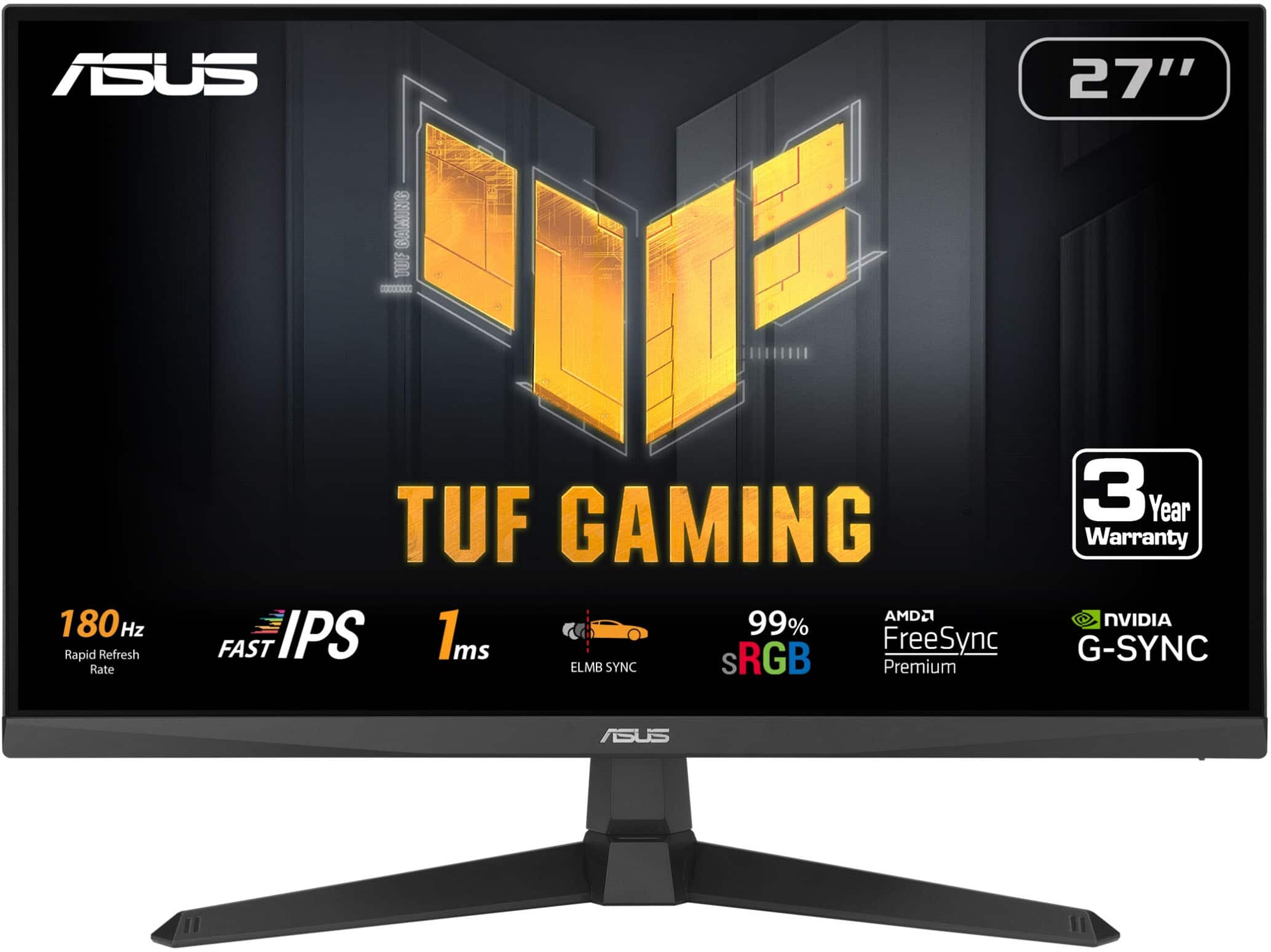
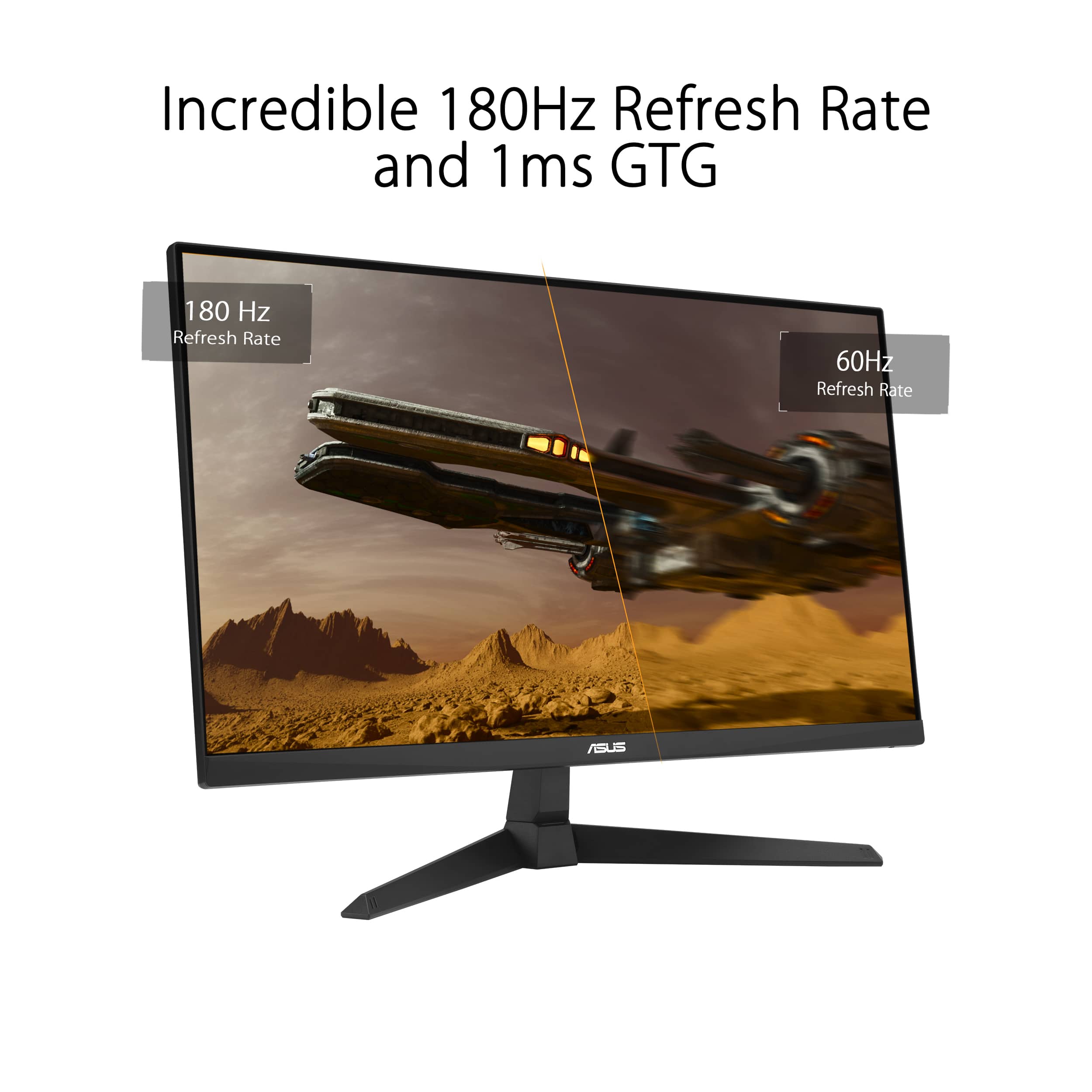
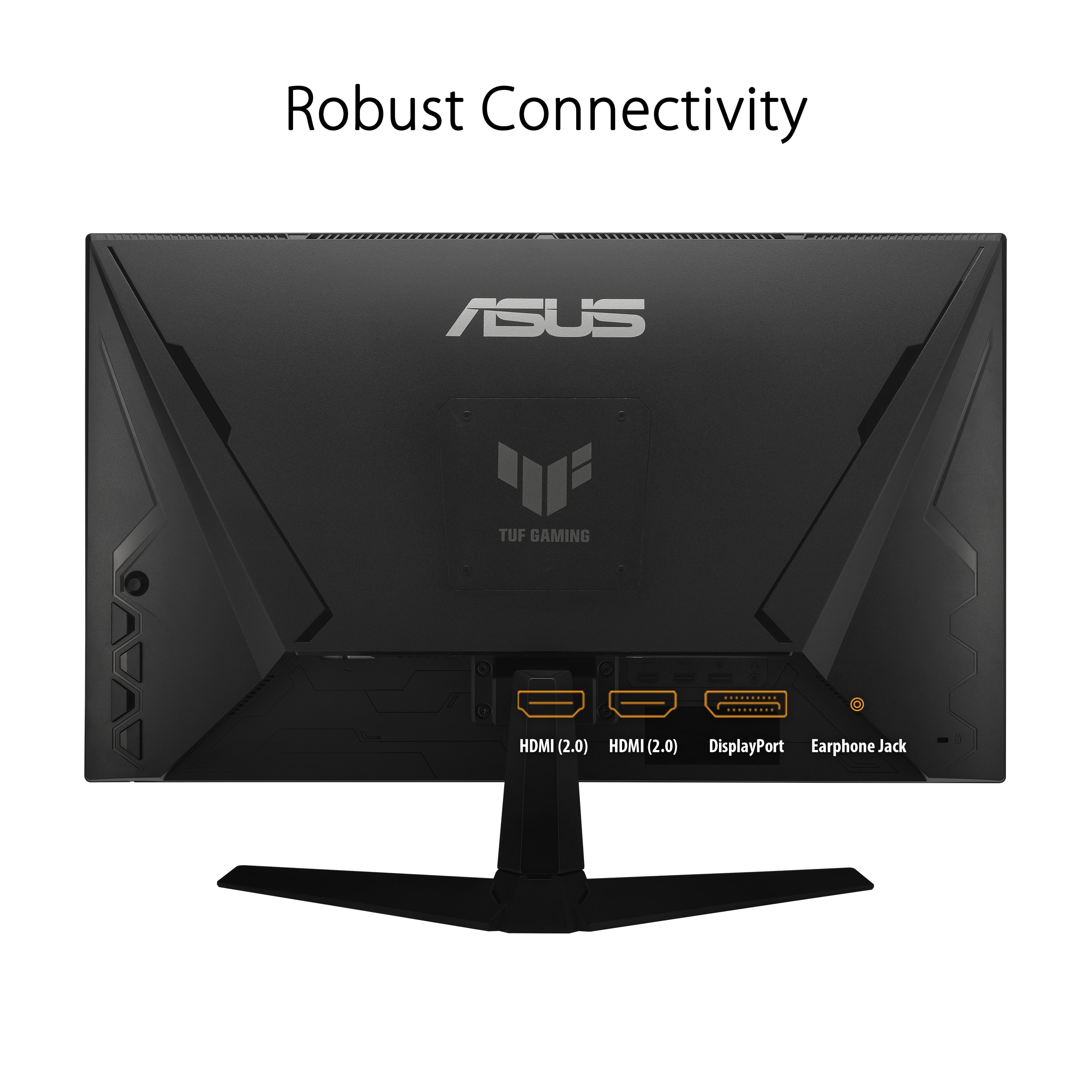
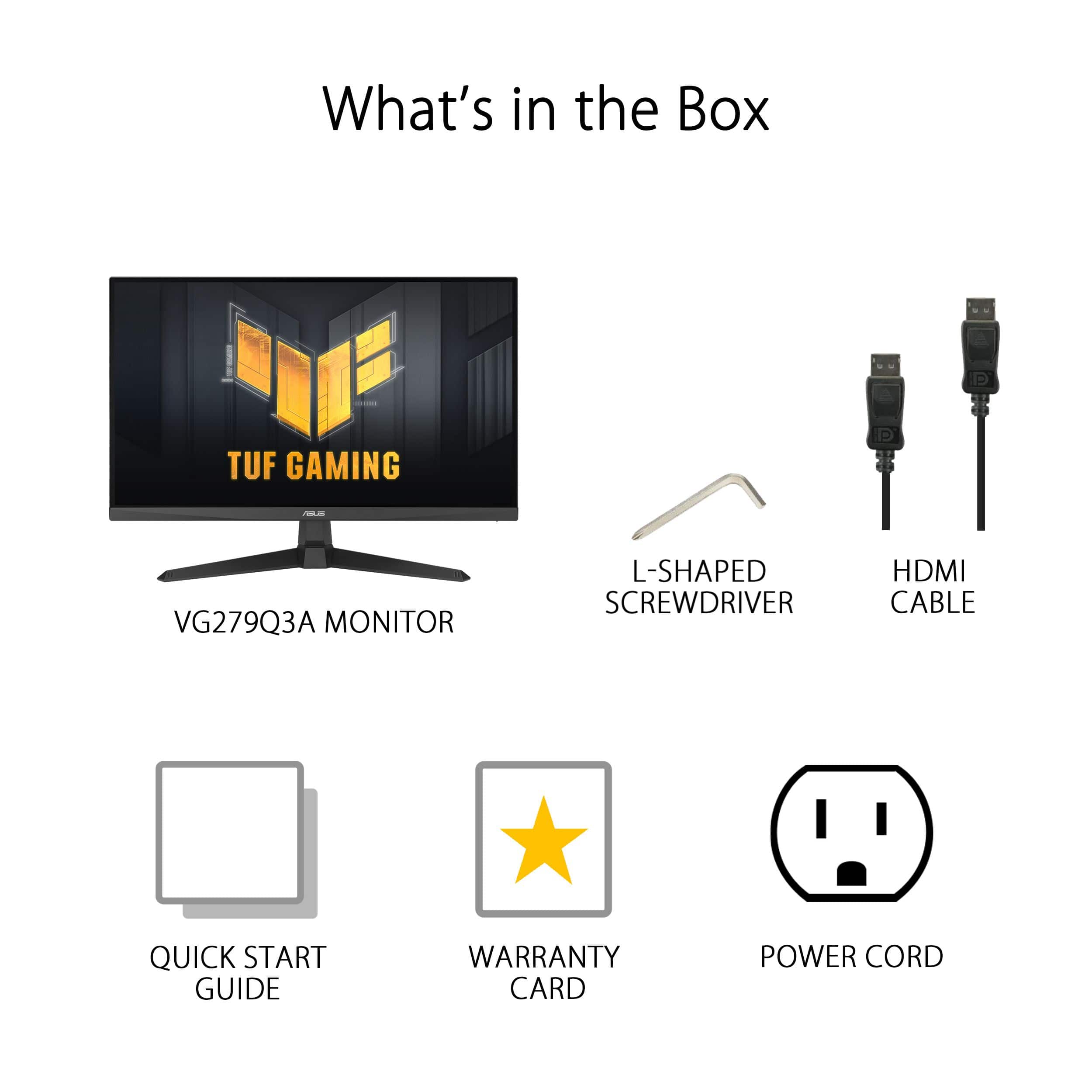
|Posted .This reviewer received promo considerations or sweepstakes entry for writing a review.This Asus Gaming Monitor is just what I was looking for. It has a big bright display with a super-fast refresh rate. So, no streaks or blurs during fast game play. Out of the box the picture is really good. With a few tweaks using the built-in menu system, it’s fantastic! What’s in the box: Model VG279Q3A LED Monitor Two-part stand HDMI cable Power cable Screws (for the stand) Allen wrench style (L shaped) Phillips screwdriver The specs are impressive for this mid-priced gaming monitor: 180 Hz refresh rate 1 ms response time Nvidia G-sync and AMD FreeSync Premium compatible ELBM sync capable 2 HDMI 2.0 ports DisplayPort 1.2 Earphone jack Built in 2Wx2 speakers Standard VESA mount Tiltable stand The stand was easy to assemble. But the monitor is also VESA mount ready if you want to use your own bracket or wall mount. (The power button is the bottom button on the back of the monitor.) Right out of the box, the display was really nice. But you can make it even better by using the built-in menu (or Asus Display Widget Center software if you prefer). Press the top button (the round one) on the back of the monitor to access the menu. This button acts like a joystick to maneuver around the menus. Try out the different options to set the display to your preferences. Other buttons give direct access to GamePlus and GameVisual, both also available in the main menu. Besides the standard visual tweaks available, one I like in particular is Shadow Boost. When this is on, it brings out details of darker areas without overexposing brighter areas. I loaded up a couple of games and was impressed. No streaks on racing games. I could see what was going on in the dark areas of a fantasy world game. Impressive! While the built-in speakers will not rattle the windows during combat games. They work just fine for watching videos and routine stuff. In summary, this is a really nice mid-priced 27 Inch gaming monitor, with specs that would be at home on a much more expensive display. It’s my new favorite for work and PC gaming.
I would recommend this to a friend - Pros mentioned:Refresh rateCons mentioned:Color accuracy, Stand quality
A nice monitor...
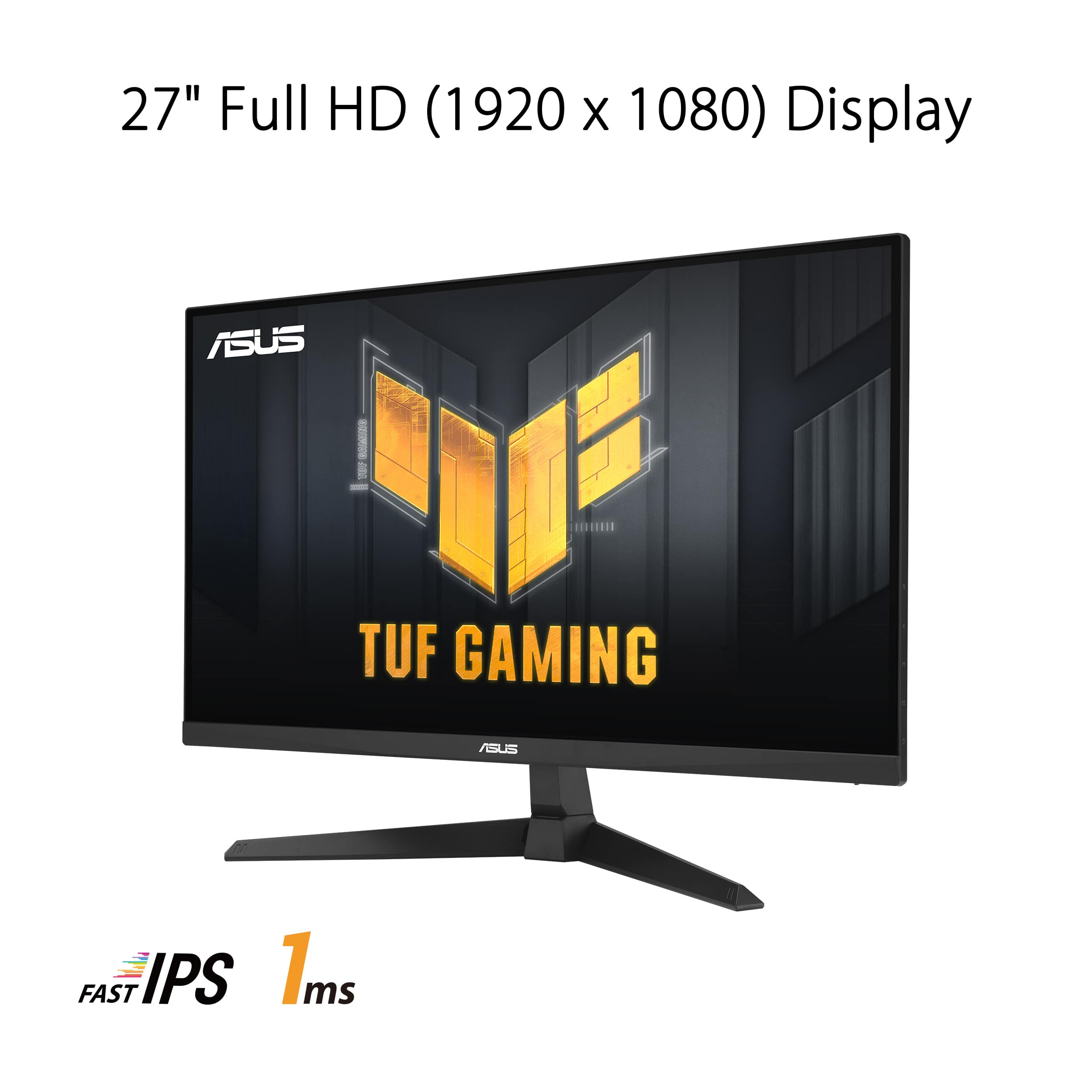
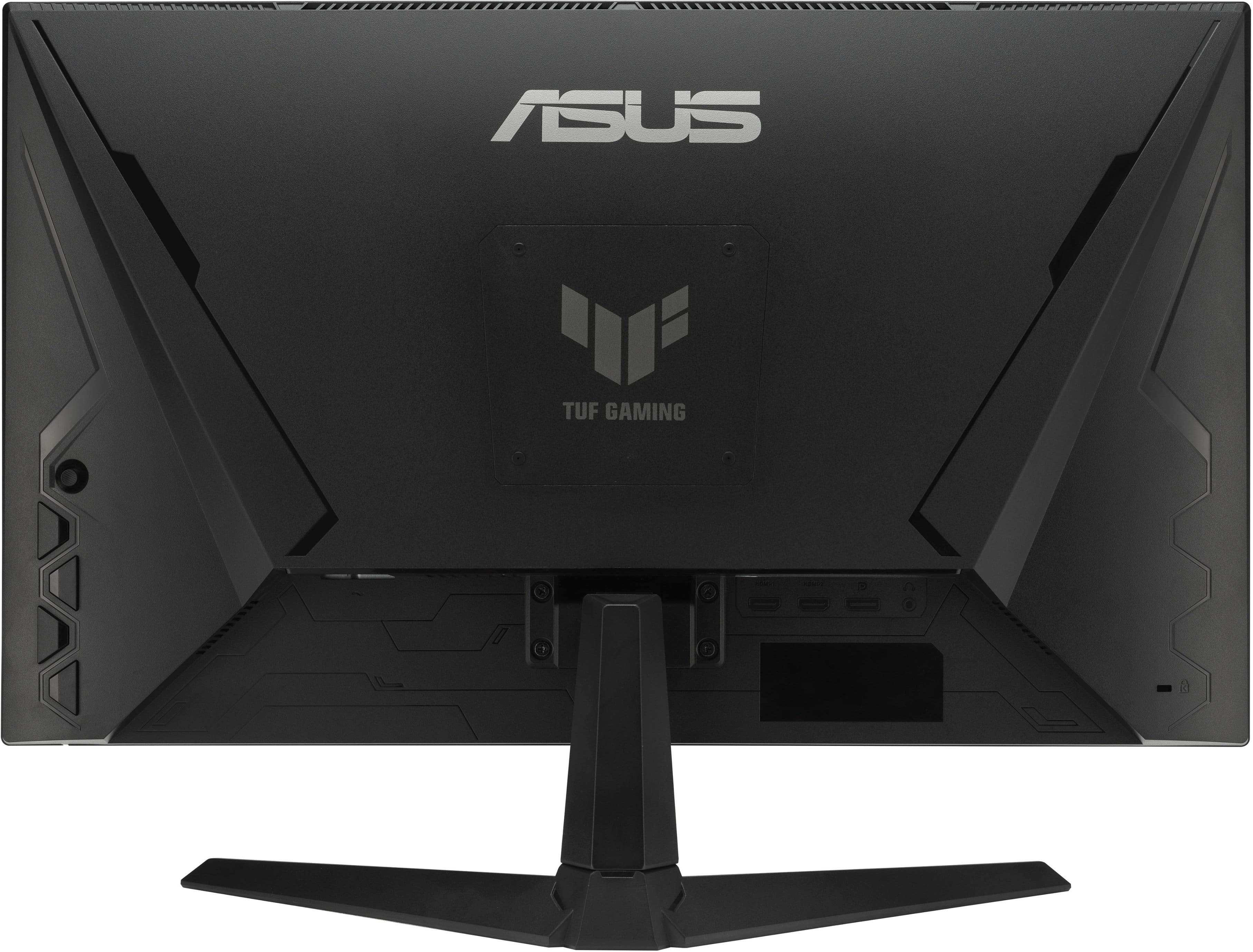
|Posted .This reviewer received promo considerations or sweepstakes entry for writing a review.Monitor quality keeps improving, especially gaming monitors. I come from the CRT monitor era. But I continue to evolve, always looking for deals and better computer monitors. I'm a software developer. I use my different notebooks (9 Windows, 2 Apples) for different projects. I keep some with older OS's for testing, others for the differing software and hardware projects I'm working on. In most situations I prefer a multiple monitor setup, I always have a 27" monitor next to the notebook I'm using (when I travel I have 2 USB portable monitors). I pretty much can't work without a second monitor. This ASUS is light (13.2 lbs with stand), it has almost no bezel (1/8" + 3/8" black bar) (allowing 2 to be used close together) and the colors are very rich. The monitor has a matte finish rejecting some reflections (not all). The detail on the monitor is very good for a 1080P monitor. It supports up to a 180Hz refresh rate, which is great for even extreme gaming play. Its display is extremely steady, no flickering. It supports both Nvidia G-Sync and AMD FreeSync, and claims to have 1ms response time. It also says it's 99% sRGB accurate, BUT it does not support HDR10. It supports 4 levels of Blue Light Filtering which reduces potentially harmful blue light emissions. I thoroughly enjoyed watching (most) videos on this display. This is strictly a 1920x1080 HD monitor, not a 2K or 4K display. It does not support HDR (extended blackness, mostly having to do with video), yet its blacks are acceptable and its colors exceptional. But I had great difficulties getting my HDR10 notebook to match the colors on this monitor. I tried some image editing and video editing, and the whites were too yellow and the blacks too bright. I attempted to change color temperatures and various user changeable color tones. I get things looking good on one image, change to another and it would still be off. I generally don't have this problem on a monitor which supports HDR10. I guess I knew this, but didn't think it would have such an effect. The monitor stand offers only a tilt adjustment (no height, it can't be used in portrait mode with the stand provided. But it does have 4 vesa mounting holes on the back (covered by a TUF logo). The matte screen is excellent, offering very little glare. I personally prefer this finish on my monitors. The screen has 2 HDMI connectors and a display port connector (no VGA, but it's rarely needed nowadays) and a headphone connector (or for powered speakers). This is not the highest performing monitor you can purchase, but for its price you get a very high quality product. It makes a great extension monitor. I did notice that it's blacks on some dark videos were not as precise as they could have been (specifically The Batman, which is a very dark movie). For gaming it's tremendous, very fast, no tearing, very smooth transitions. Yet the colors are not perfect, when I compared my notebook (ASUS Zenbook OLED) to this monitor. The monitor does have some special gaming features which will display on screen the Frames per second being displayed and an on screen timer or stopwatch and a very fine display alignment. It has 7 quick set visual modes, (Scenery, Racing, Cinema, RTS/RPG, FPS, sRGB and MOBA) that some may find useful. I found Fortnight, Minecraft and Grand Theft Auto all performed excellently. As a throwback I played the Myst 30th anniversary edition; it was again captivating. I'm sure when I first played Myst it was in a 17" CRT. Playing this updated anniversary version (actually 8 versions included) on a 27" widescreen monitor was quite the throwback (some things I remembered others I struggled to recall). Anyhow it was a lot of fun, and with the 8 included games all being "re-mastered" it will be for some time. I like this monitor a lot, but in hindsight would probably have made sure to get one the next version up with HDR thinking it would help match colors more accurately (specifically for image editing).
I would recommend this to a friend - Pros mentioned:Overall performance, Refresh rateCons mentioned:Stand quality
Asus got it right!
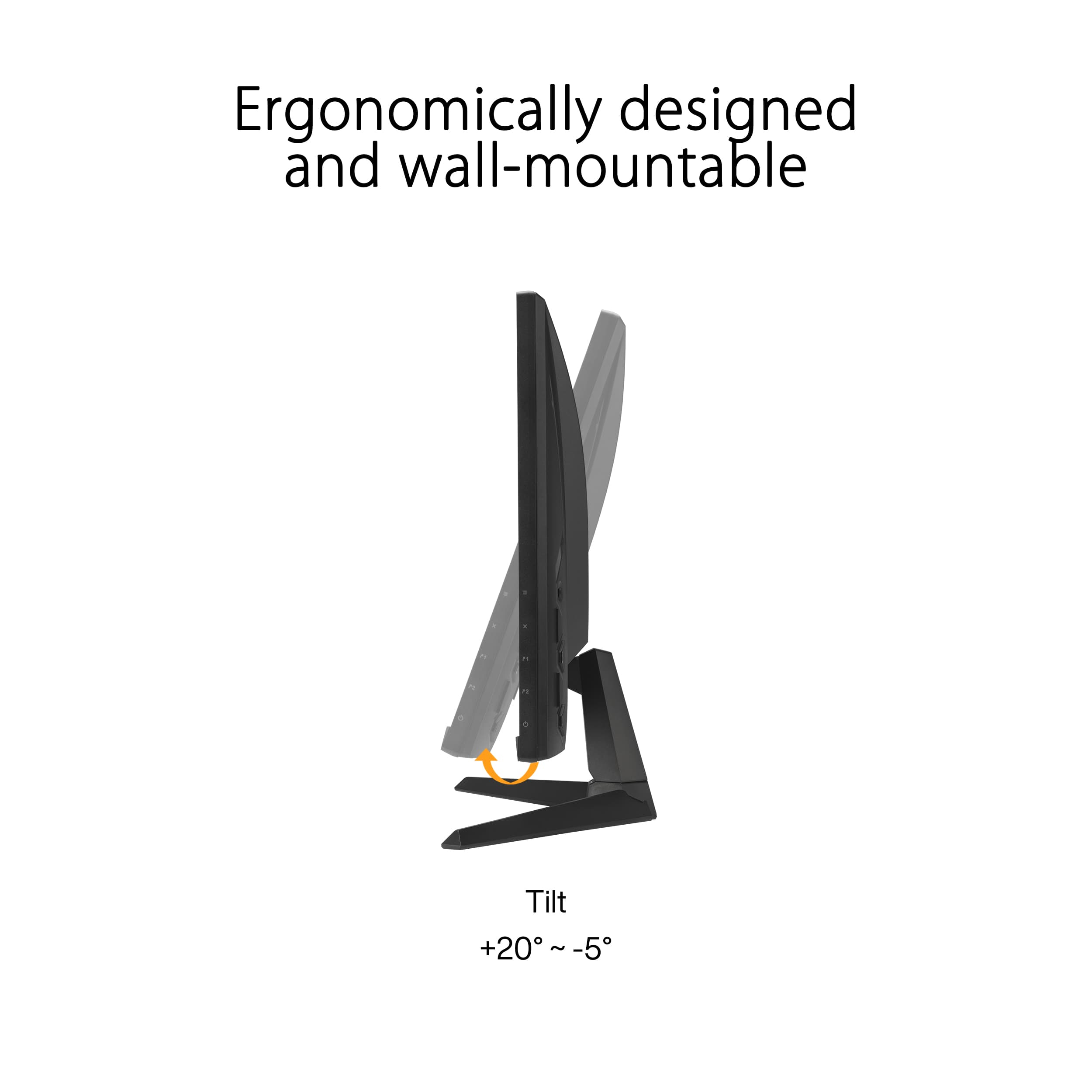
|Posted .This reviewer received promo considerations or sweepstakes entry for writing a review.This monitor was easy to set up right out of the gate. I hooked in using the display port plug. My computer recognised it right away and I set the refresh rate to 180Hz. With the joystick on the back of the panel, it was easy to navigate through the menus. I enabled the shadow boost option, which is nice for darker games. Under game visual settings, the FPS mode seemed to have the best picture quality for games and surfing the web. For a 1080p monitor, the colors are very rich. The 1ms response time was fantastic, games were totally blur free. My frame rates were consistently over 160. I'm using an RTX 2080ti to run it. I've played games on bigger monitors, but once I started playing on this monitor, I totally forgot I was on a 27" monitor. It really is that good. There is no HDR on this monitor, but I knew that going in. I really never use it anyways. No issues turning on g-sync through the NVidia control panel. One nice thing I really liked about this monitor was the ability to put a crosshair on the screen while gaming. This was really nice for hip firing in DayZ. The speakers on this thing are putrid, but who uses monitor speakers anymore anyways. I turned them off and use my headphones. The stand seemed very stable. You can tilt the monitor backwards and forward. My only beef is that you cannot raise and lower the monitor with this stand. For the price, you can't go wrong with this monitor. ASUS got it right!
I would recommend this to a friend - Pros mentioned:Refresh rateCons mentioned:Speakers
TUF enough for all uses
|Posted .This reviewer received promo considerations or sweepstakes entry for writing a review.Asus has a very solid reputation as a manufacturer of PC parts. The range of products keeps growing, from motherboards to graphic cards, laptops and desktops, and of course, monitors. Now saying that the market is saturated with models from every possible brand would be an understatement. But there is a handful of them who care about their brand and offer excellent devices at fair prices. This is where this monitor fits in. On paper, this monitor is excellent: Freesync Premium support, G-Sync support, 1ms response time and a refresh rate that can go up to 180Hz (I'll get back to that shortly), a sRGB rating of 99% which delivers crisp and vivid images and much more. But let's not get ahead of ourselves. The box contains the monitor, the stand, a HDMI cable, a power cable, 4 screws and a handy little screwdriver to secure the stand to the monitor. Frankly, it took 5 minutes to get it ready and connected to one of my machines. The first thing that struck me was the effort put into every aspect of this monitor. The design is definitely excellent. It looks very "high-tech". There are 2 HDMI ports available, as well as a DisplayPort connector and a headphone jack. The buttons to control the screen are meshed into the design, a small detail but worth noting. Now, this is a 1080p monitor. Yes, yes, yes... I know. But 1080p gaming is more than just alive, it's pretty much thriving thanks to better IPS panels such as the one in Asus' product, and the availability of lower and mid range GPUs, which run best at 1080p. Would it have been a better choice to go with 1440p? Maybe. But that's not the market Asus is aiming for with this monitor. Another really neat thing is the removable back panel that covers the VESA mount. Again, it's just a detail, but it shows the effort put into this. I should also mention that this screen comes with speakers. And as you would expect, they're pretty much useless. The sound is sent from the back of the monitor, meaning that if your screen is not against a wall, you won't be able to hear much. Now to get back to that refresh rate. According to the specifications, this should be able to hit 180Hz. That's quite a lot for a screen at this price point. The problem is that you won't get the full 180Hz unless you use the DisplayPort connector. If you look at the screenshot I have provided, the drop-down menu shows all available frequencies, you'll see many odd values, but the highest was 179.82Hz. It's close enough, but not 180Hz. I have a screen running at 240Hz and the difference is barely visible. To be honest, 120Hz does a well enough job in most situations, but when you have a bit more, you'll give your eyes a break and it won't hold your graphics card back. Last but not least, let talk about the quality of the panel used. After running it through a bit of a test bench for monitors, it performed valiantly, even putting some other, more expensive brands to shame. The only thing I was able to observe that might not be great is the uniformity of lighting. There are several spots, but nothing to worry about as it is really subtle. The sharpness test yielded very good results and on a 256 color gradient, the lines were close to invisible. There's not much else to say. The VG27 is a solid 1080p gaming monitor and if you are considering getting a 27", this one will work flawlessly and offers tons of value. Good job, Asus!
I would recommend this to a friend - Pros mentioned:Refresh rate, ResolutionCons mentioned:Color accuracy
A solid gaming monitor
|Posted .This reviewer received promo considerations or sweepstakes entry for writing a review.Asus products always deliver and this monitor is no different. In this day and age, 144+hz is standard and this monitor delivers with a clean 180hz. Its an IPS monitor was the color and angles are nice. It also has Freesync premium as well as support for G-sync, so any fps games looks smooth regardless. In my opinion 27" is the perfect size for a monitor, anything past 27 and stuff starts to look weird. This is a 1920x1080p monitor which is very standard for everyday use. It also has 2 hdmi and 1 displayport. These are HDMI 2.0 ports as well meaning they can support up to 1080p at 240hz meaning you can use hdmi cables to get your full frame rates. The displayport is 1.2 which also supports 240hz at 1080p. Now the two things that really annoyed me and why I gave this 4 stars are the fact that this monitor is only tilt adjustable. Honestly, the fact that any monitor nowadays isn't height adjustable blows my mind. The other thing is that it took me a significant amount of time tinkering with the colors to get it to a place I liked. Otherwise, this monitor is a very good entry monitor for high FPS gaming.
I would recommend this to a friend - Pros mentioned:Refresh rateCons mentioned:Stand quality
My Go-To Gaming Monitor
|Posted .This reviewer received promo considerations or sweepstakes entry for writing a review.My new favorite gaming monitor. I have not found much not to like. I love the colors. The screen is bright without leaving my eyes feeling strained. The higher refresh rate and low response times makes for snappy gameplay. Nvidia G-SYNC and AMD Freesync Premium are the cherry on top. My only slight nitpicks are the lack of HDR and the limitations with the included stand. But those are truly nitpicks. I am enjoying this monitor and recommend it wholeheartedly. Setup: Inside the box you get the monitor, 1 HDMI 2.0 cable, a power cable, the arm for the stand, and the base of the stand. The monitor has two HDMI inputs and one Display Port input. I chose to use the Display Port input. Experience: Controls and buttons are on the back right of the monitor. I played around with a few different display settings, but I am using the RTS / MOBA setting. It looks the best to my eyes. I would highly recommend downloading the ASUS_VG279Q3A_WHQL_Driver and the Display Widget software from ASUS’ website. Personal preference, but I feel colors are a bit more accurate after I know Windows color management is using the right ICM file. Display Widget lets you control your display settings from Windows. If you do not like the controls built into the monitor, Display Widget gives you another way to adjust the settings to your preference. You forget how good a gaming monitor looks and performs until you are not using one. The high refresh rate helps smooth out movements quite a bit. Lower response times mean twitch heavy FPS games and platformers will play all the better. In my experience, games like Assassin’s Creed and Red Dead Redemption looked and played great. Personally, I thought the colors were vivid enough and the blacks were inky enough that I did not miss HDR. I prefer a 1080p monitor over a 4K monitor for performance. A 1080p monitor is going to yield better framerates than a 2k or 4k monitor. You are going to get better gaming performance from your midrange graphics cards on a 1080p monitor like the VG279Q3A. I was surprised that the monitor includes speakers. There are two small speakers built-in to the display. I cannot say they sound great, and most gamers will prefer their own speakers or headphones, but their inclusion is a nice touch. Conclusion: I really like this monitor. My only nitpick is the stand and the absence of HDR. If you want to mount this monitor vertically, you will need to invest in a VESA monitor mount. But that is really my only nitpick. This is a great gaming monitor.
I would recommend this to a friend Worked 3 times
||Posted . Owned for 1 month when reviewed.This reviewer received promo considerations or sweepstakes entry for writing a review.The monitor worked 3 times. On 3rd time the screen wasn’t stable and colored lines appeared on bottom portion. Don’t recommend this brand.
No, I would not recommend this to a friendBrand response from ASUS Answers
Posted .Dear Bran,
We sincerely apologize for the display issue you've faced with the monitor and the inconvenience caused. This is not the kind of quality to expect from ASUS products and it's not the norm. At ASUS, we take quality control, testing, and inspections seriously to ensure our products meet high standards. What you've experienced is not intentional or representative of our brand. The decision to make a purchase can be an important one, and we want to ensure that our customers receive the best products and services. We understand the impression this may have created and we hope this will not be a long-term lasting impression as you have chosen ASUS as a trusted brand for excellence. Please allow us to make your experience with ASUS a better one.
To troubleshoot the issue described, we recommend following the steps in the FAQ below. Should the issue persist, please contact our support team at https://www.asus.com/us/support/CallUs to further investigate the problem or assist with repairing the device.
We stand behind our products and continuously strive to improve our products and processes to achieve customer service excellence. For more information, email us at customerloyalty@asus.com and include the case number "N2405038157-0001" as a reference. We will do our best to resolve your case quickly. Your feedback is very important to us and enables us to improve our support channels. Thank you for choosing ASUS.
Best Regards,
Chantae
ASUS Customer Loyalty US Support
https://www.asus.com/support/faq/1013113/
- Pros mentioned:Refresh rateCons mentioned:Stand quality
Good Visuals and Excellent Build Quality
|Posted .This reviewer received promo considerations or sweepstakes entry for writing a review.The Asus TUF Gaming VG27AQ3A is a monitor that I feel strikes a good balance between performance and affordability, earning high marks for value. The fuild quality of the TUF Gaming VG279Q3A is excellent. The high points of the monitor's feature list are is the fast 1ms (gray to gray) IPS panel with Full HD resolution (1920×1080 pixels), a maximum refresh rate of 180Hz, along with DisplayHDR 400 certification. 180Hz refresh rate requires using the Display port as the monitor only supports HDMI 2.0. HDMI is limited to 144Hz refresh. The VG27AQ3A features a simplistic matte black finish without RGB lighting, while its bezel-free design and inner borders maintain a modern aesthetic. Despite being budget-oriented, the monitor exhibits solid build quality with thick plastic panels. With the monitor's high refresh rate and Freesync, I do not notice any screen tearing, resulting in a very fluid visuals. The colors out of the box were a bit disappointing, but after some manual calibration the colors were much better. Brightness and contrast were good overall. The integrated ASUS Variable Overdrive technology dynamically adjusts the overdrive setting based on frame rates, optimizing performance for any game. The VG27AQ3A does offer HDR support, however given the stated 250 nits of typical brightness it wasn't surprising for me it didn't really seem like it supported HDR. The 27" screen offers a decent amount of display area, and I found nothing really to complain about regarding display quality or performance. The one negative is that the monitor stand is missing the ability to swivel or adjust height. However, the VESA 100 support will allow you to connect the monitor to universal arm or stand that does support those features. The Asus TUF Gaming VG27AQ3A offers a compelling package for gamers on a budget. Its relatively low price tag, high refresh rate, and solid build quality make it an attractive choice.
I would recommend this to a friend - Pros mentioned:Refresh rateCons mentioned:Stand quality
Sharp looking, high performing, only tilt adjust
|Posted .This reviewer received promo considerations or sweepstakes entry for writing a review.This is a great looking monitor with accurate color reproduction and a very fast panel! The 180Hz refresh rate and 1ms response time come together to give you an excellent monitor for FPS games and other e-sports! The styling is pretty subtle on the front, with slim bezels and a stable stand, the rear gets a little more "gamer-y" but still looks pretty sharp. The rear is also where you find the controls for the monitor, opening up all of the image and game controls. There's a lot of different controls to get into, as well! The game specific ones are: -FPS Counter -Crosshair -Timer -Stopwatch -Display Alignment These offer a great assortment of tools to help you game and track your system's performance! The creative ability with 99% sRGB color coverage is great and allows you to be able to edit video and photos with a good amount of accuracy, by no means a professional monitor, but this is a great option for a do-it-all screen! There's even a set of speakers built-in! They're okay, good enough to get you by when not wearing a headset or even for daily video consumption, but you're not going to use them for situations where audio is critical. Overall, this is a great monitor and a good value! I can only imagine ASUS will run this thing on sale at some point and make it an even better all around value! The only reason I took a star off is the stand is very limited in adjustability and you'll either want to get a monitor riser or arm to better be able to adjust to your height and angle needs, but this would be easy as there is a VESA100 compatible mount holes on the back.
I would recommend this to a friend - Pros mentioned:Refresh rate
Decent, could be better.
|Posted .This reviewer received promo considerations or sweepstakes entry for writing a review.I’ve always enjoyed ASUS and typically I go with their Republic of Gamer products, but their TUF gaming line is decent, just always felt like the bargain entry point to gaming products. This monitor feels like it still fits that thought. It has some great features and is a perfect entry point for building a gaming system, but it doesn’t have all the things you might want. First off, 180hz refresh on a 1080p 27” monitor is pretty decent. It makes everything just feel like it moves faster and if you have the video card or gaming system to push it, then you will certainly notice the difference. The low response time and adaptive sync can make it feel like you upgraded your computer if you were playing on anything less. With the various display modes and the shadow boost, it makes everything feel different. The controls on the back right side of the monitor are easy to manage with the direction stick or you can download the display widget center and control all the same settings through the app. You have other features like a stopwatch or timer, a choice of center screen crosshairs and a FPS display. If you have multiple displays, it also gives a handy line up option. However, on that note, there is over a ¼ inch black border around the whole screen despite there practically being no bezel. So, if you do decide to do multiple monitors, with two of these, you will have over half an inch of a black bar down the middle. Another thing that some higher end monitors offer, with the crosshair options, is the ability to adjust the position. Many games have them off center a bit and if you want to use the option on screen, you can’t for those games. The last thing I noticed is the viewing angle has a very fine sweet spot. It’s not so noticeable in normal multicolor conditions, but on solid color screens you can quickly notice the edges look darker. As you move around you can see just how centered you have to be to get the most out of it while still noticing some darkening on the sides. However, that also highly reduces any glare, so if you have any background light, you won’t notice it much on this screen. But, it is also kind of light on the brightness, which is good for your typical dimly lit room, just missing out on some dark gradients if there is too much light. Overall, it is a decent monitor and for most it will certainly make a difference in your gaming experience if your devices can handle it. It is missing some things that slightly higher end monitors have, like HDR and additional options. But, for the typical user that just wants a little better performance that a standard monitor, it has it.
No, I would not recommend this to a friend Solid ASUS TUF Gaming product.
|Posted .This reviewer received promo considerations or sweepstakes entry for writing a review.Asus TUF Gaming has always produced great stuff.... From the aesthetic design to user functionality it has always been good stuff. This VG3A series is no different. Setup... Setup was a snap. It comes with a standard base. I wished it came with their TUF game base that allowed versatility with positions. But oh well. Hooks ups are Display port x 1 and HDMI x 2. I was able to.mount on my VESA desk mount for a 3 wide monitor setup nicely. I used Display port for my work setup and HDMI for my gaming laptop. Work material on display port was fine. Spreadsheet and generic material is good. HDMI for gaming laptop was great. Played my usual game and graphics came in nice and crisp and zero lag. Also viewing range was good. No blackouts. Meaning if others are to your side watching they can watch without distortion or blackout due to polarized screen. On board menu and selection and adjustments were all easy. Only ding that I could give this product is the screen has a slight matte finish and if the light hits it a certain way like sunlight or room lighting it make it hard to view. So you just need to adjust the screen to get the glare out. Other than that. Great product for gaming and every day use.
I would recommend this to a friend- Pros mentioned:Overall performance, Refresh rate
Great Monitor
||Posted .This reviewer received promo considerations or sweepstakes entry for writing a review.The ASUS TUF 27" monitor has exceeded my expectations in every way. The display is sharp, vibrant, and smooth, making both gaming and everyday use an absolute joy. The high refresh rate really makes a difference, especially in fast-paced games, and the adaptive sync eliminates any screen tearing. Build quality feels solid and premium, with a sturdy stand and slim bezels that look great on my desk. Setup was quick and straightforward, and the customization options in the settings menu are easy to navigate. For the price, the performance and features you get are outstanding. Definitely one of the best monitors I’ve purchased—I’d recommend it to anyone looking for a reliable and high-quality display.
I would recommend this to a friend - Pros mentioned:Overall performance, Refresh rate
inglés: “ASUS TUF 27”: Power and Smoothness in Ev
||Posted . Owned for 1 month when reviewed.This reviewer received promo considerations or sweepstakes entry for writing a review.This monitor is an absolute gem for gamers. With its 27-inch IPS screen, the image quality is sharp, vibrant, and color-accurate from any angle. The 180Hz refresh rate and 1ms response time make a huge difference in competitive games like shooters and fast-paced titles—everything looks smooth, with no blur or tearing, especially with FreeSync Premium enabled. The build is solid, featuring the aggressive design that defines the TUF lineup. It comes with both DisplayPort and HDMI ports, making it versatile for both PC and consoles. And even though it’s Full HD, the resolution looks perfect on a 27” screen if you prioritize performance over ultra-high resolution. Perfect for those who want speed, quality, and style without breaking the bank. ASUS nailed it with this model. Highly recommended.
I would recommend this to a friend - Pros mentioned:Overall performanceCons mentioned:Stand quality
Perfect Entry Level Gaming Monitor
||Posted .This reviewer received promo considerations or sweepstakes entry for writing a review.Perfect entry level gaming monitor. I had purchased a similarly priced Samsung monitor a few years ago, and unfortunately experienced horrible pixel ghosting that was hard for me to look past. I'm happy to say that there are no issues at all with this! The sound on this monitor is quite poor, but with a cheap pair of speakers, this is easily negatable. Another minute complaint is that the joystick on the back side is a bit clunky to use when navigating the menus, though once it's been set up to your liking, you will likely never have to bother with it.
I would recommend this to a friend - Pros mentioned:Overall performanceCons mentioned:Speakers

Amazing monitor
|Posted . Owned for 1 week when reviewed.This reviewer received promo considerations or sweepstakes entry for writing a review.[Employee of bestbuy] Wonderful monitor that runs great with my PC, of the things that i noticed when i finally optimized it with my pc makes my bright colors really pop and gaming not really much of a hassle, Glad I got this monitor and definitely a great investment. Also works great with my Xbox S, The built in speakers are definitely not the best but definitely get the job done and are completely adjust able.
I would recommend this to a friend - Pros mentioned:Refresh rate, Resolution
Great 1080p Monitor
||Posted . Owned for 1 month when reviewed.This reviewer received promo considerations or sweepstakes entry for writing a review.Purchased the monitor for my son who has recently switched from console gaming to a PC. He was using my Asus laptop for gaming, but wanted better performance and less fan noise, so we built him a PC tower. He has a midrange graphics card in his PC, so plays games at 1080p right now. For his use, the monitor is perfect with a fast refresh rate and has the 1080p resolution he needed. A 2k or 4k monitor would have been a waste for his use, the 1080p is perfect. The monitor has a great look to it and the bezels are nice and thin on the three sides. Bottom is a bit larger, but that's standard on monitors. Monitor was easy to put together and has good brightness. Would recommend to a friend looking for 1080p gaming.
I would recommend this to a friend