Customer Ratings & Reviews
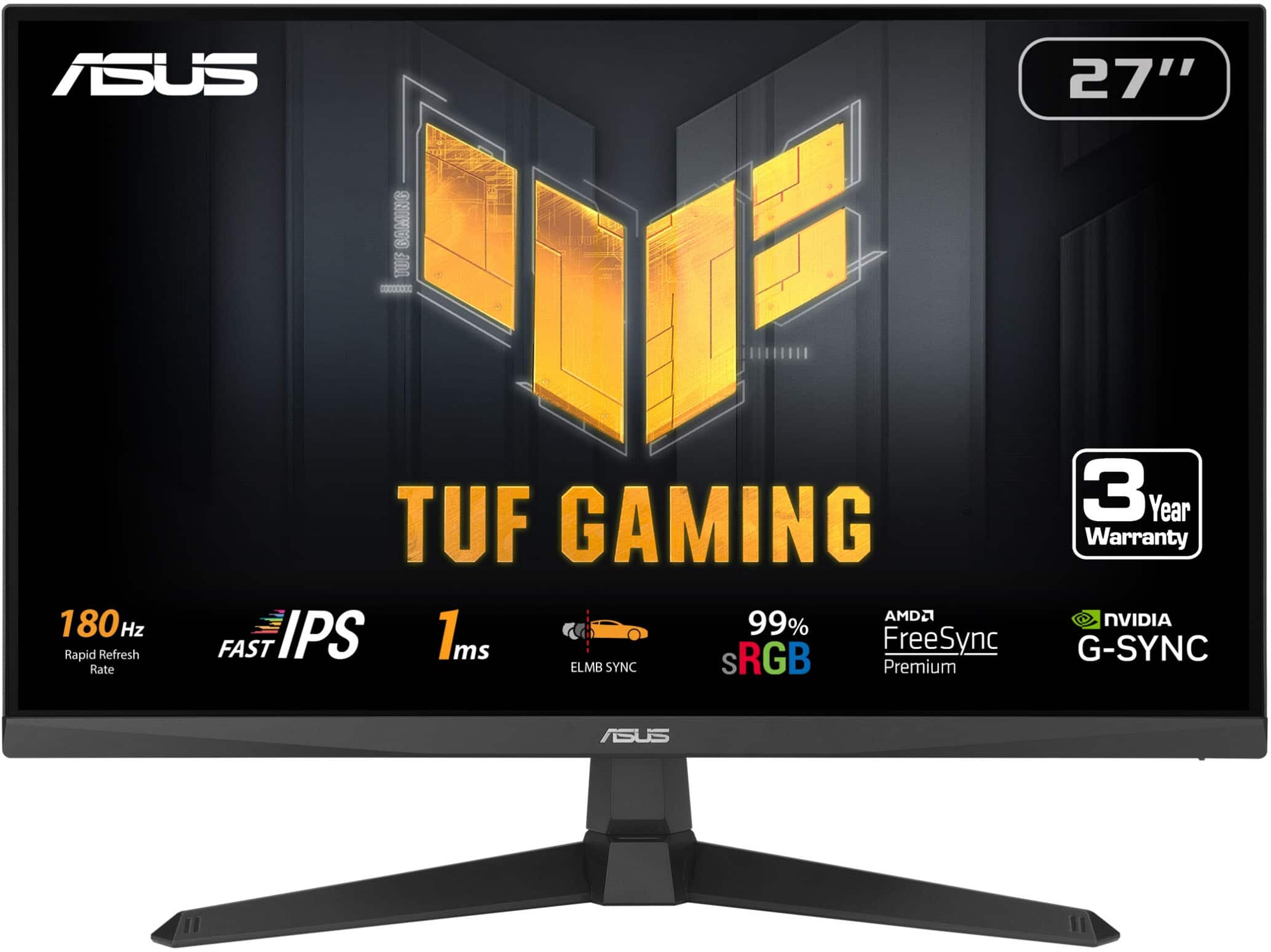
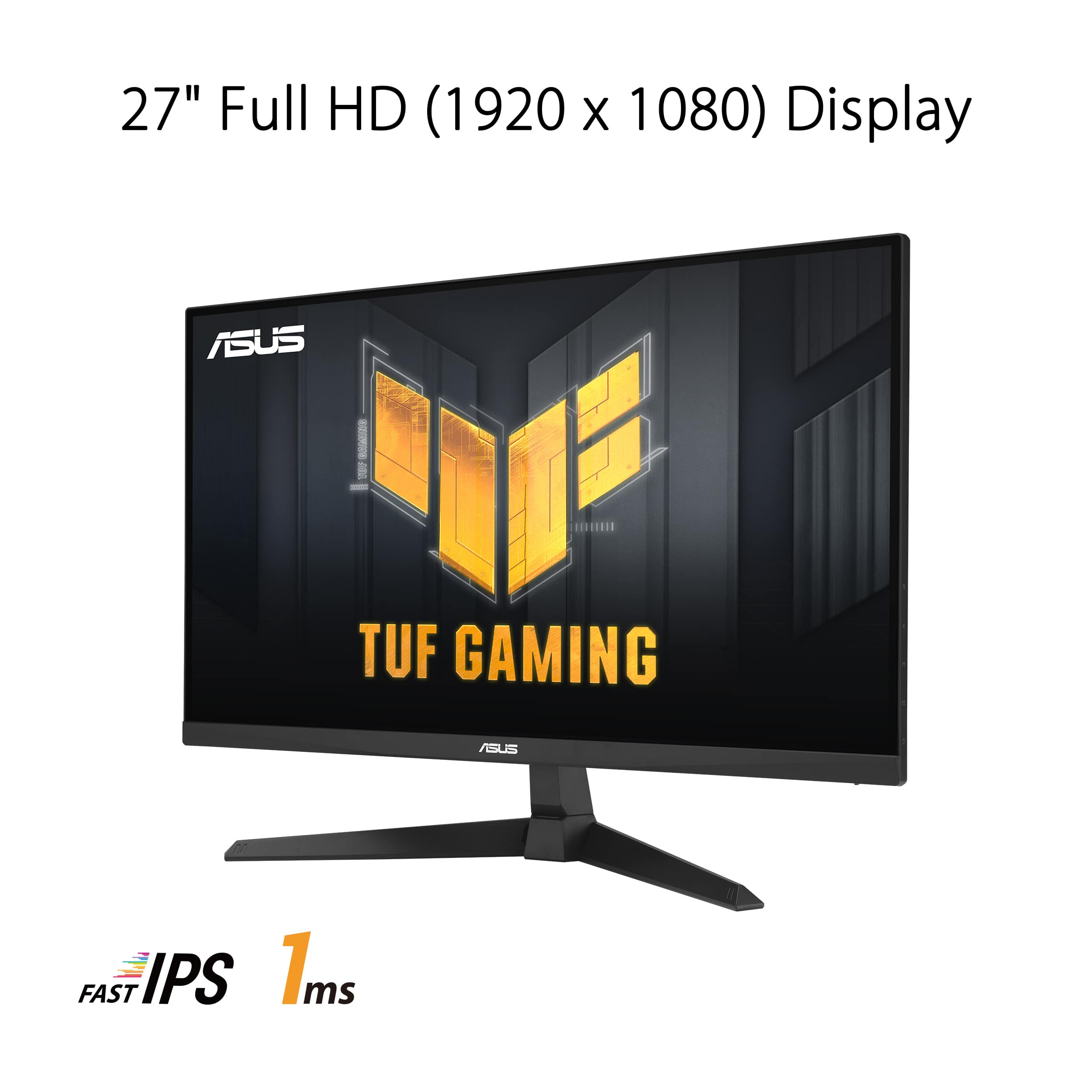
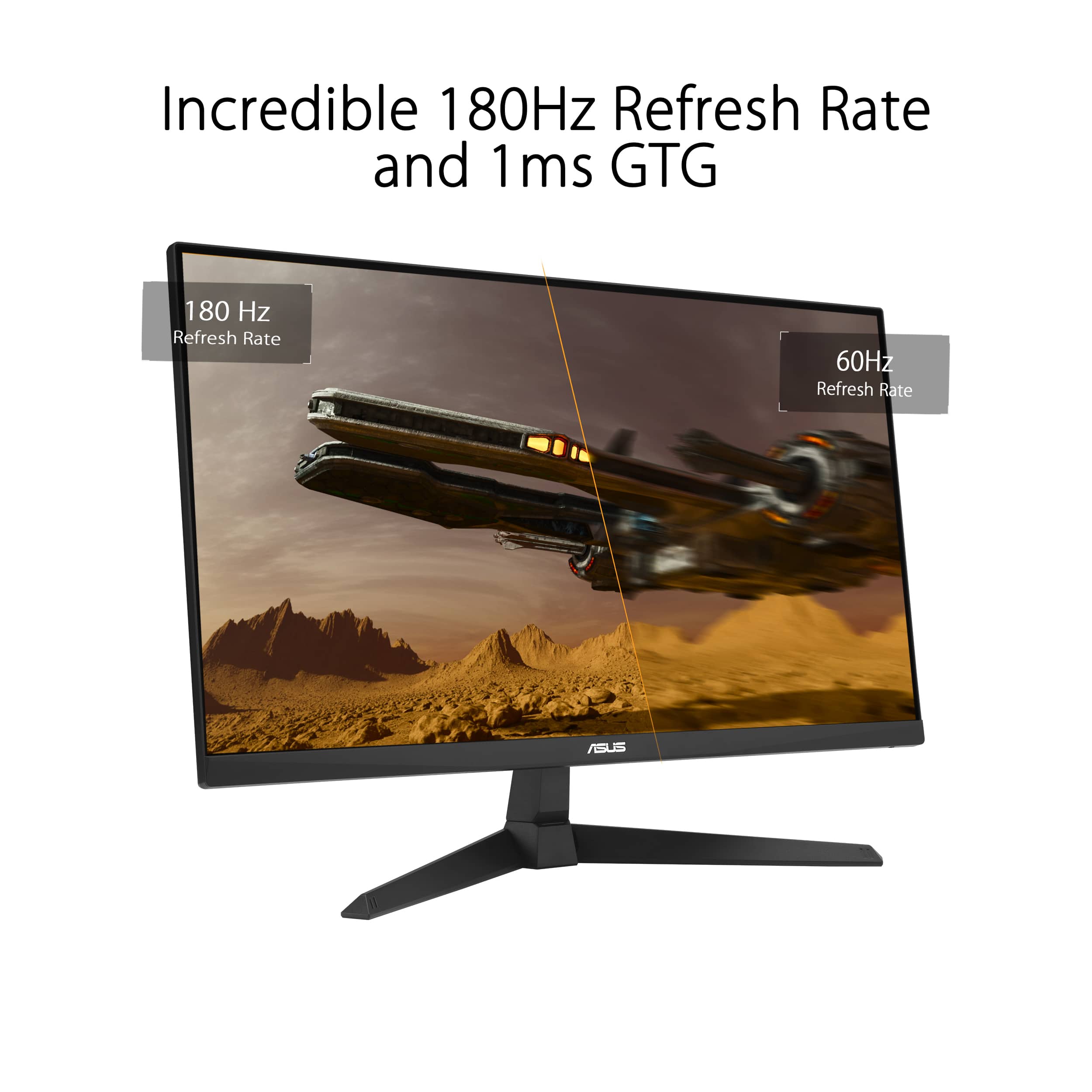

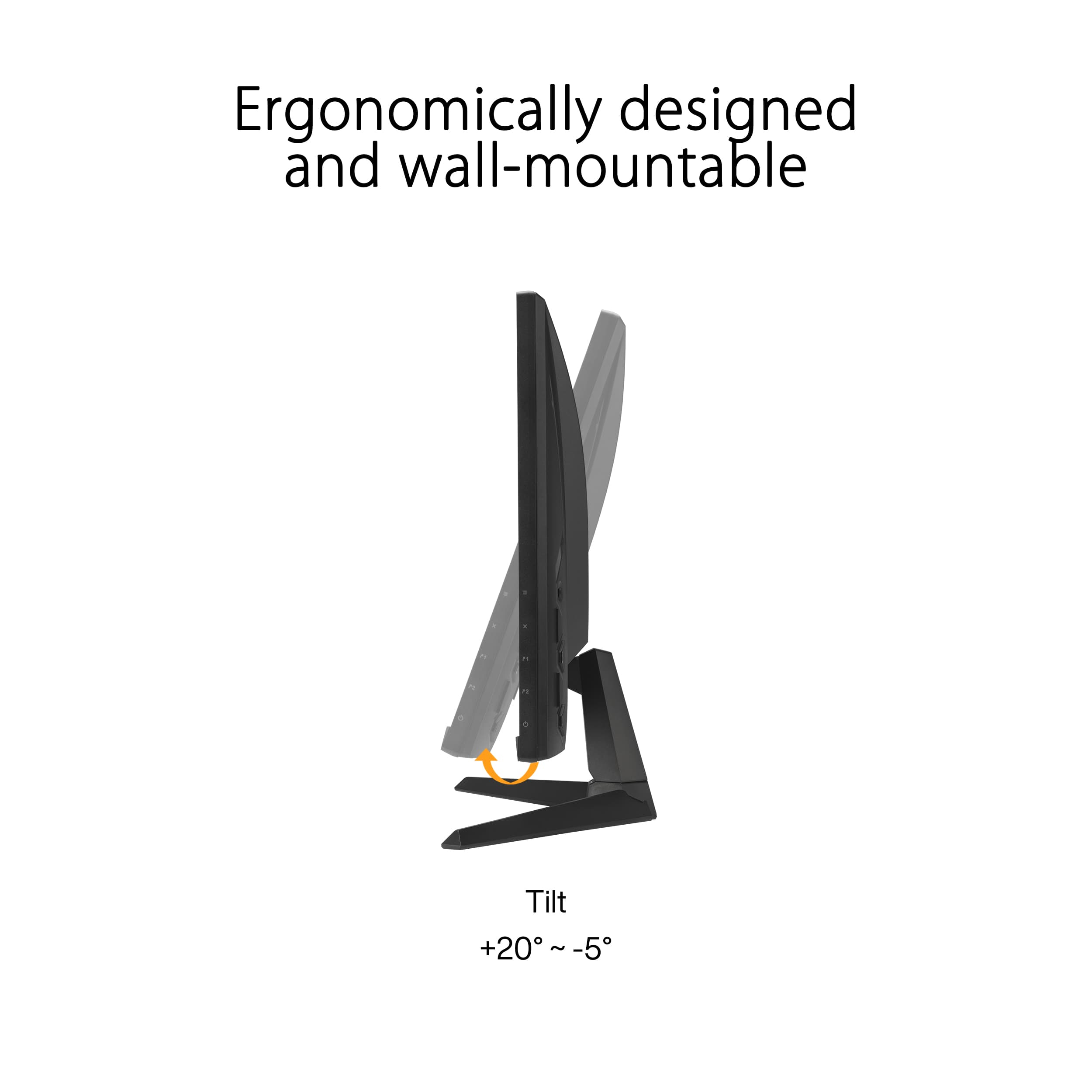

- Model:
- VG279Q3A
- SKU:
- 6572367
Rating by feature
- Display Quality
Rating 4.8 out of 5 stars
- Ease of Use
Rating 4.8 out of 5 stars
- Features
Rating 4.7 out of 5 stars
Customers are saying
Customers are positive about the monitor's overall performance, fast refresh rate, and ideal size for desks. Many appreciate the vibrant colors and suitability for gaming, including on consoles like the PS5. However, some customers express concerns regarding the stand quality and believe the speakers could be improved.
This summary was generated by AI based on customer reviews.
Tru Gaming Monitor Review
||Posted . Owned for 1 week when reviewed.This reviewer received promo considerations or sweepstakes entry for writing a review.It cool wish it came with a remote but the speakers are good to have on a monitor
I would recommend this to a friendTerrible customer service
||Posted . Owned for 3 weeks when reviewed.This reviewer received promo considerations or sweepstakes entry for writing a review.Best Buy had terrible customer service. The computer screen was a Christmas gift that was scheduled to be delivered before Xmas however it was late
I would recommend this to a friendBrand response from ASUS Answers
Posted .Dear AIS1,
Thank you for your comment.
We certainly understand your disappointment with the shipping delay from your seller and the inconvenience this may have caused. Hopefully you did receive the laptop. For shipping details, please contact your seller. Should you need further assistance with the monitor. please email me at cl-rodel@asus.com and I would be more than happy to help. Or you are most welcome to call Product Support Hotline at: 1(888) 678-3688. Also, you can chat with an ASUS live support agent from the link: https://www.asus.com/us/support/article/1135/.
Thank you for choosing an ASUS product.
Regards,
Rodel
ASUS Customer Loyalty
its ok
||Posted . Owned for 1 month when reviewed.This reviewer received promo considerations or sweepstakes entry for writing a review.not wowed by this product, bare minimum quality for my taste at a price im not thrilled to have paid.
No, I would not recommend this to a friendBrand response from ASUS Answers
Posted .Dear John,
Thank you for your feedback regarding the ASUS VG279Q3A LCD Monitor. We regret that the product did not meet your expectations and understand your concerns about quality and pricing. Your comments are appreciated and will be shared with the relevant team for review.
We stand behind our products and continuously strive to improve our products and processes to achieve customer service excellence. If you require any further assistance, please email us at customerloyalty@asus.com and include the case number "N2406027275-0007" as a reference. We will do our best to resolve your case quickly. Your feedback is very important to us, and it enables us to improve our support channels. Thank you for choosing ASUS.
Best Regards,
Chantae
ASUS Customer Loyalty US Support
Panel broke during first use
||Posted . Owned for 3 weeks when reviewed.This reviewer received promo considerations or sweepstakes entry for writing a review.The screen panel broke within the first 30 minutes of use. Luckily an employee was able to help me with the return and finding a similar product. I know these things happen but I probably won't try Asus monitors again.
No, I would not recommend this to a friendBrand response from ASUS Answers
Posted .Dear Shez,
Thank you for your comment.
We certainly understand your disappointment and the inconvenience this may have caused. ASUS is an ISO certified company, as a result, all products go into a strict quality manufacturing standard. All ASUS products undergo intensive quality control testing and inspections that ensure each one is trouble-free, and are built to last. The panel breaking within 30 minutes of usage is a random problem. ASUS provides warranty coverage for the product. We recommend you send the product in for service so this may be resolved immediately. An RMA number is required to send it in for service. For RMA details, please go to: https://www.asus.com/us/support/article/818/. If you need more information or further assistance with the warranty for the product, please email me at cl-rodel@asus.com and I would be more than happy to help. Or, you are most welcome to call Product Support Hotline at: 1(888) 678-3688. Also, you can chat with an ASUS live support agent from the link: https://www.asus.com/us/support/article/1135/.
Thank you for choosing an ASUS product.
Regards,
Rodel
ASUS Customer Loyalty
- Cons mentioned:Color accuracy
Pixel are bad
||Posted . Owned for 3 months when reviewed.This reviewer received promo considerations or sweepstakes entry for writing a review.Very poor graffics and it glitches a lot. When the brightness is high there’s lines
No, I would not recommend this to a friendBrand response from ASUS Answers
Posted .Dear Adam,
Thank you for your comment.
We do understand your disappointment with this monitor and the inconvenience this may have caused if you are seeing lines when bright ness level is high. To resolve this, ensure you are using a compatible and working video cable and the display port from your PC is working properly. Additionally, ensure your PC meets the system requirements of this monitor. If it does, ensure the most current graphics driver for your PC was installed and Windows is up tp date..
Should you need further assistance with the product, please email me at cl-rodel@asus.com and I would be more than happy to help. Or, you are most welcome to call Product Support Hotline at: 1(888) 678-3688. Also, you can chat with an ASUS live support agent from the link: https://www.asus.com/us/support/article/1135/.
Thank you for choosing an ASUS product.
Regards,
Rodel
ASUS Customer Loyalty
- Pros mentioned:Display, Refresh rateCons mentioned:Stand quality

Great middle of the road monitor
|Posted .This reviewer received promo considerations or sweepstakes entry for writing a review.I received the Asus—TUF Gaming 27” IPS FHD 1080P 180Hz 1ms monitor in the middle of last week and have not gotten anything done since. I say that in jest, but I am super impressed with this latest model. I have an ASUS gaming laptop and already had an ASUS TUF monitor that has already been moved to the number three position within my monitor groupings. The IPS display, which produces a much more vivid image as opposed to its LED counterpart, is set to peak at 1920 x 1080. This monitor being priced at a middle of the road tier is perfect and fitting since the monitor will have some negatives for potential buyers that a few more dollars towards a different model series can easily subside. As mentioned, though, for me and the games I play, this monitor delivers a crisp and vibrant display. The 180Hz is about 30 to 40 frames per second faster than my older monitor, which was 165Hz. My setup only allows me to really pull like 140 in the game, though, with the other monitor. However, with the newer technology of this VG279Q3A model, I am putting up anywhere from 155Hz, to just knocking at the door of 180Hz consistently. The gameplay frame rate is ultra-smooth and provides a super immersive experience. This monitor offers a 1 millisecond response time that helps battle desync around corners and eliminates motion blur and ghosting. It is also equipped with the FreeSynce (AMD Adaptive Sync) technology, which allows the monitor to synchronize refresh rates with compatible graphics cards. I personally use aftermarket computer speakers or a headset. I typically do not buy a computer monitor for its sound quality, and, honestly, I probably would not buy this one if I were. The backward blasting speakers are good against a wall that pushes the sound waves back toward the user. But it is mid at best when the monitor is free standing with no acoustic amplifying backdrop. That said, the free standing presentation of this monitor is mean. The materials and design were almost all well thought out. Again, as mentioned, it worked well enough and looks good enough in the setup that I moved it to the main screen position. Last thoughts: Overall, the ASUS TUF Gaming 27’ IPS FHD 1080 180Hz monitor exceeds expectations and exceeds expected output. I am impressed with its performance, advanced features, and super-fast refresh rate not normally found at this price point. This monitor is not a high-end monitor and may not be for everyone. I would definitely recommend it to a casual gamer or someone of the like. Please check the features and specifications that will work best for your gaming setup; this one works excellently for mine.
I would recommend this to a friend DELIVERY SUCKS!
||Posted . Owned for 1 week when reviewed.This reviewer received promo considerations or sweepstakes entry for writing a review.I did not receive this monitor that i like. Shipt delivery company did not even bother calling to ask for the gate code and just left and returned the item without my knowledge. when i was gonna purchase it again it was not on sale anymore so i was forced to buy a lesser one. so if you ask me if i was happy OF COURSE NOT! your delivery SUCKS!
No, I would not recommend this to a friendBrand response from ASUS Answers
Posted .Dear JohnrayL,
We do understand your dissatisfaction with your recent customer service experience, the quality of the shipping service, and the inconvenience this may have caused.
If you need further assistance with the our product or other ASUS products, please email me at cl-rodel@asus.com and I would be more than happy to help. Or, you are most welcome to call Product Support Hotline at: 1(888) 678-3688. Also, you can chat with an ASUS live support agent from the link: https://www.asus.com/us/support/article/1135/.
Thank you for choosing an ASUS product.
Regards,
Rodel
ASUS Customer Loyalty
- Pros mentioned:Refresh rateCons mentioned:Speakers
Just what every growing gamer needs
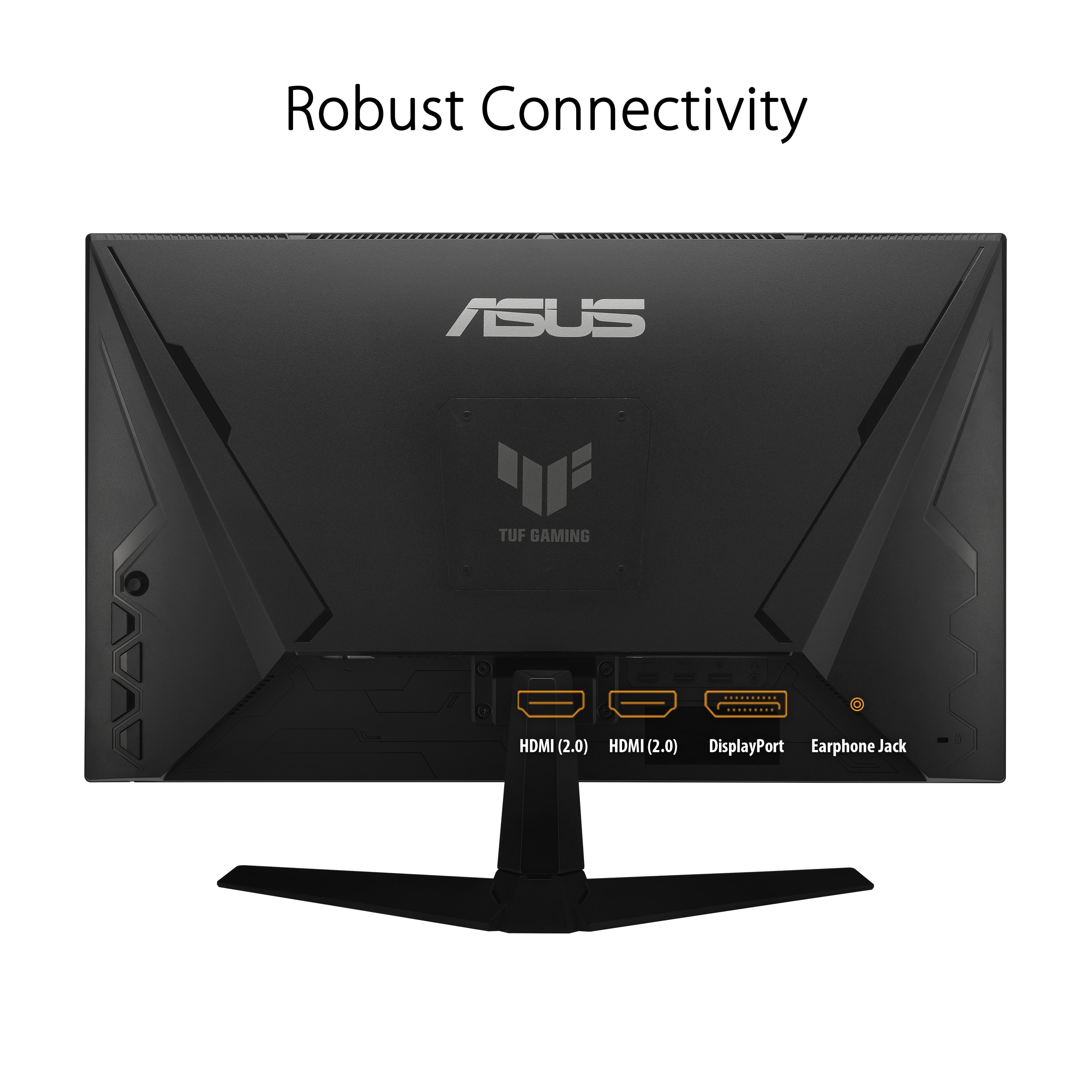
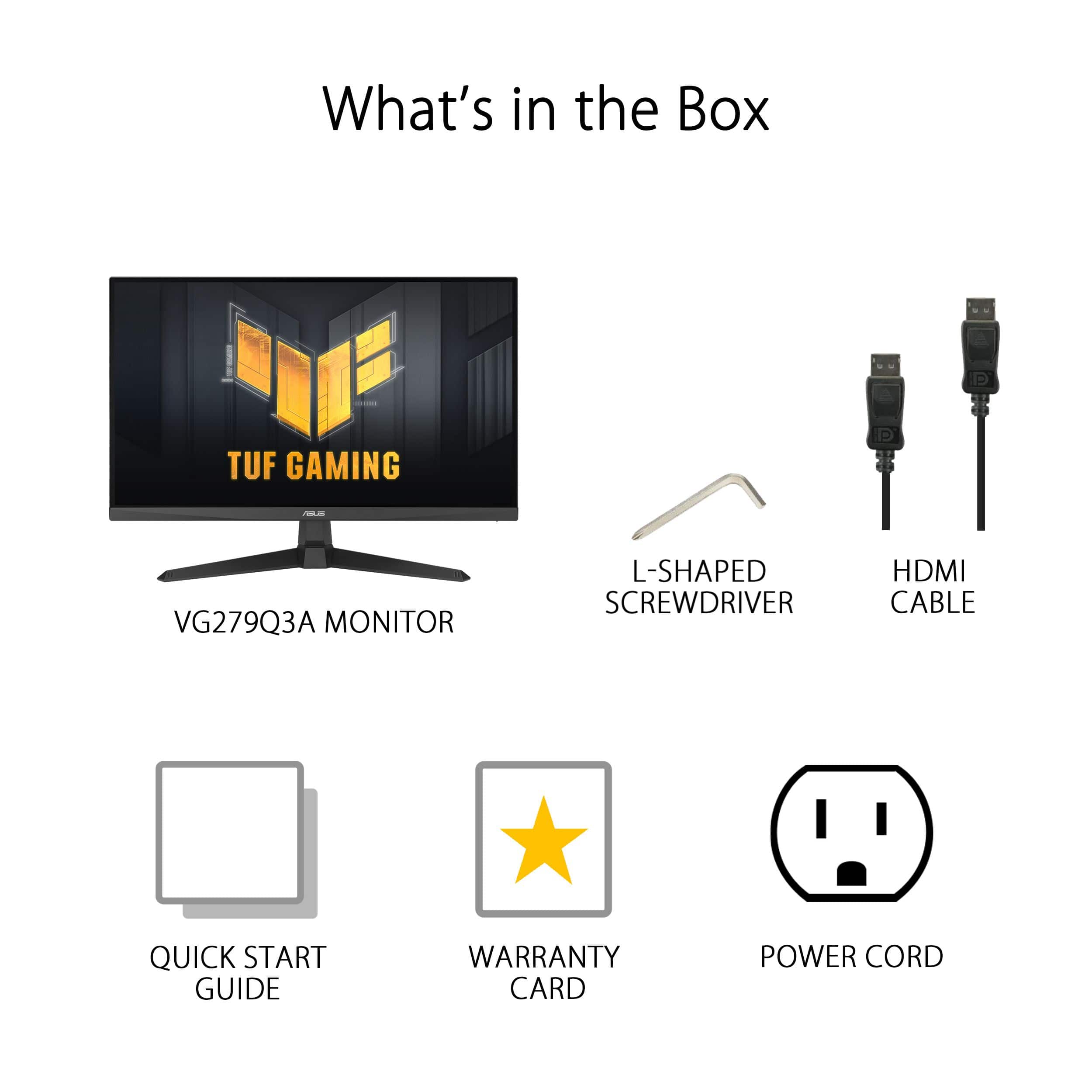
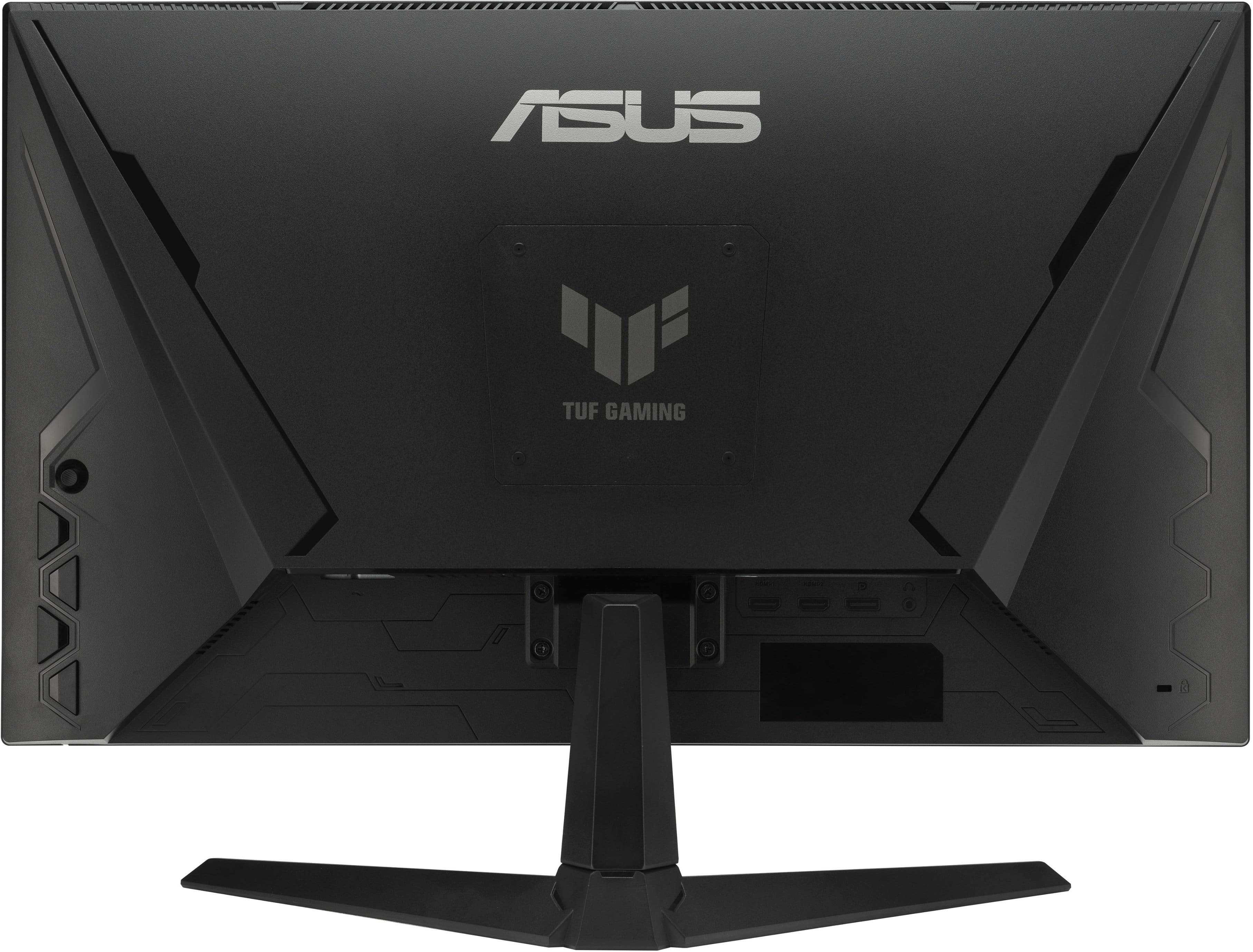
|Posted .This reviewer received promo considerations or sweepstakes entry for writing a review.Just when you think Asus couldn't make a better monitor, they keep surprising! Setup was pretty simple, except getting the monitor out of the packaging while in the protective styrofoam was not a simple task and the side of the box had to be torn off. That being said, it was very well packaged and protected. The stand "foot" comes detached in the box, but is very easy to assemble onto the monitor. There is a little screw on the foot and a flap comes up to grab in order to tighten it down. The monitor also comes with an hdmi cable, and a displayPort cable. It has a power brick, but has a small power plug that goes to the monitor, and a larger cable that plugs into the wall socket, and is plenty long as well. The monitor has 3 video inputs (2 hdmi, and a displayport) and also has a headphone out port as well. Yes, this monitor comes with speakers! Seems to be more rare these days, but i'm a fan. Unfortunately, nothing to really brag about, but they provide a basic sound. They are listed as stereo speakers, but are really so basic, it sound like a mono speaker. In the sound options on the monitor, there is only an option for land mute, but I will say it does have a good overall volume level. Some of the video features of this monitor include AMD freesync, but I would rather see Nvidia support instead. A 1ms response time puts you as fast as you need. The panel highlights a 165hz refresh rate, but was only able to change it to 144hz. 165hz may only be attainable on AMD systems, not Intel. You have to go into your display settings, and at first it will only give you options for 50 and 60 hz. You need to go into display adapter properties, then monitor tab, and change the screen refresh rate in the drop down tab. After setting at 144hz, then the refesh in the display settings will let you pick from 50 to 180 hz with multiple options in between. The monitor has options to display FPS, but seems broken or a mistaken Identity as it only displays what the refresh rate is set at.. so it just sits at 60, or 180 or whatever the refresh is.. i find using the NVidia FPS counter the way to go. Continuing Performance wise, the monitor is super responsive and has really good brightness. It is a 1080p ips panel. Gameplay feels so smooth. The menu has a slew of options, but I find trying to navigate it a bit of a pain in the behind. The top button is also like a d pad, and you can use it to go up or down, left or right, or also click it to select. The very bottom button is the power. There are 3 other buttons to use to make choices in the settings. You are able to change which game mode you are playing, like racing, or FPS, or RPG, etc. I have highlighted some of the settings items in my pictures. Overall, it is a 27", 180hz gaming monitor with sound. It has plenty of customizing options in the settings but don't feel like most of it is beneficial. The colors are good and brightness is good. Has speakers but not great., but still nice to have them. The monitor does have a good viewing adjustment on the stand. It is fixed in height but can swivel up and down pretty well. Good enough that my monitor is on a riser and can swivel down enough to look normal. I would recommend this monitor, but just have to remember to adjust your display settings
I would recommend this to a friend - Pros mentioned:Overall performance, Refresh rate
Great gaming monitor!
|Posted .This reviewer received promo considerations or sweepstakes entry for writing a review.This ASUS TUF Gaming 27" IPS FHD 1080P 180Hz 1ms monitor is the real deal. I love it. This is a phenomenal option for any gamer looking for the perfect balance of performance, style, and affordability. I have really enjoyed having and using it for the past few weeks. Display Quality: • With its 27" IPS panel, this monitor offers vibrant visuals paired with wide viewing angles, making it suitable for both gaming and everyday multimedia viewing. • The Full HD 1080P resolution means no lost details while ensuring crisp and clear visuals. At this size point I honestly don’t think the higher resolution screens make any difference, other than lowering my frames per second. Some might prefer a higher resolution for more detail if you’re into graphic design or something of that sort, but for gaming this is perfect. • The 180Hz refresh rate coupled with a lightning fast 1ms response time ensures smooth motion and minimizes motion blur, providing a competitive edge in fast-paced gaming scenarios – again, something that is harder to harness the beauty of if you were trying to push it on a higher resolution screen. Design and Build: • The TUF Gaming series has a great look and they are known for durability, and this monitor follows suit with a sturdy build quality and a sleek design. • I have always preferred the thin bezels which help minimize distractions and are ideal for multi-monitor setups. • Its adjustable tilt, swivel, and height options provide flexibility for ergonomic customization. This will effortlessly enhance long-term comfort during extended gaming sessions. Connectivity and Features: • It offers a variety of connectivity options, including DisplayPort 1.2 and two HDMI 2.0, ensuring compatibility with a wide range of devices. • FreeSync, or Adaptive-Sync, technology is well known to any gamer. This reduces screen tearing and stuttering in order to provide a smoother gaming experience when paired with compatible GPUs. • Also comes ready to utilize ASUS-exclusive features such as GamePlus and GameVisual which can provide additional customization options tailored for specific gaming needs. Value: • This ASUS TUF Gaming 27" IPS FHD 1080P 180Hz 1ms monitor offers a robust compilation of compelling features and performance at an excellent price point. • While it may not have the highest resolution, it delivers excellent value for anyone prioritizing reliable, smooth gameplay and responsiveness. Overall, this ASUS TUF Gaming 27" IPS FHD 1080P 180Hz 1ms monitor is a an excellent choice for gamers seeking a reliable, high-refresh-rate display without breaking the bank. Its combination of solid performance, durability, and affordability makes it a wonderful choice for anyone looking to upgrade their view.
I would recommend this to a friend - Pros mentioned:Refresh rate
Great Specs, Features & Performance; Vivid Color
|Posted .This reviewer received promo considerations or sweepstakes entry for writing a review.This is a full HD 1920x1080 IPS monitor with a 1ms response time, G-Sync/FreeSync Premium, and 180Hz refresh rate. Those are the important specs to look for in a gaming monitor. Along with ELMB (extreme low motion blur) Sync, variable refresh rate and 99% sRGB means you should get blur free action and accurate distortion free colors in fast paced games. This monitor delivers on both counts. Colors are vivid and gameplay images are sharp with no distortion or blur. There are a host of settings that can be customized to personal preference, including 7 preset game visual modes, shadow boost, crosshair customization, timer on/off, FPS counter on/off, display alignment, multiscreen and hotkey settings. There is also an ASCR setting (Asus Smart Contrast Ratio) which automatically adjusts brightness according to content. This supposedly improves dark levels and color, but it really depends on the game you're playing whether or not it makes much of a difference. All of these aforementioned settings can be accessed through an Asus DisplayWidget Center app that can be downloaded for free from the Asus website. The variable overdrive, variable refresh rate, and ELMB (extreme low motion blur) sync settings can only be accessed through the on-screen display (OSD) buttons located on the back of the monitor. When ELMB sync is turned on ASCR is disabled and vice-versa. The monitor has 2 2.0 HDMI ports, 1 1.2 DisplayPort, 1 earphone jack and 2x2W speakers. There are no USB ports or bridge. Includes 1 HDMI cable and power cord. One really has to play with all of the settings to see what settings give the best visual experience on the game being played. It all comes down to personal preference, but this monitor has all the customizable features and specs needed to create a top-notch visual gaming experience on the most demanding games at a decent price point.
I would recommend this to a friend - Pros mentioned:Refresh rateCons mentioned:Stand quality
Great monitor
|Posted .This reviewer received promo considerations or sweepstakes entry for writing a review.Praise: Between video games and work at home, I spend hours on this monitor every day. It arrived in perfect condition, with zero dead pixels, scratches, or wear and tear. This monitor is an immaculate size, with an impeccable refresh rate and wide variety of colors. I have a 120 HZ screen in my 15.6" laptop, and this monitor is a "night and day" sort of upgrade - it feels like you have the best view online. Critique: This monitor feels like a 5 star rating, but unfortunately, the sound quality is so poor it's impossible to rate it that high. The speakers are behind your screen, and they are so quiet they are rendered useless - I plugged an AUX cord into my monitor, and I have used my Sound Kick speaker from day 1. If sound quality is important to you, stop reading this review and consider another (ASUS) product. Additionally, this is a 1920 x 1080 monitor - obviously this is ideal for many games, but it is not the best resolution available at this screen size. The graphic settings upon arrival are poor - you will need to experiment with your settings quite a bit before you are satisfied with your screen's image. Apart from normal setup, brightness, saturation, etc., there are 7 different "modes" for your screen, and their differences are basically not explained. I have been gaming with a perfect picture - when suddenly my screen's brightness would fluctuate drastically because of the mode I was in, unexpectedly. The point is the setup for this monitor is rather simple but also rather complex if you aren't deliberate. Ultimately, I ended up having to utilize quite a bit of contrast to get the colors to pop like I felt they should on this monitor
I would recommend this to a friend - Pros mentioned:Refresh rateCons mentioned:Stand quality
Feature rich for the price, but some shortcomings.
|Posted .This reviewer received promo considerations or sweepstakes entry for writing a review.As strange as this may sound, I was rather impressed with the fact that the monitor was fully encapsulated in styrofoam within the box. Many monitors and televisions are packed with styrofoam on the top and bottom, but nothing covering the screen itself, which can make it vulnerable to damage during shipping. Before discussing the features of the monitor itself, I was a little underwhelmed with the included stand. The monitor pivots on one axis from -5° to +23°. It does not move up and down, nor does it rotate. If pairing with another monitor, the inability to move the screen up and down (on the y-axis, so to speak) is disappointing and can create some issues if the adjacent monitor is not the same or lacks the ability to move up and down itself. The monitor also does not accommodate a VESA mount (at least not that I can tell), so do not purchase this if you are looking for a portrait-orientation monitor. Additionally, cable management is not a consideration at all with this monitor/stand. Unless you have your own mechanism for securing your cables, prepare yourself for the power and HDMI cables hanging straight down from the back side of the monitor. Simply stated, the lack of flexibility in the stand and mounting options for the monitor knocks a star off the review. As for the monitor itself, I have no complaints. The bezels on the sides and top are thin. The colors are vibrant and the blacks are deep. There are several settings within the monitor itself that are designed to enhance the gaming experience. Using such settings, however, may have some odd effects on non-gaming use. For an example, the screen defaulted to a “racing” setting which made my desktop wallpaper look very saturated and unnatural. Switching to a different display setting on the monitor toned the colors down a bit and helped fix that issue. The monitor is a full HD monitor at 1920x1080. It is not 4K, however. the 180Hz capability with a 1ms response time is great for enjoying fast motion without lag. There are some other features as well, such adaptive-sync, ELMB sync, variable overdrive, shadow boost, flicker-free technology, low blue light technology, and a 99% sRGB gamut for good colors and contrast. Unless comparing to another monitor side-by-side, however, I am not sure how much of a difference a casual gamer will notice. Connections include two HDMI 2.0 ports plus a DisplayPort 1.2 port (and a headphone jack). There is a volume control, so I assume the monitor has speakers? I did not bother figuring out if that is the case because I never use monitor speakers because they never sound good. (Just speaking generally, mind you. Not sure if that is the case with this monitor or if it even has speakers in it.) Controls for the monitor are on the back to the right side. There is a joystick control on the top and four buttons that are staggered to help determine which one is which. They are also large, which is nice (as opposed to some monitors with very small buttons that make it difficult to operate). Ultimately, I suppose it really depends on your budget. With a retail price of about $200, this is not a bad monitor, but an extra $50 scores you a QHD (2560x1440) monitor with 130% sRGB. Spending $300 on the same family of monitors will include DisplayHDR 400 as well. As a monitor is not a frequent purchase, there is something to be said for spending a little extra on what could be an item that you keep for years.
I would recommend this to a friend - Pros mentioned:Refresh rate
ASUS 27" IPS FHD 1080P 180Hz Gaming Monitor
|Posted .This reviewer received promo considerations or sweepstakes entry for writing a review.So I just received my ASUS 27" IPS FHD 1080P 180Hz Gaming Monitor a week ago and have been putting it through its paces. Upon unboxing includes the following: * ASUS 27" IPS FHD 1080P 180Hz Gaming Monitor * Stand Base and Tilt/Pivoting Arm * HDMI Cable * Power Cord * User Manual/Warranty Info Setup is pretty much straightforward, simply screw arm with attached plate to the back of the monitor and screw the base into the arm and that's it. Also on the back is 2 HDMI ports, DisplayPort port, power adapter port, and a headphone port is also featured on the back of the display. Though the monitor does not have a webcam, it does include integrated speakers, which don't sound too bad. For testing purposes, I connected my PS5 Slim to this monitor this past week and though its only 1080P, it looks really good. This monitor features 180Hz refresh rate, Fast IPS, 1ms response times, and NVidia G-SYNC and AMD FreeSync Premium. The colors are vibrant and there were no lag issues noticeable during my gameplay. If I had to gripe about anything on this monitor is the way ASUS and other companies label their buttons on the back of the monitor for accessing and scrolling throughout the menu system. I wish they would highlight or label each function with white lettering so that they can easily be identified. All in all I have really enjoyed using this monitor and it will make a nice addition to my home office. Very nice monitor for its price range, and will be great for everyday tasks as well as gaming. Will make a great starter monitor for kids.
I would recommend this to a friend - Pros mentioned:Refresh rate, Resolution
Amazing Deal!
|Posted .This reviewer received promo considerations or sweepstakes entry for writing a review.I have been looking for a monitor for my daughter to use that checks a lot of the boxes of being an excellent gaming monitor, but doesn't break the bank since she is on a budget.The Asus TUF Gaming 27" monitor has been everything we were looking for and more, and for much less than a lot of the competition! The 180hz refresh is perfect for her setup, it offers a fantastic refresh rate but doesn't overtax her Graphics Card, which is perfect because her card is mid grade and couldn't handle anything higher. Being 1080p also helps, its a great HD resolution but does not require the higher end GPU's that can run higher resolutions. The monitor itself looks very nice, and was easy to get plugged in and set up. The menu options and color settings offer all the variety that we need, without making things super complicated which is nice as well. Overall the ASUS TUF Gaming 27" is definitely a top choice in my opinion, if you are looking for something to get you into the gaming monitor market without breaking the bank!
I would recommend this to a friend - Pros mentioned:Refresh rate
I Have A Controversial Take On This Monitor
|Posted .This reviewer received promo considerations or sweepstakes entry for writing a review.Responsive and bright, this is an extremely likeable monitor, especially for the price. Definitely a larger version of their equally desirable 23.8" model. Based on its refresh rate and response time, this is a functional gaming computer and a wonderful device for video viewing and editing - although resolution is capped at Full HD. Color presentation is magnificent with much richer blacks than I was expecting for such an inexpensive monitor - but I wish the contrast could be better. The design is fantastic and assembly was incredibly simple. My controversial take on this is that I think we are at an interesting point where manufacturers of monitors are developing new models with fewer design improvements while televisions are growing out of control in size and specifications. Little-by-little, "gaming mode" (better refresh rates and response times) is finding its way into TVs of all sizes - and prices are getting lower and lower. Right now, my pretty TVs can't compete with a monitor like this ASUS monitor for gaming, but they have way better resolution, contrast, color, and brightness specifications. With the resources that these TV manufacturers have to throw at making displays, I believe that they will be able to improve their performance and lower their prices to the point where their offerings will be more attractive to gamers and video content providers than a FHD monitor like this. So, while this is a very desirable monitor for the price NOW, I think that options for larger, more immersive displays might start having the specs we're looking for without having to depend on our familiar computer-specific brands. Just a thought.
I would recommend this to a friend - Pros mentioned:Refresh rate
Asus continues to perform at reasonable prices
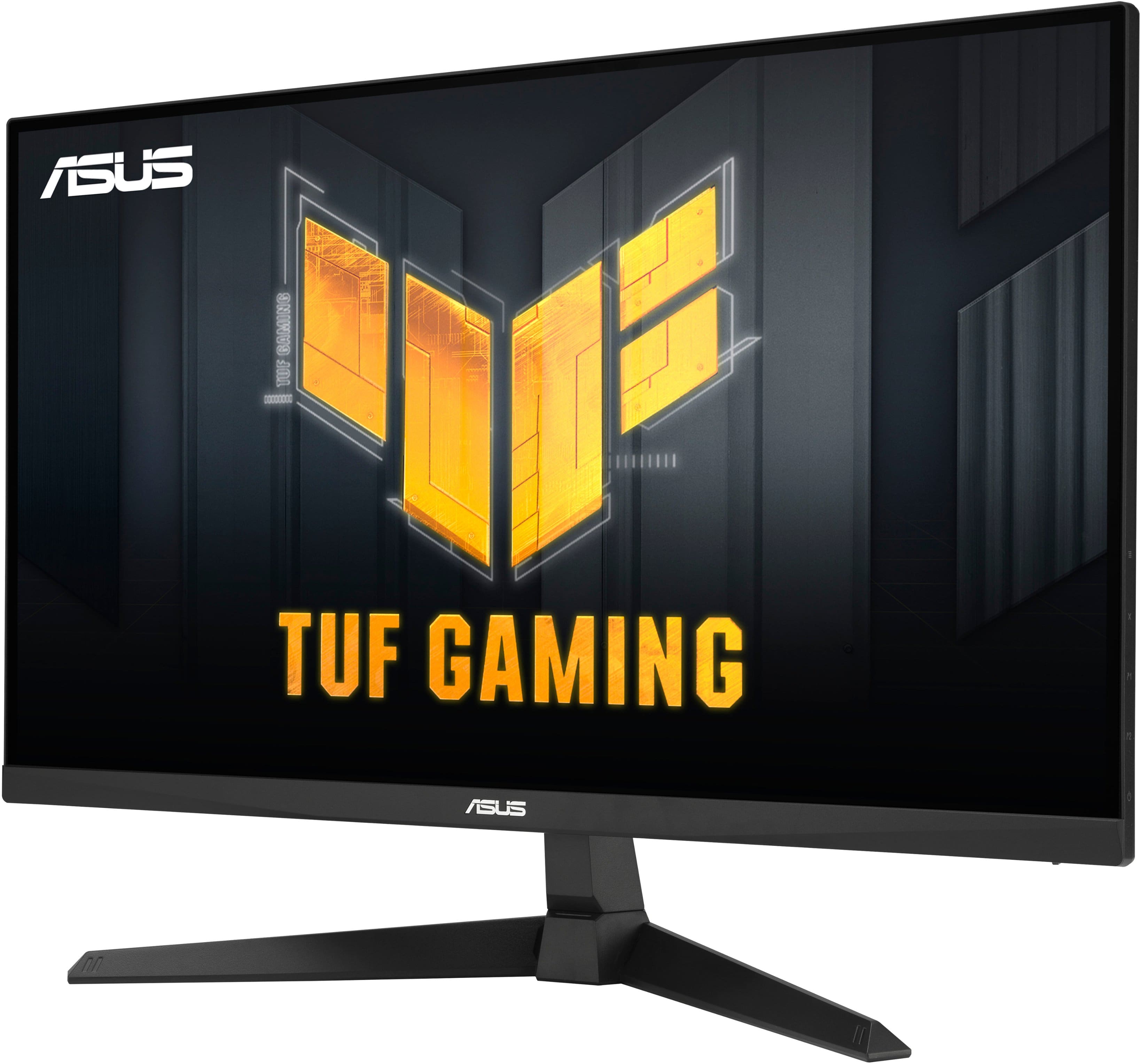
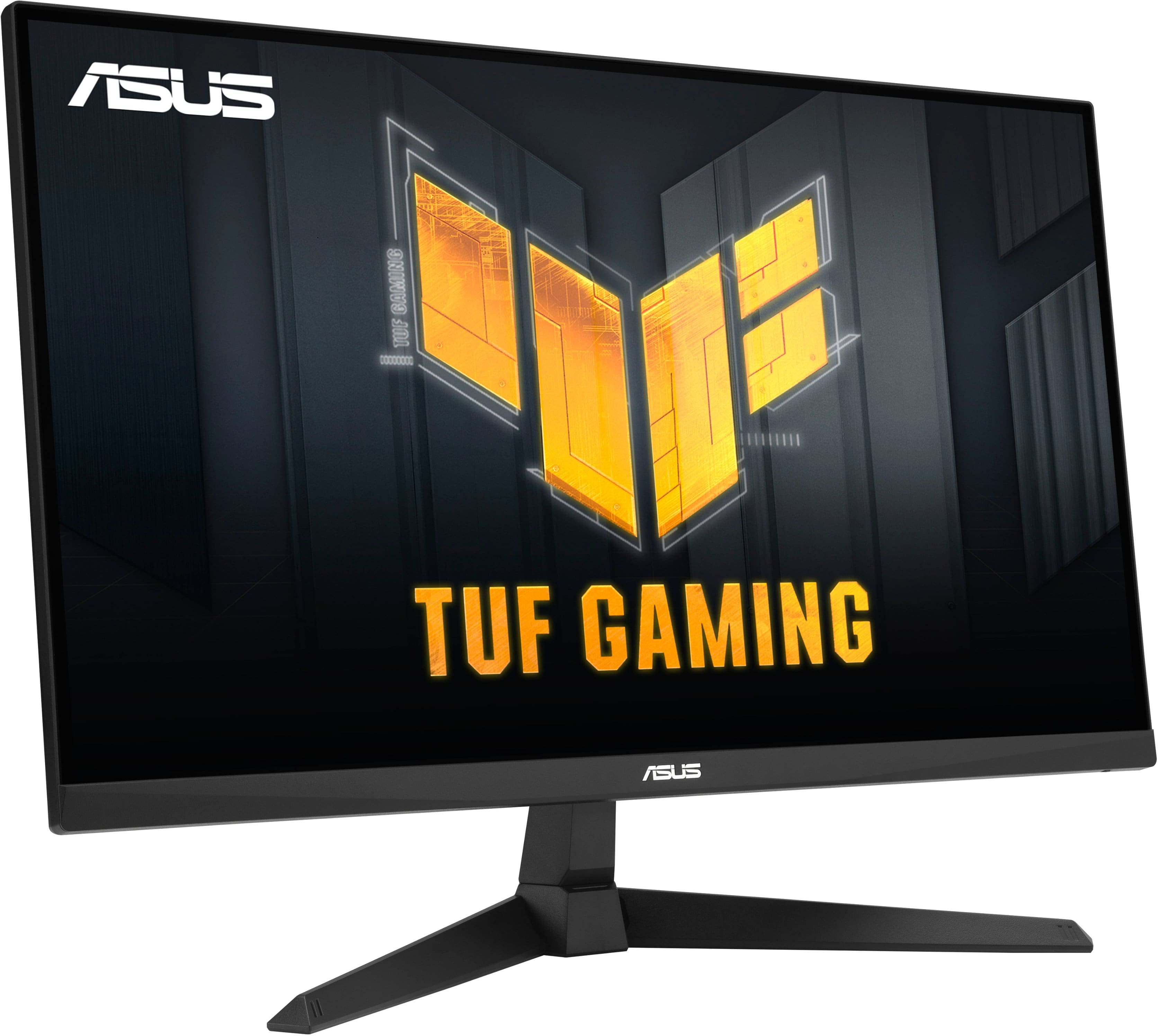
|Posted .This reviewer received promo considerations or sweepstakes entry for writing a review.Out-of-the-box the screen looks amazing from its sleek thin bezel to its techie rugged look on the back all around very nicely built to the term “TUFF”. In the box is the included HDMI 2.0 cable along with your standard power cable and monitor arm stand with base and tool to get you going quickly. Besides the stand itself, there’s also a location for a vesa mount if you plan to hang the screen vice using the stand. The monitor does include various inputs in which two primary inputs are HDMI, a headphone port, and even has small speakers (sound is good, focus is there screen here). The panel controls are easily located on the back right of the monitor within easy reach for those fine-tuning moments when there’s a need to adjust brightness, contrast, and color settings. The screen is bright and vibrant without leaving my eyes feeling tired after using it for a while. The higher refresh rates and low response times make for clean and crisp gameplay. The panel on this does reduce glare, but will need some adjustments to its brightness and color features depending on the room it is setup in. Asus has come a long way with their panel design and “Tuff” series products designed for gamers. This screen performs overall at a mid-high tier level of performance and will support most GPU cards while having a slightly reduced performance on higher-end GPUs with higher resolutions, low-end GPUs may struggle to perform. The monitor is a nicely reasonable price for any gamer looking for an upgrade in screen performance to GPU ratio.
I would recommend this to a friend - Pros mentioned:Refresh rate
Another Win from Asus!
|Posted .This reviewer received promo considerations or sweepstakes entry for writing a review.Upon receiving the ASUS TUF Gaming 27” monitor, I was immediately impressed by its sleek packaging and sturdy build. The contents were well-protected, and the setup was straightforward, requiring minimal effort. Look and Feel: The monitor exudes a premium feel with its matte black finish and minimalistic design. The bezels are slim, allowing for an immersive viewing experience, while the stand is robust and adjustable, providing flexibility in positioning. The cable management system keeps wires tidy, contributing to a clutter-free setup. Gaming Experience: Playing games on this monitor was an absolute delight. The 180Hz refresh rate combined with the 1ms response time ensured buttery-smooth gameplay with minimal motion blur. Whether I was exploring open worlds or engaging in fast-paced multiplayer matches, the clarity and fluidity of the visuals were exceptional. The FreeSync technology further enhanced the experience by eliminating screen tearing and stuttering, resulting in seamless performance across various gaming scenarios. In conclusion, the ASUS TUF Gaming 27” IPS FHD monitor delivers on all fronts, providing gamers with an immersive and responsive gaming experience. From its easy setup to its impressive refresh rate and sleek design, this monitor is a standout choice for both casual and competitive gamers alike. If you're in the market for a high-performance gaming monitor that doesn't break the bank, look no further than the ASUS TUF Gaming 27”.
I would recommend this to a friend - Pros mentioned:Resolution
Budget priced monitor punching above its wt class
|Posted .This reviewer received promo considerations or sweepstakes entry for writing a review.The ASUS VG279Q3A is an updated monitor in their TUF line of gaming peripherals. Technically, TUF represents their mid line, compared to their higher tier ROG line. That’s definitely not to say the quality is subpar, the intent and design are slightly different. Kind of like Toyota vs Lexus. Still plenty of quality, just minus the extras. Like all recent IPS gaming screens, this has a fast 180 mHz 1 ms response time, so you don’t need to worry about screen tear during games. The 27 in screen is nice and big, and color templates can be switched around for the viewing purpose. One thing I would critique is that there is no ability to adjust the height of the monitor. I’m guessing ASUS engineers felt like given the 27 in screen size, people wouldn’t need to lift it much, but in my case, the way my desk is set up, I wanted to be able to raise the top of the screen about 2 in. Easily fixed by placing on a riser, but still. Other than that, with the FHD resolution, it was crisp playing PS5 and as a screen for my docked laptop. Fast, big IPS screen that gives you a ton of bang for your buck
I would recommend this to a friend - Pros mentioned:Refresh rate
One of the best 1080P monitors I've used!
|Posted .This reviewer received promo considerations or sweepstakes entry for writing a review.I use 1080P monitors for anything OTHER THAN gaming usually, but for testing purposes I hooked this up to a gaming laptop via HDMI connection and gave it a whirl. Colors are brilliant and I was able to hit the 180 FPS limits of this monitor without any issues. Because of the testing of this monitor, I've now setup a permanent placement for the gaming laptop paired with this monitor. It really brought some new life to games I usually play at 1080P but have longed to play on a larger monitor. As with any other ASUS product, you pay for the name, but you also get what you pay for - a quality item that is worth every red cent you put out to get that name. I would have liked some small built-in speakers, but I'm guessing due to the limitations of sound quality that those would bring were the deciding factor to not put them on the monitor. Oh well - I'll live :-) ASUS continues to impress me - keep 'em coming ASUS! I would appreciate a lower price tag but then I really doubt they could continue to put out the quality that they do.
I would recommend this to a friend - Pros mentioned:Refresh rate
Recommended to gamers
Posted .This reviewer received promo considerations or sweepstakes entry for writing a review.27 inches and 1080p monitor with 180hz refresh is a very good monitor for gaming and watching videos.
I would recommend this to a friend