Customer Ratings & Reviews


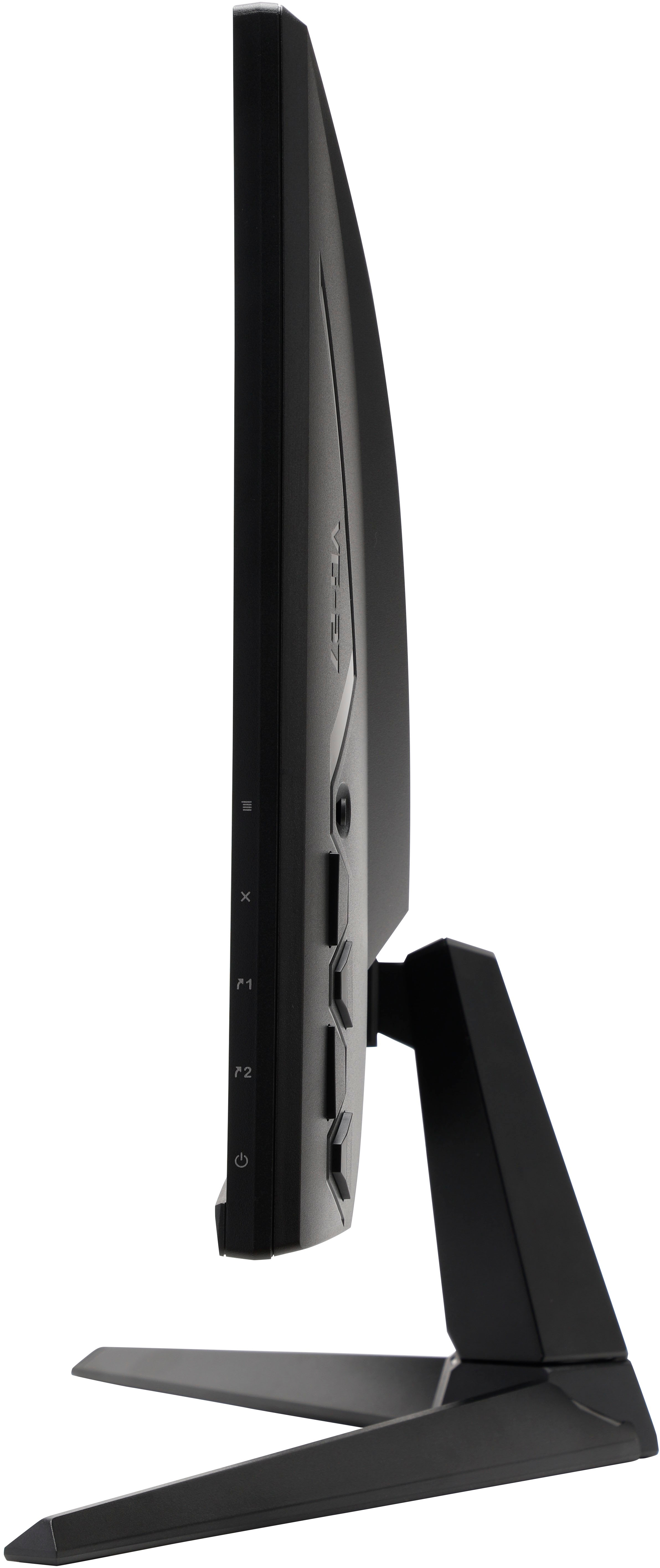
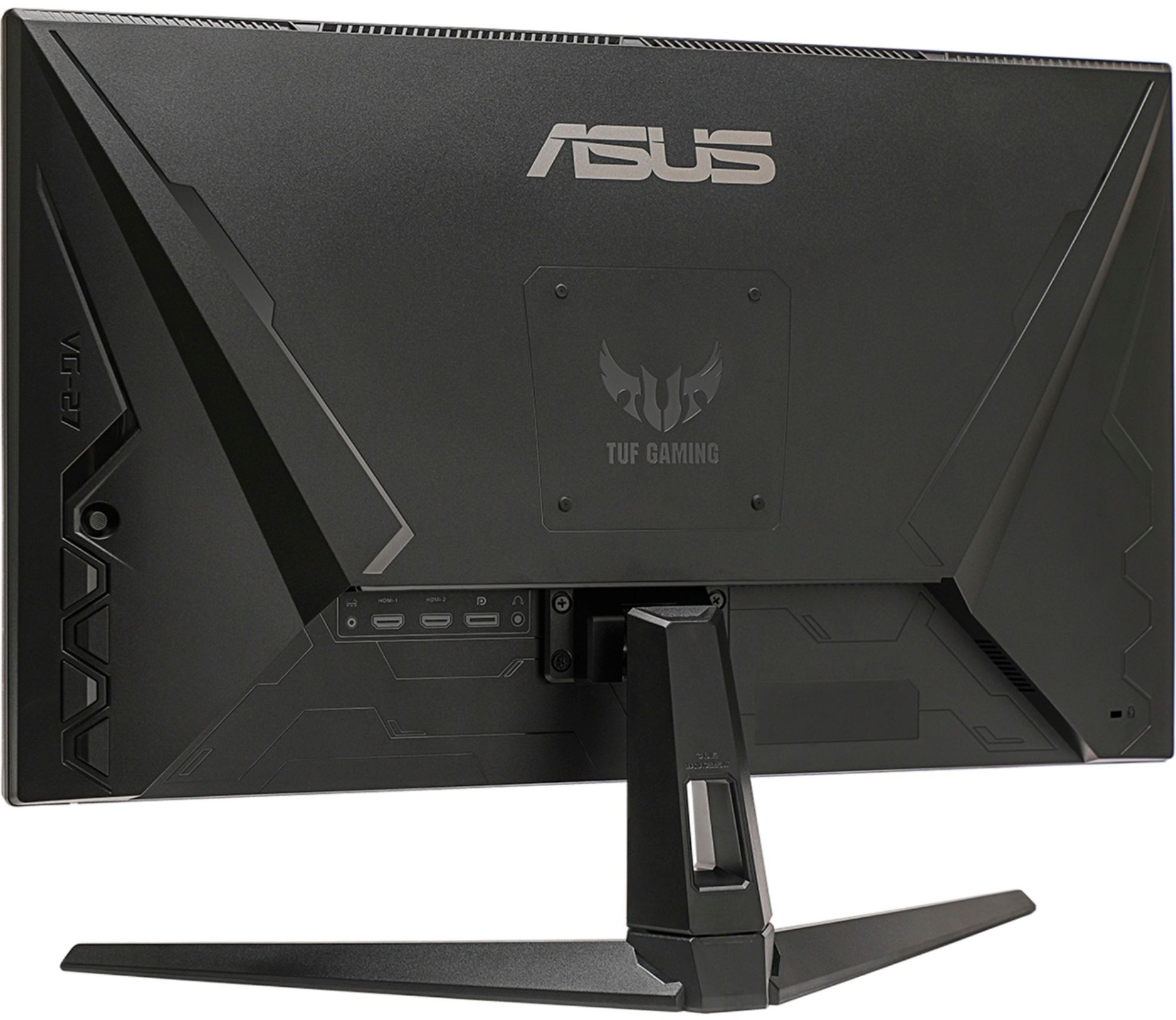

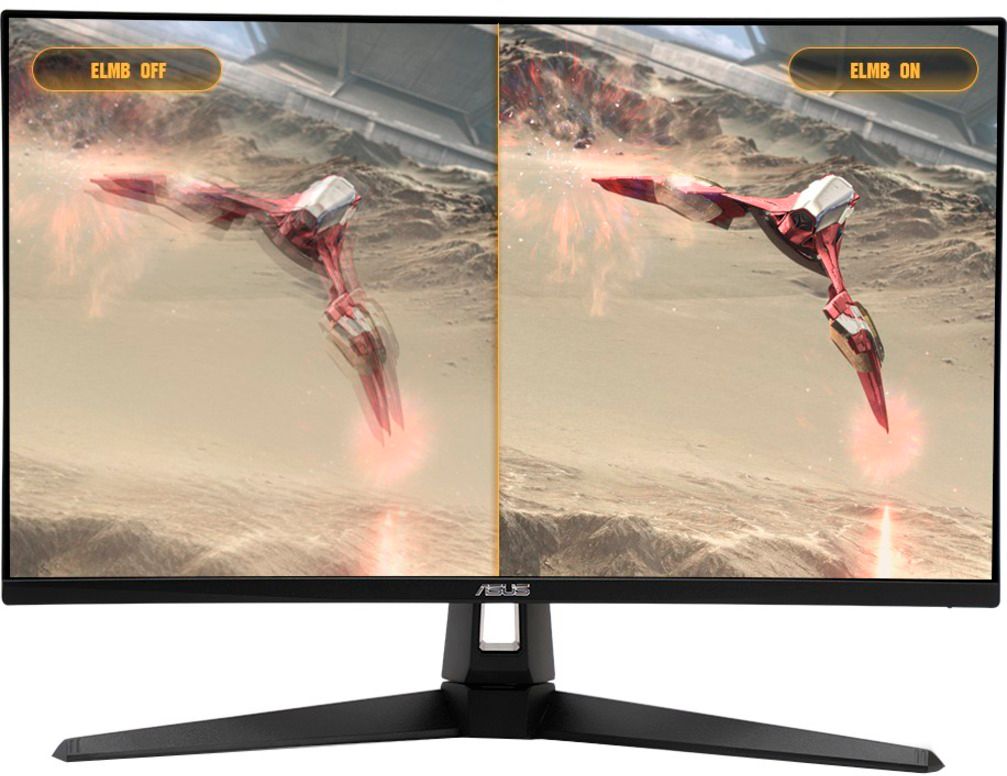
- Model:
- VG279Q1A
- SKU:
- 6454337
Rating by feature
- Display Quality
Rating 4.7 out of 5 stars
- Ease of Use
Rating 4.8 out of 5 stars
- Features
Rating 4.6 out of 5 stars
Customers are saying
Customers are enthusiastic about the picture quality, refresh rate, and price of the TUF Gaming monitor, frequently praising its smooth performance in games and ease of setup. Positive feedback also highlights the inclusion of decent built-in speakers and multiple HDMI ports. However, some users noted issues with color saturation and the monitor stand. A small number of users reported receiving monitors with dead pixels.
This summary was generated by AI based on customer reviews.

Great gaming monitor!!
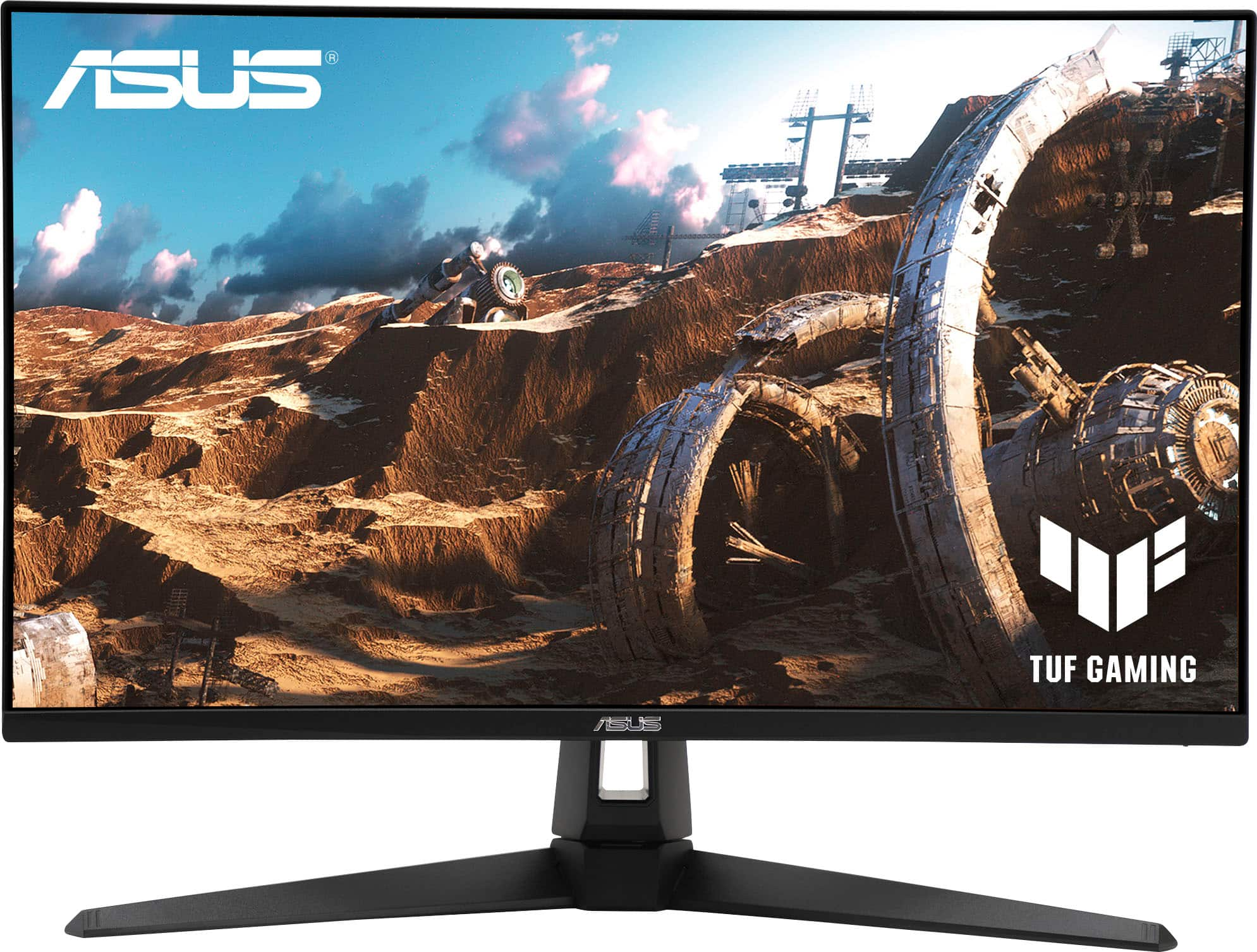
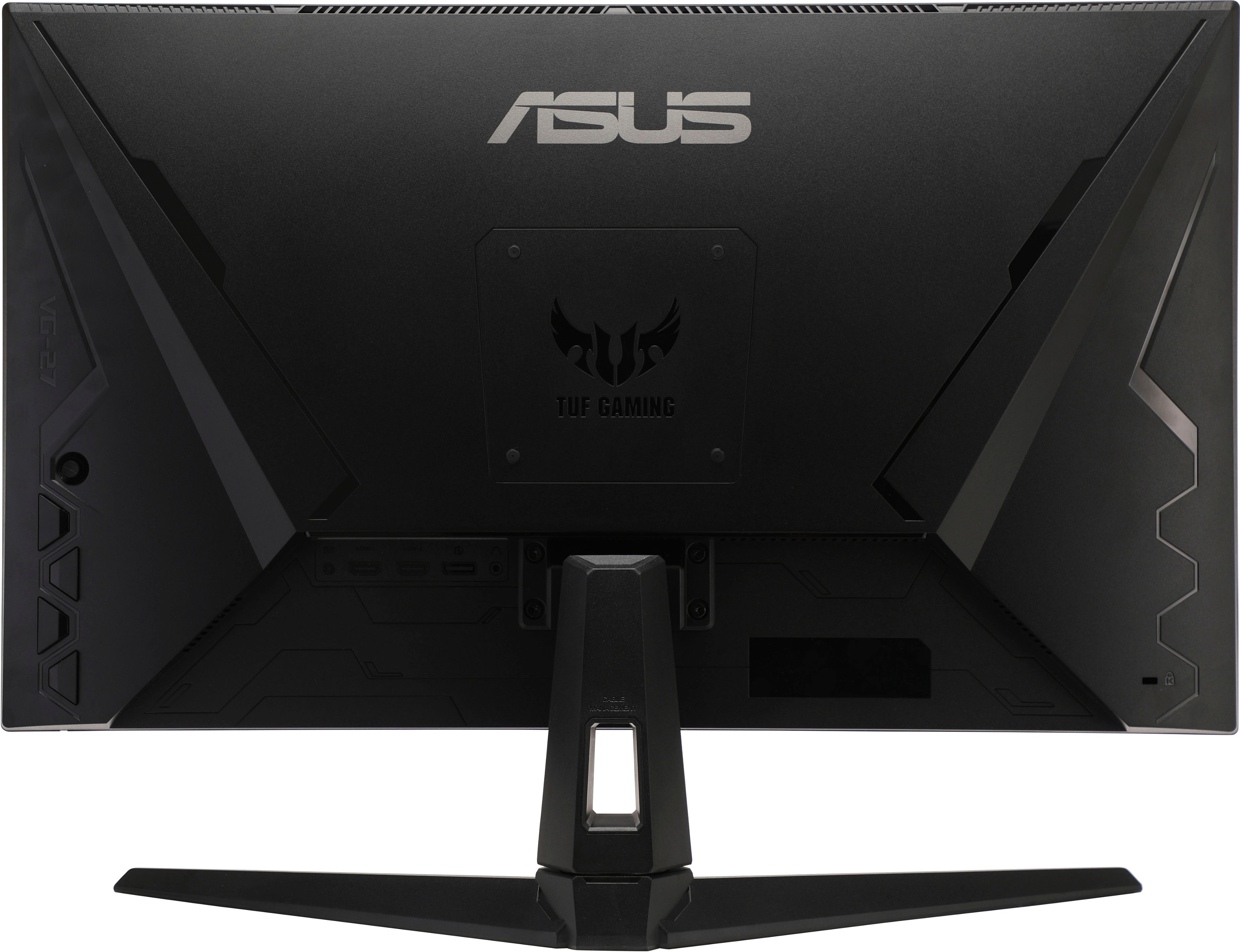
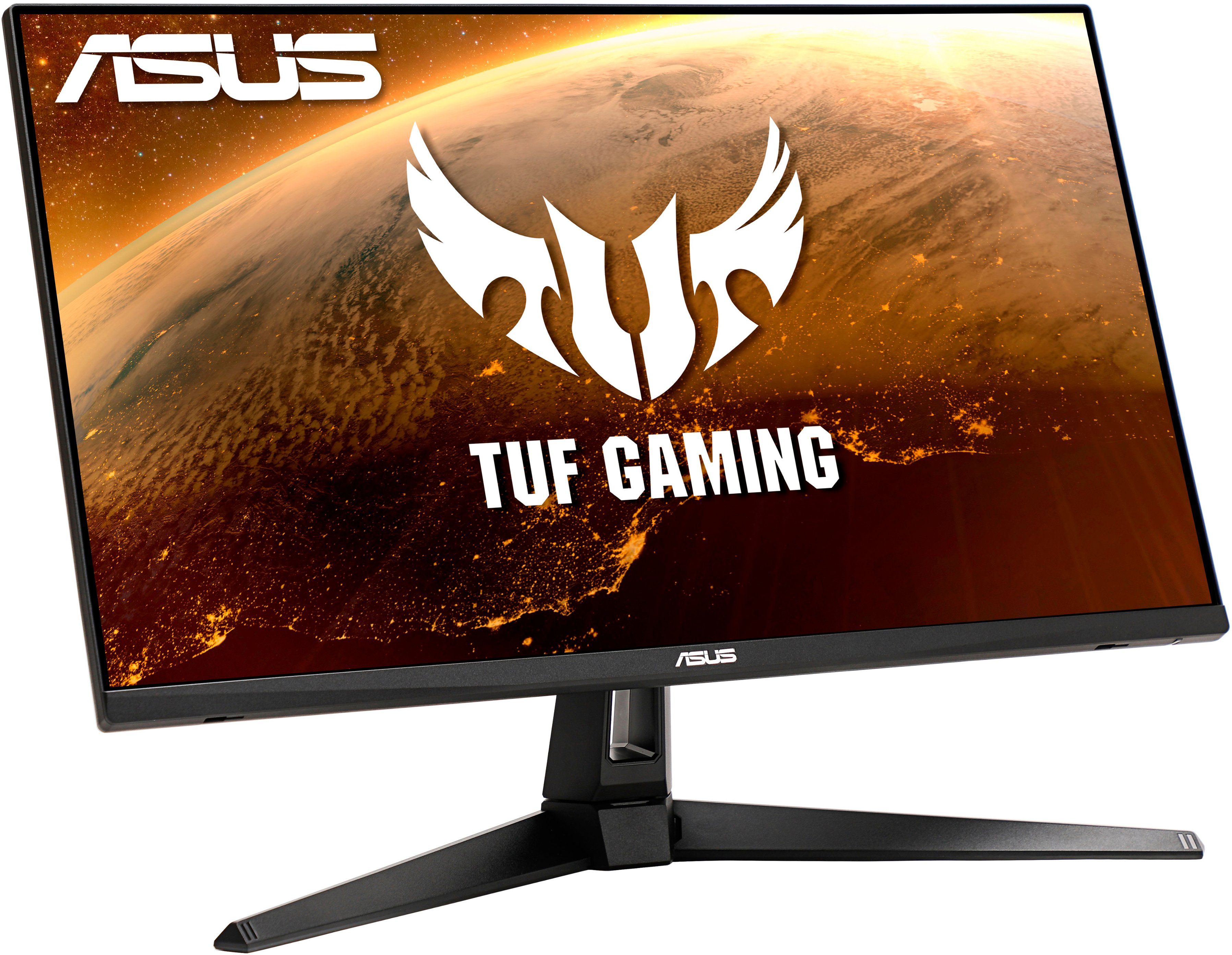
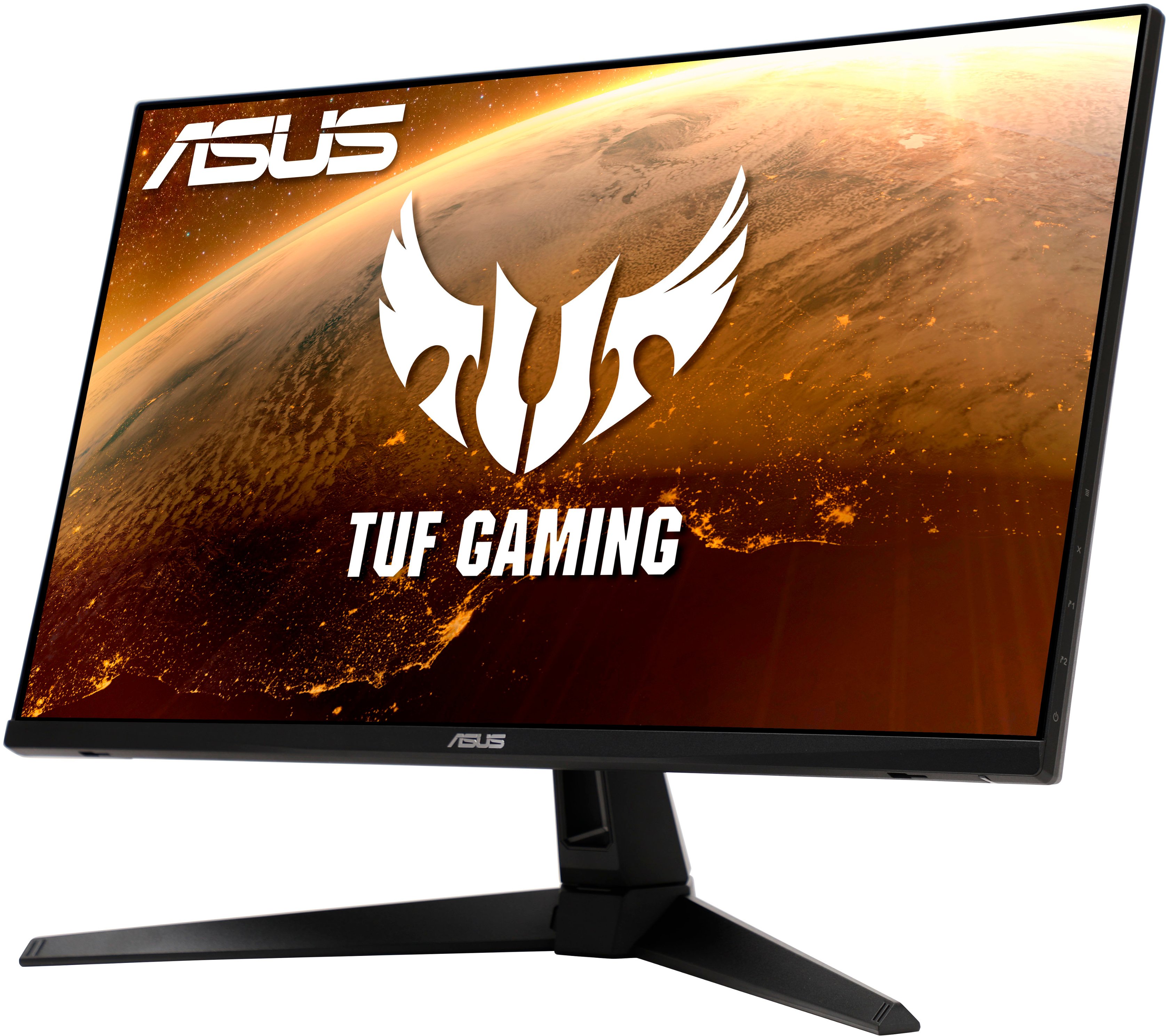
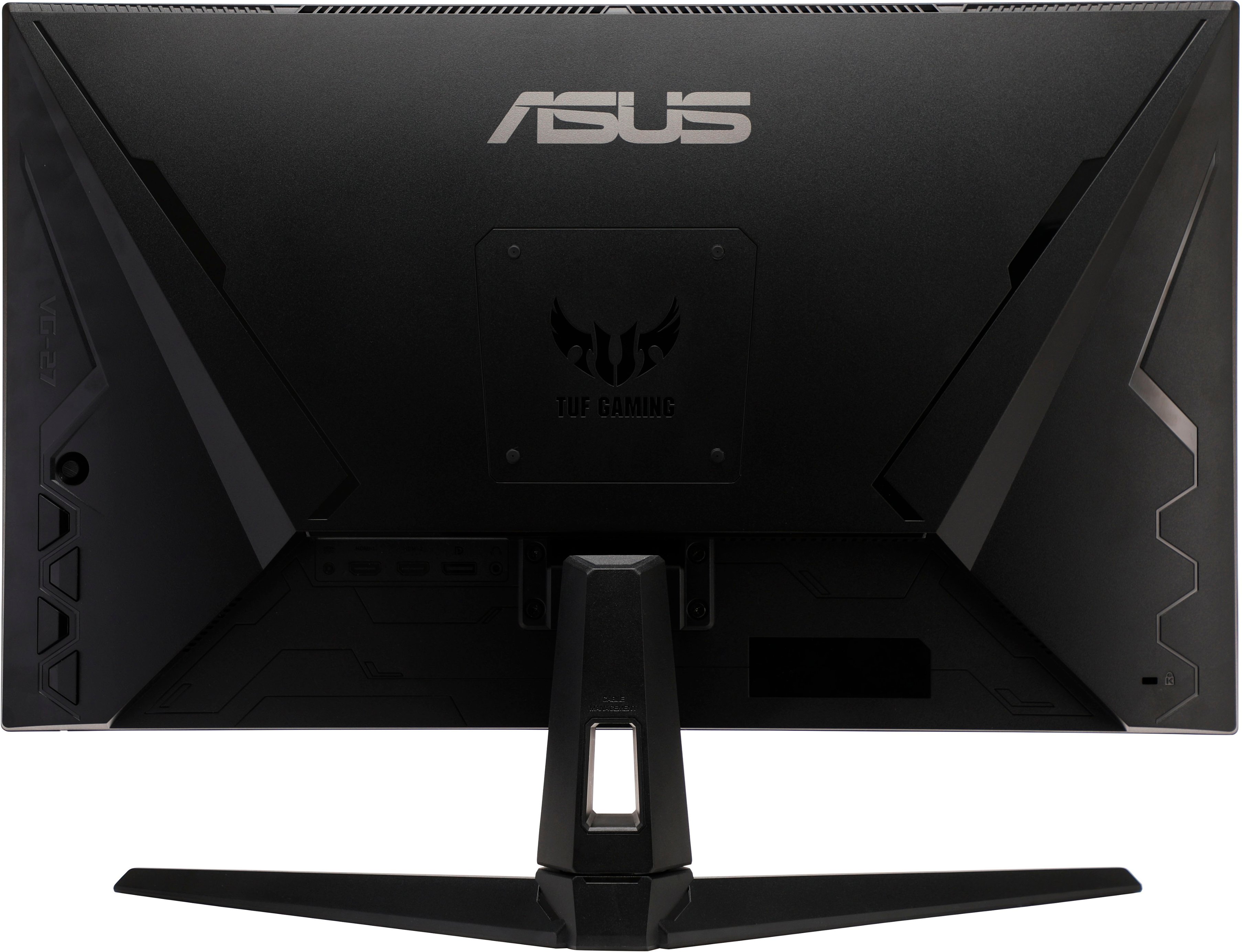
|Posted .This reviewer received promo considerations or sweepstakes entry for writing a review.This ASUS monitor is an excellent gaming monitor with a great picture and high refresh rate. At 27" the size is just right on my desk and not too large or too small. There is some adjustability in the stand though the stand seems to have a large footprint so you can't put much under it. You do get compatibility with NVIDIA G-Sync and AMD FreeSync which is essential for high-refresh rate gaming. I have an NVIDIA RTX 2080S card and this monitor is a perfect match to it because it can drive a high frame rate and eliminate screen tearing completely. Upon connecting it, Windows immediately recognized it and allows the refresh rate to change to 165 hz. Even in Windows you can notice/feel the difference of a high refresh rate just moving your mouse around, it's amazing! If you have a gaming machine with a 60 hz display, I'd recommend getting this display as it's an awesome gaming monitor that works well and doesn't go overkill with extra features outside of the core function of a gaming display which is to serve up great graphics to enjoy games. This is not necessarily a monitor I'd recommend for photo editing as the colors though they look great may not be turned to match the color profile you're editing and that isn't what this monitor was designed for. It does have HDR 400 certification and has a bright picture. That said, I do think overall it has a great picture and the colors/brightness really are solid. What stands out to me though are the in-game enhancements that you can use to help customize the display to the kind of game you are playing so you can see shadows better and colors brighter. I love how this display looks, with minimal bezels and a nice finish with a modern gamer tech look to the back. For connectivity, it does have two HDMI ports and a DisplayPort but no mini-display port or display port pass through for a second display. It has an audio port but where the computer has one and is nearby and this one isn't so easy to get to the only reason I think you'd use it is to connect speakers or headphones if your computer doesn't have them. This is a great display overall and I'd recommend it if you're upgrading, it has all the features that matter and a good picture.
I would recommend this to a friendDim
||Posted .This reviewer received promo considerations or sweepstakes entry for writing a review.Bought this monitor hoping to replace a cheap 3 year old Viotek GN27DB the same size (27"). This Asus is dim. I mean really dim, compared to the Viotek. It made gaming nauseating. This monitor also only goes to 1080p so it really cannot maximize my Radeon 6950xt or for that fact any graphics car above a 1070. Very disappointed in ASUS on this one. Bought this deeply discounted on Black Friday deal and still paid more than the Viotek and still feel like I was robbed.
No, I would not recommend this to a friendBrand response from ASUS Answers
Posted .Dear AMDgamer,
We're sorry to hear that your display is dim. It's unfortunate that this model does not meet your expectations, this is absolutely not the experience we want you to have. We do value our customers and take negative customer service experience very seriously. Have you tried using the OSD (on-screen display) menu to increase the brightness? Please see the link below on page 18 (3-3).
If you should have any other concerns or feedback feel free to reach out to us at customerloyalty@asus.com. We'll be happy to provide a quick resolution to your case. Please refer to this case number (N2211004192-0002) for us to better assist you.
Thank you for choosing ASUS!
Best Regards,
Ramon,
ASUS Customer Loyalty US Support
User Guide - https://dlcdnets.asus.com/pub/ASUS/LCD%20Monitors/VG279QL1A/ASUS_VG279Q1A_VG279QL1A_English.pdf
Excellent 1080 Gaming!
|Posted .This reviewer received promo considerations or sweepstakes entry for writing a review.The ASUS Tuf Gaming monitor checked all the boxes for me when looking for a great 1080p monitor to pair up with my 1660ti GPU Gaming System. The overall design and build quality is just what I would expect in this price point, very small bezels and an overall light build that makes for a very easy time getting this mounted to your VESA if you decide to go that route like me! After running through a few color settings this looked amazing playing Fortnite at high frame rates! If you have never gamed on a 165Hz monitor this one is going to blow your mind! Everything is like butter, movements are so smooth! It's a total game changer for any game, but especially so for FPS or Arena style games. I also watch a lot of content on this monitor! Movies and videos look fantastic, the frame rate helps a lot in this area too. Overall if you are looking for a quality HD monitor for gaming, media consumption, or general productivity this one is an excellent choice and should check all the boxes for you at a great price!
I would recommend this to a friend- Pros mentioned:Price
Great Gaming Monitor!!
|Posted .This reviewer received promo considerations or sweepstakes entry for writing a review.I was skeptical about purchasing an ASUS gaming monitor since I always use the TV for gaming. The monitor came in a tightly covered box. It has Full HD 1920 x 1080 resolution, which held up nicely against my X Box series X. I had to make some adjustments to my console and monitor to my liking. The monitor has 178/178 viewing angles, which worked nicely against my corner desk. I love that the monitor is VESA compatible. I already have a sizeable wide-angle monitor for my studies, but I wanted a monitor I could mount for gaming. The monitor has a 165 Hz refresh rate "designed for gaming" I do not know about that, but it looks excellent for its 27-inch frame. It comes with two HDMI inputs, and it has the anti-flare feature. The monitor weighs around 8 pounds. Finally, the cool thing is that the manufacturer offers a three-year warranty for either part and labor, way more than the standard one-year requirement. Another cool feature is that the monitor is G-Sync compatible, but you must adjust through the Nvidia panel to enable it. Overall, I enjoy the monitor's price, looks, and picture quality. I've never owned an Asus gaming monitor, but I will consider it moving forward after this.
I would recommend this to a friend An excellent entry/mid level gaming monitor
|Posted .This reviewer received promo considerations or sweepstakes entry for writing a review.This is an excellent entry level monitor. The first thing I did when I received it is I went to the Asus website and download the driver/ICC profile and also software for this monitor. The software makes is very easy to fine tune the monitor to your liking. You are also able enable all the other options if desired. The monitor is G-Sync compatible, but you have to go into the Nvidia control panel and check an extra box to enable it because it hasn't been verified by Nvidia yet. Having used it over the past few days in a room that gets limited daylight I'd say I wish it was a tad brighter. I could see glaring being an issue in a well lit room. Enabling ASCR helps, but it's a double edge sword. It works great most of the time, but the transition can be slow. I wouldn't recommend it in fast pace FPS games. I really like that the monitor comes with a FPS counter and crosshair overlay built in. The built in speaker are... ok, but if you're a gamer, you'll probably never use them. The native resolution is 1920x1080 at 144hz, but you can crank it to 165hz using the display port. Having played several games, like Crew 2, Monster Hunter Rise, COD, etc., I didn't notice any ghosting at all at 144hz. Overall it was quite enjoyable to play on. Likes: 1.) Built in crosshair and FPS overlay. 2.) Excellent picture and quick response 3.) Excellent base, doesn't wobble, and easy to assemble. No tools required Dislikes: 1.) Wish I was a bit brighter
I would recommend this to a friendExcellent Gaming Monitor
|Posted .This reviewer received promo considerations or sweepstakes entry for writing a review.I have had a few days now to put this monitor through its paces and I have been very pleased. I hooked up my Alienware x17 (running an RTX 3070) to this 27" monitor and the extra 10" of screen real estate was very welcomed. I find 27" to be the "sweet spot" between monitors that are too small or too big for gaming purposes. I love the design of the monitor base, providing not just a sturdy foundation, but also having a convenient gap to feed cords through to keep your gaming station neat. I don't have a VESA set-up, but it's nice to know that this monitor is designed to be compatible if I do upgrade in the future. The refresh rate (165Hz) allowed for very smooth visuals on any game I tested within my Steam library. I highly recommend adjusting the color and brightness to meet your personal preferences though, as the defaults are not great. I also took some time to use this monitor for basic duties like web browsing and streaming video. I'm happy to report that this monitor was more than capable and movies/shows looked terrific. It is safe to say that this monitor will work well for any purpose. Overall this monitor is a great buy, but especially for gamers. Check it out!
I would recommend this to a friendTUF but easy on the eyes!
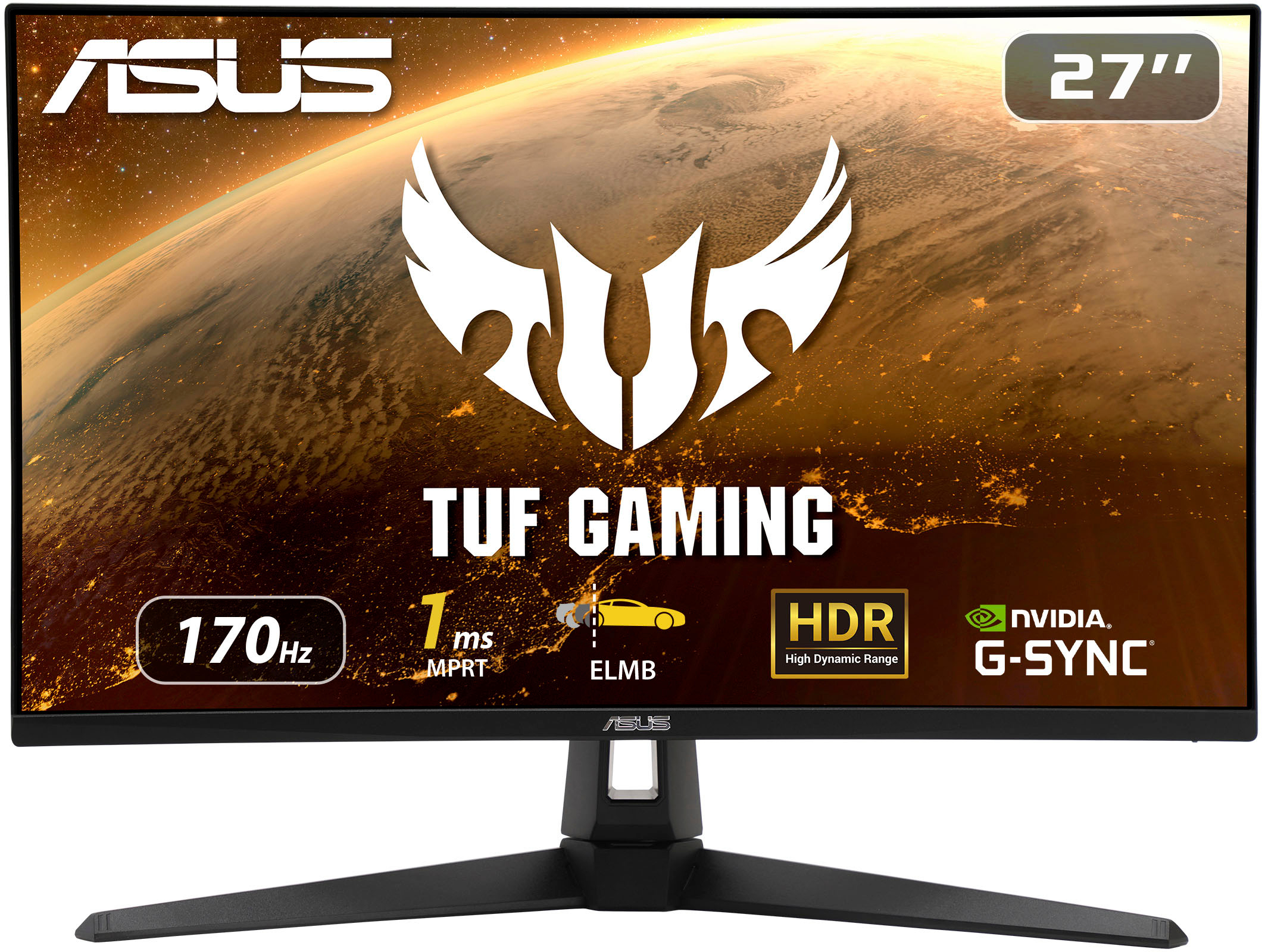
|Posted .This reviewer received promo considerations or sweepstakes entry for writing a review.The ASUS - TUF VG279Q1A Widescreen Gaming LCD Monitor 27-inch Full HD (1920x1080) IPS and 1ms (MPRT) gaming monitor has an ultrafast refresh (165Hz refresh rate) designed for professional gamers and very intense/immersive gameplay. This monitor is augmented with ASUS's Extreme Low Motion Blur (ELMB ™) technology joining a 1ms response time (MPRT) and together with Adaptive-sync, eliminates ghosting and tearing for very sharp gaming visuals along with high frame rates. FreeSync™ Premium technology also helps to eliminate screen tearing and choppy frame rates. The The ASUS - TUF VG279Q1A Widescreen Gaming LCD Monitor. supports both Adaptive-Sync with NVIDIA GeForce* graphics cards and FreeSync with AMD Radeon graphics cards, compatible with NVIDIA GeForce GTX 10 series, GTX 16 series, RTX 20 series and newer graphics cards etc. The NVIDIA GeForce compatibility worked great on my system. ASUS's Shadow Boost enhances dark image details in shadow areas and overall brightens scenes without blowing out bright areas. I have been using it for high end flight simulator, graphics intensive FPS's and custom ATC games. The packaging and setup are user friendly and fast to go from box to running. The setup uses one screwdriverless connector and includes all of the cables typically needed. The design and construction are well thought out and attractive with slim bezels and tilt capability.
I would recommend this to a friendGreat addition to my M17 laptop
|Posted .This reviewer received promo considerations or sweepstakes entry for writing a review.I have this paired with my Alienware M17 R4 with a RTX 3070 via DisplayPort. It's a great addition and I am very happy with this monitor. Mine has great backlight uniformity and zero dead pixels! I did have to go into the advanced display settings to select the 165hz option as it was not available by default in the Windows settings. Once I was able to change from 60hz to 165hz I immediately noticed an improvement while gaming. Since this is a 27" 1080p monitor, which I personally see as the hard size limit for 1080p, I tend to run games at a higher render resolution. I find 120% render resolution to be the sweet spot for my particular laptop paired with this monitor. I really only use the sRGB mode as it offers the most natural colors, though I wouldn't use it for any serious editing. I will occasionally use the FPS color mode for a bit more brightness but this does come as the cost of oversaturated colors but it is tolerable for content consumption. On that topic I actual find the built in speakers useful for watching the occasional YouTube video but not much else though I am glad to have them as that seems a common omission these days.
I would recommend this to a friendMonitor
||Posted . Owned for 1 week when reviewed.This reviewer received promo considerations or sweepstakes entry for writing a review.Wish it was curved!!!!!!!!!!!!!!!!!!!!!!!!!!!!!!!!!
No, I would not recommend this to a friendBrand response from ASUS Answers
Posted .Dear Valued Customer,
Thank you for sharing your feedback on this model. We're sorry to hear that this model did not meet your expectations. We do have other models, such as the VG32VQ1B that supports this feature. We do stand behind our product and we continuously strive to improve our approach and processes in order to achieve customer service excellence. For more information send us an email at customerloyalty@asus.com and provide the link of this review for reference. We’ll do our best to provide a quick resolution to your case. Your feedback is important as it helps with improvements to ASUS Support channels. Please copy a link to this post as a reference.
Thank you for choosing ASUS.
Best Regards,
Joan
ASUS Customer Loyalty US Support
For the price this is truly a great gaming monitor
|Posted .This reviewer received promo considerations or sweepstakes entry for writing a review.Easy setup, Comes with two HDMI and DPort along with cables. The bezel looks great. Great detail and great picture, bright, blur is non existent in my gaming experiences. Speakers leave a lot to be desired but knew that going in prior to reviewing. With included setting and online suggestions, was able to calibrate and fine tune settings to my liking. Overall Review: Definitely would recommend this monitor for the price, especially if you can get it on sale. I spent a lots of time looking at monitors in the 200-300 range with speakers and this one wins every time. With the refresh rate, inputs, and speakers there is no other good choices. Supports both Adaptive-Sync with NVIDIA GeForce* graphics cards and FreeSync with AMD Radeon graphics cards *Compatible with NVIDIA GeForce GTX 10 series, GTX 16 series, RTX 20 series and newer graphics cards. The fast refresh rate is so good at blur free gaming and really make a difference while gaming. Eye fatigue is also greatly eliminated if not completely to me. ASUS Extreme Low Motion Blur (ELMB ™) technology enables a 1ms response time (MPRT) together with Adaptive-sync, eliminating ghosting and tearing for sharp gaming visuals with high frame rates. This is so true.
Great Responsive Gaming Monitor
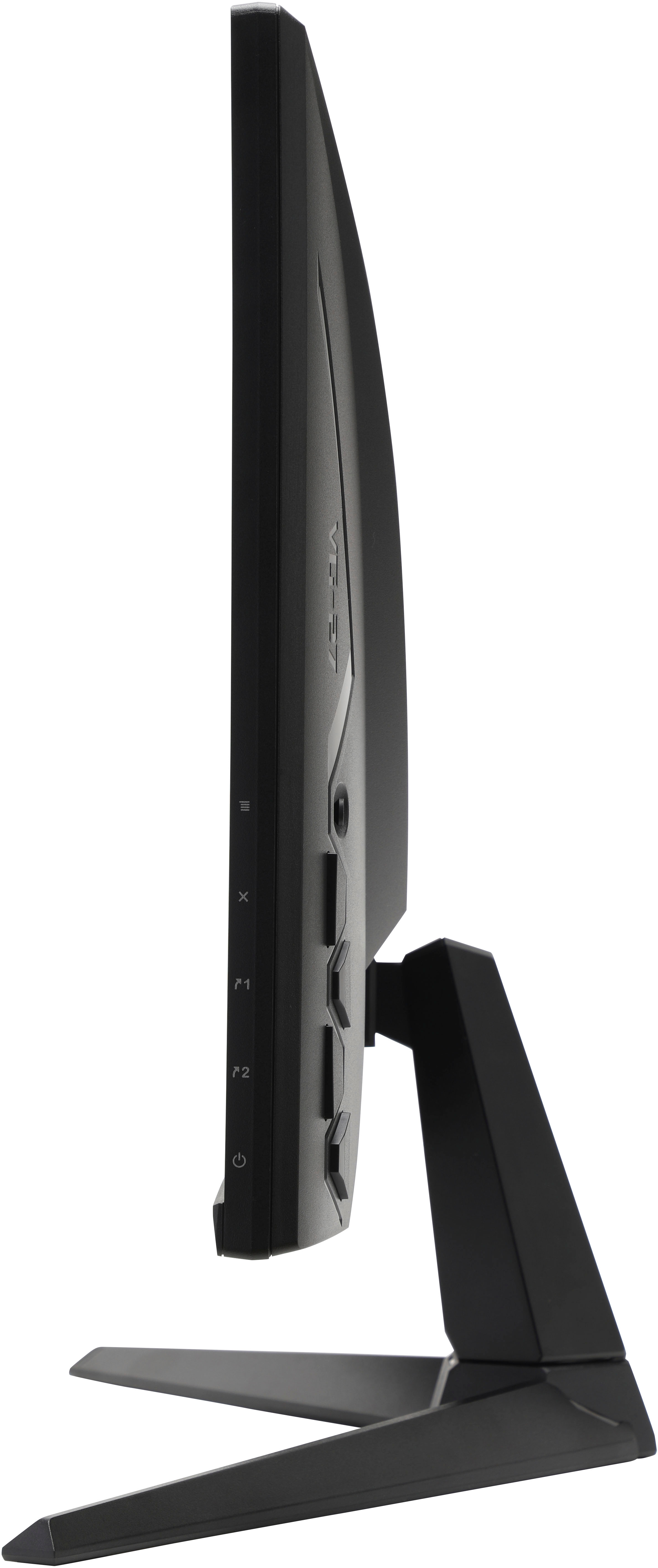
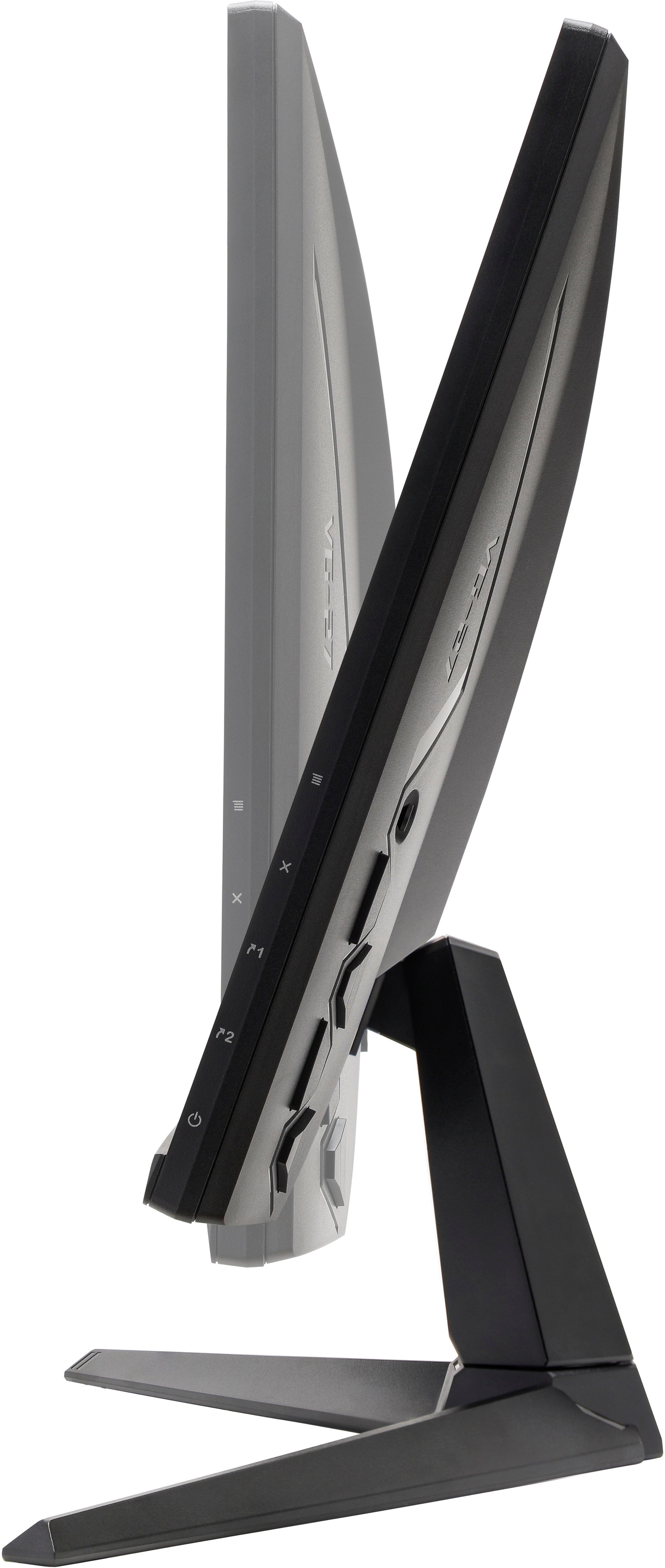
|Posted .This reviewer received promo considerations or sweepstakes entry for writing a review.When it comes to gaming monitors, people have many preferences. From color quality, to viewing angle, to over all latency, the ASUS TUF Gaming Monitor delivers on it all. This is a very good monitor for your gaming needs. Straight out of the box, you see the thought that went into this system. The base is solid enough to support you monitor while still maintaining a minimal width footprint. There is some assembly required to connect the base to the monitor, but no tools are necessary. The screw at the bottom has a convenient tab which allows you to tighten the screw just with your fingers. The monitor includes one HDI cable as well as one Display Port cable. The base has holes in it to help with channeling the cable smoothly out of your way to keep your desk space clean. Once you fire it up, you can enjoy the monitor. The LCD display is a niece wide 27 inches at 1920 x 1080 to give you full HD capabilities. You may want to tweak the settings a bit for your individual needs, but even with the factory settings the picture looks great. I have used this monitor in a daylit room and have no problems with the image. It is plenty bright for your needs. As far as viewing angle goes, I have no problems viewing it with a 60-degree offset. The advertised documentation says you can view it at a greater angle (and you can), but you lose depth perception. But for almost any of your needs, this monitor will work fine. The monitor does have a built in tilt capability so you should have no trouble adjusting it to your eyesight level. The design is solid and does not drift over time. When you set the angle, it stays in place. There is no pan feature, but with the wide viewing angle, this is not an issue. As with most gamers, input lag can be a real hinderance. The ASUS gaming monitor has a healthy 165 Hz refresh rate. With a response time of one millisecond, this monitor refreshes once about every 6 milliseconds. It is not the fastest on the market, but you very likely won’t be able to tell. You will likely be more limited by the game than you will by the monitor. The monitor includes 2 HDMI inputs that you can use. However, there is no speakers included in the monitor. If you need sound, you will still need speaker connected to your source. This should be a minor issue though to most. In the end, this monitor delivers an outstanding gaming experience. I really enjoy the 27” wide display image. This monitor is fast and delivers a quality image conducive to gaming. In the end, I highly recommend the ASUS TUF Gaming monitor for those wanting a gaming monitor.
I would recommend this to a friendBeautiful Monitor
|Posted .This reviewer received promo considerations or sweepstakes entry for writing a review.Over the years I've basically run the gamut of monitors from the cheapest to some of the most expensive, large, small, TVs as monitors and everything in between. There's a lot to be said about having a high performing monitor, though this is a place where a lot of people choose to save a few bucks in favor of another part of their PC. The strange thing about that is that the monitor is basically the window (no pun intended) into the capability of that PC. If you're gaming and you spent a lot on your processor and graphics, you wont ever really utilize that performance to its fullest without a monitor that can really utilize it. /soapbox This monitor does all of that and more, and it does it in a thoughtful manner. The packaging is much the same as any monitor, it's clamshelled inside some foam inside a carboard box, ok nothing special there. However as soon as you remove it from the box it already starts to show where it stands out. This monitor has both HDMI and DP inputs and it comes with one of each cable. In my experience this is rare, if a monitor comes with any cables it's usually only one and you basically dont get to choose. Having both options readily available, especially with the prevalence of both interfaces on many high end graphics cards makes this a win already in my book. The arm and stand are unique solely in their look, though the arm has a hole through the middle to help with cable management which is a nice touch, and common among many monitors these days. Connecting it is much like any other monitor, plug it in, turn it on and it basically works. With the option of one of two HDMI ports or a single display port you can plug in either or multiple as you wish depending on your needs. The HDMI ports are v1.4 which can support up to 144hz on this display, while the DP interface v1.2 supports up to the full 165hz. While the monitor doesnt support 4k, it would have been nice to see the HDMI 2.0 spec on the HDMI ports so that it could run the full 165hz on those, but I can understand that there isn't any real need for it. When connected, Windows recognized the ability of the monitor and I was easily able to select the appropriate refresh rate. In gaming, what can I say... it's beautiful... AC Valhalla is silky smooth when powered by an RTX 3090 at 165hz. I routinely play WoW and while this monitor is overkill for that scenario, I can say there's definitely no issues with something like that. All in all, it's a really well made and gorgeous monitor. I'd readily recommend this to anyone.
I would recommend this to a friendPairs wonderfully with a Gefroce RTX or AMD 6000x!
|Posted .This reviewer received promo considerations or sweepstakes entry for writing a review.As a self confessed computer nerd bird I have always been fascinated with computer graphics and in that vein, by default, that extends to what you are playing on. I've always considered ASUS a top brand in my book, up there with Corsair and EVGA. There is a reason for that, cutting edge tech backed with superb support and industry wide acceptance and support in each and every project. This monitor, although my first ASUS, is not my first ASUS product, of which there are many. I tend to either get EVGA or ASUS for my graphic cards and so it would stand to reason that getting one for my monitor is not beyond the pale. This monitor is easy to setup, completely tool less and fast, we are talking only maybe 5 mintues in total. Now once it's setup and you head to the actual use part, well things only continue to do quite well and that is to be expected, I think, considering the brand. I fired this up with my second PC in order to try it out and that consisted of a lot of games. The actual setup of the issue is made easier with the fact that I also, coincidentally have an ASUS Gefoce RTX 3070 Tuf video card, which is ideal considering this is same manufacturer and same line. But really this monitor is going to work for anyone so perhaps not a big deal but rather a timely coincidence. Now how does it function? Well amazing! It plays everything out of the box, no adjustments, pretty well. I'm not a professional when it comes to color calibration and such but it looks really good to me and it does give you several options to choose from (I believe I chose VIVID) and of course those with an eye for this can go ahead and customize it the way that they see fit. Windows 11 recognized it right away and installed the drivers for it and I was able to change the overclock for Hz to maximum in the Nvidia Control Panel without any issue. Games run flawless, Windows looks amazing, the actual joystick control given is also something you usually only see on high end monitors so I am very impressed with this monitor and will be using it on my second PC that my wife uses to game on. GREAT VALUE!
I would recommend this to a friendThese are just great monitors
|Posted .This reviewer received promo considerations or sweepstakes entry for writing a review.This is my second ASUS - TUF Gaming monitor to test out. I was a fan of the first one and I am equally a fan of this one. Out of the box I fell in love with the rugged yet sleek presentation this unit delivers. The monitor and base easily assemble. I was surprised how light weight the monitor is too. I am used to having to strain a muscle when moving monitors but not here. The coolest parts about the facts of how light this monitor is, is twofold. First, the monitor was easy to mount to the wall in front of my computer without having to worry about how much weight was being put on my cheap mount, lol. Then, before just moving it from the coffee table to the office was a breeze. I honestly thought about just using it as a travel monitor to use when my wife does not want me in another room playing games. So, from there gaming... I was worried that I would not like the size because of the other one I have grown accustomed to, which is a 32". However because of how vibrant the display is, the fact that it is smaller than what I am used to is not even noticeable. The Extreme Low Motion Blur technology that ASUS uses is great, but I prefer to just run on the Free Sync. Before I figured out the Free Sync is really giving my leisure gaming self the best bang with the least amount of effort. I would spend hours messing with the NVIDIA G-Sync settings. I am not saying that was a dreadful thing just that I think the displays that Free Sync provides using the simple on monitor settings is just about perfect so why waste the energy. Then you add the 165Hz on my PC or 120Hz on my XBOX and this monitor becomes the daily driver. Even while using this display as just a monitor for normal computer stuff or watching movies the screen is ultra-bright and really celebrates the colors. I am impressed and I feel you will be too.
I would recommend this to a friendGreat monitor
|Posted .This reviewer received promo considerations or sweepstakes entry for writing a review.I was excited to have this arrive at my door. Unboxing was a chore. Whew, the foam I believe was bigger than the box I think. It was extremely tough to pull it our. I did have to take the carry flaps that get punched into the foam and work them back out of the box in order to get the foam out of the box. Still it was tough to pull the foam out. Finally got it then put the monitor together. I hooked it up to my gaming computer and started Elden Ring right after I checked the menu. The large buttons and joystick on the back made it easy to make any monitor adjustments. I like the different gaming modes available. I really didn't have to make any changes. I was really just looking around to get a feel for what's available in the monitor's menu. I'm a casual gamer. I love to play, but I don't keep up with frames per second or anything like that. I can tell if there's a stutter and I can tell if video is ultra smooth. There was a lot of stutter with Elden ring when I first started playing. That sutter was due to the game, it was well known issue and I got all of that taken care of prior to this monitor. This monitor has a great display. Colors are gorgeous and imaging is beautiful. Everything is displyed smoothly and without any visible issues. I did look a little closer than I normally would at how motion is handled and blur is greatly minimized. I was playing on my 60 inch tv prior to the monitor. I actually prefer the monitor to the larger TV now due to clarity and lack of blur. So happy to have acquired this monitor!
I would recommend this to a friendIf you don't care about Gsync, buy this monitor
|Posted .This reviewer received promo considerations or sweepstakes entry for writing a review.The Asus VG279Q1A mostly checks all the boxes. The four things that most gamers look for in a monitor in the $300 price range are display type, refresh rate, response time, and GPU software support like freesync/gsync. Display Type: This monitor is an IPS display which generally produces a better image than a VA panel. IPS displays have superior viewing angles. This is not really an issue when gaming, but when you are watching YouTube videos with a friend, poor viewing angles can get annoying. Luckily, you don’t have to worry about that with this monitor. Color accuracy is also a pro to IPS panels. If you plan to do some video or photo editing this is a nice plus to have with this monitor. IPS panels also get brighter, so if you have a bright room this monitor is a good choice. Refresh Rate: In 2022 its basically unacceptable to produce a 1080p display without 144hz or higher. Modern GPU’s absolutely crush this monitor’s peak refresh rate of 165hz at medium/high graphic settings. That’s a good thing. I think 165hz is a sweet spot for FPS gamers that have GTX 1070 or higher GPU’s. I have a PC with a 1070 and I can get 165hz locked on Overwatch with medium settings. Your mileage will vary obviously depending on game/GPU. In my experience, 1080p with 165hz is a great combo for most users’ setups. Response Time: Response time is often overlooked, there’s no interesting facts or nuance to response time. Its either low or its not. This monitor nails response time with 1ms which is the gaming industry standard of excellent response time. GPU Software: This is my only real knock on this monitor when reviewing it through the lens of a gamer. The monitor comes with Freesync. That’s great for AMD users, but it does nothing for Nvidia users. Considering Nvidia dominates the GPU market with 83% of discrete GPU’s users. So, 83% of gamers will not be able to use the enhanced GPU software. If you don’t care about Gsync then this is a moot point.
I would recommend this to a friendVery Nice Crisp Graphics
|Posted .This reviewer received promo considerations or sweepstakes entry for writing a review.Setup for this monitor required some tweaking of the default settings to increase brightness and contrast to allow the games to show on screen better. I liked the 27 inch size over my current 23 inch monitor. It gave me more real estate but was not too large for my desk space; and this made the games much more exciting I felt. The display was bright but not brilliant to my eye, could have been a little more vibrant colors. However my sample of games certainly could play a part in this impression, as well as the graphics processor. The price performance is certainly a factor as this level of quality and specifications hit a nice sweet spot – it does have Nvidia G-sync, very nice. I did play several games including Forza Motorsports, War Thunder from my Gaijin account, and some flight simulators and Farmville type games. The adjustments for this monitor are intuitive so that’s a tip of the cap to the ASUS engineers. I felt the color changes maintained crisp images at all times which for me is most important. This is also an IPS ultra wide angle monitor - another spec I look for. It has stereo speakers but not a lot of volume from these speakers, but very nice to have if you don’t attach external speakers of course. I ended up loving this monitor after some adjustments and would highly recommend it.
I would recommend this to a friendFlexible and friendly for both PCs and consoles.
|Posted .This reviewer received promo considerations or sweepstakes entry for writing a review.A large and versatile display that’s optimized for and excels at gaming, and between gaming sessions it serves well for general purpose work. My main gaming hooks are Sports, Adventure, and FPS. To put this display to the test I hooked it up to both a gaming PC and a pair of XBox Consoles – an XBox One S and an XBox Series S – though the display settings and options are equally applicable to both. Most of the features on the VG279Q1A are nice but fairly standard to ASUS gaming monitors – Low motion blur and response times, high frame rate capability up to 165Hz for this model, and visual enhancements like Shadow Boost, FPS counters, and a selection of OSD crosshair overlays. Standout features to me on this particular model are the Timers and FPS Histogram mode for gaining a short but helpful visual history of recent FPS peaks and lows. Gaming on this didn’t blow me away, but it was a definite upgrade from the 21” non-gaming display I had been using recently. The display is 165Hz capable but you’ll only get that if your video card is capable of it AND if you’re using DisplayPort. Via HDMI you’ll find yourself capped to 144Hz which is still respectable, just keep in mind that if you’re a performance junkie (and what gamer isn’t) you’ll want to use DisplayPort if at all possible.Also, know that for modern gaming consoles it appears to be capped at 120Hz, the specs mentions PS5 and XBoix though though I was only able to test it with the pair of previously mentioned XBox systems and they both were recognized for and worked great at 120Hz The display supports 2xHDMI 1.4 and 1xDisplayPort 1.2 connection, and is both AMD and NVIDIA sync friendly, Freesync and Adaptive-Sync respectively. The VG279Q1A doesn’t have speakers of its own but it does have a 3.5mm audio port which proved handy for consolidating the various inputs to headphones or for passing the audio for the active input on to a soundbar/speaker system. When not gaming the VG279Q1A looks quite nice for regular app and browser usage, like previous ASUS gaming monitors I personally found the FPS mode gave a balanced “not too warm not too cold” colorscape for to my liking that, frankly, I found myself using in almost all cases if only because I think it honestly just looked the best. I’m happy if not blown away by this display. It’s a good-sized, solid performer, for a reasonable price. I have previous ASUS gaming computers and displays that are well built and continue to last so I expect the VG279Q1A to serve our main gaming-den needs for quite some time.
I would recommend this to a friendGood size and very clear
|Posted .This reviewer received promo considerations or sweepstakes entry for writing a review.This widescreen monitor makes for great gaming and movie watching experiences. There are speakers built in, but they are not the best. Most, if not all gamers wear headphones anyways for the immersive experience so it's not a big deal. The base is sturdy and easy to assemble, but I wish the monitor was height adjustable. It is installed with 2 HDMI's and 1 Display Port, and comes with one of each respective cords, which is a great thing to have. The clarity of the screen is top tier as it comes with a Motion Blur switch feature that I don't think I have ever seen on a monitor before. I otherwise would have to find that option within the video game. That makes a difference when booting up a game and getting right into it versus spending time looking for it in the settings. One thing I will say that might turn buyers off of the product is that the resolution in ONLY 1080p, where we live in an age where 4k is getting more common. For the price, you shouldn't be expecting 4k and most video games aren't native 4k anyway, so take that information what you will. It's a great monitor to me
I would recommend this to a friendOutstanding Display With Some Issues
|Posted .This reviewer received promo considerations or sweepstakes entry for writing a review.This 27 inch gaming monitor from Asus has one of the best 1080 screens I've yet to use. That being said there are a few minor (to me) drawbacks that keep this from being a knocked out of the park home run. The first drawback for me, at least, is the size of the stand. It's too wide for my desktop setup. I keep my displays on a monitor stand/riser to both free up some space and stash stuff under and keep them at eye level. Especially for this monitor as you cannot raise the screen, only move it side to side. In this case I think I have it positioned in such a way to keep it stable, only time will tell. Second, while I appreciate having both HDMI and displayport options available I do not like how this monitor is supplied power. First there is a power brick that plugs into a non-standard plug to supply it power from the electrical outlet then another cable that is connected to the monitor via a "tunnel" type power port. My original hope was to swap out the displays and use the monitor cable already there as it is a pain to get under my desk to the battery back up. Under the desk I went. Once you have it installed on your desk and setup it's just a matter of diving into settings in Windows 11 to up the refresh rate) 144mhz and you are off and running. For the moment I'm using the built in speakers of the monitor as I have to replace my gaming speakers. So far they sound decent overall but lacking in base. When I'm gaming I'm using my USB gaming headset so no biggie there for me. There is practically no lag at all when paired with an AMD Radeon GPU and upped refresh rate. Colors are accurate and videos look good. The screen gets plenty bright for my needs. Overall I like the display, it's just the use of non-standard power connectors and width of the stand that hold this back from a full 5 stars.