Customer Ratings & Reviews
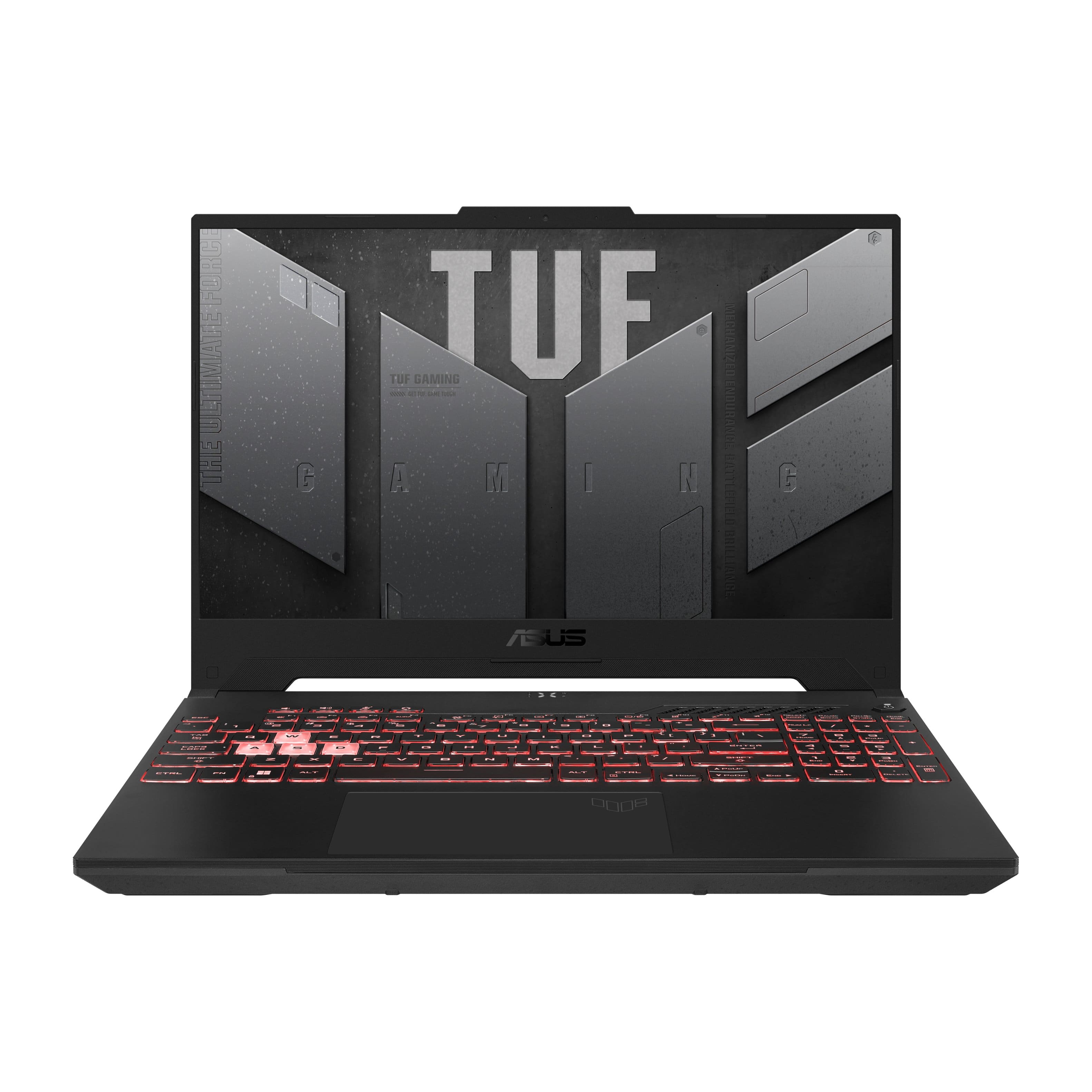
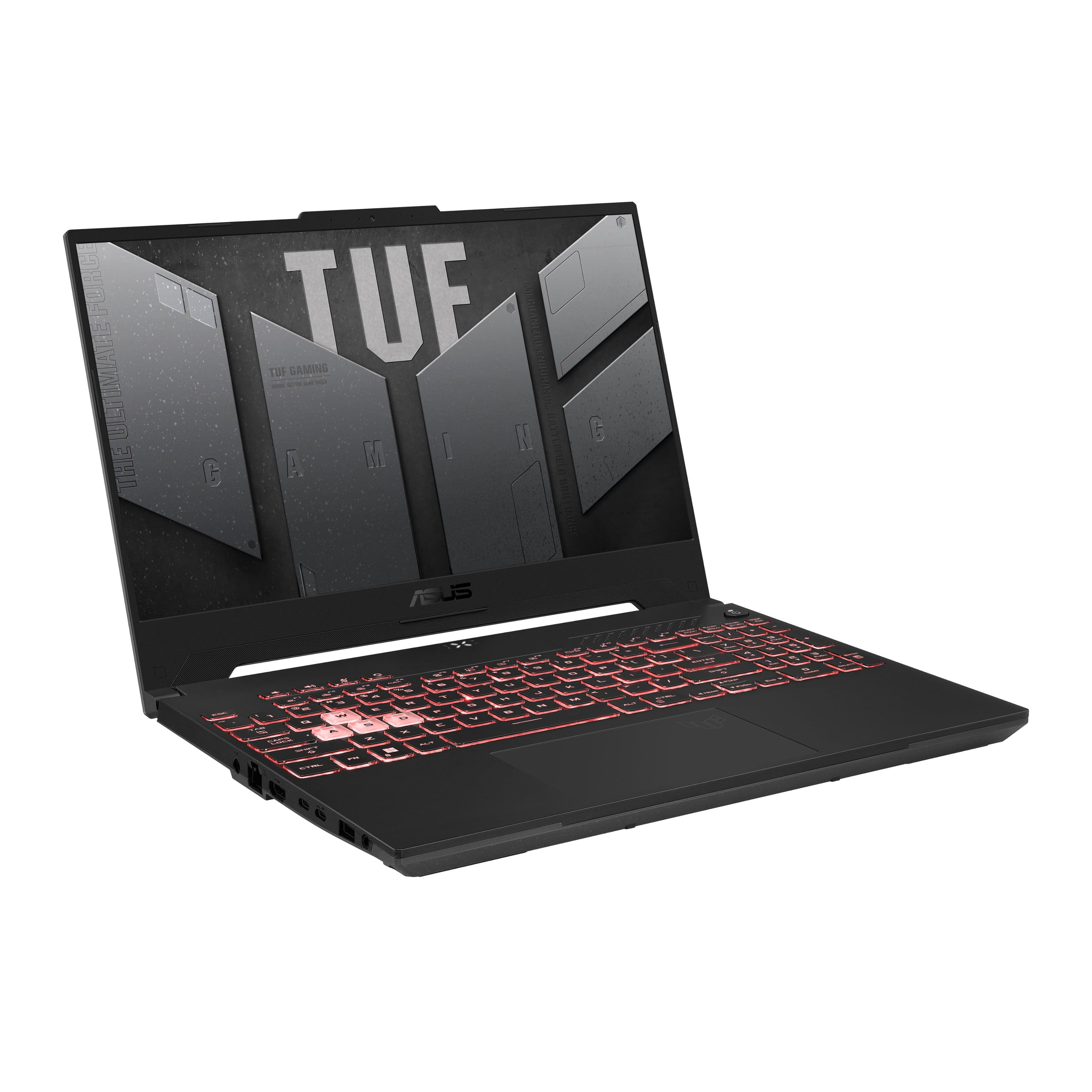
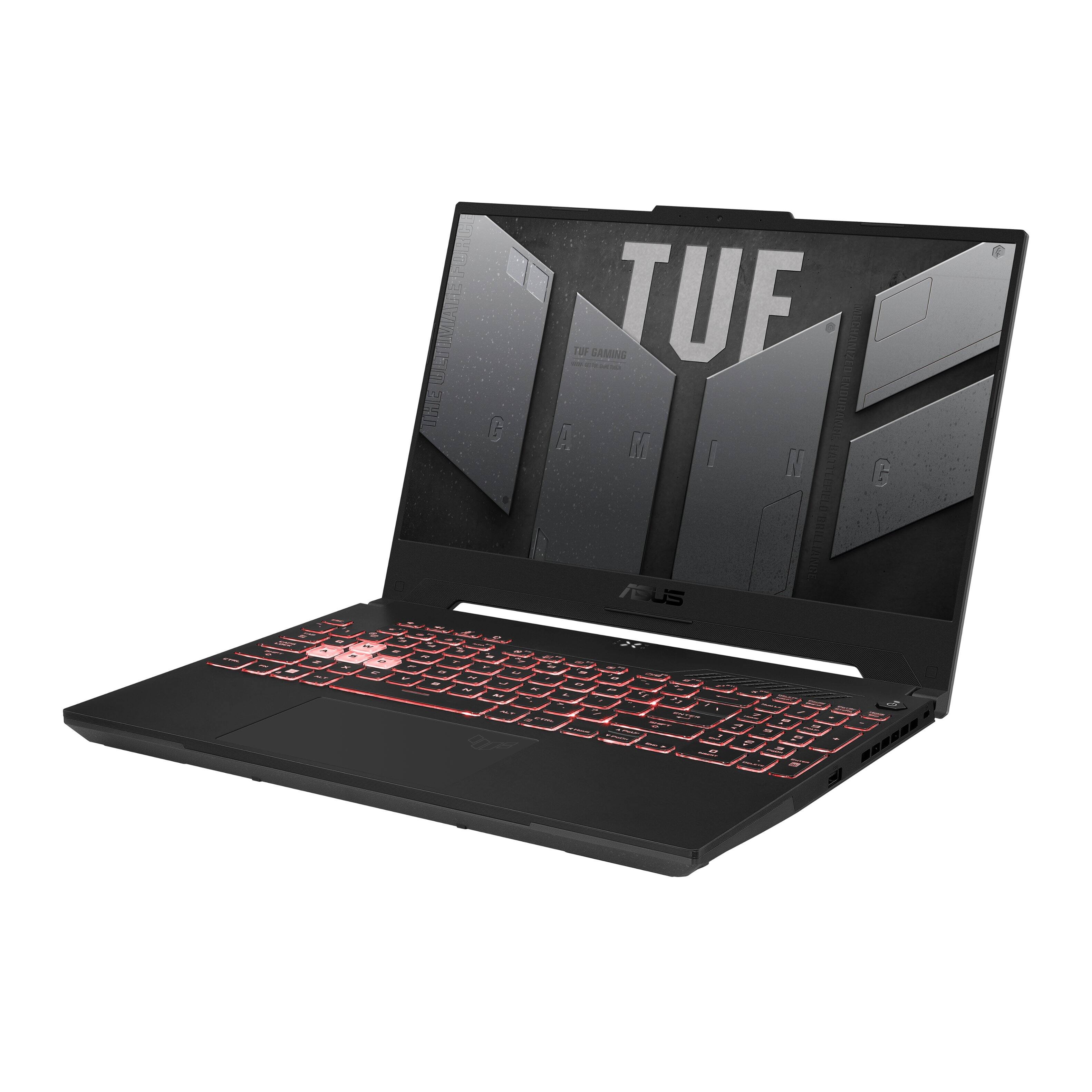
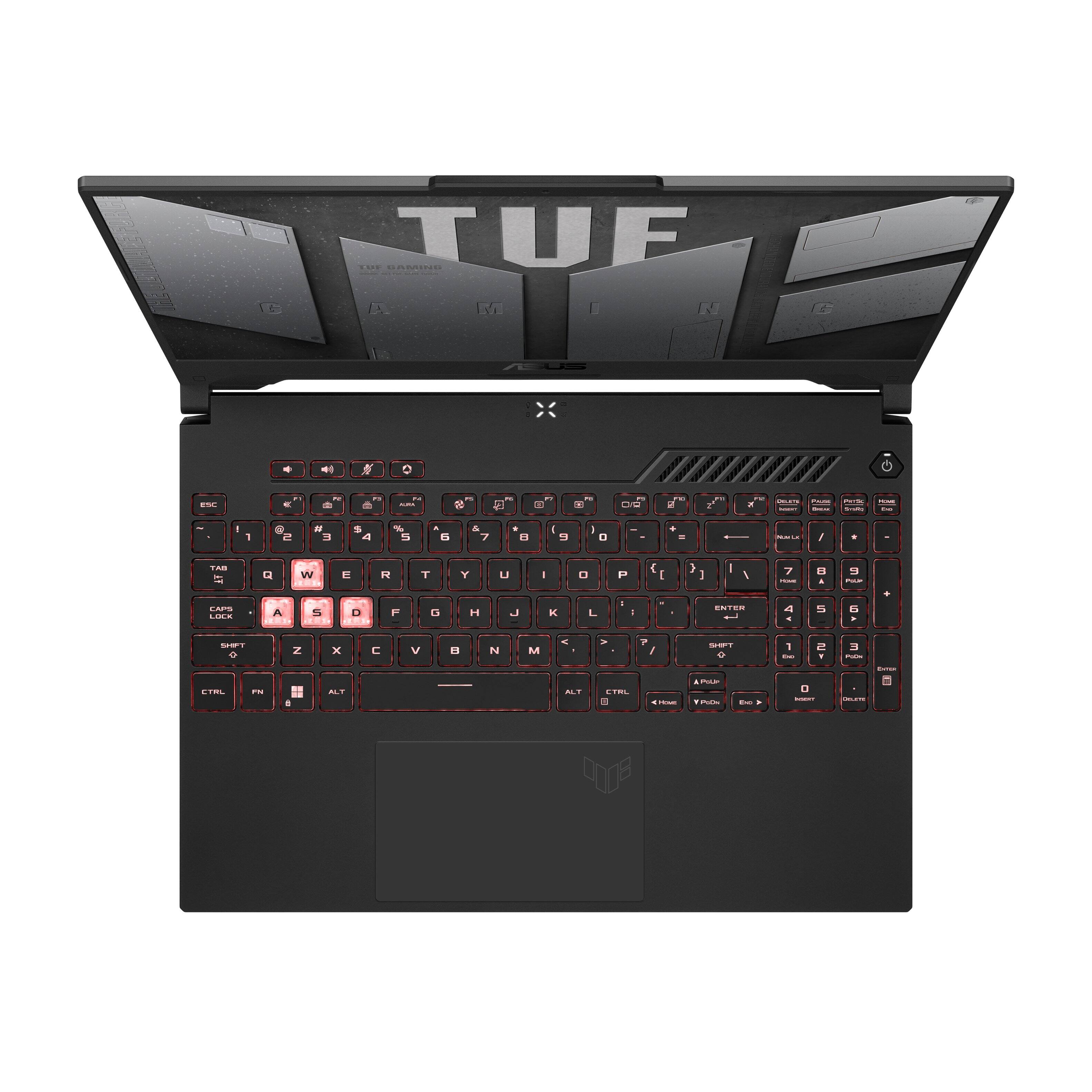
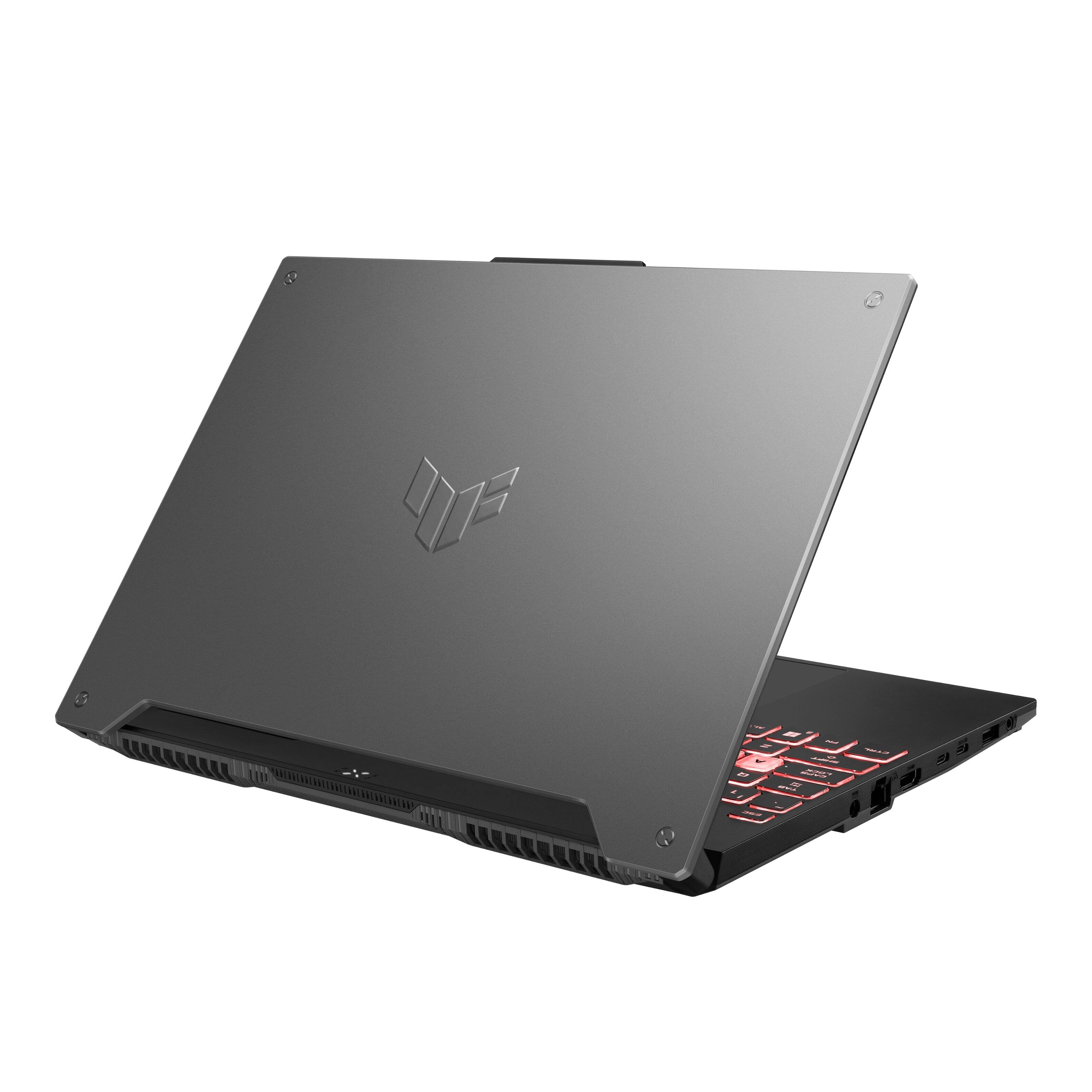
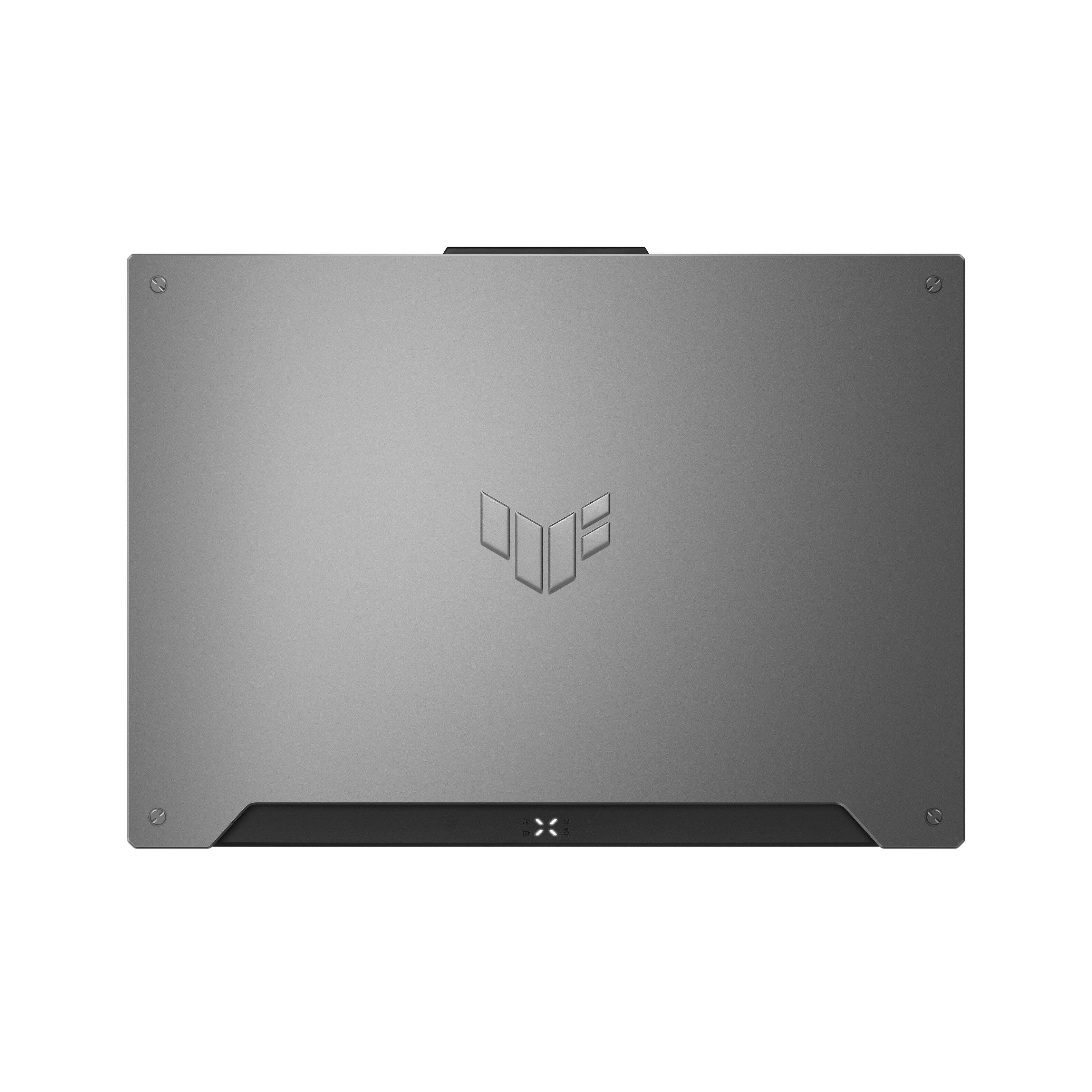
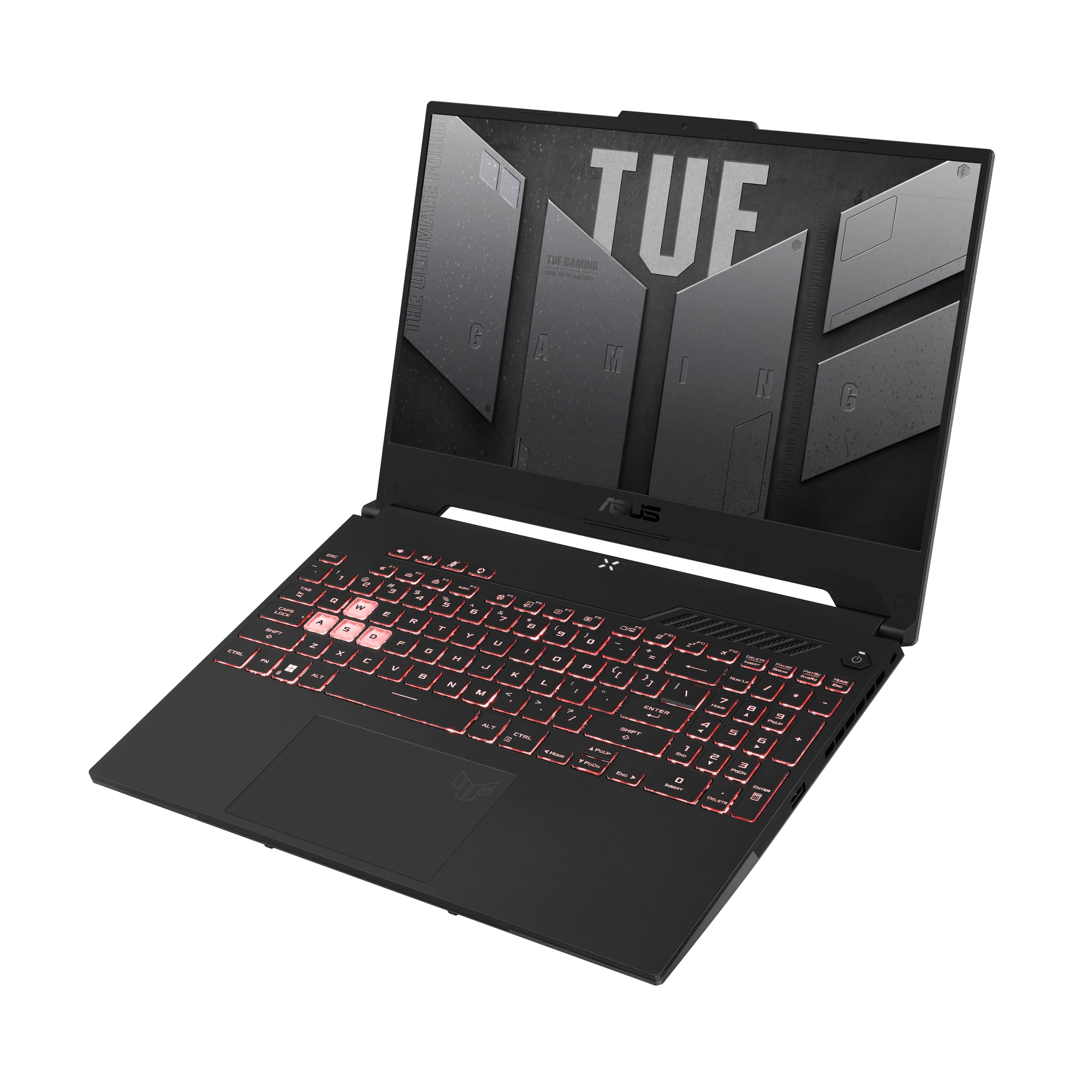



- Model:
- FA507RE-A15.R73050T
- SKU:
- 6501561
Rating by feature
- Battery Life
Rating 4.1 out of 5 stars
- Speed
Rating 4.6 out of 5 stars
- Display
Rating 4.6 out of 5 stars
Customers are saying
Customers often highlight the strong performance, ample RAM, and good graphics capabilities of the TUF Gaming A15 laptop. Many also appreciate its lightweight design and solid build quality, finding it a good value for the price. However, some users report issues with battery life, heat generation, and fan noise. A few also mention concerns about the speakers and power button.
This summary was generated by AI based on customer reviews.
- Cons mentioned:Speakers

Good for starter or casual gaming
|Posted .This reviewer received promo considerations or sweepstakes entry for writing a review.Please don’t let the title of this review fool you into thinking this is not a good laptop. It is a good laptop, it just isn’t necessarily a top-of-the-line, fastest on the market, etc. laptop that very serious gamers would want to consider. It has some awesome tech built into it, but somehow the feel of it was off for me when it came to a true gaming experience. I think the main reason for that is I found the screen resolution/color to be disappointing. Things seemed almost washed out in comparison to my separate gaming monitor and just other computers and TVs I’ve used. The other two items I found to be a bit lacking are not a huge deal when gaming IF you plan on using peripherals. The trackpad is a little finicky. Maybe it’s because I’m so used to touchscreens these days, but I felt like you had to push way too hard to get it to respond. That made it using it feel kind of “clunky”. The speakers aren’t terrific either, but I suppose most laptops don’t typically offer the best sound. However, I always use a separate mouse and almost always have headphones or a headset. If you plan to use these, the drawbacks of the trackpad and speakers basically go away. Now, all of that aside, this is still an excellent laptop. It has a great processor, refresh rates are up to par, and although it can get loud, the cooling fans are pretty standard and I didn’t notice any lag. The big thing to consider here is the price point of this laptop. It’s tough to find a good gaming laptop at this price. So, although it’s not perfect and has room for improvement, it’s not a bad way to go for a new and/or causal gamer. It’s also a great laptop for everyday use (just be sure to get that separate mouse!)
I would recommend this to a friend No good
||Posted .This reviewer received promo considerations or sweepstakes entry for writing a review.Overheated and was really laggy I don’t recommend this
No, I would not recommend this to a friendBrand response from ASUS Answers
Posted .Dear Valued Customer,
There's a possibility that there are background apps and Windows updates causing the unit to perform as it does. What we've observed with the Windows 10 operating system is that once the unit is not being used all background and installed apps including Windows updates will fire up. We would recommend that you check for and install updates. This will cause the unit to run a bit hotter than normal and in turn ramp up the fan speed. We would recommend that the user check for and install all updates for all installed applications. Multiple restarts are recommended to ensure all updates are installed. We do value our customers and take negative customer service experience very seriously. This is not the quality of service expected from ASUS. We do stand behind our product and we continuously strive to improve our approach and processes in order to achieve customer service excellence.
For more information send us an email at customerloyalty@asus.com and provide the link of this review for reference. We’ll do our best to provide a quick resolution to your case. Your feedback is important as it helps with improvements to ASUS Support channels. Please copy a link to this post as a reference.
Thank you for choosing ASUS.
Best Regards,
Joan
ASUS Customer Loyalty US Support
- Pros mentioned:Speed
Mid-Tier Gaming Laptop and Productivity Powerhouse
|Posted .This reviewer received promo considerations or sweepstakes entry for writing a review.The ASUS Tuf Gaming A15 is a solid machine with a lot of power behind it. First thing I always want to test is battery life and speed when it is not hooked up to external power. The TUF A15 surprised me in the best ways. Usually when you start up a FPS heavy game a laptop's fans will start spinning fast, you'll hear it and if the laptop is located on your lap you'll feel your legs begin to warm up and in some cases, burn. The ASUS actually is the exact opposite of this experience. Thanks to their cooling vents and well designed thermal dispersion the heat is able to escape from the GPU and CPU pretty effortlessly. As for the battery life I was able to do general productivity, YouTube, and Browse the web for over 8 hours... I still had about 30 percent battery remaining so I'm sure I could have gone longer. As for gaming, being much more intensive, I found my life was around the 4-6 Hour mark depending upon gaming resolution, fps required, and gpu processing power required. The key is that I did not find any performance hits while running on battery, which I usually find is the case with other gaming laptops. The IO on the TUF A15 is one of my favorite things especially the ability to add additional M2 SSDs for storage. That is a key component when I decide on a laptop. If I have no ability to upgrade storage internally it is a personal make or break specification. Good on ASUS for including that ability. The 3 USB 3.2 A ports are great as I can connect a basic USB 2.0 device or an external drive that uses 3.0 and above and ensure fantastic data transfer speeds. The display system is great for the form factor. 1920x1080 Full HD at 144hz allows for a fantastic gaming experience. Many people gripe about 4K vs FHD but when it comes to gaming and you are using a fast refresh rate of 144hz you aren't looking for the most crisp resolution but a solid resolution that is accurate sharp and most importantly color balanced properly. The TUF meets those requirements. For those into photo and video editing I was able to test these productivity functionalities as well and it would be what you would expect on the video rendering side for a mid-tier gaming laptop. The render time wasn't insanely fast but it sure was not slow. The Ryzen processor handles the multithreading processing of an intensive application pretty effortlessly and doesn't over heat when it is being tasked. Overall, if you are looking for a great all in one laptop with a solid gaming power and graphics processor behind it... look no further.
Don’t buy
||Posted . Owned for 2 weeks when reviewed.This reviewer received promo considerations or sweepstakes entry for writing a review.Screen doesn’t come on. Got to the touch already and haven’t even been able to fully turn it on yet smh
No, I would not recommend this to a friendBrand response from ASUS Answers
Posted .Dear AshleyD,
We sincerely apologize for the display issue you have been experiencing with this laptop. We can assure you that this is not the norm and is not the kind of quality to expect from ASUS products. Please follow the steps in the FAQ linked below to troubleshoot the issue.
We do stand behind our product and we continuously strive to improve our products and processes in order to achieve customer service excellence. For more information send us an email at customerloyalty@asus.com and provide the case number "N2206034569-0007" for reference. We’ll do our best to provide a quick resolution to your case. Your feedback is important as it helps with improvements to ASUS Support channels. Thank you for choosing ASUS.
Best Regards,
Leonardo
ASUS Customer Loyalty US Support
[Notebook/AIO] Troubleshooting - Main (Internal) Display problem: https://www.asus.com/support/FAQ/1015072/
[Notebook] Troubleshooting - Notebook cannot power on and shows black screen: https://www.asus.com/support/FAQ/1014276/
Randomly restart after a few months of use
||Posted . Owned for 5 months when reviewed.This reviewer received promo considerations or sweepstakes entry for writing a review.Randomly restart after a few months of use. Also restart when closing lids.
No, I would not recommend this to a friendBrand response from ASUS Answers
Posted .Dear Marisa,
We sincerely apologize for the auto reboot issue you are experiencing with this laptop. We can assure you that this is not the norm and is not the kind of quality to expect from ASUS products. Please follow the steps in the FAQ linked below to troubleshoot the issue. We do stand behind our product and we continuously strive to improve our products and processes in order to achieve customer service excellence. For more information send us an email at customerloyalty@asus.com and provide the case number "N2206034569-0005" for reference. We’ll do our best to provide a quick resolution to your case. Your feedback is important as it helps with improvements to ASUS Support channels. Thank you for choosing ASUS.
Best Regards,
Leonardo
ASUS Customer Loyalty US Support
[Notebook/Desktop/AIO] Troubleshooting - How to fix the auto Shutdown/Restart problem: https://www.asus.com/support/FAQ/1046480/
- Pros mentioned:Keyboard
Be prepared to upgrade
|Posted .This reviewer received promo considerations or sweepstakes entry for writing a review.Out of the box the laptop looks slick. It has a very industrial look with the TUF logo embossed on the lid. The dark grey exhibits a rugged industrial look. I really like that!!! There is a little bit of screen flex but as you go for thinner and thinner laptops you always get a bit of flex but for the most part it’s very solid. The keyboard has a good feel, not too spongey. There is RGB LED back lighting on the keyboard but as with other budget or entry level laptops with RGB backlighting the keys are not individually addressable so the whole keyboard will be whatever color happens to be cycling (or set using ASUS’ Armoury Crate app). Higher end gaming laptops usually sport individually addressable LEDs for a much more ewe-ahh factor. This is definitely a budget entry level gaming laptop. Unfortunately it falls short in performance and . It’s pretty common knowledge that Ryzen CPUs need dual channel memory to get optimal performance from it. Unfortunately this laptop comes with only one 8GB stick of DDR5-4800. Coupled with the RTX3050Ti better performance can be achieved with an extra stick of memory. Nice job on the DDR5-4800 but one stick is just not enough. Good luck finding any DDR5 memory at the time of this posting and especially laptop memory. Crucial has a comparable 8GB stick at $65 and I would have loved it if ASUS would have just added the extra memory to the laptop from the git-go. To get the best performance on this laptop be prepared to do a memory upgrade and might as well plan on a SSD upgrade because at 512GB you will not be able to load many AAA games. So factor in the additional memory and SSD upgrades into the price (about +$200 after tax) and you might be able to move up a spec without having to do the upgrades yourself. I tried to play one of my go to games and the 8GB doesn’t meet minimum specs. For now I’ll have to play games with lesser spec requirements. The RTX3050ti graphics is a decent enough entry level graphics GPU and should play most with decent enough frame rates. I play Valheim often and Tom Clancy’s The Division 2 and the laptop can handle those games at acceptable frame rates. I only had a few dropped frames when playing the Division 2 and Valheim did stutter a couple of times. All in all this is a decent starter and it’s not too gaudy to rule it out as a possible work laptop. It would be a great choice for a school laptop, possibly pre-high school. I’ll soon do the mentioned upgrades and most likely turn this into my casual gaming/work system when on the road.
No, I would not recommend this to a friend Dont buy from best buy
||Posted . Owned for less than 1 week when reviewed.This reviewer received promo considerations or sweepstakes entry for writing a review.Yeah would like to review but how can i if it never showed up
No, I would not recommend this to a friendBrand response from ASUS Answers
Posted .Dear Peanut,
We're sorry to hear that you didn't received your unit. Please reach out to Best Buy support for more information. We do value our customers and take negative customer service experience very seriously. This is not the quality of service expected from ASUS. We do stand behind our product and we continuously strive to improve our approach and processes in order to achieve customer service excellence.
For more information send us an email at customerloyalty@asus.com and provide the link of this review for reference. We’ll do our best to provide a quick resolution to your case. Your feedback is important as it helps with improvements to ASUS Support channels. Please copy a link to this post as a reference.
Thank you for choosing ASUS.
Best Regards,
Joan
ASUS Customer Loyalty US Support
Decent budget gaming laptop
|Posted .This reviewer received promo considerations or sweepstakes entry for writing a review.One thing that really irks me is when a laptop has "gaming" slapped on it and then they go and put a pitiful 8GB of RAM in the machine. A fresh boot up into windows 11 already hogs up 50% of the memory and then running a game pretty much maxes the rest out after you close every open program. Go ahead and bump up the price $60 and NOT cripple the machine. With that out of the way, on to the review. If you look at the specs the Asus TUF A15 is a pretty nice low/mid range laptop that can handle some decent gaming as long as you're willing to turn down some eye candy to achieve good performance. My current game for the last few months has been Warframe. At a custom mid setting I'm maxing out the FPS at 144. Now it's an older game that has some modern options for better visuals, but it won't tax the system like true current gen games. Since I have a huuuuge backlog of older games I trying to go through, the A15 will chew through them without breaking a sweat - except in the RAM department. The included NVME drive is an intel branded one. Sequential reads top at 3000MB/s and Writes topped at 1630MB/s. Good enough for gaming on the go and more than enough for most people. The 144MHz screen supports Adaptive Sync, but you'll probably never use it since you can't force compatibility mode with GSync. HDR support is also available with the screen, but it's fake HDR since it's edge lit. Not worth turning on IMO. The screen display is clear and the colors look nice out the box. Since I don't plan on dong work on this laptop, I won't be calibrating the screen with my i1pro. Battery life is decent for a gamer, roughly 4-5hrs (est by Windows) while browsing the web and doing light tasks and auto switching to Best Power Efficiency mode. Better life would have made it a nice portable media player, but as it is you're probably going to want to lug the brick around. Speaking of brick, no PD option. Not even for a trickle charge. PD won't supply enough juice to game with, but it would have been nice to include the option to use it while doing "normal" work or charging in a pinch. The KB backlight has a good amount of customization and Armory Crate allows for some tweaking to increase battery life or performance. I haven't dug much into it yet as I don't really care for flashy lights. After typing that I'm seriously considering uninstalling Armory Crate. I've had to pop ups show "Default" "Silent" while I'm no battery. I didn't plug the charger or switch from just typing the review....and another pop up just occurred. Yeah, remove that junk as soon as I'm done typing. And now a fourth!!!! OK, those toast notifications are really getting on my nerves now. The TUF A15 is a decent low/mid gaming machine that's easy to lug around. This will be my new travel buddy when I head out to my parents house and need a little gaming fix. Not too much heat or noise and performance that's good enough to keep me happy.
I would recommend this to a friend- Cons mentioned:Battery life
Great laptop, but battery life sucks
Posted .This reviewer received promo considerations or sweepstakes entry for writing a review.I adore this laptop. Sure you need to upgrade the 8gb ram to something more which isn’t a big deal, but the main issue I have is the battery. I don’t know if I got a defective battery or just it drains quickly because it’s a gaming laptop, but it drains within an hour of gaming or two hours of doing normal things and it sucks a lot so it has to be constantly plugged into a charger. I’m wondering if anyone else has this issue or it’s just me. Overall the laptop works fine and if the battery is fine, then it’s a superb laptop.
I would recommend this to a friend Great Entry to Mid Level Gaming Laptop
|Posted .This reviewer received promo considerations or sweepstakes entry for writing a review.First impressions, solid yet surprisingly light laptop. When I first picked this up I was expecting it to be fairly heavy. I was pleasantly surprised at how light it was. This is a very good entry level gaming computer. Out of the box, the first high I noticed was the nice TUF design embossed on the lid. Note, when you first power on the unit it may take 30 - 60 minutes to go through all the update, and upgrades to Window 11. I was a little disappointed I had to wait so long to even begin using it. You will want to keep it plugged in during these updates as well. I also found the touchpad to be a little non responsive during set up. I would have to click multiple times to select items on the screen. I am hoping this was just an issue during set up and will work itself out the more I use the laptop. I use the trackpad when necessary but prefer to use a mouse anyways. I do like the hinged display, and the placement of the air vents in the back of the unit. I have yet to feel any warmth while using the laptop. And it runs super quiet. The laptop has a RGB backlit keyboard, which allows you to use it in low light settings. Being able to customize the colors is awesome. I also noticed the keypad on the right of the laptop, this is really nice and they have slimmed it up, so it takes up very little space. There is a White “X” in the middle top of the laptop that you can see when the lid is close or open, and the lights indicate power level. Whether you are using this for general home use, or playing online games from Roblox to Halo, you will not be disappointed. The screen refresh rate was great, there was no lagging in the games. The sound and picture quality are very nice as well. I prefer to game with headphones, so I get a better sound experience with them plugged in instead of the built in speakers. I have noticed I am prompted quite often for the MyASUS app updates. It is a bit annoying to me honestly. I just want the device to work and update in the background or on restarts. I do not like all the prompts for updates. And I am constantly prompted to plug in for the updates to be installed, even when I feel I have adequate power remaining. So this is a bit annoying. Perhaps I can find in the settings a way to disable thee alerts, or delay them from appearing so often. If you are looking for a slim design, lightweight laptop for gaming, this is a great choice.
- Pros mentioned:Ram
Gaming Life
Posted .This reviewer received promo considerations or sweepstakes entry for writing a review.Was a great laptop lasted just past the 1 year warranty if not for screen size and the lifespan i would have given it 5 stars. Apart from the short life it supported two extra screens and had no issue with games once i upgraded the ram. 16 is your minimal you want to play most games.
I would recommend this to a friend Blazing fast laptop, very lightweight.
|Posted .This reviewer received promo considerations or sweepstakes entry for writing a review.Another blazing laptop from ASUS. This rig boasts an amazing low power but super fast AMD Ryzen 7 6800H CPU with 8 cores and 16 threads to blast through any task you throw at it. Graphics are courtesy of NVIDIA GeForce RTX 3050 Ti with 4GB of dedicated GDDR6 graphics memory. This paired with the Ryzen 7 CPU will keep you up to speed in the latest games and graphics intense programs. Along with the 8GB of super speed DDR5 this thing is unstoppable. The 15.6" Full HD 144Hz Display is lovely and very crisp with thin bezel which I really appreciate the look of. Connectivity: Has plenty of USB ports for all you peripherals or high speed external drives. Also has HDMI for external video as well as a headphone/microphone combo jack. I really like that this unit has a true RJ45 LAN port for data connection without the need for an additional dongle which is quite convenient. Has wireless of course but sometimes it helps to be able to hardwire plug into a network depending on your working location. Storage is a fast PCI-e 512GB Solid State Drive. Plenty of storage for multiple of the newest large gaming titles as well as files/media/data that you want to keep on hand. Comes pre-loaded with Microsoft's new Windows 11 and a 30-day trial of Microsoft Office 365. Still getting to know the ropes of the new Windows look but so far so good and very intuitive and straight forward when coming from previous windows versions. This new look also makes it an easy switch if you're converting over from a previous Macintosh operating system. Lastly, this laptop is extremely lightweight - 4.85 pounds and just 0.88 inches thick. Has workstation power and performance but superb portability for taking it on the go.
I would recommend this to a friend- Pros mentioned:Performance
Longevity
Posted .This reviewer received promo considerations or sweepstakes entry for writing a review.I have had this laptop for 3 years now and it’s still going strong, it works well doing school work, and playing world of warcraft on it.
I would recommend this to a friend - Pros mentioned:Performance
Good but unfortunate software issue.
Posted .This reviewer received promo considerations or sweepstakes entry for writing a review.Seems like a really solid computer. Recent update introduced some issues and I had to reset it to fix that...but I guess that's a Microsoft software complaint. Just got it last month though.
I would recommend this to a friend - Pros mentioned:Performance
Quality
Posted .This reviewer received promo considerations or sweepstakes entry for writing a review.This laptop has great performance, still loving this laptoo
I would recommend this to a friend - Pros mentioned:Performance
ASUS TUF Gaming A15, 2022
Posted .This reviewer received promo considerations or sweepstakes entry for writing a review.Excellent gaming laptop. Even better price from Bestbuy
I would recommend this to a friend Great item, one issue.
Posted .This reviewer received promo considerations or sweepstakes entry for writing a review.The only issue is the track pad, it’s a little hard to use since my dexterity isn’t where it should be due to injury. Apart from that, it’s exactly what I needed.
I would recommend this to a friend- Cons mentioned:Speakers
welp
Posted .This reviewer received promo considerations or sweepstakes entry for writing a review.Great device run smoother than an ice blocks sliding over a frozen lake. The only problem is that the speakers disappeared after I connected an HDMI, and not even a factory reset would fix it. Had it for a week and now it's on service because not even geek squad knew what happened.
I would recommend this to a friendBrand response from ASUS Answers
Posted .Dear KSCF,
It's unfortunate to hear that you are having issues with the speakers. All our products do go through an intensive quality control testing process to ensure that customers get units that are in proper working condition, what you've experienced was not intentional. Have you tried update the bios ? Please Follow this trouble shooting steps FAQ:[Notebook/Desktop/AIO] Troubleshooting - Sound (Speakers/Microphones) problems- https://www.asus.com/us/support/FAQ/1015070/#:~:text=Check%20the%20settings%20of%20output,%5BMore%20sound%20settings%5D%E2%91%A3. also https://www.asus.com/support/FAQ/1008276/ if not resolved
Can you please reach out to us with your case number so we can investigate this issue? We would love to have your issues resolved in a timely manner.
For more information, email us at customerloyalty@asus.com and provide the link to this review for reference. We’ll do our best to provide a quick resolution to your case. Your feedback is important as it helps with improvements to ASUS Support channels. Please refer to this case number (N2302019864-0002) for us to better assist you. Thank you for choosing ASUS.
Best Regards,
Schottky
ASUS Customer Loyalty US Support
- Pros mentioned:Graphics
Tuf gaming for sure
Posted .This reviewer received promo considerations or sweepstakes entry for writing a review.Awesome gaming laptop for better than entry level. The graphics are great and refresh rate have been able to keep up with the games i play on steam. I’m casual gamer just looking for something i can upgrade later. This has been a great starter. My typical games are mostly sports and fughting games performes amazing.
I would recommend this to a friend This thing is amazing
Posted .This reviewer received promo considerations or sweepstakes entry for writing a review.First off let me say that if you're coming from console (series x) you won't go back. I play alot of apex and on PC there is ZERO input delay, I'm able to get 120 FPS on medium settings and it runs it very smooth. Although my series X has a better graphics card that doesn't really bother me in games like apex or other games. I still haven't upgraded to 16gb, the 8 gb is fine for now but noticed when playing games like apex and lost ark my RAM perfentage goes around %80 -%90 (with a 2nd display montior hooked up) will upgrade to 16gb soon. I noticed that my laptop will bluescreen when it is left on idle for a long time then goes to sleepmode, when i wake it back up the bluescreen pops up for like 8 sec then goes back to normal.. don't know why but it hasn't done it ever since i changed my power settings, not really a big deal though. This laptop has a very good CPU with ryzen 7 installed. I highly recommend this laptop
I would recommend this to a friend