Customer Ratings & Reviews
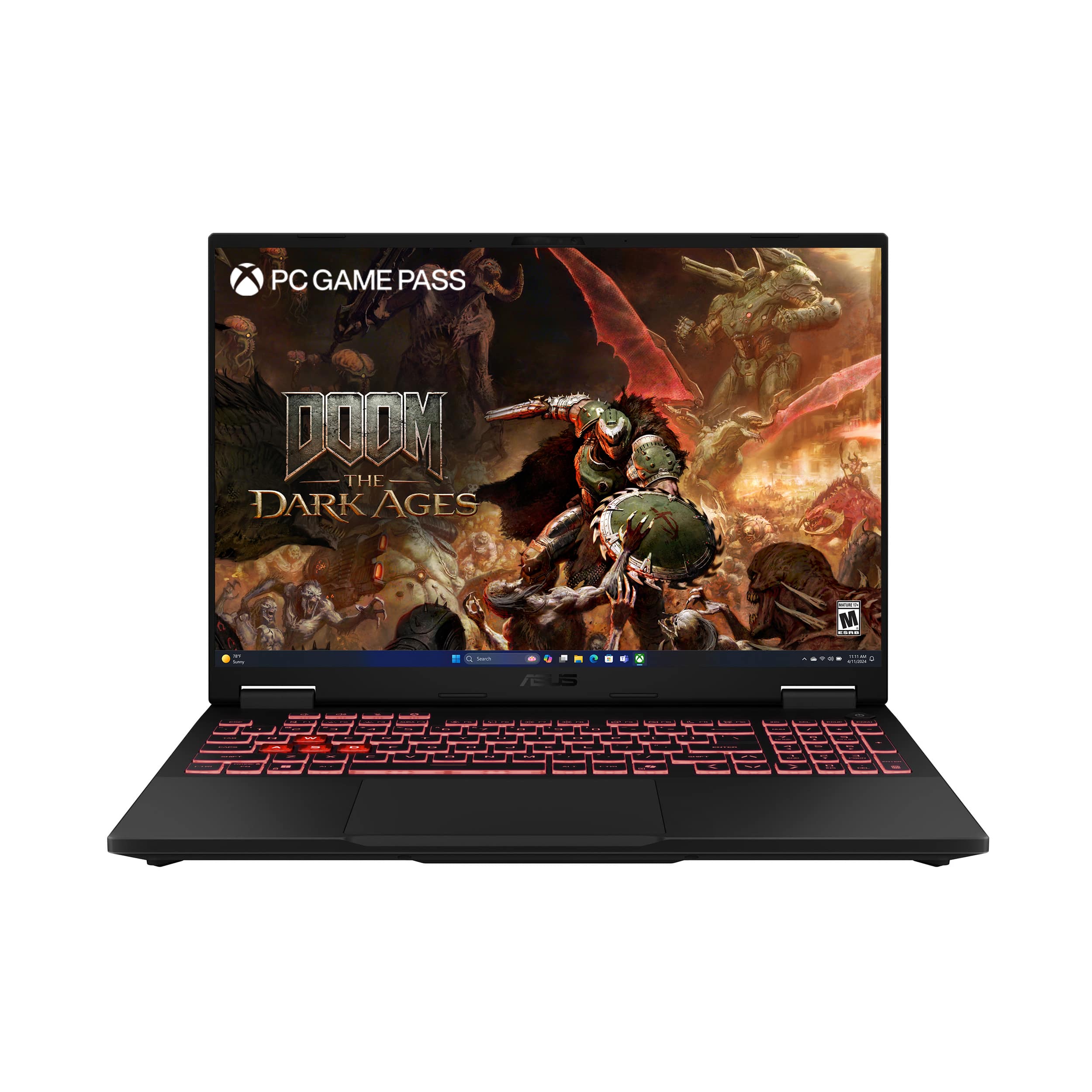
- Model:
- FA608UP-A16.R95070
- |
- SKU:
- 6617666
Customer reviews
Rating 4.7 out of 5 stars with 178 reviews
(178 customer reviews)Rating by feature
- Battery Life4.4
Rating 4.4 out of 5 stars
- Speed4.8
Rating 4.8 out of 5 stars
- Display4.6
Rating 4.6 out of 5 stars
- Pros mentioned:Battery life, Cooling system, Port count
Rated 5 out of 5 stars
Well-executed gaming/enthusiast laptop
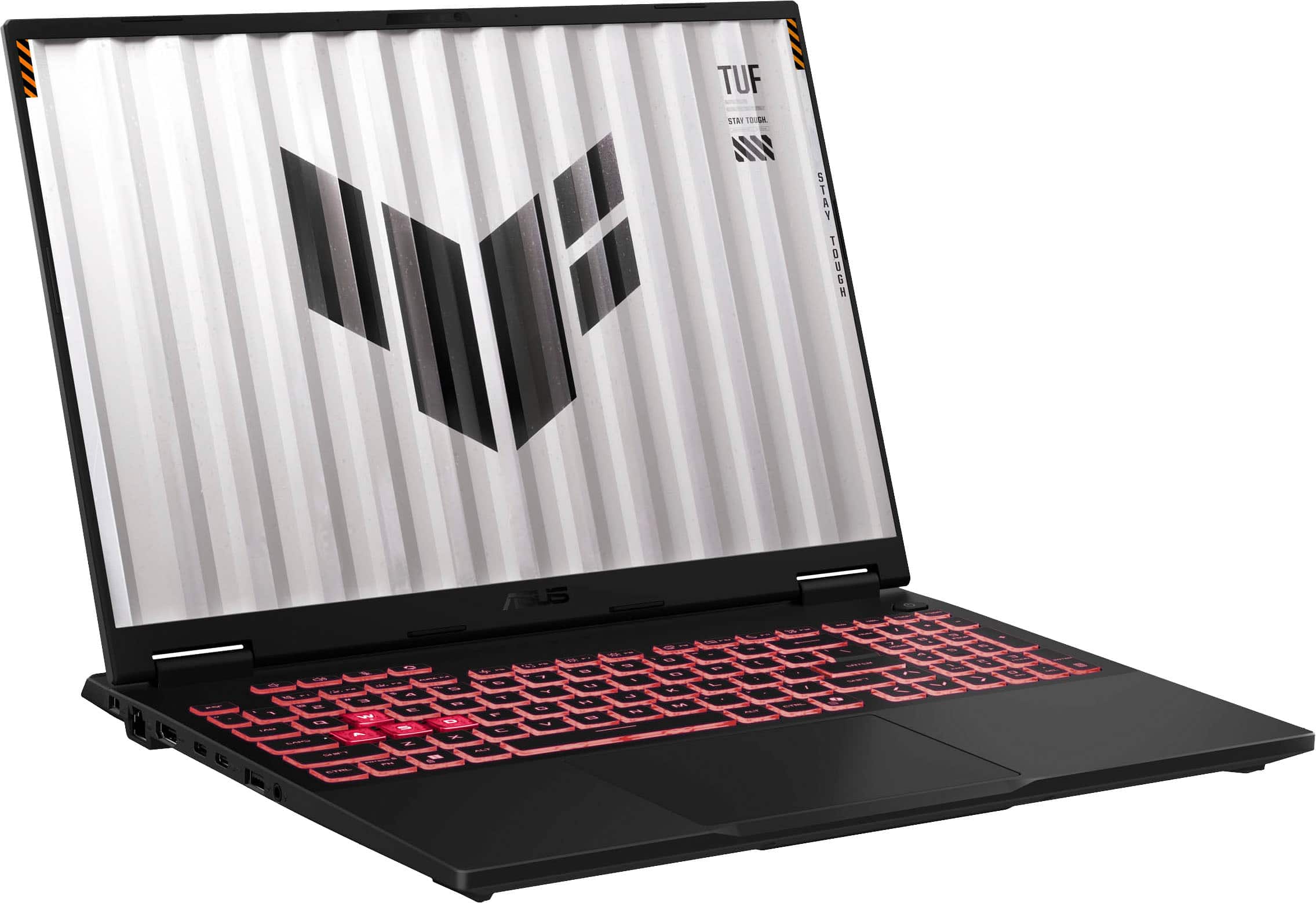
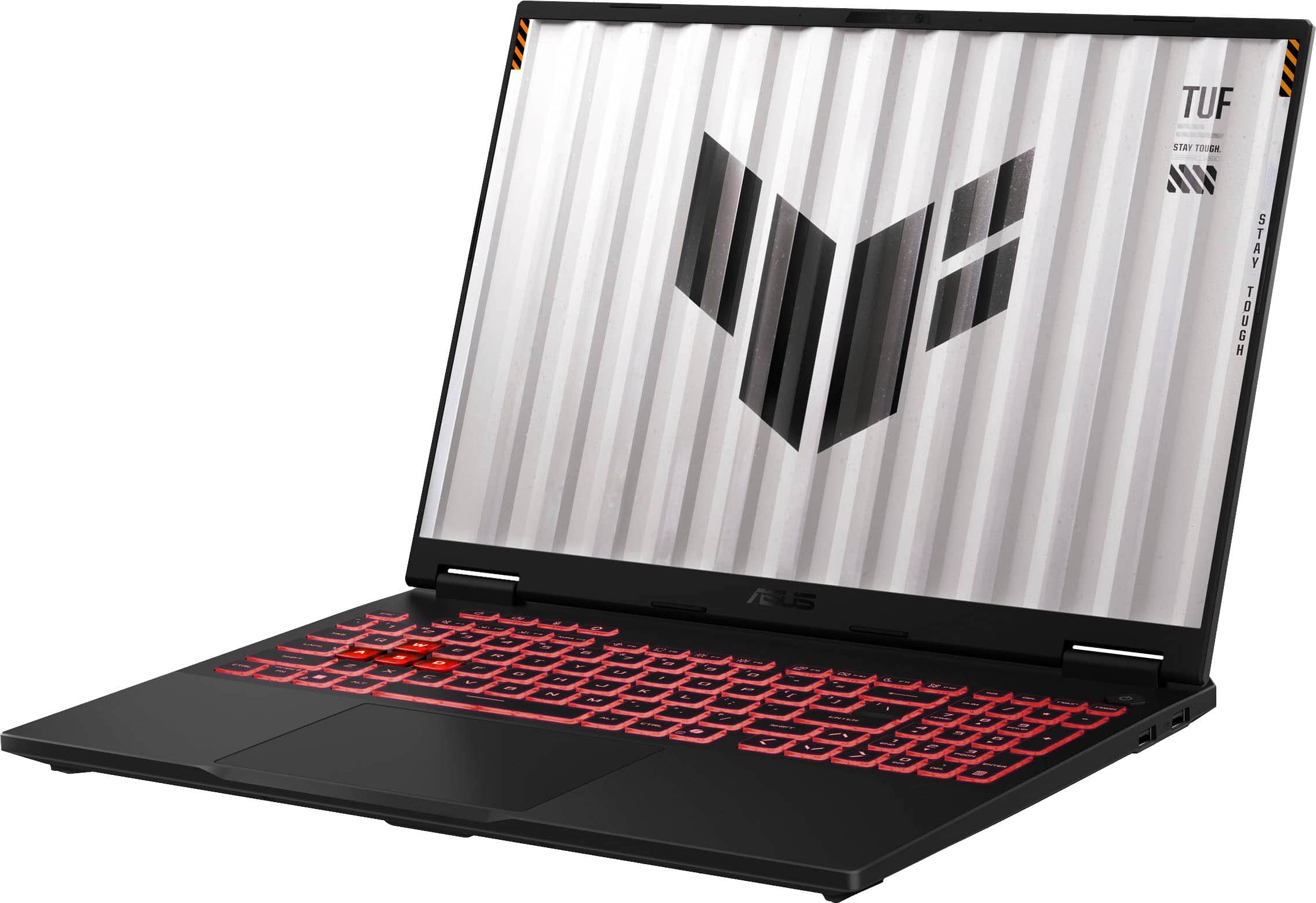
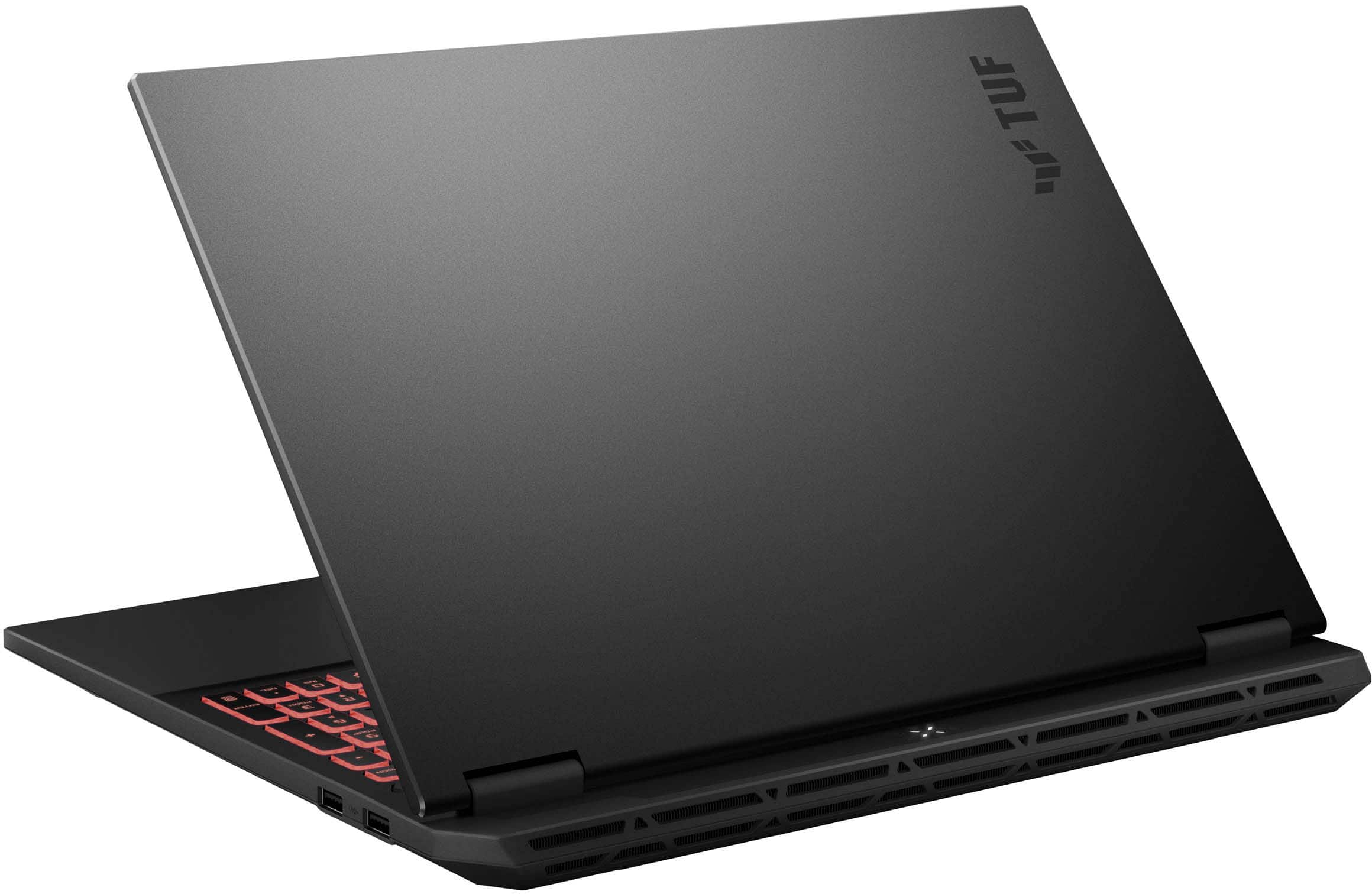
|Posted .This reviewer received promo considerations or sweepstakes entry for writing a review.ASUS has done a lot right with the 2025 TUF Gaming A16 laptop. I've used quite a few gaming and enthusiast oriented laptops over the last few years but never anything from ASUS. I went into this review with certain expectations about the features and how well they would work. While the TUF Gaming A16 hasn't exactly shattered those expectations, ASUS has demonstrated what great execution of all of the best features from every brand can look like. #Unboxing and first impressions# The TUF Gaming A16 arrived in a pretty well-designed box. The box is hinged and double-walled, so you kinda flip it open to get to the laptop. There's plenty of protection for the laptop itself inside that box, so I wouldn't have any qualms about ordering this laptop for shipping vs picking up in store. The TUF Gaming A16 comes with a 240W power brick that has a detachable C13 power cable. The brick is actually much smaller than I'd expect for the power output, but it's definitely bigger than anything you'd get for a non-gaming laptop. The TUF A16 has a pretty slim design for a gaming laptop, though it trades this slim thickness with increased depth. The display is hinged about 3/4" before the rear of the laptop, presumably to provide for a better cooling solution under the hood. The whole laptop is plastic feeling, though it feels pretty high grade vs some of the other plastic chassis laptops I've used. There's very little flex while typing with the laptop propped on your lap, and no twisting flex either. The A16 feels very solid. I love the connectivity offered by the TUF A16 - there are 3 USB-A ports (2x 3.2 and 1x 2.0), 1 USB-C 3.2, 1 USB-C 4, a Ethernet port, and a headset jack. The Ethernet port, while only 1gbit rather than 2.5, is really easy to use vs those collapsible ones you often see on laptops. The TUF A16 also features a full HDMI 2.1 port for connecting to 4k 120hz TVs and monitors. #Using the A16 - General thoughts# Initial setup is pretty standard for a Windows 11 device these days. Just plug it in and power it on, then Microsoft walks you through everything and does any major updates before eventually letting you into the OS. I was impressed that the TUF A16 includes a Windows Hello Face compatible webcam, though it doesn't include a fingerprint reader. One of the first things I tested with the A16 was whether it could be charged via the USB ports. As someone who often carries a personal laptop with me when I go to work, being able to charge, even if slowly, via USB-C is important as it means I don't have to worry about carrying the big 240W brick. So far that capability has been hit or miss for me on gaming laptops. The TUF A16 does charge via USB-C, which is nice, though it does so only via the USB 3 port and not USB 4. That isn't a huge deal, but it does mean that if you have a Thunderbolt dock connected to this device you'll still need a separate charger. I can kinda see why this was chosen - USB4/TB portable docks that have passthrough charging are somewhat rare and expensive. USB-C 3.x portable docks are pretty inexpensive these days so if you can only charge with one, it makes sense for it to be the USB 3 port. Still, would be nice to have both. When using a 65W or 100W USB-C charger Windows gives you a notification that you're charging slowly, but it does provide more than enough power to actually charge the laptop battery while using it, though not for gaming. Performance in Windows is fantastic. The ASUS apps (Armoury Crate in particular) appear to be unobtrusive while still providing good value. Armoury Crate is a great dashboard for tracking resource usage and controlling features like Optimus. It makes it really easy to keep the dGPU powered down when on battery, giving this excellent battery life for a gaming laptop. Right now in Silent mode, with the screen at about 70% brightness, it's showing I have over 10 hours remaining at 87% charge. That's with at least an hour of typing and web browsing, including some youtube and Steam video trailer usage. Regardless of the performance mode (which can be done with a hotkey or in the Armoury Crate app), the TUF A16 is very snappy and quick within Windows. The 1200p 165hz display looks great, especially for an SDR only panel. #Using the A16 - Gaming# I was a little disappointed to find that the RTX 5070 laptop version only has 8GB of VRAM, but that's not ASUS's fault. I did what any PC gamer would do the first time they get access to a 50 series card, and installed CyberPunk 2077 to try out the new DLSS features. I also installed a few other games (Assetto Corsa Competizione and Overwatch 2) to get a feel for how it can handle less demanding games that require high native framerates. In CP2077, I was both impressed and disappointed with the TUF A16's 5070 GPU. The only disappointment is related to the limited 8GB VRAM - you aren't going to get good 1440p+ performance in most modern games should you connect the A16 to a monitor or TV. The FPS falls off a cliff once you hit that 8GB limitation. However, at 1200p, I was really impressed by the 5070 in this TUF laptop. I found that I can use either DLAA at 1200p with no ray tracing, or full path tracing with DLSS in Balanced mode. Thanks to the new Transformer model in DLSS4, these DLSS modes are fully usable even at 1080p/1200p and often look as good or better than native resolution. In ACC and Overwatch 2, the TUF A16 performs exactly as expected and confirms that this is a near perfect eSports laptop. In both games, you can easily exceed 120fps at 1200p resolution. Thanks to the 165hz 1200p display on this laptop, it's a perfect device for some Overwatch 2 while on the road. A final note on gaming performance: the cooling system on this laptop is fantastic. In the middle "Performance" mode, the laptop does not get terribly loud at all, and still offers decent performance (the GPU seems to get up to about 85W in this mode). Enabling Turbo mode lets the GPU go all the way to 115W sometimes and around 100W typically. At that speed it does get loud but it does not have the ear-splitting whine of some other thin-ish laptops I've used with similar power budgets. They have really done a great job with this setup, as even in Turbo mode it doesn't get much beyond 78 degrees C on the GPU. #Final thoughts# This is the best mid-range gaming laptop I've used. ASUS have done a great job of integrating their software in useful (rather than annoying) ways. It is really easy to switch the performance modes by hotkey, and it works reliably unlike some other models that I've used. It has good performance in the quieter fan modes, and fantastic performance with the Turbo setting enabled. I wouldn't hesitate to recommend this laptop to anyone looking for a good 1080/1200p gaming laptop that can be mild mannered any time you need it to.
I would recommend this to a friend - Cons mentioned:Vram
Rated 1 out of 5 stars
Very disappointed
||Posted . Owned for less than 1 week when reviewed.This reviewer received promo considerations or sweepstakes entry for writing a review.I thought this would work great tor SL with the CPU being so great, since it an older game. Was horrible. My 2.2 ghz worked way better and had the same specs besides AMD was intel. Will stick with Intel from now on. Returned this.
No, I would not recommend this to a friendBrand response from ASUS Answers
Posted .Dear Emmy,
Thank you for your feedback.
We do understand your disappointment and the inconvenience this may have caused if you are experiencing isssues playing Second Life. This game does play smoothly on this laptop. To resolve this issue, check if Windows, drivers, BIOS and games are up to date. Updates for this laptop are posted at:  https://www.asus.com/us/laptops/for-gaming/tuf-gaming/asus-tuf-gaming-a16-2025/helpdesk_download?model2Name=FA608UP . Additionally, check if you are running the most current Armoury Crate utility software. The most current version is available for download at: https://www.asus.com/supportonly/armoury%20crate/helpdesk_download/. While accessing cloud games, ensure this laptop has access to an established router and internet service is working properly since poor and unstable internet connection will affect system stability and performance. Keeping this laptop always updated will maintain optimum system stability and performance. If these steps were performed to no avail, please try to run a diagnostics or optimization test using the "MyASUS" utility software or application. If this is not pre-installed on the laptop, please download the application at the Microsoft Store. For details on how to use "My ASUS", please go to: https://www.asus.com/support/FAQ/1041686/.
If you need further assistance, please email me at cl-rodel@asus.com and I would be happy to help. Or you are most welcome to call Product Support Hotline at: 1(888) 678-3688. Also, you can chat with an ASUS live support agent from the link: https://www.asus.com/us/support/article/1135/.
Thank you for choosing an ASUS product.
Regards,
Rodel
ASUS Customer Loyalty
- Pros mentioned:Battery life, Port countCons mentioned:Fan noise
Rated 4 out of 5 stars
Mid level gaming with great general use battery
|Posted .This reviewer received promo considerations or sweepstakes entry for writing a review.I’ve grown quite fond of Asus devices after many years working IT and being an electronics consumer. This Asus A16 TUF gaming laptop is no exception. The unboxing was uneventful, simple cardboard packaging, and the laptop was 100% safe with all recyclable packaging except a couple small pieces of plastic. The quick start paper instructions are almost comical. “Charge, Open Lid, Press power button” I’ll jump right into the good stuff. Daily general use this Asus A16 TUF rocks. For simple browsing and content consuming, click and bam whatever you clicked is loaded. Office apps load fast and run smoothly. A major highlight for me with general daily use, the battery is outstanding. I wont give a time, as this is subjective to what you are doing, screen brightness, etc. But I will say battery life is better than any Intel processor laptop I’ve had. Also nice to see no bloatware loaded from the factory, other than Armoury Crate which (which some would call bloatware), but I like it and use it. On to some gaming. It’s a fact of life, if you plan to do any serious gaming you will need to plug into power. The TUF A16 will handle some light duty gaming for a while but I usually just plug in. While not a scientific test, a 30 minute session in Gears 5 while running on battery dropped from 100% to 60%. A couple other notes from my gaming sessions. The speakers and audio do sound good, but I had the volume at 100% and was wishing for more. The screen is pretty bright, nice and sharp and somewhat non reflective with decent off angle viewing. One issue I did find with one of my older games, I haven’t been able to get the screen resolution to set correctly and I also have zero audio with it. Still trying to figure that out, but it was only one game out of the few I’ve played so far. I’ve never had any issues on other lesser laptops with that game. The keyboard on the TUF A16 is backlit RGB, but it is a single zone, no fancy wave effects or the like, you get one color at a time. I did have some issues with the backlighting. On numerous occasions my keyboard backlight would turn off completely or change colors or modes. Quite annoying to open the laptop only to find the keyboard flashing red in your face and the Fn keys to change it did nothing. The only fix anytime the keyboard lighting flipped out on me was a reboot. I suspect an issue with Armoury Crate or other software and hopefully a fix will be pushed out. This wasn’t a once or twice problem, it has happened numerous times over my first couple weeks with the TUF. On to more details: Lots of port options on the sides. 3 USB A’s, 2 USB C’s one of which is USB4 and I believe both support PD in case you forget your charger. There is a full size HDMI, a RJ45 network connector and a combo headphone jack. Also has the Asus power adapter port. There are 4 LED’s on the top/back of the laptop, the only time they are visible is if the laptop is closed. Why would I need to see a HD activity LED if the lid is closed? This is almost as bad as my former ROG Zephyrus laptop that had LED’s on the bottom back. Running benchmarks to see how the TUF A16 rates, and making sure everything was working as it should, I found the hard drive (WD) tested roughly between a Samsung Pro and EVO/+, leaning towards the Pro. In use it was quick and loaded fast. The video (a RTX 5070) tested a little slower than a laptop RTX4080 as I would expect. In normal game play I didn’t notice any difference. The CPU also benchmarked a little slower than my prior ROG Zephyrus Intel Ultra 9. The fans ran fairly quiet overall, but while plugged in running gears while it was initially downloading all the content, the fans were howling, and things were getting hot. Overall the fans do a better job managing that heat. With my old ROG the keyboard would get quite hot, but the TUF A16 does a better job managing that and blowing all the heat out the back rather than heat soak the case. The keyboard does have a number pad on the right side, so that does shift the keyboard itself over the left so it’s not centered with the screen. This is common with keyboards with number pads, but can be annoying and hard to get used to. Just something to be aware of. The touchpad is smaller than the ROG and doesn’t feel quite as good, but it still works well, and I never found myself looking for a mouse to use instead during normal daily tasks/work on the TUF A16. I also love that memory and the hard drive are upgradeable in the future should I need to. It doesn’t take long to load a 1tb drive with windows and a few games, so it’s nice having an option to add the second M.2 drive. 32gb of RAM has suited me well for any PC I’ve used lately, but the TUF A16 gives me the option to add a second stick of Ram if needed. All in all, the ASUS TUF A16 is a great mid level gaming or upper level productivity laptop. It’s not perfect as I’ve addressed some of the shortcomings above in my review, so I can’t give it a perfect 5 stars, but it’s a solid 4+ stars.
I would recommend this to a friend - Pros mentioned:Overall performance, Port countCons mentioned:Weight
Rated 5 out of 5 stars
This is one amazing laptop!
|Posted .This reviewer received promo considerations or sweepstakes entry for writing a review.This is my 3rd Asus TUF gaming laptop. I have always loved this line for their durability, great specs, and amazing performance. Out of the box you can tell this is a solid, well-built machine. Coming it at almost 5 pounds, this might not be a laptop you will want to carry around for long periods of time, but if you want something durable that will last a long time, this is what you are looking for! Spec wise, this is probably on the higher end of the mid-level gaming laptops. It packs a large 16” FHD+ screen (1920x1200), AMD Ryzen 9, 32GB of DDR 5 RAM, NVIDIA GeForce RTX 5070, and a 1TB SSD Drive. For ports you get 1 x USB-C 4, 1 x USB-C 3.2, 2 x USB-A 3.2, and 1 x USB-A 2.0. There is also 1 HDMI 2.1 port as well. That should be plenty for just about anyone. It also has a full-size keyboard with customizable lighting options as well. Getting into the performance of this machine, you should be able to literally throw any game at it on max settings and get great frame rates at the 1920x1200 resolution. The laptop has DLSS (Deep Learning Super Sampling) which uses AI to enhance the performance and image quality. Quoting the NVIDIA website “It works by rendering games at a lower resolution and then using AI to upscale the image to a higher resolution, resulting in increased frame rates and sharper visuals.” So, if you use it on the max DLSS 4 you will get over 240fps and I can tell you, it looks absolutely amazing! I can’t wait to see what technology like this holds in the future. Even on one of the most demanding games, Cyberpunk, this will give you over 240fps if you use the DLSS turned up to level 4. The screen looks great with no bleeding on the edges from the backlight or anything like that. Other tasks are a breeze on this machine as well. Watching videos, web surfing, editing photos and videos, all work amazingly well on this machine. You can also very easily multitask and have many different things going at once. With the 32GB of DDR5 RAM it can easily handle it! The 1 TB hard drive is a good start to store lots of games. There is another slot as well if you would like to add a second hard drive too. You just pop off the back cover and the slot is right there. You'd think with a machine this powerful it would be really loud and really hot. I was actually pleasantly surprised at how quiet this machine actually is. Obviously if you are pushing it to its limits the fans will kick in and you probably won’t want to have it sitting on your lap. But for most things you do on it, it runs cool and quiet! I honestly cant think of a single negative about this machine to write about. I put it through the paces and I just love it. If you are looking for a mid to high level gaming laptop, this is the one you want!
I would recommend this to a friend - Pros mentioned:Overall performance, Port countCons mentioned:Keyboard
Rated 5 out of 5 stars
Nice gaming laptop
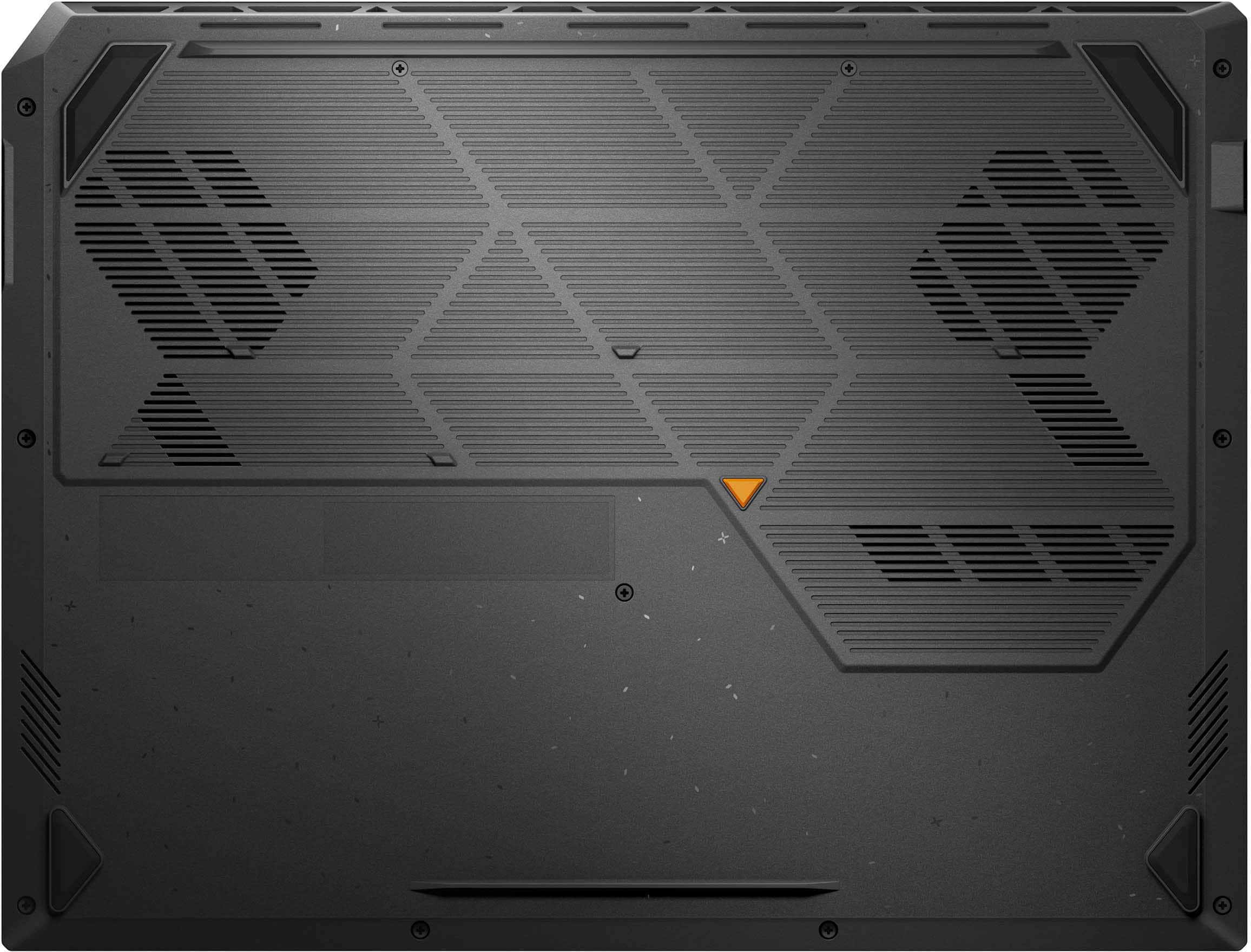
|Posted .This reviewer received promo considerations or sweepstakes entry for writing a review.Firstly, I like how the laptop looks. The RGB keyboard lights are bright and colorful. Next are the available ports. There are two USBC ports. One seems to be USB4 (sticker indicator) while the other supports display port (DP printed next to the port). There is a full-sized HDMI that supports HDMI 2.1. There are three USB-A ports that are USB2.0. These are still great for peripherals like keyboard and mouse, again I do not like wireless for gaming. There is a 1GB ethernet port – I do not like gaming with wifi but this laptop has wifi connectivity. This laptop has a nVidia RTX 5070 GPU and Radeon 780M. It uses the iGPU for non-gaming tasks and switches over when playing games. I played Overwatch 2. I was getting around 86 FPS and temperature was about 66C. Fans turned on. After playing about 45 minutes the bottom of the laptop was warm, not hot. I would not play it on my laptop. The bottom is where the fans are located and the laptop is slightly elevated for it to get air. I am always curious what the inside of the laptop looks like to see what kind of upgrades can be done. There are eleven screws to remove. There is an orange rubber triangle. Do not bother checking, there is no screw there. The bottom right screw does not come out. Just unscrew it as much as possible. Do not force to remove it. It is easy to open the bottom cover, no wires to watch out for, just go as slow as possible. I was surprised to see an Acer AP18C8K battery pack. It is 50.29Wh in size. Just a note, the first time you turn it on it may not work. You will need to plug it in with the power adapter. Same as if you open the bottom cover, it may not power on. Just plug it in. I am happy to report two RAM slots that can be upgraded. The NVME SSD can also be upgraded. There is a NVME Wifi card as well that is replaceable. I am impressed at what Asus allows owners to do with hardware. Many other laptops have soldered parts and cannot be upgraded. Overall, the laptop ran great with Overwatch 2. I did not experience any dropped frames. The only thing that was weird to me is the position of the touchpad. It was off to the right. I noticed it as I am typing this review and positioning my fingers on the home row keys. It felt out of place. My right index finger was going for the K key that is how I noticed it. But for playing games the laptop was capable.
I would recommend this to a friend Rated 1 out of 5 stars
DOA. Left with nothing for flight abroad.
||Posted . Owned for 2 weeks when reviewed.This reviewer received promo considerations or sweepstakes entry for writing a review.Purchased this laptop before going abroad for a funeral. Specs wise, it’s good - Ive installed all productivity softwares and tests were all green. While editing photos,it crashed, and didnt turn on again. No charge light indicator, cant power reset. Reported as DoA as I was still on the 7 days window during the incident. Will return for replacement once I get back.
No, I would not recommend this to a friendBrand response from ASUS Answers
Posted .Dear Gelo,
Thank you for sharing your experience with the ASUS FA608UP gaming laptop. We're very sorry to hear about the issue you encountered, especially during such a difficult time. We understand how important reliability is, and we regret that your device failed unexpectedly.
Before proceeding with the return, we recommend trying a hard reset which may help restore functionality.
Hard Reset
1. Remove all external devices such as the AC adapter, USB devices, etc.
2. Press and hold the power button for 60 seconds.
3. Reconnect the AC adapter.
4. Turn on the power of the device.
If the problem continues after this step, please contact our support team at https://www.asus.com/us/support/CallUs so we can assist you further.
We stand behind our products and continuously strive to improve our products and processes to achieve customer service excellence. For more information, email us at customerloyalty@asus.com and include the case number "N2509012028-0003" as a reference. We will do our best to resolve your case quickly. Your feedback is important to us and enables us to improve our support channels. Thank you for choosing ASUS.
Best Regards,
Chantae
ASUS Customer Loyalty US Support
Rated 1 out of 5 stars
Don't Buy
||Posted .This reviewer received promo considerations or sweepstakes entry for writing a review.This is the worst computer I have ever owned. Will not even run Photoshop. I have no idea how they call it a gaming laptop.
No, I would not recommend this to a friendBrand response from ASUS Answers
Posted .Dear ClayH,
Thank you for your comment.
We do understand your disappointment with the product and the inconvenience this may have caused if you are experiencing issues running Photoshop. Certainly, this laptop has the power to run Photoshop smoothly, without problems. To resolve this issue, ensure Windows and Photoshop are up to date and drivers(chipset, graphics) are installed. Drivers for this laptop are posted at:  https://www.asus.com/laptops/for-gaming/tuf-gaming/asus-tuf-gaming-a16-2025/helpdesk_download?model2Name=FA608UP . Additionally, use the discreet or dedicated Nvidia GPU while running Photoshop.
Should you need further assistance with the product, please email me at cl-rodel@asus.com and I would be more than happy to help. Or, you are most welcome to call Product Support Hotline at: 1(888) 678-3688. Also, you can chat with an ASUS live support agent from the link: https://www.asus.com/us/support/article/1135/.
Thank you for choosing an ASUS product.
Regards,
Rodel
ASUS Customer Loyalty
- Pros mentioned:Cooling system, Overall performance
Rated 5 out of 5 stars
top gaming computer!
|Posted .This reviewer received promo considerations or sweepstakes entry for writing a review.I’ve been running the ASUS TUF Gaming A16 for a few weeks now and I’m honestly blown away with what it delivers for the price. The Ryzen 9 paired with the 165Hz display makes everything buttery smooth — whether I’m grinding ranked matches or just messing around in open-world games, I haven’t noticed any stutter or lag. The colors on the FHD+ panel are sharp and the high refresh rate really shines in FPS titles. Frame drops haven’t been an issue, even on more demanding games. The cooling is what really surprised me. I use this laptop not only for gaming at my desk but also hooked up to my golf simulator setup in the garage, where it can get pretty warm. The GPU temps stay impressively steady, even when the environment isn’t exactly “air-conditioned,” which gives me confidence I won’t be cooking the hardware over time. Fans can spin up, but the noise is totally manageable and worth the performance it keeps locked in. Build quality feels rugged — definitely has that TUF branding vibe, not plasticky or flimsy. Keyboard is responsive with good travel, and the RGB is a nice touch without being over the top. Battery life isn’t the selling point (as expected on a gaming laptop), but plugged in this thing is a powerhouse. Overall, it’s exceeded my expectations for both gaming and my more unique use case. If you want a reliable, smooth, and tough machine that holds up under pressure, the A16 nails it.
- Cons mentioned:Screen quality, Weight
Rated 4 out of 5 stars
Affordable Gaming Laptop with 16 inch Screen
|Posted .This reviewer received promo considerations or sweepstakes entry for writing a review.I have used ASUS laptops for the better part of a decade and a half and have not been disappointed wit the quality, durability and overall longevity of life from the product. In all occasions, the laptop was retired before any physical issues emerged. Retirement was usually necessitated by lack of OS support or by compelling new tech for the usages that I needed. OVERALL IMPRESSION This is NOT a lightweight laptop, and that is a good thing. If you are unable to handle 5 pounds of computer weight, this is not a laptop you'll enjoy. But this does make a nice portable desktop alternative. The screen is 1080p with 300 nit which is not as bright as I would have hoped though the IPS screen is 165 mhz in refresh rate. This is not a touchscreen laptop. The keyboard is nicely backlit where you can change the color of the backlight or to have the color less irritating and have a static color instead of the rotating colors. GPU is NVIDIA RTX 5070 with AMD RYZEN 9 270 with 32 GB of DDR5 5588. PERFORMANCE Hard drive is a WD PC SN5000S 1 TB and offers impressive read speeds of 6385 and write speeds 5739 on write using Crystal Disk Mark 8. WIFI SPEED Not all that impressive compared to even lower priced units that I have on my network. I can get 940 mbps up and down and I was having a hard time with consistent 400 mbps - other laptops I have are pulling 600 on a consistent basis. LAN SPEED Also not impressive. Having hard time getting consistent speeds at 700 mbps though downloads were sometimes at 900 mbps. Other hard wired laptops on the network were pulling 900 both ways at a minimum. Perhaps after use, this will improve as I have had an issue with another new laptop that started slow like this and improved after several months of usage. GAMING/VIDEO 3D Mark Benchmark Running Steel Nomad. 26.65 FPS with NOMAD score of 2664. Visuals were fluid and beautifully clear and no stuttering. For a mobile platform this is quite acceptable. It should be noted I also had Firefox opened with eight tabs of videos running in each tab.
I would recommend this to a friend Rated 5 out of 5 stars
Everything I'd want out of a gaming laptop
|Posted .This reviewer received promo considerations or sweepstakes entry for writing a review.So far, I haven't come up with a single thing I dislike about this gaming laptop other than maybe Armoury Crate being a little clunky. Everything else is good. The screen is pretty high quality, and while it's not an OLED, I feel like it doesn't really need to be one on a gaming laptop. The keyboard RGB is compatible with Windows Dynamic Lighting, which I really appreciate; while the keyboard itself feels responsive and isn't too mushy. The machine is very easy to open, and if you do, you'll find that the RAM is upgradeable and that there's a second NVMe slot you can use to upgrade the storage. You can even swap out the Wi-Fi card if you're so inclined. At 16 inches, this laptop is big enough to feel reasonable for gaming but small enough to fit in most laptop bags without having to go out of your way to find something custom-made to fit. I haven't had any issues with the charger being loose and falling out of the laptop while I'm using it. The drivers have also been absolutely rock-solid - I haven't experienced a single crash. The touchpad is reasonably responsive, and hasn't given me any reason to hate using it so far. While the computer is heavier than most laptops, as you'd expect from a gaming laptop, it doesn't weigh so much that it's absolutely miserable to transport. It's also able to keep itself cool really well - I can keep it in my lap while gaming and it doesn't sear my thighs off. It's totally possible to engineer a machine that looks good on paper but handles like absolute garbage, so let's talk about the actual gaming performance. This is also good. It handles old games such as Borderlands 2 without a problem, no weird driver glitches or anything else. As for newer games, like Horizon Zero Dawn Remastered, it... also doesn't have an issue with those. Of course, for really demanding games you can't really crank the graphics settings all the way up to maximum. Cyberpunk 2077 will be pretty unhappy with maximum settings on this laptop, for example. However, the important thing is, it can run everything I've thrown at it good enough that I don't really feel like I have to compromise between frame rate and quality. There isn't a single game so far where I feel like I've had to put up with it looking bad to get it to run at a reasonable framerate. Honestly, the only stumbling block this machine has had so far is VR, and I'm pretty sure that's just because VR tends to be a VRAM hog and trying to run a VR headset on less than 12 GB of VRAM is just generally a dumb idea. I have zero complaints about this machine. I love it. I'm pretty sure this is my favorite gaming laptop I've ever used. It looks good, it feels good, it's not totally impractical, it's got ports aplenty, and the nice specs on paper are backed up by real performance. If you do laptop gaming, get one of these. It's just *good*.
I would recommend this to a friend- Pros mentioned:Battery life, Port count
Rated 5 out of 5 stars
A really great gaming laptop!
|Posted .This reviewer received promo considerations or sweepstakes entry for writing a review.This is a really great gaming laptop! It is perfect for most light weight, mid weight and some heavy weight games. A 1 TB SSD ensures plenty of space to install games without an external drive that sacrifices performance. It also has 32GB of DDR5 RAM, an Nvidia 5070 Dedicated GPU, and a Ryzen 9 for really great gaming sessions. It was easy to setup and get going. So far it is running Fortnite, Call of Duty Black Ops 6, and other games really well. No performance issues I've noticed, they just run fairly smoothly. It also has adequate cooling as it doesn't get as hot as most gaming laptops too. There are also plenty of ports for any wired accessories. The battery life has been great so far. I use my gaming laptops mostly plugged in but the 10 hour battery life has so far been fairly accurate. Of course, that will be reduced over time, but I've gotten 8ish hours of gaming sessions in and still have 20% or so of battery left, which is a rarity in gaming laptops. The screen also looks really fantastic. Overall, I highly recommend this laptop for most gamers.
I would recommend this to a friend - Pros mentioned:Overall performance
Rated 5 out of 5 stars
Good Gaming/Productivity/Multitasking Laptop
|Posted .This reviewer received promo considerations or sweepstakes entry for writing a review.This is a very good gaming laptop. The AMD Ryzen 9 CPU and Nvidia RTX 5070 8GB GPU combo combined with 32GB memory scored a very respectable score of 8796 on the Nero benchmarking app and is rated good to excellent on all games. I play mostly War Thunder, an MMO (massively multiplayer online), and I was getting FPS consistently in the 180 to 210 range and peaking out a little over 300 FPS. The cooling during gaming is adequate - the CPU stays mainly in the 70 degree C range but does occasionally jump into the 80s while the GPU stays in the 60 to 70 degree C range. (It should be noted that War Thunder is CPU intensive and places a significant load on the CPU.) The 16-inch display panel resolution is 1920 x 1200 WUXGA (wide screen) and has a decent refresh rate of 165Hz. The keyboard includes a NUM pad and is RGB backlit with highlighted WASD keys. HDR can be enabled for video streaming, but not for gaming. Storage is a 1TB SSD. ASUS has a nice gaming app called Armory Crate that includes a game library, system metrics, configuration options including game visuals and power settings, macro creation, and RGB lighting controls. The RGB lighting on the keyboard can be customized and synced across multiple compatible devices, a nice feature. The Audio is Dolby ATMOS which is very good and includes a setting for either headphones or speakers to optimize the sound experience for either. This laptop includes all the normal Microsoft apps, Windows Copilot AI, and the option for Microsoft 365- their productivity apps Word, Excel, etc. It also has another gaming app called AMD Adrenalin, which seems to have just the same options as Armory Crate - power settings to extend battery life, and gaming performance & visual settings. Bottom line this is a high performing laptop with high end components at a competitive price. Whether gaming, creating, running multiple applications, or video editing, this laptop will handle the job.
I would recommend this to a friend - Pros mentioned:Port count
Rated 5 out of 5 stars
Excellent little powerhouse
|Posted .This reviewer received promo considerations or sweepstakes entry for writing a review.As a big gamer, I was really excited to try out and review the ASUS TUF Gaming F16 16" FHD+ 165Hz Gaming Laptop (Intel Core i7-14650HX, 32GB RAM, NVIDIA GeForce RTX 5060, 1TB SSD – Jaeger Gray). I'm already familiar with several ASUS offerings, and this one definitely held up. For testing, I used the Xbox app to dive into Halo Infinite and Call of Duty: Warzone. The laptop handled both games smoothly. That said, I’m still on the fence about the benefits of the ASUS Armory Crate software—I didn’t notice a huge performance difference with or without it. Battery life came in around 2.5 hours of gaming before I needed to plug in, which isn’t bad for a machine of this caliber, though your mileage may vary depending on your settings. I got the best performance running games on medium to high settings, where everything looked sharp and ran fluidly. The RGB keyboard is a highlight—it feels great and responds well, which makes a difference during longer play sessions. One feature I really appreciate is the inclusion of an Ethernet port. It’s surprising this isn’t standard on all gaming laptops, but it’s a must-have for stable connections in online gaming. I also do some light video editing in Adobe Creative Cloud, and this machine handled it effortlessly. Overall, this is a great laptop—especially if you're gaming on a budget and want solid performance without sacrificing too much.
I would recommend this to a friend Rated 5 out of 5 stars
Consistent and reliable gaming performance
|Posted .This reviewer received promo considerations or sweepstakes entry for writing a review.I didn’t think I will have improvements for basic games with my previous AI 9 with a 4050. But this Asus TUF Gaming A16 with a 5070 is flying. As a dedicated gaming device, this PC has a lot going for it that I like. I am not going to bore you with technical specs-- you can read that from the specs sheet. I want you to know how good my experience is. UNBOXING AND DESIGN Right from the box, it has some weight which is pretty much expected especially with a 16 inch screen. The overall design is not basic, looks pretty sleek for a gaming device but in screaming colors, except for the keyboard setup and lighting which tells me it is for gaming. I am an older gamer; I appreciate this design a lot without making me seem like I am holding a cheap no name brand laptop. The way it unfolds leaves that strip that houses the power socket. The plug that it came with is proprietary, which is what I have been used to with ASUS task specific machines (creative, gaming, etc.) at the back which makes it look more like a power machine. Other than that, the device just needed the updates which I all made sure are ready before I even installed anything. From the MyAsus system and driver updates, to the Nvidia updates and Armoury Crate software updates, this machine was ready to go in roughly 45 minutes. HARDWARE The bezels are nicely made without it looking too flimsy up top. It is a TUF gaming device so I can expect the device heft to be as sturdy as it looks and feels. The keyboard is soft—in all sense of it—the texture feel, the response, the key sizes and the overall distance of my medium hands. Although the keyboard return is similar to my mechanical keyboard setting. The key layout has dedicated buttons like for Armoury crate, fan, brightness, volume and it is a full keyboard as I would expect (which is useful for MMORPGs) and welcome a lot for number specific switching weapons. The device by itself is great for on-the-go gaming parties. Though I am very used to my home system which employs my mechanical keyboard, mouse, speakers and even headset for noisier games. Keyboard lights on this are decent and can be configured using Armoury Crate which ties up to my windows settings. The touchpad is of good size, but I never use that really to say anything about any response times because I use a gaming mouse. Screen is great. Pretty decent details even if its only fhd. I don’t experience unreasonable blurs and the refresh rate is great, it makes my games so clear and crisp while making the effects seem “detailed slow” if you know what I mean. My gaming monitors are at 144hz. So the screen refresh rate increase on this is welcome. It is bright and does not welcome glare, and since I always plug in, my screen is always on max setting brightness. I am not a color calibration expert but colors are vibrant with a little softness. Fan does get noisy, but not to the extent that I can hardly hear my game or it overpowers the weak speakers. Yes, speakers are not so great. But really, who uses PC gaming speakers? Camera is pretty clear and wide angled too. On a hub, everything works well on dual 4K monitors without lags through the USB4 port—this is with one monitor on a game and youtube up on another monitor (don’t judge!). PERFORMANCE It responds without lags to any of my wireless peripherals—mouse, keyboard, headset, controller (on 2.4ghz dongle). In terms of power, I always plug my gaming PC in. I cannot say anything about the battery. I have died on critical moments before with the PC unplugged, so out of habit, this PC is ALWAYS plugged. And since it is always plugged, I never let off on power settings. It is always on performance mode. So let’s see how it performed on my most recent games with other overlays on like Nvidia, Armoury Crate up on specific game settings and Discord on. Far Cry 6 on texture pack, max settings. 100 FPS even on far distance max. Crazy action in town or running away from danger I am averaging 78 FPS. Forza horizon 5 averaging 130fps, dropping to 115 in fast muddy / smoky action. Max settings too. I did experience some system crashes, but I will get to that later. Starfield in ultra settings. I am hitting 60fps in space. In planet action drops to 57 but pretty much stays on 60. GTA 5 highest settings, everything, gets 58 FPS on explosion and high action. I do not experience any lags or stutters especially when I am using just the screen. It even hits 170 FPS consistently on certain environments. Crysis 3 at 130FPS at max settings with crazy times (explosion, running, close distance detail, sparkles altogether) do not go any lower than 65FPS at max settings. Need For Speed Unbound is beautiful – averages 170FPS and cut scenes even go high up to 210 FPS. I do experience system crashes too. So here is the deal, when I enable DLSS reframing for those games that can, on start up of the games, 2 out of 9 times, the games will reset or crash. I could not figure it out at first and was wondering how can a 5070 system with 6gb of ram and 32gb of memory shut down. So I tried opting out of the DLSS settings, and it seems to work. And this is with the most recent Nvidia driver installed. Looks like Nvidia has some software updating to do. Just to iterate, it is not an issue of this machine per se, but more of the Nvidia driver that needs to be updated. Storage speed is not a problem. I don’t see anything notable on load times, but 1TB is enough for 4 big games. Other than the DLSS glitching for me, which I was able to correct, I don’t think there is a con in my gaming performance. SUMMARY This is an awesome machine overall. It is reliable and keeps me going without having to worry if it will stutter somewhere while I am photofinishing a race on dynamic camera settings. I don’t even need to wonder if a 5070ti version or a 5090 will be better. This machine is a way more than enough for me and I love it.
I would recommend this to a friend- Pros mentioned:Overall performance, Speed
Rated 5 out of 5 stars
Dj Master Cee
Posted .This reviewer received promo considerations or sweepstakes entry for writing a review.The speed and graphics are excellent. The colored background/keyboard is nice. I would recommend this product.
I would recommend this to a friend - Pros mentioned:Cooling system, Overall performance
Rated 5 out of 5 stars
Gaming laptop
Posted .This reviewer received promo considerations or sweepstakes entry for writing a review.Great system for gaming very fast and cools well under pressure
I would recommend this to a friend - Pros mentioned:Overall performanceCons mentioned:Screen quality
Rated 4 out of 5 stars
Pretty Good
Posted .This reviewer received promo considerations or sweepstakes entry for writing a review.I'm not knowledgeable about tech and all ots jargon but its pretty good from what ives seen. The only problem would be the screen loading weird but that managable.
I would recommend this to a friend - Pros mentioned:Overall performance
Rated 5 out of 5 stars
Good product
Posted .This reviewer received promo considerations or sweepstakes entry for writing a review.Good product for game lowers, I highly recommend that laptop
I would recommend this to a friend


![TUF ... Foos 1 SA 1OUok T P .. re V ALMA A .. 0 .. F - A .. ... I ! - .. PP - - - 1 1 1 E S 4 % S A 5 & 7 . B I 9 - O - - / - 1An Q W E R T Y U I O P 4 [ I ] I 7 H.- B a 9 - EAP A S D . F G H J K L 1 ; - ENTER 4 - 5 b + UPT Z x C V N M . - 1 / SET 1 N e - .- HIE CIM - de .. - ALT ALT LIM - ...](https://pisces.bbystatic.com/image2/BestBuy_US/images/products/26287391-efce-470e-a8af-91d3197bdabd.jpg;maxHeight=54;maxWidth=54;format=webp)