Customer Ratings & Reviews
- Model:
- GRI070800G518
- SKU:
- 6377820
to a friend
Customers are saying
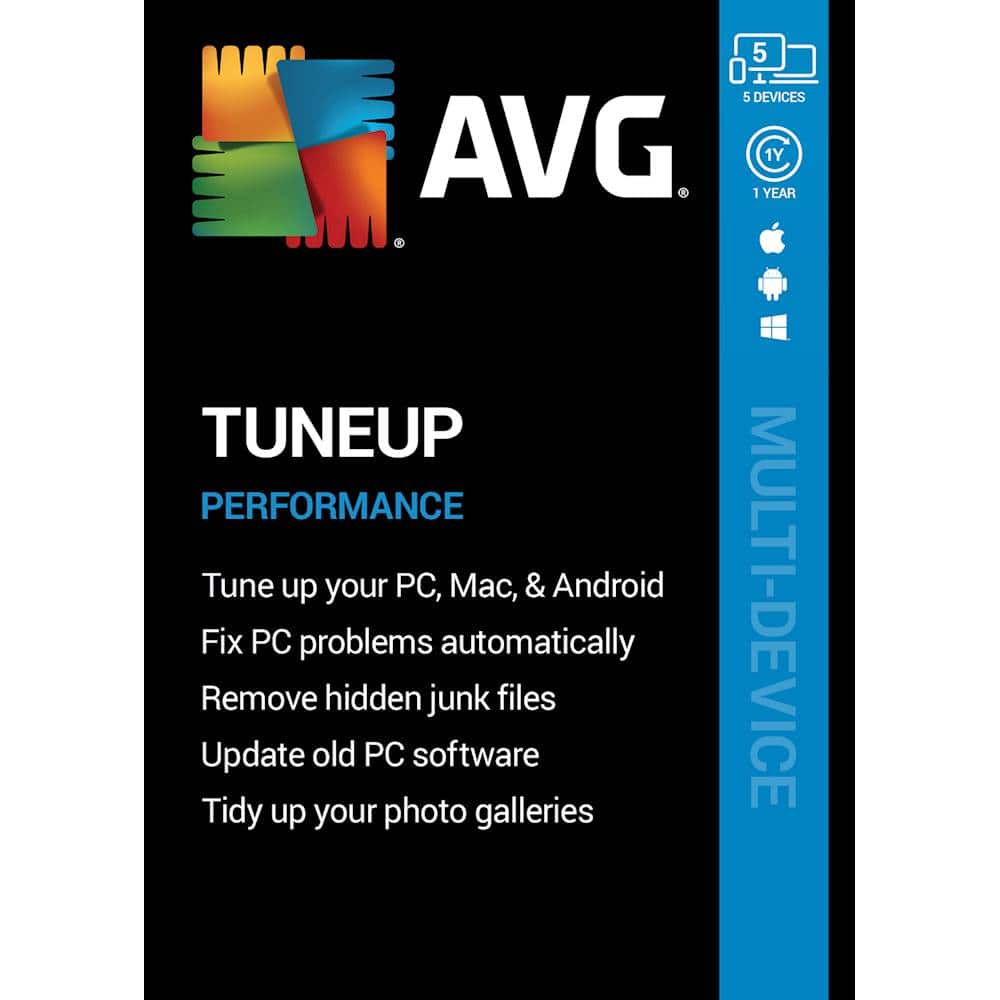
Customers have good things to say about TuneUp's performance improvement, ease of use, junk file removal, and price. Users find that TuneUp helps improve their computer's performance by removing unnecessary files and malware. They also appreciate how easy it is to use and the automatic maintenance feature that keeps their software up to date.
This summary was generated by AI based on customer reviews.

a user friendly computer TuneUp product that works
|Posted .This reviewer received promo considerations or sweepstakes entry for writing a review.I have used AVG products in the past and they keep getting better all the time. I like the fact that this TuneUp product does not seem to slow my computer down. After installing it there are a few options to allow you to TuneUp your computer and make it actually run faster. There are 4 parts to the TuneUp product. Maintenance, Speed up, Free up space and Fix problems. It will give you the option to scan each area and then you can choose how to act upon them. It will tell you how much is optimized in the speed up section or how many MB’s have been cleaned or how many problems it has fixed. After running each section, you can choose if you want to actually clean up the space, or if you want to optimize each item, or if you want to fix the problems. It is up to you, AVG lets you know what it can do and you decide how you want to proceed. To me it does seem like it has made things a bit quicker. I do like the fact that it will put start up programs to sleep and then only open them when you need them. For example, I have set office 365 not to start up when I start my computer. So when I run Office 365 it may take a bit longer to load up, then when I am done, it will put it back to sleep. This helps keep the computer running faster in general. The only pop up warnings I seem to be getting are it letting me know when it woke something up and then will close it when I am done. Overall, I am very happy with AVG TuneUp.
I would recommend this to a friend- Pros mentioned:Ease of use, Performance
Not the easiest to set up, but it works
|Posted .This reviewer received promo considerations or sweepstakes entry for writing a review.Lets break it down. The pros- Once I got it set up, it became fairly intuitive to use on an ongoing basis. It did improve my computer's performance (not as much as I had hoped, but there is only so much any software can do). The cons- It is not very easy to set up, at least if you have previously had an AVG subscription that you have let lapse. A completely new subscription may be easier to get activated. The software does oversell itself a bit. While it definitely does improve performance, I wouldn't call it "peak" performance. Overall, I'd recommend this to a friend, but I'd tell them to set their expectations appropriately. You'll see an improvement, but don't expect miracles... and be ready to be frustrated activating your account.
I would recommend this to a friend Great as Expected
|Posted .This reviewer received promo considerations or sweepstakes entry for writing a review.I've used AVG Tune up before and really liked it, so I had no reason to believe this newer version would be any different. It was a good as expected. I did have one issue, and wanted to make others aware so it does not happen to them. Since I had a previous version installed, I thought it would be updated with the newer version, it was not. It needed to be uninstalled or the newer version would not install. I had issues with the uninstall of the older version, it just would not completely uninstall and would not let the newer version install. I had to go in and manually locate and uninstall some of the remnants of the older version. Once I did that the new version installed without issue. If you have an older version, completely uninstall before installing new version. What should have taken a few minutes, took over 45 minutes. Once the new version was installed, I started the program, ran the maintenance and took care of the issues clogging my PC. Within a few minutes, my PC was noticeably faster, and all is well. PC Tune Up does what it claims, and does it well. I would certainly recommend it to all PC owners.
I would recommend this to a friend- Pros mentioned:Interface, Performance
AVG Tune Up is a really good product
|Posted .This reviewer received promo considerations or sweepstakes entry for writing a review.Helps troubleshoot programs running in the background and allows you to choose to stop them or let them run. Also prevents sites from hijacking your computer and causing havoc. When it finds an issue the popups make really good sense of what AVG has discovered and allows you to quarantine and fix the issues quickly
I would recommend this to a friend - Pros mentioned:Performance
DoesItsJob
|Posted .This reviewer received promo considerations or sweepstakes entry for writing a review.This product does its job perfectly and at a reasonable price, however it took many attempts to down load it correctly to get it to work.
I would recommend this to a friend - Pros mentioned:Interface
One of the better add on softwares for bloatware.
|Posted .This reviewer received promo considerations or sweepstakes entry for writing a review.The installation process is a little tricky only because it asks you to input the keycode to start the download and installation. Once it is installed it works great but if you don't catch it you need to go back in and activate the product using the keycode again. I have not seen any perfornance issues due to having it installed and it gives you the option to see what other programs that you may not be aware of are running on your system. I don't like how it trys to sell you other AVG products. The interface is intuitive. Another issue is I don't like how it wants to delete your Windows install files. They may be needed to resolve an issue later and this is not a good idea unless you are out of space.
I would recommend this to a friend - Pros mentioned:Performance
Great!
|Posted .This reviewer received promo considerations or sweepstakes entry for writing a review.Super easy to set up. I’ve used AVG in the past with my desktops and it works wonders. I currently own a Lenovo Yoga laptop. For sometime I was having some problems with the computer been slow and sort of glitchy. Since Ive installed this program it immediately detect the issues and helps me fix them. It really does a clean through out your computer finding files you don’t need. I definitely recommend this product to get your computer up and running smoothly. I haven’t had any issues using this product.
I would recommend this to a friend Great tune-up for PC
|Posted .This reviewer received promo considerations or sweepstakes entry for writing a review.Note - I received this product free to review. Before running any program like this you should back up your data. I tested this on a PC desktop and an Android (Galaxy Note 8). Installation was easy but beware ... you will want to go into Settings / General and uncheck the boxes or it will collect a lot of data and share with 3rd parties. Not good AVG. After installation on the PC, I rebooted and then ran the program. It removed a lot of items and then repaired Broken Shortcuts and Broken Registry items. My PC boots with several programs but after running this the boot time was faster by 90 seconds. The speed was also much faster and I have a very good computer. I especially noticed this on Firefox, which had been dragging for about a month. Speedy as Chrome now. This really cleans the junk and my game stats disappeared. Not a big deal for me but it could be for some. AVG pushes all of their other products but you can turn that off. I really like it for my PC and recommend it. But not so much for my phone. It doesn't seem to clean much more than the cleaning setting in the phone. I had McAfee on my phone before and it really ate up my battery life. AVG isn't doing that but not sure how much it is helping. I would give it a 3 1/2 to 4. But I am rounding up because I run some specialized software and it didn't mess it up. Previous programs have caused me a huge headache and I appreciate that this worked very well.
I would recommend this to a friendThorough but Be Patient
|Posted .This reviewer received promo considerations or sweepstakes entry for writing a review.I am using this on a 13 inch early 2016 MacBook Pro with the touch bar. The first thing I did was run through and identify unnecessary files and this seemed to do well by looking at temporary ones that are no longer needed. It found upwards of 5GB that I was able to safely remove after I reviewed them. The next item I used was the duplicate finder and this again found about 3.5GB of files that I went through individually and removed. Both of these tools did the job quickly. The last tool focuses on photos. I have a lot of them but I am certain not as many as others. In order to find pictures that look like they could be duplicates of others or pictures that simply aren't good quality, it searches your entire photos library file that the MacOS has created and stored. It took nearly 10 hours to search through and identify nearly 1000 photos out of my 33,000 that could potentially be removed. I am continuing to go through them individually so that I do not accidentally get rid of any that I would want. I did not mind the fact that it took some time especially as I have started going through them and there are definitely some that are in need of deletion which is taking up space unnecessarily. I believe this has a place in your bag of software tools that will help keep your machine running efficiently.
I would recommend this to a friendInteresting product that can be useful for most
|Posted .This reviewer received promo considerations or sweepstakes entry for writing a review.OK- I am quite tech savvy and can say that what this does is useful and without getting into the technical details, I can say that it does free up space and makes your machine lighter. Does it make it faster? Logically, it should and it probably does. For my experiment, I used my Mom's 2.5 year old Android phone and my daughter's much abused and very bloated old Samsung Galaxy tab. Phone: Installation was a breeze. YOU WILL NEED THE AVG CLEANER APP from the Playstore if you have an Android device. Set up was a breeze, for me. Installing the app is of course, easy. But there are some steps that we need to take after that which might be confusing for someone like my mom. But I was there to help and it went smoothly. I asked the software to clean up at least 100 MB of space each day. You can request more if you want but remember, it may clean up your "duplicate" or lower quality pictures.....so choose wisely. Old Galaxy Tab: This was more difficult. My wife got stuck after the first step of installing the app as the software hit a snag with a bloated and old system that we have in that tablet. I had to manually go into the settings and give permission to the app to conduct certain required activities. It immediately cleaned up 1.5 GB of space. Inference: For phones, it should work seamlessly. For older tabs (for which it might not be fully optimized), you may have to overcome a couple of road-bumps. BUT, the app is intuitive and will help you out step by step even if your device acts as a killjoy. You need to set up an account first in the AVG My Account space. It will give you a code which you can use in different devices to download and activate the software. I have not used it in my Work Desktop yet so cannot really comment on that. At the current price it is a good buy. It is like an invisible broom that cleans up the floor of your mobile device. But if you keep precious backups on that floor, be sure to have a back-up for that back-up.
I would recommend this to a friendA great utility with some new tricks
|Posted .This reviewer received promo considerations or sweepstakes entry for writing a review.I'm always skeptical of these types of products, as they can sometimes do more harm than good. AVG Tuneup isn't perfect, but if it gets something wrong, you can use rescue center to undo most actions. I was most impressed with "sleep mode", which lets you suspend apps from running in the background until you run them again. I have a lot of programs that run concurrently, but I don't need them all of the time. While I turned off a couple of things that I should have kept running, I was easily able to undo my actions. There is also a disk and registry cleaner, that cleans up storage space and fixes bad and/or invalid registry entries. In addition to that, AVG Tuneup has an Automatic Maintenance feature, so that it can continue to optimize your computer, without the need to constantly run the program manually. Like most AVG products, expect a banner ad at the bottom of the registered version for other AVG products (sold separately). I would dock it 1 star for this, but this seems to be the norm for many other programs in this category. I feel that it's at good price point and fairly easy to use, with "set it and forget it' functionality, that is missing on quite a few optimizing programs.
I would recommend this to a friend- Pros mentioned:Performance
Pretty good program
|Posted .This reviewer received promo considerations or sweepstakes entry for writing a review.To help you make your computer run as smooth as possible by removing junk and duplicate files. I am using it on a Mac with no problems. Pretty simple and straightforward program, easy installation. Every time I buy a new computer I always make sure to download one of these programs, I always have to download a few before I find the right one for me. AVG has exactly what I’m looking for, simple yet gets the job done.
I would recommend this to a friend Great compliment to AVG Virus protection
|Posted .This reviewer received promo considerations or sweepstakes entry for writing a review.Windows can become bogged down with malware, junk files, cookies, unnecessary download files and spyware. This tuneup program, along with AVG antivirus/internet security software provides a great suite for your PC to keep it running optimally. I was able to quickly scan my computer and remove items that would slow it down. I was impressed with how it quickly scanned my laptop and recommended items to delete. I also appreciated that it listed items and gave me the options to keep or remove programs. It warned me about downloads and other items before deleting them. It is a safe program and I highly recommend it. While I was 100% impressed with the PC program, I was less impressed with my Android application. It did a great job of recommending optimization measures, but it also tried to have me upgrade to their more elite products. I am not a fan of software that attempts to sell me additional products. I liked the product but the attempt to sell me additional products was annoying to me.
I would recommend this to a friendUseful
|Posted .This reviewer received promo considerations or sweepstakes entry for writing a review.I have an older Macbook Air which its main purpose is as a dock for my photos. I am a mother and try to stay on top of the thousands of photos my family and I take, but it gets out of hand quickly. I always wondered why the Mac iOS doesn't have a way to get rid of duplicate photos. With all of the possibilities of albums that can be set up, I suspected that I had many duplicate photos, but it is so hard to figure this out. So I just let it be, because I would rather have too many of the same photo I want forever, than to delete by accident. Enter this cleanup tool. After downloading it, I was a bit hesitant to run the duplicate finder, but I did it anyway. There's always the cloud backup. The software did its thing, and found thousands of duplicate photos and videos. I have no way of knowing what it took out of my Photo app, but all of the discarded photos and videos are still in my trash. Until I can really go through my Photo app some more, I'm not going to throw out the trash.
I would recommend this to a friend- Pros mentioned:Ease of use
AVG TuneUp
|Posted .This reviewer received promo considerations or sweepstakes entry for writing a review.This application makes tuning up your PC or Mac an easy process. Over time, I've found that almost any computer you use can get slowed down by applications piling up and running in the background. This application can show you the applications that are utilizing resources and helps you to stop them from doing so, enabling your computer to run much more efficiently.
I would recommend this to a friend - Pros mentioned:Performance
Does a good job
|Posted .This reviewer received promo considerations or sweepstakes entry for writing a review.AVG Tuneup does what the name says, it tunes up your PC or device to operate more efficiently and faster. My android phone kept telling me that I had old backup files to clean up but wouldn't help me locate and clean them. This did the trick.
I would recommend this to a friend - Pros mentioned:Ease of use
Great clean up tool!
|Posted .This reviewer received promo considerations or sweepstakes entry for writing a review.AVG TuneUp does a great job of cleaning up clutter, finding duplicate files that are taking up space, and searching for photos that are bad quality. Overall, it's a great tool that's easy to setup and use.
I would recommend this to a friend Still Such A User Friendly Utility
|Posted .This reviewer received promo considerations or sweepstakes entry for writing a review.I have been a fan of AVG's internet security (virus protection) software for many years. And this computer optimization suite rises to the same level of excellence. This is an extensive but intuitive interface that allows you to clean and maintain and optimize your windows/mac/android system - and having seen the options in all three systems, the windows implementation is, by far, the most impressive (not a surprise since windows is such an ever-expanding mess). It helps you tune every detail of your system - removing bloatware from a new computer, defragmenting your disks, removing clutter, adjusting registry settings, allocating resources, etc. The interface is well designed and user-friendly. And the options, though extensive, have conservative defaults that don't risk making changes that you might regret later (but gives more informed users the more aggressive options they might desire). This is solid software from a reliable company. Highly recomended.
I would recommend this to a friend- Pros mentioned:Ease of use
It's in the name
|Posted .This reviewer received promo considerations or sweepstakes entry for writing a review.I keep my devices as long as I can so no shock that they get slow from time to time. This time up is all it says it is. My phone off 2 years and desktop of 5 years are running like new now. Easy to install and no complaints.
I would recommend this to a friend Works great!
|Posted .This reviewer received promo considerations or sweepstakes entry for writing a review.Easy to install and use. Very thorough for cleaning out the unnecessary files and registry entries
I would recommend this to a friend