Customer Ratings & Reviews



- Model:
- F4U092BTSGY
- SKU:
- 6343827
Rating by feature
- Value
Rating 4.3 out of 5 stars
- Quality
Rating 4.7 out of 5 stars
- Ease of Use
Rating 4.7 out of 5 stars
Customers are saying
Customers are delighted by the 4-Port USB Type-C Hub's numerous USB ports, ease of use, and high-quality build. Many appreciate its compact size and compatibility with various devices, finding it well-designed and practical. However, some users noted that the hub can get warm during use and that the cable could be longer. The product's positive aspects outweigh these minor drawbacks for most customers.
This summary was generated by AI based on customer reviews.
- Pros mentioned:Overall performance, Portability
Good not great!
||Posted . Owned for 2 weeks when reviewed.This reviewer received promo considerations or sweepstakes entry for writing a review.I bought this immediately after having my new MacBook Pro shipped to me. I also bought a cheaper one on Amazon. So far the Belkin has outperformed the cheaper one I bought on Amazon. The Belkin is perfect for any multitasker. I plugged in a flat-screen, external HDD, and a microphone. It worked perfectly however it started to heat a bit. That’s to be expected because it’s so small with a lot of jobs to attempt to do. If you’re a multitasker this unit will be perfect for you. I give it 4 stars because of the heating issue. The Belkin is light and small so it won't add any extra weight to your work bag. No software is necessary to use just plug and play. Hope you enjoy just as much as I do.
I would recommend this to a friend A life saver for my computer editing!
||Posted . Owned for 1 month when reviewed.This reviewer received promo considerations or sweepstakes entry for writing a review.When I bought my brand new Mac Computer I did not know that it no longer came with regular connections for SD cards, USB and other connections. So when I realized that it did not come with any of those connections I immediately called Best Buy and they told me that the solution to my problem was the Belkin - 4-Port USB Type-C Hub with Gigabit Ethernet Adapter. I was surprise that it included all of the different connections that I needed at a reasonable price. I am very happy with this purchase.
I would recommend this to a friend- Pros mentioned:Connectivity, Port selection
Works Cool
||Posted . Owned for 10 months when reviewed.This reviewer received promo considerations or sweepstakes entry for writing a review.Works as described, and still functional to date. If you need a couple of extra USB ports (which most Apple users need), this does the job. I use it with MacBook Pro and mobile recording studio setup.
I would recommend this to a friend - Pros mentioned:Connectivity
Perfect universal adapter
||Posted . Owned for 3 weeks when reviewed.This reviewer received promo considerations or sweepstakes entry for writing a review.If you purchased a MacBook lately, you know there are no standard USB ports, only USB-C. This adapter is just what is needed to provide backwards compatibility with all you legacy computer accessories.
I would recommend this to a friend Look nowhere else, this is the best
||Posted . Owned for 1 month when reviewed.This reviewer received promo considerations or sweepstakes entry for writing a review.I ended up buying an extra one after using the first one for months. It helps me to connect to two different cameras while live streaming. Extra hdmi and memory card slot is ideal for photography.
I would recommend this to a friendBelkin port adapter
||Posted . Owned for less than 1 week when reviewed.This reviewer received promo considerations or sweepstakes entry for writing a review.My wife has a MacBook Air with only usb c ports so for a dongle wireless mouse, this came in handy and works amazing with all the extra ports to charge devices or upload pictures through the SD slot
I would recommend this to a friend- Pros mentioned:Connectivity, Overall performance

Compact and Convenient for new iPads
|Posted .This reviewer received promo considerations or sweepstakes entry for writing a review.Pros: * Compact size. * Solid construction. * Works with new (USB-C enabled) iPads. Cons: * None. I’m sure this product is designed to work with laptops, but I tried it with my new iPad Pro 11” - the one that has a USB-C port instead of a Lightening port. Everything that I threw at it worked! * Inserted a microSD card from my camera (using an SD card adapter) and the iPhoto Import screen came up. * Plugged the iPad’s USB-C power adapter into the dock’s USB-C port and the iPad started charging. * Plugged in an external monitor to the dock’s HDMI port and the iPad’s screen mirrored on the monitor. * I turned on the iPad’s AirPlane mode and made sure that WiFi was off and internet connectivity was dead, then plugged in an ethernet cable to the dock (connected to my gigabit lan) and the iPad was on blazing fast internet. The only thing I didn’t try were the dock’s standard USB ports, but I’m sure they would work for anything that the iPad and iOS supports. This one dock not only replaces the need to carry individual dongles for HDMI, SD card import, etc., but also allows the iPad to charge simultaneously. Even the wired ethernet worked great. I’m sure this dock works equally well with a laptop, but with a new iPad, it’s an essential piece of travel gear!
I would recommend this to a friend Durable
||Posted . Owned for 3 months when reviewed.This reviewer received promo considerations or sweepstakes entry for writing a review.A little pricey. It functions but there is nothing really too cool I can do with the dock station and my iPad as of yet. I wasn’t able to return because dates changed but as far as being a docking port and durable this is on point
No, I would not recommend this to a friendDoes a Lot and Does it Well
|Posted .This reviewer received promo considerations or sweepstakes entry for writing a review.Belkin’s been a known name in the mobile accessory space for many years, making a wide swath of charging, connectivity, and travel computing gear covering pretty much any mobile need. They’ve made countless USB docks and accessories over the years that use the ubiquitous USB-A port (the rectangular one we’ve been seeing since the late 90s), but as the market continues to shift to the newer, more capable USB-C, Belkin seemingly recognizes that we’ve got many years to come of wrangling these two port types. With some devices shipping with only a single USB-C port, this becomes much more of a challenge than it should be. Thankfully, Belkin’s USB-C Travel Multimedia Dock + Charge handles all of these concerns with aplomb in a simple, well-built, port-abundant shell. Disclaimer: I tested this device using a Windows laptop only, as it’s the only device I have with USB-C capabilities. Though Belkin indicates this is tablet-compatible (and thus should be phone-compatible by extension), I was unable to test. - Setup & Initial Impressions Kudos to Belkin for keeping the packaging simple and recyclable. As it’s a pretty standard USB dock setup was as simple as plugging the hub into a device with a USB-C port, and after some automatic configuration the dock was ready to use. Build quality is excellent. Encased in an all-aluminum shell, the dock feels heftier than others I’ve used in the past, and I have no doubt this thing will stand up to some careless use over time. I would’ve liked to see a braided cable at this price, but the connection ends feel plenty robust like they should take a few hundred awkward bends at the bottom of a laptop bag without issue. - USB Power Delivery The hallmark feature of this hub compared to other options is the inclusion of USB-C pass-through charging, up to 60 watts. This means most devices will be able to charge at full speed when a USB-C power adapter is connected to the power port on the dock, and some will be limited if they use more (USB-C specification allows for up to 100 watts). That said, being able to charge at a reasonable speed at all while using an array of ports is a welcome upgrade. One nice feature of the power pass-through is that also increases the output power of each of the USB-A ports on the hub. These ports are restricted to 1.8 amps (9 watts) total between them when no power adapter is connected, which is fine for most needs. However, if you use an external “pocket” hard drive or external DVD/Blu-Ray drive, these could fall short of providing the power needed to use them. Plugging in a power adapter to the USB-C port bumps total output to 3 amps (15 watts), allowing such devices to function. - Ethernet & HDMI Gigabit ethernet is welcome on this hub, as less expensive hubs often only feature a 10/100 port (10x slower) to cut costs. I attained full speeds when testing and the connection was stable across several large file transfers. I found that the HDMI port is HDMI 1.4 compliant, allowing output at 1080p resolution at 60Hz or up to 4K resolution at 30Hz. This was somewhat surprising as the dock is rated for a 5Gbps transfer rate, but HDMI 1.4 for 4K at 30Hz is a 10Gbps signal. Regardless, I had no difficulty connecting my laptop to an external display for the first time ever, and the connection was flawless. - SD & USB Slots Once again, no complaints here. Both USB ports function as they should, supporting USB3.0 data transfers up to the proper 5Gbps speed. I maxed out all my devices when testing and didn’t encounter any issues. The SD card slot, similarly, worked just fine. - Bottom Line There isn’t terribly much to say about the Belkin USB-C Travel Multimedia Dock + Charge; it’s a perfectly competent dock that will ease the transition from USB-everything to a wireless future. It does everything it promises without a hitch, feels built to last, and delivers pretty much everything may need to use on a modern, port-starved device. The MSRP is high, but justifiably so, since this just works and works well, which is far higher praise than I can give for my last two USB-C docks that were among its “budget” competition. Recommended!
I would recommend this to a friend- Pros mentioned:Compatibility
Small, Attractive and Versatile
|Posted .This reviewer received promo considerations or sweepstakes entry for writing a review.I have a Microsoft Surface Go which has a limited number of accessory ports, i.e., one USB-C port, so I was anxious to give this compact, attractive, multi-media hub a try. It does not come with a power adapter, but it has an input for one: USB-C, of course, of which there are a plethora available. It you are going to be feeding power hungry devices, the Belkin has pass-through power of up to 60 watts. If for, example, you are using the Belkin in an office environment, you should be able to feed your all the multimedia connections to your tablet or laptop and power and charge your device at the same time. I used the Belkin passively at first, without connecting a power source. I plugged it in to my Surface Go, and attached an HP Monitor via the HDMI output, an Ethernet cable running to my home network router, a USB keyboard, and a USB mouse. A full-size SD card port is also available- one option I have not yet tested. All components worked swimmingly, and I could hear the corresponding Windows 10 sound play as I attached each device to the Belkin and Windows discovered and connected to it. The process was seamless and never required my intervention. All devices and connections worked swimmingly. I did not have a USB-C charger at home but did have one at work. I plugged it into the power port on the Belkin, and then plugged the Belkin into the USB-C port on the Surface. The charger I had was not putting out anywhere hear the 60-watt capacity of the Belkin, but it was nonetheless charging my Surface. Into my briefcase this Belkin has gone. I am sure I will be seeing a lot of it during our work projects and travels.
I would recommend this to a friend Don’t cheap out, use trusted brands for you Apple
||Posted . Owned for 2 weeks when reviewed.This reviewer received promo considerations or sweepstakes entry for writing a review.Amazing value. Buy brands you trust. The ones on Amazon are mehhh and don’t last
I would recommend this to a friend- Pros mentioned:Compatibility, Portability
Perfect Accessory for the USB-C Device User
|Posted .This reviewer received promo considerations or sweepstakes entry for writing a review.I am a big fan of companies moving towards USB-C devices as it makes everything so much smoother. However you still need the option to have more hookups and this Belkin USB C Travel Dock is exactly what fits that bill!! PROS: - It's very sleek, modern, and sturdy. Has that good weight to it and cord strength that make it feel high quality. - It was the perfect amount of inputs. For me having two USB, HDMI, and Ethernet is great but the USB-C and SD reader is a great bonus. - It works in a snap! No additional installations to do, just plug and play. - I can confirm this works with my 2018 iPad Pro!! Just plug it into the USB C slot on the iPad and it works great. - It does run 4K HDR streaming through my iPad and Laptop. I plugged in both devices to the Belkin dock, then put an HDMI into my 4K HDR TV and it worked perfectly! I got Dolby Vision movies from my iPad to work on the TV. RANDOM: I didn't expect this dock to work like this but I tested to make sure and I can confirm: this will NOT work as a way to hook up your Nintendo Switch to a TV. Just FYI and that's fine! It's not meant for that! CONS: - It would be nice if it came with a travel pouch so you can keep it looking nicer longer. - Really no cons at all. It does exactly what you need it to and I have had no errors. BOTTOM LINE: - If you have USB-C devices but need more flexibility with ports and hooking up to HDMI displays, this will do everything you need it to in a really high quality look!!
I would recommend this to a friend - Pros mentioned:Port selection, Portability
Connect multiple devices backed by a warrantee
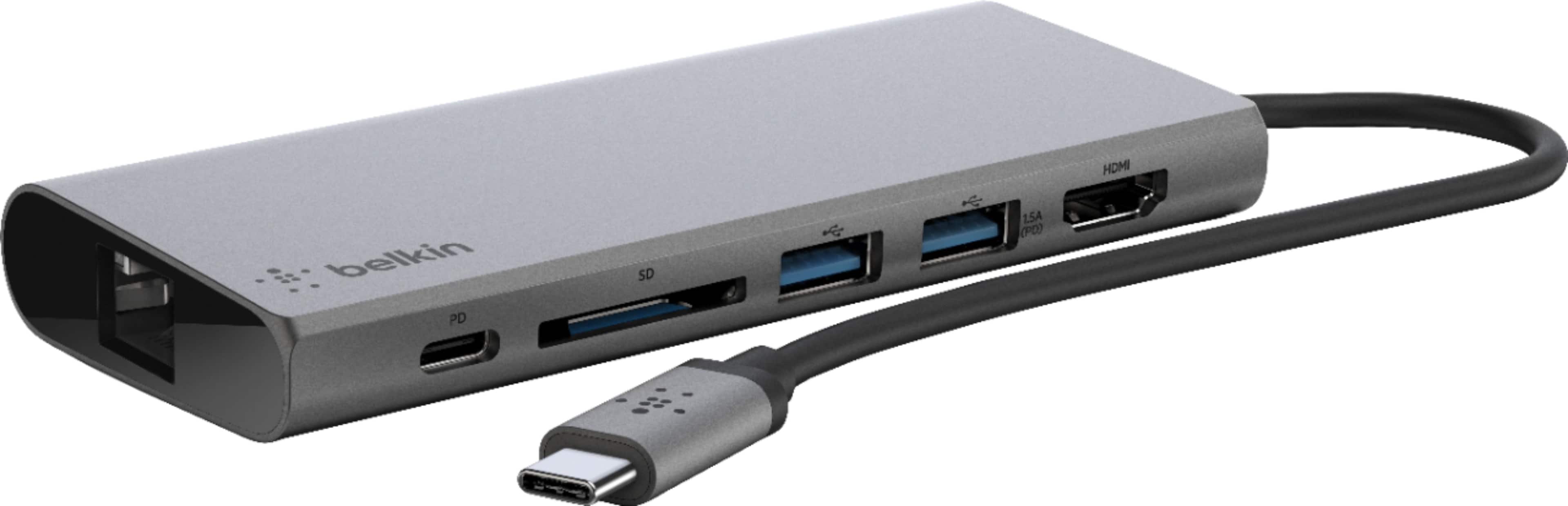
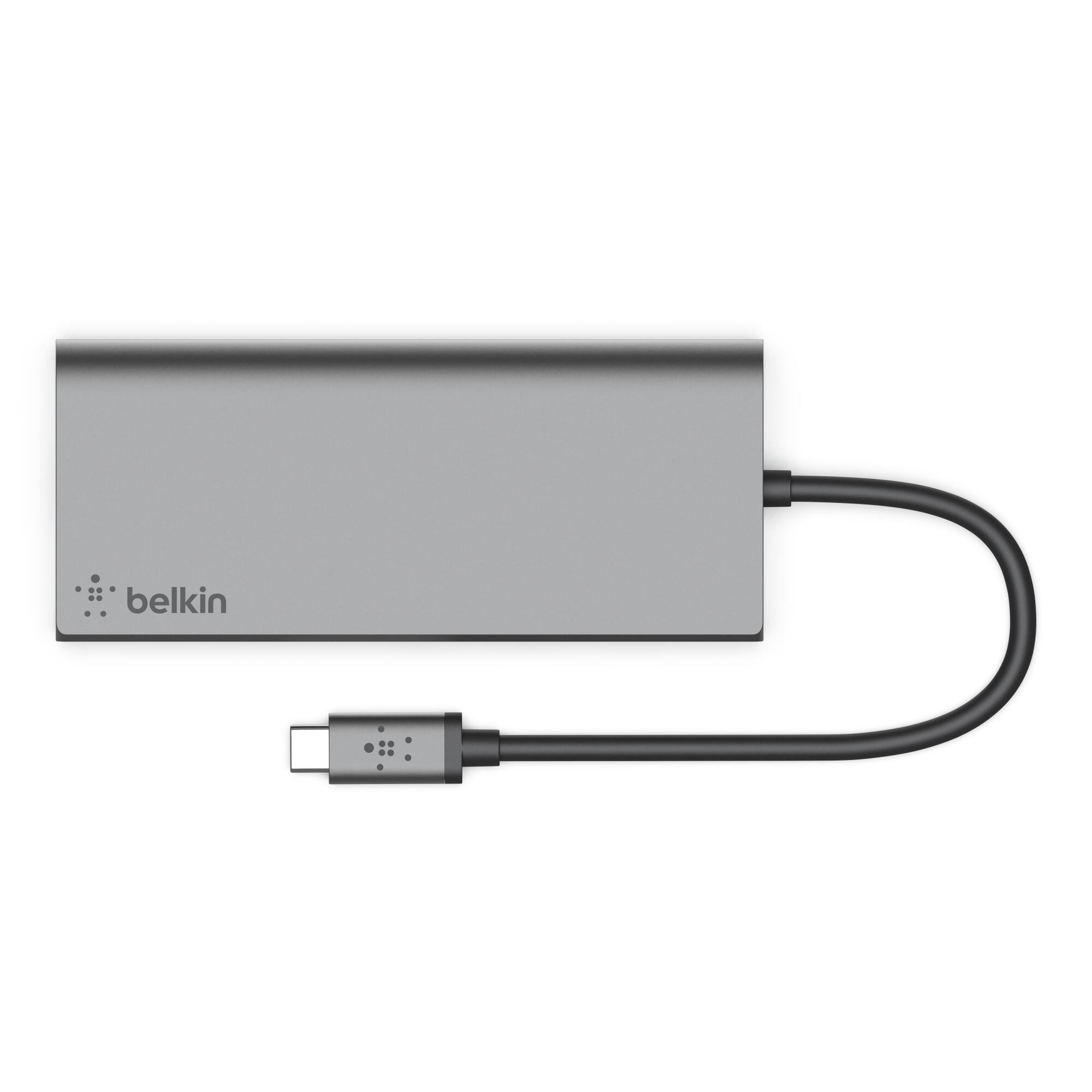
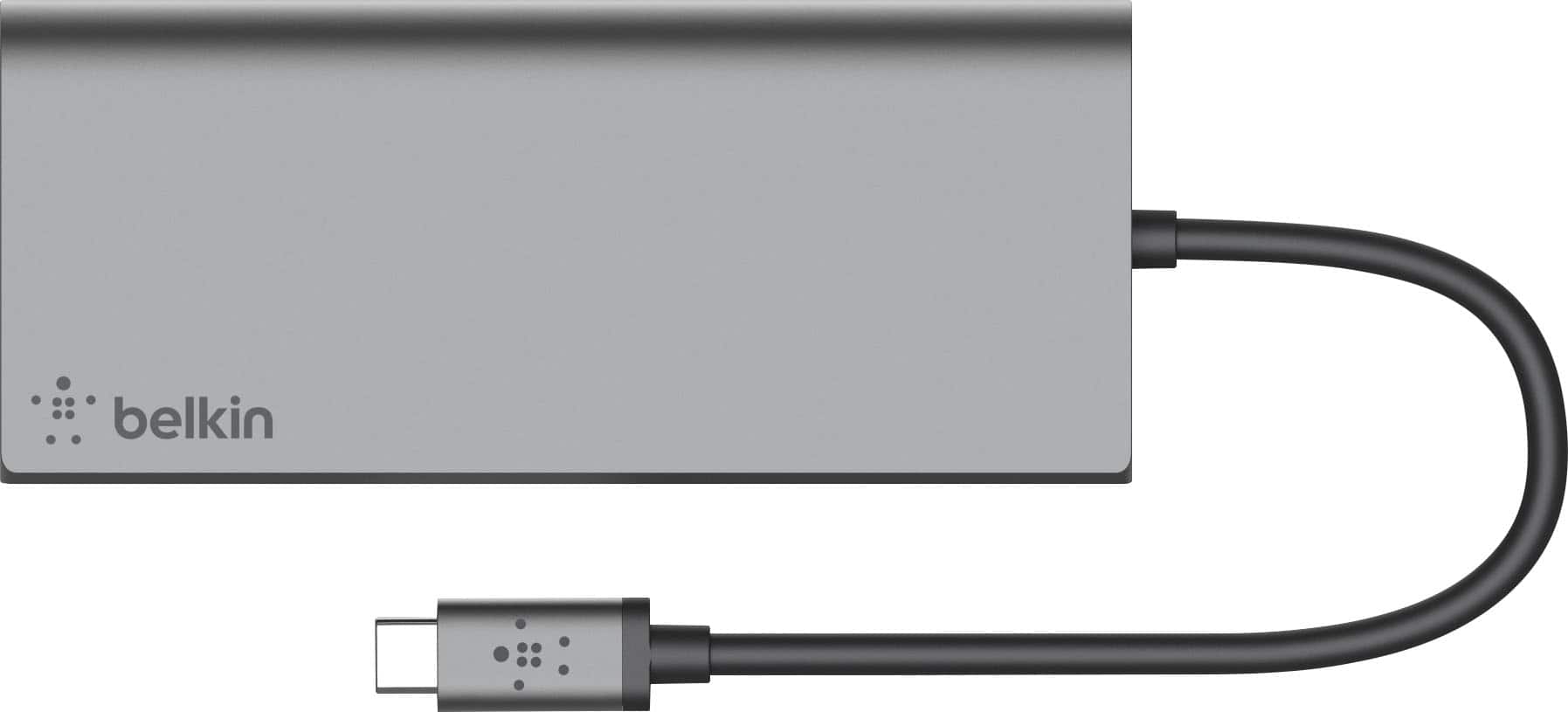
|Posted .This reviewer received promo considerations or sweepstakes entry for writing a review.I find that laptops today have cut way back on how many ports they offer. I love my laptop, but it only has 1 USB-A and 2 USB-C, and an HDMI port. I was able to go Bluetooth with my mouse and printer, but that was not an option with everything. Since I hook up a variety of peripherals to my laptop (thumb drive, external hard drive, monitor, LCD projector, etc), I was in search of a hub with a variety of ports that was safe to use and lightweight and portable for when I travel. Product Features: • Aluminum body • Built-in 3-inch USB-C cable for connecting to your laptop • Supports USB PD 3.0 pass-through up to 60 W • One USB-C data/charging port • Two USB-A 3.1 Gen 1 5 Gbps ports • Full-size HDMI output supporting up to 4K at 30 Hz • UHS-1 SD card reader • Gigabit ethernet • Works with Mac® OS X® 10.8 or later, Windows® 10 or later, Chrome OS™ Tested Compatibility: • MacBook® with USB-C 3.1 Port • MacBook Pro® 13” with Thunderbolt™ 3 • MacBook Pro 15” with Thunderbolt 3 • MacBook Pro 15” with Touch Bar™ and Thunderbolt 3 • HP Spectre x360 with USB-C 3.1 • Dell® XPS 13 with Thunderbolt 3/USB-C 3.1 • HP Pavilion x360 with USB-C 3.1 • ASUS® ZenBook Flip S with USB-C 3.1 • Lenovo® Yoga 910 with USB-C 3.1 • Microsoft® Surface® Book 2 with USB-C 3.1 • Dell Chromebook™ 3180 with USB-C 3.1 • ASUS Chromebook Flip C302 with USB-C • Google Pixelbook™ with USB-C 3.1 Package Inclusions: • Belkin F4U092 • Quick Start Guide • Regulatory Documentation For FAQs on product information, if you want to know the tested compatibility for your devices, specific hardware information, and functionality, visit https://www.belkin.com/us/support-article?articleNum=315197 What I like about the Belkin USB-C multiport hub is that it: • Offers up to 56 bps of bandwidth and is speedy • Connects to a variety of devices by a single cable (USB-C, 2 USB-A, HDMI, Ethernet, SD card) • Is attractive with a brushed metallic exterior, not cheap plastic • Supports 4K 30Hz monitors (that’s some picture!) • Is compact and lightweight, easy to carry in my purse or briefcase for use in the airport or on the plane itself. (0.8” w x 2.75” h; 6.83” length with cable; 4.16 oz) • Serves as a multiple device charging station (wireless headphones, cell phone, iPod) since so many hotels don’t offer adequate plugs or ports • Is protected by a Belkin Connected Equipment Warranty. If your device is damaged by an electrical charge while properly connected to the hub, Belkin will repair or replace it up to a value of $2,500. That is a motivator! Sometimes when I travel or even at work, wireless Internet is not available or is undependable. In that case, I want a secure, faster Internet connection via an Ethernet port, but my laptop doesn’t have one. However, this hub does, and it is a 1Gb Ethernet port. The hub offers pass-through charging up to 60-Watts so there’s no need to choose between port expansion and power. However, my laptop sent me a message to only use an approved, brand power cable. That made me nervous that there might be issues. It is great that the warranty is provided, but I don't ever want to have to use it to replace my laptop. The only thing this hub doesn’t have that I wish it did is a VGA port for when I do PowerPoint presentations on older LCD projectors that don’t have an HDMI port. The other aspect that I don’t like is the cable is a bit rigid. My USB-C port is on the right side of my laptop and for the hub and cable to sit right, the hub has to be laid upside down. Finally, I have only had the hub for about a week and there is already a scratch on the top. For these three reasons, I am rating this a 4, since a 4.5 isn’t on option.
I would recommend this to a friend Just what you need for your legacy devices
|Posted .This reviewer received promo considerations or sweepstakes entry for writing a review.This is just this dock I needed to connect my legacy USB devices and HDMI too. This dock is small and easy to take with you in a laptop bag, but expands your connections and also charges you laptop at the same time. when you connect the laptop power cord to the dock and the dock to the laptop you can continue to charge the laptop if you need to. I'm very happy with the convenience it affords me at home, in the office or on the road. The dock includes a cat 5/6 input, 2 USB ports, an HDMI connection, multi SD card reader and a USB-C port for charging the laptop. This is a one stop shop for all of your common plug ins and it works great.
I would recommend this to a friend- Pros mentioned:Connectivity, Portability
Excellent Travel Dock!
|Posted .This reviewer received promo considerations or sweepstakes entry for writing a review.The Belkin USB-C travel dock is the perfect travel companion to my Razer Blade Stealth 13. With 60w of pass-through power and a plethora of ports, it’s an essential item for any ultrabook owner. Includes solid aluminum construction and an attached USB-C cable. As far as ports go, it includes 2 USB 3.0 A, HDMI, Gb ethernet, SD card are included. I use my notebook with a 2K 75hz 27” monitor and this dock had no issues keeping up. Speeds were great when transferring raw photos from the SD card too. I’m very pleased with this dock and am excited to make it a part of my daily tech kit.
I would recommend this to a friend - Pros mentioned:Connectivity, Port selection
Compact, durable, power delivery!
|Posted .This reviewer received promo considerations or sweepstakes entry for writing a review.This hub offers everything you could want from a USB hub! The USB-C connection is perfect for most modern laptops, especially those with nothing but USB-C ports. The selection of ports is a perfect compliment for any desk or on the go. The only issue I've experienced is the ports are VERY secure and it might take a little bit of effort to remove any shorter USB dongles (think USB receivers for wireless mice/keyboards). Also, keep in mind, this is a USB-C hub, NOT a Thunderbolt 3 hub. I will work perfectly with TB3 ports on your laptop but will not offer the added benefits TB3 does over traditional USB-C, which, at this price and is perfectly okay. Overall, excellent build quality, great look, perfect selection of ports for the size, lightweight but solid, and power delivery works flawless!
I would recommend this to a friend - Pros mentioned:Connectivity, Portability
A must have to complement your laptop
|Posted .This reviewer received promo considerations or sweepstakes entry for writing a review.Over the years the different laptops have tried to be lighter and thinner and the trade of was less and less ports, connectors and expansion portals. Belkin multi hub allowed me to connect my laptop to four peripherals while I can keep it charging. This hub includes an Ethernet port, an slot for an sd card a fast USB-C and two USB-A ports and (my favorite addition) a HDMI that makes my connection with the external screen a breeze. Small (better to use compact) and light, this piece of equipment is clearly adding an important expansion to my laptop not taking much space in my bag. The sd-card slot is a must, for a fast download of pictures or videos. Obviously, you can keep it connected to your screen and power cord, leaving it on your desk and can serve as a laptop dock with all peripherals preinstalled.
I would recommend this to a friend - Pros mentioned:Connectivity
Durable, Multi Device Plugins
|Posted .This reviewer received promo considerations or sweepstakes entry for writing a review.Belkin has been around for some time now and have always been a hit or miss experience with me. I was in the market for a multimedia hub to use with my laptop and decided to give Belkin a try. I was very impressed with the quality and the amount of devices I am able to plug into the hub. Unfortunately the USB-C is not capable to be used as a charging plug, however works great for connecting. Pros: Price Multiple Devices USB 3.0 SD and HDMI Slots Ethernet Slot Sturdy Durable Case Cons: USB-C not used for output charging Multimedia Hub Cord very short Easily Scratch Prone Not a spring loading SD Card Slot No Light Indicators :: Setup / Install :: Pretty much plug in play, no install / setup needed. Will quickly recognize any device that is plugged into the hub Overall a great multimedia hub for the prices. I wish they made the cord longer to make things easier however not enough to remove a star for it. The only issue would be the USB - C plug not being capable of powering devices plugged into it. If they needed an additional power source to power the USB - C plug perhaps batteries or an additional slot to insert a power plug.
I would recommend this to a friend - Pros mentioned:Port selection
Can't go wrong with Belkin
|Posted .This reviewer received promo considerations or sweepstakes entry for writing a review.With the Lightning port becoming more prolific on today’s PC’s these are all but necessary. In the office I can make full use of the additional HDMI and spare USB ports. On client’s site I do use the Additional Ethernet port and it keeps things clean with networking tasks. Rarely do I use the SD card reader, if ever. As a note, there are a few of these similar breakout modules on the market and they do seem to be biased toward a Mac or the most minimal PC to expand the non-existents of ports or to charge via the USB-C port on the device. In my experience in engineering, I am constantly out of ports and on an already heavy ported PC I take full use in having the luxury of the Lightning port to expand the capabilities. Belkin is simply a name I’ve known, trusted and have used for many years. Also, with the name and devices like this, I don't have to worry about driver conflicts or support. In my case, Windows 10 sees it and doesn't even ask. That takes experience and product development over the years which I will gladly chose as the premium, because my time is worth more that trying to get a no-name brand to work on multiple platforms. It just gives me confidence and comfort that things are going to work are made with a precision and quality that will last. The unit has a nice weight, is solid and looks good for what it is.
I would recommend this to a friend Works very well over all.
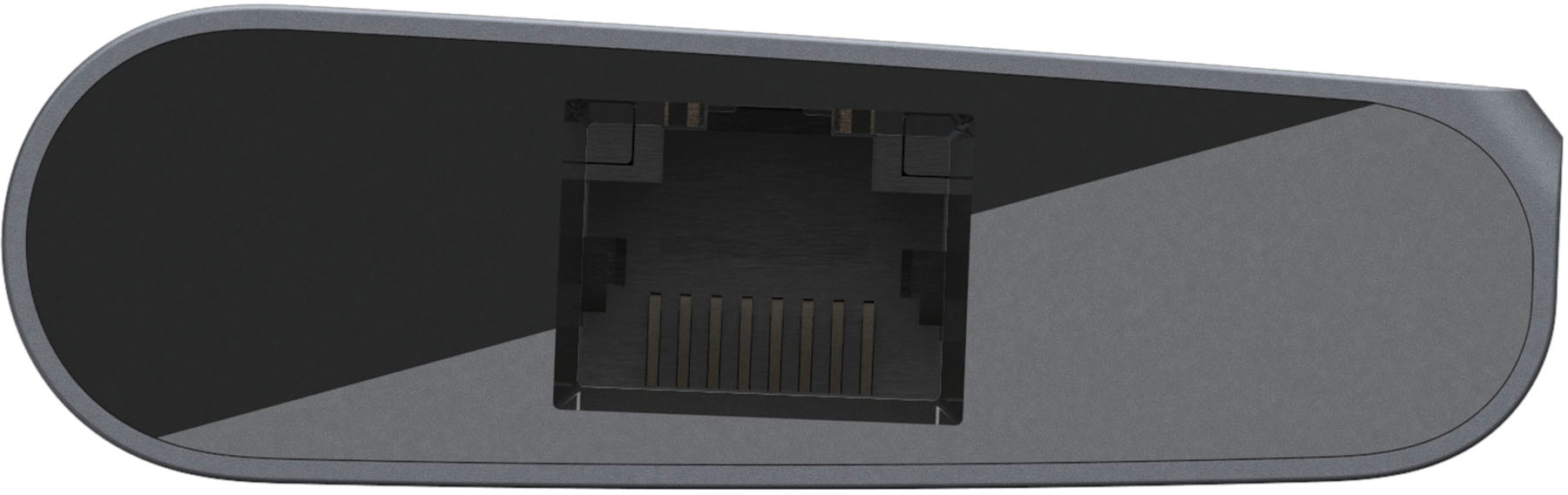
|Posted .This reviewer received promo considerations or sweepstakes entry for writing a review.Belkin 6 Function Hub Full Disclosure: I was sent a Belkin USB-C Travel Multimedia Dock + Charge in exchange for a timely and honest review. I own and use a lot of “dongles”. Moving to USB-C devices resulted in my purchase of yet another Ziplock bag full of dongles to connect my USB-A, HDMI, RJ45 & SD Cards to my MacBook Pro, iPad Pro and PC Laptops. When I saw these multipart docks come on the market, I was interested, but had not yet shelled out for one, since I already had the baggie full of dongles that I need. When the opportunity to get one through this evaluation program arose, I decided the time was right to try one out. I’m glad I did! First the unit has a nice fit and finish. I has one each: RJ45, HDMI, USB-C PD & SD Ports/Slot and two USB-A ports. The USB-C cable that connects the unit to your laptop or tablet is fixed on one end, which means the USB-C port on the dock is free for connecting and charging another USB-C device. I plugged the adapter into one of my MacBook Pro USB-C ports and then inserted an SD card from my document scanner. The card went in smoothly, the folder for the card appeared in Finder, I was able to work with the card and eject it as usual. It worked fine. My second test was to insert a USB-A connector to try one of those out. In this case I was testing an update of my Garmin DashCam. I immediately had a problem with this. When I went to install the USB-A plug, it would not mate properly. I looked at the sockets and the plug and realized the socket is installed upside down compared to all the other USB-A sockets I have used. I quickly did a search and found there is indeed a spec for socket orientation so that users can use the USB logo on the cable as a guide for which end of the USB cable should be on the top when the cable is inserted. It appears that Belkin has designed and built this device with the USB-A ports installed upside down. I flipped the cable and plugged it in. I was able to install the updat to my DashCam with no difficulty, so this work fine functionally, but the orientation problem is a significant error on Belkin’s part. This should never made it past the first design review, let alone a beta test. It certainly should not have made it into production with this glaring error. -1 Star (sort of like a math error on a calculus problem that was otherwise well worked through) As an off shoot of the USB-A port orientation error, I decided to check to see if RJ45 and HDMI ports have specs for orientation. Wikipedia says the standard for RJ45 jacks is with the locking tab down, but I noticed my various devices have them oriented with the locking tab on the top or on the bottom depending on the device manufacturer. I had always heard (and read again) that having the locking tab on the bottom had the advantage of keeping the dust from settling on the pins over time, since they are on the top as a result. However, in the design of this mobile multimedia dock, having the release catch on the top seems more user friendly. Also, since this is a mobile device, it is less likely to sit around in the open air gathering dust. I found no specification for HDMI orientation, but did note that Belkin doesn’t specify explicitly which HDMI version this supports. Since is says it supports 4k at 30Hz, it seems like this is not quite HDMI 2.0, but close…or perhaps a minimal acceptable version of 2.0. I next tested the PD port by installing a USB-C to Lightning cable and charging my iPhone XS. The charge indicator reflected it had power and iTune prompted me to trust the MacBook Pro for the data connection. I was able to see all of the appropriate information about my iPhone in iTunes. So that worked well for both charging and data. I then turned off WiFi on my MacBook Pro and connected the RJ45 jack to a port in my network switch with a CAT-5 cable. It worked quickly and my speed test showed that I was getting the full performance from my xfinity broadband which is around 260 MB download and 12 MB upload. Next I connected a Rocketfish (Best Buy) 4K HDMI cable to the HDMI port and plugged the other end into an open port on my Sony home theater AV receiver. I selected the port as my input and after a second or two, I was looking at a very crisp 84” MacOS screen. I was very impressed with how sharp the screen appeared. This had me reflecting back to the days of 640x480 dpi screens which we thought were great at the time. How times have changed over the last 40 years. Now I’m trying to think of a good reason to use this setup. If I was still doing a lot of presentations, I’d have to buy my own 4K projector to bring with me to show off the resolution. I then inserted an SD card from my camera and plugged the device into my 11” iPad Pro. The Photos app started up and displayed the photos on the card, ready for me to import. I imported the test photos I had taken for this purpose and deleted them off the card after the import. It worked flawlessly. While I was playing with the iPad, I decided to test the RJ45 and HDMI ports as well. I don’t recall for sure, if I have ever tried using an iPad directly connected to the network via RJ45 rather than WiFi. I decided to try it. I turned off WiFI, connected the dock and connected my CAT-5 cable to it an the network switch. In Settings, on my iPad a new setting showing “Ethernet” appeared. I did a speed test and I got the same full speed test results that I received on my MacBook Pro. Cool! After that success, I connected my HDMI cable to the dock and to my AV receiver again. The iPad screen showed up on my projector screen, sharp and bright as it was with my MacBook Pro. Next I decided to try streaming video to the projector screen. I tried the Netflix app. All of the navigation appeared on the screen, but when I played a movie, the screen went blank. I tried Amazon Prime and Apple Movies….and PBS and AcornTV. The latter two worked. The others did not. I assume this could be due to the modern resolution and formats provided by those top tier apps. It could be that the limitation of the HDMI port on the multimedia dock to 30 Hz, causes a problem with certain streaming apps. I looked at the app settings to see if there was anything there that might help , but I didn’t see anything applicable. I did not try disconnecting the Ethernet cable and moving back to WiFi in case that was somehow the problem. It seems most likely the HDMI processor, has some compatibility issue with the video signal delivered by the apps, since it only happens when I hit play. This also seemed to lock up the HDMI processor on one end or the other, since the image on the screen persisted even after I force-closed the app. I had to disconnect the HDMI connector and reconnect it to get it to refresh the image on the screen. This made me wonder how this compares to the Apple branded HDMI dongle, so I tested that and found the Apple HDMI adapter worked exactly the same way. I tested that adapter on a flat panel HD TV in addition to the 4K AV Receiver and 4K projector. It again performed identically to the way it performed when attached to the 4K AV Receiver. I didn’t try the Belkin dock in that same configuration. It seemed unlikely it would be different based on my prior experience with the AV Receiver. Perhaps this is some intentional limitation on the iPad itself. Other than the orientation of the USB-A connectors and the HDMI Port performance with video from certain popular apps, I found this multimedia dock to be a nice replacement for the four “dongles” it replaces. Functionally it appears to be equivalent, but requires fewer ports on my MacBook Pro when using more than one port type at a time and is less cumbersome to tote around. The only down-side, I can think of is the fact that the USB-C cable that connects the dock to the laptop or tablet, is permanently attached to the dock. If that cable gets damaged, I can’t just buy a new cable to replace it. I’ll have to be careful (which I always am) not to damage that cable. Overall, I like this dock and I would recommend it to anyone considering something like this versus individual dongles.
I would recommend this to a friend