Customer Ratings & Reviews



- Model:
- F4U092BTSGY
- SKU:
- 6343827
Rating by feature
- Value
Rating 4.3 out of 5 stars
- Quality
Rating 4.7 out of 5 stars
- Ease of Use
Rating 4.7 out of 5 stars
Customers are saying
Customers are delighted by the 4-Port USB Type-C Hub's numerous USB ports, ease of use, and high-quality build. Many appreciate its compact size and compatibility with various devices, finding it well-designed and practical. However, some users noted that the hub can get warm during use and that the cable could be longer. The product's positive aspects outweigh these minor drawbacks for most customers.
This summary was generated by AI based on customer reviews.
Not the Best
||Posted . Owned for 5 months when reviewed.This reviewer received promo considerations or sweepstakes entry for writing a review.This hub does the job, but unfortunately it emits an incredibly annoying high pitched noise when used with a Mac laptop. This might be good for you if you are deaf.
No, I would not recommend this to a friendBrand response from BelkinStaff
Posted .Hi, TallDan,
Allow us to have your Belkin F4U092 checked with our Product Experts by sharing this over email at BelkinCares@belkin.com. Send along the details of when did you noticed the issue, your contact info as well as the link of this review, for our reference.
Regards,
Elyza
Belkin Support
- Pros mentioned:Connectivity, Portability

Great Road Warrior Device
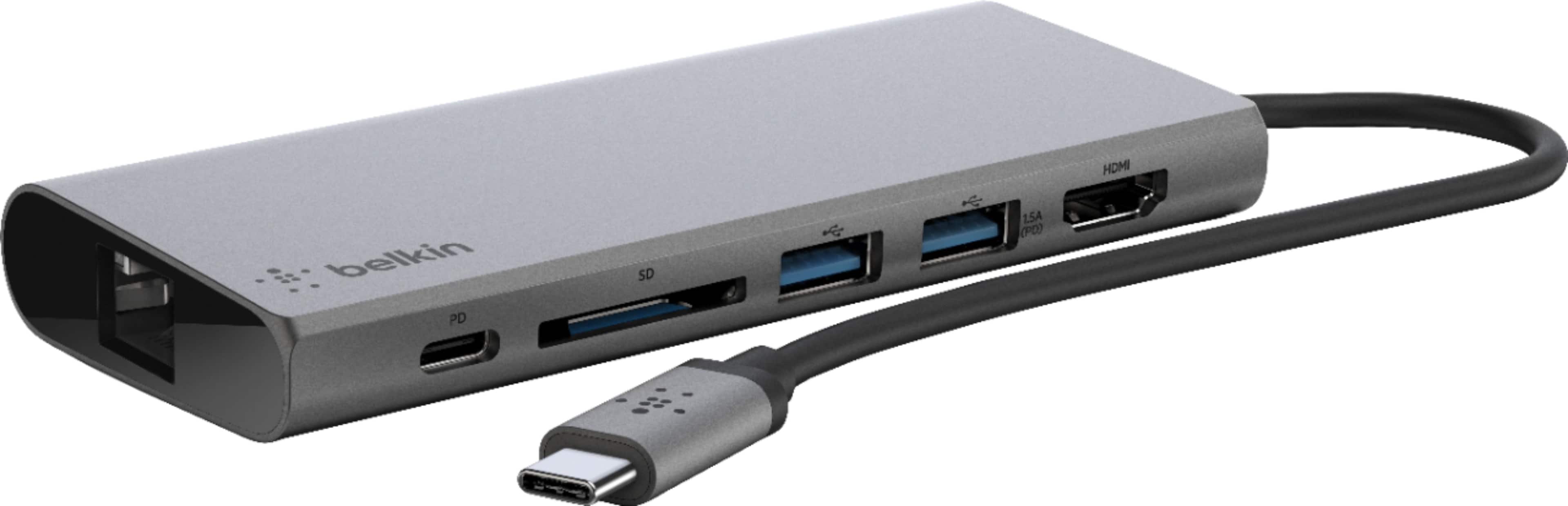
|Posted .This reviewer received promo considerations or sweepstakes entry for writing a review.I really love this multimedia dock. I use a Windows tablet that has only one USB C port, so this device allows me to connect to virtually anything, You can even charge your device through it. My Windows tablet has a proprietary charging port, so I don’t need to use this device to charge through, but it’s a nice touch for travelling light. It includes the following ports: 2 USB-A ports, 1 USB-C power pass-through (Pass-through charging up to 60W/ 5Gbps data transfer rate), 1 HDMI port for 4K 30Hz, 1 Gigabit Ethernet port, and 1 SD card reader. It offers a lot of connectivity for the price. It also manages to remain fairly light with all that connectivity at 4.16 oz. This is a great item to have in your bag if you are a road warrior or have a device with limited connectivity. I highly recommend this.
I would recommend this to a friend - Pros mentioned:Connectivity, Overall performance
Convenient and Portable
|Posted .This reviewer received promo considerations or sweepstakes entry for writing a review.Well made USB-C Hub. I have come to rely on Belkin products; they put quality into their accessories and I haven’t been disappointed yet. This hub has a USB-C pass-thru that I use to keep my MacBook Pro charged while plugging in a flashdrive into one of the two USB ports. I utilize the HDMI port to attach a secondary monitor and everything works very well and without lag. I have eliminated the need to carry two other dongles that I use regularly. I can also read an SD card directly now without going through a USB dongle to the camera, etc. Much more convenient. The only problem I have run into is with my wireless mouse and keyboard, there are times when there is a delay in mouse movement or key strokes being typed onto the screen. As long as everything is directly connected I have no issues or lag in any other item. I would recommend this as a great alternative to buying the various OEM dongles or adapters that you could purchase.
I would recommend this to a friend - Pros mentioned:Port selection, Portability
One Dongle to Rule Them All!
|Posted .This reviewer received promo considerations or sweepstakes entry for writing a review.If you need one of these, then it's because you've gotten a new, slim, light laptop and then realized that part of the reason for all that slim lightness is because the manufacturer did away with all the ports that came with your old computer. Never fear, the Belkin USB C Travel Multimedia Dock + Charge solved this issue all at once (at least for me). The HDMI port for a second monitor & 2 USB ports for the wireless mouse and USB drive is all I'll generally need and this one, slim package delivers that without the need for multiple adapters to carry around. As a bonus, the SD reader and the ethernet port mean I'm covered for the occasional time when those are needed. All with the Belkin name to boot!
I would recommend this to a friend - Pros mentioned:Connectivity, Portability
Does what I need
|Posted .This reviewer received promo considerations or sweepstakes entry for writing a review.Laptops, tablets and phones.... they are getting slimmer and lighter all the time. None of mine have dvd drives and now many don’t seem to have card readers or even USB ports. This Belkin reader offers me several choices to get connected. I love the sd card reader. I can take my memory card from my camera and use the Belkin to transfer my photos to my laptop or my husbands android phone an tablet. I can even connect my laptop to my tv via the hdmi port. We have so many choices with how we use our devices today but this Belkin reader saves me some frustration about how to move “stuff” from one device to another. When you need it, you have several choices on how to “get it” with this reader.
I would recommend this to a friend needs more ports
||Posted . Owned for 1 month when reviewed.This reviewer received promo considerations or sweepstakes entry for writing a review.It really needs more ports and connections i picked it by looking at it and didnt take time to see if it had all i needed
No, I would not recommend this to a friend- Pros mentioned:ConnectivityCons mentioned:Power delivery
Works as expected, no fuss
|Posted .This reviewer received promo considerations or sweepstakes entry for writing a review.The Belkin USB-C multimedia dock works just as expected without any hassle. USB3, HDMI, Ethernet, SD card all worked the first time without trouble. The hub itself is well made and solid, if a tiny bit larger than other similar hubs on the market. There is one minor point to be aware of. The pass through charging (plug a USB-C charger into the dock to charge your computer) is rated at 60w. This is right on the edge for being a little under powered for some laptops. My laptop charger is rated at 65w. When I plugged my charger into the Belkin dock, and the dock into the computer, I got a message in Windows advising to use a "rated power adapter" and that charging at 5v would be slow. So apparently the Belkin dock doesn't quite do it for my computer to use the full charging capability. No big deal though.
I would recommend this to a friend - Pros mentioned:Overall performance, Portability
Works perfectly, nice slim design.
|Posted .This reviewer received promo considerations or sweepstakes entry for writing a review.This Belkin USB-C multimedia hub works perfectly for my needs. I’m able to have my peripherals, monitor, keyboard and mouse, ready to go on my desk so that all I need to do is plug the hub into my laptop and everything works perfectly. The hub has a minimal, well designed look with good port placement. I love the size of the hub which allows me to easily pack it with my laptop when going on business trips. The hub supports pass-through charging, which is a must have, and it works well. I’m really happy with the overall performance of this hub, I know I’ll be putting it to good use over the next few years and being Belkin, I’m sure it will hold up well.
I would recommend this to a friend - Pros mentioned:Portability
Excellent product if you need this sort of thing
|Posted .This reviewer received promo considerations or sweepstakes entry for writing a review.Belkin calls this device a “multimedia hub.” I’ve always called something like this a docking station. It’s very handy if you use a laptop computer regularly but want to have desktop computer amenities when you park yourself at your desk at home or at the office (or both or wherever). This unit connects to a USB-C port, so you’ll need one of those on whatever (desktop or laptop) you connect it to. What you get in return for taking up a USB-C port on your computer is another USB-C port labeled “upstream/downstream”, which means that you can use it to connect to another device OR to provide extra power to the unit with USB-C-capable power cord, two USB-3 ports, an HDMI port, an SD card reader, and a gigabit ethernet port. You could connect to this a computer monitor, keyboard, and mouse, and then have access to all three by just a single USB-C connection to your computer. You can also have wired ethernet capability if you’re like me and use a laptop computer that lacks such a port and thus can only connect to the internet wirelessly. Wireless is nice, but it’s not available everywhere, and sometimes you just want the faster speeds (and greater security) that a wired connection can provide. Ten or fifteen years ago, something like this was very useful to someone, like me, who worked about equally between home and office, and so I would carry a laptop with all my files and programs on it back and forth. At each location I had a docking station/hub like this unit with ethernet, printer, mouse, keyboard, and monitor all connected, and a single, quick connection of my laptop to the hub had me having a desktop-like experience (full-size keyboard, larger monitor, faster internet, mouse instead of touch-pad) in no time flat. But things have changed, and I have to be honest and say that I went away from the laptop/hub idea to making great use of the “cloud.” Now I just have a desktop computer at each location, and each is connected to my cloud storage, where I keep all of my important files. I no longer need to tote a laptop back and forth between home and work. So I think the utility of something like this is less than it was, say, a decade or so ago. I think the best feature of this device is the ability to have a wired internet connection on a computer that doesn’t have an ethernet jack. But there are other, cheaper ways of achieving this, so this Belkin hub would appeal most, I think, to someone who both needs a wired internet connection for their laptop and who also wants some of the other features the hub offers, such as the extra USB ports or the card reader. Bottom line: if you need something like this, the Belkin USB C Multimedia Dock/Hub will work just fine. It is small (5 inches by 2 inches by 5/8 inch), lightweight (4.4 oz.) but solid feeling, and very portable (could pretty much fit in your shirt pocket). It will fulfill your needs just fine.
I would recommend this to a friend - Cons mentioned:Heat dissipation
Not good
||Posted . Owned for 1 year when reviewed.This reviewer received promo considerations or sweepstakes entry for writing a review.Heats up very quickly. I won’t recommend To be honest.
No, I would not recommend this to a friendBrand response from BelkinStaff
Posted .Hi Dikshya,
On a scale of 1 to 10, how hot does the Belkin Multimedia Hub get? Please know that its operating temperature is from 0°C to 40°C. If the temperature goes beyond this, please contact us so that we can have our Product Experts look into your device.
Email us at BelkinCares@belkin.com, with your contact details and the link to this review for our reference.
Regards,
Kyla
Belkin Support
- Pros mentioned:PortabilityCons mentioned:Heat dissipation
Perfect for travel !!
|Posted .This reviewer received promo considerations or sweepstakes entry for writing a review.Perfect size that include two USB 3 ports, SD card reader, 4K HDMI, Gigabit Ethernet and power delivery. Tested usb 3 speed using Sandisk flash drive get 350MB/s read and 330MB/s write. SD card reader only get 23MB/s read 27MB/s write; using my other card reader I get 92/48MB/s. It is pretty warm when doing a lot of transaction. The only thing I don't like is the usb port is upside down. Also make sure your computer is compatible. For Lenovo Yoga 730 15.6", only HDMI is working; Lenovo Miix 720, HDMI sometime disconnect for 1 to 2 seconds. But this work perfectly with HP Spectra x360.
I would recommend this to a friend - Pros mentioned:Connectivity
Great, dont leave home without it.
|Posted .This reviewer received promo considerations or sweepstakes entry for writing a review.Belkin USB C Travel Multimedia Dock + Charge The Belkin USB-C Multimedia HUB is a real space and time saver. I have 1 laptop that only has USB-C ports, nothing else. The HUB has 2 USB-3 ports, 1 4K HDMI port, 1 Full size SD card reader, 1 Gb ethernet port, and 1 USB-C 5 Gb port. Using this HUB I was able to add an external monitor at full resolution and either mirror, or extend the desktop onto the external monitor. I added 2 USB-2 and/or USB-3 devices mixed and matched at different times. The HUB recognized every item without any hesitation. I added an ethernet cable to the HUB and checked my internet speed. I received my full 1 Gbps internet speed. I read and wrote to a USB drive and an SD card. Speeds were as good as my desktop, but I do not have any freely available high-speed devices to check throughput. They worked at the same speed as my desktop so all worked well. I was not able to check the backwards compatibility of the USB-C port because my external devices are all just USB-2 or 3. I did however check the power passthrough on the HUB. I plugged in the laptops power adapter to the HUB, then the USB-C wire to the laptops charging port. This worked well however my laptop through up a warning that I was using a smaller charger than the laptop required. The HUB states it can pass 60 watts of power, my laptop requires 65 watts. Other than the warning about charging and battery draining the HUB supplied enough power to charge the laptop to full even while I was using other devices on the HUB from the laptop’s charger. So yes, the HUB restricted the power to 60 watts, but the laptop lies about how much it actually needs. Most likely the laptop would complain about any charger that is not made by them. Like a lot of Apple products do, they complain about not having an Apple charger, but they still work just fine. I think this falls in the same group. I used the laptop with an external DVD drive, external wired mouse, external monitor, and external network cable, all at the same time and the laptop still charged in the same time as it took before. This is a wonderful addition to my laptop bag. I will never leave it behind.
I would recommend this to a friend wont work
||Posted . Owned for 3 weeks when reviewed.This reviewer received promo considerations or sweepstakes entry for writing a review.Doesn't work on my ipad pro .Not sure if it 's a user problem or a compatibility issue
No, I would not recommend this to a friendBrand response from BelkinStaff
Posted .Hi,
The USB-C Multimedia Hub offers USB-A, USB-C, HDMI (supporting 4K 30Hz monitors), Ethernet and SD card ports, to connect your laptop easily and safely to all kinds of peripherals and devices, including projectors, monitors, SD cards, thumb drives, internet and more.
We'd like to know more of the challenges you're encountering with the Belkin F4U092. Please send in an email at [email protected] with your contact details and the link to this post as a reference, so we can check on this further and provide you with assistance.
Regards,
Rowena
Belkin Support
- Pros mentioned:Portability
One cable convenience
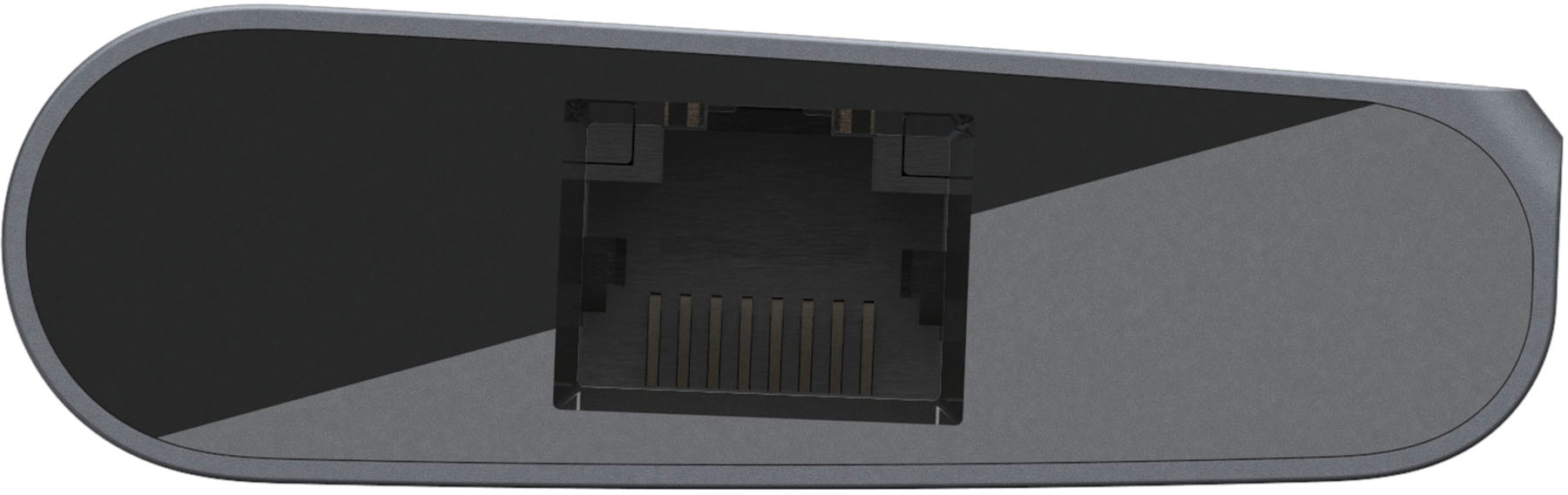
|Posted .This reviewer received promo considerations or sweepstakes entry for writing a review.-= Features=- This Belkin USB C travel dock allows you use just one plug into your laptop's USB-C port to power a variety of peripherals. External Monitor: There is a HDMI on the dock that allows you to connect an external monitor; no need to plug in your monitor directly to the laptop! Two USB 3.0 Ports: This allows you to connect a keyboard and mouse or other USB device to your laptop. I found it very convenient having everything already connected to the dock so I can quickly connect (and disconnect) all your peripherals with one single USB-C cable. SD Card Reader: You can insert an SD card into a dedicate slot on the dock if you need to load pictures off of a camera, for example. Ethernet Port: Most laptops today don't come with a wired Ethernet port, but there is one on the dock if you need the stability of a wired internet connection. USB-C Power Input: You can plug your normal laptop's USB-C charger into the dock and it will pass that power on your laptop so it charges while you use it. I tested this dock with a Samsung Galaxy Book 12 tablet and noticed that its included Samsung Adaptive Fast Charger did not work properly (it's not USB-C Power Delivery certified), but a Dell USB-C Laptop Charger worked in its place and it did allow the tablet to charge through the dock. -= Design =- The dock is very compact in a solid, aluminum enclosure that is ideal for travel. However, I use it mainly on my desk so I can quickly "dock" my tablet or laptop on my desk and use a full keyboard, mouse and monitor. The dock has a short but thick USB-C cable that connects to the laptop. While this cable should hold up for years, it's somewhat rigid and can make the dock difficult to position how you want to at first, but it should loosen over time. Overall, I'm pleased with this dock and it makes it convenient to dock my home laptop or work laptop whenever I need to work at a desk. I can now just use one cord to connect my monitor, keyboard and mouse while charging the laptop all at the same time.
I would recommend this to a friend Could be better
||Posted .This reviewer received promo considerations or sweepstakes entry for writing a review.Works ok. Sometimes loses connection when it moves slightly
No, I would not recommend this to a friend- Pros mentioned:Connectivity, Portability
Great all in one device for travel or saving space
|Posted .This reviewer received promo considerations or sweepstakes entry for writing a review.This multimedia dock has been great. As long as you have a laptop or desktop with a usb-c port, this dock adds an HDMI, ethernet, SD card reader, 2 USB-A, and a USB C port to your device. This allows you to connect mulitple peripherals, an external display, and even charge your phone simultaneously with it's 60W of power pass-through. I will definitely be keeping this dock in my travel bags while traveling for work.
I would recommend this to a friend - Pros mentioned:Overall performance, Portability
Exactly what I needed!!
|Posted .This reviewer received promo considerations or sweepstakes entry for writing a review.Having a laptop with no hdmi port was why I needed something like this. That, along with the SD card reader makes this an invaluable tool for my photo editing on the run. I can do my editing now without having to lug a PC around. Just the laptop and a monitor I keep in my trunk when travelling. Perfect!!! Works flawlessly for the 2 things I needed it the most for. The other ports are just a bonus for me.
I would recommend this to a friend - Pros mentioned:Port selection
Handy Port Extender for Home or Travel
|Posted .This reviewer received promo considerations or sweepstakes entry for writing a review.Belkin USB-C Multimedia Hub This hub offers multiple ports to connect your external devices when your computer or Chromebook doesn’t have enough connections. If offers: One USB C Connection 2 USB 3,0 Connections A Gigabit Ethernet Connection An HDMI Connection A slot for an SD card It comes with a built-in cable with a USB-C connector to plug into your computer, laptop or Chromebook. You then plug your power cord into this device. That powers the unit and can also pass through power (up to 60W) to your connected computer. This device offers lots of flexibility, especially to devices which simply don’t come with enough connections to satisfy your needs. And it’s nice and compact for tossing in your bag when you travel. There was one negative, and that’s why I didn’t give it five stars. Plugging a flash drive into the USB-A ports proved challenging. The ports were way too snug for comfort and I was afraid I was going to break something trying to force them in. Just to be sure it wasn’t one of my flash drives causing the problem, I tried multiple ones with the same result. And, once I did get them plugged in after some effort, removing them was a battle in reverse. Hopefully, they’re not all like that, because this device promises to address the problem of not enough connections on your devices.
I would recommend this to a friend - Pros mentioned:ConnectivityCons mentioned:Power delivery
Adapter works fine-limited options
|Posted .This reviewer received promo considerations or sweepstakes entry for writing a review.The adapter does what it says, works fine, and is easy to setup. There is only one way to connect it (without another converter or dongle) - it uses a single USB type C plug. If you have multiple type C ports on your laptop of desktop it will be easy. I used this on my laptop that has only 1 type C port (the power in). My docking station is the same, the only C port is the power in. My wife's laptop has 3 ports so it would be more versatile for that. The adapter is made to run power and/or network cable through it to your device. There are 2 USB type A/B ports, one HDMI, one SD card slot. My laptop required 65 amp, but the adapter only provides 60 (it worked fine but gave me a warning). It ran my wireless USB mouse fine and USB flash drives. If your device does not have a network cable port (only a USB-C) this will be helpful for you since it will convert it over to the USB-C for you. It's a good working device, just make sure it provides the functions you need and your device has the connections that work well with it.
I would recommend this to a friend Works great for a bit
||Posted . Owned for 1 month when reviewed.This reviewer received promo considerations or sweepstakes entry for writing a review.Seems to work ok for a bit - but after about a week of use, nothing plugged into the dock would work, and it seems to be magic when it would work or not. This may work for intermittent use, but is worthless for 8-hour a day use
No, I would not recommend this to a friend