Customer Ratings & Reviews



- Model:
- F4U092BTSGY
- SKU:
- 6343827
Rating by feature
- Value
Rating 4.3 out of 5 stars
- Quality
Rating 4.7 out of 5 stars
- Ease of Use
Rating 4.7 out of 5 stars
Customers are saying
Customers are delighted by the 4-Port USB Type-C Hub's numerous USB ports, ease of use, and high-quality build. Many appreciate its compact size and compatibility with various devices, finding it well-designed and practical. However, some users noted that the hub can get warm during use and that the cable could be longer. The product's positive aspects outweigh these minor drawbacks for most customers.
This summary was generated by AI based on customer reviews.
Not worth the purchase
||Posted . Owned for 1 month when reviewed.This reviewer received promo considerations or sweepstakes entry for writing a review.Plugged it in and everything worked except the HDMI port which I really needed. Had to return it and get a different product.
No, I would not recommend this to a friendTerrible product. Stopped working after a month
||Posted . Owned for 1 month when reviewed.This reviewer received promo considerations or sweepstakes entry for writing a review.Terrible terrible product! I bought two because I thought while traveling I accidentially broke the first one; NOPE! They actually just stop working after about a month. Don't waste your money.
No, I would not recommend this to a friend- Pros mentioned:Connectivity, Portability

It works!
|Posted .This reviewer received promo considerations or sweepstakes entry for writing a review.Does what it says and fast. My main laptop only has one standard usb port but I sometimes need more. This device allows me to plug into the usb-c port and gain two more. It also has usb-c port and hdmi, sd card, and network ports. Lots of stuff in a small package. Can be used for charging as well. Small size makes it easy to take on the go. I like it.
I would recommend this to a friend Terrible product
||Posted . Owned for 1 month when reviewed.This reviewer received promo considerations or sweepstakes entry for writing a review.This product constantly causes alerts that it disconnects from my apple computer, even though it is not disconnected and with zero movement. Do not buy this item.
No, I would not recommend this to a friend- Pros mentioned:Connectivity, Overall performance
Just works; great value.
|Posted .This reviewer received promo considerations or sweepstakes entry for writing a review.Using it as a docking station for my laptop. Plug it in at my desk and have gigabit ethernet, full size keyboard, mouse, and full size HD display. The dock also has a SD card reader and a 60W charging port for charging a phone, tablet, etc. It's compact, well-built, and does everything as advertised. What's not to like?
I would recommend this to a friend Great Dock for MacBook Pro
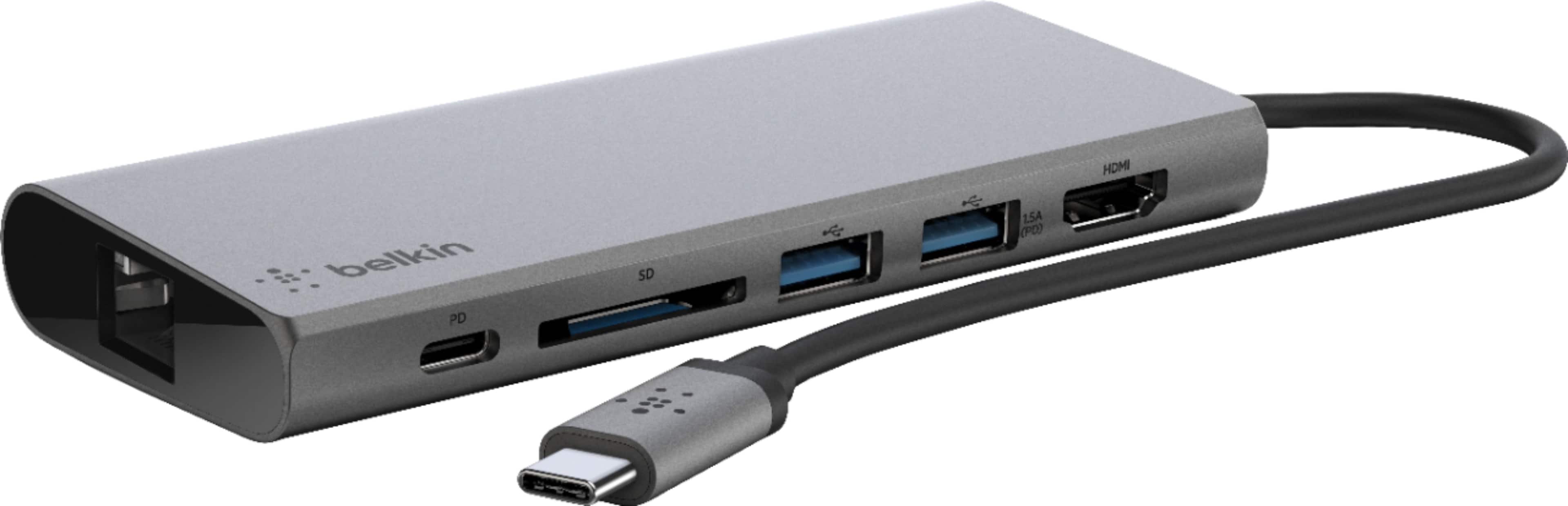
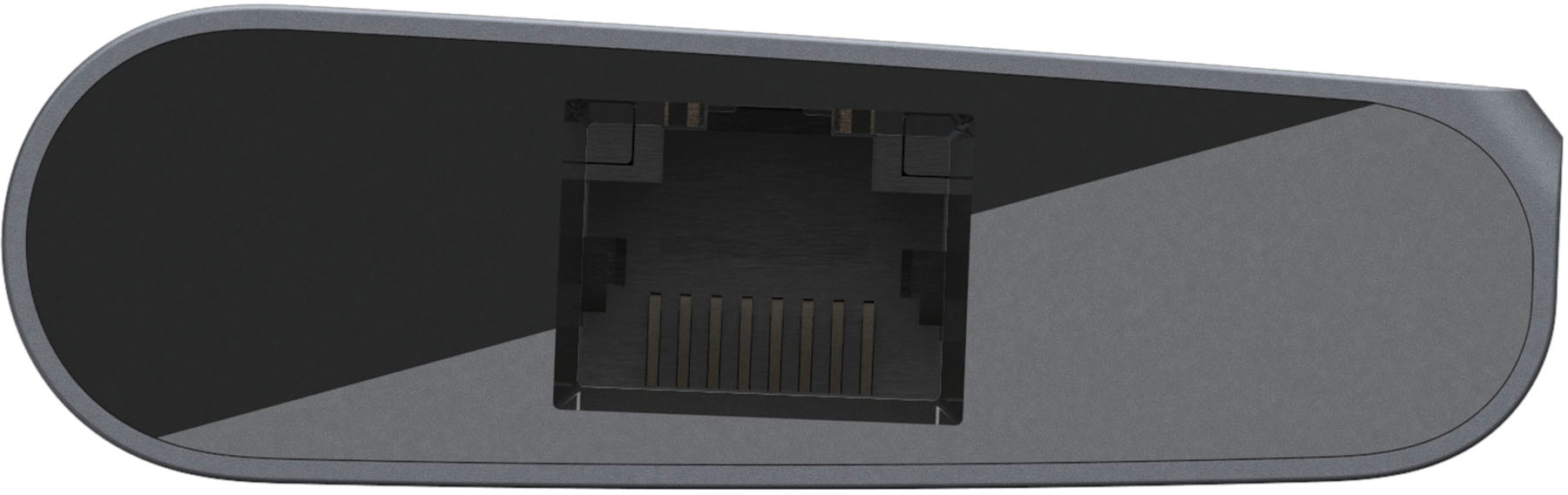
|Posted .This reviewer received promo considerations or sweepstakes entry for writing a review.USB-C is the future, but the adoption of it is very slow. With the new MacBooks all sporting USB-C ports, it gets really annoying when you realize you can’t plug in your phone to charge or transfer files off an SD card without having to carry specific dongles or purchasing all new cables. This Belkin dock does a great job in fixing this inconvenience. Two USB-A ports, Ethernet, HDMI, SD Card Slot, and a USB-C Power Delivery port make it the only “dongle” you need in your bag. The aluminum construction gives it a nice heft and feel that makes it premium. It also works great at home for connecting your laptop to a monitor. Comparing this to the Apple one is no competition; this Travel dock wins hands down with the assortment of ports. If you're in the market for a USB-C dock, do not cheap out on the ones sold at some online retailer(s). This Belkin dock is a great choice.
I would recommend this to a friend- Pros mentioned:Connectivity
Excellent hub for multiple devices
|Posted .This reviewer received promo considerations or sweepstakes entry for writing a review.The Belkin USB-C Multimedia Hub is an easy, reliable way to turn your laptop into a much more capable device. You simply plug the cord into the USB-C port on your device, and plug in any of a wide variety of devices into the hub, and they will all work like a charm! It will free up the existing ports on your device for other peripherals. Here are the ports on the hub: 2 x USB-A, 1 x USB-C, 1 x HDMI (4K 30Hz), 1 x Gigabit Ethernet, 1 x SD Card Reader. Some other details: the bandwidth of the hub is up to 5Gbps; it supports pass-through charging of up to 60W; 1Gb Ethernet port. As far as devices that it supports, that list includes MacBook, MacBook Pro, Laptops/Ultrabooks, Chromebooks, Thunderbolt 3 Port compatible. I personally hooked up monitors, a thumb drive, and a SD card all at the same time, and they all worked great! What I appreciated is that my device only has 1 USB-C port, so this expands the capability of my device almost to the point of a desktop, as far as connecting and charging goes. The device felt very sturdy, and it never lost the connection. I would highly recommend this device for anybody!
I would recommend this to a friend - Pros mentioned:Port selection
Improved connection options for my MBP!
|Posted .This reviewer received promo considerations or sweepstakes entry for writing a review.So this little unit offers several things I missed when moving to my new MacBook Pro last year. Namely, HDMI out and an SD card reader. I used both of those frequently on my prior model, and had to have a separate dongle for each. This combines those, along with an ethernet port (handy), two USB 3.0 ports, and a USB-C with pass through charging. Now for a small downside- the pass through only works one way. That is, you can connect your charger to the "dock", which will then pass on power to the laptop, but the USB-C port is not able to be used to charge or power devices (such as ipad pro, audio interfaces, etc.) which utilize USB C cables. Of course, on the MacBook Pro you have three other ports which can accomplish that, so it is of little concern (not the case on the standard MacBook, though). Unfortunately, the USB-A ports are limited to 1.8 amps (combined), so you won't get quick charging out of those, whether the dock is connected to external power or not. So that's a tiny bit of a bummer. But ultimately the purpose of this unit is to allow connecting multiple devices, utilize HDMI, read SD cards... all things that the MBP lacks straight out of the box. I typically use a slimline, high output, high capacity backup battery to charge my peripherals away from home, anyway. So this is staying in my laptop bag (until the next greatest USB connector format comes along)...
I would recommend this to a friend Stopped working after 2 months
||Posted . Owned for 8 months when reviewed.This reviewer received promo considerations or sweepstakes entry for writing a review.The USB-C connector is poorly built and after two months, it stopped working. no signal or data was being based from my Mac to my monitor or any USB plugged in.
No, I would not recommend this to a friendBrand response from BelkinStaff
Posted .Hi, waltlee,
The Belkin F4U092 USB-C Multimedia Hub should work longer than described. You can try to connect another computer to the multimedia hub and see if the peripherals work. For further assistance, you can reach out to us at BelkinCares@belkin.com and share more details with the link to this review for our reference.
Regards,
Jan
Belkin Support
Not as Described
||Posted . Owned for 2 weeks when reviewed.This reviewer received promo considerations or sweepstakes entry for writing a review.This product has two USB ports. I was looking for four. Chatted with employee and was told it did have 4 USB ports beyond ethernet and photo card slot.
I would recommend this to a friendBrand response from BelkinStaff
Posted .Hi, Great,
We'd like to learn more details about the setback that you have and provide better assistance. With the link to this review and your contact details, please send an email at BelkinCares@belkin.com so we can better assist forward,. Let's continue from there.
Regards,
Carl
Belkin Support
Went through 2 in a month
||Posted .This reviewer received promo considerations or sweepstakes entry for writing a review.This worked once with my Macbook Pro. I called the company and they sent a replacement, which also worked once. This was a HUGE waste of money!
No, I would not recommend this to a friend- Pros mentioned:Compatibility, Portability
Portable and Perfect!
|Posted .This reviewer received promo considerations or sweepstakes entry for writing a review.I use this for my laptop and my Note 9 and it works perfectly on both! Easy to throw in my bag for the road too, I love it!
I would recommend this to a friend - Pros mentioned:Connectivity
Perfect laptop companion
|Posted .This reviewer received promo considerations or sweepstakes entry for writing a review.I am a huge fan of USB-C and now have 3 laptops that have USB-C connections. Being able to use one port for power, data, graphics and more is so convenient. I just needed the right dock to connect more peripherals. This Belkin dock does the job perfectly. It comes with easy to understand directions and simple packaging and I had it up and running within minutes. I connected my monitor via HDMI, my hard drive via USB, power to my USB-C adapter and ethernet all in one small device. I can keep the same devices plugged in and then connect it to my various laptops simply and quickly. I have tried other off-name brand docks that just could not deliver everything I needed it to, but the Belkin dock does it all for a great price.
I would recommend this to a friend - Pros mentioned:Portability
Does it all
|Posted .This reviewer received promo considerations or sweepstakes entry for writing a review.If you need one of these, then it's because you've gotten a new, slim, light laptop and then realized that part of the reason for all that slim lightness is because the manufacturer did away with all the ports that came with your old computer. Never fear, the Belkin USB C Travel Multimedia Dock + Charge solved this issue all at once (at least for me). The HDMI port for a second monitor & 2 USB ports for the wireless mouse and USB drive is all I'll generally need and this one, slim package delivers that without the need for multiple adapters to carry around. As a bonus, the SD reader and the ethernet port mean I'm covered for the occasional time when those are needed. All with the Belkin name to boot!
I would recommend this to a friend - Pros mentioned:Port selection
Very useful...with the right computer
|Posted .This reviewer received promo considerations or sweepstakes entry for writing a review.The Belkin multimedia hub offers great expandability to your laptop in a well-built easy to use package. The metal body houses an HDMI port, 2 USB-A ports, 1 USB-C port, an SD port, and a network port. Installation is easily accomplished simply by plugging the USB-C tail into your laptop. Nothing else to install or configure. That said, make sure that your laptop has USB-C Thunderbolt in order to use the HDMI port. This type of port will feature the lightning bolt icon and not the USB icon. Without this feature, everything but the HDMI port will work, as is the case with my HP Envy laptop. All in all, great little device that is super easy to use and very helpful.
I would recommend this to a friend No power supply?
||Posted . Owned for 2 weeks when reviewed.This reviewer received promo considerations or sweepstakes entry for writing a review.For the price this thing should come with a power supply at the very least.
No, I would not recommend this to a friend- Pros mentioned:Portability
A must have for Chromebooks & Windows Ultralights!
|Posted .This reviewer received promo considerations or sweepstakes entry for writing a review.I have a high-end Chromebook that I love, but I was limited by what I could do if I didn't have access to wifi for file transfers, internet, and video/screen sharing! This multimedia dock solves all of my problems! It plugs into your USB-C port and has an HDMI port, 2 standard USB ports, a card reader, Ethernet port and a pass-through USB port for power! This is by far the most useful computer accessory I've ever purchased, and it's very compact!
I would recommend this to a friend Exactly what I was needing
|Posted .This reviewer received promo considerations or sweepstakes entry for writing a review.I've got a Samsung S10+ and a Samsung Galaxy Tab S4, both support Dex via USB C. The S4 can enter Dex without the dock, but the S10+ won't. I popped the dock into the USB C port and start my session via HDMI to my monitor and it's almost like working on a Chrome desktop. 1080p without any stutter, lag, or artifacts. The Belkin dock has two USB 3.1 ports, an SD card reader, HDMI, and Ethernet Port, pls the 60W PD port to keep your devices juiced up while working (or playing!). So far every port works as expected without any problems I tested the dock on a chromebook and windows laptop also. Again worked as expected. Transfer speed via the ethernet port was as fast a my desktop and topped around 100MB/s. Very impressive for a single port to handle video, audio, and network traffic! The Belkin USB C dock now has permanent spot in my essentials bag. This little swiss army knife is now one of my favorite go to toosl for general use and home use.
I would recommend this to a friend- Pros mentioned:Overall performance
Still use to this day
Posted .This reviewer received promo considerations or sweepstakes entry for writing a review.Great product and everything functions well. Originally was used for my 16” MacBook Pro 2019. Now I use it for SD card functions with my M2 Mac Mini.
I would recommend this to a friend Works well
|Posted .This reviewer received promo considerations or sweepstakes entry for writing a review.Tested on surface go - 4k HDMI, USB and USB c PD (charging all work fine - no additional drivers). All of these multiple port can be awkward if 5 cables attached to device but unlike Dell dock seems stable.
I would recommend this to a friend