Customer Ratings & Reviews
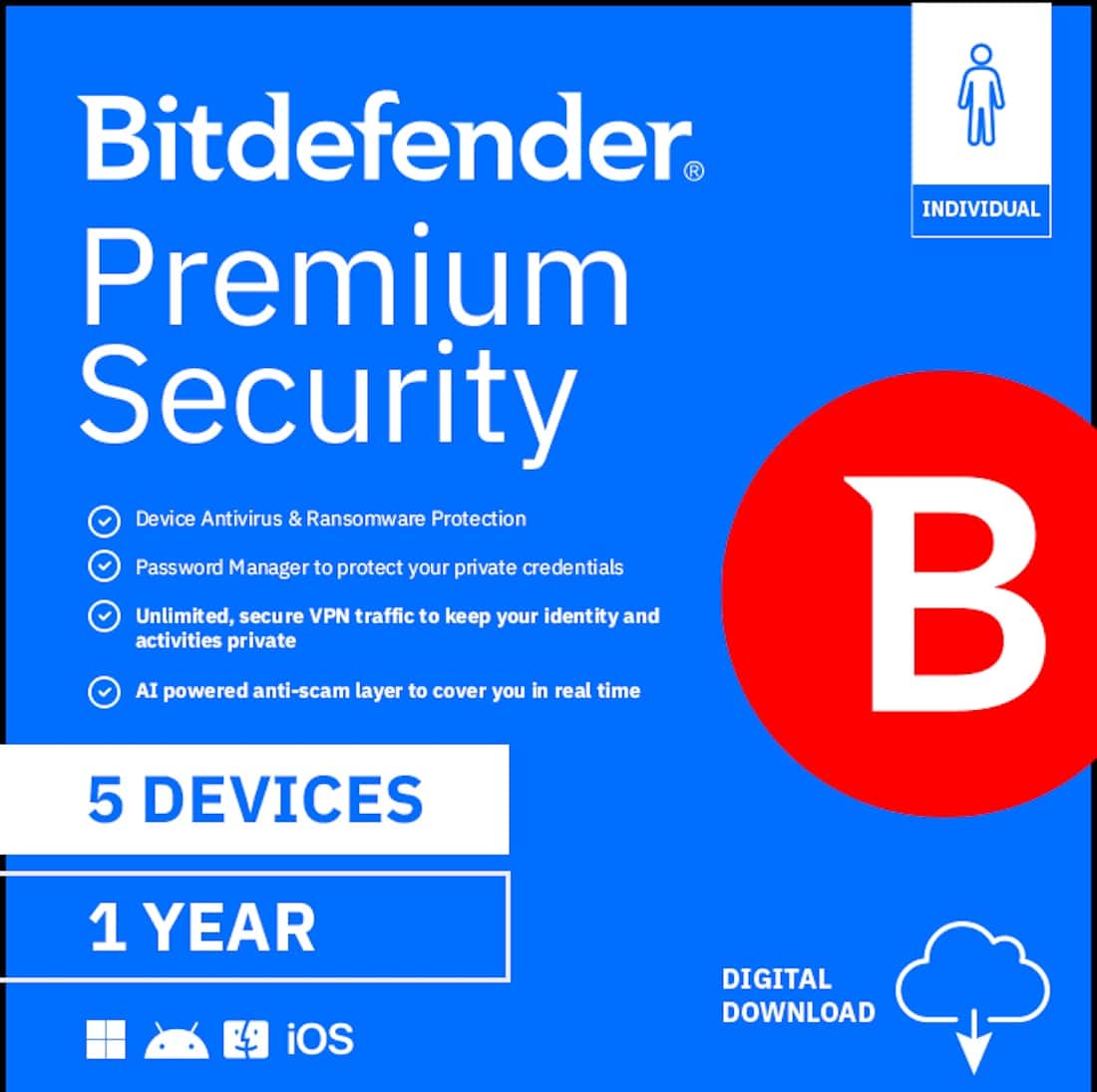
- Model:
- PS24ZZCSN1205LEN
- SKU:
- 6643514
to a friend
Customers are saying
Customers praise the product's strong overall performance, highlighting that it doesn't interfere with other system functions and offers extremely fast VPN performance. They also appreciate its efficient resource usage and find the software to be very intuitive. Additionally, customers commend its easy installation and exceptional protection capabilities.
This summary was generated by AI based on customer reviews.
- Pros mentioned:Protection, Vpn performance

Perfect all-in-one option
|Posted .This reviewer received promo considerations or sweepstakes entry for writing a review.This Bitdefender suite is a fairly good all inclusive protection suite. Given the wide range of free options for many of these features as well as built in options for Windows, you can probably put together your own solution that works as well for cheaper, but this takes care of everything for you and you don’t have to constantly try to keep up to date on the latest threats yourself. The anti-malware seems to work well. I don’t try going to many really sketchy sites and I keep windows defender up to date so it didn’t find anything on any of our devices, but its good to know that there is something a little more backing up our malware security in case one of my kids starts clicking on things they shouldn’t. Anti-phishing sounds good in theory but I haven’t had it activate on my at all over a couple weeks. I think I don’t fall for much phishing scams and I also don’t have much worth phishing for so am not a huge target. If you’re being careful I’m not sure how valuable this is, but I can see this as been a huge benefit for someone that may be setting up devices for a kid or senior that are more susceptible to falling for a scam and need a little extra help staying safe. Firewall seems to be working well, but I haven’t had many attacks to test it. It did screw up pretty much all my games at first and I had to go and make sure they were all in the system so would stop getting blocked. It was irritating, but pretty easy to resolve. I don’t like using password managers, but I do a good job of remembering them without writing everything out on sticky notes. If you have someone that can’t seem to remember them, then this would be a good option. Some password management systems out there are just scams to steal your password, so having it built into a system you are paying a decent amount for from a really reputable company adds to your confidence that the passwords are safe. The VPN works well. I already have 2 other VPNs that both work great and together are cheaper than this one. That being said there are a lot of scam free VPNs out there that actually steal your data so one run through a good company is a plus. Also if you have less tech savvy family or friends it’s nice to have it all in one program/place. Ad-blocker works as well as any of the ones I’ve seen, but again sites to scan for it and can tell if you’re blocking and will sometimes block content as a result, so the use here is limited for me, but good to have it in one place. Overall this is a nice suite of protection software. It works well and can be trusted. If you are fairly tech savvy it may feel a bit overpriced or redundant to other things you are doing, however if you have family or friends (especially older or younger ones) this is a great set it and forget it option that really helps prevent some of the modern scams and issues that you don’t just get for free.
I would recommend this to a friend - Pros mentioned:Vpn performance
Complete protection across all platforms
|Posted .This reviewer received promo considerations or sweepstakes entry for writing a review.Bitdefender Premium security is a premium security offering that can be used across 5 different devices. It provides anti virus and ransomware protection, a password manager that works across different platforms, a secure VPN connection with unlimited traffic passthrough and finally a AI based scam detection and protection platform. There is also a spam call blocking feature that only works with android phones so I was unfortunately unable to test that with my iPhone. The software is digitally download and activated via a redemption code. I download the Bitdefender central app on my iPhone and logged into my bitdefender account. If you do not already have an account then you can simple create one online. The bitdefender central app is simply a dashboard for the platform which shows you which products you have installed on eligible devices. I installed the mobile security platform as well has the VPN on my iPhone. The mobile security app allows you to run a scan on your device and then it makes suggestions in order to increase your device security. The AI scam checking tool is nice in that you can submit an email, link or image to see if it may be a security threat. You can also scan your accounts to see which of them has been involved in a date breach so that you may change your password. The VPN is way to connect to and allows you unlimited date pass through which is great because a different VPN provider that I used limited the data that could pass through on a daily basis. Overall bitdefender premium is a great security product that is with the yearly cost as you can protect up to 5 devices
- Pros mentioned:Performance
Extremely easy to use - full security
|Posted .This reviewer received promo considerations or sweepstakes entry for writing a review.I recently installed Bitdefender and while the account creation process was a bit frustrating at first—it took me three attempts before it finally worked—the rest of the setup went smoothly across my devices. Once installed, the app immediately began an assessment, analyzing each device for threats and then prompting me with notifications to enable specific features such as VPN, scam call protection, autopilot, app anomaly detection, and app lock. I appreciate having the option to control which features are active, though it might be more convenient if Bitdefender simply turned everything on by default and asked during installation which ones I wanted to keep. One drawback I’ve noticed is that it seems to interfere with my existing password manager, making it slower to load credentials, and while Bitdefender offers its own password manager, I’m hesitant to switch since I’ve relied on mine for years. As a first responder, I also found that the alert app now lags about 30 seconds behind my husband’s phone—since mine used to notify first, and time is crucial for emergencies, this delay is concerning. That said, Bitdefender doesn’t interfere with performance in other areas, and I find the interface very easy to use. Its multi-layered protection against malware, ransomware, phishing, and scams, combined with privacy tools like VPN, password manager, and data breach detection, gives me confidence in its ability to safeguard my devices.
I would recommend this to a friend - Pros mentioned:Resource usage, Vpn performance
Bitdefender bringing safety & security to devices!
|Posted .This reviewer received promo considerations or sweepstakes entry for writing a review.The Bitdefender - Premium Security Individual 5 device 1 Year is a digital download software offering the latest in PC, Mac, iOS, and phone security for your devices. A quick download and the software is ready to begin the task of keeping you secure from bad actors, digital predators, and even yourself... adding credit card or other personal information into sites or apps that could harm you. This is a fairly lightweight program that runs easily on your device without bogging down you system and slowing you. I found this product to be a great add for my Macbook, iMac, and iPhone. I originally doubted its usefulness in the iOS universe, but it was able to find correctable items on my devices that helped bring greater security and added a quality VPN to each device to keep my data safe while online. PROS - Bitdefender's name, reputation, and innovations - 5 devices, 1 year, 1 subscription! - Lightweight and doesn't control your devices resources just to run - Several options available to customize your experience within the program/app CONS - Cost of annual renewal - no one and done option - Like any security software - it is only as good as the updates to keep you safe.
I would recommend this to a friend - Pros mentioned:Resource usage, Vpn performance
Peace of mind
|Posted .This reviewer received promo considerations or sweepstakes entry for writing a review.It’s been a while since I’ve used security software, usually just relying on what the OS offers. My sons have been spending more time on their laptops for gaming, social media, and school, so I thought it would be a good idea to start using security software again. We’re already using Bitdefender, kind of, as it runs on our router to keep an eye on security issues and block malicious links. Bitdefender is very comprehensive. You get a thorough and lightweight software to keep an eye on everything from internet traffic, phishing messages in emails, and texts. It even monitors for SPAM in calls on your mobile devices. I love that this has 5 licenses. I can install it on all of our laptops and use one license for my mobile device. I love that they have a mobile app that helps you monitor all of your connected devices. We’re very avid PC gamers, and this software doesn’t draw too many resources. We haven’t noticed any performance issues while using this. So that’s a big plus. The software is very intuitive. You can adjust what you want to be protected. The VPN is very easy to use on the computers and mobile devices. This is a very comprehensive and lightweight security suite. It definitely gives me some peace of mind having this installed on my kids’ laptops.
I would recommend this to a friend - Pros mentioned:Resource usage, Vpn performance
Great Protection and Tools
|Posted .This reviewer received promo considerations or sweepstakes entry for writing a review.This is my first time using Bitdefender and I have to say I'm very impressed. It makes solutions for Windows, Mac, iOS and Android and allows for 5 devices to be covered with the protection. I have installed in my Mac (yes, its becoming more important for Mac's to have protection). Installation was pretty straightforward but Mac makes it a bit more difficult by manually making you give the many permissions the program needs to operate. The program also installs it's unlimited VPN application as well. With the premium version you get unlimited access to over 4,000 servers making it easy to unlocked location based services. This is one of my favorite features. Regarding the security options, they seem to run excellent. Many security apps use quite a bit of resources on the machine. This seems to have a small footprint and does not affect the system. One of the best security tools is the anti-fishing tool. Fishing is one the prime ways that systems get affected. This tool really assists in keeping you aware of threats. The thing with this type of software is it's working best when you don't have to interact with it much. So far I havent had to do much with the software which is a good thing. Pricing is fair with around $60 per year. This appears to be worth the investment.
I would recommend this to a friend Caused more problems than it fixed
|Posted .This reviewer received promo considerations or sweepstakes entry for writing a review.I installed the Bitdefender cybersecurity software from the Bitdefender website using a keycode. The package I installed is for up to 5 devices and consists of 3 parts - Bitdefender Security, SecurePass and Bitdefender VPN. They are installed separately and one can be used without the other. I had no initial problems with the security section. I installed it on 2 computers and a phone. Installation on multiple devices was simple because an email link for the next device was sent to me after each device was set up. The security package includes a full system scan that can be run on demand. The full scan took almost 20 minutes on one PC and 10 on the other, but it can be run in the background. There is also a Quick Scan and a Vulnerability Scan. One of the 3 can be pinned to the dashboard. No issues were found, so I can’t say how good the software is at resolving problems. Scam protection is available to alert the user to suspicious emails, websites, and phone calls. It includes the AI scan assistant named Scamio. With the email feature activated, each email has a green Bitdefender Safe banner at the beginning. The bright green 1.5 inch line next to 100 emails is annoying and the placement pushes the email summary off the screen. I would much rather only get a notification when an email is suspicious or blocked. There is a file shredder to completely remove deleted files and an optimizer to find and remove junk files. The optimizer was very useful. It found and removed almost 2 GB of junk between the 2 PCs. However, be aware that it includes the recycle bin in the junk files, with an option to exclude it. There is a lot more to this software than it appears on the surface. Details can be found in the 282 page user guide. SecurePass is used to handle and share passwords. I didn’t set up that option because I don’t know how long I will be using the Bitdefender package. The component I had the most problems with is the VPN. To install the VPN I was told to disable the Chrome Secure DNS and use the Bitdefender ad blocker and tracker instead. Once I followed the instructions, sponsored videos started showing up on Facebook Marketplace that were blocked before. For my hobby I download pictures and then edit them. Each picture took an additional 5 seconds to download. The wheel would spin for 5 seconds before a picture would open in the photo editor. Everything I typed when creating a listing had a noticeable lag. I couldn’t reach some bookmarked pages, even when I typed in the web address. To see what exactly was causing the issues, I first turned the VPN off and turned the Chrome Secure DNS back on and then turned the VPN on, to include the ad blocker and tracker option. This time the VPN connected without any error message or warning about disabling the Chrome Secure DNS. I did, however, get a pop-up telling me that my browser might interfere with Bitdefender. There was a link to instructions to disable the Secure DNS, where it was worded as a suggestion and not a requirement. It appears that the 2 can run simultaneously. However, all the VPN issues I noted before were still there, so I had to disable the VPN and use my restored Chrome DNS settings. I did get some annoying Bitdefender notifications on Facebook. Every time I opened Facebook I got a pop up about a data breach that happened a long time ago. The pop up took me to a page to sign up for digital identity protection - for $3.33/month with a 12 month contract or $7.99 a month otherwise. Once I looked at that page, the pop ups stopped. I also get a pop up to activate Securepay that doesn't like to go away whenever I go to a credit card website. Phone features include the ability to block spam calls and Anti-Theft if the phone is misplaced. Anti-Theft will play a loud sound to help find the phone, should it be nearby. It will show the location of the device on a map, remotely lock it with a PIN, remotely erase sensitive data, and take a picture of anyone trying to tamper with the phone. Spam block didn’t seem to extend to text messages. My android phone had difficulty reading the QR codes that came up on the computer monitor during set up. I had to get where I needed to go a different way. The oddest thing happened on the 3rd day of testing. I installed Bitdefender on 2 different HP PC models. I use one, and my husband uses the other one. They are synced, so they are very similar. My husband uses Facebook more than I do, and he noticed that some of the group pages would start to load, and then go blank. They worked fine on my computer with identical Chrome DNS and Bitdefender settings. I tried reversing the Chrome settings I had changed, without any luck. I tried turning off the Bitdefender VPN with its ad and tracking package, and the pages still wouldn’t load. The only thing that fixed the problem was totally removing Bitdefender from that PC using the add/remove program function. Now everything works the way it used to. I can’t explain why that is, but it is something to keep in mind if a user has similar issues. I started with the Bitdefender Security package and VPN on 3 devices and am now running the Security package only on one PC and on a phone. The other features either made the computer partially inoperable or slowed things down too much. The Spam detecting seems to be hit and miss. The Antivirus system scans will be useful and I will continue to use them.
No, I would not recommend this to a friend- Pros mentioned:Installation ease
Easy installation, extremely powerful & versatile
|Posted .This reviewer received promo considerations or sweepstakes entry for writing a review.Bitdefender is an impressive collection of security features and programs. I’ve had the software installed on two of my computers for several days now, and I doubt I’ve come across every feature the suite offers. First off, installation could not be easier. Sign up for an account at the Bitdefender website, pay for the software, and download it. Purchase of the software allows installation on up to five devices, which can include mobile phones. Downloading and installation goes very quickly, and then you are presented with an opportunity for an initial system scan, which I had done. On both computers, the scans took about three minutes, and no threats were found. You then can proceed to activate a number of additional security features, including a malware scan, VPN, “vulnerability scan,” email protection, ransomware protection, cryptomining protection, password manager, anti-tracker, and video/audio protection. An example of the kinds of vulnerabilities it detects and reports is whether or not your Windows is set up to automatically run an executable file if it finds one on an inserted flash drive. On my computers, this was set to “yes,” which I did not know, and I changed it to “no.” Another example is examining files downloaded from the internet to make sure they really are what they claim to be. On one of my computers, Bitdefender detected that I had not yet installed the latest Windows security update, which I immediately rectified. The list goes on and on. It is a truly impressive array of security features. I have used password managers in the past, and I’ve generally been satisfied with them. It takes time for a newly-installed manager to learn the passwords of the sites I visit, and I am expecting as seamless an experience there as I have experienced with the other features I have activated. If you’re looking for a powerful, comprehensive security setup for your computer, I don’t see how you can do better than Bitdefender.
I would recommend this to a friend - Pros mentioned:Vpn performance
Good core features with a easy to use VPN
|Posted .This reviewer received promo considerations or sweepstakes entry for writing a review.I may be one of the rare people that remembers when anti virus programs where a norm especially in the 2000s. Nowadays most tech savvy certainly don't need it, but sometimes you run into something useful like a VPN. VPN works great across all devices and speeds remain optimal though may struggle if you really push it. Now does this help keep you safe? If you're prone to clicking shady links, yes. But everyone else who is tech savvy doesn't really need it. Its also not nice to RAM - As soon as I launched a game the program was taking up 500MB. I ended up uninstalling that aspect. Will use the VPN across all my devices which I'm sure will come in handy. There are other subscriptions from BitFender if you need less so make sure you pick the right product. Software on Android while simple and to the point doesn't have the option to see your PC settings / copy merge. Overall too bland. Maybe more focused IT people in this department will tell you more, but for me it passes as practical with minimal annoyance.
I would recommend this to a friend - Pros mentioned:Vpn performance
Used to be great, now just average
|Posted .This reviewer received promo considerations or sweepstakes entry for writing a review.I've always been a big fan of Bitdefender, in most previous iterations it was lightweight, fast and got the job done with little fuss. Now they are as bloated as their competition and just as expensive. Installation: Straightforward as it should be, redeem your key and install the product. If you want to install it on additional devices you can email yourself the link and install it on other PCs or mobile devices. The initial scan doesn't date *too* long on a modern PC, especially one with SSDs but my older large mechanical drives took markedly longer. Use: Running in the background is fine, though it's very hefty on terms of RAM usage, close to 2G all of the time. And while my machine has more than enough to handle it, those out there with less available RAM may struggle with such a large footprint. The price is also rather high, especially for this product. As with most antivirus or security solutions, look for a mail in rebate, and if you can't find one, one of the other big name options will have one, so go with that. The VPN is unlimited so that's a plus, and you can source yourself from other areas of the country which is useful when certain locales have some blocked restrictions for content online. Really I'm mostly just disappointed in the level of bloat but if you need all of the features it can be useful. Overall: Hefty footprint but gets the job done, kinda pricey but if you find a deal and need all of the features it's probably worth it.
I would recommend this to a friend Comprehensive Internet Security - The Best
|Posted .This reviewer received promo considerations or sweepstakes entry for writing a review.There are so many ways to get hacked and scammed on the internet today that your guard has to be up 100 percent of the time. It's not only annoying and stressful, but if your personal information is compromised, it is a serious nightmare. Nobody should be surfing the internet or opening their email without antivirus software installed on their devices. There are many to choose from, but there is also a strong 10-year industry leader. Bitdefender is the industry leader in digital protection, and I have used various software programs under its umbrella for several years. The Bitdefender Premium Security software is the product that I am now using. It provides complete safety, total privacy, and security for up to 5 devices. The software is designed to be multiplatform, meaning that it will work on various operating systems, including Windows, macOS, Android, and iOS. There are many features of this product that I find very useful in guarding my documents, records, and privacy. I can buy the product and use it on the various operating systems mentioned above, which I find very useful. This eliminates me having to purchase different antivirus protection software for other types of computer devices. Premium Security also includes many features that I like, need, and use. With the growing popularity of cryptocurrency, people do not realize that crypto miners can sneak onto your equipment and use it to mine cryptocurrency. I once had a hard drive burn up on a laptop I left in sleep mode. I believe someone or something was mining cryptocurrency on it, and it overheated because an iPad was sitting on top of it, on a flat surface that prevented it from ever cooling. With a simple toggle switch, I can now prevent anyone from mining crypto on my personal equipment. This security not only serves as an antivirus but also searches and removes Malware. It includes Ransomware Protection, which is essential if someone confiscates your files and demands money to return them. Email has become such a hassle with your address being sold to everyone and anyone. Scam and phishing attempts are constant, and it isn't very pleasant to always be on the lookout for yourself on the internet. The Bitdefender Premium Security software has excellent, innovative email protection, which, to me, was very much welcomed. In addition, AI has been added to provide enhanced support for scam protection. This version is strong on privacy. The password manager is another feature I really like using. Let’s face it, passwords are a hassle, too. This feature allows creating a password vault that can be unlocked with a single passcode. The unlimited VPN offers 4,000+ VPN servers in 50+ countries to protect your location and identity. There is an Ad blocker and anti-tracking built into the software system. The software is designed to do all of this and help protect your identity. It even includes data breach detection. The version that I use is for one individual and can be installed on five (5) different devices. There is also a Family version of Bitdefender Premium Security that can be used by up to 5 family members and installed on up to 25 devices. The Family version includes many Parental Controls, should that be needed. I personally would not trust any other antivirus software over this one.
I would recommend this to a friendA Good Choice
|Posted .This reviewer received promo considerations or sweepstakes entry for writing a review.The Bitdefender - Premium Security Individual 5 device 1 Year software offers a lot of digital security features for one price. However, it’s not a ‘one-size fits all’ solution. Due to the various distinctives of the platforms Bitdefender defends, it differs somewhat in what if offers according to the platform being addressed. Because of this, you should look for reviews where it is being used in way corresponding to your anticipated application. My initial application was for an iPad and iPhone. This is clearly a limited scenario for talking about Bitdefender in general since, to work on iOS, it’s a matter of installing a few apps. This couldn’t be easier. Once an account has been established, it’s just a matter of signing in on the app and letting it do its thing. The Bitdefender app scans files, will check emails and messages for possible scams, and perform a number of additional security-related tasks including watching your browsing activity and links. There’s a VPN app which provides even tighter protection. The Dashboard is visually clean and helpful, though it can take some time to become familiar with the particulars of what each option offers. However, once understood, each feature seemed to work quickly and solidly and returned clear status reports. Digital security has become increasingly important as the sophistication and creativity of malicious actors has grown. Bitdefender provides a solid answer by providing quality protection for a wide variety of devices and platforms. A good choice.
I would recommend this to a friendEfficient Security Software
|Posted .This reviewer received promo considerations or sweepstakes entry for writing a review.I have been using Bitdefender Premium Security Individual for some time, and it has been outstanding across every part of my day-to-day computing. The download and digital installation were straightforward, and the software immediately scanned my computer for malware, which gave me confidence from the start. Since then, it has consistently stayed alert in the background, blocking malicious connections and stopping viruses before they can cause problems. What I appreciate most is how comprehensive the protection feels. It provides real-time security against phishing, ransomware, viruses, and other threats without being disruptive. The email protection adds another strong layer of security and helps support a scam-free digital life, especially when dealing with messages that could be suspicious. The included password manager is fully featured, making it much easier to keep credentials safe and organized. I also like having unlimited, secure virtual private network traffic, which strengthens online privacy and makes me feel more comfortable using public or shared networks. Overall, Bitdefender Premium Security delivers strong protection, excellent privacy tools, and practical features in one package. It performs exactly the way I want security software to work. It is thorough, reliable, and consistently keeps my devices safe.
I would recommend this to a friendAll-Time Best Suite of Security Software
|Posted .This reviewer received promo considerations or sweepstakes entry for writing a review.I have been using Bitdefender’s security software for a few years now and this 1-Year / 5 device license for Bitdefender’s Premium Security is well worth its cost given everything it comes with. It is so much more than just antivirus software. Some of the additional invaluable features it comes with which I use the most are “Smart Call Blocking” which filters spam calls on my Android phone, an unlimited and secure VPN, a “OneClick Optimizer” which quickly and easily identifies and removes unnecessary files from my PC, but most importantly, it includes the best password manager I have ever used and which I honestly could not live without at this point. I have no idea how I would keep track of and manage all of my passwords at this point without the amazing password manager that is included in the Premium Security software and this one feature alone more than justifies its price. By adding the extension to my web browsers and the app on my phone, I can easily access all of my passwords no matter where I am. Overall, Bitdefender’s Premium Security software is the best suite of security software I have ever used and I honestly cannot live without it. As a result, I highly recommend it!
I would recommend this to a friend- Pros mentioned:Installation ease
I like it
Posted .This reviewer received promo considerations or sweepstakes entry for writing a review.Easy install on PC, Mac, and iPhone. LOTS of features.
I would recommend this to a friend Bitfinder security
|Posted .This reviewer received promo considerations or sweepstakes entry for writing a review.This is one item you hope to never have to need, but you're glad to have if you do. I ordered the Bitdefender product online. Soon after, got the key code and instructions on downloading it onto my tech. We are an android house, so I started with my Surface Pro, which is Windows. If this went smoothly, I was pretty sure everything else would too. And it did. Install steps through the setup you decide what you want to have covered. Putting it on my phone was somewhat different. It needs access to everything i.e text messages, contacts, emails etc. OK, so of course to protect my phone it does need that freedom but for now, I don't feel comfortable with that just yet as this is my first interaction with this company. I'll more than likely update my permissions a bit later. You'll also have the option to set up a VPN, I haven't gotten that far, but it's a great option to have. I just started seeing the acknowledgements of nothing wrong with my account after a scan. That always a good…yay!
I would recommend this to a friendIt's ok it you need all the bells and whistles
|Posted .This reviewer received promo considerations or sweepstakes entry for writing a review.I received The Bitdefender Premium Security Individual 5 Device/1 Year subscription to try in exchange for my review. It came with a key code to use to download for installation. So, I uploaded the full suite of Bitdefender, and it seemed to work ok, a little slow on the download. I downloaded it to my phone also and the uninstalled it because of the lag and issues I had with it there. I am not an IT professional and have used other virus protection software before installing this. I am good with what comes with my computers for the most part and I am careful to go to only secure sites for the most part. With that being said, this is a good product but a little overkill for the average computer user. It was slow to download and seems to have slowed down my computer terribly. I do like the VPN aspect of it to hide my IP location and stop ISP tracking and protects me on public wifi’s. It disabled Secure DNS on my computer so Bitdefender could work. I was happy with what came installed on my Windows computer already. It does have a secure password manager, but as with any password manager, there are pros and cons – if the data isn’t encrypted, hackers can get to anything. Make sure your passwords are different and strong across all platforms! If you are doing everyday work/play things on your computer and not financial/banking/bill paying etc. you are probably good with what is installed on your computer. For the price of this product, I’m not sure it is a great buy, and I will not be renewing at term end.
I would recommend this to a friendGood try, but not really necessary
|Posted .This reviewer received promo considerations or sweepstakes entry for writing a review.What got me excited I’ve always wanted to try out a total security package. Especially one that came with a VPN. I haven’t used any sort of anti virus or anything resembling some sort of pc protection since the days of windows Vista, so yes… it’s been a while. (I’ll be testing this out on a pc). What I’m expecting I’m expecting a modern user interface, no frills, just straight forward pc security. My first impressions The dashboard is actually pretty clean and straight forward. It’s weird that I had to download two different download files, but it is what it is. Let’s try it out The three main sections are security, securepass, and vpn. Now, as mentioned earlier, I like the idea of the vpn, and the security, but not on the securepass. I’m not keen on a 3rd party having my passwords. You’ll have to download each one separately on your pc, it’s not one total package. I downloaded the VPN one first, since I’m the most curious about that one. Some of the settings are pretty nice. You get an ad blocker and anti-tracker which is nice to have. I do like seeing my vpn IP address when I’m connected. So you can set a location, and there are many countries to choose from. So far it’s fun to play with the different locations. There is a slowdown when you’re using the VPN. My download speed crawled to less than 10 MBPS. Upload was worst at 1.5 MBPS. The total security app is a dashboard that includes antivirus, scam protection, email protection, anti spam, ransomware remediation, and a firewall. The SecurePass is a chrome extension that you add. You log in and set a master password. This is pretty much a cloud folder that stores your passwords for recovery or sharing. What stood out that was negative I like the thought that comes with the app, but it’s almost too much. I think less would have been more. I do not like the random pop ups I got in the beginning. I was able to turn them off in the settings, but it sort of reminded me why I stopped purchasing 3rd party security programs for my pc a long time ago. The internet speed slows down when VPN is running. All in all It’s a good idea on paper, but with Windows having a default firewall, and a virus check, this almost seems superfluous. I do like the VPN option, but it’s not as robust as what else is out there. This whole experience reminded me why antivirus programs became less popular over time. I don’t see a true viable reason as to why someone would want this. On the flipside, I would be a benefit of this for people who aren’t very pc friendly, and just want to have security just in case.
No, I would not recommend this to a friendGood product
Posted .This reviewer received promo considerations or sweepstakes entry for writing a review.I give only 4 stars because it lacks an add blocker
I would recommend this to a friendWon’t Download
Posted .This reviewer received promo considerations or sweepstakes entry for writing a review.Won’t download. And of course I can’ return it or get my money back.
No, I would not recommend this to a friend