Customer Ratings & Reviews
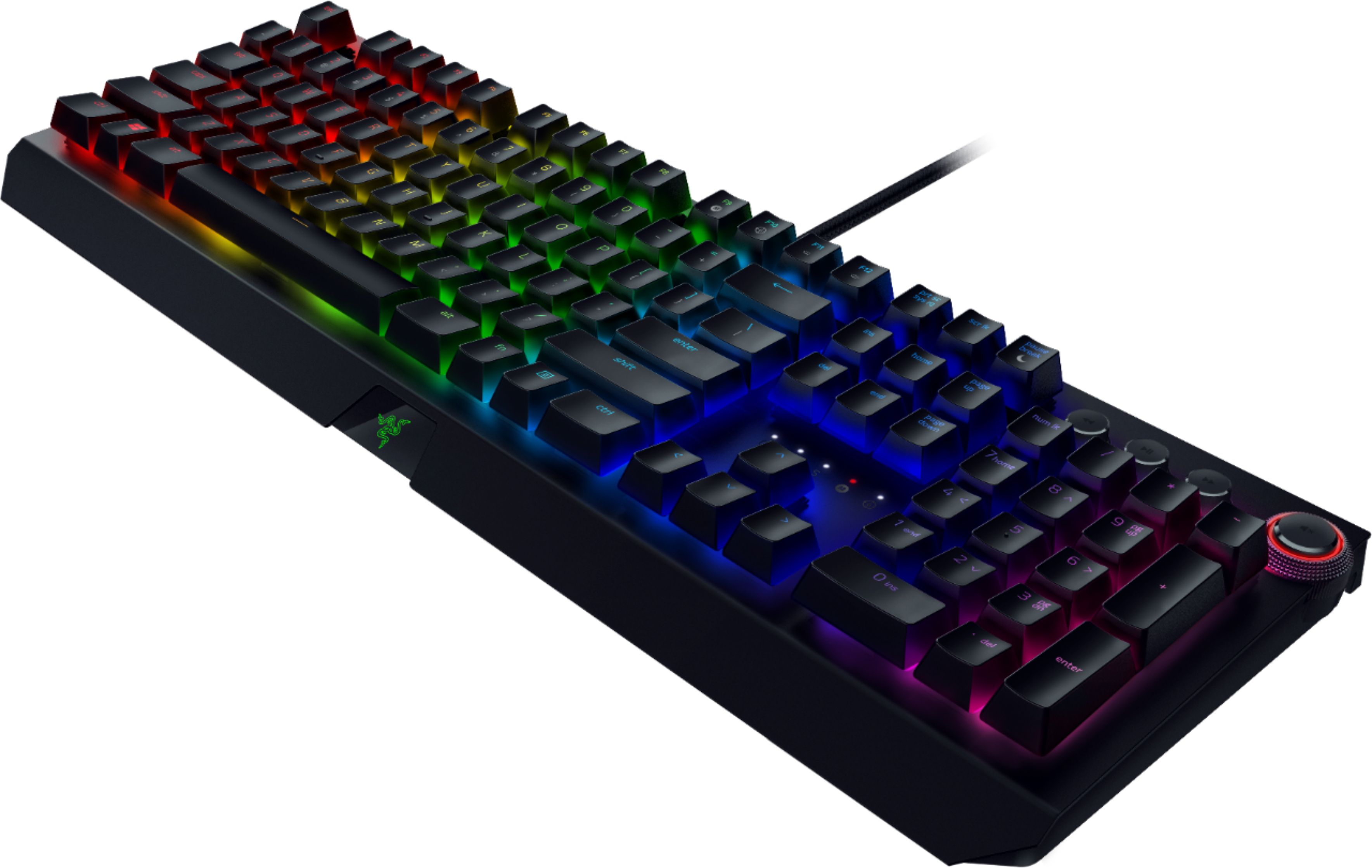
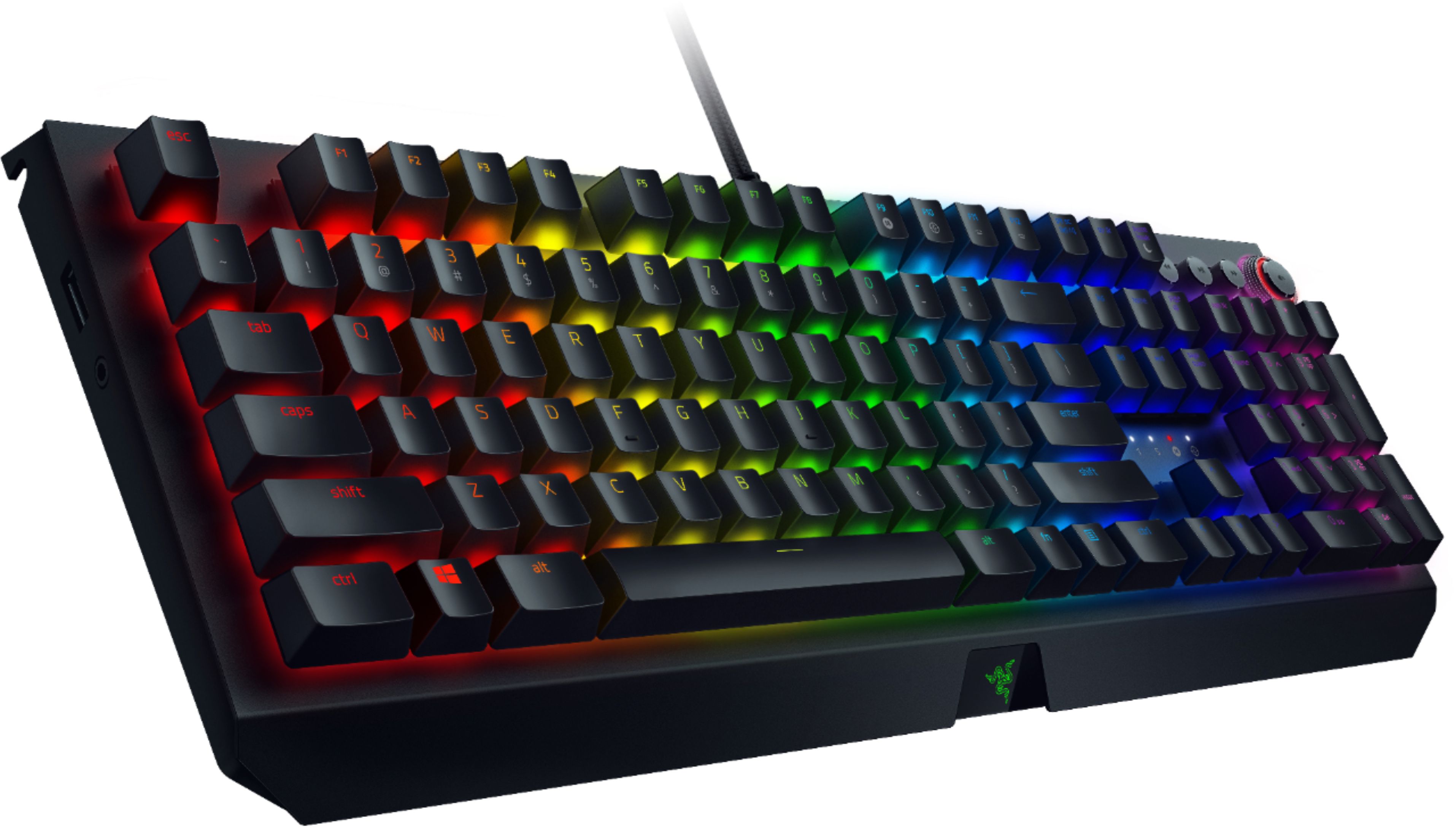
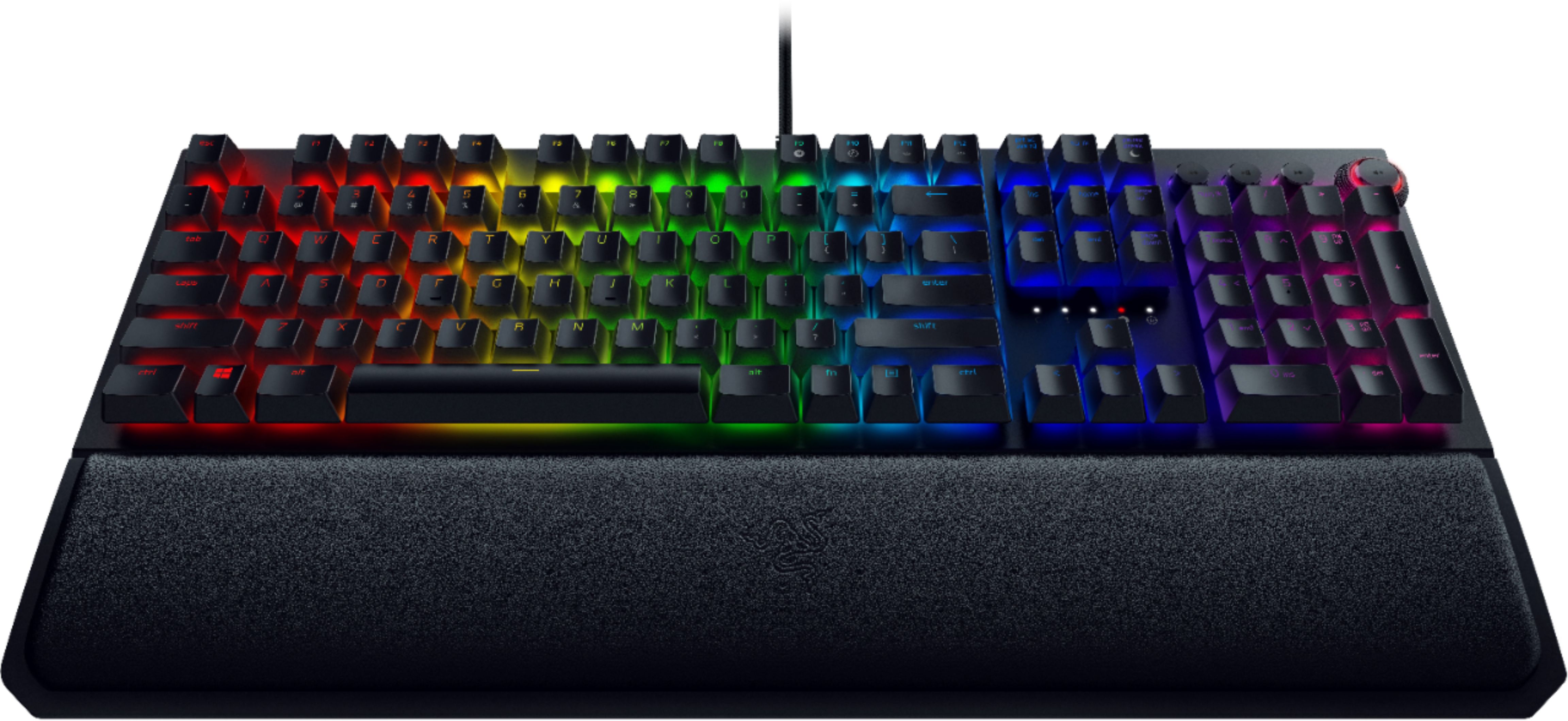
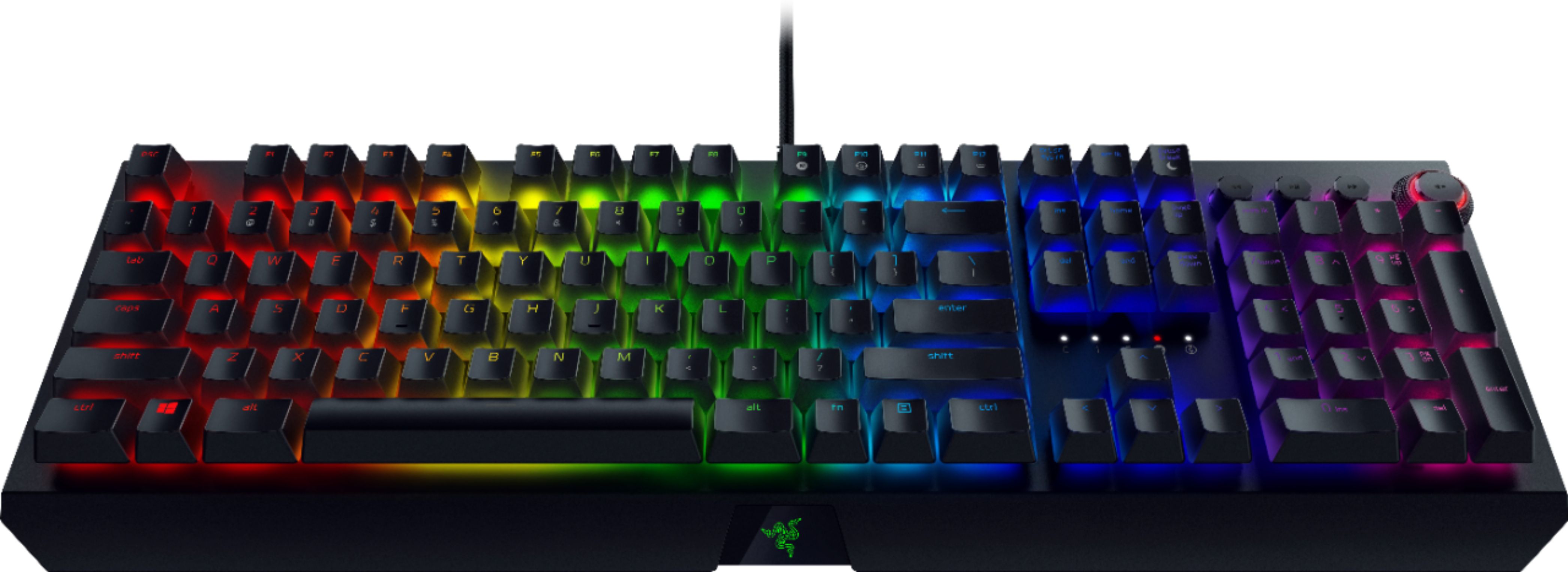
- Model:
- RZ03-02620200-R3U1
- SKU:
- 6263751
Rating by feature
- Value
Rating 4.5 out of 5 stars
- Quality
Rating 4.8 out of 5 stars
- Ease of Use
Rating 4.8 out of 5 stars
Customers are saying
Customers find value in the BlackWidow Elite's high-quality build, vibrant RGB lighting, and comfortable wrist rest. Many appreciate the satisfying key feel and ease of use, along with the extensive customization options. However, some users experienced issues with the software and the volume knob's reliability. The keyboard's noise level was also a point of contention for some customers.
This summary was generated by AI based on customer reviews.
- Pros mentioned:Keyboard quality, Wrist rest

Outstanding Gaming Keyboard with RGB Backlighting
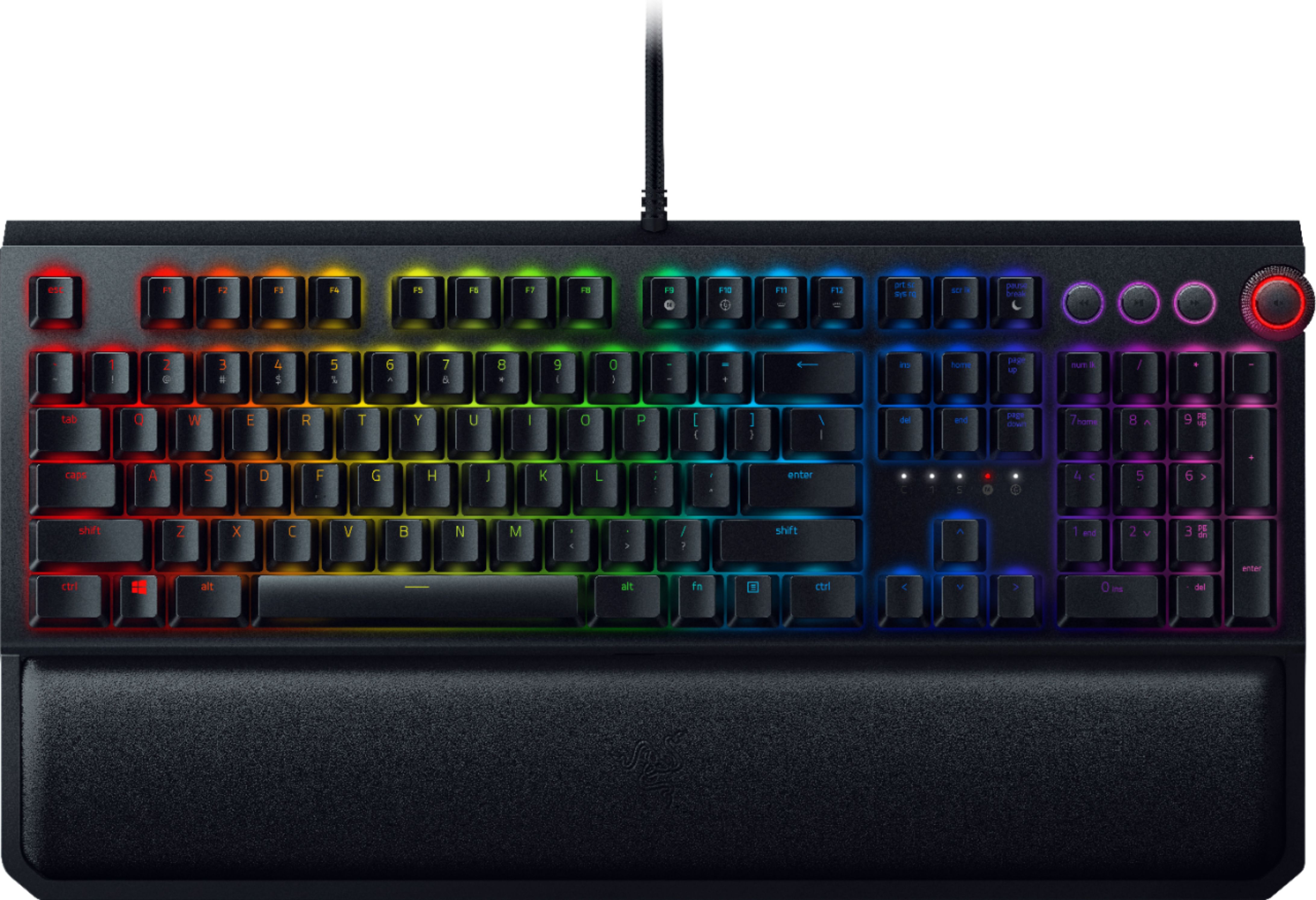
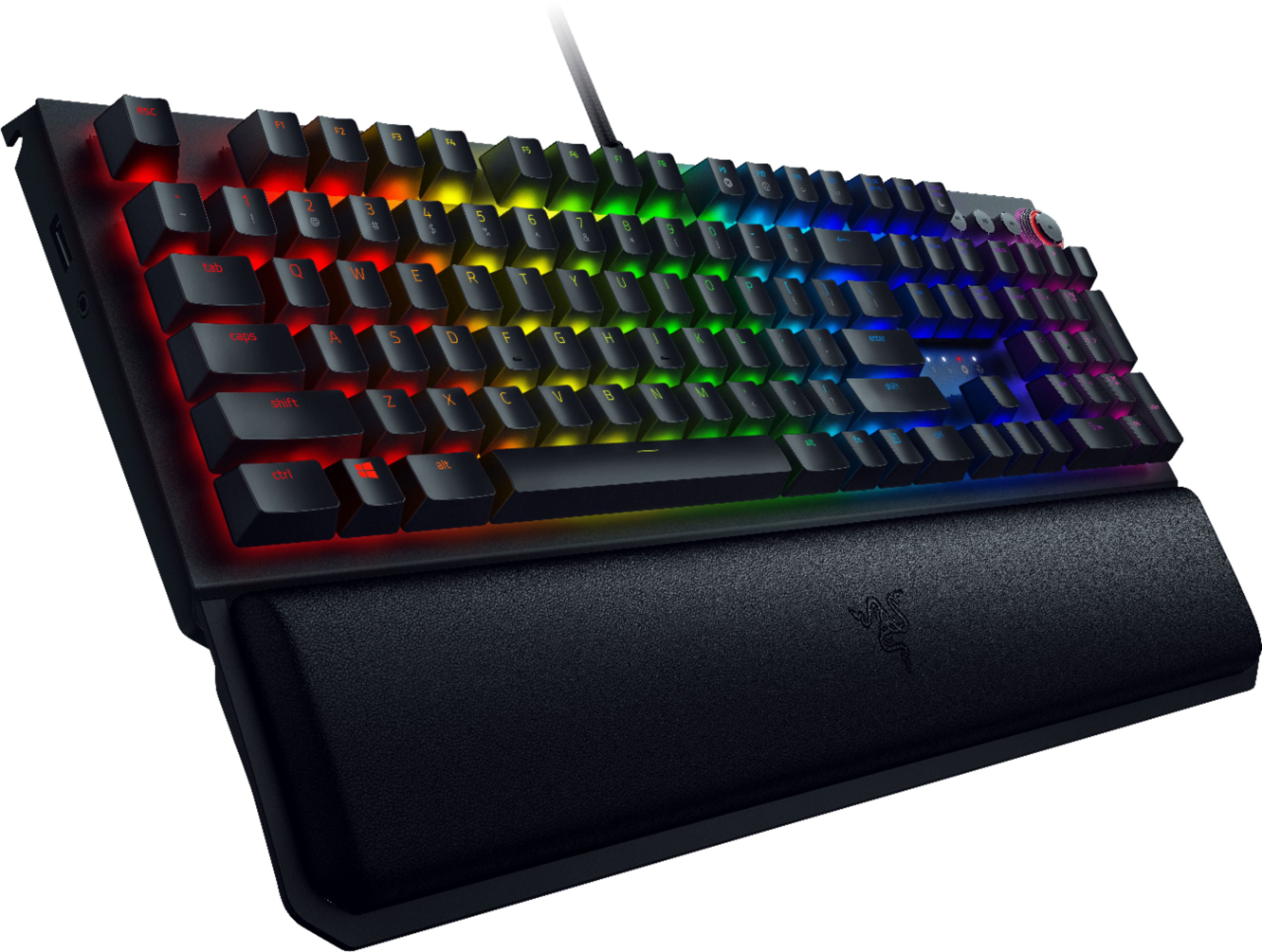
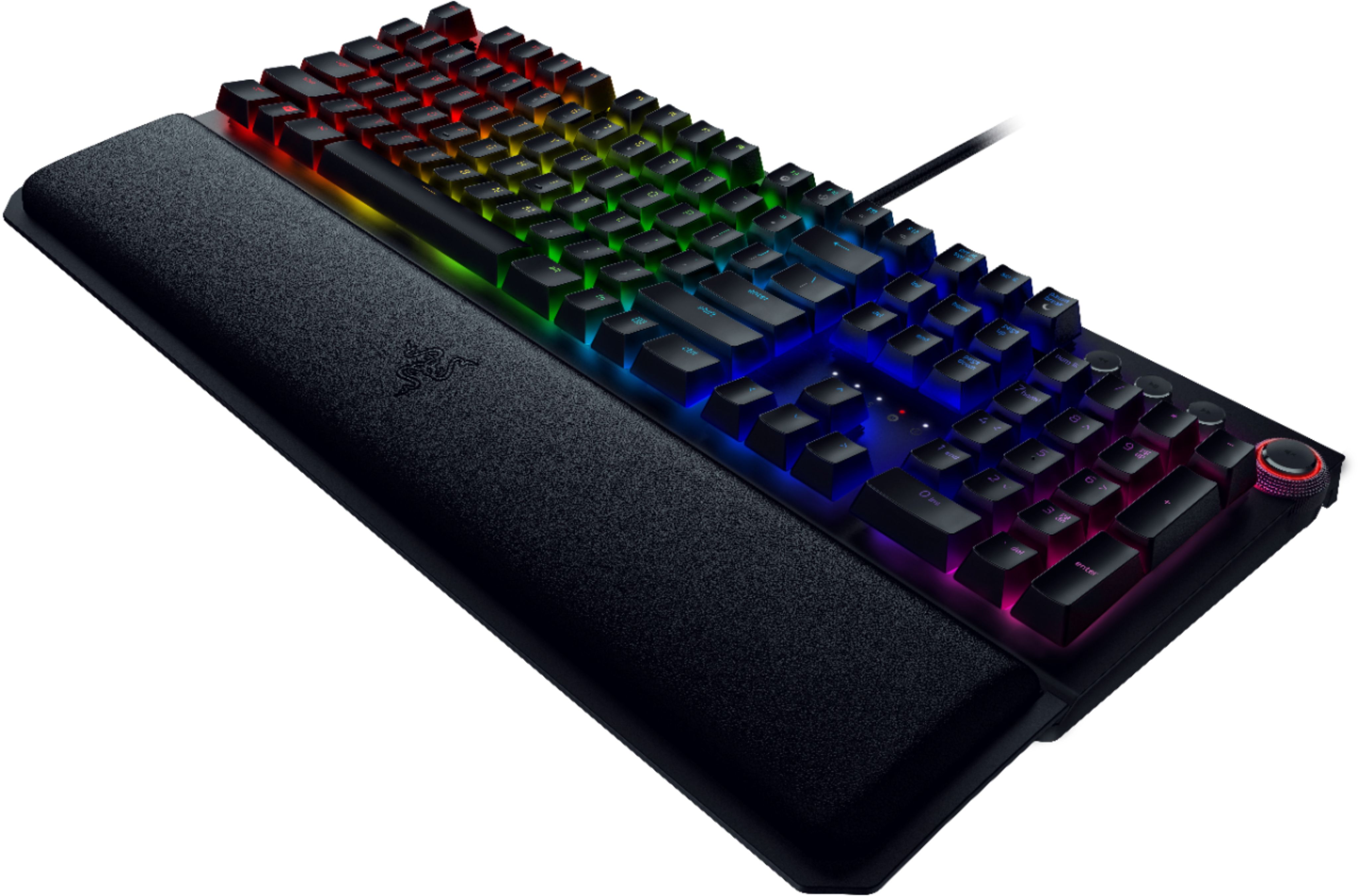
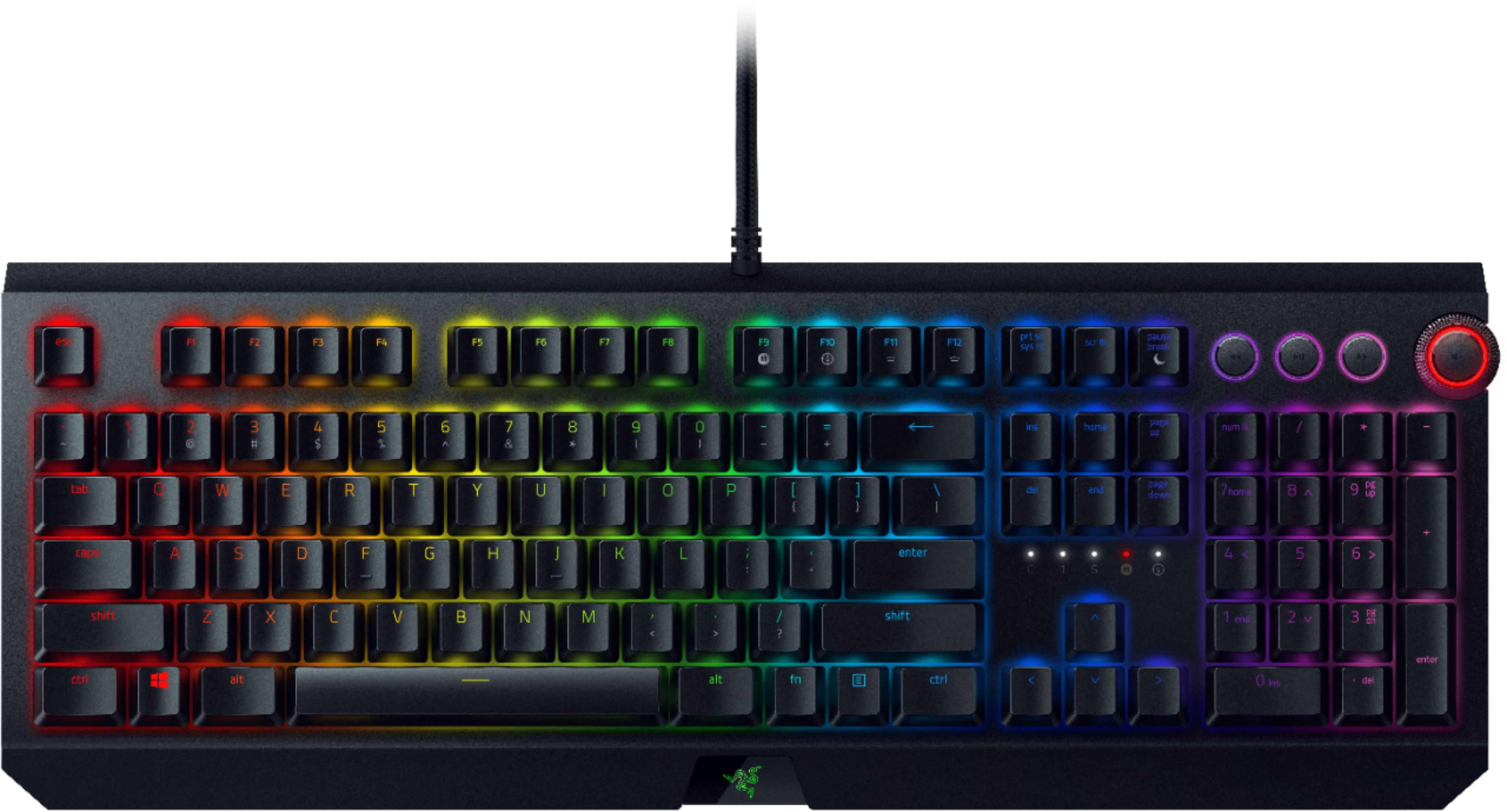
|Posted .This reviewer received promo considerations or sweepstakes entry for writing a review.Razer - BlackWidow Elite Wired Gaming Mechanical Razer Green Switch Keyboard with RGB Back Lighting (Model: C7486-3250GRY-PUS) is outstanding gaming keyboard. I was impressed with look and feel of this keyboard. The build quality is rock solid. I was able to setup the keyboard in less than 10 mins. I have downloaded and installed the software from website to utilize the full features of this amazing keyboard. The keys feel strong and very convenient to type as well. The lighting is very beautiful and it is one of the best lighting i have seen so far in a keyboard. The changing colors of the lights are very smooth. It is possible to program the lights. It is wired keyboard with two USBs and 3.5 mm audio jack to connect with your computer. I have Dell Alienware R7 gaming PC and have lot of USB ports. I really liked the wrist rest and is soft memory foam. It will attach with keyboard with magnetic. I was able to use the keyboard for gaming and other documents typing. I did not feel any wrist pain due to soft foam wrist rest. This keyboard has on board and cloud memory which will be easy configure profiles and using it another PC. It comes with 2 years of warranty and have lot of great features as listed below. Razer Green Switch mechanical switches offer rapid response times for quick in-game action and dual side walls to add greater stability and an increased protection against dust and liquids. Hybrid on-board memory and cloud storage helps to rebind buttons, assign macros, and automatically save all your profile configurations to the cloud. Save up to 5 profiles to the on-board memory and access them instantly anywhere. Razer Chroma™ lighting up to 16.8 million colors helps to choose from and a wide range of animated lighting effects. 108 keys offer a comfortable typing experience. Multi-function digital dial with three media keys delivers full functionality with keyboard controls for everything from brightness to volume. All programmable and customizable. Sleek, ergonomic design offers comfort and support features a palm rest to support your wrists. Integrated numeric keypad allows simple data entry when you're not gaming for multifunction use. USB interface enables a simple wired connection to your computer. PC and Mac compatible use with your existing computer. I have many gaming keyboards in the past and this is one of the best gaming keyboard I have ever owned. I highly recommend this keyboard to any gamers.
I would recommend this to a friend Clicky
||Posted . Owned for 3 weeks when reviewed.This reviewer received promo considerations or sweepstakes entry for writing a review.Was to loud after a while. Playing early morning will wake up people in the room. Still a good keyboard but got over the clicking noise. Ended up returning and buying a less louder one.
I would recommend this to a friend- Pros mentioned:Rgb lighting, Wrist rest
Great looking, excellent tactile feel
|Posted .This reviewer received promo considerations or sweepstakes entry for writing a review.I have used several mechanical and gaming keyboards from several name manufacturers in recent years, and all have been good keyboards. Comfortable to use and type on, good tactile feedback, responsive, programmable, and attractive to look at. I would rate the Razer Blackwidow Elite at the top of this list. I’m typing on it as I write this. I almost compare the feel to the old IBM “clicky-key” keyboards of the ‘80s and '90s in terms of sound and feel, although the Razer is not as loud, and the required degree of keypress before the key activates is better with the Razer (less key travel is required). The keyboard is fully programmable with the Razer Synapse control program that can be downloaded from the Razer website and installed. You will be automatically prompted to do this as soon as you connect the keyboard, which, by the way, and as is typical for these keyboards, requires two USB ports as well as a 3.5 mm “combo” jack to be connected. You will be asked to create an account at the Razer website. The features of this keyboard are as long as your arm. It is a full-size keyboard with a complete number pad. You can record macros to every key. There are media control (volume, play/pause, skip ahead/skip back) keys, LED indicators, one USB pass-through, audio jack, sleep mode key, RGB and backlight control, and gaming mode key, the last of which disables the Windows key function. Anti-ghosting can be adjusted. You can store up to five keyboard profiles, and they can be used on computers that do not have the Synapse software installed. The lighting effect options are practically endless. If you want to spend some extra money and go the fully-customized route, you can switch out the key types key by key, so you can have some keys be tactile and silent, some be tactile and clicky, and still others be linear and silent. Included with the keyboard is a nice wrist-rest, and you’ll very likely want to use it, even if you don’t typically use one, as this keyboard is thicker and this sits higher than any other keyboard I’ve used. As I said at the top, I would put this keyboard at the top of any list. It is among the more pricey, but it is worth it for the keyboard’s quality, feel, appearance, level of options, and customizability. Highly recommended.
I would recommend this to a friend - Cons mentioned:Software
razer steals your data
||Posted . Owned for 3 weeks when reviewed.This reviewer received promo considerations or sweepstakes entry for writing a review.good keyboard but crap software. razer logs your key strokes and takes your data. just saying. be aware.
No, I would not recommend this to a friend Suprisingly not that great.
||Posted . Owned for 3 weeks when reviewed.This reviewer received promo considerations or sweepstakes entry for writing a review.I wanted to love this keyboard. Due to mine failing during covid-19 I didn't have the luxury of getting a feel for it in store so I relied on reviews. The keys are loud, the keys fall off randomly. I just now spent 20 minutes getting the numerical side "Enter" key back on. I've had a dozen plus keys pop off. I'm an avid game and I've used mostly cheaper options and went for the "splurge". Well it's a huge disappointment. Save your money folks.
No, I would not recommend this to a friendIssues with random key presses
||Posted . Owned for 7 months when reviewed.This reviewer received promo considerations or sweepstakes entry for writing a review.Should of gotten the warranty when I bought it. The keyboard worked fine up to 2 months ago and now it skips keys, delays on certain keys, and holds random keys down when pressed. Contacted razer and they said that it is not covered under warranty yet since there is "no significant flaws" yet. Just going to go get another and keep this one as back up in case one day I really need it. Other then that I liked the keyboard and worked very well up to that point of the issues. (I only have had it little under 8 months now.)
No, I would not recommend this to a friendKeys keep falling off
||Posted . Owned for 1.5 years when reviewed.This reviewer received promo considerations or sweepstakes entry for writing a review.With one big, glaring exception, this is a great keyboard. The lights look amazing, the feel is very, very good, and it is fast. The one big, glaring exception is that certain keys fall off while in use. This is random and unpredictable, and has led to some frustrations trying to find out where the keys have gone when they come off. Perhaps I simply got a bad keyboard. Regardless, I did contact Razer tech support, and they insisted on me getting a video of the keys falling off before they would do anything. The nature of "random" meant that I would have to leave a camera pointed at they keyboard for hours and/or days in order to record the error, and I don't have the means to do that. Sometimes we can go several days or even a few weeks without the keys falling off; sometimes they come off with more frequency. For the price of this keyboard and this particular issue (which I have never had on any other keyboard), I simply cannot recommend this.
No, I would not recommend this to a friend- Pros mentioned:Keyboard quality, Rgb lighting
really enjoyable keyboard
|Posted .This reviewer received promo considerations or sweepstakes entry for writing a review.The “Razer - BlackWidow Elite Wired Gaming Mechanical Razer Green Switch Keyboard with RGB Back Lighting – Black” is my first gaming keyboard. Molded in black, with clear numbers and letters which allow a variety of colored light to display through and around the base of the keys. The keys on the keyboard have a raised level, and give a satisfied click for each keypress. On the right hand side is a set of music controls, three buttons for previous and next, and play/pause. Also, the grouping includes a round volume wheel and mute button. The lights and button functions are adjustable using the Razer Central software application that is installed on the computer. The Razer application provides features for the Razer keyboard as well as other supported Razer gaming products, such as mouse. You can customize all the keys on the keyboard using the Razer software, and can save multiple profiles. The Razer keyboard requires two usb connections and an audio cable connection. There is a USB port on the side of the keyboard as well. Razer provides good support on their web site and updates through their installed application. I found that the product was really good, and will help for gaming as well as the casual user. I really did enjoy switching to a gaming keyboard, having a springy, clicky keyboard. It is definitely not as subtle a keyboard as standard keyboards. The availability of such customization gives great flexibility for multiple applications and games.
I would recommend this to a friend - Pros mentioned:Keyboard quality, Wrist rest
Awesome Hardware, Software is rough!
|Posted .This reviewer received promo considerations or sweepstakes entry for writing a review.Presentation: The presentation for this keyboard is first rate. Razer went out of its way to ensure that your eyes were captured by the glowing keycaps and media controls over anything else. The lines of the keyboard are precise and clean. The keyboard cable is wrapped with a tight nylon weave that is stiff enough not to lazily loop around your desktop. Razer made sure to add a notch into the back and both sides of the keyboard. There are cable guides that channel the cable to either side so that you can dictate where you want the cable to escape back to your system. Routing my cable to the left side of the keyboard allowed me to keep my desktop looking clean and available for what I felt was important for my gaming experience. Numbers, letters, and text on all keys are thin and elegant. My previous keyboards were an old Microsoft Sidewinder keyboard and a more recent Corsair gaming keyboard. Both had larger translucent lettering on the keys. I was afraid that the thinner translucent lettering would be an issue for me. I found that certain visual effects work well with the thinner lettering. For example, the Fire Chroma profile looks sharp with the thinner letters. The keycaps limit the amount of light splashing on the keyboards surface. There is just enough light bleed to give the appearance of glowing embers beneath each keycap character. The keyboard does ship with a wrist wrest. It is sharp looking with very clean, straight lines. Razer’s logo adorns the center of the wrist rest. The cover of the wrist rest is a material that simulates leather. It feels nice and looks sharp! The bottom of the keyboard has five non-slip pads to keep it in place while typing and gaming. It will slip with enough force. But, did not slip during typing or gaming. There are two feet at the back of the keyboard to control the tilt. To my surprise, there are three heights to choose from. The keyboard can lay flat on the table, raise the back by ¼ inch, and then to ½ inch. These are approximate measurements. ¼ inch works best for me. There are five white LEDs under the Del, End, and Page Down buttons that I wish Razer enhanced some. The lights are bright! The symbols under the LEDs are hard to read when the lights are off. They are impossible to read when lit. I wish Razer took the effort to dim the LED and highlight the function’s logo. The lights are Caps Lock, Num Lock, Scroll Lock, Macro, and Game. Feel: The keyboard is heavy, inflexible, and difficult to move once placed on a proper gaming surface. The wrist pad feels great! One of the most comfortable I have used! You should, however, always type with your wrist up to avoid injuries linked to repetitive motions. The wrist wrest does have six non-slip pads; the same as on the keyboard. The wrist rest magnetically attaches to the front of the keyboard. I can use the wrist rest away from the keyboard, if I want, without any issues. But, when I want things nice and tight, the magnets offer additional stability. The key caps, as mentioned earlier, are elegantly printed. Razer states their green switches require 50 grams of forces to depress. This is more force than the Cherry Red switches from my last keyboard. I can type close to 100 words a minute. I found that I missed keystrokes when I first typed with this keyboard. My fingers also tired out quicker. I did eventually get used it. Just be sure to take plenty of breaks until your fingers are up to full strength. Each key generates a high pitched “click” when depressed. Cherry Red switches are lower pitched and may seem quieter than this keyboard. If you are gaming in your dorm room, next to your sleeping roommate, then you may want to check out a keyboard that uses Razer’s Orange switches. Orange is rated as silent; no audible click. I heard that Razer does sell this keyboard with Orange switches. I can rest my fingers on the keys without accidently depressing a key. There is also a slight travel between rest and the click. Sometimes you want to bounce your finger on a key before committing to the click. This keyboard will support that behavior. It will take a little practice to master the movement though. The keys do have nice travel from rest to depressed. They also bounce nicely back into position. The media nobs are a nice touch. I love the that the volume wheel has a mute button built in. Personally, a volume control on the keyboard can, and does, make or break the sale with me. I think it is smartly placed, moves well, and the integrated mute button is right where it needs to be. Gaming: Commands were executed without any delay. I could hit multiple keys during gameplay without any commands being lost. I could rest my fingers on a key and then choose when to depress when I wanted too and not let the natural weight of my fingers make the decision for me. The keyboard feels and games great! I created a few custom lighting profiles for my games. I tried some “game specific” profiles. I did not create any macros due the issues I faced creating lighting profiles. All these features and functions come down to the Synapse 3 Beta software and documentation. Razer has some work head of them in this department. Software: The keyboard is first rate. Synapse 3 Beta is aweful! My experience ranged from nightmare to horrible. Razer needs a few more customer experience passes before they take “Beta” off the name. My experience. The Synapse software offered to install on my computer when I plugged the keyboard into my gaming computer. The software installed without any difficulty. I did have to sign in with my Razer account. This is to allow me to sync my profiles across devices and computers from anywhere in the world. I found out later you cannot use a Chroma profile unless you are actively signed into the Synapse 3 app. I should access to everything offline if I choose! First thing I noticed was the lack of documentation. For some reason, Razer feels that their software package is intuitive. It is anything but. This is where a walkthrough video would have been helpful. A follow-up tutorial video would have been fantastic. The included printed document is wholly inadequate. There is a manual hidden in the settings page. Good luck stumbling across it. It took me a week before I found it. It was marginally better than the included printed documentation. Searching Razer’s support site a waste of time. And YouTube did not offer anything useful. I “do” expect more from Razer! As part of the package, I installed the optional Razer Cortex. This is where my first round of issues began. Cortex will allow you to capture metrics and speed up your computer for optimal gaming. Unfortunately, optimizing your system includes shutting down non-gaming specific functions and deleting “non-critical” files. Using this feature destroyed my Windows 10 image. Long story, short, be very careful with this application. I had to re-install windows to get my system back online. I will take some responsibility for this one though. I should have known better than to play with system voodoo that promises improved system performance and framerates. I tried to create a few profiles after I got my system back online. This is where Razer really needs to improve its user experience. The software package is very powerful. You can do a lot with it. But it is confusing as all heck how to create a profile, save it to the keyboard, and recall it at will. The process is frustrating. For example, I set out to create a gaming profile for one of my favorite games. I go into the Keyboard section. There is a customize heading and lighting heading. The Customize section does not allow you to customize anything except to load Profiles into the keyboard’s memory. As far as I can tell, you also cannot use this screen to jump between profiles. The lighting heading is a little more interesting. I can set the keyboards brightness and choose between quick effects and chroma effects. From here, I can jump between my different keyboard affects, both Razer created and my own Chroma profiles, but it does not seem to have any affect on the profiles listed at the top of the screen. I can create a custom profile from the Chroma screen. It is easy once you “discover” how to do it. Attaching the profile to a profile or game is also a “discoverable” process. It should not be. In my opinion, Razer needs a serious customer experience pass with Synapse. Creating Chroma Layouts, creating profiles, attaching each to my games should be easy, intuitive, and well documented. Final thoughts: Many products today live and die by their user experience. The hardware is excellent! Outstanding for my needs. I will get years of use out of this keyboard. If I had to make a recommendation on the software experience alone, then I would advise that you look at another gaming company that puts more effort into documentation and training videos. Razer does have links to videos in their studio software but its all marketing BS. Bottom line, the software needs some polish. It is powerful. It is also silly difficult to setup profiles and assign games to use those profiles. There are too many screens that lack direction, purpose, and documentation. It is my hope that Razer unifies their interface and user experience before they take “Beta” off the name. Until then, I cannot rate this keyboard higher than three stars. I will only recommend this keyboard after Razor smooths out the Synapse experience.
No, I would not recommend this to a friend - Cons mentioned:Software
Too Bulky / Overweight / Razer Packs Bloatware
||Posted .This reviewer received promo considerations or sweepstakes entry for writing a review.Another keyboard failure. Flimsy keys. Weak RB lighting. Razer requires account to manage keys. Razer app is constantly sending data to their servers.
No, I would not recommend this to a friend Sound Button Doesn't Work
||Posted . Owned for 6 months when reviewed.This reviewer received promo considerations or sweepstakes entry for writing a review.It was great while it lasted. My volume button stopped working after 8 months.
No, I would not recommend this to a friendMeh
||Posted .This reviewer received promo considerations or sweepstakes entry for writing a review.Good keyboard but keys would get stuck. Returned it to get another oem
No, I would not recommend this to a friendNot that good.
||Posted . Owned for 9 months when reviewed.This reviewer received promo considerations or sweepstakes entry for writing a review.After several months the keys were not working well if at all.
No, I would not recommend this to a friendDidn't work for me.
||Posted . Owned for 1 week when reviewed.This reviewer received promo considerations or sweepstakes entry for writing a review.The colors stopped working on day 2 and when you pressed on a key, you would get the same letter or number about 50 times. Returned the keyboard and purchased a Steel Series. Too bad because I did think this one was made well but it didn't function properly.
No, I would not recommend this to a friend- Pros mentioned:Wrist rest
Simply the best keyboard I ever used.
|Posted .This reviewer received promo considerations or sweepstakes entry for writing a review.First, I am not an avid PC gamer. So why would you give merit to my review of a gaming keyboard? First, I do a tremendous amount of a computer work every day, probably typing thousands of words a day. I don’t care about lights and what I think are gimmicks (although there are uses for the lights- more on that later.) I’m not going to test it on games ( don’t worry Razer, keep reading.) What I care about is fit, form and function. After using the Razer - BlackWidow Elite Wired Gaming Mechanical keyboard for several weeks, I can tell you this is one of the best keyboards I have ever used. Everything about it is quality, how it works and attention to detail. The switches for the keys are top notch with great tactile feedback, travel and reactivity . It really brought me back to the old style IBM keyboards for those who are old enough to remember. However, there is a slight wobble to them that is probably associated with the keys being able to be removed so easily. It is not an issue, just something you should be aware of. The keys are on the smaller side when compared to some laptops and traditional keyboards but I found I got used to it pretty fast and ended up typing even faster. You will find the keys are loud when typing, I can see some people finding the clicking a bit annoying ( it does not bother me at all.) The Razer Blackwidow Elite comes with a wrist pad that adheres magnetically to to the keyboard. At first, as I do with most of keyboard wrist pads, I totally discounted it and did not bother to use it. Well, I was totally wrong – you will need it. After I was using the keyboard for an hour or so , I noticed my forearms were getting tired and beginning to hurt. This is due to the keyboard being so high off the table I was using it on. Obviously, Razer thought of ergonomics when they designed the keyboard and that simple wrist pad makes all the difference. That might not seem like much but it is the attention to detail that separates companies. In reference to the details, you will see that the start to see what other things separates the Razer Blackwidow – the tough USB wire, the USB audio pass through, the 3. 5 mm jack and, my favorite, an easy to use knob control for the audio. It really is a pleasure to have a fast way to adjust audio on the fly. Even the whole keyboard is weighted to withstand heavy typing and gaming. In summary, you will not find a better keyboard out there whether it is for gaming or everyday use. Recommend completely.
I would recommend this to a friend - Pros mentioned:Rgb lighting
Keyboard With Removable Keys
||Posted . Owned for 1.5 years when reviewed.This reviewer received promo considerations or sweepstakes entry for writing a review.While this is easily the nicest keyboard that I have ever owned, with assignable RGB and mechanical keys, said keys often pop off the keyboard in the middle of gaming.
No, I would not recommend this to a friend - Pros mentioned:Key feel, Rgb lighting, Wrist rest
Great, but Loud Keyboard
Posted .This reviewer received promo considerations or sweepstakes entry for writing a review.TL;DR: This Razer Yellow Switch mechanical keyboard has a wonderful feel, is very responsive, has cool coloring, is ergonomic, provides convenient hotkey access to multimedia controls, and offers a USB pass through for a feature-rich USB keyboard offering. The biggest downside to this keyboard is noise. It claims to be the quietest mechanical keyboard and may well be, but you can still hear it from the floor below. The other downside is it’s wired, but that shouldn’t be too much of an issue for most users. We tested out two BlackWidow Elite Mechanical Keyboards with Yellow Switches (“BWE”) over the course of approximately six months. We used these keyboards daily for 8 hours on average, and sometimes far in excess of that. We also used the keyboards at various times, sometimes when the other person was sleeping, trying to enjoy a show, or just doing other stuff nearby. Depending on which of us you talk to you’ll either hear that the BWE was a good, solid keyboard or an AMAZING keyboard. I really enjoyed the mechanical key feel, and the responsiveness of the keyboard was second to none. If you need a keyboard for gaming, then this is definitely a great option. My cohort, however, thought the keyboard was fine but nothing special. The Razer keyboards all come with the same software offering, so you’ll get the same usability out of any keyboard you purchase from Razer. That means you’ll have access to the RGB color controls through Synapse, and you’ll also be able to program a number of different macros for your various applications/games. The main distinguishing characteristics between the BWE and the other keyboards are the hardware features. The BWE uses Yellow Switches, which are supposed to be the quietest switches available. According to Razer, the Yellow Switches are “linear, silent switches.” They are also said to withstand “prolonged, repeated use.” Over the six months we tested these keyboards, we didn’t see a shred of decline in responsiveness, feel, or performance, so they really live up to this promise. The BWE offers a USB passthrough on the side of the keyboard, a feature I first thought was silly. However, I found this to be extremely useful for short charging cords, like the cord for my headphones. It was easy to plug them in and have them on-hand for any incoming calls. It’s also really helpful if your USB ports are in hard-to-reach places, because you can plug in a USB expander in the passthrough. The BWE, like many of the other Razer keyboards, is also compatible with the magnetic wrist rest. The wrist rest is shockingly comfortable and really ups the ergonomics of the keyboard set. I don’t think I can live without this wrist rest after using it the last 6 months. The BWE, also like many other Razer keyboards, comes with a quick access multimedia panel in the top right of the keyboard above the tenkey pad. This is great when you need to quickly mute audio for some reason, or if you just want to play the next episode or song. The one huge drawback of the BWE is the noise. My partner and I work side by side in a small office. If one of us is typing, people on the phone or elsewhere in the office can definitely hear it. While this wasn’t distracting to us when we were working on things individually, it was very disruptive to people who were talking to us on a phone or video call. Despite having Bose QC35 headphones, which in theory block out at least some surrounding noise (not enough apparently), the person on the other end of the call or video chat constantly complained about “that clicking sound in the background.” If you work alone, don’t have to worry about talking to people on the phone or otherwise, and don’t have family members in the house who easily get annoyed by “clicking” noises, then you’ve got nothing to worry about. However, if you are in an office space or shared space of any kind, get ready for some unhappy nearby listeners. However, if you don’t care about the comfort of others in the office, then go ahead and buy this keyboard! Otherwise, you may want to check out the Cynosa V2, which we will be reviewing in the near future. #razer #wellness #office #illlegalreviews #keyboard Check out more reviews from Ill Legal Reviews at @ILReviews on Facebook.
I would recommend this to a friend starts failing right after 2 years of light use
||Posted .This reviewer received promo considerations or sweepstakes entry for writing a review.Works fine in the first 2 years, but it just breaks down right after the warranty expired. Now when I press a key, it just make multiple keystrokes (like 10-20). It's not a single key issue, but for EVERY single key. I tried clean the dust and hard reset, it does not work. And there is no way to flash the firmware, razer website just ignored this product. So this $160 product become totally useless after 2 years of light use, no spills, and regular cleaning doesn't make it live any longer. I wish there's a negative star for this ****.
No, I would not recommend this to a friendNo support for macOS
||Posted . Owned for 1 week when reviewed.This reviewer received promo considerations or sweepstakes entry for writing a review.This is receiving a 1 star due to incorrect features listed. This keyboard is described as PC and Mac compatible. The Razer BlackWidow Elite requires Razer Synapse 3 which is Windows exclusive. While the keyboard would type on a Mac, it does not have access to the software to control the LED Lights or enable macros. The entire purpose of spending 130-170$ on these keyboards is the LED and Macro software. If the purpose was to type then there is many keyboards under 50$ that would have done the same job.
No, I would not recommend this to a friendRazer Periphs = Junk
||Posted . Owned for 1 year when reviewed.This reviewer received promo considerations or sweepstakes entry for writing a review.I keep giving Razer devices another chance but this is the last one for me. I have had multiple razer mice fail after a year (top of the line versions) and decided to give the keyboard a chance. The volume scroll button stopped working just over a year after owning and I have found online that it is a mechanical issue. I've switched to another brand for my mice and havent had an issue. For almost $250 I would expect a keyboard to not have issues like this. Looks like I'll be going with Logitech for my keyboards from now.
No, I would not recommend this to a friend