Customer Ratings & Reviews

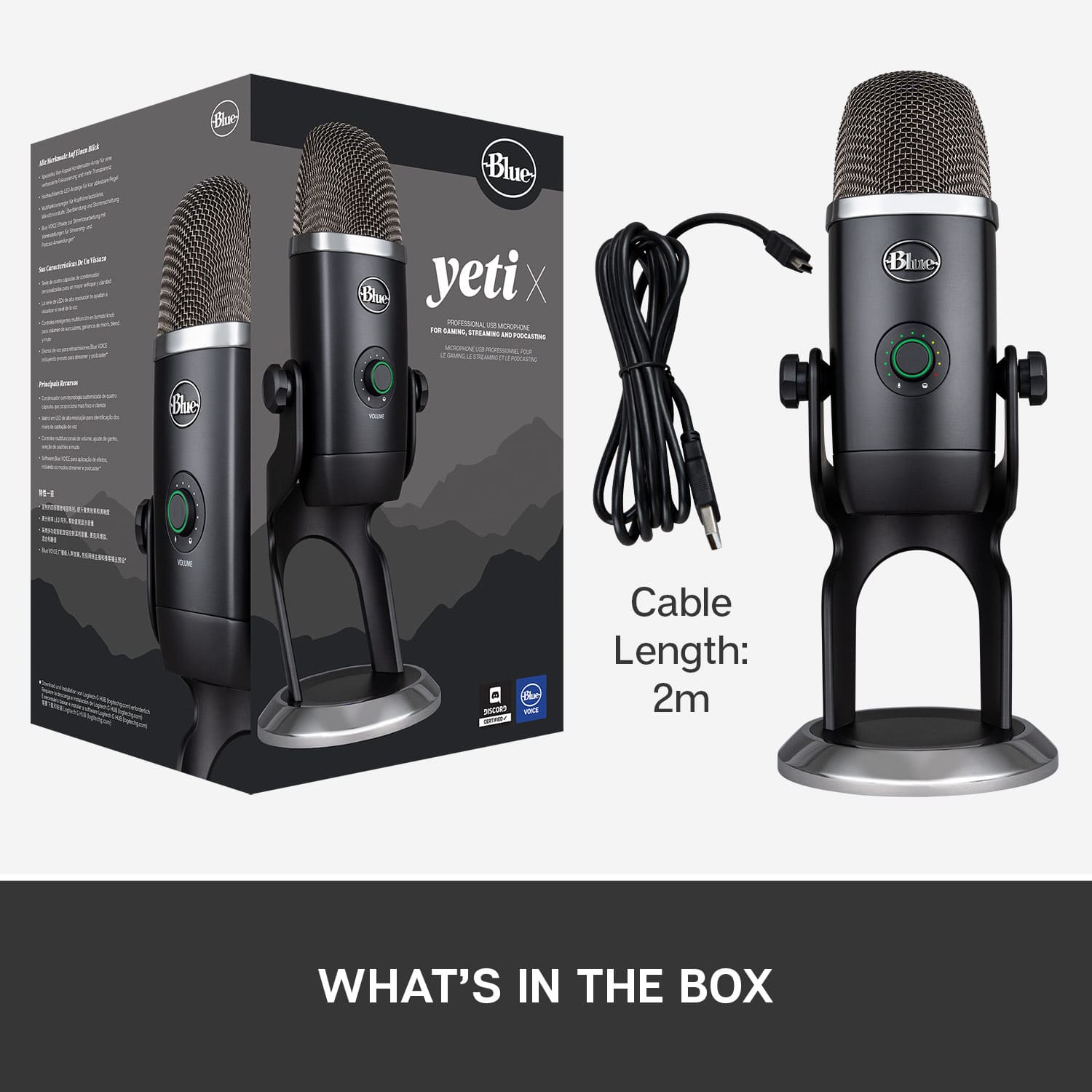


- Model:
- 988-000105
- SKU:
- 6367477
Rating by feature
- Value
Rating 4.5 out of 5 stars
- Quality
Rating 4.7 out of 5 stars
- Ease of Use
Rating 4.7 out of 5 stars
Customers are saying
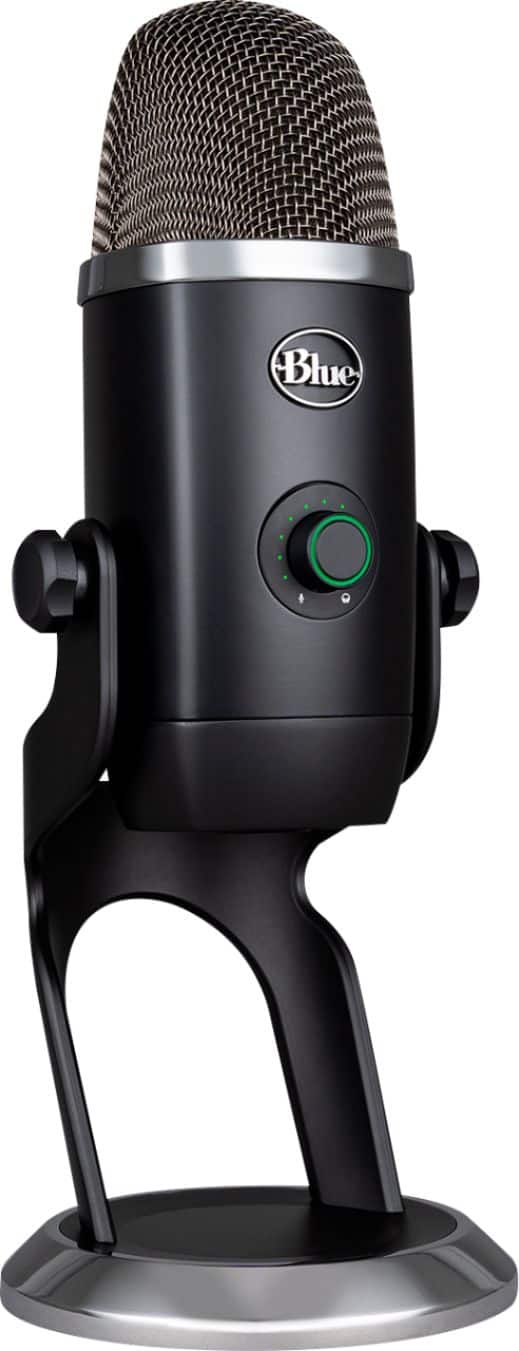
Customers often highlight the exceptional sound quality and ease of use of the Yeti X Professional USB Multi-Pattern Condenser Microphone. Many also appreciate the included software and the microphone's multiple pickup patterns, which offer versatility for various recording scenarios. While some users wish for a USB-C connection and find the microphone's size somewhat large, the overall experience is largely positive. The sturdy build and compatibility with multiple devices are also frequently praised.
This summary was generated by AI based on customer reviews.
Horrible purchase
||Posted . Owned for 1 month when reviewed.This reviewer received promo considerations or sweepstakes entry for writing a review.Microphone quality sucks even after tuning it in the app
No, I would not recommend this to a friendBrand response from Logitech
Posted .Hi Pitbull0023, Very sorry to hear about the quality issues you're having with the Yeti X Microphone. If you have the microphone plugged into a docking station, usb hub, or KVM switch this could be why you're experiencing quality issues. Plug the microphone directly to your computer. If this doesn't solve the issue, than here are more tips for you to try: https://support.bluedesigns.com/hc/en-us/articles/360043110394-FAQs-Yeti-X. Hope that this helped and that all is going better. Thank you for choosing Blue. - Richard from Blue/Logitech
Didn’t work right will be returning when I can
||Posted . Owned for 1 week when reviewed.This reviewer received promo considerations or sweepstakes entry for writing a review.Eh cuts in and out will be returning when I get a chance
No, I would not recommend this to a friendDefective. Make sure you get warranty.
||Posted .This reviewer received promo considerations or sweepstakes entry for writing a review.This microphone is awful. You can barely hear unless you’re inches away from it. Going to reach out to Best Buy today to see if they will exchange it. Hoping it’s not functioning properly as I have another Yeti that works great.
No, I would not recommend this to a friendBrand response from Logitech
Posted .Hello we are sorry to hear about your issues with the Yeti X microphone. We would suggest increasing the gain or trying a different pickup pattern on the mic, both of these can be adjusted by the knobs on the hardware. If you have done so already, installing our G Hub software could also help you with settings and allow for a firmware update on your device. If you ever have any feature/settings questions, please visit us for support at https://support.logi.com/hc/en-us
Garbage
||Posted . Owned for 4 months when reviewed.This reviewer received promo considerations or sweepstakes entry for writing a review.Garbage mic. The mic settings button has never worked, it uses a plug in phone type cord that is designed to not work after a short amount of use. Don't waste your time or money on this cr4p.
No, I would not recommend this to a friendBrand response from Logitech
Posted .Hello, I am so sorry to hear about the issues you are experiencing with the microphone. Luckily, it does come with a 2 year warranty through Logitech so we can get that replaced for you. Here is the link in order to file a claim: https://support.bluedesigns.com/hc/en-us/articles/360043110574-Warranty-Yeti-X. I hope this helps! Thank you for taking the time to write this review, we appreciate the feedback.
- Pros mentioned:Ease of use, Sound qualityCons mentioned:Size

Professional quality and sound
|Posted .This reviewer received promo considerations or sweepstakes entry for writing a review.The moment I used this to stream and talk to my friends online, they were all blown away by how amazing the quality is. They all compared it to professional podcasts that they listen to. I have used it so far towards different settings and I can confidently say that you can tailor this mic to sounds exactly how you want it to. You do have to use Logitech's G HUB to customize it. The mic is pretty bulky and depending on the setup, it will get in the way. I suggest checking to see if a desk arm will work out for you to get it to a more comfortable position.
I would recommend this to a friend - Pros mentioned:Compatibility, Sound quality
Great!
|Posted .This reviewer received promo considerations or sweepstakes entry for writing a review.I love this mic! It's made the audio on my YouTube channel much better. It's well built, has a lot of weight, so you can be sure it's going to sit still. It picks up my voice so clearly from around 5ft away. It's been a game changer for me. I use this with my Canon M50, it's a simple setup. I use the 3.5mm port from the camera to the mic and I use the USB on my iMac as the power source. It works great for streaming, podcasts or anything else that requires audio. Highly recommend for a simple yet great sounding setup.
I would recommend this to a friend - Pros mentioned:Ease of use, Sound quality
Quality Recording Equipment
|Posted .This reviewer received promo considerations or sweepstakes entry for writing a review.The Yeti X, by Blue is by far my favorite condenser microphone I have experienced. If you are a recording artist such as a musician, performing poet, blogger, or a breaking influencer on YouTube or Insta Gram, this mic will get the job done. This mic came to me at the right time, as I enjoy writing and composing music, and was looking for the next quality microphone to capture some of my spontaneous recordings of new material on acoustic guitar. Some of which needed background noise sampling of children in the background. So I put it to the test immediately as I removed it from the box. My young family happen to be around my work space aka my living room. I got the lap top in place to give the mic it’s power source. Easy plug and play! The headphone jack at the bottom of the mic kept wires out of the way. First thing, I was impressed by the color scheme. I like less distracting mics that don’t scream “look at me”, as this one is black with a small rim of chrome. Blue went out of the way to please by juxtaposing the neutral black color with the ability to personalize the aesthetic of the LED lights, keeping me engaged with their software adjusting them to my liking. The mic is also really that easy to operate. Blue knows how to keep it straightforward with their design. Two knobs or buttons, one in the front and one on the back. Enough to make even a weekend artist create professional recordings without overthinking their gear. Thank you! The quality of sound this mic captures is amazing. My acoustic guitar sounded the best on the stereo setting, giving my recordings and added texture to a professional live sessions jam I created. Omnidirectional was used for some background noise I needed, like children laughing, talking, playing and other bits I was pushing for. It captured great samples. The other two pattern settings I didn’t use as much. I don’t blog yet, but I might. This mic is nudging me to a new hobby. You will not be disappointed with the quality recordings you will make with this condenser mic. It would be abominable if you don’t choose this one for your future recording projects.
I would recommend this to a friendBrand response from Logitech
Posted .Hello TheHipsterTechie! I'm happy to hear you're enjoying the Yeti X! I absolutely love mine and being able to adjust pretty much everything on the microphone is awesome! Feel free to reach out to our support team here https://support.bluedesigns.com/hc/en-us/requests/new?ticket_form_id=360001526154 if you ever need any assistance. Thank you for the review and for shopping Blue! - Maggie from Blue
- Pros mentioned:Sound quality
Great quality microphone
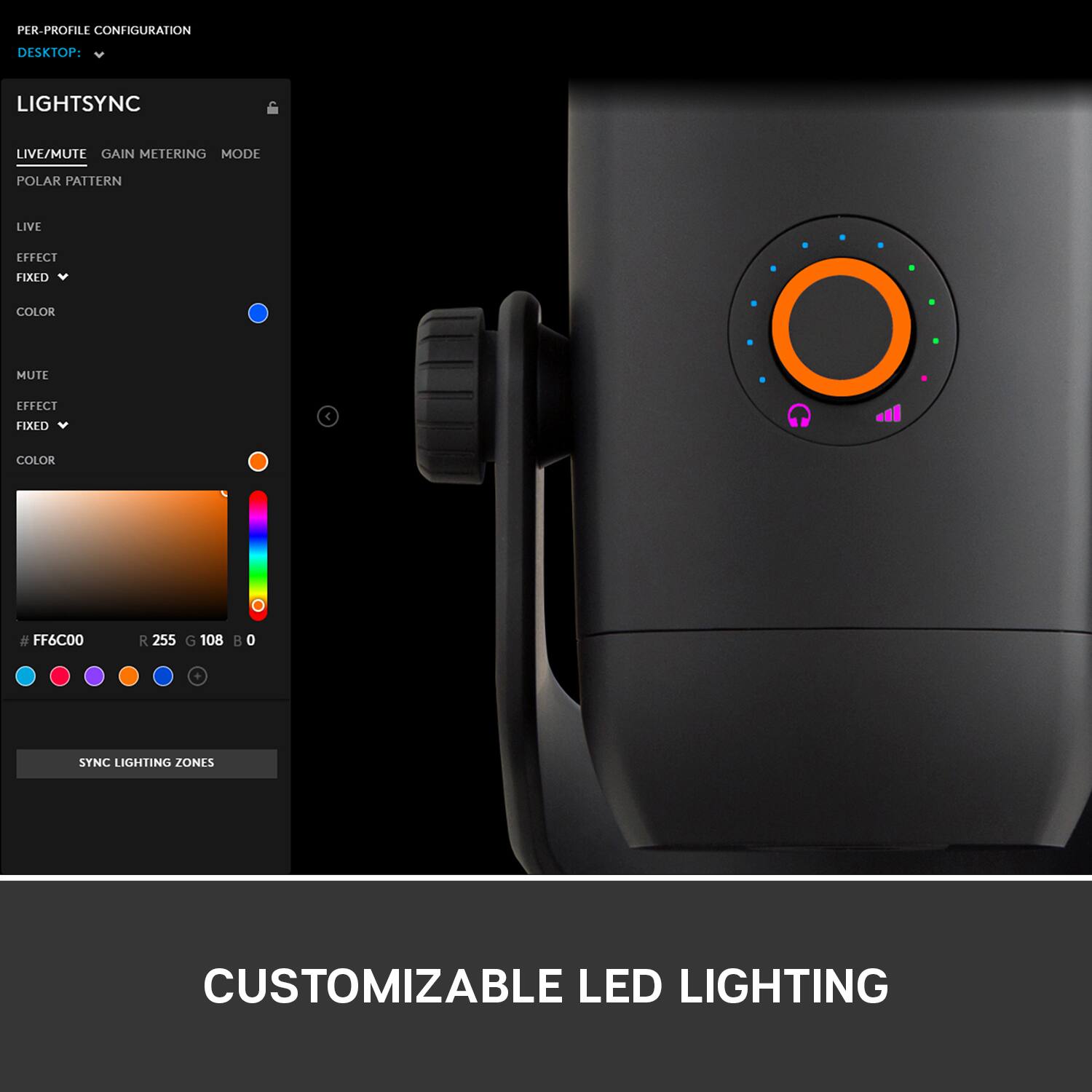
|Posted .This reviewer received promo considerations or sweepstakes entry for writing a review.The Blue Yeti X USB microphone is a great product. Its solid and quality design provide excellent sound quality right out of the box. Great for voice recording (my primary use) The Yeti X has a highly sensitive pickup which offers clarity but beware it can also pick up more room noise if you are using a high gain or sitting too far from the mic. It offers several common pick up patterns that are selectable from a rear button with an illuminated display. This new model offers an multicolor LED to show current gain setting or input signal - however in practical use (in a more near-mic setup) you really can’t see the input metering - but it can be helpful for quick setups - or checking things in a live setup. Aimed at podcasters, gamers and streaming applications you can you the Logitech GHUB to apply sound processing and even customize the LED colors (if you prefer). The available sound processing is nice for some instances (such as live streams - with compression, limiting, and eq plus various presets) but I prefer to add processing in Audio editing software afterward for more non-destructive control. The mic is nice and securely packaged but a little excessive with an outer sleeve that could have been simply printed on the main box making unpacking a bit easier and less wasteful. It comes with a desk stand which is nice, but personally I like to use a boom arm when recording as the stand picks up noises from the stand on a desk or table. Overall this is a fantastic microphone and I am happy with the purchase.
I would recommend this to a friend - Pros mentioned:Software, Sound quality
Professional quality at an affordable price
|Posted .This reviewer received promo considerations or sweepstakes entry for writing a review.I’ve owned only one other microphone and thought that one was excellent. The sound was relatively crisp and seemed to pick up my voice very well. Fast forward to the Blue Yeti X Microphone and now I realize what a good, quality mic sounds like. There is a world of difference in the features, functions and benefits of the Blue Yeti X compared to just about anything else on the market . Let's take a look at the key points : Build quality – This is one area that Blue Designs shines. The microphone is very premium looking. Nearly as nice as their top of the line Blue Yeti Pro. Looking good is not always reflective of true build quality. However, in this case, it is as solid as it is good looking. The fit and finish are top notch and it is somewhat heavy in weight (that is a good thing, it keeps it in place.) I would put it I the range of Apple quality. Software and set up – The initial set up is literally a matter of plug it in to my laptop. However, there is a whole other world that opens up when you download the Logitech’s G Hub software. It is literally the brains of this microphone. You can change the voice stylization – classic radio, broadcast, crisp and modern and a few more . You can create your sound as well. I like the basic broadcast – the voice comes out as true to my voice and was exceptionally clear. That is the tip of the iceberg, there are a litany of other features in the advanced section. You can adjust noise cancellation, background sound reducer ( such as pops) and other advanced features. If you are a basic user like myself, many of these will be beyond your needs. Sound and performance – The sound quality is simply top notch. I cannot imagine getting anything for any amount of money that sounds better. Out of the box with the basic broadcast option sounded best to me but there is a myriad of different settings in the software. There really is a learning curve to understand all of what the software has in terms of affecting the sound. What basic users may not realize with top quality microphones for streaming ( and other uses) is the different positional modes. The Yeti X has cardioid for capturing sound in front of the mic, bidirectional for front and back of the mic, omni directional for all around and stereo for left and right. I’m not sure what you would use the stereo option would be used for but the others make sense and tremendously affect the recording sound. I did find the omnidirectional setting picked up just about everything in the room a little too much. Conclusion – Blue Design ( who makes the Yeti X) is a Logitech company. I love Logitech products and they have built a rather extension ecosystem of products. Nearly all of them are top notch and high quality regardless of price ( you get what you pay for though when it comes to their $10 mice.) The performance of this microphone is stellar and there are almost no discernable flaws. There is a popping sound when you engage some of the buttons, it is not huge but you can hear it and that seems endemic to all mics with physical buttons. The only knock I would really have is the cost of accessories. For example, the pop shield ( it is used to prevent the mechanical sound generated by your breath hitting the microphone) is $70 – nearly half the cost of the microphone. I did notice a popping sound when I was speaking to close to the microphone but that was easily remedied by increasing my distance to the microphone. Although, I did find my voice sound better close to the mic. Regardless, you cannot go wrong with the Blue Yeti X Microphone. The build quality is well beyond the price, sound is near perfect and software is well designed. Recommend
I would recommend this to a friend So bad
||Posted . Owned for less than 1 week when reviewed.This reviewer received promo considerations or sweepstakes entry for writing a review.One of the worst item I have ever bought! The jack broke in a second. So hard to make it work . Still to this moment it’s not working at all!
No, I would not recommend this to a friendBrand response from Logitech
Posted .Hello customer, I'm so sorry to hear that your Yeti X Microphone wasn't everything you hoped it would be. It's always frustrating when a product breaks quickly. Luckily, Blue has a limited 2 year warranty, and information on how to claim it can be found on their customer support website. You can also find troubleshooting tips and tricks to help make the microphone easier to use and manage. -Weston.
- Pros mentioned:Sound quality
Wanna Sound Like a Pro?
|Posted .This reviewer received promo considerations or sweepstakes entry for writing a review.There's a reason so many experts have called the Blue Yeti X Professional Condenser USB Microphone the gold standard of USB Microphones. The first thing you will notice when unboxing is the weight and quality. This is a professional level affordable (when on sale at Best Buy) microphone. There are 4 different sound modes for different purposes from direct sound to left right separation, omni directional and bi directional which really worked well recording a two person conversation and did a really good job recording my croak--- err singing and playing my Taylor. The quality of sound is excellent. When used properly, always speak into the FRONT and NOT the top, the sound is rich and full. Whether you are a gamer, Podcaster, or DJ the Blue Yeti X Professional Condenser USB Microphone will not disappoint. The mic can be adjusted to prevent piquing. The microphone stands about 11 inches, weighs 2.78 pounds and has the most stable base on the market. The only thing you may wish to add is a POP filter aka windscreen. For podcasting or professional use I highly recommend the imvestment.
I would recommend this to a friend - Pros mentioned:Software, Sound quality
Very High-Quality Professional USB Microphone
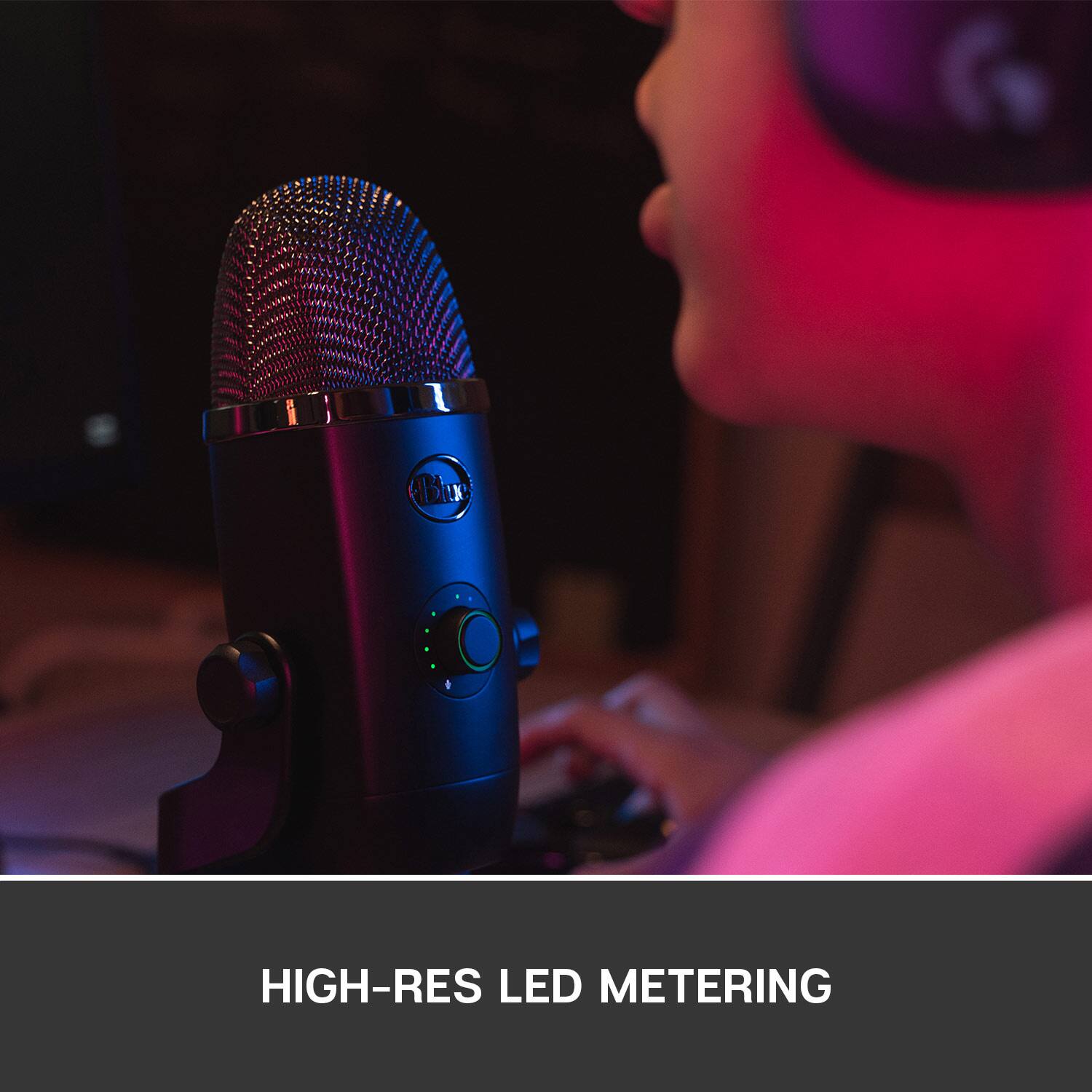
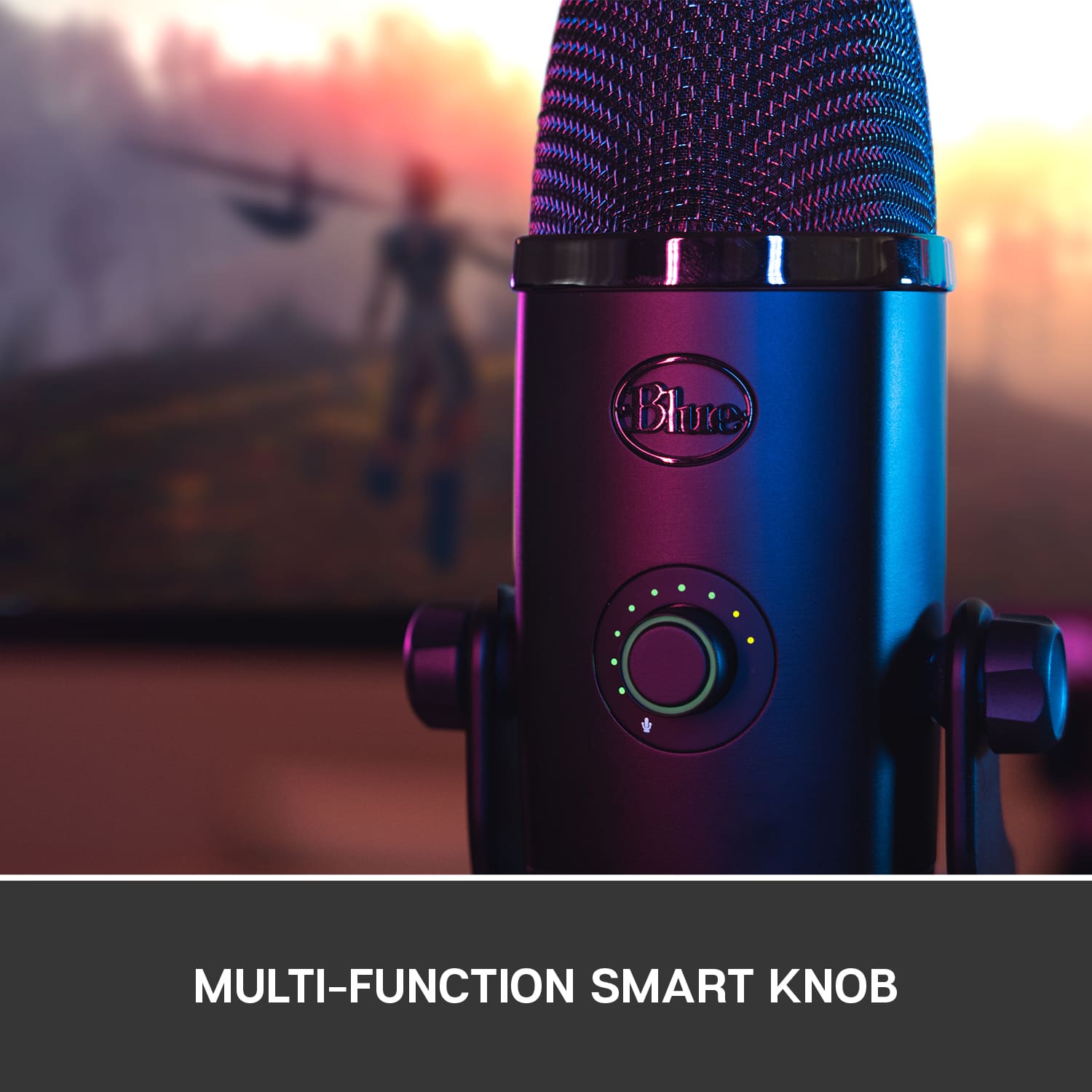
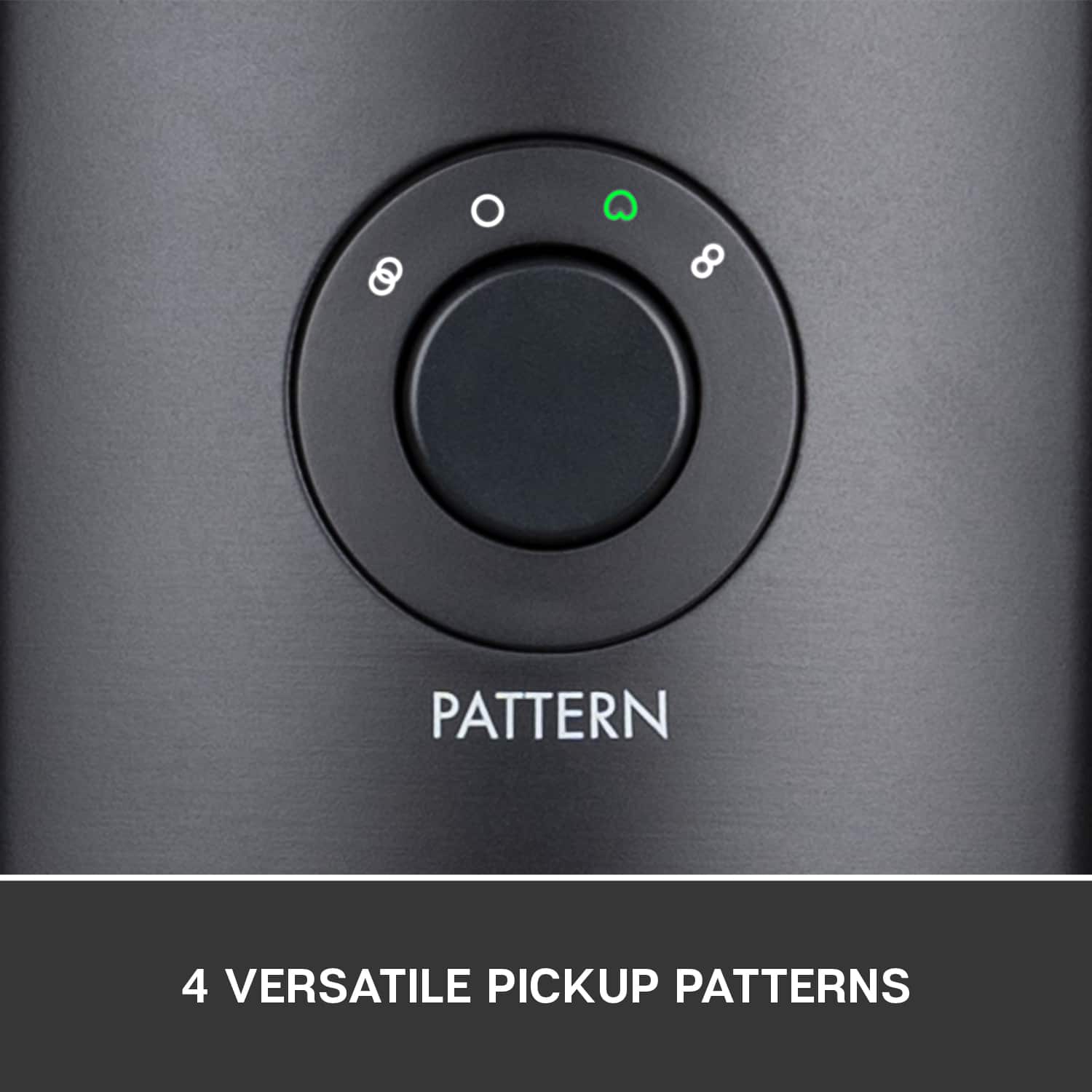
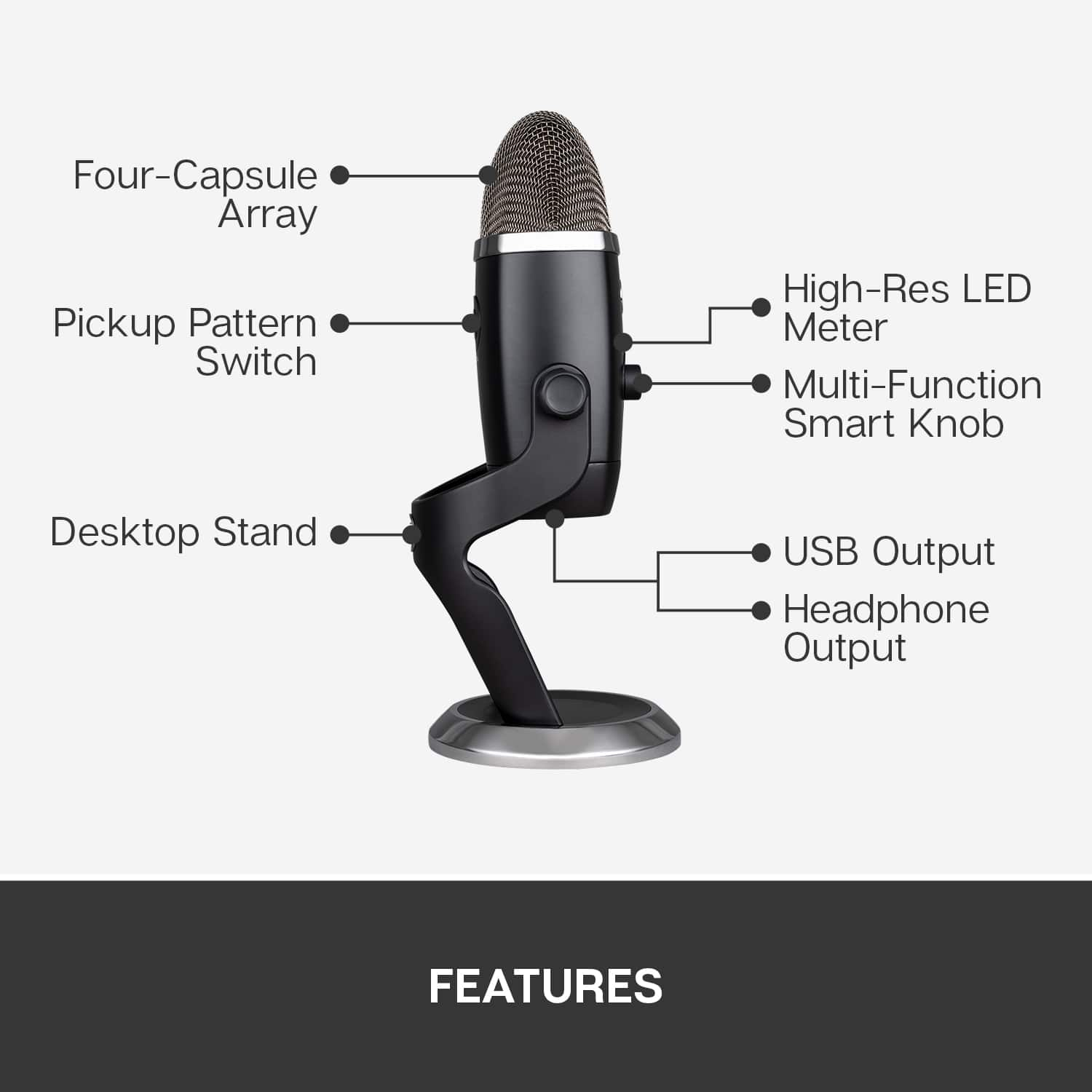
|Posted .This reviewer received promo considerations or sweepstakes entry for writing a review.The Blue Yeti X is a high-quality professional USB Microphone for gaming, streaming, and podcasting. In addition to this written review, you can watch my video review at https://youtu.be/BnGGtSSJWxw. The video is important because it allows you to listen to the quality of this microphone and hear the various modes and effects possible with this microphone and the software that supports it. This review will be done in 3 parts – features, usage impressions, and pros/cons: Features: The features of this Microphone are excellent. It is a four-capsule array that captures sound with focus and clarity. The array is also a side entry array, which means the microphone should be vertical vs. having the top pointed at you. The microphone has an 11-segment led metering, so you know if you are talking at the right levels. The multi-function smart knob allows one to set the microphone input level, the headset output level and the blending of the microphone and computer sound in the headset. This button also allows for quick muting at the press of the button. One the back is a button for setting the 4 polar patterns of Cardioid Omni, Bi-Directional, and Stereo – depending on the current needs. Blue offers two options for software control – Blue Sherpa or Logitech GHUB. I used my GHUB software and this allows access to all kinds of audio setting, personalization, and audio preset to be used. Usage Impressions: The audio quality of this microphone is top-notch. I recorded multiple tracks and in multiple polar patterns and all were excellent quality. The microphone does not require any special software to be loaded for use and the software drivers load without issue. Pros: Audio quality, versatile polar patterns/ Cons: None Noted at this time.
I would recommend this to a friend doesn't last
||Posted .This reviewer received promo considerations or sweepstakes entry for writing a review.glitches and shuts down. thankfully we had warranty......which shouldn't cost extra, but does
No, I would not recommend this to a friendBrand response from Logitech
Posted .Hello LIND, So sorry to hear about the glitches and shut downs that you're experiencing while using the Yeti X Microphone. Very glad that you purchased the Best Buy Protection Plan, an extra service that they provide. The Yeti X does come with a 2 year limited hardware warranty which you can check out here: https://support.bluedesigns.com/hc/en-us/articles/360043110574-Warranty-Yeti-X. In regards to the glitches and shut downs, it sounds like your connection isn't good which can be caused by several things. First of all, check to see if the cable is plugged in securely. Next, make sure that it isn't plugged into a USB Hub. Lastly, make sure that the firmware is updated which you can check out by using Logitech G Hub software. Here's a link to the download: https://support.logi.com/hc/en-us/articles/360025298133. Hope that you found this helpful and that all is now going better. Thank you for choosing Blue. - Richard from Blue/Logitech
- Pros mentioned:Ease of use, Sound quality
High Quality Pro Quality Microphone
|Posted .This reviewer received promo considerations or sweepstakes entry for writing a review.Blue has been making industry leading technology for a long time. They continue to push the limits making even better products. The Blue Yeti X is no exception to this. Pulling this microphone out of the box it immediately feels very high quality. It feels very good in the hand and the colors look and feel very premium. The best thing that blue does is it brings professional quality to the consumer market. This microphone specifically is very simple and easy to use but has the ability for more advanced users to use advanced features as well. A few of my favorite design features are that it has a button allowing you to change from single person use, to an interview style, stereo, and one that will pick up sound everywhere around it. This is a nice feature because you can use one microphone for everything. On the front side it has a volume knob with LED’s allowing you to make necessary adjustments right on the mic. It also has a mute button which I thought was a nice edition so if you want to make sure it is not recording you can just click that. On the bottom of the MIC it has an input for USB/power and then a headphone input for monitoring which is a nice addition. As far as the quality of the sound, it is extremely good right out of the box. Just plugging it in and testing the sound it sounded better than just about every other basic microphone. The option software that you can download allows for much more adjustments for more professional users to adjust and get the sound they like. This is a very premium microphone and I would recommend to anyone who is looking to recording for video game streaming, music recording, voice overs on video recording, and many other uses.
I would recommend this to a friend Stopped working after one year
||Posted . Owned for 1 year when reviewed.This reviewer received promo considerations or sweepstakes entry for writing a review.Stopped working after one year. One would think better quality for such high-end product.
No, I would not recommend this to a friendBrand response from Logitech
Posted .Hello, Kumar! I'm sorry to hear about your experience with the Yeti X microphone. I would recommend reaching out to our support team here https://support.bluedesigns.com/hc/en-us/requests/new?ticket_form_id=360001526154 to file a warranty claim. The Yeti X has a 2-year limited hardware warranty. Thank you for the feedback! I will be passing this along. - Maggie from Blue
- Pros mentioned:Sound qualityCons mentioned:Usb
Hardware is AMAZING but needs work on GHub for Mac
|Posted .This reviewer received promo considerations or sweepstakes entry for writing a review.I was looking for an easy to set up mic with good sound quality for a future podcast channel that wouldn’t take much room. When looking, I came across the Bluet Yeti X. I had heard about Blue mics for a while and wanted to give one a try after all the amazing reviews and it didn’t disappoint. The Blue Yeti X is a pretty solid USB microphone. Right out of the box you can already tell that a lot of thought was placed when creating this slick mic. As expected, Blue microphones build is of high quality, the stand itself is pretty heavy which stations the microphone in place – no worries of accidentally knocking this bad boy down. Overall the set up was pretty simple, after using the Yeti X for a week: Quality – Beautiful black matte finish all around with hints of chrome. Yeti X is connected and charges via micro-USB and outputs to headphones directly or via computer. The Multi-Function Smart Knob and the Pickup Pattern buttons are responsive and easy to navigate. The Smart Knob controls: mic gain, mute, and headphone volume. There are 4 Pickup patterns: 1) Cardioid – ideal for one-person voice 2) Omnidirectional – 360 degree pick up – perfect when you have a bigger group 3) Bidirectional – recording is front and rear, perfect for interviews or sharing the mic between two people 4) Stereo – wide recording for recording with instruments For now, I’ve been mostly using cardioid for testing and will be using Bidirectional more often in the future. What I’ve noticed is that the sound quality really is amazing even without a pop-filter. The sound pickup is pretty sensitive so living in NYC you do end up picking up some of the outside noises (but that’s just because I don’t have a quiet area). I usually hate how my voice sounds on mics but with the Yeti X, my voice is a lot softer and smoother. As much as I love the Blue Yeti X – I would have loved to have USB C instead of the micro-USB (maybe in the future?) this way I wouldn’t have to use another adapter. Another downfall was that I was unable to use Logitech GHub on my macbook pro. For some odd reason it didn’t register my Yeti X as connected so I wasn’t able to take advantage of all of the Yeti X’s capabilities. But I was able to use the Blue Sherpa software which had limited functions. I hope that Logitech fixes this as soon as possible but for now I will just be envious of the Windows/PC users. Despite some downfalls, I am excited to be using the Yeti X for my podcast recordings, future Youtube videos and other voice overs. I highly recommend the Yeti X for the long run!
I would recommend this to a friend - Pros mentioned:Sound qualityCons mentioned:Usb
Excellent sound, No Hum. Cords tightly connect.
Posted .This reviewer received promo considerations or sweepstakes entry for writing a review.I have 4 mics from Blue, including the Yeti and the Yeti pro. The Yeti Pro never worked well and had a terrible hum from internal noise even with the XLR connection to a Focusrite interface. The Yeti worked but still had a slight hum. The usb system never worked on the Yeti Pro ... not the cord. Without the hum the Yeti Pro sounded exactly the way I wanted it. So, I gave the YetiX a chance figuring I could take it back. But it has a tight usb connection under the mic and the sound is crazy silent even at high gain. The G-Hub software and VOICE software works great on an iMac and Macbook, regardless of what you read online. The mic in stereo is amazing. The clarity is excellent and it picks up less room noise unlike the others. It took'em a while, but they got it right. I'm keeping this one.
I would recommend this to a friend - Pros mentioned:Sound quality
Professional Sound Quality
|Posted .This reviewer received promo considerations or sweepstakes entry for writing a review.After testing this Yeti X professional microphone for a week I completely understand why it is considered the best. I was immediately impressed by the looks, sound and solid build quality. It is the most premium microphone I have used all year. The microphone is plug and play, which made setup a breeze. On the front is the smart function knob and led lights. Which are used to mute or adjust your sound levels and let you know if you are clipping the Mic. On the back, is the button to switch between the 4 built in pickup patterns (cardioid, omnidirectional, bidirectional or stereo.) On the bottom of the mic is the USB connection and an aux line out connection for your headphones. Also since this microphone made by Logitech it seamlessly integrates with the Logitech G hub software. Using G hub you are able to change all the settings without using the smart function knob or pattern switching button. It also allows you to adjust the gain and modify the sound output with both custom and preset sound modes. Whether you are using it for voice overs, one on one interviews, music or conference calls you will not be disappointed. The recording quality will sound professional and nothing short of amazing! If you are searching for a gift for an aspiring Youtuber, Podcaster, Gamer, or Musician your search is over. I highly recommend this Microphone.
I would recommend this to a friend - Pros mentioned:Ease of use, Sound quality
Great sounding, high-quality, customizable mic
|Posted .This reviewer received promo considerations or sweepstakes entry for writing a review.— Quality — When you pull this microphone out of the box, it’s easy to tell that this microphone is very well built. It’s a nice, heavy construction and there is a slim chance this would accidentally tip over. The multi-function knob that you use to adjust gain, headphone level, and blend is tight in it’s construction. It has a firm feel to the rotation and accidental turns are unlikely. There are LED indicators that surround the knob that can indicate levels. There’s also a button on the back that adjusts the pickup pattern which is also robust. On the bottom there is a micro USB port as well as a headphone out. — Sound Quality — Sound quality is awesome. I tried it with all 4 pickup patterns (Cardioid, Omnidirectional, Bidirectional, and Stereo) and they all have distinction between each one making it very versatile for a variety of uses. — Setup — Basic setup is crazy easy on a Mac. Plug it in. Change the microphone source in your sound settings and you can go off and running. But to take advantage of all this microphone has to offer, download the G Hub software where you can customize stuff like vocal effects, the lights, EQ, etc… — Summary — The Blue Yeti X is a superbly well-built, feature rich microphone that can work well for the enthusiast to the professional.
I would recommend this to a friend - Pros mentioned:Sound quality
A Great…but BIG & heavy…microphone
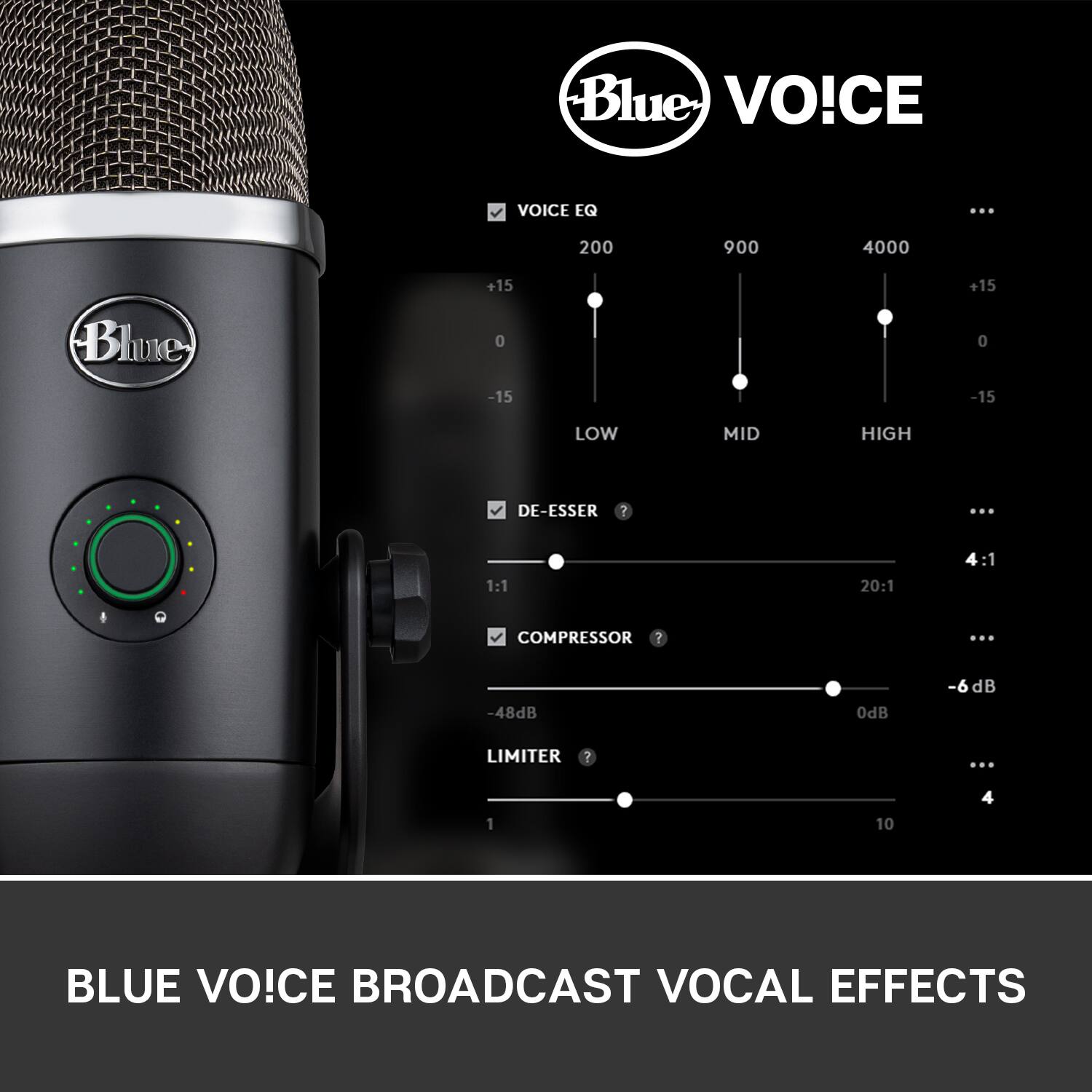
|Posted .This reviewer received promo considerations or sweepstakes entry for writing a review.When I was offered the opportunity to test, and review, the new Yeti X Professional USB Microphone from Blue, I jumped at the chance, and for a few reasons. First, I have been considering getting a mic for my computer for several months now, and Blue was the primary (ok, “only”) brand on my list. Second, knowing that Logitech now owns Blue, there are bound to be people praising, and condemning, this acquisition, as well as those who believe Blue’s quality would go down because of it. So, wanting to have first-hand experience, and be able to report the “results”, this opportunity was, as Spock would put it, “logical”. UNBOXING AND INITIAL IMPRESSIONS: Packaging is fairly high-end, with a box-within-a-box design…the outer box is your typical thin, but sturdy, box, covered with information. The info is minimal, but is also presented in 6 languages. The inner box, however, is constructed of plain black corrugated cardboard…QUITE sturdy…and, it needs to be, considering the weight of the mic...this thing is HEAVY. Open the box, and you’re presented with a quick-start guide. Unfortunately, this isn’t your typical quick-start guide, which would have walked you through the steps of getting the mic set up & operational. Instead, it’s a quick guide walking you through the operation of the mic, itself…and it’s NOT very clear. While the images and named function are large enough, there are NO words to inform you as to what you’re actually doing. So, where is the actual manual. In-short…and this is VERY disappointing…there isn’t one. You can go to Blue’s website, and download the real quick-start guide, but it’s not really that informative - page 2 provides the “installation” info, page 3 provides some very brief info on software control options, pages 4-5 cover the buttons & meter info, pages 6-7 cover the “smart knob” & LED metering info, and page 8 covers “pickup patterns”. The remaining pages provide no operational info. SETUP: Setup was both simple, and difficult. Starting with the ‘difficult’, this is because there was no manual, nor quick-start guide included. Not even the aforementioned included sheet contained any info. It was only on a whim that I Googled ‘blue yeti x’, found my way to the product page, clucked “downloads”, and found the (so-called) “manual”…which, again, is actually nothing more than a ‘quick-start guide’. If you don’t already have it installed on your computer, you will also need to download/install the Logitech G-Hub software. After installing G-Hub, you’ll need to restart your computer, then plug the mic in…and wait…and, once the mic’s drivers (which are stored on a chip inside the mic) have been installed, you’ll need to restart your computer again. Think you’re done? Not quite. Once the computer reboots (and you’ve logged in, if your computer requires a password), you’ll need to go to your audio settings, and set the Yeti X as the ‘Default’ recording device. Only then is everything set up, and ready to go…well, once again, not quite. Next, you’ll need to start up the G-Hub software, wait for it to recognize the Yeti X mic (future occurrences of opening G Hub, it will instantly recognize the mic, as long as it’s already plugged into a USB port), and then go through the process of properly setting your gain, EQ, and (if you choose) “Advanced Controls”. Alternately, instead of playing around with the EQ & Advanced Controls, you can play around with the “Blue Voice” presets (of which there are 11). You can also download more presets, through the “BROWSE MORE PRESETS” option. NOW, you’re finally set. G-Hub: This is where all of the mic’s “magic” comes from. It’s also what Logitech uses for accessing all information & settings pertaining to Logitech G-series products, and products from other Logitech-owned brands. If you already have a G-series keyboard and/or mouse, then you’re already familiar with G-Hub, and how it functions. Not only does G-Hub update itself whenever a new version is available, but it also monitors the “attached” device’s firmware, and will inform you when new firmware is available. Having owned Corsair gaming products, and having had to deal with Corsair’s iCue software, G-Hub is much more user-friendly. While iCue is more powerful, G-hub is MUCH easier to use. CLOSING THOUGHTS: To be completely honest, I haven’t yet had time to test out all of the Yeti X’s functionality (that could take several weeks, if not longer, especially with my job), but, from what I’ve experienced so far, this thing is absolutely fantastic. several years ago, I was a DJ for an online radio station, ands, instead of using an actual mic, I used the built-in mic on my gaming headset. While it performed great for what I was using it for, in real-world usage, I would have barely considered it “adequate”. On a scale of 1-10, I would have given that Logitech headset’s mic a 3..maybe 4. The Yeti X, for now, deserves at least a 9 (the only reason I can’t (yet) give it a ‘10’ is that I have not spent enough time using it to make that decision. THE GOOD: • Simple to set up • Use of G-Hub software makes fine-tuning the Yeti X extremely easy • Outstanding sound quality THE BAD: • It takes 2-3 restarts of the computer to get the mic completely operational • Price - $170 is a lot to pay…although, considering the quality (build & sound), I’d say it’s worth it THE UGLY: • NO included manual, or even so much as a quick-start guide FINAL VERDICT: If I had seen a computer mic selling for $170 several years, I would have said, “Are you crazy?” knowing the quality of Blue microphones, while I still think the Yeti X is a bit on the pricy side, I’d still be willing to purchase it. For what it is, what it does, hoe well it’s built, and how good it sounds, if you’re in the market for a high-quality…VERY high-quality…USB microphone, I don’t think you’ll find anything better than the Yeti X. Disclaimer: This product was provided free, or at reduced cost, for the purpose of reviewing the product. Nevertheless, the above review, be it positive, negative, or anywhere in-between, is a 100% honest review, and the price paid played absolutely no part in my review.
I would recommend this to a friend