Customer Ratings & Reviews





- Model:
- 204347
- SKU:
- 6460463
Rating by feature
- Sound Quality
Rating 3.8 out of 5 stars
- Battery Life
Rating 4.4 out of 5 stars
- Connectivity
Rating 4.0 out of 5 stars
Customers are saying
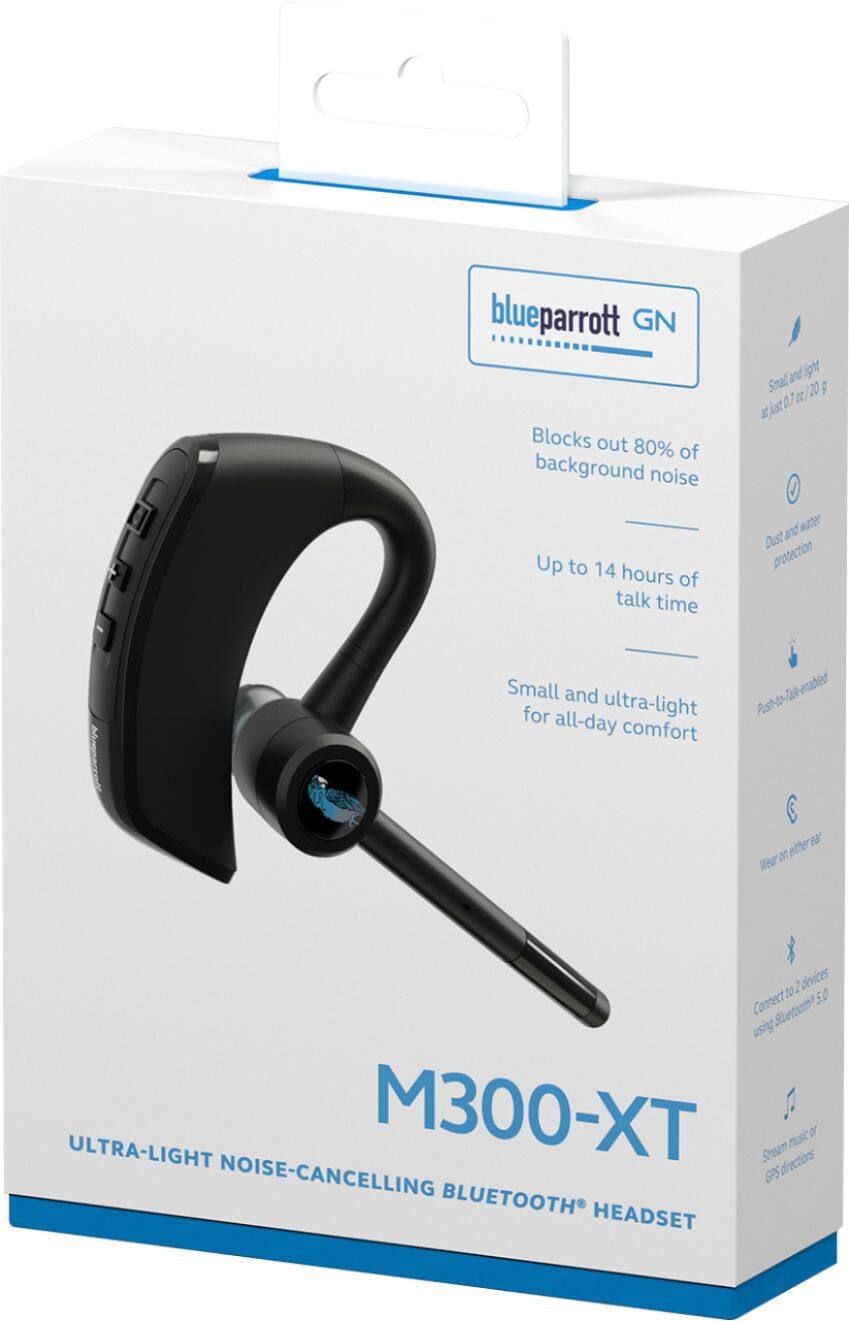
Customers enjoy the M300-XT Ultra-Light Noise-Cancelling Headset's impressive sound quality, long battery life, and comfortable fit for most users. Many appreciate its lightweight design. However, some customers reported issues with the earpiece fit and volume level, and a few experienced problems with the microphone.
This summary was generated by AI based on customer reviews.
- Cons mentioned:Volume
Great fit, needs better volume
||Posted . Owned for 2 weeks when reviewed.This reviewer received promo considerations or sweepstakes entry for writing a review.Great fit but volume didnt go high as I would have liked. Hard to hear while driving.
No, I would not recommend this to a friendBrand response from Jabra
Posted .Hello Mont - We are sorry to learn that the BlueParrott M300-XT did not meet your expectations. If you have any questions or concerns related to the device, please contact our BlueParrott Support Team. Contact details can be found on our website at https://bit.ly/35yU6OD. Thank you.

- Cons mentioned:Fit
I’ll give it a 3 out of 5
||Posted . Owned for 3 weeks when reviewed.This reviewer received promo considerations or sweepstakes entry for writing a review.Quality of the product is good but the sound is very low also hard to fit an ear
No, I would not recommend this to a friendBrand response from Jabra
Posted .Hello TruckerJosh- Thank you for writing a review of the Blue Parrott M300-XT. We are sorry to learn about these troubles you are experiencing finding a secure fit with your M300-XT. We recommend trying out all the included accessories to help find the best, optimal, fit for you. Regardless of these challenges, we are happy to read that you are enjoying the quality of the M300-XT. If you have questions or concerns, please contact the Blue Parrott Support Team: https://bit.ly/3giZcnJ. We are always here for you.
- Cons mentioned:Fit
USB Bluetooth headset
||Posted . Owned for 3 weeks when reviewed.This reviewer received promo considerations or sweepstakes entry for writing a review.Good headset, just doesn’t fit my ears very well, no way to adjust.
I would recommend this to a friendBrand response from Jabra
Posted .Hello Meme, thank you for writing a review of the Blue Parrott M300-XT. We are sorry to read that you are having trouble finding a secure and comfortable fit. We appreciate your feedback and we will certainly pass this information along to the Product Development Team. In the meantime, we kindly suggest testing all three sizes of EarGels until you find the fit that gives you the best combination of comfort and sound quality. The medium EarGel will fit most people, however, if it does not feel comfortable, try a different EarGel size. The EarGel is designed to sit within the outer ear, not in your ear canal. You can wear the BlueParrott M300-XT headset on your right or left ear.
To change the headset to wear it on the other ear, rotate the microphone horizontally to the other side. Then swivel the microphone up and over and point it towards your mouth. We hope this helps! If you require further assistance, please contact Blue Parrott Support:https://bit.ly/3viKg1v. We are happy to assist you.
love it
||Posted . Owned for 1 month when reviewed.This reviewer received promo considerations or sweepstakes entry for writing a review.It's my 3rd one works, great cancelling noise in my heavy equipment
I would recommend this to a friend- Pros mentioned:Comfort
bluetooth headset
||Posted . Owned for 3 weeks when reviewed.This reviewer received promo considerations or sweepstakes entry for writing a review.price was okay along with comfortable to wear and easy to use
I would recommend this to a friend - Pros mentioned:Sound quality
Great for truckers
||Posted . Owned for 1 month when reviewed.This reviewer received promo considerations or sweepstakes entry for writing a review.I purchased for my son who's a truck driver. When I asked him if they were helpful he said, "yes". He said the sound is clear and he's able to drive and talk as well as be aware of his surroundings. The set he purchased prior to this set he was getting a lit background noise
I would recommend this to a friend More than Great for the price.
||Posted . Owned for less than 1 week when reviewed.This reviewer received promo considerations or sweepstakes entry for writing a review.More than glad. And great for the price iam surprised
I would recommend this to a friendBrand response from Jabra
Posted .Hello Abdul - Thank you for taking the time to post a 5-star review of the BlueParrott M300-XT. We appreciate your kind words! Please let us know if you have any questions. We are happy to help! Thanks again!
- Pros mentioned:Battery life, Comfort, Sound quality

Great headset for cell phones, but....
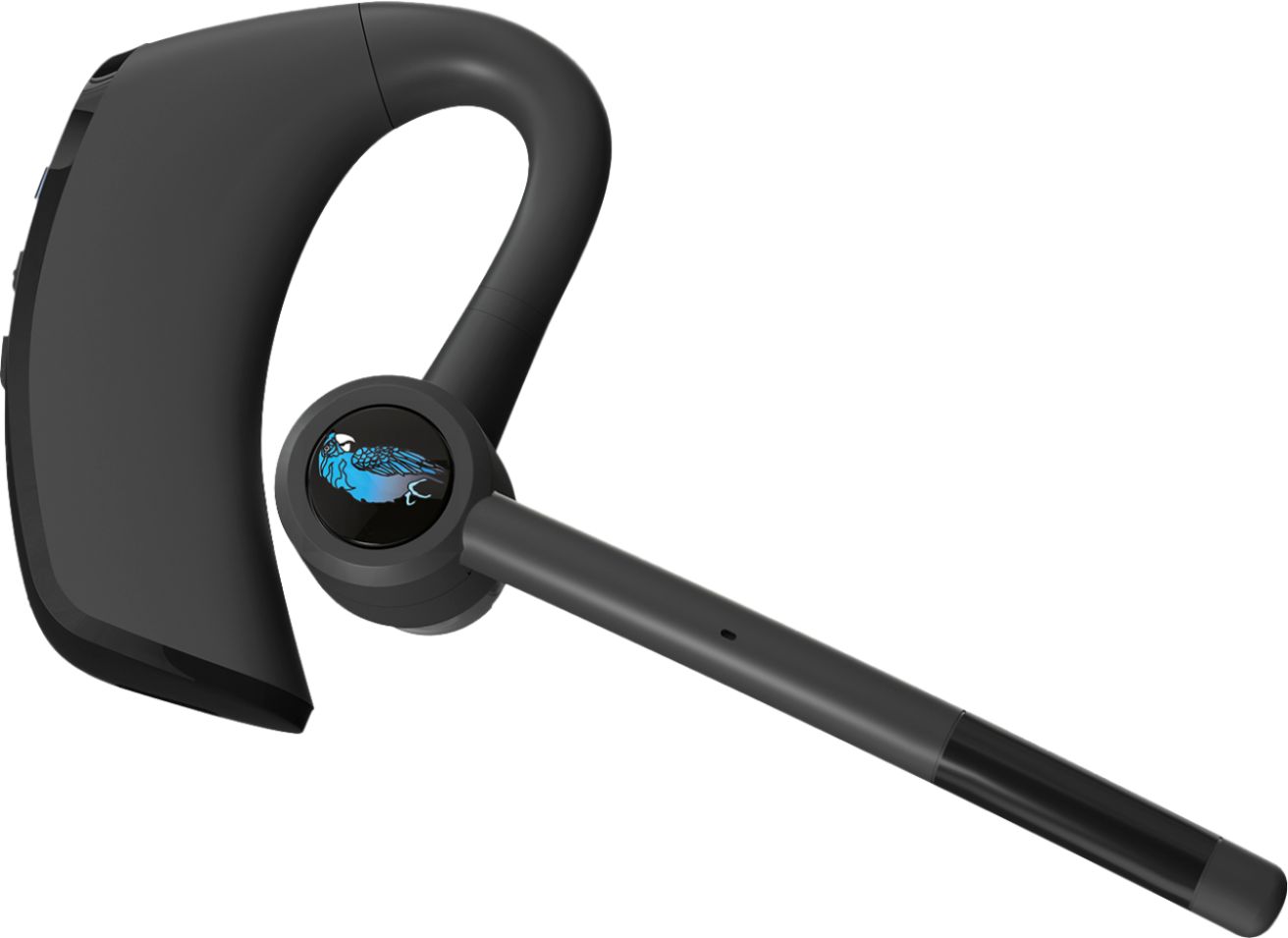
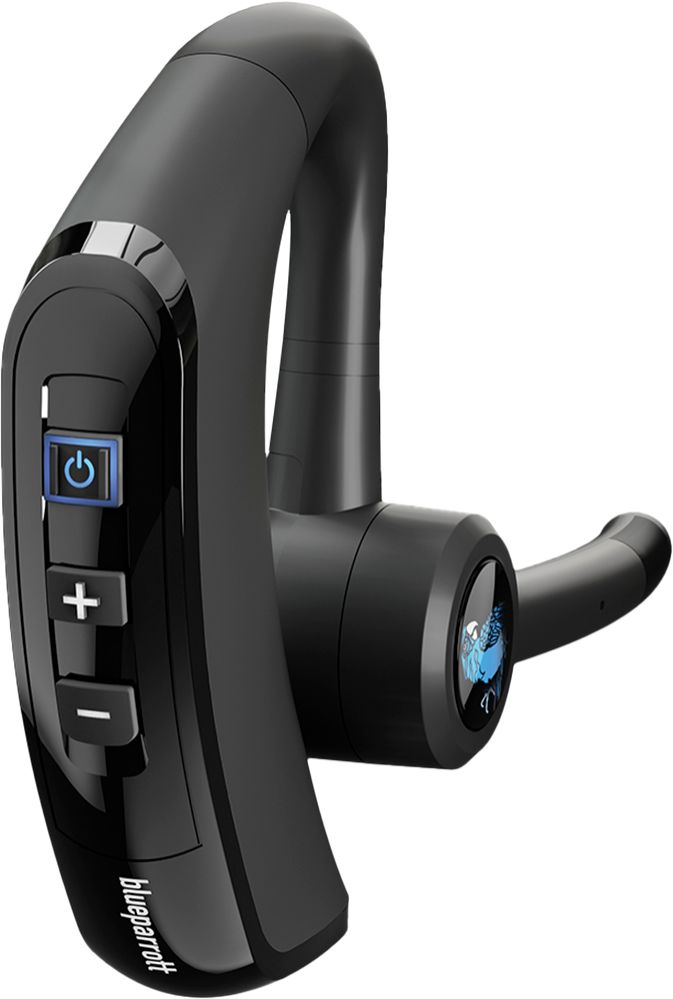
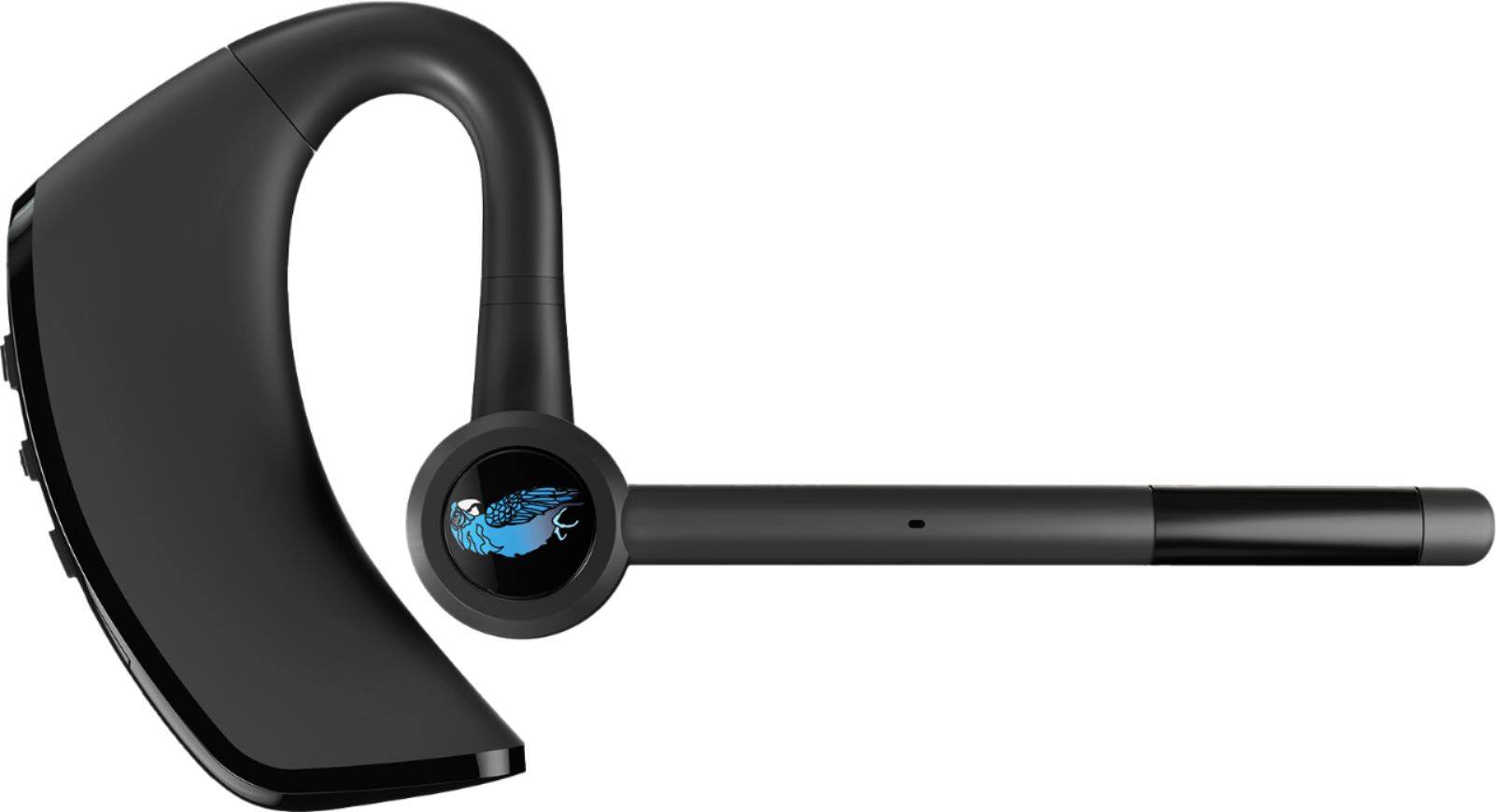
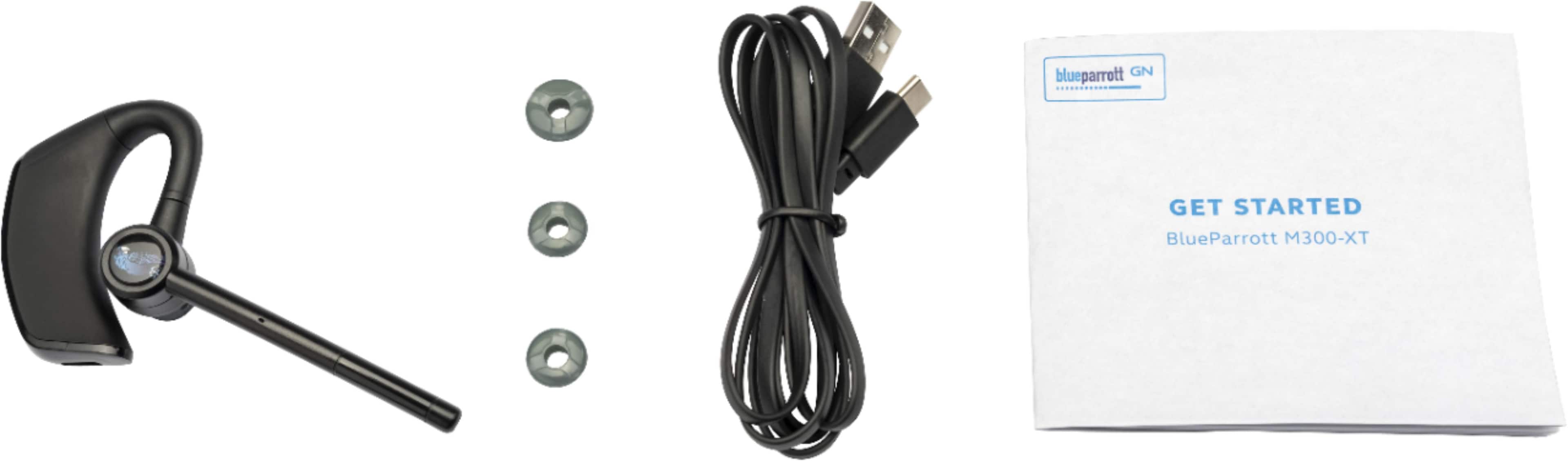
|Posted .This reviewer received promo considerations or sweepstakes entry for writing a review.Today I am reviewing the Blue Parrot M300-XT ultra-light, noise-cancelling headset. This is being reviewed with my Samsung A21 phone, my Yaesu FTM-400XDR ham radio, and my Kenwood TH-D74A handheld radio. First Impression: My initial impression of the headset is that it is very well made. This is not the first Blue Parrot headset I have used or reviewed. And just like the previous headsets, the M300-XT feels and looks solid and well made. It comes with a user guide, 3 sets of earbuds for different size ears, a charging cable, and the headset. Features: The Blue Parrot M300-XT can pair to 8 different devices. Additionally, the headset monitors all paired devices and notifies you when any of them are receiving a call. If you are on a call on device 1, and receive a call on device 2, you can put 1 on hold and answer/reject call 2. The main button, called the Blue Parrot button is configured as a microphone mute but can be configured for multiple different functions such as push-to-talk, speed dial, check battery level, etc. Fit: The headset sits comfortably on the ear. The earpiece sits against the outside of the ear canal rather than inside of it. This might make for a little lower volume levels but is outweighed by good fits for most people and less ear fatigue from having an earbud inserted in the ear canal for extended periods of time. For myself, the audio level was just fine. Initial Setup: The headset paired immediately on my Samsung A21 without any issue. The app screen displayed a soundcheck. I recorded a test message, and the playback volume was so low I could barely hear it. I verified the volume on the headset was at max volume and the media volume on the phone was also set at max volume. I checked for a firmware update through the app. The headset had firmware v1.01 and I updated it to v1.04. I rechecked the sound test and it was a little bit better, but not much. On my phone, under Developer Options, I disabled Absolute Volume and re-enabled it, testing under both conditions. After rebooting the phone, the soundcheck still failed. What I ended up identifying was that the soundcheck feature in the app doesn’t reflect the true state of the audio. The soundcheck identified the headset as having very weak mic and speaker audio where actual testing proved the headset has really good audio in both directions. This needs to be fixed by BlueParrot. Quality: The headset is very well made. The earbuds don’t go in the ear but on the outside of the ear canal. The mic and speaker are adjustable so the headset can easily be moved from one side of the head to the other. The mic and speaker are easy to adjust but stay in place once moved. Charging: I charged the headset before turning it on. The initial charge took just over an hour. After using the headset all day, the battery level stayed at 100%. I used this headset for 3 days without turning it off. I used it moderately, probably making 10 phone calls and monitoring the phone for about 16 hours a day. After 3 days, the battery level was 90%, and a recharge took less than 1 hour. I am absolutely amazed at the battery life on this headset. The specs say 14 hours, but I got far more out of mine than the spec claim. App: The BlueParrot M300-XT uses an app called BlueParrot GN. It is not an app for use, but for configuring the headset. Once the headset is configured, you won’t need the app again unless you want to reconfigure the headset or update the firmware. Sound quality: I did my first test call, and the audio was really good. The caller reported my audio from the headset was also really good. I did 2 more calls, and both of those also reported good audio coming from the headset. The received audio for me was also really good. The volume was easily adjustable during the call and muting the mic with the BlueParrot button worked as expected. I also paired the headset with my Apple MacBook Pro. I played Apple music through the headset. The audio was not musical, but clean and clear. I didn’t expect musical sound out of a communications headset, so this has no effect on my rating. While listening to music, I was able to receive calls and switch to the calls with no problem. After ending the call, I had to start the music back up in Apple Music, it did not continue on its own. This is the normal operation of Apple Music. Ham Radios: I also paired this headset with 2 of my ham radios. On both radios, the headset paired easily with no problems. On the one, I changed the Blue Parrot button to “push to talk” to try and key the radio. I was never able to get that feature working. This is kind of disappointing because it is an advertised feature. While most people won’t need this, I do. The manual doesn’t address it other than stating it is a feature. The app allows you to change to this feature but offers no help when it fails. Even searching the web for answers leaves me with an advertised feature I won’t be able to use. If BlueParrot is going to include and advertise a feature, I would expect them to make it easy to implement, or at least acknowledge it beyond just claiming it exists. Conclusion: I am split on this headset. The quality of the build is superior as is the quality of the audio. The charge time is very low, and the use time is amazingly high. However, the main feature I need this specific headset for apparently cannot be used without direct tech support from the manufacturer, and I do not believe it is appropriate to advertise such a feature yet make it so difficult to implement and use. This is why I can only give it a 3 out of 5. If all you need is a great headset for your cell phone, then it is easily a 5 out of 5. But if you need the additional features such as push to talk, then you need to look elsewhere.
I would recommend this to a friend Nice headset
||Posted . Owned for 3 weeks when reviewed.This reviewer received promo considerations or sweepstakes entry for writing a review.Pretty nice headset seems to be working fine so far
I would recommend this to a friendGreat product
||Posted . Owned for 3 weeks when reviewed.This reviewer received promo considerations or sweepstakes entry for writing a review.Great product and easy to use. I would recommend it.
I would recommend this to a friendDisappointed in Blue Parrot
||Posted . Owned for 1 month when reviewed.This reviewer received promo considerations or sweepstakes entry for writing a review.Bought this for my wife as a Christmas gift to use around the house or while out and about. I use the much larger trucker headset which is awesome. This one's a disappointment. My Wife sounds like she's under water or muffled. Will be returning.
No, I would not recommend this to a friendBrand response from Jabra
Posted .Hello Patrick- Thank you for writing a review for the Blue Parrott M300-XT. If you have not returned your Blue Parrott device, we kindly suggest contacting support: https://bit.ly/3Gesu11. We are here to help and provide you with further possible solutions. Thanks again. Your feedback is truly appreciated!
- Pros mentioned:Battery life, Comfort, RangeCons mentioned:Volume
Crisp, clear sound!
|Posted .This reviewer received promo considerations or sweepstakes entry for writing a review.The Blue Parrott M300 XT has crisp, clear sound. Comfortable and light-weight - easily converts from right ear to left. Has small, medium, and large ear "buds" to fit easily/snug in virtually any size ear. Has an advertised range of 300 feet from the base - great if you're in/out of your vehicle often and don't want to carry your phone. And, with the 14 hour battery life, it should last for an entire day on a single charge. With the downloaded app, you can customize the "blue parrott" button to handle different functions. I found it a little hard to adjust the volume - seemed either too loud, or not loud enough. Was also told there was an occasional "echo" on the other end of the call. I'm sure these are things that I'll figure out over time. With the "dual" microphone, back ground noise is virtually eliminated on calls. Overall, a great product - would highly recommend for delivery drivers, or anyone on the go!
I would recommend this to a friend Good and bad
||Posted . Owned for 3 weeks when reviewed.This reviewer received promo considerations or sweepstakes entry for writing a review.I like the long lasting talk time. When change the off/ on position to the side from setting, it only works as an off switch but not an on switch. You have to turn it back it on from the first position. Also another thing when charing it goes off where some others do not.
I would recommend this to a friendBrand response from Jabra
Posted .Hello FBEsmar, thank you for taking the time to write a review. We are sorry to hear that you are having challenges with charging your Blue Parrott M300-XT. We kindly suggest that you reach out to the Blue Parrott Support Team: https://bit.ly/3j0VAIi. We are always happy to help you. Thanks again.
- Cons mentioned:Volume
Worthless item!
||Posted . Owned for 3 months when reviewed.This reviewer received promo considerations or sweepstakes entry for writing a review.The item worked well for the first 3 weeks of daily use and the hearing piece started to get lower to hear and when you try to push on the center of the ear speaker to be able to hear better it prevents the other person on the call from understanding me. There is no adjustment to increase the volume other than in the phone itself and still it sounds very low!
No, I would not recommend this to a friendBrand response from Jabra
Posted .Hello Bert - Thank you for taking the time to review the BlueParrott M300-XT. We regret to hear of your experience with the volume levels on the device as this is certainly not expected. Please contact us at your earliest convenience so we may assist you with troubleshooting to resolve this challenge. https://bit.ly/3zJ04K4
- Pros mentioned:Battery life, Comfort, Sound quality
Energizer Bunny of Headsets
|Posted .This reviewer received promo considerations or sweepstakes entry for writing a review.Using with a Galaxy Note 20 Going on 5 days of mixed use and still showing 100% battery life!! I have logged around 5 hours of talk time, a little bit of audio and podcast listening, and a lot of standby time. Audio quality as you would imagine is geared toward the spoken word, so if you do plan on listening to music just know its going to be more for background noise than getting into the music. For Podcasts and the like it works great and for audio calls it is great. My only complaint with the audio is the volume level. Max volume is still not that loud and gets a lot of distortion at max volume. 2 clicks out of max is where it has lived even in the quietest of settings. But when ambient sounds are high, I can still hear. Callers have stated it sounds really good on their end and even when driving with the windows down it wasn’t loud, but there was a noticeable background sound, though it wasn’t distracting. This is definitely not your typical bluetooth headset. When you dive into the companion app there are settings that make you realize this is way more than your typical phone bluetooth headset and honestly those features are lost on me. It has the ability to run many different Push-To-Talk apps for a Walkie-Talkie experience. Going through all that it can do I can definitely see it is designed for a warehouse or indoor commercial experience...and even the dreaded telemarketer. Obviously there are way more professions than those that can benefit from this headset, as in any open office setting with a 100 people in a room (assuming that ever comes back) would definitely find it useful. The side Parrot Button as it is called has reprogramming features. As an average “Joe” phone user just looking for hands-free the amount of features for Walkie-Talkie and other Push-To-Talk services it can integrate with are lost on me. The button can also be reprogrammed to launch an App, but the list that is available to me on my particular phone does not have anything I can see as being necessary. So I have just left it on the default of setting of “Mute” while in a call. The power button also acts as the Digital Assistant launch for your device, other than call answer/reject, so Google, Bixby, Siri or whatever you have your device set to. The App launch that the Parrott Button can do did not have Google Assistant available, but did have Bixby. It may seem redundant but it is easier to hit the Parrott button, even though it requires a harder press, than the power button. To hit the power button I find I have to grasp the device then find the button, where as I can just hit the Parrot button with one-finger easily, however, it does take a firmer press for the Parrott button to respond. One of the reprogramming options is to give the Power level for the headset and phone. The headset it said was at High, while the phone it said was Medium...even though the phone had 93% charge. I charged the headset out the box before setting it up and it only took between 30-45 minutes to be fully charged, but not sure of the starting level. Documentation doesn’t say charging times, but product page says up to 150 minutes. With standby time of 420 hours and 14 hours of Talk Time. It does come with a USB-C cable and the fact that it is USB-C is a huge plus considering it is the newest technology. Comfort level is high as this can be worn for very long times and not have fatigue. The Medium size ear bud comes installed with the Small and Large in the box. I am wearing it on the right ear, but it can be swapped easily by just rotating the device. The box is fully recyclable and has the quick settings guide printed on it as does the printed quick start guide. Interestingly the printed quick start guide does not note that the Power Button is also the Voice Assistant launch button, but both the box and webpage have this information on it. Just found that interesting. These definitely remind me of the hold school Motorola headsets of the early to mid-2000’s; just way better quality. There isn’t any accessories on the product page for purchase. I was curious if a charging cradle would be available. Definitely not a deal breaker, but I have seen other headsets that have this option. They charged via a snap on cradle so it was a different charging design all together. Which the USB-C format I do feel will offer quicker charging speeds. I can easily recommend this if you are in the market for a true wireless mic. I have used many different bluetooth headphones and I just don’t think those devices do the best at pulling double duty; music is always great, but for conversation, just passable.
I would recommend this to a friend Don't waste your money
||Posted . Owned for 4 months when reviewed.This reviewer received promo considerations or sweepstakes entry for writing a review.I tried the Blue Parrott M300-XT and I took it back the next day, incoming sound is not good, you have to press it into your ear even more just to hear what the caller is saying
No, I would not recommend this to a friendBrand response from Jabra
Posted .Hello Jason, We are very sorry to hear that you decided to return your BlueParrott M300-XT. We wish that you would have contacted our Product Support Team before returning your BlueParrott M300-XT so that we may have looked into the challenge(s) you were facing. We hope that you will consider BlueParrott again in the future! We are always happy to help.
- Pros mentioned:Sound quality
A little pricy but works as advertised.
||Posted . Owned for 3 weeks when reviewed.This reviewer received promo considerations or sweepstakes entry for writing a review.Easily paired with my Samsung S21 FE. Noise cancelling works well, I frequently use it outdoors in windy conditions and I can hear the person I am talking to and they can hear me.
I would recommend this to a friend A decent headset
||Posted . Owned for 1 month when reviewed.This reviewer received promo considerations or sweepstakes entry for writing a review.It is a good headset but not what I'm use to. It does NOT tell you who is calling or you can not just say answer or ignore the call like other headset I have used. If these two things was fixed it would be the best hands down.
I would recommend this to a friend- Pros mentioned:Range
Good product
||Posted . Owned for 1 week when reviewed.This reviewer received promo considerations or sweepstakes entry for writing a review.Works well and has great range. Replaced that "other" brand for the range. Ear comfort is a little worse but maybe need to try a different cover.
I would recommend this to a friend - Pros mentioned:Sound quality
Love it!!!
||Posted . Owned for 3 weeks when reviewed.This reviewer received promo considerations or sweepstakes entry for writing a review.Can hear great. And whoever I am talking to hears me clearly. Got a Plantronics before this one, took ot back. Blue Parrot is the way to go with Bluetooth headsets.
I would recommend this to a friend