Customer Ratings & Reviews
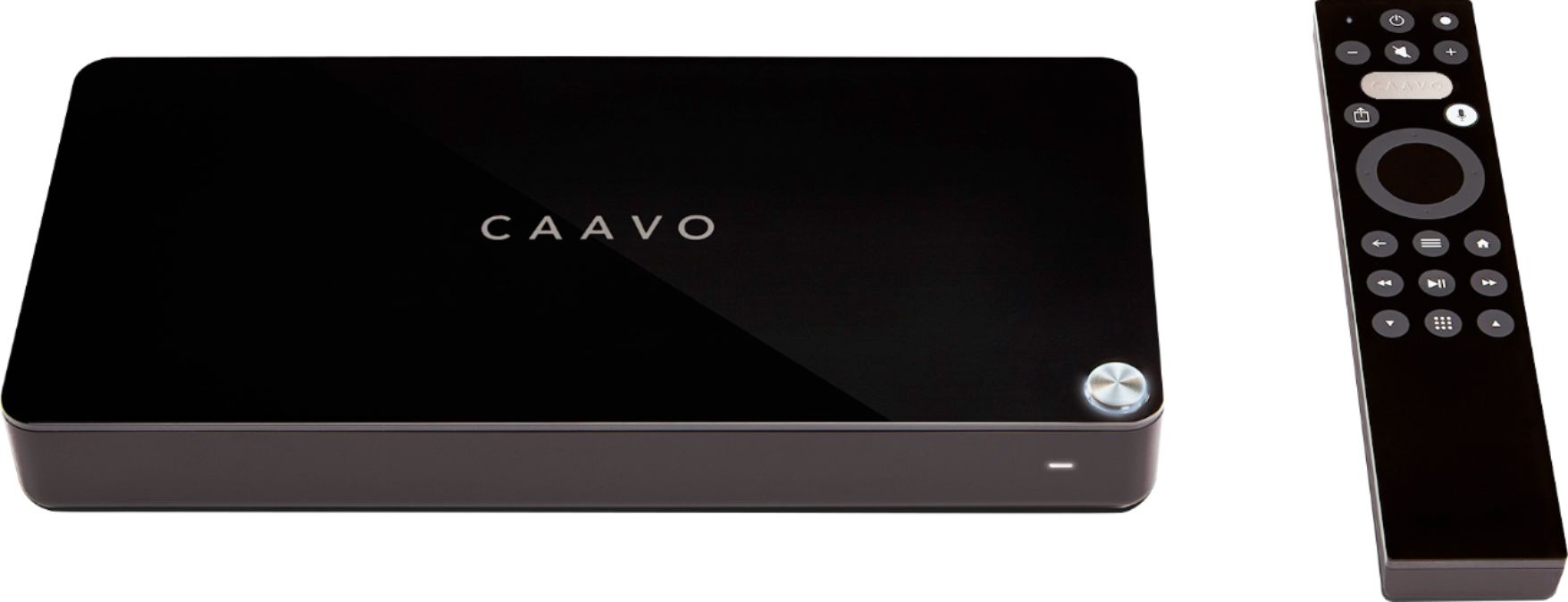
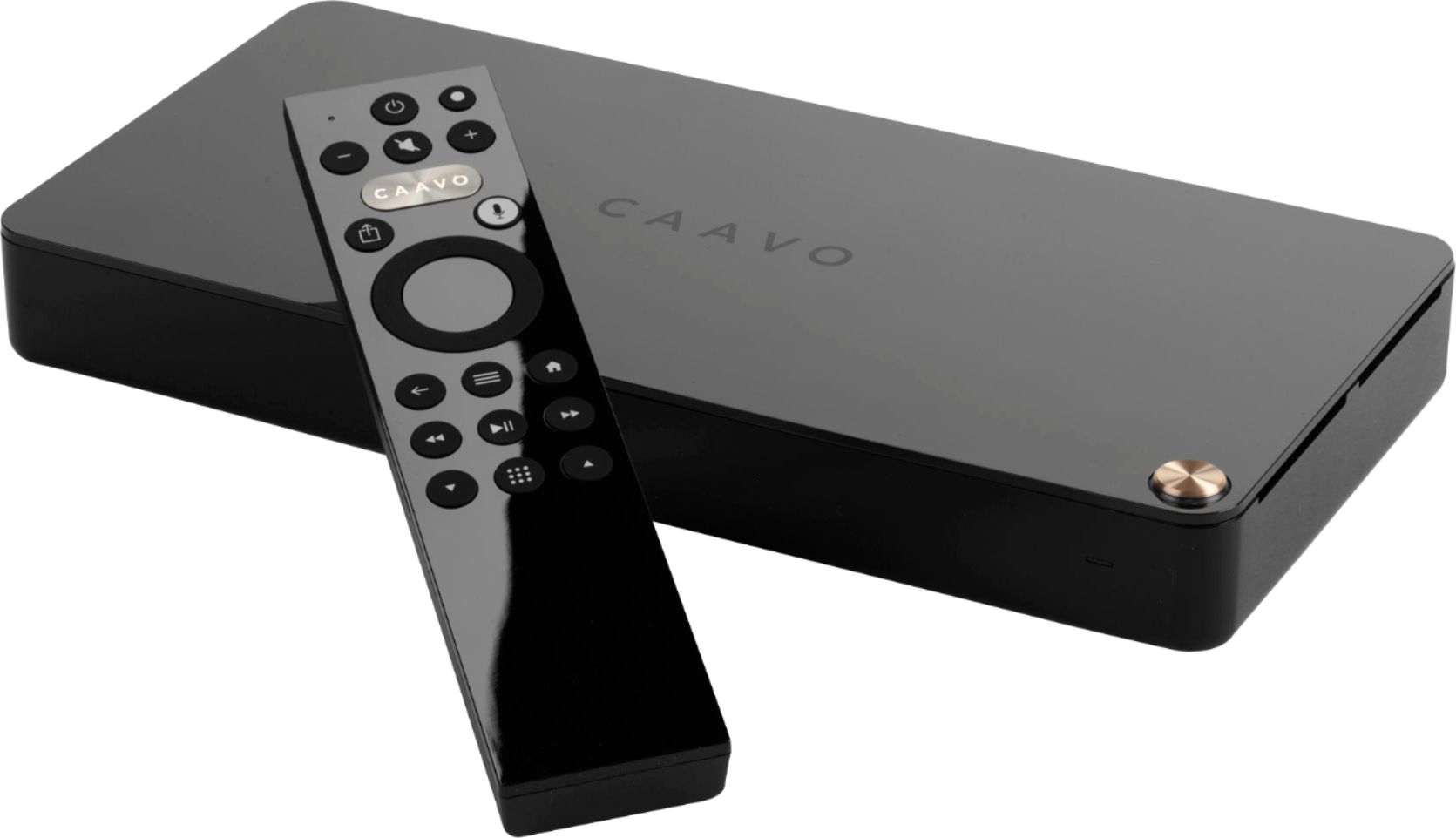
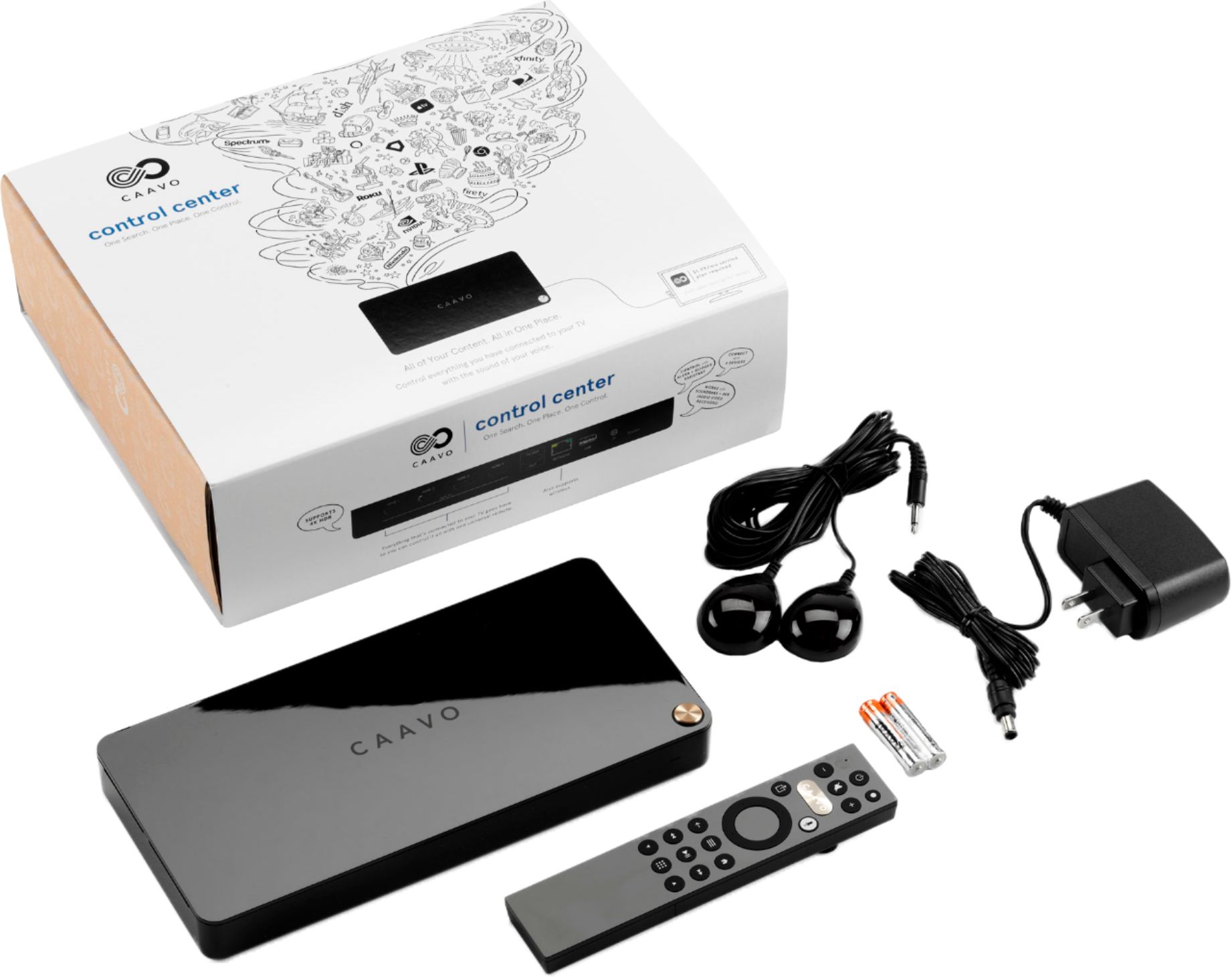

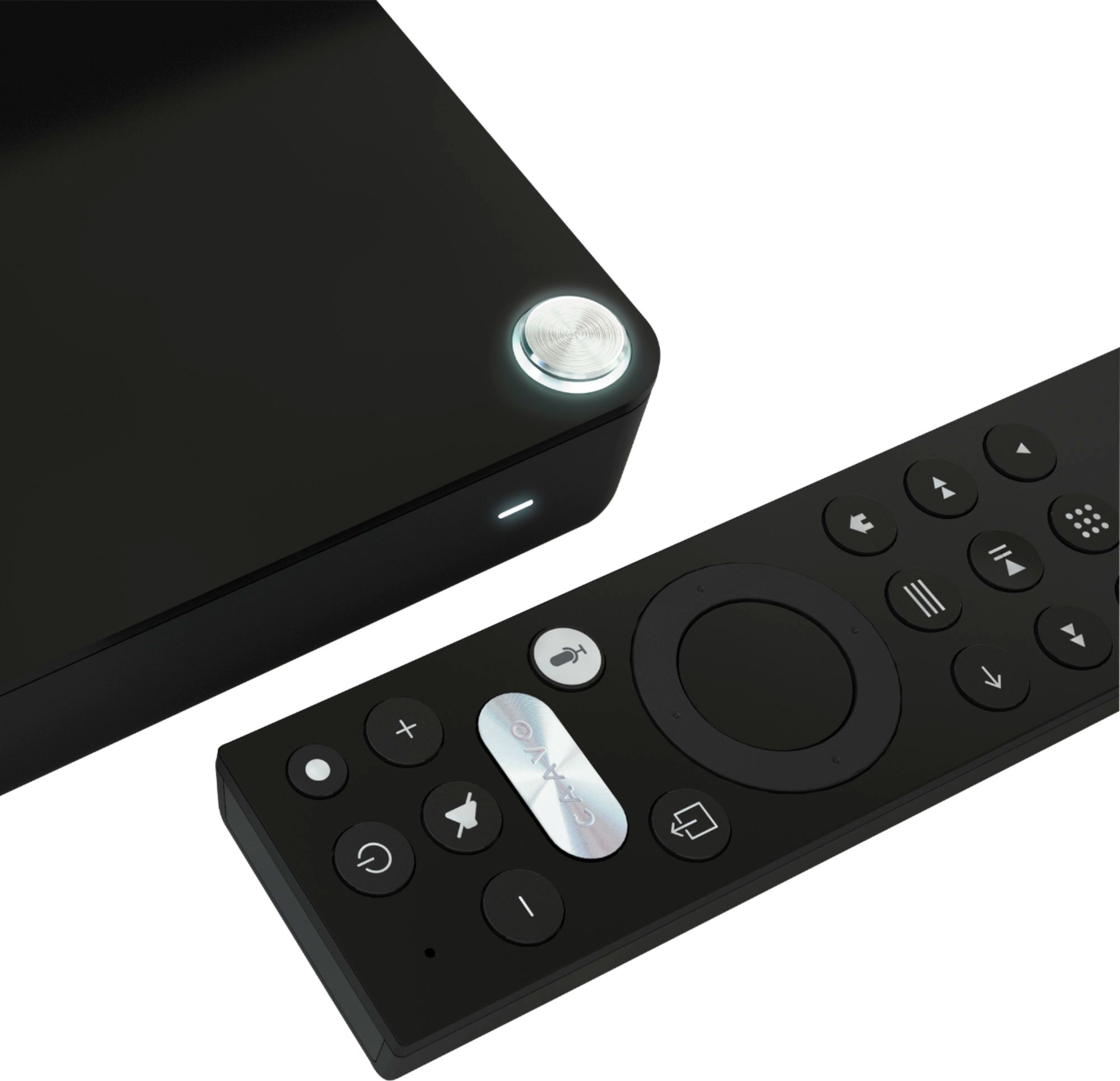



- Model:
- HDRX4BL
- SKU:
- 6302877
to a friend
Customers are saying
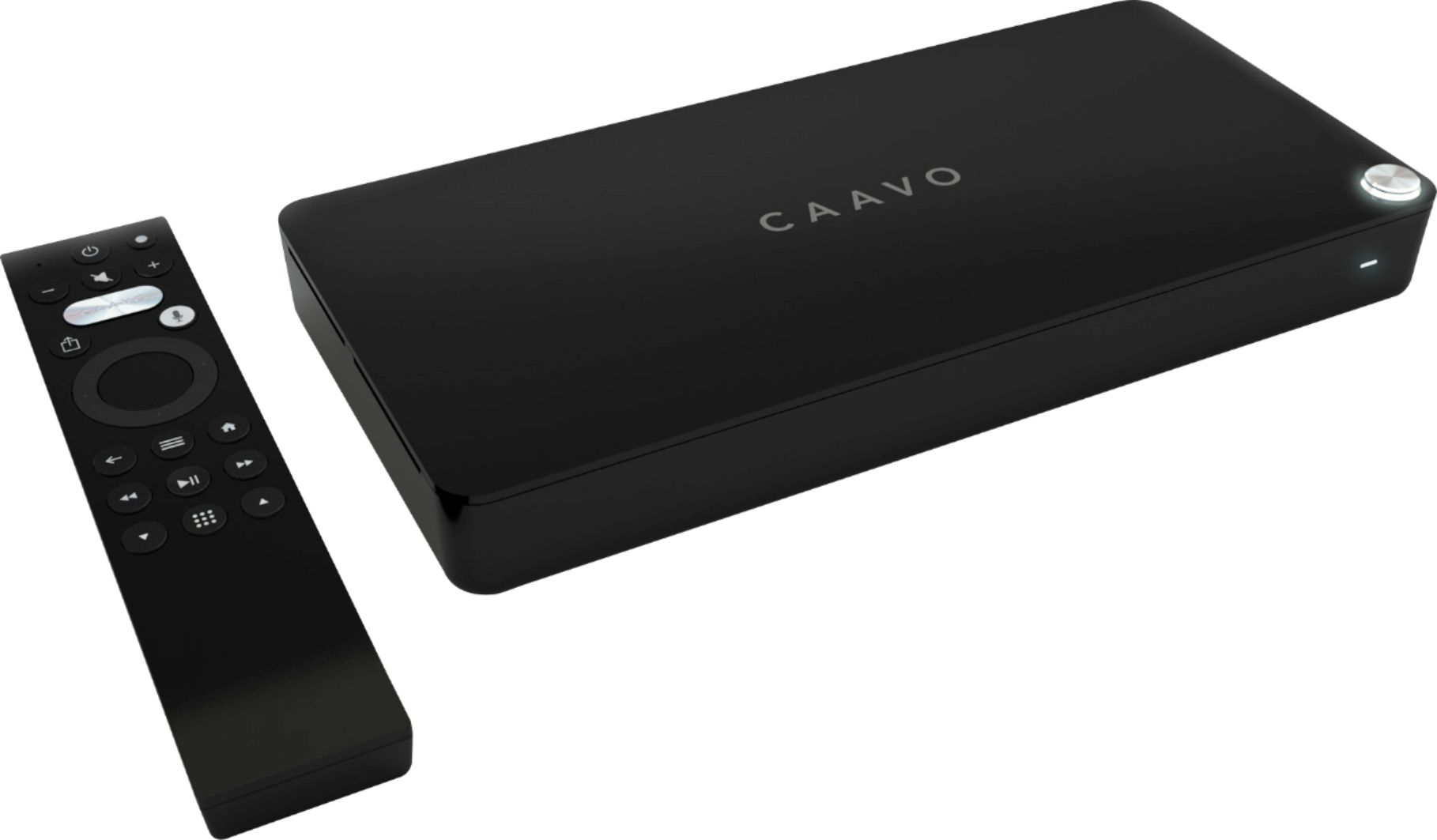
Customers are enthusiastic about the voice control, ease of use, and HDMI switching capabilities of the Control Center. Many appreciate the straightforward setup and compatibility with various devices, praising the clean interface. However, some users express concern regarding the required subscription fee. A few customers reported occasional performance issues, such as slow switching between devices or the need for occasional restarts.
This summary was generated by AI based on customer reviews.
- Pros mentioned:Ease of use, Hdmi, Setup
Top notch
||Posted .This reviewer received promo considerations or sweepstakes entry for writing a review.I have Nvida Shield, FireTv, Roku, & AppleTv streaming devices. Caavo manages them all with finesse and ease. Caavo is responsive. Using voice search is A+. It converts my speech correctly. The remote is simple and easy to navigate no matter the streaming device. I no longer need any of the remotes for my streaming devices. Caavo is very useful as a component of my home theatre setup. I have great picture quality and sound but I think, I don't understand why, the pic and audio is slightly enhanced for all streaming devices. Because Caavo has 4 hdmi inputs, it has freed up 4 hdmi connections on my home theatre receiver. I have Logitech Harmony Elite Remote which is good. Caavo is easier to setup and using it requires fewer steps. Caavo is an excellent, excellent, product. I'm very pleased and would not hesitate to recommend.
I would recommend this to a friendBrand response from CaavoSupport
Posted .Thank you very much. Your streaming devices are intelligent devices that communicate well and thus control center can interact with them seamlessly for the best possible experience. As you likely realized during setup, control center actually communicates with devices rather than stringing together programmed codes/macros. This is why we can deeplink into many of the apps on these devices for voice searching and launching content. Thanks for being a fan!

- Pros mentioned:Setup
Great product for tech enthusiasts
||Posted .This reviewer received promo considerations or sweepstakes entry for writing a review.I never write reviews but I am making an exception for this product. I admit that I have a tech addiction (do I really need an apple TV, roku and Amazon Fire on every TV I own) but this product is a must have. It really does everything that it claims to do...I could get rid of every remote that I have (goodbye all of my Harmony remotes) and just use this. The user interface and setup is one of the most elegant that I have seen and I had everything running in about 15 minutes. The reason that I didn't give it 4 stars is that I hated the fact that you couldn't finish the setup until you signed up for one of their service plans (even though the cheapest is only $1.99 a month and you can cancel in the first 45 days). I will try the service plan out for a month but will attempt to cancel if I don't think that it adds any value. BTW was a great price on the deal of the day last week, I only wish I had bought a few more at that price...hopefully it will go on sale again.
I would recommend this to a friendBrand response from CaavoSupport
Posted .Hi TechAddict. Thanks for your feedback. Please let us know at [email protected] if we can provide you with more information on what Caavo Service Plan does for you. We hope you become a big fan of this service and continue to enjoy your TV experience.
- Pros mentioned:Hdmi, Setup
Just what I needed!
||Posted . Owned for 3 weeks when reviewed.This reviewer received promo considerations or sweepstakes entry for writing a review.The Caavo - 4-port HDMI Switch was the all in one solution I was looking for. After researching various universal remotes with a much higher price tag, I decided to make this purchase. Connected to the Caavo is a LG Smart TV, Bose SoundTouch 300 sound bar and bass module, Apple TV 4K and Amazon Fire Cube and DirecTV genie. The setup and connection to the devices was seamless. The only reason I did not give this product 5 stars is the preference to have a number pad to select the channel I want to view. While you can setup your favorite channels, its more of a user preference. While this product offers a pay as you go subscription or lifetime subscription, my suggestion would be to go with the lifetime subscription. Even with the price of the lifetime subscription this product will cost less than a decent universal remote and will definitely outperform them.
I would recommend this to a friend - Pros mentioned:Setup, Voice control
Best HDMI Switch + more!
||Posted . Owned for 1 month when reviewed.This reviewer received promo considerations or sweepstakes entry for writing a review.I got this for 19.99 and its my purchase of the year so far as far as how satisfied I am with it. I had a clunky logitech harmony hub and a logitech 700 with an HDMI switch that worked on IR so it could be controller with the harmony remote/hub I had working with my Amazon Alexa....sometimes...then along came Cavvo. I bought the caavo and I am not looking back. This thing works flawlessly. Upon hookup the caavo reads the devices connected to it via HDMI and sets them up to work automatically, a few steps may be need on the devices themselves (PS4, TV power settings) but its all explained during setup. I have a TCL Roku TV and the Caavo essentially replaces the home screen of the Roku TV and makes almost everything accessible right from the Caavo UI. I have replaced my Alexa's with Nest speakers and voice commands work great. Im sure they would work the same with the amazon products as well. On to the remote.... The remote is basic and that is the beauty of it...depending on the device you are using the buttons on the caavo adjust to that....it works and works well. There is a subscription service that gives you a deep dive search feature with apps like Netflix, Amazon Prime, your personal Plex server....not useful to some but for those with large digital libraries and a lot of subscription video services it comes in handy. I got it for 1.99 a month by contacting Caavo support which is the price listed on the box I got however the service is now 3.99 I believe.
I would recommend this to a friend - Pros mentioned:Setup
Simplified my tv viewing.
||Posted .This reviewer received promo considerations or sweepstakes entry for writing a review.I go crazy with multiple remotes (TV, Cable Box, Apple Tv and Visio Soundbar. Caavo allows me to control it all with one remote. Amazingly easy to set up. Takes some getting used to which buttons control what but once accomplished it has really made it easy. My only complaint is sometimes it does something unexpected. Really nice to be able to change channels with voice commands.
I would recommend this to a friendBrand response from CaavoSupport
Posted .Thank you for the review. If you want customer support to help troubleshoot those "unexpected behaviors, please reach out to us at: https://support.caavo.com/hc/en-us/requests/new?chat=true
- Pros mentioned:Setup
WOW! Throw out your universal remote...
||Posted .This reviewer received promo considerations or sweepstakes entry for writing a review.WOW! The Caavo Control Center is such an awesome piece of tech! I've always wanted to find something to replace the multiple remotes I use daily. Thought about a universal remote, something premium, but couldn't really justify the price point. And the setup, my brother told me, is a pain. May not be with all universal remotes, but what I had consider would have been. I found out about Caavo from a YouTuber I subscribe too. When I found out what Caavo could do, I was sold! My favorite part during the setup was how Caavo knew exactly what I had plugged in to the HDMI port. It detected My Roku Ultra, Nvidia Shield TV and Nintendo Switch, name and little icons to go along. I'm very happy with Caavo, and their customer support team!
I would recommend this to a friendBrand response from CaavoSupport
Posted .Thank you so much for the kind review. We are glad you are enjoying your new entertainment experience with our product.
- Pros mentioned:Compatibility, Setup
Excellent video switching device
||Posted . Owned for 3 weeks when reviewed.This reviewer received promo considerations or sweepstakes entry for writing a review.The Caavo is an excellent video switching and management device. Works will with my Roku and Fire TV plus my TiVo. Simple to set up and no problems so far.
I would recommend this to a friend - Pros mentioned:Setup
Great hub and remote
||Posted .This reviewer received promo considerations or sweepstakes entry for writing a review.The caavo has been very well. It was fun as well to the voice command and it was pretty easy to set up. They just recently released an update to have it work with ifft so is also probably keeps getting updated. I would highly recommended best universal remote so far
I would recommend this to a friendBrand response from CaavoSupport
Posted .Thanks for sharing your experience with Control Center, we're glad to hear you'd highly recommend it.
- Pros mentioned:Setup
Not for me
||Posted .This reviewer received promo considerations or sweepstakes entry for writing a review.Had some issue getting to work and I consider myself good at putting ad on's to my media systems set up then after about 30 minutes I realized the problem the unit will not work unless you purchase a service plan from them rather you want it or not so back to the store it went
No, I would not recommend this to a friendBrand response from CaavoSupport
Posted .Sorry to hear you had trouble setting up your Control Center. Service plans are not required to use Control Center. Without a plan you are not able to use voice, deep-linking or partnered features. Control Center functions much like an HDMI switcher and universal remote without a service plan. if you decide to give Control Center another shot please contact our support team so they can help you setup Control Center without a service plan. You can contact Caavo support by clicking here: https://support.caavo.com/hc/en-us/requests/new?chat=true
- Pros mentioned:Setup
Love it!
||Posted .This reviewer received promo considerations or sweepstakes entry for writing a review.I recently purchased a PS4 so I had ran out of HDMI ports on my A/V receiver. This Caavo Control Center solved that problem perfectly. I now have my PS3, XBox One, XBox 360, and my Nintendo Classic all hooked up to this with easy switching between consoles. The setup could not have been any simpler.
I would recommend this to a friendBrand response from CaavoSupport
Posted .Playing video games is even better when you're not having to mess around with HDMI cables. It sounds like you've got an awesome setup. Thanks for the review.
- Pros mentioned:Setup
Great system for a start
||Posted .This reviewer received promo considerations or sweepstakes entry for writing a review.Super easy to setup works well with the Samsung television and sound bar
I would recommend this to a friendBrand response from CaavoSupport
Posted .Thanks for taking the time to leave a review. We'd love to know what we could be doing to get 5 stars from you. We can take any suggestions or feedback here: https://support.caavo.com/hc/en-us/requests/new?chat=true
- Pros mentioned:Setup
Good product as gift!
||Posted . Owned for 1 week when reviewed.This reviewer received promo considerations or sweepstakes entry for writing a review.I bought this as a X-mas gift. I am currently using one for my system, easy to setup and operate. This on screen guided you step by step. I purchased mine with the lifetime subscription.
I would recommend this to a friend - Pros mentioned:Hdmi, Setup, Voice control
Fantastic Device, Great Concept, Well Done CAAVO!
Posted .This reviewer received promo considerations or sweepstakes entry for writing a review.Caavo takes a different approach to "Universal Remote". It does this by Unifying your DEVICES into a beautiful little box, through which you control with it's own (beautiful) Remote. It makes the process of going from your Fire TV Device to your Roku, Bluray player (or any other device) seamless, simple and fast. If you use this for nothing BUT switching back & forth between devices, you get your money's worth, every dime. Add the Universal Remote characteristic to that and you have a fantastic solution at a VERY fair price. Add a ton of convenience to your routine, and as a bonus, you've freed-up some HDMI inputs on the TV itself! Voice Command works beautifully, with both Alexa and Google. Some reviewers have complained about the $1.99 monthly fee (many of whom haven't even bought this!). You DON'T NEED that for the Caavo to work. Personally, I'm getting my two bucks worth, but (again), that's up to you. Take it or leave it, the Caavo still does everything they claim, either way. The Box itself is simple, elegant and understated, the Remote is Solid and beautiful. Setup is EASY, the box guides you through each device you have, block-by-block, step-by-step and if you really need Support, they are fantastic. Earnest, dedicated and professional. I strongly recommend this Device and the Company behind it.
I would recommend this to a friendBrand response from CaavoSupport
Posted .Hi Ben1 - We love your review. Friends dont let friends use a TV remote :). Please spread the word...
- Pros mentioned:Hdmi, Setup
Cavvo is a magic box for your home theater!
Posted .This reviewer received promo considerations or sweepstakes entry for writing a review.I've bought tons of HDMI switches over the years, and have been a loyal Harmony customer for many more. However, I was interested by how easy Caavo looked (thanks to a Linus Tech Tips video), and I couldn't have been happier with my purchase. Setup replaced my old HDMI 4k switch and a Harmony. Setup was super simple, with the device recognition feeling like magic. What's amazing about Caavo is that instead of using IR, it tries to use HDMI-CEC where it can, which means it doesn't need line-of-sight. Nearly all of my devices (Nvidia Shield TV, Xbox, Sony TV, Samsung Soundbar) support it. I had to turn on Anynet+ on my soundbar, but now Caavo can turn it on an off and change inputs automatically. Oh, but it's so much more than a switch. Caavo *knows the menus* of your devices, so once you get your devices and preferred apps setup, it will automatically search and go to that show on the device. I can say *play The Good Place* and Caavo will show me episodes. If I pick one, it automatically jumps to the NBC app and selects the show for me. Amazing. Same with my TiVo *tune to Buzzr*, and it jumps right to the channel. Hoping for TiVo full DVR support too, where it can catalog your recorded shows like other DVRs. It's a simple universal remote for my devices, and the best part is that unlike my old Harmony, there's no confusing touch screen, since you can easily switch devices or shows right in Caavo. Great for roommates and the family, because it doesn't use IR, it's hard to mess up. Seriously, for the price, this is one of the best HDMI switches (plus more). No issues with 4K, switching inputs, or losing signal that other HDMI switches I've had. There is a $20/year plan needed for guide data, and I'm fine with that. Hopefully that pays for improved device support, more menu support, and more app support in the years to come. Caavo maybe the first 'magic' tech device I've used. Highly recommended!
I would recommend this to a friendBrand response from CaavoSupport
Posted .Hi Hastin - love your feedback. Thanks
- Pros mentioned:Compatibility, Setup, Voice control
MUCH More than just a universal remote!
Posted .This reviewer received promo considerations or sweepstakes entry for writing a review.I was looking for a Logitech Harmony controller so we could reduce the number of remotes in the Living Room, when I came across this gem; not only does it eliminate the need for multiple remotes, you actually dont need ANY remotes when hooked up correctly, and if you use a Google Home device and issue voice commands...it supposedly works with Alexa too, but, as usual, Alexa setup was trouble some, so I just skipped it. Anyways, just follow the on screen guided setup, and within 20-30 minutes, you have total control of all your devices, including Amazon Fire TV, Nvidia Shield, Roku, your blue ray player, anything, you name it! Also, you get complete control over Netflix/Amazon Prime,/YouTube, and your DLNA software, including Plex! This device is awesum, much more than I thought it would be, and, getting it on sale before Xmas was just an added bonus! Grab one ot these things today, and simplify your viewing life!
I would recommend this to a friendBrand response from CaavoSupport
Posted .Thanks for the nice words. Sometimes Alexa can be a little stubborn accepting the command to link to Caavo. It sometimes can take 3-4 tries telling her your code for her to accept it. After that, you will have voice control from across the room! If you want our Customer Support team to give you hand getting Alexa integrated, please reach out via: https://support.caavo.com/hc/en-us/requests/new?chat=true
- Pros mentioned:Setup, Voice control
Great way to unify your entertainment center
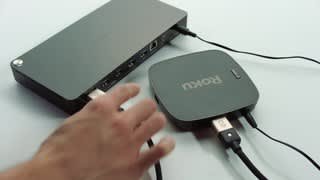
Posted .This reviewer received promo considerations or sweepstakes entry for writing a review.I was initially sold on the Caavo Control Center as a device that would eliminate the ever growing pile of remote controls that were accumulating on my coffee table. Promising a universal remote, voice control, streaming app support, and an ever growing list of supported devices, I decided to give the Caavo a shot. Caavo features 4 HDMI inputs and 1 HDMI output. If your TV or sound system supports HDMI ARC/CEC, Caavo can control those devices as well through the output port. Worth considering is Caavo's streaming app support. Caavo supports many of the more popular streaming services, such as Hulu, Netflix, and YouTube, but will require an external device to house the apps, such as a Firestick, Roku, or Chromecast. Given that most of your modern devices have these apps, this shouldn't be a problem. Adding new devices to Caavo is fairly straightforward. Caavo will detect any new devices that are plugged in and will automatically run through the setup process. For an ever growing list of supported devices, Caavo will simply identify the device and map the remote accordingly. If it is unable to detect your device, Caavo will walk you through a manual setup process that helps map and test your remote to ensure that everything works. Once your devices and apps are added, controlling them is pretty simple. Since the remote supports an infinite number of other devices, the remote is not labeled in much detail, outside of some universal symbols to help identify each button. It takes some time to learn your way around the new remote, but this is assisted by hovering your finger over the buttons which will show an onscreen prompt of what each button does. Caavo also supports voice control. Again, there's a slight learning curve when learning the various terminology and phrases that Caavo uses to control your devices, but it's fairly simple directing Caavo to switch to a given device, navigate through the channel guide or DVR menu, or searching for something to watch on a streaming platform. Finally, if you run into any issues getting the most out of the Caavo Control Center, there's a team of developers working to ensure you have the best experience possible. While initially adjusting to using the Caavo, I ran across a bug with the voice control. The developers reached out to me to address my issue and helped troubleshoot the problem before pushing out an update to correct it. Overall, the Caavo has done an excellent job unifying my entertainment center into one easy to control remote.
I would recommend this to a friendBrand response from CaavoSupport
Posted .We truly appreciate the feedback in your thoughtful review.
- Pros mentioned:Setup, Voice control
Great when it works, but it never works.
Posted .This reviewer received promo considerations or sweepstakes entry for writing a review.Day 7 review. Setup was easy, though little instructions. When this works, it is awesome. I have Directv, apple tv and a receiver connected. It is great to have a voice-activated search that crawls all platforms. It is great, just like Tivo at this. Here is the bad news, it is so GLITCHY. So...glitchy! I would say that the Caavo works around 25% of the time. The glitches range from not being able to control Directv, even though Caavo shows that the buttons are working. This requires a restart and repairing the remote. Think 5-minute hassle that you must do multiple times a day. Then, when you turn on the "system"" inevitably, this does not turn on all devices, requiring an annoying game of shielding devices and sharpshooting the missing device to turn on while not turning off the others. This happens absolutely 95% of the time without fail...or should I say without success. Having the original remotes for all devices is necessary. If you want to be frustrated, and constantly teased by its potential and don't mind horrible customer service, this device is perfect for you. What a shame.
No, I would not recommend this to a friend - Pros mentioned:Setup
Exceeded expectations
Posted .This reviewer received promo considerations or sweepstakes entry for writing a review.I was looking for a way to consolidate devices into one remote and was ready to get another Harmony remote. Luckily Best Buy had the Caavo on a daily deal sale so I went for it. I'm so happy I did. This is like a Harmony on steroids. Set up was so easy, and even kind of fun, as it Caavo walks you through the process. In less than 20 minutes I had three devices and a sound bar all working together perfectly. The Voice Command works surprisingly well. To test it I asked Caavo to play "Parks and Recreation Season 4 Episode 6" and it automatically switched to Netflix and that episode started playing. It was kind of magical. I did have some issues with a DirecTV box handshaking delays but the Caavo customer service has been very attentive and helpful. I know I have only scratched the surface of the capabilities, with curated lists, etc. but just using it as a "Super Duper Remote" is awesome and more than worth it.
I would recommend this to a friendBrand response from CaavoSupport
Posted .Thanks Andyfilm! We love your feedback.
Friends don't let friends use a TV remote :). Please spread the word...
- Pros mentioned:Setup
Changes The Way I View Content
Posted .This reviewer received promo considerations or sweepstakes entry for writing a review.Since adding Control Center into my entertainment center it has helped me reduce my remote count from 6 down to 1. With the For Your Consideration and Crowd Surfing section it helps me find content to watch. I also didn't run into any issues during setup and it even learned the IR commands for my older soundbar when it didn't have the stored codes.
I would recommend this to a friendBrand response from CaavoSupport
Posted .Thanks for the review. It sounds like you're getting the most out of your Control Center, but let us know if you ever have any questions: https://support.caavo.com/hc/en-us/requests/new?