Customer Ratings & Reviews





- Model:
- HDRX4BL
- SKU:
- 6302877
to a friend
Customers are saying
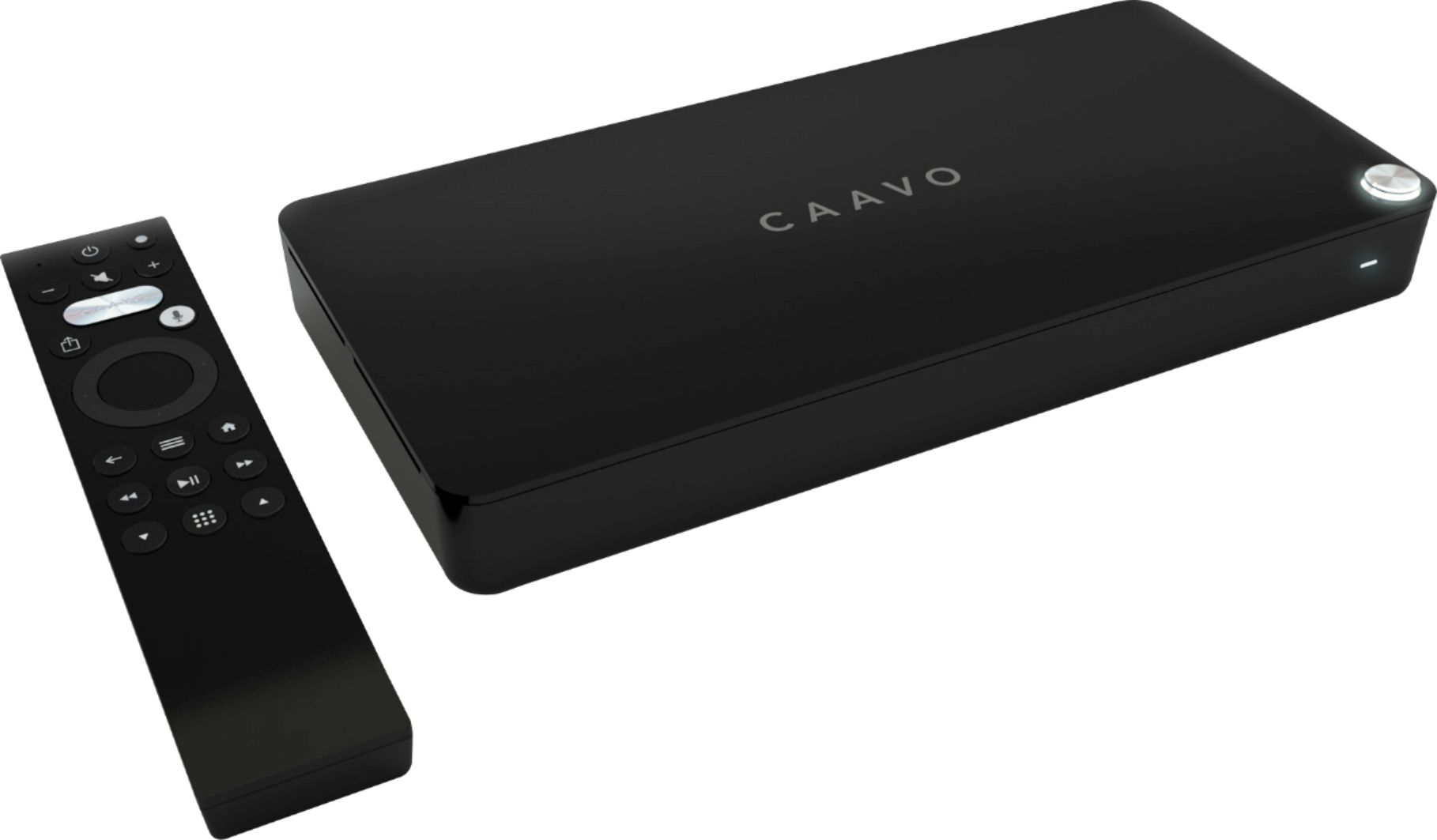
Customers are enthusiastic about the voice control, ease of use, and HDMI switching capabilities of the Control Center. Many appreciate the straightforward setup and compatibility with various devices, praising the clean interface. However, some users express concern regarding the required subscription fee. A few customers reported occasional performance issues, such as slow switching between devices or the need for occasional restarts.
This summary was generated by AI based on customer reviews.
Complete waste of time, TRASH
||Posted .This reviewer received promo considerations or sweepstakes entry for writing a review.Went and purchased the device in high hopes, unplugged every device and plugged them in and started the operating system and.... thats all! in order to move forward system had to update to latest version, but no matter what i used (wireless, ethernet) it would give a download error and try again, I tried to load it for 2 days straight to no avail. wasted so much of my time.
No, I would not recommend this to a friendBrand response from CaavoSupport
Posted .Hi Streamer5G,
Thank you for sharing your feedback. Control Center updates are positioned to be quick and easy to download, I understand this may not have been the case for you and I'd like to see what we can do to improve on your experience. Please reach out to UserSatisfaction@Caavo.com and I'll be sure to get this taken care of for you right away.
Thank you,
Asad C
Caavo Support
Bad Caavo purchase from worst store Best Buy
||Posted .This reviewer received promo considerations or sweepstakes entry for writing a review.Search function does not work even with Roku Ultra. Does not support Bluetooth remotes. does not support Xiaomi Mi Box. Reboots itself several times a day. Too many more problems to list. I bought Caavo Control Central for $50 during BF sale. It is not even worth $5. I already returned 2 of them and now I am blacklisted by Best Buy. I wish I had not kept the 3rd one.
No, I would not recommend this to a friendBrand response from CaavoSupport
Posted .Hi Sadrude - We are disappointed that you did not have a great experience. Control Center absolutely allows search across Roku Ultra. Xiaomi Mi Box is not yet supported but that support is coming soon.
Didn’t work for us
||Posted .This reviewer received promo considerations or sweepstakes entry for writing a review.It was a nice idea but unfortunately didn’t work for us. It wasn’t as easy to set up as we hoped and we were never able to get it to work with Charter. It also did not understand our voice commands. In the end we returned it. I really was hoping it would work as advertised. Maybe in a few years it will be possible to get a voice controlled entertainment system.
No, I would not recommend this to a friendBrand response from CaavoSupport
Posted .Hi Rose - We wish you had given us a chance to fix whatever you were experiencing. Control Center works well in tens of thousands of homes. In case you feel like giving us a second chance, please do not hesitate to reach out to our support team. They will be happy to get it going for you.
It’s ok
||Posted . Owned for 11 months when reviewed.This reviewer received promo considerations or sweepstakes entry for writing a review.Tried using it. Nice concept, but ended up going back to a Roku/chromecast
I would recommend this to a friendWould have been Great if
||Posted .This reviewer received promo considerations or sweepstakes entry for writing a review.Would have been great if I didn’t need to a yearly subscription. Returned it
No, I would not recommend this to a friendBrand response from CaavoSupport
Posted .Hi 2ndPowerGearSound - Its too bad that you did not see value in your service plan. BTW, did you could still continue to use basic features even if you did not want to subscribe?
Terrible
||Posted . Owned for 9 months when reviewed.This reviewer received promo considerations or sweepstakes entry for writing a review.I loathe this device — and the customer service reps I had to deal with from Caavo. It’s clunky and doesn’t work well with everything ...on top of being expensive. Thumbs down.
No, I would not recommend this to a friendToo many problems
||Posted .This reviewer received promo considerations or sweepstakes entry for writing a review.I really wanted to like this product but right out the gate I had issues. To download the updates to it, I had to plug it in directly to my modem, connecting via wi-fi did not work even though it was 10 ft away. Then when i connected it to the modem it was impossible to connect my tv since it was mounted.
No, I would not recommend this to a friendBrand response from CaavoSupport
Posted .Hi Cmayweather -
we are sorry you had a poor experience with Control Center. If there is anything we can do, please do not hesitate to reach out to us at userexperience@caavo.com
Subcription needed
||Posted .This reviewer received promo considerations or sweepstakes entry for writing a review.Got the item and after reading the "fine print" decided to return it. A fee is charged to use the features.
No, I would not recommend this to a friendBrand response from CaavoSupport
Posted .As stated on the front of the box as well as in the second bullet of the product description on Amazon, Control Center does require an active service plan to have access to the full suite of features.
These features include:
* Voice commands: Tune to a channel, switch sources, say what you want to watch, set a sleep timer, and more.
* Watch functionality: Editorial recommendations, For Your Consideration, Crowd Surfing, Caavo Cache, Content guides and the ability to create and store Lists.
* Universal Search: Access to content libraries that allow you to search across all your linked content including YouTube videos
The service plan is free for the first 45 days. Beyond that there are monthly, yearly, and lifetime plans available. If you cancel your service plan within the 45 day free period, you will still be able to use the basic features of control center. Without an active service plan, you will still be able to use the remote control to power on/off your system, control volume, switch to your source devices, navigate them, and launch shows.
What a pain
||Posted .This reviewer received promo considerations or sweepstakes entry for writing a review.Tried to install to my QLED Samsung . This TV did not want to recognize this device for the longest time . had to reboot this unit a couple times, then it showed up . I cant see the subscription of this device out weighing the ease and simplicity of my SMART TV .
No, I would not recommend this to a friendBrand response from CaavoSupport
Posted .Hi Mr.TJC - Control Center requires you to have a streaming device and does not support apps on your smart tv.
- Pros mentioned:Hdmi, Setup, Voice control
Fantastic Device, Great Concept, Well Done CAAVO!
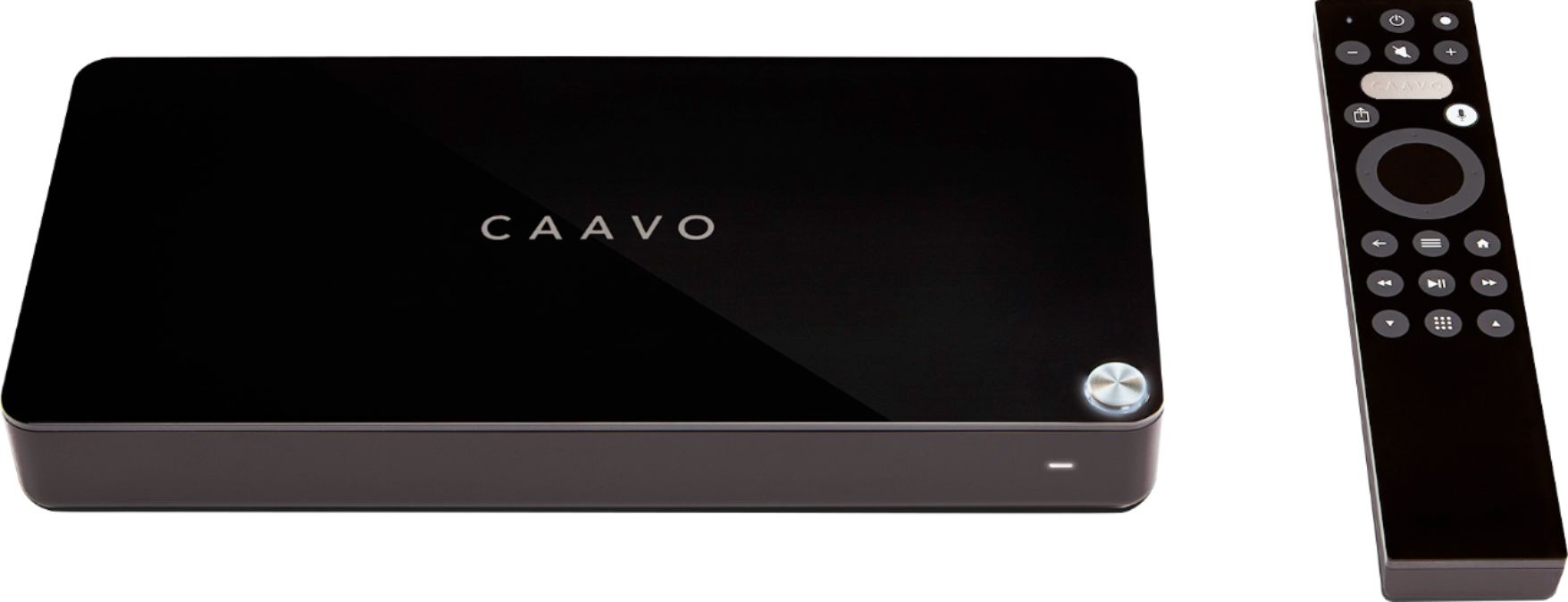
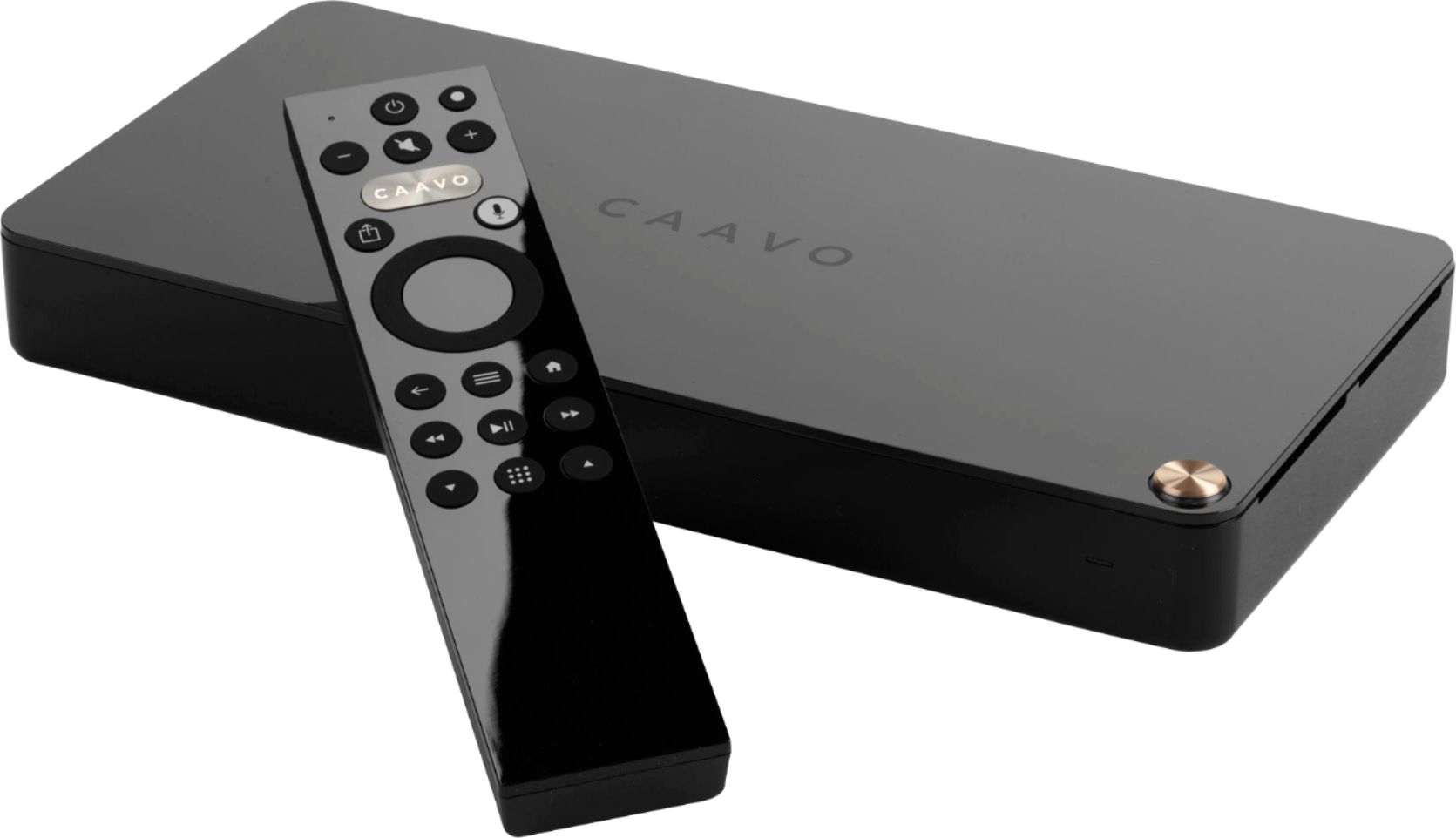
Posted .This reviewer received promo considerations or sweepstakes entry for writing a review.Caavo takes a different approach to "Universal Remote". It does this by Unifying your DEVICES into a beautiful little box, through which you control with it's own (beautiful) Remote. It makes the process of going from your Fire TV Device to your Roku, Bluray player (or any other device) seamless, simple and fast. If you use this for nothing BUT switching back & forth between devices, you get your money's worth, every dime. Add the Universal Remote characteristic to that and you have a fantastic solution at a VERY fair price. Add a ton of convenience to your routine, and as a bonus, you've freed-up some HDMI inputs on the TV itself! Voice Command works beautifully, with both Alexa and Google. Some reviewers have complained about the $1.99 monthly fee (many of whom haven't even bought this!). You DON'T NEED that for the Caavo to work. Personally, I'm getting my two bucks worth, but (again), that's up to you. Take it or leave it, the Caavo still does everything they claim, either way. The Box itself is simple, elegant and understated, the Remote is Solid and beautiful. Setup is EASY, the box guides you through each device you have, block-by-block, step-by-step and if you really need Support, they are fantastic. Earnest, dedicated and professional. I strongly recommend this Device and the Company behind it.
I would recommend this to a friendBrand response from CaavoSupport
Posted .Hi Ben1 - We love your review. Friends dont let friends use a TV remote :). Please spread the word...
- Pros mentioned:Hdmi, Voice control
Great Device Especially for Plex
Posted .This reviewer received promo considerations or sweepstakes entry for writing a review.I don't write reviews often but I have been so impressed with how much the device has made watching TV/Movies/Content/etc easier. This is an unbelievable value when you consider it is a fully functional HDMI switch that supports all the major high-end specs plus it has the nifty universal remote with voice search. What I love about the device is it simplifies how I watch my content better than any other option out there. Some highlights with how I use it: - Voice Search - In general this works exceptionally well - Plex voice search is awesome. I love using Plex but missed the ability to search previously using a Shield TV or FireTV - Youtube videos - Its pretty nice to be able to voice search for a movie and have the option to seamlessly watch youtube videos - behind the scenes, interviews, trailers, etc. No changing apps or anything. - Auto Input at startup - You can set it to automatically turn on with cable TV when you turn on your system. I am tech saavy but others in my house struggle with anything "new". Rather than them turning on the TV and not knowing how to change the input from Shield TV to cable it can automatically revert to cable (if I request that in settings) at startup. In practice it means a novice user can watch TV without even having to mess with the Caavo and "learn" the remote. They pick up the cable tv remote and use it as if Caavo isn't even there. - Alexa/Google Assistant Integration - I like a connected home. I haven't fully integrated everything but its nice to be able to yell at Alexa to search Caavo when I am too lazy to find the remote - Input Select - Might seem redundant but it is basically a brilliant HDMI switch at its core where you press the input button on the remote and a nice screen comes up with options of "Xfinity", "Shield TV", "Xbox One", etc rather than scrolling through "HDMI 1", "HDMI 2", "Composite 1", etc not remembering what device you had on what input. - Remote Finder - I found this out by accident though it may be in their marketing. If you lose your remote you can press the button on the box and the remote will sing a tune until you press a button. - Caavo Remote is Supplementary - When you use Caavo you don't need to throw out the other remotes. I still will pick up the Shield remote or the cable remote depending on what I am watching if it is closer and everything works like normal. This might seem obvious but just wanted to make clear you can still use the original remotes I haven't gotten into other features yet like curated playlists and such but I kind of view it as all bonus from here out. By comparison I have had Harmony remotes ranging from the lower end up to the Harmony One which rarely got used because they were too complicated or settings got mixed up, etc. Caavo is just easy. In closing, get this device because it will improve the quality of your TV viewing experience in a minimally invasive way. There is no other device that comes close to competing with this. Other things of note: - I have two systems in my place in different rooms and both play nicely. I did have to sign up for two accounts rather than sharing one but it is worth it to me for the convenience. - Before Caavo I would always buy extra remotes for devices like my cable box, Fire TV, etc so I could have one on one side of the couch and the other by the chair, for instance. I inquired about adding a second remote to Caavo but it is not possible yet. They are looking into adding that functionality. Not the end of the world, though considering I still can use the Shield remote when I am using the Shield and the Comcast remote when watching TV. *I cross-posted this on Amazon reviews
I would recommend this to a friendBrand response from CaavoSupport
Posted .Hi Jpeter15 - We love your review. Friends dont let friends use a TV remote :). Please spread the word...
- Pros mentioned:Hdmi, Setup
Cavvo is a magic box for your home theater!
Posted .This reviewer received promo considerations or sweepstakes entry for writing a review.I've bought tons of HDMI switches over the years, and have been a loyal Harmony customer for many more. However, I was interested by how easy Caavo looked (thanks to a Linus Tech Tips video), and I couldn't have been happier with my purchase. Setup replaced my old HDMI 4k switch and a Harmony. Setup was super simple, with the device recognition feeling like magic. What's amazing about Caavo is that instead of using IR, it tries to use HDMI-CEC where it can, which means it doesn't need line-of-sight. Nearly all of my devices (Nvidia Shield TV, Xbox, Sony TV, Samsung Soundbar) support it. I had to turn on Anynet+ on my soundbar, but now Caavo can turn it on an off and change inputs automatically. Oh, but it's so much more than a switch. Caavo *knows the menus* of your devices, so once you get your devices and preferred apps setup, it will automatically search and go to that show on the device. I can say *play The Good Place* and Caavo will show me episodes. If I pick one, it automatically jumps to the NBC app and selects the show for me. Amazing. Same with my TiVo *tune to Buzzr*, and it jumps right to the channel. Hoping for TiVo full DVR support too, where it can catalog your recorded shows like other DVRs. It's a simple universal remote for my devices, and the best part is that unlike my old Harmony, there's no confusing touch screen, since you can easily switch devices or shows right in Caavo. Great for roommates and the family, because it doesn't use IR, it's hard to mess up. Seriously, for the price, this is one of the best HDMI switches (plus more). No issues with 4K, switching inputs, or losing signal that other HDMI switches I've had. There is a $20/year plan needed for guide data, and I'm fine with that. Hopefully that pays for improved device support, more menu support, and more app support in the years to come. Caavo maybe the first 'magic' tech device I've used. Highly recommended!
I would recommend this to a friendBrand response from CaavoSupport
Posted .Hi Hastin - love your feedback. Thanks
- Pros mentioned:Ease of use, Hdmi, Voice control
Didn't think I'd need it
Posted .This reviewer received promo considerations or sweepstakes entry for writing a review.I wasn't too sure I needed a Caavo when I first heard about it, but it kept popping up and I decided to give it a shot. A friend of mine has one and he really enjoys it so I figured, why not give it a go? I only have my AppleTV, my Roku Stick and my PS4 plugged into it right now and I can't imagine switching back. Firstly, having all my devices centralized is way easier than my set up before. I had devices in different TVs because most TVs don't have enough HDMI ports, so thank goodness for that. Being able to watch YouTube videos directly through search is another really convenient point. I don't have to type stuff out on my Smart Tv and jump around with the slower controls, I just go right to it through voice search. I use YouTube more than any other app on my TV, so I'm really grateful for that feature. Overall, I think the best aspect of the Caavo is how much my family enjoys it. Its made it way easier for my mom to find what she's looking for and enjoy her shows and movies. I don't have to run to the living room each time she can't figure something out. Glad I bought the Caavo, its really changed my viewing experience from kind of annoying to easy and fun.
I would recommend this to a friendBrand response from CaavoSupport
Posted .Hi Afc2 - love your feedback. Thanks
AWFUL!!!!
||Posted .This reviewer received promo considerations or sweepstakes entry for writing a review.It is slow, not at all intuitive, and the best part? The voice control is only a trial. You have to buy a subscription to use the voice control. What a waste of money. Crappy product and shady company.
No, I would not recommend this to a friendBrand response from CaavoSupport
Posted .We are sorry you're not loving your new Caavo Control Center. The service plan provides access to our hosted services to experience the full suite of Caavo features including:
Voice commands: Tune to a channel, switch sources, say what you want to watch, set a sleep timer, turn on/off and other remote control features
Watch functionality: Editorial recommendations, For Your Consideration, Crowd Surfing, Caavo Cache, Content guides and the ability to create and store Lists.
Universal Search: Access to content libraries that allow you to search across all your linked content including YouTube videos.
If you do not see the value in the service plan, you may cancel at any time. The first 45 days are provided free of charge so you can experience all the features before making your decision.
- Pros mentioned:Compatibility, Setup, Voice control
MUCH More than just a universal remote!
Posted .This reviewer received promo considerations or sweepstakes entry for writing a review.I was looking for a Logitech Harmony controller so we could reduce the number of remotes in the Living Room, when I came across this gem; not only does it eliminate the need for multiple remotes, you actually dont need ANY remotes when hooked up correctly, and if you use a Google Home device and issue voice commands...it supposedly works with Alexa too, but, as usual, Alexa setup was trouble some, so I just skipped it. Anyways, just follow the on screen guided setup, and within 20-30 minutes, you have total control of all your devices, including Amazon Fire TV, Nvidia Shield, Roku, your blue ray player, anything, you name it! Also, you get complete control over Netflix/Amazon Prime,/YouTube, and your DLNA software, including Plex! This device is awesum, much more than I thought it would be, and, getting it on sale before Xmas was just an added bonus! Grab one ot these things today, and simplify your viewing life!
I would recommend this to a friendBrand response from CaavoSupport
Posted .Thanks for the nice words. Sometimes Alexa can be a little stubborn accepting the command to link to Caavo. It sometimes can take 3-4 tries telling her your code for her to accept it. After that, you will have voice control from across the room! If you want our Customer Support team to give you hand getting Alexa integrated, please reach out via: https://support.caavo.com/hc/en-us/requests/new?chat=true
Not worth it
||Posted . Owned for 7 months when reviewed.This reviewer received promo considerations or sweepstakes entry for writing a review.So, it seemed like a good idea, a hub to control everything but it made my tv seem darker and it is a hassle to set up. I am no longer using it.
No, I would not recommend this to a friendIssues with “lifetime” service
||Posted . Owned for 11 months when reviewed.This reviewer received promo considerations or sweepstakes entry for writing a review.I bought the “lifetime subscription” from Best Buy. The company charges my card each month. I do not recommend buying the service through Best Buy.
No, I would not recommend this to a friend- Pros mentioned:Ease of use, Voice control
Big Caavo and Control Center Fan
Posted .This reviewer received promo considerations or sweepstakes entry for writing a review.So I got this Control Center by Caavo the other day and it has completely changed my television watching experience. I have a Samsung TV, a FIOS STB, a Denon AVR, an Apple TV, and a Roku. I regularly watch shows on my DVR and hunt for and stream shows from Amazon Prime, Netflix, Hulu and Youtube. The challenge has always been finding shows to watch by hunting thru Amazon Prime and then hunting thru Netflix and then hunting thru Hulu... you get the picture. Seems like I spent more time switching remotes and hunting for shows than watching them. Then I had to remember what device and what app I was watching each show on. Now that I have Control Center, I have no idea what shows stream from what apps and from what devices, Control Center deals with all that so I don't have to. Control Center provides me lists of shows that other Control Center users have suggested. There are published lists such as "Favorite Sci Fi Movies", "Binge Worthy Shows", or "Goes Well with White Wine Shows". I can also search for shows literally with the press of the microphone button and saying "Sons of Anarchy" or "Tom Cruise". The search hunts thru all the streaming apps on all of my devices as well as my set top box guide and DVR. The results are presented to me on a single screen. I can then select one of the results and Control Center will go to the correct device, open the correct streaming app, and find the correct show without me ever having to know or care where that shows is coming from. Less hunting and more watching. My head hurts just thinking about what must be happening under the hood to simplify all this for me. This isn't some simple bluetooth speaker or streaming doorbell. Control Center must be able to communicate and navigate to these various hardware devices and streaming apps. It must know what content is available on the various devices and apps. And Control Center must be able to manage all the audio and video resolutions, encryptions, key handoffs, etc going on between all these devices. With that in mind, paying attention and taking the setup process seriously is important. Control Center walks you thru the setup process as it identifies and determines how best to communicate with each device. Again, this is not some simple wireless speaker, it is the heart and soul of your entertainment system. I took my time going thru the process which took a little over 1/2 hour and have had zero issues since. I have a good friend who bought a Control Center, rushed thru the install and ended up having to go back thru parts of setup later as he had issues due to him selecting the wrong program guide for FIOS and him not fully verifying that all the buttons on his original remote were IR learned by Control Center. There is a service plan that is required to get all the features except the universal remote behavior. I am not a big fan of the subscription model but, again, I do not want to worry about what shows come from what apps on whatever box so I want the features that come with the plan. Also, I spend a bunch of money every month on Netflix, Prime, Hulu and FIOS so I can get all the cool shows, why not spend just $2 more per month to make it super easy to find and watch all these cool shows. Makes sense to me.
I would recommend this to a friendBrand response from CaavoSupport
Posted .Thanks for your awesome review. Our team is thrilled reading it.
Doesn’t work with smart tv so did me no good
||Posted .This reviewer received promo considerations or sweepstakes entry for writing a review.Bought it and set it up. Hours later, figured out it doesn’t work with smart tv. Confirmed with email to company.
No, I would not recommend this to a friendBrand response from CaavoSupport
Posted .We've recently released an update that allows Control Center to navigate most smart TVs. You can find more information here: https://support.caavo.com/hc/en-us/articles/360025732511-TV-Mode
- Pros mentioned:Setup, Voice control
Great way to unify your entertainment center
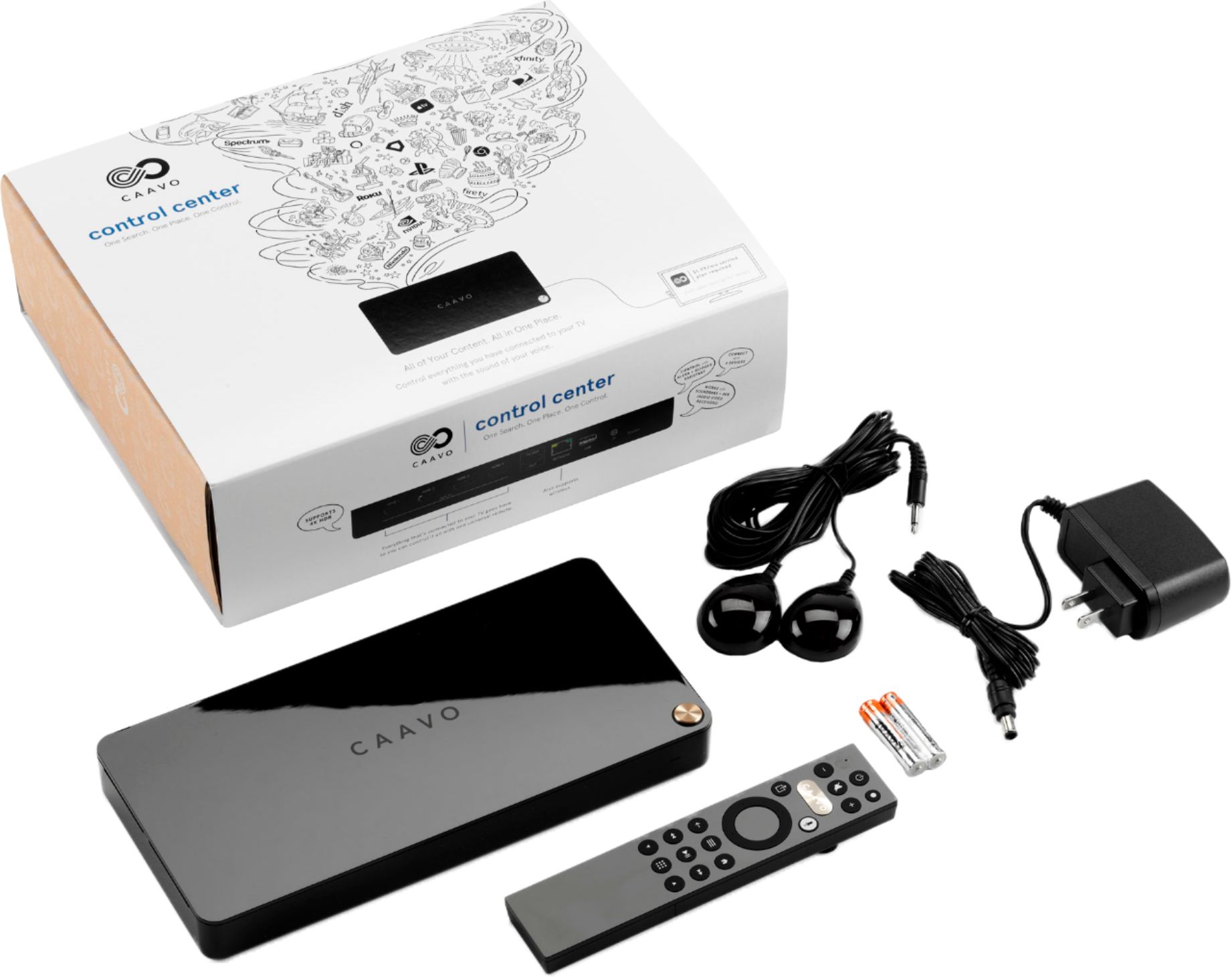
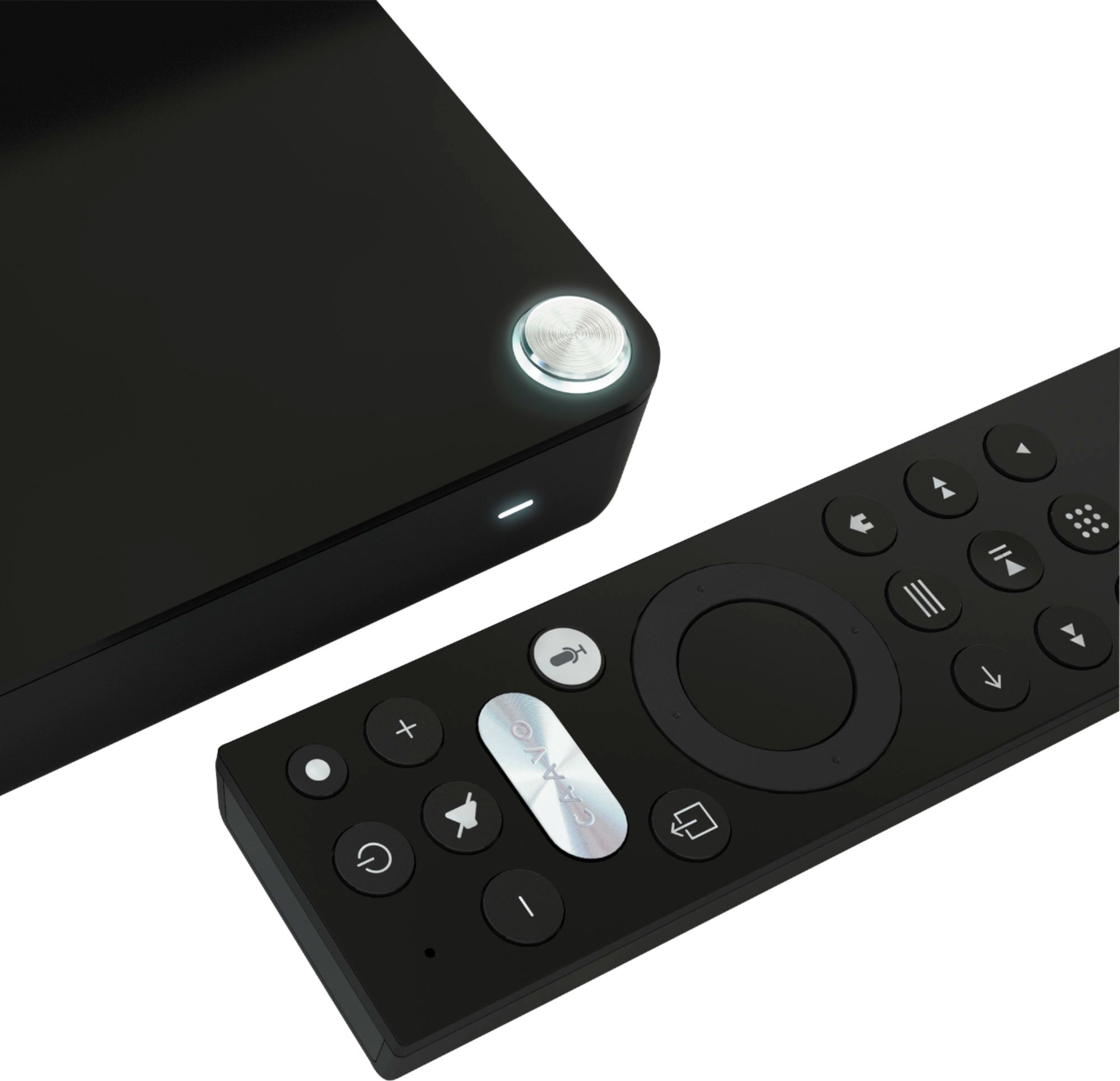
Posted .This reviewer received promo considerations or sweepstakes entry for writing a review.I was initially sold on the Caavo Control Center as a device that would eliminate the ever growing pile of remote controls that were accumulating on my coffee table. Promising a universal remote, voice control, streaming app support, and an ever growing list of supported devices, I decided to give the Caavo a shot. Caavo features 4 HDMI inputs and 1 HDMI output. If your TV or sound system supports HDMI ARC/CEC, Caavo can control those devices as well through the output port. Worth considering is Caavo's streaming app support. Caavo supports many of the more popular streaming services, such as Hulu, Netflix, and YouTube, but will require an external device to house the apps, such as a Firestick, Roku, or Chromecast. Given that most of your modern devices have these apps, this shouldn't be a problem. Adding new devices to Caavo is fairly straightforward. Caavo will detect any new devices that are plugged in and will automatically run through the setup process. For an ever growing list of supported devices, Caavo will simply identify the device and map the remote accordingly. If it is unable to detect your device, Caavo will walk you through a manual setup process that helps map and test your remote to ensure that everything works. Once your devices and apps are added, controlling them is pretty simple. Since the remote supports an infinite number of other devices, the remote is not labeled in much detail, outside of some universal symbols to help identify each button. It takes some time to learn your way around the new remote, but this is assisted by hovering your finger over the buttons which will show an onscreen prompt of what each button does. Caavo also supports voice control. Again, there's a slight learning curve when learning the various terminology and phrases that Caavo uses to control your devices, but it's fairly simple directing Caavo to switch to a given device, navigate through the channel guide or DVR menu, or searching for something to watch on a streaming platform. Finally, if you run into any issues getting the most out of the Caavo Control Center, there's a team of developers working to ensure you have the best experience possible. While initially adjusting to using the Caavo, I ran across a bug with the voice control. The developers reached out to me to address my issue and helped troubleshoot the problem before pushing out an update to correct it. Overall, the Caavo has done an excellent job unifying my entertainment center into one easy to control remote.
I would recommend this to a friendBrand response from CaavoSupport
Posted .We truly appreciate the feedback in your thoughtful review.