Customer Ratings & Reviews
- Model:
- 5811C012
- |
- SKU:
- 10765394
Customer reviews
Rating 4.8 out of 5 stars with 725 reviews
(725 customer reviews)Rating by feature
- Value4.8
Rating 4.8 out of 5 stars
- Quality4.8
Rating 4.8 out of 5 stars
- Ease of Use4.8
Rating 4.8 out of 5 stars
to a friend
Rated 5 out of 5 stars
Love it
||Posted . Owned for 3 months when reviewed.This reviewer received promo considerations or sweepstakes entry for writing a review.the best camera for beginners, excellent price benefit ratio.
This review is from Canon - EOS R50 4K Video Mirrorless Camera with RF-S18-45mm f/4.5-6.3 IS STM Lens - Black
I would recommend this to a friendRated 5 out of 5 stars
Worth it
||Posted . Owned for 1 month when reviewed.This reviewer received promo considerations or sweepstakes entry for writing a review.My first ever camera and I must say it’s simple to understand and
This review is from Canon - EOS R50 4K Video Mirrorless Camera with RF-S18-45mm f/4.5-6.3 IS STM Lens - Black
I would recommend this to a friendRated 4 out of 5 stars
Great Camera, Meh Kit lens.
||Posted . Owned for 2 weeks when reviewed.This reviewer received promo considerations or sweepstakes entry for writing a review.Great camera, but the 18-45mm kit lens leaves much to be desired. I ended up using only other lenses I bought separately.
This review is from Canon - EOS R50 4K Video Mirrorless Camera with RF-S18-45mm f/4.5-6.3 IS STM Lens - Black
I would recommend this to a friendRated 5 out of 5 stars
Compact But Powerful
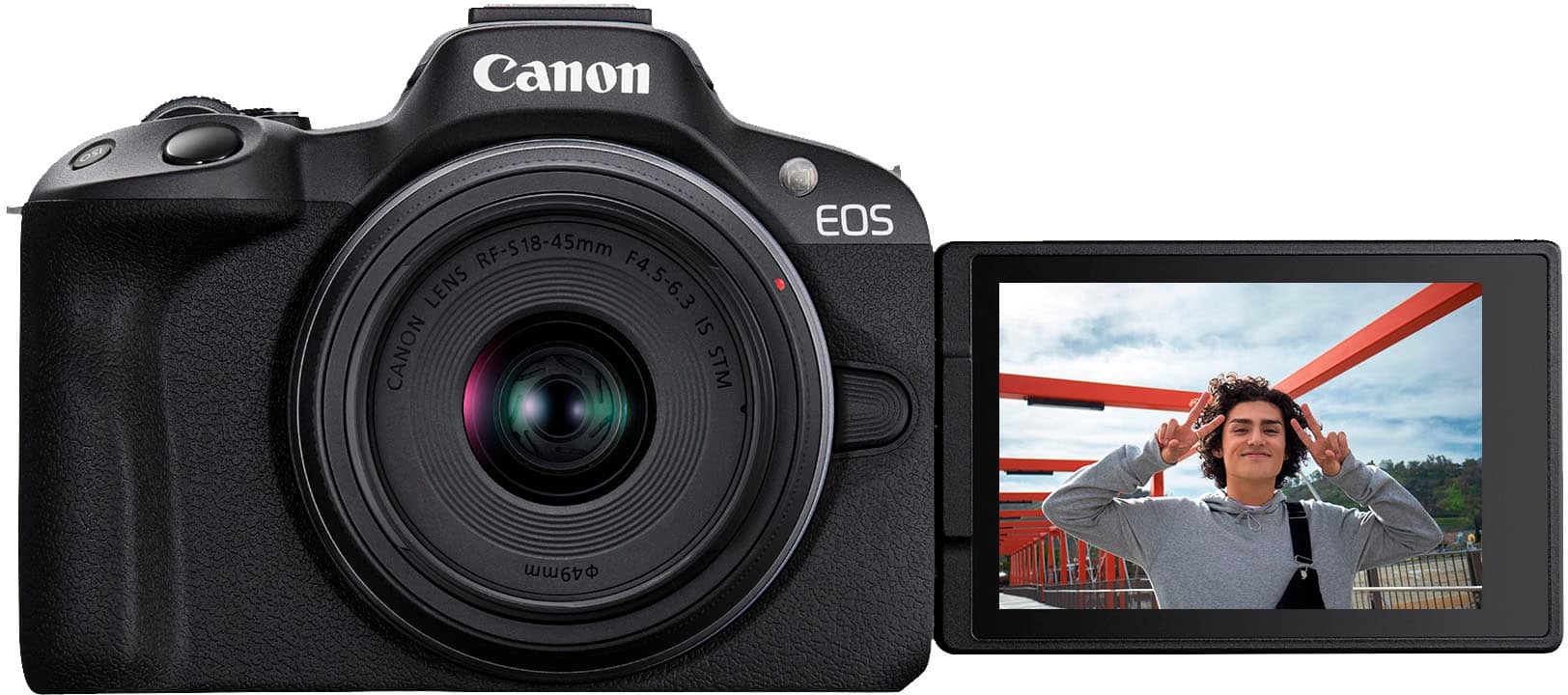
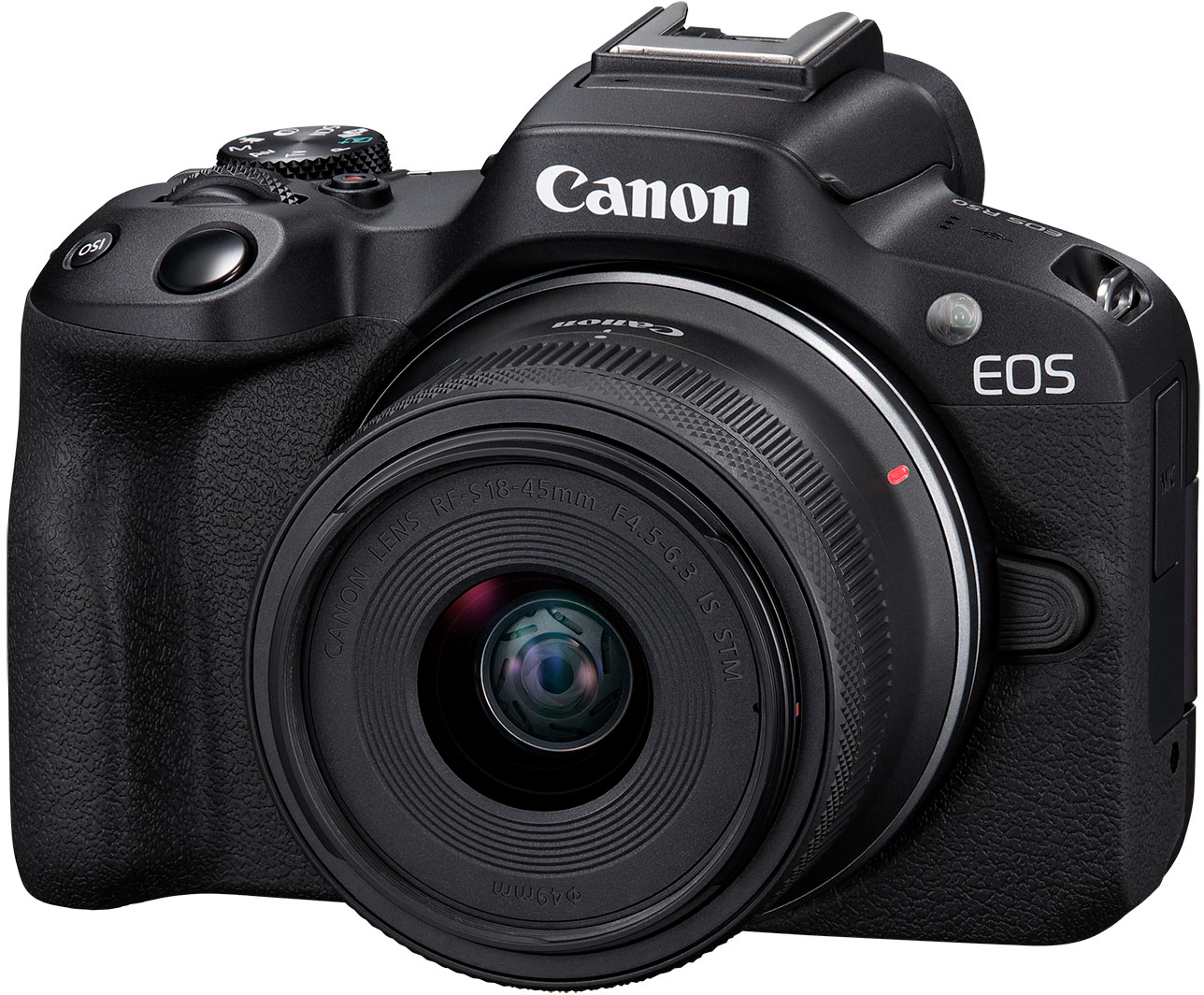
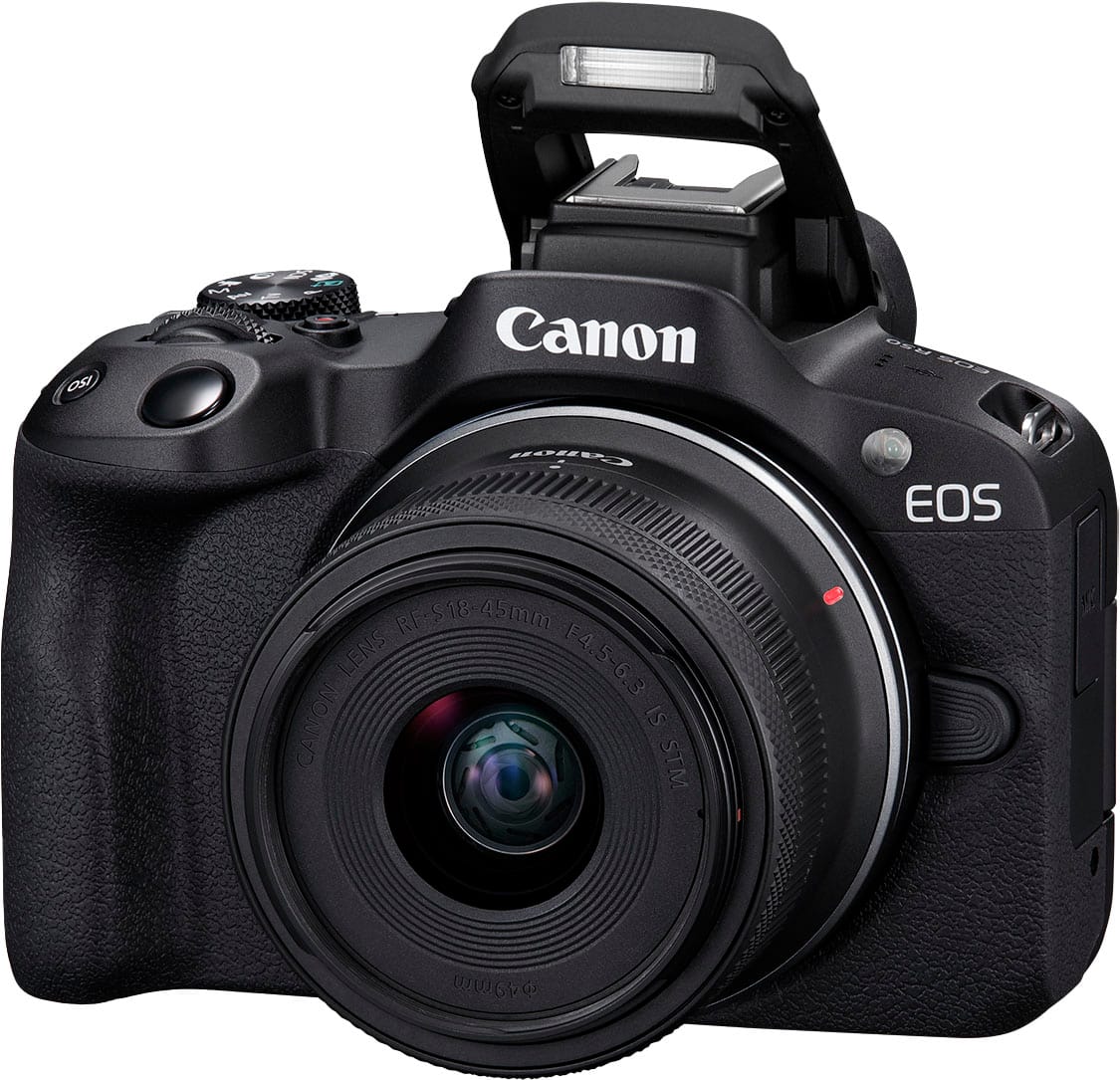
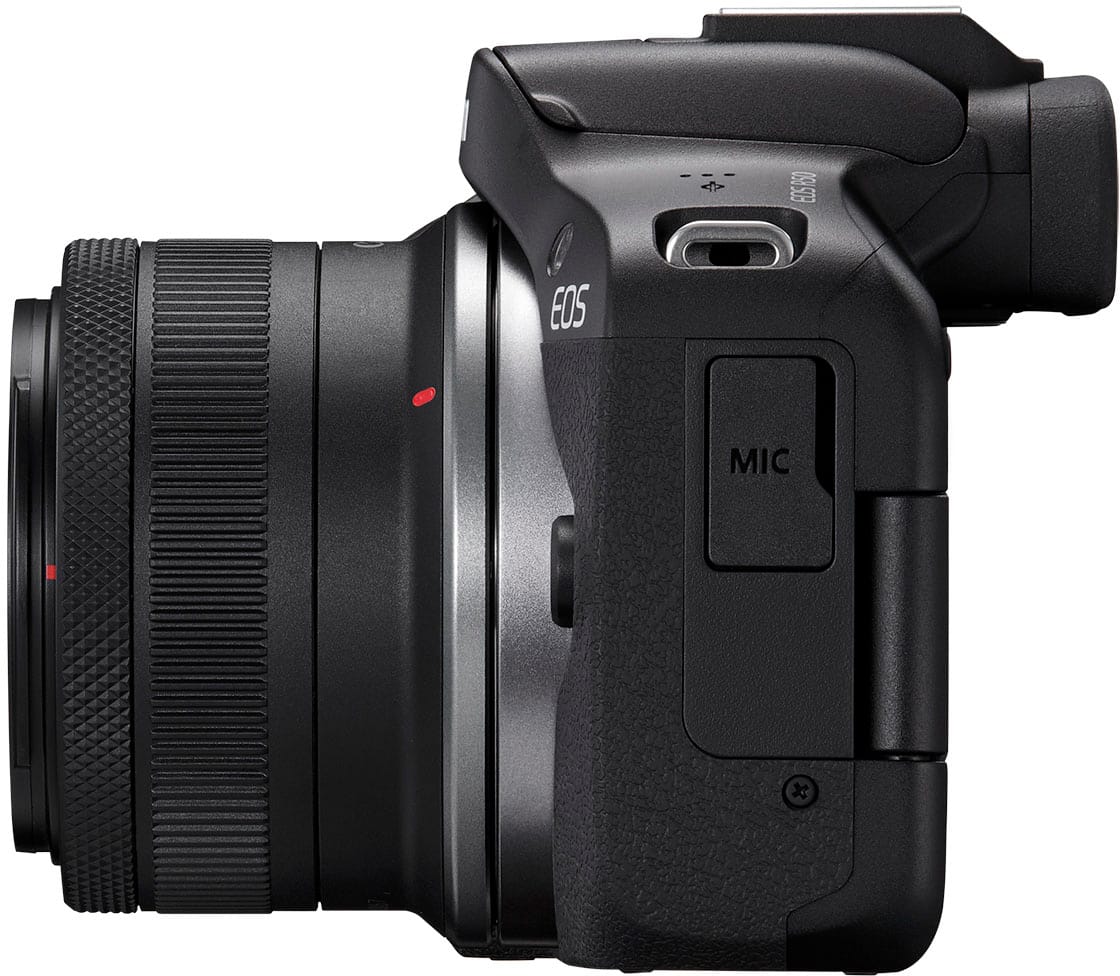
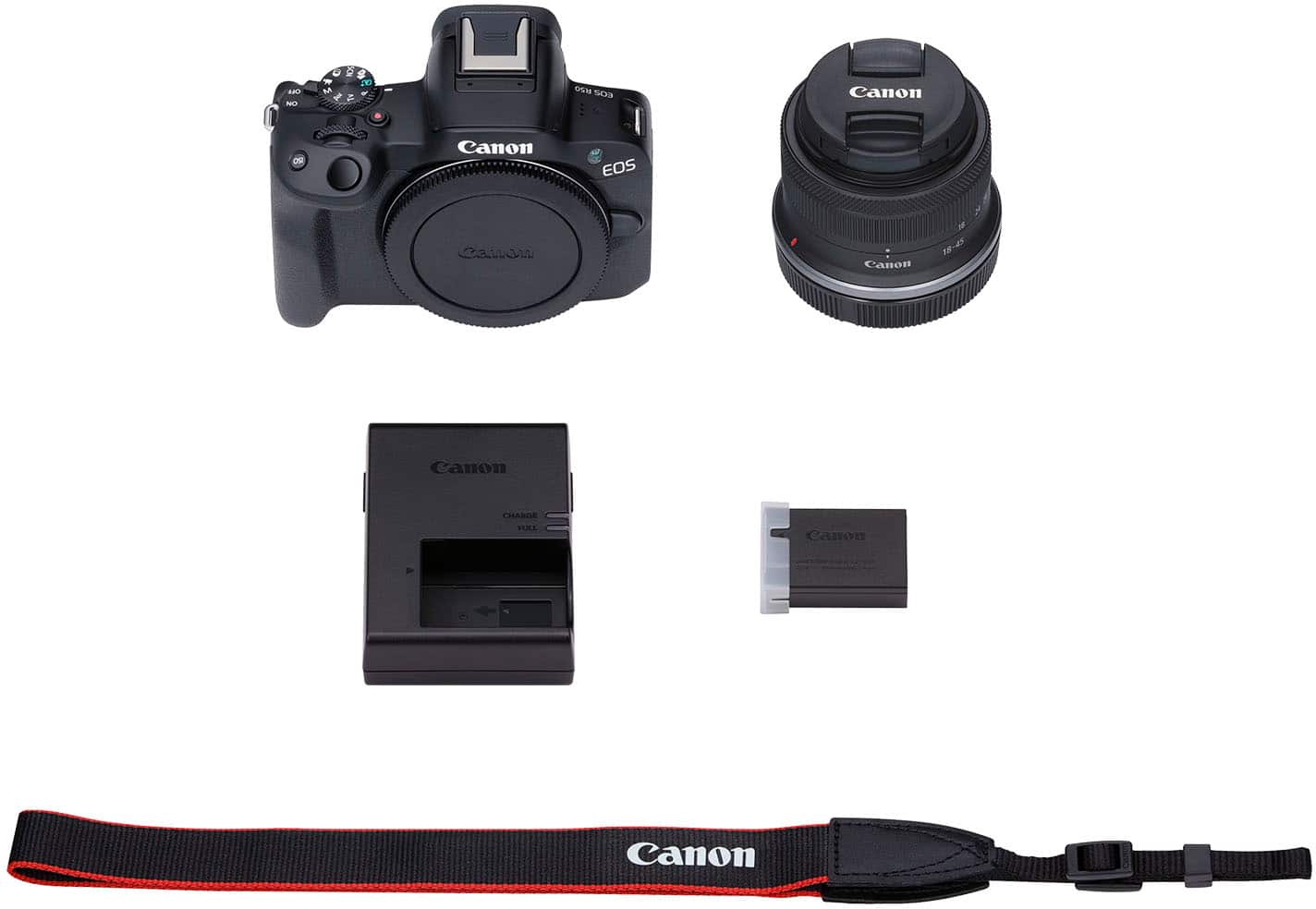
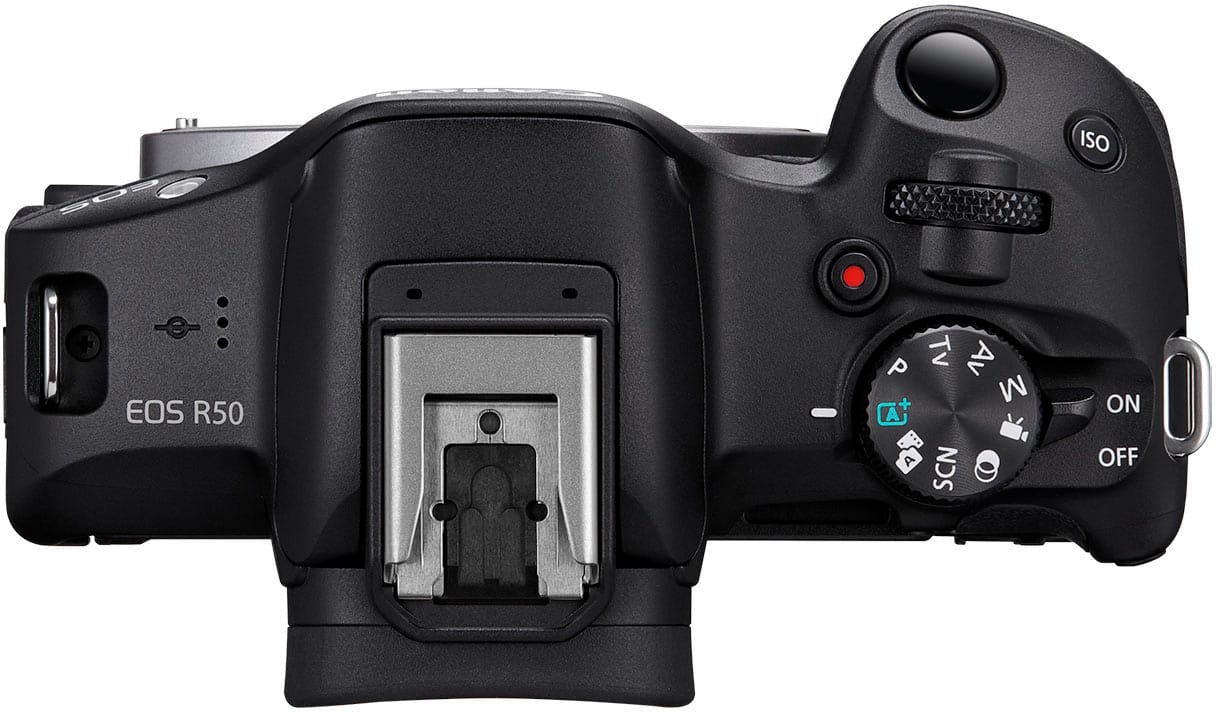
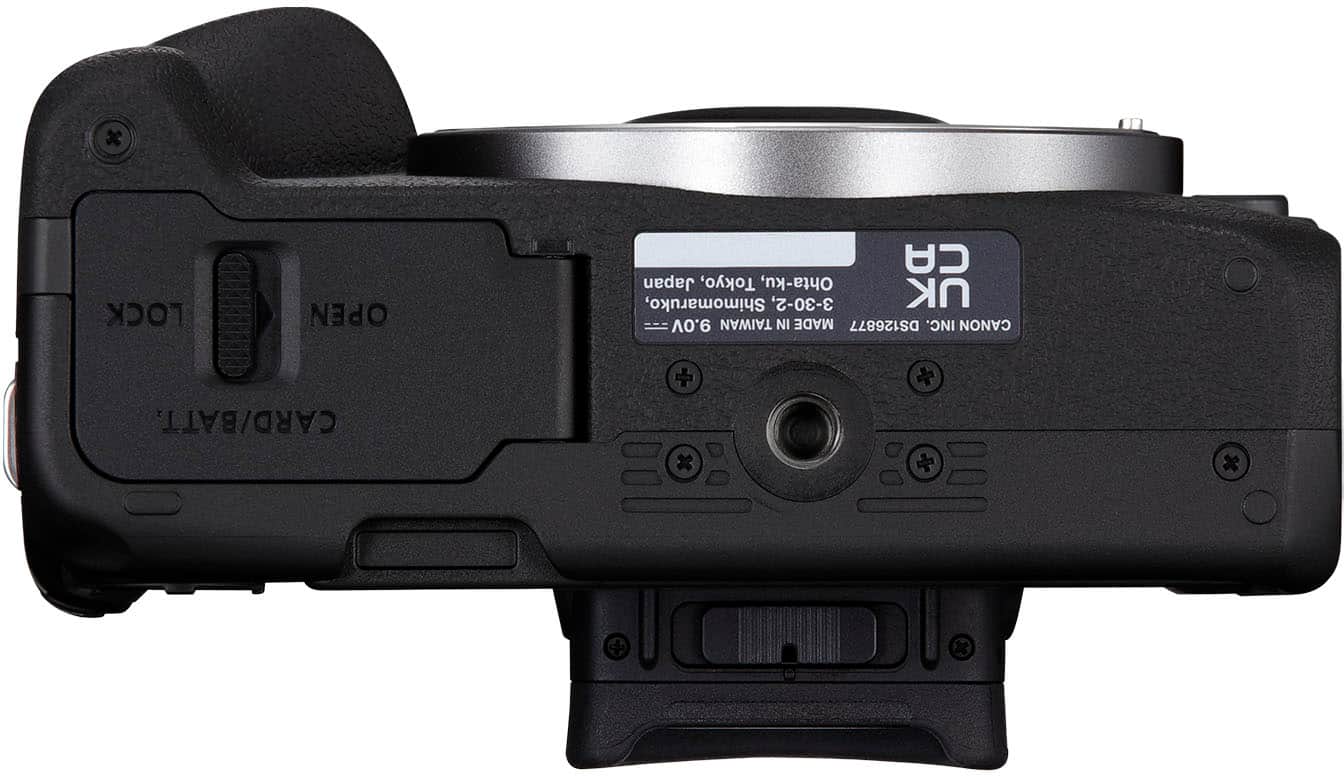
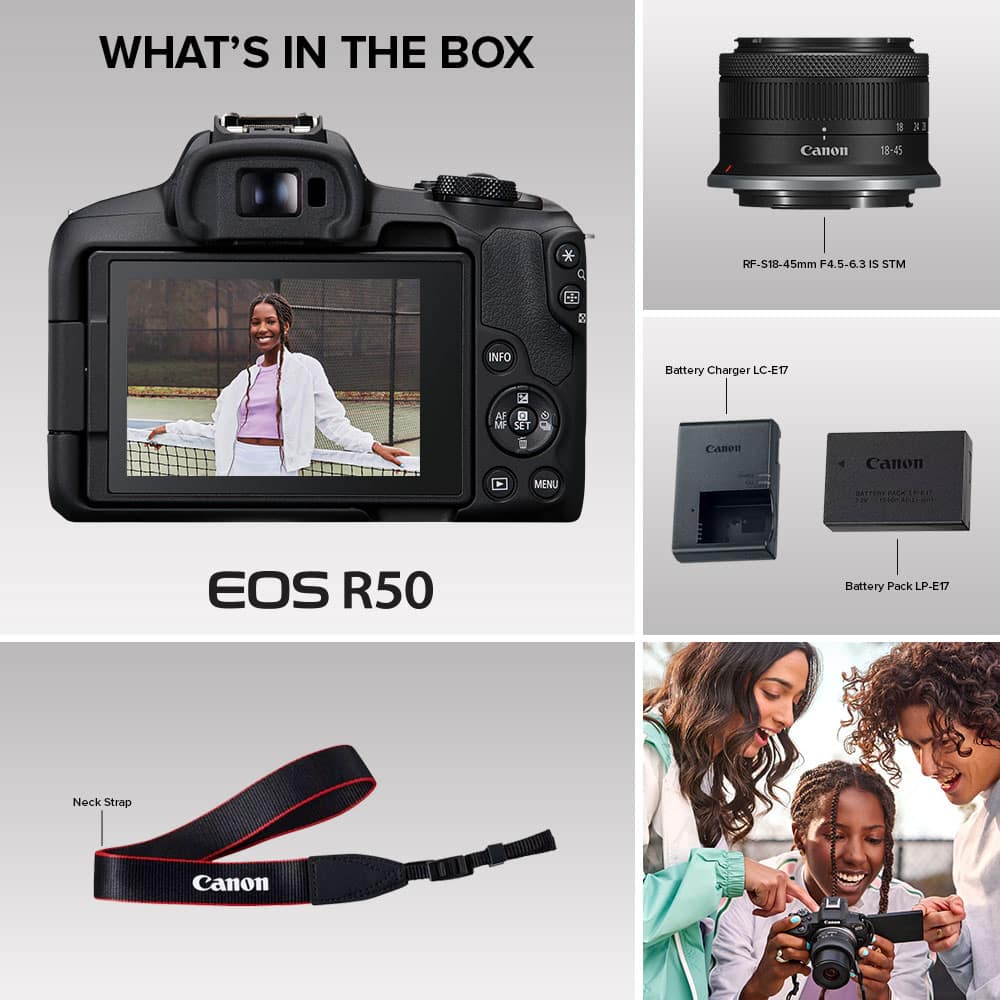
|Posted .This reviewer received promo considerations or sweepstakes entry for writing a review.I’m really enjoying my Canon EOS R50 Mirrorless camera, and it is an excellent addition to my camera bag. I’ve used it for about 2 weeks now and compared to my more expensive larger camera this one holds it ground really well. Mine came with a RF-S 18-45mm lens, rechargeable battery, charger, and carrying strap. It has a built-in microphone and flash. The set up of this camera was so easy and with the app I was able breeze right through the setup. Connecting the lens was straight forward with the red lines placed on the body of the camera and lens. The strap was easy to install and with such a light body I’m able to comfortably wear the camera for an extended period of time. The SD card is installed in the same compartment as the battery. About the app, I have thoroughly enjoyed being able to upload pictures directly to my phone and share them on the spot. With the Canon app I can also use my phone as a way to take the picture so it makes family portraits easy to pose for. I can change the camera settings, print photos and edit raw images as well. This app is a great addition to an excellent camera. Photos come out amazing with this camera. The resolution that photos are taken with this Canon allows for detailed editing of photos. Even when cropped in real tight on a photo you don’t get the pixilation that many cameras have. It shoots really fast, so I easily capture crisp images of fast-moving objects. So, to put that in terms of photography, this camera has great shutter speed. The autofocus works flawlessly and when paired with the installed sensor makes the perfect combination. The Video feature is second to none and combined with the ability to shoot in 4k resolution I have no use for any other camera for videos. I have video waves crashing on the beach, planes flying over head and cars passing by at high rates of speed and there’s no blur at all. With the ability to zoom in and out during filming makes it so easy to look professional. To sum it up this is a great little camera with the power of much larger and more expensive cameras. I use this as a daily shooter and have found myself bring this one as a standalone. I definitely recommend the Canon EOS R50 from the Novice shooter to the professional. This is a great addition to any camera bag and the provided lens makes this a great camera for all occasions. You can’t go wrong with this one.
This review is from Canon - EOS R50 4K Video Mirrorless Camera with RF-S18-45mm f/4.5-6.3 IS STM Lens - Black
I would recommend this to a friendRated 3 out of 5 stars
Good camera
||Posted .This reviewer received promo considerations or sweepstakes entry for writing a review.Works but it could be better quality of the lens, more zoom
This review is from Canon - EOS R50 4K Video Mirrorless Camera with RF-S18-45mm f/4.5-6.3 IS STM Lens - Black
I would recommend this to a friendRated 5 out of 5 stars
Outstanding Photo camera with 4K Video
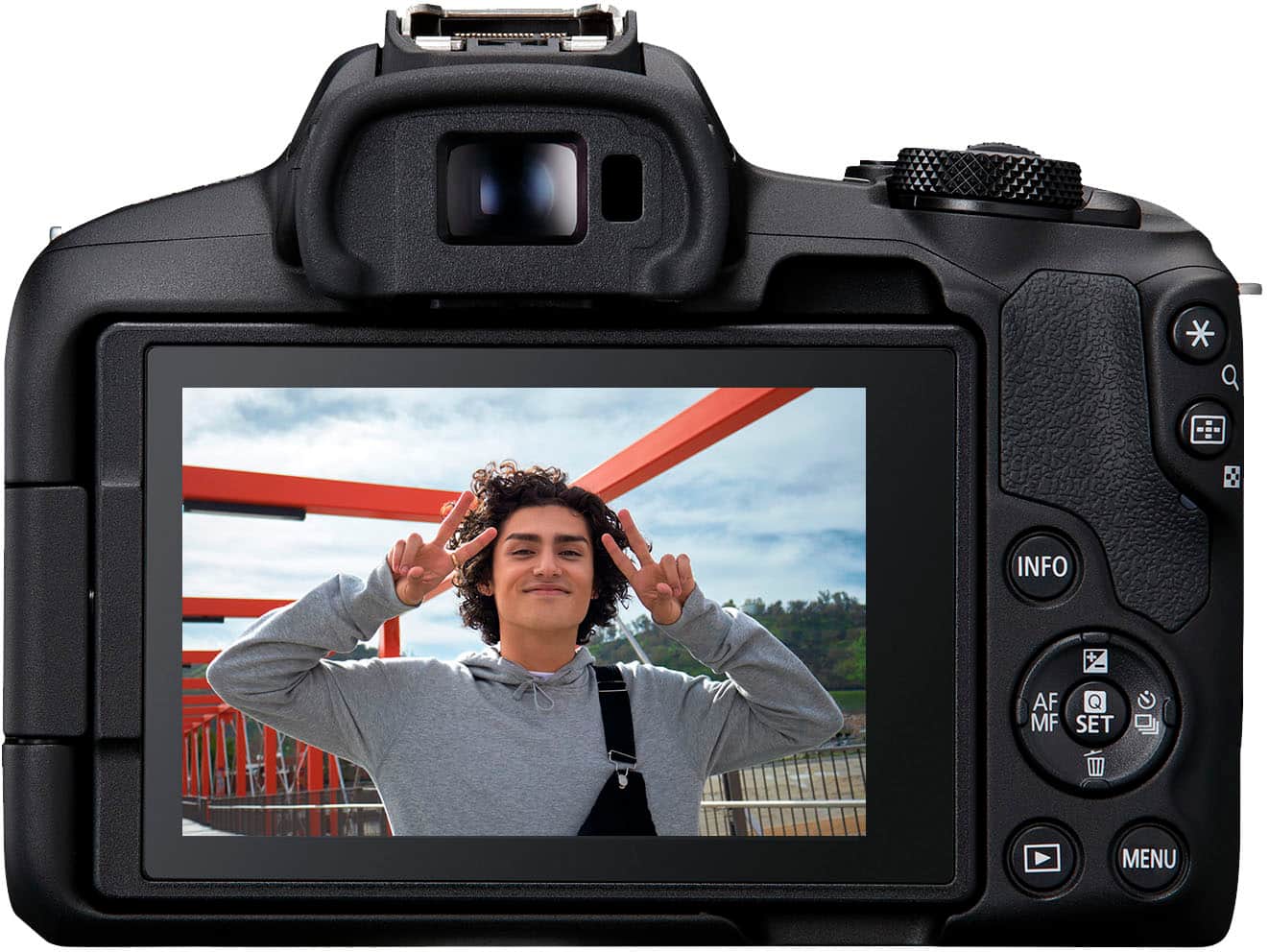
|Posted .This reviewer received promo considerations or sweepstakes entry for writing a review.The Canon EOS R50 is my first Canon mirrorless camera, I am back to the Canon brand after a few years of hiatus, and I am very pleased with this device. This camera has a myriad of options for photo and video shooting that fit most if not all my needs. I find that the Auto mode (A+) is sufficient for most scenarios, it is very convenient if you are in a rush and don’t have time to choose a specific shooting mode or to configure settings as it can take more than decent pictures and videos. It is easy to connect to a smartphone to control or transfer and share files. Overall, besides being a great photo camera, I think it is a perfect device for content creation and sharing. - Pros: lightweight body, multiple options for content creation, optical and electronic viewfinders, flash. - Cons: none so far. >> Video << This camera has options to record video (with audio) in 4K at 30fps and FHD at 60fps max, it also includes settings to shoot lower fps for 4K and FHD formats. You could do FHD at 120fps, but no audio is recorded in that mode. Video shotting modes include Close-Up demo mode, IS mode, HDR, among other modes. There are a good number of configurations to choose and try from. From my experience, recording 4K video at 30fps is more suitable in instances where the subjects don’t move too fast and where you don’t move the camera too much while operating it. It takes some practice to get the right videos that look decently smooth at 4K (or just use a tripod for better results.) The one ideal setting I found for this camera is shooting yourself describing/explaining something; in fact, with its Close-Up Demo mode the Canon R50 looks like it will perfectly suit the needs of vloggers. >> Photos << I was expecting this Camera to excel in this department, and it did. There are multiple predefined options to choose from and you can also manually configure the different parameters. The “default” Auto mode serves well most of the time, and you can still make some adjustments under this mode by tapping on the options available in the OLED touch screen (the electronic viewfinder); for example, increase /decrease the brightness, blur the background and others. Very easy to use. One other set of options I found very useful is the Special Scenes. For example, you can choose Portrait Scene and Sports Scene to get great pictures for still subjects and subjects that move fast, to name two options. One Scene option that I have yet to get good results from is the Panorama Scene, which so far has produced blurred panoramas for me (I just realized the blurred images when I was copying them to my PC.) One other set of options to highlight is the Filter Options which I have used to create unique images. Two settings I liked a lot were the HDR Art Vivid and Water Painting ones. For HDR Art Vivid, the subjects in the pictures looked enhanced, and the Water Painting filter gave me an awesome set of pictures that looked very artistic. I guess I could have used some editing software to get similar results, but the quality and look of the images coming out of the Canon R50 are just great. >> Optical Viewfinder << In addition to the OLED Electronic Viewfinder, this camera is equipped with an Optical viewfinder, which is a must for any camera I’d say. I have another non-Canon mirrorless camera that doesn’t have an optical viewfinder, only an electronic one, and it is a real pain to take pictures on sunny days since the mini screen is almost impossible to see under such conditions. >> Battery << Upon receiving the camera, the first thing I did was to buy an extra battery since we were going to attend a big event and didn’t want to risk running out of battery. At the end, I didn’t need to use the extra battery as the fully charged one I started with lasted fine throughout the event. I took dozens of photos and several video recordings, and I still had plenty of battery left (!). I was very surprised, given previous experiences with other camera brands and their batteries (or their need for power.) So, a big plus for this Canon camera (or the Canon battery for that matter.) According to specs battery should last about an hour when video recording at 4K, hence great performance for a camera this size. >> Connectivity << With the Canon Camera Connect app on my phone, I could connect to the Canon R50, and I was able to control it, take pictures, record videos, review the images on the camera and transfer them, have a live view of what the camera sees and control settings on my camera. Very handy indeed. That being said, a couple of times I lost connection to the camera and couldn’t connect with my phone. I cannot really pinpoint the exact circumstances that lead to this loss of connectivity, but it is a little annoying once it happens. >> Lenses << While the RF-S 18-45mm lenses that comes in the package looks sufficient if you take pictures and video record yourself producing some social media content, you’d still want to add some telephoto capabilities and perhaps some macro and wide angle (well, in my case I do see the need for adding them.) This means that, although you won’t break the bank with the initial body and lens configuration, you’ll be spending quite a bit of money once you start adding a couple of other lenses to the picture. At the very minimum, I’d want to add a medium range telephoto lens. Now, with the current Canon lenses offering, it is not possible to cover the whole range without overlapping lenses. Let’s say you have the 18-45mm lens and want something from 45mm to a higher, let’s say 210mm telephoto lens, well you won’t find a 45-210mm lens. The closest lens that you’ll get is a 55-210 mm. So, that means to cover the 45-55mm range, you’d need some other additional lens, or perhaps just buy a 50mm lens and call it the day. In summary, I am finding myself spending more money than intended trying to get a decent set of lenses for this camera, and I am not specifically talking about buying L series high quality lenses, which will cost a fortune. >> Overheating << While being outdoors in a Los Angeles sunny day at around 87F, with some of the sun hitting the camera directly, I saw the opportunity to take pictures, so I turned the camera on and soon after I was welcomed and surprised with an “Overheated” error message and the camera shutting down. I was expecting for this camera to endure more dire conditions, but it looks like it doesn’t. The operating temperature range is stated to be between 32-104F, which limits this camera to be used outdoors in the desert, for example, or in icy conditions. I suspect the direct sunlight on the black body might have caused the internal temperature to go above the 104F limit. I don’t intend or retrying the “experiment”, though. Anyways, lesson learned, keep it away from prolonged exposure to direct sun (well to be honest, I am not sure how long the sun was hitting the camera directly.)
This review is from Canon - EOS R50 4K Video Mirrorless Camera with RF-S18-45mm f/4.5-6.3 IS STM Lens - Black
I would recommend this to a friendRated 5 out of 5 stars
Great little camera for content creators
|Posted .This reviewer received promo considerations or sweepstakes entry for writing a review.Out of the box you have almost everything you need to get started ( you will need your own memory card ). Setup was easy and flawless, due to QR codes included in the instructions in the box, and as you go through the setup in the camera. You will be directed to the Google play store, or Apple App Store. I opted to get started using Bluetooth, although also equipped with Wifi capabilities, and my phone and new camera were paired instantly. In the box you get the lens, camera, battery pack and connector, along with a camera strap. First charge took about 2 hours to complete. The indicator lights up green when fully charged, so you never have to question it. This Canon is truly jam packed with features. Being able to auto upload your work without having to take the memory card out is a great feature. I was also able to upload my content quickly, and effortlessly. The quality and the lens is so crisp, and it allows you to focus on even the smallest details. Pretty lightweight, easy to carry, the ability to create high quality 4K content, vibrant screen quality you can’t ask for more. Even good for beginners
This review is from Canon - EOS R50 4K Video Mirrorless Camera with RF-S18-45mm f/4.5-6.3 IS STM Lens - Black
I would recommend this to a friendRated 5 out of 5 stars
An excellent camera, even for a beginner!
|Posted .This reviewer received promo considerations or sweepstakes entry for writing a review.This is my first full frame camera, I have always had nice point-and-shoot cameras but was never willing to take the jump thinking it would be too much to deal with when I want to just grab some pics. When I first turned this on, I was amazed at how easy it was to figure out. Before long, I was clicking shots, playing with settings and grabbing videos of things around the place. Though there are a bunch of buttons, the ones you use often are well-placed and easy to reach. The menu system is intuitive, I have only had to go to the manual a couple of times to figure things out. The viewfinder is very bright as is the screen, both of which allow easy framing of the subject. The touchscreen makes navigating the menus easy, allowing instant selection without fumbling with a “t” button to move around. Battery life is pretty decent, I took 144 pictures and videos and uploaded them to the cloud before it started flashing to warn me that the battery was getting low. I purchased two aftermarket batteries and a double charger that worked without any problems. The lens that is included does a fair job as an all-around lens, offering some zoom function as well as “regular” view of the subject. It does a pretty good job of stabilizing both video and pictures, something that really helps when I’m not too stable myself while filming and checking settings! Custom presets are what really made this stand out for me, I don’t have to fire up a photo-editing program to change many things, including style of shooting (such as black and white or other color filters). The presets are available from the touchscreen when the dial is set to each mode. I was able to take some videos and pictures of students dissecting and doing other experiments and also used my phone to compare. The pictures, as expected, on the Canon are much better. I never realized how much better the pictures could be, I had gotten used to cell phone images after so many years of using them. I am looking forward to summer vacations with the kids and grandkids, I will have even better record of our memories this year! Overall, I can see the draw of a real camera. I have been bitten by the photography bug again! I can’t leave this thing in the case for very long. It does take a few seconds longer to get it out and set up for the first shot than my phone, but the results are very worth it. The specs for this camera are amazing compared to the camera I was looking at buying just a few years ago at the same price point. Technology has enabled an incredible collection of features and I am glad that I got back into this at this stage of development.
This review is from Canon - EOS R50 4K Video Mirrorless Camera with RF-S18-45mm f/4.5-6.3 IS STM Lens - Black
I would recommend this to a friendRated 5 out of 5 stars
Compact size with vast settings
|Posted .This reviewer received promo considerations or sweepstakes entry for writing a review.This is a very impressive mirrorless DSLR camera at a mid-range price. Between the guidance features of the camera and the plethora of settings, I think people of all different levels of expertise would be very happy with this camera. The camera is very lightweight and compact in size and produces quality content in both images and videos. With the camera’s base features (the included lens and no additional accessories) it takes crisp, clean images, and records videos with clear sound. The included lens is a standard everyday lens, but the coolest feature of it is its compact size when retracted to its stored size. The only minor complaints I have with this camera are the smaller grip size which feels cramped when handling and the (seemingly) inability to record videos in portrait mode without physically rotating the camera. Aside from a couple minor complaints, this is overall an excellent camera. Video features: Recording videos with this camera is easy and I was pleasantly happy with the autofocus tracking and lighting adjustments when recording up close for social media / content creation. I thought that the camera’s microphone did a great job in recording and producing clean sound, but if not satisfied with the built in mic, the camera does have a port to plug in an external microphone. The adjustable screen is handy for recording content and making sure you are staying in frame when displaying items, but I did notice that if I looked at the screen during the recording it was very noticeable even though the screen isn’t that far from the lens itself. The camera has a lot of warnings about overheating when recording. I recorded videos for about 10 minutes total with the longest recording being around 5 minutes and the temperature indicator was about halfway on the bar scale. I’m not sure how long it would take before the camera overheated and shut-off, but I can’t imagine it would be an issue for most recordings under 15-20 minutes. As to be expected, I did notice that the camera’s battery drained a bit quickly when recording, but I still got plenty of usage out of it before having to recharge it again. With the battery having to be removed for charging, it doesn’t appear that the camera can be used while charging while might be an issue for those looking to extend their use time. Photography features: The camera’s prompts and guidance features make it possible for an entry level photographer to work their way through the shooting modes/options of this camera, and the number of customizable settings should satisfy most high level photographers. On a basic level, the camera is very easy to navigate and figure out. The available shooting modes are commonly found with most DSLR cameras, but each shooting mode comes with a variety of additional features and settings. (There are even some fun, built-in filter settings that are pretty neat in use.) I was thoroughly impressed with the nighttime shooting mode. The shutter and processing speed is MUCH quicker than my previous mirrorless DSLR camera. Additionally, I took all photos without a tripod and the photos turned out impressively well. (I do recommend using a tripod for high quality, large print photos though.) The adjustable LCD touch screen is sharp, very accurate to touch, and very useful for viewing the live image when taking photos at odd angles. I greatly appreciate that the camera includes the viewfinder eyepiece, as my other mirror less DSLR camera does not, and the LCD screen is harder to see in bright sunlight. The viewfinder eyepiece has a sensor to detect when you are looking through it, to automatically turn off the touch screen. The screen appearance through the viewfinder is sharp and bright, making it easy to see and read the displayed information. The only minor issue I had with the camera when using it for photography was the cramped feeling when holding the grip due to the compact size of the camera, but after some constant use I quickly got use to it. The battery life of the camera is really good when using primarily for photos. I got a little over two full days of photography use before the battery died. Software and App: The amount of free software provided with the camera is impressive. There are programs for editing, wireless downloading, and remote operation of the camera. The program for remote operation and file transfer is called EOS Utility. This program uses your wifi to connect to the camera remotely from your computer. While the interface is a bit antiquated, it does offer a lot of remote features. Overall, the software is a nice additional feature of this camera, but it is pretty slow for downloading videos or numerous pictures and it drains the battery on the camera VERY quickly when downloading the files. For that reason, I would stick to directly connecting the camera to the computer via a usb cable for most file transfers, unless it’s just a couple images at a time. In addition, you can download the Canon Camera Connect app to your phone to similarly operate the camera from your phone and download the images/videos straight to your phone. Unlike the EOS Utility software, images and videos download fairly quickly through the Canon app. The only small annoyance I had with the app was that when recording a video, my phone screen would lock out even though the app is active. (I’m not 100% sure this is an app issue, but I have other apps that retain an active phone screen when in use and I didn’t have to change any phone settings to allow for it.) Last, this final feature worth mentioning is for the camera in general. There are many built in smart features for this camera and many settings that can be adjusted or changed to the camera. One feature I accidentally discovered (and greatly appreciate) is if you accidentally leave the camera “on” via the knob switch, the camera will time out after no use and therefore doesn’t drain the battery. I accidentally left the camera on overnight and when I saw that I assumed I would have to re-charge the battery so I was very happy to discover that was not the case.
This review is from Canon - EOS R50 4K Video Mirrorless Camera with RF-S18-45mm f/4.5-6.3 IS STM Lens - Black
I would recommend this to a friendRated 5 out of 5 stars
Fantastic compact mirrorless camera
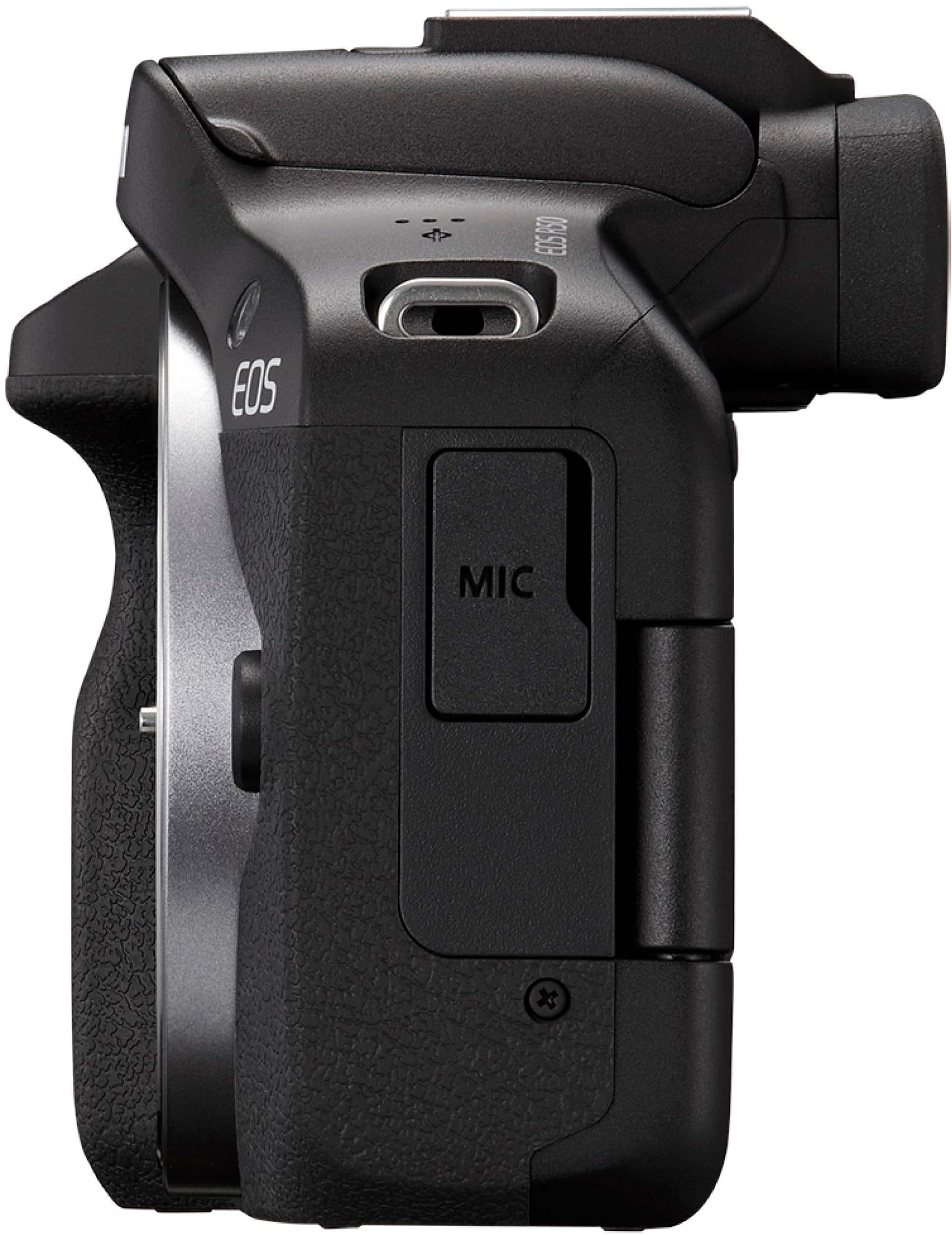
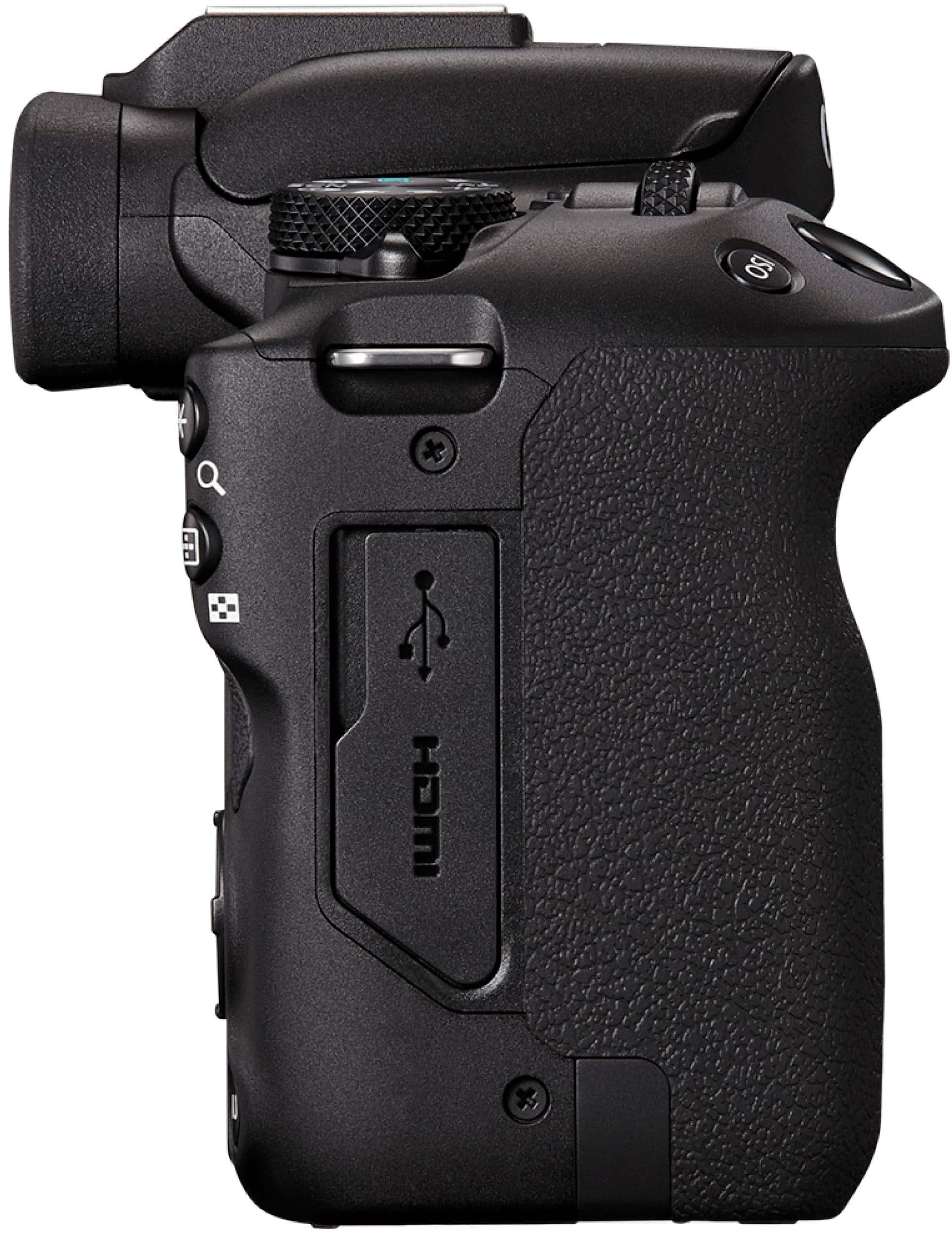
|Posted .This reviewer received promo considerations or sweepstakes entry for writing a review.I think it’s important to acknowledge at the beginning of this review that A) I have never had a camera this fancy or even close to it before. B) I have long wanted a dslr or mirrorless camera body with the ability to change lenses and manually shoot photo and video. As such, I am looking at this camera as a person with a lot to learn, but also a desire to understand and learn how to use a higher caliber machine than an optical zoom equipped point-and-shoot or a phone. I am entry level, for sure, but I think I am a key part of this product’s audience. The Canon EOR R50 is, to me, truly impressive. It has an amazing mix of video and photography features; a good starting setup with a reliable, crisp, image-stabilizing lens; and is not so complicated that it’s impossible to use for a novice. There are other cameras in the Canon line that are meant for “professionals” and they carry far heftier price tags. If you’re in that group of user, I think you know it. But I think this camera is a really great choice for someone looking to learn new skills in photography and who wants to shoot high resolution video too. I think it’s probably a great camera for dedicated vloggers who might be looking to upgrade their setup with a versatile mirrorless, compact unit. You can look up the specs on the camera online, but it’s able to take 12 or 15 fps depending on what settings you apply to the camera. It’s truly impressive speed and it allows amazing pictures of action, which are also only possible due to the system’s amazing auto-focus and focus tracking abilities. This package comes with a really nice, all purpose, basic lens: an RF S18-45 F4.5-6.3 IS STM with built in image stabilization. The body does not have image stabilization, but I think most of the lens in the RF line do. The zoom works great on even this moderate lens and the optics are excellent. I also do not notice bounce in any video I have shot. Why will it work for vloggers? Well, it has 4k video capability and, though I have not tested it to this extreme, the ability to shoot video for a full hour. That’s a substantial upgrade over compact zoom cameras and, if I have read stats correctly, the previous model in this same line from Canon. It has several movie modes that will help you tune the autofocus features to your liking, including a special close-up demo mode. This mode is designed to capture and focus on elements that are placed closer to the camera. For example, if you were making a video of yourself showing a small object—let’s say a piece of crafted jewelry—you could talk about the object, then hold it up in front of you to the camera in close range, and the camera will track and focus on your object. When you put the object out of frame or move it back, the camera will go back to focusing on your face. As well, if you’re out somewhere making a video of yourself, the fold-out touchscreen can fully rotate, giving you a selfie view as you film with a far superior camera to a phone. Are phones great? Sure, they might be. But my phone cannot hold a candle to the technical package in the EOS R50. As well, there are creative modes that can be applied to film (and to photo) that can give your movies several different fun effects. I don’t know that I will use these often, but they are fun to play with (for example, a filter that adds effects to make your video look like an old film; one that makes your images look like part of a miniature model, etc). There are also ways to take time lapse videos and to take video capable of high quality slow motion. The fidelity on the videos is noticeably strong. With a highly zoomed in setting, I took great footage of four dear I happened upon (they were quite far from me) one early evening, and I’ve taken great, easy, auto setting videos of my dogs zooming around the backyard. Even when I only used full hd, not 4k, the videos show amazing ability to track movement and keep focus. Even once compressed and added to a social media platform, the videos look smooth and crisp. Wherea, videos with a lot of motion recorded on my phone have a lot of blur and motion noise when uploaded, especially if viewed on a screen larger than a phone. In contrast, the full hd video (not even 4k) taken on the Canon looks great on a 27” full hd monitor. The photography quality is also just overwhelmingly good. I have so much to learn about using the settings and selecting the right exposure mixes, but honestly the camera will also do an incredible amount of work for you. Just using the auto, A+ mode yields stunning, rich images. While the 24.5 mp number on the sensor may not make this camera seem superior, the camera’s ability to handle aperture and iso settings with ease and to use a variety of lenses, filters, and other accessories (there is a shoe for separate flash units, as well as the ability to plug in a more substantial microphone) to allow shots that are complex and rich is well beyond, I believe, a phone camera. In addition to the A+ setting (which allows the camera to choose all the ‘right” exposure settings for your shot and to autofocus) there are several options to control just a few features of the camera, while letting it take care of some compatible aspects of the settings. So, if you want to concentrate on aperture in your shot, but leave other matching settings on auto, for example, you can do that. There is of course as well as completely manual mode, several scene modes, and filters that you can apply to photography. I am just starting to learn how to use f-stops, white balance, and speed, but I am very excited about understanding how I can be an active part of taking a really cool photo (instead of just clicking a button). Some other key details: The camera comes with a battery and lens cases. The rechargeable battery is maybe less than amazing but not bad. Investing in a second or third battery seems like a no-brainer, especially as I plan on taking it on hiking trips and camping trips where electric hookups may not be readily available. The package comes with a battery charger that plugs into the wall. You can also charge the battery in the camera through a usb cable. I think the charger is significantly faster. Photos are stored on an SD card, and you’ll want one appropriate for video writing at a high capacity. The camera can connect to a computer or other device through a USB C cable and there is a micro HD out port so the image can be fed directly into a TV or monitor via a micro HDMI to standard HDMI cable. The built-in microphone is on the side of the camera. The camera might be hard to operate with the ports being used by accessories. The camera body is amazingly compact, barely larger than my compact zoom lens point and shoot. It’s got appropriate weight to it and feels sturdy, but seems easy to carry and casually use. A potential selling point of the camera is that you can also connect it to your computer, smartphone, or tablet through Bluetooth or WiFi. This gives one the ability to use the other device as a remote and/or a monitor and to upload photos and videos onto your Bluetooth device—i.e. tablet or phone. The connected mode can be useful when using a tripod, shooting yourself, or any number of possibilities. A compatible app for your device helps get to these controls and to download and sort pictures. I like this feature, but I find it the most difficult part of the camera. It seems to have a huge amount of difficulty staying connected by Bluetooth. This may be operator error, I admit. But it would be nicer if this feature seemed to work consistently. Perhaps my phone is the problem; but the wireless transferring of photos also has disadvantages. It’s slow (much slower than using the USB Cable) and it can eat battery. So, keep that in mind if your key value in this purchase is the wireless sharing capabilities. While I would like the Bluetooth to work better, that feature’s issues does not make me, at least at this time, want to degrade the rating of this camera. I think it’s amazing and I hope that accessories and lenses will continue to be compatible and available for a long time.
This review is from Canon - EOS R50 4K Video Mirrorless Camera with RF-S18-45mm f/4.5-6.3 IS STM Lens - Black
I would recommend this to a friendRated 5 out of 5 stars
Fantastic Camera for the Price!
Posted .This reviewer received promo considerations or sweepstakes entry for writing a review.The Canon R50 is an absolute gem! Super compact, crazy fast autofocus, and the image quality is on point. I love how lightweight it is—perfect for travel or vlogging. Coming from a Nikon D3300, the autofocus on this thing feels like magic. Low light? No problem. Battery life could be better, but honestly, for what it does, I’m beyond happy. If you want an easy-to-use mirrorless camera that delivers pro-level results without breaking the bank, this is it!
This review is from Canon - EOS R50 4K Video Mirrorless Camera with RF-S18-45mm f/4.5-6.3 IS STM Lens - Black
I would recommend this to a friendRated 5 out of 5 stars
Perfect if you want to step up from your cellphone
|Posted .This reviewer received promo considerations or sweepstakes entry for writing a review.I’ve been a Canon camera fan for years so this is not my first mirrorless camera, but I can say for sure that it is a perfect entry level and very user friendly. No complicated menu settings, and the fully touchable flip screen makes it even easier to navigate and operate the menu. The Canon EOS R50 camera is very compact, lightweight, and it was easy to carry around during a weekend getaway. At first I noticed a few differences between this camera and my previous one. The Canon EOS R50 camera has an Electronic Viewfinder that has been designed to provide a bright, sharp and colorful view. Love it! When you turn the camera on, you actually have to set the lens to the shooting position, meaning you have to manually have to extend the lens before it will function. Another difference I noticed was with the Canon EOS R50 camera you can record videos up to a hour. I also loved the superior 4K quality, AF tracking for humans, animals and vehicles, and movie for product close-up demo mode, which is perfect for content creators. Although I am not a professional photographer, I am very picky with my pictures, and I would definitely recommend it to anyone wanting to step up from their cell phones. Now if you are a vlogger, you might need to invest in an adapter + a wider lens in order to film yourself.
This review is from Canon - EOS R50 4K Video Mirrorless Camera with RF-S18-45mm f/4.5-6.3 IS STM Lens - Black
I would recommend this to a friendRated 5 out of 5 stars
A Capable Camera For Everyone
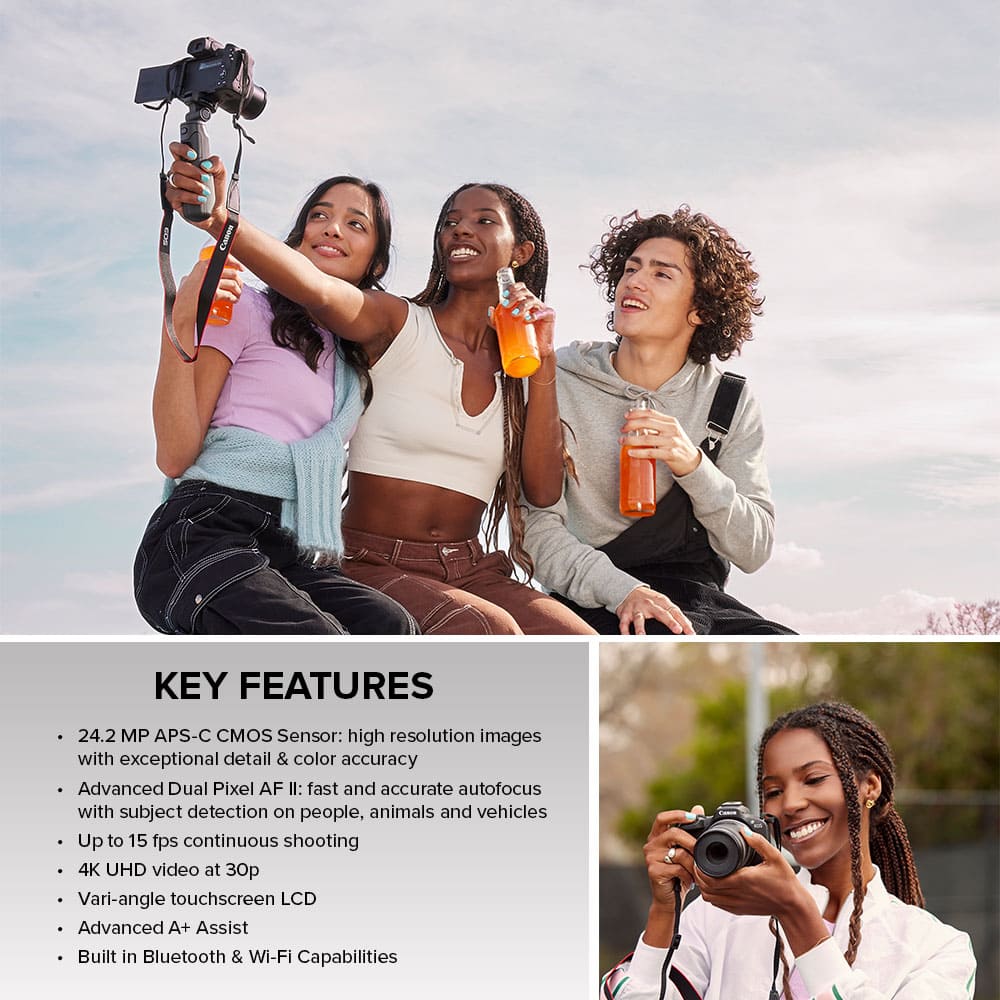
|Posted .This reviewer received promo considerations or sweepstakes entry for writing a review.The new Canon EOS R50 is an incredibly capable camera with advanced features while being extremely approachable and easy to use. The R50 is perfect for capturing social media content for my wife’s floral design work, making it a breeze to capture quality video and images without being a professional photographer. Out of the box the camera provides an extremely user friendly interface, guiding you through the different modes the camera offers. Each change of mode prompts you with an overview of that shooting mode and can guide you further in composing your shot or scene to ensure great results. As a novice, my wife found the assistance made the camera more approachable and easy to understand without getting in the way. I found the explanation of shooting modes to be helpful and currently leave them enabled but dismissed the additional prompts once familiar with camera navigation. The layout and controls of the camera are also very intuitive. The 3” variable position LCD screen is very responsive and bright. The OLED viewfinder is also very good, though we tend to rely on the LCD screen. The 24.2 Megapixel APS-C CMOS provides high image quality while offering a light and compact form factor. The included RF-S18-45mm F4.5-6.3 IS lens also collapses down reducing the foot print of the camera. The relatively small size makes it very easy to pack with you on an outing without needing to take a large camera bag. The R50 is not just great for portability it has impressive video features for its class, with 6K oversampled 4K video capture. The R50 provides clear and detailed video with a nice variety of preset shooting modes. The auto mode provides great 4K output with up to an hour of continuous video capture. The camera also offers manual mode as well as a variety of other modes such as HDR, image stabilization, and close-up demo. The close-up demo mode is perfect for product reviews, quickly shifting focus between the subject and object presented in frame. You can even connect the R50 to your Mac or PC for streaming video (UVC), allowing you to utilize it for live streaming or even as a web cam. I found the autofocus to be exceptional not just in the close-up demo mode but in other shooting modes as well. The Dual Pixel AF II autofocus system is extremely responsive and capable of tracking and detecting a variety of subjects such as people, animals, and vehicles automatically. The scene intelligent auto shooting mode has 3 great options to assisting you with creative assist, creative bracketing, and advanced. For those who prefer to be in control, the camera offers a variety of advanced modes such aperture priority, shutter priority, and full manual. I found the R50 to be extremely portable and versatile camera, offering a great value by blending capability, portability and ease of use. I think this camera is perfect not just for content creators but anyone looking for a versatile, high performing portable camera.
This review is from Canon - EOS R50 4K Video Mirrorless Camera with RF-S18-45mm f/4.5-6.3 IS STM Lens - Black
I would recommend this to a friendRated 5 out of 5 stars
Great Entry Level Option
|Posted .This reviewer received promo considerations or sweepstakes entry for writing a review.As a content creator it is essential to have a way to take quality pictures and when necessary video but for a lot of us doing so with less cumbersome equipment (and in a lot of causes using the great cameras available on todays smartphones) make it easier to get the content you need on the go. But sometimes you want to use a true dedicated camera to get the best content. I admit that I rarely pull out my old Canon DSLR anymore because it just felt like more of a hassle. A bit bulky and a little more work to get the content from the camera/SD Card especially when related to uploading social media content were the main reasons. So I was definitely interested in seeing how the Canon EOS R50 would fit into my needs. This camera is lightweight and has a smaller footprint making it feel less like a hassle to pull out and work with compared to my old DSLR or other traditional full-sized options. It's definitely a great entry option for beginners, novice camera users, and content creators that rely on photos and videos for their work. For some, the smaller, more compact size will be a refreshing experience but for those with larger hands it may feel awkward and take some getting used to. I don't think it would be a huge hinderance to get used to but that's completely subjective. Despite being smaller and lighter this camera does not feel like quality was sacrificed in the build. Setup was fairly simple but requires downloading Canon Apps that guided you through the process with ease. Specifically the Canon Connect App is pretty easy to navigate and makes transferring content from the camera to your smart device wirelessly a breeze. You are able to view the images on your device for a larger more complete view in lieu of viewing on the camera which is nice. You can also use your smart device as a monitor of sorts...particularly when trying to film video to make sure your shot is setup as you need as well as starting recording instead of needing to directly touch the camera which is extremely helpful when you are the subject on camera. Battery life is excellent, particularly when taking photos. I was able to go days taking photos, reviewing them, etc without needing to worry about the battery needing to be charged before I could keep going. This is a bit less true when shooting video which isn't really shocking of course. If you are someone filming on the go you may need to get a second battery to ensure you have a little more cushion if you know you wouldn't be able to easily recharge but that is something that is likely going to be true on any camera. I also want to mention that audio using the camera's microphone is more than adequate for my needs and likely for most people but if you need to use an external microphone that is still an option. The touch screen works flawlessly and so far has not shown any lag or issues for me. I also enjoy the various mode options available to help make your photo or video experience easier. This is something that users who just want to be able to get the content they want in the easiest way or those that aren't quite comfortable with manually selecting each option...although manual mode and selecting everything down to your shutter speed and other options is there for those who prefer complete and customized control of everything. As mentioned, wireless transfer is made easy on this camera making it easier to get your content posted to the platform of choice faster without needing to use a computer or cables if you don't want to. Video transferred this way will be compressed which is something to keep in mind. It will still be a good quality but if you were expecting the full 4K quality then you will need to transfer in a connected manner. The included lens is great for beginners but lacks optical stabilization so you may want to purchase a different lens if this becomes a huge issue for you needs. If you have other Canon lenses it's possible you can use them with this camera with the appropriate adapter but keep in mind this is not true for all lenses. That is a whole different topic but something worth researching based on your needs and goals with this camera. Overall, I think this is a great option for a beginner or someone that doesn't require something much more complex to meet their needs. It's a more than adequate option for most content creators and well worth considering when trying to decide on a true camera to help up your creative moves.
This review is from Canon - EOS R50 4K Video Mirrorless Camera with RF-S18-45mm f/4.5-6.3 IS STM Lens - Black
I would recommend this to a friendRated 1 out of 5 stars
Faulty camera
||Posted . Owned for 1 year when reviewed.This reviewer received promo considerations or sweepstakes entry for writing a review.Everytime I try and record with this camera it freezes after I finish recording and I get a “cannot play back movie” error. Don’t waste your money on this
This review is from Canon - EOS R50 4K Video Mirrorless Camera with RF-S18-45mm f/4.5-6.3 IS STM Lens - Black
No, I would not recommend this to a friendRated 5 out of 5 stars
Fantastic camera! Excellent entry to photography
|Posted .This reviewer received promo considerations or sweepstakes entry for writing a review.Absolutely love this camera! I’ve been a “canonphile” ever since the earliest 1.2MP Powershot in 1996. This camera continues the tradition of fantastic photographs with an intuitively designed piece of equipment. I really love the fact this camera can grow as my photography skills improve. The included lens works great as “tourist lens” but I’ve also added a 55-220mm lens and a 50mm prime lens. The versatility of the R50 just cannot be underestimated, especially as an “entry level” mirrorless camera system. This camera is a MUST for anyone who is a content creator… be it a vlogger, instagrammer, Pinterester, etc. it’s super simple to get excellent 4k video. Colors and image detail are crisp and vibrant. It’s easy enough to use for a teenager’s video diary blog, but technical enough for a photojournalist reporting on the latest gadgets at CES. It’s a remarkable piece of kit, and really shows Canon did their homework on what creative people want in a camera they’ll use to express themselves. As for the photos, Canon’s app makes it super quick and easy to pull images from the camera to your favorite iOS or Android device. Older cameras I’ve had would often fail because the camera would go to sleep mid transfer. I’ve taken burst pics of my dog running, capturing 20+ images, and uploading to my 12” tablet was smooth as butter. Everything just worked effortlessly.
This review is from Canon - EOS R50 4K Video Mirrorless Camera with RF-S18-45mm f/4.5-6.3 IS STM Lens - Black
I would recommend this to a friendRated 5 out of 5 stars
Lightweight and Feature Packed fro Content Creator
|Posted .This reviewer received promo considerations or sweepstakes entry for writing a review.Content Creators, this is for you. This is a mirrorless DSLR camera. From the movie to the expert, this camera will meet your needs. I was a little nervous the first time using this camera. So many settings. But have no worries, they are easy to figure out and use. I was happy with how lightweight it was. I remember older cameras being so heavy. But this is nicely weighted for extended use.You will be snapping pictures and recording videos in now time, right out of the box. Mostly I use this for recording videos The autofocus did a nice job, even during close ups. The mic picked up sound well also. You do have the option to plug in an external mic to a port on the camera.The screen is adjustable so you can view the shot while recording yourself to check if you are in frame. Nice bonus here. I am stil getting used to seeing myself while recording and it is nice to be sure the shot is set up properly throughout recording. There is a built in icon to let you know the temperature of the camera as it can get warm the longer you are using it to record. So far the battery life has been good for the length of videos I have been recording. My longest continuous recording was 20 minutes and I had plenty of battery for the job. The battery does have to be removed in order to charge it. The camera comes with some nice built in guidance features, so even the most novice will be able to use it right out of the box. There are many built in modes, so play around with them and find the right one for each event you are recording. You will not be disappointed. Even nighttime mode was really easy to use and produced great images and video. The LCD is nicely sized and super accurate to the touch. Bonus you do get an actual viewfinder too, so you do not have to use the lcd screen to line up a shot. You get plenty of support software as well to help you with wireless downloading and editing and even remote operating of the camera. Wireless transfer does drain the battery so maybe connect directly to the computer if possible to save your battery life. You can download the mobile app to your phone and file transfer is a bit quicker to your phone and you can control the camera with the app on your phone too. Nice.
This review is from Canon - EOS R50 4K Video Mirrorless Camera with RF-S18-45mm f/4.5-6.3 IS STM Lens - Black
I would recommend this to a friendRated 4 out of 5 stars
Great for Those Getting into Photography
|Posted .This reviewer received promo considerations or sweepstakes entry for writing a review.The Canon R50 reminds me of the last Canon camera I owned except a lot smaller! The kit includes the camera body with an APS-C sized sensor and an 18-45mm RF-S lens. It’s great for anyone who is looking for something that provides more than a smartphone camera but doesn’t need anything incredibly fancy. The size and ability to take great pictures and video make this an easy camera to recommend as a daily carry. Despite being small, it has a relatively massive flip-out LCD touchscreen that takes up the nearly entire back of the device. It also includes a USB-C port (USB 2.0 speeds), a micro HDMI port, and a single 3.5mm stereo out/mic in jack. It uses an SD card (not provided) compatible with UHS-1 speeds, which is not the fastest so don’t overspend on a super-fast SD card. The pictures it takes are of great quality and easily better than a smartphone. In fact, I put my iPhone 14 Pro into ProRAW mode and found that the R50 still took sharper photos in broad daylight, even though it’s only 24.2MP compared to the advertised 48MP on the iPhone. There’s just no competing with the larger sensors of a camera. And if you were to upgrade from the kit lens to better glass the difference would likely be more profound. The R50 supports the current mirrorless RF/RF-S lenses or even the older EF/EF-S lenses with an adapter. Unfortunately, there aren’t many of the APS-C focused RF-S lenses available today, so upgradeability will be limited. The Dual CMOS Autofocus sensor is superb for a camera in this price range. It is very fast and can accurately find the subject in any part of the frame. It can even track a moving subject, but I had less luck getting it to track really fast-moving targets. You also get burst shooting up to 15 frames per second, which again is punching above it's price point as this is actually faster than my full frame camera. The R50 can take 4K video but you are limited to 4K at 30 frames per second. In 4K, the camera will also warn you that it could get hot and shut down if taking a long video, although that has not happened to me. It would be nice if it had support for 4K60 but at least it oversamples the video from 6K, which should give you a bit sharper 4K video. It also can take 1080p video at 120fps but this can only be used for the slow motion feature and doesn’t record sound. The camera comes with a lot of “assist” modes aiming to make life easier for a casual photographer. There are four: Scene, Hybrid Auto, Creative Filter, and Automatic. Scene is the simplest to understand, as it asks you what type of photo you are taking, like Macro, Landscape, Portrait, etc. then makes the adjustments for you to hopefully result in the best picture. Hybrid Auto has you snapping photos while it takes a little bit of video before the photos and then puts it all together into one “digest movie” that you can play back later. Creative Filter is the most useless in my opinion. It allows you to do things like add fish-eye effect, watercolor effect, or make objects in your scene look like a toy model. Personally, I’d rather just have the original photo and apply effects to it after I’ve moved it to my phone or computer. Automatic Mode handles scene detection for you and includes a function called “A+” for Assist+ which allows you change a few things such as the amount of background blur or brightness. In my opinion, Automatic should just be automatic, without any of the Assist options, which I think might confuse some people. There should have been another mode for the “A+” features or at the least combine it with one of the other “assist” modes like Creative Filters. For example, my wife, a casual photographer for sure, keeps asking me what to do when she accidentally hits the icon on the touchscreen for the assists when all she wants to do is just let the camera take the photo. There is also a mode for movies which has a few features inside of it such as software image stabilization since you don't get in-body image stabilization at this price. I was kinda surprised by how many menu options are available while in one of the advanced modes which include P (Program), Tv (Shutter Priority), Av (Aperture-Priority), and Manual. These modes are more familiar to me and I’m glad they are here so that people who are learning the hobby can start to explore more advanced or creative photography such as shooting in Raw and creating bulb exposures in Manual mode. Battery Life has been better than I expected compared to what I’m used to, however taking 4K video will drain it a lot faster than a day of photos. The kit also comes with a wall charger which is great if you opt to buy an extra battery. You’ll be able to charge one while using the other. The R50 can pair to your smartphone via Bluetooth which will then allow a connection via Wifi to transfer any photos. Once the faster Wifi connection is established you can easily browse, download, even delete the photos on the camera’s card from your phone. You can also do the opposite and send photos either manually or automatically from the camera to the phone. When the phone is connected via Bluetooth you can enable "GPS via mobile" which will tag your photos with GPS location data. You can also use your phone as a live viewfinder and take photos or record video remotely. Finally, I’ve used the camera quite a bit for streaming lately and found that it does an excellent job. You’re limited to 1080 HD but the quality is better than most webcams. However, since you’re using the USB-C port to stream there doesn’t seem to be a way to charge it at the same time so it’s not something that will work if streaming is your day job. Better suited for a video call here or there when you want to have better quality than your laptop’s webcam. On the plus side there’s no extra software to install, just make sure to go into the settings and select “Video calls/streaming” under USB Connection type and it will show up just like any other webcam on your computer. I was able to use it with Teams and Zoom for work as well as OBS Studio for live streaming on my mac. Pros: Small Form Factor Large Flip Out Touchscreen Excellent Auto-focus Fast Continuous Shooting Wifi and Bluetooth Connectivity Electronic Viewfinder Good Battery Life Supports HDR Cons: Not a lot of RF-S Lenses available for upgrades No 4K60 Limited options for streaming Sometimes confusing assist features Overall – I’m very impressed with what you get with this camera for its price and I love the size. I think most people looking to upgrade from their smartphone to the world of photography will be pleased.
This review is from Canon - EOS R50 4K Video Mirrorless Camera with RF-S18-45mm f/4.5-6.3 IS STM Lens - Black
I would recommend this to a friendRated 5 out of 5 stars
Quality Photography in a Convenient Form Factor
|Posted .This reviewer received promo considerations or sweepstakes entry for writing a review.The EOS R50 is an entry level mirrorless camera that targets beginners and content creators alike. It’s easy to see why. The R50 is reasonably priced, compact, easy to use, and boasts incredible image quality. I personally think it’s perfect for anyone that wants to shoot high quality photos and videos without sacrificing the convenience of a smartphone. That’s what made me want to get my hands on this camera, anyway. To me, the R50 stands out as such a great beginner camera because it’s so approachable. I mean this both literally (physically) and in terms of usability. It’s easy and safe to store/carry in just about any bag given its small form factor, light weight, and the ability to protect the display by putting the camera in “armor mode.” Speaking of the display, it’s big and bright and easy to navigate with either the cross keys or touchscreen. Once you power the camera on, simply start taking pictures. In A+ mode, the camera takes care of the rest. Those with more experience have the ability to change settings in manual mode. Content creators and vloggers can rotate the display into a selfie mode and capture video up to 4K30. The Canon Camera Connect app is easy to use and allows you to quickly transfer photos and videos to your phone that can then be shared on any social media platform. The 18-45mm RF-S lens that comes in this kit is great for general use, but I would highly recommend also picking up the 55-210mm RF-S lens for increased range. While lens selection for the RF-S mount is extremely limited right now, I’m confident that Canon will continue to develop and release more. It looks like a 28mm lens will be available later this year.. Battery life is much better than expected, but a second battery is also never bad to have on hand. The included wall charger would allow you to charge one battery while using the other. I have had an absolute blast getting to know my way around this camera. I’m floored by the image quality it produces. I just picked up an e-bike and can’t wait to take this camera along with me to capture all of my adventures!
This review is from Canon - EOS R50 4K Video Mirrorless Camera with RF-S18-45mm f/4.5-6.3 IS STM Lens - Black
I would recommend this to a friendRated 5 out of 5 stars
Canon Eos r50
||Posted . Owned for 1 week when reviewed.This reviewer received promo considerations or sweepstakes entry for writing a review.Great Entry-Level Mirrorless Camera! ★★★★★ I recently purchased the Canon R50, and I am absolutely impressed! As a beginner photographer looking to upgrade from my smartphone, this camera has been perfect. The image quality is stunning, with crisp details and vibrant colors. The autofocus system is fast and accurate, making it easy to capture sharp photos even when subjects are moving. The compact and lightweight design is a big plus, especially for travel and casual shooting. I also love the user-friendly interface and the fully articulating touchscreen, which makes vlogging and low-angle shots super convenient. Battery life is decent for a mirrorless camera, but having a spare battery is a good idea for longer outings. The only minor downside is that it doesn’t have in-body stabilization, but paired with a stabilized lens, it still performs very well. Overall, the Canon R50 is an excellent value for the price. Highly recommended for beginners and enthusiasts looking for a high-quality yet affordable mirrorless camera!
This review is from Canon - EOS R50 4K Video Mirrorless Camera with RF-S18-45mm f/4.5-6.3 IS STM Lens - Black
I would recommend this to a friend