Save up to 50% on 3-Day Sale deals.Ends 12/7.Shop now

Skip to content
Gift Ideas
Main Content

Customer Ratings & Reviews
Your price for this item is $739.95
The comparable value price is $899.99

Customer reviews

Rating 4.8 out of 5 stars with 726 reviews

Rating Filter

Rating by feature

  • Value

    Rating 4.8 out of 5 stars

  • Quality

    Rating 4.8 out of 5 stars

  • Ease of Use

    Rating 4.8 out of 5 stars

97%
would recommend
to a friend
The vast majority of our reviews come from verified purchases. Reviews from customers may include My Best Buy members, employees, and Tech Insider Network members (as tagged). Select reviewers may receive discounted products, promotional considerations or entries into drawings for honest, helpful reviews.
Page 8 Showing 141-160 of 726 reviews
  • Tech Insider Network Member

    Rated 5 out of 5 stars

    Nice lightweight option for vlogging

    |
    Tech Insider Network Member
    Posted .
    This reviewer received promo considerations or sweepstakes entry for writing a review.

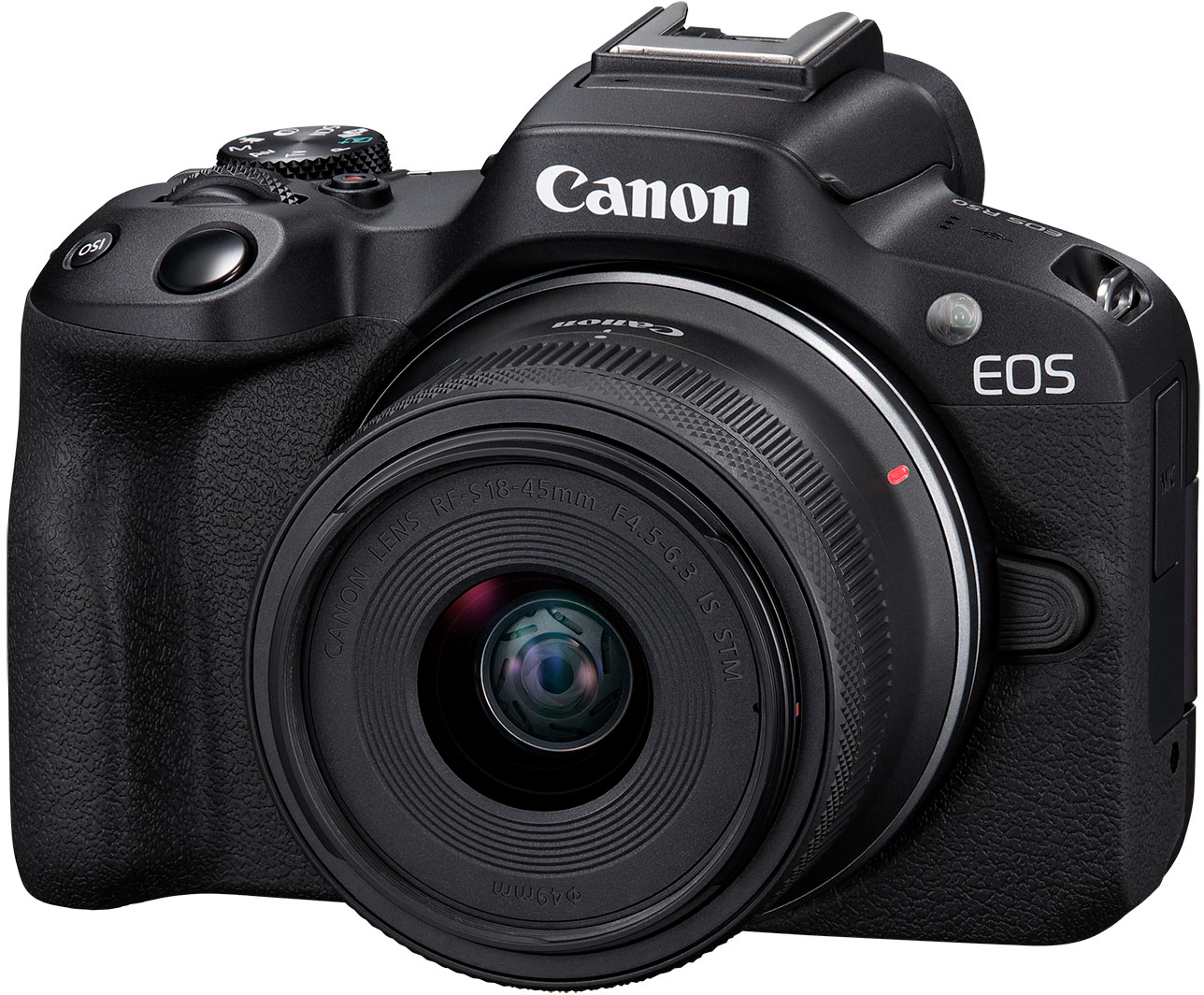
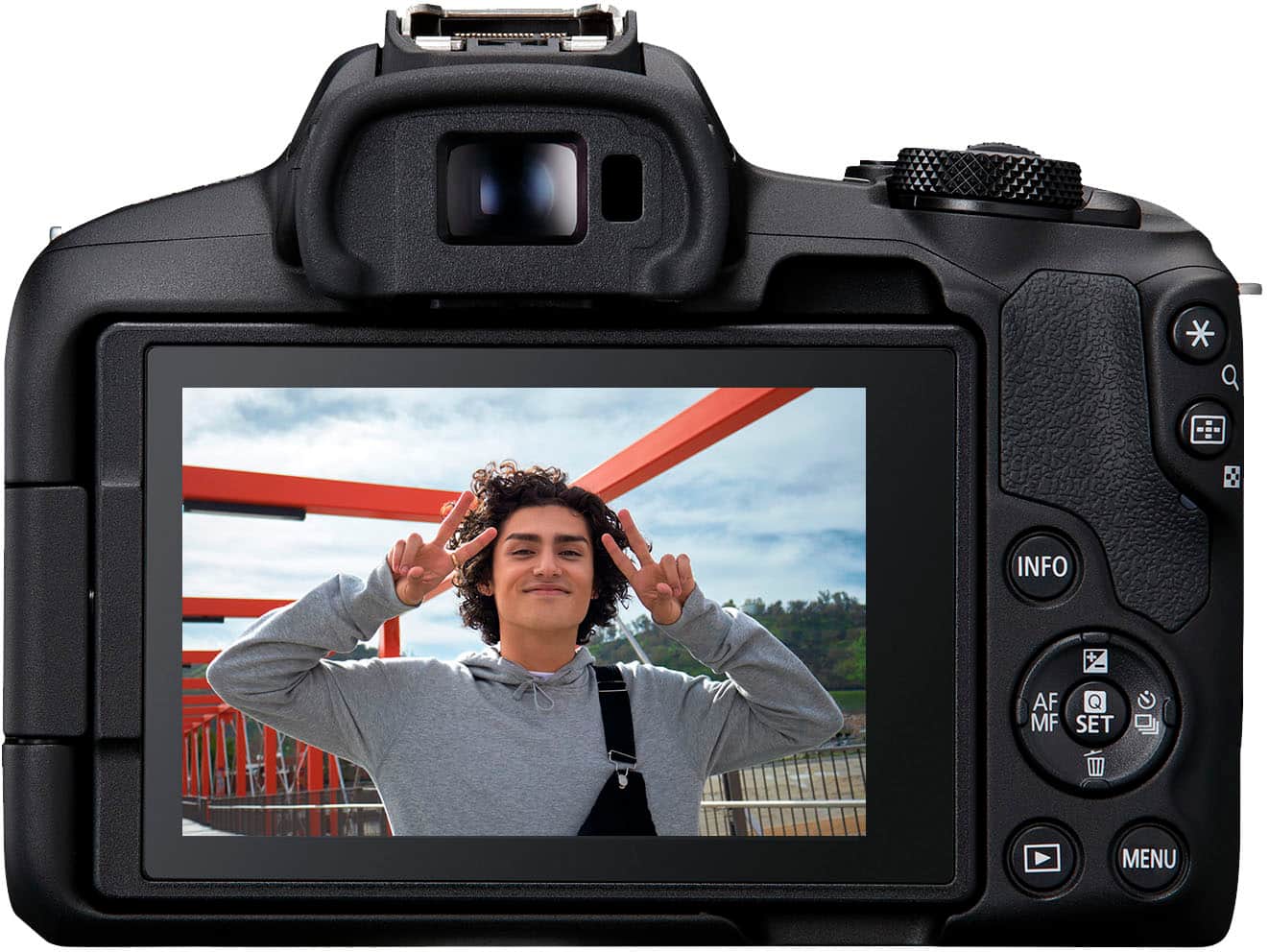
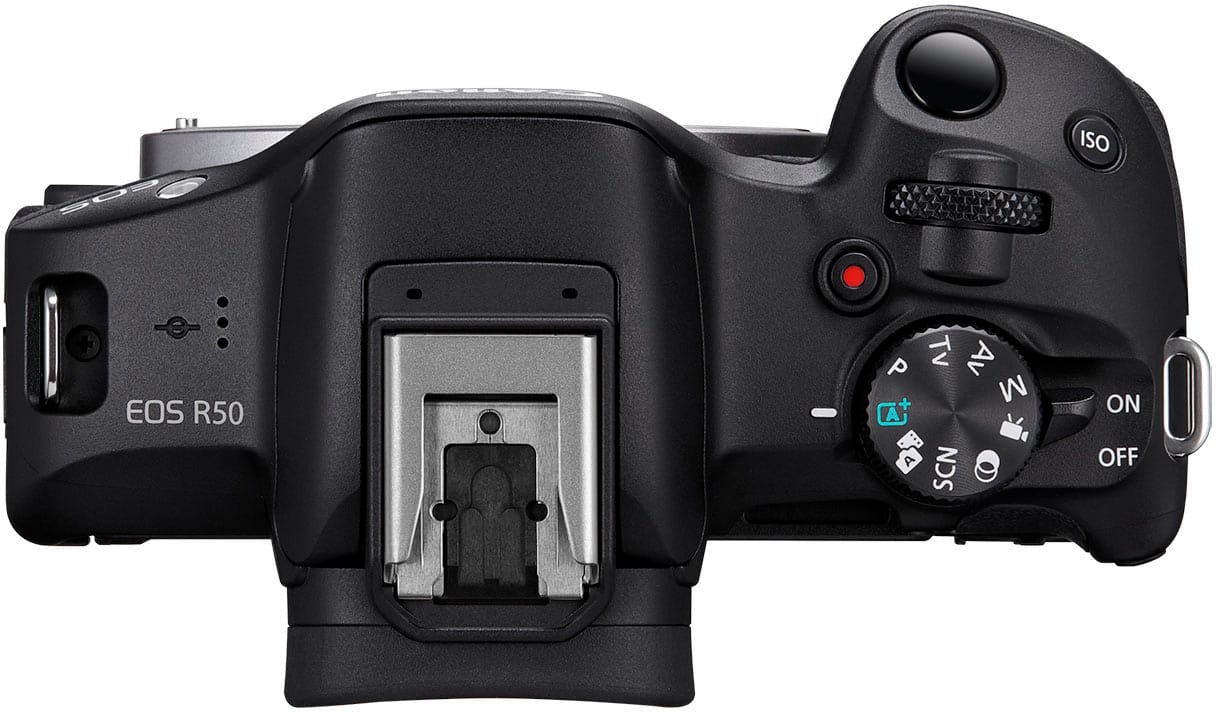
    I’ve been wanting a vlogging camera for a while and was super excited when the Canon EOS R50 became an option. I love how lightweight this camera body and lens are. I’ve been using this camera for vlogging and general photography. The R50 is best suited to vlog on a static camera support for a wider shot, but has just enough of a wide frame to vlog on the go as well. This bundle comes with a kit lens that zooms from 18-45mm so I can capture a range of close ups and wide shots. Filming in selfie-mode, the Auto-Focus does a great job of focusing on my face as well as products I hold closer to the camera when filming a tutorial or product review. I can film vertically or horizontally and shoot 4K or FHD footage in the right aspect ratio to post online. The Canon R50 offers a lot of functionality which lets the user choose which settings are manual or automatic, details below*. For Photography, I like using the “SCN” dial setting because it offers so many options and modes to choose from to prioritize different focal lengths, moving subjects, smoothing skin tones, and more**. My goal was to have a camera with an LCD screen that flips out (check!) so I can see the monitor when filming myself on-the-go. In order to vlog myself while moving/walking, I hold the camera out at arm’s length. Unfortunately the Canon R50 does not have IBIS (In-Body Image Stabilization) BUT it does have Optical and Digital IS (Image Stabilizer). I suggest accessing the Digital IS from the auto-exposure movie setting for selfie vlogging on-the-go. The reason for this is that Movie IS modes magnify too much for my liking in selfie-mode. The 1.6x crop factor turns 18mm into just under 30mm. Factor in that Movie IS modes magnify the frame even more, holding it at arms length isn’t far enough to get a good shot of myself and my surroundings. The Movie IS modes are good for filming subjects that are further away, but not ideal for selfie vlogging. Digital IS can be enabled inside of Movie Auto-Exposure to bypass the magnification. The “Canon Connect” app as a remote and external monitor is very helpful when I'm working alone and have the camera framed further than arm’s reach. I will continue to use the “Canon Connect” app for remote monitoring and shutter release. Overall, the Canon R50 is a great lightweight photo & video camera that captures sharp images, both photo and video. * Here are high-level explanations of the dial settings. I want to touch on the difference between “P” Program AE (Auto Exposure) mode and “A+” Scene Intelligent Auto mode. While both are considered Automatic settings, Program AE only sets the shutter speed and aperture value and lets the user set the AF (Auto-Focus) area, among other functions. A+ will automatically set the shutter, aperture, along with AF area and other functions to intelligently capture ideal shots. Movie Mode allows the user to either be incomplete control or fully automate the scene and subject selection. Here are the choices within this mode: - Movie Auto Exposure: The camera automatically sets the shutter speed, aperture value and ISO. The user can further select what subject type to detect like automatic, animals, people, vehicles, and none (for a manual focus selection). You can also turn on Digital IS within this setting. - Movie Manual Exposure: This allows the user to set the desired shutter speed and aperture value along with all the other settings. This one also comes with the subject detection feature. - Movie for Close-Up Demos: This setting will prioritize focusing on items that are closer to the lens which is helpful when recording product reviews and tutorials. - Movie IS Mode: I feel like I touched on this a lot earlier in the review, however I do want to point out that the default IS mode is the “Enhanced” one which uses more magnification than IS mode “On”. I’ll include a photo of what these settings look like. - HDR Movie: This setting records video and retains more detail in the bright areas of the frame. Keep in mind that this setting will output video that has a higher bit rate and bigger file size, therefore offers less recording time overall in comparison to video modes with the same settings but without HDR. - Custom Shooting Mode: You can register specific settings to this mode in the menu.This saves time if you’re the type of shooter that needs the same settings often. The Canon R50 has a lot to offer and can guide a user to create the most desirable shots. I love the Basic Zone because each dial mode automates the settings based on what the user allows. The Basic Zone includes: “A+” SCENE INTELLIGENT AUTO: This is the fully automatic mode which allows the camera to analyze the scene and selects the best settings for you. HYBRID AUTO: You can record video and take photos in this setting which then puts all your photos and videos together for you into a little movie. You can choose to include still shots or not. I would recommend this for events and for users who would prefer not to edit their own video together. ** SCN SPECIAL SCENE: Select the type of scene you’re photographing. While “A+” auto lets the camera choose the scene to optimize for - with SCN, you can pick the scene type yourself for more accurate automatic settings: - Selfie Portrait Mode smooths skin and prioritizes your face. - Portrait Mode works best with a Telephoto lens for taking portraits of others. - Smooth Skin Mode uses image processing to make the subject's skin look smoother. - Group Photo Mode keeps everyone in focus and works best with a Wide lens. - Landscape Mode keeps vast scenery in focus and renders vivid blues and greens. - Sports Mode works best with a Telephoto lens to keep a far, fast-moving subject in focus. - Kids Mode detects kids in motion and keeps the subject in focus. - Panning Mode works best when you’re physically panning the camera. It focuses on a subject and creates a “moving” blurred background. - Close-up Mode is great for small subjects, works best with a Macro lens, and makes subjects appear bigger when using the Telephoto end of a Zoom lens. - Food Mode reduces red tinges to compensate for tungsten lighting often found in kitchens or restaurants. It’s not recommended for skin tones because warmth will be reduced. Users are able to adjust color tone to better suit the scene’s lighting. - Handheld Night Scene takes 4 consecutive shots and merges them together to compensate for low lighting and inherent handheld movement. This mode does not capture RAW images. - HDR Backlight Control, similar to the previous mode, takes 3 consecutive shots to merge them together and retains detail in high-contrast or backlit scenes. It also does not allow RAW images to be captured. - Silent Shutter Mode shoots without the beeps or shutter release sound but may not capture fast-moving subjects. This mode does not allow flash or continuous shooting. CREATIVE FILTERS: You can select a filter and create a stylized photo right in-camera with this dial setting. There is no RAW shooting in this mode. If you don’t really care about having RAW images and you like the in-camera effects, this mode can be fun! But I’d say the majority of my photo ops are not going to need filters - plus, I like to edit my own photos. What I like about the Creative Zone is that you can adjust virtually any setting, but the LCD screen will still flash to warn about under or over-exposing your shots. This allows the user to experiment with custom settings and have a little extra guidance on the screen. The Creative Zone offers more manual settings and includes: - “P” Program AE (Auto Exposure): Automatically sets shutter and aperture, while letting the user adjust other settings. Although the shutter and aperture are automatic, you can still change the shutter and aperture with “Program shift” with the press of buttons and turning of the vertical dial. - “Tv” Shutter-Priority AE: This mode allows you to set the shutter speed, while the camera automatically sets the aperture value. - “Av” Aperture-Priority AE: This mode allows you to set the aperture value, while the camera automatically sets the shutter speed. - “M” Manual Exposure: This mode is completely manual - you get to pick every setting yourself. That’s the Canon R50 - hope this was helpful!

    I would recommend this to a friend
  • Rated 4 out of 5 stars

    Perfect 4K Camera for Creators

    |
    |
    Posted . Owned for 8 months when reviewed.
    This reviewer received promo considerations or sweepstakes entry for writing a review.

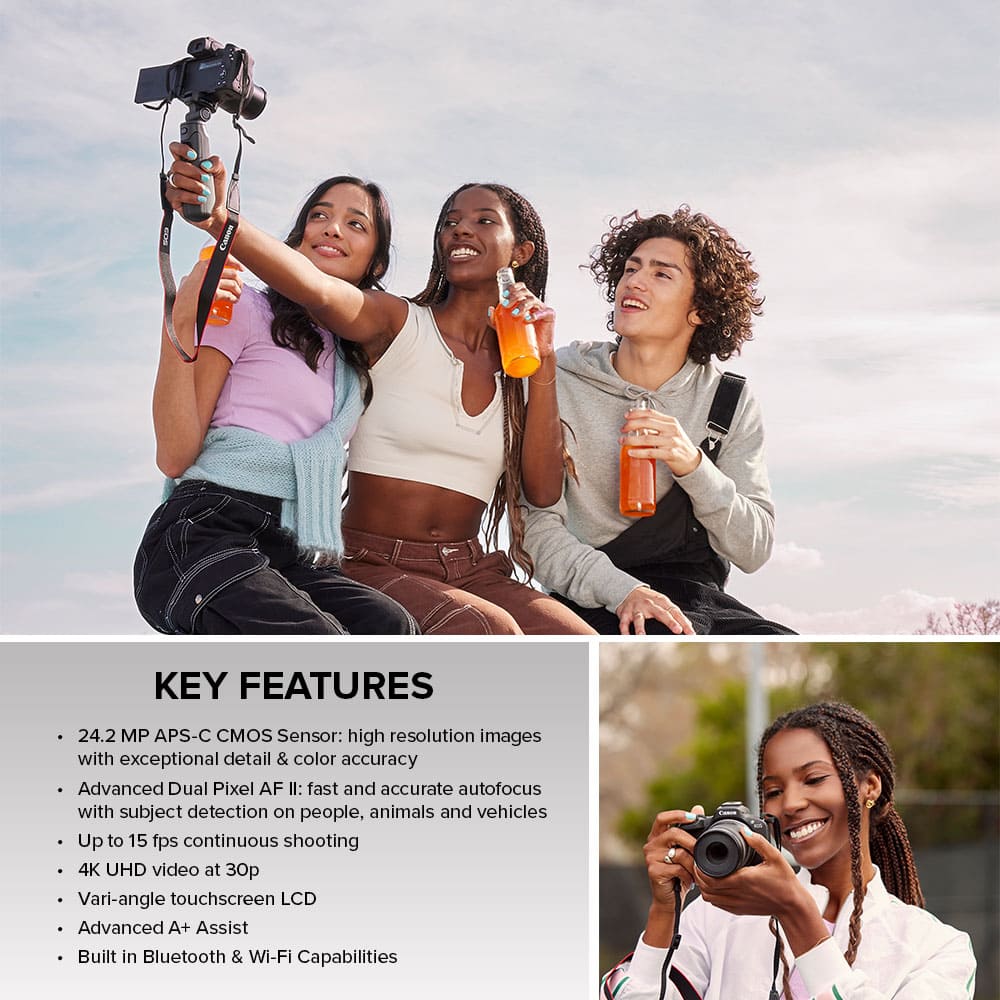
    4K Quality That Truly Impresses! The Canon EOS R50 is an incredible camera for both photos and videos. The 4K footage looks crisp, colorful, and professional — perfect for content creators or vloggers. Autofocus is super fast and accurate, even while moving, and the camera is lightweight and easy to carry anywhere. Battery life is solid, and the touchscreen makes shooting effortless.

    I would recommend this to a friend
  • Tech Insider Network Member

    Rated 5 out of 5 stars

    All the camera most people need. Amazing focus.

    |
    Tech Insider Network Member
    Posted .
    This reviewer received promo considerations or sweepstakes entry for writing a review.

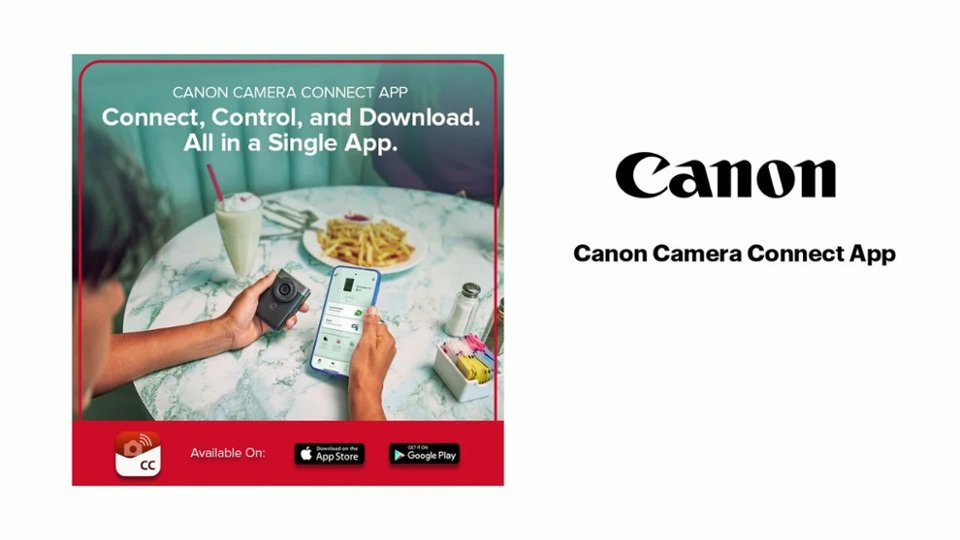
    The Canon EOS R50 redefines how I think about an entry level DSLR type of camera in a very good way (yes it’s a mirrorless camera, but I’m referring to the body style). If you mainly shoot in Automatic or Program mode, this camera will be your best friend. In fact, if you do any type of vlogging, videos, or social media content creation, you will love the R50. It’s essentially designed to be a high end camera upgrade for your phone, and it very much works that way. Using the free Canon Camera Connect app for Android, I was able to quickly pair the camera to my phone and begin either transferring files or use it as a remote. Transferring files is surprisingly quick, even the larger 4K videos, but using my smartphone as a second screen and remote is where it gets really interesting. The phone live view is virtually lag free which makes it very handy as a 2nd monitor, and I love that I can touch focus through my phone too. Speaking of which, the focus system on the R50 is ridiculous. 100% viewfinder coverage divided into 651 cells with Ai auto focus and subject tracking. And it actually works! As soon as a person comes into frame, you’ll see a focus box around their eyes. Animals too. It’s almost scary how it knows, but that’s part of what makes this such a good camera. It’s designed to help just about anyone create great looking content. The built in JPG processing is excellent and includes a lot of optional filters and editable features built-in. As a “vlogging camera” one of my favorite features is the Close-Up Demo Mode, which is a boon for product demos. In this mode, the R50 will quickly autofocus between you, the object you hold up to the lens, and then quickly back to you when you take it away. It doesn’t get lost figuring out what to focus on and that’s huge. Especially when live streaming where you can keep the focus on auto without worrying about the camera randomly trying to refocus. The tracking does an exceptional job of keeping up with the subject and there’s even a mode specifically to auto detect cars. In a way, these aren’t really new features, but to have them with such wide focus coverage with smart auto-detection and rapid focus tracking that works well, it’s truly game changing. Like most entry level cameras in this class, it only has a few dedicated buttons, but that’s ok. A lot of features are quickly accessible through the LCD touchscreen, so you don’t have to fumble through menus and submenus. And in that sense, if you’re an old school photographer that mainly does photos and prefers to shoot through the viewfinder, this camera probably isn’t for you. The body is almost too compact to comfortably hold like a DSLR and it almost feels like I’m holding a toy camera when I use the viewfinder, because of how small it feels. Granted, that’s really a subjective thing and if you have smaller hands the fit could be just what you’ve been waiting for. However, it feels like this camera was made to primarily shoot through the LCD screen and if you treat it like a smartphone, it all starts to make sense. The R50 was made for content creators who need a quick upgrade to their production values. Wirelessly transferring photos and videos to my phone is so quick and easy, it practically feels like a wireless extension of my phone. I also need to mention that the video exports as the super friendly MP4 format (thank you Canon), so no need to convert a funky file format that barely anyone uses. It’s funny, despite being an “entry” level camera, I think this is all the camera that most people need. If you’re a vlogger or do a lot of solo video recording, you’ll love the Close-Up Demo mode, focus tracking, and easy wireless file transfers. If you’re just getting into photography, you’ll love the image quality and how friendly this camera is to use. And if you bought an expensive DSLR camera, but only shoot in Automatic or Program mode, the 651 focus zones and Ai features will make your stuff look even better. Great job Canon. PROS - Vloggers best friend - If you bought a DSLR, but mostly shoot in Auto or Program, this is the one for you - Easy to take great looking photos and video - Stable wireless bluetooth phone connection - Like a mirrorless DSLR with smartphone camera intelligence - Can touch focus and shoot with touchscreen AND smartphone at same time - Compact - Shoots RAW and JPG - Sharp photos and 4K video - Love the Ai autofocus system - 651 autofocus zones / 100% coverage - Auto tracks and auto focuses on eyes and moving objects impressively well - Fast bluetooth and WiFi file transfers - Easy connect to phone or laptop - Wireless live view barely has any delay - Can use phone and laptop as wireless remote camera trigger - Silent and quick focus - Responsive, bright, and clear touch screen - Excellent for influencers, streamers, and content creators - 1 hour video clip recording capability - Excellent in camera filters and post processing - Dedicated video record button - Reprogrammable hard buttons - Good in low light - Lightweight - Exports video as super convenient mp4 - Sharp kit lens - Solid body with great fit and finish - Internal microphone isn’t half bad - Mic input port - Zoom/Teams/Skype compatible - WiFi direct printing (via PictBridge) - Wide selection of lenses with EF-S/EOS R adapter CONS - A little too compact - Only 1 SD card slot - Few direct control buttons - Unsealed body and lens - Not full frame - Few inputs and ports - Must use WiFi to wirelessly connect to PC (lose internet if not hardwired during use)

    I would recommend this to a friend
  • Tech Insider Network Member

    Rated 5 out of 5 stars

    Nice entry-level camera for photos/video/blogging.

    |
    Tech Insider Network Member
    Posted .
    This reviewer received promo considerations or sweepstakes entry for writing a review.

    This is a very nice entry-level camera for Photographers, Videographers, and/or Bloggers. I've been using the Canon EOS R50 for about 3 weeks now and I really like it. I have been a non-professional photographer/videographer for about 40 years. This is my first Canon DSLR, but I have had several Canon point-and-shoot cameras. The EOS R50 has a high quality lens and an advanced image sensor that you'd expect from mid-level Canons, but at a budget price. After using this camera to take hundreds of photos and videos, I would summarize it as a "advanced point-and-shoot camera with interchangeable lenses". The Canon EOS R50 is also a mirrorless, APS-C 24MP camera capable of 4K video with lots of advanced technology built into it (i.e., WiFi, Bluetooth, USB-C, and HDMI). In my opinion, this is the Swiss Army Knife of affordable, entry-level cameras. First, the mirrorless and APS-C sensor, are not negatives in my opinion. Canon and most (if not all) camera manufacturers have chosen to stop production of mirrored cameras. Also, making a camera without a mirror and using a smaller sensor (APS-C), allows the camera to be lighter, smaller, and they can then build more technology inside for the same cost. The 24MP image sensor / 4K video and advanced autofocus / subject tracking was a great trade-off decision by Canon. This camera will also allow you to be as creative as you want. You can start by using one of the scene modes, then advance to aperture or shutter priority or go full manual. You can also shoot stills at up to 15 photos per second or shoot up to 60 minutes of video. The photo and video modes let you use a number of advanced settings to provide great photo / video results without a lot of editing too. Perfect for the beginner to intermediate user. The Canon EOS R50 is really compact and small when compared to my other APS-C and full frame DSLRs. The only nagging problem I had was getting used to the size and placement of the controls. They are so close together, I sometimes pushed a button by mistake while trying to focus and get my exposure. I ended up having to pull my eye away from the viewfinder to do that, then take my photo. Other than that, I really liked everything about this camera. Having the ability to automatically transfer my photos to my laptop or phone is amazing. While I was out at the beach with my kids, I was able to take a couple quick photos and videos, upload them to my phone via Bluetooth, quickly edit them on my phone, then post them to Facebook, all in less than 2 minutes. What I really liked, was I was testing this camera at a park taking some landscape photos/videos. I could quickly transfer them directly to my laptop (either Bluetooth or USB) and could view them to see if I got the image or video that I was hoping for. That was such a great time saver, because I could do all that before I got home and wouldn't lose the perfect photo/video opportunity. The Canon App allows your to do a lot of different functions remotely and change the camera's settings. It was great at letting me setup my camera on a tripod and take photos from the App remotely. The App will also provide GPS information to the camera from your phone's GPS. You no longer have to purchase a secondary device to attach to your camera. The one thing I'd love to see in the App, is for Canon to add support for an intervalometer and focus bracketing. None of the features and capabilities of this camera would have been imaginable 40 years ago, or even 10 years ago. This camera opens a lot of doors for a new type of photographer, videographer, and Vlog/Bloggers. I think you will see more cameras like this in the future and the technology will continue to improve. But, for now, this is my go to camera when I don't want the weight and size of my other DSLR and want to just enjoy my time with my kids and save memories. It's small size and weight allows me easily carry this or put it in my backpack. I highly recommend this camera and will certainly take another look at Canon when it is time to replace my full-frame DSLR.

    I would recommend this to a friend
  • Tech Insider Network Member

    Rated 5 out of 5 stars

    When you think Phone cameras are good

    |
    Tech Insider Network Member
    Posted .
    This reviewer received promo considerations or sweepstakes entry for writing a review.

    It has been a while since the last time I had a real camera in my hand. This Canon is a big improvement since my last (film) Canon I had, many years ago. I am actually surprised and amazed with the capabilities of this relatively small device. Photos are coming good from the first try. The lens mechanical focus has been replaced with digital focus. Canon won't let you take a photo (in auto mode) unless it is a good quality one. It has a lot of good tools that guarantee your professionalism. They used to say it is 20% the camera and 80% the camera man (or woman)... I believe it is the opposit. Battery life is amazing. I was skeptical and planning to buy an extra battery. Then, I took it into a long day photos and videos (some 4K) and the battery just did very well. It took a long time to charge the first time though... The power management is incredible. Also, this R50 has what is much needed: A way to synchronize to phone or tablet. It allows you to transfer the photos and videos to your phone or tablet for immediate review, changes and also to keep camera's memory free. I was surprised that synchronization carried on even when the camera was turned off and in the bag. Cannon app is very powerful. Worked well with iOS and Android (new phones mostly). I have a relatively old phone that camera couldn't connect to through the wifi. It started fine over BT but then when switching to WiFi, the phone was lost in loops. Newer phones didn't have any issues. iOS phones and iPad worked very well. The camera has a micro HDMI connector on the side that allows to mirror all what is on the screen, a USB-C connector allowing super fast access to the memory but honestly with the fast wireless transfer, who need it? It is good to have any way. 4K video recording is also something impressive. I am using a 32Gb micro SD card and it allows the recording of 10 mins only. Even though Canon somewhere warns about the overheating while taking a 4K video, I didn't notice any over usual temperature. The app is straight forward, it gives you all what you need in one spot. Away from any unnecessary complications... EOS R50 is coming wiht 18-45 lens. It is ok for most photo shoots... I am planning to get an RF-S 55-210mm telephoto lens. Like the one I had with my vintage Canon. While I am trying not to get too technical in my review, it is worth mentioning that the fps rating (12fps) is amazing. Allowing to have very nice pictures no matter what. I recommend getting it for beginners or for anyone trying to get a nice picture without taking too much efforts (by using auto mode) and it will save time editing the photos on the computer. Photos captured came out nice and almost ready to be used.

    I would recommend this to a friend
  • Tech Insider Network Member

    Rated 5 out of 5 stars

    Amazing beginner camera

    |
    Tech Insider Network Member
    Posted .
    This reviewer received promo considerations or sweepstakes entry for writing a review.

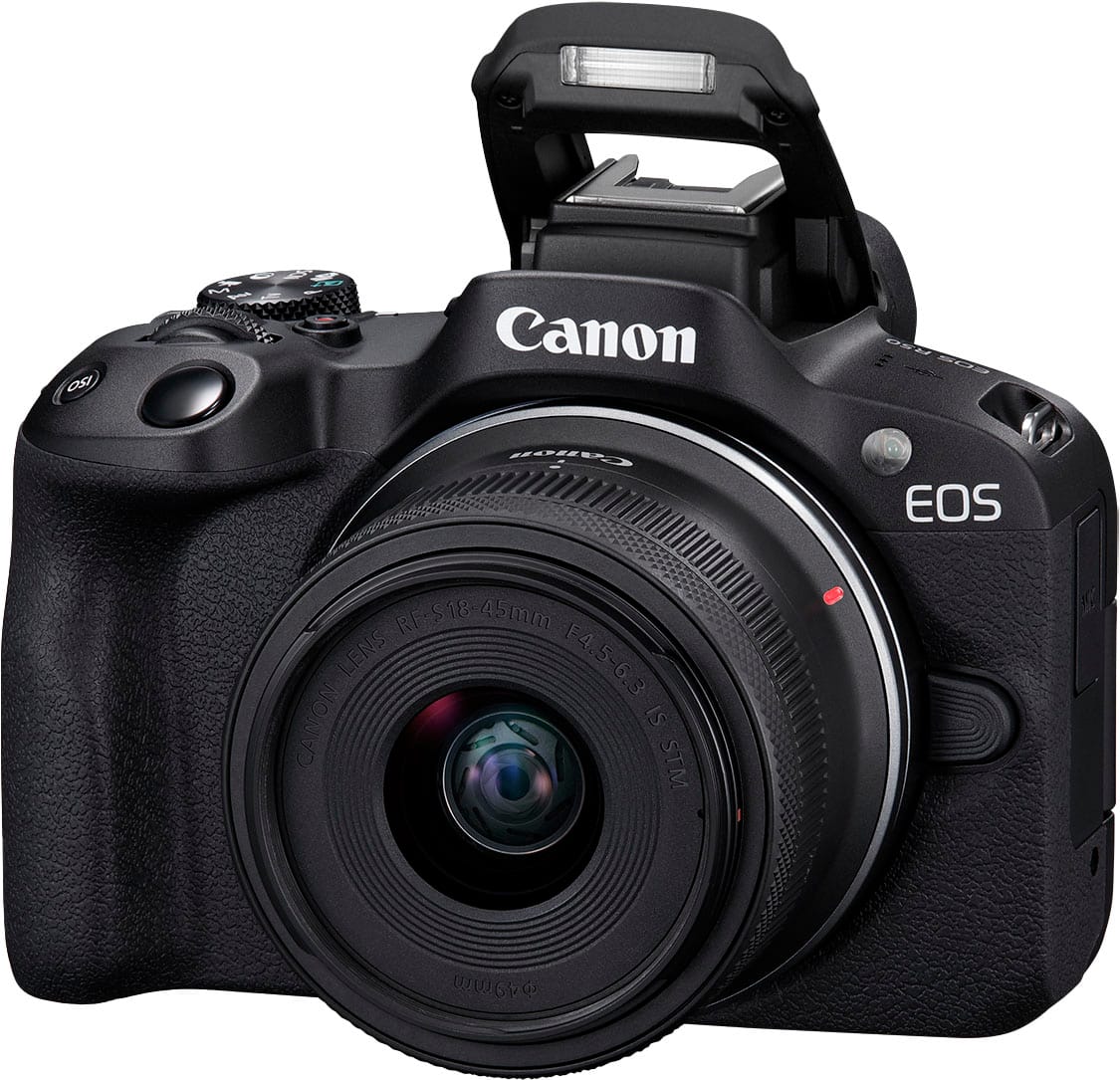
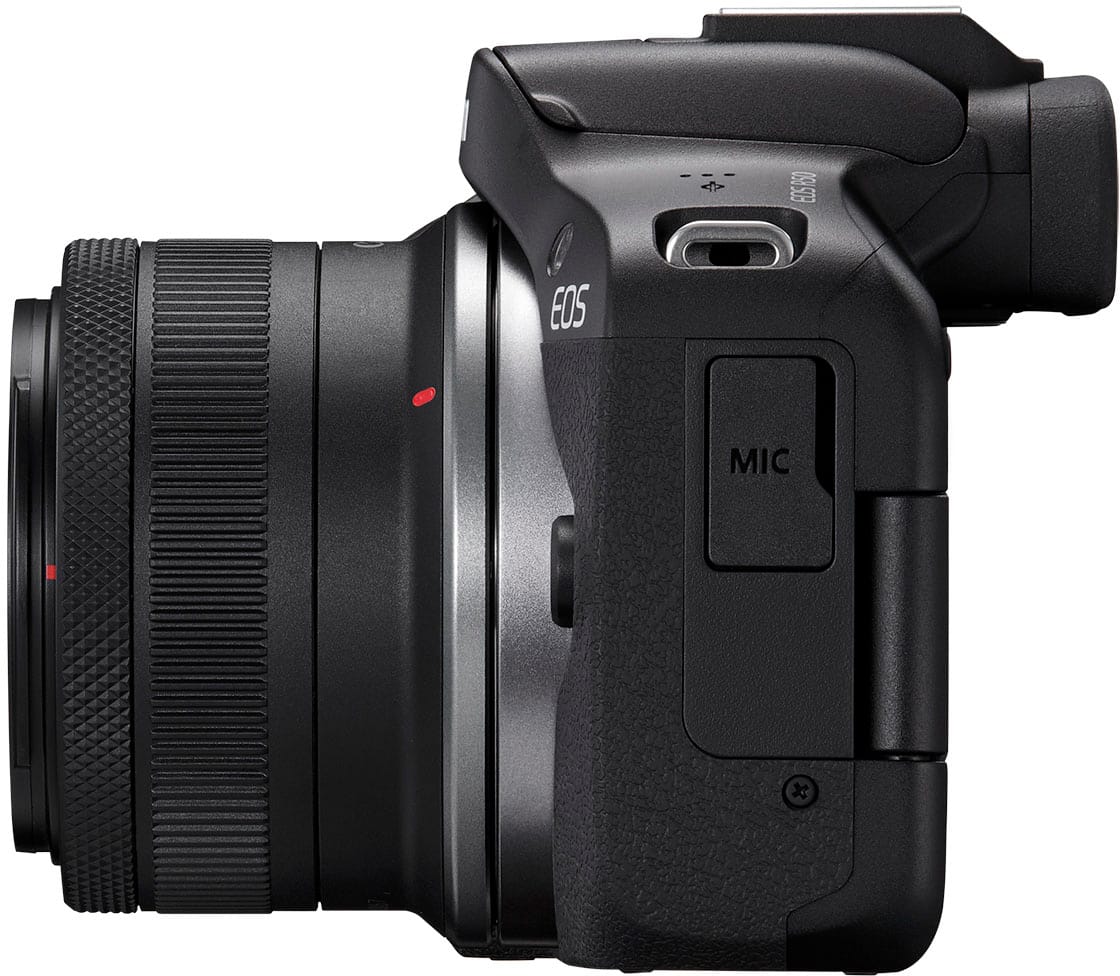
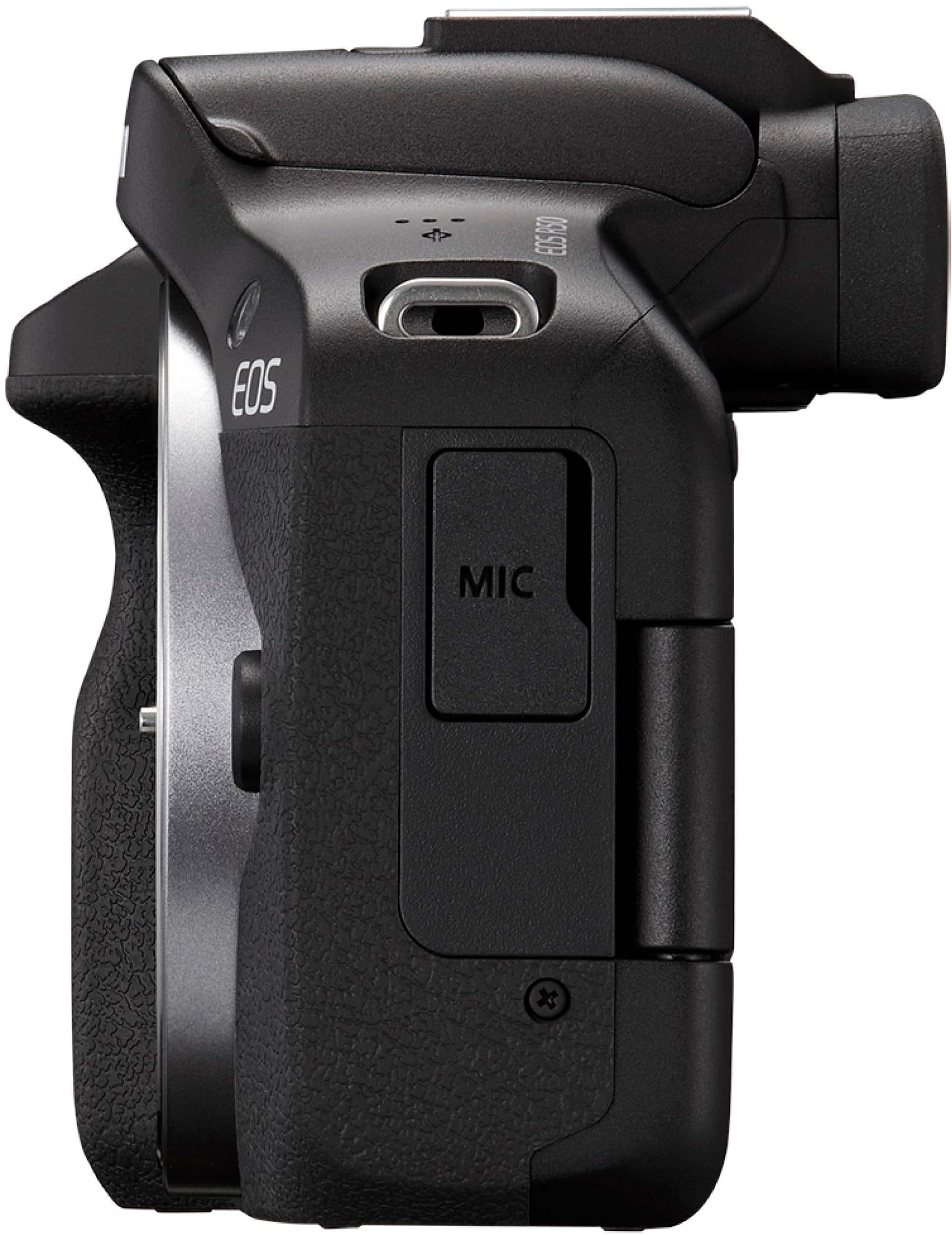
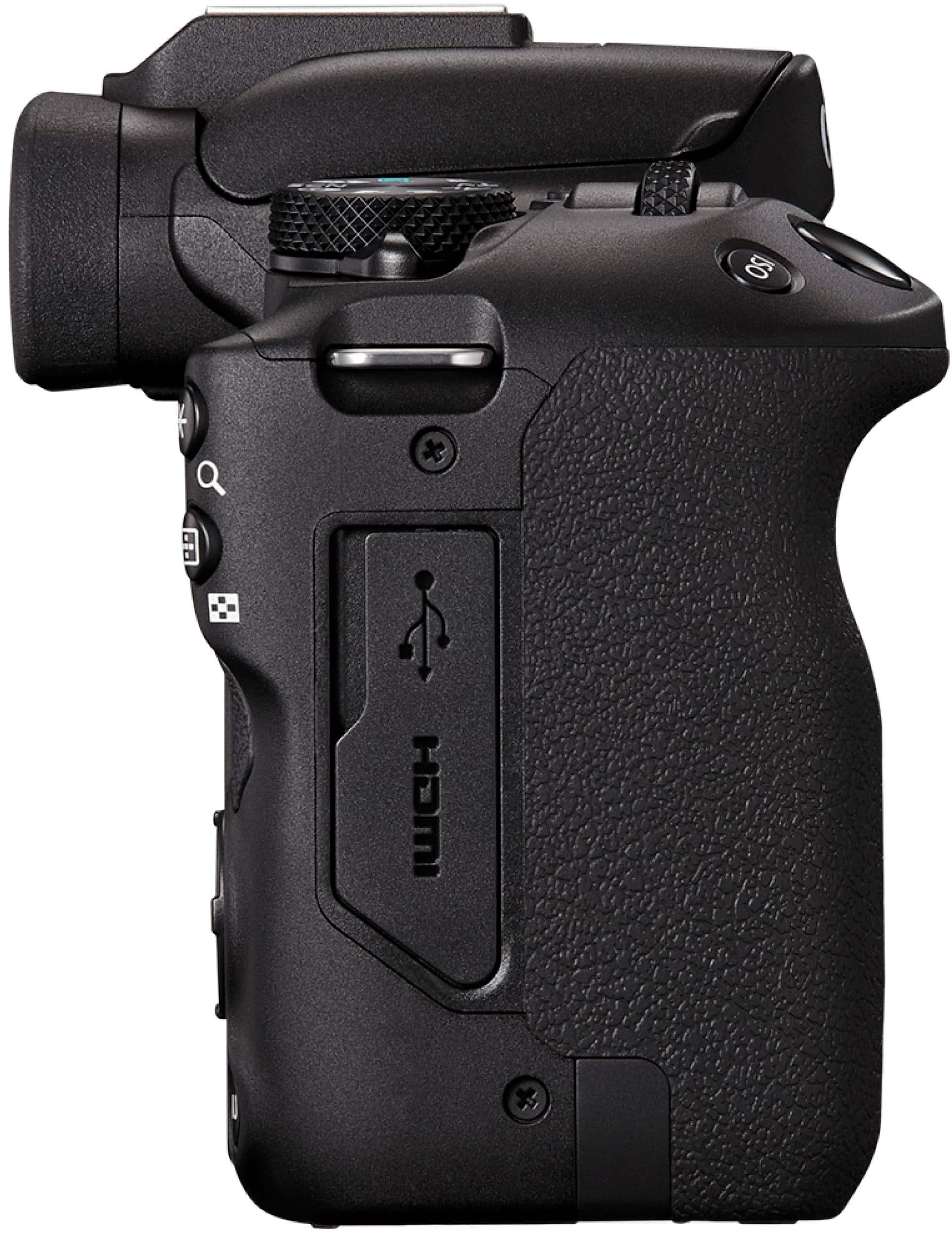
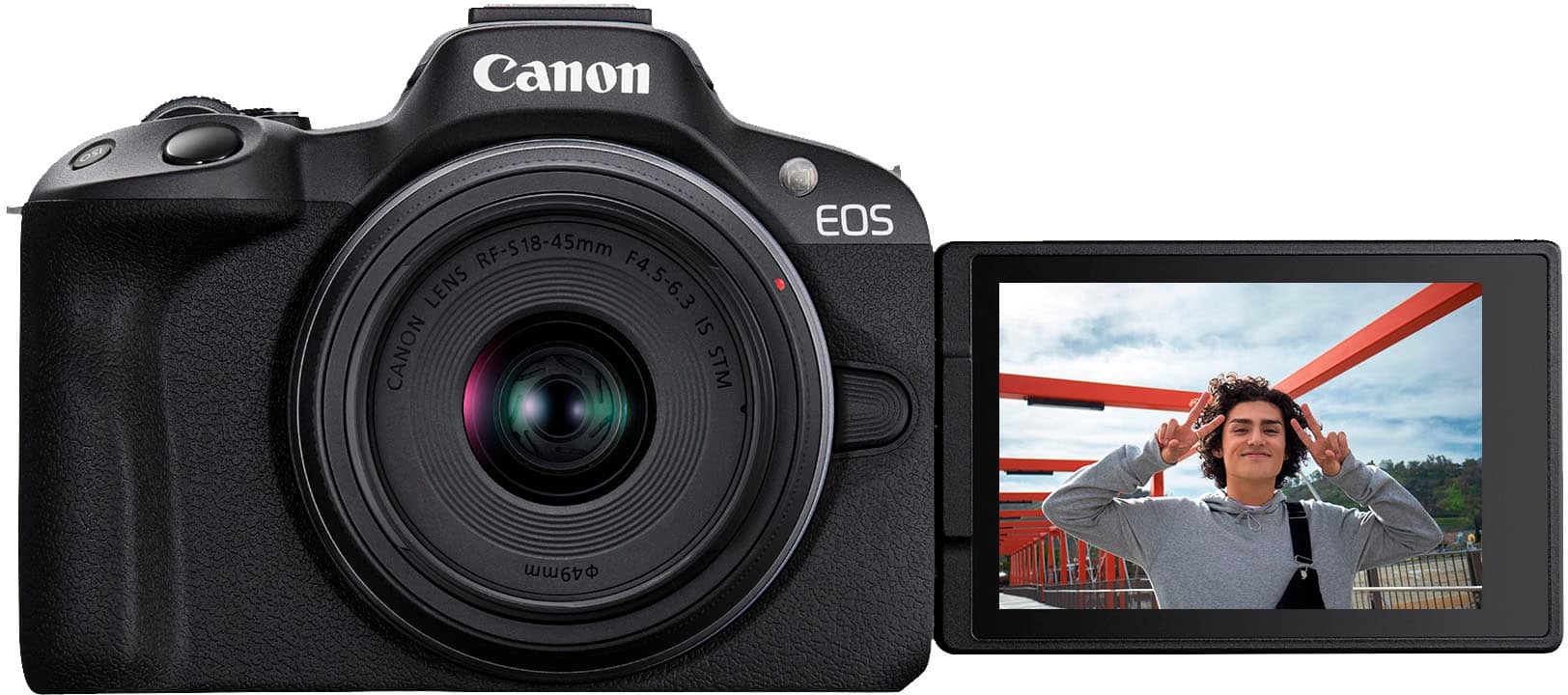
    Overall The Canon R50 is a capable, light, and easy to use camera system. If all your prior knowledge of cameras was that from a smartphone, this one will make you feel right at home with plenty of room to grow. The auto Ai function will take care of everything for you with a single tap on the screen for picking a base mode. The resulting images are great with little to no post processing needed for an excellent shot. The touch display is bright and handles well in any environment, I've yet to have issues with it. The hood flash is plenty bright for well lit shots of people or objects. The camera being small is cramped and has a narrow grip that makes it harder to hold for me. The button layout leaves something to be desired, at least the directional keys and center button. I frequently press down when aiming for the set/OK key.  Software Canon cameras are packed with software for just about everything. From editing, remote operation, and transfer; both desktop and smartphone. The remote app doubles as the transfer app to import images from your camera. I do need to add that the CameraConnect app never connected with my Android device. I only managed to get it paired with an iPhone XR. They also include 30 days of rolling cloud storage and 10gb of long term storage. Rolling storage doesn't count toward the 10gb.  Features The touch screen display is bright, responsive and sharp. It flips out, rotates and folds back in. It allows for selfie shots by flipping the screen out and facing it toward you. Folding it back in gives you a larger screen other than the viewfinder. There's a sensor in the viewfinder that disables the display while it picks you up, whether your hand reaching across or your eye looking in. IS (Image stabilization) removes a lot of handshake from your shots. There's 2 modes, standard and enhanced. Battery life is adequate getting up to 2 days of sporadic use.  Considerations Only 1 control dial, this felt odd when first holding the camera but got used to it within the hour. If you're a novice, you may not care or understand this point. Recording 4K, and other modes, prompts a potential overheating/shutoff warning. Small frame, short grip. If you have large hands you may find handling the camera a little troublesome. Compact top buttons add to this. Peripheral ports are on opposing ends. HDMI and USB on one side, mic on the opposite. This one really depends on the type of equipment you have or plan to use with it. Conclusion At the end of the day, this is a fantastic camera. It's light, feature packed, and takes great shots. The positives outweigh any of my negative remarks. This is worth 5-stars.

    I would recommend this to a friend
  • Tech Insider Network Member

    Rated 4 out of 5 stars

    Good 4K Mirrorless for Creators under $1k

    |
    Tech Insider Network Member
    Posted .
    This reviewer received promo considerations or sweepstakes entry for writing a review.

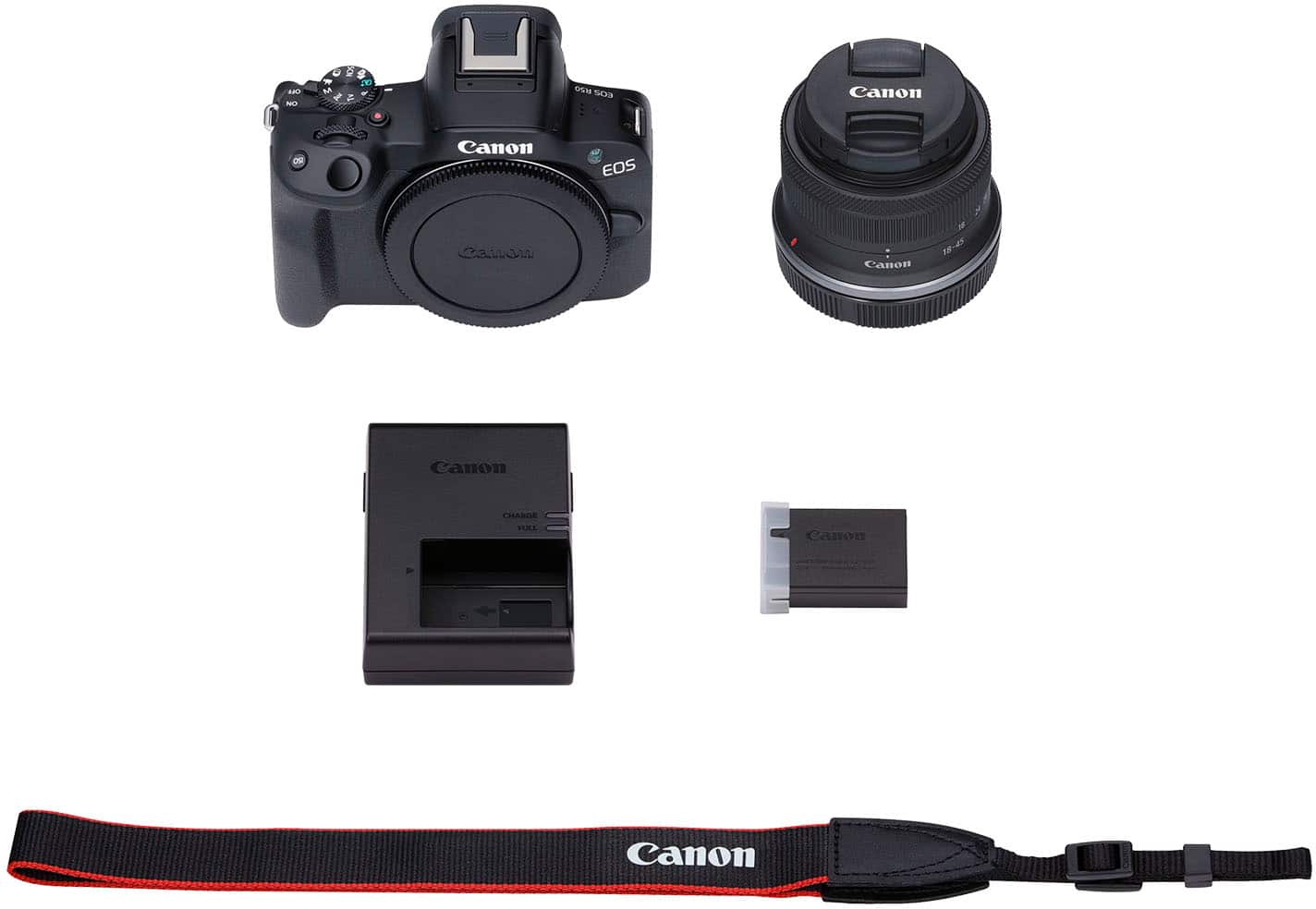
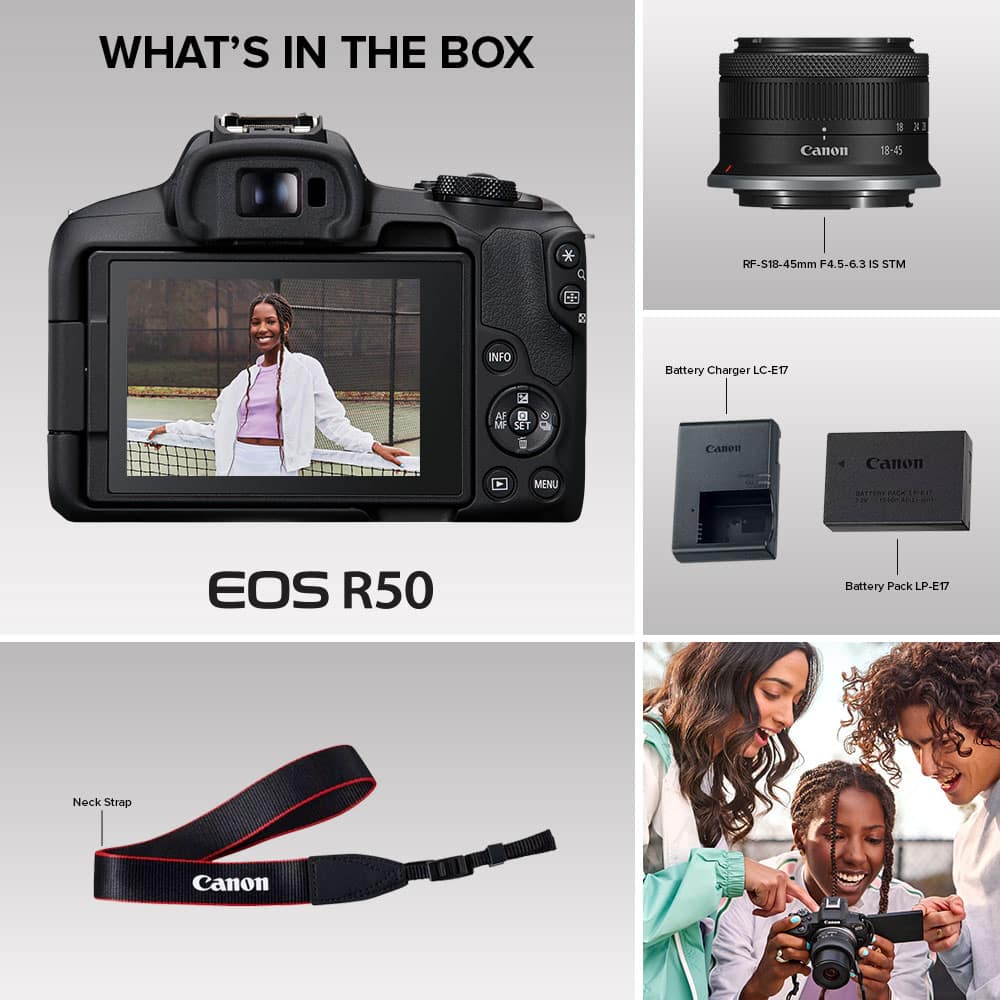
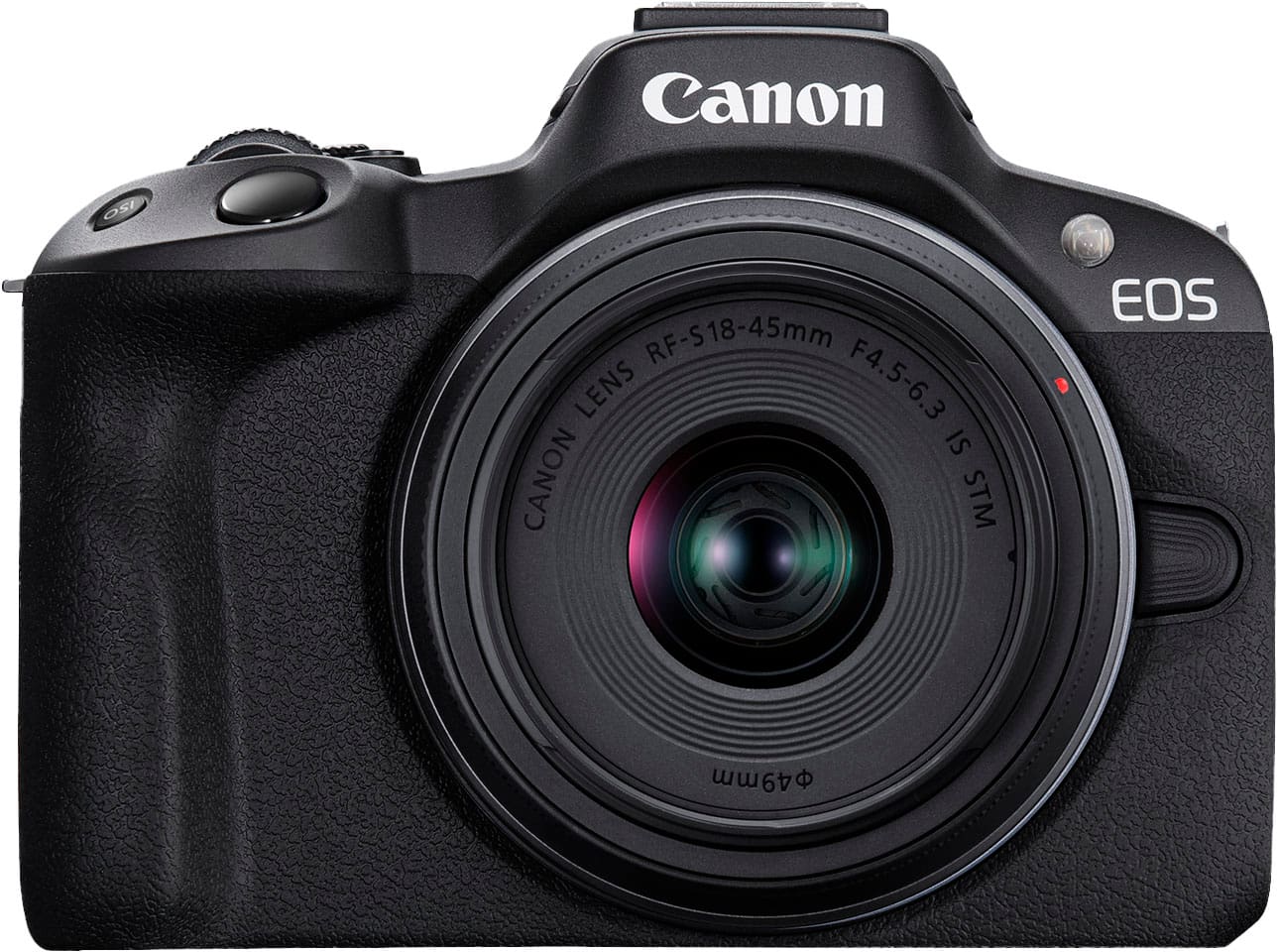
    UNBOXING: I’ve got the Canon EOS R50 with RF-S 18-45mm f/4.5-6.3 IS STM Lens. The packaging is lightweight, which was surprising for me as someone who had only worked with a larger DSLR before. Inside the box you’ll find the EOS R50 body, the kit lens, protective caps for the body and lens, the removable battery and charger, and a neck strap that you can attach to the body. BUILD: The first thing I noticed about the EOS R50 body was how compact it was. I didn’t really have any expectations upon its arrival, but just holding it was satisfying. The body is lightweight, but the outer plastic feels sturdy and the rubberized textured grip gives you confidence that it won’t accidentally slip out of your hand. The battery compartment is easy to lock and unlock, and fitting the R50 with the battery or an SD card delivers a tactile click and a sense of security. The physical controls on the R50 also feel sturdy and confident—I don’t have any concern about accidentally turning a dial or pressing a button. The controls require intention to engage, and I feel that’s often underappreciated. Working with mushy physical controls could really lead to accidental triggers, but I have no worry about that with the R50. Additionally, the touch screen can articulate out so you can take pictures or video of yourself while monitoring the feed. The included lens itself clicks tightly onto the body and delivers a tactile click when you set it to 18mm. PHOTO: As a content creator and reviewer, when I’m taking pictures of products, I want the process to be simple. I want to be able to reliably engage the autofocus, and take images that are sharp and deliver a pleasant bokeh with minimal noise. While I haven’t been able to test every single setting on the R50, I will say that if you prefer manual modes, then you can certainly dial in your aperture, ISO and shutter speed as you wish to achieve the best possible shot across a wide variety of scenarios. But if you like to keep things simple, then there are plenty of photo modes that can help you take great pictures without too much effort. In my experience with the R50, it takes sharp in-focus images and is able to provide a pleasant bokeh which you can certainly dial in if you’re comfortable controlling the aperture. If you’re opting for the bundle with the kit lens, then it’s important to note that the included lens does not have optical image stabilization, and the camera body uses only digital image stabilization. There are RF mount lenses with optical image stabilization if you are planning to use the R50 by hand and without a gimbal or tripod, but I did find it took sharp images without external gear as long as you have a reasonably steady hand. VIDEO: Video seems to be one of the bigger improvements of the EOS R50 compared to the M50 mk II, and the aspect which I find myself most excited about. At its very best, the R50 can record 6K content and downsample the footage to 2160p30, and which delivers a very crisp image with very low noise under proper lighting conditions. It can also record 1080p120 for slow motion content, but audio isn’t recorded in this mode. My favorite feature, however, has to be the close-up demo mode that is great for product reviews, makeup tutorials, or any other style of content where you may need to show a close-up of a product at times. I’ve tried it on numerous items of varying sizes, textures and colors and found that the autofocus was very responsive and was able to quickly latch onto whatever object I put in front of the lens. And as soon as I removed the object from the view, the autofocus quickly latched back onto the main subject. One shortcoming for the video is the lack of optical image stabilization on the body or the kit lens. If you are recording video with a lot of movement and without a gimbal or other hardware for stabilization, then you may see some correction artifacts from the digital stabilization trying to correct for the lack of optical stabilization. So for sports or other high-movement purposes (e.g. even walking while filming), I’d still recommend looking into a lens with OIS or a gimbal. You can enable Enhanced Image stabilization in the settings to further compensate for erratic movement, but I found the footage to feel a bit more artificial and overly processed, and even it felt that way while actively recording as well. AUDIO: The built-in microphones are also surprisingly decent. While they might not be able to withstand rushes of wind, they were able to capture clear audio that I felt would be reasonably good for folks who don’t yet want to commit to additional audio gear. That being said, if you can, I’d still recommend upgrading to a shotgun microphone that you can mount to the hot shoe since there are so many great affordable options on the market. APP: The Canon Connect Mobile app has its ups and downs while over Bluetooth/Wi-Fi. Overall, transferring images and video from the camera to your phone or tablet over Wi-Fi is a slower process than I might like. You open the app, register the device, and as long as Bluetooth and Wi-Fi are enabled on both the R50 and your device, discovery should be straight-forward. By default, you’ll receive compressed video and images since this is significantly faster than transferring the content at original size. But you are welcome to enable importing original size content in the app settings. You can import RAW images, although you’ll need software that will be able to open the files. If you choose to import compressed video, then your 4K or 1080p120 video will be downscaled to 1080p30 at best. I honestly don’t recommend importing original size video content this way because it can take quite a bit of time to transfer. However, you can also connect via USB and import content that way (for lightning-enabled Apple devices, you’ll need the Camera adapter). Comparatively, importing content over USB is significantly more responsive and I would recommend it if you intend to import original size content. I also really enjoyed the remote live view feature that gives you a live video feed access to some of the controls. This feature is okay in wireless mode, but the latency isn’t particularly great if you’re looking for responsiveness. But if you can hook it up wired like I did, it is super responsive and latency is a non-issue. I found this was especially valuable for using my iPad as an even larger viewfinder. WEBCAM: Another feature I found was interesting was that you could hook the R50 up to your computer via USB and turn on the video streaming/call feature under the USB options in the menu options. This turns your R50 into a glorified webcam. This could make it a great option for creators who do video streams, since they can purchase a dummy battery connected to AC power. However, output is limited to 1080p30 SDR in this mode, so if you have a much more advanced setup and want 2160p output, you may have to use the Micro HDMI output with a capable capture card. That being said, you may have to disable various power-saving settings to ensure optimal performance for this strategy to be effective. CONCLUSION: Overall, I think the Canon EOS R50 is a good camera that could fit the needs of many creators. If you’re looking for a camera with a compact body that is good for both stills and video, then the R50 is a solid option—especially if you already have RF lenses with optical image stabilization. But if you’re looking to get into vlogging, or intend to record video without a tripod or gimbal, there are better mirrorless options on the market that will have very similar features with better image stabilization. In the end, there are a ton of features to compare across many brands. The EOS R50 is going to meet my limited needs as a video-oriented content creator who doesn’t have frequent camera movement. And while it may work well for me, the features I prioritize may not be the ones most important to you.

    I would recommend this to a friend
  • Rated 5 out of 5 stars

    A Great Camera for Beginners

    |
    |
    Posted .
    This reviewer received promo considerations or sweepstakes entry for writing a review.

    I recently bought the Canon R50, and I absolutely love it. It's user-friendly, lightweight, and packed with features that make it easy to start taking high-quality photos right away. What I appreciate most is how beginner-friendly it is, and there are tons of helpful videos online that walk you through everything from basic setup to more advanced techniques. It's a great way to start transforming the way you take pictures. If you’re just getting into photography or want to upgrade from your phone or an older camera, I highly recommend giving the Canon R50 a try.

    I would recommend this to a friend
  • Rated 5 out of 5 stars

    Beautiful

    |
    |
    Posted .
    This reviewer received promo considerations or sweepstakes entry for writing a review.

    The Canon EOS R50 is an outstanding 4K mirrorless camera that delivers sharp, vibrant images and smooth video. Its compact size makes it perfect for travel, while autofocus is fast and reliable. User-friendly controls and great low-light performance make it ideal for beginners and enthusiasts wanting professional-quality results.

    I would recommend this to a friend
  • Tech Insider Network Member

    Rated 5 out of 5 stars

    Feature Loaded Easy To Use And Reasonably Priced

    |
    Tech Insider Network Member
    Posted .
    This reviewer received promo considerations or sweepstakes entry for writing a review.

    This is loaded with features you would find in much higher priced cameras. Mirrorless is the way of the future capturing beautiful images for both still and video. My Vlogging looks wonderful and was compiled easily using the abilities and features of the EOS 50. There are different modes that make video a breeze — such as the close-up demo mode for example — which seamlessly switches focus when a product is brought close to the camera. You can also film slow-motion at a high frame rate of 120 fps in full HD. For photos, sure your smartphone is always with you and today can take some really amazing shots, but most will still pale in comparison to anything that you capture on the Canon-EOS R50 Mirrorless Camera. Its had a24.2 Megapixel (APS-C) CMOS Sensor and is equipped with a 24.2-million-pixel CMOS (APS-C) image sensor and DIGIC X Image Processor, the EOS R50 camera will snap up images and videos with reduced noise, with clear, detailed results even in low light. Images look beautiful even when enlarged, with natural bokeh that smartphones can't offer. All in all it is a wonderful mid priced upper entry level Video/Still shot camera with a very nice beginners lens that will give you many hours of fun capturing photos and videos for all of your social media platforms as well as any printed enlargements you want to make for yourself or friends or possibly to sell.

    I would recommend this to a friend
  • Rated 5 out of 5 stars

    Another great Canon camera

    |
    |
    Posted . Owned for 1 month when reviewed.
    This reviewer received promo considerations or sweepstakes entry for writing a review.

    I love this little camera. I also love that there are dozens of YouTube videos that tell me how to use all the features. I got an adapter so I can use my older lenses on this camera as well. They work perfectly. The only issue is the right grip is a bit small so I ended up leaning on the buttons all the way to the right, which was annoying as it changed, how many pictures I was taking sequentially. But after I used it a while, I figured it out.. Nothing I would return it for. It took great photos on my Safari.

    I would recommend this to a friend
  • Rated 5 out of 5 stars

    Love it!

    |
    |
    Posted . Owned for 1 month when reviewed.
    This reviewer received promo considerations or sweepstakes entry for writing a review.

    Amazing camera. My sister purchased this camera and I fell in love with it. I had nicer older cameras but I loved the feature of being able to upload them straight to your phone or camera wirelessly. The photo quality is absolutely amazing and I love that you can also take videos with it. It's light and comfortable to carry. My only complaint is that my camera fell off of the bed onto a carpeted area and the lens broke and wouldn't retract. I was shocked at how easily it happened given my others camera I've had for 15 years and have never had any issues. Thank goodness I purchased the insurance plan but beware that it seems to be very fragile.

    I would recommend this to a friend
  • Rated 5 out of 5 stars

    Great Camera & Quality/ Easy to use

    |
    |
    Posted . Owned for 2 months when reviewed.
    This reviewer received promo considerations or sweepstakes entry for writing a review.

    I bought this camera for one of my photography classes and was looking for something of good quality, easy to use , and a fair price. I did research on different cameras and this is the one that I thought would be the best for me . It is a great camera it is very easy to use since it has touch screen. I love the quality and all of the controls, it is a small camera super easy to handle and not heavy. Even with the lens it comes with which is standard, I can take very close up photographs of small objects. Love this camera very much recommend.

    I would recommend this to a friend
  • Rated 5 out of 5 stars

    GREAT camera!!

    Posted .
    This reviewer received promo considerations or sweepstakes entry for writing a review.

    I know NOTHING about cameras... NOTHING... But I do make YouTube videos and I was looking for something that would be easy to use and look great. This camera is perfect for that. Clean, sharp footage.. Comes with a lens.. You can leave it on "Auto focus" so it takes care of that for you, or choose manual and rotate the lens till you find the sweet spot.. I already knew that I was going to record my audio separately (into a laptop) so I wasn't concerned about that... It records audio but any audio straight from any camera isn't going to be great. If you're wondering.. don't hesitate.

    I would recommend this to a friend
  • Rated 5 out of 5 stars

    Canon R50

    |
    |
    Posted . Owned for 1 month when reviewed.
    This reviewer received promo considerations or sweepstakes entry for writing a review.

    Best camera I have ever bought so many different types of features that I can use on this camera and shoots in such amazing quality Im a photographer/videographer and I think this is perfect for a first time camera!!!

    I would recommend this to a friend
  • Rated 5 out of 5 stars

    I love it!

    |
    |
    Posted . Owned for 2 months when reviewed.
    This reviewer received promo considerations or sweepstakes entry for writing a review.

    This camera is very easy to use and the quality of my pictures comes out so beautiful! So many settings to choose from and adjustments you can change to your personal liking! I have not had any problems with it whatsoever.

    I would recommend this to a friend
  • Rated 5 out of 5 stars

    Great camera

    |
    |
    Posted . Owned for 3 weeks when reviewed.
    This reviewer received promo considerations or sweepstakes entry for writing a review.

    Purchased this camera for my wife to replace one that she had had for almost 20 years that was giving a few problems. She loves it! It is much lighter and takes great photos. This canon is a winner.

    I would recommend this to a friend
  • Rated 5 out of 5 stars

    Love R50

    |
    |
    Posted . Owned for 1 month when reviewed.
    This reviewer received promo considerations or sweepstakes entry for writing a review.

    Love this camera, super easy to set up and perfect pictures

    I would recommend this to a friend
  • Rated 5 out of 5 stars

    Amazing!

    |
    |
    Posted . Owned for less than 1 week when reviewed.
    This reviewer received promo considerations or sweepstakes entry for writing a review.

    This is a B camera for me and a second body geared for more photography and I am in love . It is compact light weight and image quality is amazing . Has all the features I needed and at a very affordable price

    I would recommend this to a friend
  • Rated 5 out of 5 stars

    Great beginner camera!

    |
    |
    Posted . Owned for 2 months when reviewed.
    This reviewer received promo considerations or sweepstakes entry for writing a review.

    I love this camera. I wanted something that I could take good quality video and pictures. This camera does both. The battery can die pretty quickly if you’re doing videography, but if you are just taking pictures it lasts long enough. The feature of downloading the pictures onto your phone is very easy and fast as well.

    I would recommend this to a friend