Customer Ratings & Reviews



- Model:
- GA01923-US
- SKU:
- 6425982
Rating by feature
- Value
Rating 4.7 out of 5 stars
- Quality
Rating 4.7 out of 5 stars
- Ease of Use
Rating 4.7 out of 5 stars
to a friend
Customers are saying
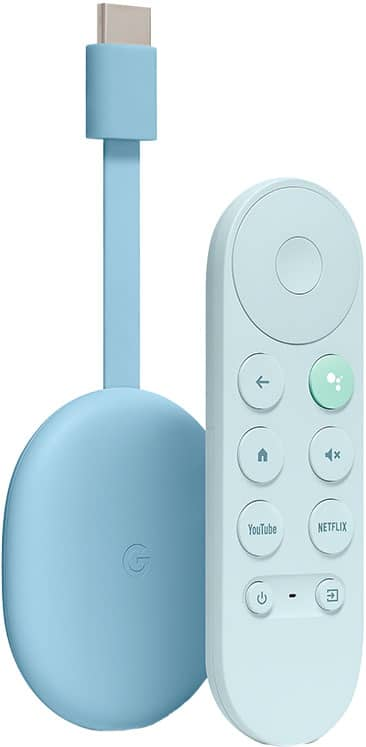
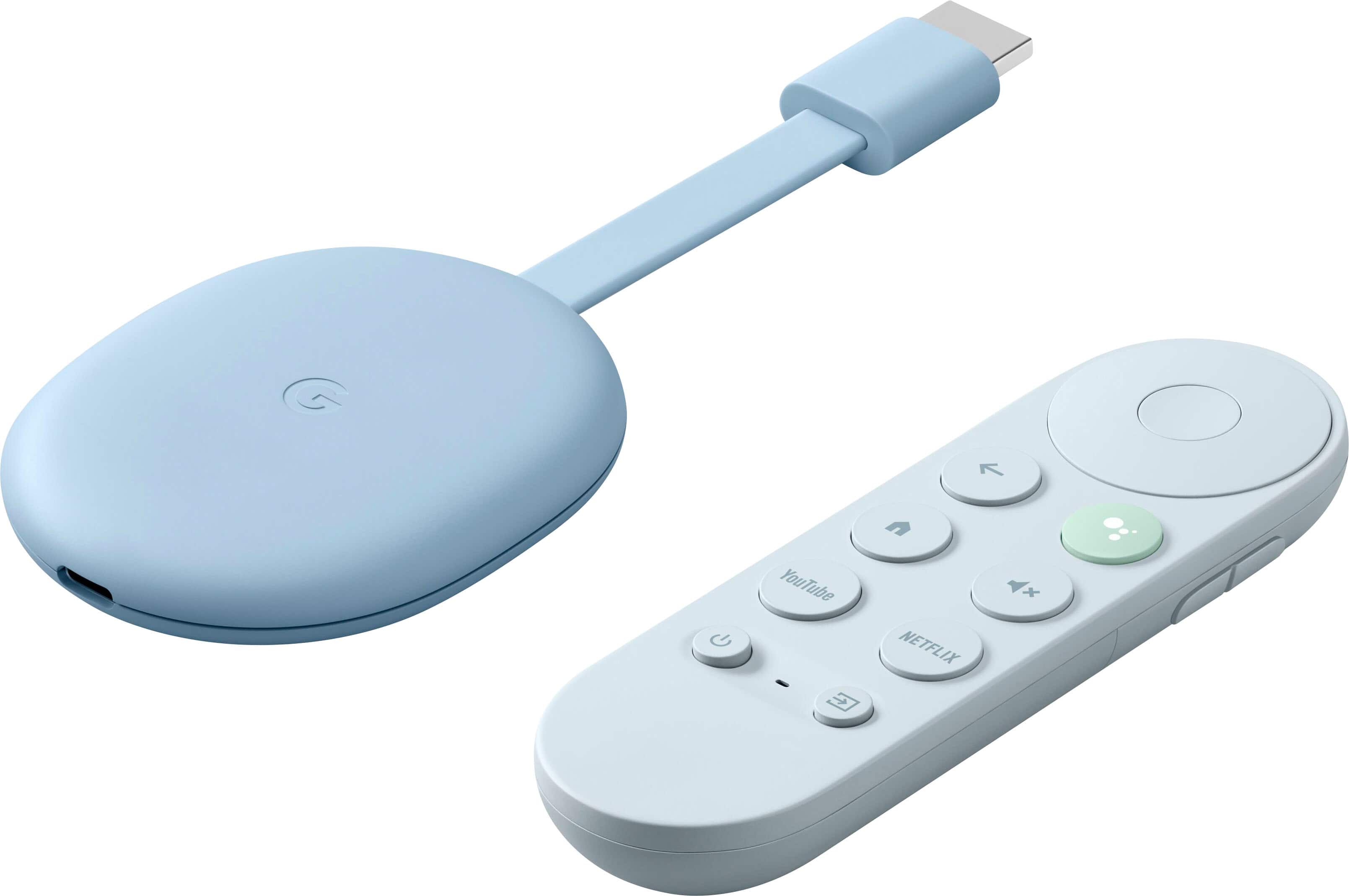
Customers are delighted by the Chromecast with Google TV (4K)'s ease of use, intuitive interface, and excellent picture quality. Many appreciate the included remote and the device's strong streaming capabilities, finding setup to be quick and simple. While some users mention limited storage as a drawback, the overall positive feedback highlights its performance and value.
This summary was generated by AI based on customer reviews.
Traveller's must bring gadget
||Posted . Owned for 3 weeks when reviewed.This reviewer received promo considerations or sweepstakes entry for writing a review.This Chromecast made hotel stays more enjoyable! Very intuitive, setting up hotel wifi password is so easy while the old Chromecast wont even connectas most hotels have built in restrictions to such devices. There wont be traveling for me without it.
I would recommend this to a friendNo TV should go without one of these!
||Posted . Owned for 10 months when reviewed.This reviewer received promo considerations or sweepstakes entry for writing a review.Google TV is such a great ecosystem for watching all of your favorite streaming services. Having access to the Play Store is also a huge plus for some of the hard to find apps that do not come on the other streaming devices. 100% recommend this to anyone even if you already have a smart TV.
I would recommend this to a friendGreat Value
||Posted . Owned for 1 week when reviewed.This reviewer received promo considerations or sweepstakes entry for writing a review.PROs: - Google TV OS - Great UI - Finally a remote - Overall great experience CONs: - Sluggish
I would recommend this to a friendChromecast with Google tv
||Posted . Owned for 1 month when reviewed.This reviewer received promo considerations or sweepstakes entry for writing a review.I'm extremely satisfied with this chromecast. I used to use multiple Chromecasts(2nd Gen) but this one tops them all. The remote it very easy to use, functions with all my other Google devices and I love how it allows you to have personal recommendations on movies/shows.
I would recommend this to a friendGreat streaming option, not a great remote
||Posted . Owned for 1 month when reviewed.This reviewer received promo considerations or sweepstakes entry for writing a review.Read the reviews, seemed the perfect option to access HBO Max. Very easy to use and access all content from different apps in one place. Costs a little more than Roku or Fire Stick but I think it is my favorite. The downside, the remote, I wish it had a more robust remote. Hard to hold while using at times.
I would recommend this to a friendGet one!
||Posted . Owned for 1 week when reviewed.This reviewer received promo considerations or sweepstakes entry for writing a review.Great device... Takes all of your streaming services and blends them together in an easy to navigate suggestion based home screen. Seems to start streams fast than all of the other sticks and chromecast that I have owned. I highly recommend, especially if you are a cord cutter with multiple streaming subscriptions.
I would recommend this to a friendBest Streaming Device
||Posted . Owned for 1 month when reviewed.This reviewer received promo considerations or sweepstakes entry for writing a review.Cut the cord finally and this device made it much easier. Very good integration with YouTube TV and easy to use remote once you get used to it. Google support is great as well. One of my other TV's is a Roku one and I like the interface of the Google Chromecast with Google TV much much better. Highly recommend.
I would recommend this to a friendGoogle TV
||Posted .This reviewer received promo considerations or sweepstakes entry for writing a review.Thanks to the addition of “...with Google TV” and the great remote control and voice control option, the latest Chromecast is not only the best yet but it’s one of the very best 4K video streamers around. It's easy to find what you want, the video quality is excellent, and there's impressive audio. It's missing a few built in apps, but overall it's an excellent choice.
I would recommend this to a friendBrand response from Google Team
Posted .Hi NEW2BB, thanks for giving us your feedback about the Chromecast with Google TV. We’re glad that you like some of its features, but are sorry to hear that it’s missing a few built in apps. There are more than 6,500 apps that you can use on Google TV. You can visit tv.google to view which apps are available and learn how to install the apps here: https://support.google.com/googletv/answer/10050570
We appreciate your input as it helps us constantly improve our products and services. If you come across any concerns about using the Chromecast with Google TV, and its features, please feel free to let us know here and we’d be happy to help: https://support.google.com/chromecast/gethelp
Great upgrade
||Posted . Owned for less than 1 week when reviewed.This reviewer received promo considerations or sweepstakes entry for writing a review.Huge upgrade from the last few chromecasts (which i also loved) The remote is useful and I was also able to program my harmony remote to work with the unit as well (you have to define it as a fire stick). The real big improvement is the multi-app watchlist which makes getting back to your shows a trivial matter.
I would recommend this to a friendVery satisfied
||Posted . Owned for 2 weeks when reviewed.This reviewer received promo considerations or sweepstakes entry for writing a review.Chrome cast with google Tv nothing else to be said. Honestly it is the best priced streaming device that operates with android tv This device is for simple streaming and more. remote is very fluid also you can pair the remote to control your TVs power bottom volume control and input settings so thumbs up for me.
I would recommend this to a friendGood Device
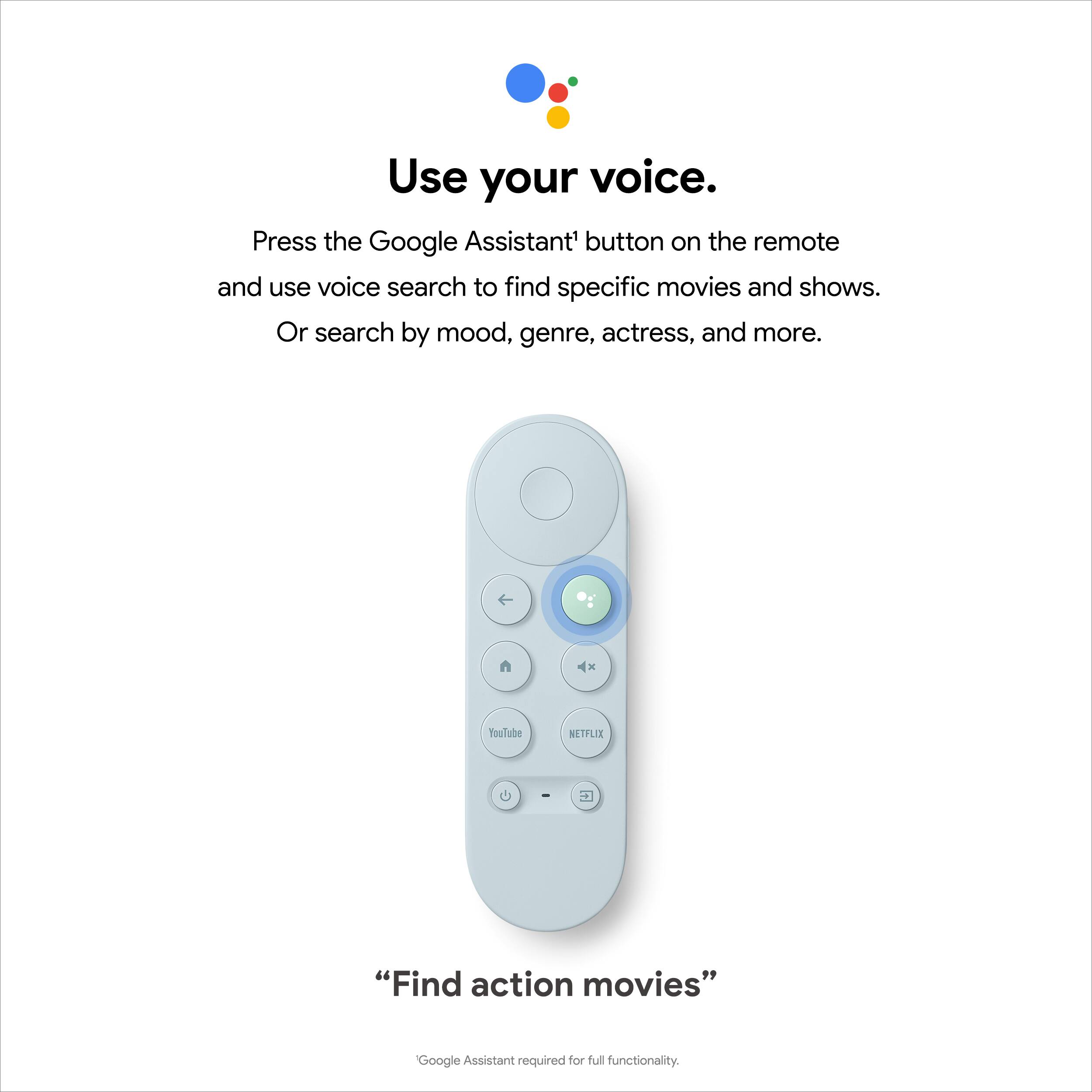
||Posted . Owned for 1 month when reviewed.This reviewer received promo considerations or sweepstakes entry for writing a review.Easy to learn and use. Compact. Can use voice commands to locate programs.
I would recommend this to a friendDitch Your Firestick
||Posted . Owned for 1 week when reviewed.This reviewer received promo considerations or sweepstakes entry for writing a review.I have always had FireSticks or TVs with Chromecast built in. This new addition of "Google TV" is pretty awesome. Looks very similar to the layout of FireTV, but as a Google fan I much prefer this. The clicker is a bit hard to keep track of though.
I would recommend this to a friendThis is How You DO Streaming Google...
||Posted . Owned for 2 weeks when reviewed.This reviewer received promo considerations or sweepstakes entry for writing a review.If you're looking for a great streamer running Android and don't want to spend the money on an Nvidia Shield, this is definitely the way to go. Love the Google TV interface (does need more integration with more apps for the "Ways to Watch" feature to be able to curate more content). I would like the option to have the UI on my Nvidia Shields. 4K HDR playback is good. Will say that there are some apps that needed to be updated with some not supporting Atmos currently (Disney + and Movies Anywhere) and VUDU does not support 4K or Dolby/Digital/Atmos at present. Also, the Apple TV app is not supported. This is not a lack of features of the device, devs just need to update the apps. For those looking to sideload apps, it can be done. Just google "enable developer options chromecast with google tv." The remote control is on the small side and does feel a little flimsy compared to a Fire Stick Remote if that's what you've been using. It does work well although you will not have individual Play/Pause or fast forward/rewind buttons. Overall, great streamer, especially for the price.
I would recommend this to a friendMake your Smart TV Faster
||Posted . Owned for 2 weeks when reviewed.This reviewer received promo considerations or sweepstakes entry for writing a review.Great product!!! If you have an older smart TV that is slow to launch app like Netflix or other subscriptions app. This will be perfect you. Chromecast Google TV is fast responsive and it will make your TV feel new again.
I would recommend this to a friendGreat for anything except Atmos
||Posted . Owned for 1 month when reviewed.This reviewer received promo considerations or sweepstakes entry for writing a review.Excellent streamer! Great UI and very smooth. All the apps I want and need with a great remote. The only downside is for anyone wanting to get Atmos out of it. Waited three updates to get problem fixed but it still doesn’t work. Any Atmos soundtrack and the sound just doesn’t play on any app. I switched it from my main tv to my room tv where Atmos isn’t needed and it replaced my Fire Cube TV.
I would recommend this to a friendPerfect Christmas Gift!
||Posted . Owned for 2 weeks when reviewed.This reviewer received promo considerations or sweepstakes entry for writing a review.My uncle likes to watch tv outside. He uses the dish tv app to cast to his old google cast device. Was slow and would sometimes crash. So I upgraded him to the new 4k cast and he loves it! Clearer picture and very fast response.
I would recommend this to a friendVery nice
||Posted . Owned for 2 months when reviewed.This reviewer received promo considerations or sweepstakes entry for writing a review.I bought this so we can get HBO max, and it doesn't disappoint. The remote is exceptionally easy to use, and it features a dedicated button for Netflix and YouTube. The voice recognition sets the standard in my experience, I think Siri can take a lesson here. The 4k resolution is impressive. Well done.
I would recommend this to a friendGreat...most of the time
||Posted . Owned for 9 months when reviewed.This reviewer received promo considerations or sweepstakes entry for writing a review.I've had this for a while and while 90% of the time it works flawlessly, there are those times where it will be sluggish or just not work at all. A simple unplug and replugging of the power seems to fix it for a while but overall I really enjoy these.
I would recommend this to a friendOne of the best streaming devices
||Posted . Owned for 2 weeks when reviewed.This reviewer received promo considerations or sweepstakes entry for writing a review.Great little device. Keeps getting better. Now with rhe ability to control home devices
I would recommend this to a friendMediocre disappointment for a 4K streaming device
||Posted . Owned for less than 1 week when reviewed.This reviewer received promo considerations or sweepstakes entry for writing a review.Cons: Aggregate search feature that is so heavily touted works poorly. For example, a voice search for "InuYasha" instead brings up "InuYasha The Final Act" (the sequel series) and only on Netflix, even though the first 54 episodes are on many services. A voice search for "InuYasha Episode 55" brings up "InuYasha" only on Netflix (which only has 54 episodes) and fails to inform you that episode 55 is on Hulu (supposedly supported by this search feature). Searching "The Empire Strikes Back" only shows results in Disney Plus and in my Google Play library, even though Prime Video, Vudu, and Movies Anywhere are installed. 4K is only 30Hz refresh rate universally on this device (as opposed to the Amazon 4K Fire TV stick at 60 Hz). Movies Anywhere doesn't support 4K on this device. Apple TV is not available on this device. If you have a Fire TV Recast, you cannot use it with this device. You are better off spending the same amount of money on a 4K Fire TV stick and sideloading Vudu (if you use Vudu) using the Android TV version. Pros: Nice UI, similar to Android TV. First Chromecast with a remote and without dependancy on casting. You can still cast to this device just like a legacy Chromecast device.
No, I would not recommend this to a friendBrand response from Google Team
Posted .Hi Chriv,
We appreciate your feedback on Chromecast with Google TV. We're sorry to hear of the difficulty you have with the search feature for the Google Assistant and the refresh rate.
To improve the search experience with your Chromecast with Google TV, we recommend making your voice commands more specific by adding the name of your preferred media service provider (like Netflix, Hulu, Disney Plus, etc.) with the title of the video you want to watch. A good example would be, "Hey Google! Play InuYasha episode 54 on Netflix." You can learn more about voice-supported partners here: https://support.google.com/googlenest/answer/7214982?hl=en
To get the best experience with the 4K resolution and 60Hz refresh rate for your Chromecast with Google TV, we suggest customizing your video experience by adjusting your display settings. You can follow the steps below:
1. Turn on your Chromecast and then at the top right of your TV screen, select your profile and then Settings .
2. Select Display & Sound.
3. You’ll have the option to adjust your display settings between Match content and Allow game mode, depending on the features available on your TV.
4. You may also set it to Resolution & Frame Rate which will let you adjust the screen resolution and frame rate.
We're always working to improve your experience. Should you still face the same issue, then we may need to have a look into. Please feel free to contact us here: https://support.google.com/chromecast/gethelp