Customer Ratings & Reviews
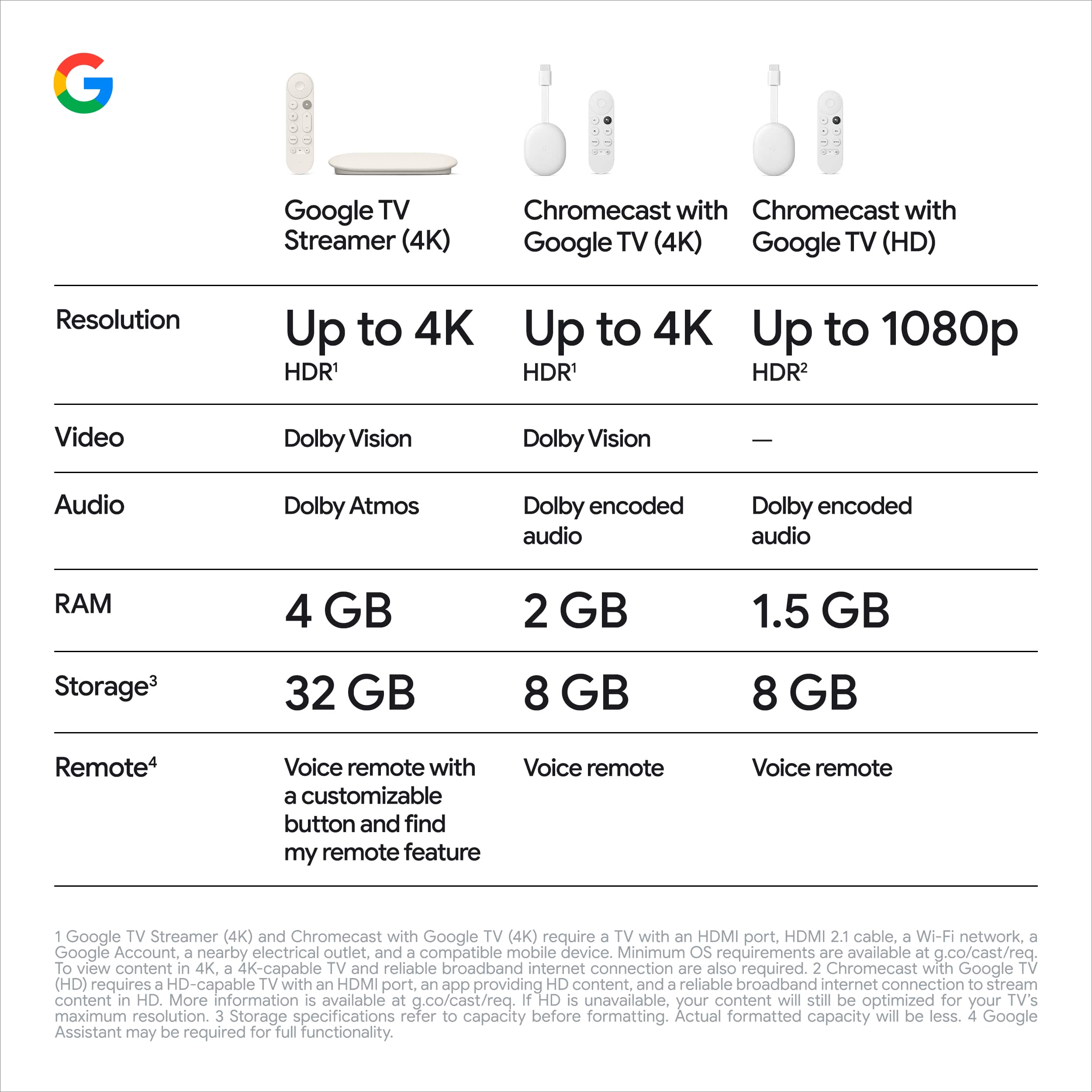
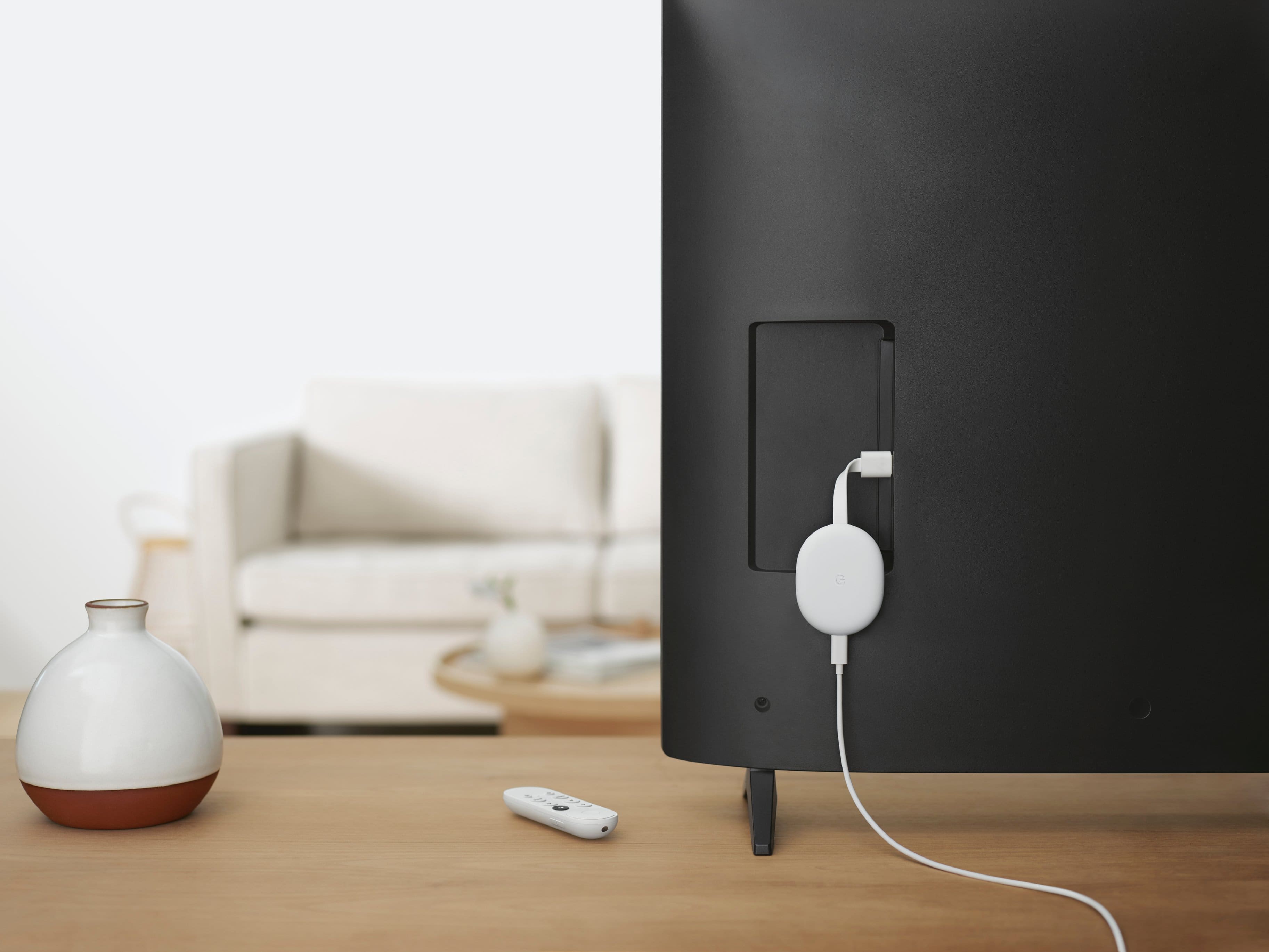
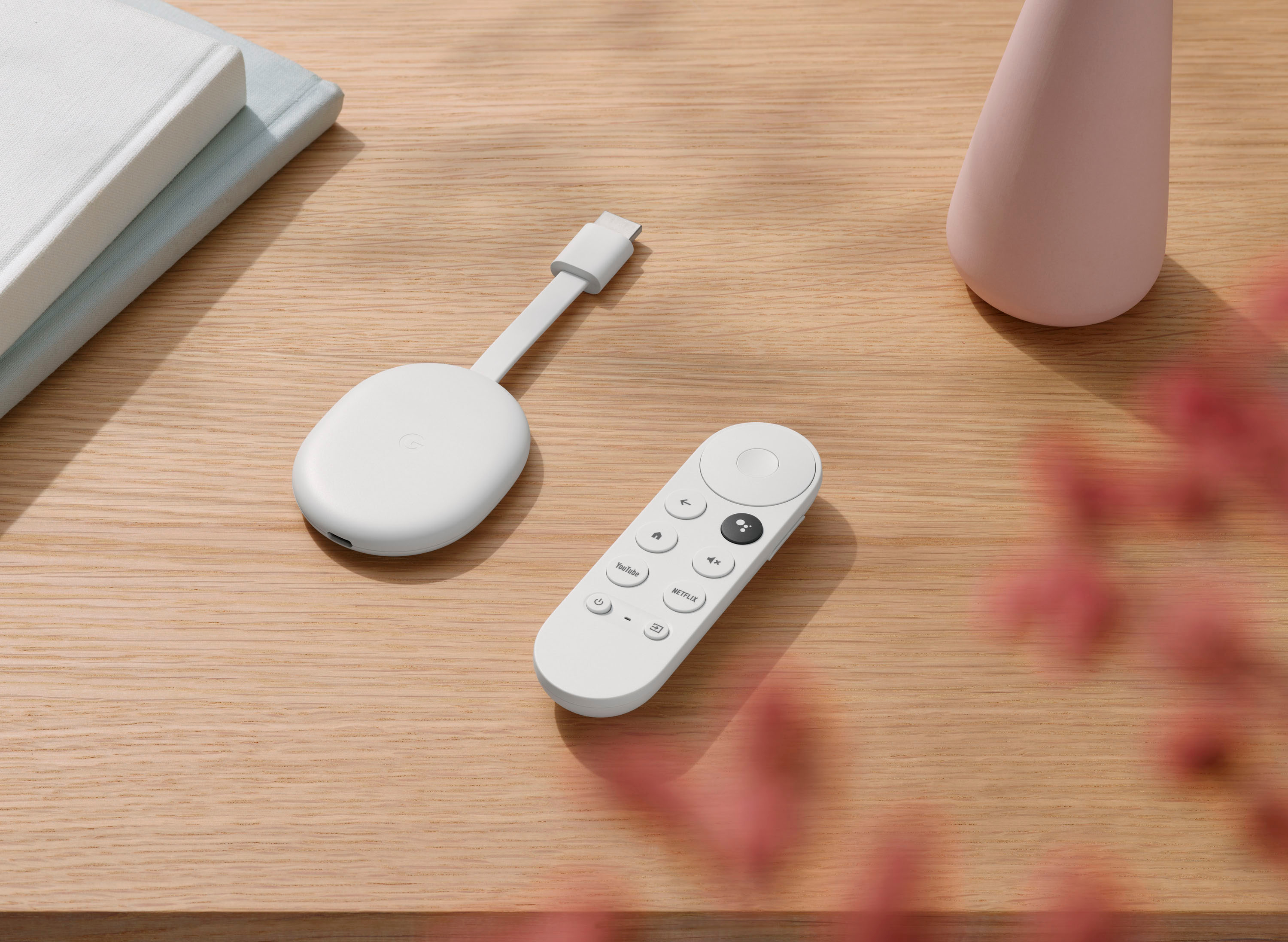


- Model:
- GA01919-US
- SKU:
- 12377596
Rating by feature
- Value
Rating 4.7 out of 5 stars
- Quality
Rating 4.7 out of 5 stars
- Ease of Use
Rating 4.7 out of 5 stars
to a friend
Ideal setup and still trash.
||Posted . Owned for less than 1 week when reviewed.This reviewer received promo considerations or sweepstakes entry for writing a review.I have the ideal wifi setup, Google's own mesh wifi, and the connection is still slow and disconnects! I have the chromecast in the same room as the router that is connected directly to the modem! So it's in the same room as the router with the strongest signal, and it still disconnects and buffers, pathetic. This is disgusting, I'm revolted by this quality, Google should be ashamed to call this their own. And i say "ideal setup" because it's google mesh with google Chromecast, all in the same ecosystem, maximum comparability and connectivity should be expected.
No, I would not recommend this to a friendBrand response from Google Team
Posted .Hi Victor, thanks for sharing a review to let us know the details of your experience with the Chromecast with Google TV, and Google Wifi. We’re sorry to hear of your poor experience, despite having the ideal setup in the same ecosystem.
We can identify the underlying issues if we can get more details about your feedback as there could be several reasons behind this issue. Meanwhile, we suggest clearing the app cache that might help as having a sizable amount of cache stored, would affect the performance of your Chromecast. See the steps below:
- From the Google TV home screen, in the top right, go to the user profile icon and select Settings.
- Select Apps and choose the app you're having trouble with.
- If you can't find it, select See all apps.
- Select Clear cache and then Ok.
- If clearing the app cache didn't work, you can try to reset your Chromecast with Google TV by following this step by step guide here: https://support.google.com/chromecast/answer/6254654
If the issue persists, we’d like to have a closer look and guide you with further isolation and troubleshooting, and we suggest getting in touch with us anytime soon here: https://support.google.com/chromecast/gethelp
Bloated with ads, poor remote, disappointing.
||Posted . Owned for 8 months when reviewed.This reviewer received promo considerations or sweepstakes entry for writing a review.Overall a truly average experience. The remote is too light and not backlit. The UX is bloated with ads (10x worse than any TV stick ive used). But it's cheap and has a chrome cast so I guess it gets 2 stars.
No, I would not recommend this to a friendBrand response from Google Team
Posted .Hi Nikhil, thanks for sharing your feedback. We are sorry to hear that Chromecast with Google TV didn’t meet your expectations.
We value your feedback as we're always looking for ways to improve our products and services. Your review helps us a lot along the process.
Our support team would love to help with any other issues, concerns or questions you may have, if you can reach out to us here: https://support.google.com/chromecast/gethelp
Does NOT work with mesh routers
||Posted . Owned for 3 months when reviewed.This reviewer received promo considerations or sweepstakes entry for writing a review.Really wanted to Keep this but apparently it doesn’t work well with wifi mesh routers, like Orbi. Frustratingly the device intermittently loses connection without explanation. At first I thought it was my internet but then realized it was only this device that was having problems. I chatted with Google tech support who confirmed the device will continuously search for a network if only a mesh network is available. I can’t change my router settings to get this to work, and even worse Google won’t offer me a refund stating I need to return it to Best Buy who will only take it back within 14 days of purchase.
No, I would not recommend this to a friendBrand response from Google Team
Posted .Hi Bode,
We appreciate your feedback. We're sorry to hear about the connection issue of your Chromecast with Google TV.
If your device is randomly disconnecting from your Wi-Fi network, we recommend performing a factory reset. Here's how you can do it:
With the Chromecast Voice Remote:
- In the upper right of your TV screen, select your profile and then Settings .
- Select System and then About and then Factory Reset.
From the Chromecast device:
- While the Chromecast is plugged into the TV and powered, press and hold the button on the back of the Chromecast. The LED will start blinking yellow.
- When the LED light turns solid white, release the button and the Chromecast will then reset.
We're here for you if you need further assistance. Please reach out to our support team so we can help you improve your experience here: https://support.google.com/chromecast/contactflow
Must buy!
||Posted . Owned for 3 weeks when reviewed.This reviewer received promo considerations or sweepstakes entry for writing a review.Best TV experience ever, makes accessing all your apps so easy only downside is the recommendations aren't too great yet but I'm sure it will improve.
I would recommend this to a friendDid not work for me
||Posted . Owned for 3 weeks when reviewed.This reviewer received promo considerations or sweepstakes entry for writing a review.I was was disappointed with this product. I use an Amazon Fire stick & Chromecast did not work with that, as I had hoped it would. Might be fine with cable or satellite programming, but I will be requesting a refund.
No, I would not recommend this to a friendBrand response from Google Team
Posted .Hi GmaJo,
Thanks for reaching out. We apologize for the poor experience you have with your Chromecast with GoogleTV.
We understand how frustrating the experience may have been for you. However, we may be able to help resolve the issue if we can figure out what may be causing it. Should you decide to give Chromecast with Google TV another try, please feel free to contact us by visiting this page: https://support.google.com/chromecast/gethelp
Too high tech
||Posted . Owned for 1 month when reviewed.This reviewer received promo considerations or sweepstakes entry for writing a review.Not easy to use. Could not get it to work. May be too high tech for what I need. I do not have other devices wired like Alexa. Just wanted to watch smart tv channels like Hulu, Netflix, prime, etc.
No, I would not recommend this to a friendBrand response from Google Team
Posted .Hi DualMonitor, thanks for taking the time to inform us about the issue. We´re sorry for any inconvenience you may have encountered setting up your Chromecast with Google TV.
If you haven't tried yet, we have a detailed guide on our support page that can help you set up your Chromecast and Voice Remote. Check out the guide by visiting this help page: https://support.google.com/chromecast/answer/10109990
We´d also be happy to assign any of our support specialists to help you out and walk you through the setup process. You may contact them by going to the Chromecast help page here: https://support.google.com/chromecast/gethelp
No 5.1 sound
||Posted . Owned for less than 1 week when reviewed.This reviewer received promo considerations or sweepstakes entry for writing a review.I don't know all the technical details, I have a fairly recent LG 4k TV and Yamaha soundbar. No matter what connection I make, no matter what TV settings I use, no matter what streaming app I use (Netflix, Hulu, Prime, Youtube TV) I cannot get anything other than 2 channel audio. Worked absolutely fine with my 4K firestick. Plugged it right back in to the same HDMI port, made ZERO changes to TV settings, get 5.1 on EVERY streaming platform. From what I gather (now reading up on it) seems to be an issue going back years to the first generation. FWIW, the video outputs in 4K HDR. (rolls eyes) Pathetic.
No, I would not recommend this to a friendBrand response from Google Team
Posted .Hi Jmdenver,
Thanks for letting us know of your audio concern with the Chromecast with Google TV. We understand that you can’t get the 5.1 audio to work with the Chromecast and we’re sorry for any inconvenience this may have caused.
We recommend performing a factory reset on both the Chromecast and the Voice Remote to isolate any software issues.
To reset the Chromecast:
1. Go to Settings.
2. Select System.
3. Select About.
4. Select Factory reset (this is the third option on the About screen).
5. Select Factory reset again, then Erase everything to confirm.
To reset the Voice Remote:
1. Check that the batteries in the remote have remaining charges.
2. Remove the batteries from the remote.
3. Press and hold the Home button on your Voice Remote.
4. While holding the button, reinsert the batteries.
5. Hold the button while the LED light is solid.
6. When the light starts pulsing, release the button.
After performing the factory reset, you should be able to go through the regular setup process again.
We're always working to improve your experience. Should you still face the same issue, then we may need to have a look into. Please feel free to contact us here: https://support.google.com/chromecast/gethelp
May cast in 4k, but an overall downgrade
||Posted . Owned for 4 months when reviewed.This reviewer received promo considerations or sweepstakes entry for writing a review.I'm coming at this from the perspective of someone who's used a second generation chromecast for over 4 years and has had maybe one or two hiccups a year in terms of the device glitching out or stuff not casting. This new chromecast has issues WEEKLY. Every time I either have to completely restart it because something won't cast or the whole device just bricks. After about 3 months of heavy use I've already dug my old chromecast out of storage and this is going straight to the trash. Google is trying too hard to ride Amazon's wave to focus on what made the chromecast great to begin with
No, I would not recommend this to a friendBrand response from Google Team
Posted .Hi DBF6977,
We appreciate your time in sharing how it went with your Chromecast with Google TV. It’s frustrating to hear that you had more frequent issues with your newer Chromecast model and we’d love to improve your experience.
If you haven’t already, we recommend performing a factory reset. Here's how you can do it:
With the Chromecast Voice Remote:
- In the upper right of your TV screen, select your profile and then Settings.
- Select System and then About and then Factory Reset.
From the Chromecast device:
- While the Chromecast is plugged into the TV and powered, press and hold the button on the back of the Chromecast. The LED will start blinking yellow.
- When the LED light turns solid white, release the button and the Chromecast will then reset.
To assist you better, we’d like to take a closer look and understand what's causing the issue. This will allow us to help you in the best way possible and improve your experience. Feel free to reach out to us here: https://support.google.com/chromecast/contactflow
Awesome
||Posted . Owned for 1.5 years when reviewed.This reviewer received promo considerations or sweepstakes entry for writing a review.I have enjoyed this immensely, I have been able to watch so many things on discovery + on my tv
I would recommend this to a friendDoes't work with Harmony
||Posted . Owned for less than 1 week when reviewed.This reviewer received promo considerations or sweepstakes entry for writing a review.I bought this as an upgrade to my old roku streamer. Tried installing and using with my Harmony 665 remote. Found after a morning trying to setup that it doesn't work with the Harmony. Had to do a return.
I would recommend this to a friendSimple, Easy, It works!
||Posted . Owned for 1 month when reviewed.This reviewer received promo considerations or sweepstakes entry for writing a review.This works as intended. The initial setup required a bit of time, but overall not a negative.
I would recommend this to a friendThe best in Google TV
||Posted . Owned for 3 months when reviewed.This reviewer received promo considerations or sweepstakes entry for writing a review.The Google tv is excellent for tvs that need to be upgraded because of internet capabilities
I would recommend this to a friendBest $50 Streamer you can get
||Posted . Owned for 3 weeks when reviewed.This reviewer received promo considerations or sweepstakes entry for writing a review.Highly recommend to anyone who has lots of streaming subscriptions and forgets where everything is. Also it has HBO Max and every other app.
I would recommend this to a friendGreat and easy
||Posted . Owned for 2 weeks when reviewed.This reviewer received promo considerations or sweepstakes entry for writing a review.The device worked better than I thought it would especially if you have an Android phone.
I would recommend this to a friendGood use
||Posted . Owned for 1 month when reviewed.This reviewer received promo considerations or sweepstakes entry for writing a review.It was a gift for my son and he loved it. He said he wished he would of gotten it sooner
I would recommend this to a friendExtremely user-unfriendly
||Posted . Owned for 11 months when reviewed.This reviewer received promo considerations or sweepstakes entry for writing a review.Extremely user-unfriendly. Extremely difficult to set up and hook up to iPad and TV. No detailed user manual.
No, I would not recommend this to a friendUnreliable - except that it will reliably fail you
||Posted . Owned for 1 year when reviewed.This reviewer received promo considerations or sweepstakes entry for writing a review.My 1 year warranty expired 12 days ago. Last night the audio (once again) went out - requiring a reboot. Done this many times since owning the device. But last night it wouldn't come back. No problem, I thought. I have total protection through Best Buy. Just got off the phone after explaining my situation FIVE TIMES to FIVE DIFFERENT PEOPLE - and getting disconnected once - only to find out "there's nothing we can do for you". What about 2 years extension on 1 year warranties? I'm feeling bad about this - and angry.
No, I would not recommend this to a friendBrand response from Google Team
Posted .Hey SFKevin, thanks for letting us know about the issue. It is unfortunate to hear that the warranty for your Chromecast with Google TV just expired 12 days ago.
If you're willing to try, you can try to reset Chromecast with Google TV to see if it might be helpful with the audio issue you are experiencing. Keep in mind that resetting Chromecast will erase all data and you may need to set it up again. Here's how:
With the Chromecast Voice Remote:
- In the upper right of your TV screen, select your profile and then Settings .
- Select System and then About and > then Factory Reset.
From the Chromecast device:
- While the Chromecast is plugged into the TV and powered, press and hold the button on the back of the Chromecast. The LED will start blinking yellow.
- When the LED light turns solid white, release the button and the Chromecast will then reset.
If the issue is still persistent, you can speak to any of our support specialists for further troubleshooting and isolation. We'll definitely do our best to help you, if you can reach out to us here: https://support.google.com/chromecast/gethelp
Wish it worked as well as it was priced
||Posted . Owned for 3 weeks when reviewed.This reviewer received promo considerations or sweepstakes entry for writing a review.Range to WiFi not what I expected. Have Spectrum 400 plan and still have lag and picture pixilation issues. Not happy with this so I set up a WiFI repeater for better strength and still have issues
No, I would not recommend this to a friendBrand response from Google Team
Posted .Hi 2200sqftofCarpet,
Thanks for reaching out. Lag issues may be related to congestion in your Wi-Fi network. Removing some of the connected devices in your network may help free up some bandwidth space and enable your Chromecast with Google TV to stream smoothly without any lag. Once congestion is verified, we recommend contacting your Internet service provider to check your bandwidth and upgrade if needed.
If the issue still persists, we can work together to figure out the reason for the lag issue and come up with a resolution that can fix it. Please feel free to contact us at Google Chromecast help page on this link: https://support.google.com/chromecast/gethelp
CHROMECAST WITH ANDROID TV
||Posted . Owned for 2 months when reviewed.This reviewer received promo considerations or sweepstakes entry for writing a review.These chromecast with google TV are awesome. Perfect version of Android TV in a small compact package and the best part it was $50.
I would recommend this to a friendBest Android TV
||Posted . Owned for 2 months when reviewed.This reviewer received promo considerations or sweepstakes entry for writing a review.These chromecast with google TV are awesome. Perfect version of Android TV in a small compact package and the best part it was $50.
I would recommend this to a friend