Customer Ratings & Reviews








- Model:
- GA03131-US
- SKU:
- 10511744
Rating by feature
- Value
Rating 4.8 out of 5 stars
- Quality
Rating 4.7 out of 5 stars
- Ease of Use
Rating 4.7 out of 5 stars
to a friend
Not good
||Posted . Owned for 10 months when reviewed.This reviewer received promo considerations or sweepstakes entry for writing a review.Worked for about a week and then nothing. Very disappointing. Wish I could get my money back. Why is everything so difficult these days.
No, I would not recommend this to a friendChrome
||Posted . Owned for 3 weeks when reviewed.This reviewer received promo considerations or sweepstakes entry for writing a review.It was hard to setp up. Alot of back and forth and the main issue is the range. This device has such a small range that i had to place the router really close to it.p
No, I would not recommend this to a friendBrand response from Google Team
Posted .Hi Zaldy, thanks for posting your review on your Chromecast with Google TV (HD). It's unfortunate to hear that you had some difficulties with setting up your device. If you're willing, we'd like to help improve your overall experience with Chromecast. Please reach out to our support team so we can identify the cause of the connectivity issue and enhance the performance of your device. You can contact us on our Google Help page here: https://support.google.com/chromecast/gethelp

faulty
||Posted . Owned for 3 months when reviewed.This reviewer received promo considerations or sweepstakes entry for writing a review.hello, i absolutely dislike this "updated" google Chromecast. several of the apps have no sound on the tv
No, I would not recommend this to a friendBrand response from Google Team
Posted .Hi there, Pershawn. Thanks for sending in your feedback on your Chromecast with Google TV (HD). We can see that you're experiencing some difficulties with several apps not having any audio. We suggest uninstalling the apps with the audio issues and downloading them again from Google Play on your device. It's important to us that we provide you with the best help possible so if the issue still persists, we recommend reaching out to our team of specialists so we can identify the cause of the issue and improve the performance of your device. You can contact us on our Google Help page here: https://support.google.com/googlenest/gethelp
Never again
||Posted . Owned for 3 weeks when reviewed.This reviewer received promo considerations or sweepstakes entry for writing a review.Remote won't pair, I followed all directions to a tee, checked batteries and all, taking it back
No, I would not recommend this to a friendBrand response from Google Team
Posted .Hey there, EricM. We're sorry to hear that you're experiencing some pairing issues with the voice remote of your Chromecast with Google TV (HD). It's important to us that we provide you with the best help possible and identify the cause of the pairing issues you’re having with your device. Before taking it back, we recommend reaching out to our dedicated team of specialists on our Google Help page for immediate support here: https://support.google.com/googlenest/gethelp
No airplay built in, choppy OS and feature bloat
||Posted . Owned for 2 weeks when reviewed.This reviewer received promo considerations or sweepstakes entry for writing a review.Does a lot of things I dont want, when I just want a device I can airplay to. The OS and UX is also quite choppy and slow.
I would recommend this to a friendBrand response from Google Team
Posted .Hello there, seungri. Thank you for sharing your concern with us on your Chromecast with Google TV (HD). We're sorry to hear that the device didn't meet your expectations. We understand how frustrating this experience may have been for you. We want to understand your concern better and recommend reaching out to our support specialists so we can help find ways to improve your experience. Please don't hesitate to contact us on our Google Help page here: https://support.google.com/googlenest/gethelp
Not Good
||Posted . Owned for 1 week when reviewed.This reviewer received promo considerations or sweepstakes entry for writing a review.Would constantly disconnect and reconnect. And it wasn't my wifi, as over 50 devices have no issues. Had to return it. Buy something else.
No, I would not recommend this to a friendBrand response from Google Team
Posted .Hi there Cleanguy, thanks for sharing the disconnection issue on your Chromecast with Google TV. It's unfortunate that you had to return it, and we apologize for any inconvenience this experience may have caused you. Connectivity issues are mostly related to congestion issues or insufficient bandwidth of your network. Chromecast devices typically requires a minimum bandwidth of at least 20 Mbps for the best streaming experience. We'd be happy to entertain any questions you may be having about Chromecast with Google TV. Simply reach out to our support team here: https://support.google.com/chromecast/gethelp
chromecast
||Posted . Owned for 1 month when reviewed.This reviewer received promo considerations or sweepstakes entry for writing a review.Was supposed to work with Spectrum TV app, but it doesn't. Talked to Spectrum and they said it cannot support their app.
No, I would not recommend this to a friendBrand response from Google Team
Posted .Hi there, RW001. Thanks for leaving feedback about the Chromecast with Google TV, and we’re sorry to learn it didn’t meet your expectations.
Unfortunately, the Spectrum TV app is not on the list of partner apps for Chromecast with Google TV. Chromecast can’t be used as a Spectrum receiver to access Spectrum business TV programming. You can view the list of partner apps using this link: https://store.google.com/us/product/gtv_apps_and_partners
Chromecast with Google TV has access to more than 6,500 apps that you can download from Google Play Store. You'll be able to watch from video apps that are downloaded to the device, or video apps that are on your phone or tablet. Although the Spectrum TV app is not on the list of apps you can download to your Google TV, you can cast or mirror your screen to your TV while watching the Spectrum TV app if you're using an Android device. Please note that Chromecast doesn't support screen mirroring for iOS devices. You can visit this link to learn more: https://support.google.com/chromecast/answer/3006709
Your feedback means a lot to us, and we’ll share this with the appropriate team to work on improving our products and the services we offer. And if there’s anything you’d like us to address with, let us know anytime by visiting us here: https://support.google.com/chromecast/gethelp
Never recieved
||Posted . Owned for 3 weeks when reviewed.This reviewer received promo considerations or sweepstakes entry for writing a review.Dont order expecting to get your product. Never recieved. Best buy told me i was burnt.
No, I would not recommend this to a friendBrand response from Google Team
Posted .Hi Stacy! Thank you for sharing your concern about your order from the retailer. We're sorry to hear that you had issues with your purchase. We recommend reaching out to BestBuy so they can address this issue for you. And if you run into any concerns about the performance and features of the Chromecast with Google TV (HD), you’re always welcome to contact us here: https://support.google.com/chromecast/gethelp
Google is bad
||Posted . Owned for 1 month when reviewed.This reviewer received promo considerations or sweepstakes entry for writing a review.Waste of money. Google is no longer top dog and product is very limited save time and buy smasung phones and fire stick
No, I would not recommend this to a friendBrand response from Google Team
Posted .Hello RobertM, thanks for the feedback and for sharing how you feel about the Chromecast with Google TV (HD). We’re sorry to learn your experience is below your expectations, and we’d like to know more about your concerns so we can figure out a way to improve your impression with the device. Feel free to find us anytime here so we can lend a helping hand: https://support.g,oogle.com/chromecast/gethelp

Sometimes it is the small things that impress
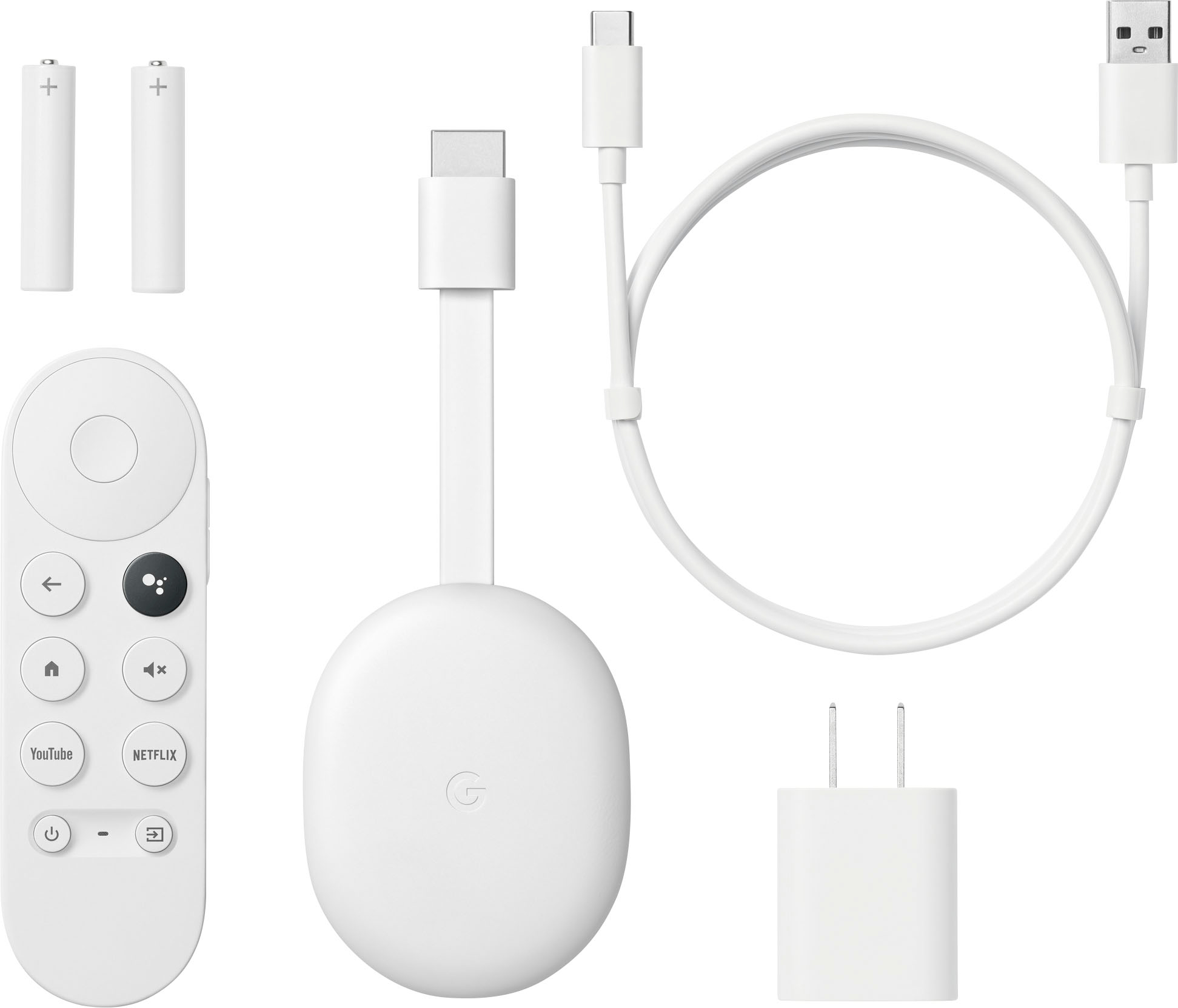
|Posted .This reviewer received promo considerations or sweepstakes entry for writing a review.Sometimes it is the small things that impress. That is the case with the Chromecast with Google TV. First, it comes well packaged. Compact, no extraneous padding but still well protected. Now, one of the small things. The wire to connect the Chromecast to the tv came clips to keep it together, not twist ties, not rubber bands, clips. As in "I can use these so I don't have excess wire hanging down". As I said, it is the small things that can impress. I had no problem with the set up at all. The app downloaded quickly and I was up and running in no time at all. I did try to see if it would work on my laptop, but, alas, apparently while I have a hdmi port, it doesn't work. Still, works on the family TV. It took me a bit to get comfortable with the remote and I'll have to be careful not to lose it as I did a couple of times due to the fact that it is small so it can easily slip under something. Still, once I got the hang of the remote, the on-screen navigation was a piece of cake. Another small thing, you can choose which services you want to pop up on the screen so you don't have to scroll through tons you don't use to get to the ones you want. This is something I cannot do with my smart TV and it is a pain to scroll. I had no problems connecting to the programs. We also took it off the family TV and hooked it up to the kids' TV. Again, no issues with my daughter downloading the app and setting up and they love it. It's staying with them as their TV isn't a smart TV so this basically turns it into one. I'm impress and glad we got it.
I would recommend this to a friendNice Interface, clunky dongle
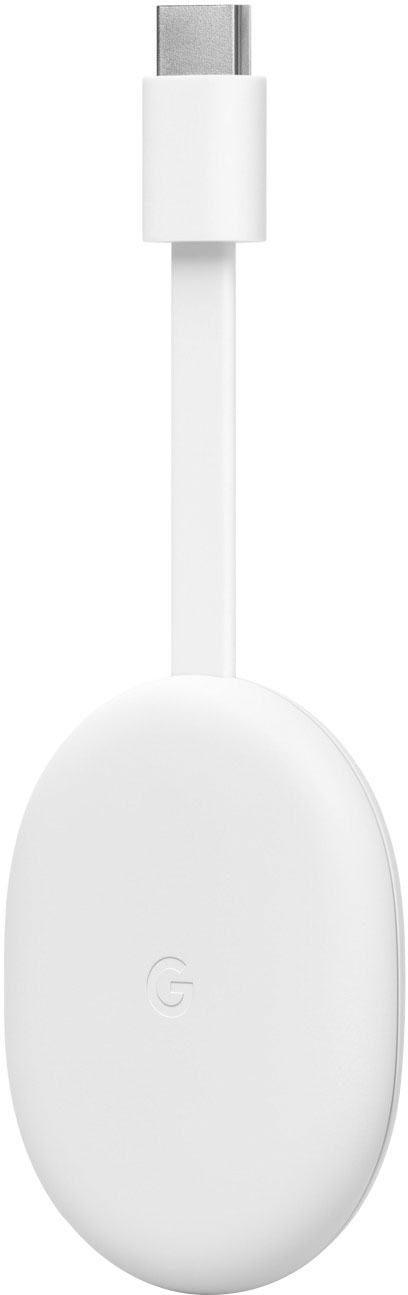
|Posted .This reviewer received promo considerations or sweepstakes entry for writing a review.This Chromecast is actually a full-fledged streaming dongle complete with a solid remote control. It does everything I expect from a small format streamer. I picked this up to pair with an older 1080 "dumb" tv that I retired from bedroom duty to office duty, where the tv is often on even when not actively being watched. That said, the image looks just fine on the 40" screen and I can easily say this would be a good add for a spare room or some other scenario where 4k isn't necessary. Setup through the Google Home app was pretty simple, especially since I had used the exact same process when setting up some earlier Google devices. After getting the basics set up I took it for a test drive. I really like how the user interface built around the "Google TV" framework feels less like a series of tiled apps in their own walled gardens than a seamless content browser. I have experienced similar interfaces on other smarts devices/dongles/tvs but this one just seems very slick. Navigating through to the content both canned and live on numerous streaming services is very simple and something that I would think would be extremely appealing to people with little or no patience for searching for things on the myriad possible apps. The remote functioned well and was responsive and accurate, two things I have had issues with on other brands of streaming devices. Despite my overall approval of the way the device functions, I have to say this is bar far one of the clumsiest "dongle" type devices I have encountered. The large puck/oval shaped device body is larger than any other streaming devices I currently use, including a couple that aren't even really considered dongles. This puck is attached to a short, but not too short, HDMI pigtail on one end, and then has a power port on the opposite end. The included USB cable is robust, but probably overly so, and overly long if unless you plan to plug the device into a separate power supply and not the USB on the TV. The upshot of all this is that the device is a bit ungainly and a bit over-sized. It would seem that this would be marketed for the smaller end of TVs, say in that second bedroom, dorm room or kitchen, where the highest resolution is generally lower than the big tv in the master bedroom or family room. If this dongle is used with a big tv, it is probably easy to hide behind the set. On a 32" or even the 40" I hooked it to it can be difficult to keep out of sight and neat. This dongle didn't appear in my use to have any performance superior to the stick type streamers or even some of the much smaller dongles I have tried. Since the price is in line with most of the stick type devices, I would be hard pressed to argue this is a better device just because of a superior visual interface, which isn't device dependent. I think of they could condense this device down to stick format it would be a 5-star package when taking into account the intended market.
I would recommend this to a friendBrand response from Google Team
Posted .Hi LittleAVGuy, thank you for sharing your review and for choosing Chromecast with Google TV (HD) for your streaming needs. We're sorry to hear that your experience with the device was less than ideal when it comes to the physical appearance and rest assured that we'll relay your feedback to the right team for future improvements. If you need any assistance with your Chromecast, you can reach out to our support specialists by visiting our Google Help page here: https://support.google.com/chromecast/gethelp
Works like a chromecast should
|Posted .This reviewer received promo considerations or sweepstakes entry for writing a review.This isn't my first Chromecast or my first experience with Google TV, or even Android TV before that. The more you integrate your streaming services with Google, the better it works. Setup is particularly easy if you have previously set up a Google TV or a Chromecast - just log in and all of your settings are there. It even saves some of your login info for individual streaming services in your profile so you don't have to re-login to everything, though that depends on which streaming services you use. Even if this is your first Chromecast, it's still fairly easy to setup through the Google Home app on your iPhone or Android phone. I have used both, and I don't think there's an appreciable difference. If you let it, the Chromecast will keep track of your preferences and show you "unified" recommendations across all of your streaming services on the home page. That may save you a click or two when picking something to watch. However, it's not always the best at knowing which service has something you've already paid for vs. needing to subscribe to something on the default app when multiple services are carrying the same content. Another super handy feature is the ability of the remote to control your tv power and volume through ARC so you don't have to juggle multiple remotes. This is really an ideal way to turn an older tv into one with the most current software and services.
I would recommend this to a friendDefective
||Posted . Owned for 3 weeks when reviewed.This reviewer received promo considerations or sweepstakes entry for writing a review.The chromecast was “defective” according to the TotalTech guy who came to install it.
No, I would not recommend this to a friendBrand response from Google Team
Posted .Hello there, SabrinaR. Thanks for sharing your feedback with us. We’re sorry to hear about your experience with the Chromecast with Google TV (HD). Since your device didn’t work, we encourage you to contact your retailer for return or replacement options. Alternatively, you may visit us anytime here and we’ll do our best to help improve your experience: https://support.google.com/chromecast/gethelp
Unable to use
||Posted . Owned for 1 month when reviewed.This reviewer received promo considerations or sweepstakes entry for writing a review.Can't figure out how to install and use it. Directions and followthrough are confusing
No, I would not recommend this to a friendBrand response from Google Team
Posted .Hi AprilS, thank you for sharing your review on Chromecast with Google TV (HD). We're sorry to learn that you had some difficulties with setting up and using the device. This is not the initial impression we want you to have and would like to help improve your experience. Please reach out to our support specialists so we can assist you further with installing your Chromecast. Please contact us on our Google Help page here: https://support.google.com/chromecast/gethelp
remote is terrible
||Posted . Owned for 6 months when reviewed.This reviewer received promo considerations or sweepstakes entry for writing a review.The remote stopped working after a few months of use.
No, I would not recommend this to a friendBrand response from Google Team
Posted .Hello there, Robert. Thanks for posting a review about the Chromecast with Google TV (HD). We’re sorry to hear you have an issue with its Voice Remote.
A factory reset returns the Chromecast Voice Remote to its default factory settings. Follow the simple steps below that can help:
- Check that the batteries in the remote have remaining charges.
- Remove the batteries from the remote.
- Press and hold the Home button.
- While holding the button, reinsert the batteries.
- Hold the button while the LED light is solid.
- When the light starts to flash, release the button.
If the issue persists, contact our support team for further assistance, here: https://support.google.com/googlenest/gethelp
Chromecast with Google TV Shines
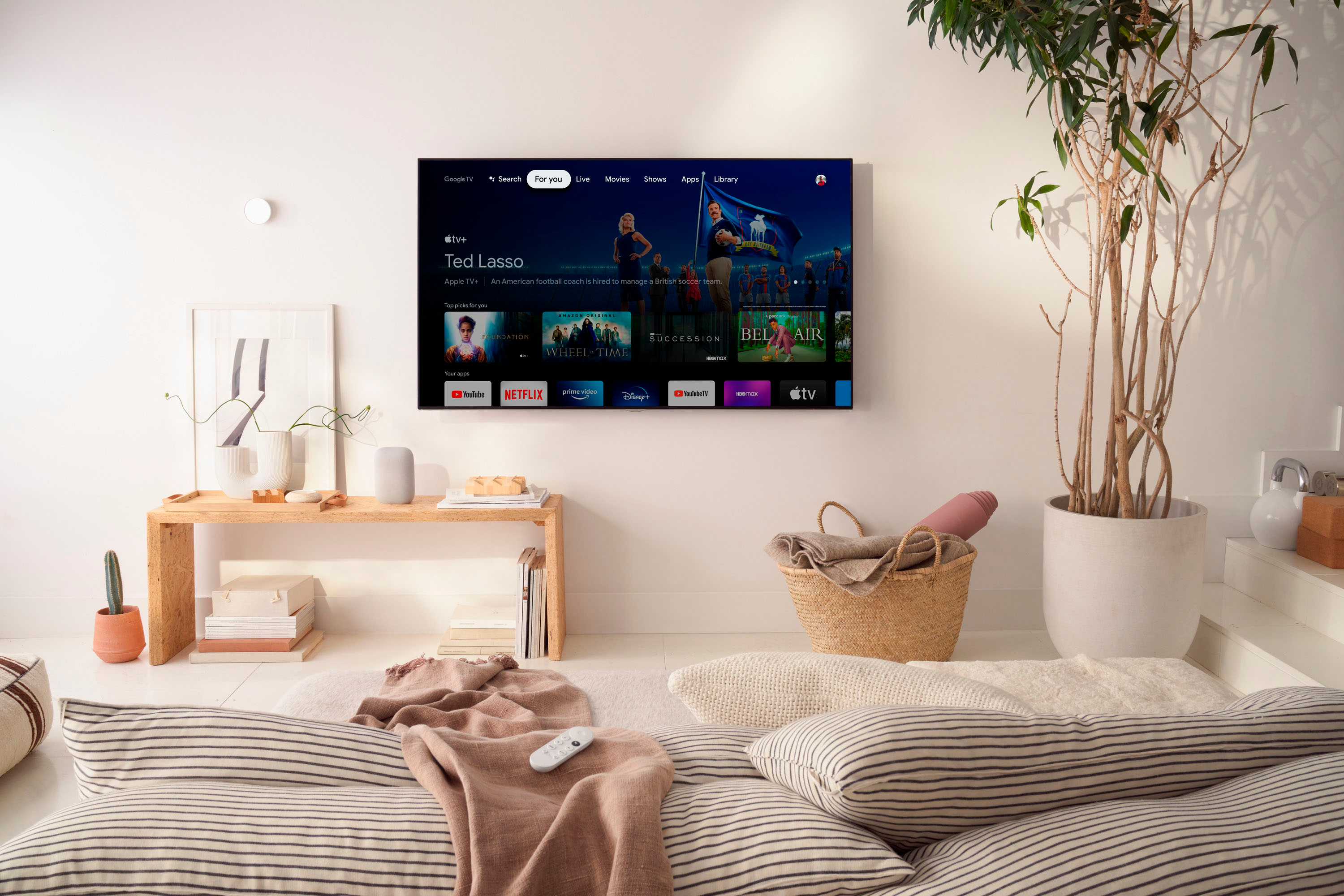
|Posted .This reviewer received promo considerations or sweepstakes entry for writing a review.Chromecast with Google TV is everything and more that you need from a streaming device. I puchased the Chromecast with Google TV to hook up to an 40 inch antenna television in the second bedroom. Setup was pretty simple to plug into HDMI input and power outlet before adding Google Account. Surprised that I was able to find maker of my television to get TV connect to Chromecast remote so that the remote could control power, volume and input of my Westinghouse TV.The Chromecast remote comes with easy access buttons for YouTube and Netflix Apps and a host of Apps to download.Google Assist is the best. The Home button screen is designed like any other typical streaming device, with Top Picks for You in catering to your Likes. Subtitles include Movies, Shows, Apps and Library. Being able to add Apps like Atlanta News First was awesome.The Chromecast with Google TV also came with a six month promotion to Peackock TV and since I am an Xfinity user I was able to get an upgrade to Peacock Premium for free. The ease of navigation of the Chromecast remote to control my television is just great. I am one of Googles's biggest fan and will continue to suppot their products.
I would recommend this to a friendChromecast
||Posted . Owned for 1 month when reviewed.This reviewer received promo considerations or sweepstakes entry for writing a review.Just ok,kinda Slow,Remote feels Cheap,But For The Price It’s Worth It.
I would recommend this to a friendBrand response from Google Team
Posted .Hi CurtisJ, we really appreciate the feedback you shared and we hear your concerns about the voice remote, and the performance of your Chromecast with Google TV (HD).
There could be several reasons that can affect the performance of your Chromecast and we’d like to rule out the possibility of your Wi-Fi connection being the cause of this issue. If you're willing, we suggest trying the simple steps below:
- Check for possible interference. Appliances like your microwave oven, refrigerator or even your neighbors Wi-Fi network may cause interference with your Chromecast.
- Check for possible congestion. Removing some of your connected devices may help relieve some bandwidth space and you may check if your experience will improve.
- Ensure that your Chromecast is in a line of sight with your Wi-Fi router to get the best signal strength and Wi-Fi coverage.
- Restart your router, mobile phone and Chromecast.
You may also try clearing the app cache that might help as having a sizable amount of cache stored would affect its performance. Here’s how:
- From the Google TV home screen, in the top right, go to the user profile icon and select Settings.
- Select Apps and choose the app you're having trouble with.
- If you can't find it, select See all apps.
- Select Clear cache and then Ok.
- If clearing the app cache didn't work, you can try to reset your Chromecast with Google TV by following the steps here: https://support.google.com/chromecast/answer/6254654
We’ll share your feedback, about the remote, with the right team for future improvements. And if the performance issue still persists, we’d be happy to have a closer look and guide you with further troubleshooting. You can communicate with our dedicated team through our support channels anytime at: https://support.google.com/chromecast/gethelp
Junk
||Posted . Owned for 1 month when reviewed.This reviewer received promo considerations or sweepstakes entry for writing a review.Doesn’t work not worth the time or money just not as good as Roku
No, I would not recommend this to a friendBrand response from Google Team
Posted .Hi ChrisR, thanks for letting us know about the issue. We're sorry to hear that your Chromecast with Google TV (HD) doesn't work for you. If you're willing to try, our support team would be happy to assist you with your concern. We may need to have a closer look at your device and see how we can help you best. You may reach out to our dedicated team of support specialists, and we would be happy to assist you further here: https://support.google.com/chromecast/gethelp
Tv casting
||Posted . Owned for 3 weeks when reviewed.This reviewer received promo considerations or sweepstakes entry for writing a review.Didn't connect to my strong wi-fi to complete setup
No, I would not recommend this to a friendBrand response from Google Team
Posted .Hi there, CierraC. Thanks for the feedback, and we’re sorry to hear you had an issue with the setup of your Chromecast with Google TV (HD).
We recommend trying the simple steps below that might help:
- Restart the Chromecast by unplugging it from the power source, then plugging it in after one minute.
- Try to use a different device to set up Chromecast.
- Reset the Chromecast: https://support.google.com/chromecast/answer/6254654
For more help, you’re more than welcome to visit us anytime at the following link: https://support.google.com/chromecast/gethelp
Not impressed
||Posted . Owned for 3 weeks when reviewed.This reviewer received promo considerations or sweepstakes entry for writing a review.Wasn't impressed with it. I like the Roku much better.
No, I would not recommend this to a friendBrand response from Google Team
Posted .Hello CandiH, thanks for leaving feedback on the Chromecast with Google TV (HD). We'd like to know more and help improve your impression with the device should you want to give it a chance. For any additional questions or anything you’d like to share, you can reach our support specialists anytime and contact us on our Google Chromecast Help page here: https://support.g,oogle.com/chromecast/gethelp