Customer Ratings & Reviews








- Model:
- GA03131-US
- SKU:
- 10511744
Rating by feature
- Value
Rating 4.8 out of 5 stars
- Quality
Rating 4.7 out of 5 stars
- Ease of Use
Rating 4.7 out of 5 stars
to a friend
Good product
||Posted . Owned for 1 month when reviewed.This reviewer received promo considerations or sweepstakes entry for writing a review.Really enjoy this product, very glad I purchased it.
I would recommend this to a friendEasy to use
||Posted . Owned for 3 weeks when reviewed.This reviewer received promo considerations or sweepstakes entry for writing a review.Works well. My only issue is I would have like the volume button to be on the left side.
I would recommend this to a friendGood.
||Posted . Owned for 1 month when reviewed.This reviewer received promo considerations or sweepstakes entry for writing a review.Used it for a while. It was a great upgrade from my tvs original ecosystem, but nothing particularly revolutionary.
I would recommend this to a friendGood buy
||Posted . Owned for 2 weeks when reviewed.This reviewer received promo considerations or sweepstakes entry for writing a review.No issues with this purchase, I needed to connect another device and this solved the issue.
I would recommend this to a friendTough set up
||Posted . Owned for 1 month when reviewed.This reviewer received promo considerations or sweepstakes entry for writing a review.Lots more steps to set up than I imagined a plug and play device to need. Some aspects still don’t work.
No, I would not recommend this to a friendBrand response from Google Team
Posted .Hey there, RebeccaH. Thanks for posting your feedback on Chromecast with Google TV (HD). We’re sorry to hear of your poor experience with the setup and functionality.
A range issue or wireless interference can affect the overall performance of your Chromecast. Sometimes it may pass the connection test during setup, but will struggle to stay connected if it’s just a bit too far away from your Wi-Fi. You may also check for objects such as mirrors and refrigerators between the Chromecast and your router as these items could block the connection. For more help, read Troubleshooting wireless interference here: https://support.google.com/googlenest/answer/9276282
We’re always here to help. Please let us know if additional assistance is required by visiting: https://support.google.com/googlenest/gethelp
Decent Streaming
||Posted . Owned for 2 weeks when reviewed.This reviewer received promo considerations or sweepstakes entry for writing a review.I dont have anything bad to say about the device its self other than the fact that the device doesn’t cast my phone
I would recommend this to a friendBrand response from Google Team
Posted .Hi there Taaseen, we appreciate your feedback on Chromecast with Google TV, and thanks for giving us a good rating despite the fact you can’t cast from your phone. A range issue or wireless interference can cause your Chromecast to disconnect from your Wi-Fi. Sometimes it may pass the connection test during setup, but will struggle to stay connected if it’s just a bit too far away. You may also check for objects such as mirrors and refrigerators between the Chromecast and your router as these items could block the connection. For more help, read troubleshooting wireless interference here: https://support.google.com/googlenest/answer/9276282
For additional help and support, please don’t hesitate to visit us anytime at: https://support.google.com/chromecast/gethelp
Remote rules
||Posted . Owned for 1 week when reviewed.This reviewer received promo considerations or sweepstakes entry for writing a review.Had previous models but the remote is a game changer. I like to put my phone away at night and not have to use it to stop the shows. So I'm loving the remote. It does everything the phone can do.
I would recommend this to a friendRemote control is too small for adult hands
||Posted . Owned for 3 weeks when reviewed.This reviewer received promo considerations or sweepstakes entry for writing a review.Reception for streaming works great, but the remote control is very small and way too simplified. My husband has difficulty using the navigation button because it is so flat and the center button is smaller than his thumb. I wish it had a "Last Channel Viewed" button AND a Closed Caption button.
I would recommend this to a friendGoogle tv
||Posted . Owned for 1 week when reviewed.This reviewer received promo considerations or sweepstakes entry for writing a review.Great price as good or better the firestick 4 k resolution
I would recommend this to a friendGood
||Posted . Owned for 1 month when reviewed.This reviewer received promo considerations or sweepstakes entry for writing a review.It is very good, I bought it to put it in a waiting room, it is somewhat slow but functional
I would recommend this to a friendBrand response from Google Team
Posted .Hi there, Qu1nt4n4! Thanks for choosing Chromecast with Google TV (HD) for your home. We're sorry to hear that you're experiencing a slow performance issue. Here are some recommended steps you may want to check and try out:
- Ensure that you have adequate bandwidth. Chromecast devices typically require a high speed Internet connection of at least 20 Mbps for the best streaming experience.
- Check for possible sources of interference. The thick walls of your home and electrical devices in between your Chromecast device and router may cause some form of interference. Ensuring that your Chromecast is in a straight line of sight with the router can help improve signal strength.
- Check if your Wi-Fi network may already be too congested. Disconnecting some of your devices connected to the same network can help free up some bandwidth space and enable you to check if you will get better streaming performance with Chromecast.
If you still experience the same issue even after following the steps we provided, then we may need to troubleshoot and isolate it further. Our support team would be happy to assist you with your support needs here: https://support.google.com/chromecast/gethelp
A welcome upgrade
||Posted . Owned for 3 weeks when reviewed.This reviewer received promo considerations or sweepstakes entry for writing a review.Much improved over the previous chromecast generations. The multifunction remote is the silent star in that it make controlling the chromecast, tv, and soundbar/receiver all seamless.
I would recommend this to a friendGoogle Chromecast
||Posted . Owned for 1 month when reviewed.This reviewer received promo considerations or sweepstakes entry for writing a review.Good purchase to add to your smart home especially if you use google devices.
I would recommend this to a friendGood device, bad remote
||Posted . Owned for 1 month when reviewed.This reviewer received promo considerations or sweepstakes entry for writing a review.Works great, but remote is tiny and difficult to use.
I would recommend this to a friendBrand response from Google Team
Posted .Hi there, thank you for choosing Chromecast with Google TV (HD). We're glad to hear that your experience with the device has been great. We appreciate you for sharing your sentiments about the voice remote and have taken note of your feedback. If you're in need of any assistance with the device, please don't hesitate to contact us on our Google Nest Help page here: https://support.google.com/googlenest/gethelp
One remote, all my apps=win.
||Posted . Owned for less than 1 week when reviewed.This reviewer received promo considerations or sweepstakes entry for writing a review.This is our third unit so far. One for the living room, camp, and Dad. For the price is is hard to beat. I use it instead of the Apple tv units that have not performed as well...
I would recommend this to a friendNot as happy with this Chromecast as I expected.
||Posted . Owned for 1 month when reviewed.This reviewer received promo considerations or sweepstakes entry for writing a review.I have the original Chromecast and LOVE IT. I prefer using the apps on my tablet to select my show. But I got a new TV. The new version with Google TV was more difficult to set up and worked differently, especially for NetFlix. I only use new Chromecast in secondary TV. I like the old one better. I do not like smart TV's,
I would recommend this to a friendBrand response from Google Team
Posted .Hey there, MaryV. We appreciate the feedback you shared. We’re glad you love the original Chromecast, but we’re sorry to hear about your issues with the Chromecast with Google TV (HD). We designed the device with ease of set up and use, and this is clearly not the kind of experience we want you to have.
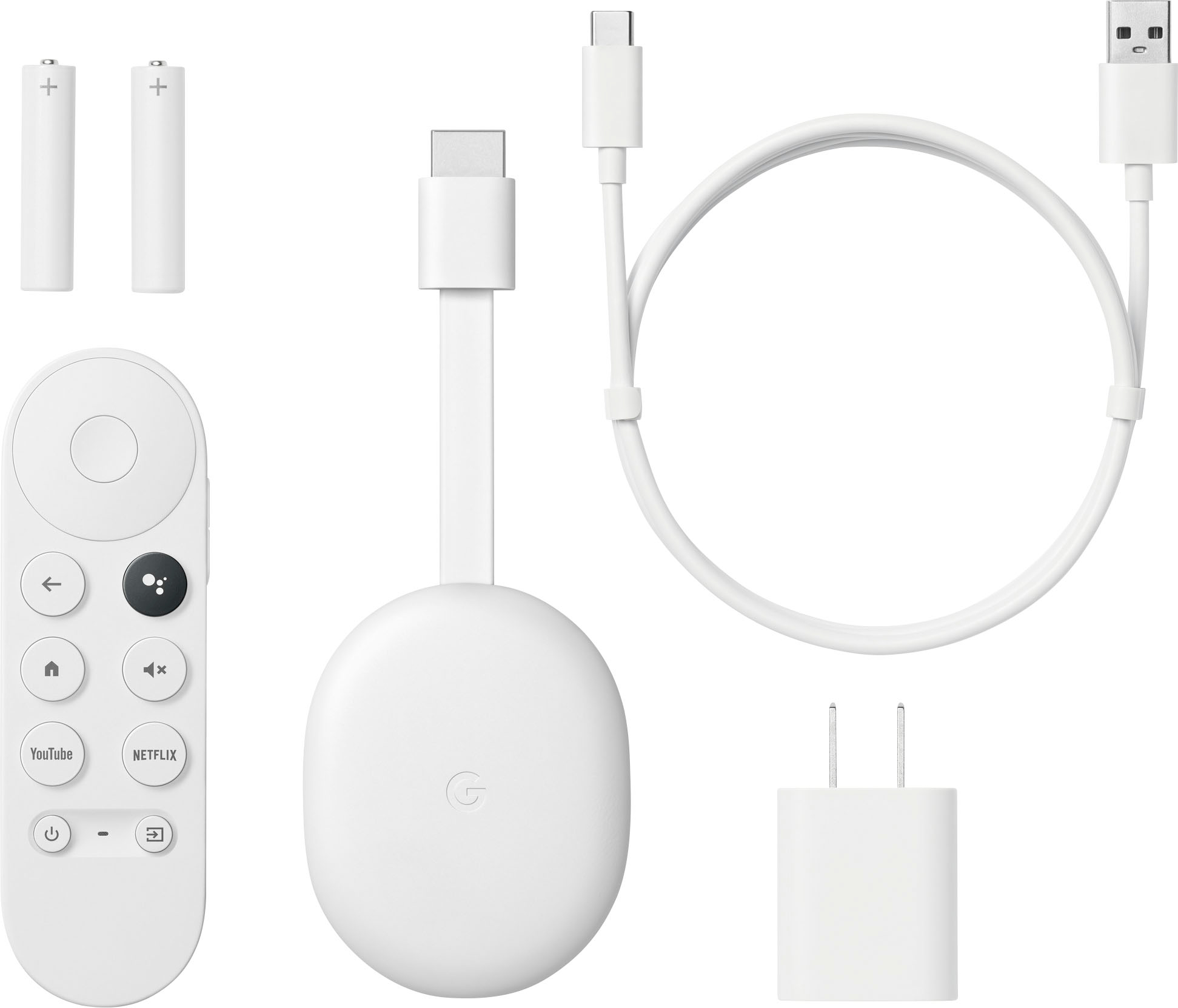
Chromecast with Google TV is our first streaming device powered by Google TV, an experience that brings Google’s helpfulness to your TV, and comes with a Google Assistant-enabled voice remote. You’ll also have quick access to YouTube and Netflix at your fingertips. You’ll find personal recommendations based on your subscriptions, viewing history, and content that you own, all in one place. Use the remote to search with your voice.
For help and support, you’re more than welcome to contact us anytime at: https://support.google.com/chromecast/gethelp
Good - but has some limitations
||Posted . Owned for 1 month when reviewed.This reviewer received promo considerations or sweepstakes entry for writing a review.This device doesn't work on local channels or SD channels on the Dish Anywhere app. Also if you are watching a show from the Dish Anywhere app and the show ends and you want to watch the next episode you have to go to your device and hit the play button, it doesn't automatically just keep playing the next episode.
I would recommend this to a friendBrand response from Google Team
Posted .Hi there, JohnS. Thanks for sharing your insights with us. We're sorry to hear that you're experiencing an issue watching local channels using the Dish Anywhere app on Chromecast with Google TV (HD).
Some app issues can be fixed by resetting Chromecast. A factory reset returns the settings of your Chromecast device to its default factory settings. Here's how to reset it:
With the Chromecast Voice Remote:
- On the top right of your TV screen, select your profile and then Settings .
- Select System and then About and then Factory Reset.
From the Chromecast device:
- While the Chromecast is plugged into the TV and powered, press and hold the button on the back of the Chromecast. The LED should start to blink yellow.
- When the LED light turns solid white, release the button, and the Chromecast should then reset.
If the issue persists, you may also want to consider contacting the app developer since the issue may also be app related. Alternatively, if you have other support needs on your Chromecast with Google TV (HD) device, you may reach out to us here: https://support.google.com/googlenest/gethelp
Chromecaat
||Posted . Owned for 1 month when reviewed.This reviewer received promo considerations or sweepstakes entry for writing a review.Good product I’m happy with this system for my tv and dvd
I would recommend this to a friendGreat little product, just not to mirror displays.
||Posted . Owned for 1 week when reviewed.This reviewer received promo considerations or sweepstakes entry for writing a review.Average google home product, bought it to stream my computer (current Gen) to a monitor. Too much lag. I’m sure if you’re buying this just to stream movies you’re good to go! But it doesn’t work as well as the Roku to mirror a display wirelessly, way to much latency. Returned.
I would recommend this to a friendBrand response from Google Team
Posted .Hello Vames, thank you for sharing your review on Chromecast with Google TV (HD). We're sorry to hear that your experience with the device has been less than ideal when compared to a different brand and that you had to return it. If you're willing to give the Chromecast another chance in the future, we recommend that you reach out to our support specialists so we can help improve your experience with the device. You can contact us on our Google Help page here: https://support.google.com/chromecast/gethelp
Works
||Posted . Owned for 3 weeks when reviewed.This reviewer received promo considerations or sweepstakes entry for writing a review.Not quite as easy to use as I expected, but it did come with additional features built in.
I would recommend this to a friendBrand response from Google Team
Posted .Hello there aees, we’re thankful for your feedback on Chromecast with Google TV (HD). We’re glad that you find it with additional built-in features, but we’re sorry to hear it didn’t meet your expectations. We’d like to learn more about your challenges with using the new Chromecast, so we can figure out a way to help improve your experience, and you’ll find our dedicated team of support here: https://support.google.com/chromecast/gethelp
Chrome
||Posted . Owned for 3 weeks when reviewed.This reviewer received promo considerations or sweepstakes entry for writing a review.Good very nice product I really enjoyed it. Must buy
I would recommend this to a friend