Customer Ratings & Reviews

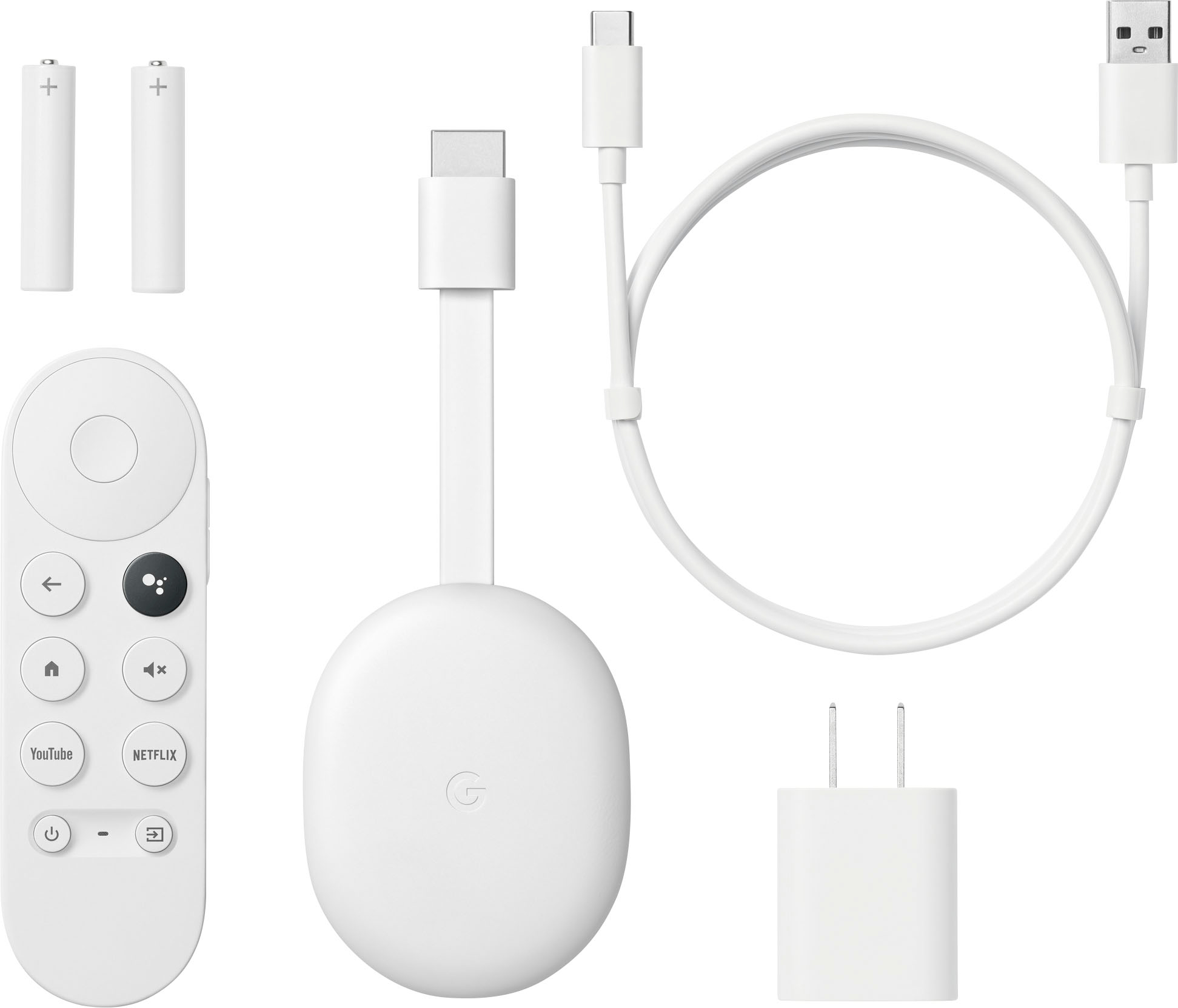







- Model:
- GA03131-US
- SKU:
- 10511744
Rating by feature
- Value
Rating 4.8 out of 5 stars
- Quality
Rating 4.7 out of 5 stars
- Ease of Use
Rating 4.7 out of 5 stars
to a friend
Waste of money
||Posted . Owned for 10 months when reviewed.This reviewer received promo considerations or sweepstakes entry for writing a review.Was not compatible after all. Good for Amazon streaming services
No, I would not recommend this to a friendBrand response from Google Team
Posted .Hi there, FelixD! Thank you for your feedback on Chromecast with Google TV (HD). It's unfortunate to hear that it wasn't compatible with your setup. While the Chromecast with Google TV (HD) supports a wide range of services, there may be specific compatibility issues depending on your region or individual setup. We wanted to know more about your concern so we can better provide you with the best resolution about your concern. We recommend reaching out to our dedicated team of specialists on the Google Help Center page: https://support.google.com/googlenest/gethelp

Chromecast
||Posted . Owned for 1 month when reviewed.This reviewer received promo considerations or sweepstakes entry for writing a review.Wi-Fi rant sucks and it’s kind of slow but other then that it’s ok
I would recommend this to a friendPass on it.
||Posted . Owned for 9 months when reviewed.This reviewer received promo considerations or sweepstakes entry for writing a review.I thought i would use this at hotels since i travel alot. Rarely are the hotel TVs positioned in a way that you have access tobthe panel to connect the Chromecast. Don't waste your money. And even if connected there are internet password issues to use.
No, I would not recommend this to a friendBrand response from Google Team
Posted .Hi there, ElliotR. Thank you for sharing your review on Chromecast with Google TV (HD). We're sorry to hear that your experience with the device didn't meet your expectations. The device is designed for home use where the ports of your TV are accessible to you and that you have a private home internet connection. The Help Center page here contains useful setup directions, watch and gaming tips, and general information on ways to best use your Chromecast with Google TV: https://support.google.com/chromecast/topic/10089023
If you're in need of any assistance, please don't hesitate to contact us on our Google Nest Help site for immediate support: https://support.google.com/googlenest/gethelp
Streaming media player
||Posted . Owned for 1 month when reviewed.This reviewer received promo considerations or sweepstakes entry for writing a review.Did not work on my tv or internet service could not use it
No, I would not recommend this to a friendBrand response from Google Team
Posted .Hello there, ButchB. Thanks for letting us know about your experience with the Chromecast with Google TV (HD). We’d like to investigate whether this issue is with the device, network or other environmental factors. Contact our specialists at the following link so we can guide you with troubleshooting accordingly: https://support.google.com/chromecast/gethelp
Wasted my Money!
||Posted . Owned for 5 months when reviewed.This reviewer received promo considerations or sweepstakes entry for writing a review.Got a new box, opened with excitment only to realize it had an used remote. The batteries were already in the remote and scuff marks on the back. It says to hold 2 buttons on the remote to sync with the device but nothing happens. The actual device looks new. Unfortunely I opened the box a couple months after my purchase so can’t return/exchange. Great job Downingtown, PA Best Buy fooling people and making money.
No, I would not recommend this to a friendI would have got something else
||Posted . Owned for 1 month when reviewed.This reviewer received promo considerations or sweepstakes entry for writing a review.Meh its ok sometimes the remote doesnt work It is very basic
No, I would not recommend this to a friendGoogle cast
||Posted . Owned for 1 month when reviewed.This reviewer received promo considerations or sweepstakes entry for writing a review.Sometimes i have to restart my phone to cast to the screen or it lags the video
I would recommend this to a friendBrand response from Google Team
Posted .Hi ALLEYCATBLUES, we really appreciate your feedback on Chromecast with Google TV (HD), and we’re sorry to hear of your poor experience with its performance when casting.
A range issue or wireless interference can cause your Chromecast to have performance issues. Sometimes it may pass the connection test during setup, but will struggle to stay connected if it’s just a bit too far away. You may also check for objects such as mirrors and refrigerators between the Chromecast and your router as these items could block the connection. For more help, read Troubleshooting wireless interference here: https://support.google.com/googlenest/answer/9276282
We also suggest clearing the app cache that might help as having a sizable amount of cache stored, would affect its performance. Here’s how:
- From the Google TV home screen, in the top right, go to the user profile icon and select Settings.
- Select Apps and choose the app you're having trouble with.
- If you can't find it, select See all apps.
- Select Clear cache and then Ok.
- If clearing the app cache didn't work, you can try to reset your Chromecast with Google TV by following the steps here: https://support.google.com/chromecast/answer/6254654
If additional help is needed, please communicate with our dedicated team through our support channels anytime at: https://support.google.com/chromecast/gethelp
Excellent little streaming package
||Posted . Owned for 3 weeks when reviewed.This reviewer received promo considerations or sweepstakes entry for writing a review.Offers a great way to add a collection of streaming services to every tv in the house. Love the ability to cast from the Chrome browser - allows the option to watch material that I'd otherwise have no way to view on my tv. Would like more storage space - I run out of storage before I run out of apps I'd like to add.
I would recommend this to a friendBrand response from Google Team
Posted .HI Kangaroo60, thank you for sharing your review. It's great to hear that you're enjoying your experience with Chromecast with Google TV (HD). Aside from casting from the Chrome browser, you can also mirror your entire display using Cast Desktop. To know more about the features of your Chromecast or if you need any assistance, please feel free to reach us on our Google Help page here: https://support.google.com/chromecast/gethelp
Save thousands!
||Posted . Owned for 3 weeks when reviewed.This reviewer received promo considerations or sweepstakes entry for writing a review.I have a Panasonic Plasma TV, and the only way to go through without spending thousands for another brand new wireless TV set was using the Chromecast gadget. Very efficient and has no problems at all.
I would recommend this to a friendGoogle TV
||Posted . Owned for 4 months when reviewed.This reviewer received promo considerations or sweepstakes entry for writing a review.Freezes frequently and does not have a night light but it was cheap.
I would recommend this to a friendBrand response from Google Team
Posted .Hi there, DavidOKC.Thanks for sharing your feedback with us. We're sorry to hear that your Chromecast with Google TV (4K) frequently freezes.
Freezing issues on your Chromecast device may be caused by either a congestion of your network or insufficient bandwidth. Chromecast devices will typically require a high speed Internet connection of at least 20 Mbps and a reliable Wi-Fi network. To isolate this further, you may disconnect most of the devices connected to your network in order to free up some bandwidth space. You can then check if the streaming performance will improve. We recommend contacting your Internet service provider since you may need to upgrade your connection once you confirm that it's insufficient.
Additionally, you may also try resetting your Chromecast device to isolate the issue further and see if it will be helpful with the freezing issue. Keep in mind that resetting it will erase all data and that you may need to set it up again. To reset Chromecast, please check out the steps below:
With the Voice Remote:
- In the upper right of your TV screen, select your profile and then Settings .
- Select System and then About and then Factory Reset.
From the Chromecast device:
- While the Chromecast is plugged into the TV and powered, press and hold the button on the back of the Chromecast. The LED should start to blink yellow.
- When the LED light turns solid white, release the button, and the Chromecast should then reset.
You're also welcome to contact our support team for further assistance with your concern. Simply visit us at the Google Chromecast help center page to speak to any of our agents: https://support.google.com/chromecast/gethelp
Chrome Cast
||Posted . Owned for 3 weeks when reviewed.This reviewer received promo considerations or sweepstakes entry for writing a review.This device does the job it was made to do. Only (minor) complaint is remote is very small and slick so it's easy to lose and likes to slide out of your hand. Also, the buttons are super sensitive and you have to look ar it to know which way is supposed to face the tv otherwise you'll puuush the wrong buttons.
I would recommend this to a friendBrand response from Google Team
Posted .Hello Flowerz, thanks for sharing your review of Chromecast with Google TV (HD). We're sorry to hear that your experience with the remote has been less than ideal. Your feedback here helps us better understand your preference when it comes with the design and functionality of the voice remote. We'd like to hear more from you so we can further improve on the performance of your Chromecast and your overall experience. Please don't hesitate to contact us on our Google Help page here: https://support.google.com/chromecast/gethelp
Chromecast new generation
||Posted . Owned for 1 month when reviewed.This reviewer received promo considerations or sweepstakes entry for writing a review.This will be my second Chromecast. I still own the Chromecast 1st generation... and I have to say it works wonders, exept with the new additions the new model have... other than that, I wanted to upgrade and it works just fine with my Insignia TV and I am able to connect my Bluetooth headphones too.
I would recommend this to a friendNo 5.1 for a lot of apps
||Posted . Owned for 4 months when reviewed.This reviewer received promo considerations or sweepstakes entry for writing a review.Video is great but there is no surround sound for Netflix or Prime video. Even plugged directly into my AVR HDMI still no surround sound, only stereo. Would not have purchased this if I knew about this issue.
No, I would not recommend this to a friendBrand response from Google Team
Posted .Hey there, BillieC! We appreciate you for sharing your feedback with us. We're sorry to hear that you're having some difficulty getting surround sound from your AVR system and Chromecast with Google TV (HD). The issue is most likely related to selecting the right sound format to work with your AVR. To customize the sound format on your Chromecast with Google TV (HD), simply follow the steps below:
- Turn on your Chromecast and then at the top right of your TV screen, select your profile and then Settings .
- Select Display and sound and then Advanced sound settings and then Surround sound format selection and then Manual.
- In the section 'Supported formats', select the format that you want to use. You can choose between Dolby Digital, Dolby Digital Plus, and Dolby Atmos via HDMI pass-through.
We recommend trying out each format to see which one will work with your AVR system. However, if the issue is persistent, we'd like to invite you over to visit our help page and speak to our support team here: https://support.google.com/googlenest/gethelp
Not all its promised to be
||Posted . Owned for less than 1 week when reviewed.This reviewer received promo considerations or sweepstakes entry for writing a review.I still haven't been able to cast my phone with this device
No, I would not recommend this to a friendBrand response from Google Team
Posted .Hi GeoffreyC, thanks for sharing your feedback on Chromecast with Google TV (HD), and we’re sorry to hear you’re unable to cast from your phone. We can imagine how hard you tried, and this is not the user experience we want to share with you.
A range issue or wireless interference can cause your Chromecast to have performance issues. Sometimes it may pass the connection test during setup, but will struggle to stay connected if it’s just a bit too far away. You may also check for objects such as mirrors and refrigerators between the Chromecast and your router as these items could block the connection. For more help, read Troubleshooting wireless interference here: https://support.google.com/googlenest/answer/9276282
We also suggest clearing the app cache that might help as having a sizable amount of cache stored, would affect its performance. Here’s how:
- From the Google TV home screen, in the top right, go to the user profile icon and select Settings.
- Select Apps and choose the app you're having trouble with.
- If you can't find it, select See all apps.
- Select Clear cache and then Ok.
- If clearing the app cache didn't work, you can try to reset your Chromecast with Google TV by following the steps here: https://support.google.com/chromecast/answer/6254654
For more help, please contact us at the following link and we’ll do our best to help: https://support.google.com/chromecast/gethelp
I switched back to Roku so fast
||Posted . Owned for 8 months when reviewed.This reviewer received promo considerations or sweepstakes entry for writing a review.I got this because I have a pixel 3 so my phone can't stream to Roku sticks (because Google is the worst). This is terrible. I had to switch back to my Roku stick within a week because of how bad this product is in comparison. It's incredibly slow, unintuitive interface, horrible remote and Chromecast is the only reason I got it but it's so finicky that it's just not worth it. Once again, Google has failed to get anywhere near the level of it's competition. Just don't trust google products (coming from a pixel 3 user of 5 years)
No, I would not recommend this to a friendBrand response from Google Team
Posted .Hey there, Squail. Thanks for sharing your concern with us on your Chromecast with Google TV. We're sorry to hear that your experience with the device has been less than ideal. Your feedback on the interface and remote is appreciated and we've taken note of it. We're here to help you with improving the performance of your device and recommend reaching out to our team of specialists on our Google Help page for immediate support here: https://support.google.com/googlenest/gethelp
do not buy
||Posted .This reviewer received promo considerations or sweepstakes entry for writing a review.Do not buy it! remote control is not working and Geek squad is not repairing free.
No, I would not recommend this to a friendXmas gifts
||Posted . Owned for 1 week when reviewed.This reviewer received promo considerations or sweepstakes entry for writing a review.I love to shop early so I will be giving these out as gifts
I would recommend this to a friendNot what I was expecting from Google
||Posted . Owned for 3 weeks when reviewed.This reviewer received promo considerations or sweepstakes entry for writing a review.I'm a big fan of google products, and I had one of the original Chromecast and I was delighted. But with this version was I really bad experience that I had to return. It was difficult to set up, download the initial updates and just to log in with my google account.
No, I would not recommend this to a friendBrand response from Google Team
Posted .Hi Luis23, thanks for being a loyal advocate of our Google Nest products. It's unfortunate to hear that you had a poor experience in setting up your Chromecast with Google TV (HD), and we're sorry to hear that you had to return it. We value your feedback and if you ever reconsider using Chromecast with Google TV (HD), or any of our Google Nest products again in the near future, please feel free to contact our support team. We'd be happy to entertain any questions or support concerns you might want to us to address here: https://support.google.com/chromecast/gethelp
Just OK
||Posted . Owned for 3 weeks when reviewed.This reviewer received promo considerations or sweepstakes entry for writing a review.This has a lot of features at a low cost. It does seem to want to take over our smart TV, seems we are regularly getting switched from our smart tv’s menu to the google menu. I bought it to add casting capability to our LG TV, it works for that well enough.
No, I would not recommend this to a friendNot Easy For the Technologically Challenged.
||Posted . Owned for 3 weeks when reviewed.This reviewer received promo considerations or sweepstakes entry for writing a review.The Best Buy salesperson told me this was an easy to use plug and play device. I could not get it to pair and I returned it.
No, I would not recommend this to a friendBrand response from Google Team
Posted .Hello there, ChevyTruck. Thanks for sharing your experience with the Chromecast with Google TV (HD). We're sorry to hear you weren't able to get it paired and had to return it. We understand the frustration that comes with a setup not going smoothly, especially when promised "plug and play" ease. If you’re willing to share some details about the specific difficulties you encountered, this will help us improve our troubleshooting resources and potentially identify areas where we can better support both customers and retail partners. Meanwhile, we'd be happy to walk you through the pairing process ourselves if you're open to giving it another shot. You can reach us directly at https://support.google.com/chromecast/gethelp