Customer Ratings & Reviews








- Model:
- CH-9315311-NA
- SKU:
- 6167607
Rating by feature
- Value
Rating 4.3 out of 5 stars
- Quality
Rating 4.5 out of 5 stars
- Ease of Use
Rating 4.4 out of 5 stars
Customers are saying
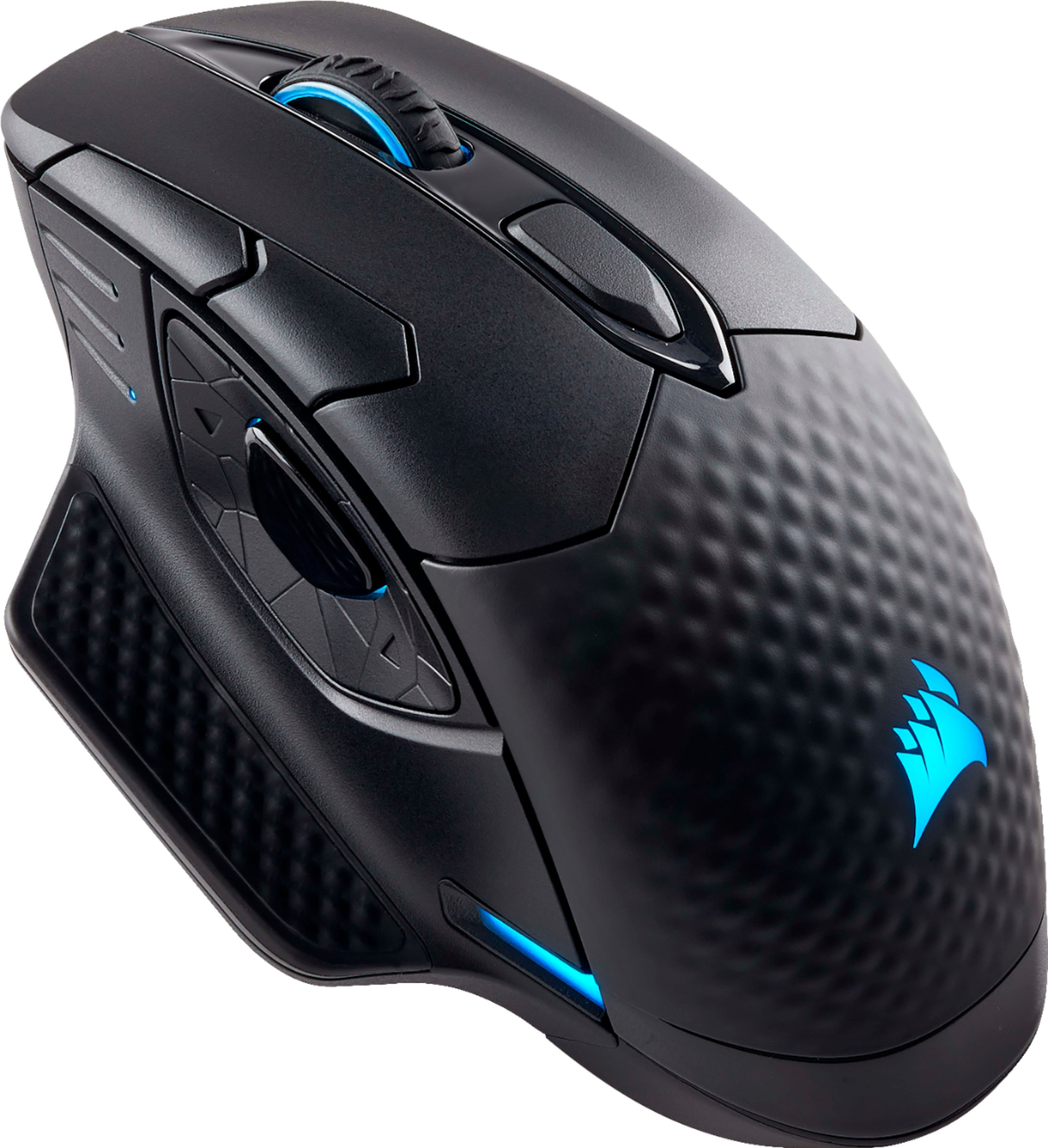
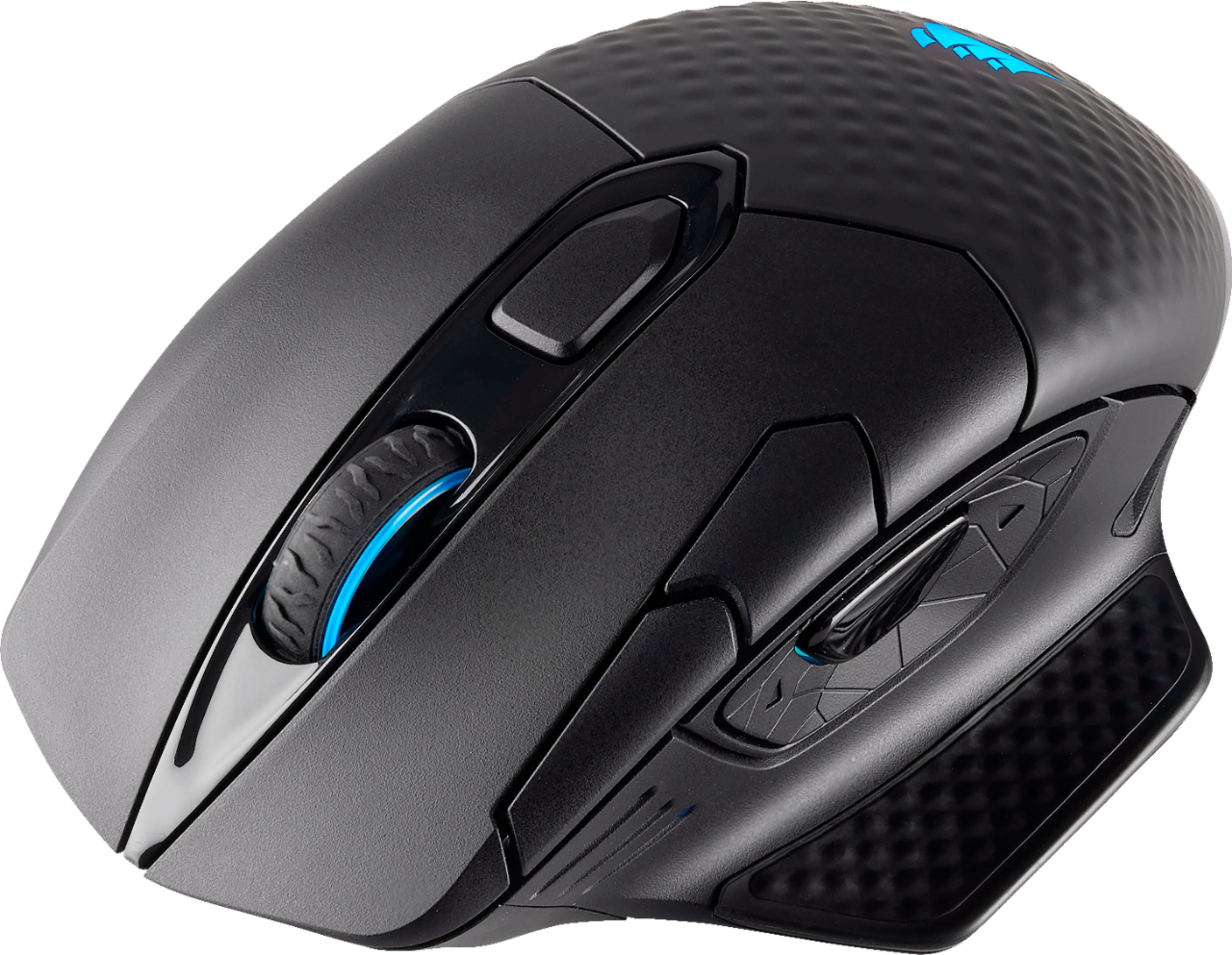
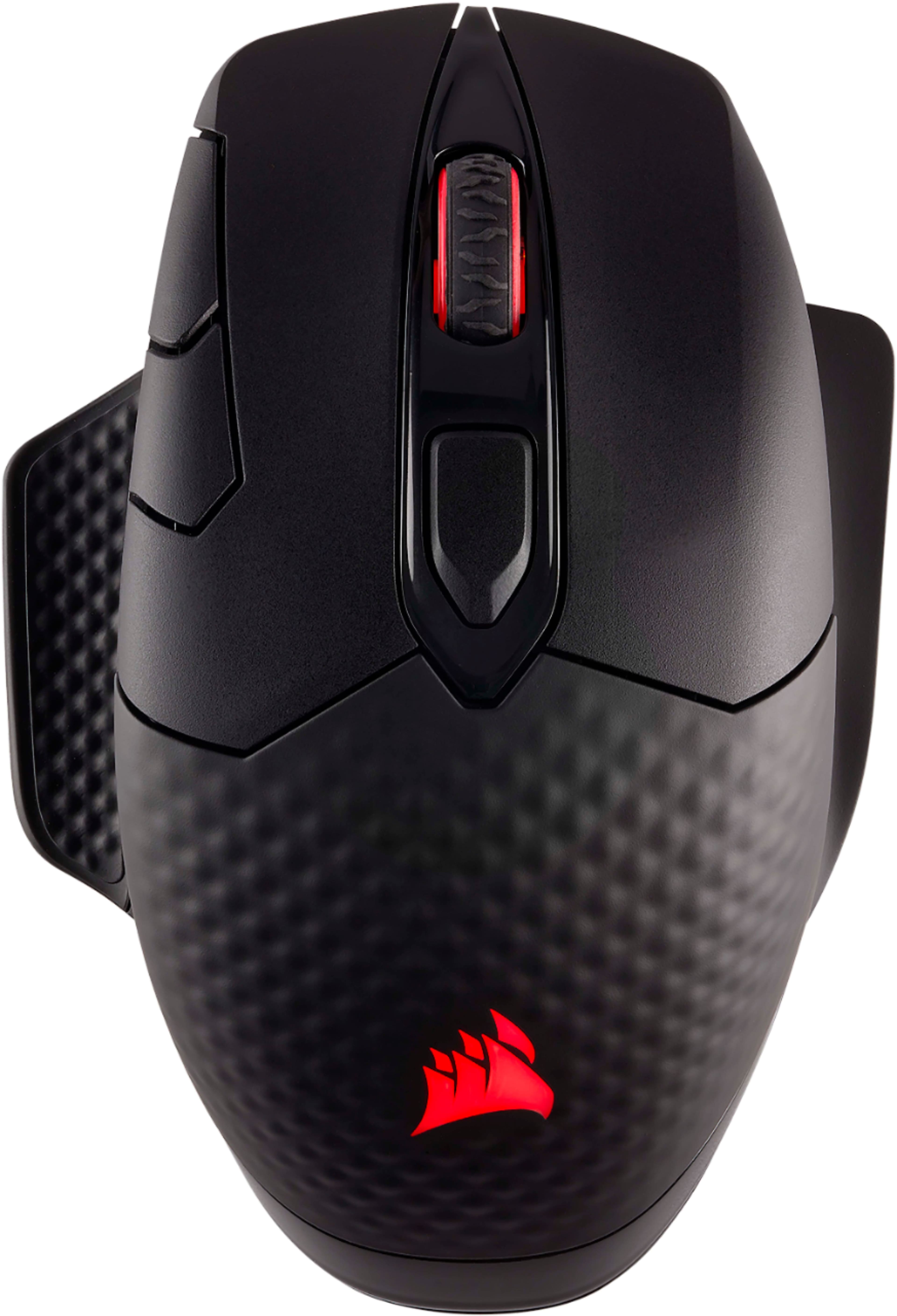
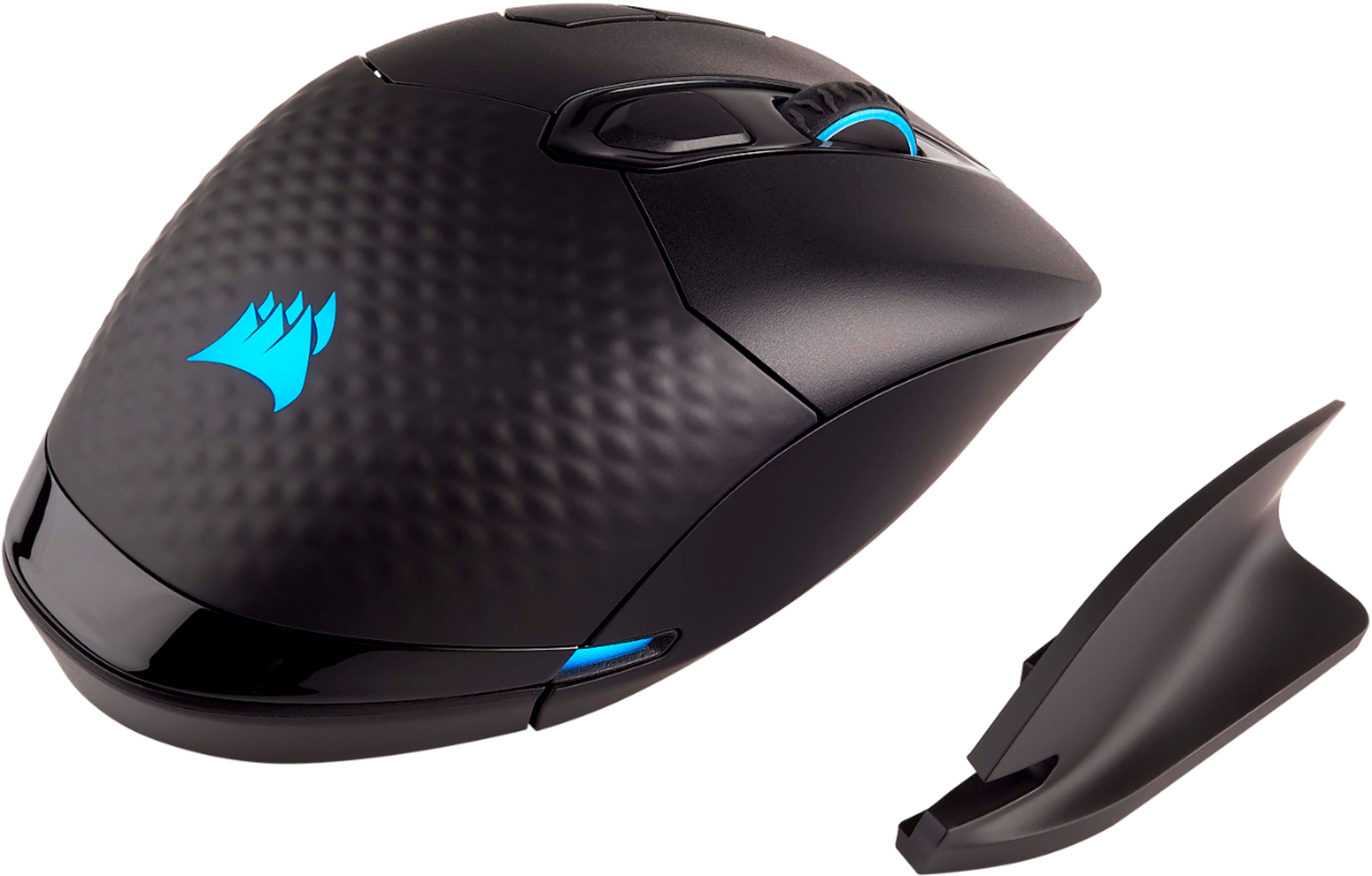
Customers frequently mention the wireless charging, RGB lighting, and ease of use as significant advantages. Many appreciate the quality and responsiveness, while some users find the battery life and button placement less satisfactory. Concerns were also raised regarding the software and the size of the mouse. A few users experienced connection issues.
This summary was generated by AI based on customer reviews.
Constantly losses its program
||Posted . Owned for 1 year when reviewed.This reviewer received promo considerations or sweepstakes entry for writing a review.I have had this for a little over a year and I hate using it. I do not game, but I wanted a big heavy mouse for my hand. The settings on this constantly reset. The biggest issue is the BACK button that does not work 75% of the time. I came on here just to warn people not to waste your time or money.
No, I would not recommend this to a friend- Pros mentioned:WirelessCons mentioned:Battery life

Needs frequent charging, but otherwise OK
|Posted .This reviewer received promo considerations or sweepstakes entry for writing a review.I haven't been a fan of wireless optical mice because no matter how they taught their low mill-second response time features, you won't get any better performance than that of a wired mouse. Another reason has to do with recharging/changing out the batteries every once in a while. And for many wireless mice owners, that's totally fine. Except this particular model from Corsair needs you to charge it... all. the. time. As I'm writing this review actually, I'm using a wired Vivitar laptop USB mouse in lieu of the Corsair Dark Core SE wireless gaming optical mouse (that's a mouthful) because it is currently charging (wirelessly, as well) using the Corsair MM1000 trackpad that it is designed for. Now, being able to charge your mouse without connecting to a wire just by hovering it over a particular corner of your trackpad may sound pretty sweet, and futuristic. But, I can't use my desktop machine temporarily when I need it most. I think, most importantly, what Corsair failed to include with their very first wireless gaming mouse release to market, is an idle standby mode that kicks in after several minutes of inactivity. There are plenty of other wireless gaming mice from leading competitors that do this, and I don't have to plug in or swap out the batteries as often as this. While I'd love to discuss into detail about all of the other great features that make this mouse what it is for pro gaming use, I am baffled at the fact that this device needs to be charged so frequently. Forgetting to turn around your mouse and switch it to the "off" position when you're about to move away from your desk for a long period of time, only to come back and realize it's juice is dead and is needing to be recharged isn't a very convenient use case for this product.
No, I would not recommend this to a friend So disappointed....
||Posted .This reviewer received promo considerations or sweepstakes entry for writing a review.I had high hopes for this wireless mouse as I already had the programmable RGB keyboard, RGB RAM sticks, and the charging mouse pad. This mouse would constantly loose sync, did not work consistently (even when wired), and the RGB function would randomly stop or change to other colors.
No, I would not recommend this to a friendBrand response from Corsair Art
Posted .Very sorry to hear. If you still have the mouse please reach out so we can help: support.corsair.com

Failed out of box - returned
||Posted . Owned for 3 months when reviewed.This reviewer received promo considerations or sweepstakes entry for writing a review.Mouse looked and felt great, but failed right of the box. It would momentarily connect to wireless dongle. Not sure if issue was mouse side or dongle. Tested on two PCs - same result, returned and went with Logitech and never looked back.
No, I would not recommend this to a friendBrand response from Corsair Art
Posted .Hi TTed,
If you repurchase this product or anything else of ours, and you have issues: please contact us directly for assistance at support.corsair.com
- Pros mentioned:Response time, Rgb lighting
Great Gaming Mouse
Posted .This reviewer received promo considerations or sweepstakes entry for writing a review.I just wanted to say that I'm actually impressed. The thought of a wireless gaming mouse kind of scared me, but its got a very fast response time: 1ms. No lag! The RGB is bright and looks solid, although I wish it were more customizable (it only has pulse between two colors, rainbow, static color.) The Software is pretty nice when it comes to macro options, with storage for on device profiles, meaning you can save different profiles for different environments, ie gaming, office work, etc, and cycle through them by hitting the profile button on the top of the mouse.This mouse is more of a palm grip type mouse, which was difficult for me to switch over to, I've always been a fingertip gamer. But when I got it down, it was awesome. I also has a sniper button on the side, which lowers the DPI allowing you to get a more accurate shot when it counts (hold and release, not click and click). All in all im pressed. Good mouse.
I would recommend this to a friend - Pros mentioned:Rgb lighting
Excellent wireless mouse
|Posted .This reviewer received promo considerations or sweepstakes entry for writing a review.I got this to pair with the wireless charging mouse pad and it worked flawlessly. Grip feels nice DPI settings are nice. Corsair Cue software lets you manage things like macros and RGB effects. I have a Corsair Strafe keyboard and this mouse so I can manage both from the Corsair Software. I like the mouse and its my new #1 gaming mouse. Also comes with usb dongle for connectivity and you can hardwire it if you want as well but cmon you got this mouse to go wireless and battery free. Happy with it would buy again.
I would recommend this to a friend Stopped Working
||Posted . Owned for 9 months when reviewed.This reviewer received promo considerations or sweepstakes entry for writing a review.SUCKS!!! the freaking mouse just quit working. If you want a product that does not falter so much .....DO not buy this product!
No, I would not recommend this to a friend*DO NOT BUY* - Waste of money get the Logi G502
||Posted . Owned for 8 months when reviewed.This reviewer received promo considerations or sweepstakes entry for writing a review.Horrible quality mouse, could not even connect to its own wireless dongles. Returned and replaced with the Logitech G502. DO NOT BUY THIS!
No, I would not recommend this to a friend- Pros mentioned:Wireless
Feature rich mouse with many ways to use it
|Posted .This reviewer received promo considerations or sweepstakes entry for writing a review.First of all let me say I’m not a hard core gamer. Got this mouse because of the reputation of gaming gear in general. More features than you would normally see. Mouse has Bluetooth and can be used with a cord. Tried the cord for the first few days with no issue. My mini PC readily found the bluetooth name for the mouse. There’s also a USB receiver included if you don’t like Bluetooth. It sticks out more than other USB receivers that I have used with wireless mice. That was curious. The cord looks stronger than the black ones I have seen on other mice. Mouse felt very comfortable. Even for my smallish size hand. It did take a few hours to get used to it tho. So far this is the best, most versatile mouse, I have used on the desktop. I recommend it to anyone looking for a quality, well built device, for everyday use.
I would recommend this to a friend Bad connection
||Posted .This reviewer received promo considerations or sweepstakes entry for writing a review.Mouse movement was very glitchy unless i had sensor right next to the mouse on a USB cord, completely defeating the purpose of it being wireless
No, I would not recommend this to a friendA great looking mouse, could have done better
|Posted .This reviewer received promo considerations or sweepstakes entry for writing a review.I have used it for few days and it has performed well on both the PCs I have. One with CUE installed and one without. Evaluating it as a no frill gaming mouse I think it is a 4 star product. The reason it is not a 5 star product is that the placement of two keys. DPI button next to left click and Fwd button next to sniper. They are both placed not so perfectly. The DPI button starts seamlessly from where left mouse boundary is, so it is really difficult to hit it without looking at the mouse. They could have given a slight thickness at the edge so that one can use it without really taking your eyes off screen. This is how G602 does. I kept hitting sniper button when intend to hit forward, the sniper is protruding and is easy to hit, I guess you can get used to it over time. Otherwise the motion is crisp, it feels nice in hand. Though there is no option for custom weight unlike G502/G602. I like my mouse to be a bit on heavy side and I cannot do that here. I am a palm grip user and it handles well. It is almost like a G602 in that aspect. LED is great and goes really well with the led keyboard. It looks really nice, and have a solid feel to it like any Corsair product. It is probably the BEST looking mouse (I know its subjective) even without its LED. Textured surface works well for the grip. Gaming was good with it though I missed the heft of G602). I did not notice any lag using it wireless and it was as good as G602 in movement and control while playing Overwatch. Sniper mode worked great, it takes DPI very low I believe. Now the wireless charging part, it has it built-in or you can charge it using the supplied cable. I did not try it with an wireless charger separately but I did try it on Corsair mouse pad (which pairs with it). I am not impressed, it misses the charging spot most of the time. I noticed only once the led flashing in white for three time, while charging. (Which it should as per manual). It has Bluetooth as well, so you can connect using that as well BUT it can not work on two devices at once unlike Logitech MX Master 2, which can work with three devices at the same time, transitioning using the installed software. I understand it is not a productivity mouse, but when one is paying so much, you expect it to do all. It does go to sleep after few minutes of no activity which is great. In the end it is a decent wireless gaming mouse (first from Corsair). But I can not justify it at its current price. It is expensive because of the frills, and those frills does not work well. So overall a 3.7 - 3.8 star product for me.
I would recommend this to a friend- Cons mentioned:Software
Great mouse overall
|Posted .This reviewer received promo considerations or sweepstakes entry for writing a review.No easy access to software download for configuration; had to web search then go to corsair's site. Would've been nice to have a shortlink right in the manual to type in & download, or better yet, Windows 10 driver detection pull it down and go. After downloading the software, realized you can't customize the mouse's buttons unless you connect *and use* it via USB or 2.4Ghz dongle; bluetooth mode didn't show the mouse as something that could be customized. Very high sensitivity for typical (non-gaming) usage - took some getting used to Qi charging is genius; esp when paired w/ the MM1000 mousepad. It's also nice to have the battery level of the mouse as something that can be displayed in the system tray. Mouse feels good in hand; like a typical mouse. I use it 8hr/day with no fatigue.
I would recommend this to a friend - Pros mentioned:Response time, WirelessCons mentioned:Battery life
Not impressed
Posted .This reviewer received promo considerations or sweepstakes entry for writing a review.Context: went through 2 Razer deathadders in 3 years. Primarily play LoL and Overwatch. The good: - Wireless - Ergonomics - good for large hands - Response time equal to wired. The ok: - Build quality. If you shake the mouse you will hear parts rattle, particularly the scroll wheel which is much lower quality and more notchy than the Deathadder it replaced. - macro buttons are in strange locations. I physically need to lift and re-position my hand to get to some of them - the software to map the macros is much more complicated than Razers version The bad: - Battery life - needs to be charged almost daily - Jumping. The mouse will jump to the very edge of the screen. I use the wireless adapter and my computer is directly below the mouse. I have also purchased a new mouse pad thinking that it was getting reflections off of my worn old one. It is a random issue, but all of a sudden it will spin your character around. Wireless charging is an option but then your mouse pad has a wire which to me defeats the purpose of a wireless desktop. I really wanted to like this mouse because I'm very pleased with my other Corsair products.
No, I would not recommend this to a friend - Pros mentioned:Rgb lightingCons mentioned:Button placement
Love the RGB and wireless, but that's it...
Posted .This reviewer received promo considerations or sweepstakes entry for writing a review.I was looking for a reliable wireless mouse with RGB lighting and extra buttons. The Dark Core SE met those requirements and it was cheaper than the other non-wireless charging one. Everything seemed good, but I was somewhat reserved about the side button placements. I should have listened to myself because I was only disappointed. The two buttons on the left mouse click are not back and forward, but rather a toggle to move through DPI speeds that you can set. The middle button under the scroll wheel switches through DPI profiles you can customize, which I like, but the mouse would be okay without that function if you just set up program detection. Now for the three buttons located for the thumb. This is my biggest gripe with this mouse. The middle button is to temporarily lower your DPI when you're using Snipers in video games. Cool, but I would rather have it be used for something else, and I haven't found out if I can change this. The other two buttons? Oh, those are back and forward. If I have to temporarily stop my movements to reach for the forward button, that defeats the purpose. All in all, it's pretty, has good weight, and is wireless, but the awkward button placement is not for me.
No, I would not recommend this to a friendBrand response from Corsair Art
Posted .Sorry to hear about the issues, please reach out if you need assistance and we should be able to help, at support.corsair.com
- Pros mentioned:Rgb lightingCons mentioned:Button placement
nice visually, but only fair in normal use
|Posted .This reviewer received promo considerations or sweepstakes entry for writing a review.I like many Corsair products, but this mouse is not at the top of my list.. No side scroll wheel hard to "feel" buttons on top and the side, and even though it looks great, with the RGB colors, and it goes well with my corsair keyboard, I am not impressed with the button placement, nor the missing side scroll wheel. I'm not a gamer, so I just use this mouse for normal computing, so, if you only want a mouse for non gaming activities, there are much better choices out there, like the Logitech MX Master
No, I would not recommend this to a friend - Pros mentioned:Wireless
Great mouse, with a lot of options...
|Posted .This reviewer received promo considerations or sweepstakes entry for writing a review.So while this is promoted as a gaming mouse, it is also good for your daily use. Wireless and the ability to charge right on a Qi compatible charger, makes this maybe the last mouse you will need to purchase. Quick response, which is critical to gaming.. is there. no issues with the mouse responding to the movements. Many extra buttons so you can program them, to what YOU need to win in the game. Comfortable in the hand, large area, so your hand can rest on the mouse... If you are tired of the stock OEM mouse that came with your computer... this is a solid contender.
I would recommend this to a friend - Cons mentioned:Battery life
Had high hopes
|Posted .This reviewer received promo considerations or sweepstakes entry for writing a review.I was so excited to try this mouse and the mouse pad. I love the shape of the mouse. It was so comfortable. The dongle is far too big and I wouldn't leave it plugged into my work laptop because I was afraid it would break off in my bag. Mouse pointer is very responsive with movement, but buttons weren't quite as responsive. I would have to single click more than once on websites for it to recognize the click. some of the buttons are really tough to reach with the thumb. Battery life is horrible! No wonder they needed to have a qi charger for a mouse pad. I would charge it on the charger and it would be dead in just a few days. Software was tricky. I was able to find things but I could see where it would be tough for most users. (I'm IT and will play around where most people are scared to do so.) It's not at all user friendly. All in all, I think this mouse needs more work to be a 5 star item.
No, I would not recommend this to a friend - Pros mentioned:Rgb lightingCons mentioned:Button placement
Good but not GREAT !!!
Posted .This reviewer received promo considerations or sweepstakes entry for writing a review.Reason for me giving this mouse 3 stars is very simple, Corsair came out promoting this mouse as a wireless "gaming" mouse. To be honest this mouse is far from it. Let me give you an idea of what type of user I am; I'm a streamer, that mostly plays FPS games, I also create content for YouTube and I do family photo editing. This is not a gaming mouse, way from it. The button locations are horrible, the forward and back and sniper button they are to close to each other. Also the top 2 buttons towards the left hand coner are off reach if you have long fingers. The weight of the mouse is on the heavy side with no adjustments. Now here is the reason why I kept the mouse, it feels really good on your hands, the RGB lighting is very well done. But this mouse is actually awesome when it comes to content creation, like I mention before it feels great in your hand. In conclusion, if you are a competitive gamer you should pass on this. If you want a wireless mouse with nice feel to it and awesome RGB then buy it.
No, I would not recommend this to a friend - Cons mentioned:Size, Software
Too big for ladie’s hands
Posted .This reviewer received promo considerations or sweepstakes entry for writing a review.Just for some quick specs: my palm is 3” wide and long, and my middle finger is 3” as well. This mouse is great!! I didnt mind the software, which is what a lot of people have complained about, and the control was nice, but it was too big. It has always been hard for me to find a multi-button mouse as customizable as this one for my hand size, and I believe it is because their main consumer are men with larger hands. I do not blame them for this, but it would be nice to have a mouse like this one that I could actually use. I have some significant wrist injuries so mouse size is very important to me. My wrist had to be bent at an extreme angle, my fingers did not easily reach all of the buttons, and moving it fast enough for a quick snipe or a moving target was almost impossible. However, I could tell that it would work like a dream if my hands were bigger.
I would recommend this to a friend Nicely made but awkward to use
|Posted .This reviewer received promo considerations or sweepstakes entry for writing a review.Looks super cool!!! Motion is smooth, low friction, many options for setting resolution, and having the buttons set to do any sequence of keystrokes is very convenient so GREAT JOB!!! .I wanted to be able to program one of the mouse buttons to act as the CTRL, but the software did not allow that. The software only allows macros to run after a mouse press, not after a mouse release. The mouse is very heavy!! While I did not have to lift it often, when I did I sure noticed the weight! The mouse glides great (slippery mouse and pad) but it is hard to hold the courser in one place long enough to double click. Set up software seems to work great but why does the software for a mouse take half a gig on my hard drive??? The sniper button is convenient but the other two thumb buttons are not comfortable and I cannot push them reliably (I do have large hands), which also makes it hard to hold the mouse. This is designed to be a palm held mouse, but if I hold it that way, my fingers are too long to reach the wheel...maybe different sizes offered, say one made for larger hands???
I would recommend this to a friend