Customer Ratings & Reviews

- Model:
- CH-9311011-NA
- SKU:
- 6316173
Rating by feature
- Value
Rating 4.5 out of 5 stars
- Quality
Rating 4.5 out of 5 stars
- Ease of Use
Rating 4.6 out of 5 stars
Customers are saying
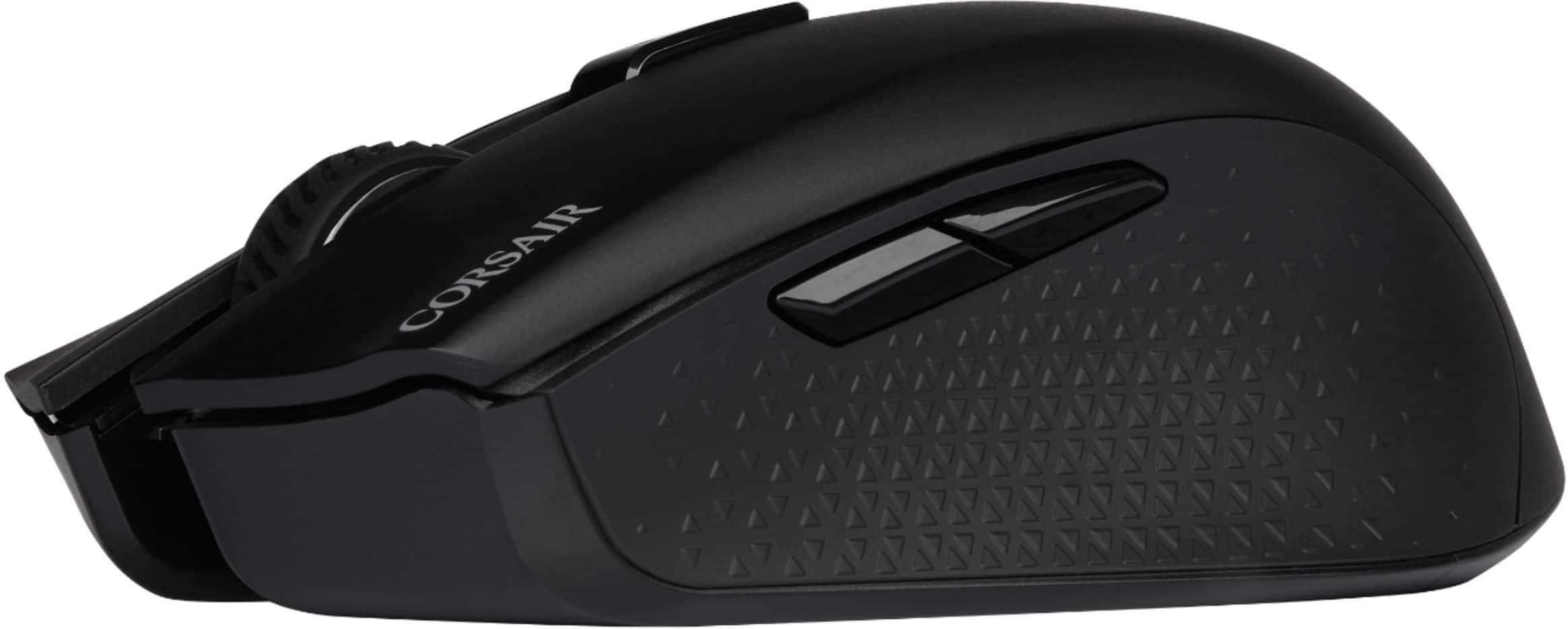
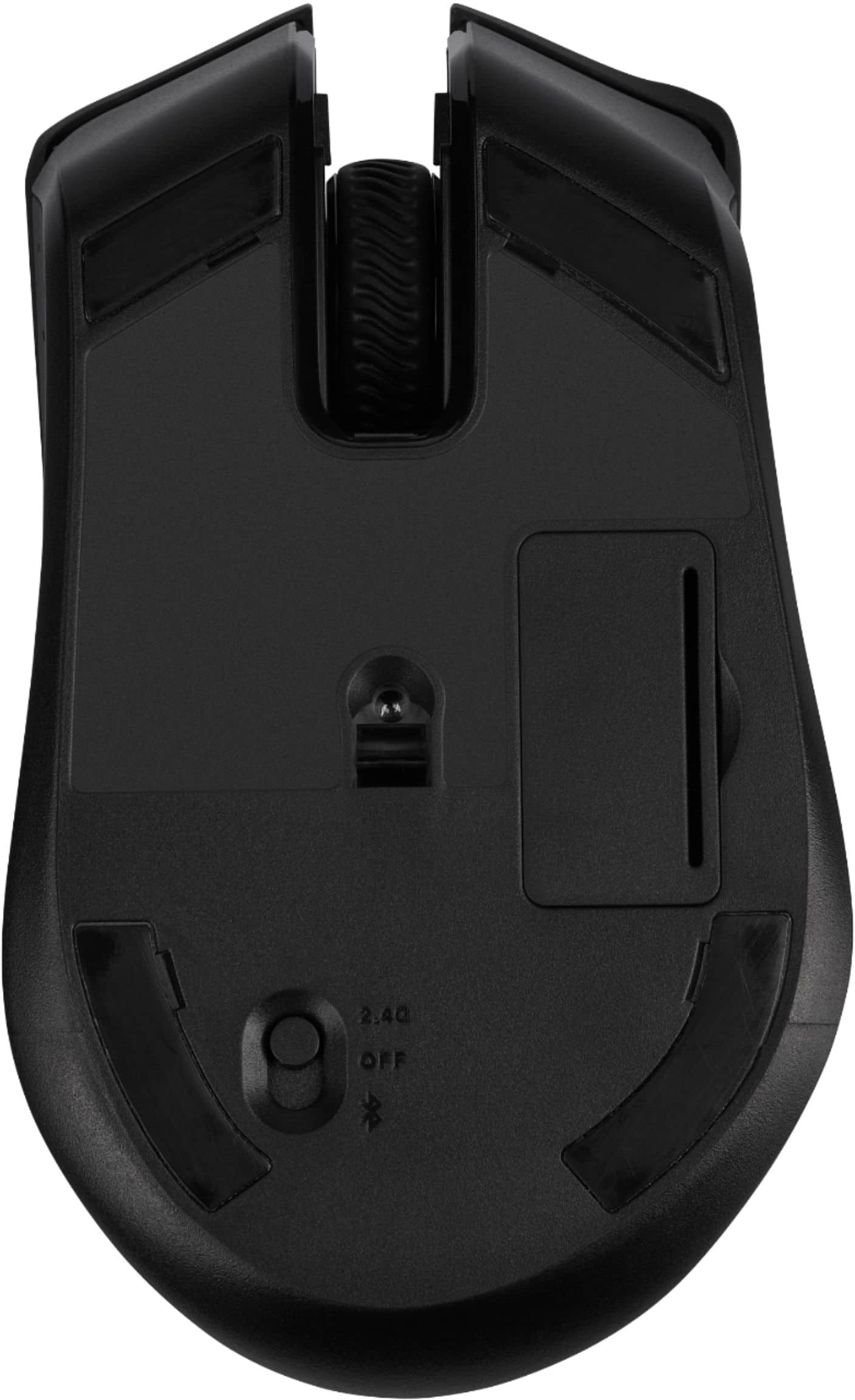
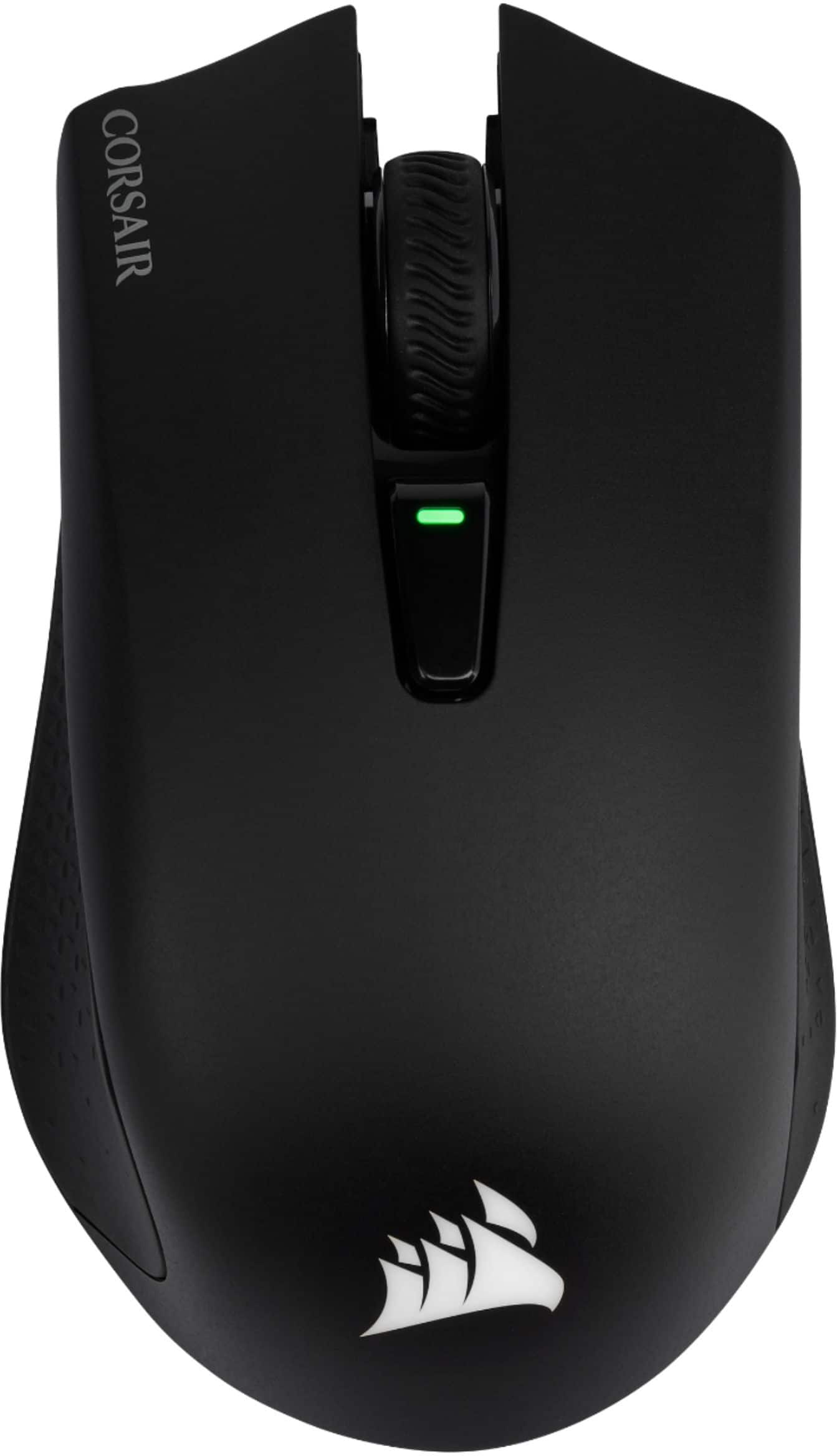
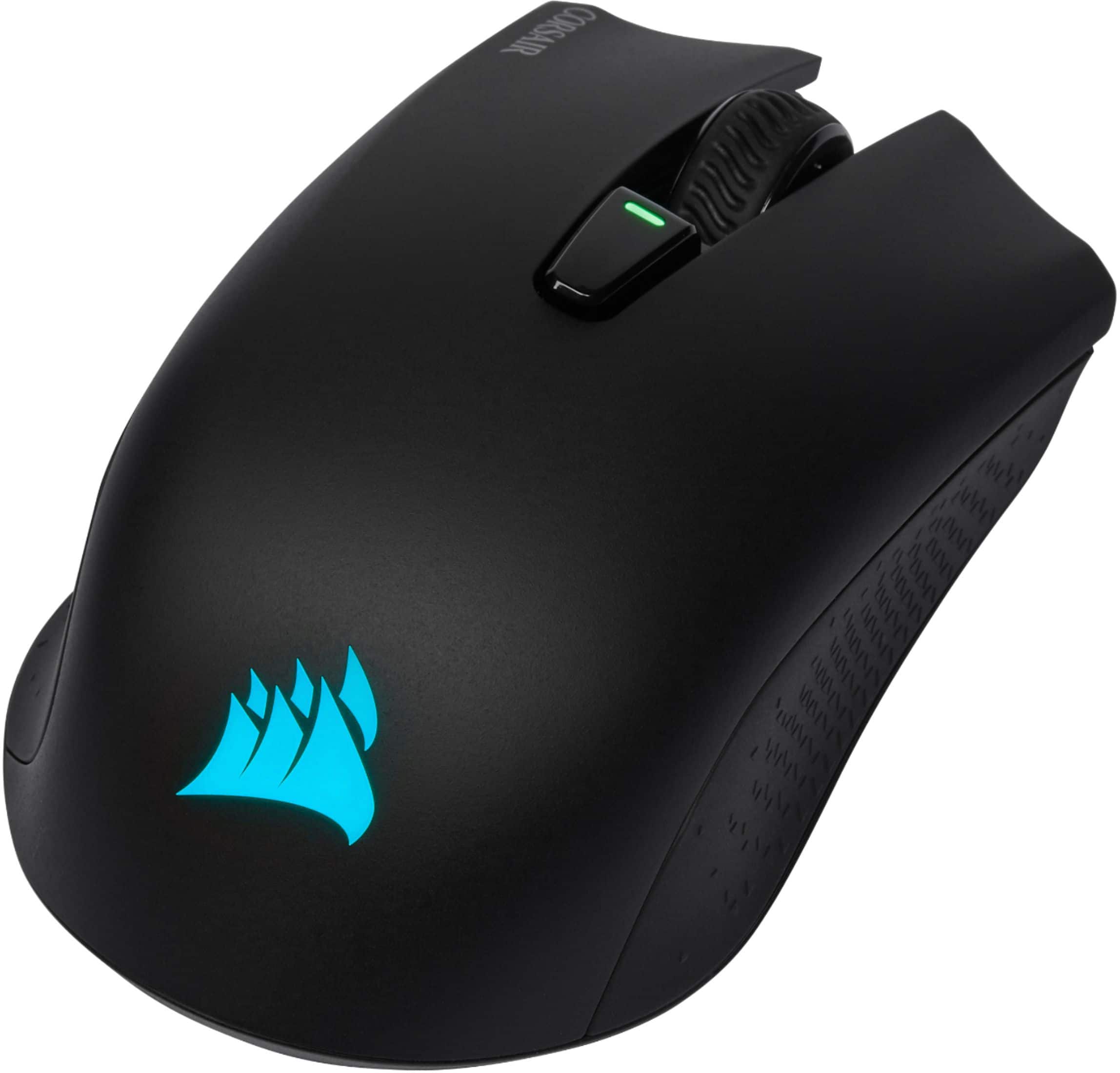
Customers are positive about the HARPOON RGB Wireless Optical Gaming Mouse with Bluetooth, especially its wireless capabilities, battery life, and ease of use. Many appreciate its RGB lighting, lightweight design, DPI switch, and affordable price. However, some customers find the size too small and have experienced connection issues. There are also some complaints about the side buttons, software, and scroll wheel.
This summary was generated by AI based on customer reviews.
It's ok
||Posted . Owned for 2 months when reviewed.This reviewer received promo considerations or sweepstakes entry for writing a review.I love the mouse the only problem is the mouse randomly disconnects and It wont work.
No, I would not recommend this to a friendBrand response from Corsair Art
Posted .Hello Nate,
We can help! Please contact us: support.corsair.com
-Art
idk
||Posted .This reviewer received promo considerations or sweepstakes entry for writing a review.I didnt buy this item.. but thanks to the associate who put in the wrong id!
I would recommend this to a friendBrand response from Corsair Art
Posted .Hi Biff,
Thanks for the feedback!
-Brian
Will not last
||Posted . Owned for 1 week when reviewed.This reviewer received promo considerations or sweepstakes entry for writing a review.Worked great for three days. Then the mouse started to lag. Thought it might need to charge. After charging for 12 hrs I got home and went to use it. It was lagging even more. I plug charger back in today used it for two hours then it stopped completely.
No, I would not recommend this to a friend- Pros mentioned:Wireless
Fast and no problemsx
||Posted .This reviewer received promo considerations or sweepstakes entry for writing a review.Works very well even on blue tooth and in game not lag issues
I would recommend this to a friend It’s okay
||Posted . Owned for 1 week when reviewed.This reviewer received promo considerations or sweepstakes entry for writing a review.The Bluetooth option on the mouse does not work as well as I hoped.
I would recommend this to a friendBrand response from Corsair Art
Posted .Hi Ethan,
Sorry to hear the Bluetooth isn't meeting your expectation. Please feel free to reach out with any questions or concerns: support.corsair.com
-Albert
Great mouse with a terrible battery
||Posted . Owned for 2 months when reviewed.This reviewer received promo considerations or sweepstakes entry for writing a review.The physical mouse is fantastic. Feels good in the hand and works well. However the battery life is completely abysmal. I didn't buy a wireless mouse to have to plug it in every few days. Even turning off the lighting and polling rate... still sucks down the battery.
No, I would not recommend this to a friendBrand response from Corsair Art
Posted .Hi,
Thank you for your feedback. If you have any questions or concerns, we'd be happy to help: support.corsair.com
-Albert
- Cons mentioned:Side buttons
Left click button started fast clicking immediatel
||Posted . Owned for 1 week when reviewed.This reviewer received promo considerations or sweepstakes entry for writing a review.Piece of junk. The left click button started fast double clicking the second day I had it. You know the left click is kind of the primary use of a mouse. Returned it for something else.
No, I would not recommend this to a friendBrand response from Corsair Art
Posted .Hi Kevin,
And sorry to hear. If you do ever repurchase this mouse, or any other of ours, and have issues, please contact us directly at any time: support.corsair.com
-Art
Nice mouse but controls and button are a bit wonky
||Posted .This reviewer received promo considerations or sweepstakes entry for writing a review.Just average in my opinion , you get what you pay for
No, I would not recommend this to a friendBrand response from Corsair Art
Posted .Hi,
Please do reach out to us so we can help with the problems you ran into: support.corsair.com
Cheaply made and overpriced
||Posted . Owned for 3 weeks when reviewed.This reviewer received promo considerations or sweepstakes entry for writing a review.Purchased this mouse as a gaming upgrade for my new Ryzen build which is mostly Corsair stuff. Very disappointed ... mouse is light as a feather and feels very cheap, wheel feels loose. Went back to my old Logitech MX-518 and returned.
No, I would not recommend this to a friendBrand response from Corsair Art
Posted .Hello,
Mice being extremely light is a benefit. If the wheel felt loose, however, I'm sure that's something we could've addressed.
Feel free to contact us directly if you run into any issues next time: support.corsair.com
-Art
Poll Rate Causes Drag Problems
||Posted .This reviewer received promo considerations or sweepstakes entry for writing a review.This mouse often disconnects randomly and the worst thing about it is sometimes YOU CANNOT DRAG! When I try to drag a window, it will often start clicking non-stop rather than keeping the "left mouse button down" command. It is mostly due to the high poll rate as when I lower down the poll rate it will stop. But here's the problem: If I just wanted a low poll rate, low-end mouse, why would I waste my money and buy this?
No, I would not recommend this to a friendBrand response from Corsair
Posted .Hello Edward,
We're sorry to hear that you were having connectivity issues with the Harpoon RGB Wireless. Could you try resetting the mouse? Turn off the mouse, hold both Left+Right click, then turn on the mouse wireless connection while still holding the clicks. If you're still having issues after this, please feel free to reach out to our support team so we can assist you further: support.corsair.com
-Brian
Slippery, toxic RGB that can't be turned off
||Posted . Owned for less than 1 week when reviewed.This reviewer received promo considerations or sweepstakes entry for writing a review.Slippery texture, awkward proprietary charger (it's a microUSB plug, but only their cable will fit), and DISCO FREAKING LIGHTS. The RGB aren't just bright, or annoying. It strobes like crazy until the software loads, which means if your machine is asleep, logged out, booting, etc - the mouse strobes the whole time.
No, I would not recommend this to a friendBrand response from Corsair
Posted .Hi,
Sorry to hear about your experience. You may turn off the RGB lighting via "Hardware Lighting" in our iCUE software. If you need any guidance, please feel free to contact support via our website - we'd be happy to assist.
-Albert
Will not update Firmware
||Posted . Owned for 1 week when reviewed.This reviewer received promo considerations or sweepstakes entry for writing a review.works but you can't use all its functions. The Firmware update does not work, the forums for Corsair are no help, and you can see they have not helped anyone. could have just bought a $5 mouse and got the same.
No, I would not recommend this to a friendBrand response from Corsair Art
Posted .Hi Dennis,
Sorry to hear that the firmware update isn't functioning correctly for you. Please reach out to our support team, they would be happy to help you: support.corsair.com
-Brian
Okay
||Posted . Owned for 3 months when reviewed.This reviewer received promo considerations or sweepstakes entry for writing a review.Weight was too light for me. Great wireless mouse nonetheless.
No, I would not recommend this to a friendBrand response from Corsair
Posted .Hello Chris,
Was there not an issue, in that case?
-Art
Not so good for me
||Posted . Owned for 1.5 years when reviewed.This reviewer received promo considerations or sweepstakes entry for writing a review.After firmware updates I kept getting double clicks on a single click. I had to follow special steps to reset the firmware on the mouse. The forums show other people have had the same problem.
No, I would not recommend this to a friendBrand response from Corsair Art
Posted .Hi,
Sorry to hear you encountered double-clicking. If the issue is still occurring, please get in touch with us and we'll happily help out: support.corsair.com
-Albert
Just ok
||Posted . Owned for 7 months when reviewed.This reviewer received promo considerations or sweepstakes entry for writing a review.The mouse works fine. A few things I didn’t like are the keyed usb connection for charging... sounds like the cord may need to be replaced directly by Corsair. also battery life isn’t as expected
No, I would not recommend this to a friendBrand response from Corsair Art
Posted .Hi,
Apart from the assumption regarding the cable. What was expected of the battery? We may be able to help if you're not getting somewhere close to the advertised time: support.corsair.com
-Art
Terrible mouse go with Logitech
||Posted . Owned for 4 months when reviewed.This reviewer received promo considerations or sweepstakes entry for writing a review.Really bad connection issues with the mouse. Google about it's disconnection issues with both the dongle and bluetooth. It's really frustrating having to either pull the dongle and reconnect it or kill the bluetooth connection and create a new one. Corsair's customer support has been mostly non-existent with almost 2 weeks of trying to contact them and getting "have you tried plugging it in to another computer?" as a response. Yes Corsair I have and it still disconnects when coming back from Sleep/Shutdown.
No, I would not recommend this to a friendBrand response from Corsair Art
Posted .Hi Kel,
Sorry to hear you're experiencing an issue with connectivity. I suggest forcing a firmware update via the device's settings in iCUE and making sure the dongle is connected to a direct USB port rather than hub. If the issue persists, please update your existing ticket and we'll be happy to provide a replacement if necessary: support.corsair.com
-Albert
Fire
||Posted . Owned for 1 month when reviewed.This reviewer received promo considerations or sweepstakes entry for writing a review.awesome and incredible and would recommend yall to get it and if dont then yalls loss fr fr uwu onichan
I would recommend this to a friendBad design - poor performance.
||Posted . Owned for 10 months when reviewed.This reviewer received promo considerations or sweepstakes entry for writing a review.Battery life is bad. Uses a special charging cable, don't lose it. Mediocre performance. Would not buy again.
No, I would not recommend this to a friendBrand response from Corsair
Posted .Hello,
Cable isn't special, you can use your own if you'd want. What's the problem with the performance and how much battery life are you getting? Please reach out directly right on our site for assistance.
-Art
Not a great mkuse
||Posted . Owned for 5 months when reviewed.This reviewer received promo considerations or sweepstakes entry for writing a review.Randomly disconnects while using it on my pc cheap feel to it
No, I would not recommend this to a friendBrand response from Corsair
Posted .Hello Zach,
Sorry to hear about this being faulty. If you can no longer do an exchange with Best Buy, please reach out directly to our team right on our site.
-Art
Great
||Posted .This reviewer received promo considerations or sweepstakes entry for writing a review.great mouse has many presets for different sets of speed for mouse. The one down fall is that I found the same mouse cheaper at a different store so I would suggest looking around before buying.
I would recommend this to a friend