Customer Ratings & Reviews
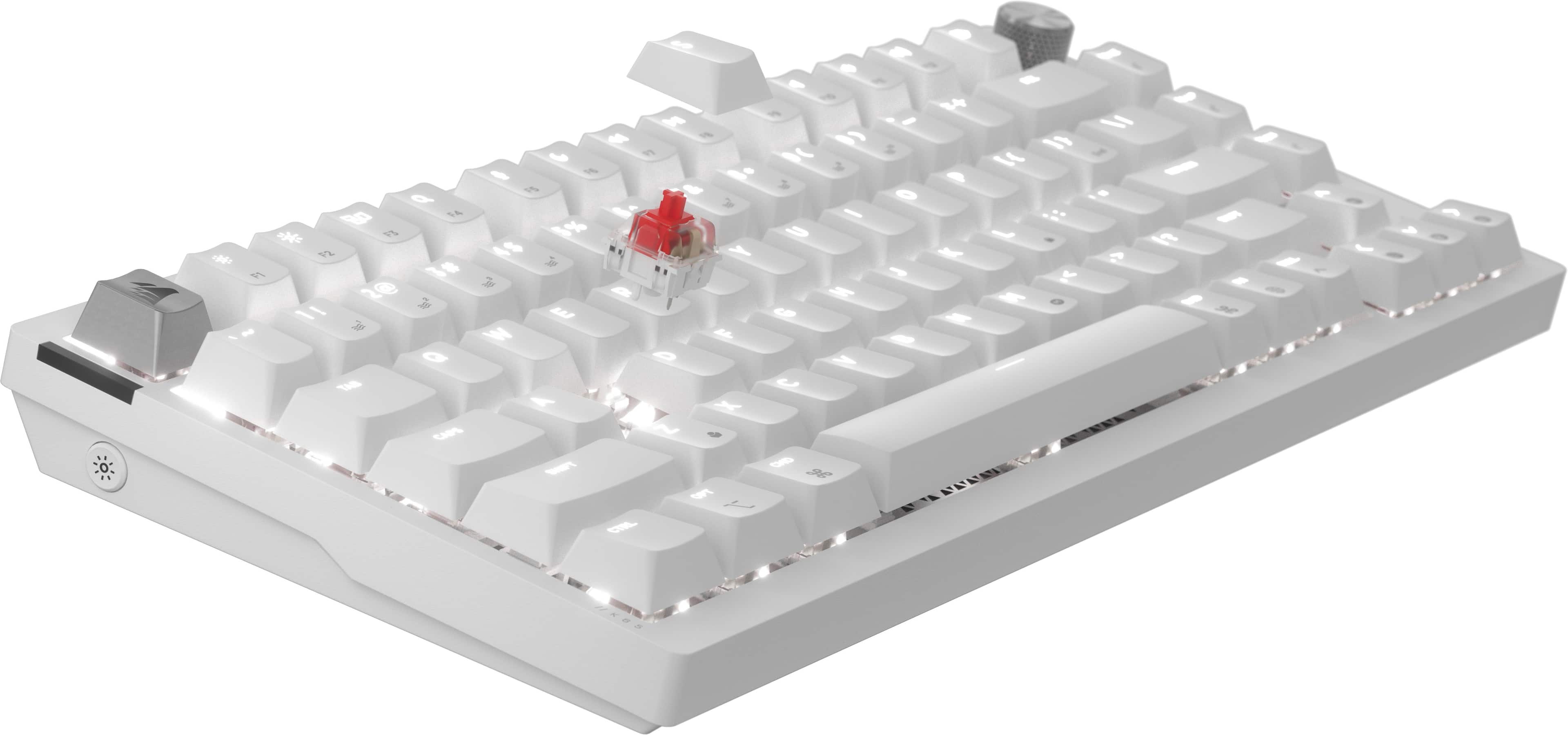
![The text on the image is a list of keys on a keyboard. Here's the corrected list:
1. ! 2. @ 3. # 4. $ 5. % 6. ^ 7. & 8. * 9. ( 10. ) 11. - 12. = 13. + 14. [ 15. ] 16. { 17. } 18. I 19. O 20. P 21. J 22. K 23. L 24. ; 25. ' 26. , 27. / 28.
The image shows a white keyboard with a close-up view of the keys.](https://pisces.bbystatic.com/image2/BestBuy_US/images/products/dba36f8b-74ae-410a-9fe4-242142f89ae4.png)
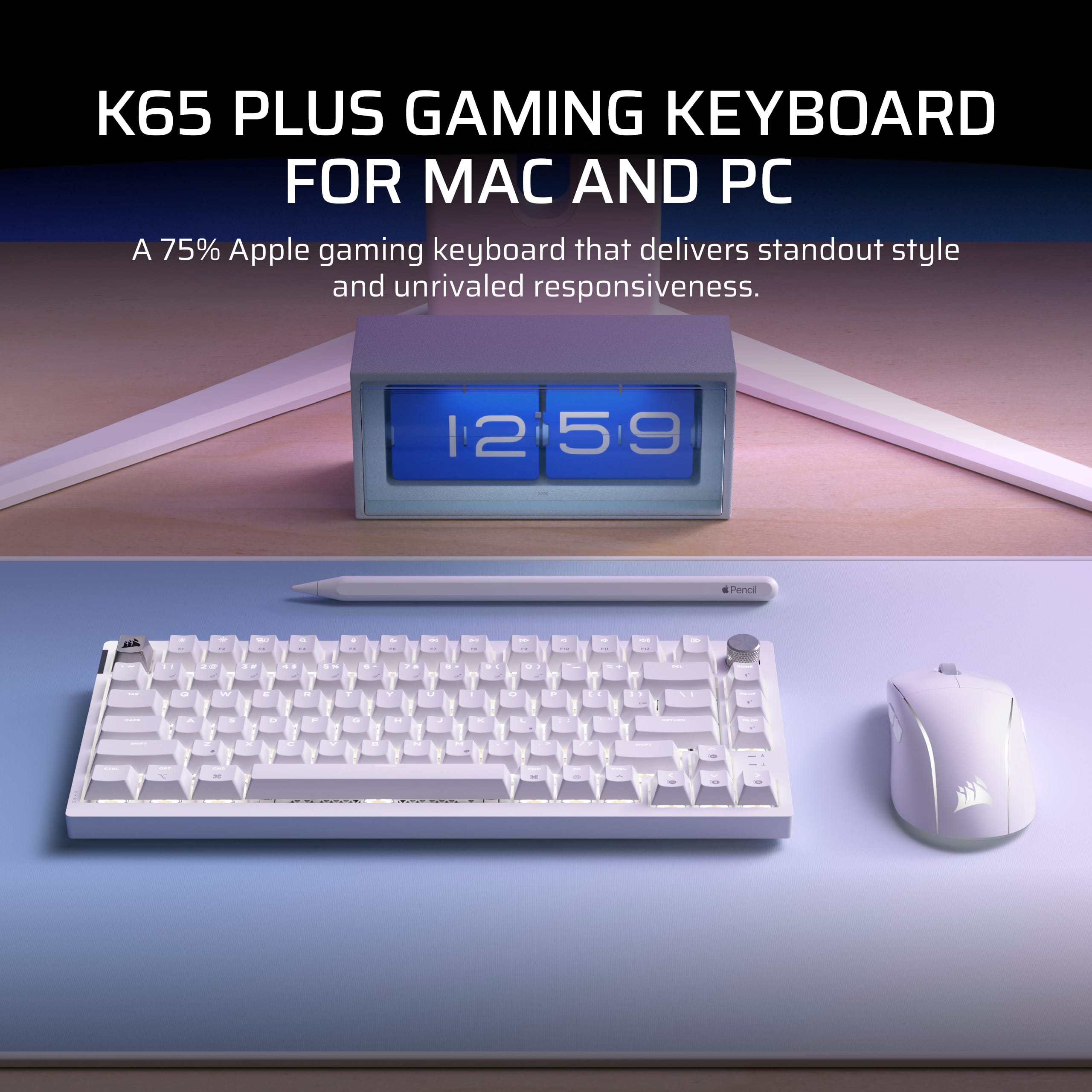
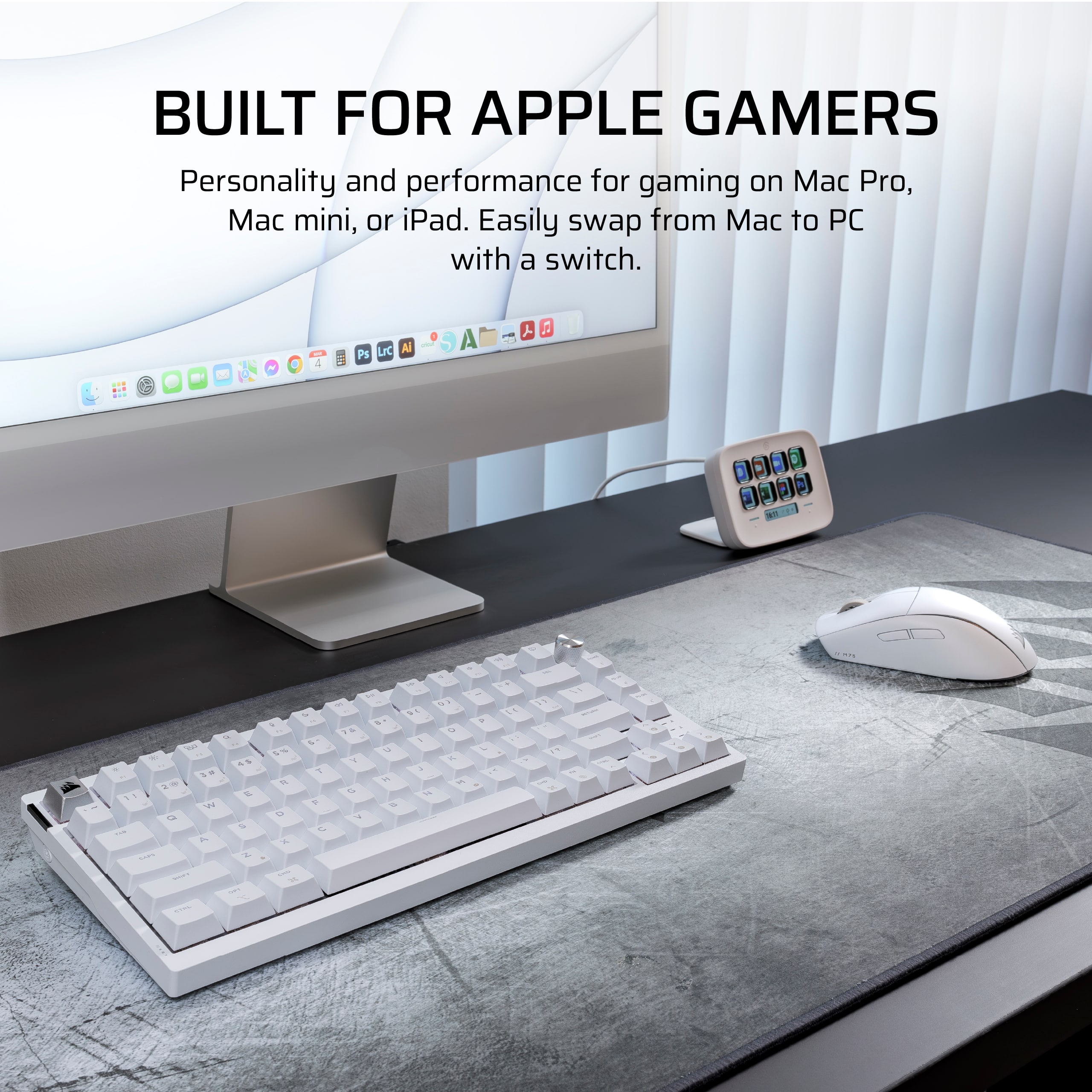
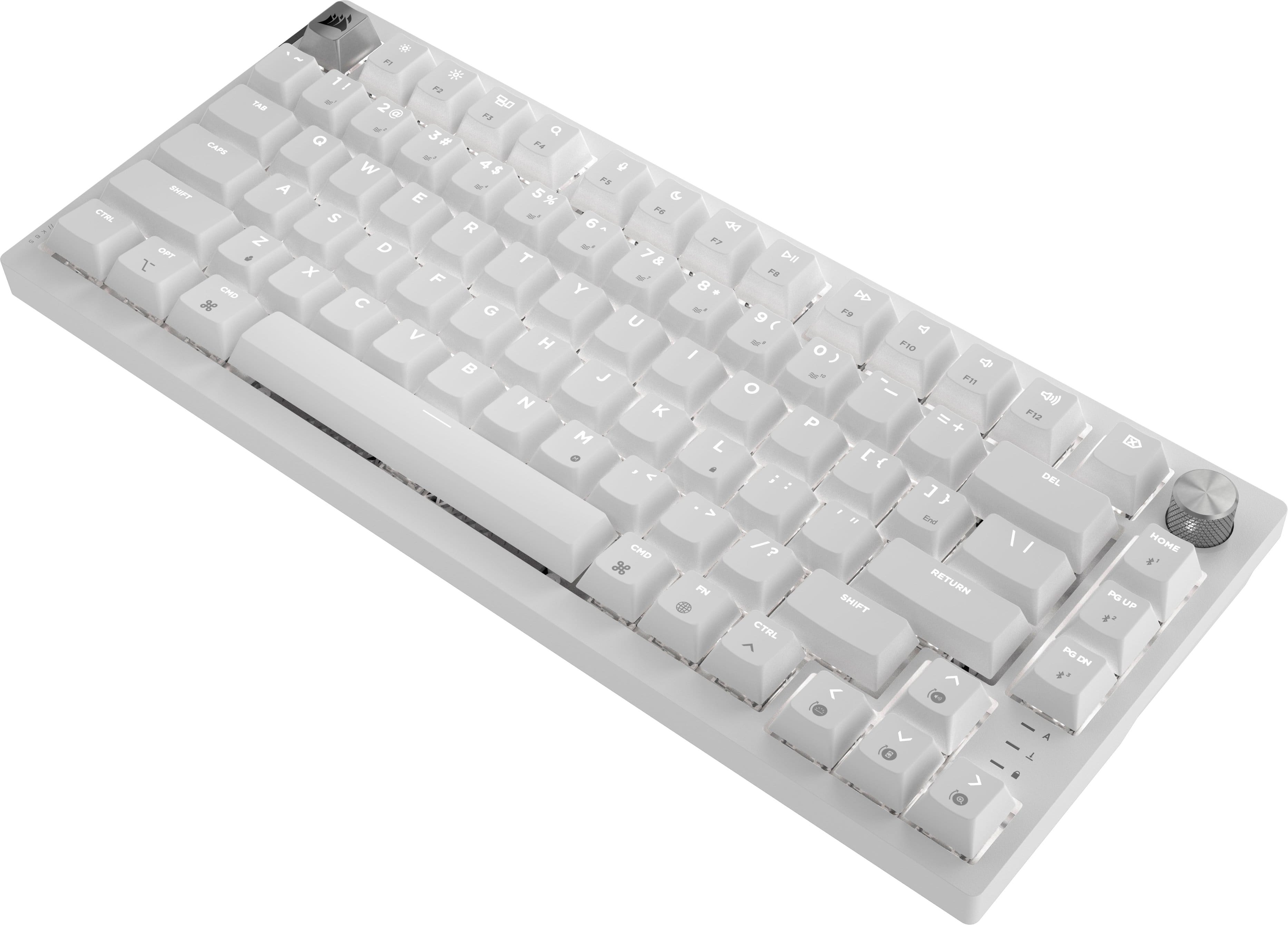
![PAIRS PERFECTLY WITH AN APPLE SETUP
Apple keycap legends, unique colorways, and single-color default lighting.
HOME F12 4 P11 4 + F10 = DD F9 I/ DII ) { FB I ( P 9 o + 8 O : - i I L 6 U > K V J I H M DEL } ] End 1 /? ? CHD PGUP Us PG I RETURN SHIFT CTRL FN DN PO](https://pisces.bbystatic.com/image2/BestBuy_US/images/products/04a5b210-ddad-4524-8ca8-e3399b398b56.jpg)
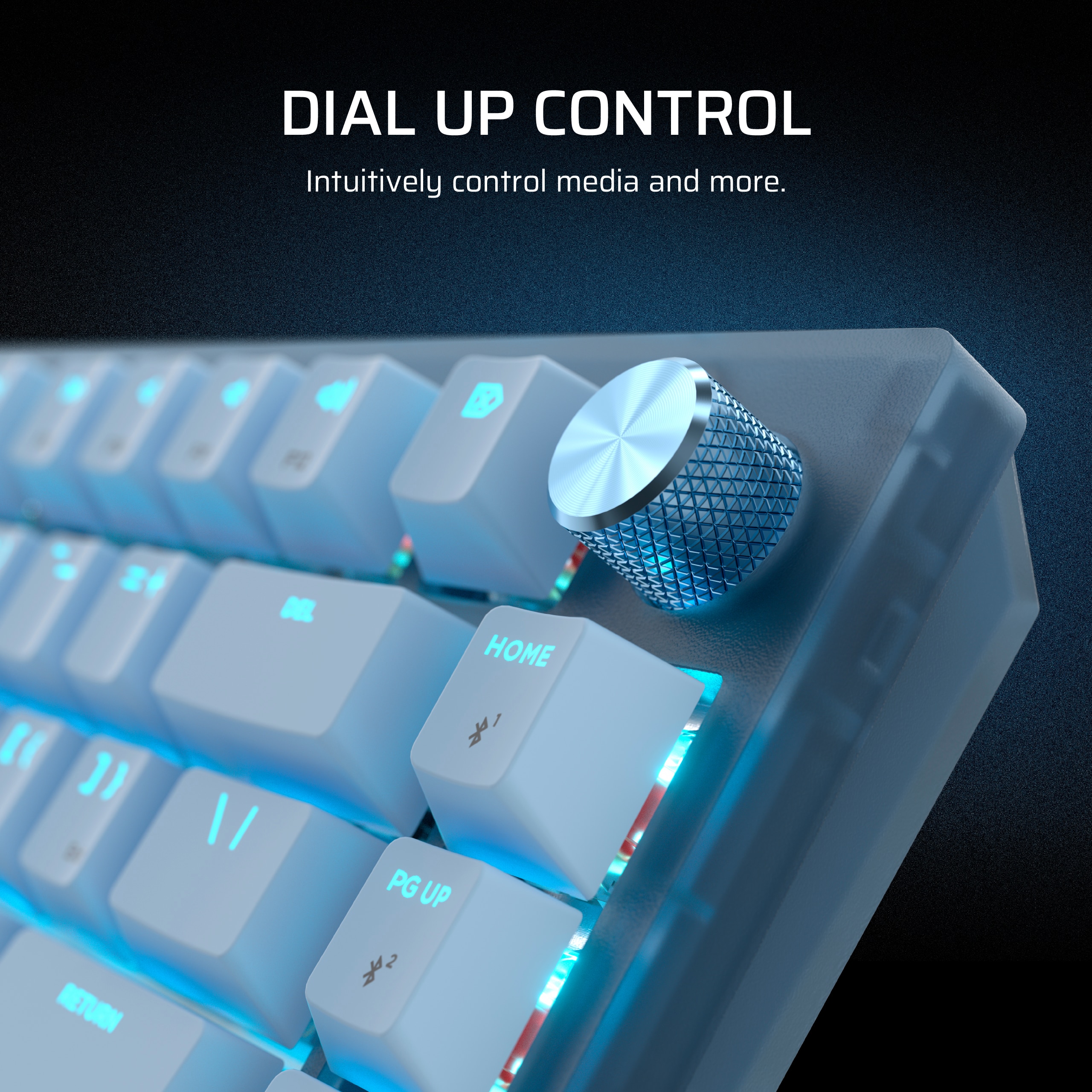

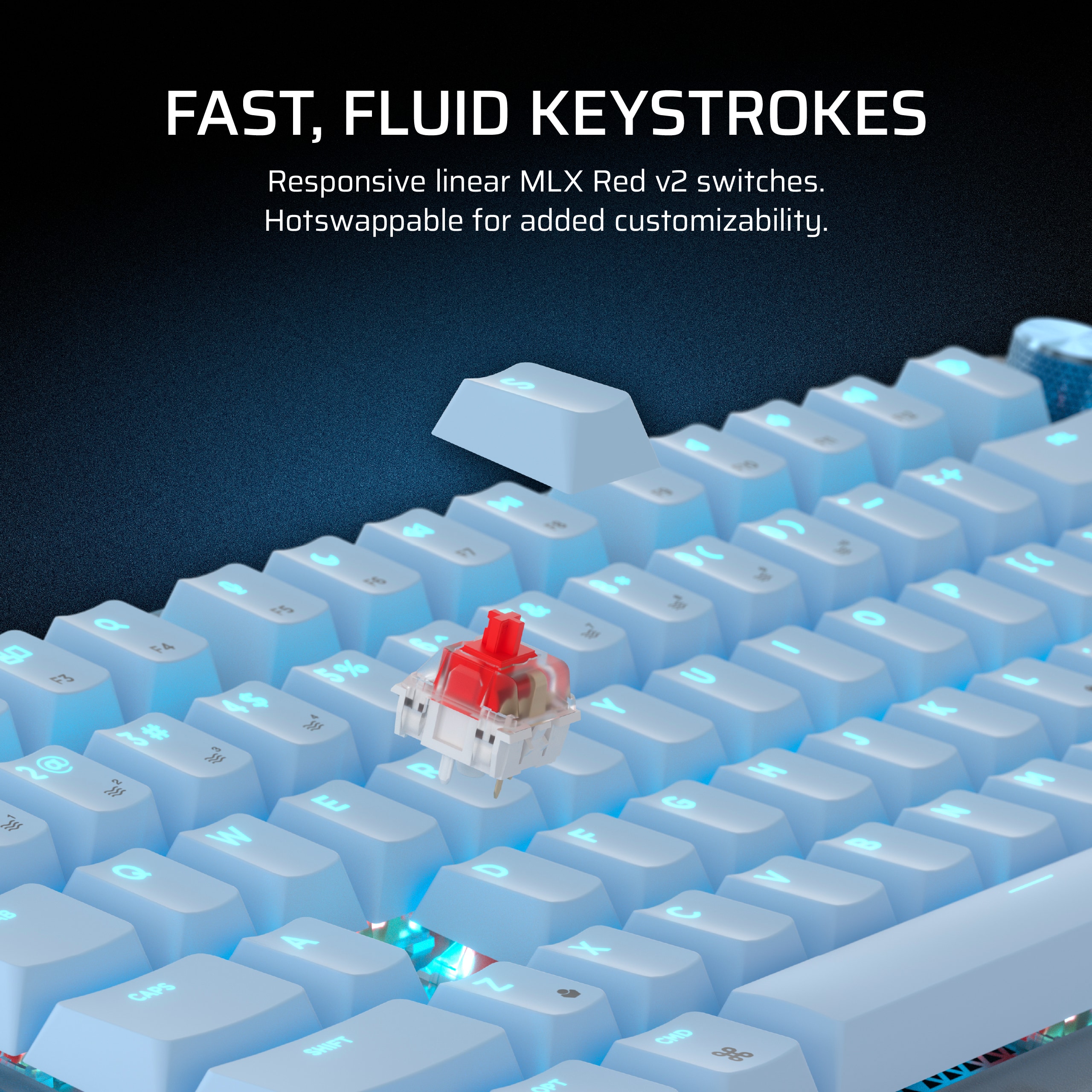
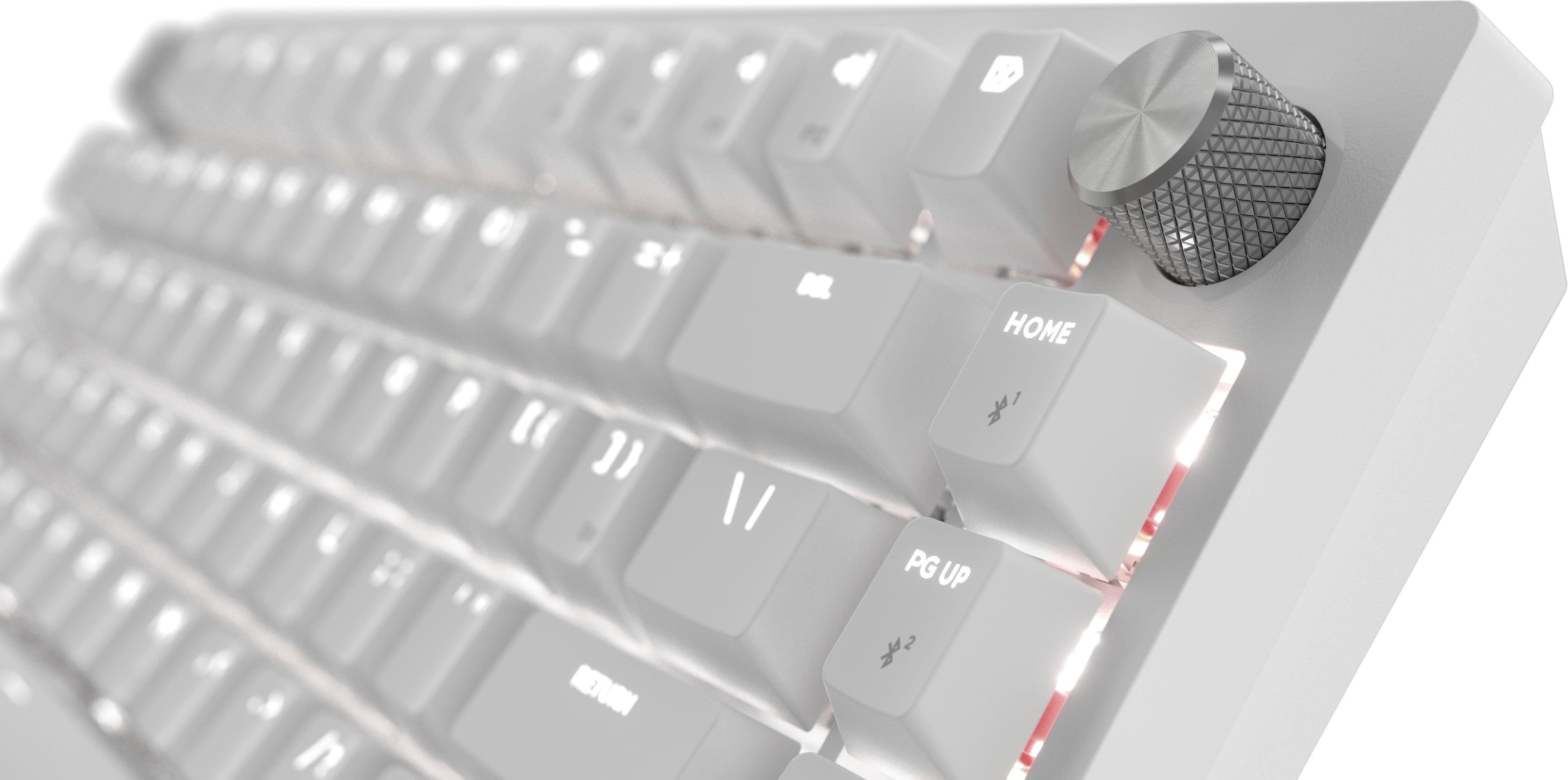
![Sure, here is the corrected and grouped text:
---
**VERSATILE CONNECTIVITY**
Connect via low-latency 2.4GHz wireless, Bluetooth®, or wired.
---
**Keyboard Layout:**
- F1
- F2
- 1 ! 1
- 2 @ 2
- 3 # 3
- 4 $ 4
- 5 % 5
- 6 ^ 6
- 7 & 7
- 8 * 8
- 9 ( 9
- 0 ) 0
- - _ -
- = + =
- Backspace
- Tab
- Q
- W
- E
- R
- T
- Y
- U
- I
- O
- P
- [ {
- ] }
- \ |
- Caps Lock
- A
- S
- D
- F
- G
- H
- J
- K
- L
- ; :
- ' "
- Enter
- Shift
- Z
- X
- C
- V
- B
- N
- M
- , <
- . >
- / ?
- Shift
- Ctrl
- Fn
-](https://pisces.bbystatic.com/image2/BestBuy_US/images/products/5a1ce8c8-e970-4062-8e18-cfa6bee792e2.jpg)
![Sure, here is the corrected and grouped text from the image:
- HOME
- F12
- PUP
- DEL
- e7
- &
- -
- +
- 1/
- F1D
- to
- x
- -
- }
- ]
- Snd
- PI
- 0)
- E
- RETURN
- FS
- T
- 9
- 9
- (
- P
- 1
- M
- e
- 8
- O
- SHIPT
- F6
- --
- 7
- &
- I
- I?
- ?
- FS
- L
- I
- CTRL
- Q
- 6
- U
- >
- 7
- K
- F4
- PH
- 5
- %
- Y
- <
- -"
- J
- F3
- $
- CHD
- *
- 4
- T
- H
- M
- 3
- F
- 3
- #
- R
- N
- M'
- G
- PS
- 2
- E
- F
-](https://pisces.bbystatic.com/image2/BestBuy_US/images/products/4b483da0-8f7f-44d4-89bc-39b3db66e548.png)

- Model:
- CH-91D451E-NA
- SKU:
- 6620658
Rating by feature
- Value
Rating 4.6 out of 5 stars
- Quality
Rating 4.8 out of 5 stars
- Ease of Use
Rating 4.8 out of 5 stars
Customers are saying
Customers find value in the K65 PLUS RGB keyboard's quality, key feel, and battery life. The wireless connectivity and pleasant noise level are also appreciated. While the RGB lighting and pre-lubed switches are well-received, some customers feel the price is a little high.
This summary was generated by AI based on customer reviews.
- Pros mentioned:Battery life, Keyboard quality

Compact + Performance & Customization
|Posted .This reviewer received promo considerations or sweepstakes entry for writing a review.Fair warning, I’m a bit of a keyboard enthusiast, but I don’t like buying a new keyboard all the time. I recently built my own custom keyboard this summer and hand-picked my own key-switches and keycaps, so this is an exciting product review for me. Unboxing and Build Quality Right off the bat, the K65 Plus Wireless scores some points in the build quality department. I love the lightweight design, especially compared to my full-metal beast of a keyboard! The PBT keycaps have a quality feel, and something you may not initially notice is the sound dampening – this thing is seriously quiet compared to a lot of mechanical keyboards. Design & Features The 75% design keeps things compact while giving you everything you need for gaming and everyday use. We've got a handy volume dial up top, customizable RGB (controlled with Corsair's iCUE software), and the included keycap and switch pullers really show that Corsair's focused on providing those sweet enthusiast options. Typing Experience Alright, about the switches. This model comes with Corsair MLX Reds, which are all about those smooth, linear presses. If you're not familiar, that means no tactile bump as you push the key – it's a constant motion to the bottom. Some love it, others (like me) prefer a bit of feedback. However, the smoothness here is nice, and I love how hushed the keys are, especially in an office or shared space. For me personally, I prefer a Cherry MX Brown or a banana-style keyswitch, but they are noisier. A little bit of tactile feedback can make all the difference in gaming and typing. Connectivity: Endless Options This is where the K65 Plus Wireless really shows its versatility. You've got wired, 2.4Ghz wireless, and Bluetooth on deck. You can choose between wired and 2.4Ghz connectivity with PC, Mac, PS4/5, and Xbox One + Series X. Awesome. • Wired gives you the ultimate 1000Hz polling rate, perfect for demanding gaming. • The 2.4Ghz wireless clocks in at 1000Hz as well for minimal input lag. • Bluetooth lets you hook up to tablets, consoles...pretty much anything Bluetooth-compatible, though at a lowered polling rate of 125Hz. And the battery life? It's impressive, Corsair states you can get up to 266 hours of connectivity with RGB turned off. You can customize the RGB effects through Corsair's iCUE software for longer use between charges… You might want to turn off the full keyboard rainbow RGB effects to conserve battery. A Word on Customization Corsair's iCUE software takes things to the next level when it comes to making this keyboard your own. Not only can you personalize the RGB lighting with tons of effects, but you can also program individual keys, change macros, and create custom profiles. If you're someone who loves tinkering and tweaking your setup, iCUE unlocks the full potential of the K65 Plus Wireless. Pros • Fantastic build quality, especially the sound dampening • Super versatile connectivity options • Lightweight and compact for easy transport • Long-lasting battery • Enthusiast-level customization potential Cons • Red switches aren't everyone's cup of tea • Premium pricing puts it out of reach for casual users Final Thoughts So, is the Corsair K65 Plus Wireless worth it? If you're after a high-performance, compact keyboard with plenty of features, I'd say absolutely. Whether you're a dedicated gamer or someone who wants that super satisfying typing experience with the ability to fully customize your keyboard, both physically and software-wise, this keyboard deserves a close look. And again – Corsair really nailed the sound profile of this keyboard. It’s hush, pretty quiet, yet still satisfying to type on for most people. Give this one a look if you’re a fan of linear red switches.
I would recommend this to a friend The best store bought gaming keyboard. Period.
||Posted . Owned for less than 1 week when reviewed.This reviewer received promo considerations or sweepstakes entry for writing a review.I am a keyboard snob and build my own. I took a shot with Corsair to see if they have listened to requests and made improvements. They have. I wanted a readily available 75% wireless keyboard that didn’t need any mods and that is what I got here. Corsair did all the enthusiast mods for you and their wireless tech is top tier. Just buy it.
I would recommend this to a friend- Pros mentioned:Battery life, Keyboard quality, Noise level
Perfect compromise between Size and Function
|Posted .This reviewer received promo considerations or sweepstakes entry for writing a review.It’s hard to improve on a great keyboard but Corsair has done it with this K65 Plus keyboard. I own both the full size and mini Corsair mechanical gaming keyboards and this keyboard makes improvements over both. I included a photo showing the size difference between this keyboard and the mini K70 and the full size K70 keyboards. The sound damping definitely makes this keyboard much quieter so you can use it on conference calls without everyone hearing you type in the background. They incorporated the rotating dial function that is in the larger keyboards but did it in a more space saving fashion. And they addressed the biggest complaint I had with the mini keyboard, they moved the dual-purpose symbols off the front side of the keys and put them on the top so you quickly identify all the key functions just by looking at the top of the key! Bottom line is that this keyboard is fantastic whether you are using it for work or for gaming and it doesn’t matter if you are using a windows pc, an imac, a tablet or a Sony Playstation. Corsair has combined the functionality of a larger keyboard and the space savings of a small keyboard in this K65 plus. Like all their keyboards the base is solid and has some heft to it so you know it wont bend or twist if you want to use it as a portable keyboard. The MLX Red mechanical switches make this a very responsive keyboard and perfect for gaming. Note that the W, A, D and S key caps do not have a special texture to help in gaming but you can assign special lighting or use the included key cap puller to replace them with optional key caps. The two layers of sound dampening doesn’t totally eliminate the clatter of the mechanical keys but it definitely makes them much less noticeable. You connect the keyboard using a USB cable or Wireless dongle or Bluetooth. If you use Bluetooth you can pair with three different devices and easy switch between them with a simple keystroke. When connecting via Bluetooth or Wireless they estimate that the keyboard can go over 250 hours between charges if you aren’t using the RGB lighting. But one of the nice features is the RGB lighting so don’t plan on going that long between charges. You can control the RGB lighting via iCue or by using the Function key combined with a number key. There are 10 different RGB patterns stored on the keyboard or you create your own pattern using iCue. One of the best features is the rotary dial function which allows you to quickly control numerous functions on the keyboard. You can quickly and easily change the dial’s mode to perform the functions you need the most depending on how you are using the keyboard. There is also full media support on the function keys and rotatory dial. You can perform macro recording using the keyboard or you can use iCue which also allows you to do key assignments, set the lighting effects, configure functions and short cuts and much much more. With all these functions and the quality of the build and keys this has to be one of the best keyboards available.
I would recommend this to a friend - Pros mentioned:Key feel
Decent keyboard for the feeling.
||Posted . Owned for 5 months when reviewed.This reviewer received promo considerations or sweepstakes entry for writing a review.The feeling of the keys and typing is nice, and there’s no heavy mechanical clacking sound. But the key caps are pretty thick and filled in so not much light gets through. Most of the rgb lighting is just around the base of all the caps.
No, I would not recommend this to a friendBrand response from Corsair
Posted .Hello,
And thanks for your feedback. If you run into any issues our team can assist with, please don't hesitate reaching out directly right on our site at any time.
-Art
Great device!!
||Posted . Owned for less than 1 week when reviewed.This reviewer received promo considerations or sweepstakes entry for writing a review.Nice easy to use keyboard. straight up plugged it on and was playing my games 2 minutes later super easy and fast setup
I would recommend this to a friend- Pros mentioned:Battery life, Keyboard quality, Rgb lighting
There's A Lot To Like Here
|Posted .This reviewer received promo considerations or sweepstakes entry for writing a review.This is a unique keyboard from Corsair. 75% are some of my favorites. As it allows you to have a lot of the needed keys without any of the extras, in a small compact size. Which is further enhanced by the 2.4 GHz wireless and Bluetooth support. I like that gaming brands are starting to adopt more custom keyboard options such as the top mount, high density foam plus silicon pad (sound absorbing foam) to help reduce pings and integrated sound dampening tempers. However, with it only being two layers instead of some of the competition’s 5ish layers (and not being gasket mounted) they are still not quite up to par with them. It also comes with a PC+ and steel plate. This has got to be one of the best sounding keyboards I’ve tried from a gaming brand. It doesn’t give you the nice “thock” that you may be expecting. But instead is more of just a quiet typing experience. I could easily use this in an office environment (as it would also blend in) or if my partner were wanting some piece and quite while I was on my PC. You can still hear it, but it isn’t loud. They did a solid job with the spacebar, delete, enter, caps, tab, etc. keys so they aren’t extremely loud. If you are slamming the spacebar, it can still get quite loud. But in general, typing and playing games I found those keys to be no louder than the rest of the keys I’m pressing. Overall, the feel of the keyboard is excellent. Is very well built, the keys are prelubed with dye-sub PBT single shot keycaps, making each actuation feel smooth. But I’ve felt smoother. They say their pre-lubed Corsair MLX red linear switches require 45g of actuation force, 1.9mm actuation distance, and 4 mm total travel, and up to 70 mil keystrokes. But the actuation force seems to be heavier. I know when you are fully depress a switch that it increases but it seems quite heavy at like 60 g as I can feel the fatigue more with this keyboard than a lot of my other ones. But I’ve also got that which shall not be named (that we closed down for) which tends to make me highly fatigued so may be some of that spilling over into my review. It weighs 2.02 lbs. Making it feel solid enough to not move when using. But not lightweight enough to feel good for travel. It has a 2-year warranty. Performance wise it is your typical Corsair keyboard. Supports full key NKRO, 100% anti-ghosting, 4 on board profiles (hardware mode up to 1 MB per profile), fully adjustable per key RGB (north facing), per key programmable (ICUE), and 1,000 Hz hyper polling. Which I was the most disappointed about. I was hoping that hardwired to be getting 8,000 Hz polling and wireless to be 4,000 Hz. Especially, since this is an almost full sized body (in the sense of not using low profile switches). But for most people they probably don’t care. I didn’t notice any issues between wired or 2.4 GHz wireless. I don’t game on Bluetooth so didn’t try that out. But when I used it for normal activities it seemed fine. Speaking of the versatility here. 3 modes. Wired, 2.4 GHz wireless (with an included wireless puck that plugs into the top right of the keyboard for travel. Isn’t magnetized but instead pressure fit), and Bluetooth. They never mention what version of Bluetooth. Which is frustrating. You do have three profiles for Bluetooth (Home, PgUp, and PgDn). You switch to the different modes via the switch on the top right of the keyboard. Then to switch via Bluetooth tap FN + Home, PgUp, PgDn. To pair hold it down instead. Super easy. Works great and is fast. Does have a light indicator on the top left of the keyboard to help. Works on Xbox One, Xbox Series X/S, PlayStation 4, 5, and PC/Mac (switch is in the top right), Android 8.1+ and iOS 12+. Mobile is limited to 125 Hz. It also has a backlight button the left upper side. Which makes it easy to turn on/off lights. There are also some key combination. To get that dialed in. In general there are a ton of key combos. Which are all mentioned on the keyboard itself. I won’t mention them all because this is already long. I didn’t get a ton of time to test battery life. They report 266 hours on a single charge with backlighting off. It has a Polymer li-ion battery, charges ~5 – 6 hours 4200mAh. Using it with normal RGB lighting on 2.4 GHz wireless for a week I was in the 41 – 97% range. - Pressing FN + Enter will show you battery (critical (<10%)= blinking red, low (11 – 20%) = solid red, medium (21 – 40%) = solid amber, high (41 – 97%) = solid green, FC (>98%) = Blinking green) - All backlighting except indicators turns off when battery level is 20% or below. - Device turns off automatically when battery is below 5% I was able to get Macros to work WITHOUT ICUE installed. Which was great. Already presloped along with two step ups with rubber. But they are pretty small. Volume wheel feels fantastic, very dedicated steps and great click. The escape key is not a metal key just looks like it. Some CONS: - While they keycaps feel and look fantastic they are not shine through. With the font being black/grey it makes it hard to see letters if in a moderately dark environment. You can swap the keycaps but then you lose the shortcuts so would have to memorize them or have a picture taken. - Only 1,000 Hz polling - Step ups are small. - Delete is next to the volume rocker instead of where “home” is. Which throws me off all the time. You can adjust this in the software. But that is a pain. I would have preferred those two keys to be swapped. - Charge time from dead is 5 – 6 hours. Which is fine as it is a keyboard. But does take some time. Overall, there is a lot to like here with this keyboard. I think the price is justifiable. As you are getting a lot of things and all of those things are well done.
I would recommend this to a friend Best keyboard!
||Posted . Owned for 1 week when reviewed.This reviewer received promo considerations or sweepstakes entry for writing a review.Easy set up, great quality. Definitely recommend!!
I would recommend this to a friend- Pros mentioned:Battery life, Key feel, Rgb lighting
Big Keyboard in a Small Package
|Posted .This reviewer received promo considerations or sweepstakes entry for writing a review.The K65 Plus Wireless 75% is a nice substitute for a full-sized keyboard, especially where desk space is at a premium, not only saving space, but giving multiple connectivity options depending on your needs at the time (you can switch between them on the fly and aren’t locked in to 1 connectivity option). Starting with the keys themselves, which are Red linears, making them smooth and quiet, but in standard Corsair style are completely replaceable if you want to replace them with any other switches (Corsair includes a switch puller tool in the box). They also feature full RGB, controlled through Corsair’s iCue software, which picks up on the device instantly and allows for lighting color and configuration. You have 3 options for connecting the keyboard to your computer – wired (with the included USB-C cable, 2.4 GHz wireless with the mini-USB dongle (which stores nicely on the back side of the keyboard), or Bluetooth. If you choose Bluetooth, it can pair with up to 3 Bluetooth devices, and you can toggle through those devices with 3 of the function keys along the right side of the keyboard. Modes (BT, wireless, off) are toggled with a 3-position switch on the keyboard. Additionally, lighting is controlled with a small button on the left side of the keyboard to save power. (Note, if you’re not aware that lighting button is there, you’ll think the lighting doesn’t work on your keyboard. Take it from experience.) The keyboard features a rechargeable battery that Corsair says will last up to 266 hours, but I never got it run all the way to the full 266 hours before recharging just to avoid losing power mid-game. I clocked around 160 hours and it was still showing a “medium” battery level (21-40%) on the wireless dongle, so battery appears to be no real issue. As mentioned, you can move between wired & wireless seamlessly, so even if you get low on battery, you can plug in, even mid-game, and keep playing (and charge at the same time) on the fly. The battery pack adds a good amount of weight to the keyboard, so it does make a fairly small keyboard somewhat heavy at a full 2 pounds total. Latency was nearly non-existent. I wasn’t able to discern any appreciable delay in time between keystroke and how it behaved in the game. FPS games were quick, looking around or changing modes or weapons were almost as good as with a wired keyboard in all modes. The most lag seemed to occur in Bluetooth mode, but had to do more with how far I was from the computer and if anything was between the PC and the keyboard to interfere with the Bluetooth. Performance in that regard was much better with the wireless dongle, which was my main go-to. The keyboard is designed to support multiple gaming and computer platforms, though I only tested it with PC. There is a 2-way switch to move between Win and Mac, but also supports PS and Xbox consoles, per Corsair. Now the Nitpicking: Because they crammed 100% of the keys into a 75% form factor, they also crammed all the “functions” onto them, as well, so there are A LOT of things printed on the individual keys, almost too much. It makes for really cluttered looking letter and number keys. The top row number keys, for example, have 4 different function things printed on them. Just a lot going on. Not to mention a lot of the keyboard-printed features were redundant – keyboard brightness, for example, can be controlled with the built-in controller wheel but they included up & down buttons separately (pretty sure this is due to not being able to use iCue if you’re using this with gaming consoles, and the wheel customization requires iCue, so basically to cover everyone we end up with 3 ways to do everything and way too many things printed on the keys). The Corsair button takes the place of the traditional “ESC” button in the upper-left corner, and is a bright, reflective silver color whereas the rest of the switches are a subdued grey. It is oddly distracting, and makes no sense why they did that. The switches themselves are SUPER quiet, and is one of the things that Corsair touts as a feature. No complaints at all, but I did find the Corsair Reds a little too resistant for me, and I’ll likely replace them down the road with something else that’s a little less springy. But this is all personal preference – everyone has their own preference in switches in terms of resistance and sound. Overall, I’m happy with the keyboard. It’s replaced my full-sized Corsair K100 on my cramped desk with my flight sim set up, and moved the K100 to my other non-flight sim gaming PC. I will be replacing the keys, but again, nothing wrong with them, it’s just a personal preference thing where I like feeling & hearing the switches being pressed.
I would recommend this to a friend - Pros mentioned:Key feel, Keyboard quality, Rgb lighting
Premium feeling wireless mechanical keyboard
|Posted .This reviewer received promo considerations or sweepstakes entry for writing a review.This is one of the best mechanical keyboards I have ever used. Even if you are not a gamer, this keyboard, a 75% set of keys type of one, is somewhat of a hybrid between a full sized “100%” keyboard layout with number pad and the very minimalist 65% keyboards. I currently have a nice 100% wired mechanical keyboard, but this 75% is PERFECT on my desktop, saving space, and looking really cool for a work from home setup, which also doubles as my PC gaming setup. The fact that it is a wireless keyboard is great for people also looking for that clean and elegant aesthetic for their computer work space. For me, the fewer cables, the better, and using the included wireless adapter on my windows setup, I had no issues working with zero perceptible lag in either pro video editing and graphics programs I use, or FPS gaming. Playing Cyberpunk 2077 with the RGB lighting on just immersed me in the game even more. My other full size mechanical keyboard use cherry red keys, and the K65 here uses Corsair’s own inhouse MLX red keys, that are a bit quieter than my previous keyboard, which is great, because the feel on key presses are still about the same, just with a little less noise than before. To my ears, it just sounds like this keyboard's keys have had some of the treble reduced, which is what felt like travelled soundwise in my home more than the bassier end of the key presses. This was never a huge issue in my use environment, but it might be in smaller workspace areas. The RGB lighting is fully customizable using iCUE, but even if you do not use iCUE, it just looks great right out of the box. You get a usb-c port for charging, or using wired, bluetooth wireless, a rotary dial for controlling media (volume and more). In iCUE you can also setup per key RGB lighting profiles and save them directly to the keyboard, so if you move over to say a PlayStation 5, or Xbox Series X, it will keep your lighting settings on board. Completely subjective here, but I am not a big fan of the gold keys on the top left, and the dial on the right. I would have LOVED if these had been some kind of silver instead of gold. It just looks a bit tacky to my taste. But again, this is completely subjective, and luckily it is only on these two keys. Included with the keyboard is also a keycap puller, and you can replace keys yourself. This is something I personally have never done, but like they included these. This is a great keyboard if you need a mechanical keyboard primarily aimed at gamers, but also highly functional as a workplace keyboard. So much so that in fact, I occasionally work in video on Mac workstation environments, and will be taking this keyboard with me to these locations, as I am not a fan of Mac keyboards. There is a switch on this keyboard between working wireless from WIndows to Mac protocols. I can customize the RGB lighting to highlight different keys that are very important in those programs I use. On the back they even included a spot on the rear of the keyboard that can hold your USB wireless adapter so you won’t lose it while in transit!! Overall, this is a really premium feeling keyboard and feels so good to type on!
I would recommend this to a friend - Pros mentioned:Battery life, Noise level, Rgb lighting
Smooth
||Posted .This reviewer received promo considerations or sweepstakes entry for writing a review.This Corsair K65 Plus RGB 75% wireless mechanical keyboard is an absolute standout! The pre-lubricated MLX Red linear switches feel incredibly smooth and buttery right out of the box—light, fast actuation, and super satisfying for both gaming marathons and long typing sessions. The dual-layer sound dampening makes it one of the quietest mechanical boards I've used, with a deep, thocky sound that's premium without being loud. The compact 75% layout is perfect: arrow keys, function row, and that knurled metal volume knob make it way more practical than smaller 60% or 65% options, while still saving tons of desk space. Wireless performance via Slipstream or Bluetooth is rock-solid with excellent battery life (I've gone weeks without charging with RGB on). Hot-swappable switches mean easy future upgrades, and the RGB looks vibrant even if the keycaps aren't fully shine-through. Build quality feels hefty and well-made, no flex, and iCUE software adds great customization. For the price, this is hands-down one of the best 75% wireless gaming keyboards out there—highly recommend if you want smooth linear switches and a clean, high-end feel!
I would recommend this to a friend - Pros mentioned:Battery life, Rgb lighting
Great keyboard from Corsair!
|Posted .This reviewer received promo considerations or sweepstakes entry for writing a review.Compact 75% layout, PBT keycaps, RGB lighting controlled via iCue, wireless via dongle or bluetooth, USB-C support, rotary dial, pre-lubed switches, AND swappable switches. Great comination here. I have used many keyboards from various manufacturers over the years, including several from Corsair. This keyboard is Corsair's entry into the customizable keyboard market, and I like it a lot. What it is: This keyboard is a mechanical compact layout aimed at gamers and users who enjoy mechanical keyboards and may want some customization. Out of Box Experience: The keyboard come with a braided USB A-C cable, a high quailty keycap/switch puller, and the keyboard. The pre-lubed switches feel great and the stabilizers feel nice as well. For someone who likes red switches, they'll feel right at home here. The keycaps are PBT and feel high quality. The RGB does not shine through the stock keycaps. Customization: This is one of the few keyboards from major manufactuers that has hot swappable key switches. What this means is you can remove the red switch from under the keycap and put your own in to your liking. If you prefer a more tactile feel or a clicky switch, you can install your own. This is a great addition. You can also use iCue to customize the RGB as with any other corsair product or keyboard. I had no issues with the software. You could get custom keycaps to get enhanced RGB effects from shine-through to your liking. There is even a MAC/PC switch on the back to use on whichever platform you prefer. Ergonomics: The keyboard is a little taller than a low profile chicklet style keyboard but shorter than some other mechanical keyboards with hot swappable switches. I'd use it with a wrist rest for a slightly more comfortable use. I really appreciate the rotary dial which is customizable in iCue but I leave it on the default volume control setting. Battery life: Battery life appears to be good which is important for a wireless keyboard with RGB. Corsair advertises over 250hrs with no RGB and with RGB, it still appears to be quite good. I have had the keyboard set up for 2 days and the battery still shows green in iCue. You can adjust the sleep time in iCue to help prolong battery or lower RGB brightness. Gaming: Like any other gaming oriented keyboard, this one provides quick response and no percievable lag even on the wireless dongle. It's especially nice that you can customize the key switches. I had no wireless glitches or lag in my testing. Overall: This is an exciting product for corsair because it bridges the gap between many previously uncustomizable gaming keyboards and full custom keyboards while keeping the good corsair ecosystem. It's a great keyboard out of the box, and the customization with keycaps, key switches only makes it better. It's rare to see a gaming grade wireless customizable keyboard so this is an excellent addition to the market.
I would recommend this to a friend - Pros mentioned:Battery life, Keyboard quality
A quiet mechanical keyboard?!
|Posted .This reviewer received promo considerations or sweepstakes entry for writing a review.The corsair K65 PLUS wireless keyboard is a welcomed entry in to the robust keyboard market. Upon receiving the keyboard I was surprised at how heavy it was for only being a 75% profile design. Upon opening up the box, I was presented with an elegant yet very well made keyboard the emits high end and quality. It comes with the keyboard, a hot swappable key remover tool and cable. With this being a wireless 2.4GHZ and Bluetooth functioning keyboard i was wary of its input lag for gaming and other possible disconnects while in use. Those concerns were put to rest. After setting up the keyboard and connecting through the iCUE app, I was off to the races to test it out and put it through its paces. For me to test I wanted to put it through FPS games such as COD and Battlefield. Then I also tested in WoW and Skull and Bones. First up was COD, the keys are muted and have reduced quiet keypress so you don't get the traditional clicking from mechanical switches. I cant even tell you how nice it is with out just saying was life changing. My squad mates didn't complain once about my keyboard clicking so that was nice plus I wasn't hearing the clicking over the sound from game. The lag input was non existent and noticed no issues over wireless connectivity versus a wired keyboard. This was very promising as input delays are a crucial barrier in games were micro seconds matter. The same results occurred in BF , WOW and Skull and Bones as I put the keyboard through roughly 82 hours of intense gaming usage. After the dust settled it felt brand new and just like it did when I first used it. Some key features this keyboard has is that the keys used are Corsair Red linear mechanical switches that are built with PBT-dye sub laminated keycaps on top of two layers of sound dampening foam that reduces the acoustics. Additionally, it has a multifunctional rotary dial that allows you to scroll through media as well as your applications quickly. The keyboard is billed as a wireless keyboard that offers connectivity through 2.4GHZ, Bluetooth with a dongle and even allows you to use a USB cord included for wired connectivity. Be aware that this keyboard can used on a multitude of devices, PC, MAC via a switch press on keyboard, Xbox X or S, PlayStation 4 or 5, iOS and Android. This really creates freedom for this keyboard making it more valuable in the long run as it wont just be tethered to one device. Note of caution it took a little work to get it to connect to the PlayStation systems but nothing that a user cant follow from the manual. Conclusion, overall this Keyboard is amazing in everything it set out to do. It is high-quality, the battery life is claimed to have over 266 hours if backlighting is turned off. I'm at almost 100 hours and haven't even hit 50% battery life on wireless with the RGB backlight on. If you are looking for a mechanical keyboard that is versatile and is quiet then get this one, you wont be disspointed.
I would recommend this to a friend - Pros mentioned:Battery life, Keyboard quality
Corsair K65 Plus - Masterpiece of Versatility
|Posted .This reviewer received promo considerations or sweepstakes entry for writing a review.Having recently upgraded to the new Corsair K65 Plus Wireless Mechanical Gaming Keyboard, I can confidently say that it has transformed my opinion on the smaller, but not mini keyboard. This keyboard embodies a perfect blend of robust construction, compact design, and cutting-edge technology that caters to the needs of gamers and typists alike. It is coming in at a new 75% size that is the perfect median between the smaller mini (60%) keyboards and the old reliable full-size keyboards. At first glance, the Corsair K65 Plus 75% looks like an adaptation of both the 65 and full TKL (Tenkeyless) keyboards with a hint of the mini 60%. But it is truly going to break new ground that I think everyone will love. Out of the box you can undoubtedly see and feel the build quality. It is constructed with a robust PC and steel chassis that lends a premium look to the keyboard and ensures durability and sturdiness. It is a hefty keyboard weighing in at 922g with a size measuring 320x135x35mm, so it may not be the best option as a travel long keyboard although I may sacrifice a little comfort of the weight to carry this bad boy with me. It's a reassuring feeling to have a keyboard that can withstand the rigors of intense gaming sessions and portability without flexing or creaking under pressure. It comes packed with Corsairs Red linear mechanical switches and PBT dye-sublimated single shot keycaps, both being able to be swapped out to your personal preference of switches or keycaps. As they are, they are exceptionally smooth and satisfying to type with just the right amount of travel and tick tack sound. There is a built-in feature of sound dampening foam that gently quiets some of the roughness of the mechanical type sounds. It strikes the perfect balance between the tactile feedback of mechanical switches and the need for a quieter typing experience, making it suitable for both gaming and office environments. There is the iCue Corsair rgb backlighting for the keyboard that you would expect with any Corsair lineup. I do wish however that they included translucent double shot PBT keycaps that allowed for the rgb lighting to shine through. I will be upgrading in the near future when they are available for the K65 Plus for sure. The 75% size of the keyboard strikes a perfect balance between functionality and space-saving. It offers all the essential keys without the unnecessary bulk, making it ideal for both gaming setups and workstations where desk space is at a premium. The compact design doesn't compromise usability, delivering a comfortable typing experience without sacrificing key functions. You still get the arrow keys, PgUp/PgDn, Delete, and Home keys. It has included the multi-functional rotary dial that I have come to love on all my keyboards. The function is easily changed with use of the FN key plus one of the assigned functions on the arrow keys for very convenient and easy transition of use for the rotary. There is an on/off button on the left side for the rgb lighting to quickly switch on and off the lighting without delay and save battery life. There are also connectivity switches for both Mac and Win and to connect wirelessly via Bluetooth or 2.4ghz fob. With the ability to connect to up to three separate devices via Bluetooth, switching between devices is seamless and hassle-free. Another underappreciated feature that I personally enjoy included in the build is the multi position fold out legs and the rubber feet allowing for precise setting and comfort when placed on the desk or workstation. There is no worry that the keyboard will remain where I place it and I can be comfortable for long work or gaming sessions. Battery life is another area where the K65 Plus excels. Installed is a 4200mAH Polymer Li-ion battery that offers up to 260+ hours of battery life with no backlighting depending on the level or usage. I am confident in knowing that I will be able to go days without having to worry about recharging. It's a testament to the efficiency of the keyboard's power management system, allowing for extended gaming or work sessions without interruption. In conclusion, the Corsair K65 Plus Wireless Mechanical Gaming Keyboard is a masterpiece of versatility and performance. From its sturdy steel frame to its compact design, innovative sound dampening technology, and multiple connectivity options, it's a keyboard that ticks all the boxes for me and anyone wanting a versatile keyboard that will last the test of time. This keyboard has without a doubt become my favorite go to keyboard for both gaming and work. If you're in the market for a keyboard that offers the perfect blend of form and function, look no further than the K65 Plus Wireless.
I would recommend this to a friend - Pros mentioned:Battery life, Keyboard quality, Noise level
Great board so far!
||Posted . Owned for 2 months when reviewed.This reviewer received promo considerations or sweepstakes entry for writing a review.I deliberately waited a few months before writing this review. During my research, I noticed a troubling pattern: many enthusiast-oriented keyboard brands had numerous reports of boards failing shortly after purchase. I wanted to see if the K65 Plus would suffer the same fate. I'm happy to report it hasn't. After exploring several enthusiast brands in search of a hot-swappable keyboard, I kept encountering the same issues across various price points. Boards under $150 often had faulty designs, poor electronics, or buggy software. Sure, they might look and sound great, but reliability matters more to me than aesthetics. Surprisingly, more expensive options weren't much better—they had similar quality control problems but with worse (or nonexistent) return policies. Corsair's two-year warranty became a significant selling point. While I've purchased several Corsair keyboards over the years and was hoping to branch out, I ultimately decided to stick with what works. The Good Stuff The typing experience has been excellent. The MLX Red switches are smooth and pleasant to type on, and they're noticeably quieter than other switches I've used—a nice bonus if you're in a shared space. The RGB lighting looks great, though I've avoided Corsair's iCUE software (it's admittedly clunky). Fortunately, you can adjust basic lighting settings directly on the keyboard, which is all I really need. The keycaps feel solid and comfortable for extended typing sessions. I would have preferred shine-through legends for better RGB visibility, but the current design still looks good with the backlighting, so it's not a dealbreaker. At this price point, getting wireless connectivity alongside hot-swappable switches and extensive customization options is impressive. While I primarily use wired mode for gaming, the wireless functionality is convenient when I want to reposition the keyboard. Battery life seems solid, though I haven't stress-tested it since I'm usually plugged in. Bottom Line The K65 Plus delivers where it matters most: reliability, solid build quality, and a great typing experience.
I would recommend this to a friend - Pros mentioned:Keyboard quality, Noise level
Silent and silky-smooth portable gaming!
|Posted .This reviewer received promo considerations or sweepstakes entry for writing a review.First impressions: The K65 Plus Wireless 75% Corsair is smooth, responsive, and well damped. The keys MX Red Smooth and Silent keys are probably the single most exciting thing about this keyboard for me. Corsair has always made great keyboards. Unfortunately, the race to make the clickiest and highest performing keyboard also lead us down the road of annoying key ringing. This is an unintended consequence impacting any manufacturer using Cherry keys. Put your head next to your mechanical keyboard. Press and release any key as normal. You will be left with a high-pitched resonance that sounds like a tuning fork. It is big enough deal that I spent months auditioning keyboards until I found one that had the least annoying ring. The Corsair K65 Plus solves this issue by adding two layers of sound damping material: high density foam and a silicon pad. The results are a quiet typing and gaming experience that rivals that of a membrane laptop keyboard. Ringing be Gone! The linear key does not have the click bump further reducing the noise. Clicking be Gone! And the damping material also muffles the clack of the key bottoming out. Overall, nice job Corsair! Typing: I am not exaggerating when I say that the K65 Plus with the pre-lubricated MLX Red linear mechanical switches are like typing on a cloud. Both the down stroke and the up stroke are smooth with constant resistance. Sorry for the hyperbole but I just do not know how else to describe the experience. I have owned many keyboards with linear switches and none come anywhere close to the K65 Plus. Imagine pressing your fingers into a Pusheen stuff animal. And, if for whatever reason, you need a different typing or gaming experience, then you can replace every single switch on this keyboard with any other MXL switch you desire. They are not only removable but Corsair includes a key cap and switch extractor. Go nuts! Gaming: The polling rate on the K65 is limited/locked at 1000Hz/1ms on both Windows and Mac. It is limited to 125Hz when used with an iOS or Android device. So, it does not have the hyper polling and response rate of the more expensive K70 or K100 Axiom keyboards. Overall, I found the 1000Hz/1ms polling more than adequate for simulator style games that I play. Games such as Mechwarrior Online, Mechwarrior 5, and Battletech were smooth and responsive. Yes, there is a theme here. The sound damping qualities and the lubricated actuation mechanism of the pre-lubricated MLX Red linear mechanical switches allowed me to enjoy more of the sounds of war and my teammates than my keystrokes. Honestly, there is nothing more annoying than listening to someone clacking away at a super noisy keyboard on comms. Those who have been there know exactly what I am talking about. Doom eternal was fast and responsive. Multi-key combinations such as run forward and strafe left were fluid and did not cause any pause in my movements. The keyboard simply accepted the simultaneous commands and allowed me to move diagonally while reloading the jumping. Essentially, ghosting is not an issue here. Forza Horizon was smooth and responsive. Left, right, acceleration, breaking, and looking functions were fast and smooth. I also did not experience any ghosting when pressing multiple keys together or in quick succession. The K65 Plus was a delight to game on with games that I regularly game with mouse and keyboard. Lighting: In my opinion, lighting is the real weakness of the K65 Plus is. RGB switch lighting is excellent. It is the same awesome that we have all come to expect from MX RGB keys. The K65 ships with Dye-sub PBT single shot key caps and not the shine through PBT double shot keycaps. The keys themselves are solid, comfortable, concave to support the finger and reduce slippage, and overall of good quality. The RGB under key lighting affect is pleasantly soft. Which is fine if you type and play in a well-lit room. If you are like me, who works and plays in a dim or dark room, then this becomes an issue super-fast. The first issue is that it is difficult to identify less often used keys such as the F Keys or any Macro keys that may have a specific RGB color assignment. And forget about reading any of the keycaps in a dimly lit room. The glow from the backlight, and the concave shape of the individual keys, guarantees a permanent shadow cast on the printed characters. I found this especially challenging playing simulator games where I am activating specific keys that I do not use as often as ASDW or the keys immediately around ASDW assigned to reload, use, push to talk, etc. In those instances, I am reliant on quickly identifying, say, the “M” key by sight to activate counter ECM rather than muscle memory. In the case of the K65 Plus, my “M” key is color coded and blinks for quick attention and identification. However, a blinking backlight glow is almost lost in the constant glow of the other keys. Worse, the colors mix into a soft glow that lack the sharpness I need for quick identification. I included two photos as examples. One if my daily typing color and the other is my keyboard setup for Mechwarrior Online. iCUE: This is not going to be a review of iCUE. It is not perfect, but I still think iCUE is the best software in the business and I have not seen anything from any other manufacturer that has changed my mind yet. One feature I love about iCUE is that any keyboard profile I have created for any keyboard will be compatible with any other Corsair keyboard. The K65 Plus is no exception. My primary gaming and typing profiles automatically took to the K65 Plus. There are two caveats though. iCUE profile interaction is limited to 2.4Ghz and USB connectivity only. iCUE will not see the keyboard over Bluetooth. Any macros or key assignments that do not align with the physical keys on the K65 Plus, such as the G1 key on a K100 keyboard, will not activate. Why is this a good thing? This means I can go to Corsair and download a pile of pre-made iCUE profiles that are mostly equipment agnostic. This means the very excellent Christmas RGB profile found on Corsair’s site will work equally well with the K65 Plus as it does with my K100. And it does. The benefit? I do not need to rebuild all of my profiles from scratch just because I changed to a new Corsair keyboard. Profiles: iCUE is not currently capable of uploading profiles from iCUE to the keyboard. It is possible to program the keyboard, using the keyboard exclusively, to build an onboard profile. Macros can also be programed from the keyboard. But there is no way to transfer what is on the keyboard to iCUE or vice versa. Wireless Options: The K65 Plus can hold 3 Bluetooth partners, ships with a 2.4Ghz USB Dongle, and has a USB-C to USB-A cable. The connection type is user selectable on the back of the keyboard. There is a second switch that indicates Windows or Mac connectivity. The K65 Plus ships with a USB wireless adapter. The adapter plugs into any USB A slot. Windows will identify the adapter and connect the K65. Please note, the Windows switch and the correct wireless switch must be set for this to work. Bluetooth is also easy to setup in Windows. Open Bluetooth in settings, setup a new wireless device, and then use FN+ <Home, PgUp, or PgDn> to select the wireless slot. Synce and done. Essentially, this keyboard can sync with just about anything. Portability: Corsairs claims the k65 Plus is 2.02 lbs. It is a dense 2.02 lbs. Get some curls in between matches kind of dense. And please do not hit anything with this keyboard. You will break something and it won’t be the keyboard. The keyboard is about the size of a 15-inch class laptop keyboard. This means your mouse and keyboard can be closer together thus creating a more natural position for your hands and shoulders relative to the center of the monitor. There are rubber pads on the bottom that will prevent any slippage. The K65 Plus has a two-level fold out legs to adjust the keyboard angle. Finally, the K65 Plus does not ship with a matching wrist rest. I found a memory foam wrist rest on Amazon that fits both the size and height of the K65 Plus for cheap. Conclusion: Construction, type experience, and connectivity capabilities are excellent. The typing experience is unlike anything I have ever had the pleasure of typing on. And I am a first gen keyboard warrior dating all the way back to the days of the original Zork adventures. The size of the keyboard is excellent for anyone who needs a fully capable keyboard but has limited space. The RGB is top notch. Overall, I feel that the K65 Plus, as a mid-tier gaming keyboard, is well constructed and well executed. And the typing experience is like nothing else out there today. Did I mention that I really like typing on this keyboard?
I would recommend this to a friend - Pros mentioned:Rgb lighting
Probably one of the best keyboards
|Posted .This reviewer received promo considerations or sweepstakes entry for writing a review.This is really my first gaming keyboard. First thing I noticed; was how heavy this keyboard is. It might only be a 75% keyboard, but I think it's the heaviest keyboard I've ever held. This thing has heft. Not that it matters too much, but with the standard-fare rubber grip feet, this keyboard isn't going to readily slide across the desk. The next thing I noticed; was how PLEASANT this is to type on. Wonderful smooth key action and satisfying but not too noisy soft 'click' with every keypress. Corsair has been making high-end keyboards for a while, and that experience shows with this keyboard. It has per-key (every single key) RGB LED lighting. With the iCUE software, you can customize the lighting down to the individual key, or key groups. iCue has a few predefined groups such as WASD, so you could give that one solid color, and then the rest of the keys some other color pattern. Without iCue, the keyboard comes preloaded with 10 lighting effects that you can switch between with the Fn and number keys. It also has 4 onboard profiles that you can switch between with the Fn+Z key. The light to the left of the corsair escape key changes color to identify the profile you are on. Of course, all this can be customized in iCue. For connectivity, you have 3 bluetooth profiles, so you can switch between devices with just bluetooth. You cannot use iCue over bluetooth. With the keyboard "off", you can use it as a wired keyboard over USB. The keyboard will also charge in this mode. iCue can also be used. Finally, you have the included dongle, which can be stored in the back of the keyboard when not used, to keep it from use. The dongle is still just 2.4Ghz, so still subject to any sort of interference in that spectrum. But range is good otherwise. You can also use iCue when using the wireless dongle. A button on the left side lets you quickly turn the keyboard lighting on/off. Finally the keyboard has a switch on the back to toggle between Mac and Windows mode. If your ctrl/alt/win keys are acting weird, it might be because you have this switch set for the wrong OS. The keyboard can also be used on a PS4/PS5 either wired or with the USB dongle. You do need to switch the keyboard to PlayStation mode by holding Fn+Win keys for 5 seconds. The dial on the top right has a nice solid clicky action as you turn it. It also acts as a button. You can change what this controls (volume, keyboard brightness, scroll, zoom) with the Fn key. It has Windows key lock as well (Fn+L), which disables the windows key, to prevent that from popping up the start menu when playing a game. You can also configure what else this disables in iCue, such as alt+f4 to prevent accidentally closing a game if you are trying to fire off macros in the game or something. Speaking of macros, you can program macros right on the keyboard itself, with the Fn+M keys. That starts the recording, and you enter the keys you want to record, then Fn+M to stop recording, then assign a key or key combo to that macro. The macro is saved to the keyboard, so again, iCue not needed, can will work anywhere you use the keyboard. So, in short, this is my new favorite keyboard, and it's hard to find any faults. I like the 75% size, frees up desk space, but since I've always used a full size keyboard, I kind of miss the extra keys. I hope someday they make a full-size version of this keyboard. I'll be all over that. But, this keyboard has every connectivity option you could want, every customizability option you could want, a really nice design, and really satisfying typing experience. If you want a 75% keyboard, I'm not sure there is any sense looking past this one.
I would recommend this to a friend - Pros mentioned:Battery life, Keyboard quality
Great Size, Mechanical Switches, Long Battery Life
|Posted .This reviewer received promo considerations or sweepstakes entry for writing a review.The K65 strikes a nice balance between a full-size keyboard and an often too small 65% gaming keyboard. DESIGN / AESTHETICS The K65 has a premium design and feel. Like most high-end keyboards, the K65 incorporates the almost mandatory Red MX mechanical switches. However, unlike other keyboards that emit a loud and often obnoxiously distracting typing noise, Corsair has designed the K65 with 2 different layers of sound dampening materials. The well-designed dampening mechanism virtually eliminates the loud clickety clack of the mechanical switches, making an almost ideal compromise with the feel of mechanical keyboard and one that is nearly as quiet as a membrane style keyboard. CONNECTIVITY The K65 has provisions for 3 different connectivity options. First off is good, reliable hardwired connectivity. Next up is obligatory Bluetooth connectivity, and for the ultimate in low-latency gaming performance, a 2.4GHz wireless option. Corsair states that using Bluetooth without the lighting is good for approximately 270 hours before charging. Needless to say, battery life is outstanding, but it does take a good penalty with lighting turned on, especially on bright. SOFTWARE & OPTIONS Report rate, lighting, macros, etc. are all configured and managed through Corsair’s proprietary iCue software. While it has improved over time, I still find iCue a mixed bag in terms of reliability and ease of use. It is quite comprehensive, but it doesn’t have the ease of use of Corsair’s competition. The very basic settings are easy enough to manipulate, but anything but the absolute minimums are frustratingly hard to find and once you do, proves to be a gamble on whether or not those changes will take affect or not. iCue has been overhauled many times through my years of use & it still needs more work. POSITIVES Like I mentioned before, the well-designed dampening mechanisms do a great job reducing the mechanical switch noise without impeding the feel of the cherished mechanical switches. As far as overall lighting goes, the K65 has a very bright and vibrant LED layout with individually addressable RGB lighting. I really appreciate manufacturer’s including individually addressable LED’s vs just a single color or only including a limited number of zones. I like the ability to change lighting based on my use of the keyboard. I set up gaming profiles and key lighting totally different than when doing general typing. The 75% size of the K65 Plus strikes a great balance between a full-size keyboard and miniature keyboard. The 65% keyboards are just a little too small for comfortable typing for me and the additional 10% increase in size is welcomed. NEGATIVES Unlike other keyboards, the K65’s LED’s do not illuminate up through the keys. To me, this is a must have feature for a keyboard. While the K65 does put on a nice light show, with plenty of glow from around the keys, not having the actual characters illuminate on the buttons would be a deal breaker for me. Lastly, the iCue software needs work. It ALWAYS seems like a beta product. It is hit or miss as to whether or not the changes I implement will actually get applied to my Corsair products. CONCLUSION Would I buy this keyboard for myself? The answer is NO, I would not. I don’t like a lighted keyboard that doesn’t illuminate the characters on the keys themselves. I do quite a bit of work and gaming in darkened environments and not being able to see the key characters is a deal breaker for me. However, that isn’t to say the K65 Plus is a bad keyboard. It isn’t. The size is great. Big enough to comfortably type on, but small enough to have more room for your mouse while gaming. That’s great. The dampened Red Switches are fantastic and my other family members have even commented on how much they like the key feel, eyeing the keyboard since its arrival. I like the keyboard and would recommend it, especially for those already into the Corsair ecosystem, but at the same time, I personally wouldn’t buy it for myself, as this is a matter of preference for me and not a knock against Corsair or the keyboard. RECOMMENDED.
I would recommend this to a friend - Pros mentioned:Battery life
Nice keyboard. Bad lighting.
|Posted .This reviewer received promo considerations or sweepstakes entry for writing a review.As far as a mechanical keyboard goes, this is a very nice 10 Keyless keyboard. Key travel is quite nice. Noise suppression is great. Add in the fact that it is wireless, wired or Bluetooth and the keyboard is almost a homerun. Battery life has been great so far. The Bluetooth allows 3 different saved devices. Holding fn and one of the BT memory keys will switch you through them. To get into pairing, fn and the BT memory key being held for 3-5 seconds and the pairing is enabled for 120 seconds. The dongle for 2.4 wireless is stored in the back of the keyboard. Just plug into an available USB port and you are good. The wired is required for any firmware updates. The iCue software is needed for this. Also for changing any lighting in wired mode. There is a button on the left edge of the keyboard to enable backlighting. Fn and the number keys will scroll thru the available predefined lighting. The backlight is where this keyboard loses a star. My personal preference is to have WASD and arrow keys red, number keys a different color from letters, and control keys another color. This can be done sort of in wired mode with the iCue software. Let me explain. The keycaps do not let the light shine through, only around. This gives the impression of backlight without the benefit of seeing the color thru the letters. Basically the backlight is pretty worthless outside of aesthetic look without functionality. While I have the red around WASD, it bleeds and is not really noticeable. See pic attached to review. The switches are great and really responsive. The keycaps really need to be changes so the backlight is actually functional. Overall it is a great keyboard with one selling point (backlight) being a pretty noticeable flaw. I have used with Android, Windows, ChromeOS and all have worked quite well. I anticipate if/when I connect to PS5 it will work just as well. If you don't need the backlight, this is a very solid option. If you need backlight to be functional, you might want some new keycaps also. This include a keycap puller/switch puller, and USB cable. Switches are said to be hot swappable. Recommended with a s-light disclaimer.
I would recommend this to a friend - Pros mentioned:Keyboard quality
Next gen quiet, high performance 75% keyboard
|Posted .This reviewer received promo considerations or sweepstakes entry for writing a review.Unboxing: The design on the box looks excellent, it is flashy and tells you all the features right on the box. The box is super sturdy and strong, so your keyboard can be shipped safely without any damage. Inside the box, you will get a Keycap puller, which is a handy and thoughtful accessory to include. The keycaps are very tightly placed into the keyboard so they would be difficult to remove without the keycap puller. It comes with a braided USB C cable long enough to keep gaming while plugged in and charging if your computer is a decent distance away. The keyboard has wired, 2.4ghz wireless connectivity with the included USB-A receiver, and Bluetooth. Corsair thoughtfully included the ability to be able to switch the keyboard from Windows to Apple Macintosh configuration so that your buttons like alt versus command are appropriate to the system you use the keyboard with. As both a Windows and Mac user, I LOVE this feature since I am heavily reliant on the command+ features with Apple productivity. Setting up the keyboard was simple and straightforward. Just flip the switch on the keyboard to wireless mode, connect to the USB-A receiver that comes included with the keyboard, and you’re ready to go for low latency gaming. Plug and play. You can also use Bluetooth: Flip the switch to Bluetooth mode, and it automatically goes into pairing mode. Just open the settings on your desired device you are connecting to and the keyboard shows up, ready to connect. You can connect up to 3 devices and quickly switch on the right side of the keyboard! The keyboard itself feels excellent to type and game with. The switches are so smooth, and it almost takes no effort to push them down. The keystrokes are super light (smooth and linear Red switches). However, if you plan to type a lot on this keyboard for paper writing etc. you will have some learning to do since the key travel is a bit tighter than your typical laptop or full-size keyboard. For, gaming thanks to the tighter key travel, you don’t have to extend out your finger as far to quickly press some keys. The keyboard sounds really nice to type on. The dampening foam takes away any annoying clicky or clacking sounds but retains a deep sound that is quite satisfying for a keyboard enthusiast who cares how their keyboard sounds. This might be the best-sounding keyboard from a big brand like Corsair. The weight on the keyboard itself is heavy, so if you don't have a full-size mousepad and worry about your keyboard sliding, you won't have to with this one. the very grippy pad on the bottom with the weight will basically it stuck in place. The only problem I have noticed is that one of the grip pads on the bottom of the keyboard easily became detached and lost its adhesive quality. I will have to glue it back on, but wish I didn’t have to. Software: iCUE is what you will need if you want to control the RGB on your keyboard to do different effects like Rainbow, ripple, etc. I noticed that sometimes the effect doesn't apply. You have to switch to a different effect, wait a couple of seconds to apply, and then go back to the one you like. It takes a bit for it to update your keyboard. The software is a great tool if you have a lot of Corsair products. There have been some glitches using iCUE.but nothing too difficult to overcome. Features: The handy media control knob in the top right of the keyboard is very satisfying to use with precise click feedback as you rotate it. The knob can be programmed to do multiple functions aside from just volume! You can zoom in on pages, scroll vertically or horizontally on web pages, change brightness, and so much more! There are a lot of quick function buttons, you do not sacrifice a lot going with smaller size. Corsair thought it through by using all the keys on the keyboard as function keys if you hold down the FN Button. Altogether, I am thrilled with this keyboard. It has the precision, elegance, and ruggedness of a hardcore gaming keyboard, combined with the utility, quietness, and versatility of a keyboard needed to work for wide range of uses like productivity in all sorts of devices from Windows, Mac, Android, and more! Thanks for reading and hope this review has helped to encourage your purchasing decision!
I would recommend this to a friend - Pros mentioned:Key feel, Keyboard quality
Great Keyboard
||Posted . Owned for 1 month when reviewed.This reviewer received promo considerations or sweepstakes entry for writing a review.This is a really nice keyboard. I use it for gaming and for business use. Not having a numeric pad for work takes some getting used to, but the tactile feel of this keyboard makes it totally worth it. It also takes less desk space. I typically use this with the RGB off to save battery life. The rotary volume knob is extremely nice. The build quality is excellent, and I don't regret this purchase at all. I think I will buy another one for office PC. I am able to type faster on a mechanical keyboard like this.
I would recommend this to a friend