Customer Ratings & Reviews



- Model:
- CH-9102010-NA
- SKU:
- 6167610
Rating by feature
- Value
Rating 4.5 out of 5 stars
- Quality
Rating 4.8 out of 5 stars
- Ease of Use
Rating 4.8 out of 5 stars
Customers are saying
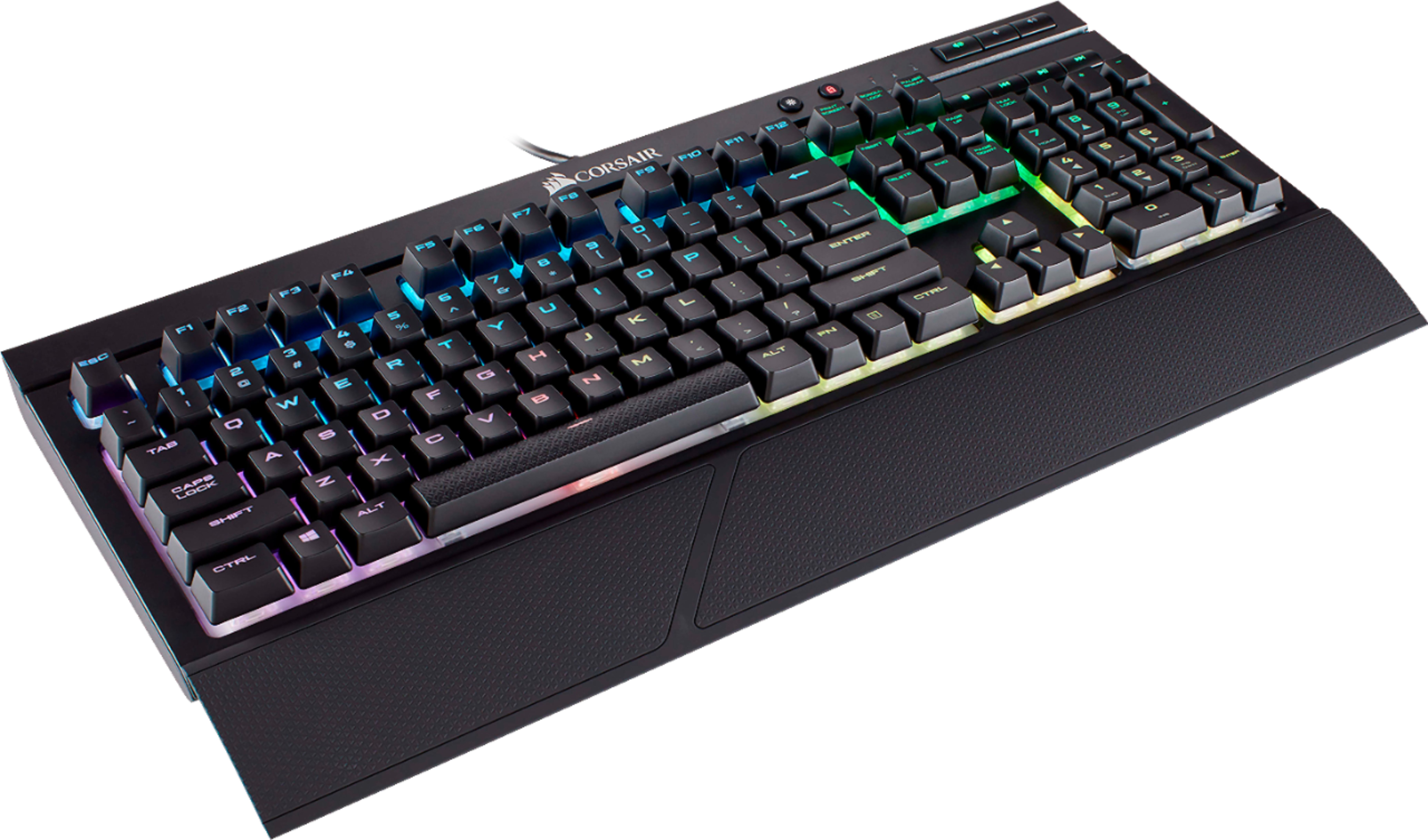
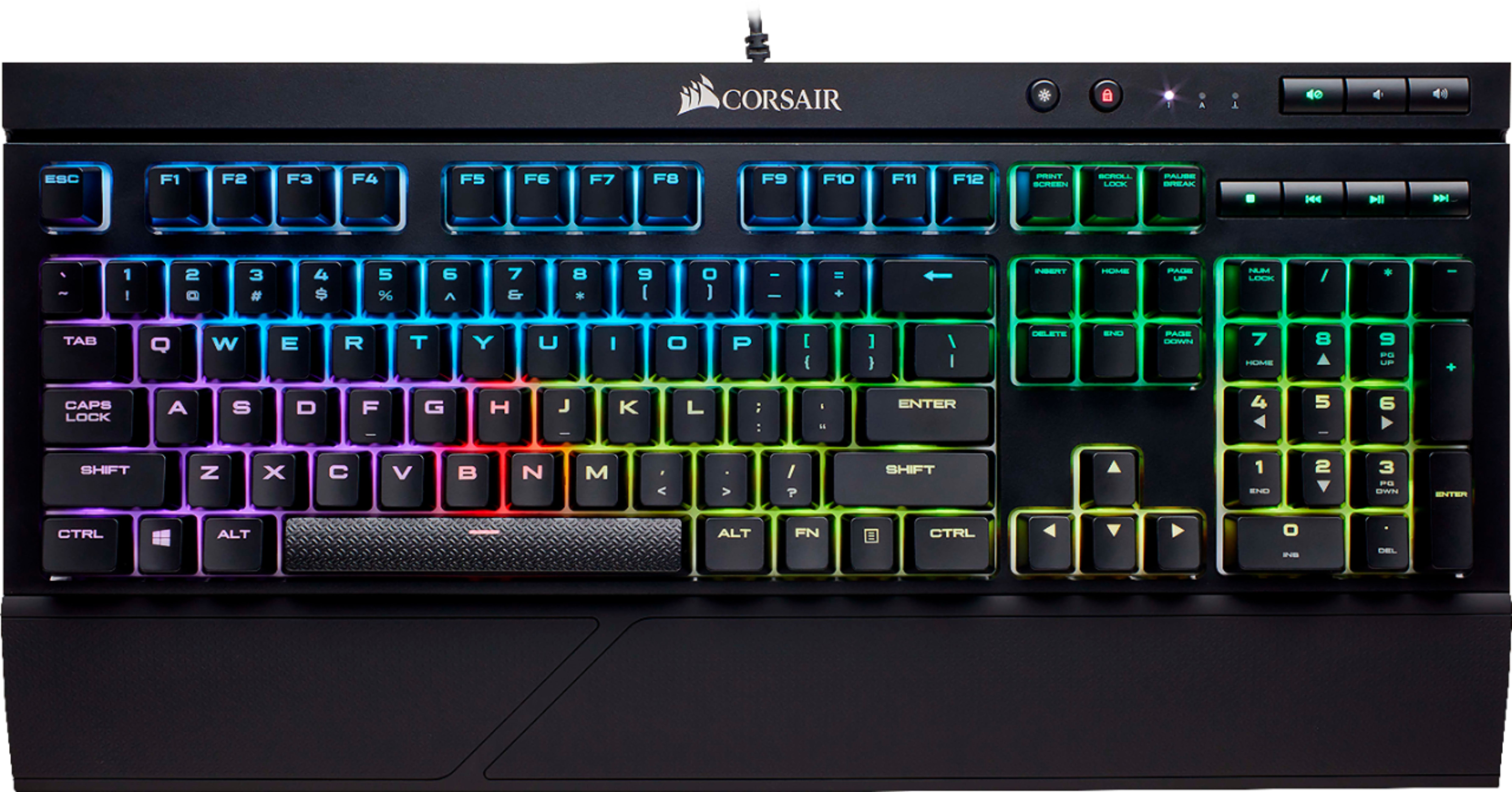
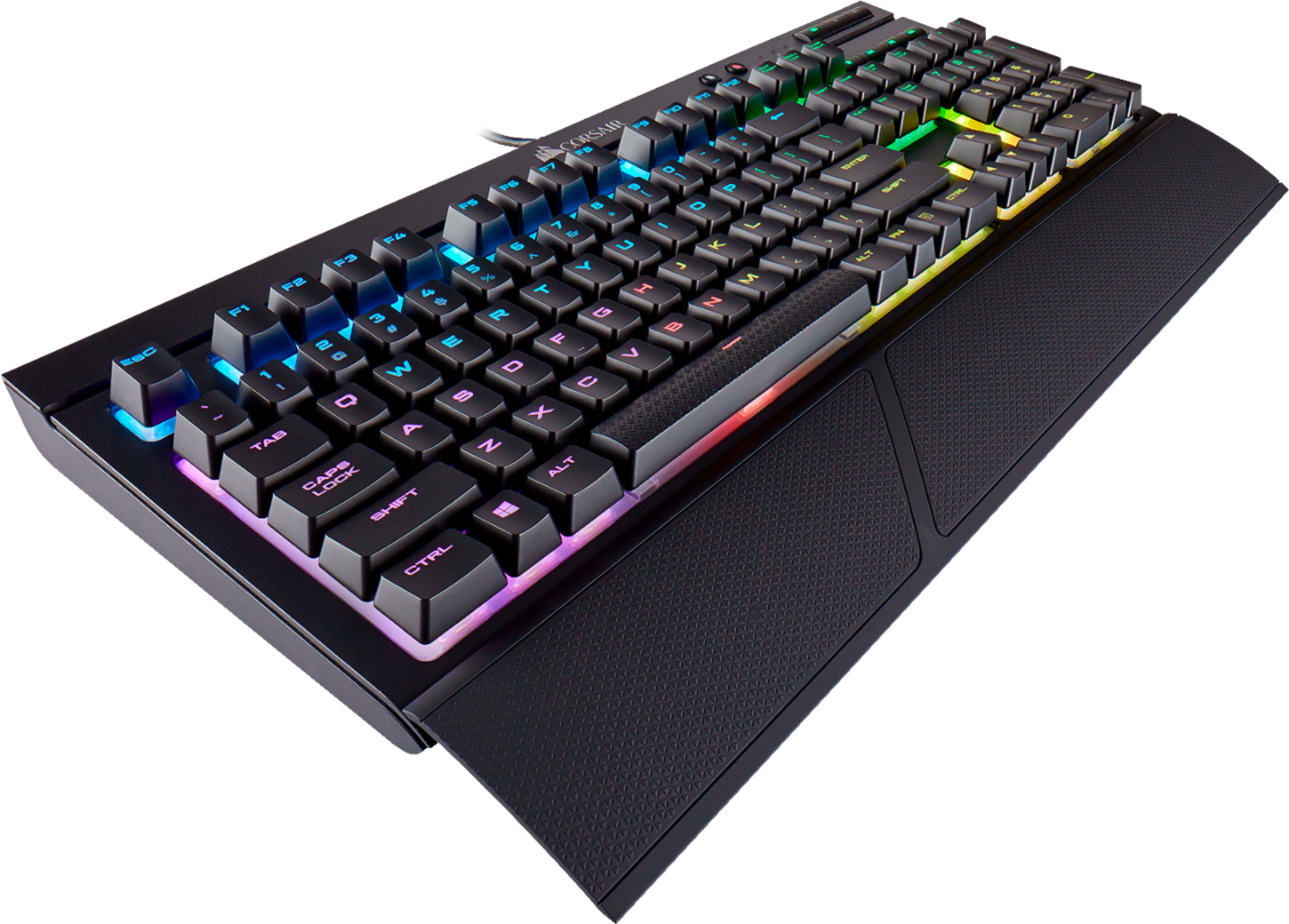
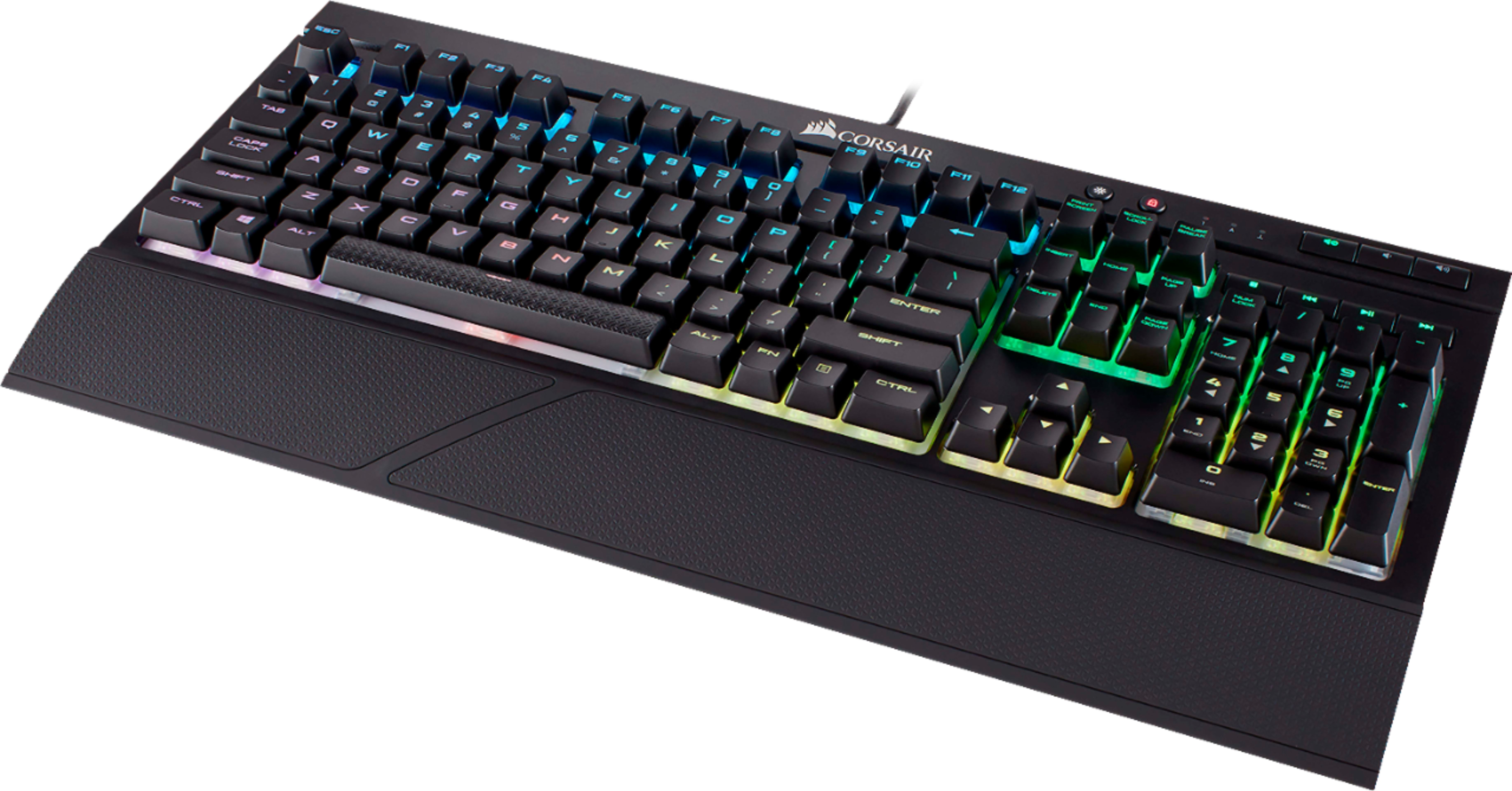
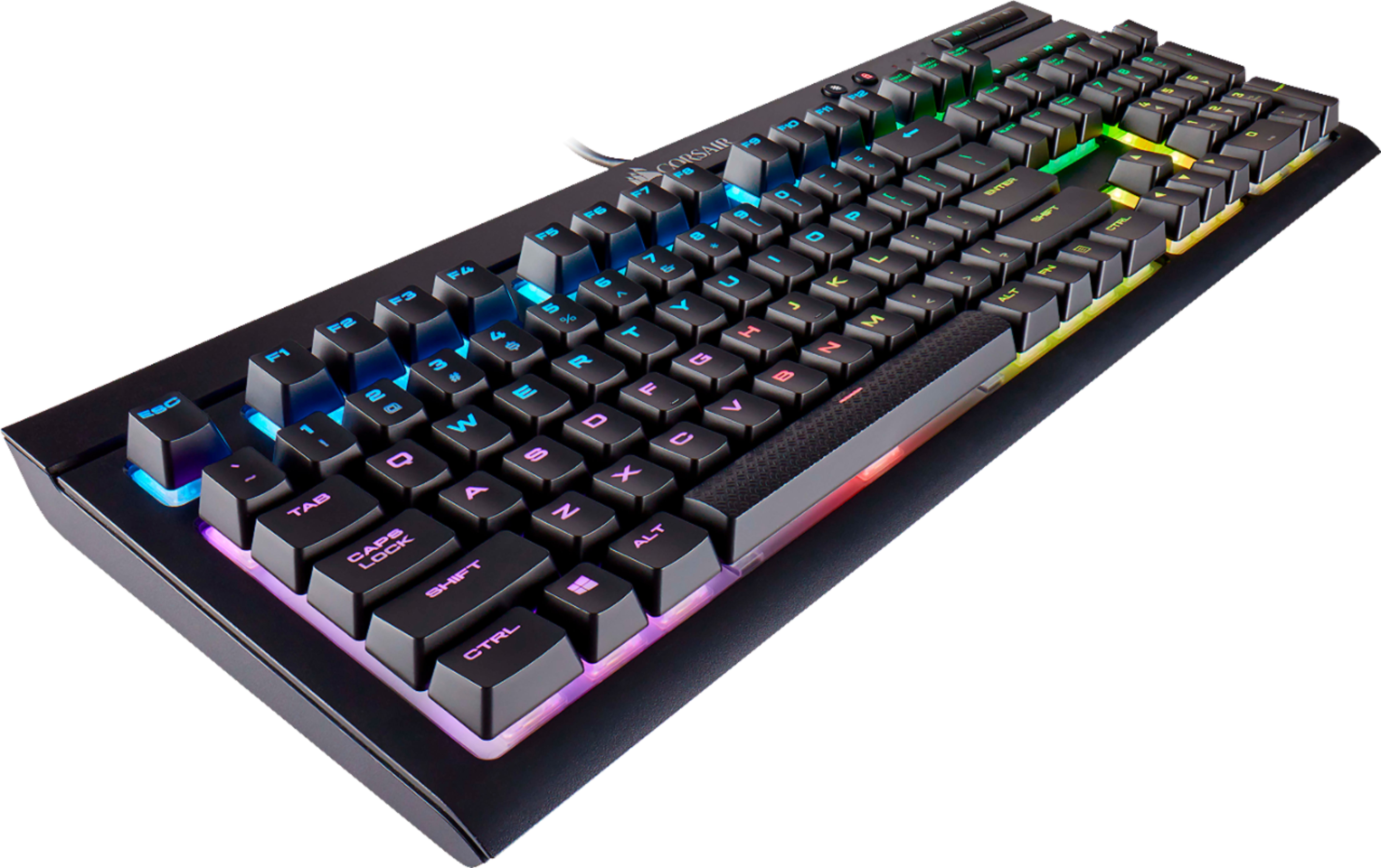
Customers appreciate the high-quality build, vibrant RGB backlighting, and satisfying key feel of the K68 keyboard. Many also praise its ease of use, affordability, and water resistance, along with the intuitive software for customizing lighting effects. While some found the wrist rest less than ideal and the switches not to their preference, the overall positive feedback highlights its value as a gaming keyboard.
This summary was generated by AI based on customer reviews.
- Pros mentioned:Rgb backlighting

Great keyboard, really tall keys
|Posted .This reviewer received promo considerations or sweepstakes entry for writing a review.So this is the first mechanical keyboard I've had in quite some time, and really it is quite nice. But there are some strange things that I'm experiencing with it as it relates to some of the general functionality, some interoperability issues as well as a minor gripe with the general construction. First, the keyboard itself types quite nicely. It is responsive, quick and easy to use, although the key travel is quite a bit more than I'm used to in the past. But this brings me to the first issue I have with it. For some reason the keys stand off of the keyboard quite a lot. I cant say as I've ever owned a keyboard with keys quite this tall both mechanical and non-mechanical. I feel like this was a design decision in terms of making the RGB lighting more visible rather than any sort of decision of functionality which is really too bad, because it makes it slightly less comfortable to type on. I'm sure I'll get used to it as with any new keyboard, it's just a minor gripe. In terms of the responsiveness in gaming and typing, it's really quite impressive. Almost TOO responsive. I've already had it pop the context menu on me a couple of times when I've barely brushed the key on the lower right of the keyboard just in regular typing. The same goes for the tab key. I can't say as I've ever run into this in the past, and again it may be something I just have to get used to in terms of this specific keyboard, I think it mostly has to do with the height of the keys as I previously mentioned. The RGB effects are excellent. There are all sorts of options that can be applied to the keyboard. Supposedly Corsair RGB keyboards can work with MSI Mystic Light which is a function of my motherboard, but it doesnt appear this is functioning for me. It may just be that this keyboard is too new and they haven't yet made it available for this keyboard. It would be cool to have the motherboard lighting in my machine match the lighting of my keyboard. Overall it's a really nice keyboard, and I'm sure some of my issues are just things I need to get used to in terms of moving to a new keyboard, but others, such as the strangely high keys seem like odd design decisions that arent really needed.
I would recommend this to a friend Keys pop off a lot
||Posted .This reviewer received promo considerations or sweepstakes entry for writing a review.The keys have constantly popped off - I've had Corsair Keyboards before. I can't recommend this one though. Looking at getting a different model.
No, I would not recommend this to a friend- Pros mentioned:Keyboard quality
solid gaming keyboard
|Posted .This reviewer received promo considerations or sweepstakes entry for writing a review.the good -cherry mx switches feel very smooth and accurate mechanical feel when typing. -spill resistant - always a nice feature, especially when you spend a bit more on a keyboard. -lighting - excellent colors and patterns. match your rig as a solid color or display a rainbow of colors. preset as well as configurable. -design - rather beefy, solid looking design. complements my alienware rig quite nicely the bad -really nothing. the price might be a little bit on the high side at $99 overall really solid gaming keyboard that looks and feels great. 5 stars
I would recommend this to a friend - Pros mentioned:Keyboard quality, Rgb backlighting
Great
|Posted .This reviewer received promo considerations or sweepstakes entry for writing a review.Love the feel of this keyboard. It brings back memories of my first pc. Plays very well with all games I have used so far. I like the sound it makes with each key pressed. The led back light is cool but somewhat distracting. Overall a good keyboard for gaming.
I would recommend this to a friend Amazing.
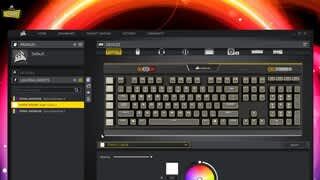
|Posted .This reviewer received promo considerations or sweepstakes entry for writing a review.This is one serious keyboard that reminds me of how good keyboards used to feel when IBM keyboards were the standard when personal computers were just starting. There is something delicious about a mechanical keyboard - if you complain that they are noisy then you have no business buying or using one. These types of keyboards are for serious users. INTERESTING POINTS DOWNLOAD THE CORSAIR UTILITY FIRST! This allows you to customize individual keys - you can create a static color instead of the alternating colorization patterns. I set my board to have ice blue backlighting with selected keys in red. Also with the "Corsair Utility Engine" you can see the temperatures of system components which is nice to spot check eliminating the need to have a separate program to monitor the system and one for the keyboard. I highly recommend this as a keyboard that doubles as a gaming one with superb responsiveness in typing as well as configuration for gaming. It is well worth the price!
I would recommend this to a friendOtstanding keyboard
|Posted .This reviewer received promo considerations or sweepstakes entry for writing a review.This keyboard is fantastic! I use it primarily for CAD work and general computing but also for intense gaming every once in a while. It works perfectly for any application. I like everything about it - the keys are "clicky" but not as loud as many other mechanical keys, the back lighting is easily adjustable, not harsh, and can be adjusted many ways via key combinations without having to install additional software. The keyboard is surprisingly heavy - it doesn't slide around easily while pounding away at the keys during critical gameplay moments. The removable wrist rest is the best one I've come across, I usually don't use those that come with keyboards because they usually are uncomfortable, but this one is better than even my separate gel wrist rest. My only minor complaint is I wish the keyboard had a built-in USB port to make connecting a mouse easier. Not a big deal in the grand scheme of things but would be nice to have.
I would recommend this to a friendGreat keyboard for the price, but a few flaws..
|Posted .This reviewer received promo considerations or sweepstakes entry for writing a review.The Switches: This keyboard has red Cherry MX switches, this means no tactile feedback, and no click. This introduces a significant learning curve when gaming or just typing. When gaming I frequently found myself wondering why I was walking to the left in game, because of the lack of feedback you don't always know when you pass the activation point of the switch. These switches were a downside for me. Huge let down for "gaming" branded switches. The Software: This keyboard uses CUE (Corsair Utility Engine). The lighting features I find effective and simple, overall this software is good, but this is a gaming keyboard. The software supports macros and you can do a lot within these macros, only one problem, there is no dedicated macro keys and you can't use key combinations to trigger a macro. This pretty much makes macros useless unless you have two keyboards sitting on your desk... The Rest: Everything else about this keyboard such as the build quality and looks is excellent for the price. The build is primarily plastic, but the keyboard is far from having a "cheap" feel to it. The water resistance is also a welcomed addition.
I would recommend this to a friend- Pros mentioned:Keyboard quality, Rgb backlighting
Pretty Great
Posted .This reviewer received promo considerations or sweepstakes entry for writing a review.I purchased this item on Black Friday and it has truly been the charm. You are receiving around 10 different lightings for your keyboard and it feels pretty nice. Luckily for me, the item was already 30% off and I had a reward certificate making this item only 10 dollars. I would recommend this to anyone who would like a keyboard that is worth its price.
I would recommend this to a friend - Pros mentioned:Rgb backlighting
great keyboard
|Posted .This reviewer received promo considerations or sweepstakes entry for writing a review.this keyboard is very responsive and the colors aren't to bright they very toned a bit even at the brightest setting. the palm rest is also a good addition feels comfortable when using the keyboard and i would suggest this for any type of gamer.
I would recommend this to a friend You don't know what your missing!
|Posted .This reviewer received promo considerations or sweepstakes entry for writing a review.I'd never used a "gaming" keyboard before and scoffed at them as an un-needed expense. I was wrong. This keyboard brings "gaming" and general use to a new level! I initially took it into work to see if the "noise" of a mechanical keyboard would be an issue. The "cherry" keys are quiet enough for work, yet tactile enough to make a huge difference in typing speed and quality! Then I took it home and it was fantastic for all the games I played especially when paired with the accompanying programable software!
I would recommend this to a friendResponsive Keyboard
|Posted .This reviewer received promo considerations or sweepstakes entry for writing a review.Great response time in Simulation games. Highly customizable, easy to set up Hot Keys and backlight colors. Keyboard is comfortable to use for extended periods of time. Positive key strikes eliminate guessing if you've hit it. Being a "Mechanical" keyboard it is loud but easy to get used to. Would prefer smooth Space Bar, don't need different texture from other keys. Razer software seems buggy but updates are consistently improving functionality.
I would recommend this to a friend- Pros mentioned:Rgb backlighting
Beautiful Keyboard
Posted .This reviewer received promo considerations or sweepstakes entry for writing a review.To start, the K68 is a phenomenal first keyboard purchase. The Cherry keys make keystrokes smooth, soft, and well placed without worry of making noise, or accidental presses. The RGB lighting feature of the keyboard is nothing less than amazing, the amount of customization that you can achieve with this keyboard is such a plethora, ranging from rainbow, flashing multiple desires colors, setting a solid color, etc. The keypad addition allows for easy access numerical pad that makes uses other than gaming easy. The multimedia buttons allow for background control without having to focus on opening a new application window, you can change your music or pause a video then and there without changing focus. Back to the topic of RGB, the brightness button allows for dimming or brightening of the LED's that reside in the keyboard. I 100% recommend this keyboard for anybody that is a veteran gamer or just starting!
I would recommend this to a friend - Pros mentioned:Rgb backlighting
nice keyboard
Posted .This reviewer received promo considerations or sweepstakes entry for writing a review.dependable cherry mx red switches, beautiful rgb backlighting, and its water/dust resistant! the dedicated media keys are a nice touch got mine on sale for only $80 :)
I would recommend this to a friend Not designed for gamers
|Posted .This reviewer received promo considerations or sweepstakes entry for writing a review.For a product advertised as a “gaming keyboard”, it’s interesting that this keyboard doesn’t actually seem to cater to gamers. The only gamer-centric feature I’ve observed is the button that disables the Windows key. ===[ Layout and Design ]=== The first give-away that this keyboard is not intended for gamers, is that one of the most important gamer-centric keyboard features is entirely missing; it doesn't contain any dedicated macro keys. One might retort: "Oh! But this is at the entry level of a line of gaming keyboards. Higher models *do* have macro keys!" And for the reality check: a stock Honda Civic is not a race car simply because Honda also makes race cars. [ Positives ] - Heavy, sturdy construction resists unintended sliding/movement. - The font chosen for the key labels is bold and clear. Function representation is implemented well in most keys. - The elevated, open key design aids in cleaning debris from the keyboard. [ Negatives ] - The wrist wrest is made of flimsy warped plastic that does not sit flush against a flat surface. - Keys tower above the keyboard's base, with the base itself having a high profile. You'll likely have to adjust your desk and/or chair to comfortably use this keyboard. - Secondary key function labels (such as the ampersand on the number seven key) are either not backlit, or are very dimly lit. Every other backlit keyboard I have has these labels properly backlit. - Complete lack of secondary functionality for the function keys, which is a first among my keyboards containing an FN key. - High placement of most key labels (rather than centered). ===[ MX Cherry Red ]=== Because of the complete lack of tactile feedback on the key press transition, full key presses are required. Unfortunately, the combination of very long key travel distance, early trigger point, and late release point translates to a lack of control over key press timing. This is particularly frustrating with the key release timing, where there is a significant duration where the key remains in a pressed state after intention of release. This lack of control is a disaster for twitch gaming. I’ve found this keyboard to be unusually demanding on my fingers, and has caused a marked decrease in my typing accuracy compared to other keyboards I use. As for the independent key RGB backlighting, its implementation feels like a novelty. There could have been some interesting applications for this technology, for example assigning scaled colors to a key/button to indicate CPU or GPU temperature, memory usage, CPU or disk load, or other metrics. Indicators to flag the presence of new content in social media that you follow, or alert you to a new unread email, would also have been interesting. I can’t say it’s surprising that they haven’t tackled these usage scenarios, considering the very basic yet critically important features they’ve also not bothered to implement. ===[ Corsair Utility Software ]=== This software, which the included instructions directs users to install, is terrible. The most glaring problems I noticed include include: - Inability to assign macros/actions to key combinations (instead only to single key presses). Compounded by the lack of any dedicated macro keys, this greatly hampers the utility of this keyboard for no good reason. - No apparent way to tie keyboard profiles to game executable files for automatic profile switching. I consider this to be an absolute necessity, and this is a feature found in the stock software provided by a popular competitor. - Custom profiles only persist while the software is running and where it can maintain an active connection to the keyboard. For example, even something as simple as using a single custom static color applied to all keys is 'lost' when the desktop is locked, where then the keyboard reverts to whatever backlighting mode (among those available by default) was selected when the software was not in active control. ===[ Conclusion ]=== The lack of any macro keys, inability to assign macros/actions to key combinations, no support for automatic profile switching, and arguably poor choice in key switches all strongly suggest that Corsair made virtually no attempt to cater to gamers with this keyboard, and merely slapped the ‘gaming’ label onto it for the sake of sales. I do not recommend this keyboard for gaming.
No, I would not recommend this to a friendVery good keyboard, Good for typing and gaming
Posted .This reviewer received promo considerations or sweepstakes entry for writing a review.The red switches are very responsive and are smooth. They are very responsive and make typing easy, and finger fatigue is not a problem. I have gamed for 5 or more hours on this board and I'm typing the review on this board right now. Build quality is a plus, very solid, and is plastic. No flexing so far. The RGB lights are very nice as well. You can turn them off using the button next to the Win-Key lock. The water proofing is a plus, rubber around the keys. The rubber could be removed with a pocket knife, but will void your warranty. They act like o-rings, so it makes your typing experience quiet. The multimedia keys work, I would have preferred the nob instead of volume buttons like on the K70. The cable as well is not braided, and there is no pass through port. If you type for longer periods of time, I would recommend using browns or blues. If you are mostly gaming, use these switches or speed/silents. I also wish the build was metal instead of plastic for it's price. Over all, this keyboard is amazing for gaming, and typing. Thank you for reading this review.
I would recommend this to a friend- Pros mentioned:Keyboard quality
Nice but LOUD
Posted .This reviewer received promo considerations or sweepstakes entry for writing a review.Looks nice, well made, very heavy and solid. However it is VERY LOUD. You wouldn't want to use this if anyone else is nearby and would hear you (or even a few rooms away). I need something that I can use while on conference calls and this is definitely not it! It was even louder than my 10+ year old cheapo keyboard, loud enough that I drove myself crazy. Maybe if you are gaming and have the speakers cranked, this wouldn't bother you so much. I also did not like the textured space bar. I only used this one day and the texture was irritating my thumbs!
No, I would not recommend this to a friendBrand response from Corsair Art
Posted .Sorry to hear that, Karen, please note pretty much every mechanical keyboard would be quite loud compared to membrane keyboards. If you do you have problems with the performance of the keyboard other than the sound you can always contact us for help: support.corsair.com

Excellent, Red Switches are so cool
Posted .This reviewer received promo considerations or sweepstakes entry for writing a review.I tried to go for the G Pro, but they ran out, so I went for this beast right here. It is so comfortable and quiet, I love it. Just giving you guys the head up that the software CUE 2 is kinda weird and hard to use.
I would recommend this to a friendHorrible keys
Posted .This reviewer received promo considerations or sweepstakes entry for writing a review.Key board is good, i liked the switches and feel, over all its a really good keyboard. However the key caps blow, one broke within a month so now my "A" is replaced with the function key. But thats not the worst part, the worst part is the key caps come off in the middle of me playing. So i have to stop what ever team fight im in, probably die, while i put one of my movement keys back on. The D just came off just now while i was typing. I could buy some keys that fit tighter but i paid over a 100 dollars for this keyboard. I will not be buying any more Corsair mouses or keyboards
No, I would not recommend this to a friendBrand response from Corsair Art
Posted .Sorry to hear you ran into this problem. If you haven't yet, please reach out to us and we can help, at support.corsair.com
- Cons mentioned:Wrist rest
Poor Construction
Posted .This reviewer received promo considerations or sweepstakes entry for writing a review.I first unboxed it and it wobbled on my desk, I had to gently bend the actual keyboard for it to not wobble anymore. The attachment for your wrist is nice, but upon trying to attach it, the clips snapped off with almost no force.
No, I would not recommend this to a friendBrand response from Corsair Art
Posted .Hi,
We can definitely help if you're outside of a return period, feel free to reach out at any time: support.corsair.com
-Art
Cheap trash. Avoid
Posted .This reviewer received promo considerations or sweepstakes entry for writing a review.Worst keyboard I have ever owned. The plastic insert on the removable palm rest snapped on the first day, when attaching to keyboard. Returning to retailer immediately for a full refund. What a horrible company. Avoid this junk and spend your money elsewhere.
No, I would not recommend this to a friendBrand response from Corsair Art
Posted .Hi Baz,
Seems like you had bad luck with the product and it is not indicative of the high quality we're known for.
If you still have it or would like to ask us any other questions please reach out: support.corsair.com