Deals Worth GiftingShop now

Skip to content
Gift Ideas
Main Content

Customer Ratings & Reviews
Your price for this item is $99.99

Customer reviews

Rating 4.6 out of 5 stars with 519 reviews

Rating Filter

Rating by feature

  • Value

    Rating 4.6 out of 5 stars

  • Quality

    Rating 4.6 out of 5 stars

  • Ease of Use

    Rating 4.6 out of 5 stars

Pros mentioned filter

Cons mentioned filter

91%would recommend to a friend

Customers are saying

Customers frequently mention the keyboard's high-quality build, attractive RGB lighting, and positive key feel as significant strengths. Many appreciate the convenient volume control knob and find the keyboard easy to use, while some find the accompanying software challenging to navigate. A few users wished for a wrist rest.

This summary was generated by AI based on customer reviews.

The vast majority of our reviews come from verified purchases. Reviews from customers may include My Best Buy members, employees, and Tech Insider Network members (as tagged). Select reviewers may receive discounted products, promotional considerations or entries into drawings for honest, helpful reviews.
Page 25 Showing 481-500 of 519 reviews
  • Rated 3 out of 5 stars

    Very sensative.

    |
    |
    Posted . Owned for 2 weeks when reviewed.
    This reviewer received promo considerations or sweepstakes entry for writing a review.

    Decent keyboard but the keys where super sensitive.

    No, I would not recommend this to a friend
    • Brand response from Corsair
      Posted .

      Hello Zachary,

      It'd be different for different people, I'd recommend returning it if these switches are just not your thing. We have many other keyboards to choose from.

      -Art CorsairGaming

  • Pros mentioned:
    Keyboard quality, Rgb lighting, Volume control
    Tech Insider Network Member

    Rated 5 out of 5 stars

    Great high quality budget gaming keyboard

    |
    Tech Insider Network Member
    Posted .
    This reviewer received promo considerations or sweepstakes entry for writing a review.

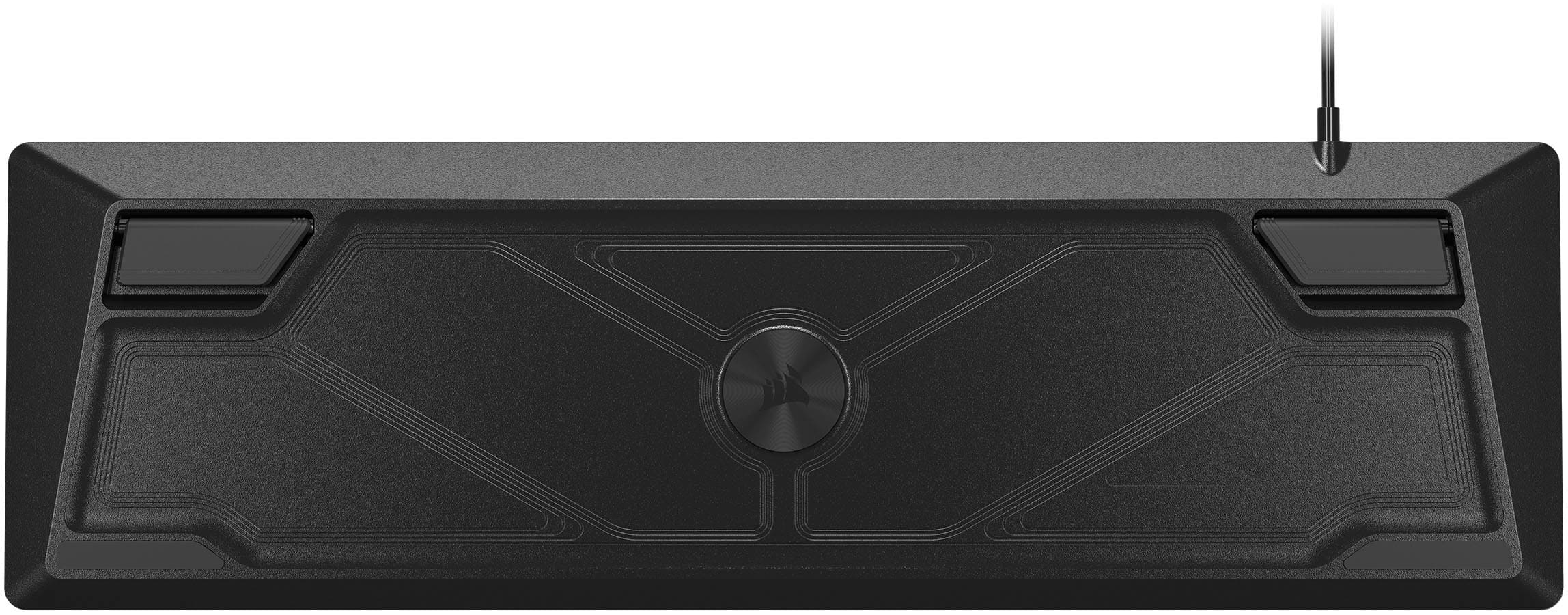
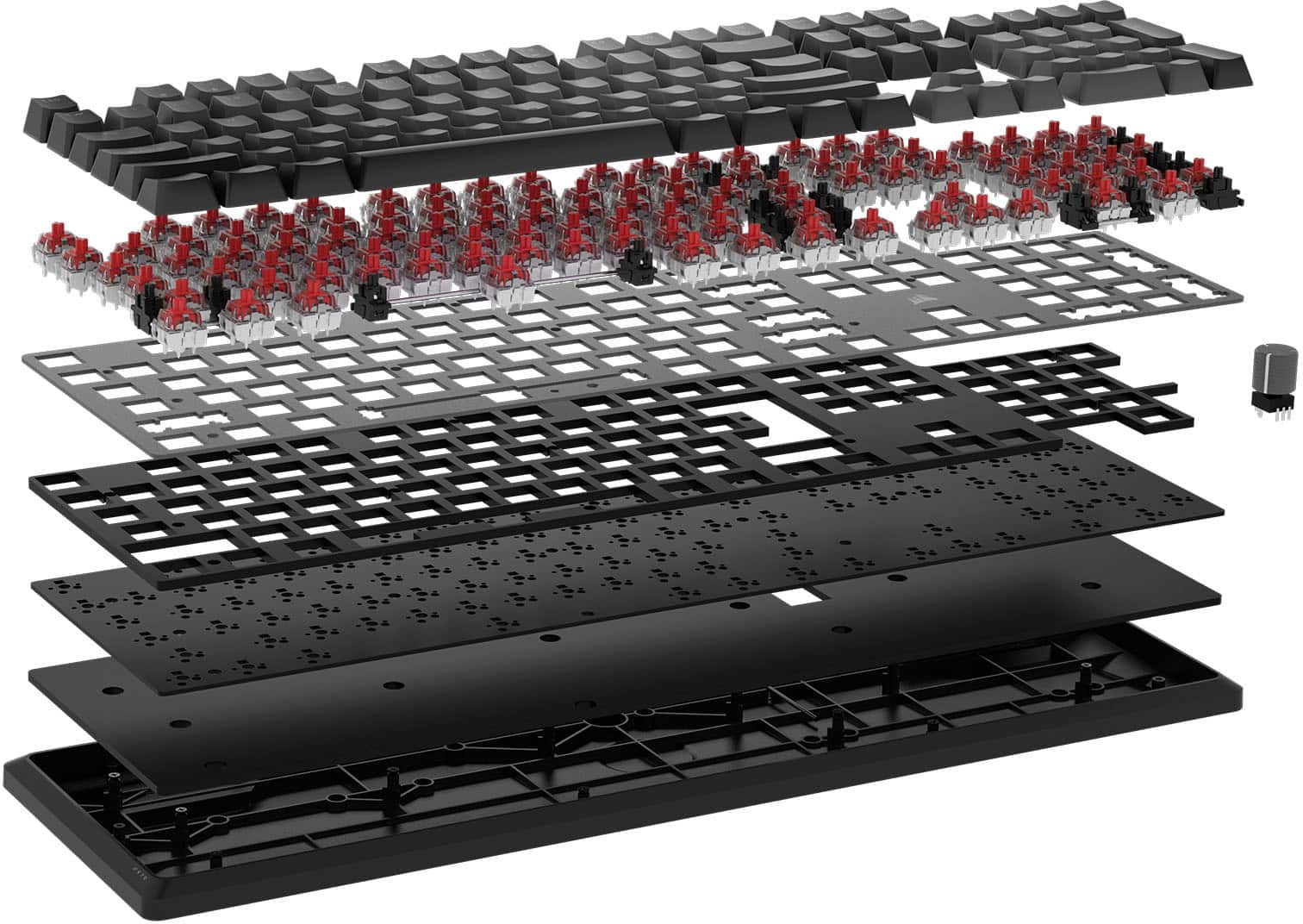
    An affordable wired alternative to the higher cost gaming keyboards. It does not come with a palm rest but there are some options available elsewhere. Some of the K70 variants do include palm rests so make sure you select the right variant if you prefer them. Corsair uses red linear key switches which are some of my favorites with good positive tactile feedback. To keep the cost down Corsair unfortunately soldered the key switches to the board so there is no replacement of switches if you prefer some other type… if that is what you are looking for there are a good number of fully customizable keyboards available but make sure you take your wallet because they will set you back some big bucks. That’s not what this keyboard is about. It is about a high-quality budget gaming keyboard with the basic bones of some of their higher priced devices. The frame is solid, so you don’t get any bounce when typing. The key stabilizers on the larger keys (shifts, space bar, etc) provide even plunge with each press. No uneven rocking of those keys. Key caps are replaceable, and there are many sources for custom keycap sets if you choose to modify. With some of the other Corsair higher end keyboards they include a set of WASD key caps either textured or a different color since those seem to be the most gaming-centric keys used but sadly those key caps are not provided, not a deal breaker but would have been nice. I do like the full-sized keyboard with numeric keypad. Some other offerings go TKL (ten keyless) to reduce desktop space, but I use my keyboards daily for more than gaming, so the numeric keypad is a huge welcome. I prefer a dedicated volume knob of some sort and the Integrated media control knob does not disappoint. Setup was extremely easy. Before plugging in the keyboard download the iCUE software. When you start it up it will automatically recognize your keyboard and let you know if any firmware is available to update the device. RGB lighting is flexible with several modes of lighting. Corsair provides custom lighting murals that provide different effects, or you can create your own. If you have other Corsair iCUE compatible devices, it will recognize them as well and you configure the RGB to be coordinated providing the same type of lighting experience. In my personal gaming rig, I have Corsair DDR5 RGB memory, the Corsair H100i All in One CPU Cooler with Corsair RGB radiator and case fans along with the very cool OLED pump screen that you can program. I also have a Corsair Dark Core RGB Pro mouse and the new Corsair SCUF gaming controller. All of these devices are coordinated using the iCUE software and it provides an amazing amount of customization. I’ll be jumping into the SCUF in another review. Very cool. At the end of the day Corsair has provided a solid performing keyboard that can be used for gaming, work and general computer tasks.

    I would recommend this to a friend
  • Rated 1 out of 5 stars

    Not worth the money

    |
    |
    Posted . Owned for 1.5 years when reviewed.
    This reviewer received promo considerations or sweepstakes entry for writing a review.

    I bought this in 2024 and it is already broken. I would not purchase one again.

    No, I would not recommend this to a friend
  • Rated 1 out of 5 stars

    if u dont care about lights or firmware do it

    |
    |
    Posted . Owned for 3 weeks when reviewed.
    This reviewer received promo considerations or sweepstakes entry for writing a review.

    awfull keyboard, i have 4 of this and all 4 have some issue, dosnt work well

    No, I would not recommend this to a friend
  • Rated 1 out of 5 stars

    Awful build quality and durability

    |
    |
    Posted . Owned for 7 months when reviewed.
    This reviewer received promo considerations or sweepstakes entry for writing a review.

    After less than a year of use on this keyboard, it is already breaking down, double typing letters and barely functioning space bar. Will be replacing and avoiding Corsair. Stay away from this keyboard.

    No, I would not recommend this to a friend
    • Brand response from Corsair
      Posted .

      Hello Kyle,

      Our team can help, please contact them directly right on our site at any time.

      -Art CorsairGaming

  • Rated 2 out of 5 stars

    I'm moving away from Corsair products

    |
    |
    Posted . Owned for 2 months when reviewed.
    This reviewer received promo considerations or sweepstakes entry for writing a review.

    Lighting didn't work properly. Lighting software would constantly discount keyboard and would cause issues with my Corsair liquid cooler after I got the keyboard.

    No, I would not recommend this to a friend
    • Brand response from Corsair
      Posted .

      Hello,

      Sounds like you may need to some assistance, please contact our team directly on our site at any time!

      -Art CorsairGaming

  • Pros mentioned:
    Keyboard quality, Rgb lighting
    Cons mentioned:
    Wrist rest
    Tech Insider Network Member

    Rated 5 out of 5 stars

    Awesome gaming keyboard!

    |
    Tech Insider Network Member
    Posted .
    This reviewer received promo considerations or sweepstakes entry for writing a review.

    This Corsair keyboard is an awesome keyboard that is perfect for gaming and everyday use. The mechanical keys are lightning fast and accurate resulting in better gaming performance. In terms of overall look and feel this keyboard feels premium aside to the wrist rest which is okay but not great. The Corsair iCUE software enables customization not only of the lights but the dial and the ability to customize the keyboard with macros and use profiles to activate them. iCUE software is very powerful and enables many features through an easy to manage interface. The Corsair software allows you to coordinate your RGB color effects across all Corsair devices with ease and enables in game lighting effects for many top titles. You can also customize the look and feel of the lighting in conjunction with other RGB lights to set a mood for your gaming room. The RGB lights are bright and accurate in terms of color like as with other Corsair RGB products offering the RGB lighting effects. I do wish that the keyboard came with a through USB ports for plugging in mouse pads or other accessories or thumb drives. I also wish that this keyboard and others came with fingerprint readers embedded as more websites and games are supporting Windows Hello which takes advantage of having a reader. In terms of gaming performance this keyboard is lightning fast, and the mechanical keys are very responsive with a reliable feel that can definitely improve your gaming performance especially in moments within the game where milliseconds count. Overall this is a great keyboard, I love the control of the dial and being able to customize it to use it with games or media as needed. Corsairs mechanical switches are among the best and I'd absolutely recommend this keyboard along with others and this keyboard is the best in terms of being the latest with the best features that many other premium keyboards have.

    I would recommend this to a friend
  • Pros mentioned:
    Keyboard quality, Rgb lighting, Volume control
    Tech Insider Network Member

    Rated 4 out of 5 stars

    Beautiful Silent Full RGB Mechanical Keyboard

    |
    Tech Insider Network Member
    Posted .
    This reviewer received promo considerations or sweepstakes entry for writing a review.

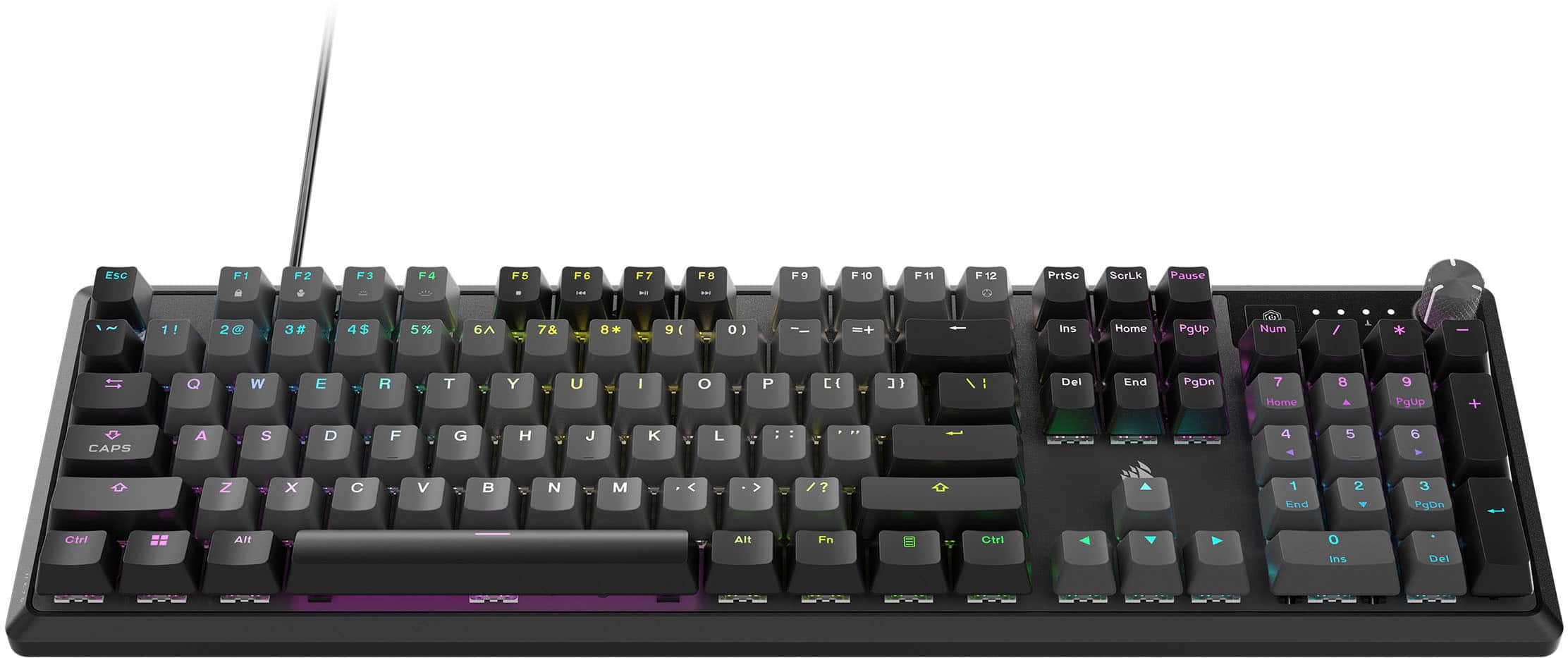
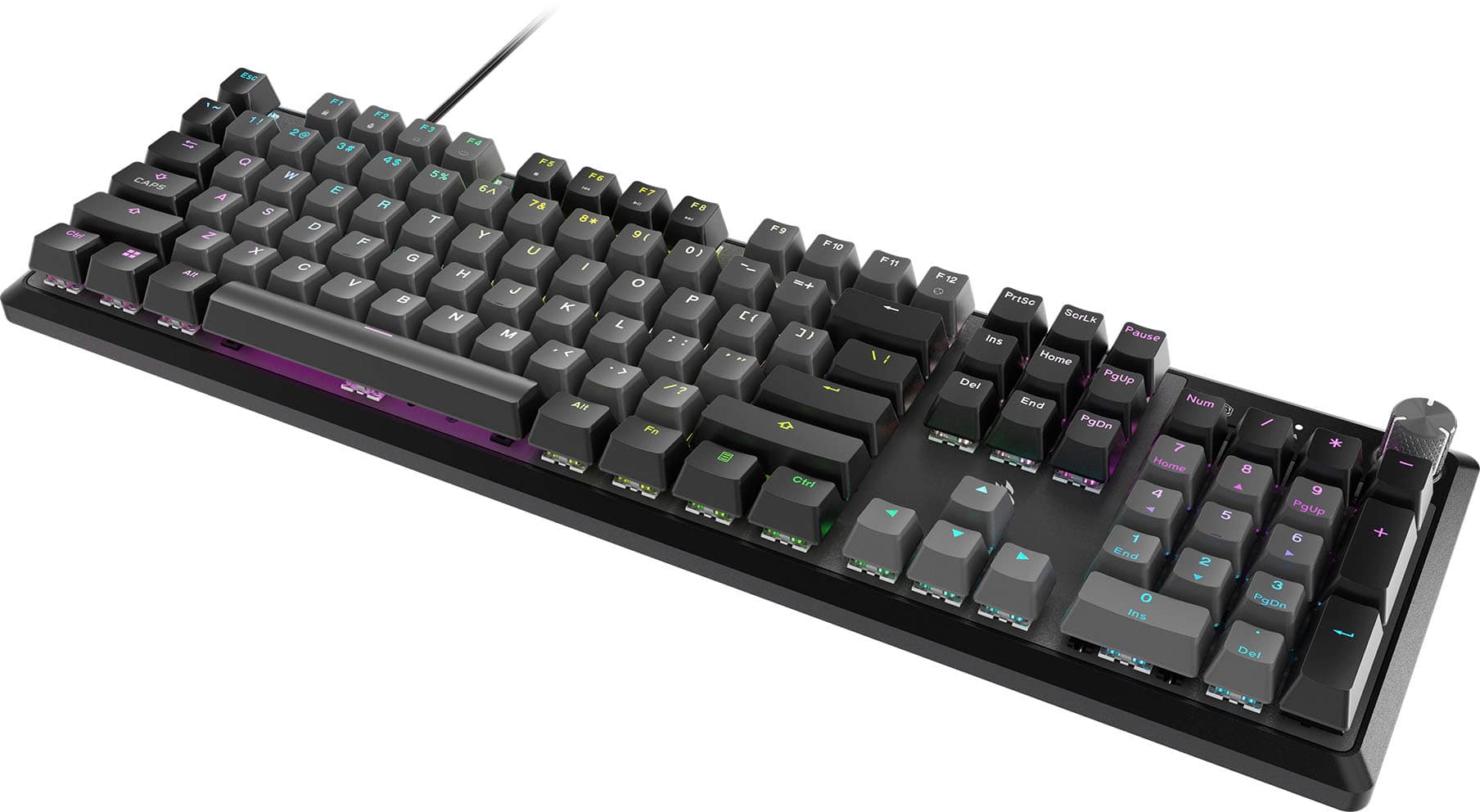
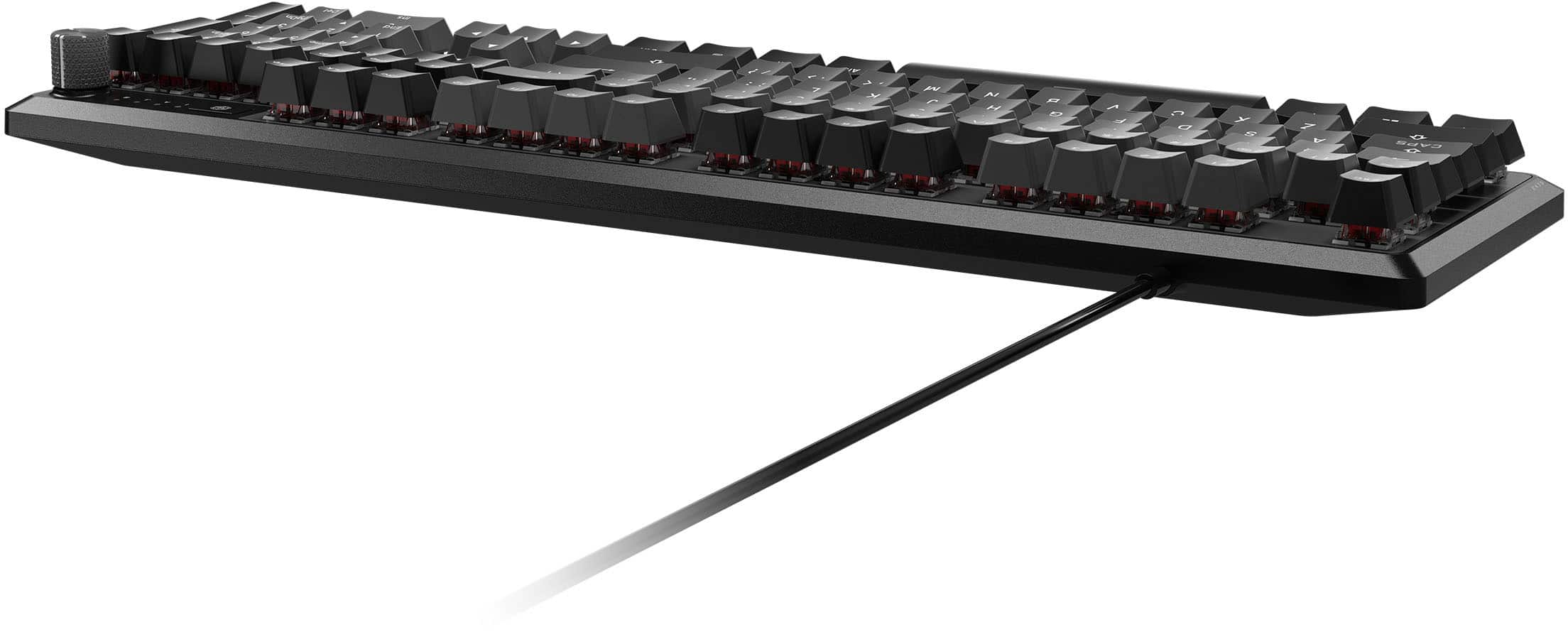
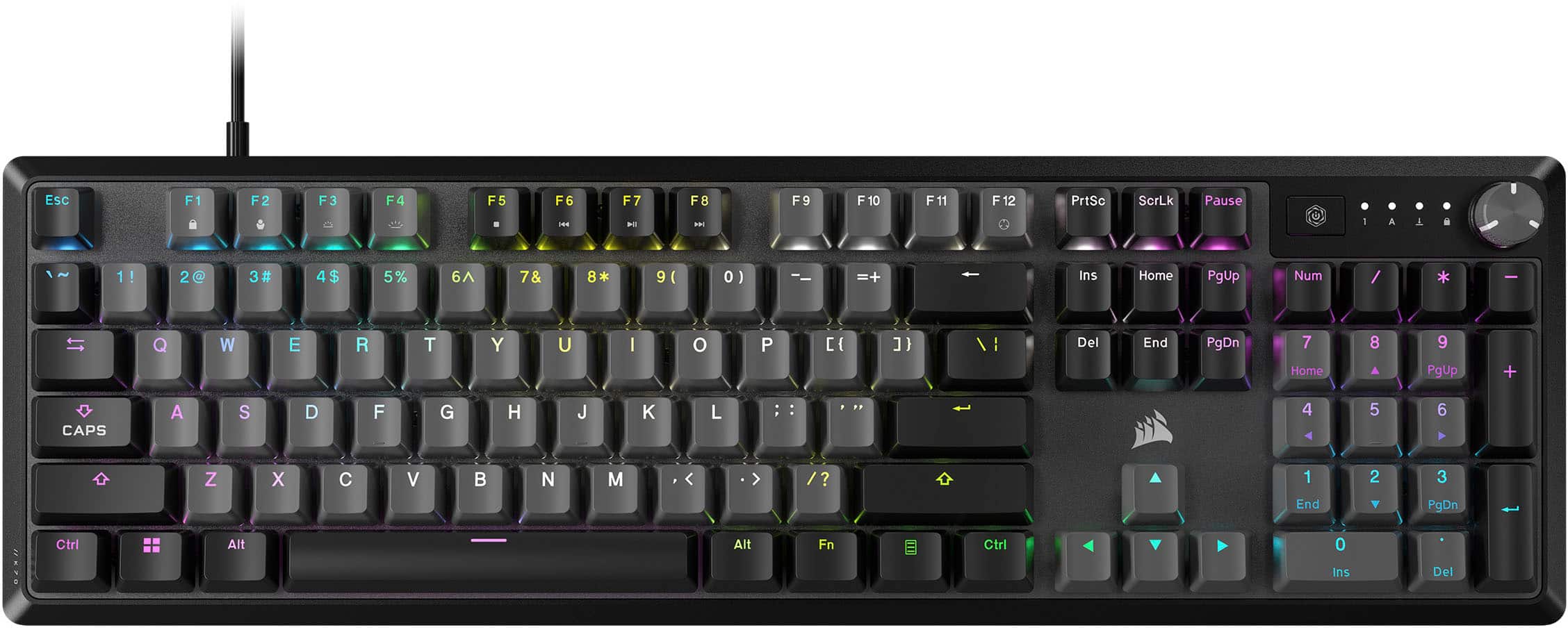
    The Corsair Core K70 Keyboard is simply beautiful wired keyboard. I know some people don't like wired keyboards, but I am one of the few that likes them (a wireless mouse is a different story). The cable is great length from my custom gaming rig that sits on the floor to my desk. The build quality is the usual Corsair quality - well made, satisfying weight (almost heavy), and great attention to detail, like the notch clicks as you adjust the volume dial on the top right of the keyboard. FYI, the volume control is a dial not a scroll type wheel that has been typical on many gaming keyboards The K70 has full RGB backlighting, all of which you can customize using Corsairs great iCue software. I think iCue is the best in the market for software controls of RGB lighting, which is why I also use Corsair for my CPU cooler. You can really go crazy with the RGB lighting and I will say that the colors are clear, solid, and even across the whole keyboard. But the real test is gaming. I found the K70 to be super responsive in gaming, the keys have good travel and for a mechanical keyboard it's whisper quiet. The "tap" sound is just the full keypress not a mechanical click - so if you are after a non-clicky mechanical keyboard that is wired, responsive, and you can have a lot of fun customizing the RGB. I will note, and the picture also notes this, the USB cable comes from the left side of the keyboard. Not an issue for me (my desktop sits on my left) but if you are obsessed about cable tidiness, worth knowing. The few things holding the K70 back from a perfect 5 is the USB cable is not braided, braided cables just fall better and are less prone to kinks, if the cable entry connect was centered it might make it better for everyone, and I wish the stand was height adjustable (it's either stand or no stand). I still think the K70 is awesome.

    I would recommend this to a friend
  • Rated 1 out of 5 stars

    Double typing

    |
    |
    Posted . Owned for 10 months when reviewed.
    This reviewer received promo considerations or sweepstakes entry for writing a review.

    Worked great for about 5-6 months and started double typing. I've tried everything to get it to stop. It's very annoying.

    No, I would not recommend this to a friend
    • Brand response from Corsair
      Posted .

      Hi Rusty,

      Unfortunate to hear this, but please contact our team directly right on our site for assistance with this, they'll be able to get it resolved.

      -Art CorsairGaming

  • Rated 2 out of 5 stars

    Not great

    |
    |
    Posted . Owned for 1 week when reviewed.
    This reviewer received promo considerations or sweepstakes entry for writing a review.

    Mushy keys, several didnt work. Brown switches are not the best.

    No, I would not recommend this to a friend
    • Brand response from Corsair
      Posted .

      Hello,

      Sounds just like a faulty keyboard if it had several keys that "didn't work", do work with our team for assistance if an exchange is needed after Best Buy's period.

      -Art CorsairGaming

  • Pros mentioned:
    Key feel, Keyboard quality, Rgb lighting
    Tech Insider Network Member

    Rated 4 out of 5 stars

    Decent keyboard feel, but like Pro better

    |
    Tech Insider Network Member
    Posted .
    This reviewer received promo considerations or sweepstakes entry for writing a review.

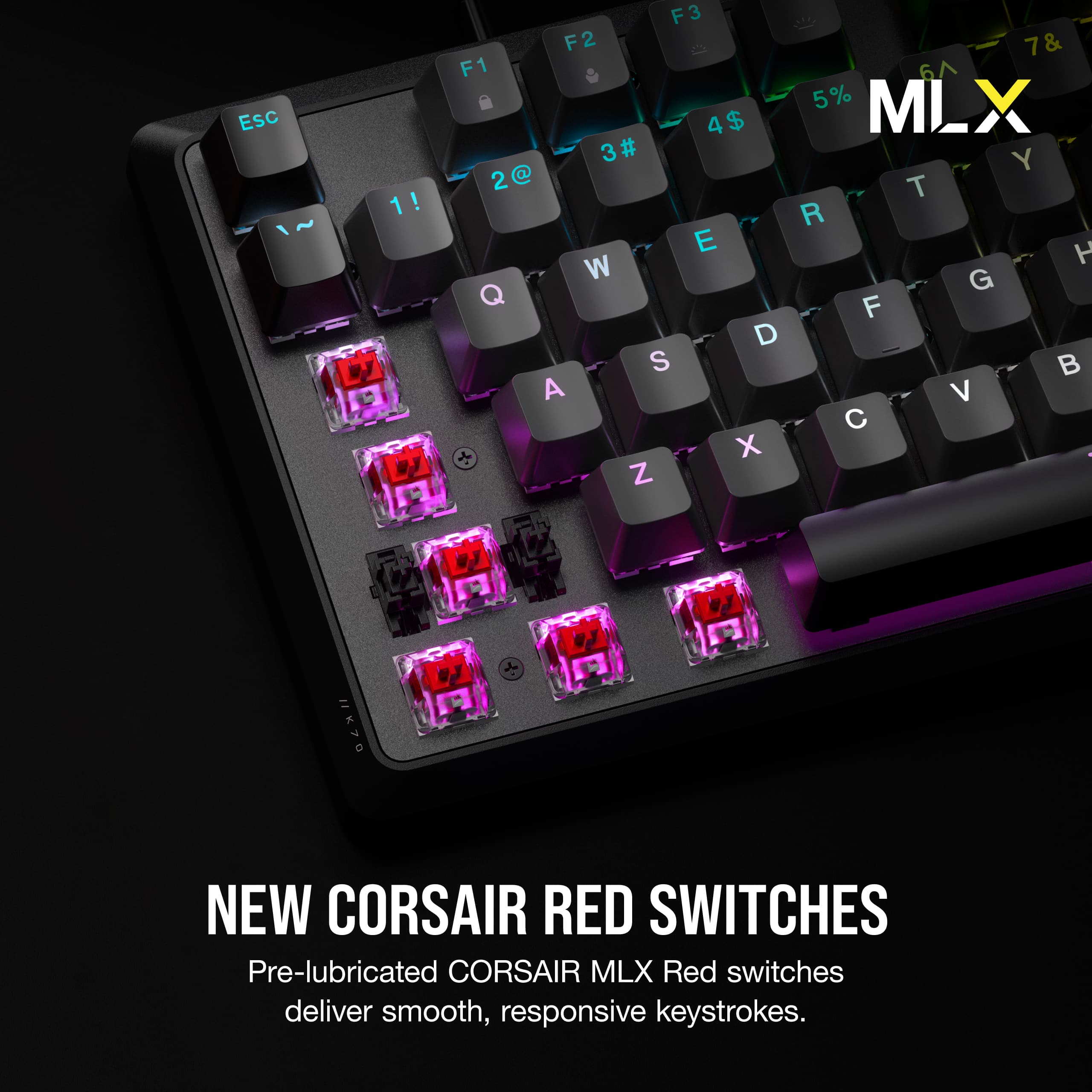
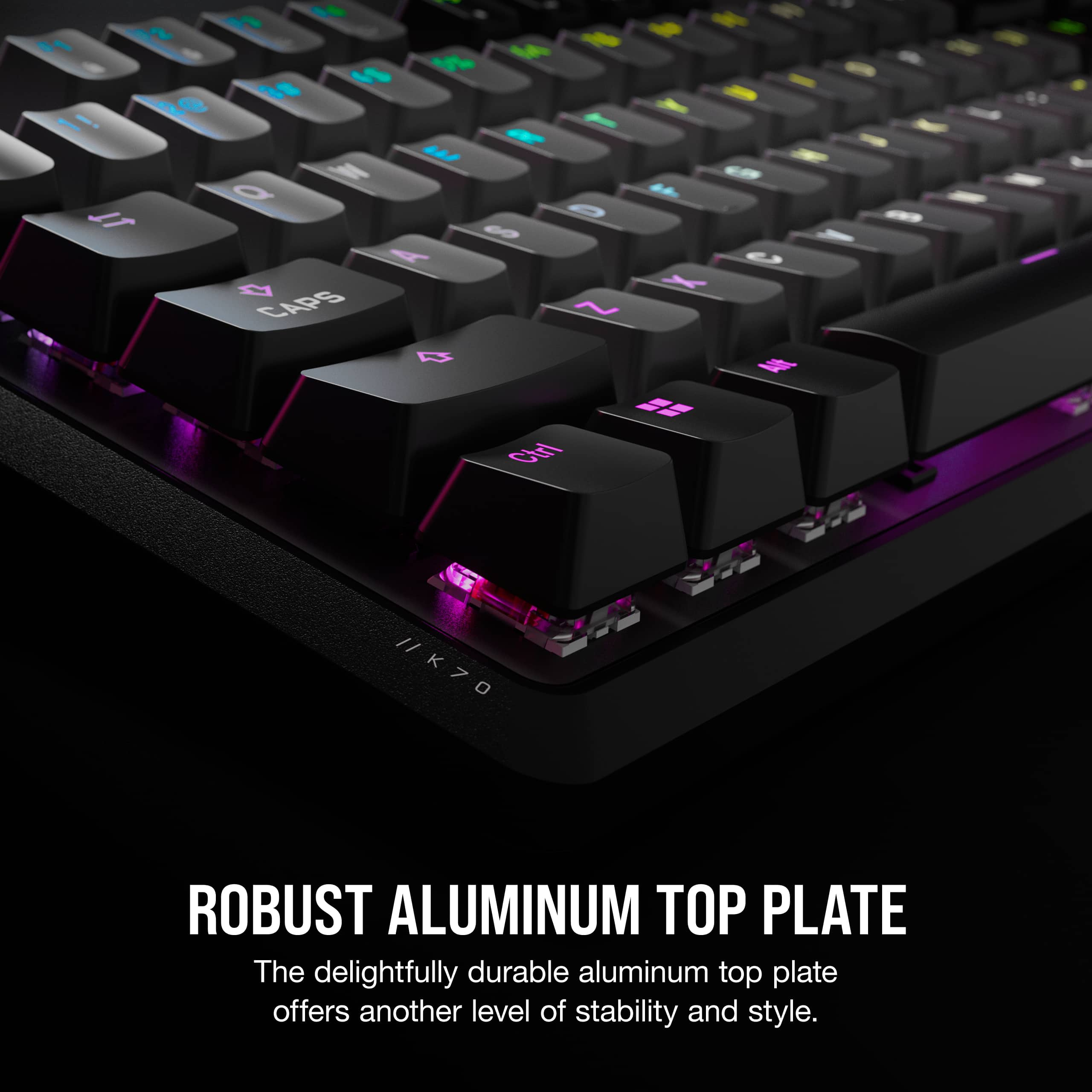
    We’ve used a variety of gaming keyboards at different price points and were left feeling like the Corsair K70 Core RGB Mechanical Gaming Keyboard had some positives to offer, but it also left us feeling like we’d rather spend more for a better overall build quality. The Corsair Red linear mechanical switches did deliver a responsive feel and the key press is fairly quiet. The pre-lubed keys are very smooth and I liked the curvature of the keys across the keyboard. In general, the layout feels good to type on and the RGB lighting looks good. The iCUE software works well to assign keys, alter the RGB scheme, and construct/assign macros. The K70 Core keyboard has plastic components for the volume knob and the case itself which may be fine for some, but I much prefer the durability and weight offered by alternate models that feature metal materials more broadly. I’d recommend stepping up to the Corsair K70 RGB Pro Keyboard for a rather minimal bump in price, but better build quality in terms of material, weight and feel. The K70 Core does have an aluminum top plate, but it is not overly noticeable. If a good sale price comes along for the K70 Core it’s worth considering, but I’d opt for the upgrade to the K70 Pro if you’re a heavy gamer that would appreciate the step up and likely, improved durability.

    I would recommend this to a friend
  • Rated 1 out of 5 stars

    Key chatter keyboard

    |
    |
    Posted . Owned for 2 months when reviewed.
    This reviewer received promo considerations or sweepstakes entry for writing a review.

    Terrible, within 1 month it became a key chatter keyboard. Where some buttons will repeat upon activation.

    No, I would not recommend this to a friend
    • Brand response from Corsair
      Posted .

      Hello Karim,

      Our team can definitely help,

      Please reach out directly right on our site at any time.

      -Art CorsairGaming

  • Pros mentioned:
    Keyboard quality
    Cons mentioned:
    Software
    Tech Insider Network Member

    Rated 4 out of 5 stars

    GREAT KEYS / MEH KEYBOARD

    |
    Tech Insider Network Member
    Posted .
    This reviewer received promo considerations or sweepstakes entry for writing a review.

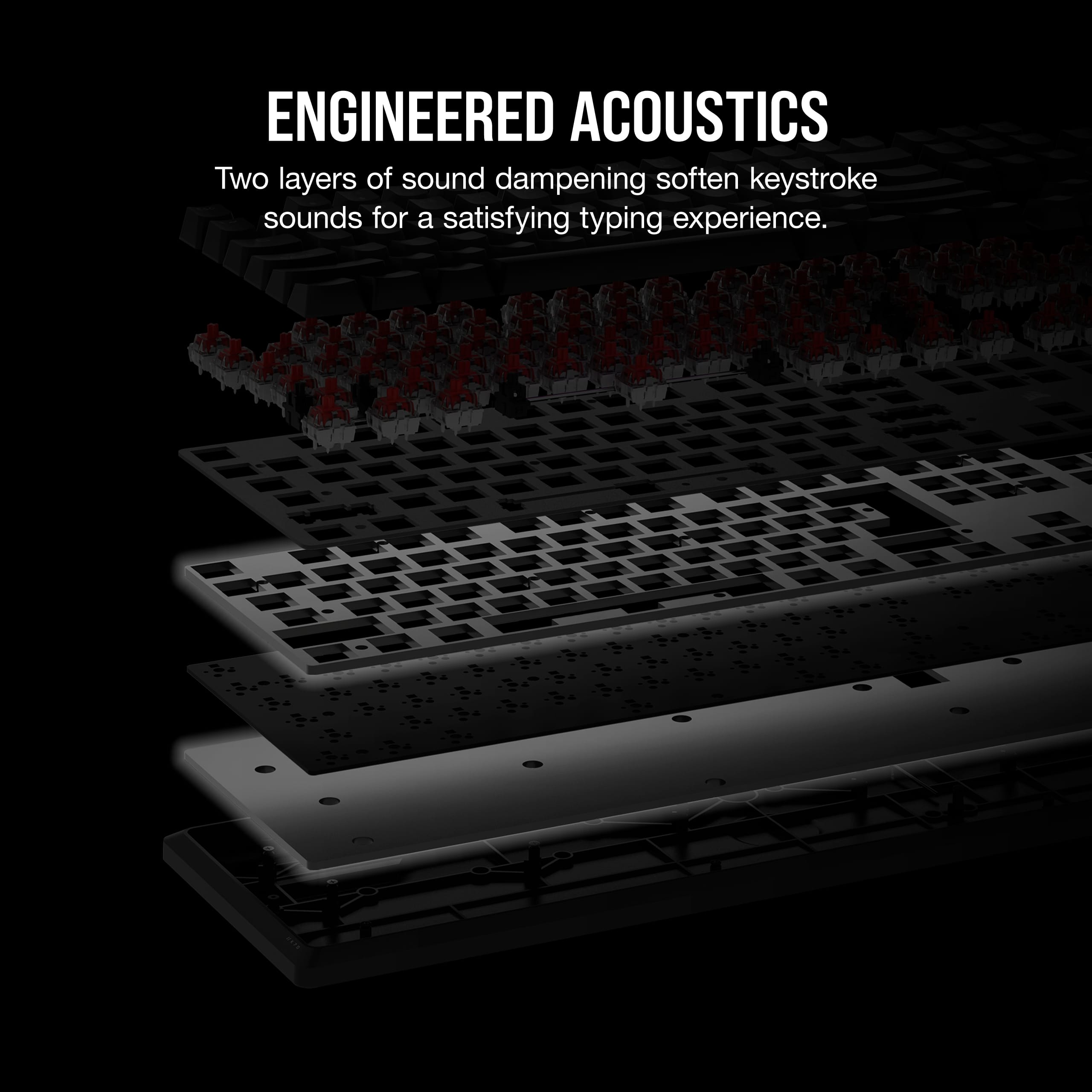
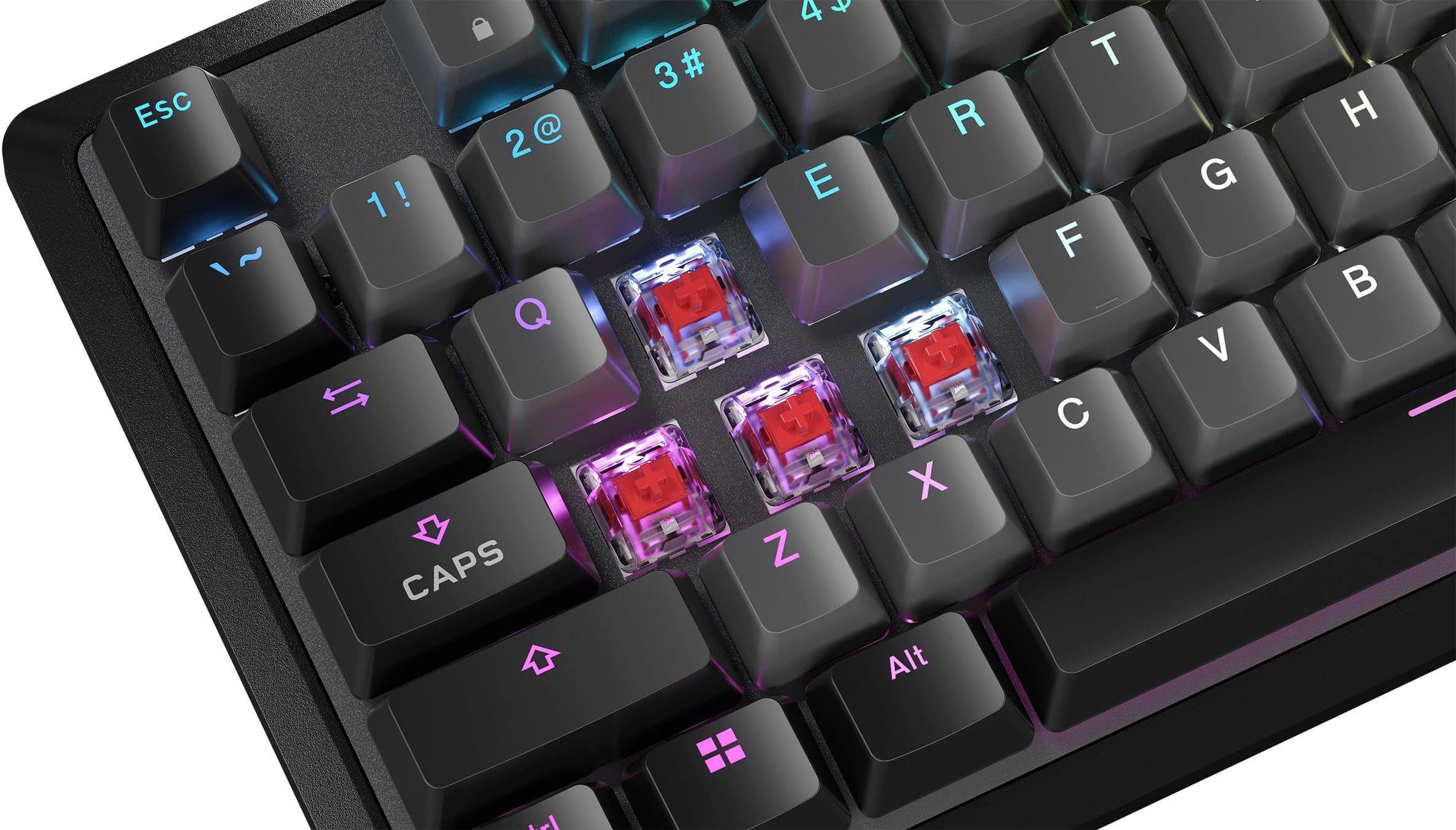
    TLDR: The K70 is Corsair’s latest take on a mechanical gaming keyboard. Mechanical switches with sound dampening are some of the smoothest on the market, but the keyboard is held back by horrible control software. The K70 has a unique tactile feel unlike any other mechanical gaming keyboards that I have. Corsair’s red switch implementation is top notch. I have Cherry switches in my other gaming keyboards and love them. However, I can see why they would turn off some people. Those mechanical switches are quite loud and obtrusive, especially in a quiet environment. Corsair has taken everything that is great about the red switches and made them appeal to a broader audience. Their recipe is nothing short of a resounding success. Corsair has pre-lubricated all the red switches prior to installation. Their actuation is buttery smooth. Smoother than any other red switch implementation I’ve experienced to date. In addition, all switches have 2 discreet layers of sound dampening. What the buyer gets is the feel of mechanical switches with sound only slightly louder than a membrane style keyboard. It is like having the best of both worlds. As rewarding as I find the sound of un-dampened mechanical switches, there is something to be said about these. They work great and even though the click click is muted, it is still satisfying. Another unique feature to the Corsair keyboard is the unique texture of the key caps themselves. Even though plastic, they have a unique, patterned texture that is quite appealing. Many of my other keyboards go for an ultra-smooth key or little, to no texturing. These key caps have a more pronounced pattern that even helps to keep your fingers from slipping during typing, thereby hitting incorrect keys. SOFTWARE This keyboard, like all other Corsair products is managed by their iCue software. It is very comprehensive and can control nearly every Corsair product in existence and also has plug-in options that allow it control a limited number of items from other manufacturers. Slick idea and works decently. Better in theory than actual implementation. Corsair claims on their packaging “Effortless RGB and Macro Control via iCue” iCue is anything but effortless. I have numerous Corsair products that I use on a daily basis, including lighting, RAM, keyboards, and mice. I find the iCue software among the worst, if not the worst from all the manufacturers. I constantly struggle to get the lighting to be the way I want. Same goes with all my other Corsair devices. Every release seems to add more and more bloat. I find Corsair’s primary competitor’s software much better, less bloaty, and more user friendly. NEGATIVES Corsair went out of their way to make an awesome mechanical keyboard, but skimped in areas that helps set its competition apart. The keyboard has a great heft to it and feels very solid. However, it is plastic. ALL plastic. Everything. Unlike Corsair’s competition that has metal construction. Even though the competition has similar heft to the Corsair, their products feel 10x more premium with the billet aluminum construction. Fortunately for Corsair, they chose this keyboard to use their new red switches, because without them, there isn’t anything to set this keyboard apart from its competition. No dual illuminated buttons, nothing. Do I like this keyboard? It is only fair, at best. Do I like the keys? I love the Corsair mechanical keys. They are great to type with. So smooth. All the feel of the mechanical switches without the noise. But the iCue software is frustrating. I find the lighting and mapping controls cumbersome and unintuitive. Additionally, Corsair’s own software is slow to incorporate new hardware. There are more premium keyboards available and better software to be had with those products, but none with those lovely mechanical keys. This keyboard and its features are meh. The mechanical switches are awesome. RECOMMENDED.

    I would recommend this to a friend
  • Pros mentioned:
    Key feel, Rgb lighting
    Tech Insider Network Member

    Rated 5 out of 5 stars

    You just can't go wrong with Corsair keyboards.

    |
    Tech Insider Network Member
    Posted .
    This reviewer received promo considerations or sweepstakes entry for writing a review.

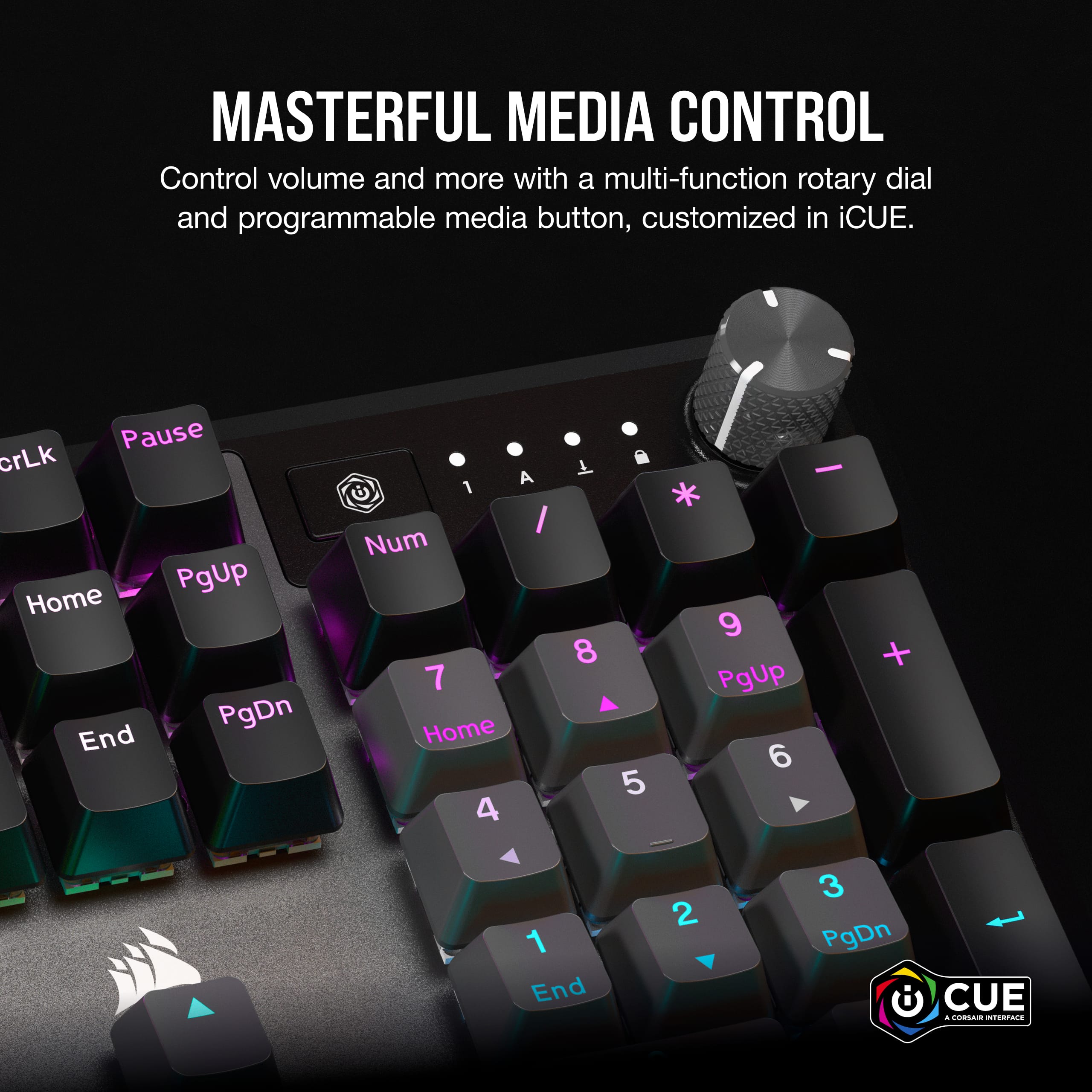
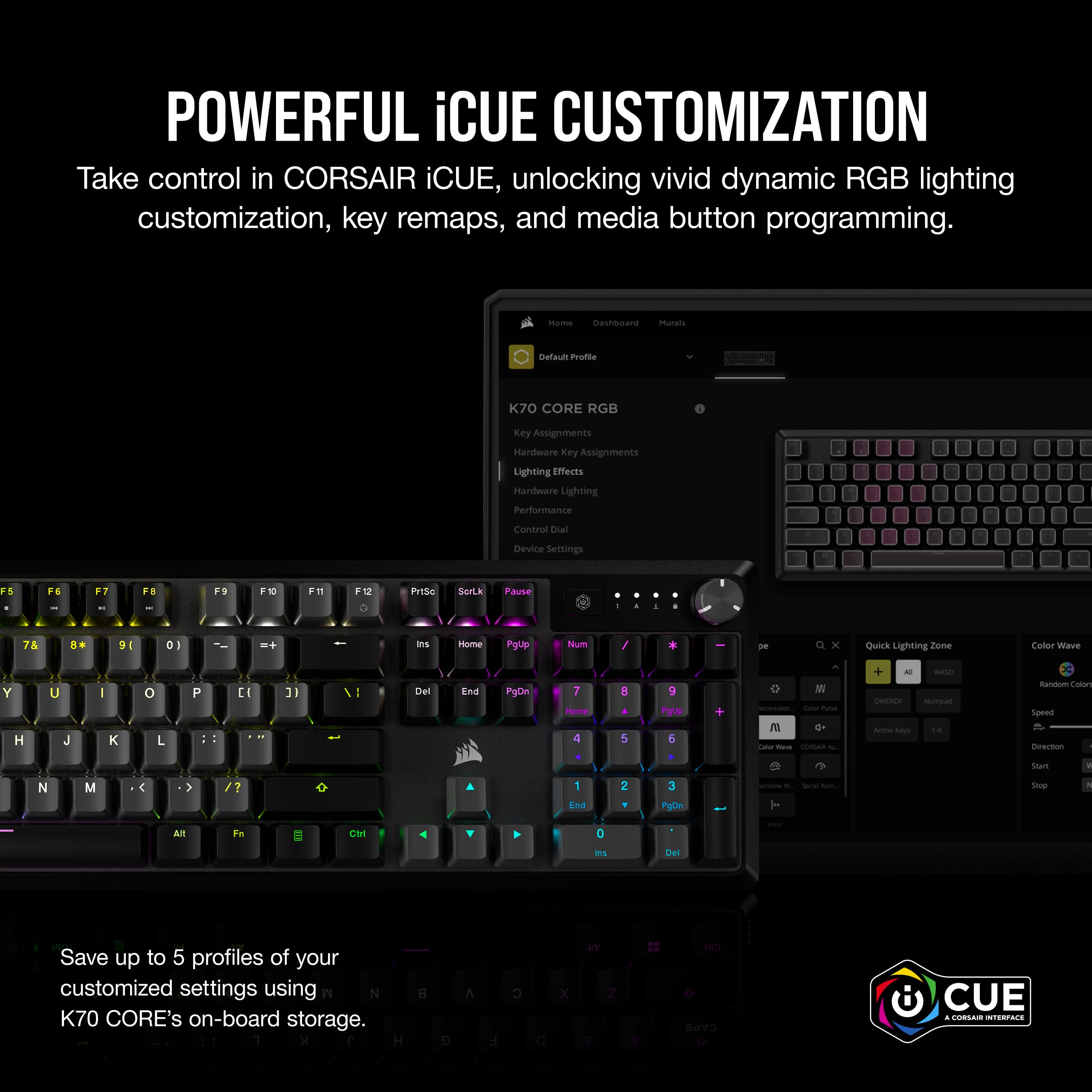
    I recently acquired the Corsair K70 CORE RGB Mechanical Gaming Keyboard, significantly improving my gaming and typing experience. Setting it up was a breeze; the keyboard had a straightforward setup process, and I was up and running quickly. The inclusion of two layers of sound-dampening foam truly makes a difference in the typing sound and feel. The Corsair Red linear mechanical switches are incredibly smooth, and the keyboard exhibits robust and reliable construction. One of the standout features of the K70 CORE is the multi-function rotary dial and programmable media button. It's incredibly convenient to control volume and media playback with a quick turn or press. What's even more impressive is the customization options offered by Corsair's iCUE software. The per-key RGB lighting is simply dazzling, and I created my own dynamic lighting effects, making my desktop a personalized work of art. For example, I could set specific keys to glow different colors when pressed or have a wave of color ripple across the keyboard with each keystroke. The ability to save RGB settings and macros on up to five onboard profiles is a huge plus, allowing seamless transitions between gaming and productivity tasks. In terms of performance, the Corsair K70 CORE has been a joy to use across different genres of music. Whether I'm typing away to some soothing jazz or engaging in intense gaming sessions with fast-paced electronic beats, the keyboard's responsiveness and tactile feedback enhance the overall experience. For instance, each key press registers instantly, with no noticeable lag, and the tactile feedback from the mechanical switches provides a satisfying sense of control. It's not without its cons, though. The keyboard's price point may be steep for some, and the added features might be overkill for those who prefer a more basic setup. Additionally, the RGB customization, while impressive, can be a bit overwhelming for users who want a simple, no-frills gaming keyboard. To conclude, the Corsair K70 CORE RGB Mechanical Gaming Keyboard is a top-notch choice for gamers and typists looking for an all-in-one solution. Its straightforward setup, satisfying mechanical switches, and customizable RGB lighting make it a versatile and enjoyable peripheral. While it may not be for everyone due to its price and feature set, it undoubtedly delivers on Corsair's promise of premier performance at its core. Your ambition in gaming and productivity truly starts with the K70 CORE.

    I would recommend this to a friend
  • Pros mentioned:
    Keyboard quality, Rgb lighting
    Tech Insider Network Member

    Rated 5 out of 5 stars

    It's Corsair! Tried and True... Great Product

    |
    Tech Insider Network Member
    Posted .
    This reviewer received promo considerations or sweepstakes entry for writing a review.

    I recently upgraded my gaming setup with the Corsair K70 Core RGB Mechanical Gaming Keyboard, and what can say other than it is Corsair, Tried and True! This keyboard is truly fantastic featuring pre-lubricated red switches, quiet keypresses with dampening layers, the iCUE command software, and a stylish aluminum finish. As a growing PC gamer and tech enthusiast, this keyboard quickly became a favorite part of my gaming and workstation experience. The design of the K70 Core is an absolute beauty. Its aluminum finish exudes a premium feel and adds a touch of elegance to my setup. The brushed metal black and gray look not only feels robust but also complements the aesthetics of my gaming/workstation setup. It's a keyboard that blends style with performance seamlessly. The keys are full and clear with optimal spacing for easy typing and gaming. When it comes to performance, the pre-lubricated red switches are a dream to type and game on. The quiet keypresses, thanks to the dampening layers, are very pleasing, especially during late-night gaming sessions or when you're in a shared living space. These switches strike a perfect balance between tactile feedback and quiet operation, making them ideal for gamers and writers alike. The feel and sound is very satisfying. The iCUE command software always makes customization easy and personal. It allows you to fine-tune the keyboard's lighting, macros, and key assignments to suit your exact preferences. You can create dazzling lighting effects or simply match the RGB backlighting with your setup's theme. The default options are quite nice with a simple press of the Fn key combined with numbered 1 – 0 presets. The level of control you have over this keyboard is truly impressive. Speaking of lighting, the RGB backlighting on the K70 Core is stunning. The vivid and dynamic color options not only look great but also add a layer of immersion to my gaming experience. Whether customizing it to match my favorite game's color scheme or simply having it pulse or wave through the color spectrum, the visual impact is outstanding. Build quality is very impressive. The aluminum top plate adds a level of durability and sturdiness that's hard to find in many keyboards. This keyboard carries a good amount of weight with wide prop feet to support it. It seems that it will be able to withstand the rigors of intense gaming and furious typing without flexing or creaking. This keyboard feels like it's built to last. The dedicated media controls are always a thoughtful addition. The ease with which you can adjust volume with the large turn knob dial or quick mute with a press, and a programable media button make it very convenient without missing a beat in a gaming session. It's a small feature, but one that's immensely practical. Overall, the Corsair K70 Core RGB Mechanical Gaming Keyboard is an outstanding addition to any gaming or work setup. Its stylish aluminum finish, quiet and responsive red switches, iCUE software make it an easy choice for any pc enthusiast. It's a keyboard that offers both performance and style, and it has truly enhanced my gaming and typing experiences. If you're in the market for a premium mechanical keyboard, the K70 Core is a fantastic choice that's worth every penny.

    I would recommend this to a friend
  • Pros mentioned:
    Keyboard quality, Lighting
    Tech Insider Network Member

    Rated 4 out of 5 stars

    Solid and sleek

    |
    Tech Insider Network Member
    Posted .
    This reviewer received promo considerations or sweepstakes entry for writing a review.

    I've used another Corsair keyboard for a long time now (K95) and have thoroughly enjoyed it. I wanted to check out some other switches, though, so I thought sticking with a linear switch (the K95 has silver speed switches) would be a good first step. I think I was right. I didn't have much trouble adjusting to these switches at all since the only huge difference is the activation point so they're quite a bit less sensitive that the silver speed switches. Setup is as easy as it can be with a keyboard. Plug it in and it's mostly ready to go. You can install Corsair's iCUE software (which is recommended to at least update the firmware on your keyboard) and then you have a lot of options you can set up like lighting effects and what the dial does. I still think Corsair's lighting creator in iCUE is one of the best. There are a lot of presets to start from and you can stack layers and specify the exact keys each layer affects so you can pretty much make any kind of effect you want. The only thing I found missing was a CPU monitor. There was a temperature sensor monitor so you can change some keys different colors based on CPU and GPU temperature, but I couldn't find a CPU/GPU load monitor to do the same thing. Not a huge thing. There's a lot you can do with lighting. The control dial is the new fancy feature on this keyboard so I'll talk about that next. The setup for it in iCUE was a little confusing at first. You're able to assign multiple functions to the dial but I couldn't figure out right away how to know what function was going to be controlled at any time. After a bit of time, I discovered the F12 key had a tiny control dial icon on it so I was able to figure out that if you press Fn+F12, you'll change the mode. You can specify what color each mode is so you know which mode is active and whenever you turn or click the dial, the F12 key lights up with that color so you know which one is currently active. It's not the most intuitive setup if you want the dial to control a bunch of things but if you only want to use it for volume or only for controlling the lighting brightness or only for scrolling, it's pretty painless to do. Just need to train yourself to know which function is active if you want to use it for multiple functions. The build of the keyboard is solid. It's pretty small. There's really no "extra" space around it. This was probably the most jarring part of coming from my old K95. The only extra keys the K95 had was a column of G-Keys on the left but, especially with the wrist rest (which, the K70 does NOT have), the keyboard just feels massive in comparison. You get full sized keys and a full size keyboard here but there's really no extra space added around the keys so it makes for a very compact design. I think I like it but I'm not sure if my wrists do yet. Definitely nice for aesthetics but I might need another wrist rest to make typing for prolonged periods more comfortable. Your mileage may obviously vary here. But the overall construction of the keyboard feels very sturdy and nice. Overall, I'm happy with this keyboard. I've found that Corsair does a good job at keyboards in the past and that still seems to be the case. the iCUE software is some of the best software for customizing as well. If you're looking for a nice looking, small as can be, full size keyboard with plenty of lighting options and you're a fan of linear red switches, this could be the keyboard for you!

    I would recommend this to a friend
  • Rated 1 out of 5 stars

    don't buy

    |
    |
    Posted . Owned for 2 months when reviewed.
    This reviewer received promo considerations or sweepstakes entry for writing a review.

    bad wouldn't recommend this keyboard due to typing extra characters

    No, I would not recommend this to a friend
    • Brand response from Corsair
      Posted .

      Hello Lynn,

      That's unfortunate. If you can't do an exchange, do contact our team directly on our site for assistance.

      -Art CorsairGaming

  • Pros mentioned:
    Keyboard quality, Rgb lighting
    Tech Insider Network Member

    Rated 5 out of 5 stars

    So Smooth and Great for Gaming!

    |
    Tech Insider Network Member
    Posted .
    This reviewer received promo considerations or sweepstakes entry for writing a review.

    The CORSAIR K70 CORE RGB Mechanical Gaming Keyboard is a fantastic addition to any gamer's setup. With its sleek and durable design, it's a keyboard that not only looks great but also performs exceptionally well. The RGB lighting is a standout feature, allowing you to customize the keyboard to match your style and preferences. The key switches on the K70 CORE are Cherry MX, known for their reliability and responsiveness. Whether you're into fast-paced FPS games or precision-demanding strategy titles, these switches offer a satisfying tactile feedback and quick actuation, ensuring you never miss a keypress. Typing on this keyboard is also a delight for both work and play. The build quality of the K70 CORE is top-notch, featuring a brushed aluminum frame that feels sturdy and robust. This not only enhances its durability but also gives it a premium look and feel. The detachable wrist rest is a thoughtful addition for extended gaming sessions, providing comfort and reducing strain. Customization is at the core of the K70 CORE. With CORSAIR's iCUE software, you can personalize the lighting to your heart's content, and even sync it with other CORSAIR peripherals for a cohesive setup. The dedicated media controls are convenient for adjusting volume, playback, and more, without leaving your game. One slight drawback could be the absence of dedicated macro keys, which some gamers find essential for certain titles. However, this is a minor concern, as the K70 CORE still offers full key rollover and anti-ghosting, ensuring your inputs are accurate and reliable. In conclusion, the CORSAIR K70 CORE RGB Mechanical Gaming Keyboard is an exceptional gaming peripheral that excels in both performance and aesthetics. Its customizable RGB lighting, robust build, and responsive Cherry MX switches make it a top choice for gamers and typists alike. While it may lack dedicated macro keys, it more than makes up for it with its overall quality and features. Whether you're a competitive gamer or simply looking for a reliable and stylish keyboard, the K70 CORE is a solid investment that won't disappoint.

    I would recommend this to a friend
  • Pros mentioned:
    Keyboard quality, Rgb lighting
    Tech Insider Network Member

    Rated 5 out of 5 stars

    Solid keyboard - figuratively and literally

    |
    Tech Insider Network Member
    Posted .
    This reviewer received promo considerations or sweepstakes entry for writing a review.

    The Corsair K70 Core keyboard is a nice, quiet mechanical keyboard that's just as home with gaming as it is with productivity. The red key switches provide a nice, tactile, linear feel without being loud at all, so it's not the clicky-clacky mechanical keyboard you expect. Per-key RGB lighting can be adjusted with the Corsair iCue software, from static colors to full-motion backgrounds that can be paired with other iCue devices (mice, mousepads, PC cooling) and compatible devices too (including other computer peripherals, and lighting from Nanoleaf and Philips). Setup of the hardware itself is a breeze - plug in and go. If you want to adjust lighting or update firmware, you'll need to install the iCue software for this functionality. Installing iCue is easy enough; just make sure any other device control software like MSI Center or Asus Armory Crate is disabled before the install. One thing I like about the K70 core is how extremely solid it is. There is zero flex here, just a well-built device. Even if Corsair didn't use an aluminum top on this keyboard, it would still be rock solid. Usage is a dream. While I normally like clicky keyboards, I appreciate the feel and quietness of the K70's red switches. The control knob is nice but the functionality can be a little overboard; I have mine set as a volume control, but the options to use it to adjust keyboard brightness and scroll left and right or up and down are intriguing. If there's anything I don't like about this keyboard, I'm not a fan of how short the cable is. I''m a bit of a keyboard connoisseur and I definitely appreciate breakaway cables, especially with USB-C ports on them; if I have to live with a fully integrated cable, I would like to see it a foot or two longer. All in all, however, Corsair's K70 Core is yet another example of their prowess building quality peripherals. You won't regret purchasing this one.

  • Pros mentioned:
    Keyboard quality
    Cons mentioned:
    Software
    Tech Insider Network Member

    Rated 5 out of 5 stars

    Very nice!

    |
    Tech Insider Network Member
    Posted .
    This reviewer received promo considerations or sweepstakes entry for writing a review.

    Gaming keyboards are kind of a personal thing. What one person likes another might not. I've used many over the years. The Corsair K70 Core strikes the perfect balance for me. First of all, it's a Corsair. Corsair makes some of the best (if not the best) keyboards out there. It is solid without being heavy. It has a long and narrow design that I much prefer over the deep keyboards. The layout is perfect for me and I love the multi-function dial. I like the fact that it is a corded keyboard. Wireless is nice for a mouse, but corded is better for keyboards in my opinion. The keystrokes have a nice feel with the perfect depth & sensitivity. I don't find myself making nearly as many mistakes. The combination of these keystrokes and the narrow design make this great for both gaming and other applications. I don't need a second keyboard now for "other stuff". The adjustable backlighting looks great and is very customizable. If I have any complaint, it is with Corsairs ICue software for the lighting. It's not the most intuitive software to use. Once you figure it out, it's not to bad and you can do a lot with it. But I do think the software could be made a bit more user friendly. However, I can't really say any of the other keyboard makers have exactly perfected lighting software, either. All in all,I think you will be very happy with the K70 Core.

    I would recommend this to a friend