Customer Ratings & Reviews
- Model:
- CH-910991E-NA
- |
- SKU:
- 6558790
Customer reviews
Rating 4.6 out of 5 stars with 519 reviews
(519 customer reviews)Rating by feature
- Value4.6
Rating 4.6 out of 5 stars
- Quality4.6
Rating 4.6 out of 5 stars
- Ease of Use4.6
Rating 4.6 out of 5 stars
Customers are saying
Customers frequently mention the keyboard's high-quality build, attractive RGB lighting, and positive key feel as significant strengths. Many appreciate the convenient volume control knob and find the keyboard easy to use, while some find the accompanying software challenging to navigate. A few users wished for a wrist rest.
This summary was generated by AI based on customer reviews.
- Pros mentioned:Keyboard quality, Rgb lighting
Rated 4 out of 5 stars
Good quality keyboard
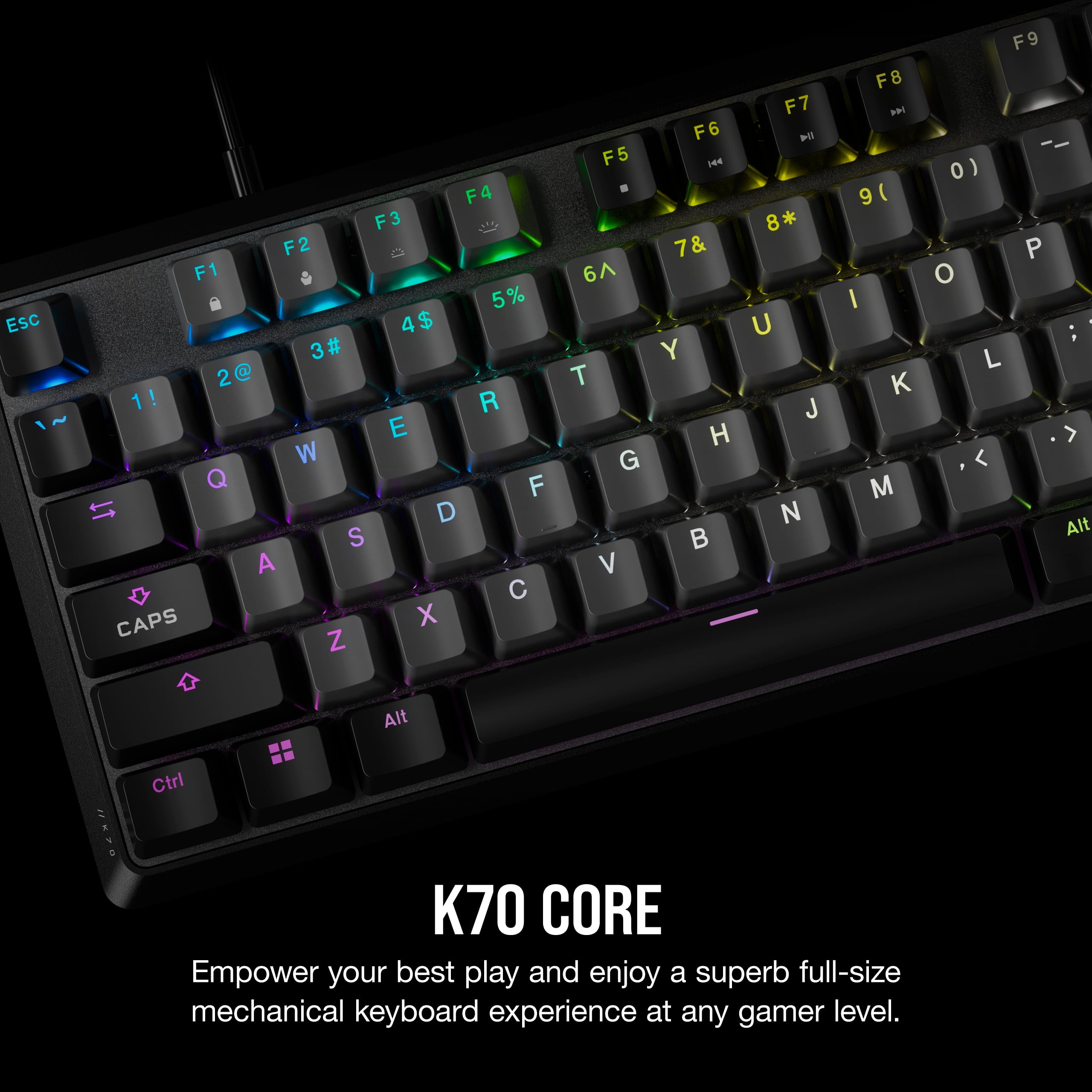
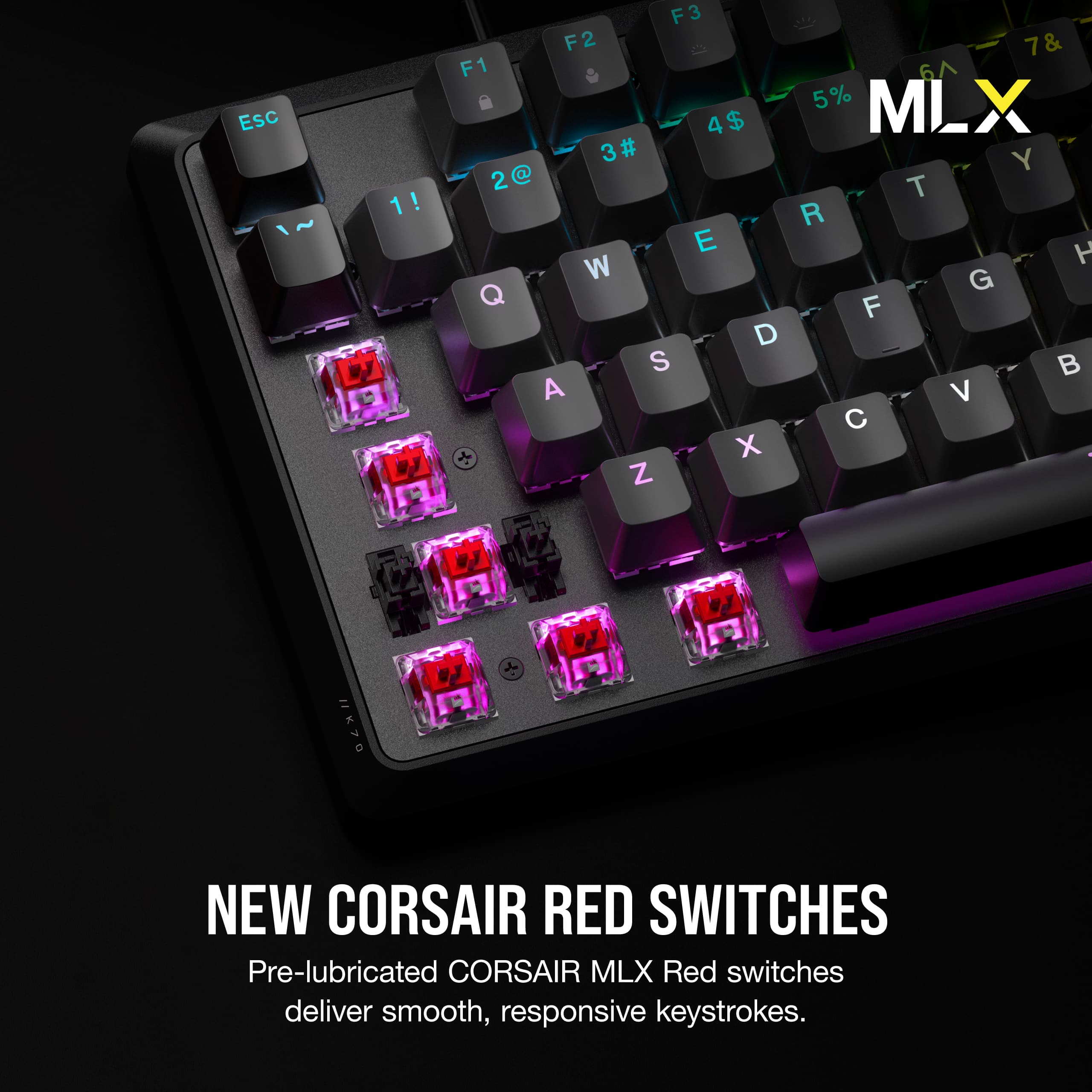
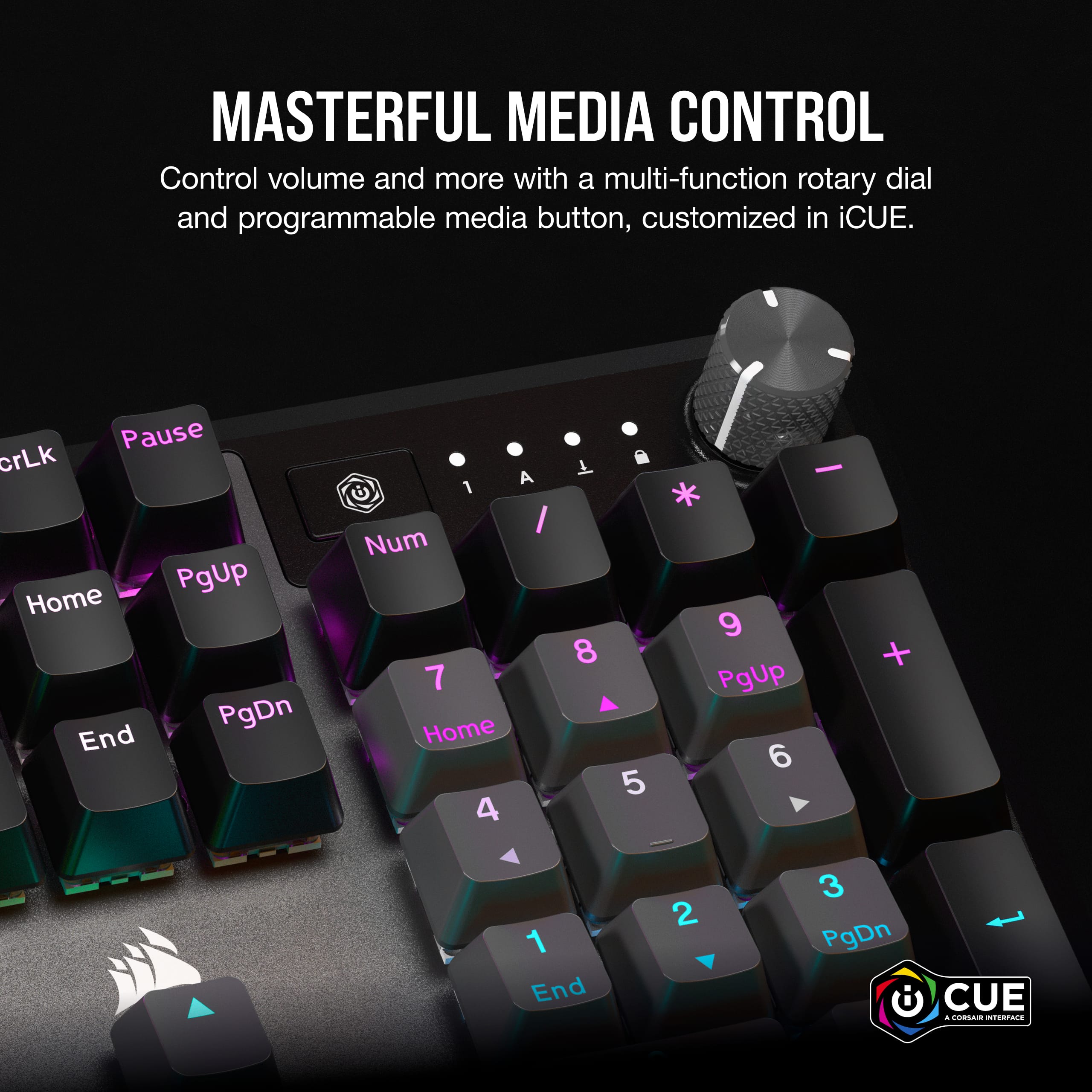
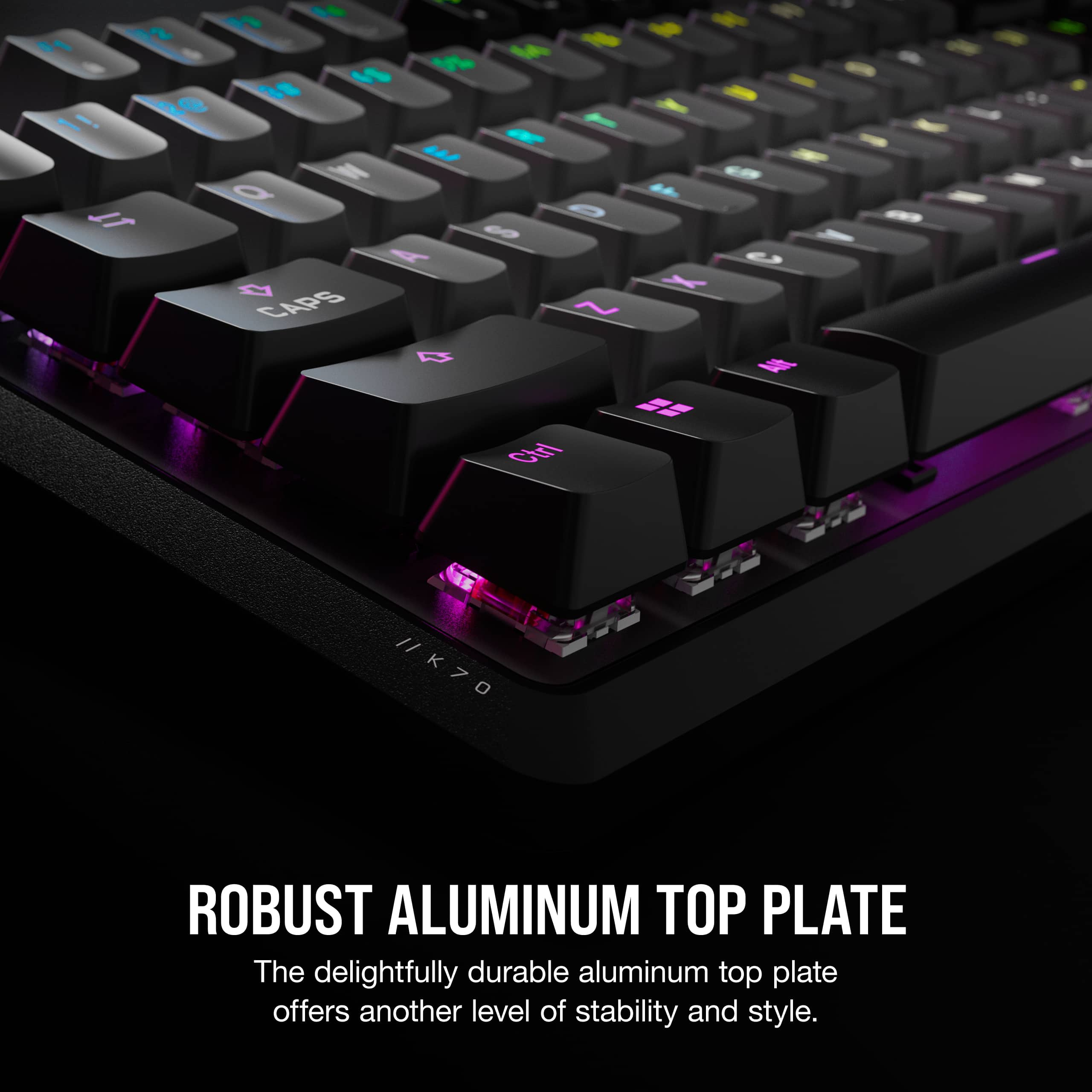
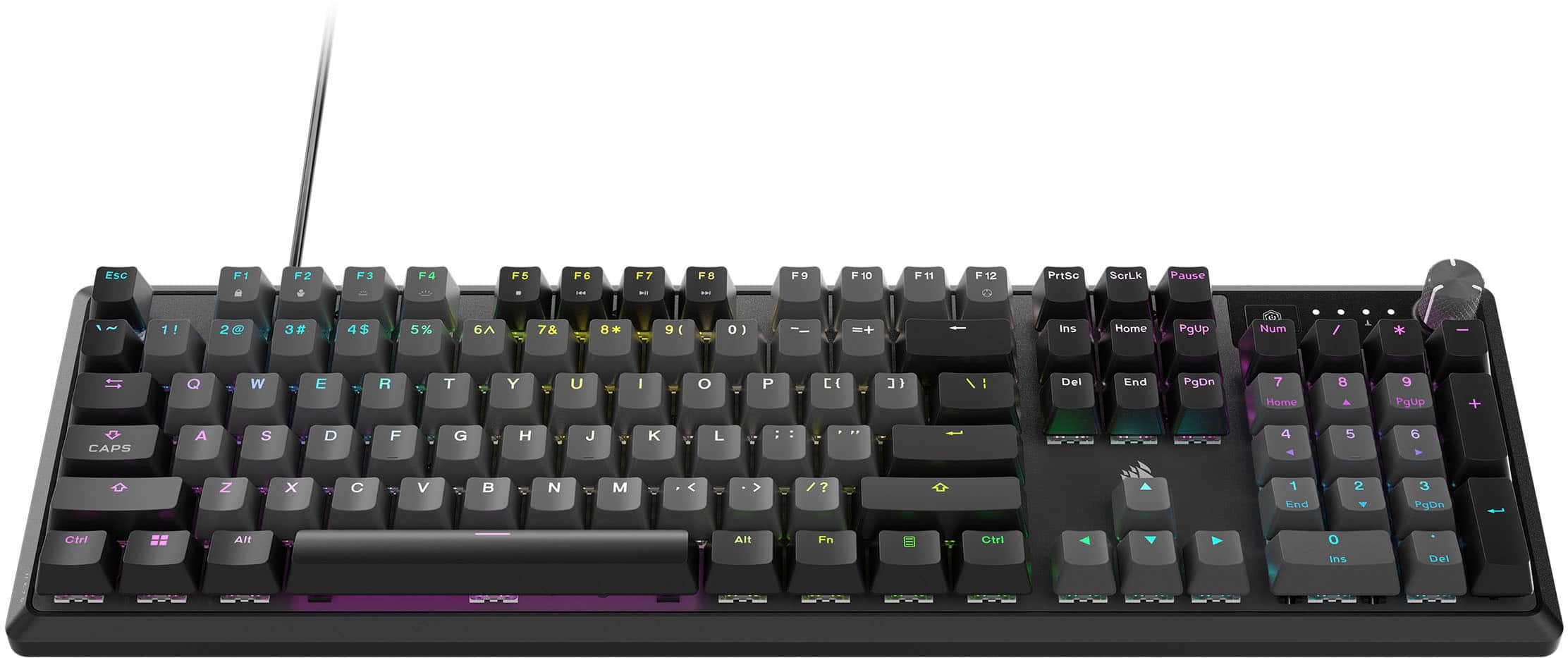
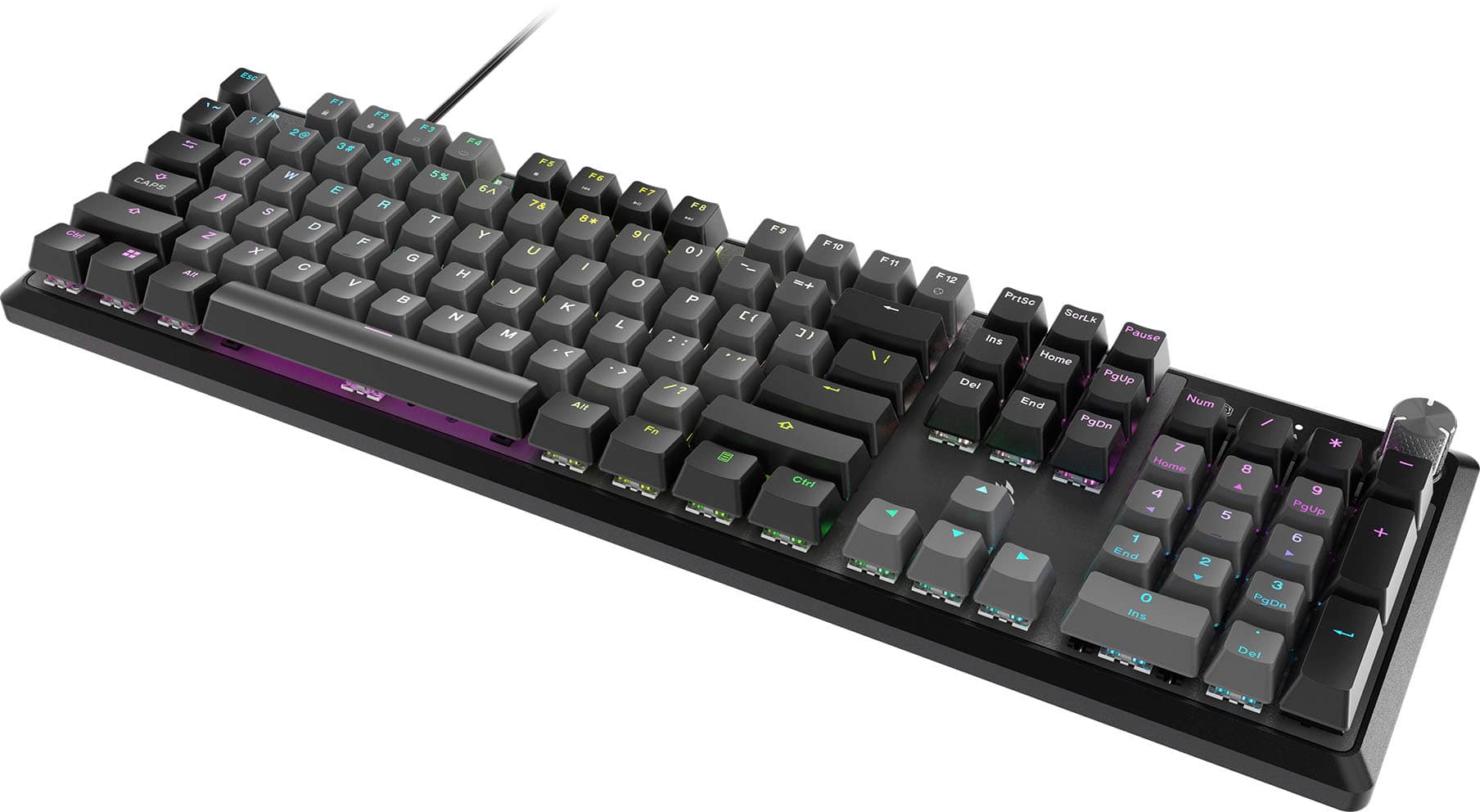
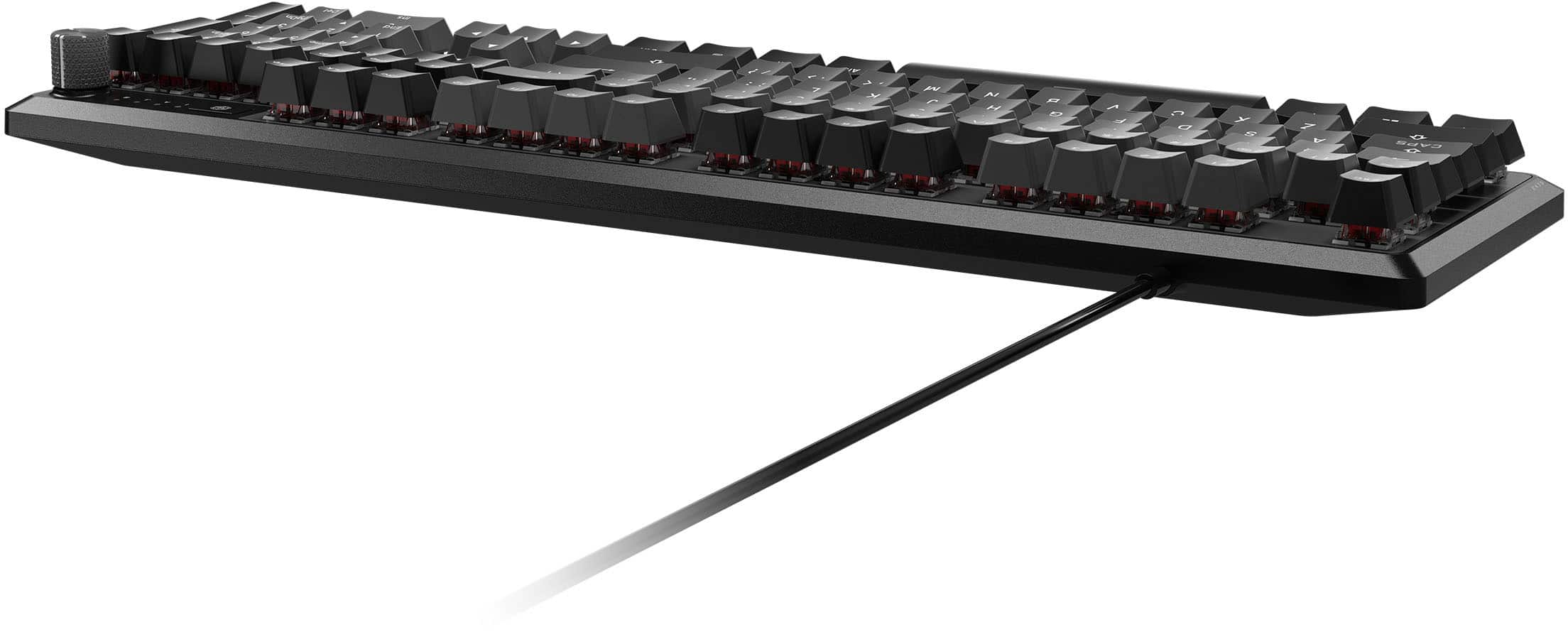
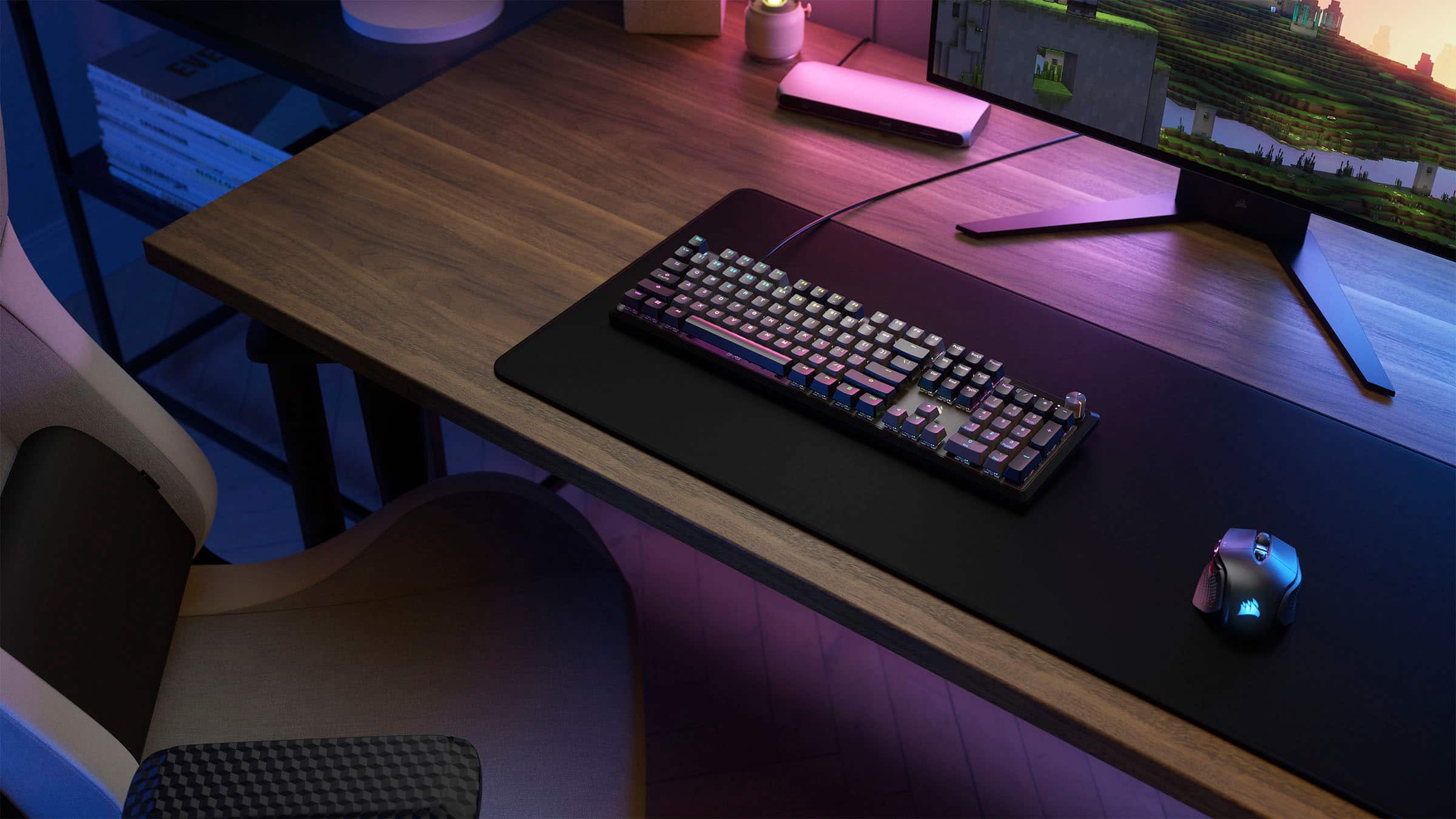
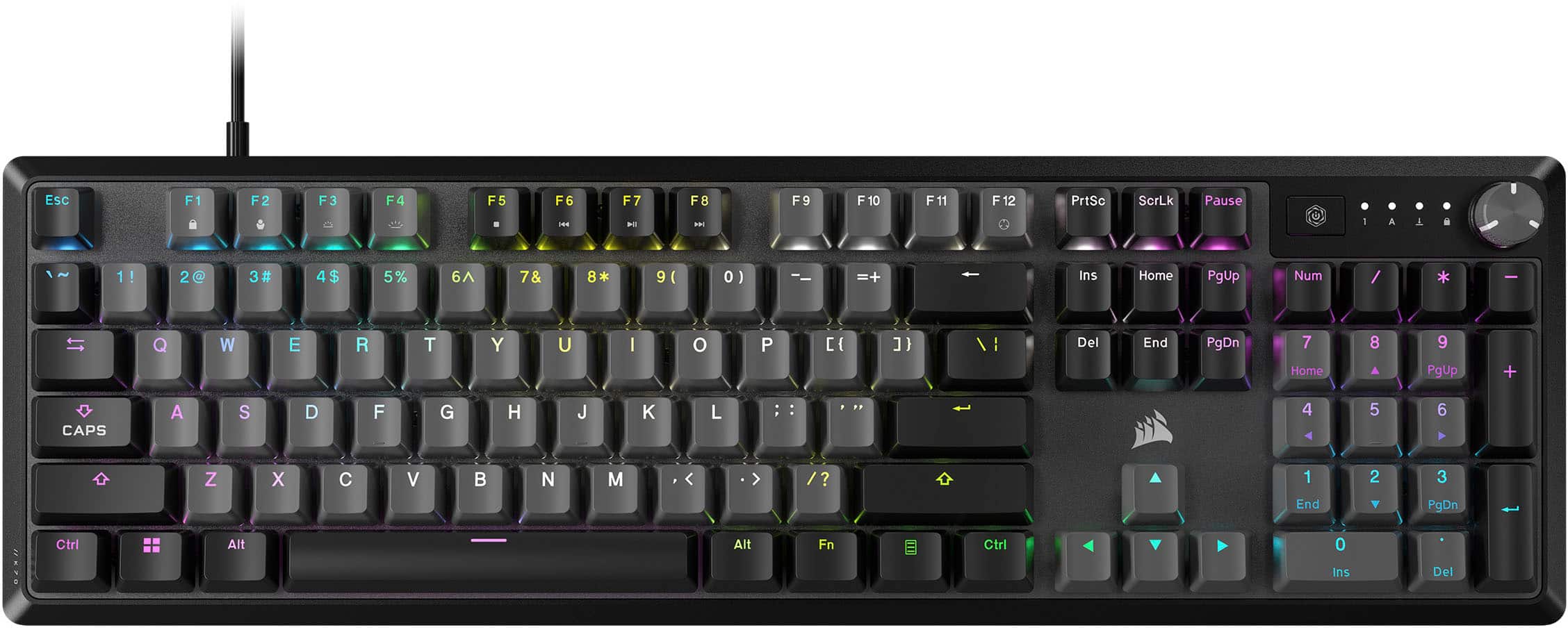
|Posted .This reviewer received promo considerations or sweepstakes entry for writing a review.Corsair is no stranger to the gaming space and have a good track record when it comes to their products. The Corsair K70 Core RGB mechanical keyboard does a lot of things well with alot of flagship features. Right out of the box, despite being full-sized, I noticed that the K70 Core felt just a tad smaller than my other full-sized keyboards. I definitely didn't think it was a negative. It feels more sleek and minimalist. The top is aluminum and bottom is plastic. The build quality definitely feels sturdy. It does not feel cheap. The design feels nice and modern. It is fairly simple as far as color scheming, but it does have RGB lighting which at this point feels like a requirement. The K70 Core is not wireless which is something to be aware of. In terms of features, I am obsessed with the dial. Its a metal dial and it just feels so satisfying to scroll it. You can control the volume, unmute, mute. You can configure it even more but I did not really customize or play around with it. You have your basic media control buttons. You can also customize the RGB lighting. In terms of the keys, they used the MLX Red linear key switches. I believe they are new from Corsair as I have never used them before. I was thoroughly impressed with them. They feel great and the sound-dampening was decent. It performed great. All in all, its a simple and minimalist keyboard in my opinion. There are several competitors at this price point that offer a bit more features, but the Corsair K70 is definitely worth considering.
I would recommend this to a friend - Pros mentioned:Key feelCons mentioned:Wrist rest
Rated 4 out of 5 stars
The K70 Core Has The Same Feel As Its Pro Brother
|Posted .This reviewer received promo considerations or sweepstakes entry for writing a review.I have been using the K70 Pro already for my daily gaming but wanted a matching keyboard just for the streaming computer for quick notes and discord messaging. I am really big on using the same brands so the feel is the same across the board. The K70 Core is a great mechanical keyboard with a lot of the same features as its more expensive brother, same key feel and key spacing. The K70 Core has a positive key feel, you know when you click a mechanical keyboard, they just have a real feedback compared to a membrane structured keyboard. I also love the audio control knob on these keyboards, so much better than the earlier models with the roller pin. The built in number pad is great, some others at this price point cut that off the end, which makes me run away, great that Corsair kept it on the K70 Core. Next up, iCue, it works, and woks very well with many PC components and helps keep all your lighting looking great and equal. I enjoy iCue and one other program, it is all I use. I have a new Corsair mouse on the way as well, first time trying a Corsair mouse to add it to the iCue setup as well. I recommend this keyboard and the reason for the 4 out of 5 stars, they should only offer this keyboard with the wrist rest, it is highly needed as it sits up very high, I just do not need it this time as it is not my main keyboard.
I would recommend this to a friend - Pros mentioned:Key feel, Lighting
Rated 5 out of 5 stars
High quality gaming
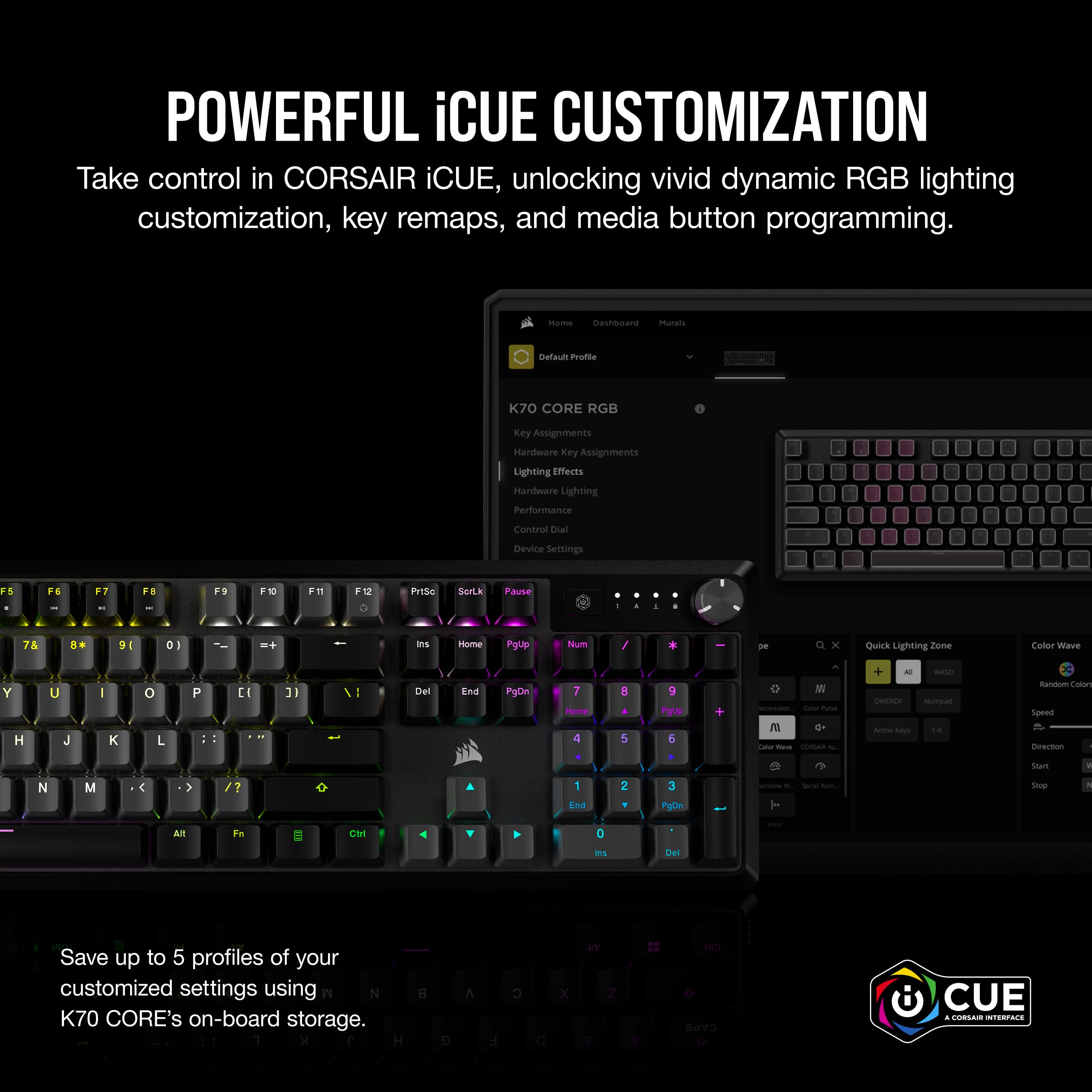
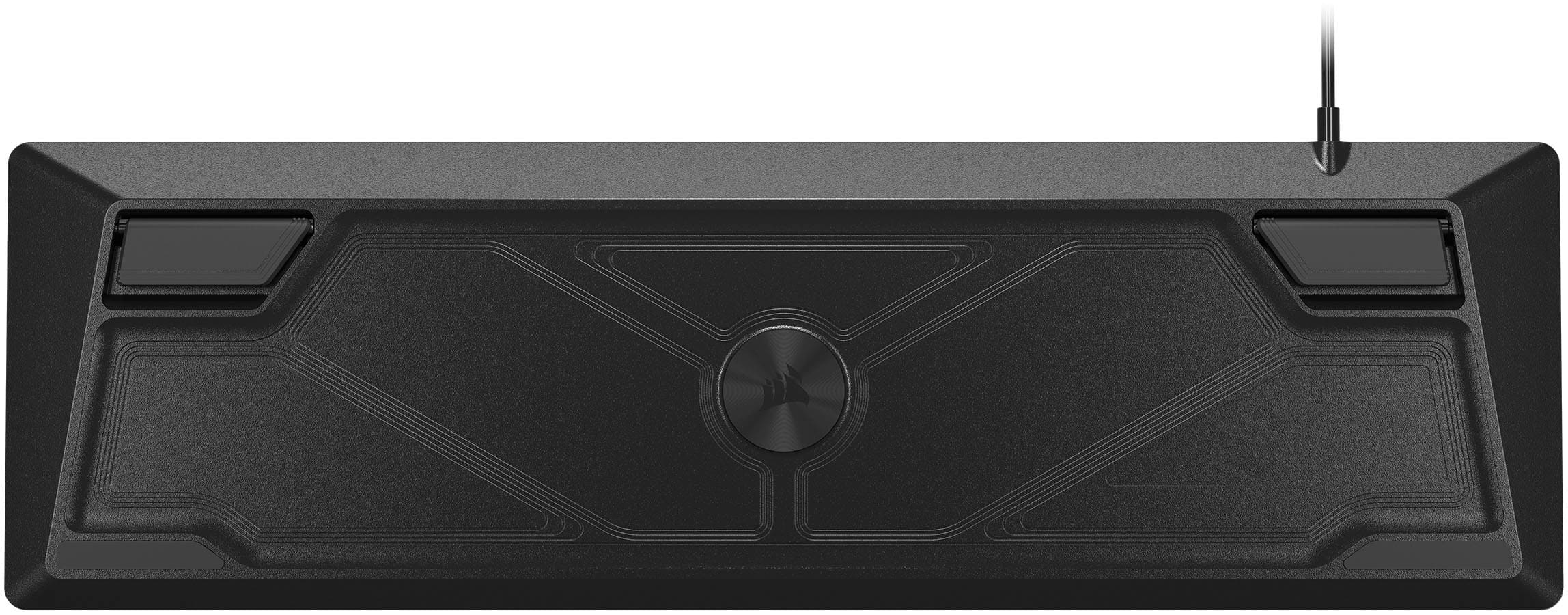
|Posted .This reviewer received promo considerations or sweepstakes entry for writing a review.This is a full size keyboard for the serious gamer. It is a full layout with side number keys. Typing is easy and all of the common gaming keys are easy to access. The mechanical keys are responsive and have crisp click. The USB cord is plenty long enough and works out of the box. The Corsair CUE application can be installed to take advantage of all the advance features. The software prompts to check for a firmware update for the keyboard after installation. The Corsair Cue software allows full control over features such as updates, lighting and custom key assignment. I really like the lighting feature that allows different profiles for specific keys. I have all the keyboard set to static blue and the WASD keys set to red since the are main movement keys used in most games. The scroll wheel button can be set to control the lighting brightness or sound volume. You can save multiple keyboard profiles for use wit different games. Long gaming sessions can be played with ease and it really gives an edge in first person shooters. The keyboard can also be set flat or has stands that can be used to angle the keyboard for preference.
I would recommend this to a friend - Pros mentioned:Keyboard quality
Rated 5 out of 5 stars
High Quality Ten Key Gaming Keyboard
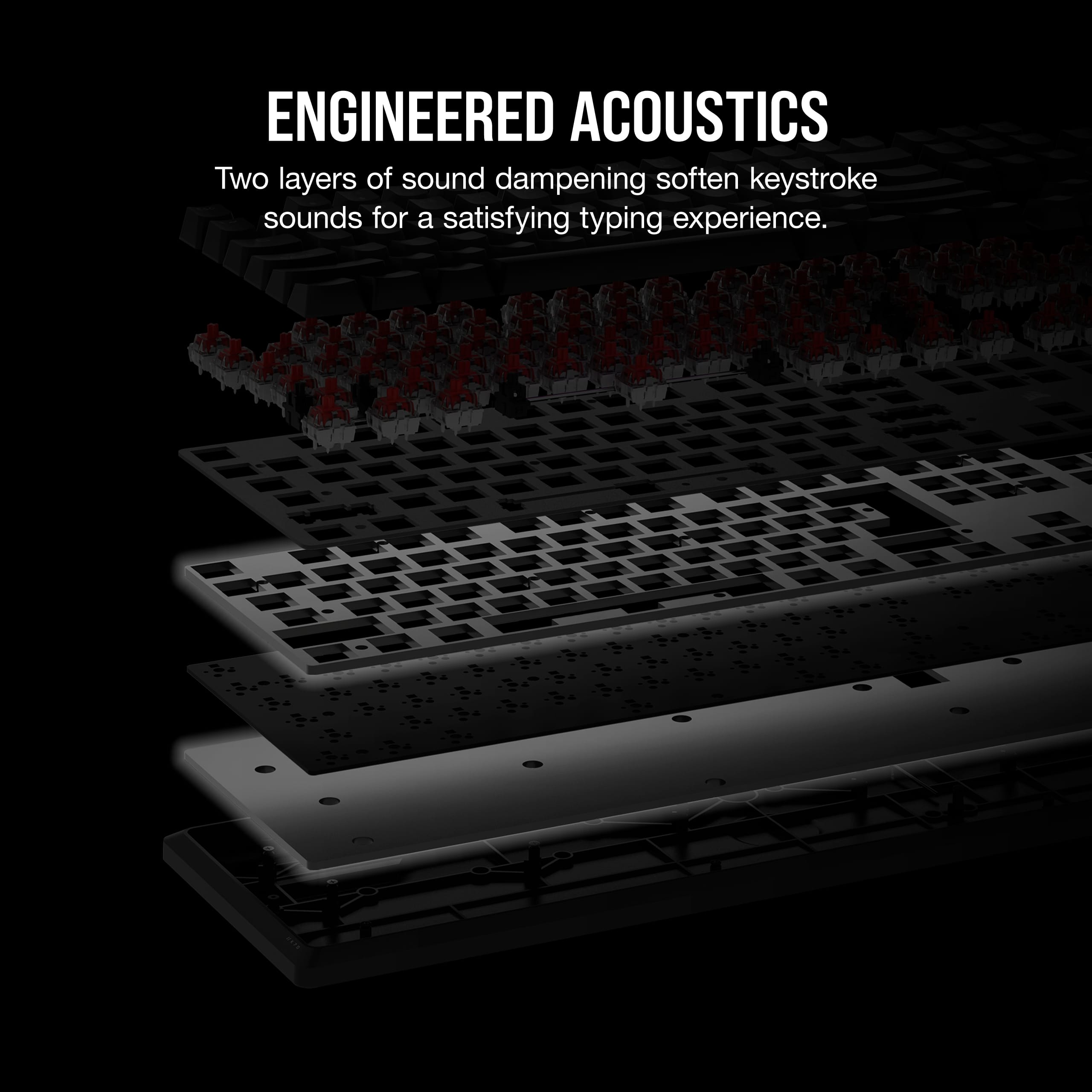
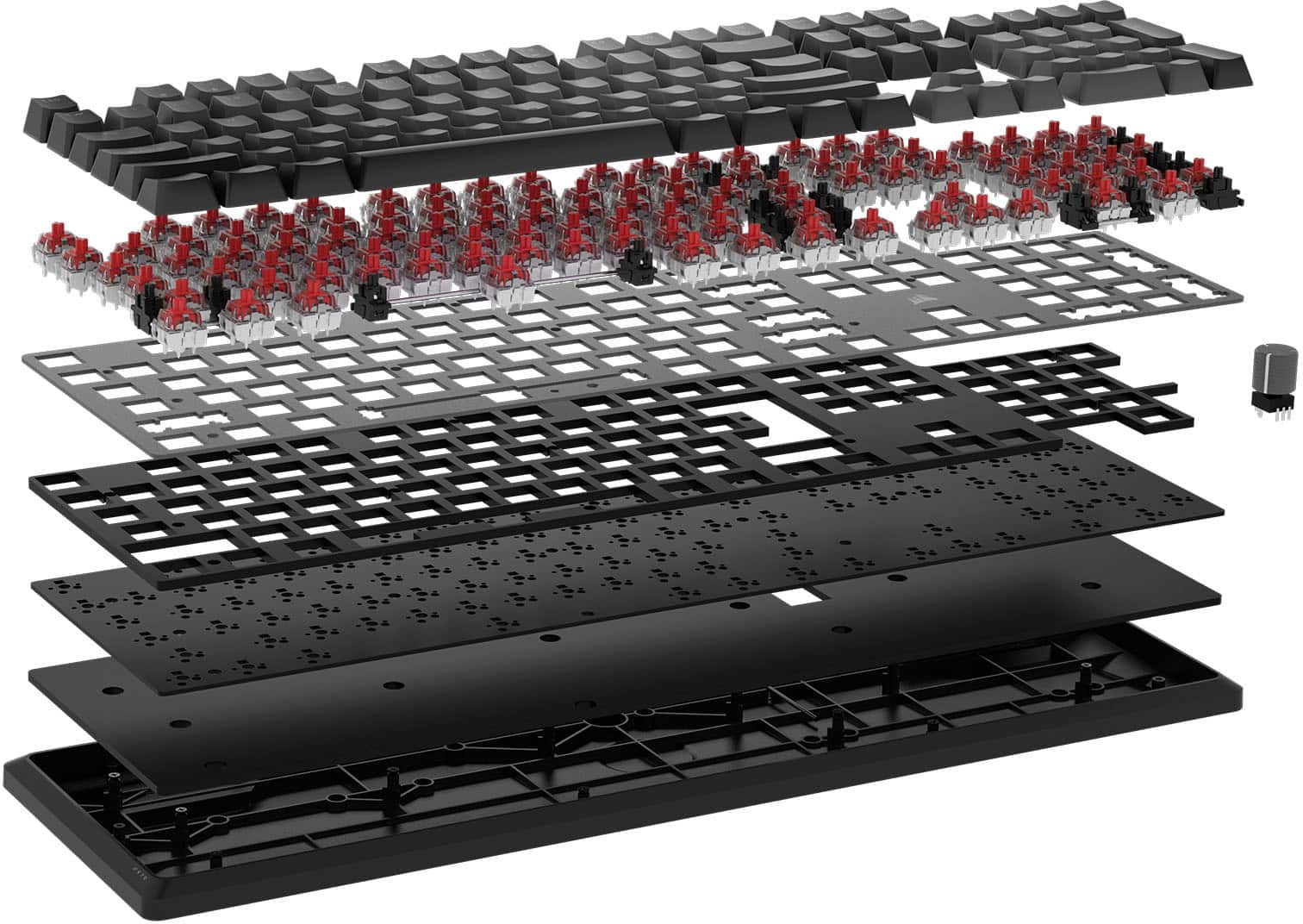
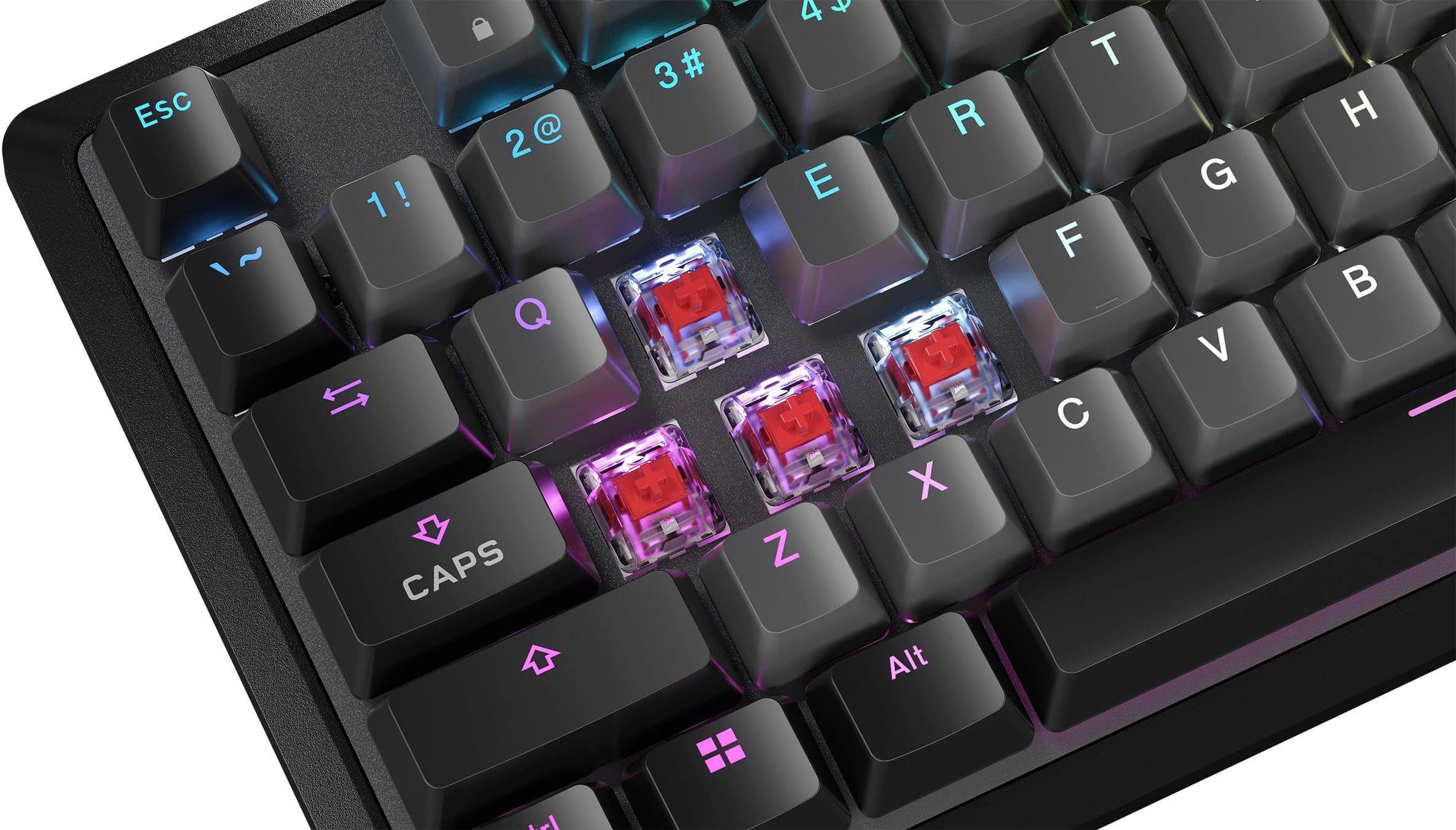
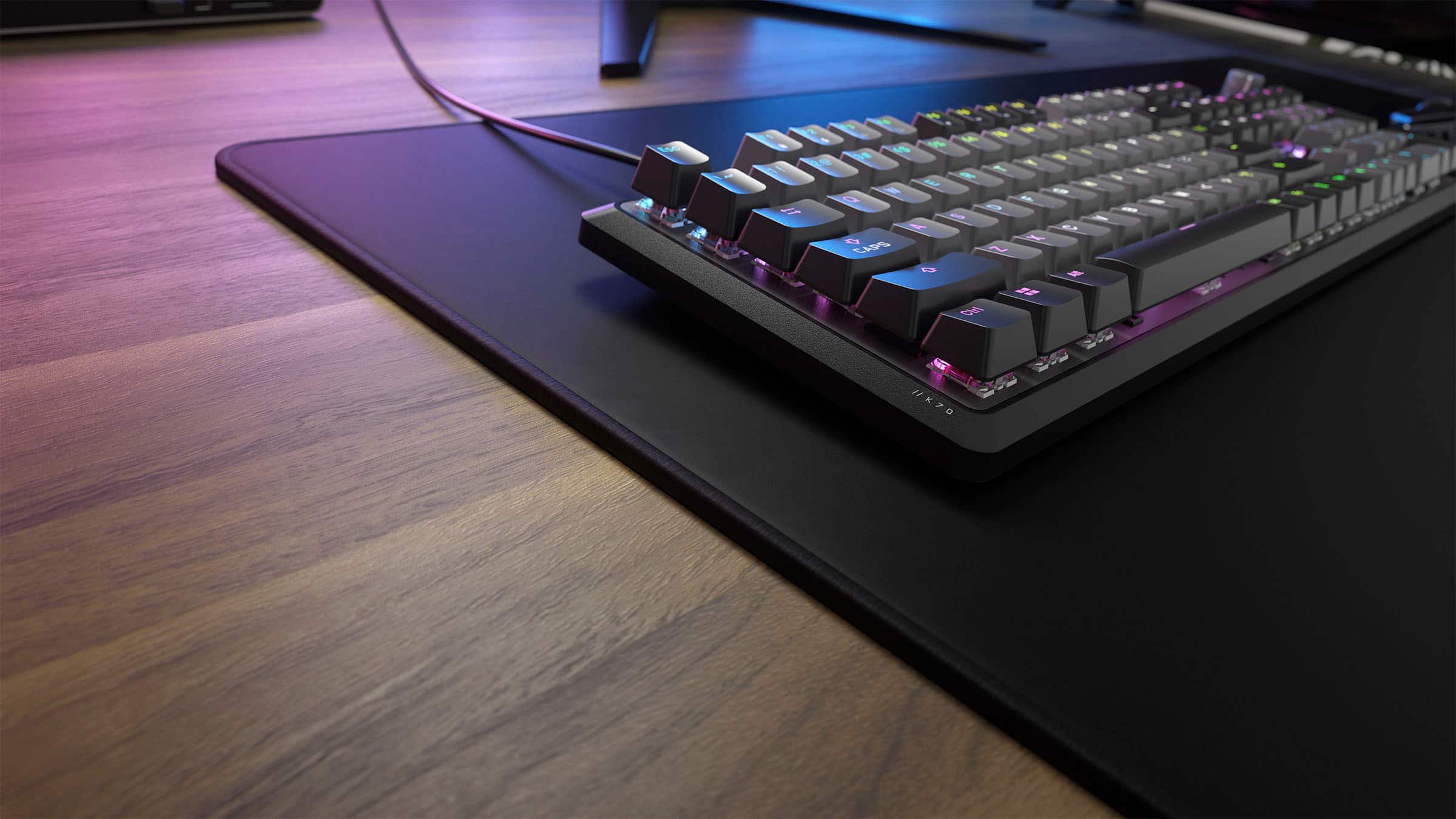
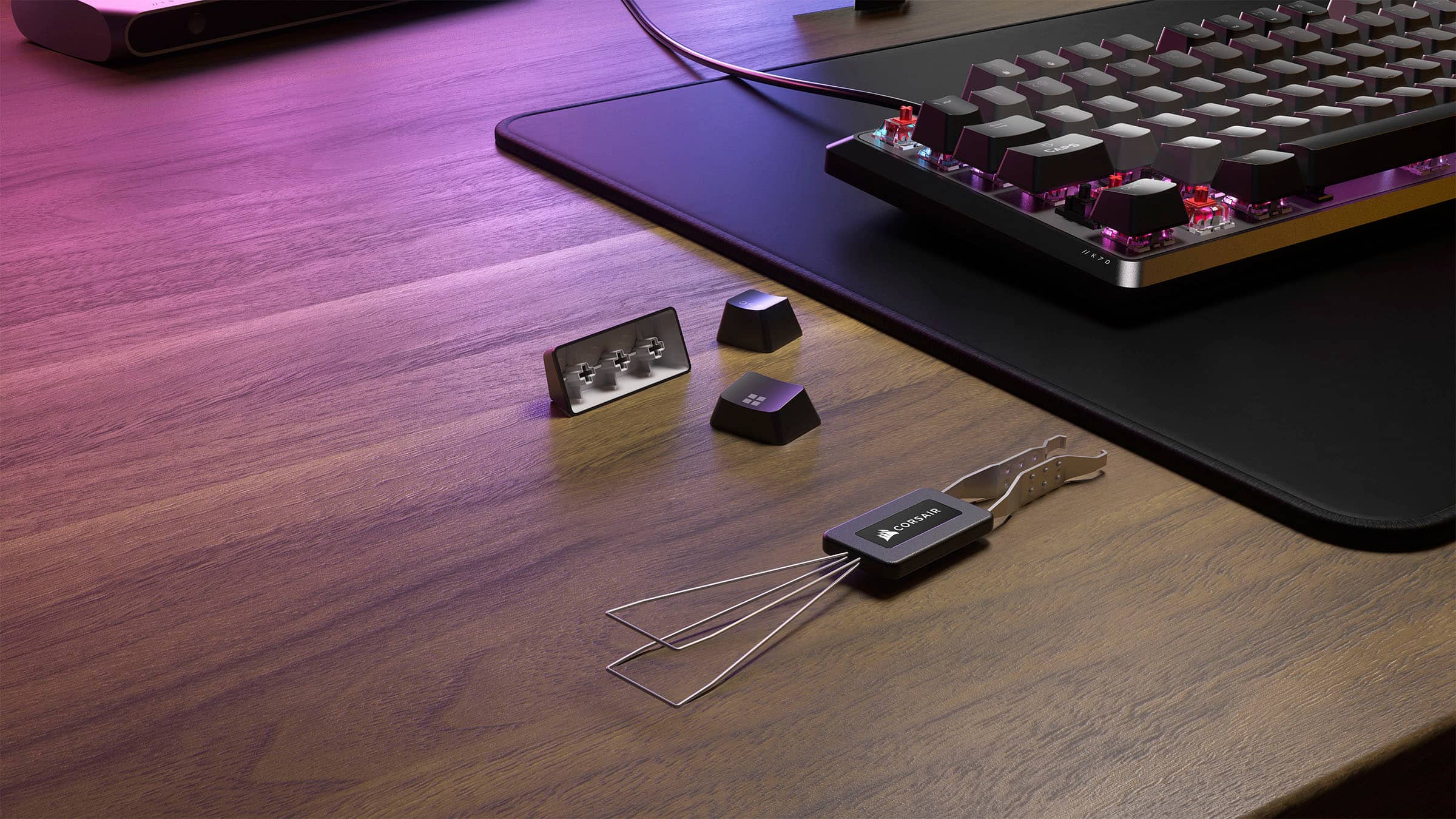
|Posted .This reviewer received promo considerations or sweepstakes entry for writing a review.The Corsair K70 Core RGB Mechanical Gaming Keyboard is a high quality, ten key gaming keyboard that feels durable and types great for any type of user. Out of the box, it weighs in at 2.64 lbs and measures at 17.6 x 5.31 x 1.6 inches. The K70 is matte black on the sides and bottom, and has an aluminum matte gray plate on top that sits underneath the keys. The 104 keys themselves are largely black along the periphery and gray in the middle with some exceptions. The keycaps are ABS double-shot which are fade-resistant. The keycaps sit on lubricated Corsair Red linear mechanical switches which offer the perfect level of resistance while typing, and report at 1000Hz. There is a programmable media button and a multi-function knob/dial that feels made of metal and is textured for grip. I could not get the RGB to work with the multi-function knob/dial but it is side-lit by the RGB from other keys so it can still be seen in the dark. It did not come with a wrist rest, but I used one from my old keyboard and that worked find for me. It is wired with a 6ft cord that connects via USB-A port to the computer. There is no USB port on the keyboard itself. The keyboard legs are made from thick plastic and do a good job lifting the keyboard. There is per-key RGB that shines both through the keycap and around it that can be programmed via the Corsair iCUE application that can be downloaded to the computer. The keyboard has on-board memory that can save up to 5 custom profiles for key assignment/RGB that the keyboard will remember even if plugged into a different device that doesn't have the iCUE software installed. When it comes to typing, the words that describe this keyboard are smooth and quiet. The linear switches make for buttery smooth keystrokes. There are 2 layers of sound dampening foam underneath the keys that do a great job of muting keystroke noises. It isn't silent quite; keystrokes can be heard faintly especially if you're a key pounder. But this keyboard could easily double as a business keyboard that keeps keystrokes at a low noise level so that they aren't distracting or heard during work calls. If the RGB is turned off, or turned onto a basic mode, there isn't anything externally that explicitly identifies the keyboard as a gaming keyboard. I used it for FPS gaming where key response is crucial and it performed well. I used it for typing notes during calls and it performed well. I do wish it had a USB port for a headset but that is really the only wish I had. It was smooth and quiet to use, lit up well while utilizing the iCUE app, and responded well whether gaming or for business use.
I would recommend this to a friend - Pros mentioned:Rgb lighting
Rated 5 out of 5 stars
The top tier of quiet mechanical midrange gaming!
|Posted .This reviewer received promo considerations or sweepstakes entry for writing a review.TL-DR: The Corsair K70 Core is near the perfect keyboard for those who want a mid range ultra quiet mechanical keyboard! (The RGB rocks too, with TONS of customization) To start, the K70 is quite the compact keyboard for being full size. There are no extra keys, just the dial (more on that below). The keys are raised up, without any frame, so it will get dirty quicker, BUT they’ll also be easier to clean, with no cracks/edges for stuff to get jammed into. The dial is easily the coolest part of this keyboard, even cooler than the many zones of customizable RGB. You can set it for volume (being able to push down to mute), zoom, keyboard LED brightness, or scrolling. The neat part is, F12 is a dedicated fn key to change dial modes on the fly. So fn+F12 lets you scroll through the different options that you have setup in iCUE, and the F12 keys RGB light changes according to the set color for each option. (Really neat idea, but would take some getting used to, could be a game changer for someone who is a power user. I could see it coming in handy for graphic design or CAD) This K70 is easily the quietest mechanical keyboard I’ve ever used, and I’ve used at least a dozen from mainstream companies. Still just as responsive as the “fast” and “clicky” switches I’ve used, just without the “clacky” noise. (I’m not into building or spending big on a custom/top end mechanical keyboard)
I would recommend this to a friend - Pros mentioned:Keyboard quality
Rated 4 out of 5 stars
Flashy, but not loud
|Posted .This reviewer received promo considerations or sweepstakes entry for writing a review.In the box is the keyboard and manual. (The box also has a little bit of information on it as well.) This full sized keyboard is quite sleek with a slight bit of weight to it; but unfortunately fresh out of the box it is not yet ready for my eager hands on its colorful keys. First, the keyboard needs a firmware update through the iCue software, but thankfully it doesn’t seem to take too long. **Before the update, the keyboard seems to operate normally but it is something that is highly recommended. Having the iCue software on your computer is great for those who want to truly customize their entire set up; should they be compatible. Playing with the software is actually quite fun, setting custom light sequences for inputs and such, but there is a sinking feeling having to update a keyboard may become bothersome in the future. Nevertheless, the quiet and smoothness that the box boasts are no false advertisement. This is by far one of the most quiet keyboards that has graced my desk, as well as the softest. By softness I mean most mechanical keyboard feel like you really have to press for an input, but this keyboard reacts with even a roll of the finger, and feels well oiled. After long periods of gameplay, fatigue doesn’t seem to be nearly as noticeable than with the prior mechanical keyboard I was using. Overall I would highly recommend this full sized keyboard for even those who steer away from the flashier types; as it is smooth and quiet, and the lights can be dimmed or turned off if desired.
I would recommend this to a friend - Cons mentioned:Connectivity
Rated 4 out of 5 stars
Corsair with another Gaming Option Keyboard
|Posted .This reviewer received promo considerations or sweepstakes entry for writing a review.I've owned my fair share of gaming keyboards through the years from all the big names. Corsair has another entry with the K70 Core. First off you need to grab the iCue software and get firmware updated which is pretty status quo in this day and age. I personally had a lot of issues with the software and the keyboard operating together. At one point I had to do some PC reboots, plugging/unplugging for the keyboard and software to talk nicely. The keys themselves all sit a bit high and they are very "clicky" these are not quiet keys in my opinion so keep in mind if you have family/co workers close by who might not appreciate that. I also had some issues with keyboard not being recognized Pre-OS load to get into the bios, backlight not engaging until OS loads making it hard to see what I need to type etc. The keyboard seems to be a bit too reliant on the iCue software in my opinion. I'm all for customization, RGB options, etc but to cripple the keyboard without is not acceptable in my opinion. I also was not a fan of the volume knob in the upper right corner it looks odd and feels odd to use rather than including a traditional scroll wheel, instead of this knob that feels like it belongs on a DJ Turntable rather than a gaming keyboard. It's not the worst keyboard I've come across but it didn't click for me, might be right for you.
No, I would not recommend this to a friend - Pros mentioned:Keyboard quality
Rated 5 out of 5 stars
One of the best keyboards
Posted .This reviewer received promo considerations or sweepstakes entry for writing a review.Just got it, easily noticed the quality of the keyboard. Really good for the price. Corsair products never cease to amaze.
I would recommend this to a friend Rated 5 out of 5 stars
Comfortable and quiet (for a mechnical) keyboard
|Posted .This reviewer received promo considerations or sweepstakes entry for writing a review.Corsair is well known for producing quality peripherals, components and accessories for your PC - and this K70 keyboard is another great addition to their catalog. While somewhat demure (for a keyboard meant for gaming...and while it's off) in a grey/black motif, there's a ton to like here where it counts. And with a keyboard, that's all about the switches and this keyboard has the excellent "Red" switches that are linear and fairly quiet (still louder than a membrane keyboard) mechnical "switches." I could seriously type on this thing all day - and I do sometimes while working. Now, it's not perfect - at this price range, I would have liked to have seen some sort of included dust cover to keep the keyboard clean when not in use. Also, if you DON'T want the backlighting, it's very challenging to see the letters printed on the keycaps (since they're not really printed, but removed to allow the lighting to shine through). I'd also like to see a detachable cable so you can replace the cable if you need to. But these aren't really big issues to most folks that will want to buy this keyboard. So if you could use a highly functional - and VERY high quality USB keyboard from a known brand, this could be the keyboard for you!
I would recommend this to a friendRated 5 out of 5 stars
Corsair keyboard
Posted .This reviewer received promo considerations or sweepstakes entry for writing a review.A great keyboard at a great price. It was even cheaper than on Amazon. A pick up process was very convenient.
I would recommend this to a friend- Pros mentioned:Keyboard quality
Rated 5 out of 5 stars
It's ok.
Posted .This reviewer received promo considerations or sweepstakes entry for writing a review.Decent mechanical keyboard for the price. Haven't had any issues with it so far.
I would recommend this to a friend - Pros mentioned:Key feel
Rated 5 out of 5 stars
NICE
Posted .This reviewer received promo considerations or sweepstakes entry for writing a review.Keyboard is smooth and greate for the price keys feel soft with no loud noise to them
I would recommend this to a friend - Pros mentioned:Rgb lighting
Rated 2 out of 5 stars
Not great for accurate typing
Posted .This reviewer received promo considerations or sweepstakes entry for writing a review.Very pretty keyboard, initially no problems. After a couple months use as both gaming and programming keyboard, I've noticed it's started doubling up a bunch of the keypresses. Will have to take it apart and clean it I assume.
No, I would not recommend this to a friendBrand response from Corsair
Posted .Hello Alex,
Definitely not what we'd want you experiencing, please contact our team directly right on our site for assistance with this!
-Art
- Pros mentioned:Keyboard quality
Rated 3 out of 5 stars
Sensitive Keyboard
Posted .This reviewer received promo considerations or sweepstakes entry for writing a review.Nice keyboard, but it's too sensitive in my opinion, you need feather hands to not double type a key, and it honestly is annoying.
I would recommend this to a friend Rated 4 out of 5 stars
Kool keyboard.
Posted .This reviewer received promo considerations or sweepstakes entry for writing a review.Works like it should. It's pretty cool looking. Haven't really played with it yet.
I would recommend this to a friendRated 5 out of 5 stars
Happy
Posted .This reviewer received promo considerations or sweepstakes entry for writing a review.Bought to replace old keyboard. Super excited & happy with having this one
I would recommend this to a friendRated 4 out of 5 stars
Keyboard Review
Posted .This reviewer received promo considerations or sweepstakes entry for writing a review.It's alright, It isnt as mechanically feeling as I'd like.
I would recommend this to a friendRated 3 out of 5 stars
Mid Keybaord
Posted .This reviewer received promo considerations or sweepstakes entry for writing a review.It is a decent product. Key presses need to be really soft because soomtimes it types 2 letters at once. Look at my sometimes, it typed 2 o''s by accident.
I would recommend this to a friendBrand response from Corsair
Posted .Hi,
Thank you for your feedback. In regard to the double-typing, have you updated your K70 CORE's firmware to the latest version via our iCUE software? If the issue persists, please contact support via our website - we'd appreciate the opportunity to further look into this and provide a solution.
-Albert
Rated 1 out of 5 stars
DO NOT BUY
Posted .This reviewer received promo considerations or sweepstakes entry for writing a review.It has way too many problems within 3 months it was already broken
No, I would not recommend this to a friend