Customer Ratings & Reviews

- Model:
- CH-9109018-NA
- |
- SKU:
- 6298657
Customer reviews
Rating 4.7 out of 5 stars with 1580 reviews
(1,580 customer reviews)Rating by feature
- Value4.6
Rating 4.6 out of 5 stars
- Quality4.8
Rating 4.8 out of 5 stars
- Ease of Use4.7
Rating 4.7 out of 5 stars
Customers are saying
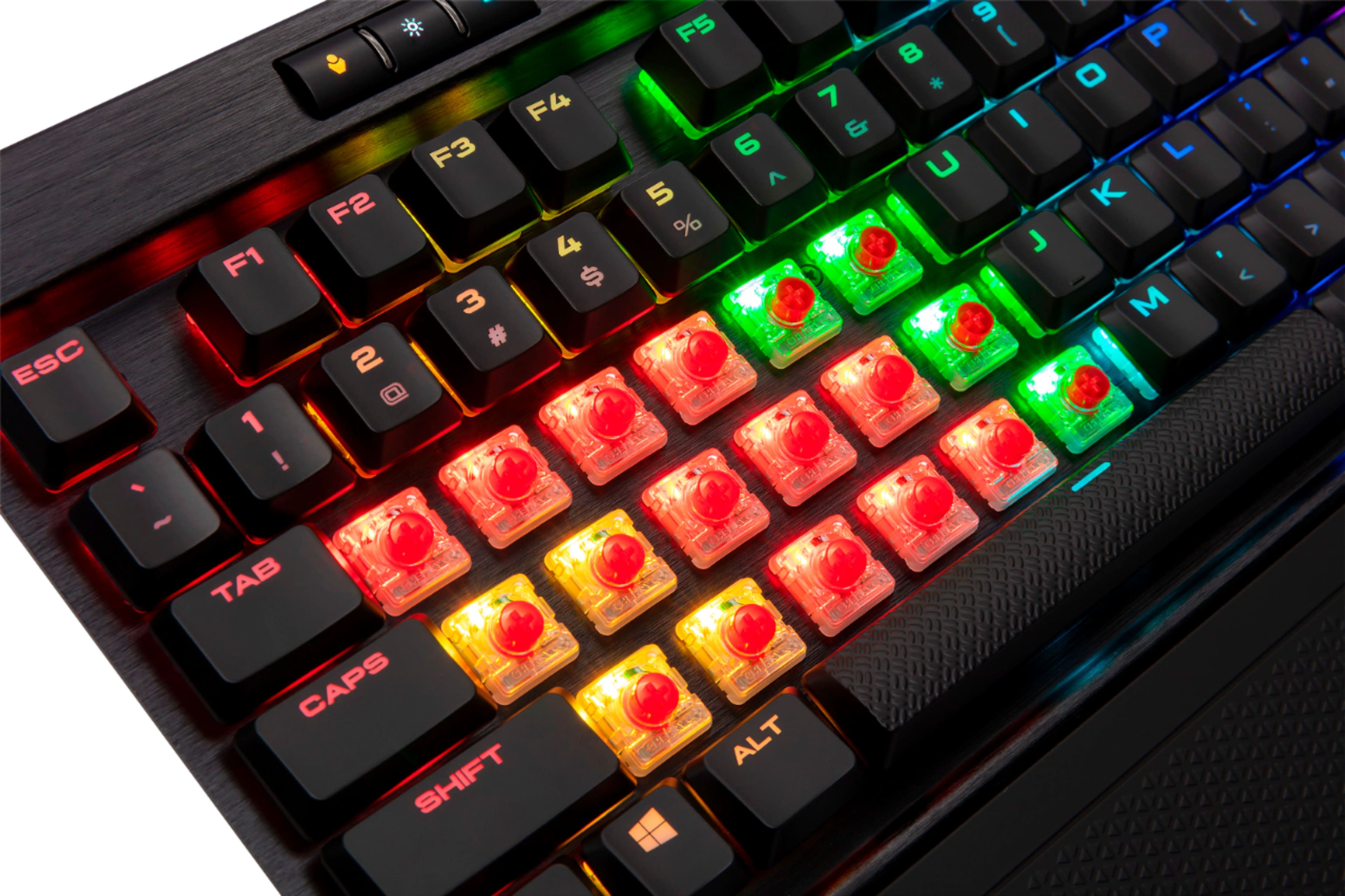
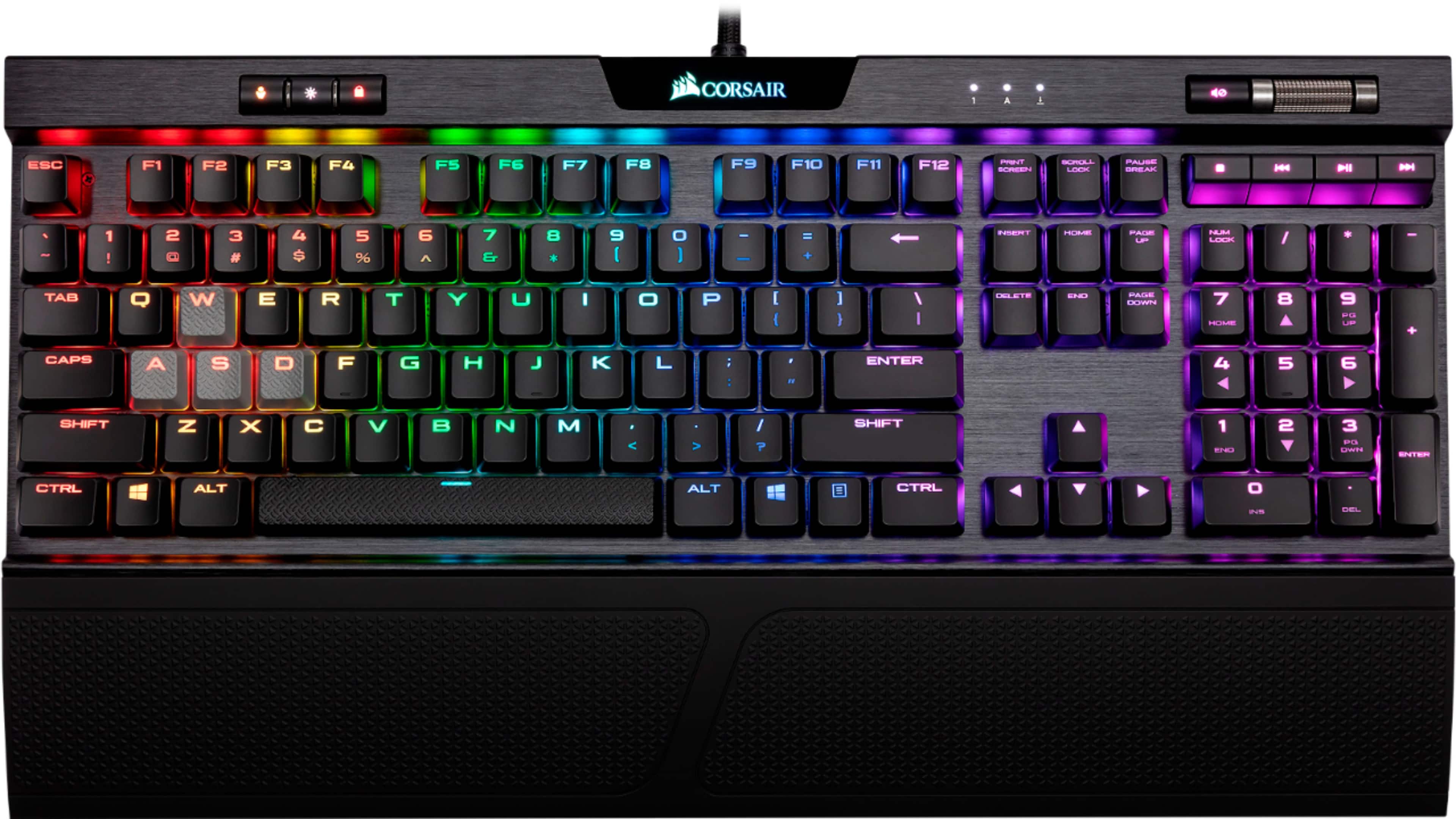
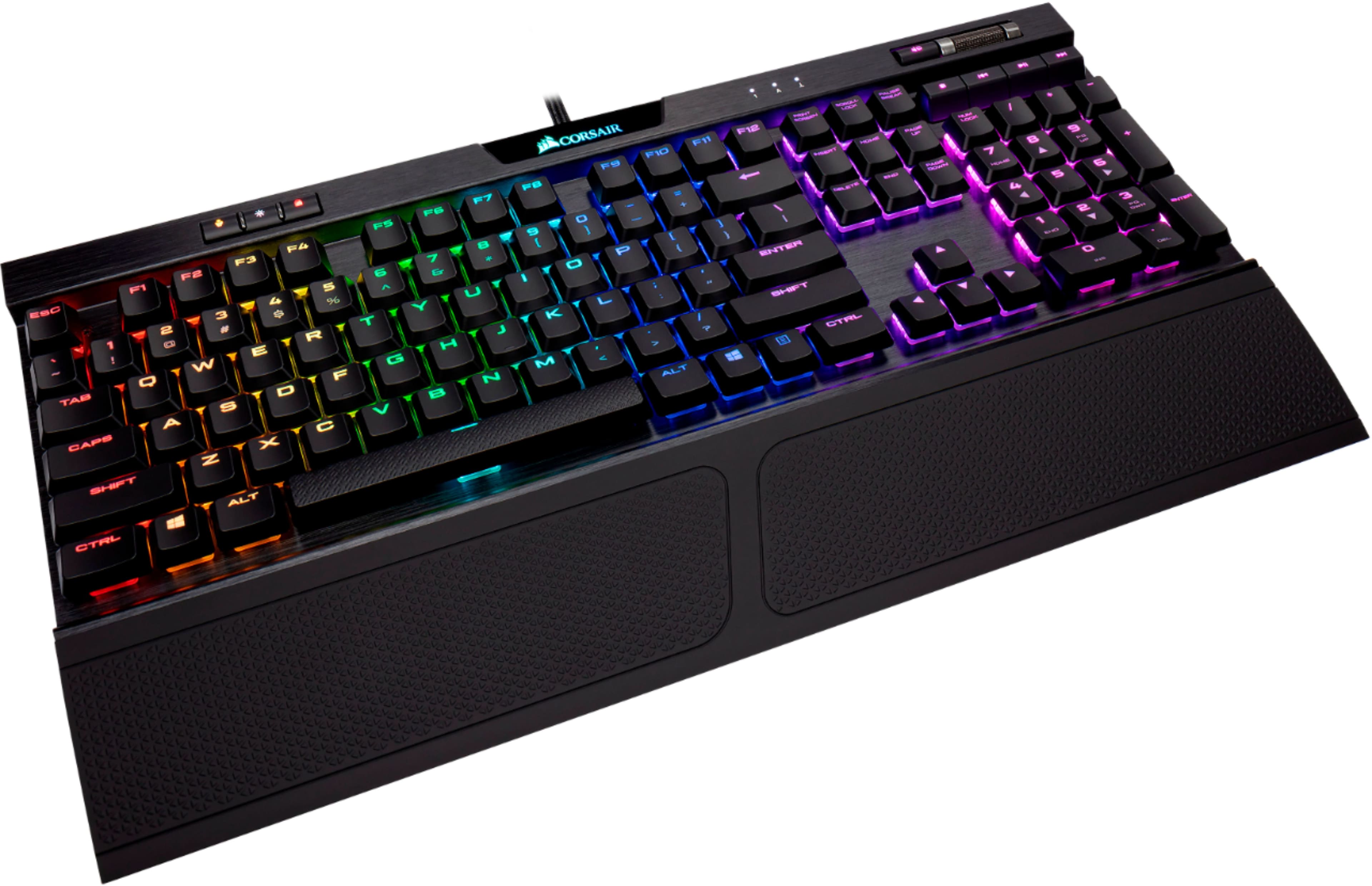
Customers enjoy the high-quality build, responsive keys, and beautiful RGB lighting of the K70 RGB MK.2 keyboard. Many appreciate the low profile design and ease of use, finding it suitable for both work and gaming. However, some users find the software unintuitive and the wrist rest uncomfortable. The price point was also cited as a potential drawback by some customers.
This summary was generated by AI based on customer reviews.
Rated 4 out of 5 stars
Very nice keyboard but misses the mark on a few
||Posted . Owned for less than 1 week when reviewed.This reviewer received promo considerations or sweepstakes entry for writing a review.Summary: I really like this keyboard, definitely the best keyboard I've ever had, but misses the mark on a few things that keep it from it being 5 stars. For reference, I was coming from an old razer blackwidow stealth 2014 keyboard that I've had since 2014. That thing is gigantic and I had started to hate that thing more and more for a few reasons: how big it is in nearly all aspects (LxWxH dimensions & weight), and most importantly the keys and switches; I hated the super tall high profile keys and the super tall action and the loudness. I was making mistakes nonstop and it was annoyingly loud on top of all that. I still wanted a full size mechanical keyboard but low profile was a must. RGB was not on my list of wants or needs to be honest. Wireless was a heavy want but not a necessity. I found the K70 Mk2 and the G915 (wireless) but decided to go with K70 Mk2 because it was available in store right then (that's how much I hated my razer keyboard). PROS: (some of the pros that really stood out to me, not all) - low profile keyboard is definitely low profile, from the chassis to the keys to the action; all low profile. I love it. - chassis is top quality, feels and looks very good. The weight is perfect imo, not too heavy but also doesn't slide around. - I really like the open/raised key look - all keys and buttons are actual keys, no rubber membrane type of keys for profile selector or anything like that you typically see for "non-essential" buttons - very responsive from key presses to profile selection to volume adjustment. I really like the action of these switches. It's not too loud either - iCUE software and RGB lighting is way better than I was imagining it to be. I don't really care about the A E S T H E T I C S that is always advertised and shown off by people but once I started checking it out, I realized how nice it is: ---- RGB lighting is very nicely implemented, it can be very bright or very dim depending on your configuration. It has a very nice backlight look, all RGB lighting is indirect light (you don't see the actual LED directly unless you look under the caps). ---- The capability and customization that you can setup is far better than what I was expecting. You can set the colors of every single RGB light individually. You can configure some pretty complex custom lighting schemes that I never even really considers such as a single key going through custom set gradients over a custom time. The level at which you can customize the RGB lighting has implications of not only being just for aesthetics, but it can be used for specific states, notifications, etc. ---- Corsair provides iCUE SDK for custom functionality to be developed, I've already started looking into this for a couple things (see cons for why) CONS: (some of the major misses for me that keep this from a 5 star keyboard) - the volume adjuster above numpad is very responsive, there's no lag between spin and windows adjusting volume. The problem is that it spins freely without any kind of notching as feedback for how much you are adjusting volume by. This results in me having to be very gentle and deliberate in adjusting volume by this roller since I usually only want to adjust volume by what should be by 1 - 3 "clicks" which is super hard to achieve without any kind of feedback so I have to slowly turn the adjuster while watching monitor to see how much I actually adjusted by. At this point, Fn + some key for volume adjustment would have been easier. Easy fix would for Corsair to notch the volume knob - OK and now for the biggest con for me... The Caps Lock, Num Lock, and Scroll Lock status LEDs. These are the only lights that are not adjustable/configurable on the keyboard. Corsair decided to follow suit of every other company out there and pick the brightest, most intense white LEDs out there for indicating status. It is blindingly white in a dimly set room. I am forced to cover these status lights up with black electrical tape which ruins the look of this awesome keyboard, not to mention that I now can't see the status of these keys (better than being blinded though). Even if I leave a tiny portion of the LED exposed from tape, the LED is so intense that the tiny amount of light making its way out still manages to assault my retinas. Also consider the fact that the LEDs are so bright in a dimly lit room that they wash out the symbol printed on the keyboard, so you need to know the order of lights to know what's toggled on/off. I am currently looking into writing a custom function using the SDK to display status of these through the RGB lights beneath the keys while completely covering the status LEDs. For all the available functionality in iCUE, it does not provide the ability to check the state of these lock keys and map a color scheme to the actual RGB keys. iCUE should have this capability since the keyboard must already know the state to light up the status LEDs. Or allow these status LEDs to be customized in iCUE like every other light on the keyboard (even if just to dim them). Or not use such bright white LEDs or implement a diffuser so the light isn't directly blasting me eyes - macros can only be mapped to a single key, you cannot map a macro to a keystroke consisting of multiple keys. There are workarounds to get multiple keys trigger a macro but it requires making multiple profiles (e.g., in normal profile, map a key to switch to another profile where you map keys to your macro). Shouldn't have to do this imo
I would recommend this to a friend- Pros mentioned:Rgb lighting
Rated 5 out of 5 stars
It’s definitely durable….
||Posted . Owned for 1 year when reviewed.This reviewer received promo considerations or sweepstakes entry for writing a review.My son “destroyed” the keyboard that came with his Gaming PC Xmas Gift after a year or so. I took him to pick out a new one and the Tech at Best Buy pointed this one out. My son spends 90% of his free time pounding on this keyboard and so far still going strong. He’s never complained about using it and loves the RGB settings in ICUE. Based on this we expanded on the ICUE compatible devices, Dark Star mouse and Corsair’s Cloth so far. I’d buy it again
I would recommend this to a friend - Pros mentioned:Key feel, Rgb lighting
Rated 5 out of 5 stars
It's a winner!
||Posted . Owned for 1 week when reviewed.This reviewer received promo considerations or sweepstakes entry for writing a review.Excellent keyboard. Keys have a great feel while typing and doing light gaming. I like the rgb lighting and the media keys and volume control are a plus too. It is compact but not to small. It's just right.
I would recommend this to a friend - Pros mentioned:Key feel
Rated 5 out of 5 stars
My 2nd best KB
||Posted . Owned for 3 weeks when reviewed.This reviewer received promo considerations or sweepstakes entry for writing a review.I love Corsair KB's and have been using the mechanical ones for years. Recently I had gotten a G815 keyboard from logitech, and while I love the hardware, I'm still not a fan of G-Hub. I wished that Corsair made a low profile kb since iCue has always worked for me...and on an recent trip to BB I saw one sitting on the shelf! I never even knew they made one so I had to grab it. Corsair makes great KB and I hate to say it, but my g815 is still my favorite right now. The keys are lower, less pressure is needed to depress the keys, but G-Hub is still terrible, better than months ago, but still terrible. Corsairs iCue always switches profiles reliably, far more options for colors, and doesn't forget what buttons do what in the middle of a game. But the G815 just feels better. So I'm gonna hold on the the K70 low profile as a back up to my g815 and wait for Corsair's next gen and hope they come out with something nicer.
I would recommend this to a friend - Pros mentioned:Key feel, Rgb lighting
Rated 5 out of 5 stars
Great RGB Keyboard
||Posted . Owned for more than 2 years when reviewed.This reviewer received promo considerations or sweepstakes entry for writing a review.Great keyboard. With iCue the rgb can be finely tuned. The mechanicalness of the keyboard isn’t as clicky as some others but still great!
I would recommend this to a friend - Pros mentioned:Key feel, Keyboard quality
Rated 5 out of 5 stars
Great keyboard for gaming!!
||Posted . Owned for 1 week when reviewed.This reviewer received promo considerations or sweepstakes entry for writing a review.Onw of the beat keyboards I have used, I love the low profile buttons, it's keeps me on key, the cherry red buttons are super quick qith rapid fire and common, the rg customizations are awesome, a must have for a corsair build and ICUE
I would recommend this to a friend - Pros mentioned:Key feel, Rgb lighting
Rated 5 out of 5 stars
Excellent, worth every penny
||Posted . Owned for less than 1 week when reviewed.This reviewer received promo considerations or sweepstakes entry for writing a review.That’s a real keyboard! Bought it to replace my iMac Pro’s slim and slick yet awful keyboard. The corsair has great old style keys that are conformable to type. Also I loved the light schemes, very fun! Still trying to get it to work properly in my macos
I would recommend this to a friend Rated 5 out of 5 stars
Nailed it, cannot go wrong
||Posted . Owned for 1.5 years when reviewed.This reviewer received promo considerations or sweepstakes entry for writing a review.Title: "CORSAIR K70 RGB MK.2 Low Profile Rapidfire - A Gaming Keyboard Marvel" Rating: ⭐⭐⭐⭐⭐ (5/5) The CORSAIR K70 RGB MK.2 Low Profile Rapidfire stands out as a gaming keyboard masterpiece, delivering an exceptional combination of performance, sleek design, and cutting-edge features that cater to the needs of avid gamers. The low-profile design with Cherry MX Low Profile Speed switches offers a rapid and responsive typing experience, making it a perfect companion for gaming enthusiasts who demand precision and speed. The reduced key travel without compromising on tactile feedback provides a unique and satisfying typing feel. The customizable RGB backlighting is a visual feast, allowing users to personalize their gaming setup with a spectrum of vibrant colors. Corsair's iCUE software adds an extra layer of customization, enabling users to create dynamic lighting effects that sync with in-game actions or music. Durability is a cornerstone of the K70 RGB MK.2 Low Profile Rapidfire. The aircraft-grade aluminum frame not only adds a premium touch to the keyboard's aesthetics but also ensures robustness that can withstand the rigors of intense gaming sessions. The dedicated media controls, including a volume roller, contribute to the overall convenience and ease of use. The inclusion of dedicated macro keys and full key rollover enhances the keyboard's versatility, making it suitable for both gaming and productivity tasks. The wrist rest provides additional comfort during extended gaming sessions, reducing fatigue and enabling users to stay focused on the game. In conclusion, the CORSAIR K70 RGB MK.2 Low Profile Rapidfire is a gaming keyboard that excels in every aspect. Its combination of low-profile switches, customizable RGB lighting, and durable construction make it a top choice for gamers seeking a high-performance and visually stunning keyboard. Highly recommended for those who want to elevate their gaming experience to new heights.
I would recommend this to a friend- Pros mentioned:Keyboard quality, Rgb lighting
Rated 5 out of 5 stars
Corsair keyboard
||Posted . Owned for 1 week when reviewed.This reviewer received promo considerations or sweepstakes entry for writing a review.They make such a great product. Sturdy, responsive, esthetically pleasing, and very functional. RGB is great, and the service at Best Buy had always been wonderful.
I would recommend this to a friend - Pros mentioned:Keyboard quality, Rgb lighting
Rated 5 out of 5 stars
Works Great!
||Posted . Owned for 11 months when reviewed.This reviewer received promo considerations or sweepstakes entry for writing a review.I wanted a mechanical keyboard for my desktop setup but I was so use to laptop keyboards. This seemed to be the best alternative. Low profile mechanical switches with little to no noise. Works well and RGB per key is always a plus! Would recommend.
I would recommend this to a friend - Pros mentioned:Rgb lighting
Rated 5 out of 5 stars
Great low-profile keyboard! Worth the buy.
||Posted . Owned for 10 months when reviewed.This reviewer received promo considerations or sweepstakes entry for writing a review.Love how quiet this keyboard can be. Because of the low profile cherry mx speed switches, you can barely touch the keys and make almost no noise if you really wanted to. It was a little annoying at the beginning but that's just cause I wasn't used to it. After a couple of weeks, you get used to it and you'll probably love it. The RGB is great and the sound wheel, play/pause buttons are things I use regularly since I listen to music. I think one thing that I didn't like about the keyboard was the font at first. I don't really notice it anymore but I can see a lot of people who haven't seen this kind of font before be unimpressed by it. You can do so much with iCue so use it to maximize your experience.
I would recommend this to a friend - Pros mentioned:Key feel, Keyboard quality
Rated 5 out of 5 stars
Corsair is killing it!
||Posted . Owned for less than 1 week when reviewed.This reviewer received promo considerations or sweepstakes entry for writing a review.Replaced my Logitech g810 for the K70. I loved my Logitech but the K70 is already proving to be a solid investment. Sexy low profile keys and a classy, brushed aluminum back plate makes for a solid build. No regrets here.
I would recommend this to a friend - Pros mentioned:Low profile, Rgb lighting
Rated 5 out of 5 stars
Quality speed.
||Posted . Owned for 1 week when reviewed.This reviewer received promo considerations or sweepstakes entry for writing a review.Very high quality keyboard, upgraded from a Razer. Love the low profile and the metal surface reflects the RGB lights making the keyboard appear as if it's glowing. Pretty sweet. Gives my gaming setup more horsepower
I would recommend this to a friend - Pros mentioned:Keyboard quality
Rated 5 out of 5 stars
Excelent product!
||Posted . Owned for 1 month when reviewed.This reviewer received promo considerations or sweepstakes entry for writing a review.Im honestley really surprised with this keyboard. Ive always liked corsair products i have a mouse headset from them plus multiple of the parts in my pc are corsair but i wasnt expecting to like this keyboard this much. I did have a laptop a few years back so i was pretty familiar with these sort of keys but overall the keys feel amazing. The build is very solid in total. But the best part is the noise of the keyboard. When i press a button it is so quiet! If you play with friends alot and dont wanna bother them over the mic this keyboard is a must. Overall i will stick with this keyboard for a long time!
I would recommend this to a friend - Pros mentioned:Rgb lighting
Rated 5 out of 5 stars
Fantastic
||Posted . Owned for 5 months when reviewed.This reviewer received promo considerations or sweepstakes entry for writing a review.If you intend to solely use this for games I would recommend another (smaller) board. The size lead to unergonomic positions. However, if you need a number pad and want a one board solution this is great. This is a fantastic full-size board if you want RGB. RGB inflates the price, so if you do not care about that look else where. The board has a USB pass through, but you still need to occupy two usb ports on your computer to use this feature. The Textured WASD key caps are a nice addition. They may impact your typing performance, but you get used to it pretty quick and can always swap back to the standard caps if needed. It's also worth mentioning the textured aluminum frame is a dust magnet. It's simple to clean, but may bother you.
I would recommend this to a friend - Pros mentioned:Keyboard quality, Rgb lighting
Rated 5 out of 5 stars
How to win at pvp
||Posted . Owned for 3 weeks when reviewed.This reviewer received promo considerations or sweepstakes entry for writing a review.Super amazing clicks but not loud and comfy to use. More light options than a nuclear Christmas tree. This keyboard makes me very happy and allows me to win all the vidya games. Seriously 10/10 corsair is the best
I would recommend this to a friend - Pros mentioned:Keyboard quality, Rgb lighting
Rated 5 out of 5 stars
Nice addition to my Corsair items
||Posted . Owned for less than 1 week when reviewed.This reviewer received promo considerations or sweepstakes entry for writing a review.Bought this to match my rgb family Dominater rgb ram and my rgb Ironclaw wireless mouse. This is a low profile keyboard. Very little noise from typing. Go for it if you into rgb lighting. Also compatible with the ICUE software.
I would recommend this to a friend - Pros mentioned:Keyboard quality
Rated 5 out of 5 stars
Solid low profile mechicanical cherry red keyboard
||Posted . Owned for 1 month when reviewed.This reviewer received promo considerations or sweepstakes entry for writing a review.Fantastic keyboard! Very programmable if that's your thing, but having a solid red color for dark rooms and a white letters for WSAD along with a 3 second white fade after pressing a key to confirm you actually pressed a key is perfect. It also comes with extra gray textured keys for WSADQE, but these are not low profile like the original keys. These normal profile keys are not the best when typing, but great for gaming and you don't have to use them. Lastly, in the box they include a key puller so you can change the keys or clean under the buttons. Keyboard is very solid and you can store profiles directly on the keyboard but if you want key annimations like on a key press, you need to run the cue software to customize it.
I would recommend this to a friend - Pros mentioned:Keyboard quality
Rated 5 out of 5 stars
Great everyday and gaming keyboard
||Posted . Owned for 3 weeks when reviewed.This reviewer received promo considerations or sweepstakes entry for writing a review.Excellent keyboard for the price. I bought this to make work more fun. Great reaction time, easy to clean and programming different color schemes is easy.
I would recommend this to a friend - Pros mentioned:Keyboard quality, Rgb lighting
Rated 5 out of 5 stars
Very clickity-clackity, in a great way!
||Posted . Owned for 1.5 years when reviewed.This reviewer received promo considerations or sweepstakes entry for writing a review.Great quality keyboard, very satisfying clackyness. Rainbow colors can be a bit distracting at times.
I would recommend this to a friend