Customer Ratings & Reviews


- Model:
- CH-9127414-NA
- SKU:
- 6394003
Rating by feature
- Value
Rating 4.4 out of 5 stars
- Quality
Rating 4.9 out of 5 stars
- Ease of Use
Rating 4.7 out of 5 stars
Customers are saying
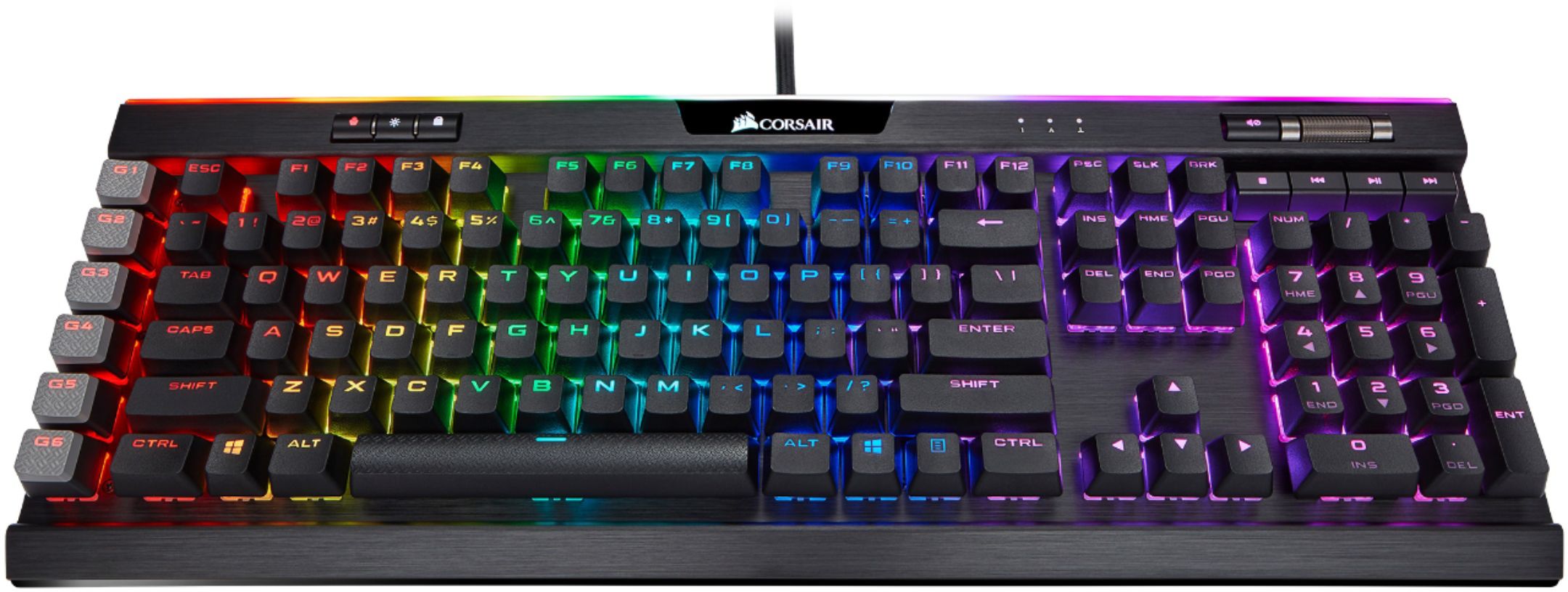
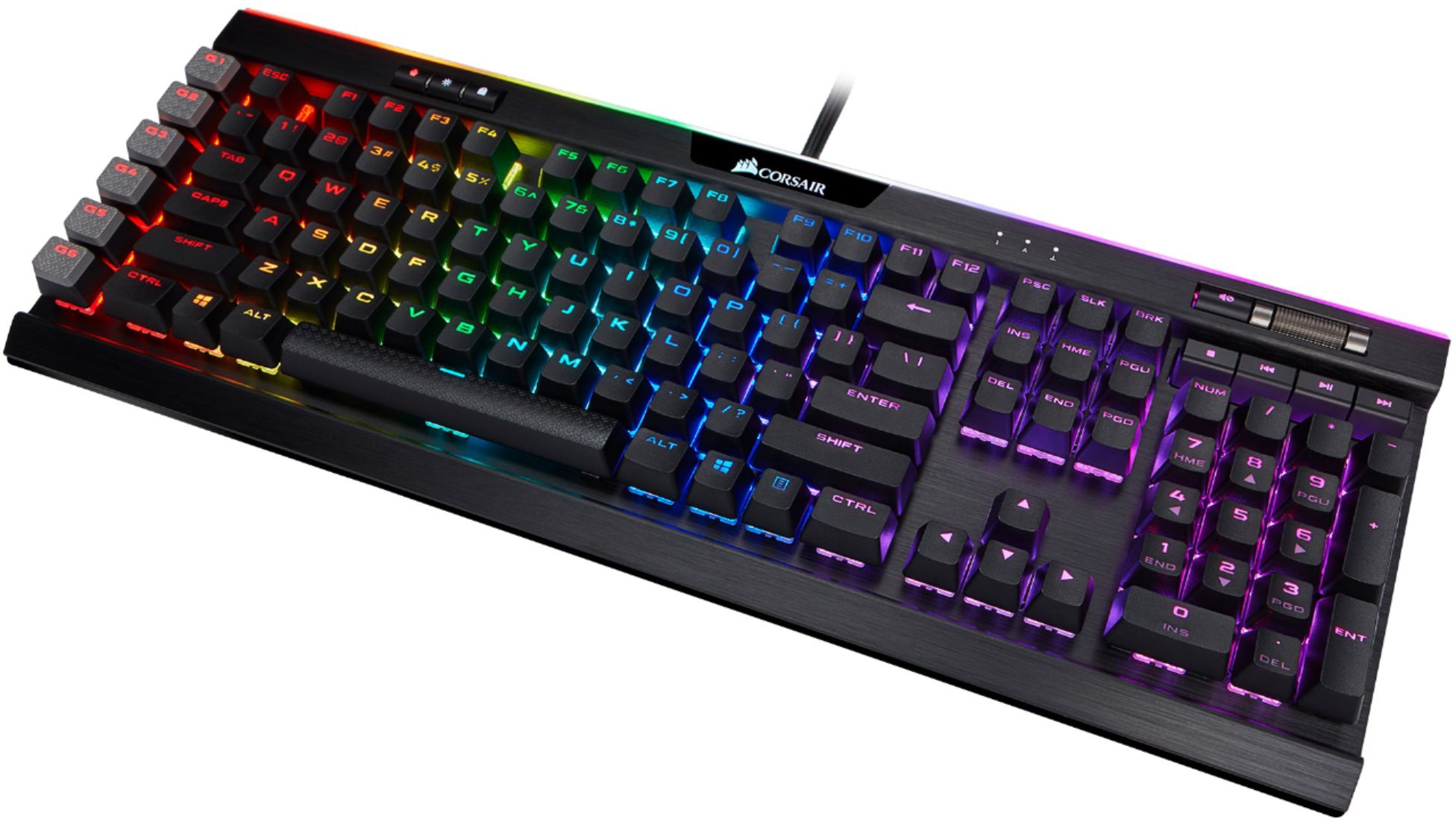
Customers praise the K95 RGB PLATINUM XT keyboard's high-quality build, vibrant RGB lighting, and comfortable wrist rest. Many appreciate the ease of use and extensive customization options offered by the software. However, some find the keyboard expensive. A few users have expressed mixed opinions regarding the switch responsiveness.
This summary was generated by AI based on customer reviews.
Good keyboard but has an annoying flaw
||Posted . Owned for more than 2 years when reviewed.This reviewer received promo considerations or sweepstakes entry for writing a review.The only complaint I have is that sometimes when hitting elongated keys such as shift, ctrl, enter the button cap pops off if you hit the key on the edge rather than perfectly in the center of the key, which is really annoying while gaming
I would recommend this to a friendBrand response from Corsair
Posted .Hello Michael,
Can't say I've seen this before, please contact our team directly on our site so they can confirm whether this would need an exchange to resolve or not.
-Art
Expensive but well worth it
||Posted . Owned for 1 week when reviewed.This reviewer received promo considerations or sweepstakes entry for writing a review.It has a heavy price tag but in all honesty, it’s been really awesome. Love the wrist support and the switchable keys.
I would recommend this to a friendGreat keyboard
||Posted .This reviewer received promo considerations or sweepstakes entry for writing a review.Great keyboard you can use the el gato software to program the gaming keys on the left
I would recommend this to a friendnice keyboard.
||Posted . Owned for 2 weeks when reviewed.This reviewer received promo considerations or sweepstakes entry for writing a review.Still learning how to maximize this keyboard. Keys are great to use. Lighting is a nice touch.
I would recommend this to a friendSpace age..
||Posted . Owned for 1 month when reviewed.This reviewer received promo considerations or sweepstakes entry for writing a review.Love the lights, love the feel nothing wrong with it..... make your room look khaki.
I would recommend this to a friendGreat
||Posted . Owned for 1 week when reviewed.This reviewer received promo considerations or sweepstakes entry for writing a review.This is a really good keyboard. Like the lights easier to see the keys
I would recommend this to a friend- Pros mentioned:Rgb lighting, Wrist rest

Great Keyboard, Now w/ Elegato StreamDeck Features
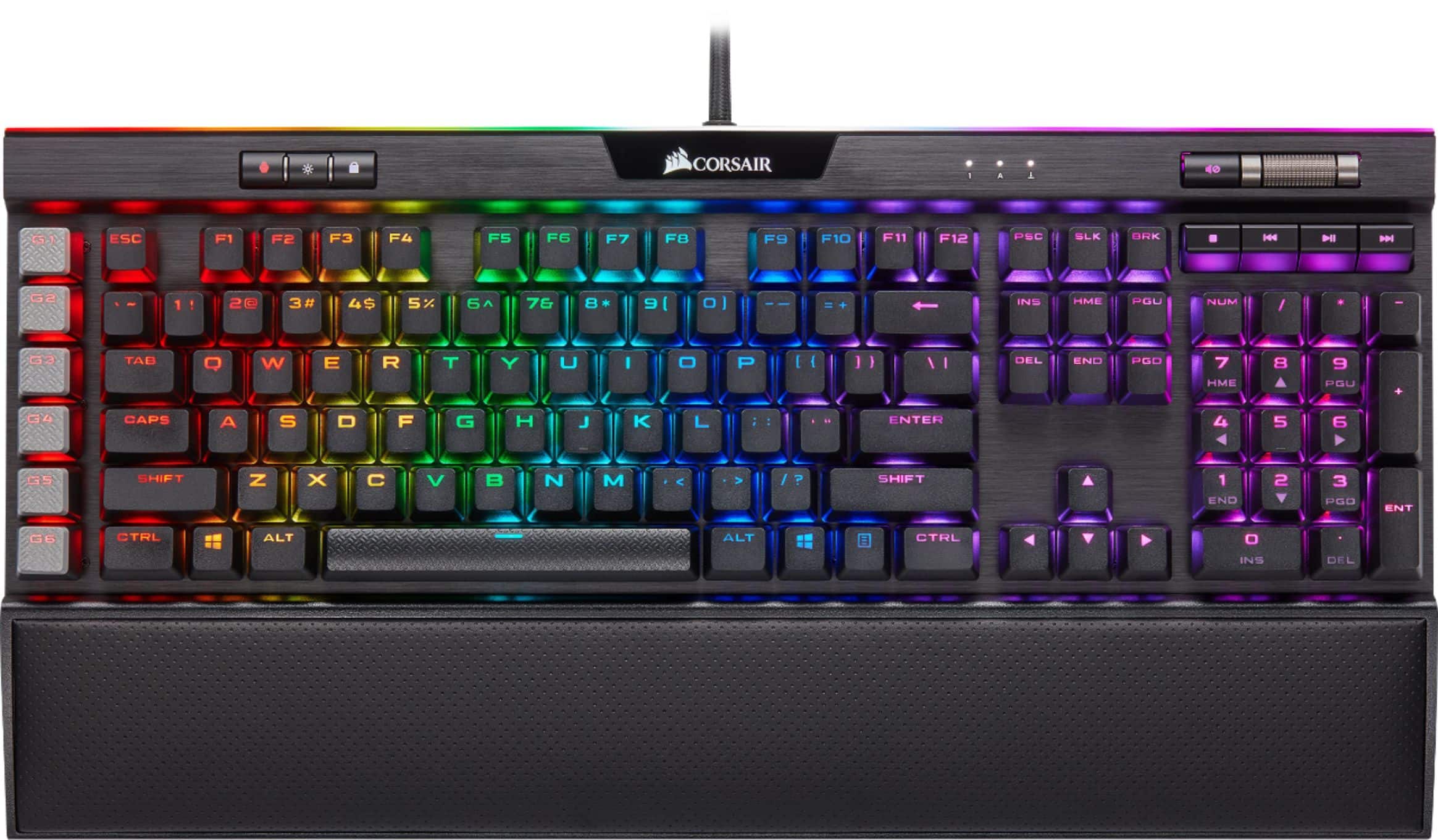
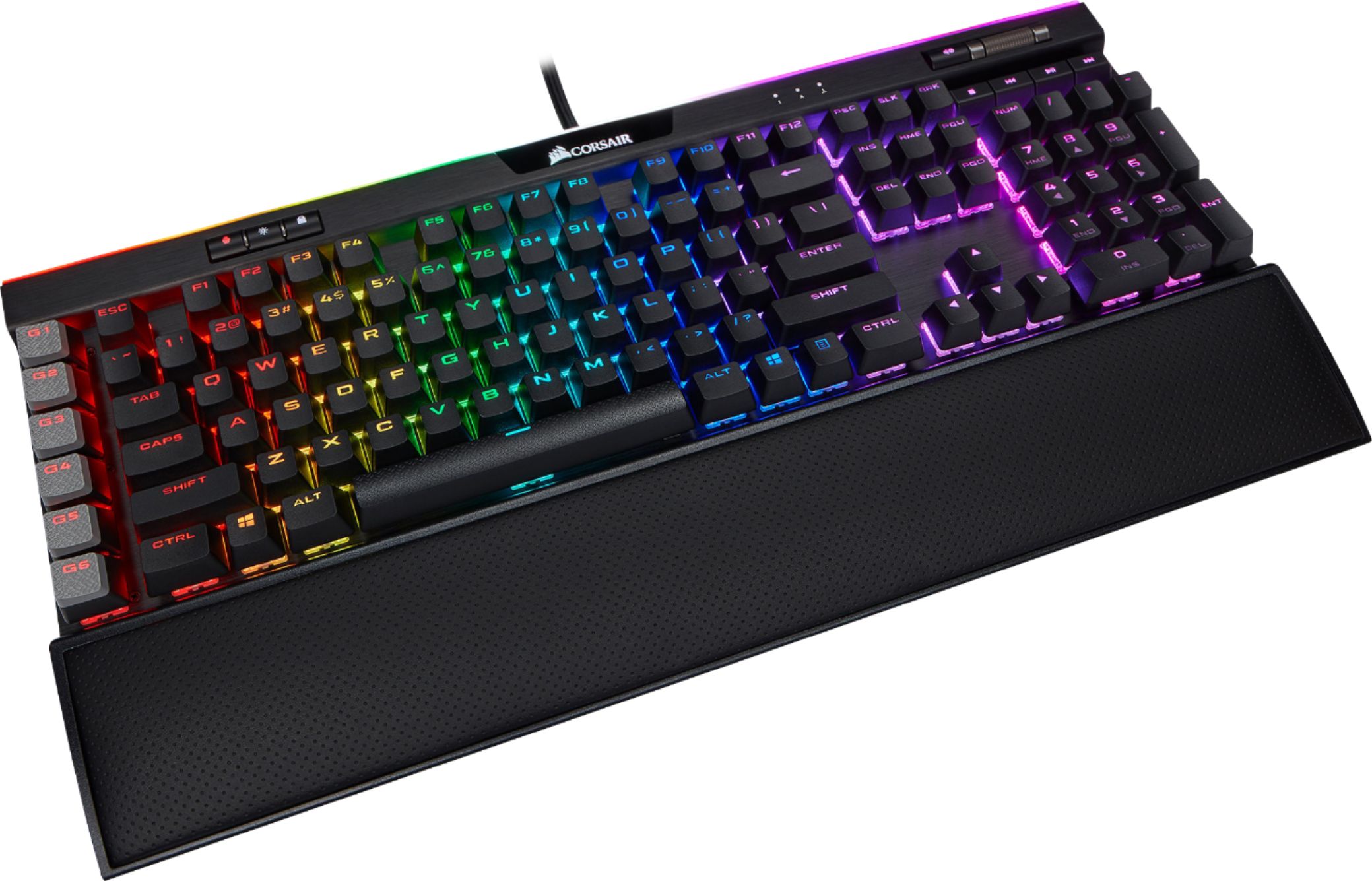
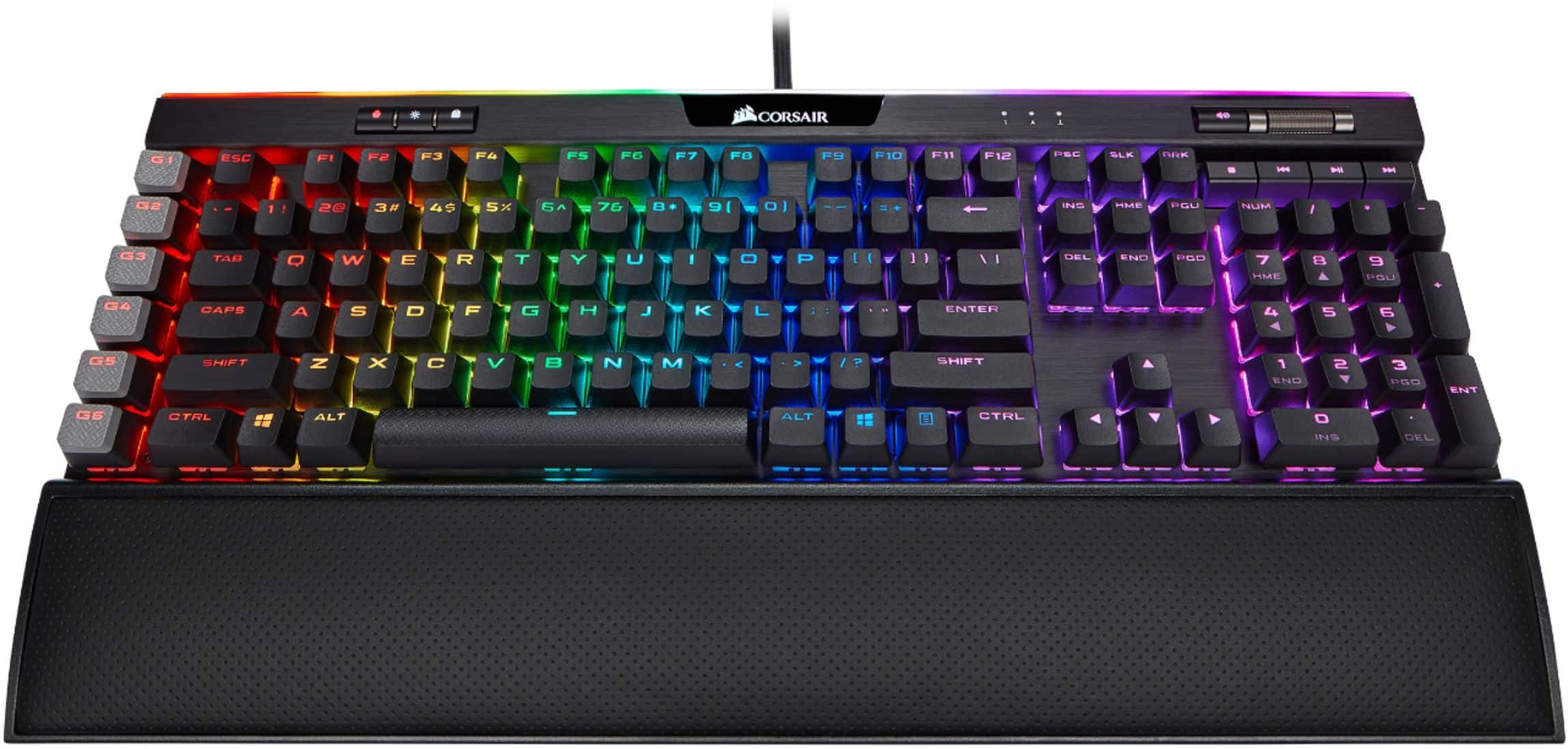
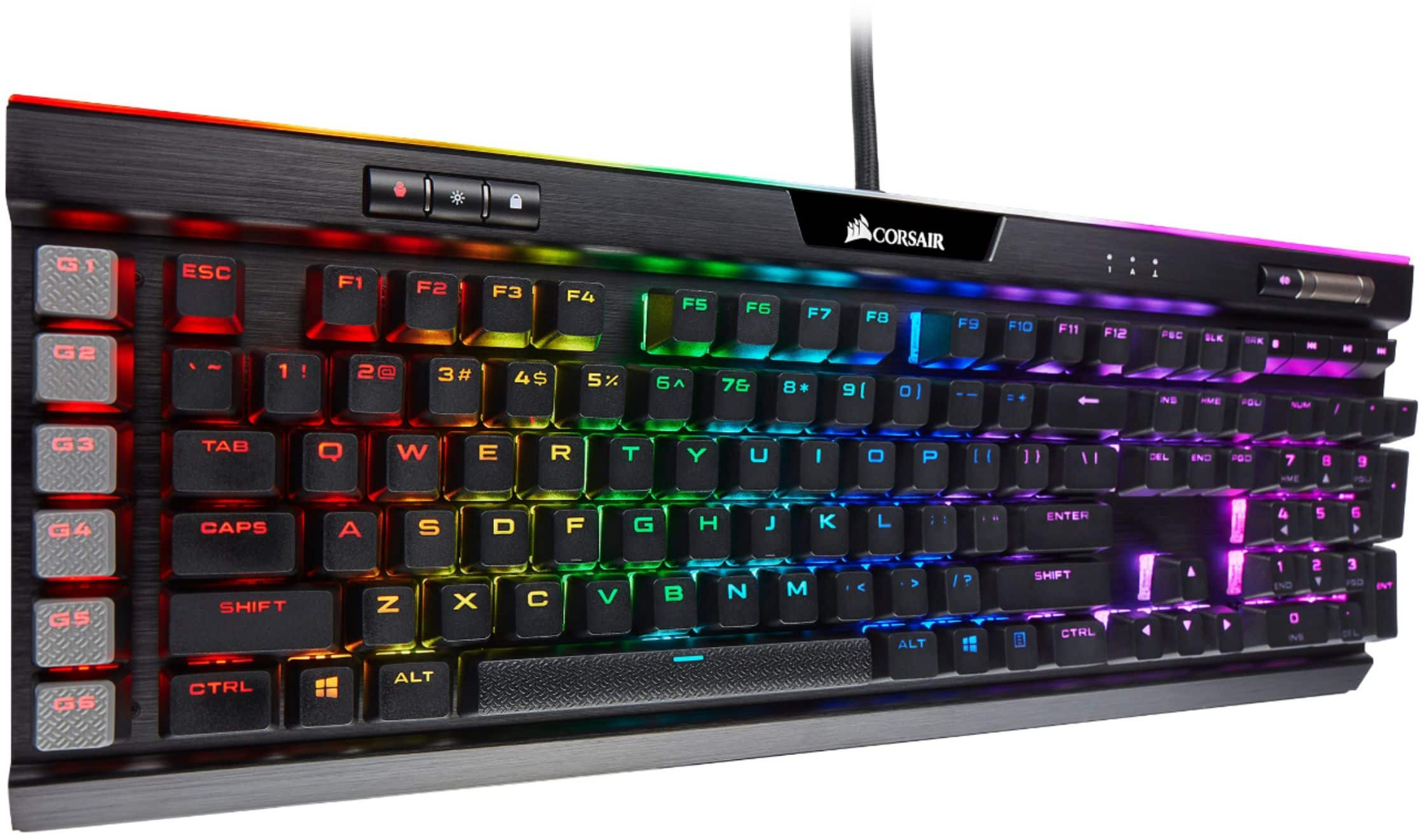
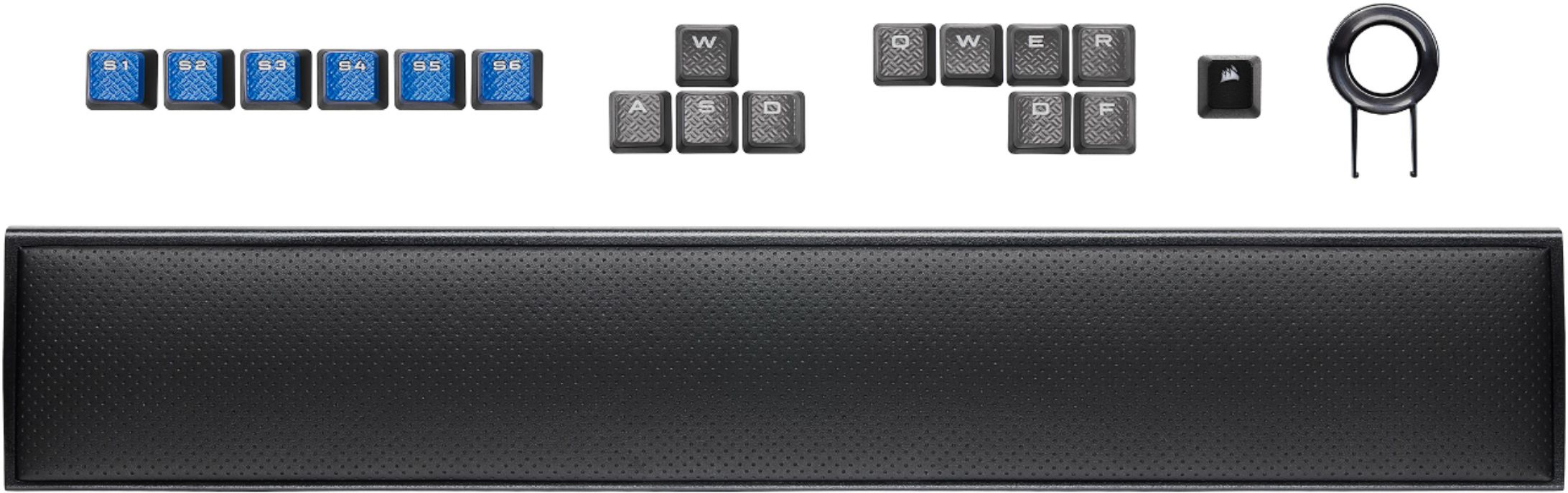
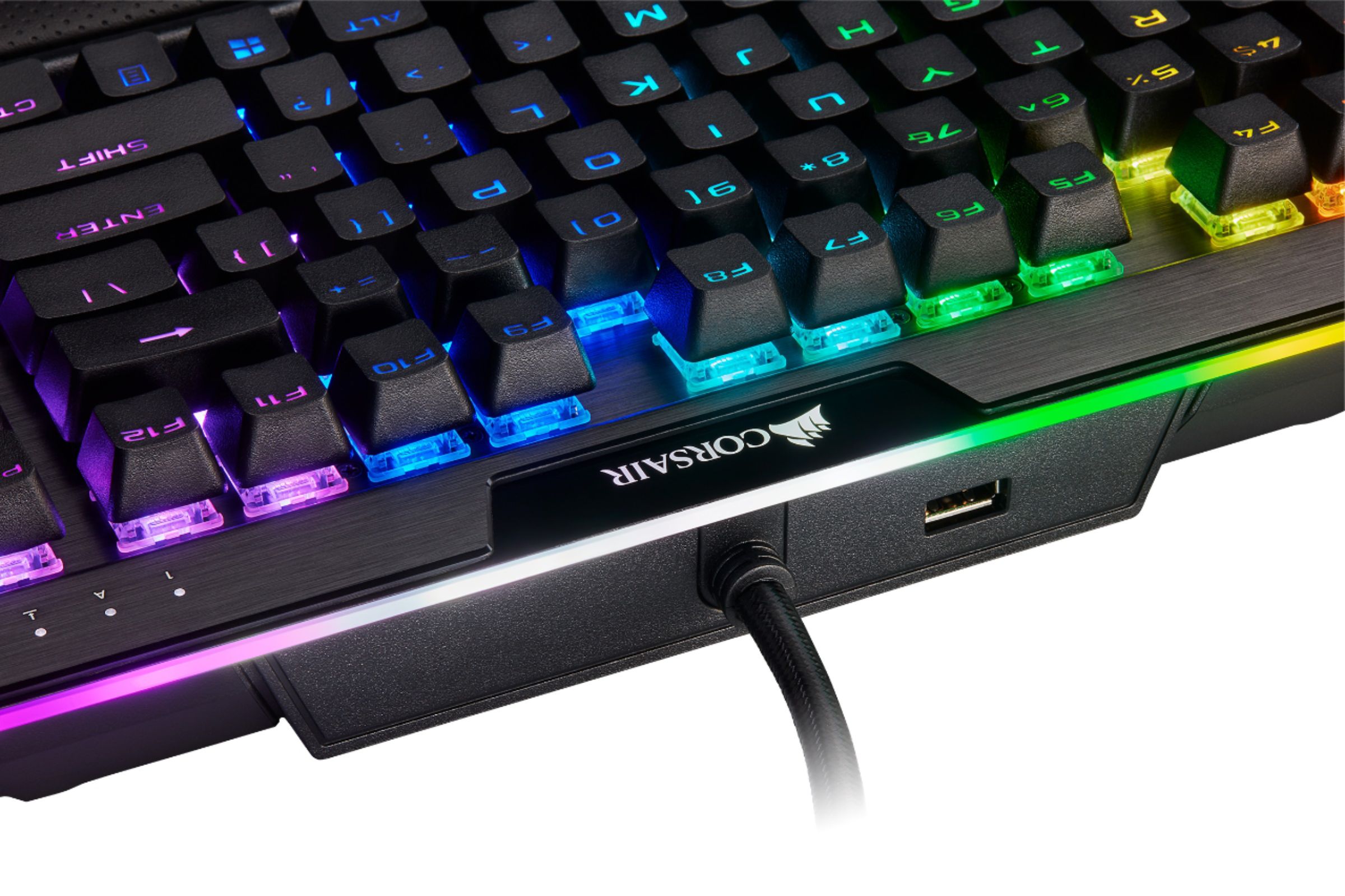
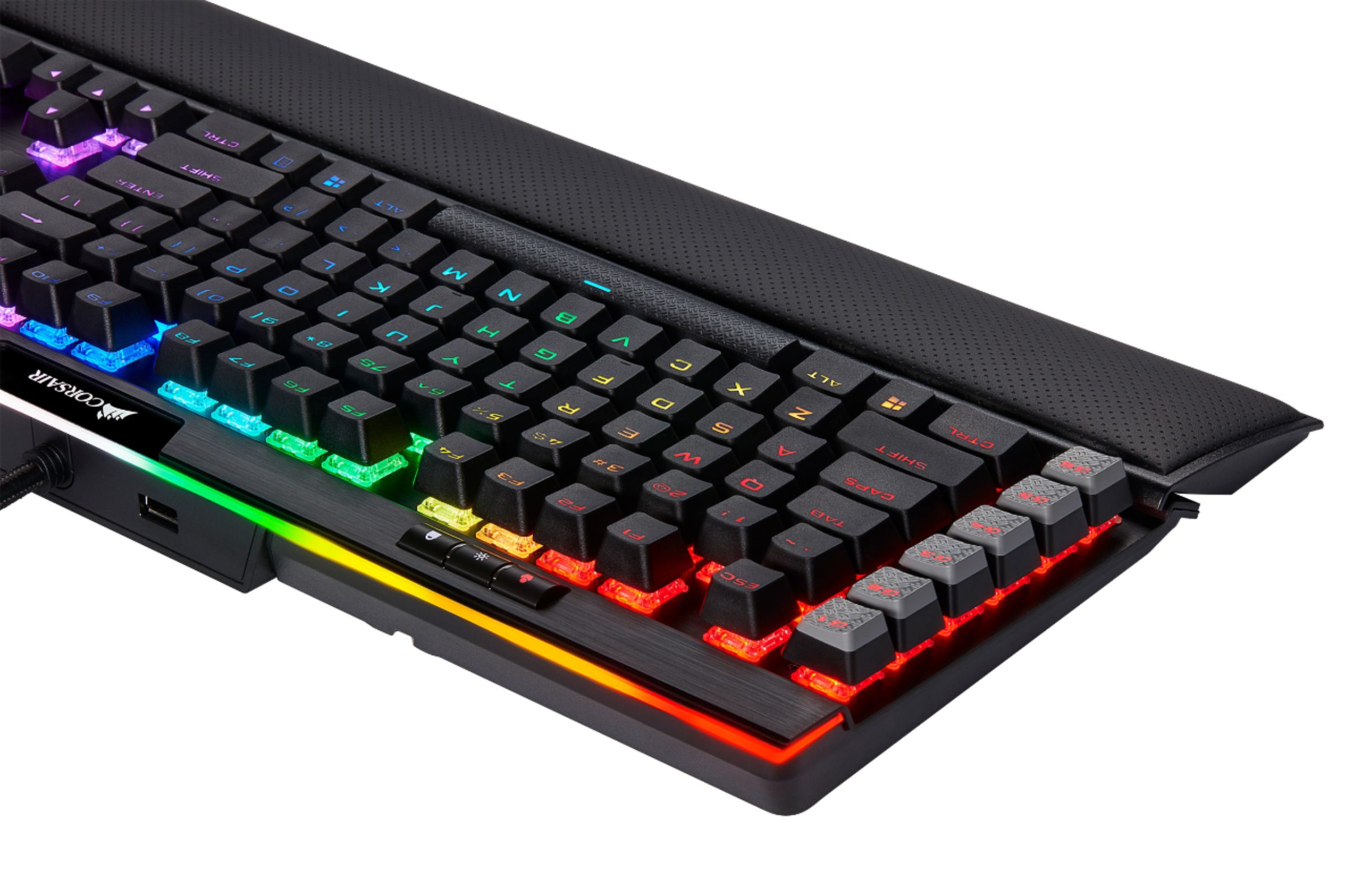
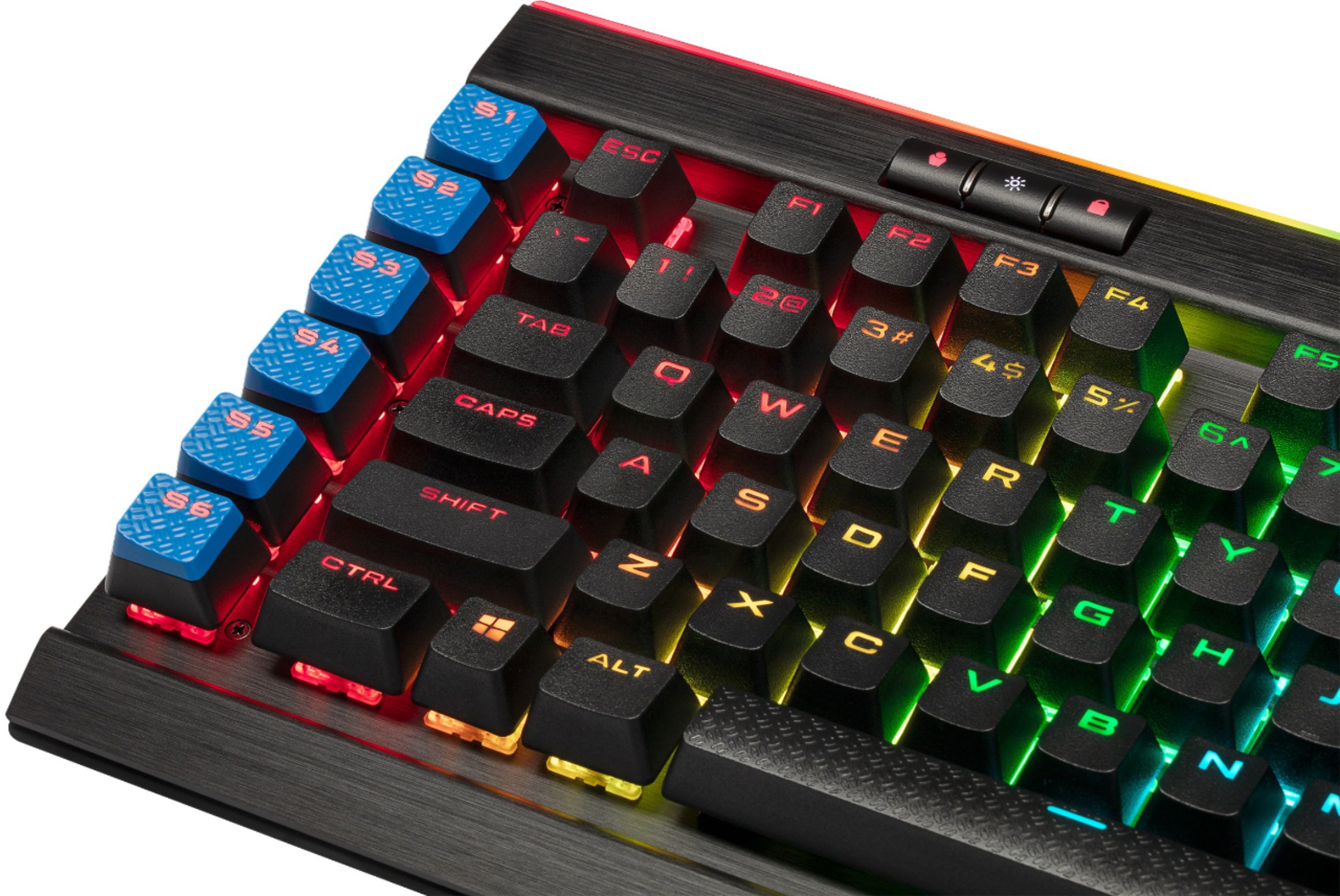
|Posted .This reviewer received promo considerations or sweepstakes entry for writing a review.The K95 RGB Platinum XT is the newest in the line of Corsair gaming keyboards, and now fully integrates their recent acquisition, Elegato (maker of the increasingly-popular Stream Deck keypad for gamers and streamers) into the 6 programmable hot keys on the left side of the keyboard. Starting with the keyboard itself, it’s a full-sized keyboard which also comes with an incredibly comfortable padded wrist rest (optional if you have your own or just don’t like those), and is loaded with Cherry’s MX Speed Silver linear switches (specs from Cherry: Linear keys with 1.2mm pre-travel and 3.4mm total travel, 45cN force to activate and do not have an audible click). The buttons are indeed fast and smooth, but unlike so many other stock keyboards keys do have noticeable wobble on the edges, especially the larger keys like shift, CTRL, ALT, enter, etc. There is also a noticeable squeak and a metal spring sound on some of the keys, not sure if this will go away as the keys break in, but on a keyboard at this price I don’t really feel like I should hear squeaking. Each key is also individually RGB lit, so you can fully control the lighting on every key on the keyboard, including the hot keys and the 4 multimedia control buttons. Other keys/controls on the keyboard include profile switching, turn RGB off/on, a sound mute button, and a roller wheel for volume. The keyboard also has 2 separate USB cords, both are incredibly beefy in thickness and covered in a thick shield. One cord connects the keyboard like normally, the second is a cord to enable the passthrough USB port on the back of the keyboard. This will allow you to plug a mouse in to shorten the cable run or just to use to charge your phone. All keys are untextured and black in color, but does include interchangeable keys that are silver and textured if you prefer textured standout colors for your gaming keys (ASDFWFDERQ included). Likewise, the 6 hotkeys can be swapped from their default silver textured (G keys) to blue textured “streaming control” keys (S keys). The hot keys are now no longer controlled from the iCue software, but rather are controlled by installing the Elegato Stream Deck software. Once installed and the keyboard connected, a 6-button control panel will launch, allowing you to drag & drop features, macros, and pre-built commands from Stream Deck to give you instant features with a single button. If you stream, you’ll be able to do a variety of actions including start recording, control chat, create & replay clips, control Twitch, play an ad, or just basic macros like single keystrokes, type a preset block of text, etc. If you’re not familiar with Stream Deck, I strongly recommend looking at the Elegato site and looking at some YouTube videos to see what all the capabilities are – there are way too many to list here. Bottom line is that whatever you can normally do in Stream Deck you can now do seamlessly on your keyboard with the 6 hot keys. What I did find annoying about the Stream Deck integration is that once the 6-button control panel opens on your computer it stays up, sitting on top of all other windows. You can move it around to get it out of the way, but there is no way to close or minimize it. At least with the Stream Deck software for the actual Stream Deck peripheral you can minimize the software to keep it running but out of the way. For whatever reason you can’t do that with the panel used to control the Corsair keys. I assume it’s because if closed the buttons won’t work, but you should be able to minimize the window. I don’t need it taking up real estate on my FPS game. (You can kill it from Task Manager, but that obviously kills the buttons, as well.) Specifically for the RGB keys, they’re all controlled (as usual) from the Corsair iCue software. They do feature the “Lighting Link” option to allow any changes to your color schemes to seamlessly apply across all Corsair RGB peripherals if you want them all to look the same or for lighting patterns to cross from one peripheral to another. Multiple profiles are available to let you swap between your usual color scheme to one maybe for low-light sessions, or can configure colors based on what game you launch. Nothing new here. Summary: I found the keyboard to be a pleasure to use, whether to game on or just type documents. Keys are fast and smooth (with the caveats listed earlier, but those aren’t deal-breakers). The integration with the Stream Deck is nice, especially if you already have & use a Stream Deck peripheral; this just adds 6 more keys to your Stream Deck options. If you’re in the market for a new keyboard, and especially if you stream, this should be on your wish list.
I would recommend this to a friend Great keyboard for gaming
||Posted . Owned for 1 month when reviewed.This reviewer received promo considerations or sweepstakes entry for writing a review.Amazing and comfortable. The Corsair software needs some work though.
I would recommend this to a friendGood RGB
||Posted . Owned for 1 month when reviewed.This reviewer received promo considerations or sweepstakes entry for writing a review.My boyfriend liked it but thought the brown switches are better
I would recommend this to a friendGood But Inconsistent Quality.
||Posted . Owned for 1 week when reviewed.This reviewer received promo considerations or sweepstakes entry for writing a review.It's okay. I tried two different ones (had to return the first purchase because of defects) and in both there was inconsistency with the switches and how they felt. Seems to be a common problem, but twice really? Not so sure. There is latency problems if you leave CUE installed.
No, I would not recommend this to a friendBrand response from Corsair Art
Posted .Hello,
Which consistency and latency problems did you have specifically? Please contact us if you still need help and can provide us this info: support.corsair.com
-Art
Ok keyboard i guess
||Posted .This reviewer received promo considerations or sweepstakes entry for writing a review.The spacebar is horribly wobbly and dont sound right. The keys arent what i thought they should be, fir a $170 keyboard you would expect mire, especially coming from Corsair. And the Icue software is awful
No, I would not recommend this to a friendBrand response from Corsair Art
Posted .Hi Rarrie,
Sorry to hear that the spacebar is sounding wobbly, we'd like to help! Please reach out to our support team so we can work with you directly: support.corsair.com
-Brian
Returned item
||Posted . Owned for 2 weeks when reviewed.This reviewer received promo considerations or sweepstakes entry for writing a review.Product came damaged. Soft padded part came tore, exchanged for the k100 RGB keyboard. I would recommend spending the extra money on the nicer keyboard.
No, I would not recommend this to a friendBrand response from Corsair
Posted .Hi,
Sorry to hear about your experience. If you ever receive an item in improper condition from Best Buy, please feel free to perform an exchange with them. If you have any questions regarding your new K100 RGB, we'd be happy to assist: help.corsair.com
-Albert
PC yes——Mac NONONO
||Posted .This reviewer received promo considerations or sweepstakes entry for writing a review.Does not work very well with MAC computers even though it is advertised as a duel. Works great on PC so I kept it but buyers beware if you need to use on a Mac.
I would recommend this to a friendBrand response from Corsair
Posted .Hi,
Thank you for your feedback. Did you download iCUE for your macOS system? You may download it here: (https://www.corsair.com/us/en/icue-mac). If you continue to experience any issues, please feel free to contact us - we'd be happy to help: support.corsair.com
-Albert
Great keyboard but not $200 great
||Posted . Owned for 1 month when reviewed.This reviewer received promo considerations or sweepstakes entry for writing a review.Love this keyboard, recently switched over from Razer just to try this out and while the keys are less "clicky" i'm not seeing may "premium" features here that would make this different from their $100 one.
No, I would not recommend this to a friendBrand response from Corsair Art
Posted .Hello Mike,
The features are listed on the product page before purchase. Did you give those a look? Here's the product page: https://www.corsair.com/us/en/Categories/Products/Gaming-Keyboards/RGB-Mechanical-Gaming-Keyboards/K95-RGB-PLATINUM-XT-Mechanical-Gaming-Keyboard/p/CH-9127414-NA
If you have anything else we can help with, please reach out: support.corsair.com
-Art
Gaming Keyboard -- just trying something
||Posted . Owned for 1 week when reviewed.This reviewer received promo considerations or sweepstakes entry for writing a review.TRYING something different. My son shared some info about keyboard and figured i would try it out. So far , so good
I would recommend this to a friendBrand response from Corsair
Posted .Hi,
Thank you for your feedback. Please feel free to refer to our CORSAIR LAB channel (https://www.youtube.com/c/CORSAIRHowTo) if you would like any video guidance on fully utilizing your K95. If you have any questions or concerns, we'd also be happy to assist: help.corsair.com
-Albert
Randomly disconnects after 1 1/2 years
||Posted . Owned for 1 year when reviewed.This reviewer received promo considerations or sweepstakes entry for writing a review.1 1/2 year into owning the USB cable between the PC and the keyboard randomly disconnects. I have tried other usb ports and it appears to be an issue with the keyboard. Way to much money for a keyboard for it to be doing this. It is highly infuriating to lose connection randomly for 3 seconds while doing ANY gaming content that involves split second decisions.
No, I would not recommend this to a friendBrand response from Corsair
Posted .Hi Steve,
Sorry to hear about your experience. Considering our keyboards carry a 2-year warranty, please get in touch with us - we'd appreciate the opportunity to get this resolved: support.corsair.com
-Albert
- Pros mentioned:Ease of use
Key Board
||Posted . Owned for 1 month when reviewed.This reviewer received promo considerations or sweepstakes entry for writing a review.Easy to use and very comfortable. Like the LED light
I would recommend this to a friendBrand response from Corsair
Posted .Hi Win58,
Thanks for the feedback! Did you experience any issues while using the K95 Platinum XT? If you experienced any issues or if you had an questions about the headset, please feel free to reach out to our support team, we'd be happy to assist you directly: support.corsair.com
-Brian
KISS fans who love it loud will dig this board.
||Posted . Owned for less than 1 week when reviewed.This reviewer received promo considerations or sweepstakes entry for writing a review.Responsive, well made, but the space bar is as loud as a snare drum when you hit is. Just not for me.
No, I would not recommend this to a friendBrand response from Corsair Art
Posted .Hi Monthra,
Sorry to hear the space bar is excessively loud. Please get in touch with us, we'd be happy to look into the issue and provide a solution: support.corsair.com
-Albert
It's a keyboard.
||Posted . Owned for 1 month when reviewed.This reviewer received promo considerations or sweepstakes entry for writing a review.Cherry switches are nice. Extra g keys are nice but...its a keyboard. You will be fine with a cheaper option
No, I would not recommend this to a friendBrand response from Corsair Art
Posted .Hello Atlas,
What seems to be the specific issue? Please reach out at any time: support.corsair.com
-Art
touchy
||Posted . Owned for 1 week when reviewed.This reviewer received promo considerations or sweepstakes entry for writing a review.Keys are to sensitive for normal use. it is strictly a gaming keyboard.
No, I would not recommend this to a friendBrand response from Corsair Art
Posted .Hi Robert,
Thanks for the feedback, if you have any further questions about the K95 Platinum XT, please feel free to contact our support team: support.corsair.com
-Brian