Skip to contentGo to Product Search
Gift Ideas
Main Content

Customer Ratings & Reviews
$49.99
Save $40
Comp. Value: $89.99

Customer reviews

Rating 4.5 out of 5 stars with 1207 reviews

Rating Filter

Rating by feature

  • Value

    Rating 4.4 out of 5 stars

  • Quality

    Rating 4.6 out of 5 stars

  • Ease of Use

    Rating 4.4 out of 5 stars

Pros mentioned filter

Cons mentioned filter

88%would recommend to a friend

Customers are saying

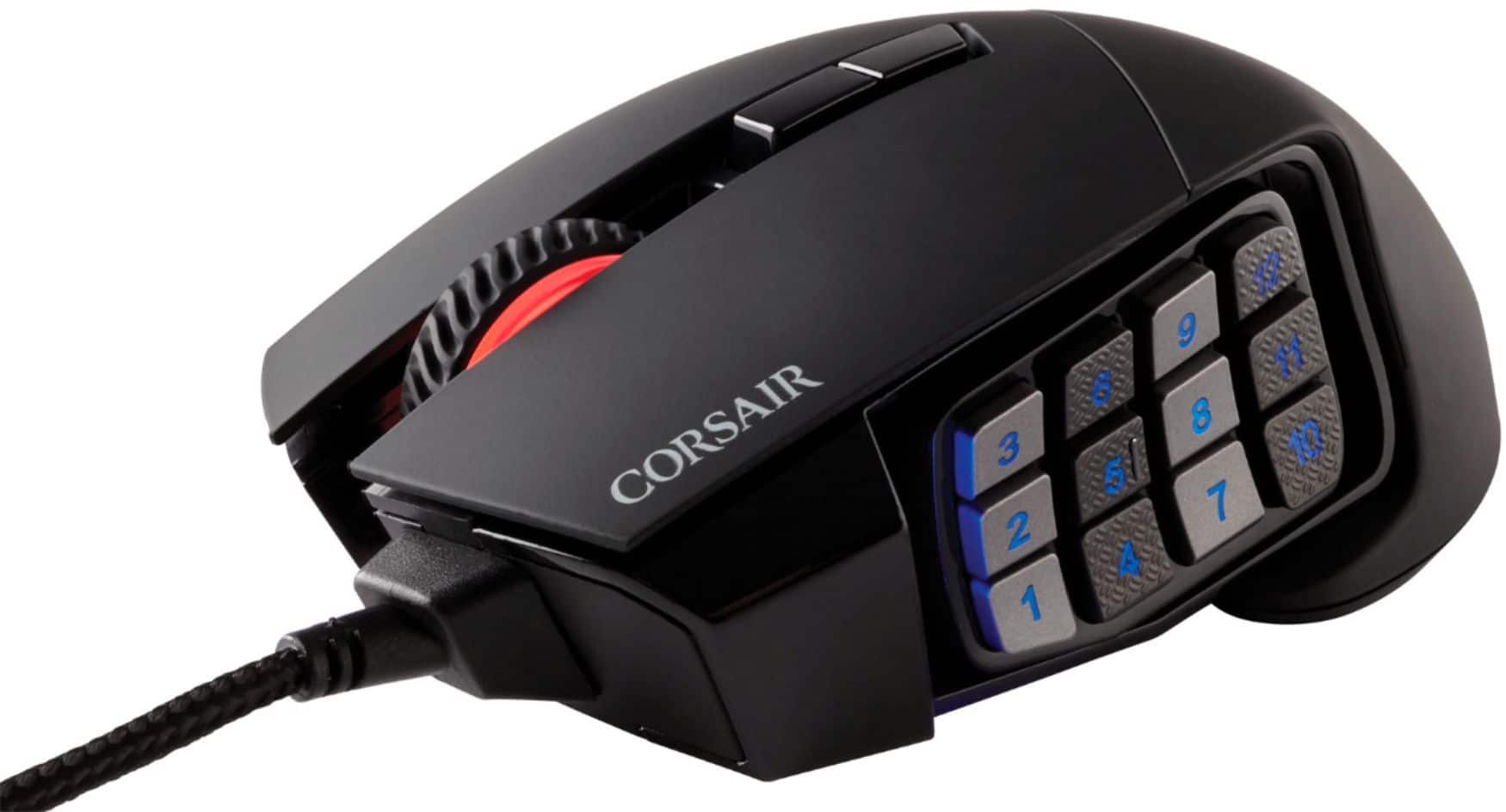
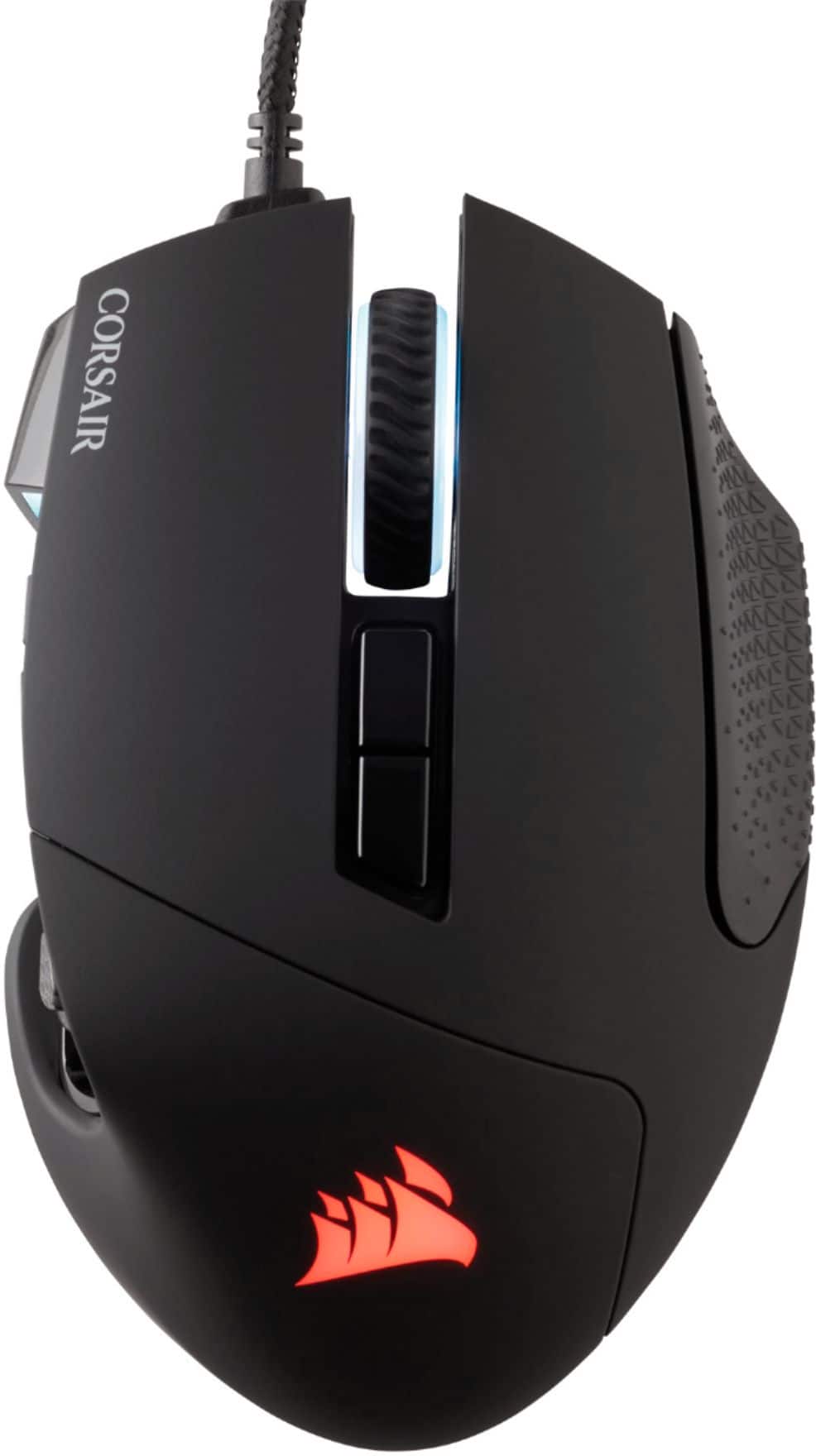
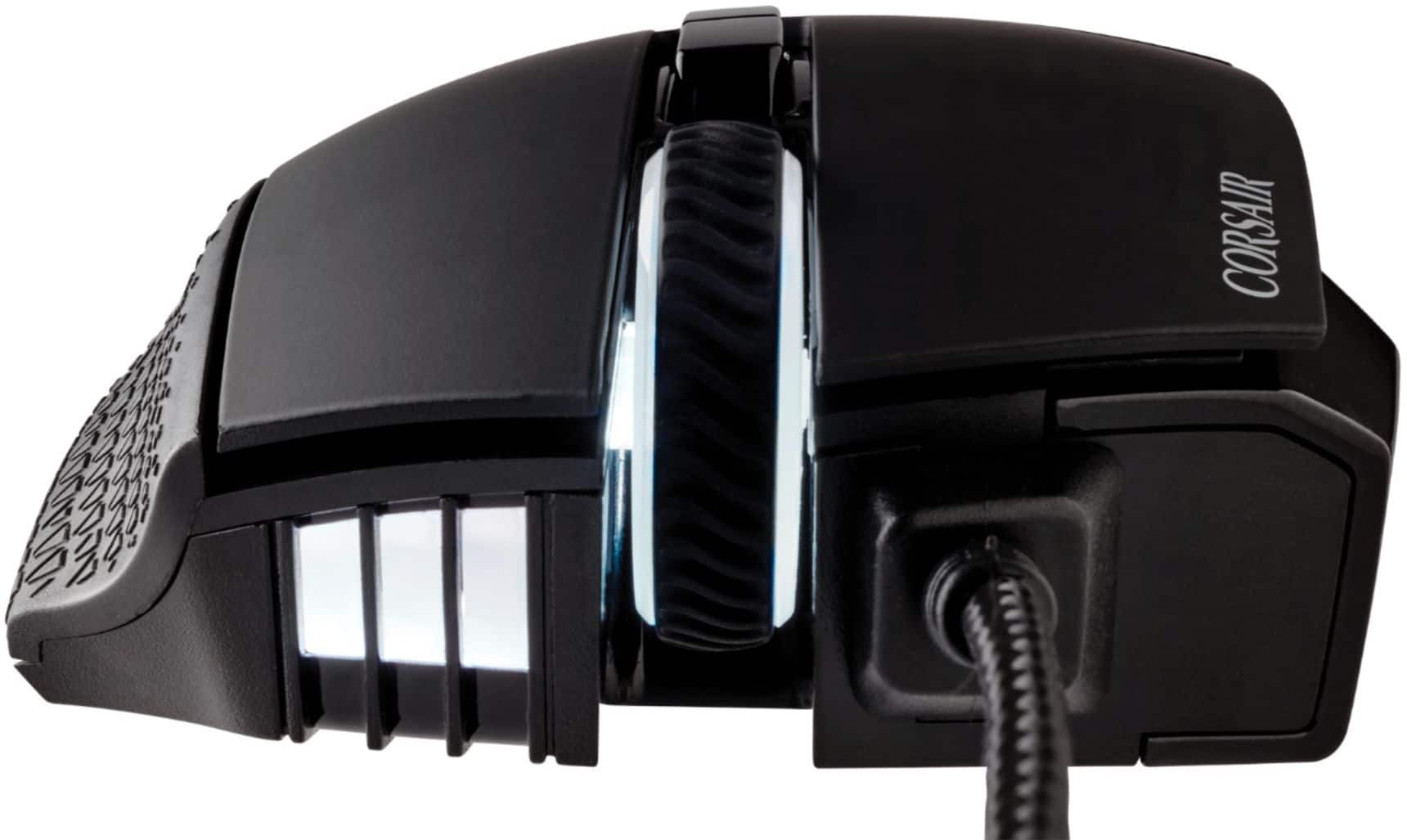
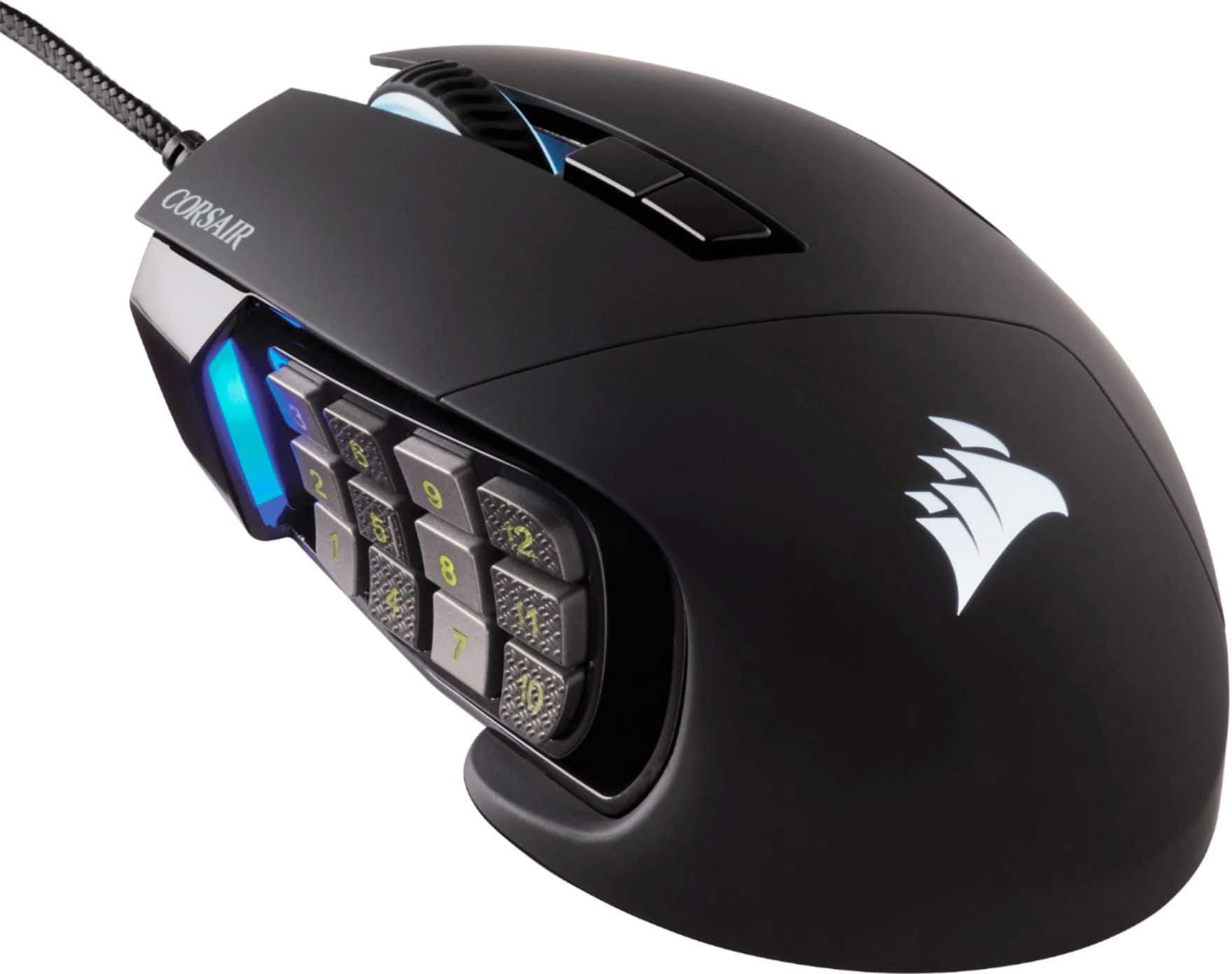
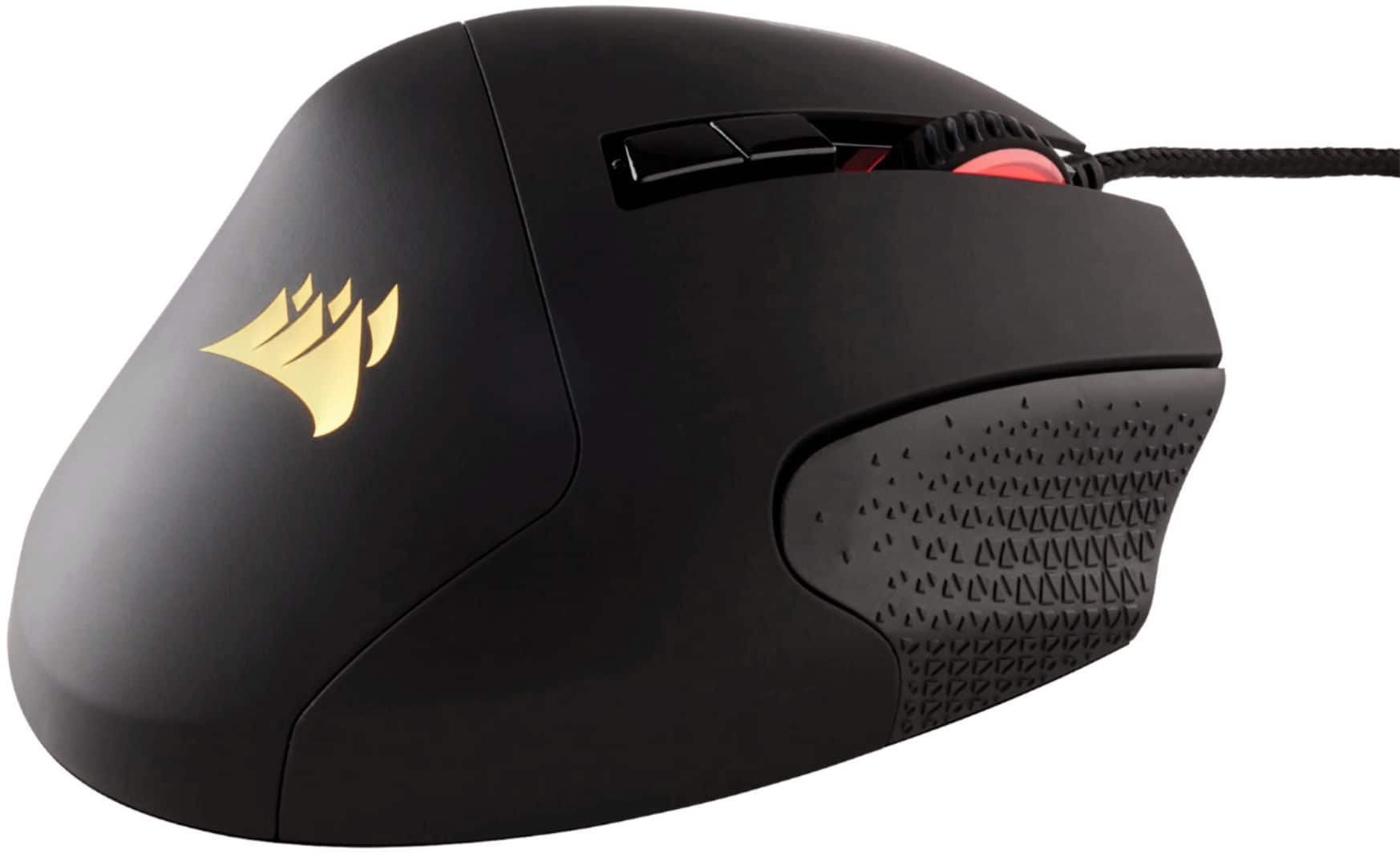
Customers are positive about the Scimitar RGB Elite Wired Optical Gaming Mouse, especially regarding its programmable buttons, comfortable design, and impressive build quality. Many appreciate the customizable DPI and the subtle RGB lighting. However, some customers have expressed concerns about the scroll wheel's reliability and the complexity of the software. Others find the size a bit large and the price somewhat high.

This summary was generated by AI based on customer reviews.

The vast majority of our reviews come from verified purchases. Reviews from customers may include My Best Buy members, employees, and Tech Insider Network members (as tagged). Select reviewers may receive discounted products, promotional considerations or entries into drawings for honest, helpful reviews.
Page 55 Showing 1,081-1,100 of 1,207 reviews
  • Rated 5 out of 5 stars

    Great gaming mouse

    |
    |
    Posted . Owned for 1 week when reviewed.
    This reviewer received promo considerations or sweepstakes entry for writing a review.

    Just what I was looking for. Love Corsair brand for gaming.

    I would recommend this to a friend
  • Rated 2 out of 5 stars

    Nice mouse but scroll wheel is a problem

    |
    |
    Posted . Owned for 5 months when reviewed.
    This reviewer received promo considerations or sweepstakes entry for writing a review.

    I had 3 Corsair MMO mouses (1 older and 2 newer) which all 3 had the same issue: the scrolling wheel started to behave wrongly after 3-12 months, scrolling became annoying at best or just non-functional (pages kept jumping back and forth instead of going in the intended direction). The mouse is one of the best MMO mouse. I mean it would be if they could fix the scrolling wheel but unfortunately it does not seem to happen.

    No, I would not recommend this to a friend
    • Brand response from Corsair
      Posted .

      Hello,

      Our team should be able to help, please contact them directly right on our site at any time.

      -Art CorsairGaming

  • Rated 5 out of 5 stars

    Great product

    |
    |
    Posted .
    This reviewer received promo considerations or sweepstakes entry for writing a review.

    Great product for gamers to use with their computer.

    I would recommend this to a friend
  • Rated 5 out of 5 stars

    Love it so far!

    |
    |
    Posted . Owned for 1 week when reviewed.
    This reviewer received promo considerations or sweepstakes entry for writing a review.

    Love the product so far. Would definitely reccomend!

    I would recommend this to a friend
  • Cons mentioned:
    Scroll wheel

    Rated 1 out of 5 stars

    Poor mouse wheel

    |
    |
    Posted . Owned for 9 months when reviewed.
    This reviewer received promo considerations or sweepstakes entry for writing a review.

    After about 6 months the mouse scroll wheel starts jumping around. I updated software, tried to fully remove the software and the scroll wheel is still jumping around. Nothing like spending a lot of money on something for it to start not working properly almost a year later.

    No, I would not recommend this to a friend
    • Brand response from Corsair Art
      Posted .

      Hi omnis,

      Sorry to hear about the mouse wheel issues, we'd like to help! Please reach out to our support team so we can work with you directly: support.corsair.com

      -Brian CorsairGaming

  • Rated 5 out of 5 stars

    Grandson needed.

    |
    |
    Posted .
    This reviewer received promo considerations or sweepstakes entry for writing a review.

    Grandson said its awesome, must be as he is a gamer...

    I would recommend this to a friend
  • Rated 3 out of 5 stars

    Nice mouse

    |
    |
    Posted . Owned for 1 week when reviewed.
    This reviewer received promo considerations or sweepstakes entry for writing a review.

    Nice mouse. Felt strange at first but once i got the side buttons in place it felt great

    I would recommend this to a friend
    • Brand response from Corsair
      Posted .

      Hello Dave,

      Any specific issues our team would be able to try to help with? If so, please contact them directly on our site at any time.

      -Art CorsairGaming

  • Pros mentioned:
    Programmable buttons

    Rated 5 out of 5 stars

    Amazing!

    |
    |
    Posted . Owned for 1 week when reviewed.
    This reviewer received promo considerations or sweepstakes entry for writing a review.

    I use Corsair everything. This is loaded with options and remapping keys! If you pay MMO games like WOW you definitely need this!

    I would recommend this to a friend
  • Rated 5 out of 5 stars

    Great mouse for world of Warcraft

    |
    |
    Posted .
    This reviewer received promo considerations or sweepstakes entry for writing a review.

    Nice! Just that I need. Fast pick up. Everything ok!

    I would recommend this to a friend
  • Rated 3 out of 5 stars

    Makes my thumb drag because of numb pad position

    |
    |
    Posted . Owned for 9 months when reviewed.
    This reviewer received promo considerations or sweepstakes entry for writing a review.

    Wanted to love this but coming from the razer naga I prefer that over the scimitar. This one causes my thumb to rub the mouse pad due to the low number pad and I have pretty small hands.

    No, I would not recommend this to a friend
    • Brand response from Corsair Art
      Posted .

      Hi Nick,

      Thanks for the feedback, if you have any further questions about the Scimitar Elite, please feel free to contact our support team: support.corsair.com

      -Brian CorsairGaming

  • Rated 2 out of 5 stars

    Bad buttons

    |
    |
    Posted . Owned for 3 weeks when reviewed.
    This reviewer received promo considerations or sweepstakes entry for writing a review.

    Rough review. Overall good mouse, comfortable enough for gaming sessions. Bought specifically for MMO games with the intention of using the side buttons. Unfortunately that is where the 2 stars come from. Very uncomfortable side button positioning, many of them were too difficult to press as they were too low down and basically on my mouse pad. I tried different grips on the mouse, all of which were no better. Item was returned.

    No, I would not recommend this to a friend
    • Brand response from Corsair Art
      Posted .

      Hi Amber,

      Thanks for the feedback, if you have any further questions about the Scimitar Elite, please feel free to contact our support team: support.corsair.com

      -Brian CorsairGaming

  • Rated 3 out of 5 stars

    Probably good for someone else.

    |
    |
    Posted . Owned for 2 weeks when reviewed.
    This reviewer received promo considerations or sweepstakes entry for writing a review.

    This is more of a personal taste review. The buttons around the thumb were distracting for me.

    I would recommend this to a friend
    • Brand response from Corsair
      Posted .

      Hello,

      Were there any functional issues you ran into? If so, please don't hesitate in reaching out to our team online directly on our site.

      -Art CorsairGaming

  • Rated 3 out of 5 stars

    Decent Gaming Mouse

    |
    |
    Posted .
    This reviewer received promo considerations or sweepstakes entry for writing a review.

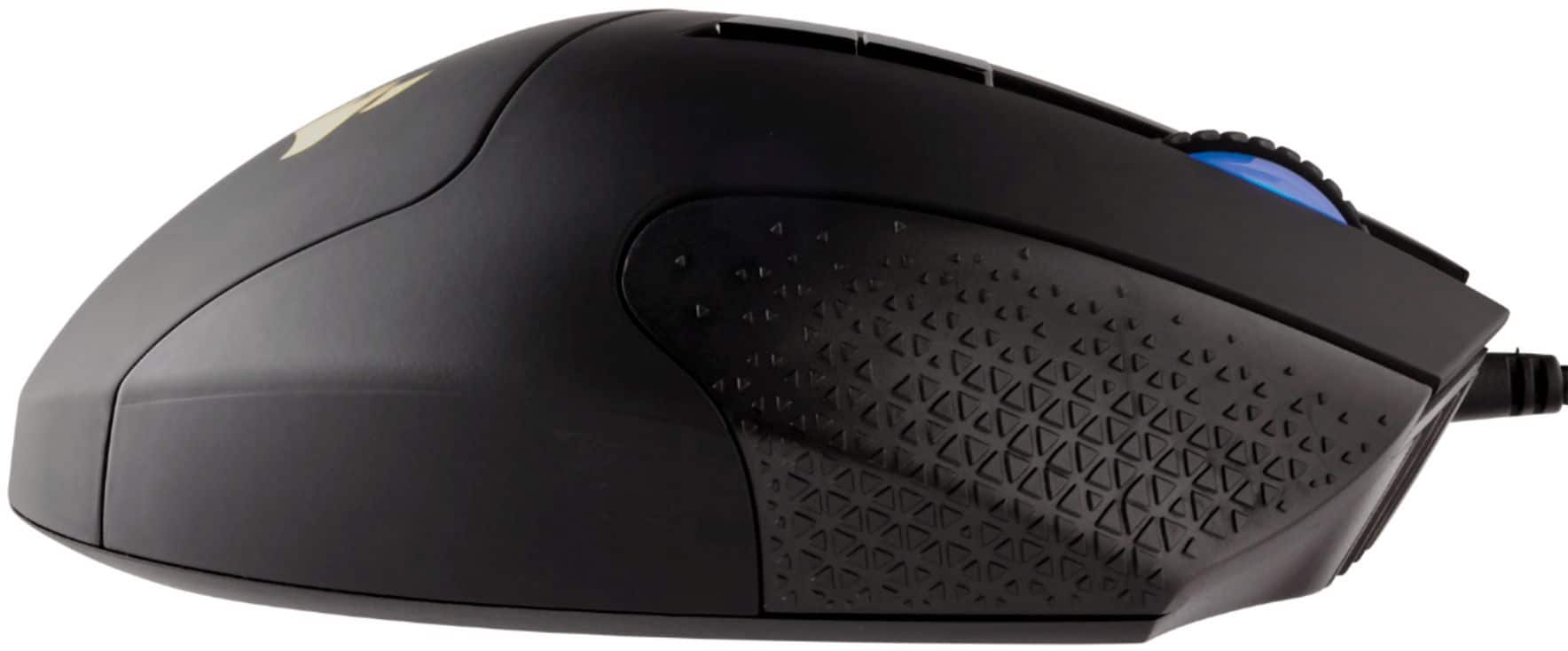
    It’s a nice mouse, but it’s a little too smooth for me. What I mean by that is that the texture of the mouse is smooth where there isn’t enough grip so my hand slips forward and slides a little to easily.

    I would recommend this to a friend
    • Brand response from Corsair Art
      Posted .

      Hello Mia,

      Thanks for the feedback. I'd recommend returning the mouse if its design is just not what works for you.

      If you have anything else we can help with, please reach out: support.corsair.com

      -Art CorsairGaming

  • Pros mentioned:
    Programmable buttons

    Rated 4 out of 5 stars

    Great Mid-teir MMO Mouse

    |
    |
    Posted . Owned for 1 week when reviewed.
    This reviewer received promo considerations or sweepstakes entry for writing a review.

    For the price this is a really good MMO mouse and the adjustable buttons are a plus.

    I would recommend this to a friend
  • Rated 3 out of 5 stars

    It’s okay

    |
    |
    Posted . Owned for 1 week when reviewed.
    This reviewer received promo considerations or sweepstakes entry for writing a review.

    I downloaded the iCue software and it basically disabled the buttons for no reason. Uninstalling the software fixes the issue. I’m not bad with troubleshooting either and just couldn’t fix it.

    No, I would not recommend this to a friend
    • Brand response from Corsair Art
      Posted .

      Hi,

      Which buttons are disabled? Please contact us so we can help: support.corsair.com CorsairGaming

  • Pros mentioned:
    Programmable buttons
    Cons mentioned:
    Scroll wheel
    Tech Insider Network Member

    Rated 4 out of 5 stars

    Worthy option for ALL games and productivity

    |
    Tech Insider Network Member
    Posted .
    This reviewer received promo considerations or sweepstakes entry for writing a review.

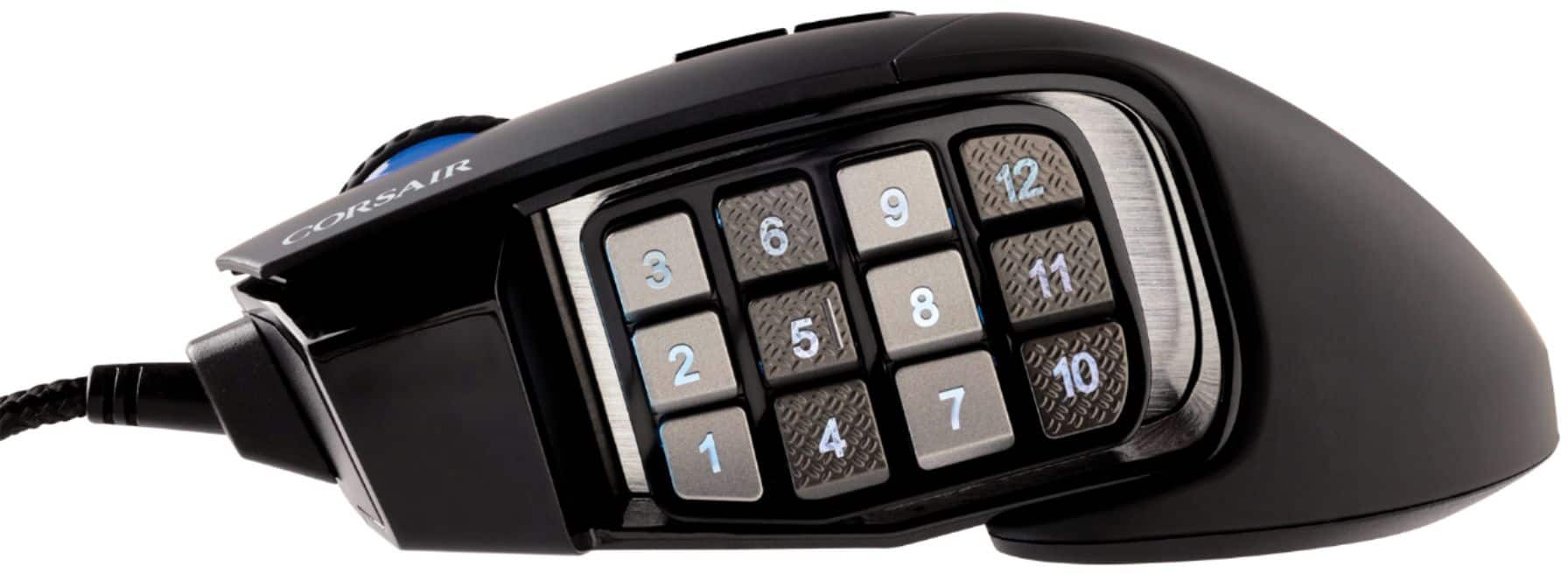
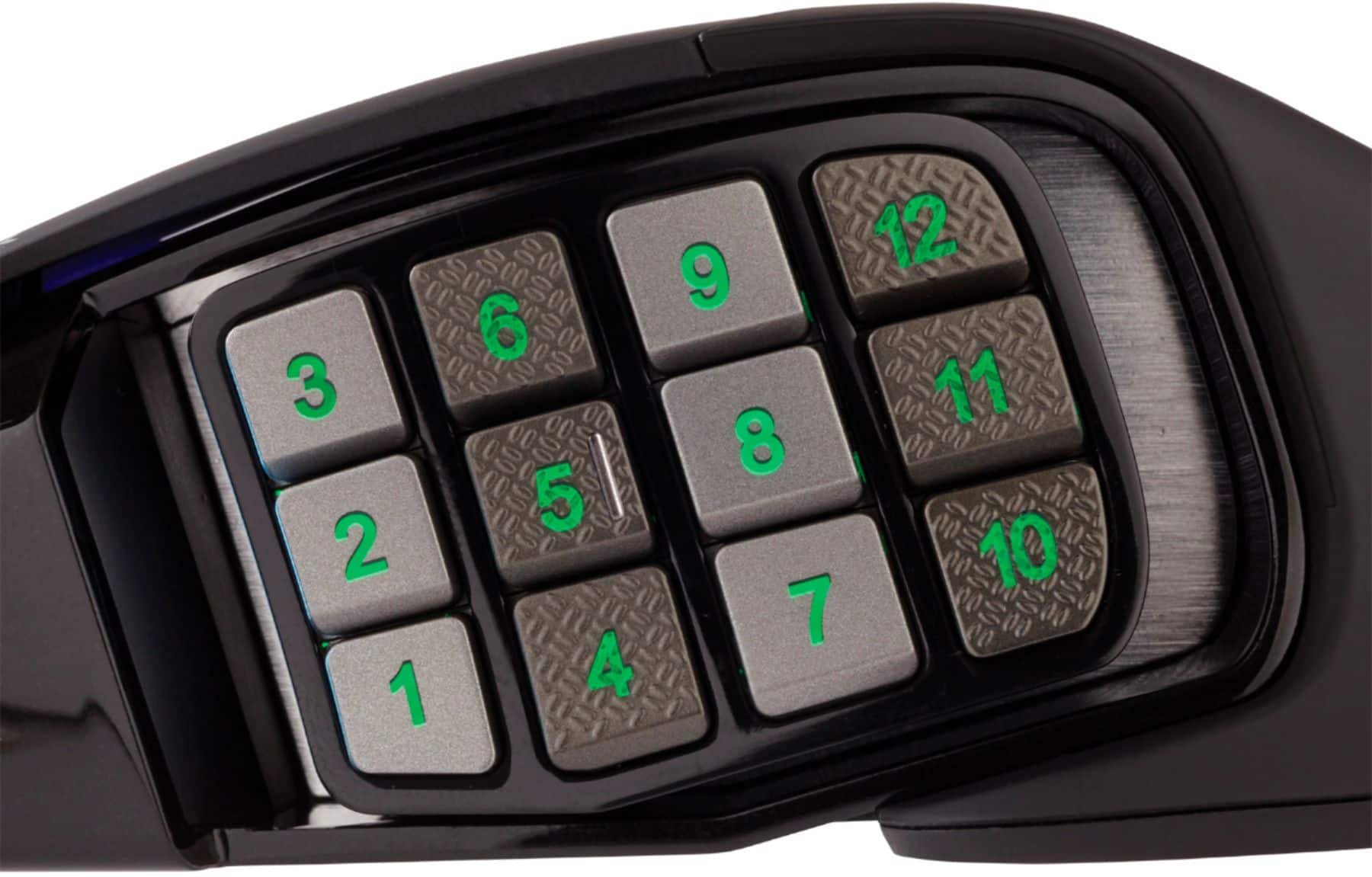
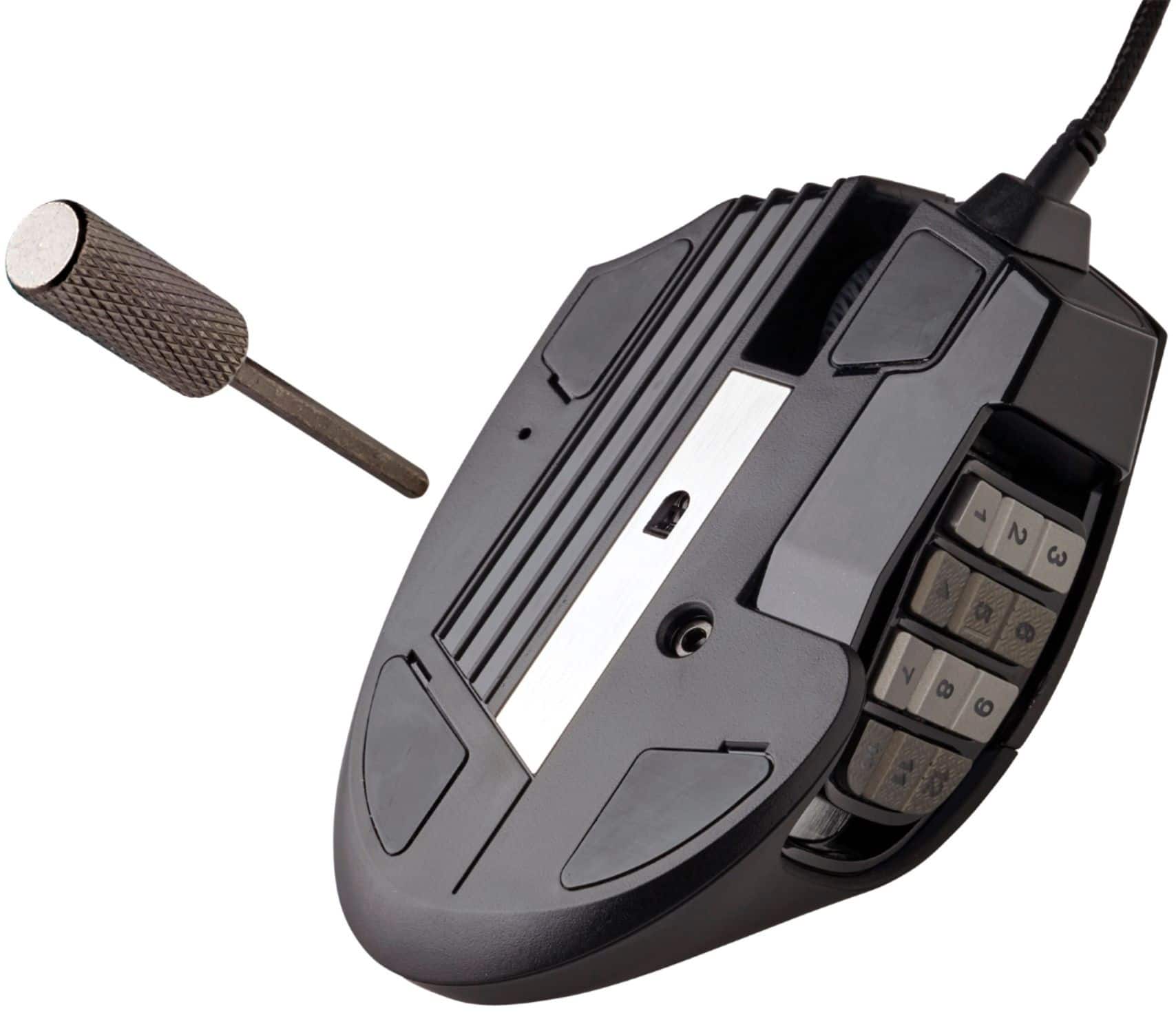
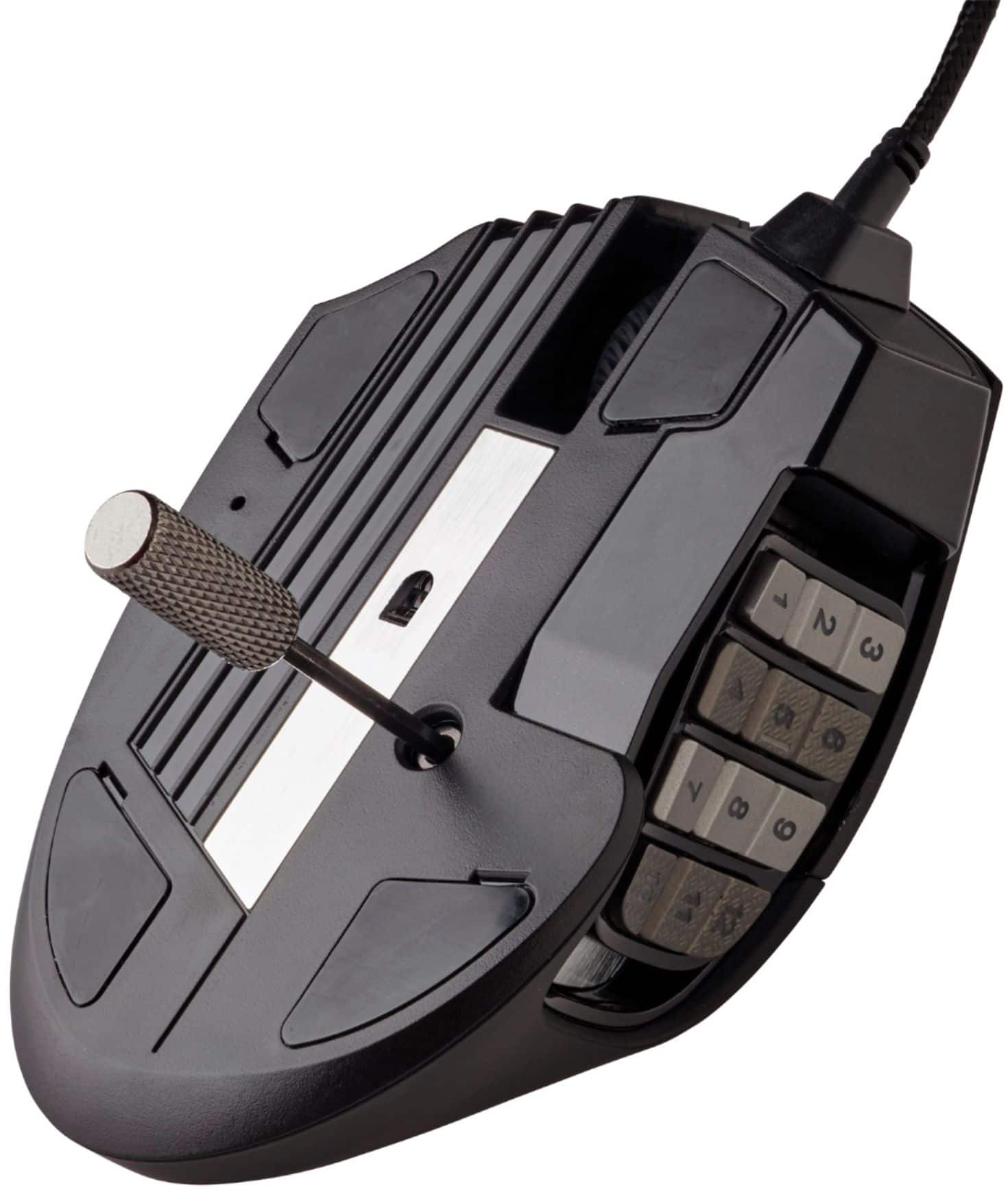
    THE GOOD -Lots of programmable buttons for games and productivity -Sliding thumb grid great for fitting different hand sizes -Three onboard memory profiles -Affordable THE BAD -Clunky programming software -Hardware and software profiles are incompatible with each other -Can't program scroll up or down -No scroll tilt / side-scrolling -Thumb buttons use same button geometry and aren't easily discernible by touch -Bottom thumb buttons too close to desk THE DETAILS It's rather misleading that nearly all peripheral manufacturers market their mice of this type ( 10+ thumb buttons ) as MMO-specific mice. Yes, having a lot of readily accessible mouse buttons is helpful in games like World of WarCraft or LotR Online where you have rows and rows of skill buttons and attacks. However these kinds of mice are equally helpful in first-person action games, adventure games, MOBAs, real-time strategy, and any other game. The idea you want only two thumb buttons for an FPS game or six for a MOBA is rubbish to me. In an FPS I want commands for use/interact, reload, crouch/prone, and throw grenade on my mouse, as well as specific weapon swaps ( not just scrolling through a list ) and tactical abilities and kit/class swap where applicable. In Mass Effect I have all eight ability hotkeys and squadmate controls on the mouse. In XCom I'd put ability hotkeys and some map control on it. In games that support it, I map a lot of commands to Ctrl 1-5, Alt 1-5, and Shift 1-5. then I put Ctrl, Alt, Shift on my mouse so I don't need to shift my left hand on the keyboard as much. Having a big grid of programmable thumb buttons lets me do this, regardless what game I'm playing. The extra buttons are also just as useful for productivity work as for gaming. If you're buried in spreadsheets, word processors, or code editors when not gaming, you can use the extra buttons for things like cut/copy/paste, find/replace, page up and down, home and end, Ctrl Tab for web browser tabs, sentence and paragraph scrolling, or macros for common snippets of code you repeat every day. Performance-wise, comparisons to the Razer Naga and Logitech G600 are inevitable. The Scimitar's big advantage over those two is the sliding button pack on the side. This is an excellent feature that lets you put the thumb buttons exactly where you want, regardless how long your fingers are or how you hold the mouse. A locking hex screw on the underside ( a hex driver is included in the box ) holds the slider in place. However the bottom row of buttons, specifically 1 and 4, are quite close to the bottom of the mouse, and thus very close to the desktop surface. I can only press those buttons using the edge of my thumb rather than the center of the pad. Those with skinnier thumbs may not have this problem. The twelve buttons are all the same shape, size, and the faces are all on the same plane, making them difficult to tell apart by touch alone. The second and fourth columns have a minor diamond hash texture to help tactile button navigation, but it's not as effective as the Naga or G600 that use alternating cants and geometry for the buttons to quickly get your thumb where it needs to go. from a programming standpoint, Corsair's iCue software is not nearly as user friendly as Razer's Synapse or Logitech's G Hub. First you must make a profile for the mouse, then you must create new actions, and then you can pair those actions with a given button. For those that make a LOT of different mapping profiles and use the same button for the same command, this might be faster in the long run, since after you create the command list library, you don't need to recreate the action again and can just drag and drop the same commands to your preferred mouse button. But the initial setup is longer and feels clunky. You also can't remap the scroll wheel up or down function and the scroll whell can't tilt for horizontal scrolling ( or other remap features ). One bright spot is the mouse has onboard storage for three profiles, so you can use the mouse without iCUE and still have the gaming commands you want ( if you're playing games on a computrer other than your personal one, per se. ) However, you have to make a "hardware" profile in iCUE to do this, which is different from the regular "software" profile that iCUE manages. This has a few downsides. One, hardware profiles have limited RGB lighting options, which isn't a big deal. Two, in hardware mode one of the buttons below the scroll wheel is dedicated to profile switching, so it can't be remapped in a hardware profile. Third, you can't convert a software profile to hardware, or vice versa. Instead you have to create a hardware profile from scratch. In just about any other aspect, the Scimitar performs similarly to the Naga, G600, or most any other good mouse. It's smooth on the desk or mouse pad, the buttons are nice and clicky, it has ample lighting features, and the DPI range is far greater than you'll ever need. At around $80, it's a decent price too. Overall I still prefer the Naga as I find the software easier to use, the thumb buttons are easier for me to discern by touch, and it has a tilting scroll wheel. But if you're already in the Corsair ecosystem, or if the sliding thumb panel fits your hand better, the Scimitar is not a bad choice.

    I would recommend this to a friend
  • Pros mentioned:
    Programmable buttons

    Rated 5 out of 5 stars

    Good mouse for mmo

    |
    |
    Posted . Owned for 1 month when reviewed.
    This reviewer received promo considerations or sweepstakes entry for writing a review.

    Good mouse for mmo, heavy for fps. Keybinds can be mapped for one handed game play if needed.

    I would recommend this to a friend
  • Cons mentioned:
    Scroll wheel, Software

    Rated 1 out of 5 stars

    Defective unit

    |
    |
    Posted . Owned for less than 1 week when reviewed.
    This reviewer received promo considerations or sweepstakes entry for writing a review.

    Mouse wheel squeaky after about 5 days of use. iCUE software is difficult to use.

    No, I would not recommend this to a friend
    • Brand response from Corsair Art
      Posted .

      Hi,

      Sorry to hear about your experience. Considering our mice carry a 2-year warranty, we'd be happy to help out regarding the squeaky scroll wheel and provide tips with iCUE: support.corsair.com

      -Albert CorsairGaming

  • Cons mentioned:
    Scroll wheel

    Rated 1 out of 5 stars

    Don't buy

    |
    |
    Posted . Owned for 10 months when reviewed.
    This reviewer received promo considerations or sweepstakes entry for writing a review.

    The downward direction for the wheel started malfunctioning in 9-10 months of purchase. If you want to send it to Corsair for warranty, you'll basically pay 1/3 of the mouse price for shipping.

    No, I would not recommend this to a friend
    • Brand response from Corsair
      Posted .

      Hello Blue,

      Do contact our team again and ask to see if there's an alternative, although I don't think using USPS would cost you $30!

      -Art CorsairGaming

  • Cons mentioned:
    Scroll wheel

    Rated 1 out of 5 stars

    Worst Buy

    |
    |
    Posted . Owned for 1 week when reviewed.
    This reviewer received promo considerations or sweepstakes entry for writing a review.

    Had to return it twice. First time the scroll wheel was making a squeaky noise. Second time the mouse was causing all the usb ports to stop working. Also when I returned it at a different store I didn’t get the full amount due to tax? That’s so stupid.

    No, I would not recommend this to a friend
    • Brand response from Corsair
      Posted .

      Hi Jerome,

      I apologize for the mouse-specific issues you experienced, unsure as to how it could be making all USB ports not work. If you do repurchase this or any other of our products and still run into problems, please don't hesitate reaching out to our team on our site at any time.

      -Art CorsairGaming