Save up to 50% on 3-Day Sale deals.Ends 12/7.Shop now

Skip to content
Gift Ideas
Main Content

Customer Ratings & Reviews
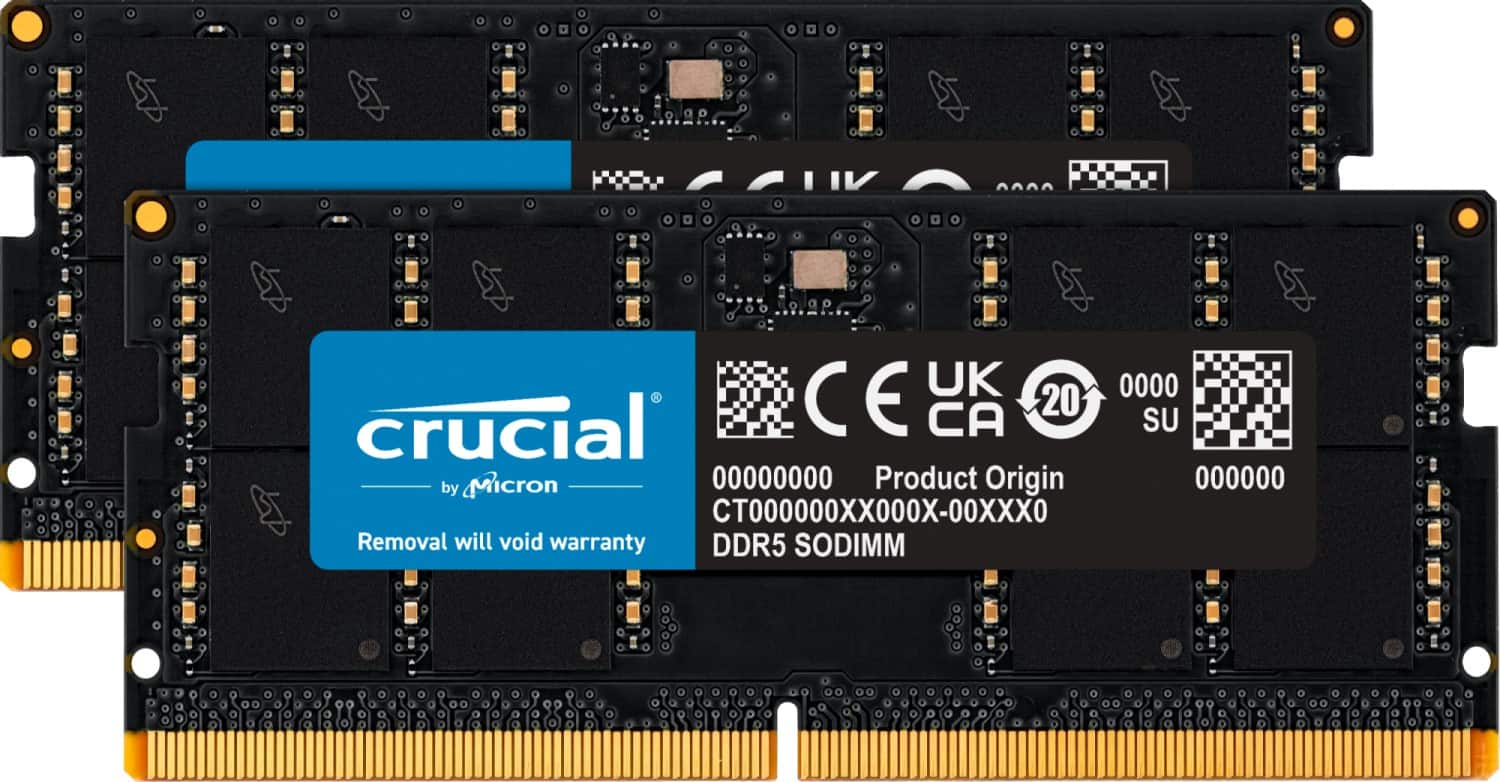
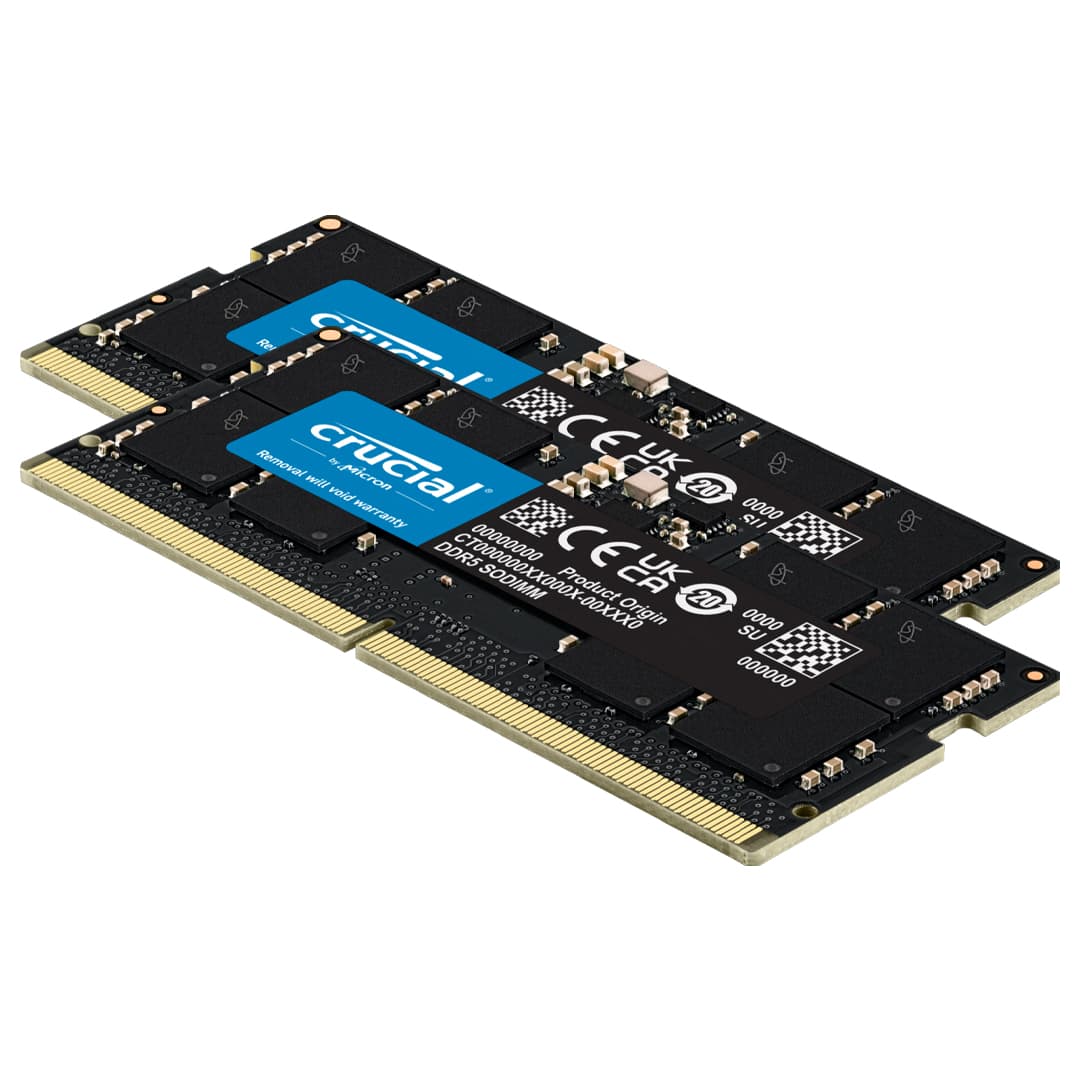
Your price for this item is $410.68

Customer reviews

Rating 4.8 out of 5 stars with 222 reviews

Rating Filter

Rating by feature

  • Value

    Rating 4.7 out of 5 stars

  • Quality

    Rating 4.9 out of 5 stars

  • Ease of Use

    Rating 4.9 out of 5 stars

97%
would recommend
to a friend
The vast majority of our reviews come from verified purchases. Reviews from customers may include My Best Buy members, employees, and Tech Insider Network members (as tagged). Select reviewers may receive discounted products, promotional considerations or entries into drawings for honest, helpful reviews.
Page 11 Showing 201-220 of 222 reviews
  • Tech Insider Network Member

    Rated 5 out of 5 stars

    Essential Upgrade

    |
    Tech Insider Network Member
    Posted .
    This reviewer received promo considerations or sweepstakes entry for writing a review.

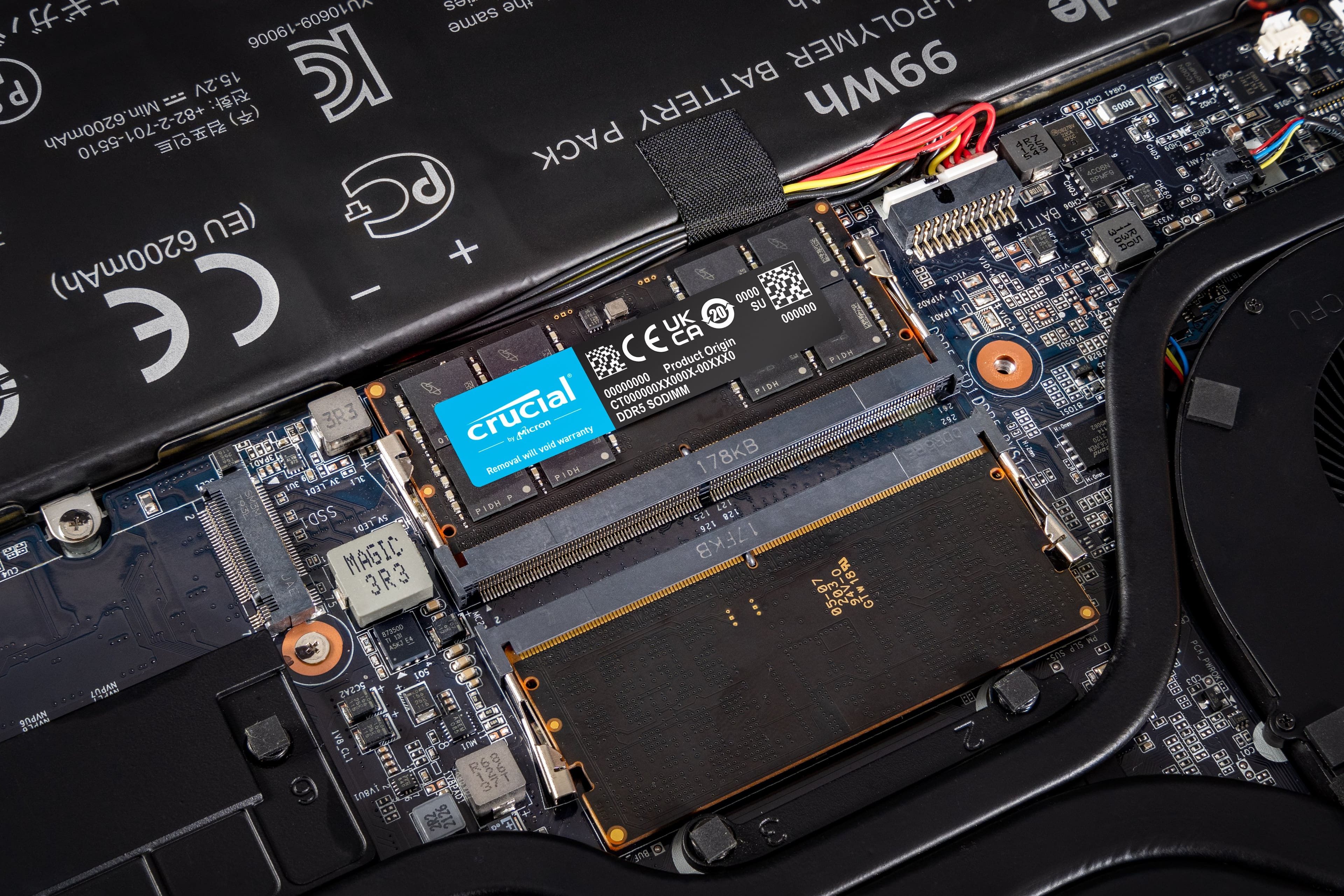
    I’ll start off by saying that this is an essential upgrade you need to make, especially if you play games, do photo or video editing, write software with Visual Studio, etc. My Acer Predator Helios 18 had 16GB of 4800 MHz memory. Windows alone used around 8GB of memory. After running Chrome and Outlook which I always have running, 11GB of memory was used. This leaves only 5GB of memory available for games I am playing. This was not enough to efficiently run the games at their maximum performance. After the upgrade, performance really improved. The upgrade was as easy as removing the old memory and inserting this new memory, and it just worked. No other changes were necessary. They claim that the memory uses less voltage than the older memory and therefore increases battery life. I didn’t notice a difference but that is such a small change in the grand scheme of things compared to the CPU and GPU. This memory is DDR5 5600MHz. You have to make sure your CPU and motherboard support it to take advantage of its full speed. Even if it doesn’t you will still be happy with its overall performance. Overall, upgrading anything less to 32GB is essential, unless all you do is email, internet, and office applications. This is a great way to do it.

    I would recommend this to a friend
  • Tech Insider Network Member

    Rated 5 out of 5 stars

    Easy installation and great performance

    |
    Tech Insider Network Member
    Posted .
    This reviewer received promo considerations or sweepstakes entry for writing a review.

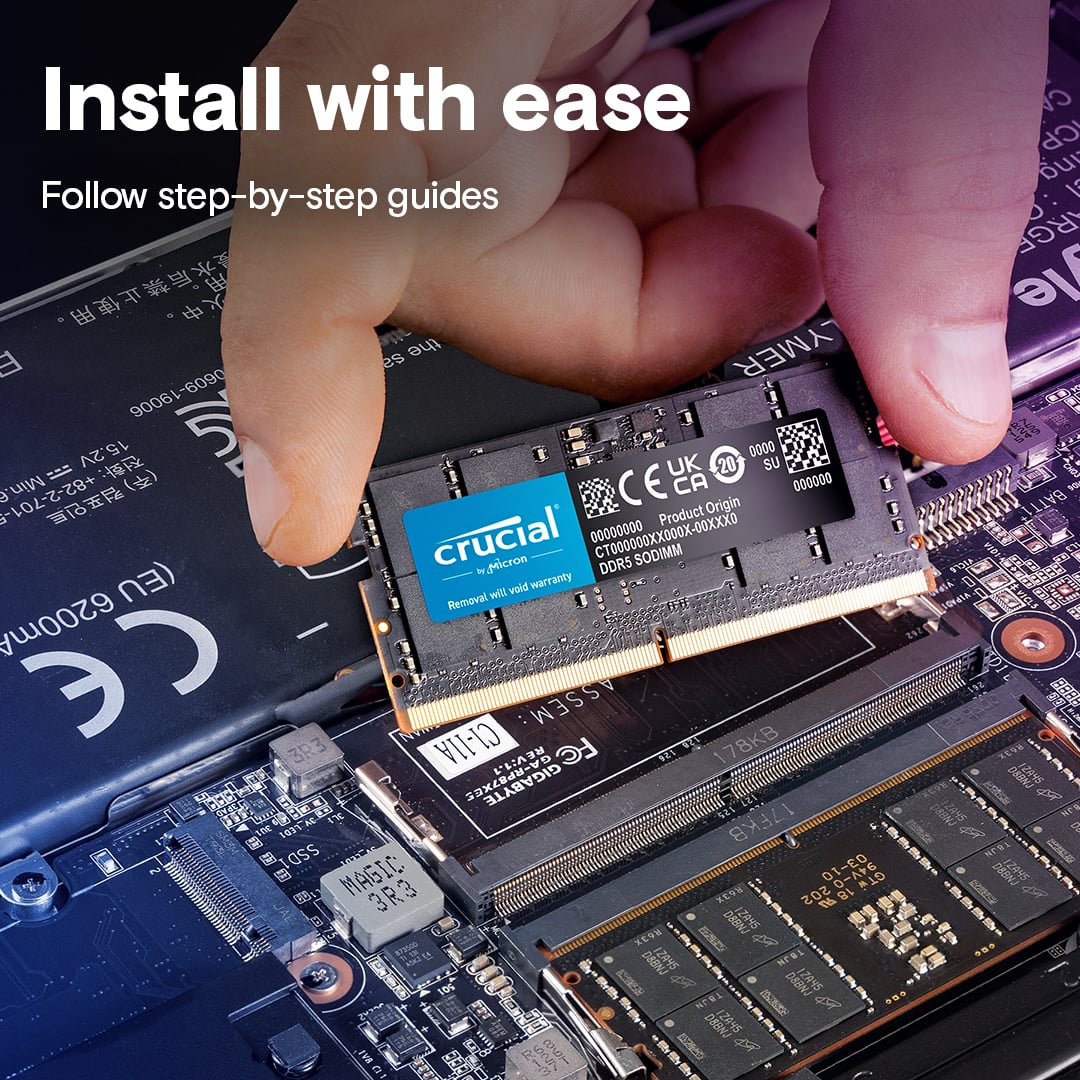
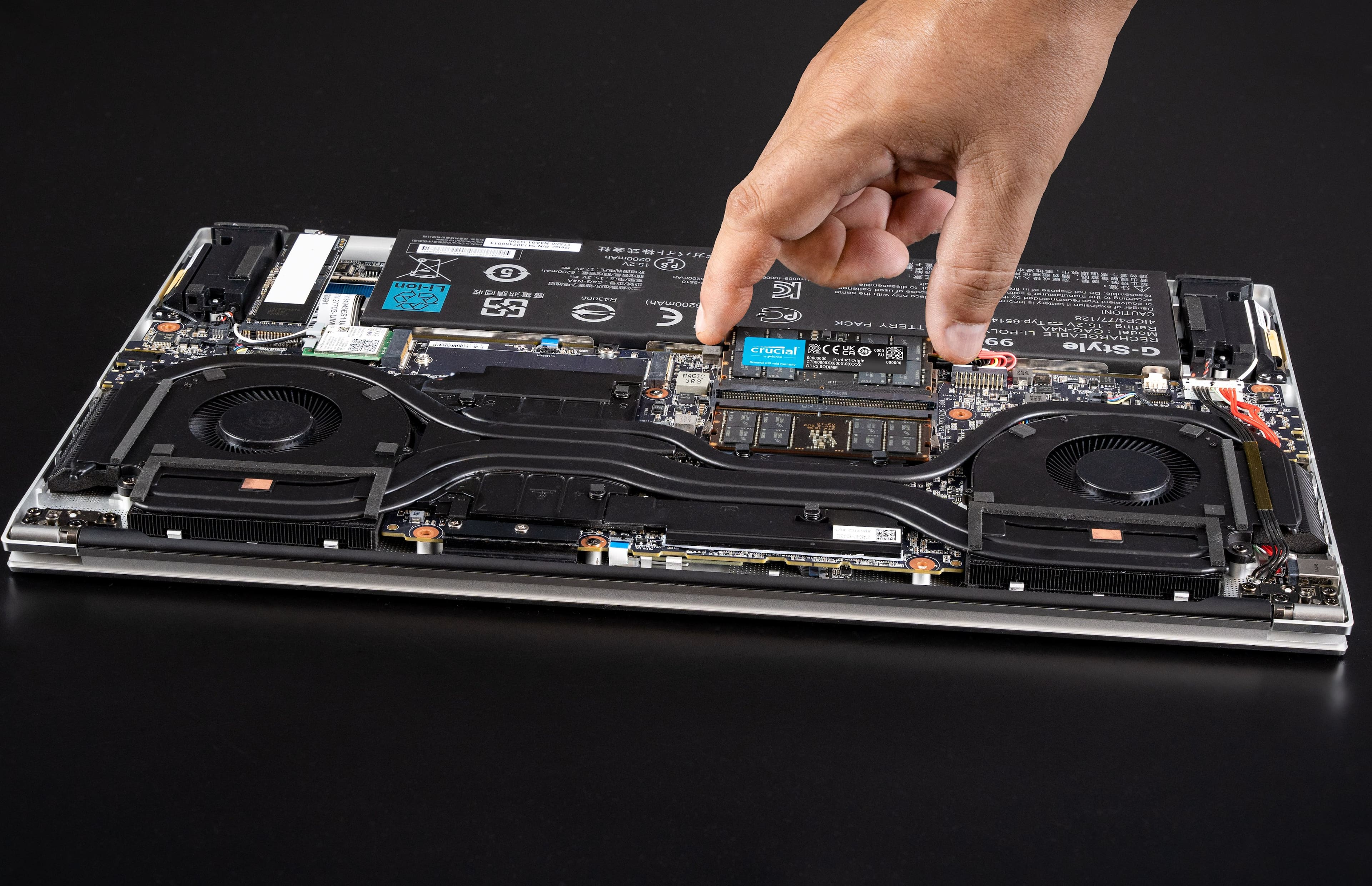
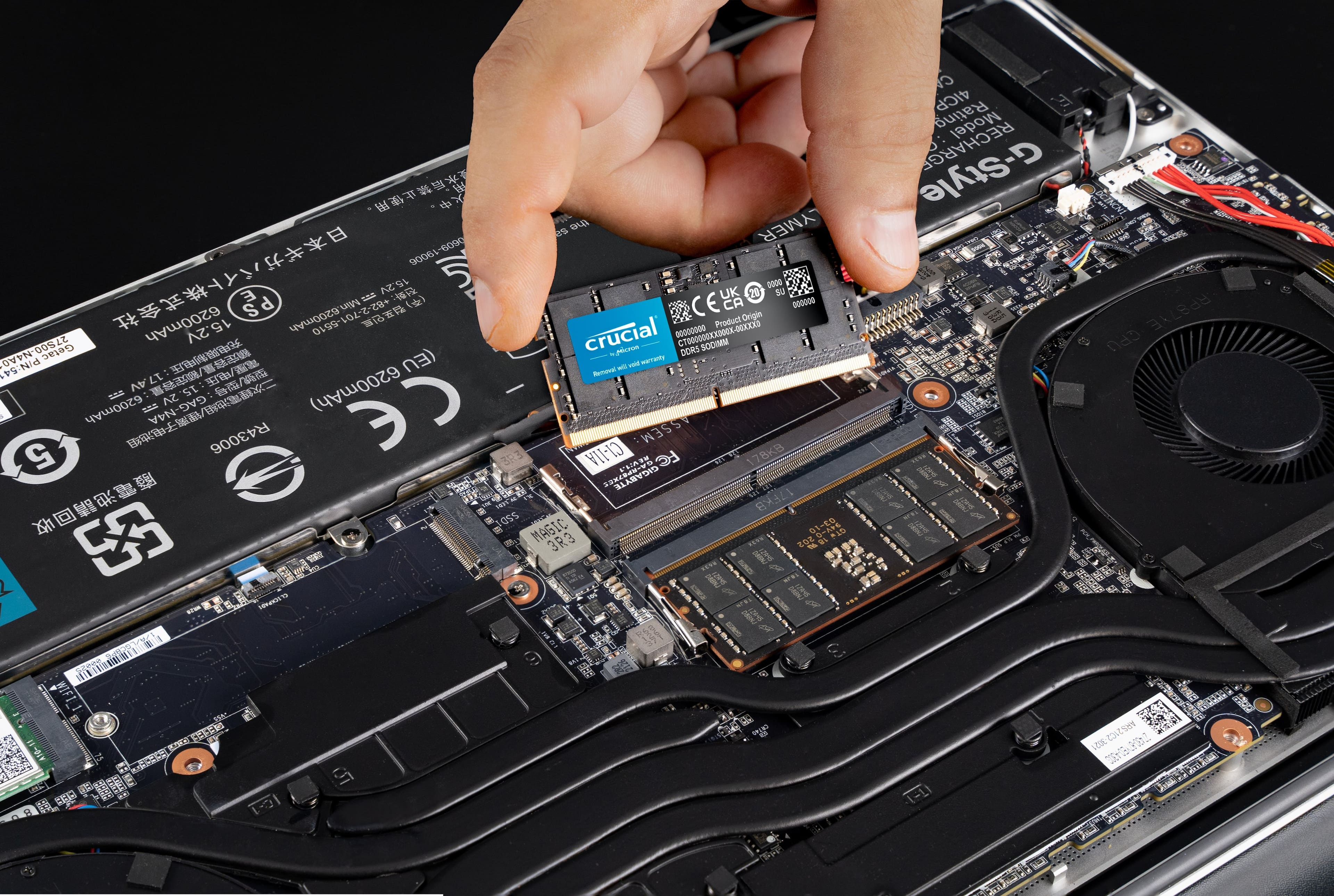
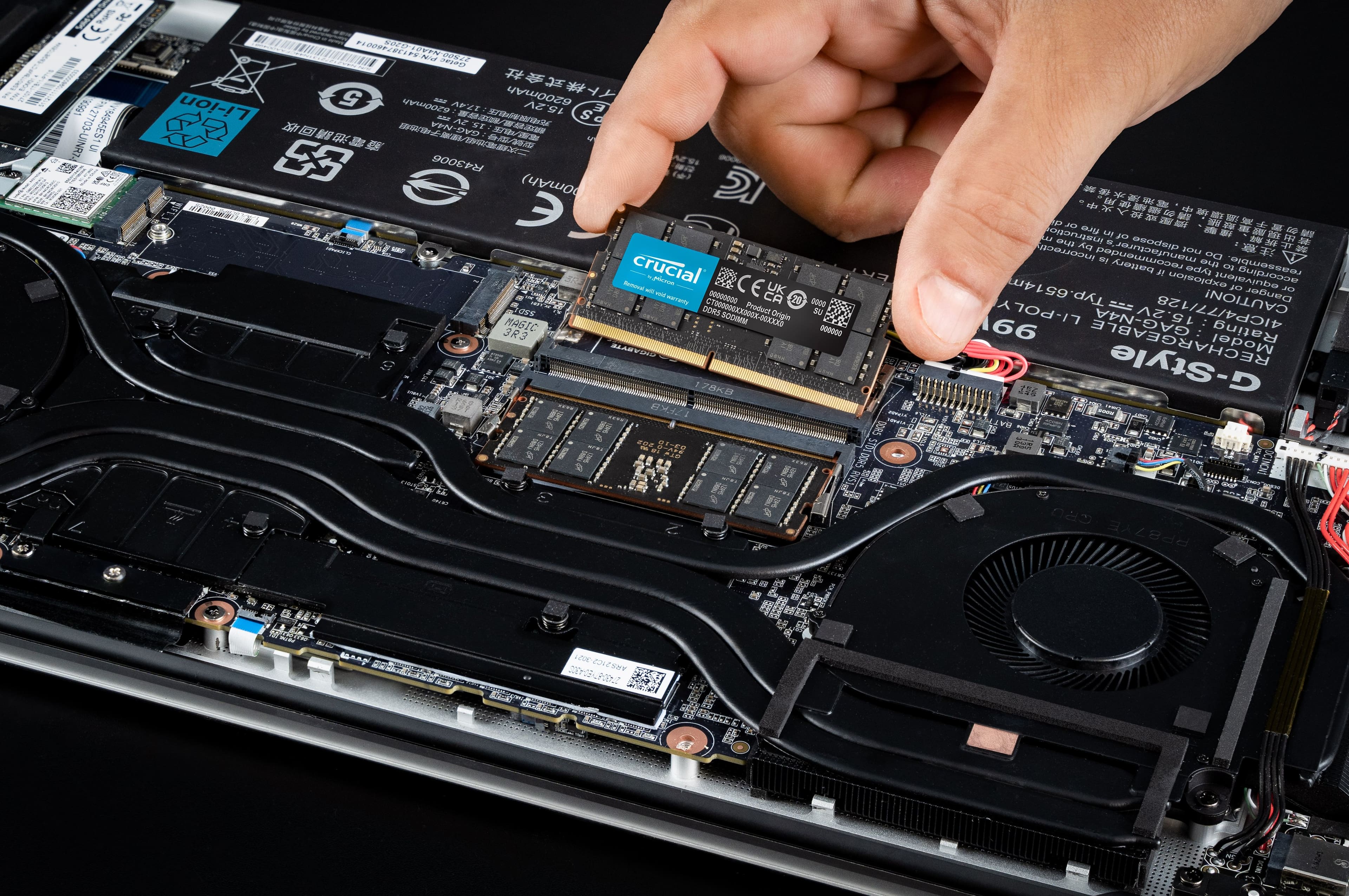
    I have added/swapped memory in a desktop computer before, but never in a laptop. Crucial made it so easy with their DDR5-5600 SODIMM 32GB Memory kit. I wanted to know what all was involved before I started so I visited the Crucial website where I was able to verify that the memory was indeed correct for my Asus Tuf Gaming A16 FA716NS. I was also able to download details on how to do the swap. I carefully removed the back of my laptop and was able to access the existing memory cards without any issues. They popped out with a couple of clicks and the new Crucial memory popped right back in. I closed everything up, powered up my laptop, and waited anxiously to see if I'd done everything correctly. In a matter of minutes, I was back up and running! I successfully upgraded from 16GB to 32GB without any issues. For some people, this might be simple, but I'm definitely not a computer Geek and the idea of doing this was almost overwhelming. The comfort I gained from the Crucial website made me much more comfortable with the task. Everything runs smoothly and I'm extremely pleased with the new capabilities of my laptop. I've got enough "juice" now to play a lot of games and computer processes just seem to run more smoothly. My Asus laptop was already a great gaming device but now it's even better. Thanks Crucial!

    I would recommend this to a friend
  • Rated 2 out of 5 stars

    Laptop still loaded slow, and keep freezing.

    |
    |
    Posted . Owned for 3 weeks when reviewed.
    This reviewer received promo considerations or sweepstakes entry for writing a review.

    It's not worth the money. Yes it worked but it didn't make a difference in performance.

    No, I would not recommend this to a friend
  • Tech Insider Network Member

    Rated 5 out of 5 stars

    Nice fast upgrade, as expected

    |
    Tech Insider Network Member
    Posted .
    This reviewer received promo considerations or sweepstakes entry for writing a review.

    I've always preferred Crucial/Micron RAM for my PC and laptop upgrades over the past 20 years. This 2x16 gig pack is no exception. And at a reasonable price too. Very simple upgrade into my Acer Nitro gaming laptop. Remove the cover, remove the old sticks, and pop in these new ones. Booted up without issue and now double the memory! Much better for general use, gaming, and loading CAD software. Not much else to say other than the machine afterward for this first week has been running rock stable with less lag opening and running some of my programs. Like I said, works exactly as expected as always from Crucial/Micron. Always recommended!

    I would recommend this to a friend
  • Tech Insider Network Member

    Rated 5 out of 5 stars

    Awesome, simple upgrade to boost performance

    |
    Tech Insider Network Member
    Posted .
    This reviewer received promo considerations or sweepstakes entry for writing a review.

    Just upgraded one of my laptops with this Crucial 32GB (2x16GB) DDR5 5600MHz kit. Let me just say, AWESOME. This is a high-performance memory kit aimed at gamers, content creators, and professionals who demand robust computing power and bandwidth to keep processes steaming ahead even with multiple windows open. Just for the specs on my laptop, it’s a Ryzen 7 6800H with RTX 3050Ti. Was originally 8GB of DDR5 4800Mhz ram and now this upgrade to 32GB of 5600MHz DDR5 memory. Now I’ve done plenty of memory upgrades in my time, but I must admit, this is probably one of the most noticeable upgrades I have ever done! I’ve heard and read on plenty of occurrences about how the higher-level Ryzen CPU’s really need at least 32GB of ram to really open up and spread their wings. Now I agree that this couldn’t be more true! I never experienced it until now but it is a real thing. This laptop blazes now compared to before!! The memory truly represents a significantly amazing jump from the stock 8GB of slower DDR5, offering improved speeds, efficiency, and work capacity. Now for the key features of the memory itself. 1. Speed and Performance: 5600MHz Speed: This kit obviously offers a substantial speed increase over typical DDR4 memory, but it’s also on the high end of DDR5 standards. This results in better performance in memory-intensive applications. Latency: The C46 latency is a bit higher compared to some high-end DDR5 kits with lower latencies (like C36 or C40), but it helps find a balance between performance and cost. 2. Capacity: 32GB Total (2x16GB): This capacity is ample for most gaming setups, professional workstations, and multitasking environments. As mentioned above, the 32GB upgrade really unlocked my Ryzen CPU to unleash all of its potential. 3. Compatibility: DDR5 Standard: Compatible with all the latest motherboards and system setups supporting DDR5. Ensure your motherboard is using DDR5 before purchasing this as the form factor and function are different from DDR4. 4. Energy Efficiency: Lower Voltage: DDR5 operates at a lower voltage than DDR4, contributing to energy savings and potentially lower thermal output. Performance • Gaming: The Crucial DDR5 5600MHz performs exceptionally well in gaming, providing smooth frame rates and quicker load times. The higher bandwidth of DDR5 ensures that games that are memory-intensive benefit significantly. • Content Creation: For tasks like video editing, 3D rendering, and large-scale photo editing, the increased speed and capacity of this DDR5 kit reduce rendering times and improve overall workflow efficiency. • General Productivity: Multi-tasking and running demanding applications simultaneously become smoother with the 32GB capacity and higher speed. Build Quality and Reliability • The Crucial Brand has always been known for reliability and quality and Crucial's memory products are backed by rigorous testing and validation processes. I honestly have a crucial solid state hard drive that my dad bought for me about 20 years ago and it is still going strong! Talk about longevity! Main take aways: • High-speed 5600MHz performance suitable for demanding applications. • Generous 32GB capacity ideal for gaming, content creation, and multitasking. • Energy-efficient with lower operating voltage. • Trusted brand with a reputation for quality and reliability. Conclusion The Crucial 32GB Kit (2x16GB) DDR5 5600MHz C46 is an excellent choice for users looking to upgrade their DDR5 memory. It offers significant performance improvements over DDR4, especially in high-demand scenarios like gaming and professional content creation. It offers a good balance of performance, capacity, and reliability. If you have a DDR5 compatible system and are looking to future-proof your setup, this Crucial DDR5 kit is a solid investment.

    I would recommend this to a friend
  • Tech Insider Network Member

    Rated 5 out of 5 stars

    A great upgrade for your laptop ram

    |
    Tech Insider Network Member
    Posted .
    This reviewer received promo considerations or sweepstakes entry for writing a review.

    Installation: Installing SODIMM memory is fairly simple, but there are a few things to keep in mind. Crucial's website has a memory advisor tool to help you determine compatible RAM for your laptop https://www.crucial.com/. An important factor to consider is your laptop's CPU generation, even if it supports DDR5 SODIMM. While 14th gen Intel processors can handle the full 5600MHz speed, 13th gen might limit it to 4800MHz. The RAM will still work but at a slower speed. Another thing to note is that some laptops only have one accessible SODIMM slot, with the other permanently soldered onto the motherboard. When disassembling your laptop, be careful and always disconnect the battery before replacing the RAM. Also, after installing the new memory, don't be surprised if your laptop takes a few restarts to boot up normally. Performance: These Crucial DIMMs boast a sleek black PCB, but aesthetics aside, their stability and performance are the true highlights. I ran memory diagnostic tests and the Windows Memory Diagnostics tool, and the results were perfect. Overall, my laptop's performance has noticeably improved with the increased RAM. Applications launch faster, games run smoother, and I have more breathing room for photo and video editing software. In Conclusion: The Crucial DDR5 RAM kit is, in my experience, excellent. It's stable, well-made, and fairly easy to install (as long as you consider your laptop's limitations). I haven't encountered any compatibility issues, the memory tests confirmed its stability, and the temperatures have been well-managed. The overall performance improvement has been significant. I definitively recommend this RAM upgrade! Conclusion: In my opinion, this Crucial DDR5 RAM kit is excellent. It's stable, well-made, and easy to install (as long as you consider the laptop's limitations). I haven't had any compatibility issues, the memory checks came back clean, and the temps have been good. Overall, the performance boost has been significant. Highly recommended!

    I would recommend this to a friend
  • Rated 1 out of 5 stars

    RAM not Compatible

    |
    |
    Posted . Owned for 2 weeks when reviewed.
    This reviewer received promo considerations or sweepstakes entry for writing a review.

    Was not compatible with my pc. Can not return it, it went one day over the return time. So I lost almost $200. Had to purchase another brand, (Samsung) to upgrade it.

    No, I would not recommend this to a friend
  • Rated 1 out of 5 stars

    Alienware m16 r2 wont turn on!

    |
    |
    Posted . Owned for less than 1 week when reviewed.
    This reviewer received promo considerations or sweepstakes entry for writing a review.

    Wont work on my Alienware, I update the bios, and other components and still not work at all

    No, I would not recommend this to a friend
  • Rated 1 out of 5 stars

    Disappointed

    |
    |
    Posted . Owned for 3 weeks when reviewed.
    This reviewer received promo considerations or sweepstakes entry for writing a review.

    It was a faulty ram. I'll change it to 5 stars if best buy can satisfy me with a 4tb nvme 4th gen drive.

    No, I would not recommend this to a friend
  • Tech Insider Network Member

    Rated 5 out of 5 stars

    Best Gaming Laptop Upgrade - Great Crucial Quality

    |
    Tech Insider Network Member
    Posted .
    This reviewer received promo considerations or sweepstakes entry for writing a review.

    If you have (at least) a 12th Gen Intel laptop and compatible motherboard and want to get the best performance - especially if, like me, you are increasingly experimenting with AI then having 32GB is mandatory. Crucial memory never disappoints and offers great quality to price ratio. This box comes with 2x16 for 32GB total memory. Installation is honestly hard to rate as it depends on your laptop. I upgraded my Dell from 8Gb to 32Gb and the hardest part of the process was opening the laptop (which is outside of Crucials control). What I love is the Crucial Memory comes with 2x16Gb sticks. I always upgrade both sticks at the same time, even if I already have 1x16GB - just to optimize for the best compatibility and performance (or in my case, my Dell had only 8Gb so this was a huge upgrade). I'm seeing notable performance benchmarks improvements - both in general apps (Office) but more importantly in games. I am not going to post a before after benchmark as I many factors are total system dependent eg NVMe speed, background apps and tasks, etc. That said, compared to the 8GB on my Dell I wish I had upgraded to this Crucial memory much earlier. If you are buying your laptop at Best Buy, not comfortable with DIY upgrades, I would recommend buying this Crucial memory in store and getting them to install before you leave. As it’s a must have upgrade on any laptop (especially if you're a gamer).

    I would recommend this to a friend
  • Tech Insider Network Member

    Rated 5 out of 5 stars

    Excellent RAM

    |
    Tech Insider Network Member
    Posted .
    This reviewer received promo considerations or sweepstakes entry for writing a review.

    I've been a user of Crucial RAM for years and never had a single issue. This 32GB DDR5-5600 SODIMM laptop RAM is as good as all the others I've used. I'm using this as an upgrade to the original 16GB of RAM that my gaming laptop came with. The difference is very noticeable. First off, this RAM is rated as 5600. Now in my laptop (i9 with GTX4080) that is exactly what I am getting. But keep in mind not all CPU/motherboard combinations are the same. Double check with your computer maker to find out what your laptop can handle. Just because you have a DDR5 computer does not guarantee 5600 speed. It is possible it could be rated lower like 4800. Now with DDR5 you really wouldn't notice much difference between the two speeds and this would still most likely work fine but just at a lower speed. But if your computer can't get the higher speed you could save by buying lower speed RAM from Crucial. But for those who can get the full benefits from this RAM it is an awesome choice. This is XMP 3.0 and AMD EXPO RAM if your computer can use that. Power is rated at 1.1V so the power draw is excellent. I have not noticed any hit to battery life with this RAM. In using this for both gaming and Lightroom/Photoshop I have seen a noticeable performance increase. Again, be sure to double check to make sure this RAM is a fit for you. And as long as it is, I highly recommend it.

    I would recommend this to a friend
  • Tech Insider Network Member

    Rated 5 out of 5 stars

    Great ram!

    |
    Tech Insider Network Member
    Posted .
    This reviewer received promo considerations or sweepstakes entry for writing a review.

    The Crucial DDR5 32GB kit is adds a major boost of speed and performance in my laptop. Installing the Crucial DDR5 ram is very simple, it’s just a matter of removing the old ram and then plugging in the new ram. There is no need for any software to be installed, once you reboot your laptop, Windows will auto detect it and load the new ram. My current gamming laptop has 16GB of DDR5 ram, and I wanted to boost it up to 32GB to get some better performance. Once I installed the Crucial 32GB DDR5 ram, I rebooted and was amazed at how much faster and smoother my system runs. It made a big noticeable difference, especially in load times. Multi-tasking received a big performance upgrade as well. I am able to switch between multiple programs without even a stutter. I tried out a few games on Steam and noticed a performance boost while gaming. The main things I noticed was performance being faster, my games weren’t as jittery as before. Load times seemed to be increased as well. Overall, upgrading my laptop from 16GB to the 32GB of Crucial DDR5 ram was a huge success. Installing the ram is very easy, just plug and play...I was able to notice a big increase in system performance. Load times and multi-tasking were the biggest changes. I am extremely happy with my new ram, and I would definitely recommend this to anyone looking to upgrade your system.

    I would recommend this to a friend
  • Tech Insider Network Member

    Rated 5 out of 5 stars

    NIgh and day difference in performance!

    |
    Tech Insider Network Member
    Posted .
    This reviewer received promo considerations or sweepstakes entry for writing a review.

    The Crucial DDR5-5600 ram memory upgrade made a huge difference in performance on my Rog gaming laptop. I use my laptop for both gaimg and work. Like many of us, I keep a lot of tabs open in my browser and noticed that it kept glithcing and freezing a lot. I had been wanting to upgrade the RAM memory on my Rog laptop, but never go around to it. The opportunity came to give the Crucial DDR5-5600 ram memory, so I went for it. It is a night and day difference with these 32gb ram memory sticks! Not only am I able to keep multiple tabs open at once in my browser without things getting glitchy, but gaming performance has been drastically improved. Multitasking is so much smoother now and with DDR5 technology response time quicker and performance is better. As for installation, just about anyone can install a set of these into their own laptops. Just remove a few screws from the bottom cover and pop the new Crucial Ram memory sticks. It is SO easy to do. The performance is great on my ROG gaming laptop. I would highly recommend these as an upgrade to anyone.

    I would recommend this to a friend
  • Tech Insider Network Member

    Rated 5 out of 5 stars

    Great for new gaming laptops

    |
    Tech Insider Network Member
    Posted .
    This reviewer received promo considerations or sweepstakes entry for writing a review.

    This is DDR5 memory, so it only works with newer laptops including some of Intel's 12th gen processors and newer. Keep in mind that some laptops with a 12th gen CPU can still use DDR4 and some newer 13th gen laptops have soldered-in memory and not upgradeable. DDR5 SODIMM in NOT compatible with DDR4. The key is different and the circuitry is not compatible. That said, these work fine. I've long preferred Micron/Crucial (USA) to other vendors when it comes to DRAM, in years of building and upgrading my PCs did not have memory related issues. A few times the memory that came with the laptop started to produce crashes and replacing it with Micron worked for me. These have on-chip ECC and voltage stabilization. Expected nominal speed is 4800 MT/s and could peak at 5600 MT/s, which is a great improvement over older laptops. This is at least 50% faster than standard DDR4 chips found in older gaming laptops. Each SODIMM is built in 1Rx8, 16GB each. If your laptop has replaceable SODIMM DDR5 slots, this is a good investment.

    I would recommend this to a friend
  • Tech Insider Network Member

    Rated 5 out of 5 stars

    Definitely better than a lamp.

    |
    Tech Insider Network Member
    Posted .
    This reviewer received promo considerations or sweepstakes entry for writing a review.

    Could you imagine writing a review on a lamp? Or perhaps the lightbulb within the lamp? It would be tricky, to say the least—not because it’s not easy to assess whether or not the thing is doing its job, rather, because the job itself is a simple one that doesn’t come with a lot of excitement. This is the case also with memory upgrades, sadly. If you have a computer utilizing DDR5 memory already, then obviously it's an easy recommendation to suggest you go up to the max memory your system will support. I find that 32GB is the new 'normal' for Windows machines, and probably the minimum for a gaming laptop (where this particular upgrade was installed). It may not be obvious to everyone, so I'm just going to say it... make sure your system supports DDR5 memory. Crucial has a great configurator tool on their website to make sure the memory you buy will work in your machine. That said, you can't use DDR4 memory and DDR5 memory interchangeably because the form factor itself is slightly different. You've been warned. In most cases, upgrading memory in a laptop is pretty easy--either via accessing a small panel on the bottom with a maximum of 2 screws, or by removing the entire bottom shell. If you have a DDR5 capable machine, I'm sure you can find a video somewhere on the internet where your particular model of laptop (or at minimum, the brand or line of laptops) has a how-to video on simple swaps like memory and SSD. This memory was installed in a system previously running 16GB of memory, so obviously performance increased. If you don't have a dedicated graphics card and want to do any sort of light gaming, 32GB is probably the minimum to get decent performance (but you'll likely have to adjust down the quality settings within the game). With dedicated graphics, as in my case, the extra RAM overhead will definitely help squeeze out a few more frames or allow for upscaling the video settings on my games. DDR5 memory is still a bit pricey, but I have very little patience for slow or laggy systems, so it's well worth the investment to help remove any performance barriers that may be lurking--while also future proofing things for, I don't know, maybe a year.

    I would recommend this to a friend
  • Tech Insider Network Member

    Rated 5 out of 5 stars

    Good option for future proofing your laptop

    |
    Tech Insider Network Member
    Posted .
    This reviewer received promo considerations or sweepstakes entry for writing a review.

    I used this upgrade kit to upgrade my Acer Predator Helios Neo 16's RAM from 16GB to 32GB. 16GB is perfectly adequate for most of my day to day activities, but I am conscious of the fact that technology becomes outdated within minutes of being released, and I wanted to try and future proof my laptop to keep it working for years to come. The upgrade process was relatively painless. I had some difficulty getting into my laptop (some of the decorative angles on the back of my laptop were hard to detach), but a YouTube video and some patience eventually got me into it. I also had a terrifying moment in which my laptop booted to a solid black screen for several minutes. After about 5 minutes of nothing but my keyboard backlight shining and my fans running, the screen eventually proceeded to boot as normal. Since upgrading, my laptop has been working great. I'm able to keep more Chrome windows open at once, and I'm now confident that I'll be able to run some of the newer games coming out. I'm very pleased with this upgrade, and I plan to purchase a crucial SSD upgrade to further future proof this laptop. Yes, I would recommend this RAM upgrade kit to anyone looking to future proof a gaming laptop or improve their laptop's productivity.

    I would recommend this to a friend
  • Tech Insider Network Member

    Rated 5 out of 5 stars

    Worth the upgrade

    |
    Tech Insider Network Member
    Posted .
    This reviewer received promo considerations or sweepstakes entry for writing a review.

    It is amazing what twice as much RAM can do for a computer. It seems like the longer you have a computer the more startup processes and background processes are added and pretty soon, everything just feels a little laggy. But really all those things are potentially games or services you want, at least I do. My computer was regularly using 11 of the 16 gigs of RAM before I even started a game, then as but this laptop doesn’t have the fastest processor (Ryzen 5 7640HS) out there. Upgrading to 32GB of RAM brought this from a good machine that would sometimes freeze even just playing Fortnite lately due to the computer being used for more than just gaming. It’s still using 11GB at startup but there is an extra 16GB that wasn’t there before that really helps the computer get that bump in speed and keep it from needing to think. Not all laptops have upgradable RAM, but any gaming laptop worth its salt should be able to be upgraded as you can never have enough RAM, especially if you have a pile of engineering and programming applications installed as well as having multiple high-performance laptops isn’t something most people do. I upgraded from 16GB DDR5 to 32GB DDR5 and the difference is extremely noticeable in everything from having entirely to many browser sessions open to gaming. The only recommendation I would have is to look at the max capability of your system and consider if it is worth it to just go all the way. But one important item to consider is to look at your current RAM speed and try not to go under that as a rule of thumb. I feel like 5600 is a really good speed unless you are really into overclocking and pushing a system.

    I would recommend this to a friend
  • Rated 5 out of 5 stars

    Good deal

    Posted .
    This reviewer received promo considerations or sweepstakes entry for writing a review.

    Easy to install, work great and they haven't gave me any issues so far.

    I would recommend this to a friend
  • Rated 5 out of 5 stars

    best money can buy

    Posted .
    This reviewer received promo considerations or sweepstakes entry for writing a review.

    this ram is fast, reliable, and improves performance significantly. would recommend! 

    I would recommend this to a friend
  • Rated 5 out of 5 stars

    Great

    Posted .
    This reviewer received promo considerations or sweepstakes entry for writing a review.

    Put it into my gaming laptop its truly amazing to use!

    I would recommend this to a friend