Customer Ratings & Reviews

- Model:
- CT1000P5SSD8
- SKU:
- 6432876
Rating by feature
- Value
Rating 4.7 out of 5 stars
- Quality
Rating 4.8 out of 5 stars
- Ease of Use
Rating 4.8 out of 5 stars
Customers are saying
Customers recognize the P5 1TB Internal SSD PCIe Gen 3 x4 NVMe as a high-performance drive, particularly praising its speed, ease of installation, and ample storage capacity at a reasonable price. Many appreciate the straightforward setup and significant improvements in boot times. While some users experienced compatibility issues, the majority reported positive experiences, highlighting the excellent value and reliable performance of this SSD. A five-year warranty further enhances customer confidence.
This summary was generated by AI based on customer reviews.
- Pros mentioned:Performance, Storage

Perfect upgrade
|Posted .This reviewer received promo considerations or sweepstakes entry for writing a review.Before deciding to go for this, I was nervous about having to end up reinstalling Windows and completely start over. I usually forget to save or backup something so I wasn’t really looking forward to starting over again. But I needed more space as I’ve been stuck with a 256 gig SSD until this beast showed up. I Googled a few how to pages on creating an image of my old HD but most were leading me nowhere as far as copying one of these smaller SSDs to another where it would actually boot up. I made an image, backed it up to my secondary drive but when I installed the new one, it had no OS to boot up on. I’m sure there are many other ways to get one of these installed but here’s what I did: I found a video on Youtube that made it easy using 2 different free tools. First was Macrium Reflect which allowed me to create a rescue USB bootable drive. With that I was able to almost do the whole job. I made the rescue disc, created an image, copied it to my secondary drive and rebooted. I did have to go into my BIOS and allow the system to boot to USB by changing the boot order. Once I got started, the whole process took about an hour. Once booted to the rescue USB drive, I was able to copy the image over to my new drive. Now for the next test and lo and behold, it booted right up to the new drive and I could already see it was faster than before. Everything was working. I was very pleased. Next I checked the drive space available and it was still showing the same amount of free space as my 256 gig was. Luckily, the video I had found explained that the rest of the space was showing as an unallocated partition. I wanted all of it to be C: and Window Disk Management would / does not allow me to extend that unallocated partion to be part of the C: drive. It wanted me to assign a new drive letter. The video recommended another free program called Mini Tool Partition Wizard. That program allowed me to extend the partion to make use of all the space as drive C: Now for the drive itself. It’s super fast. I don’t know what the old read / write speeds for my old drive were but this one is so much faster. It’s boots Windows in seconds and the programs I use open much faster. Mostly graphic programs like Photoshop and Lightroom and they are definitely much faster now. The best part of this for me going from 256g to 1TB is that I was able to move MS Flight Simulator 2020 to the SSD. This was astounding. The load times were so long with the old drive and now instead of taking close to 4 minutes to load this massive game, it takes under a minute. In fact all the load times in the different parts of the game have decreased so much, this massive game now loads like a standard game. Didn't think that would be possible with the sheer size of it I had recently upgraded other parts of my PC to play this game, the video card and more ram but not having it on an SSD was such a bottleneck. It just took forever to do anything in it. I now have the graphics fully cranked and it is just breathtaking. This is a fantastic upgrade that you can do yourself. Highly recommend this!!
I would recommend this to a friend Okay...
||Posted . Owned for 4 months when reviewed.This reviewer received promo considerations or sweepstakes entry for writing a review.Good little NVME drive for a budget but would recommend samsung over this if you can manage to swing the price. This drive while it gets the job done it lacks the speed and quality I have come to expect in NVME drives thanks to using samsung.
I would recommend this to a friend- Pros mentioned:Speed, Storage
Nice
|Posted .This reviewer received promo considerations or sweepstakes entry for writing a review.I got this to add to my gaming laptop which has two m.2 slots and already had a 1TB ssd but you can never have enough space especially if you play today's demanding games like I do and throw in a bunch of music and video files, pics, etc. This is the third m2 ssd I've installed and no it doesn't include the screw but I've noticed that my other two which were in two different computers required different size screws so the size seems somewhat dependent on the motherboard. Luckily my gaming laptop already had the screw installed. If you are replacing your current drive the free Acronis cloning software should get you up and running but if you're like me and just want to add storage you'll likely need to use windows disk management to format it so windows will access it. I also tried Crucial's storage executive software but for some reason most of it's features don't seem to work on my system. Hopefully it will work better if they update it. So far no firmware updates available but it's a new drive so there may be some in the future. I benchmarked it with Crystal Disk Mark and the read and write speeds were slightly more than 3100. Not quite as fast as my samsung evo plus in my other system but pretty close. Benchmarks can depend on a lot of variables so you may get better. It's still pretty fast for the price and faster than my older boot drive. I was a little disappointed that the software didn't work better but that may be because of my system configuration.
I would recommend this to a friend - Pros mentioned:Storage
No brainer upgrade/addition to any system!
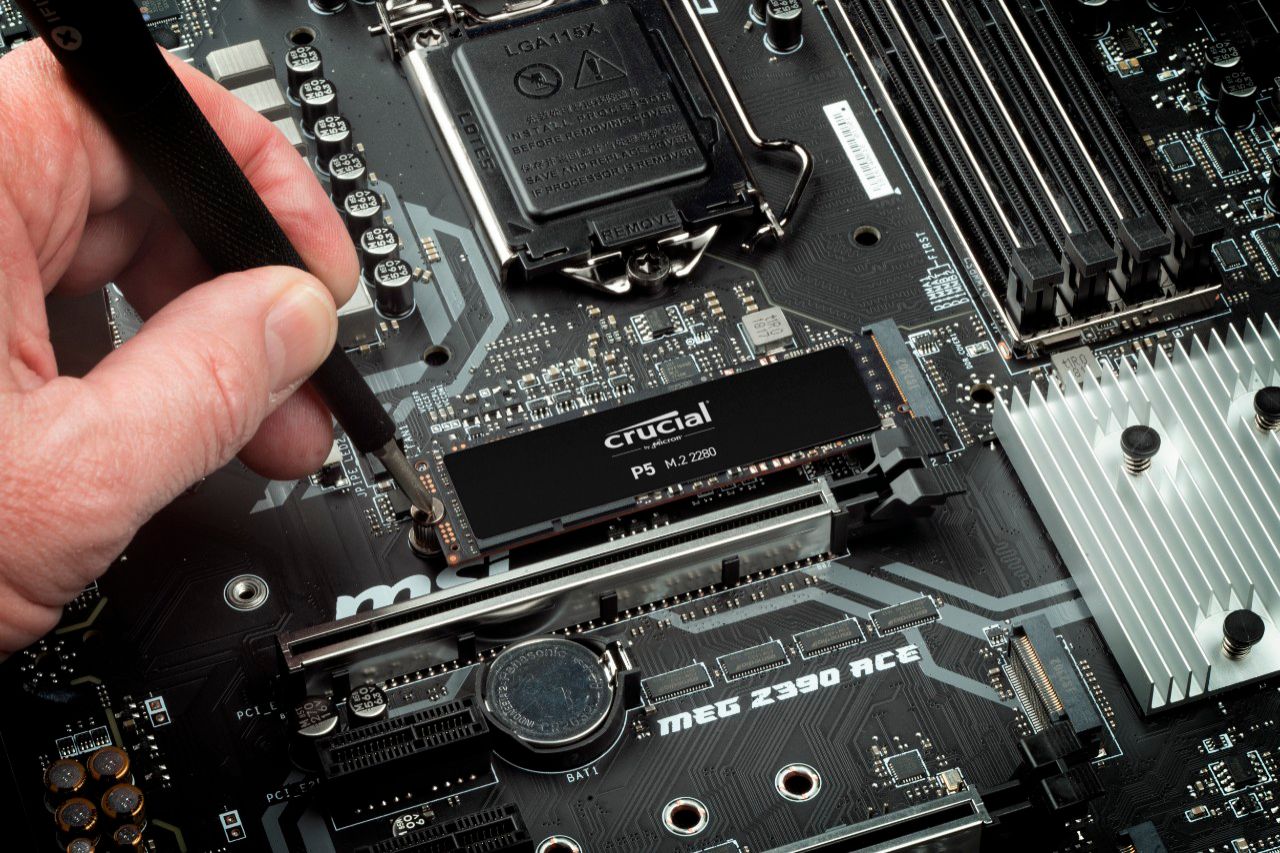
|Posted .This reviewer received promo considerations or sweepstakes entry for writing a review.The 500gb (also M.2 NVMe SSD) space on my laptop was getting filled up rather quickly with work related stuff since working from home. And my laptop has a spare bay for a second M.2 drive. So the extra 1TB of space is a welcome addition. If you need the space, you don't have to think twice about this drive. Installation is easier than getting into the laptop. It literally took longer to get the bottom cover plate off my laptop and install this drive. MOST motherboards capable of accepting M.2 drives will already come with a standoff and screw. I don't ever recall ever seeing a M.2 drive being supplied with these. It handles transfers ridiculously fast even without the crucial storage executive tool. I was off loading files off the OS drive I did not need, such as downloaded media/movies for my daughter's entertainment kit. A 30gb folder containing videos and pictures took just over 40 seconds to transfer to the new drive without the software and about 40 seconds with the software. I see no downfall of using this as a storage drive versus using it as an OS drives with the speeds I am seeing. I generally do not pay attention to read/write speed tests and prefer seeing how fast I can write/pull various data files to/from the drive in real world scenarios. I have even considered getting an external enclosure for the SSD and use it as a massive thumb drive. At the price that 1TB NVMe drives have dropped I may just pick up another drive all together. Crucial(Micron), WD and Samsung have been my go to for memory/storage since the early days of the i486 and I still consider them to be top of the tier when it comes to computer components and can recommend them without hesitation to anyone looking to upgrade or add to their storage needs.
I would recommend this to a friend Adequate performance for the price
||Posted . Owned for 1 month when reviewed.This reviewer received promo considerations or sweepstakes entry for writing a review.It's a decent M.2 drive, has DRAM, but has gone up in price significantly since launch and like most does not come with a M.2 screw.
No, I would not recommend this to a friendReliable
||Posted . Owned for 2 months when reviewed.This reviewer received promo considerations or sweepstakes entry for writing a review.Reloable and easy to install. Average quality and not bad with the price
I would recommend this to a friend- Cons mentioned:Compatibility
Did not work on my acer nitroc5
||Posted . Owned for 1 week when reviewed.This reviewer received promo considerations or sweepstakes entry for writing a review.This did not work on my acer nitro 5. No matter what i did i couldnt get my laptop to recognize it. Went to disk partitions but nothing. I returned it for a refund.
No, I would not recommend this to a friend - Cons mentioned:Heat
Manufacturer Defect returned no exchange option.
||Posted . Owned for 1 week when reviewed.This reviewer received promo considerations or sweepstakes entry for writing a review.I received a bad one. Tried formatting the thing (ExFat, NTFS, FAT, macOS Journaled) and it wouldn't be read after. Started getting really hot. No option to exchange so i had to return it.
No, I would not recommend this to a friend - Pros mentioned:Speed
Blazing Fast & Lots of Space
|Posted .This reviewer received promo considerations or sweepstakes entry for writing a review.I already had a m.2 drive but it was super small (128gb) so when I got the chance to get a 1TB I wanted to give it a shot. I was able to clone from my then current m.2 to this new one with ease. While I have lots of external HDDs for backup & normal installing needs until we have a faster tech I will continue to use the nvme m.2 drives & now I’m going to be looking at Crucial for my m.2 drive needs! I did some testing on my high-end original m.2 & this new one. The speeds are the same & I couldn’t be happier. This is a must have for boot up drives or accessing files quickly. I will be purchasing lots of these to throw in all our desktops & laptops. Super happy with this drive!
I would recommend this to a friend Crucial get your stuff together
||Posted . Owned for 2 weeks when reviewed.This reviewer received promo considerations or sweepstakes entry for writing a review.Thanks for dying three days after return policy. I spent eight hours trying to install windows, only to have it stop showing up in my BIOS when I decided to give up and use it as storage instead.
No, I would not recommend this to a friendSystem is unable to complete POST process
||Posted . Owned for less than 1 week when reviewed.This reviewer received promo considerations or sweepstakes entry for writing a review.My MacPro system is not being booted up or unable to complete POST when I installed in PCI slot, I got two drives, one is worked fine for two days, then it started issues, tried other wd-black and samsung with same PCI extension card without any issues. Some thing Crucial look into this issue. Hope this one works better for WINDOWS PC instead MacOS
No, I would not recommend this to a friendnothing but trouble.
||Posted . Owned for 3 weeks when reviewed.This reviewer received promo considerations or sweepstakes entry for writing a review.I have had my laptop in 4 times since this drive was installed. Now the computer is being sent off for "repair" when it was perfectly fine until the new drive was installed. I am very unhappy, which is a shame since I have loved geek squad and my protection policy until this.
No, I would not recommend this to a friendBluescreened My Windows 10 seconds After Boot Up
||Posted . Owned for 1 month when reviewed.This reviewer received promo considerations or sweepstakes entry for writing a review.Blue screened my windows and had to get a normal ssd instead of the m.2 that I was super excited for, I work in IT and troubleshooted but everything pointed to the drive being corrupted. Very disappointed and dissatisfied.
No, I would not recommend this to a friendDon’t waste your time
||Posted . Owned for 3 months when reviewed.This reviewer received promo considerations or sweepstakes entry for writing a review.Maybe I’ll change my review but right now can’t move forward with my build because windows isn’t recognizing my M.2 drive not disk part properly but motherboard recognizes it.
No, I would not recommend this to a friendnvme dead after a year and a half
||Posted . Owned for 1.5 years when reviewed.This reviewer received promo considerations or sweepstakes entry for writing a review.purchased on 3-13-21 and its dead now. Ill be contacting them for a warranty exchange.
No, I would not recommend this to a friend- Cons mentioned:Heat
Crucial dependability, average specs
|Posted .This reviewer received promo considerations or sweepstakes entry for writing a review.I trust Crucial with my data. And with the technology built into this M.2, I know I don't need to worry about losing my data. The read and write speed is just average. But that's in benchmarks. In real world application, we're talking a out milliseconds. In my opinion most users won't notice the difference between the P5 and faster drives day to day. However, I do believe firmware updates will increase the speed. The only disappointing aspect of this drive is that it is only warrantied for up to 600TB of writes in 5 years. That is also average for the industry, but only a third of what is available on the market. Also, I've noticed the P5 can run pretty hot. That's not a big deal as long as there is plenty of cooling, but if it's installed in an enclosure you'll want to make sure it has a good heatsink. In the end, I trust Micron with my data. They have been in business for a long time and they have never let me down.
I would recommend this to a friend Performance is below spec.
||Posted . Owned for 3 weeks when reviewed.This reviewer received promo considerations or sweepstakes entry for writing a review.Slow. Not as fast as expected. Over rated on paper.my SSD was exactly same speed on the Sata link. Disappointed.
No, I would not recommend this to a friendGreat, until it failed
||Posted . Owned for 2 months when reviewed.This reviewer received promo considerations or sweepstakes entry for writing a review.Failed after less than 3 months. I can no longer even get an Operating System installed on it.
No, I would not recommend this to a friendCheck online this product doesn’t work
||Posted . Owned for less than 1 week when reviewed.This reviewer received promo considerations or sweepstakes entry for writing a review.This product doesn’t work. Price is ok but product doesn’t work. Check in online.
No, I would not recommend this to a friendPoor performer
||Posted . Owned for 3 weeks when reviewed.This reviewer received promo considerations or sweepstakes entry for writing a review.Did not measure up! Only got about 900-1200 MB/s so very disappointed and returned it!
No, I would not recommend this to a friend