Customer Ratings & Reviews

- Model:
- CT1000P5SSD8
- SKU:
- 6432876
Rating by feature
- Value
Rating 4.7 out of 5 stars
- Quality
Rating 4.8 out of 5 stars
- Ease of Use
Rating 4.8 out of 5 stars
Customers are saying
Customers recognize the P5 1TB Internal SSD PCIe Gen 3 x4 NVMe as a high-performance drive, particularly praising its speed, ease of installation, and ample storage capacity at a reasonable price. Many appreciate the straightforward setup and significant improvements in boot times. While some users experienced compatibility issues, the majority reported positive experiences, highlighting the excellent value and reliable performance of this SSD. A five-year warranty further enhances customer confidence.
This summary was generated by AI based on customer reviews.

Easy upgrade fast boot!
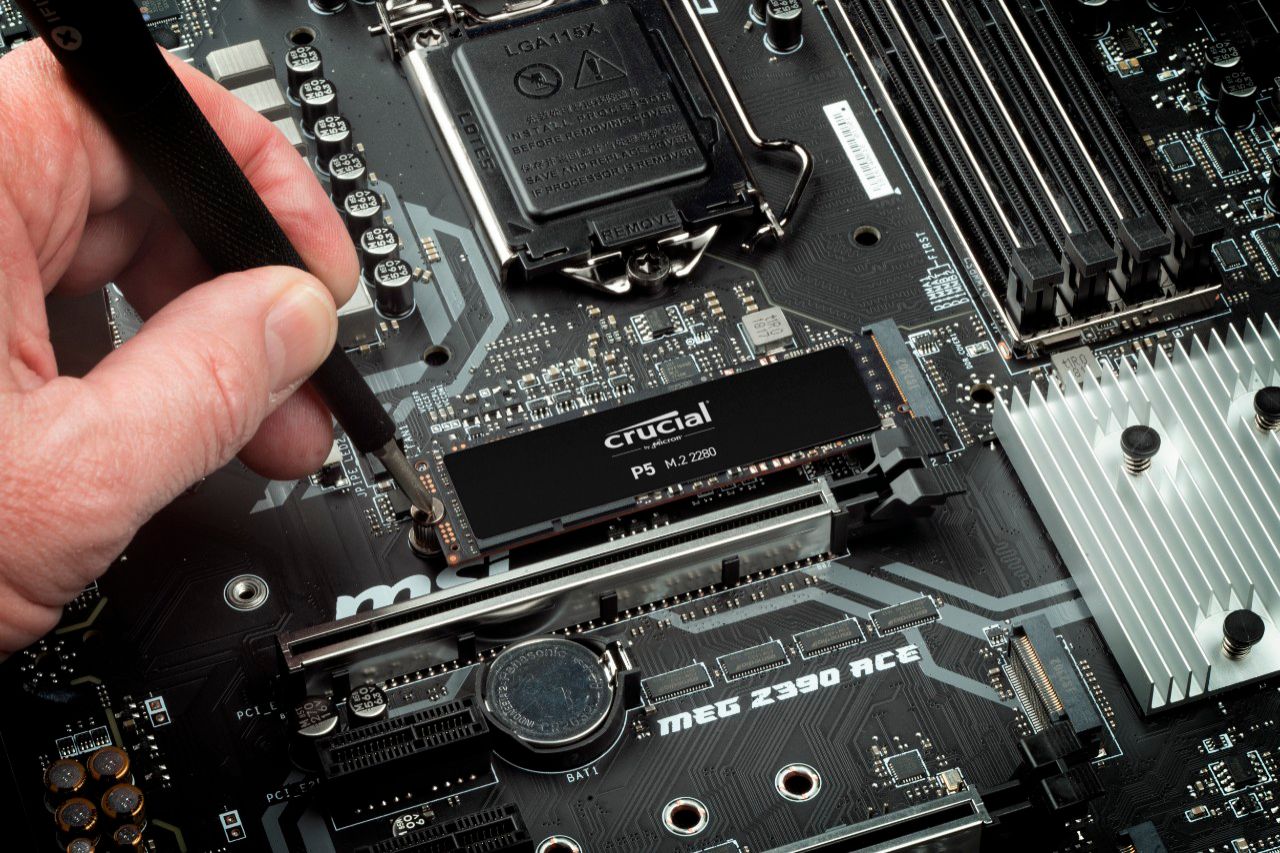
|Posted .This reviewer received promo considerations or sweepstakes entry for writing a review.I intended to upgrade my MacBook Pro with this drive, but it was not compatible, so I instead upgraded my windows machine. This little 1TB NVME drive is a great upgrade to my core i9 system. I tested my boot speed on my existing SSD and found it was taking 41.51 secs from the time I pressed the power button to when I reached the logon screen in Windows 10. After cloning that drive to this one which took approximately 30 minutes with Acronis True Image, I found my boot time reduced to 28.8 seconds which is a substantial improvement. File read time was quite fast. Installation is very simple with only one screw involved and almost as easy as installing RAM depending on your experience level. Great upgrade!
I would recommend this to a friendSpeedy Drive at a Fair Price
|Posted .This reviewer received promo considerations or sweepstakes entry for writing a review.I installed this Crucial P5 NVMe drive into my Lenovo Yoga 720 15.6 which already came with a 512gb SSD installed which I assume being over three years old is a slower drive. Crucial provides a free software to help transfer data from your old drive to the new one but it only seemed to recognize drives connected directly to the computer's NVMe slot, so I had to use an external USB drive to clone my data. Once I got everything installed and cloned, my computer ran great! Because it already had a somewhat speedy SSD installed it was a stark difference but I noticed some small changes in data transfer speeds, load times, and better video editing and processing speeds. Crucial has a program called “Storage Executive” which allows you to monitor SSD temps, health, and enable drive chancing which boosted performance. I agree with comments about the drive running slightly warmer but regardless it is a great upgrade to any computer with an available NVMe drive slot!
I would recommend this to a friend- Pros mentioned:Speed, Storage
goated
Posted .This reviewer received promo considerations or sweepstakes entry for writing a review.really really big and even faster it was so convenient and I love having storage, not just this much, but also this fast. (REQUIRES PC KNOWLEDGE TO INSTALL, DO NOT MAKE THE MISTAKE I DID OF ASSUMING IT WOULD BE EASY TO INSTALL, YOU NEED LIKE SCREWDRIVERS AND SUCH FOR MOST SETUPS)
I would recommend this to a friend Good Choice
Posted .This reviewer received promo considerations or sweepstakes entry for writing a review.The Crucial P5 NVMe drive performs as advertised. I recommend using the additional Crucial software to maximize performance. If your motherboard supports 4th Gen, P5 is a good choice. Windows 10 boots in under five seconds. 5th Gen is coming out late 2022. This will likely cause the price to drop below $99 (1TB). Gamers, Users, and Enthusiasts alike will appreciate the fast read/write response.
I would recommend this to a friendWorst SSD I've Ever Used
|Posted .This reviewer received promo considerations or sweepstakes entry for writing a review.I regret ever putting this in my computer. That's a pretty strong statement, so let me explain. When I put the thing in, I was excited. An NVMe SSD that was the same color as my motherboard and large enough to store my OS and about five MMOs? Sign me up! I booted up my PC, and it ran well. No real difference I noticed between the Intel SSD formerly in the system, but hey, I had more space. Then I got a Windows update, and that's where the trouble began. When my computer finished applying the update and restarted, I got an error message: "Boot device not found." After a lot of troubleshooting, a simple restart got me back to my desktop. However, I noticed that it wasn't a soft restart. The reset button did nothing, Ctrl+Alt+Del did nothing. I had to manually turn off the power and turn it back on. This became a recurring theme. If my computer turned off or even went into sleep mode, I couldn't get back into Windows without manually turning the power completely off and back on. I tried everything I could to fix it - I reset the BIOS, I tore the whole PC apart and put it back together by the instructions in the manual, I checked to make sure that my other SSDs worked. (They all did - my Intel, SanDisk, Kingston, and ADATA NVMe SSDs all worked fine without that issue. Even the Chinese unbranded SSD I bought on a whim didn't have that issue.) Eventually, I got a replacement. The replacement had the same issue. Normally, this wouldn't be too big of a hang-up. However, I use my PC remotely. A lot. I tend to connect to it across the network when I need it, and I play games with Remote Play. Having to physically access the PC every single time I need to power cycle, with Wake On LAN basically worthless, isn't worth it. It's just not useful to have an SSD that disappears from the BIOS completely unless the PC has been fully power-cycled. So yeah, this is the worst SSD I've ever used. I can't recommend it, except maybe as secondary storage if you have two NVMe slots. Even then I don't know if it's worth it.
No, I would not recommend this to a friendSo great bought another one!
Posted .This reviewer received promo considerations or sweepstakes entry for writing a review.Great product, bought another to update my wife’s hp as well. Just keep in mind the cloning software offered by them isn’t that great but backing up your windows and using your last saved backup to restore was able to make the process a little less challenging. Did windows 11 on mine and 10 on my wife’s computer.
I would recommend this to a friend- Cons mentioned:Compatibility
Decent
Posted .This reviewer received promo considerations or sweepstakes entry for writing a review.Tablet doesn't recognize it, but works for external
No, I would not recommend this to a friend