Customer Ratings & Reviews


- Model:
- CP2K16G64C32U5B
- SKU:
- 6649400
to a friend
Customers are saying
Customers are enthusiastic about the product's impressive RAM speeds, excellent performance, and effective heat dissipation technology. They also appreciate its straightforward installation, low latency, and appealing design, which includes options for blacked-out or all-white builds. It's noted that the product is designed for desktop use and is not compatible with laptops.
This summary was generated by AI based on customer reviews.
- Pros mentioned:Heat dissipation, Installation, Performance

Top Quality Memory with Noticeable Speed
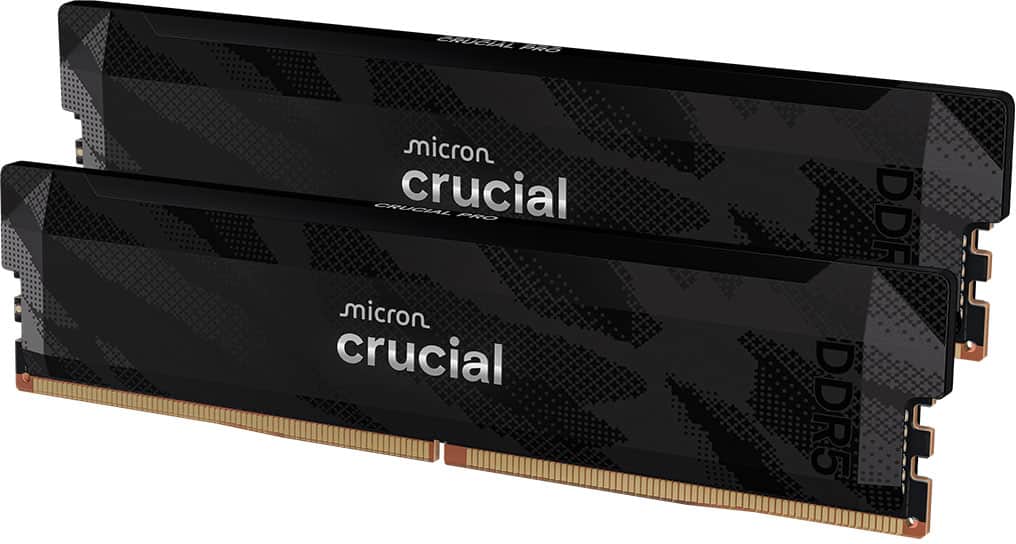
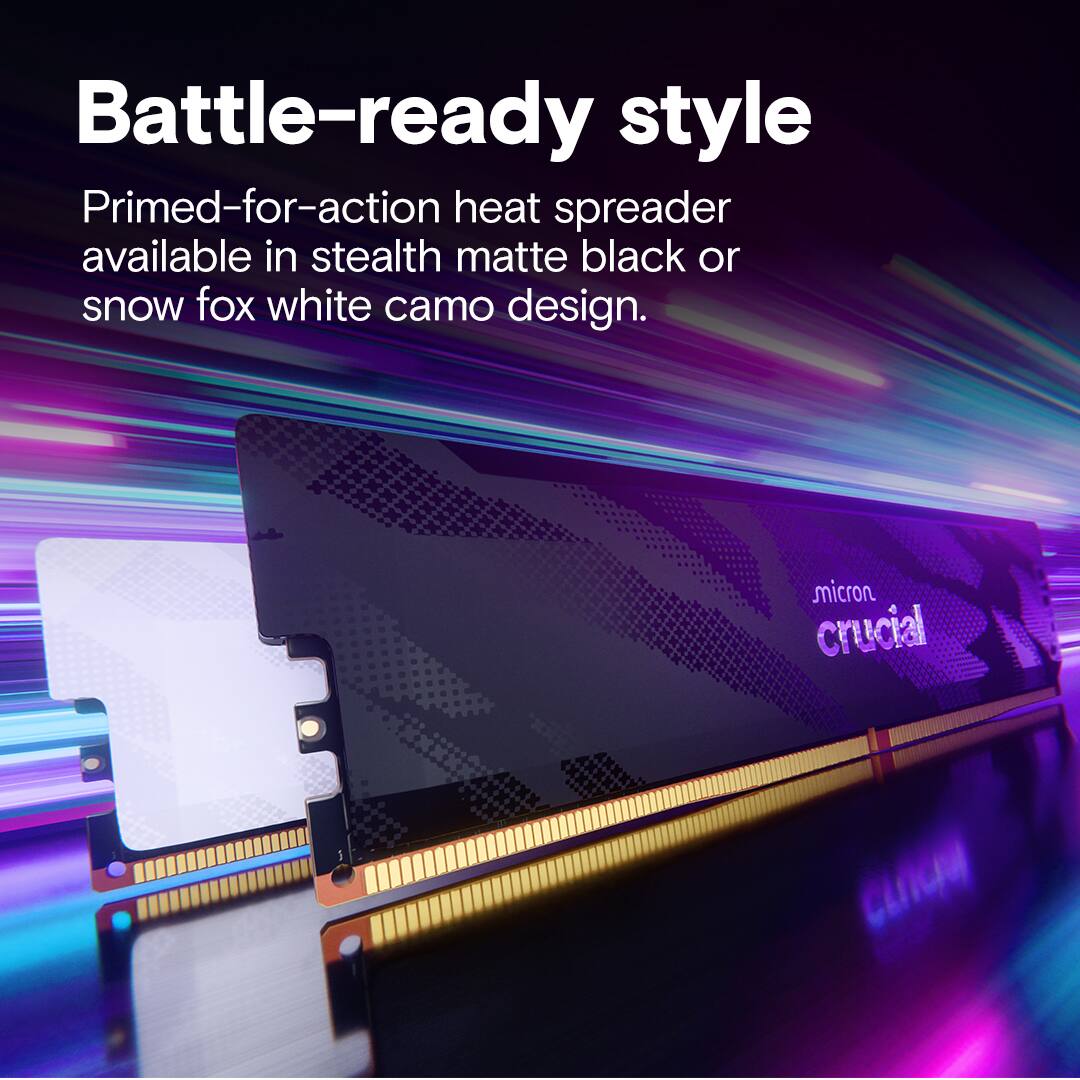
|Posted .This reviewer received promo considerations or sweepstakes entry for writing a review.This is probably the nicest memory set I’ve ever owned. Heat dissipation on both sides drew me in, and their very contained/smooth look with a stealth-black design is just cool. Of course, with low latency and a speedy 6400Mhz, it’s the straightforward upgrade I was looking for my gaming PC. Crucial has done a great job, once again. These slotted into my machine easily and I was up and running with notable improvements across both my gaming and creative workflows in about 5 mins. I use Adobe Illustrator quite often, and love to game, so this has had a nice impact on load times and just about any time where big files are in use, or in load times in games with a lot of high-end assets. And with memory prices have been going up, so I was very happy to pick this up now rather than later. I’m sure it’ll be a godsend well into the future. Plus there’s something nice about owning quality components. Crucial didn’t need to apply such a fun design to the heat spreader to these as once they’re in your machine, you’re not likely to see them up close ever again - but they’re just cool and really solid to hold in hand before installation. Overall, I’d say it’s hard to go wrong with good memory and thoughtful heat management to ensure it lasts. I’d be happy to purchase additional sticks in the future, should I see the need.
I would recommend this to a friend - Pros mentioned:Compatibility, Heat dissipation, Performance
Excellent Upgrade for Gaming PC
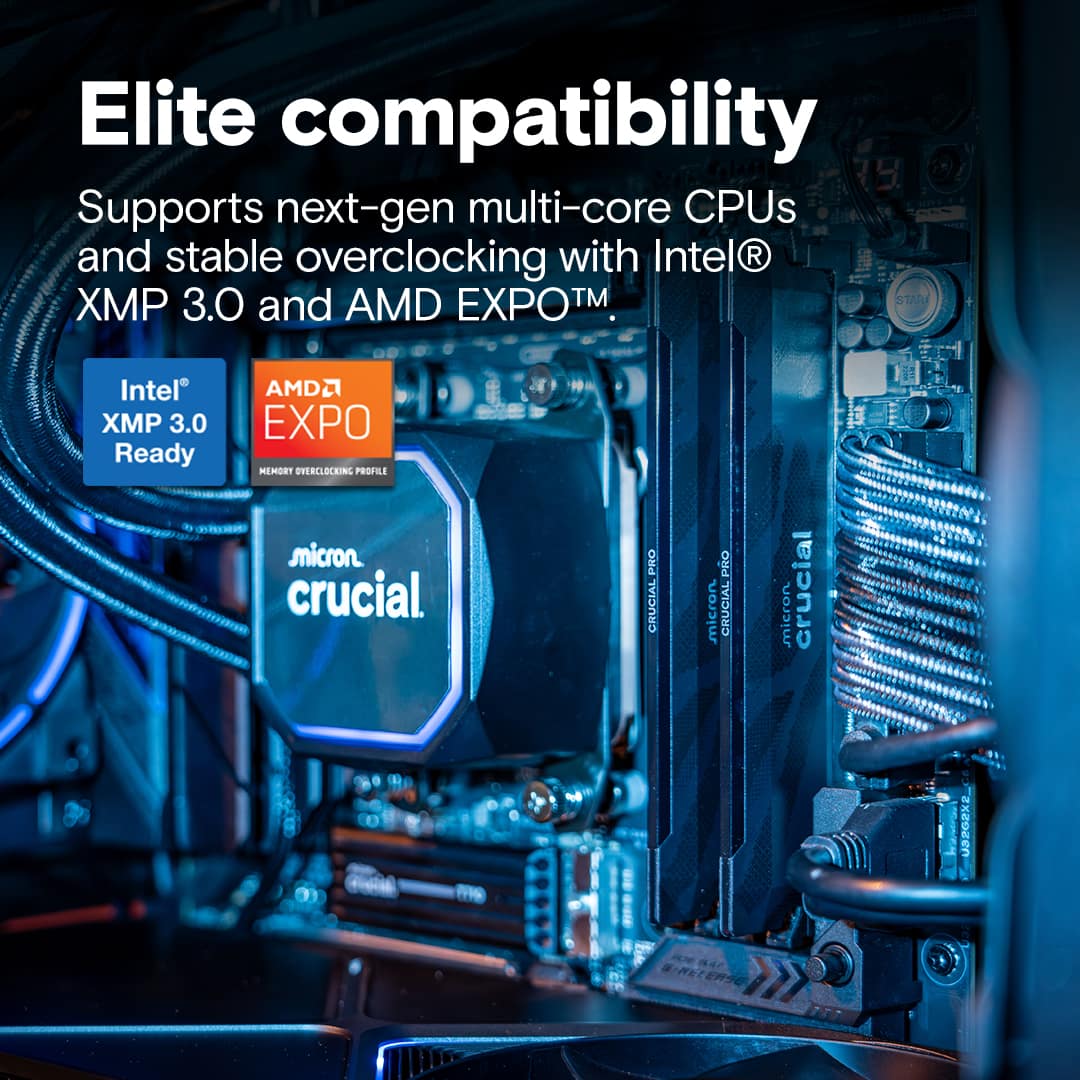
|Posted .This reviewer received promo considerations or sweepstakes entry for writing a review.This is a very nice DDR 5 overclock RAM kit. At 32GB it is perfect as a starter kit on a new gaming machine with high end GPU, or it can also become a very nice upgrade kit. I use the kit to replace my 32 GB setup that has lower clock speed. Therefore, this DDR 5 kit is definitely an upgrade. I am not inclined to perform overclocking although the kit is perfectly capable to do so. My main goal is a stable machine, since my favorite game still has some ongoing issues despite past complaints by the community, even though it's generally stable now. Also, I don’t mix and match RAMs, so the kit replaces the 32 GB RAMs occupying 4 RAM slots in my machine. The kit looks and feels solid. This kit is meant for overclocking, so the memory design incorporates heat dissipation technology, which of course is very important when running at such a higher clock speed and low latency. The heat dissipation design maintains system stability, even if you don’t use the kit for overclocking. The kit supports Intel XMP 3.0 and AMD Expo for as long as your motherboard and processor support it, too. I installed the kit into the dual data rate slots on the motherboard. I let the BIOS to autodetect and load default setting. Interestingly, my computer now runs noisier as the front fan now kicks in by default. This must have been because the memory now runs at higher clock speed and the system naturally generates more heat as it consumes more power. It’s good that my system automatically compensates for the extra heat that the new RAMs generate. I run stability test provided by the PC’s manufacturer and the RAMs past all tests. In terms of booting speed, there is a noticeable improvement. Apps and my favorite game are actually load up faster, and the difference is definitely there. It’s not massive, but it’s there. Additionally, my favorite game used to freeze for a minute or two every once in a while, and occasionally caused the system to crash. With the new kit, the freezing issue resolves more quickly, and the system no longer crashes. This is an upgrade that meets my expectations. Pros: Overclocking ready Heat dissipation design Supports XMP 3.0 and AMD Expo Cons: None so far
I would recommend this to a friend - Pros mentioned:Compatibility, Performance, Ram speed
Great RAM for older and future platforms. 6400CL32
|Posted .This reviewer received promo considerations or sweepstakes entry for writing a review.To start off, I'm no stranger to Micron and their Crucial branded consumer/OC ram. I've used Crucial RAM for multiple builds and usually find that it's binned quite well relative to competitor options with similar timings, if not overall better. This kit is no exception. Booted up easily and stable on my older 12th gen 12900K based CPU + MSI Tomahawk Z690, which was previously using 5600 JEDEC ram that was *manually overclocked* to 6400 and CL32 with different sub timings. I'm happy to report that Micron/Crucial offer the only *non* Hynix based kit that can hit these speeds and timings with 100% stability when stress testing in 3rd party programs.. which is rare in the DDR5 space. The specific IC being used is a newer "H" die which doesn't have any of the short coming of previous micron based DDR5 RAM. PROS: -Micron IC @ 6400 CL32 is stable on most Intel platforms 12th gen and beyond, (bar subjective memory controller influence + motherboard). -Low profile for smaller cases and tower fan configs without hitting side panel. 35mm. -Solid timings. Would consider this the second best 6400 CL32 option per IC design. -Stable FPS in games. CONS: -Timings not as good as Hynix based options at same frequency or beyond. IE 6400 and CL30. -Plastic trim on top is shinny gloss and can show fingerprints. -Subjectively, feels a little less smooth than the Hynix based kit it replaced. Could just be placebo. NEUTRAL: -Ram is pretty volatile right now, but I trust this kit in regards to binning and overall stability. Always check your motherboards QVL if you're unsure. OVERALL: Quite solid.. This is one of the few kits capable of keeping up with the best DDR5 on the market per 6400 mhz config. I did notice it was a little less smooth for daily task compared to my previous kit, but I have no way to objectively to prove this. Stability was good via testing with programs like OCCT for multiple hours. Both kits run same System Agent, VDD2, and VDDQ TX as far as RAM related voltages go. This is going to be my main kit since It's XMP 3.0 based 1 click. I was annoyed at always having to manually OC the previous 5600 CL46 JEDEC kit that I was using. This solves both aspects as finding a low profile kit that fits my case (011 Air Mini) is pretty rough. Happy with this.
I would recommend this to a friend - Pros mentioned:Performance, Ram speed
Dual channel,low latency, and solid speeds.
|Posted .This reviewer received promo considerations or sweepstakes entry for writing a review.I just recently upgraded my new pre built from Asus the g700 and that build unfortunately only came with a single stick of 16gb ddr5 ram running @6000mt with a cl 38. Everything seemed fine while playing games that don’t require more than 16gb of ram and I didn’t think anything was needed. That was until I started playing hogwarts legacy at max settings and ultra ray traced everything. I have 2 monitors as my main setup and one monitor is an Alienware 32 inch QD oled 4k and the other is an LG 5k by 2k beast I have an Intel ultra 7 and an Asus tuf 5080 pushing these monitors. So the higher the resolution more ram you need and while speeds are important I’m learning that the cas latency is also very important and that why I chose to upgrade to this crucial pro kit with 32gb ram at 6400mt and a cl32. Now hogwarts runs better with less stuttering and frame drops. I notice that I can run more background task and stream music at the same time which takes up more ram and can cause some gaming issues. Also while single channel does not take as much of a performance hit like it did with ddr5, you will lose a decent amount of frames if you only have 1 16gb stick vs 2. So I’d recommend get a dual channel kit where possible. My pc and gaming is overall better not that this kit is going to make you feel like you have a 5090 but the gains are well worth it. The ram isn’t RGB which I would have preferred but that would have driven the price up even more. That’s the only bad thing I can say now, AI has caused a chain reaction and prices are high right now. But this price is actually more competitive than others I’ve seen elsewhere so that’s a plus. Ram does have a nice blacked out design but you probably won’t be able to see it In You case lol. I don’t d Ai r task like that so I can’t speak to it but I’m sure this kit will help if that’s what you are into as well. I recommend especially when this kit goes on sell which is has before.
I would recommend this to a friend - Pros mentioned:Heat dissipation, Ram speed
Sleek looks. Great speeds.
|Posted .This reviewer received promo considerations or sweepstakes entry for writing a review.If you're building a new machine or looking to upgrade your existing PC, this could be the memory kit for you. A nice, sleek design without all the sparkling Christmas lights and some really fast speeds make this a great upgrade if you currently have some slower memory or a nice starting point to get you by for a little while. As with any memory installation, setup is simple. Plug the sticks into the two slots your motherboard recommends for dual-channel and you're off to the races. Make sure you enable XMP or you're chipset's equivalent so you get the maximum speed profile. I upgraded an existing 32GB of memory for the extra speeds and so far it's been running without any hitches. The nice design fits what I prefer. I don't need every component in my machine to twinkle. These sticks have a really nice heat spreader covering both sides with a very subtle design etched into it. Not much more to really say about memory. Crucial has always been one of the more reliable brands and have been around for as long as I can remember. Sad to see them going away soon. So get these while you still can!
I would recommend this to a friend - Pros mentioned:Compatibility, Installation
Ah Crucial, I Will Miss You....
|Posted .This reviewer received promo considerations or sweepstakes entry for writing a review.Introduction: Crucial is one of the best manufacturers of memory for the consumer market and my go-to for RAM. On Wednesday December 3rd, Micron Technology decided to leave the consumer market and will move on to chase AI commercial markets. That being said, they still plan to continue shipments until Feb 2026 and will continue to honor warranty service and support. Hopefully you’ll be lucky enough to get your hands on some. Installation: Installation is straightforward like any other RAM install/swap. It all depends how much room you have while performing the install (my SFX guys, I feel you). It’s worth noting that if you’re buying for a friend or loved one as a gift, you have to make sure their CPUs can handle DDR5 memory such as 13th and 14th Gen Intel® Core™ and AMD Ryzen™ 9000 Series desktop processors. Crucial has a cool compatibility checker if you’re unsure. As far as installation: If you can’t do it yourself, you can certainly take it to someone or some service who knows how to. Setup: Once the BIOS detects your RAM, you can simply swap from its default profile to either an XMP3.0 (Intel) or EXPO (AMD) profile. You’ll see the 6400-32-40-40-103 configuration. Save changes and restart your PC. In the event that you have boot issues, you may have to try its secondary profile that lowers the configuration to 6000-36-38-38-80. Look and Feel: The RAM is very much a sleeper. The heat spreader has a bit of a camo print on it, but once in the case, you can’t even see it. For those looking for RGB RAM setups, you won’t find it here. Performance: Crucial does sell variants of the 6400MT/s DDR5 RAM, but this particular RAM is the Overclocked version. CAS latency (CL) for this RAM is 32, which is the best that Crucial offers in this RAM. Caveats: For some of us AMD 7000 users, it could work fine, but there could be instability. I’ve tested on my AMD 9000 series CPU and am currently testing here on my 7000 series…no problems so far! But your mileage may vary. Before I swapped over my RAM here, I updated my BIOS just in case there were any updates. Conclusion: Again, if you can get your hands on some before Micron moves on to bigger and better things, go for it. I highly recommend Crucial and stand by their brand.
I would recommend this to a friend - Pros mentioned:Performance, Ram speed
Low profile and high performance.
|Posted .This reviewer received promo considerations or sweepstakes entry for writing a review.The Crucial Pro Overclocking 32GB kit delivers exactly what I was hoping for in both performance and aesthetics. If you're building a blackout or sleeper-style PC, these modules are a perfect fit. The graphics and lettering are understated and clean, blending seamlessly into my all-black 7800X3D HTPC build. Visually, they complete the system without shouting for attention. In terms of performance, the kit has been consistently fast and stable. Games and memory-intensive workloads respond immediately, and throughout my testing I haven’t encountered a single error or instability. The 6400MHz speed paired with the tight C32 timings genuinely gives this set some extra snap compared to more mainstream DDR5 kits. One note worth mentioning: Crucial has recently indicated they plan to shift focus away from consumer RAM production toward meeting rising demand in the AI sector. They’ve stated that existing warranties will still be honored, but prospective buyers may want to keep this in mind. Overall, this is a strong, reliable, and great-looking DDR5 kit that performs exactly as advertised and elevates a clean, modern build.
I would recommend this to a friend - Pros mentioned:Heat dissipation
Fast and Compatible with a Great Warranty
|Posted .This reviewer received promo considerations or sweepstakes entry for writing a review.Highlights: * Great limited lifetime warranty * Fast with low latency * Reliable * Compatible Room for Improvement: * Nothing There is not much to say about this memory. It works great and has a very good warranty if anything ever does go wrong. The heat spreader works well so the memory works consistently even when pushed hard during high-framerate gaming. Installation is as easy as you’d expect from similar memory. It fits just any other compatible module. The heat spreader even looks great if you have a window on the side of your computer. There are no lights on it but none are needed for typical use. If you want memory with light effects, there are other models to choose from instead. I installed this memory alongside two other modules with different timings and everyone was happy working together. The few games I played with this expanded RAM ran smoothly with no noticeable issues. As long this memory’s specs match your computer’s needs, you can’t go wrong with this memory for high-power gaming, productivity or general use.
I would recommend this to a friend - Pros mentioned:Ram speed
Good ram just select the correct profile.
|Posted .This reviewer received promo considerations or sweepstakes entry for writing a review.I’ve been able to spend some time with The crucial ram and so far it’s been an okay experience was able to get it to booted up into Bios and selected to have XMP file loaded. Then I realized I had accidentally selected the profile for an Intel system not an AMD. Cautionary tale for those building a new PC as this ram works with both Intel and AMD and my motherboard allowed for both types of profiles to be selected. SEE IMAGE So I found out that it was an incorrect one when my PC would not boot. So then I had to reset bios. Once I had bios reset, I was able to load into bios and use then select the correct profile EXPO 1. Once that was done I was able to boot normally. I immediately check the info screen and I was indeed using all 6400 of the advertised speed. It was an adventure to install but once installed we got the result I wanted. The looks are decent but won’t be technically gamer. It has a dark cover but it’s actually kinda thick looking but the main thing it doesn’t have and might be a deal breaker is RGB. So if you need RGB this might not be the RAM for you. Other than that if you want some solid RAM this is for you.
I would recommend this to a friend Instant improvement... worthwhile upgrade
|Posted .This reviewer received promo considerations or sweepstakes entry for writing a review.I’ve been using Crucial memory and SSDs for years, so picking up their new 32GB DDR5 PRO OC kit came with some pretty high expectations on my end. Crucial has yet to let me down, and this kit continues that streak. Right out of the box, the design sticks to the company’s usual “no nonsense” approach a with clean, minimal, and functional build. There’s a subtle carbon-textured pattern on the heat spreader that gives it a nice premium touch without diving into the whole RGB light show craze. Even though the packaging labels it as “Gaming,” it doesn’t scream gamer aesthetic, and honestly I kind of prefer that. I’d rather my RAM perform like a champ than glow like a nightclub. Installation was exactly what you’d hope for with RAM, simple and drama-free. They clicked into my DIMM slots with zero resistance, and the moment I powered up, I jumped straight into BIOS on my ASUS B760-Plus WiFi PCIe5 board running an Intel i7-14700F. I wasn’t expecting hardcore overclocking performance since my setup isn’t exactly built for that, and realistically I’m not someone who chases the absolute highest numbers anyway. My performance sweet spot is usually mild tuning paired with stable, reliable operation. But even so, the Crucial sticks were immediately recognized, and activating the XMP 3.0 profile set them right at 6400 MT/s with no hiccups. The reboot was instant with barely any memory training and Windows snapped awake instantly. The real magic hit once I started launching applications and games. Boot times felt tighter, apps popped open faster, and game loading screens basically vanished. Some titles that normally spend a few seconds loading shaders or finalizing graphics presets now fired up so fast I didn’t even have time to reach for my drink. Path of Exile 2 especially stood out. That game has always been a bit of a pain with its transitional loading screens and portal spawn delays, but with this memory installed, it almost felt like those load times were straight-up deleted from existence. Going from zone to zone was nearly instantaneous. Gameplay across the board, from racing sims to shooters to ARPGs has been buttery smooth with consistently high frame rates at 1080p and 1440p using high settings. There’s virtually no stutter or latency hitching, even during intense scenes or rapid-fire transitions. Pair this kit with a solid CPU and a mid-tier GPU and you’ll easily squeeze out a noticeably more responsive experience. Now, the price might make you raise an eyebrow at first glance, and I get that. But if you’re someone who cares more about raw performance and stability rather than flashy RGB or novelty heat spreaders, this set is a strong contender. For me, the upgrade massively boosted the quality of life of my system without requiring a full rebuild or new major components. It’s one of those upgrades you feel immediately, and once you experience those near-instant load times, it’s hard to go back.
I would recommend this to a friend- Pros mentioned:Performance
crucual ram
||Posted . Owned for 2 months when reviewed.This reviewer received promo considerations or sweepstakes entry for writing a review.ram looks and runs great, no issues at all. price was high, but it all is right now and this was definately the best value at the time.
I would recommend this to a friend - Pros mentioned:Performance
Good Stuff
||Posted .This reviewer received promo considerations or sweepstakes entry for writing a review.Best RAM available, and was still reasonably priced
I would recommend this to a friend - Pros mentioned:Compatibility, Heat dissipation, Installation
Crucial provides crucial upgrade to lesser memory
|Posted .This reviewer received promo considerations or sweepstakes entry for writing a review.Crucial continues to live up to the name. I remember my dad sitting at the kitchen table building a PC when I was in middle school and installing crucial brand. The fact that Micron has maintained intact for this long, speaks to the quality of design. The memory comes in simple packaging with a sleek, black with minimalistic design on the outside. There is heat sinking incorporated into the design without any over the top design features. I used this to upgrade a ROG G700 with ASUS motherboard having Intel Core Ultra 5 with 16GB memory to 32GB with noticeable overall improvement. The 16GB was only 1 memory stick so having the paired dual channel kit was ideal for overall performance. The installation was simple, feeling like my dad in a moment of nostalgia, clicking right into place without any specific issue. The BIOS did not have issue recognizing or setting of the memory (of course it is recommended to verify that this is compatible with your motherboard prior to install). The memory has been working well with a noticeable decrease in boot time and game loading screens along with the ability to set graphics settings higher. Frankly, one of the biggest differences is that while streaming, gaming and discord active my computer is not randomly freezing as it would previously at times, most noticeably during episode changes on streaming. Discord always seemed to be what would throw my previous laptop into a frenzy, to where I got used to using it on my phone and happily not having that issue currently. Overall, it appears the reported specs are as advertised and memory is working as expected.
I would recommend this to a friend - Pros mentioned:Installation, Performance, Ram speed
Improved my PC performance.
|Posted .This reviewer received promo considerations or sweepstakes entry for writing a review.I had 32 GB 5600MHz in my system. The game I play the most is PUBG. I would get around 90-120 FPS. I did not think these would make too much a difference. To my surprise, I jumped to getting 120-150FPS. My settings all stayed the same. This will probably not be the case for everyone. I was expecting at most 10fps increase. These are a little bit bulkier than the ones I had installed. My other 2 were also crucial brand. These were easy to install. After I installed, I did get a message that my ram size increased even though I had 32 gigs in before. But I just clicked ok and my PC booted right up and was good to go. I feel like my games also run a bit better. PUBG for instance, when I would first start, it would keep minimizing to my desktop and I would have to keep clicking on the game a few times before it would stay open. I have not had that problem after installing these. Time will tell, but before, after a few rounds, my game would also crash. So far, I have not had that happen either. If I will be honest though, at the price point, I feel these are worth it if you are building a PC. If you already have decent ram, yeah it may make a difference like it did for me, if it does, then it may be worth the upgrade for you. I would probably not upgrade myself and would probably use the money to upgrade other parts first. Better keyboard, mouse etc. Like in my case, I already had decent ram. again though, if you do not and you are buying ram then these are a great option to get.
I would recommend this to a friend best buy overpriced
||Posted .This reviewer received promo considerations or sweepstakes entry for writing a review.Overpriced by miles. But what do you expect from the money grabbers at bestbuy. Product works fine, just wait and buy it from literally anyone else.
No, I would not recommend this to a friend- Pros mentioned:Heat dissipation, Installation, Performance
Crucial yes please
|Posted .This reviewer received promo considerations or sweepstakes entry for writing a review.What can you say about this ram that hasnt been said already, it works, its fast, and its crucial. There is not many different ram brands i trust for performance outside of crucial, so very sad to hear that Micron (Crucial) will no longer be making consumer ram next year. This OC ram is easy to install, has a good heat sink and nice looking design. After installing make sure to turn on xmp in the bios. I went from a much lower 4800 speed that i had in my computer to this, i can visibly notice increased performance, in both games and apps that i use. i have never had any problems with this brand of ram and i dont believe i'll have any with this model either, the performance is noticable, and the brand is well known, i really cant think of anything negative to say about this ram. If you are looking to get some ram before the continued price hikes get even more out of hand, I would definitely recommend this memory to anyone looking for reliable fast gaming ram, crucial is always top notch.
I would recommend this to a friend - Pros mentioned:Compatibility, Heat dissipation, Ram speed
Fast, stable, cool and not flashy looking
|Posted .This reviewer received promo considerations or sweepstakes entry for writing a review.This Crucial Pro Overclocking Gaming 32GB Kit (2x16GB) DDR5-6400 MT/s UDIMM Desktop Memory is from one of the most recognized memory manufacturers and one of the largest semiconductors makers in the world, Micron. They’ve been in business for decades and produce quality products that last a long time. They really stand behind their products such as this professional series memory kit that comes with a limited lifetime warranty. I already had 32 GB of memory in my Asus ROG gaming system but only running at 5600 MT/s. Once I populated the remaining 2 memory slots, it detected the additional memory but ran it at the lower speed of the stock memory. I then removed the slower memory and enabled XMP 3.0 in the BIOS and rebooted with just the new Crucial Pro 6400 OC memory. It automatically sets it at the higher frequency and all the right timings enabling the best performance out of my Intel core i7-14700 CPU. That translated into gaming at higher frame rates and lower latency or rendering graphic designs more smoothly. This memory runs very stable at 6400 MT/s CAS Level 32 but is also downward compatible to lower speeds of 5600 if you have an earlier, less capable motherboard that can’t handle 6400 MT/s or provide stable 1.35 voltage. It also runs cool thanks to the built-in heat spreaders that blend-in nicely with the black motherboard and surrounding components. It also supports the performance recovery and overclocking for Intel XMP 3.0 and AMD EXPO technology. This is a reliable, Pro Series memory choice, overclocked for ~ 14% performance increase at a reasonable price, especially when there is no global chip shortage. I wouldn’t hesitate to get it again or recommend it to a friend.
I would recommend this to a friend - Pros mentioned:Compatibility, Heat dissipation, Performance
Perfect upgrade for your PC build
|Posted .This reviewer received promo considerations or sweepstakes entry for writing a review.My gaming PC was a pre-built rig and only came with 16gbs of RAM. Although this is enough memory for most things I think 32gbs has become the new standard. As programs, games, and other systems have become more complex, it requires more memory to run them smoothly. Crucial is one of the leaders in RAM and this 32gb kit makes upgrading your PC a breeze. It is worth noting that this is DDR5 RAM and is compatible with 13th and 14th Gen Intel Core and AMD Ryzen 9000 Series desktop processors. This WILL NOT work in a laptop. Crucial does allow you to check the compatibility of your processor on its website. This RAM is overclocked which allows it to run a faster speed up to 6,400MT/s, with a CAS latency of 32. The integrated heat sinks help dissipate heat. If you are looking to take your PC build to the next level I highly recommend this RAM if it is compatible with your processor. It is great for both gaming and creating. It will make your programs run a lot smoother and allow you to do more tasks at once. I especially recommend this if you only have 16gbs of RAM or less.
I would recommend this to a friend - Pros mentioned:Heat dissipation, Performance
Big Improvement!
|Posted .This reviewer received promo considerations or sweepstakes entry for writing a review.The Crucial - Pro Overclocking 32GB (2x16GB) DDR5 6400MHz RAM is just what I needed to improve the overall speed of my PC. Coming from just 16GB or RAM I've notice a big jump in improvement in my frame rates when gaming and even on startup of my computer it boots up almost instantly. The Crucial - Pro Overclocking 32GB (2x16GB) DDR5 6400MHz RAM is not flashy looking and comes without RGB but that is what I prefer. It sports a stealthy black camouflage type pattern which matches my pc setup. Installation is easy if you know your way around a pc and is pretty standard. This RAM is compatible with Intel XMP 3.0 and AMD EXPO and is designed to be overclocked and has built in heat spreader to help dissipate heat. Overall since upgrading my RAM from 16 GB to 32 GB I have noticed significant gains in speed when gaming, multitasking and editing videos. Upgrading with the Crucial - Pro Overclocking 32GB (2x16GB) DDR5 6400MHz RAM is a worthwhile investment for any type of computer setup and I would recommend to anyone looking to do so.
I would recommend this to a friend - Pros mentioned:Installation, Performance, Ram speed
Supercharged my system performance
|Posted .This reviewer received promo considerations or sweepstakes entry for writing a review.It was an easy decision to upgrade my system with Crucial RAM. The memory quality, capability and support, has always been a hallmark of Crucial. I know when buying it, it’ll work today and in the future. With a limited lifetime warranty, they stand behind it. One of the best ways to improve performance is an upgrade of RAM, both amount and speed. This memory didn’t disappoint. The install is very easy, with the typical locking tabs. While running they operate at a cool temperature, which in a high end gaming rig is critical. My testing showed that the memory was fully capable of running at the max speed without any issues. In daily use of both gaming and intensive video editing, the response improvement was noticeable. My renders completed at least 25% faster. Multi-tasking was a breeze. Whether you have a new build or existing system, these sticks won’t let you down. To get the maximum performance, and ensure they will work in your system, be sure to check the Crucial tools.
I would recommend this to a friend