Customer Ratings & Reviews
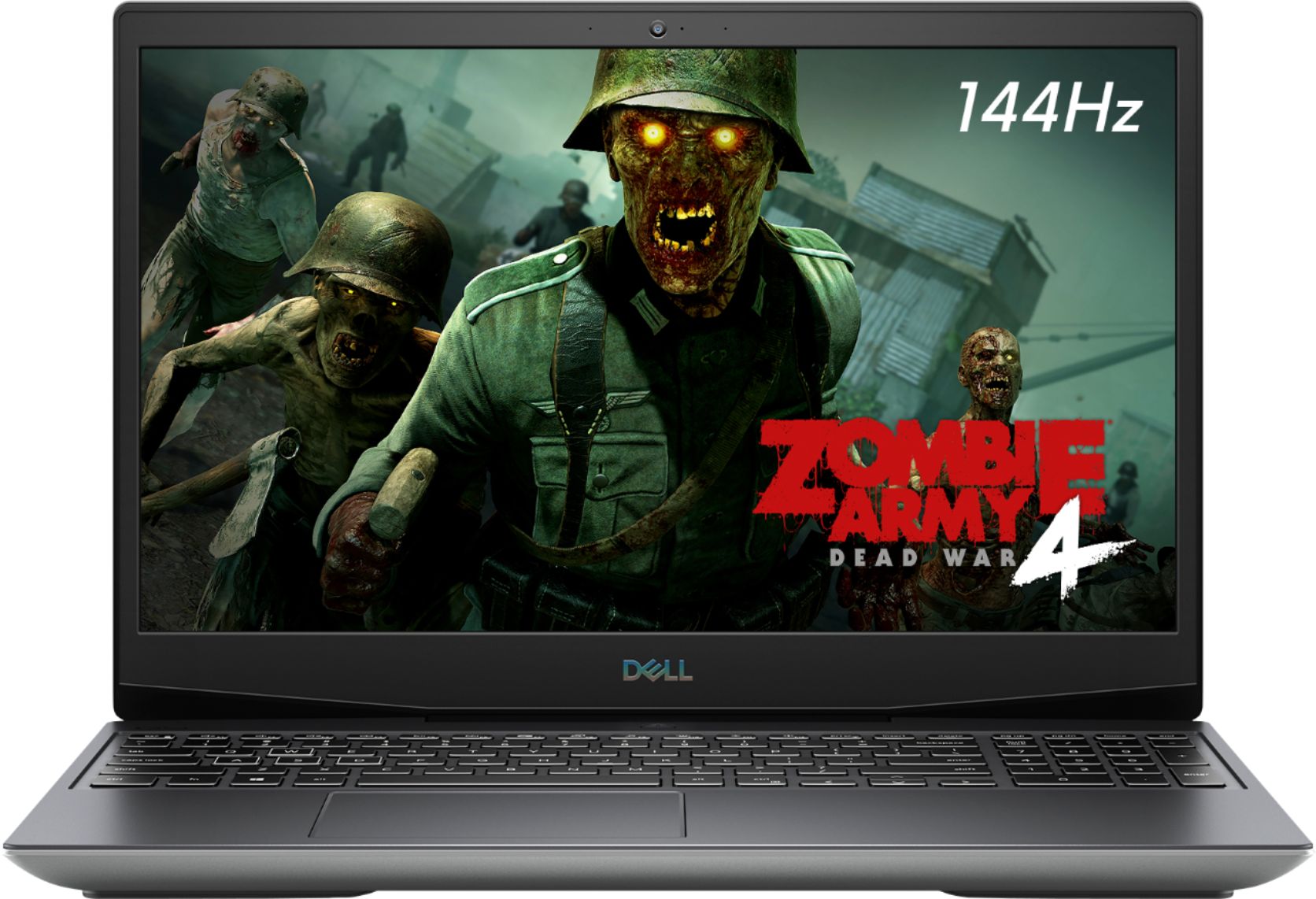
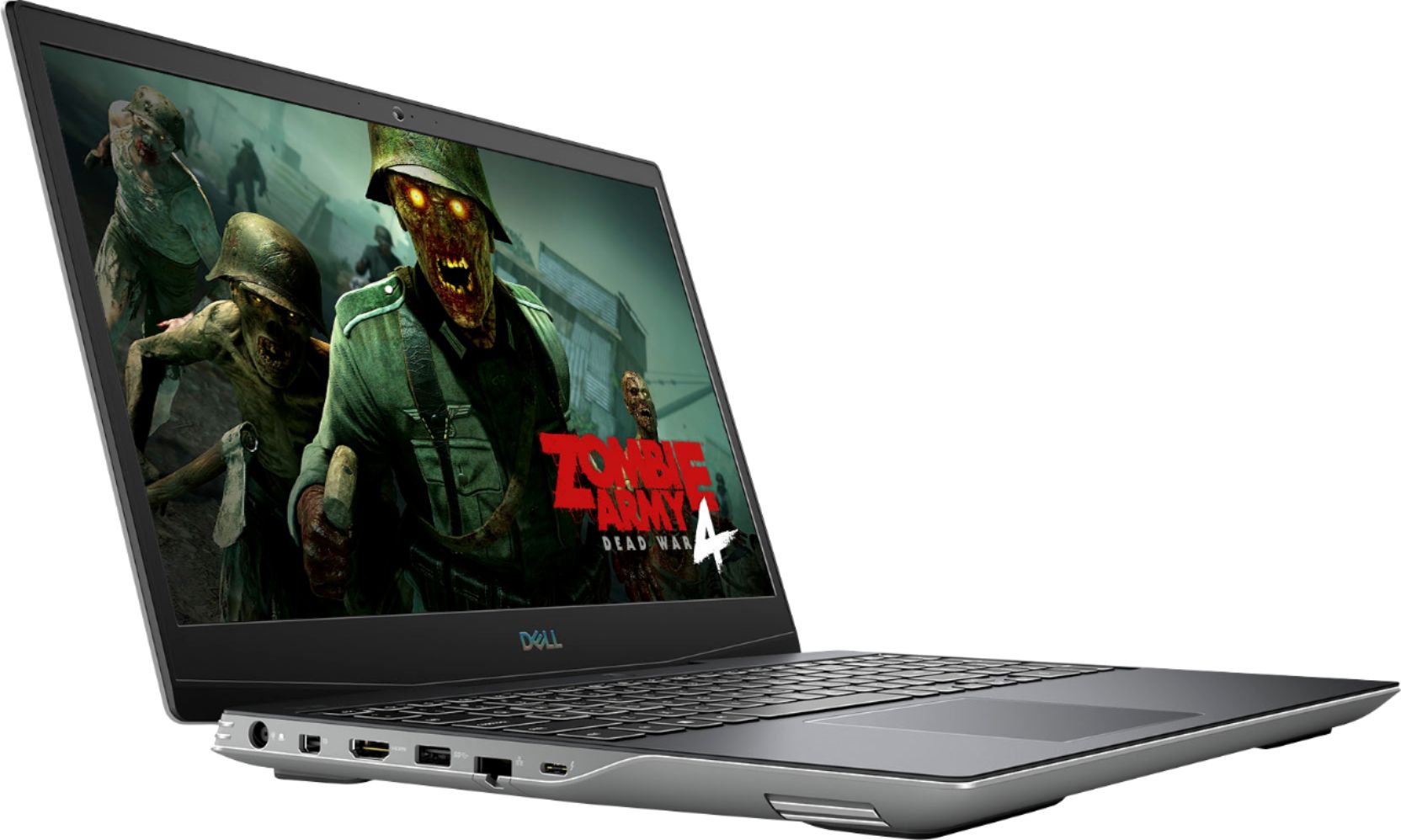
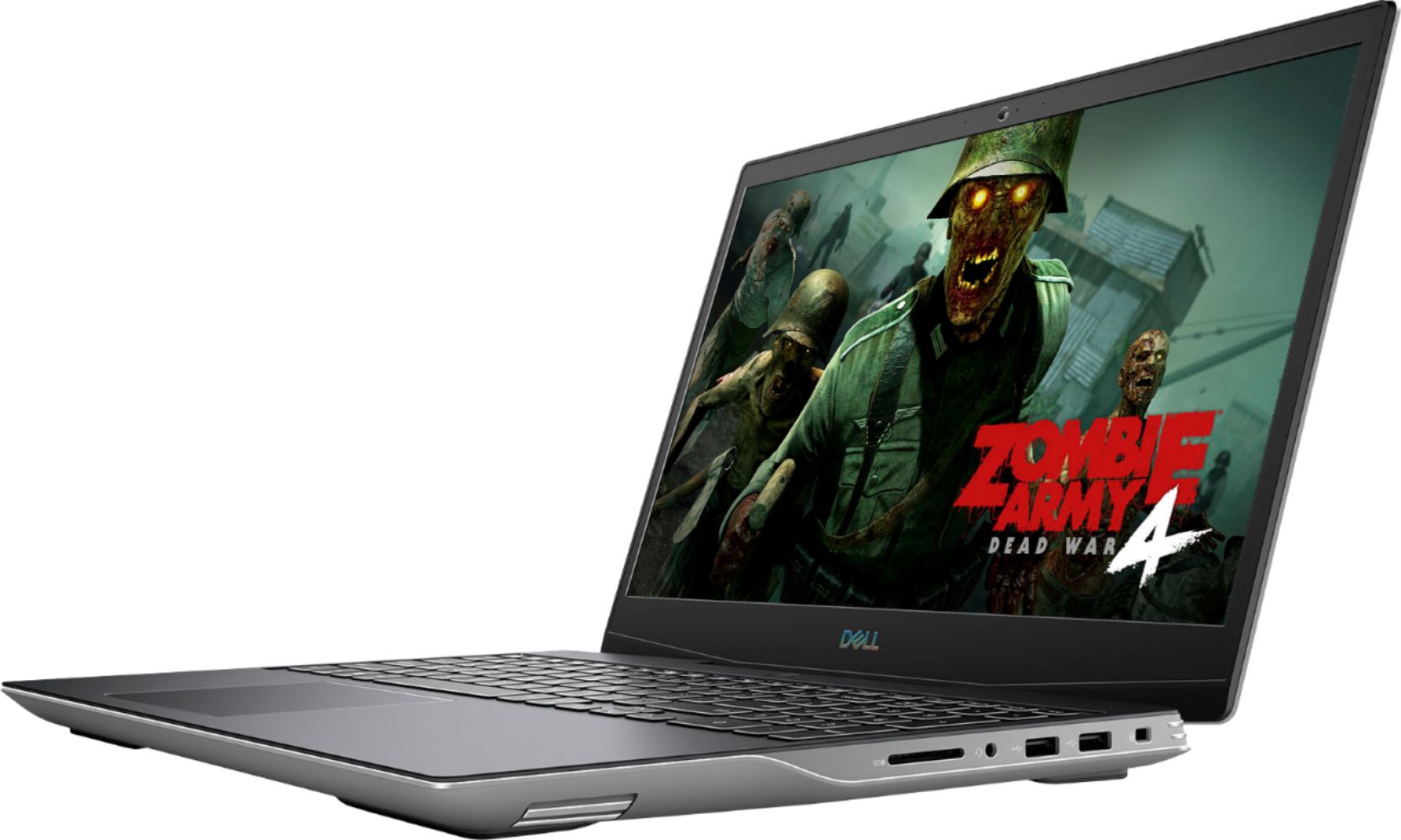
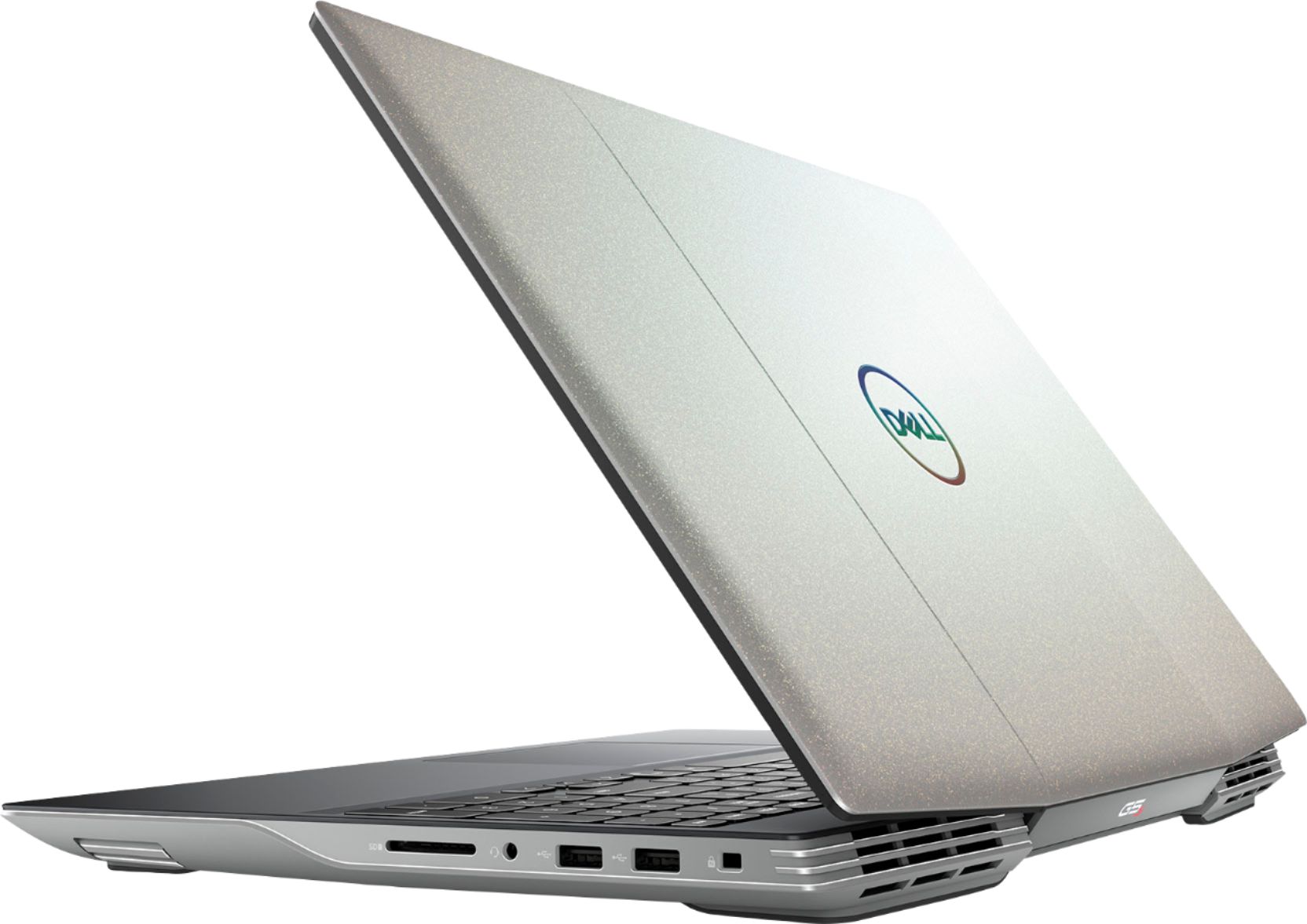

- Model:
- i5505-A753GRY-PUS
- SKU:
- 6409421
Rating by feature
- Battery Life
Rating 3.6 out of 5 stars
- Speed
Rating 4.2 out of 5 stars
- Display
Rating 4.0 out of 5 stars
Customers are saying
Customers consistently note the strong performance and impressive graphics capabilities of the G5 15.6" Gaming Laptop, along with positive feedback on its SSD speed and backlit keyboard. However, many reviews cite significant drawbacks regarding its heat generation, battery life, and fan noise. Some also mention concerns about the build quality and weight of the device.
This summary was generated by AI based on customer reviews.
- Pros mentioned:PerformanceCons mentioned:Battery life, Fan noise
Great for gaming and streaming
||Posted . Owned for 1 week when reviewed.This reviewer received promo considerations or sweepstakes entry for writing a review.Got the laptop on a $100 discount, which was perfect because it only comes with 500gb. Used the savings to buy a Samsung 970 EVO plus for the second nvme slot for games and videos. I was worried about the 8GB RAM, but the laptop seems to handle everything without a problem. I use the laptop for games and streaming. I stream on 720p 30fps using this laptop with no problem (PS: do not blame the laptop if your upload speed is only 2mbps or lower, do not expect you can stream on that upload speed) CoD Warzone on High settings no problem, when streaming I tone it down to normal, though I have not experienced any problem on high settings. Apex Legends on all Ultra settings while streaming no problem Cons: - Thermal is terrible, if you are planning on using this as your main gaming device buy a cooling pad to help your intake fans. Or, just buy a cooling pad, thermal is terrible. - heavy and bulky for a 15’ laptop. - battery is terrible, only around 3hrs - design.. well its personal preference - if you are sensitive about fan noise, this is slightly louder than a razer laptop. The AMD SmartShift technology is what makes this laptop a very capable budget laptop. My only suggestion is, wait for this to go on sale again.. Dell laptops tend to go on sale very often.
I would recommend this to a friend - Pros mentioned:PerformanceCons mentioned:Heat
Great machine Alienware-like
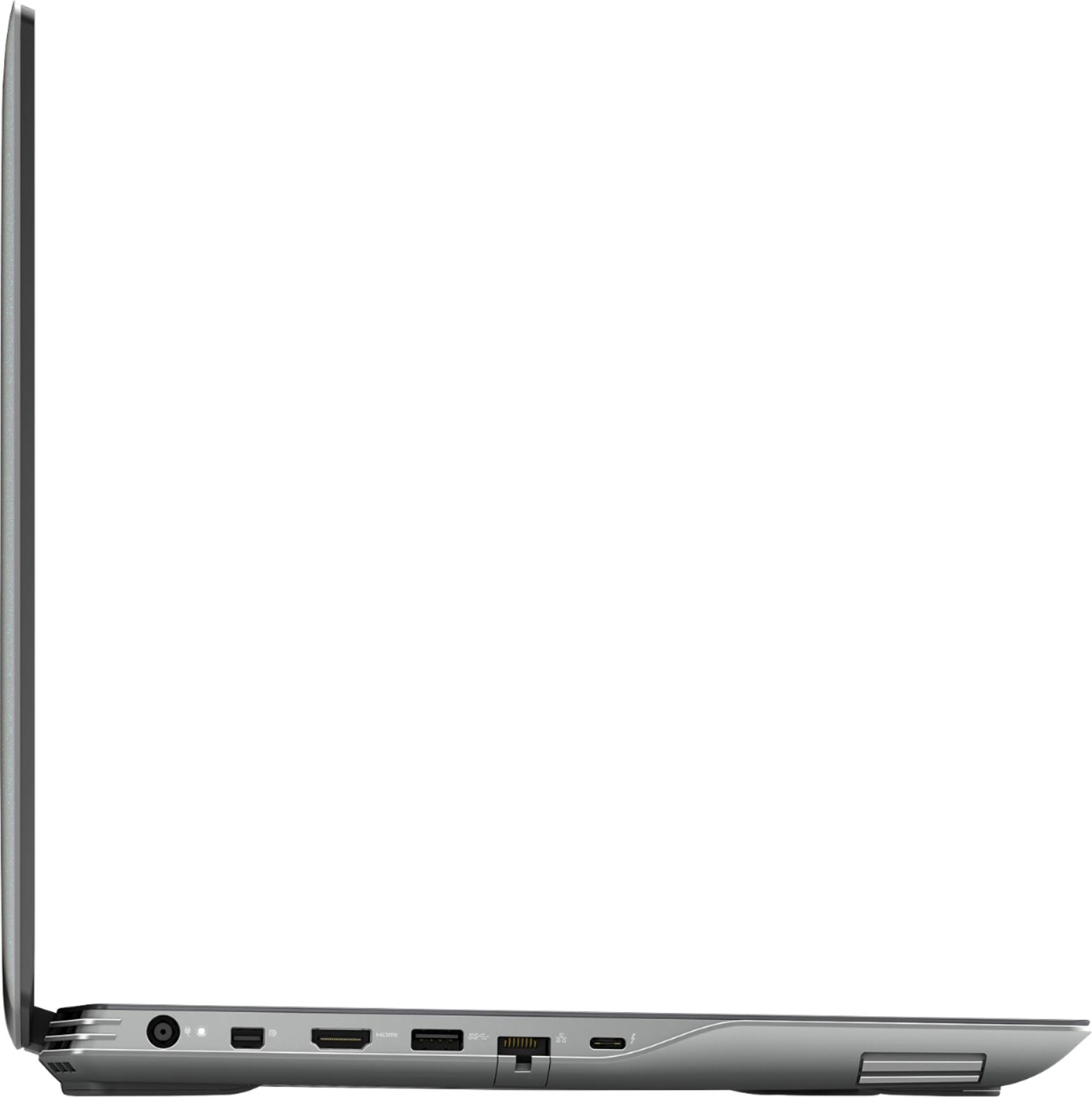
||Posted . Owned for 1 month when reviewed.This reviewer received promo considerations or sweepstakes entry for writing a review.Been using Dell gaming for a while and been very happy with it. Always buy open box for savings. Few options of this machine are new to me and quite a delight. Backlight changes color, C type port and hdmi port on the left side. Upon upgrading the memory, had some difficulty due to number of screws and ability to find to area to push up cover safely. Performancewise, nice machine. Not tested yet with gaming as my primary use is not for gaming. Hard drive a bit small for needs so supplementing with external drive. Only thing I am not sure yet is that seems to get hot too fast when I am not even gaming but just working. Long term that is concerning and this is the reason I do not give it 5 stars. (Another machine I got from work is a business dell and does not have the heat concern and weights much less and also expandable to 32 gig ). Another plus of this machine is that it has alienware software and high performace alienware command center toggle in keys. High performance turns on the fans on high. Feel I broke even with the open box discount. So far very happy.
I would recommend this to a friend - Pros mentioned:Performance
Awesome all amd laptop
||Posted . Owned for 1 week when reviewed.This reviewer received promo considerations or sweepstakes entry for writing a review.I had bought a msi bravo on 5/17 that had a ryzen 4600h and a rx5500m and there is no comparison this dell g5 is far superior in terms of features and hardware. Screen is so much brighter and is 144hz compared to 120hz. Few trade offs but nothing worth going back. first is no freesync panel and I liked the chassis design better on my old laptop this g5 reminds me of a old ps1 gray plastic body but for the price and productivity of the laptop there is no better deal for the price.
I would recommend this to a friend - Pros mentioned:Keyboard, SsdCons mentioned:Battery life, Heat

Great performance but it gets hot
|Posted .This reviewer received promo considerations or sweepstakes entry for writing a review.The Dell G5 Special Edition with all AMD CPU/GPU is a great contender for the gaming laptop marketplace. You get the AMD4800H with 5600M dedicated graphics for a reasonable price. For a lot of detailed bench marking information, I recommend you check the review on hothardware dot com. Trust me – you will be impressed. There is 512GB SSD and 8GB of RAM. This is 2 x 4GB of RAM. See the picture and this is 3200 memory with 22 timings at 1T.So if you want to upgrade the RAM, you will likely replace with 2 x 8GB. You can also expand the hard drive with an additional drive. It is supposed to have a pair of M.2 slots for adding a hard drive space. One is taken with the 512GB drive so there is one open. I did not take off the cover and verify this. With an AMD CPU/GPU combination, you get the advantage of SmartShift. This laptop is one of the first to offer this. SmartShift basically controls the power management between GPU and CPU. There is a 4 zone backlit for your keyboard. It was easy to configure in the Alien Command Center. I tried to get a good pic but it does not show up well in pictures. The screen is 1920x1080 @ 144 hz. It is a Va panel. I is crystal clear and amazing. Seeing 2 USB 2.0 connections was a little disappointing. I wish there were at least 2 if not 3 USB 3 instead of just one. But you can use hubs for expansion. After unboxing, I charged the battery. The battery charges relatively fast. I did find the power button a little odd as it is not clear if it is pressed on or not. After going through all of the Windows and Dell registration stuff, I recommend you download all Dell updates (bios, drivers, Alien Command Center, etc.) and Windows updates of course. This was easy and efficient. After it is all charged, I do a battery test. Of course this is a gaming laptop so my expectations were low. Under load/gaming I got about 50 minutes on battery only. Under a very light load I got about 2.5 hours. Definitely in the reasonable range for a gaming laptop. I ran an OCCT stress test to test stability for 2 hours. It passed with flying colors. Temperature is one main concern with any electronics. Heat and moisture is an electronic devices enemy! These are the temps I was seeing: Full load GPU/CPU in Celsius: 66/81 degrees without using the Game shift (Fn shift 7) and 59/84 degrees with Game shift. GameShift makes a HUGE difference as you can see. So you MUST have this on while you are gaming or any other demanding tasks. The heat is concentrated at the rear bottom. I strongly recommend a cooling pad. In fact, you will not be able to game with this sitting on your lap. Now for a gaming test with Game Shift enabled. The fans are a little loud but you do not hear them with a headset on. I tested Call of Duty Modern Warfare. On the lowest settings it was about 130 fps. On max settings it was around 80-90 fps. The screen looked amazing and gameplay was crisp and responsive. Very respectable I gotta say. You should be able to play anything you like on this and it will be fine. I saw the CPU hit a max of 108C and GPU hit 85C. This is much higher than I would like. A cooling pad is mandatory as you can see. You can get good ones for around $30. But remember the heat is in the rear so pick your cooling fan configuration appropriately. I will get one with 4 outside small fans and one large center fan. The keyboard feels really nice while gaming. I did not feel any flex to the keyboard. Overall this is an impressive laptop for a reasonable price. The heat is a concern and you should do everything you can to cool it down while under load. Battery life is in the expected range for a gaming laptop. 8GB of RAM (2 x 4GB) is a little disappointing for this price. 16 GB would be more appropriate. I do recommend this laptop with 4 stars.
I would recommend this to a friend - Cons mentioned:Fan noise, Heat
Avoid like the plague
||Posted . Owned for 3 months when reviewed.This reviewer received promo considerations or sweepstakes entry for writing a review.Dell cripples this computer like crazy. Avoid this model! There are lots of things wrong with this computer. To name a few of them: Dell puts tape between the thermal pads and the VRMs/chiplets that causes the thermal pads to not transfer heat, resulting in dangerously hot VRM temperatures. The newer bios revisions throttle the GPU performance of this. Alienware command center is tied in with other essential drivers, so if there's a software issue on this laptop it can break a lot of the other things on the laptop. The copy of windows that is shipped with this has no drivers properly installed on it, resulting in loss of performance out of the box. The heat sink fins have a gap of air between them and the fan where air can escape the cooler, resulting in higher temperatures. The heat sink has hollow space in the middle of it, reduced surface area for the cooler and fans means the laptop won't cool down as fast. The fans audibly struggle to keep up with how warm the computer is getting, to the point where under a full load at max ram speed the computer still reaches temperatures of 100+ Celsius. The computer doesn't have enough power delivery on the motherboard, which means that the computer will throttle because it doesn't deliver enough power. The thermal paste application out of the box is HORRENDOUS, I highly suggest to everyone who has this to repaste it ASAP.
No, I would not recommend this to a friendBrand response from YourDellTeam
Posted .Hello Obasav,
Thank you for your review. We apologize for the issues you have come across with your G5. We really do appreciate your feedback. If system thermals are of concern, you can prioritize cooling by opening the Alienware Command Center application that came pre-installed with your device and select the 'Cool' thermal profile. You can view the full article here - https://dell.to/2XAULtU.
Keep in mind that our G5 follows Intel performance design guidelines, which can lead CPU temperatures to reach 100°C to output top in-game performance. We fully warrant the product under these conditions. If you see CPU temperatures rising beyond 100°C on Alienware Command Center, you are more than welcome to contact Dell support for further assistance.
Best regards,
Wendy C.
For further assistance, you can contact Dell directly with the information below Chat or Call:
https://bit.ly/DellSupportTeam.
Phone number to Dell: 1-800-264-9896.
GREAT GAMING LAPTOP FOR UBUNTU LINUX & STEAM!
||Posted . Owned for 2 weeks when reviewed.This reviewer received promo considerations or sweepstakes entry for writing a review.Great Hardware But IF YOU USE LINUX YOU MUST USE UBUNTU SAFE GRAPHICS MODE ON GRUB MENU TO INSTALL AND LOAD EVERY TIME UNTIL YOU UPDATE TO KERNEL 5.10 OR ABOVE! Google how to upgrade ubuntu 20.10 kernel 5.10 Follow instructions reboot turn off safeboot then sign the new kernel: google "signing a Linux kernel for secure boot" follow instructions reboot turn secureboot back on in bios then boot ubuntu. ALL GRAPHICS DRIVERS WILL BE INSTALLED by kernel but optionally you can apt install the amdgpu drivers (non-pro version) if you want. INSTALL STEAM TO COMPLETE DRIVER INSTALLATION: "sudo apt install steam"
I would recommend this to a friend- Cons mentioned:Heat
A Disappointing Experience
||Posted .This reviewer received promo considerations or sweepstakes entry for writing a review.What an absolute nightmare. It's now 2022 and nobody should drop a few hundred dollars on "cutting edge technology" just to experience headache after headache right out of the box. But that's what I bought yesterday with this laptop. I don't know if it's Dell or AMD's fault, but this is simply a failed piece of hardware and after just one day I'm tired of trying to make it work correctly. For whatever reason, this laptop will ignore the AMD RX 5600M discrete video card and use the obviously inferior AMD Integrated Graphics no matter how many "high performance" settings are engaged in Radeon Software and Alienware Command Center. Of course, this is exactly the OPPOSITE of how a high performance gaming laptop should operate. After spending far too many hours trying to make this work, it's going back to Best Buy today. I've come to the conclusion that the failure of this laptop that is physically in my hands is caused by an endless loop of engineering failures. First, this is a boiling HOT laptop. So hot that just using the keyboard to type this review, the palms of my hands are uncomfortably warm without a game even running. That is simply a hardware design failure and it's not even debatable. So to compensate for that, a software failure called Game Shift was put in place to supposedly spread out CPU and GPU computing power into some mirage of optimum performance. That sounds great...on paper. It just DOES NOT WORK on this laptop that I have in my hands (which is all I have to base my review on). In fact, the only part that does work is pressing G (F7) and have the fans go immediately to 100% RPMs to bring the temps down before some kind of China Syndrome Meltdown happens inside. In full disclosure, I purchased this laptop as an "Open Box" online from a local Best Buy. When I arrived to pick it up, I found out it was the store DEMO model, not one somebody took home and brought back after a few days. But the SSD is still at 93% health and the laptop looks nearly unblemished, so I was OK with that part. What I'm NOT OK with is Best Buy and their Geek Squad not spending the time necessary to update all of the software and drivers to ensure this laptop is performing as advertised before putting it up for sale. As this unit (apparently) set on a display case for the past year plus with not a single piece of software being updated during that time. I watched videos and read forum postings and updated software from both Dell and AMD websites, in addition to Windows, and still just trying to get a basic benchmark to run correctly is next to impossible. Disabling the Integrated Graphics to force the RX 5600M to be used doesn't work. Neither does entirely deleting the Integrated Graphics from Device Manager. In fact, when running the Graphics Benchmarks after doing this, they are WORSE, which just blows my mind!! How can a laptop with a 6GB discrete video card produce a benchmark in only in the FOURTH Percentile??? And another benchmark website won't even complete the benchmarking because of a missing GPU!?!? Seriously...a MISSING GPU. I'm sure there are people that have these laptops performing as intended on paper. Otherwise, the return rate would be nearly 100%, right? Well I can't find the magic recipe to make it happen for this specific unit and neither can my 21-year old son. Which brings me back to my biggest problem about this whole transaction...Why should we be the ones forced to make it work like it should? We didn't design or manufacture it. We didn't have it on display for 1-2 years in a retail store. We're just the end consumers. Fortunately, Best Buy is a much better place for making a purchase like this than some place like ebay because I'm fully confident Best Buy will take this unit back without any fuss. Now I have to go back to square one to upgrade another son's older Dell gaming laptop when I thought I had found a solution in this Dell G5 15 SE that would last him several years. I was wrong...
No, I would not recommend this to a friend - Pros mentioned:Keyboard, SsdCons mentioned:Battery life
Not the prettiest laptop, but top performance!!
|Posted .This reviewer received promo considerations or sweepstakes entry for writing a review.I already own an Alienware Aurora R9 and it’s a beast of a gaming PC, but I wanted something to game on the go and capable of doing office taks now that I find myself working from home regularly. For a home/office computer – it’s bulky and not that great looking, but it’s extremely fast for any task you put the computer up against. Emails, PowerPoint, Videos, Zoom calls, etc. It does it all, but it’s heavy and not so elegant as my wife's metal MacBook. For gaming – which is really what it’s designed for – I am surprised that this powered AMD laptop allows me to play the same games on similar settings that I play on my R9. Let’s be honest, the plastic design it’s not the reason why someone is going to buy this computer. The fact is people are interested in this laptop because it has powerful specs and it's the first laptop fully powered by AMD, and it sounds like it’s going to be the only one for 2020. For a little over $1000, this little machine is a monster. My Aurora R9 with the GeForce RTX 2080 Super is definitely more powerful, but again, I have played Warzone and F1 2020 on Ultra settings and this laptop can handle the games in such settings surprisingly well. When playing F1 2020 on Ultra Settings, I was getting an average of 100 FPS. Similarly, when playing Warzone in Ultra Settings, I was getting a consistent 80-90FPS. Here is my breakdown of the good and the bad. And if you want to watch a quick unboxing here is a quick link that I posted on YouTube - https://youtu.be/wVhkhVTm47c AMD Ryzen/AMD Radeon – impressive combination of CPU and GPU. SmartShift is the technology that makes this work and although I can’t see it shifting, it must be working as intended because my games ran smooth with zero no problems. FYI you will need to download a driver update because I tried playing Warzone right out of the box and I was getting some color errors, so upload your drivers before gaming! 144Hz Display – The colors feel a little saturated, but I personally like that. The clarity when playing F1 2020 was impressive. The game really took advantage of the 144Hz display. 8GB – not the best part of this laptop, and even though I got a message before playing F1 2020 that the RAM was below the minimum requirement, the gameplay was smooth with zero issues. Virtual Reality – I didn’t try this. Not really into VR games. Wi-Fi – Fast as expected on a gaming laptop. I test my WiFi and got an average of 150 mbps from my internet via my WiFi. Advance Cooling – at idle and when doing “office” related tasks like emails/videos/social media it's running at about 55°C, but when you open a gaming application, it quickly goes to 80-85°C. To be honest, it can get pretty hot at the top part of the keyboard. But seriously, which gaming computer doesn't get hot? For me, the keyboard was warm but super manageable to touch and play without any discomfort. I personally prefer to play with a controller, so I had an Xbox controller connected during all gameplay and didn't mind the computer running at about 80-85°C because I was not really touch it. The fans are quite but they are also not too loud where your gameplay sound is negatively affected. I even gamed a couple of hours with the laptop on my thighs and never felt like I had to remove it because it was getting too hot. A plus for me was the Performance Mode when you would press F7 and the system would automatically make the fans run at 100% speed. Surprisingly, this did help with cooling and I noticed the temp dropped to about 75°C. The fans got pretty loud but again it didn't affect gameplay, and when I had my headset I couldn't hear them running at full speed. RGB Keyboard – love that I can change the colors via Alienware Command Center, and have it match the Rainbow settings of my Aurora R9. I am still trying to figure out to to keep the keyboard lit at all times. The bad: The battery is not great. You can probably get an hour no charge gaming. When using the computer for office tasks, I got about 4-5 hours of battery life, so it was a little better but not impressive in my opinion. The charger is also huge so portability-wise it takes up some space on your backpack. Speakers aren’t great. Not clear and not loud enough, but it’s not a big issue for me since I game with my headset anyway, but for movie/video watching I wish it had better sound. In short, I recommend this gaming laptop because of its price point and at this price it’s above it’s competition. It’s my first AMD-owned computer and I can see why there is hype around this company. They make products that are more affordable but yet deliver in performance.
I would recommend this to a friend - Pros mentioned:Graphics, Keyboard, Performance
Love This Dell G5 Gaming Laptop!
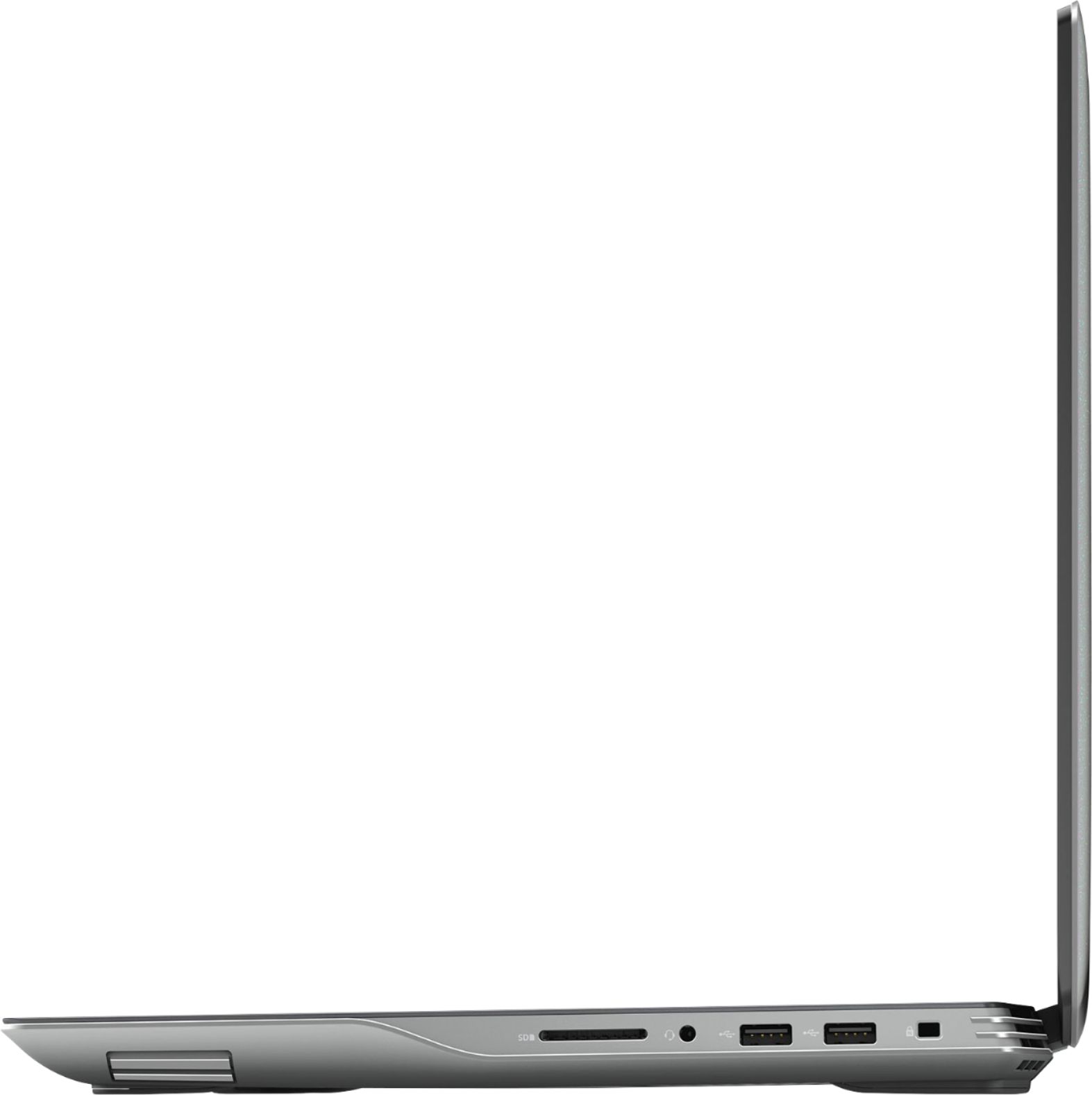
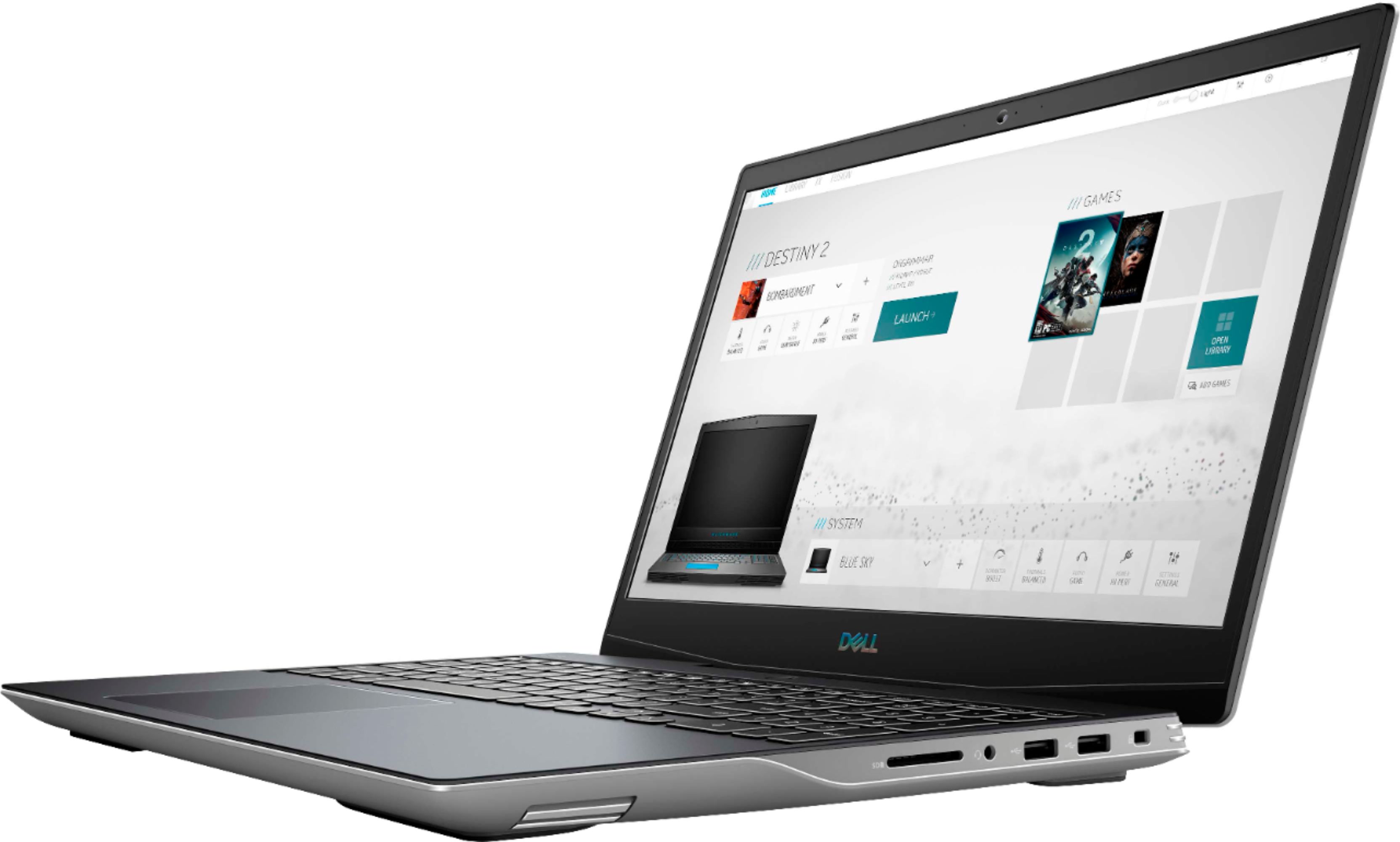
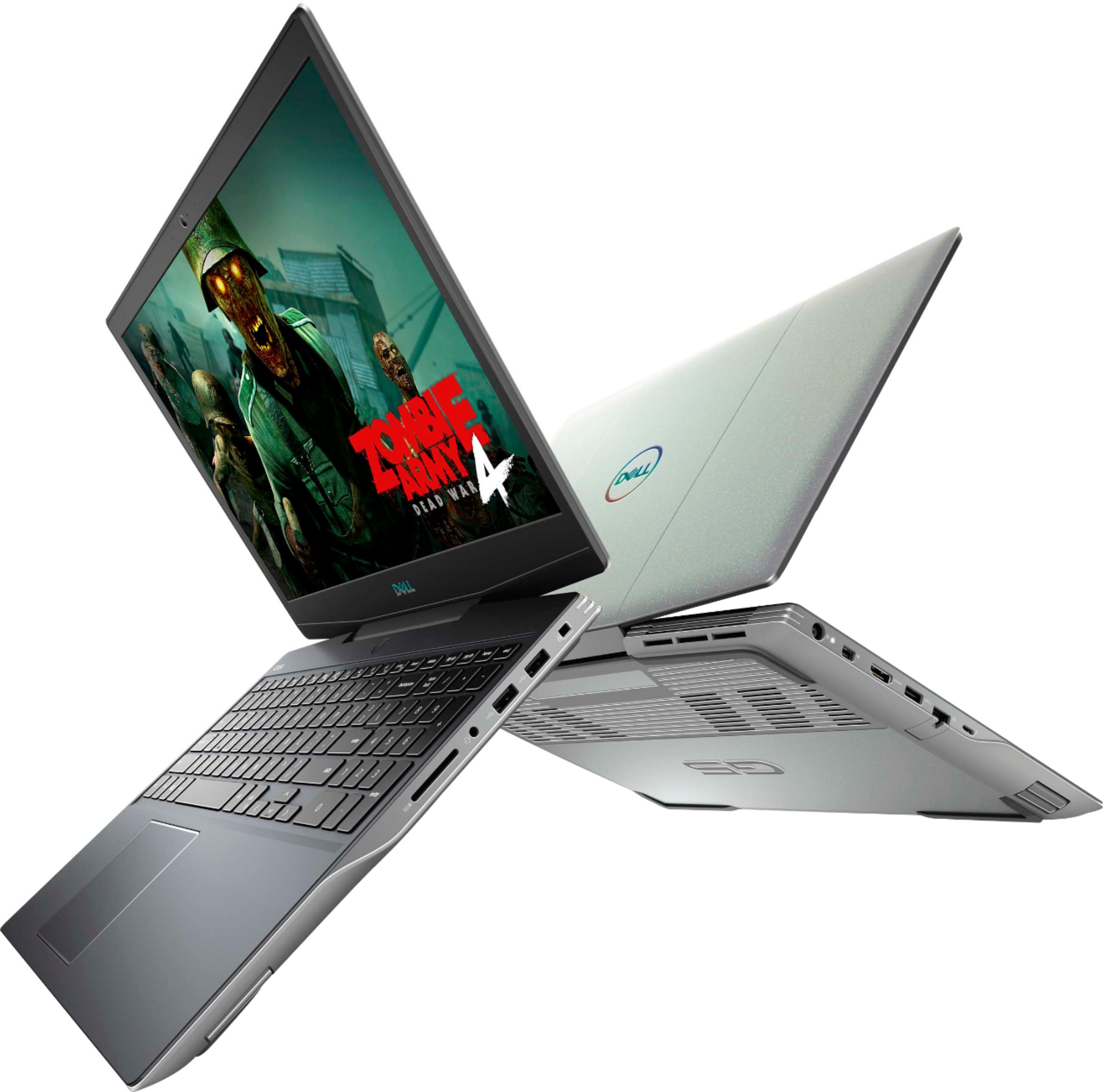
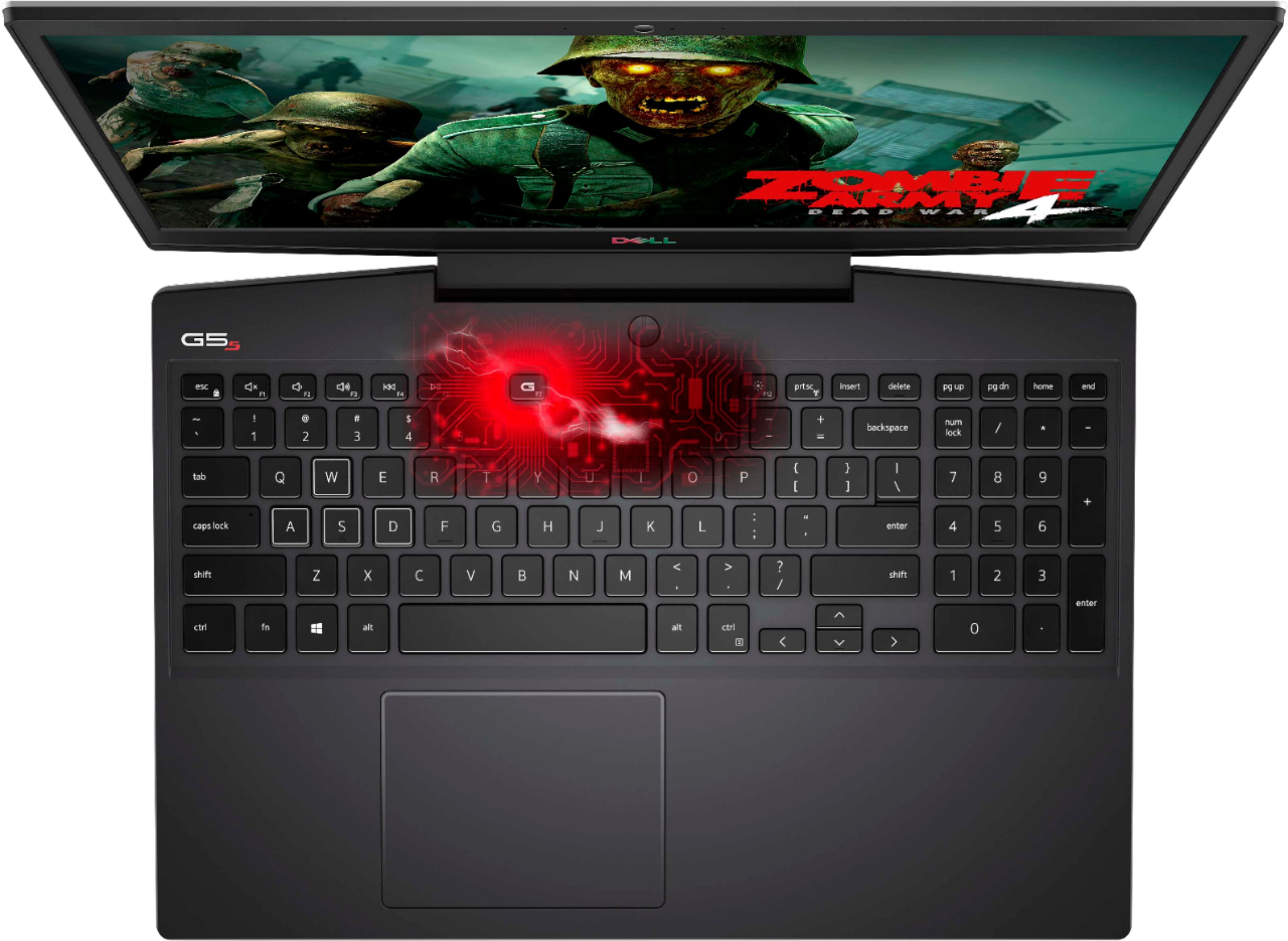
|Posted .This reviewer received promo considerations or sweepstakes entry for writing a review.Wow! This Dell G5 SE gaming laptop is impressive! Awesome graphics great framerates that rival or surpass the comparable gaming laptops with the competitors GPU. AMD has really stepped up their game lately. The new Ryzen CPU with the 5600m graphics card really delivers. I also love the 144HZ refresh rate screen..Everything has been really smooth with no lag what so ever for me. After years of being behind AMD has made huge gains in performance and also has some great new software to manage their GPU and get extra performance out of them. For anyone who is on the fence about whether or not to get an AMD powered laptop I say go ahead and take the leap. the only thing I would have liked would be some larger directional arrow for my big fingers. I really enjoy playing games on this laptop and it is a great choice for a portable gaming solution as far as I am concerned. Even with my 8gig ram model, I have not had any issues. It is a sleek good looking machine with plenty of connection ports with 3 USB A ports a USB C port, an ethernet port, and an HDMI out. Then you also have the lock slot and Sd Card port for added storage or picture viewing for your camera. I love the ergonomics and the good looks including the nice backlit keyboard that includes outlines of the keys used for gaming controls. I would say that if you are looking for a good gaming laptop that the Dell g5 SE is a very good choice!
I would recommend this to a friend - Pros mentioned:SpeedCons mentioned:Battery life
Great For Gaming ...Don't Forget to Update!
|Posted .This reviewer received promo considerations or sweepstakes entry for writing a review.I was looking for a travel gaming laptop and I believe this fits the bill. First I would like to say I had a few issues when launching my first game which was Escape from Tarkov. The laptop would crash immediately. I ran through some diagnostics making sure all the drivers were up to date including any Windows 10 updates and their were no heat issues, So I can say my first hour wasn't very fun and I became a little frustrated. After all the updates I retried the game and it worked flawlessly. It had quick response time and ran very smoothly with pretty nice quality graphics. The next game I tested was PUBG and encountered another flawless experience. So overall, my first impression wasn't great with all the difficulties I had in the beginning, but now that it isn't crashing anymore, it is a lightning fast laptop with a great response time. I guess this goes without saying "it's not how you start it's how you finish". Look is not classy....but what gaming laptop is. Fans are fairly quiet and picture quality is solid. Speakers are sub par, but I use my Rig 800's Dolby Atmos for sound anyway. Battery life is also average. I got a little over an hour before plugging in when gaming. Standard use was over four hours. Also I should note the charger is huge! Speed is excellent even for some of the higher end gaming which normally struggles with other gaming laptops around this price point. It has plenty of USB ports for a laptop cooler, wired mouse and headphones. I gave it 4 stars only because of all the issues I had in the beginning and the battery life. Great laptop to game on especially when your traveling. I recommend this laptop.
I would recommend this to a friend - Pros mentioned:Graphics
Great Machine for the price pont
|Posted .This reviewer received promo considerations or sweepstakes entry for writing a review.I want to start this review by prefacing that you should read the full review and not stop after my initial statements. So I received the New Dell G5 gaming laptop. I have had it for a few days now and it was a roller coaster relationship to begin with. Before I received the laptop I did a lot of research on the device, at the price point I thought it was almost to good to be true, especially after all of the rave reviews of the high frame rates it received for some pretty cpu/gpu intensive games. After I ran updates, set-up the system and downloaded some games, I was all set to get into some long gaming sessions. That is when the relationship went south. First game up was PUBG, fired it up logged in and set the game to Ultra and was ready for some great graphics and game play. Looked at the FPS and it showed 15 fps, I was like you have to be kidding, I then realized that the delay was so bad that I would move the mouse to turn in a circle and it would be on the first turn by the time I completed three full turns with the mouse. My first thought was, ok maybe the system can’t take Ultra, so I turned it down to low. It had an improvement to 35 fps and I was crushed. With all the official stats saying you should get 100 to 140 fps on PUBG and here I am getting 15 to 35. So I talked to my guy, yeah I got a guy. He said that it could be the thermal paste causing the issue, I thought yeah or it’s a terrible machine. I am not condoning trying this at home, but we took the back off the laptop and the thermal paste was everywhere. It looked like they used grey play-do and covered everything with it. We scrapped it off and replaced it with just the right amount of MK4 thermal paste, closed it back up and rebooted it. I believe the operation was a complete success. I did a couple of stress tests on it using FurMark, Heaven, and Prime95 and it received excellent FPS. On heaven it averaged 123.1 fps. I booted PUBG back up and on Ultra it was clocking a steady 110 fps on Ultra. So in conclusion, this is a great gaming machine at the price point. You can always say that you need more gpu or need more ram, but that’s the case on any device, you can always want more. But this machine does the job and does the job well. I also will be using it with my photography programs. It seems to handle them pretty well and having the mobility of a laptop that can handle the programs is great plus.
I would recommend this to a friend Bought an Open Box, Received an Unusable Device
||Posted .This reviewer received promo considerations or sweepstakes entry for writing a review.I piked up an "Open Box" machine today but i was shocked that they not only gave me refurbished, but not working and damaged. They didn't include the power adapte, and the device dose not turn on at all. You can see in the pictures i included that the whole Motherboard and the Keyboard was replaced!!! and somehow they label it as an "Open Box". Before i leave this here, i must say that the problem has to be a from the individuals who fixed and labeled this laptop, because i have had an open box condition machine before for another device and it was actually an open box condition. Poor work this time, but i believe Bestbuy could do better.
No, I would not recommend this to a friend- Pros mentioned:Keyboard, SpeedCons mentioned:Battery life, Build quality, Heat
Serviceable, better deal when on sale.
||Posted . Owned for 1 week when reviewed.This reviewer received promo considerations or sweepstakes entry for writing a review.I had this laptop for one day. Just one. And it didn't meet my expectations. Lets start with the rather major pros: -The Ryzen 7 4800H is powerful, and it sips watts. -The RX 5600M is solidly mid-tier. It's capable in many games to pull off the 144Hz at the 1080p the laptop is rated at. -There is a spare M.2 slot in the laptop! -The RAM and current 512GB M.2 are replaceable and serviceable. -Keyboard as RGB 'zones', where sections of the keyboard can change to any color you like (4 sections) Now lets start with the neutral points and cons: -The RX 5600M does not sip power, and with that being said- the power brick that comes with this laptop is heavy. -The laptop ITSELF is heavy. Over 5 pounds before you factor in the brick. So in laptop terms it's not the most portable. -Continuing with the lack of portability, the battery life is abysmal even on power saver, You'd be lucky to get 3 hours doing light office work. -Thermals are horrible. If you get this laptop and want to use it as a desktop replacement, I'd recommend getting a laptop cooler and keeping it on the desk. -Build quality is also questionable- it's plastic and not very solid feeling. The monitor flexes and creeks, and there is so much screen bleed that it's just... meh. -The RAM comes in 2x4GB. So you'll need to get two new sticks if you're wanting to upgrade to 16GB. Final notes: Look, if you can get this laptop for under $800 and don't mind being tied to the desk, and maybe upgrading the RAM a bit- you'll be happy. The specs are worthy of a mid-tier desktop replacement, and the processor will let you fly across many creative applications including video editing. Just temper your expectations when it comes to 'quality'.
No, I would not recommend this to a friendBrand response from YourDellTeam
Posted .KaseyMonroe,
Thanks for your thorough review of your new gaming laptop. We're sorry that your laptop is not meeting all of your needs. There is a new BIOS update as well as some troubleshooting steps identified on this page that should help with the overheating and battery performance that you're experiencing: https://dell.to/3jgQlm6.
We hope that with these updates that your computer performs the way you hoped it would.
Best,
Bryan
1-800-624-9896
AN ABSOLUTE BEAST OF A GAME MACHINE!
|Posted .This reviewer received promo considerations or sweepstakes entry for writing a review.I've been a longtime Dell fan, having purchased their products in the past, but there's no question some of the competition has been pretty formidable as well. So when it came time to find a reasonably priced laptop to be able to game on the go I took a look at the Dell G5 and the specs seemed to match what I was looking for. Not only did I want a good, or maybe even great, machine for on the go, more importantly I was looking for a laptop that I could use on my 65" 4K HDTV to game on. Getting the Dell setup was very easy and didn't take long. I also didn't notice hardly any bloatware, a real nice change from my last Dell experience about 15 years ago (which was filled with all sorts of software). The only issue I did have with the setup was the Alienware keyboard lighting software didn't seem to do anything to change the keyboard lights. After 20 minutes of messing with it I was stumped. Finally I restarted the program and it asked me to get additional software from the internet in order to update the Alienware software. I clicked yes and waited. Nothing happened! So I restarted again, same question, I said yes and this time something began downloading. The program restarted and the lights still did not work. However I noticed there was a dim or dark setting in the software and once I flipped that over to dim then the lights came on! Sort of strange, why not label it on or off? Dim and Dark are a strange label. But it then worked and gave me a couple of choices for lighting (I do love the lighting) and I was off and installing. First of all the 512Gb SSD is an amazing drive, and yes this laptop boots up in less than 10 seconds, but if you want to game a lot you should consider buying more storage space, either upfront or like me, adding on a 1TB external SSD. I added the Western Digital P50 1TB SSD and was off and running installing all sorts of software. On the laptop I went ahead and fired up The Division 2, my favorite PC game at the moment, and was able to set everything to Ultra and it ran smooth at nearly 60FPS. I then hooked it up to my 65" 4K Samsung HDTV and for some reason everything was slowed down a good bit. It took me a few minutes to realize that the Division 2 had automatically adjusted to 4K and my game was running in 4K. It looked amazing but ran with too much slowdown. Time to dial back from Ultra. I dialed everything back to Medium, with a few settings at High and then it ran smooth as butter. I installed Anno 1800, Grand Theft Auto 5 and many other games and all ran fantastic at 4K with Medium to Medium-High settings. No problems at all and have played many games all week, probably 25-30 hours or so and this laptop runs like a dream. No crashes which is fantastic considering my last experience using AMD (A $3,500 Falcon Northwest lan small form factor desktop which compared to this machine was more like a nightmare) but then that was 15 years ago so..... Now one note, my wife did say it was awful loud when running a game (the Division 2) in regards to the fans, but then that is what headphones are for right? When not running a game it's dead quiet though. I would be remiss if I didn't mention the Dell diagnostics and information station which ships on every Dell and does a great job of making you see everything you have on your machine and does a good job of explaining it all and maybe even making suggestions on what you might want to add. It is also setup to help a technician remotely diagnose any issues you may have on your new Dell which is cool. One word of note, the AMD Radeon software that comes on your Dell is Radeon Light and not the full Radeon suite. To download the full Radeon suite is 109Gb so that is likely why Dell didn't have the laptop come with the full suite of AMD Radeon software. If you have space to store the software I'd highly recommend getting it as it's a game launcher and does all sorts of cool things for FPS, your games, settings and etc. This laptop does an amazing job of striking a really nice balance between looking like a sleek gaming machine but also appearing to be subdued and not too radical and "yo' bro" type of laptop. This is a beautiful machine that you will not feel ashamed of opening up on the airplane or in a coffee shop. Dell deserves kudos for their design here. So to summarize, I'd highly recommend this machine, it's unbelievably powerful, fast and running in 4K it absolutely puts the current console, yes including the Xbox One X (which I also have), to absolute shame in regards to graphics and fluidity (which is absolutely just as important as graphics). One of my foster kids came up to my game room from playing Grand Theft Auto 5 on the Xbox One and saw me playing the same game on the Dell and exclaimed "how's come yours looks SO MUCH BETTER??" and I think that sums it up. The AMD Radeon 5600M is just a BEAST of a graphics card!! I'D HIGHLY RECOMMEND THIS DELL TO ALL YOU GAMERS!!
I would recommend this to a friend- Pros mentioned:Keyboard, PerformanceCons mentioned:Heat
Exceeded my expectations
||Posted . Owned for less than 1 week when reviewed.This reviewer received promo considerations or sweepstakes entry for writing a review.First things first, update all the drivers, especially the BIOS to v1.3 up. PROS: In the BIOS, am able to set the charge threshold level down to 50-55% so the battery capacity will be preserved from 100% full charge degradation of lithium battery dentrites during constant AC power. Achieved 1909 on CBr15. 4-zone RGB keyboard. Impressive touchpad. Bottom panel access all use same size screws. Super smooth gaming and crisp visuals. Fast wifi speeds. 144hz. CONS: Runs hot by design. Can't tweak voltages, speeds, or timings. Cannot control fan speed-- it's only either turbine loud or mouse quiet. No fingerprint scanner. Kinda weak on the USB 3.x selection. No USB C charging. 1 dead pixel. McAffee as bloatware. THOUGHTS: G.SKILL 3200 16X2 1.2v 18CAS latency RAM ran at full 3200Mhz but at same 22CAS timings. Sound was really bad before driver updates. Drive was ~1800MB/s R - ~800MB/s WR
I would recommend this to a friend - Pros mentioned:Keyboard, Performance, SsdCons mentioned:Weight
Performance is there, design is mediocre.
||Posted . Owned for 3 weeks when reviewed.This reviewer received promo considerations or sweepstakes entry for writing a review.Well, this laptop is heavy. Bulky. Looks like an old computer with some minor updates. Fingerprints stay on the computer for life. The bezel is so loud when you open/close the lid. Other than that, the raw functionality of this machine is fantastic. The display is actually surprisingly great, the keyboard has a nice feel to it, the trackpad more or less functions up to speed. I love the travel on the power button - I always disable the power button but honestly you don't need to on this laptop because no way will you accidentally press it. The performance, the cooling, everything seems magnificent, but it suffers from Dell's constant lackluster design choices, including the same power brick they've had for what feels like 20 years. It has everything you need, at the best bang for your buck. I thought I might need to upgrade the RAM, but that's honestly not an issue so all you need is another solid state drive. I recommend it to anyone not looking for portability or looks for a pretty nice machine. Definitely look elsewhere if you can't handle the chunky, heavy design.
I would recommend this to a friend - Pros mentioned:Performance, SsdCons mentioned:Build quality
Dell Ryzen to the top! Freesync for Free!
||Posted . Owned for less than 1 week when reviewed.This reviewer received promo considerations or sweepstakes entry for writing a review.Got this when it was on sale, I already had a laptop, but this one was a great deal I couldn't pass up. You get a Ryzen 7 3rd mobile cpu, which is a beast and an rx 5600m gpu, both paired with smart shift is a cool feature. Build quality is ok as it is mostly plastic, some flex here and there, but otherwise feels pretty sturdy. Current state of the laptop has had multiple firmware/driver/bios update and has had time to mature, seems to working a lot better now with temps and performance, now for purely gaming, i would go with the 5 series cpu as its actually a tad faster in games, but for gaming+editing, extra cpu cores will help. Also, this one comes with a 512ssd and 144hz, which dell states is not Freesync, which is incorrect. You can download the dell specific drivers from AMD website and not from Dell. Freeysync will work and confirmed, only with the 144hz screen for what I understand. Upgrade the ram to 16gb and add another m.2 and you got yourself a pretty good gaming multimedia laptop.
I would recommend this to a friend - Pros mentioned:PerformanceCons mentioned:Weight
Great graphics but heavy computer
|Posted .This reviewer received promo considerations or sweepstakes entry for writing a review.This is a decent gaming computer if you are playing games like Minecraft and what not but not the best for FPS. I don’t love how heavy it is compared to my husbands gaming laptop
I would recommend this to a friend - Pros mentioned:SpeedCons mentioned:Weight
Good Computer for beginning gamers or surfers
|Posted .This reviewer received promo considerations or sweepstakes entry for writing a review.Maybe I’ve owned too many Dell and Alien computers and my expectations are high. It took me a few weeks to get over my initial disappointment with this Dell G5 Gaming Laptop. When I opened the box I thought, “did they send me something from their museum?” The case design, thickness and weight is reminiscent of something from the early nineties. Not elegant. It didn’t help the power brick is also massive. Dell really suffers from not paying enough attention to the design of these and this was really disappointing. To make matters worse, the cable-to-computer connection was so sensitive that I didn’t realize it wasn’t charging on several occasions. Once I got over those issues, the actual function on the machine is more what I expect from Dell. Nice display, good key feel, decent battery live and good processor speed. Most of the modern connections are there: Mini DisplayPort, HDMI, Thunderbold, hi-speed USB, SD reader. It has the cool backlit keyboard you expect in a gaming machine for extra fun in your experience. I used some free games, CAD and graphics programs and heavy-dynamic websites (multiple updated data streams). I found the Dell to be reliable and speeds ok. I’d give this to a younger kid or my parents and they would be very happy.
I would recommend this to a friendBrand response from YourDellTeam
Posted .phoenixfta,
We're sorry that the design and size of your new computer is not meeting your needs. From a performance standpoint we're glad that it's working well for you. We'd recommend checking out our Product Support Page if you have any questions: https://dell.to/3ifhvsS.
Also, if you haven't had a chance to update the BIOS on your computer we'd recommend that you look for the most up to date version here: https://dell.to/31CU4mu.
Please reach out to Dell's Technical Support Team with any questions that you may have: http://dell.to/2sH7Qlm.
Best,
Bryan
1-800-624-9896
Good for Gaming
|Posted .This reviewer received promo considerations or sweepstakes entry for writing a review.First impression after opening the laptop: I am not happy with the design, look and feel. Once i turned on and started using it, I slowly moving on to positive side of it and i finally liked it. The performance of the laptop is good. Good for games. This can not be used for Tech work because of RAM ( 8GBS ) and CPU which are not designed for Tech work so it will not work for Tech work, but good for regular browsing, watching movies and gaming. If you want to install heavily used memory software applications then it may not work perfect, anyways work laptops section is different and maybe not fair to compare with those :). Lets discuss the most important things we use in laptop and their performance. 1) Picture quality - It is a FULL HD - Good ! 2) Sound quality - Good 3) Regular Browsing - Good 4) Keyboard - Good, it has good back light. I liked it. 5) Design - This is not a 2 in 1 Laptop. 6) Games - Good 7) Port - It has all variety USB and 1 HDMI. So good do not worry about it. No VGA ( Of course nobody using these days ). All good. I will recommend this to friend. The only thing i do not like is design, look and feel :). For me it is 1 STAR :), hence i am rating this 4 STAR. You may like the design, look and feel of the laptop it is just my opinion.
I would recommend this to a friend