Customer Ratings & Reviews
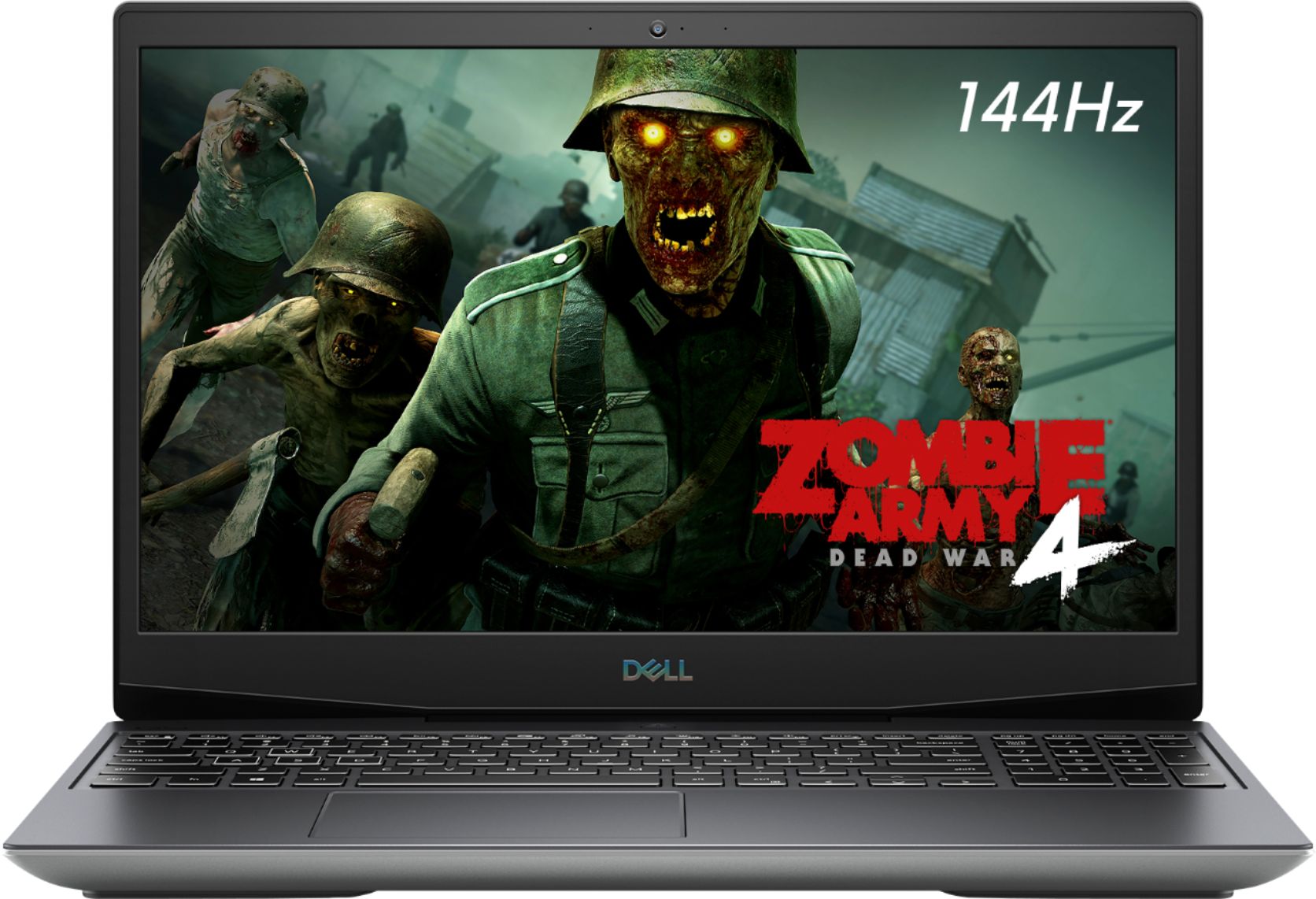
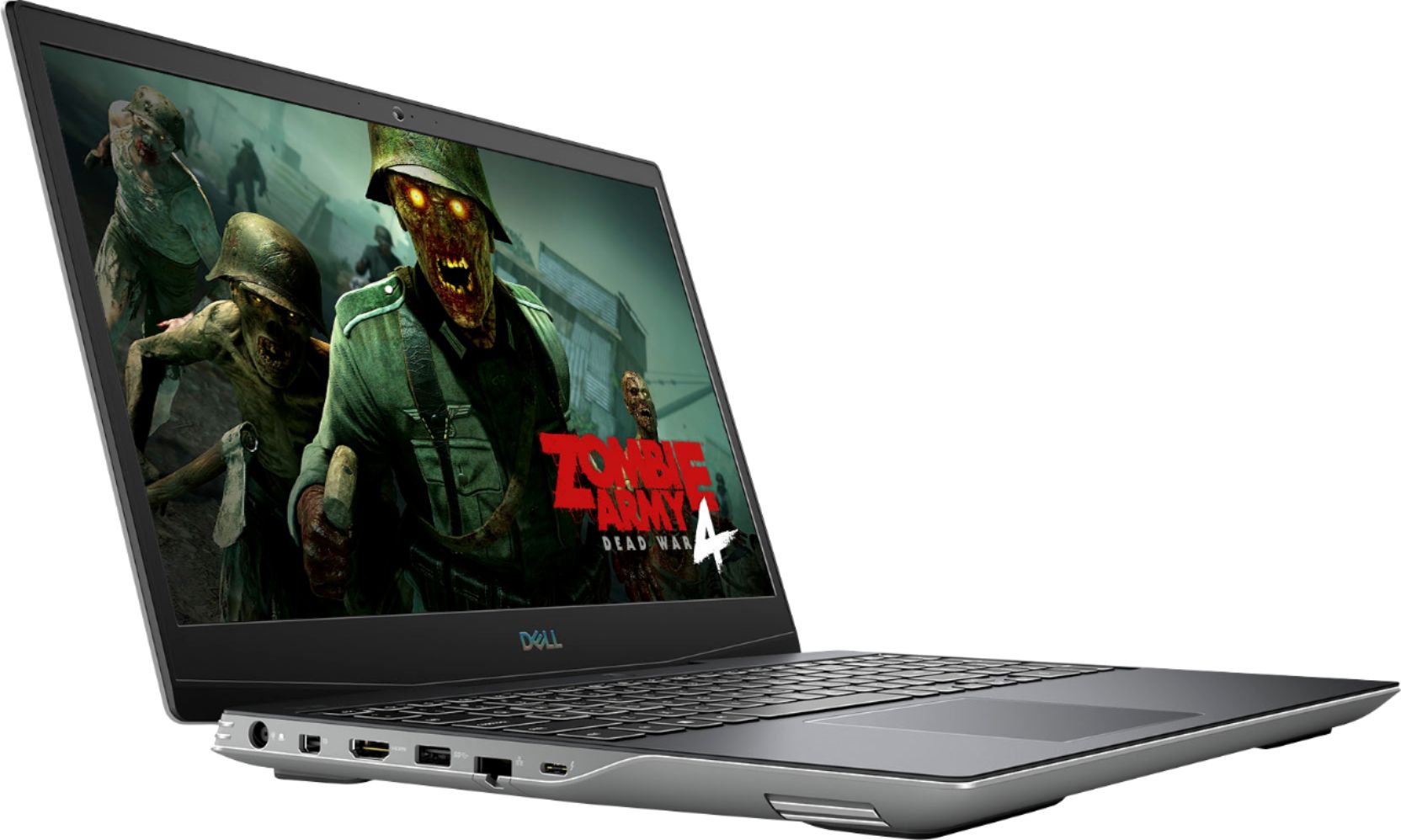
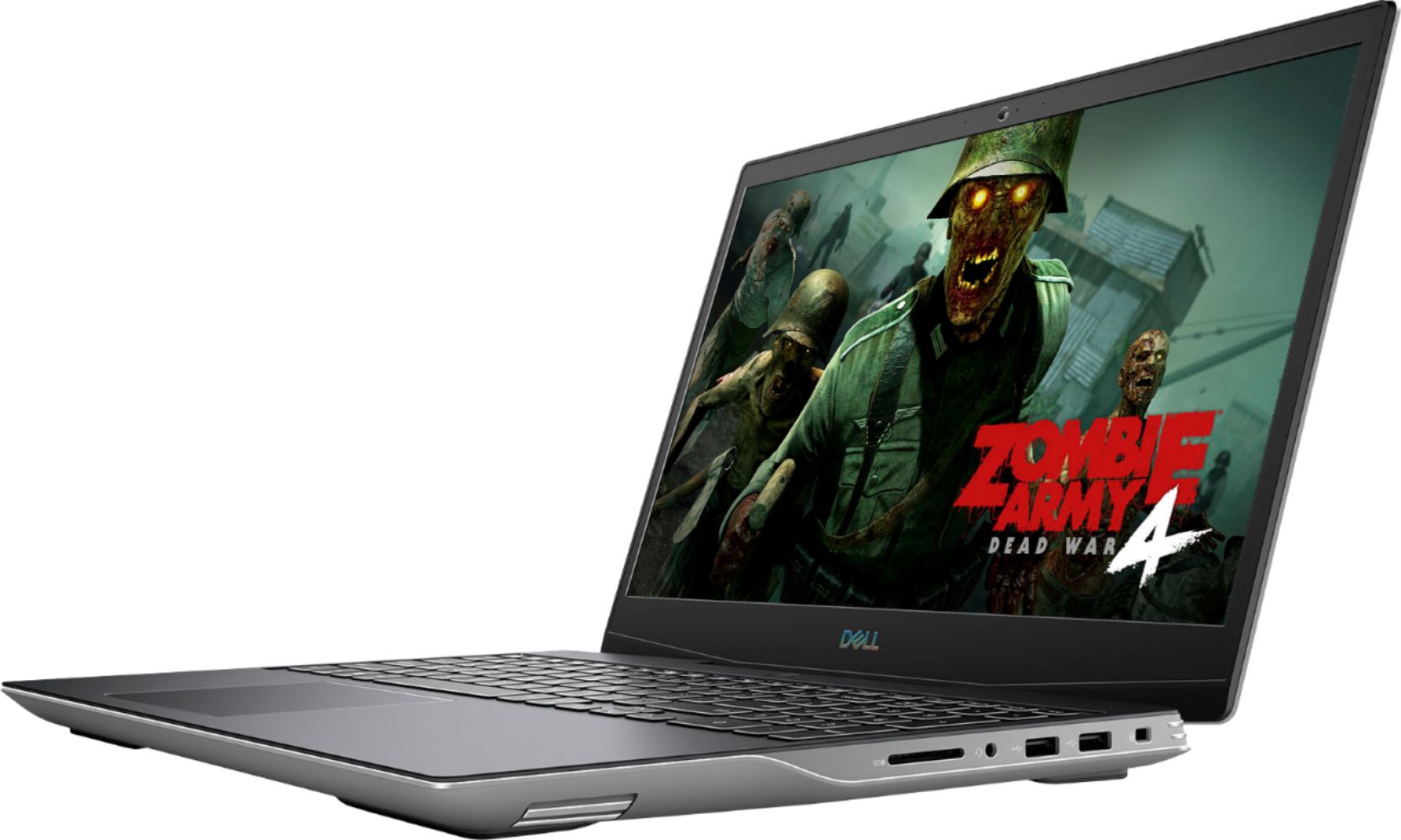

- Model:
- i5505-A753GRY-PUS
- SKU:
- 6409421
Rating by feature
- Battery Life
Rating 3.6 out of 5 stars
- Speed
Rating 4.2 out of 5 stars
- Display
Rating 4.0 out of 5 stars
Customers are saying
Customers consistently note the strong performance and impressive graphics capabilities of the G5 15.6" Gaming Laptop, along with positive feedback on its SSD speed and backlit keyboard. However, many reviews cite significant drawbacks regarding its heat generation, battery life, and fan noise. Some also mention concerns about the build quality and weight of the device.
This summary was generated by AI based on customer reviews.
Excellent gaming laptop for price!
||Posted . Owned for 1 week when reviewed.This reviewer received promo considerations or sweepstakes entry for writing a review.While there are better gaming laptops out there, this is one of the best ones I have found in this price range. Runs every game I’ve thrown at it with ease, but is limited by the lack of Ram unfortunately (though it is upgradeable)
I would recommend this to a friendBuild is spot on! Parts/software, not so much
||Posted . Owned for less than 1 week when reviewed.This reviewer received promo considerations or sweepstakes entry for writing a review.Would be a hell of a lot more if it didn’t fall short. The design is phenomenal! The build quality is everything you want in a laptop. The ease of disassembly is incredibly welcome. The only problem is the software/hardware was garbage. Lag when opening programs (8GB RAM and an SSD, it should not be lagging). Some of the updates would not install due to some bug in the software. Graphics glitched, Call of Duty crashed, I updated the drivers to no avail. Dell was almost there, but almost only counts in hand grenades and horseshoes
No, I would not recommend this to a friendBrand response from YourDellTeam
Posted .Hello Jacks,
Thank you for your thorough review on your G5. We're glad to hear that you're pleased with various aspects of your G5. Your feedback is incredibly valuable as we build current and future products. We're sorry about the trouble you have encountered with the performance of your laptop even after updating the BIOS. To make sure we can help, there are steps below that can be used to improve performance overall.
1. Restart your computer regularly
2. Run the automated tools provided in the SupportAssist tool
3. Run a complete hardware diagnostic test
4. Scan your computer for malware
5. Restore your Dell computer using Windows System Restore
6. Reinstall Microsoft Windows
Here is the link to the full article to assist with your performance issue: https://dell.to/32wo0Ss. If the issue persists, you can contact Dell directly with the information below via Chat or Call.
Best regards,
Wendy C.
https://bit.ly/DellSupportTeam.
Phone number to Dell: 1-800-264-9896.
Best gaming laptop! All AMD1
||Posted . Owned for 2 months when reviewed.This reviewer received promo considerations or sweepstakes entry for writing a review.I bought this to use for my Rift S. Since it already had the Display port needed for the VR headset, it worked and continues to work perfectly. I upgraded the ram in about 5 minutes and it was a breeze! Great system!
I would recommend this to a friend- Cons mentioned:Fan noise
Loud/Constant full speed fans
||Posted . Owned for 1 month when reviewed.This reviewer received promo considerations or sweepstakes entry for writing a review.Fans are extremely loud and run at full force even when simply browsing the internet or running a very minor game such as minecraft.
No, I would not recommend this to a friend New Dell Computer
||Posted .This reviewer received promo considerations or sweepstakes entry for writing a review.The computer is as advertised. The technicians transferred data from the old to the new with no problems. My only complaint (really for Dell Computers) is I would came with printed instructions to get you started.
I would recommend this to a friendMy dell g5
||Posted . Owned for less than 1 week when reviewed.This reviewer received promo considerations or sweepstakes entry for writing a review.the help I got from the lake geneva store was great I bought a dell g5 that did not work right it was past the 15 days and Martha assitant manager took it back and they sent me a brand new one thank you best buy
I would recommend this to a friend- Cons mentioned:Heat, Weight
Not light
||Posted .This reviewer received promo considerations or sweepstakes entry for writing a review.Hot and heavy for a thousand dollar laptop so Kind of Disappointed in that regard
No, I would not recommend this to a friendBrand response from YourDellTeam
Posted .Hello,
Thank you for taking a moment to share your review. We are sorry to hear that your G5 is running a little warmer than you would like and we greatly appreciate your feedback on the system's weight. We would love to assist you right away and here are some tips that can help prevent overheating from happening:
1. Prioritize cooling by opening the Alienware Command Center application and select the 'Cool' thermal profile.
2. Ensure that you're running the latest BIOS. An out-of-date BIOS can cause thermal's issues. You can download the update here - https://dell.to/3nz3rQR.
We recommend following the steps above to resolve your overheating issue. If the issue continues, please contact our support team here: https://bit.ly/DellSupportTeam.
Best regards,
Wendy C.
https://bit.ly/DellSupportTeam.
Phone number to Dell: 1-800-264-9896.
Game Design & Development
||Posted . Owned for 1 month when reviewed.This reviewer received promo considerations or sweepstakes entry for writing a review.Great laptop for the price. Allows me to create the games I want to create and play the games I want to play. It's perfect for me as a game design and development student on the go.
I would recommend this to a friendLaptop
||Posted . Owned for 1 year when reviewed.This reviewer received promo considerations or sweepstakes entry for writing a review.awesome product have had over 1 year and absolutely no issues with the lap top and it is used everyday for school and gaming purposes. Extremely happy with purchase
I would recommend this to a friendWorkhorse value
||Posted . Owned for 3 weeks when reviewed.This reviewer received promo considerations or sweepstakes entry for writing a review.Very nice performance with the 8 Gig ram. So far it handles games fast. Doesnt need an upgrade to 16 Gig yet. It feels a bit heavier than my previous laptop. The build is plastic , not metal.
I would recommend this to a friendGaming on the fly
||Posted . Owned for less than 1 week when reviewed.This reviewer received promo considerations or sweepstakes entry for writing a review.Have had it for a day, switched over from HP and im in love it handles every thing I've thrown at it. Downside is the upgradablity is a little takes some work and wish the shell was more ridged.
I would recommend this to a friend- Pros mentioned:Ssd

Good Gaming Setup
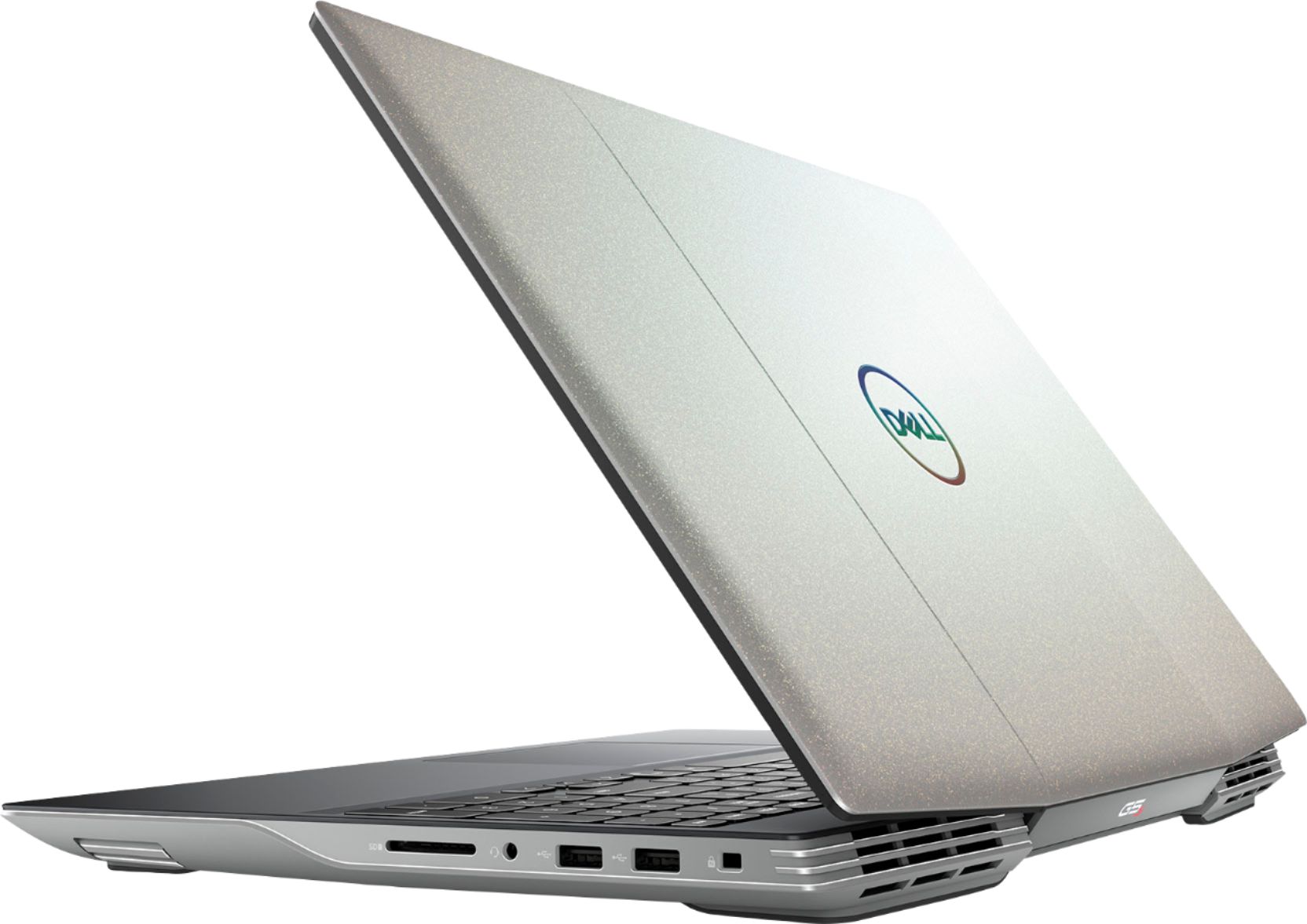
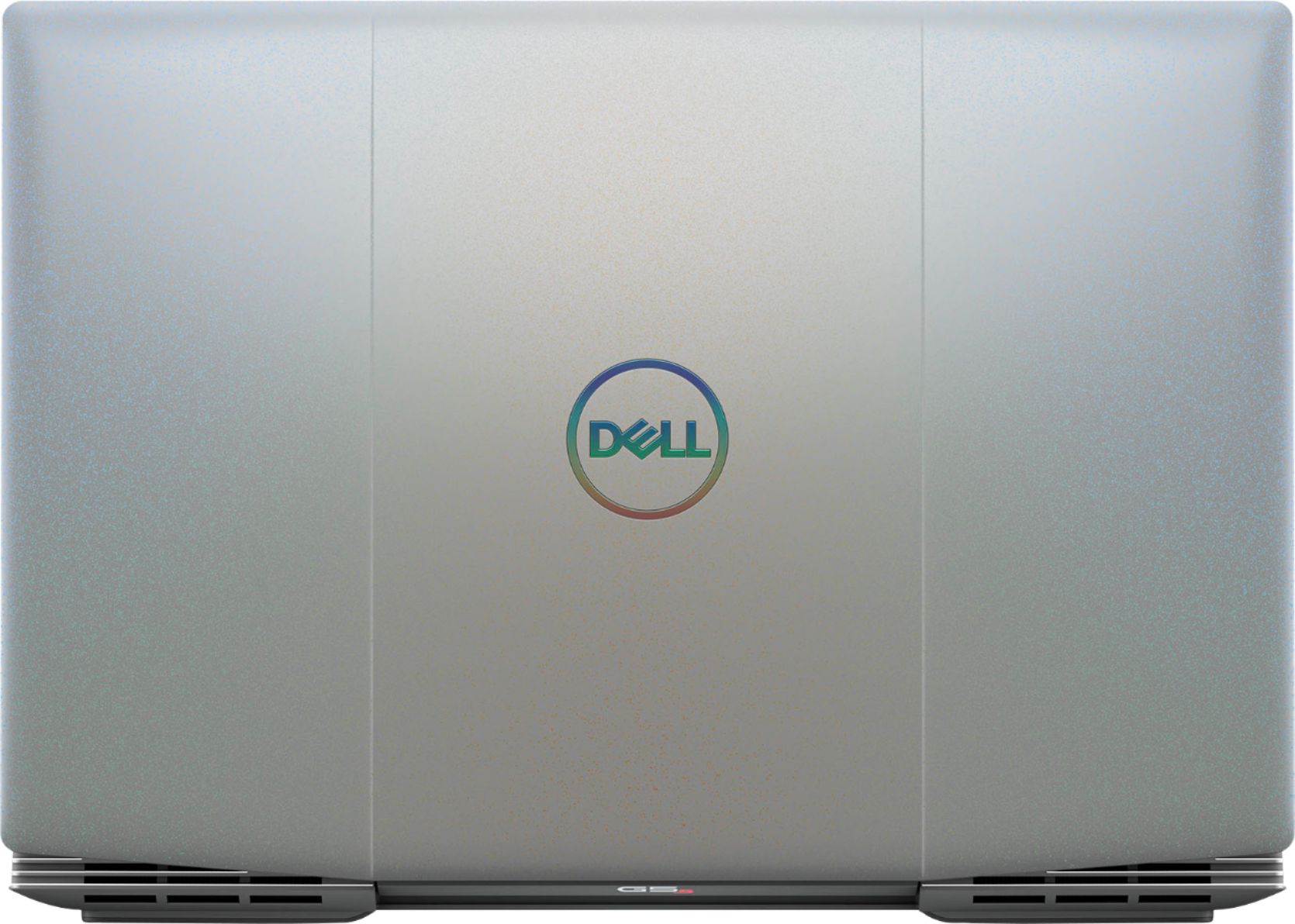
|Posted .This reviewer received promo considerations or sweepstakes entry for writing a review.I have always went with Intel / Nvidia when it comes to gaming on a PC. Changing over to an AMD platform was seamless. Everything more or less behaves the same way. This laptop performs well, a lot of modern titles will run fluidly at 1080p at high settings. The display is sharp, bright and handles motion very well. With a 144hz panel and discrete graphics card I would have liked to see Freesync tech built in as well, but it's not a deal breaker in anyway. This laptop is constructed with plastic externals leading it to have a less premium feel to it. The plastic shell does a better job of dissipating heat than a metal shell would have and allows this to be used on your lap, but there will be hotspots. If I am gaming on the couch, I will usually balance over one leg allowing the exhaust fans to be unobstructed. The keyboard spacing feels a bit off when typing. I have made a decent number of typos with this laptop. The lighting on the keyboard is very nice, it is bright, there are multiple patterns that are simple to change. It is done by zone, so you cannot individually set key colors, but there are enough options to make it custom and very useful. The speakers are what you would expect from a laptop, tinny and lacking in bass, but they get the job done in a pinch. There is built in bluetooth connectivity and it makes connecting wireless headphones a breeze. The bluetooth makes it simple to pair Xbox one and PS4 remotes (The later models). This allows for tangle free mobile gaming. The battery life is pretty good with this laptop, better than some of the other offerings in this segment to be sure. One aspect where this falls short is the power brick, it is quite large. The brick is slim though and packs up easily enough, but it is an absolute unit. The laptop looks good. The grey shell has a very nice looking shimmer to it, very unlike anything I have seen before. It is almost glittery when the light hits it just right, but it is very understated and not in your face. I like that it came loaded with a 512 GB SSD, booting up and load times are super quick, very good performance. I would have liked to see an additional HDD for storage. 8 GB of RAM is sufficient for most, even when gaming due to the large amount of memory onboard the GPU. For the multitasker at heart, 16 GB of RAM would have been al nice upgrade. Overall this is a competent little gaming rig, handing old and new titles with ease.
I would recommend this to a friend Not Completely reliable
||Posted .This reviewer received promo considerations or sweepstakes entry for writing a review.I. My main use is watching webinars bought a Dell ComputerThe computers sound has failed too much and I have had problems signing in. Otherwise the computer works wemm
No, I would not recommend this to a friendBrand response from YourDellTeam
Posted .Tipsey,
We're sorry to hear about the issues that you've had with your computer so far. We'd recommend checking the software and drivers support page for your computer to see if there are any updates: https://dell.to/31CU4mu.
If you have any questions you can always reach out to Dell's Support Team here: http://dell.to/2sH7Qlm.
Best,
Bryan
1-800-624-9896
Perfect for my gaming teen!
||Posted . Owned for 1 month when reviewed.This reviewer received promo considerations or sweepstakes entry for writing a review.Amazing gaming computer present for my son. Great price for Ryzen 7. No lagging and no complaints. Shipped to store just before Christmas in a snap. Curbside pick up was a cinch!
I would recommend this to a friendReview Best Buy
||Posted . Owned for 1 month when reviewed.This reviewer received promo considerations or sweepstakes entry for writing a review.Great device for children to use. Every child needs a gaming device for entertainment. And nowhere is better to get one from Best Buy, along with the plan for post support.
I would recommend this to a friendGreat for beginning PC gamers
||Posted . Owned for 2 months when reviewed.This reviewer received promo considerations or sweepstakes entry for writing a review.Purchased for my 13yo as his first gaming computer. Really good specs and deal considering how costly the desktop versions are. And he can still use it for virtual school.
I would recommend this to a friendSleepy laptop
||Posted . Owned for 1 month when reviewed.This reviewer received promo considerations or sweepstakes entry for writing a review.Every time my laptop went into sleep mode, it couldn't be 'awakened'. The only way to get it working was a hard boot - forcing it off by holding down the power switch until it shut off then restarting it. This is not good for the computer and takes a long time. Fortunately, I was able to return it. Don't accept the offer of "free" bundled software on BB computers because of you return the computer, you have to pay for the software. It's price is deducted from your refund.
No, I would not recommend this to a friendBrand response from YourDellTeam
Posted .Reviewer2beNamedL8er,
We're sorry to hear about the performance issues that you were having with your computer. Fortunately there is now a BIOS update that can help resolve issues like this one on this system: https://dell.to/374WuyC.
Best,
Bryan
1-800-624-9896
Dead on arrival
||Posted . Owned for 1 week when reviewed.This reviewer received promo considerations or sweepstakes entry for writing a review.Immediately when we get home we have trouble turning it on, power button does nothing. Finally power turns on but just to a black screen. Turn it off and on a few times finally it boots up. Backlight keys won’t light up, the on/off does nothing. After using it for 2 hours the keys finally light up out of nowhere. Use it for 2 hours, turn it off. Next time we go to turn it on same thing, black screen for almost 4 minutes before it starts to turn on.
No, I would not recommend this to a friendBrand response from YourDellTeam
Posted .Hello,
Thank you for your feedback. I am sorry you have had problems with your computer not functioning properly. Here are some troubleshooting steps to determine what the problem could be,
1. Run a Computer Diagnostic. To determine if your computer is experiencing a hardware problem, run the Dell Preboot System Assessment (PSA) Diagnostics. For information on how to run Diagnostics, and to determine the issue, refer to Dell Knowledge Base Article: http://dell.to/2iaiujA.
2. Check Safe Mode for Symptoms. To boot into safe mode, please follow the instructions below:
a) Start the computer.
b) Tap 'F8' on the keyboard immediately and every one second until the Dell logo screen disappears. From there you will see the Windows Advanced Options Menu on the screen. (If the Windows Advanced Options Menu does not appear, restart the system and try again.)
c) Select Safe mode with Networking and press Enter.
d) Log on as the administrator or as a user with administrative access.
e) Open applications and test the computer in safe mode. If the symptoms exist in safe mode, please continue the troubleshooting steps in this article. If the symptoms do not exist in safe mode, the issue is likely related to a driver or software and you may wish to complete step 3 to see if you are able to resolve the lockups or freezing.
3. Check for Malware. Malware (Virus, Spyware, etc.) can definitely cause a Windows system to lock up or appear to hang. To check for malware on your system and to ensure that your computer is up to date on security software, visit Dell Knowledge Base Article: http://dell.to/2wWP1zI.
You can read the full article here - http://dell.to/2tW5m33.
If you need further troubleshooting needs, please feel free to reach out to Dell Support directly,
http://dell.to/2sH7Qlm
Best,
Meridith 1-800-624-9896
Laptop. Dell
||Posted . Owned for less than 1 week when reviewed.This reviewer received promo considerations or sweepstakes entry for writing a review.Have been in contact with store, and geek squad 4 times for nuisance issues and one substantial hardware issue. Still not satisfied. Another appoint today.
No, I would not recommend this to a friendBrand response from YourDellTeam
Posted .Davidsmom,
We're sorry to hear about the issues that you've had with your computer so far. If you'd like to reach out to Dell's Technical Support Team you can reach them here: http://dell.to/2sH7Qlm.
Best,
Bryan
1-800-624-9896
Power Cord
||Posted . Owned for 1 month when reviewed.This reviewer received promo considerations or sweepstakes entry for writing a review.The power cord melted and now I'm trying to find a replacement cord and am not having any luck!
I would recommend this to a friendBrand response from YourDellTeam
Posted .Hello,
Thank you for your review. We apologize for any troubles you have come across with finding a replacement cord. Below, we have provided a link that you can use to check available adapters and chargers specific to your laptop.
Charger and Adapter Compatibility: https://dell.to/2zrcr3l.
Best,
Wendy C.
For further assistance, you can contact Dell directly with the information below Chat or Call:
https://bit.ly/DellSupportTeam.
Phone number to Dell: 1-800-264-9896.