Customer Ratings & Reviews

- Model:
- i5505-A753GRY-PUS
- SKU:
- 6409421
Rating by feature
- Battery Life
Rating 3.6 out of 5 stars
- Speed
Rating 4.2 out of 5 stars
- Display
Rating 4.0 out of 5 stars
Customers are saying
Customers consistently note the strong performance and impressive graphics capabilities of the G5 15.6" Gaming Laptop, along with positive feedback on its SSD speed and backlit keyboard. However, many reviews cite significant drawbacks regarding its heat generation, battery life, and fan noise. Some also mention concerns about the build quality and weight of the device.
This summary was generated by AI based on customer reviews.
- Cons mentioned:Heat
Junk
||Posted . Owned for 1 month when reviewed.This reviewer received promo considerations or sweepstakes entry for writing a review.Overheats And you get blue screen Broke into a million pieces Not worth the money everything they sell there is overpriced Better off getting one from wish
No, I would not recommend this to a friendBrand response from YourDellTeam
Posted .Whydoineedanamefor,
We're sorry that your computer is overheating. There is a BIOS update that we'd recommend that you download for your computer in order to help with the overheating concerns: https://dell.to/3jgQlm6.
If you need to diagnose your Blue Screen Errors you can follow these steps:
1. At the desktop, click the Search the web and Windows box and type "problem reports".
2. Select View all problem reports to view a list of errors that have occurred on your computer and possible solutions for them, such as updating drivers, flashing your system BIOS, or checking for updates to the software.
3. Under the Source column, look for Windows and under Summary, look for Shut down unexpectedly.
4. Right-click the line item and select Check for a solution.
We'd also suggest checking to make sure that your software and drivers are up to date on Dell's Product Page - https://dell.to/343Bruu.
You can read the full article here - http://dell.to/2u98Cct.
Best,
Bryan
1-800-624-9896
Don't Buy!!!
||Posted . Owned for 5 months when reviewed.This reviewer received promo considerations or sweepstakes entry for writing a review.Absolute lemon. Motherboard fried within 3 months of ownership. Things happen, but Dell technical support is abysmal. They are unable to fix the computer, and I have been without a computer for 3 of the 6 months of ownership. Stay away from this computer, and likely all of Dell.
No, I would not recommend this to a friendBrand response from YourDellTeam
Posted .Hello Mike,
We are sorry to hear that you are experiencing difficulties with your G5. Provided the issue is hardware related, it may be repaired/replaced if covered under its limited warranty. We recommend contacting Dell Support for further assistance in this case. They are available online, over the phone, or via email for your convenience,
Best Regards,
Anthony P.
Bad performance
||Posted . Owned for 1.5 years when reviewed.This reviewer received promo considerations or sweepstakes entry for writing a review.Slow, blue screens a lot. Factory resets and troubleshooting various solutions have done nothing to make it better.
No, I would not recommend this to a friendDon’t waste your time
||Posted . Owned for 2 weeks when reviewed.This reviewer received promo considerations or sweepstakes entry for writing a review.I got this computer through the Best Buy website. It set up ok and then in the first week the computer had to scan the hardware and it fixed itself. In the 2nd week I shut down the computer and it won’t restart. I went into a scan hardware loop or a rebooting loop. Since I can’t get it operate, I’m taking it back
No, I would not recommend this to a friendBrand response from YourDellTeam
Posted .Hello EdNib,
Thank you for your review. We apologize for the trouble you have come across with your G5. We really appreciate your feedback. We apologize for your experience and have provided steps below that can assist with your startup issues if needed in the future.
1. If the computer is displaying the Dell logo and does not move past that point, it has probably failed POST.
2. If the power indicator lights up and it is amber or orange, this is usually an indicator that it has failed POST.
3. If you see text on a black screen, the computer is currently performing the POST. If the computer stays in that condition and does not move past it, it has probably failed POST.
4. If the video screen displayed anything at all during the startup process but is now black, this probably indicates that the computer failed POST.
5. If the computer is beeping or if Caps/Num/Scroll Locks are flashing, note if there is a particular pattern in which it beeps or flashes.
6. If the computer is not beeping and caps/num/scroll locks are not flashing, unplug all connections and remove all media communication devices (e.g. external monitors); reconnect one at a time and check if the computer functions.
7. For a notebook, press and hold the Fn key and then press the power button. This starts the pre-boot testing and will launch ePSA. In case you have a Desktop at the Dell logo screen tap the F12 key to enter One Time Boot Menu and use the arrow keys to highlight Diagnostics and press enter.
You can read the full article here - http://dell.to/2uj1Sby.
Best regards,
Wendy C.
For further assistance, you can contact Dell directly with the information below Chat or Call:
https://bit.ly/DellSupportTeam.
Phone number to Dell: 1-800-264-9896.
worse purchase i have made in yrs
||Posted . Owned for 2 months when reviewed.This reviewer received promo considerations or sweepstakes entry for writing a review.Calling this an gaming computer is like saying the ti99-4a is a super computer neither statement is true. This computer is fine if you want to play simple web based games and your social media accounts.
No, I would not recommend this to a friendBrand response from YourDellTeam
Posted .Hello WilliamHensley,
Thank you for your review. We are sorry to hear that the performance of your system is not quite meeting expectations. Considering the Radeon RX 5600M GPU paired with the Ryzen 7 CPU is expected to perform at up to 60+ FPS on the latest AAA titles, it would be abnormal for it to deliver anything less. We recommend you download and install the latest BIOs, drivers, and software with the SupportAssist application that came pre-installed with your system to ensure you have the most optimized experience to date.
If your performance issues persist, you are more than welcome to reach out to Dell Support for further assistance.
Best Regards,
Anthony P.
Open box guarantee laughable
||Posted . Owned for 3 weeks when reviewed.This reviewer received promo considerations or sweepstakes entry for writing a review.Beautiful laptop but even their geek squad missed the fact the keyboard did not light up and there was no sound whatsoever. I had to send it back to Dell and am still waiting to get another one back. Geek squad guarantee check of open box computer is apparently a joke considering I’m not a computer expert but even saw something wasn’t right as soon as I turned it on.
No, I would not recommend this to a friendI can not recommend this computer
||Posted . Owned for 2 weeks when reviewed.This reviewer received promo considerations or sweepstakes entry for writing a review.I had to return the first one I bought because it was not processing properly and Black screening after about an hour. I returned it and got another one. That one was dead in the box! I returned it and bought an HP. I can not recommend this computer to anyone.
No, I would not recommend this to a friendDon't waste your money or time
||Posted . Owned for 3 months when reviewed.This reviewer received promo considerations or sweepstakes entry for writing a review.Used for < 1 month and it popped and started smoking. Returned to Dell for warranty repairs. Control unit was replaced. Now, < 3 weeks since getting it back, it randomly shuts down during gaming multiple times per session. What a disappointment!
No, I would not recommend this to a friendBrand response from YourDellTeam
Posted .Hello William,
Thank you for your input and feedback. We apologize for the issues you have come across with your product and have noted the details of your statement to help improve our products now and in the future. We would love to help you as soon as possible. Please, use the information below to contact Dell Support at your earliest convenience.
For additional support, please call Dell directly at 1-800-624-9896
Best,
Lexy@Dell
Chat or Call:
https://bit.ly/DellSupportTeam
Dell -G5 15.6" not powering up at first
||Posted . Owned for 2 weeks when reviewed.This reviewer received promo considerations or sweepstakes entry for writing a review.I was happy with this unit, tried to power it for the first time and unfortunately half way through booting the unit froze then tried it for the second time and it came all the way but notice not keyboard lighting and then came on after reboot at this point decided the brand new unit back.
No, I would not recommend this to a friendBrand response from YourDellTeam
Posted .Hello PortableHardDrive,
Thank you for your review. We're sorry about the trouble you have encountered with the performance of your G5. To make sure we can help in the future there are steps below that can be used to improve performance overall.
1. Restart your computer regularly
2. Run the automated tools provided in the SupportAssist tool
3. Run a complete hardware diagnostic test
4. Scan your computer for malware
5. Restore your Dell computer using Windows System Restore
6. Reinstall Microsoft Windows
Here is the link to the full article to assist with your performance issue: https://dell.to/32wo0Ss.
Best regards,
Wendy C.
For further assistance, you can contact Dell directly with the information below Chat or Call:
https://bit.ly/DellSupportTeam.
Phone number to Dell: 1-800-264-9896.
- Cons mentioned:Battery life
Don’t buy
||Posted . Owned for 3 weeks when reviewed.This reviewer received promo considerations or sweepstakes entry for writing a review.It had battery issues and the screen would go crazy do not recommend
No, I would not recommend this to a friendBrand response from YourDellTeam
Posted .Hello Okayyy,
Thank you for your feedback and review. We are sorry you're having issues with your battery and screen. Below are steps that can assist with maximizing and troubleshooting any possible issues with your battery.
1. Press the Windows key + R on the keyboard.
2. In the Run dialog box, type Control and press the Enter key on the keyboard.
3. On the top-right corner, in the Search box of Control Panel, type Troubleshooter and then click Troubleshooting.
4. Under System and Security item, click Power.
5. If you still have issues with your battery life this link can be used to help with power: http://dell.to/34UUp6t.
Lastly, If your screen still has issues, this link can be used to help run further steps and provide more in-depth information: http://dell.to/2XeDTdr.
Best regards,
Wendy C.
For further assistance, you can contact Dell directly with the information below Chat or Call:
https://bit.ly/DellSupportTeam.
Phone number to Dell: 1-800-264-9896.
Dell gaming system a brick
||Posted . Owned for 3 months when reviewed.This reviewer received promo considerations or sweepstakes entry for writing a review.Was working great till it just stopped. Of course i cant return it bc it made outside the return period. Ill be paying for the next 10 months on a brick. Not happy. The drive will start. My mouse lights up and the screen lightens as the backlights come on but that's it.
No, I would not recommend this to a friendIdk about amd mobile gpu’s
||Posted . Owned for 2 months when reviewed.This reviewer received promo considerations or sweepstakes entry for writing a review.I had weird driver issue and what I assumed was artifacting I ended up returning it.
No, I would not recommend this to a friendBest Performance with worst LCD
||Posted . Owned for 5 months when reviewed.This reviewer received promo considerations or sweepstakes entry for writing a review.I got this G5 last June 2021, been using it for 3-4 months when suddenly i heard a crack at the edge of the LCD when i was about to use it. I just opened the laptop like normal people do. Unfortunately Bestbuy, Dell and Citibank needs money rather than helping a returning customer. Bad product material.
No, I would not recommend this to a friendDon’t do it!
||Posted . Owned for 3 weeks when reviewed.This reviewer received promo considerations or sweepstakes entry for writing a review.It worked at first but as soon as my warranty was up literally the next day my speakers stoped working and my games got super laggy I’m super disappointed I got this one
No, I would not recommend this to a friendBrand response from YourDellTeam
Posted .Hello Hazel,
Thank you for your review. We apologize for the issues you have encountered with your audio input and performance of your G5. We suggest running the suite of tools found within the 'Alienware Command Center' application that came pre-installed with your PC. It will not only perform diagnostics to determine what may be causing errors but also install the latest updates and drivers. This usually ensures you have the best experience to date.
You can read the full article here: https://dell.to/3jgQlm6.
Best regards,
Wendy C.
If the issue persists, you can contact Dell directly with the information below Chat or Call:
https://bit.ly/DellSupportTeam.
Phone number to Dell: 1-800-264-9896.
- Pros mentioned:Speed

Excellent Beginner Gaming Laptop
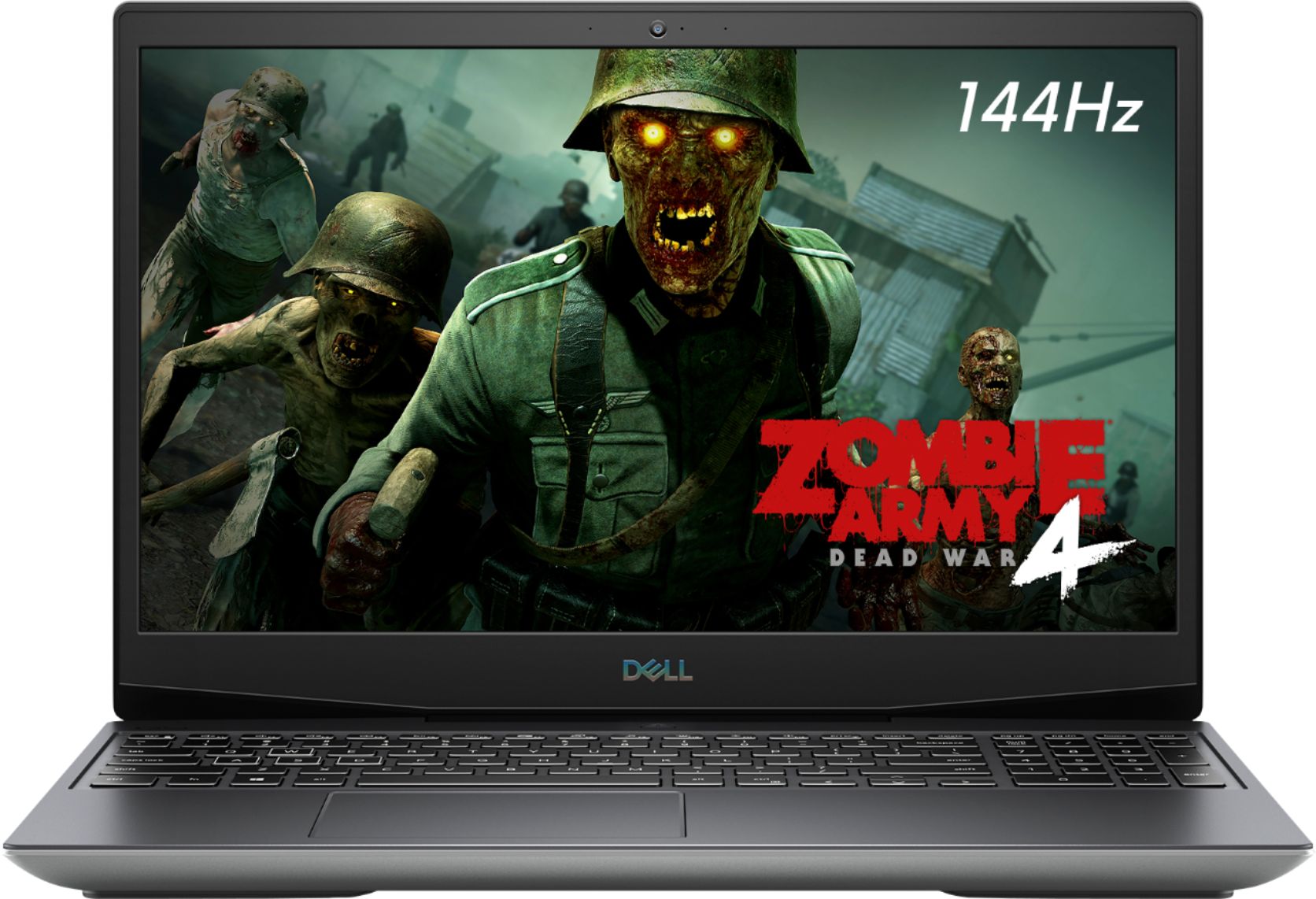
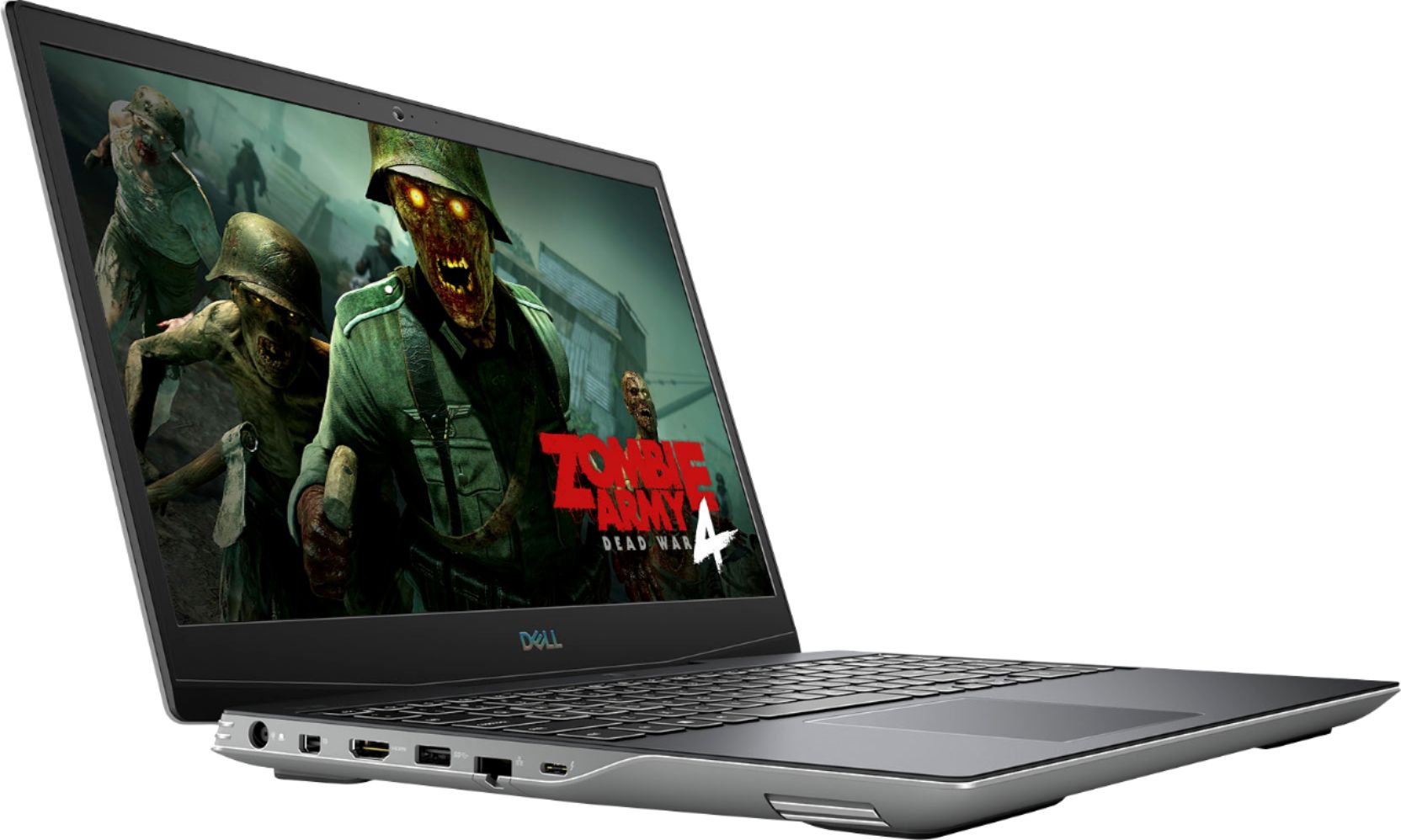
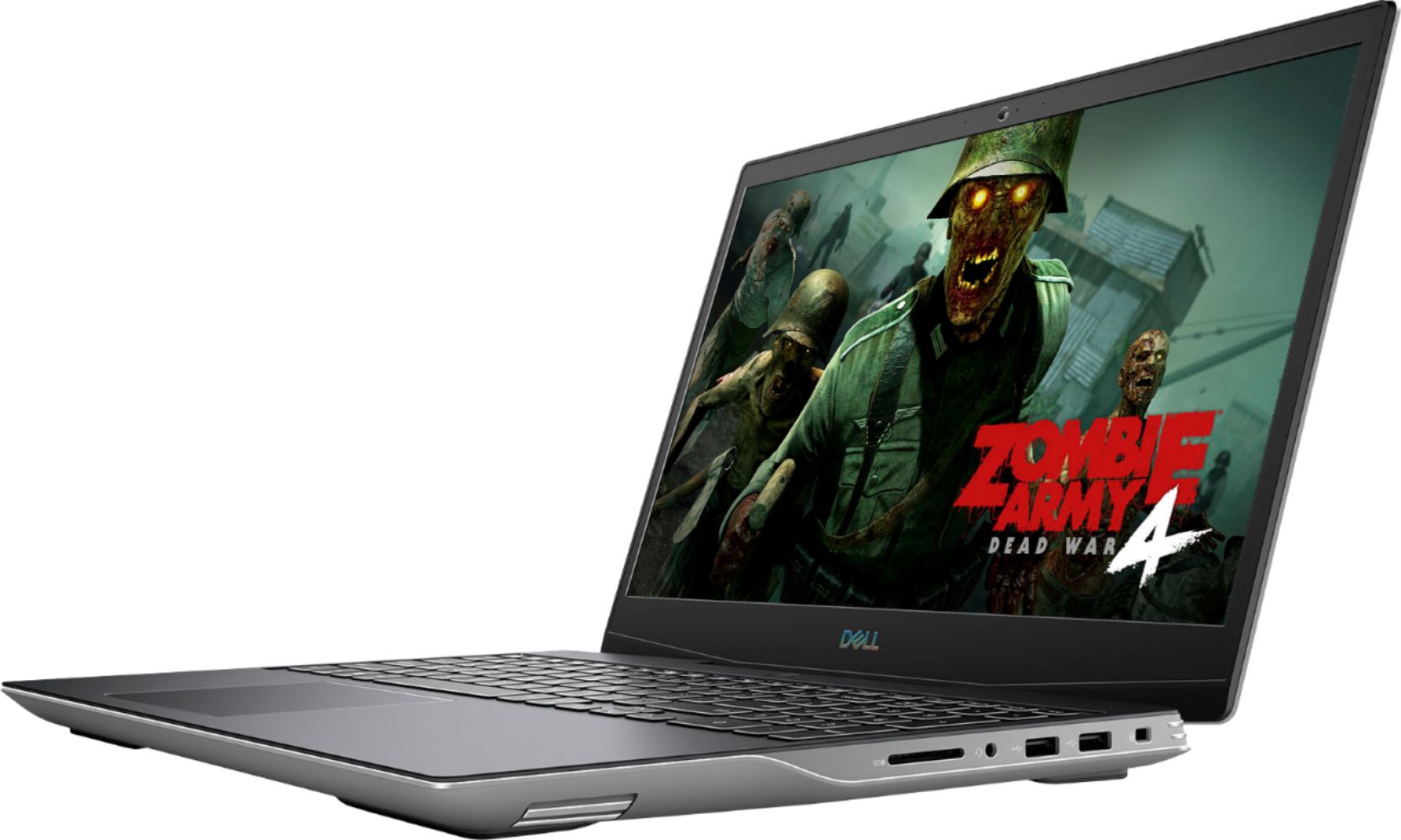
|Posted .This reviewer received promo considerations or sweepstakes entry for writing a review.Dell does a great job giving the user a fluid and pleasing experience. The laptop feels premium (although a little slippery) but overall a solid build. The laptop case seems to delivery excellent airflow, but it's important to keep the laptop on a flat surface. To avoid performance issues the computer must stay cool so I recommend playing on a desk with a laptop cooling pad. Gaming performance: The AMD Ryzen 8-core processor is a powerhouse inside a gaming laptop like this. Absolutely no performance issues even while multitasking. The heat can build up a little but you need to remember that you're packing an 8 core processor into a laptop. The graphics performance is spectacular for games like Call of Duty Warzone. Dell knew what they were doing when trying to optimize a world class gaming laptop into an affordable package. The screen is a 144hz 1080p monitor which is fantastic for fast paced gaming like shooter games, sports, racing and adventure games. The display is beautiful. The only disappointing part is that the base model has 8GB of ram. It's basically a bottleneck for a machine this powerful. It's 2020 and the industry's top game publishers are starting to recommend 10-16GB of Ram. On that note, this is supposed to be a mid-range gaming laptop so if given the chance go with a 16GB configuration of this laptop because by 2021 you're going to be wishing you did.
I would recommend this to a friend Posdellg5
||Posted . Owned for 1 week when reviewed.This reviewer received promo considerations or sweepstakes entry for writing a review.One week and the computer has to be sent to the repair shop. I would choose a different computer next time.
No, I would not recommend this to a friendBrand response from YourDellTeam
Posted .Wowgamingcard,
Thanks for your review and we're sorry to hear that your new laptop is not working as well as you hoped it would. There is a new Video BIOS that was released for your computer and we'd recommend making sure that this is up to date once you receive your computer back from being repaired: https://dell.to/374WuyC.
Best,
Bryan
1-800-624-9896
Why Me!???
||Posted . Owned for less than 1 week when reviewed.This reviewer received promo considerations or sweepstakes entry for writing a review.Poor chinese crap. Arrived with 10 dead pixels on the screen in a line at the top of the screen. Now they want me to ship it back and wait 3 weeks for a replacement.
No, I would not recommend this to a friendBrand response from YourDellTeam
Posted .BigDano,
Thanks for your review and we're sorry to hear about the dead pixels on your new laptop. Please take a moment to review Dell's Dead Pixel Guidelines here: https://dell.to/2lCLW0I.
Best,
Bryan
1-800-624-9896
good price but never again AMD
||Posted . Owned for 2 weeks when reviewed.This reviewer received promo considerations or sweepstakes entry for writing a review.laptop was open box in a very good condition you cant tell its not new ,but i thought amd processor became better over the years apparently its not still overheats and becomes slow as molasses , returned and i got a surface big difference. Sorry AMD may be next time .
No, I would not recommend this to a friendBrand response from YourDellTeam
Posted .Only007,
We're sorry to hear about the performance on your new gaming laptop. There is a BIOS update for this model that will help improve the overheating and performance issues that you had while you owned this system. We're sorry that it did not meet your needs and that you decided to return it but we hope that you will consider Dell in the future.
Best,
Bryan
1-800-624-9896
WiFi connectivity issues
||Posted . Owned for 1 month when reviewed.This reviewer received promo considerations or sweepstakes entry for writing a review.Look up reviews on other websites before buying. Many G5 owners experience WiFi connection issues due to failed device. Poor product by Killer, and bad decision by Dell to integrate this product.
No, I would not recommend this to a friendBrand response from YourDellTeam
Posted .Albert,
Thanks for your review and we're sorry to hear about the connectivity issues that you're having with your new computer. Here are some tips to help with your connection:
1. Download and install the latest Wireless Card driver. (https://dell.to/2th3Tpe) After updating the driver, re-establish the connection with the Wireless Access Point and check the wireless performance.
2. If the issue persists, proceed to step 3.
3. Power-cycle the local network. Shut down the Dell system, the Wireless Access Point/Router and the Modem. Wait a minimum of 60 seconds before powering up the components in the following order:
4. Power ON the Modem, and wait for it to boot fully.
5. Power ON the Wireless Access Point/Router, and wait for it to boot fully.
6. Power ON the Dell system.
7. Open Network and Sharing Center
8. In the left side navigation pane, click on Change Adapter Settings
9. Right click on the wireless connection icon and select Properties followed by the Configure button
10. Under Wireless Options, select the Wireless N mode
11. For Windows 8 or later systems click the Advanced tab and look for 802.11n Mode on the right you will be given the option to Enable or Disable. If the mode is not visible you may need to update your drivers and firmware.
12. From the drop-down menu, choose Disable followed by Ok
13. This should restore the wireless download and upload speed. Internet speed can be tested at http://speedtest.net.
Best,
Bryan
1-800-624-9896
bad
||Posted . Owned for 9 months when reviewed.This reviewer received promo considerations or sweepstakes entry for writing a review.The product was Open Box Excellent, it came scratched and beaten, with signs of being open the laptop, it returns immediately
No, I would not recommend this to a friend