Customer Ratings & Reviews



- Model:
- G7500-7194BLK-PUS
- SKU:
- 6419696
Rating by feature
- Battery Life
Rating 3.9 out of 5 stars
- Speed
Rating 4.3 out of 5 stars
- Display
Rating 4.5 out of 5 stars
Customers are saying
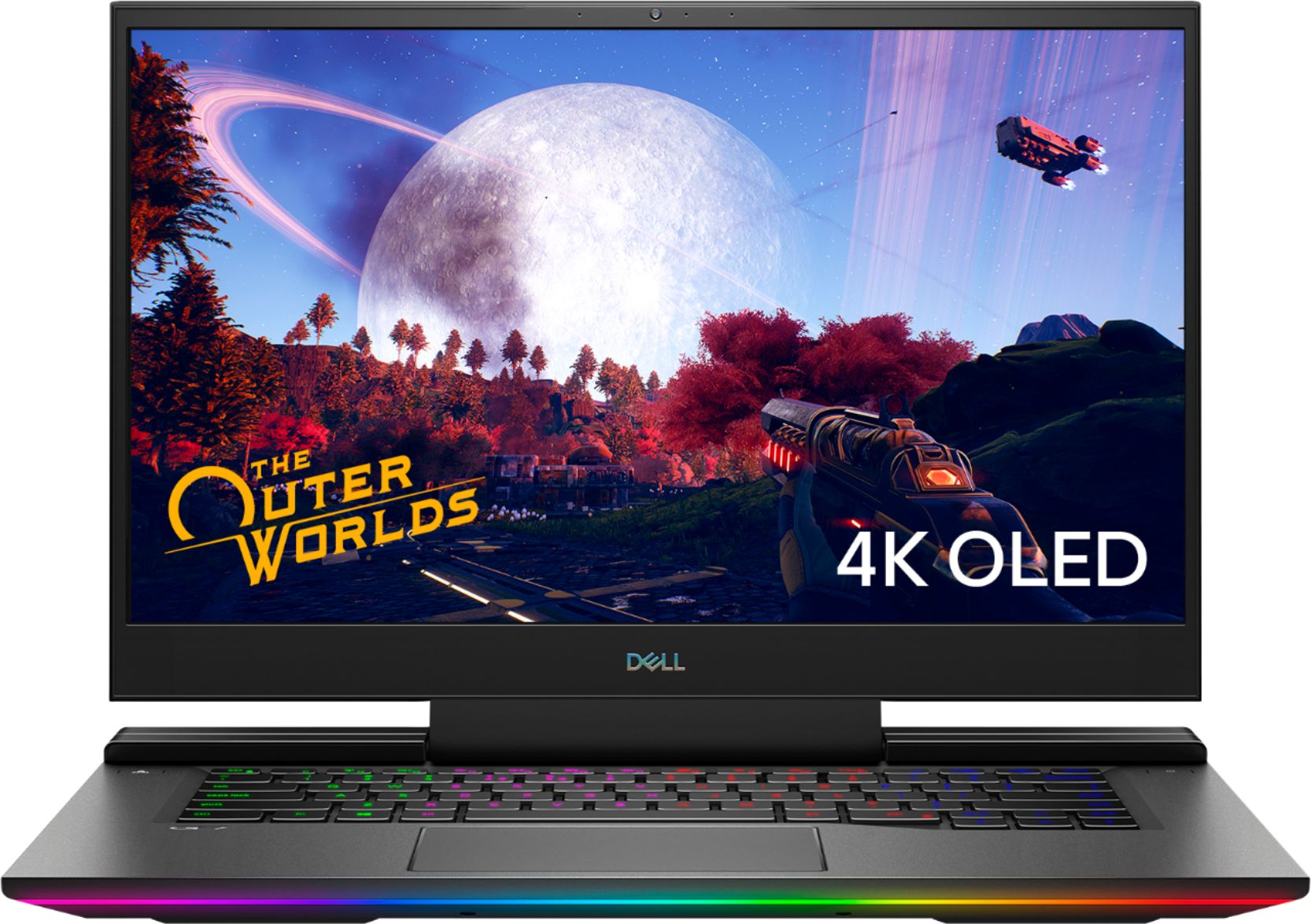
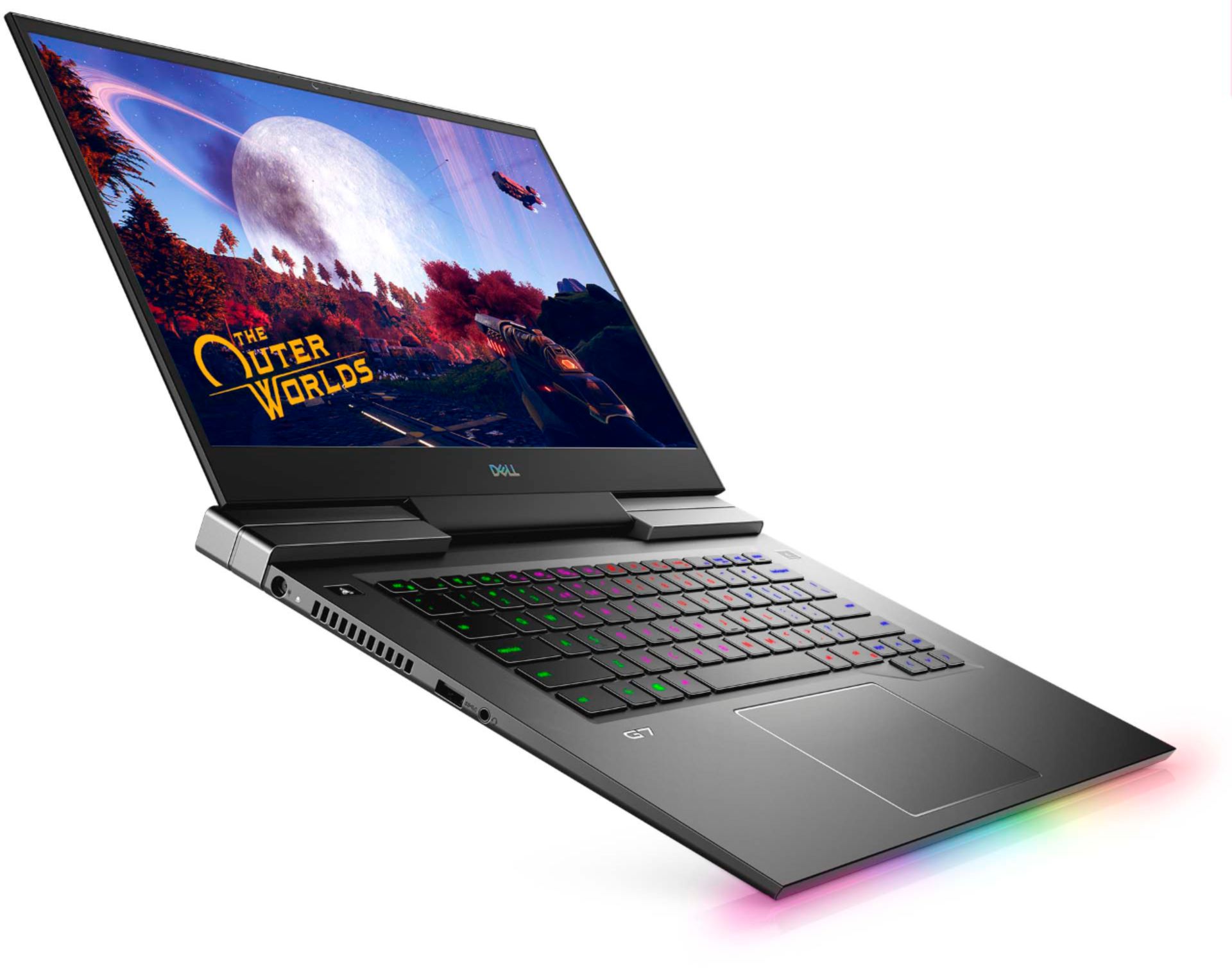
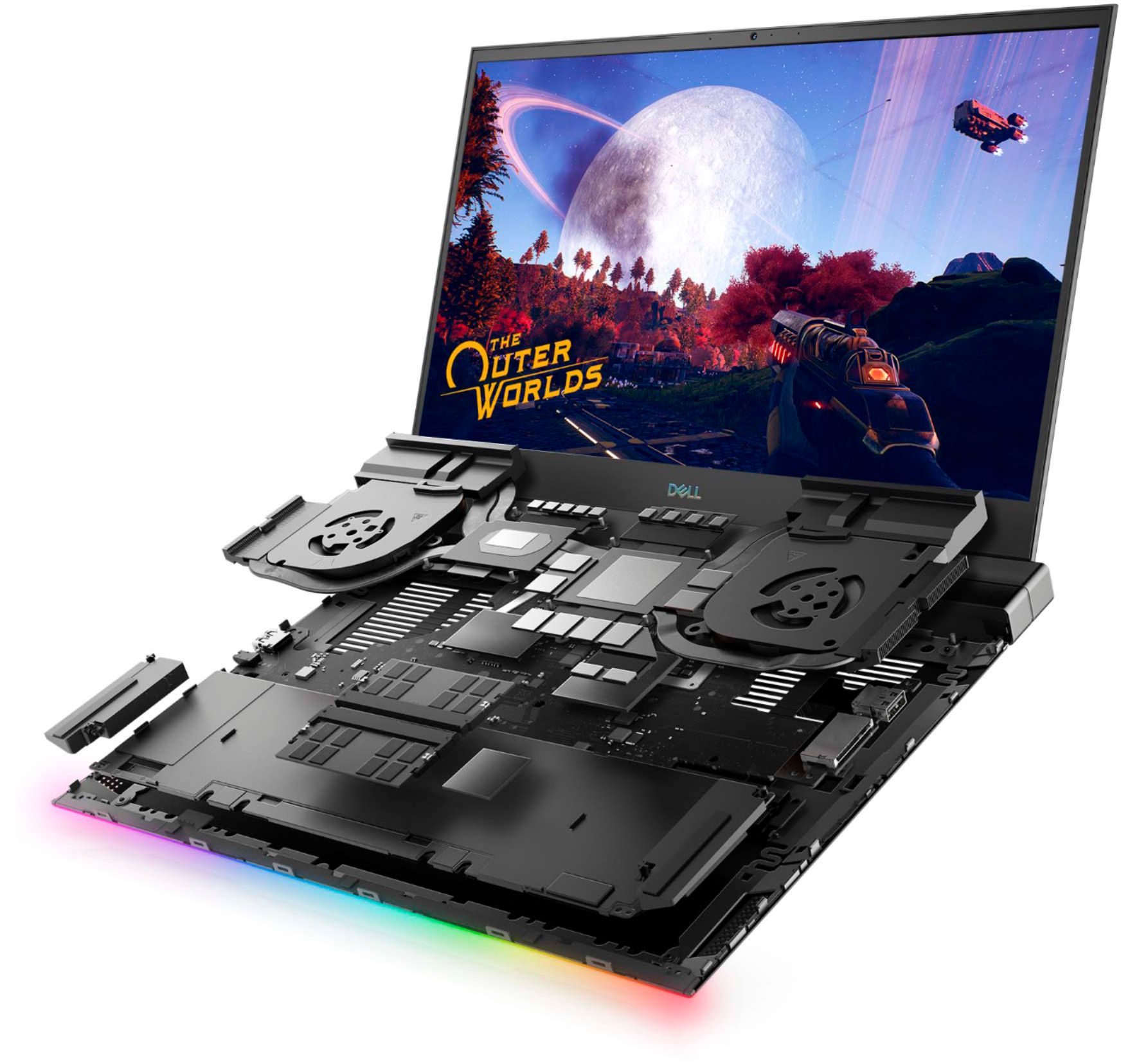
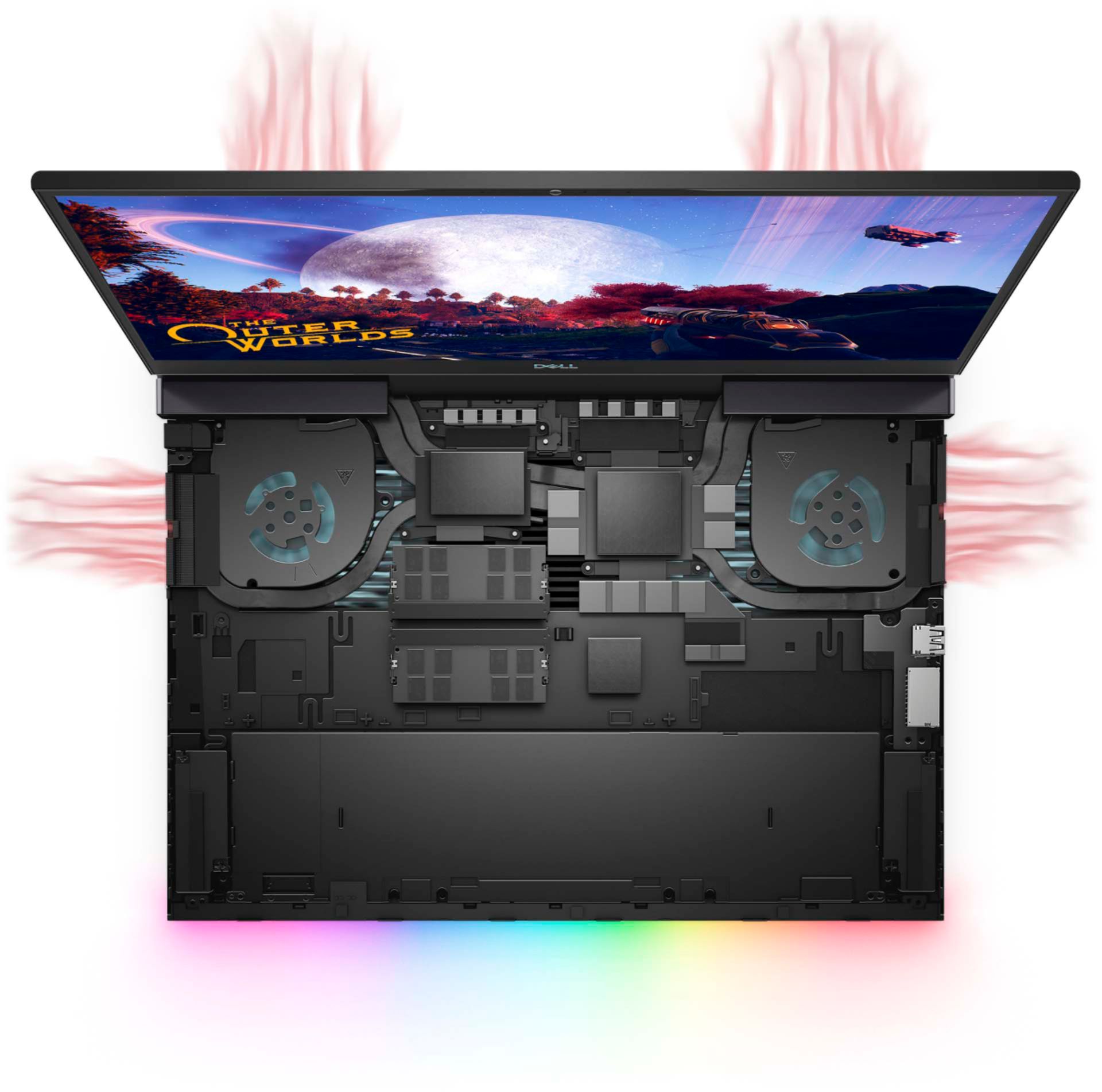
Customers praise the G7 15.6" 4K Gaming Laptop's OLED display and its impressive performance, noting the excellent graphics capabilities. However, many users report issues with overheating, and some express concerns about battery life, fan noise, and frame rates in games. The laptop's weight is also mentioned as a potential drawback by some customers.
This summary was generated by AI based on customer reviews.
GAMING COMPUTER
||Posted . Owned for 2 months when reviewed.This reviewer received promo considerations or sweepstakes entry for writing a review.GREAT LAPTOP, EASY SET UP, GREAT PRICE, GREAT FOR GAMING
I would recommend this to a friendGaming laptop
||Posted . Owned for 1 week when reviewed.This reviewer received promo considerations or sweepstakes entry for writing a review.I like this laptop. Runs my games in high quality.
I would recommend this to a friendMonster
||Posted . Owned for 1 month when reviewed.This reviewer received promo considerations or sweepstakes entry for writing a review.Good laptop but may over heat if you push it hard.
I would recommend this to a friendLaptop
||Posted .This reviewer received promo considerations or sweepstakes entry for writing a review.Great service. Needed a fast upgrade on a laptop.
I would recommend this to a friendLike it alot
||Posted .This reviewer received promo considerations or sweepstakes entry for writing a review.Nice beautiful like when the keyboard lights yup
I would recommend this to a friend- Cons mentioned:Heat
Don’t recommend
||Posted . Owned for 3 weeks when reviewed.This reviewer received promo considerations or sweepstakes entry for writing a review.Temperature averages over 175 degrees while gaming. Actually burns your hand to the touch. Gaming controllers are recognized as a mouse and are unusable during gameplay.
No, I would not recommend this to a friendBrand response from YourDellTeam
Posted .Hello Keith,
Thanks for your review. We are sorry to hear that your laptop is running a little warmer than you would like. Your feedback is sincerely appreciated. If system thermals are of concern, you can prioritize cooling by opening the Alienware Command Center application that came pre-installed with your device and select the 'Cool' thermal profile. You can view the full article here - https://dell.to/2XAULtU.
Keep in mind that our G7 follows Intel performance design guidelines, which can lead CPU temperatures to reach 100°C to output top in-game performance. We fully warrant the product under these conditions. If you see CPU temperatures rising beyond 100°C on Alienware Command Center, you are more than welcome to contact Dell support for further assistance at 1-800-264-9896.
Best regards,
Anthony P.
- Cons mentioned:Heat
No
||Posted . Owned for 1 year when reviewed.This reviewer received promo considerations or sweepstakes entry for writing a review.The bright color is cute. But there's an issue when you turn the laptop. Within less than 10 minute the bottom surface get hot.
No, I would not recommend this to a friend - Pros mentioned:Oled display, PerformanceCons mentioned:Battery life, Fan noise
Best I Ever Had. Productivity Skyrocketed.
Posted .This reviewer received promo considerations or sweepstakes entry for writing a review.Actually love this laptop. Came here straight from Mac and it rules. Can do so much cool stuff and so customizable. The keyboard layout is great and feels/sounds like butter. It looks great and really thin. The charging brick however is pretty huge. But that's ok because this thing is a UNIT and can handle anything you throw at it. Video and photo editing (and consuming) has never been better. It can handle any video game I throw at it, even at higher resolutions. I actually like all of Dell's software, and the ability to control things like fan speed and, pretty much, everything to your liking. Runs hot and a bit loud when playing games but never stutters and when performing normal tasks, is quiet as can be. And as mentioned, you can tweak it to your liking, plus it's covered so not too worried. I have experienced a couple hiccups like the laptop still running when unplugged and closed (which I heard is a Dell issue?) and occasional need to restart but for the most part have been surprised by its multitaskability. Without pushing it TOO much, as RAM seems to be the first thing to max out. (haven't upgraded it) Amazing screen (which I rarely get to look at as it's usually hooked up to dual monitors, but the colors on this one are unmatched) - higher than 60fps would be nice but it's not bad and a trade-off. I don't mind since I do photo/video work as much if not more than gaming The battery life is only ok but I've managed to add hours to it just by tweaking the settings, turning the display brightness down, lowering the resolution, framerate, keyboard lights, extra tabs etc and make it last pretty long. Also the ppl who reviewed it negatively for gaming are probably n00bs who were trying to play Warzone with power saver/quiet fan mode instead of Performance. Pros: Looks POWERFUL Graphic card Display Ports Cool light in front Keyboard Software Cons: CANT INSTALL 2ND HD - this is kinda annoying. Big heavy charger Only ok battery life Webcam is bad (but better than nada) Can't charge via USB-C
I would recommend this to a friend - Cons mentioned:Battery life
Dont buy Dell
||Posted . Owned for 3 weeks when reviewed.This reviewer received promo considerations or sweepstakes entry for writing a review.Computer doesnt last more than 2 hours. Is not VR compatible doesn't have the power to support. Would not reccommend to anyone literal useless computer
No, I would not recommend this to a friendBrand response from YourDellTeam
Posted .Hello Christian,
Thank you for sharing your experience. We are sorry to hear that your G7 did not quite meet expectations. Rest assured that your G7 does in fact meet the recommended requirements for VR applications. They are as follows.
-NVIDIA GTX 1060 / AMD Radeon RX 480 or greater
-Intel i5-4590 / AMD Ryzen 5 1500X or greater
-8GB+ RAM
-DisplayPort 1.2 / Mini DisplayPort
-1x USB 3.0 port
-Windows 10
Your PC meets or exceeds these requirements considerably and should not experience any difficulties meeting the demands of VR. As for battery life, below is our recommendation to improve battery performance.
1. On the notification area of the taskbar, right-click the Battery icon.
2. On the options list, click Power Options.
3. Select a power plan on the battery meter, such as Power Saver or Balanced. Windows 10 has a built in 'Battery Saver' mode that can be activated to extend your system's battery life. The Battery Saver mode will monitor and limit background activity and other features such as push notifications. You do have the option to enable or disable this mode within settings or within advanced Battery Saver settings, you can customize the mode to best suit your needs.
a) Click on the Action Center icon in the taskbar and select the tile for Battery Saver.
b) If running Cortana then type Battery Saver into the search box and select from the results.
Within the Battery Saver settings page, you will be able to turn on and off the feature and customize the feature to best meet your needs.
c) Turn Battery Saver On or Off.
d) Additional settings available via the Battery use and Battery saver settings links.
e) Battery use shows further info on apps and their power usage.
f) Battery Saver Settings screen allows you to customize further Battery Saver feature.
Best Regards,
Anthony P.
Returned!
||Posted . Owned for 1 week when reviewed.This reviewer received promo considerations or sweepstakes entry for writing a review.Sadly I had to return this item. After 2 days the AWCC stopped working. I contacted Dell customer support and after hours, the solution was to reset the laptop to default. Well, while doing that, the laptop hung while installing Windows 10.....not to mention, even though the laptop never “overheated”, it still ran hot even with an external cooling system. Graphics were amazing but it overall I wouldn’t recommend this item.
No, I would not recommend this to a friendBrand response from YourDellTeam
Posted .Hello Kisedbyanangel16,
We are sorry to see you go! Rest assured, you could always reinstall the Alienware Command Center by opening the 'Windows Store' application and reinstalling it. Likewise, there is the possibility that it simply needed an update to work properly. You can seamlessly update the app using the 'Alienware Update' application that came pre-installed with your PC. We do hope you will reconsider us in the future.
Best Regards,
Anthony P.
1-800-624-9896
- Cons mentioned:Fps
No good
||Posted . Owned for 3 weeks when reviewed.This reviewer received promo considerations or sweepstakes entry for writing a review.Overheats and does not at all do the job for gaming, the labels lie, the fps sucks on gaming. The audio on this laptop also sucks.
No, I would not recommend this to a friendBrand response from YourDellTeam
Posted .Kevin,
Thanks for your review and we're sorry that you were not more happy with the performance of your gaming laptop. We'd recommend checking to make sure that all of your software and drivers are up to date: https://dell.to/32rXH02.
We hope that once everything is up to date that your computer performs the way that you wanted it to.
Best,
Bryan
1-800-624-9896
No Performance
||Posted . Owned for 1.5 years when reviewed.This reviewer received promo considerations or sweepstakes entry for writing a review.The FPS is not good for this computer I HIGHLY recommend getting a towet!
No, I would not recommend this to a friendGreat if you need a stovetop
||Posted . Owned for 2 weeks when reviewed.This reviewer received promo considerations or sweepstakes entry for writing a review.Looking to char up some meat? Although it probably wont cook well this lovely gun here heats up to 98c in most games and while an undervolt and turbo limits can decrease it to as low as 88 its definitely still too hot, returned for a ge66 that had a 2070s and same cpu which with the same undervolt never goes above 74c But seriously the screen? Its absolutely gorgeous
No, I would not recommend this to a friendBrand response from YourDellTeam
Posted .Hello Shawn,
We are sorry to hear that your G7 did not quite meet your expectations.
For reference, you can prioritize cooling by opening the Alienware Command Center application that came pre-installed with your device and selecting the 'Cool' thermal profile.
Keep in mind that our notebooks follow Intel performance design guidelines which can lead CPU temperatures to reach 100°C to output top in-game performance. We fully warrant the product under these conditions. If you see CPU temperatures rising beyond 100°C within the Alienware Command Center, you are more than welcome to contact Dell support for further assistance.
Best Regards,
Anthony P.
1-800-624-9896
Terrible cpu thermals
||Posted . Owned for less than 1 week when reviewed.This reviewer received promo considerations or sweepstakes entry for writing a review.I purchased this laptop a week ago and it's cpu heat issues are terrible. Even playing an old game the cpu bumps the 100c temps with all the fixes and bios updates listed both here and Dell's website. Even undervolting seems to be disabled by Intel for this processor now. I wouldn't recommend buying this one.
No, I would not recommend this to a friendBrand response from YourDellTeam
Posted .shaney,
Thanks for your review and we're sorry to hear about the temperature and performance issues that you've had with your computer so far. We'd recommend the BIOS update and troubleshooting steps outlined on this page for your model: https://dell.to/3jgQlm6.
Best,
Bryan
1-800-624-9896
Disappointed
||Posted . Owned for 3 weeks when reviewed.This reviewer received promo considerations or sweepstakes entry for writing a review.Not happy with it....it’s hard to figure out. I’m used to Apple products...
No, I would not recommend this to a friendBrand response from YourDellTeam
Posted .DisappointedPC,
Thanks for your review and we're sorry that you've had trouble getting used to your computer. Here's a link to the BIOS and some troubleshooting steps to help with your setup: https://dell.to/3jgQlm6.
You can find the answers to any questions that you may have on the Product Support Page: https://dell.to/34WIbuO.
Best,
Bryan
1-800-624-9896
good laptop
||Posted . Owned for 3 weeks when reviewed.This reviewer received promo considerations or sweepstakes entry for writing a review.overheats real bad, I mean to the point you could not touch the keyboard
No, I would not recommend this to a friendBrand response from YourDellTeam
Posted .Mistymay,
Thanks for your review. We're sorry to hear about the overheating concerns that you have. Dell has identified a resolution for this issue with your system if you follow these steps:
1. Update your computer BIOS to the latest version available
• Browse to the Dell Drivers & Downloads page:
• Ensure you have selected the correct Operating System
• Under Category, choose BIOS
• Locate the latest System BIOS
• Click Download and save the file to your PC
• Open File Explorer and browse to the location where you saved the downloaded file
• Double-click the BIOS setup file and follow the on-screen instructions to complete the installation process
2. Open Alienware Command Center
3. Click Thermal at the Active Default Theme and set it to Performance
4. Restart the computer
5. Once the computer boots into Windows open SupportAssist
6. Go to the Troubleshooting tab and click on I want to check a specific piece of hardware
7. Click CPU under CPU Devices
8. Select CPU Stress Test and click Run Test
9. Open the Alienware Command Center and go to the Fusion tab
• The CPU peak temperature should be less than or equal to (≤) 100 ℃
• When under high stress, the computer's average temperature can be expected to be less than (≤) 100 ℃.
If you need additional assistance you can reach out to Dell's Technical Support Team here: http://dell.to/2sH7Qlm.
Best,
Bryan
1-800-624-9896
Do not buy this laptop
||Posted . Owned for less than 1 week when reviewed.This reviewer received promo considerations or sweepstakes entry for writing a review.GPU is junk spent a week trying to get this machine to work. GPU quits and drops frames in first 2 minutes playing in 4k. No matter what settings we changed nothing fixed it. I found out other people that bought the same computer or having the same issue Dell has not implemented a pack.
No, I would not recommend this to a friendBrand response from YourDellTeam
Posted .Solarcruiserdude,
We're sorry to hear about the performance issues that you're experiencing with your new gaming laptop. We'd recommend checking all of the latest drivers and software updates for your computer to make sure that everything is up to date: https://dell.to/32rXH02.
Best,
Bryan
1-800-624-9896
- Cons mentioned:Heat, Weight
Good for what it is
Posted .This reviewer received promo considerations or sweepstakes entry for writing a review.Sturdy laptop I used for my undergrad in architecture. It does overheat a bit when running heavy software and it’s heavy to carry but does the job
I would recommend this to a friend - Pros mentioned:Graphics, SpeedCons mentioned:Heat
Great graphics, super fast processor
Posted .This reviewer received promo considerations or sweepstakes entry for writing a review.Like the title says, the graphics are great and the processor is super fast. It's been 3 years since purchasing, and I have no complaints other than how high the computer's temperature can get. It gets HOT!
I would recommend this to a friend do not buy it
||Posted . Owned for 2 months when reviewed.This reviewer received promo considerations or sweepstakes entry for writing a review.I highly recommend Do Not buy this laptop. I have switched twice at store but the performance is still not satisfying. I think Dell needs to redesign it. it cannot even run League of Legend smoothly. so disappointing.
No, I would not recommend this to a friendBrand response from YourDellTeam
Posted .Jessen,
Thanks for your review and we're sorry to hear about the performance issues that you're having with your new computer. There is a new BIOS update along with several troubleshooting tips for your computer that you can find here: https://dell.to/3jgQlm6.
Best,
Bryan
1-800-624-9896