Customer Ratings & Reviews
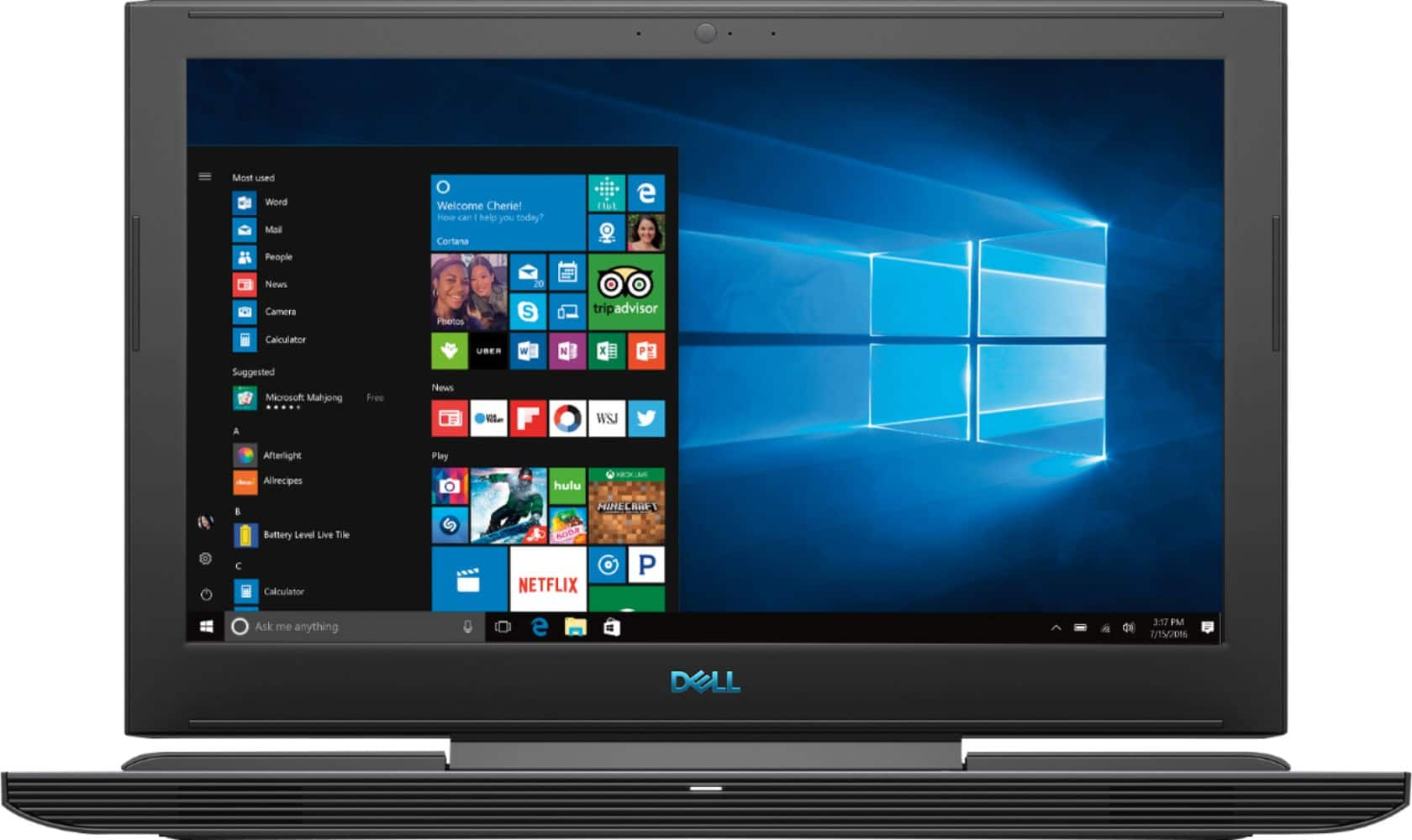
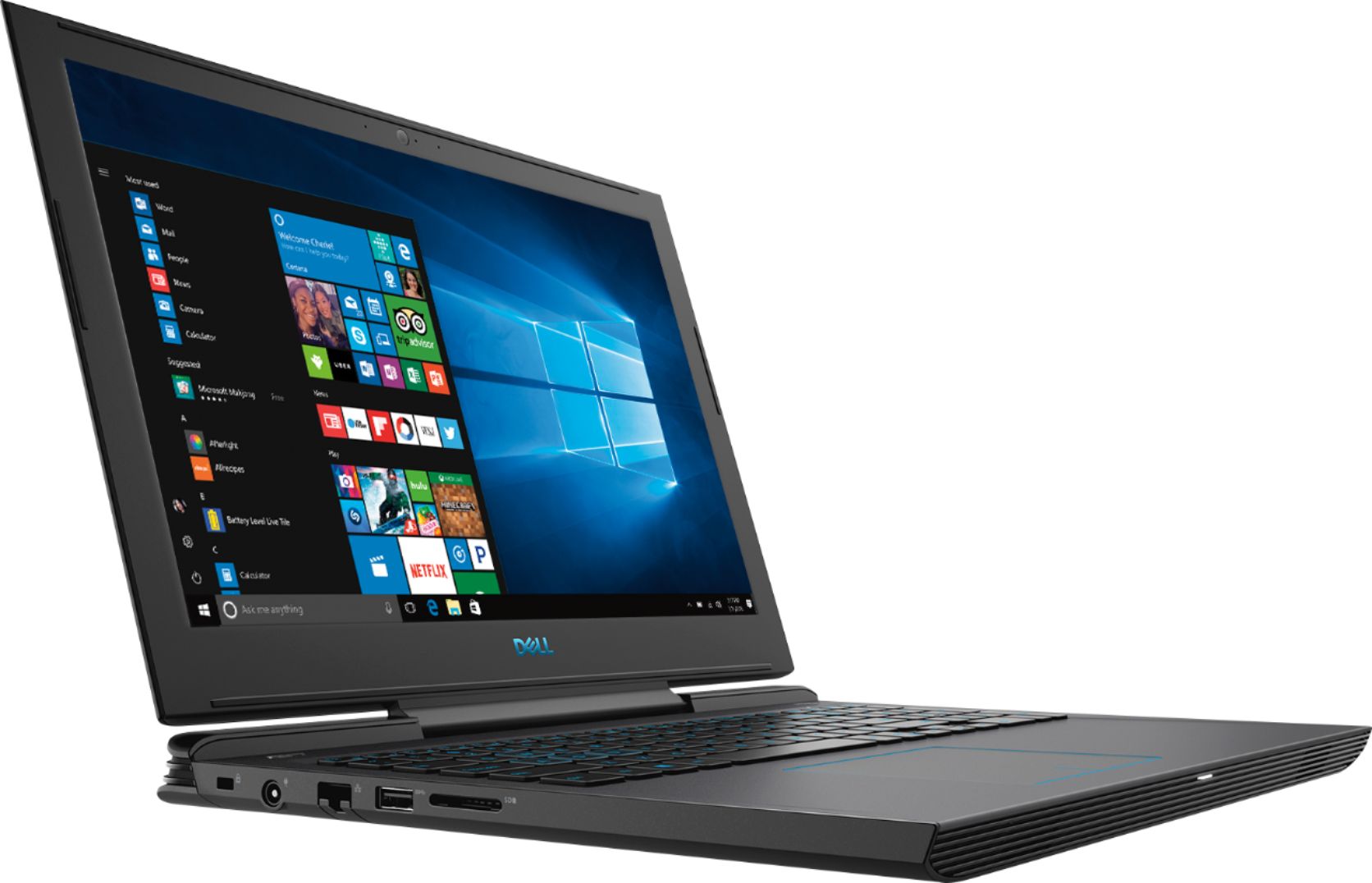
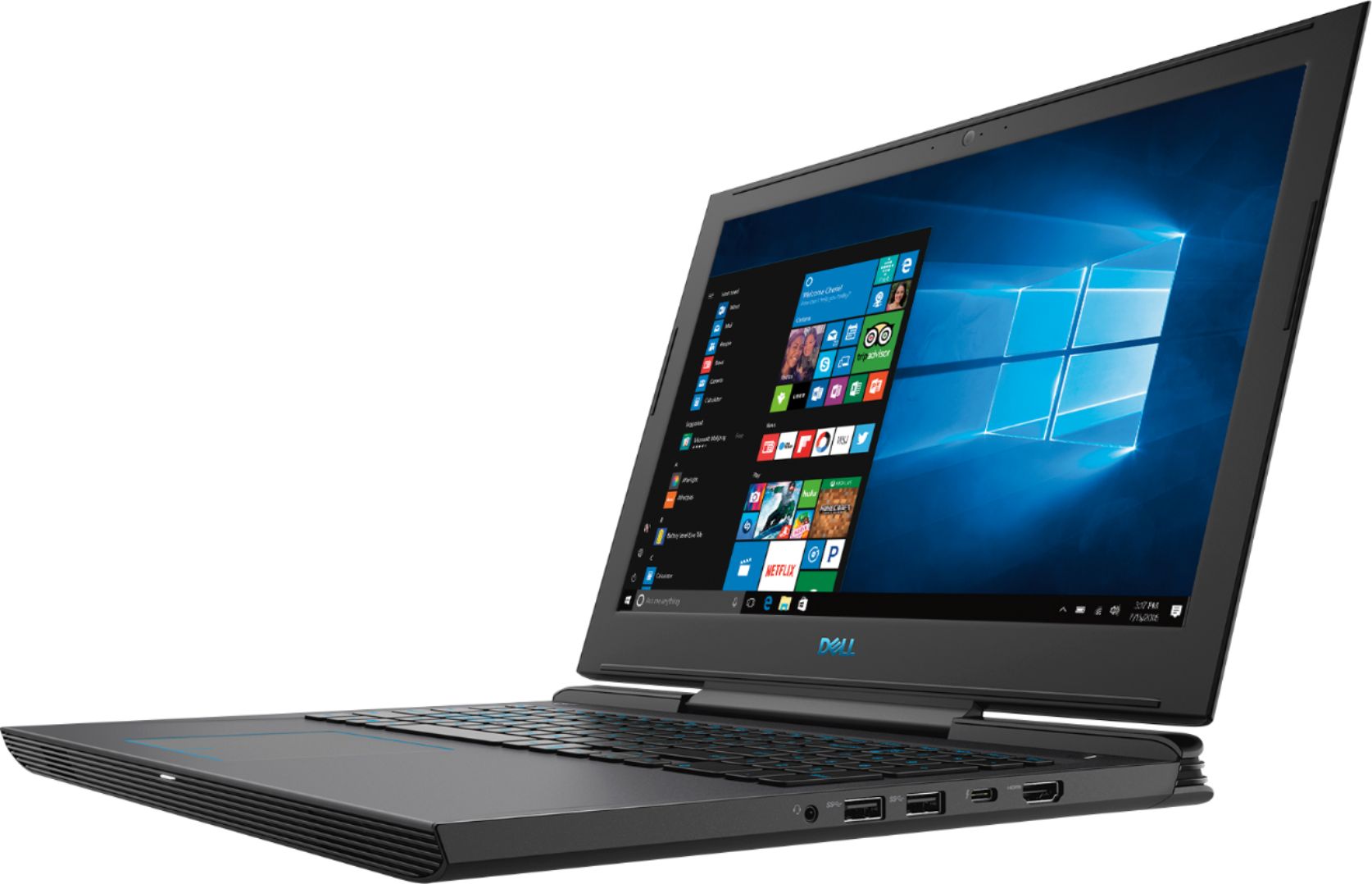

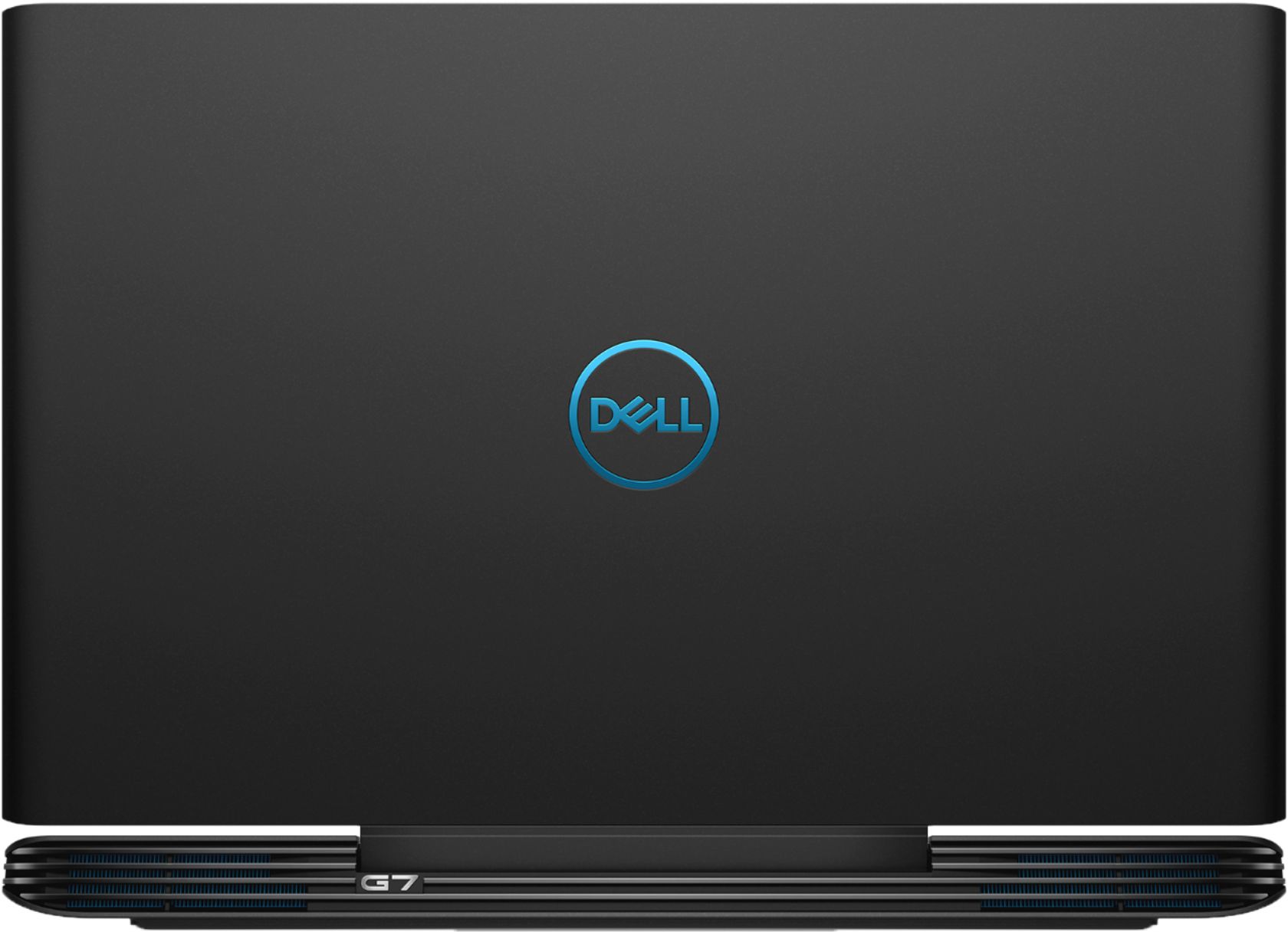
- Model:
- I7588-7385BLK-PUS
- SKU:
- 6212436
Rating by feature
- Value
Rating 4.4 out of 5 stars
- Quality
Rating 4.4 out of 5 stars
- Ease of Use
Rating 4.5 out of 5 stars
Customers are saying
Customers praise the G7 15.6" Gaming Laptop's performance, graphics capabilities, and build quality. Many appreciate its price point and the included solid-state drive, although some find the storage capacity limited. However, the laptop's weight and potential for elevated fan noise during use are frequently cited as drawbacks. Battery life is generally considered acceptable, though opinions vary.
This summary was generated by AI based on customer reviews.
- Cons mentioned:Fan noise
Not too bad, Not too Good
Posted .This reviewer received promo considerations or sweepstakes entry for writing a review.This Dell G7 laptop is about "middle of the road" when it comes to build quality. My laptop's motherboard failed after 6 weeks and had to ship it to Texas for replacement (about 10 days return time). The fans seem to RUN CONSTANTLY, which is also prompted by Windows 10--TOO many services running! And Dell support is substandard, poor quality in my opinion, too. Bottom line, you get what you pay for...just be prepared for not the best experience in this class of laptops: no too bad, not too good.
No, I would not recommend this to a friendBrand response from YourDellTeam
Posted .Cjmobz,
Thanks for your review, we're sorry to hear about the fan noise that you're experiencing. We'd recommend updating the BIOS on your computer:
An out-of-date BIOS can cause loud fan noises by having an outdated temperature table for the system. Refer to update BIOS and follow the instructions to update the BIOS on your computer. You can also follow up with our Technical Support Team here - 1-800-624-9896.
You can read the full article here - http://dell.to/2ENlXfz.
Best,
Bryan
1-800-624-9896
Perfect for my college needs
Posted .This reviewer received promo considerations or sweepstakes entry for writing a review.This computer makes me wish I was majoring in computer science or something that demands an amazing computer. This beast is simply amazing for the price, not too heavy to carry on campus (but wouldn’t recommend long distances, just to the library and back) and can play every game I need it to play, such as the Elder Scrolls. I do however, plan on upgrading the ram and memory in the future, I found that I was quickly running out of space because I like a lot of different software. Overall, I would recommend especially if you can find a good deal!
I would recommend this to a friend- Pros mentioned:Ssd
This is just what I needed!
Posted .This reviewer received promo considerations or sweepstakes entry for writing a review.It has Solid State, Intel Core i7, NVIDIA GTX 1060 and Thunderbolt 3 slot. I have finally found one that matches my Laptop Specs!
I would recommend this to a friend - Pros mentioned:Performance
DIDNT GET MY BUNDLE IN STORE
Posted .This reviewer received promo considerations or sweepstakes entry for writing a review.I have purchased this at the best buy in garner NC and on your website it says if purchased in store you will receive a code in person yet I never got anything (the code im referring to is the fortnite bundle) EXTREMELY UPSET I just want my code, otherwise this pc runs good and gets the job done... only reason for 3 stars.
No, I would not recommend this to a friendBrand response from YourDellTeam
Posted .Hunter93,
Thanks for your review. We're sorry to hear that you did not get the bundle code when you purchased your laptop. We'd recommend that you reach out to Best Buy's Customer Service Team directly, in order to see what your options are: http://bit.ly/2v2IVhI.
Best,
Bryan
1-800-624-9896
Great, wish the screen was brighter
Posted .This reviewer received promo considerations or sweepstakes entry for writing a review.So far this is a great laptop, runs games smoother and it is quieter than the acer nitro I bought. Only downside is the screen is not very bright, and at some point I will need to add another hard drive.
I would recommend this to a friendGood construction, but ran hot and loud
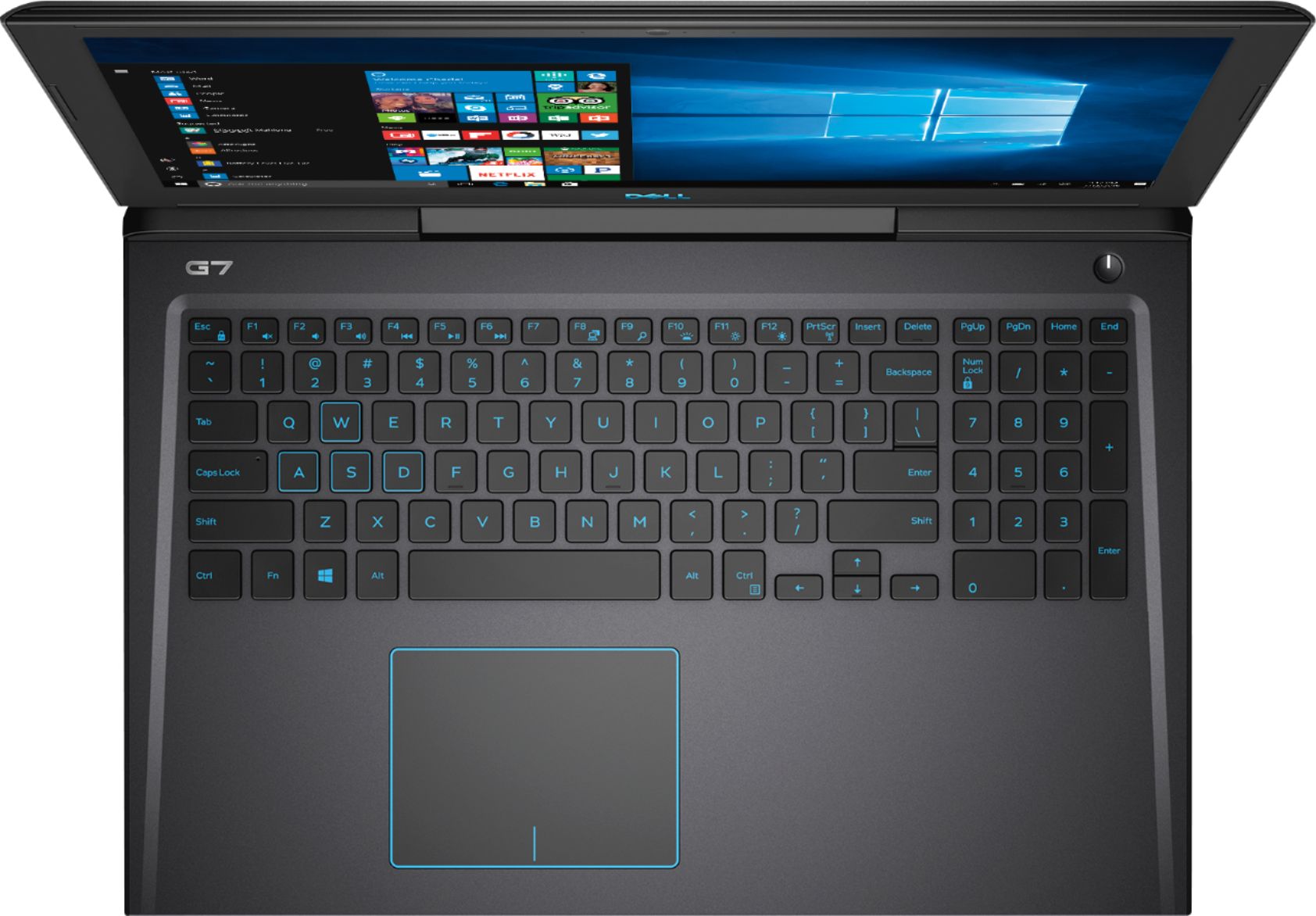
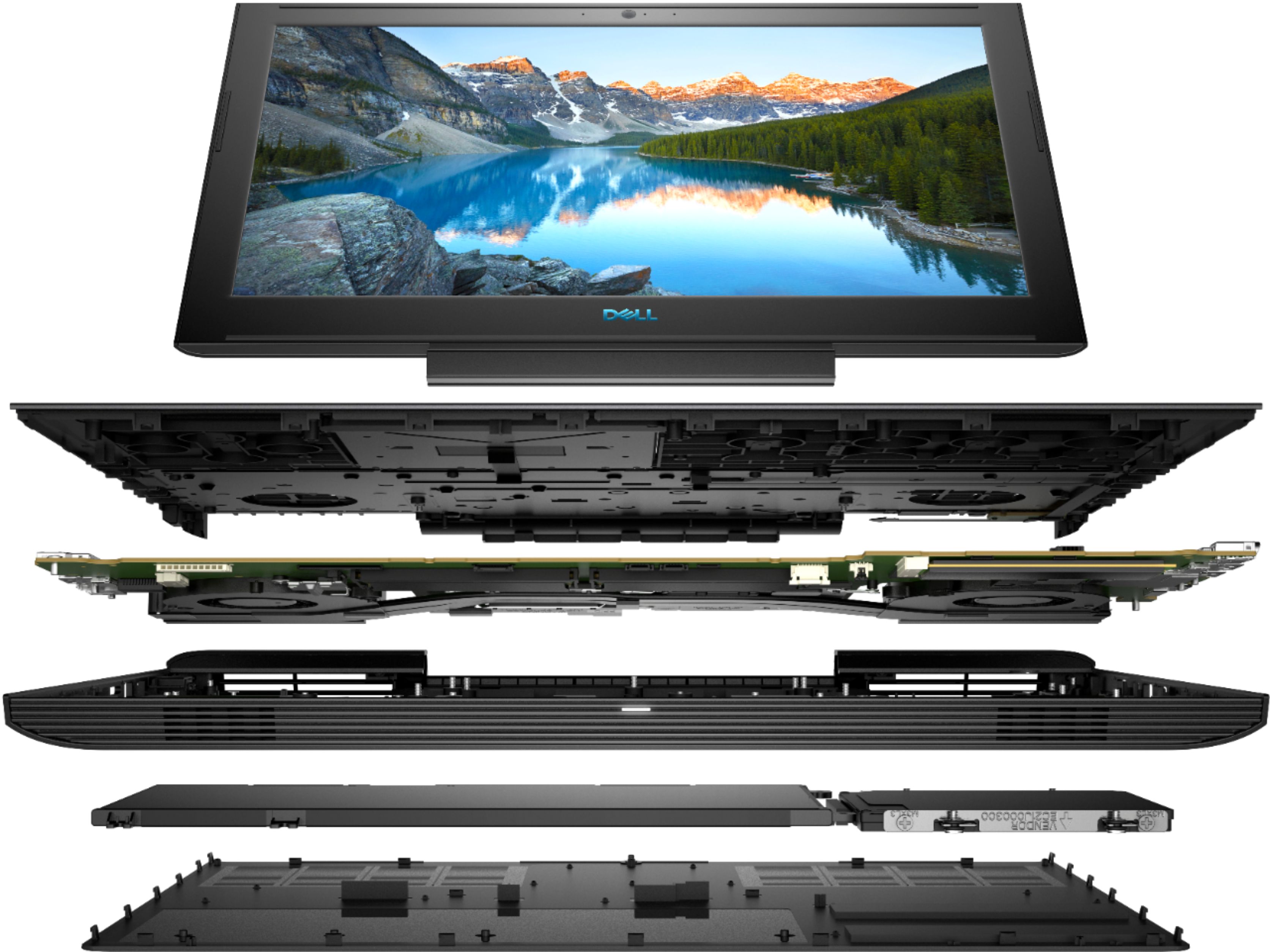
Posted .This reviewer received promo considerations or sweepstakes entry for writing a review.I was hoping to be the first to rock a CFL 6 Core CPU + GTX1060 amongst my friends. Boy, was I so wrong. It's only been 2 days, and I am having doubts. I don't think I want to show off mine yet, until I figure it out. For some reason, my system ran hot after about 1 minutes of PUBG, and I haven't even jumped, and the fans are on full blast. Luckily, this G7 gaming notebook is not super light in weight, otherwise, I joke that it will fly off. After about 3 rounds of PUBG, about 20-30 minutes total (2 short rounds, and 1 that lasted over 20 min, no chicken dinner), the system was running crazy hot above the function keys, and even the T and Y key areas are hot. For gaming, this shouldn't bother you. I didn't notice how hot it got during game play, because my left hand is mostly on WASD. You probably wouldn't want to use this to play games in your library, unless you reserve private study rooms with your buddies to play games only. It's loud.... I mean... loud. Games like FFXV was sluggish at high settings, and I wasn't able to play FFXV at the highest setting at 1080P. PUBG was playable at the high setting, but I would still tone down on some of the settings. With DC mode, I wasn't able to play PUBG. It feels like mine got throttle down drastically when you don't have the adapter on. Maybe they have Optimus. I was getting 5-18 FPS in PUBG after the adapter got disconnected from the wall by accident. If you like your G7, make sure you carry your AC adapter with you when gaming. The good: Construction is nice. The keyboard seems super sturdy, without any noticeable flex. The touch pad feels good for normal use, and the click feels precise (don't game without a mouse). The keyboard feels good, except the "S" key requires a lot of getting used to during normal typing. Several times, I had to move my left index finger back to the "F" key, because the "S" key also has a little protrusion confusing me. Dell should've done what MSI did, add the protrusion to "W" instead of "S" The video driver was fairly new out of the box, Feb 2018. But, I would still recommend updating to the the latest Nvidia driver for new games like FFXV. This was one of the first thing that I did. The upgrade door is awesome. Very easy to open, you can add your own 2.5" HDD easily, and add an additional stick in minutes. The bad: The hinge, for some reason feels a bit more flimsy than the Omen. When I adjust the display, it seems to bend and twist. Because of that, I decided to adjust the screen around the camera area, and I hear a "click" noise every time that I tried to move the screen closer to me. Performance seems bad for a GTX1060. And it runs hot during game play.
No, I would not recommend this to a friendBrand response from YourDellTeam
Posted .RuGeo,
Thanks for your review and we're sorry to hear that your computer is running hotter than you'd like it to. Here are some tips to help your computer not run as hot for you:
Tips for Proper Usage:
1. Dell does not recommend placing portable systems directly on your lap. Due to reductions in the thickness of modern portable systems, heat transfer can be an issue.
2. Using a portable system (Laptop) on a hard, flat, non-cloth surface will increase airflow and reduce heat from underneath and inside the system.
Using the portable system on a blanket, pillow, or other types of cloth will cover up the fan cause the computer to overheat and can cause permanent damage.
3. It is recommended to use the portable system in a Room temperature of 0°C to 35°C (32°F to 95°F) with a Humidity level no greater than 90%.
4. Use compressed air to clean the vents on a regular basis.
5. Using a cooling pad can decrease heat and increase performance.
6. If you want to know the temperature limitations for your system, go to the Dell Support Website, look up your system model then open the user guide under the manuals link.
You can read the full article here - http://dell.to/2uJ8AdG.
We hope this helps your computer not run as hot for you.
Best,
Bryan
1-800-624-9896
Problems with RAM upgrade and SSD Upgrade
Posted .This reviewer received promo considerations or sweepstakes entry for writing a review.I've had this laptop for about 3 weeks now. While it's a great value, be careful if you're planning on upgrading the RAM and SSD. I spoke to DELL tech support and read a lot of comments online, this model is not compatible with most memory cards with performance. The only RAM compatible with this model is DELL which costs a ton of money and Crucial which is out of stock. Also for the SSD or if you're trying to add an SSD into an empty slot, you will have major problmes booting up the laptop and it will get stuck on DELL logo when bootin up after SSD install. Eventhough things i mentioned above suck, i still like this laptop for the money, it's better if you buy it with 16GB memory instead of 8GB.
I would recommend this to a friendBrand response from YourDellTeam
Posted .Hi Slobodan,
We're sorry to hear about the troubles that you've had trying to upgrade your computer. If you have additional questions for Dell's Technical Support Team you can reach out to them here - http://dell.to/2sH7Qlm.
We're glad that for the most part the computer is working well for you. If you have additional questions about your computer you can check our Product Support Page here - https://dell.to/2G7CcU6.
Best,
Bryan
1-800-624-9896
Good laptop but bad backlight bleed
Posted .This reviewer received promo considerations or sweepstakes entry for writing a review.This is my third unit and it still has bad backlight bleed but everything else is good.
I would recommend this to a friend- Cons mentioned:Fan noise
Disappointed
Posted .This reviewer received promo considerations or sweepstakes entry for writing a review.Right out of the box, I could hear the insane rpms that the fans were outputting to cool down the 8750h. Sounds like a helicopter was in my work room. Additionally, the internet kept cutting out and during games like rainbow six and fortnite, I got disconnected. Often this computer will freeze and require a full restart to get it to work again. Pros: - Games well Cons: - Unreliable internet connection - Consistently freezes - Keyboard heats up even after I undervolted CPU - LOUD - LOUD - Color accuracy is yikes I would not get this laptop tbh. Save some more money and get the Helios 300 or get a Lenovo Y520.
No, I would not recommend this to a friendBrand response from YourDellTeam
Posted .Hello henrawrrr,
Thanks for your review and we're sorry to hear about the poor performance on your new Dell laptop. If the computer's fan continues to run loud for you we'd recommend the following:
Update the BIOS: An out-of-date BIOS can cause loud fan noises by having an outdated temperature table for the system. Refer to update BIOS and follow the instructions to update the BIOS on your computer. You can also follow up with our Technical Support Team here - 1-800-624-9896.
You can read the full article here - http://dell.to/2ENlXfz.
If you experience more problems with the system freezing we'd recommend this:
1. Run a Computer Diagnostic. To determine if your computer is experiencing a hardware problem, run the Dell Preboot System Assessment (PSA) Diagnostics. For information on how to run Diagnostics, and to determine the issue, refer to Dell Knowledge Base Article: http://dell.to/2iaiujA.
2. Check Safe Mode for Symptoms. To boot into safe mode, please follow the instructions below:
a) Start the computer.
b) Tap 'F8' on the keyboard immediately and every one second until the Dell logo screen disappears. From there you will see the Windows Advanced Options Menu on the screen. (If the Windows Advanced Options Menu does not appear, restart the system and try again.)
c) Select Safe mode with Networking and press Enter.
d) Log on as the administrator or as a user with administrative access.
e) Open applications and test the computer in safe mode. If the symptoms exist in safe mode, please continue the troubleshooting steps in this article. If the symptoms do not exist in safe mode, the issue is likely related to a driver or software and you may wish to complete steps 6 to see if you are able to resolve the lockups or freezing.
6. Check for Malware. Malware (Virus, Spyware, etc.) can definitely cause a Windows system to lock up or appear to hang. To check for malware on your system and to ensure that your computer is up to date on security software, visit Dell Knowledge Base Article: http://dell.to/2wWP1zI.
You can read the full article here - http://dell.to/2tW5m33.
Lastly, if you are experiencing connectivity concerns we'd recommend the following:
1. Run the Network Troubleshooter.
a) Touch and hold or right-click the network icon (Available Networks or Network Icon, located in the lower right-hand corner).
b) Touch or click Troubleshoot problems and then follow the prompts.
You can read the full article here - http://dell.to/2sLtwRh.
Best,
Bryan
1-800-624-9896
Gaming Laptop with no Rollover? REALLY?!
Posted .This reviewer received promo considerations or sweepstakes entry for writing a review.Laptop seems to run games well, But I am really really disappointed to learn that it is being advertised as a gaming laptop even though the keyboard does not support gaming. If you know what N-key rollover is, you know exactly what im talking about. For those who dont, it basically means that the keyboard only supports so many key presses at once in certain areas. this one in particular will not let you hold [up arrow] + [left or right arrow] + [space]. there are other combinations as well but this is a real problem when it comes to gaming. very disappointed to learn about this after purchasing :(
No, I would not recommend this to a friendBrand response from YourDellTeam
Posted .Hello Mark,
We're sorry to hear that your new laptop is not meeting all of your needs. If you do have technical questions about your computer you can always view our Product Support Page here: https://dell.to/2G7CcU6.
Best,
Bryan
1-800-624-9896
- Cons mentioned:Heat
Overheats inspire of repasting and undervolting
Posted .This reviewer received promo considerations or sweepstakes entry for writing a review.Dell Inspiron laptops have a history of overheating for years. In spite of their history I decided to buy a G7, with an assumption 2019 laptops would be better. To hell with my judgement. This laptop heats up and makes it un-usable. I feel heat over keyboards and right between the screen and the hinges (exhaust). I don’t even use this for gaming or any animation. Now I am stuck with something which I cannot exchange.
No, I would not recommend this to a friendBrand response from YourDellTeam
Posted .Sriram,
Thanks for your review. We're sorry to hear that your computer is overheating for you. Here are some tips to consider so your computer can run cooler:
Tips for Proper Usage:
1. Dell does not recommend placing portable systems directly on your lap. Due to reductions in the thickness of modern portable systems, heat transfer can be an issue.
2. Using a portable system (Laptop) on a hard, flat, non-cloth surface will increase airflow and reduce heat from underneath and inside the system.
Using the portable system on a blanket, pillow, or other types of cloth will cover up the fan cause the computer to overheat and can cause permanent damage.
3. It is recommended to use the portable system in a Room temperature of 0°C to 35°C (32°F to 95°F) with a Humidity level no greater than 90%.
4. Use compressed air to clean the vents on a regular basis.
5. Using a cooling pad can decrease heat and increase performance.
6. If you want to know the temperature limitations for your system, go to the Dell Support Website, look up your system model then open the user guide under the manuals link.
You can read the full article here - http://dell.to/2uJ8AdG.
Best,
Bryan
1-800-624-9896
Ignore all these 5 star ratings
Posted .This reviewer received promo considerations or sweepstakes entry for writing a review.I had this laptop cooped up in my room for a couple of years, then I started taking it with me to class this semester and the charge port ended up breaking and can't get it fixed until the end of the semester. When I start to actually take this thing out it starts to collapse, not to mention I had to get a whole new laptop a month after I bought my first one because the hard drive was knocked out of place. This is NOT a mobile device, even with the backpack designed to protect it. Dell should not make gaming devices in general, I should've done more research on which laptops to buy. Thank goodness for geek squad. If you're looking for a gaming laptop, go with something other than Dell like a razor or just a different brand. There a tons of laptop reviews to look up. Dell is not good at making gaming products, do not buy this laptop. It will be worth your while to save up for a razor or something else if you really want a gaming laptop.
No, I would not recommend this to a friendBrand response from YourDellTeam
Posted .Clark,
Thanks for your review. We're sorry to hear that your Dell Gaming Laptop was not what you were hoping for. We'd recommend checking out our Product Support Page if there are specific technical questions that you have about your computer: https://dell.to/2G7CcU6.
Best,
Bryan
1-800-624-9896
Not a good experience with this laptop at all.
Posted .This reviewer received promo considerations or sweepstakes entry for writing a review.I have had this PC for less than a year and best buy has had it nearly as long as I have. first major day of getting on and playing games it blue screened. and ever sense then it has only gotten worse. Dell did some tests and said nothing was wrong with it, windows did some forced updates and reformatting of the system and still crashes and blue screens. Poor geek squad when I walk in know exactly what I am going to say but cant get it to run either. Was wanting to wait a year to get rid of it but fearful for homework it'll crash and I would have to start over.
No, I would not recommend this to a friendBrand response from YourDellTeam
Posted .Dear Valued Customer,
Thanks for your review and we're sorry to hear about the Blue Screen Errors that you're experiencing. We'd recommend the following steps to help diagnose these crashes:
1. At the desktop, click the Search the web and Windows box and type "problem reports".
2. Select View all problem reports to view a list of errors that have occurred on your computer and possible solutions for them, such as updating drivers, flashing your system BIOS, or checking for updates to the software.
3. Under the Source column, look for Windows and under Summary, look for Shut down unexpectedly.
4. Right-click the line item and select Check for a solution.
We'd also suggest checking to make sure that your software and drivers are up to date on Dell's Product Page -https://dell.to/2M6byO8.
You can read the full article here - http://dell.to/2u98Cct.
Best,
Bryan
1-800-624-9896
Avoid this laptop
Posted .This reviewer received promo considerations or sweepstakes entry for writing a review.Used maybe 3-4 times and the computer barely functions. Hard drive constantly throttling and it often takes 20 seconds to open a new tab on Google chrome. Computer is unusable and Dell wants to charge me for customer service since it's a hardware issue. Absolutely absurd. I will never purchase a Dell product again, and will advise friends and family to do the same.
No, I would not recommend this to a friendBrand response from YourDellTeam
Posted .Krebsy,
We're sorry to hear about the issues that you're having with your Dell computer. We'd suggest running the Windows Performance Troubleshooter to see if there's a way for your computer to run better for you:
1. Close all open windows.
2. Press the Windows logo key + X key on the keyboard.
3. Click Control Panel.
4. Click System and Security.
5. Under Security and Maintenance, select Troubleshoot common problems.
6. Under System and Security, click Run maintenance tasks.
7. Follow the on-screen instructions and prompts to complete the process.
8. Restart the PC.
You can read the full article here - http://dell.to/2tSulGV.
We'd also suggest checking your Product Support Page to make sure that all of your drivers and software are up to date: https://dell.to/2M6byO8.
Best,
Bryan
1-800-624-9896
Do not buy!!!
Posted .This reviewer received promo considerations or sweepstakes entry for writing a review.Own this lap for a month, after an update the computer died, went to Best Buy, I choose the same because I want it to give a second try... 4 hours later the computer died... critical problems all over... customer beware... returning it today and gonna get an MSI for 300 plus
No, I would not recommend this to a friendBrand response from YourDellTeam
Posted .Hello Josemartinez1,
Thanks for your review. We're sorry to hear about the errors that your computer has been giving you. We'd recommend reaching out to Dell's Technical Support Team for help: http://dell.to/2sH7Qlm.
Best,
Bryan
1-800-624-9896
Totally different from display model
Posted .This reviewer received promo considerations or sweepstakes entry for writing a review.When the computer was on display it said that the processor speed was supposedly 2.8 GHz. When they actually gave them the computer it was 2.2 let them do the geek squad and this is what happened. Don’t even bother going through the trouble.
No, I would not recommend this to a friendBrand response from YourDellTeam
Posted .Evan,
Thanks for your review. We have informed our team about your concerns and they will look into making the necessary corrections to the product description if necessary.
If you have additional questions about your computer you can check our Product Support Page here - https://dell.to/2G7CcU6.
We hope that your computer will meet your needs.
Best,
Bryan
1-800-624-9896
Dell G7 computer laptop
Posted .This reviewer received promo considerations or sweepstakes entry for writing a review.Webroot free and included But was never given to me worst costumer service I’ve ever had
No, I would not recommend this to a friendBrand response from YourDellTeam
Posted .Winnie,
Thanks for your review and we're sorry to hear that your purchase did not go the way you had planned. We'd recommend reaching out to Best Buy's Customer Support to see what your options are: http://bit.ly/2v2IVhI.
Best,
Bryan
1-800-624-9896