Customer Ratings & Reviews
- Model:
- I5675-A200BLU-PUS
- SKU:
- 6181800
Rating by feature
- Value
Rating 4.0 out of 5 stars
- Quality
Rating 3.9 out of 5 stars
- Ease of Use
Rating 4.4 out of 5 stars
Customers are saying
Customers regard the Inspiron Desktop's performance, price, and graphics capabilities very favorably, with many citing its suitability for gaming and its affordability. However, some users experienced issues with excessive fan noise and difficulties with the system's sleep mode functionality. The positive feedback on performance and value is frequently offset by concerns about the system's noise levels.
This summary was generated by AI based on customer reviews.
No I am NOT happy
||Posted .This reviewer received promo considerations or sweepstakes entry for writing a review.Purchased this great gaming computer expecting great things during the first 5 days I used it to stream video, it froze on me onece on day 2, froze twice on day 3 & 4 then on day 5 I returned it. NOT a good product at all. My 10 year old laptop works better than this so called gaming computer
No, I would not recommend this to a friendgreat computer
||Posted .This reviewer received promo considerations or sweepstakes entry for writing a review.I did not buy this as a gaming computer. I brought it to use as a file server.
I would recommend this to a frienddo not buy this
||Posted .This reviewer received promo considerations or sweepstakes entry for writing a review.My company has bought 2 of them. Both versions had graphics issues straight out of the box. I ended up returning them because there were so many issues from the manufacturer. When you buy something brand new you expect it to at least work the first day.
No, I would not recommend this to a frienddell computer
||Posted .This reviewer received promo considerations or sweepstakes entry for writing a review.love this computer... i will recommend it to my friends..
I would recommend this to a friendThe worst computer I have ever owned!
||Posted . Owned for more than 2 years when reviewed.This reviewer received promo considerations or sweepstakes entry for writing a review.Fans suddenly speed up for no real reason and restarting it doesn't make it quit;just a power off.Even my old E-Machine was better than this.What a huge disappointment!
No, I would not recommend this to a friendBad computer
||Posted .This reviewer received promo considerations or sweepstakes entry for writing a review.First day i had to reboot 5x keep freezing, windows 10 program is terrible tech could not fix the problem
No, I would not recommend this to a friendBrand response from YourDellTeam
Posted .Hi Mike,
We know it can be frustrating when your computer freezes on you. We'd recommend that you try these troubleshooting steps:
1. Run a Computer Diagnostic. To determine if your computer is experiencing a hardware problem, run the Dell Preboot System Assessment (PSA) Diagnostics. For information on how to run Diagnostics, and to determine the issue, refer to Dell Knowledge Base Article: http://dell.to/2iaiujA.
2. Check Safe Mode for Symptoms. To boot into safe mode, please follow the instructions below:
a) Start the computer.
b) Tap 'F8' on the keyboard immediately and every one second until the Dell logo screen disappears. From there you will see the Windows Advanced Options Menu on the screen. (If the Windows Advanced Options Menu does not appear, restart the system and try again.)
c) Select Safe mode with Networking and press Enter.
d) Log on as the administrator or as a user with administrative access.
e) Open applications and test the computer in safe mode. If the symptoms exist in safe mode, please continue the troubleshooting steps in this article. If the symptoms do not exist in safe mode, the issue is likely related to a driver or software and you may wish to complete steps 6 to see if you are able to resolve the lockups or freezing.
6. Check for Malware. Malware (Virus, Spyware, etc.) can definitely cause a Windows system to lock up or appear to hang. To check for malware on your system and to ensure that your computer is up to date on security software, visit Dell Knowledge Base Article: http://dell.to/2wWP1zI.
You can read the full article here - http://dell.to/2tW5m33.
If you need help with transitioning to Windows 10 you can view Dell's Windows 10 Support site here - http://dell.to/2wMZqyx.
Best,
Bryan
1-800-624-9896
Terrible
||Posted .This reviewer received promo considerations or sweepstakes entry for writing a review.Took only 1 year for this PC to go to crap. Wouldn’t recommend. Terrible.
No, I would not recommend this to a friend- Pros mentioned:Performance
Not a good look for Dell
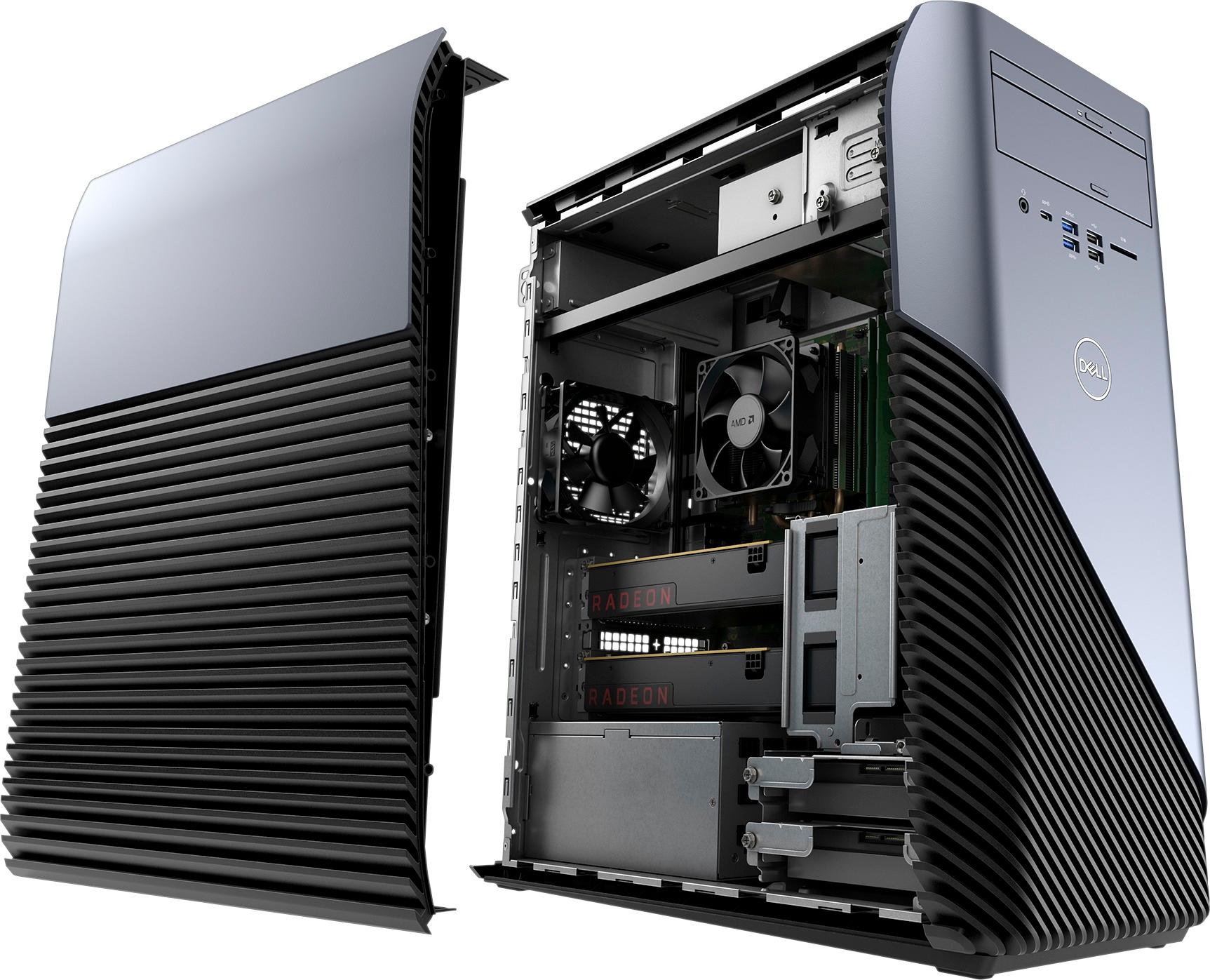
Posted .This reviewer received promo considerations or sweepstakes entry for writing a review.Runs pretty good, when it decides to run. Has the spaces for extra fans to be installed, but the motherboard has the pins cut to plug them in. Shut off after being on to long, and after it wouldn't turn on at all, did some troubleshooting to find out that the power supply was probably bad to begin with... Might be a good computer for someone who wants to do a lot of extra work, which is the opposite of what people want out of a Dell
No, I would not recommend this to a friend - Pros mentioned:GraphicsCons mentioned:Fan noise
Cheap for what you get.
Posted .This reviewer received promo considerations or sweepstakes entry for writing a review.Plays games like Heroes of the Storm on Ultra with no problem. Even Final Fantasy 14 on max graphics runs pretty smooth, bear in mind these are multiplayer. Skyrim? HD Texture modded, the machine handles things at High settings around 30fps and has noticeable lag at Ultra. Also, update it! When you get it working, update EVERYTHING! Download Driver Booster and let it run idle to do its thing. I've had the fan run very loudly only to realize it was simply downloading an update I wasn't aware of. If the fan is running loudly, check to see if something is updating. If not, simply restarting will always fix it for me. Be sure to check power management as well. Once its running and updated, you can install what you'd like. Skype, Discord, Razor Cortex, OBS etcetc.
I would recommend this to a friend - Pros mentioned:Ssd
Decent for the Price
Posted .This reviewer received promo considerations or sweepstakes entry for writing a review.This PC is DECENT for the price point giving it at 512$. I've got it on sale for 480$ which wasn't bad, only problem with the PC? Is the CPU, the CPU is an AMD A10 Series 9700, which if you bundle, you won't be getting 1080p resolution gaming right outside the box. However this is upgradeable and would I recommend upgrading the CPU in this PC? Well if you want to game on current Triple A titles at Medium settings and 1080p and have no problem spending a few 100 dollars then go for the new Ryzen 3 2200G, the CPU used in this system as I've been seeing is mostly used for those All-in-One systems, which when paired with a dedicated GPU (RX 560) it won't give it a good kick as what a better CPU like the Ryzen or other AMD products would.
I would recommend this to a friend - Pros mentioned:Performance, Price
Disappointed
Posted .This reviewer received promo considerations or sweepstakes entry for writing a review.The only reason I gave it two stars is because it could have had the capability to be a cheap but powerful machine. Pros: Great machine good at running triple A title games decently Cheap and powerful Cons: Keeps crashing Randomly turns off This computer can make you kind of mad if you are doing something then the machine suddenly crashed. Dell is my one of my go to computer brands but they really need to fix these computers.
No, I would not recommend this to a friend - Pros mentioned:Performance
great computer need ssd
Posted .This reviewer received promo considerations or sweepstakes entry for writing a review.this computer destroys games like fortnite and csgo at high setting at over 60 fps. it is very quiet and if you wait you can get it price matched for cheaper. my one thing with computer is the sluggish hard drive my nanny walks faster then it reads. I would invest in a ssd to boot off other then that it is a great buy
I would recommend this to a friend - Pros mentioned:Performance
great pc
Posted .This reviewer received promo considerations or sweepstakes entry for writing a review.have had this pc for 4 days now have not had any issues with it, plays most of the games i want. only con i can say is i wish it came with a better graphics card but then again you get what you pay for.
I would recommend this to a friend Glitchy Mess
Posted .This reviewer received promo considerations or sweepstakes entry for writing a review.Like HS this thing sucks. It keeps freezing, locking up, and shutting down with BSOD randomly and when you walk away from it for a coffee break. I worked with Dell numerously to solve the issue, at one point it seemed to work flawlessly after solving the problem the tenth time with Dell, but out of nowehere and expectantly, it shut down on me with a bsod. It wouldn't turn back on and deleted my hdd. That was the last straw, I couldn't take it anymore. I returned it to BestBuy, and they happily gave me a full refund on this turdel. Thanks BestBuy for great CS, Dell get your act together.
No, I would not recommend this to a friendThey NEED to pull these off the shelves
Posted .This reviewer received promo considerations or sweepstakes entry for writing a review.This is easily the worst computer I've ever owned, and I've been through many in my lifetime. During the first few weeks after it arrived, I would leave the computer on for awhile when I would leave the house. I would come back to the monitor in sleep mode, and I wasn't able to wake it up. It turns out, that the computer would actually just freeze randomly, and the monitor would go to sleep. Every SINGLE day this computer freezes multiple times, without fail. I contacted Dell Support, who did their normal troubleshooting for freezing computers and of course, that didn't help one bit. They told me to reinstall Windows and if that didn't work, to send it in for repair. I went for almost a year without a computer, and I spent over $500 for this one and now I have to go possibly another month without one because Dell/Best Buy can't pull an OBVIOUSLY faulty computer from the shelves? An absolute waste of money, and everyone experiencing the same problems that I am should be just as furious. If so many people are having the same problem, they should be able to figure out what the problem is and let us know when we contact support. I also asked for a refund, but they told me they would be unable to, which is also ridiculous. I can't even do work or play games comfortably because the computer could just freeze at any point. If you buy this computer, you are taking a HUGE risk and it just isn't worth it at this price point, so please don't even bother and go with something else.
No, I would not recommend this to a friendBrand response from YourDellTeam
Posted .Hi Dillon,
Thanks for your review. We're sorry to hear about the issues you've been having with freezing. We'd recommend the following steps to help with this issue in the future:
1. Run a Computer Diagnostic. To determine if your computer is experiencing a hardware problem, run the Dell Preboot System Assessment (PSA) Diagnostics. For information on how to run Diagnostics, and to determine the issue, refer to Dell Knowledge Base Article: http://dell.to/2iaiujA.
2. Check Safe Mode for Symptoms. To boot into safe mode, please follow the instructions below:
a) Start the computer.
b) Tap 'F8' on the keyboard immediately and every one second until the Dell logo screen disappears. From there you will see the Windows Advanced Options Menu on the screen. (If the Windows Advanced Options Menu does not appear, restart the system and try again.)
c) Select Safe mode with Networking and press Enter.
d) Log on as the administrator or as a user with administrative access.
e) Open applications and test the computer in safe mode. If the symptoms exist in safe mode, please continue the troubleshooting steps in this article. If the symptoms do not exist in safe mode, the issue is likely related to a driver or software and you may wish to complete step 3 to see if you are able to resolve the lockups or freezing.
3. Check for Malware. Malware (Virus, Spyware, etc.) can definitely cause a Windows system to lock up or appear to hang. To check for malware on your system and to ensure that your computer is up to date on security software, visit Dell Knowledge Base Article: http://dell.to/2wWP1zI.
You can read the full article here - http://dell.to/2tW5m33.
We hope this helps your computer run better for you.
Best,
Bryan
1-800-624-9896
- Cons mentioned:Sleep mode
Nothing but problems
Posted .This reviewer received promo considerations or sweepstakes entry for writing a review.Crashes for no apparent reason. Won't recover from sleep mode. Screen saver won't start. Worst Dell product I've ever owned. Won't waste time or money on another. Save yourself a lot of time and aggravation and purchase something else!
No, I would not recommend this to a friendBrand response from YourDellTeam
Posted .@Rusty, Thanks for your review and for your Dell purchase. We're sorry to hear about the crashes that you've been experiencing. Here are some tips to help you with troubleshooting the crashes that you're experiencing:
1. At the desktop, click the Search the web and Windows box and type "problem reports".
2. Select View all problem reports to view a list of errors that have occurred on your computer and possible solutions for them, such as updating drivers, flashing your system BIOS, or checking for updates to the software.
3. Under the Source column, look for Windows and under Summary, look for Shut down unexpectedly.
4. Right-click the line item and select Check for a solution.
You can read the full article here - http://dell.to/2u98Cct.
We hope this helps you with the issues that you've been facing. - Bryan
Question
Posted .This reviewer received promo considerations or sweepstakes entry for writing a review.Does this gaming pc run 1080 p games or not ..... ?
I would recommend this to a friendBrand response from YourDellTeam
Posted .Averagesirman,
Thanks for your question. Yes, this computer will run 1080p games for you. If you have additional questions about your computer you can check our Product Support Page here - http://dell.to/2qhifat.
Best,
Bryan
1-800-624-9896
Great PC for business use!
Posted .This reviewer received promo considerations or sweepstakes entry for writing a review.I was looking for an inexpensive but capable PC that I could run three monitors with and this totally fits the bill.
I would recommend this to a friendFreezes
Posted .This reviewer received promo considerations or sweepstakes entry for writing a review.It's a great computer up until the point it freezes. That happens about every 2nd or 3rd use. You can only HARD RESET it to get it back. Even then, there's no guarantee it won't happen again in a few minutes. Something is faulty. They need to pull these from their shelves.
No, I would not recommend this to a friendBrand response from YourDellTeam
Posted .Dear Best Buyer,
Thanks for your review. We're sorry to hear that your new computer has been freezing on you. We'd recommend these steps to see what's causing the issue:
1. Run a Computer Diagnostic. To determine if your computer is experiencing a hardware problem, run the Dell Preboot System Assessment (PSA) Diagnostics. For information on how to run Diagnostics, and to determine the issue, refer to Dell Knowledge Base Article: http://dell.to/2iaiujA.
2. Check Safe Mode for Symptoms. To boot into safe mode, please follow the instructions below:
a) Start the computer.
b) Tap 'F8' on the keyboard immediately and every one second until the Dell logo screen disappears. From there you will see the Windows Advanced Options Menu on the screen. (If the Windows Advanced Options Menu does not appear, restart the system and try again.)
c) Select Safe mode with Networking and press Enter.
d) Log on as the administrator or as a user with administrative access.
e) Open applications and test the computer in safe mode. If the symptoms exist in safe mode, please continue the troubleshooting steps in this article. If the symptoms do not exist in safe mode, the issue is likely related to a driver or software and you may wish to complete steps 6 to see if you are able to resolve the lockups or freezing.
6. Check for Malware. Malware (Virus, Spyware, etc.) can definitely cause a Windows system to lock up or appear to hang. To check for malware on your system and to ensure that your computer is up to date on security software, visit Dell Knowledge Base Article: http://dell.to/2wWP1zI.
You can read the full article here - http://dell.to/2tW5m33.
We hope this helps your computer stop to stop freezing on you.
Best,
Bryan
1-800-624-9896
Faulty motherboard.
Posted .This reviewer received promo considerations or sweepstakes entry for writing a review.For everyone having problems with it not waking up from sleep mode, your motherboard is bad. I tried everything I could think of and eventually replacing the mother board fixed the problem. Highly disappointed in Dell’s quality control.
No, I would not recommend this to a friendBrand response from YourDellTeam
Posted .Cory,
Thank you for your review and we're sorry to hear about the issues that you've had with your Dell Desktop. We're glad to hear that once you replaced the motherboard that everything is working better for you now. If you have additional questions related to your computer you can view our Product Support Page here - http://dell.to/2qhifat.
Best,
Bryan
1-800-624-9896