Customer Ratings & Reviews
- Model:
- MH3021P
- SKU:
- 6445095
Rating by feature
- Value
Rating 4.4 out of 5 stars
- Quality
Rating 4.7 out of 5 stars
- Ease of Use
Rating 4.6 out of 5 stars
Customers are saying
Customers find value in the Mobile Adapter Speakerphone MH3021P's impressive HDMI capabilities, including 4K support, and its generally good sound quality. Its portability and ease of use are also frequently praised, along with the effective speakerphone and microphone for calls. A minor drawback mentioned is the short length of the connecting cable.
This summary was generated by AI based on customer reviews.
- Pros mentioned:Hdmi, Portability, Sound quality

Must have device for online meetings/ conferences
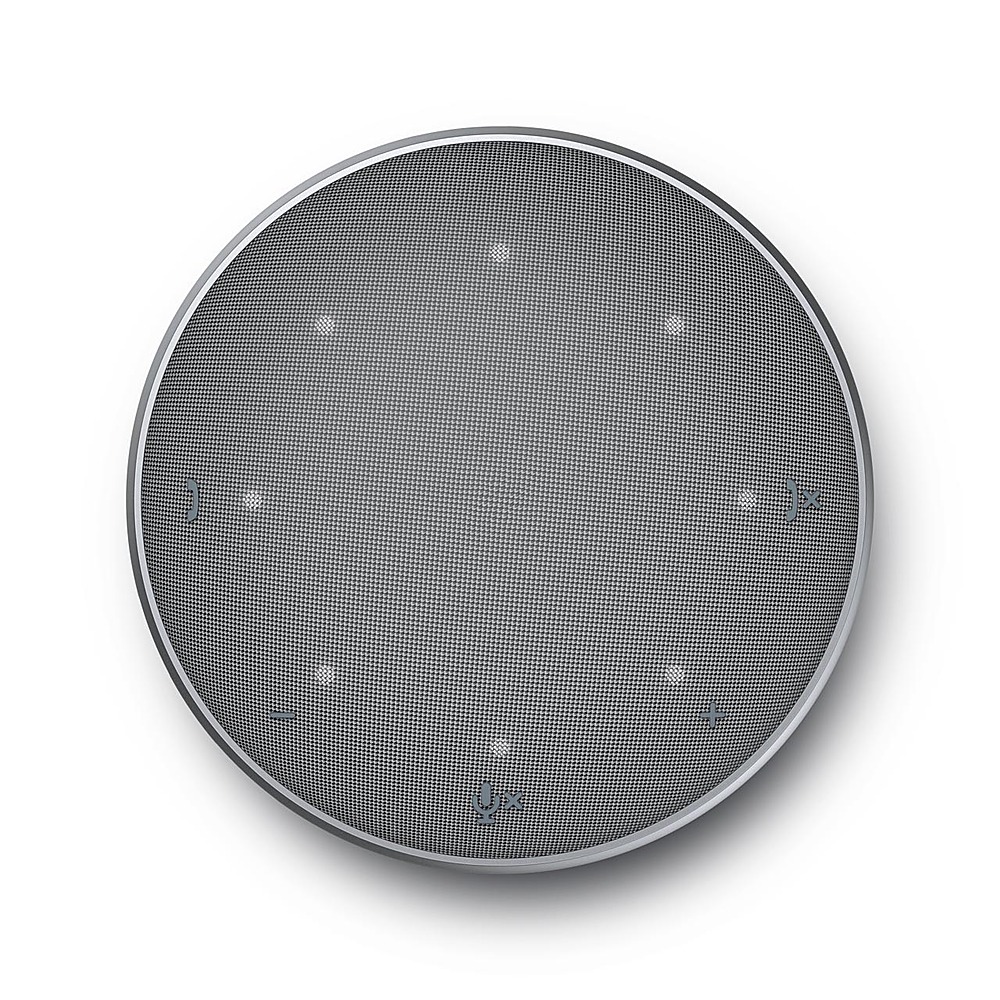
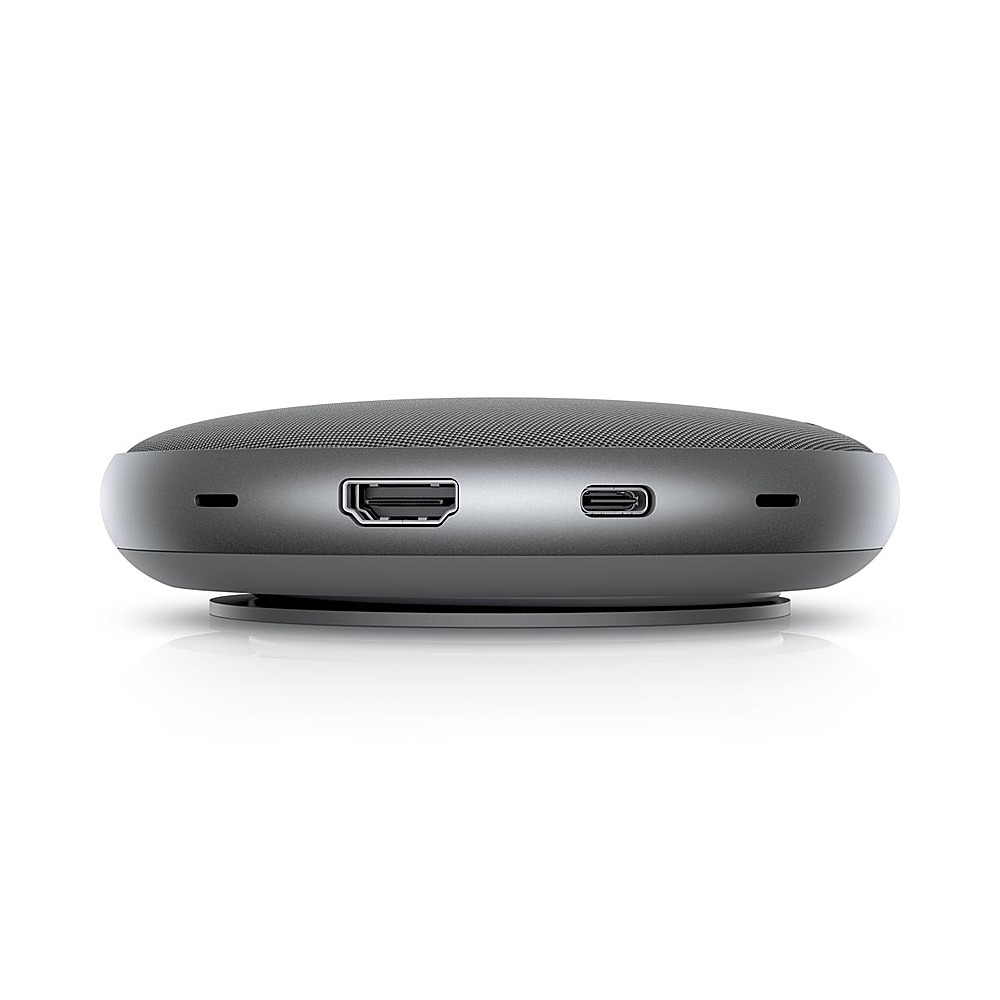
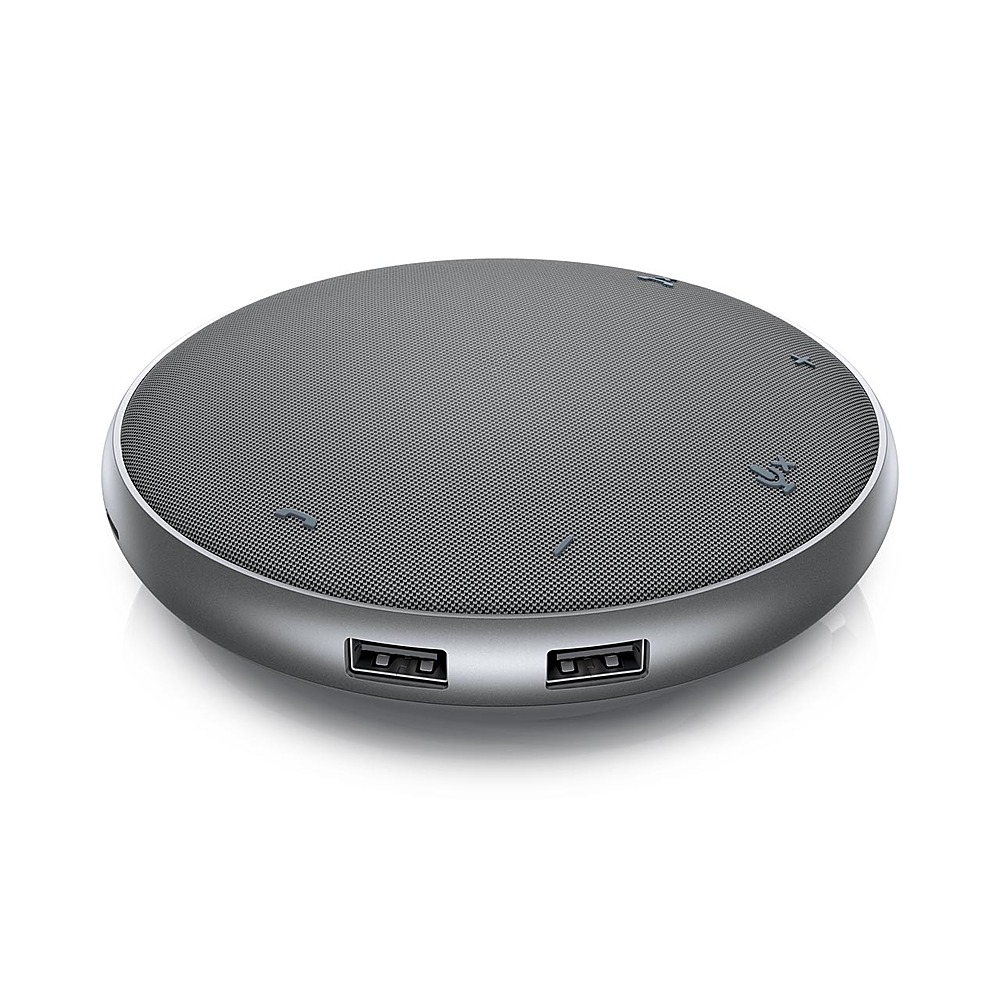
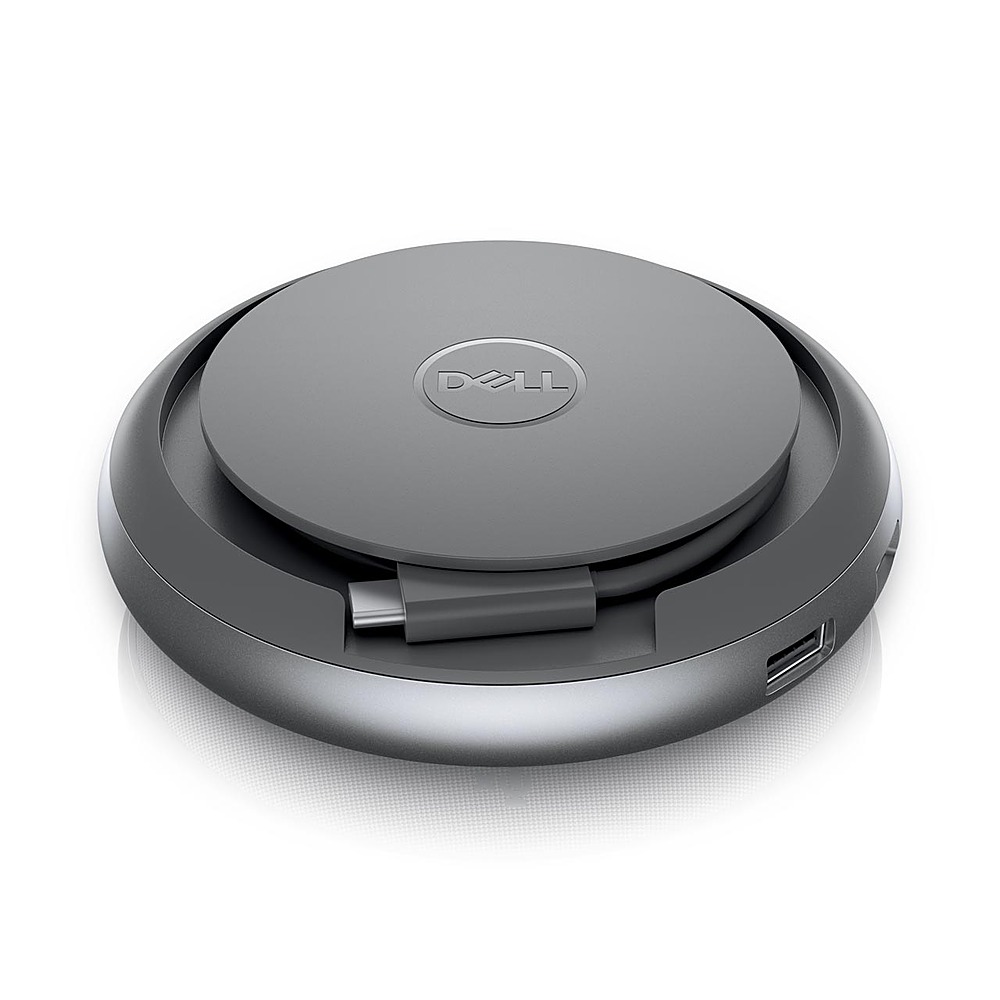
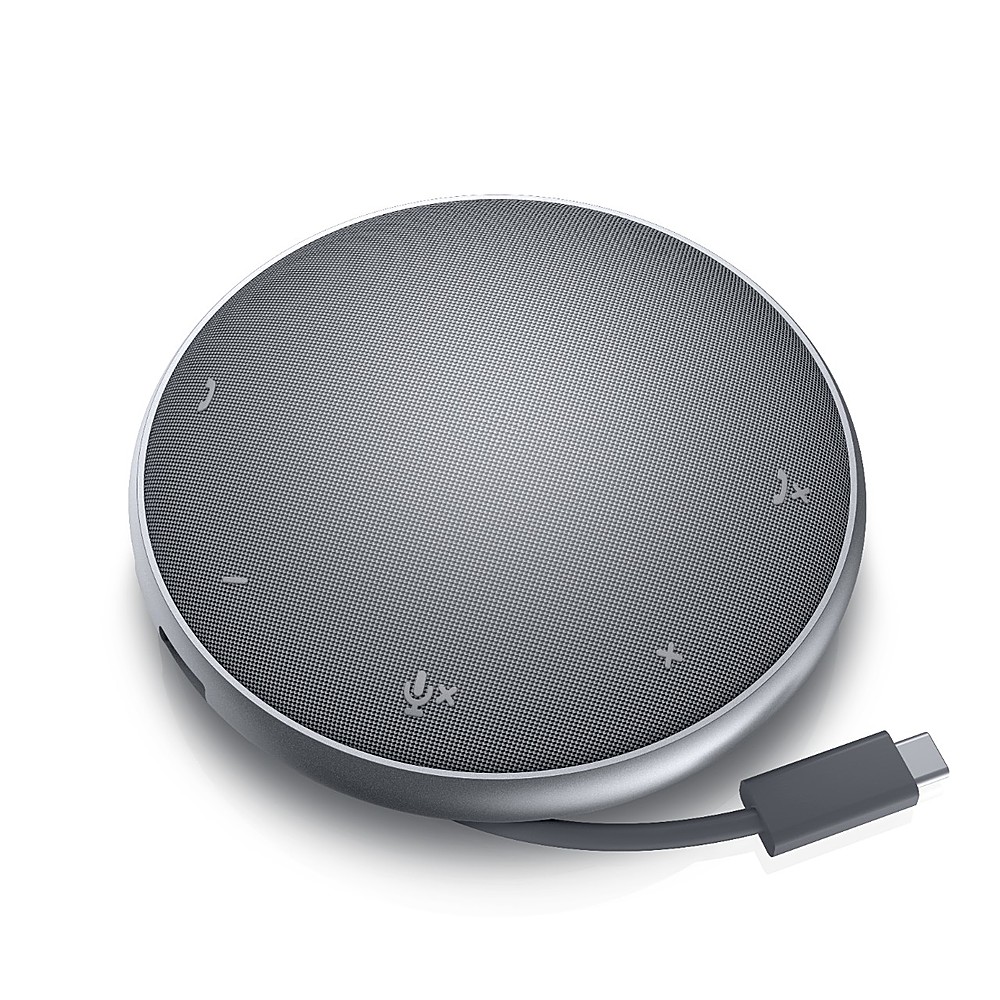
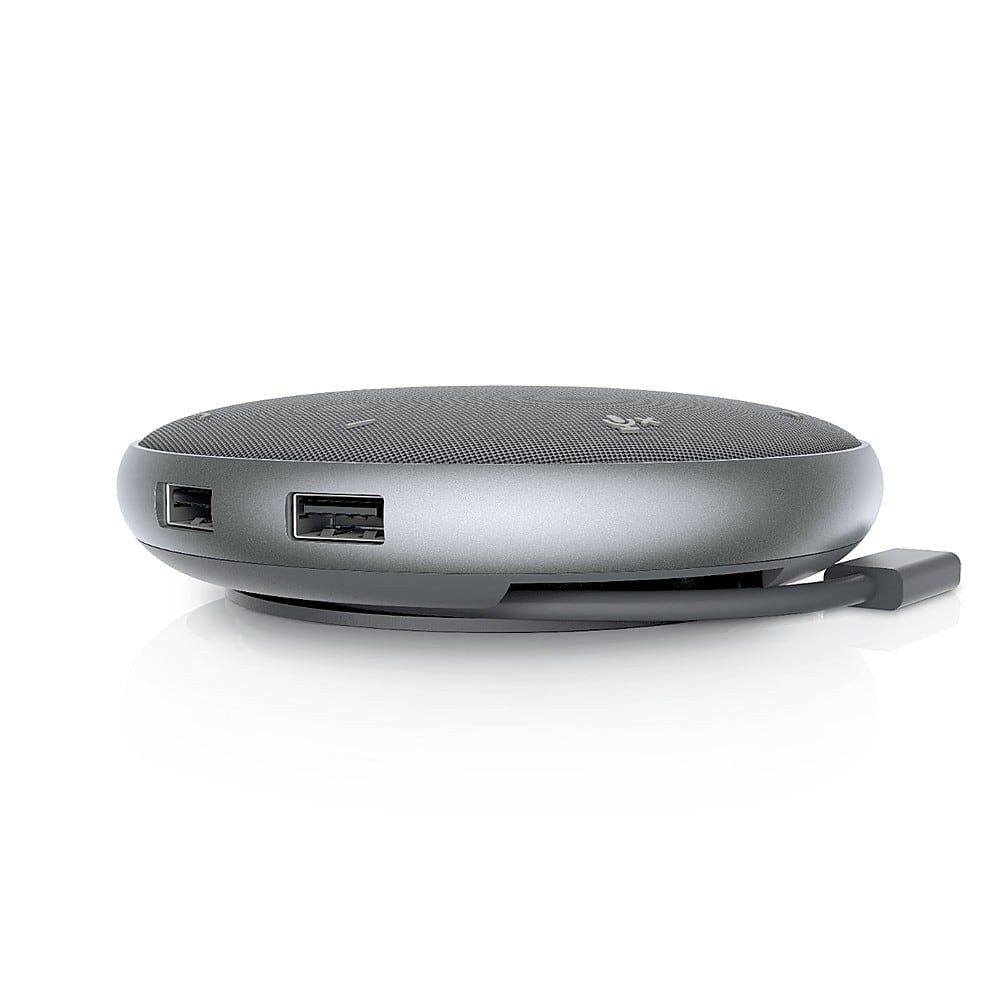
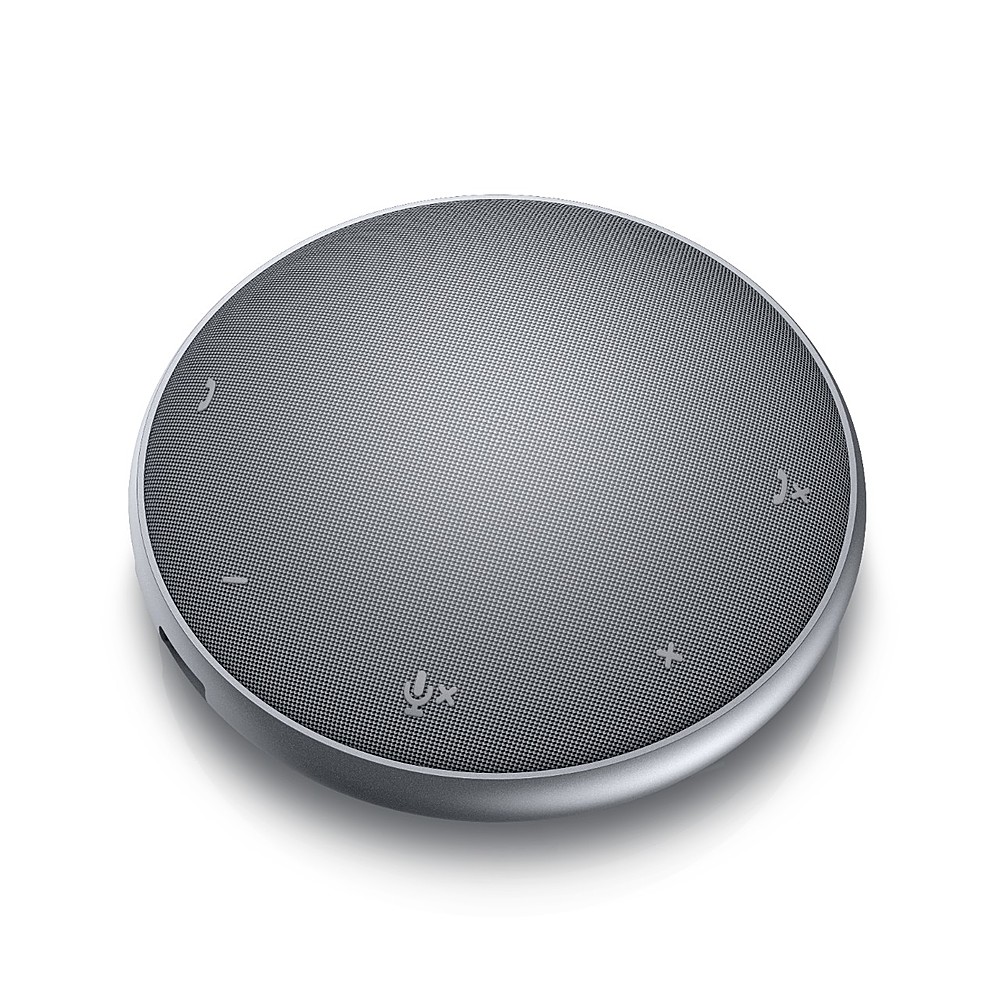
|Posted .This reviewer received promo considerations or sweepstakes entry for writing a review.I am a Software Engineering Manager and spend most of my time on online TEAM Meetings. With working remotely, my wife had Anker powerconf model which is a Bluetooth model and was happy with her handsfree office setup for her meeting and was asking to get one for myself. I started looking for a speakerphone that had inbuilt hub with ports for my home office that would take less desk space but would deliver a good audio quality and quickly connect other devices and mimic the office setup for meetings. This product satisfies all the requirement and was very pleased with the purchase. What is in the box: Travel Pouch, Speakerphone, User manual. Dell Mobile Adapter Speakerphone is a round shaped, compact sleek portable design with USB- C adapter that offers both speakerphone and multi-port hub in one device. It has a got a wraparound USB-C cable (rolls underneath the device) that plugs in to the laptop (plug and play) with another 90W USB-C PD passthrough charging for charging. It has two USB-A ports, and a HDMI 2.0 Port that supports 4K 3840 x 2160 HDR@60Hz. This device lets you to eliminate a separate desktop hub and can connect an external monitor using HDMI or USB-C for higher resolution, 2 USB 3.1 A devices (webcam, external hard drive) to laptop with just a single cable and charge your laptop using PD port and attend conference call through better audio quality speakerphone. It does lack an ethernet port, SD card slots and is designed for mobile use. It greatly reduces echo cancellation and background noise so that the other person on the online meeting is not distracted with background noise when working from home where kids tend to disturb sometimes. Setup connection is simple plug and play. No drivers are required. This device is Zoom certified and works well with TEAMS and other apps. Everyone on the call mentioned they are hearing it loud and clear. This is due to its 360 degree omni directional microphone that picks the voice good. Speakerphone audio quality is great. There are dedicated buttons for volume(increase/decrease), Mute, call answer, call end. The solid red lights when you mute during conference lets you visualize and assure that call is on mute. Travel pouch is soft and attractive that lets you carry the adapter in ease during travel and takes very little space. Overall, very happy with this multi-port device and highly recommend for conference calls if you are looking for clear audio communication on your online meetings and for quick all-in-one connectivity.
I would recommend this to a friend - Pros mentioned:Hdmi, Portability, Size
Winner
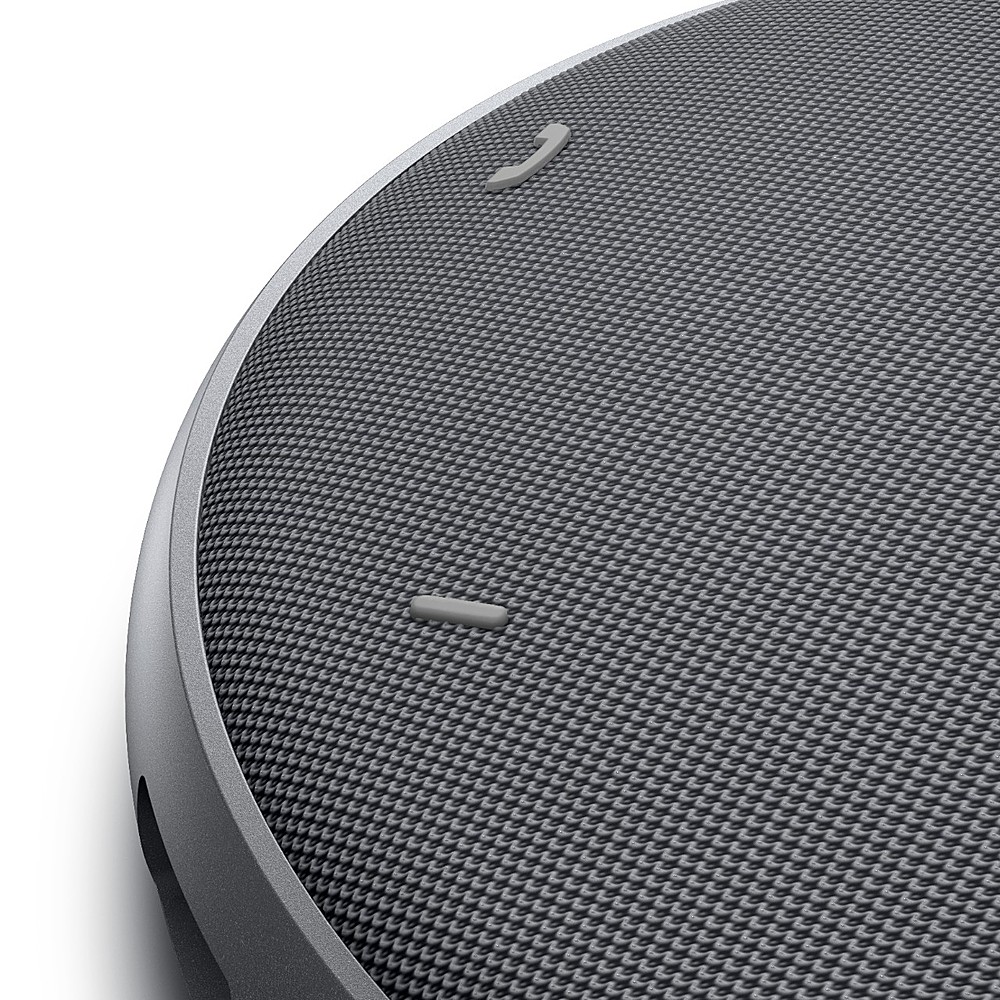
|Posted .This reviewer received promo considerations or sweepstakes entry for writing a review.I really like this speakerphone. Of course most of us are not traveling as much these days, so it mostly sits on my desk. I do a lot of conference calls these days due to the Covid 19 pandemic and really enjoy the sound quality and the easy touch buttons. I have it connected to my PC through a standard USB connection. I did have to use a USB C to standard USB connector so I could use one of my other ports. It would be nice if they included one with the kit. Easy set up. Simply plug and play. The top had very easy touch buttons for Answer call, Volume down, Volume up, Mute/Unmute and End/Reject call. Nice status lights that go around the top to show status. This is real nice as you can clearly see when you are mute by red lights around the circumference. Around the side you have the 2 Standard USB and 1 USB C port for charging your other devices or file transfers and even an HDMI port to power up another monitor. This will be a great tool when back to work and having a meeting in a conference room or presenting for a client. I also like the built-in cord storage for when I do go mobile. Nice size for mobile and does not take to much space on your desk. This will be a permanent part of my work tools moving forward. Very nice product. ~Reviewers in this invitation-only program are provided products for the purpose of writing honest, unbiased reviews
I would recommend this to a friend - Pros mentioned:Hdmi, Portability
A must for remote work!
|Posted .This reviewer received promo considerations or sweepstakes entry for writing a review.With the huge shift to remote work, I've often found my laptop speakers lacking, and the larger speakers a bit too loud, with constant feedback looping through my camera's microphone. So, I'm happy to see a continued effort by manufacturers like Dell who continue to release devices to help ease the transition to fully remote work. In the box, you'll find the Dell Speakerphone, a zipper storage case, and a simple warranty card. I was happy to see this device worked both for Mac and Windows, having to use both for work often. In my case, the Macbooks microphone wasn't doing the best job capturing my voice, given that I have it connected to a monitor, and use an external camera. The benefit of the device is that it's plug and play, immediately recognized as a microphone input and speaker. I'm happy to report this also includes an HDMI output, and also has the benefit of acting as a USB hub. The monitor output seemed to work flawlessly, and the included USB C and USB A plugs allowed for multiple devices to connect without any issues on my Windows Laptop. On my mac, I seemed to run into issues with power once I connected my Webcam and an external drive. I suspect this is likely due to the power draw exceeding what's possible from the port, and not a defect of the device. The speakerphone has 5 touch buttons, one for calling, call end, two for volume, and one for mute. You'll see an indicator light when powered up, and the lights also indicate the volume setting. It even turns red when you've hit the mute key, which works flawlessly. The mute key was probably the biggest win, since you can easily just look down and see the red lights and not worry about accidentally broadcasting on a video call. So far, this has worked with Messenger, Teams, Zoom, Workplace (for those that use it), and pretty much any need for audio or mic input without the need to install additional software. The speaker is loud enough to hear clearly, and the volume can be adjusted using the buttons on the device. I did notice some odd volume behavior when using it independently for video calls only, with the volume only controlling my Mac's volume, but not the device volume in the call. However, this wasn't an issue on my Windows computer. You simply have to open System Preferences on Mac, and adjust the volume for the speakerphone under output device settings. Overall, I'm really happy with the Dell Speakerphone, and the included case makes this easy to store in my work bag when I'm traveling remotely for work. I've been using this fairly non-stop now for over a week, and have yet to run into any issues with connectivity. I'd highly recommend this for anyone tired of wearing a headset during your remote video calls!
I would recommend this to a friend - Pros mentioned:Hdmi, Sound quality, Speakerphone
Unsung hero of WFH and Travelers
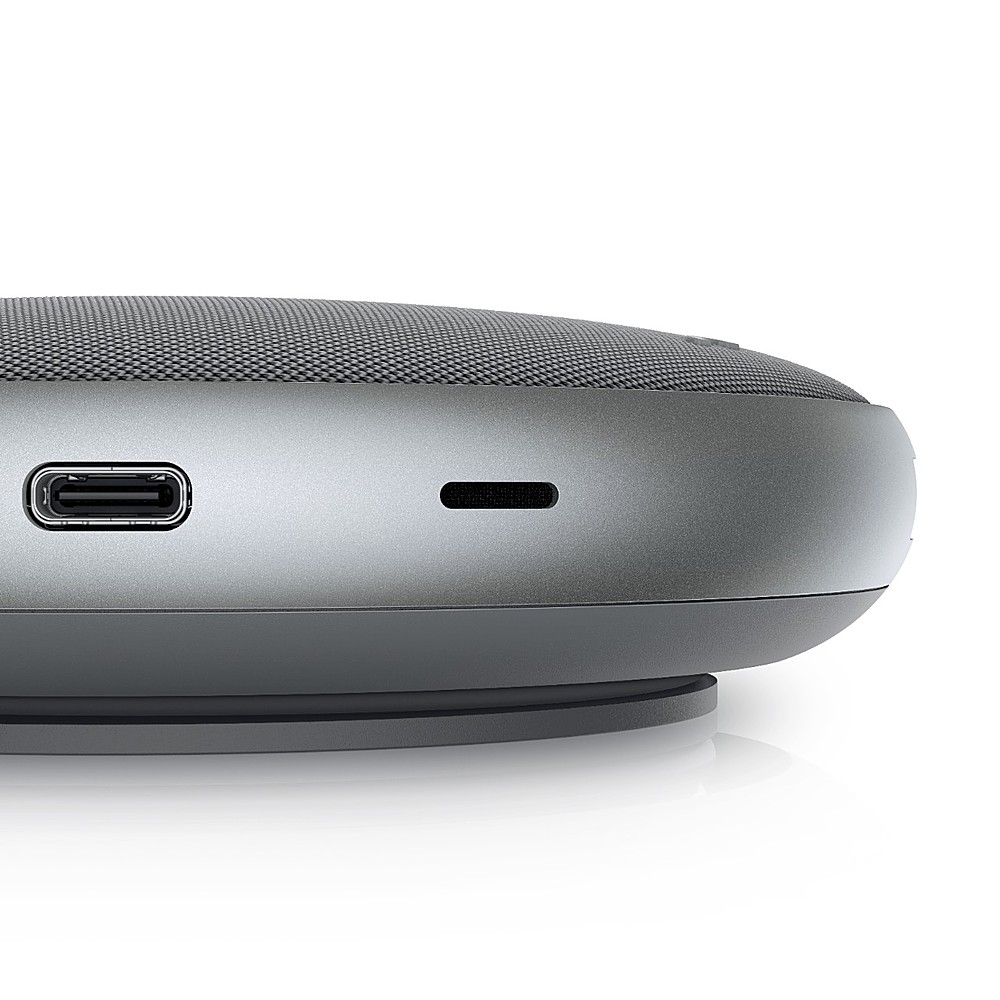
|Posted .This reviewer received promo considerations or sweepstakes entry for writing a review.Who today isn’t inundated with virtual meetings and frequently relocating your “work space”? Add to the challenge, computer makers seem to have given up on quality speakers and microphones- so “sorry, can you hear me?” and, “what was that?” are part of virtual meeting bingo in my world. I didn’t really expect much out of this Dell Speakerphone. In fact, the “Mobile Adapter” portion if the name made no impression on me- until I received this great device. It’s a nice looking disc that comes with a zippered neoprene protective pouch. The 3.1 USB-C cable neatly winds into a recessed portion of the underside. Clean. Input/output ports are two standard USB, one 3.1 USB-C and a HDMI. I did find it doesn’t power out enough to charge a fruit-company tablet, but did charge my cell phone. The joy here? The speakerphone. I can hear clearly now! People hear me too. The are subtle, but still easy to find raised tactile icons for hanging up and answering (functionality depends on your application), volume up and down and MUTE! As if decent sound wasn’t good enough, the 8, count ‘em 8 red lights the illuminate when you’re muted (versus a single green when not) let you know you’re in the clear to speak freely about that dumb idea or listen to something more important. Not that you’d do that while working. Right?
I would recommend this to a friend - Pros mentioned:Hdmi, Speakerphone
Speakerphone, MIc, Display Adapter in One
|Posted .This reviewer received promo considerations or sweepstakes entry for writing a review.SUMMARY ------- Its a wonderful device that dell released just in time during the Covid-Work-From-Home times. Its a Speaker Phone, Charger and a Display Adapter Port all in one. Excellent device for working from home. I would buy this in a heartbeat. IN THE BOX ---------- Dell Mobile Adapter Speakerphone - MH3021P Pouch Documentation PORTS ----- USB-A 3.1 (10Gbps) (2 ports) HDMI 2.0 port (4K) USB-C port (display, data and power delivery) PROS --- 1. Speaker, Display adapter (HDMI and Type C Ports), Microphone all in one. 2. Compact and easy to carry 3. 90W power delivery for charging your phone or laptop. 4. Excellent speakerphone and mic for conference calls. 5. Excellent compatibility with Zoom, Teams and other conferencing software. CONS ---- 1. Did not find anything yet. DETAILS ------ Design and Build ---------------- It appears to be well built and has a good weight to it. The cable can be neatly tucked inside the speaker. Comes with a pouch to carry with you. As a Mic+Speakerphone --------------------- Its a plug and play device and once you connect it your laptop with the USB cable that is connected to the device. I could use it for Zoom and the speakerphone was pretty loud and my counterparts on the other side could clearly hear me without any distortion and it was able to suppress background noise. As a Display Port ----------------- I was able to test it with my laptop and my monitor and i was able to replicate my laptop display to the monitor and worked great. I was also able to connect it to my Epson EX3280 and worked perfectly. As a Charger, Speaker and Display Adapter. ------------------------------------------ you can connect your adapter and it can charge your laptop , use as a speaker phone and use as a display port at the same time. Best part is that it uses type C to connect to your laptop so it can charge your type C charging port and use it as a display port and be able to connect as a speakerphone. Overall ------- Overall a great portable device which is a display adapter, speaker phone with Mic and can also parallelly charge your type C based laptop if you are already connected as a Speakerphone/Mic/Display adapter.
I would recommend this to a friend - Pros mentioned:Hdmi, Portability
VERY GOOD SPEAKERPHONE – HUB WORK WELL
|Posted .This reviewer received promo considerations or sweepstakes entry for writing a review.DELL - MOBILE ADAPTER SPEAKERPHONE MH3021P - USB 3.1-TYPE C -1X HDMI- 2X USB 3.1 -TYPE A - GRAY MODEL:MH3021P Best Buy Tech Insider Network VERY GOOD SPEAKERPHONE – HUB WORK WELL OVERALL The DELL - MOBILE ADAPTER SPEAKERPHONE MH3021P worked really well in my testing the audio quality both listening and talking were very good. It is slim and portable. The buttons for volume and mute were responsive and easy to find. I liked how the lights made it clear when mute was on (all red) or the volume level (white) or when the mic was on (green). The cord tucks neatly away, when not in use. There is a good carrying case included. This is my new Speakerphone for sure. SETUP If you intend to use it for more than a speaker phone, you need to pay close attention to your power requirements. The manual and support websites make it very clear what you can and can’t attach based on what your power supply and draw puts out. Whatever you use for your input power, expect about 20% reduction in passthrough power to power your laptop and other devices. At first, I did not supplement the power and I could not run an attached USB 3 drive. Once I connected a power supply, I was able to run external drives without problems at 3.1 Gen 1 speeds. I would have liked more USB-C ports instead of USB-A ports. I would have liked a little longer primary cable. RECOMMENDATION As a personal / workgroup speakerphone, the DELL - MOBILE ADAPTER SPEAKERPHONE MH30 is great. As a hub everything works as expected. Personally, I don’t like a ton of wires cluttering my desk, but I could see if you have a device with limited ports this all in one solution could increase your usability / functionality, especially when traveling.
I would recommend this to a friend - Pros mentioned:Hdmi, Portability, Sound quality
Good features. Decent sound.
|Posted .This reviewer received promo considerations or sweepstakes entry for writing a review.This unit is ideal for portability. Not only is it a convenient size to transport, but it also serves as a hub with various USB and video ports. It has decent sound quality as a speakerphone, but it falls short on audio quality compared to my go-to speakerphone (Poly Sync-20 - shown in background of embedded pic). I would also like to see this unit have a Bluetooth capability. I am mixed on whether I recommend this unit. If you want the features of the hub / adapter, then maybe go for it. If you want best quality audio, then I believe there are better options.
I would recommend this to a friend - Pros mentioned:Hdmi, Sound quality
Must have accessory for those who work at home
|Posted .This reviewer received promo considerations or sweepstakes entry for writing a review.This is a super useful device for those who work at home. I was interested in getting a speakerphone because it gets tiring wearing my Plantronics headset during long video conferencing sessions. It was very easy to set up. I received the package about an hour before an upcoming WebEx meeting and I was able to set it up just in time for the meeting. I only needed to plug the USB-C cable from my laptop charger to the USB-C port on the speaker phone and plugged the USB-C cable from the speakerphone to my work laptop (Dell Latitude 5501). No drivers were needed to be installed. It supports power delivery (up to 90W) through the USB-C port so it will charge the laptop during use. My Dell Latitude 5501 came with a 130W charger and it seemed to work fine. I was super impressed with the sound quality. My coworker’s voice was very clear and easily understandable. It sounded much better than using the built-in speakers on my monitor and I think I prefer it even over my Plantronics headset. My coworkers reported that they could hear me clearly too. After the meeting was over, I recorded my voice using the speakerphone, the laptop microphone, and the Plantronics headset. I wanted to hear for myself the sound quality of the Dell speakerphone. All the recordings sounded good but I think the Dell speakerphone did the best at removing background noise in the recording. One huge benefit of this speakerphone is that it also comes with an HDMI port which allows me to have 3 monitors with my work setup (the laptop screen, a monitor connected to the laptop’s HDMI port and another monitor connected to the speakerphone’s HDMI port). Everything seemed to work perfectly. There are also 2 USB 3.0 ports on the speakerphone but I didn’t test them. In summary, I think this is a must have accessory for those who work at home. The voice quality of the speakerphone (both for receiving and sending) is excellent, using a speakerphone for meetings is much less fatiguing for long video conferencing, and the included HDMI port allows me to be more productive as I now have a larger workspace.
I would recommend this to a friend - Pros mentioned:Hdmi, Sound quality
Amazing Dell USB-C Speakerphone
|Posted .This reviewer received promo considerations or sweepstakes entry for writing a review.I work from home all the time, since way before Covid. For all my conference calls I have used my home phone, my computer with a variety of different headsets. While they are good, they still don’t offer the convenience of having a good quality speakerphone. When I saw this, I was immediately interested. I like the form factor of a small disc that has the cable included and wrapped around the inner underside. It also comes with a nice cover/carry case so you can easily throw it into your laptop bag. Once I plugged this into one of my USB-C ports on my Mac, I did have to go into settings/Sound and select the Dell device for sound and microphone. Once I did that, every time I plugged in the USB-C cable into my mac, it was automatically selected. This made for a quick and easy way to jump into conference calls with Webex. As far as functionality, the Dell Device serves as a USB Hub, allowing for a HDMI, USB and USB-C hub. All worked flawlessly with my HDMI from my monitor. Specifically, two USB-A, an HDMI 2.0 port and another USB-C. I have been getting complements on my voice quality for the last two days of using this. The audio quality again is amazing. On the unit, it has touch buttons for call answer, call end, volume up/down and mute. I really like that when you mute, there are a circle of red lights around the unit so you KNOW you’re on mute, very helpful! Overall I am very pleased as are the countless people I am on meetings with daily. This is well worth the investment, especially if you travel and really nice to not have a headset in your ear. I would highly recommend this, especially if you work from home as well as travel.
I would recommend this to a friend - Pros mentioned:Hdmi
Fantastic product
|Posted .This reviewer received promo considerations or sweepstakes entry for writing a review.Dell Mobile Adapter Speakerphone is a timely companion to my computer during these days of virtual meetings and mic and headsets are becoming more essential. The quality of this Dell is amazing and the top fabric feel is a nice touch besides the cable management at the bottom makes it portable and worry less about cables since it is there attached and ready to use as much length as I need (cable length is enough). A Dell-branded protective case is included. Functionality and features: volume up & down, mute, accept and reject call controllers on the top are touch and convenient. The two noise-canceling mics work very well as I'm on Zoom almost every day and I found it very useful and practical for not having a headset instead cable-free and I can move freely on my desk in addition persons from the other side on the call did not notice any change in my voice and sound clarity. But what I like most about this product is the hub feature, this speakerphone is a multiports hub that allows me to connect my needed peripherals into it and benefit from the various ports; USB A and type C in addition to HDMI to have an external display of 4k resolution. The USB-C can be a power delivery if the hub connected to a power adaptor which makes it even more versatile and useful to charge a laptop and smartphone, and table. Fantastic product. highly recommended for those who need a smart hub and speakerphone for conferences with noise-canceling in a compact size.
I would recommend this to a friend - Pros mentioned:Hdmi, Sound quality
Perfect Telework Accessory
|Posted .This reviewer received promo considerations or sweepstakes entry for writing a review.In my opinion, the Dell Mobile adaptor speakerphone is a must have for anyone teleworking. Saying this device a speakerphone is an understatement. For me, It also replaced my computer speakers, microphone, and USB-C hub. In my use, it worked great as a speaker/microphone. According to my coworkers, the microphone sounded just as good as the expensive, dedicated microphone I was previously using. On my end of the conversation, the speaker did a great job reproducing voices. Half volume was more than adequate for me to clearly hear even the lowest voices. Some other things I loved about it are; The HDMI port connected securely and did not have any issues with displaying my content. The USB-C port is still accessible because there is one built into the speaker. All the USB ports worked at full speed and there were no low power issues. Overall, I highly recommend this for anyone teleworking or if you just want to reduce the number of gadgets on your desk.
I would recommend this to a friend - Pros mentioned:Hdmi, Sound quality
Great sounding speaker
|Posted .This reviewer received promo considerations or sweepstakes entry for writing a review.The speaker is small and comes with a zip up protective pouch that you can take with you (it does not have a handle on the pouch). It is so easy to use, it’s basically a plug and play setup. It uses a USB-C connection to attach to your computer. However it also has two USB-A ports with a 10 Gbps speed, a 4k HDMI port, a USB-C port, and a microphone port. You can charge your phone via the USB-A and C ports. The sound on the speaker is pretty good for a small speaker. I was hoping you would be able to connect your phone to the speaker and use its microphone capability but it does not work. But you can have a zoom call on the phone via your computer. I would definitely recommend this speaker for multi functional capabilities and good sound. It’s simple to use and very lightweight and setup is just seconds long.
I would recommend this to a friend - Pros mentioned:Hdmi, Sound quality
Great Portable Speakerphone for Video Calls
|Posted .This reviewer received promo considerations or sweepstakes entry for writing a review.Setup: This was pretty straight forward. There was just the speakerphone that needed to connect to my USB-C port on my laptop. Nothing else was required. Pros: Good audio quality Includes carrying pouch usbc cable decent in length speaker loud and clear Lights for mute and answered calls that are easy to see Carrying pouch included Cons: The Microphone was just ok when on a Teams Call. I did not feel like it brought a significant gain from the webcam/mic combo I have installed currently. Did not include HDMI cable Could come in more colors Summary: I think this is a great option in today's landscape offering an all in one package to be on a web call, have multiple people speak and be heard. Allow the external connection of a monitor and peripherals which avoids a dock. This is going to be a great product in the coming years. Final thought would be good if they offered a webcam bundle to give a full package.
I would recommend this to a friend - Pros mentioned:Hdmi, Speakerphone
Great little add on for Mobile and WFH situations.
|Posted .This reviewer received promo considerations or sweepstakes entry for writing a review.With WFH and being remote these days, this little device is really helpful. Plug and play with both my work PC (Dell) and my personal windows surface. USB c offers wicked fast transfers and also acts like a mini dock with HDMI out to allow for extended monitor use. Yeah.. Calls are clear with the speaker and microphone is good. I asked callers how I sound and they all replied great. No echo, no reverb, no chipmunk sounds. Volume controls were easy to use. USB easy and fast plug and play. Great needed device for today's requirements. Small compact form and a lot of features. Highly recommend for Mobile office users and WFH, COVID-19 situation. 1 issue only but I think it is because of my Pixel 3. It would not mount. But my Pixel 4 did mount so it is my Pixel 3's issue. Great Job Dell.
I would recommend this to a friend - Pros mentioned:Hdmi, Portability
Great Portable Speaker
|Posted .This reviewer received promo considerations or sweepstakes entry for writing a review.The Dell-Mobile Adapter comes with a case, type C cord that wraps directly under the speaker, 1 port for you 4k tv, 2 ports for type c, and 1 for type b, and insturction book. The speaker itself on the top has a mute and unmute button using the symbol of a telephone, a plus and minus sign for volume. When connecting to a cell phone, computer, and or tv, it was quite easy. The speaker began to work immediately. The volume is good. Was able to watch videos, and make phone calls. Very nice. There were no issues experienced. I was amazed at how fast it was to connect the speaker. The speaker also charges fast. I like the portability of being able to place the speaker in the case and to carry it in my purse.
I would recommend this to a friend - Pros mentioned:Hdmi, Sound quality
More than just a speaker phone
|Posted .This reviewer received promo considerations or sweepstakes entry for writing a review.Using 8x8 phone app on my Dell laptop, I was able to dial and communicate perfectly. The self storing cable is long enough for a small group. The raised buttons are graphically intuitive. The speakers on white led turns green when the phone connects. Mute button, up/down volume, and on hook off hook are right on the top. The sound quality is good. I had no issues making calls and speaking to my contacts. The speaker phone can be thought as a small docking station. If you have an external power supply which can be plugged into one of the speakers power input, it can distribute that power to the other ports. Available are one HDMI 4-k port for a monitor, and two (3) USB A ports. Also included is a matching carrying pouch.
I would recommend this to a friend - Pros mentioned:Sound quality
Great innovative device
|Posted .This reviewer received promo considerations or sweepstakes entry for writing a review.DELL MOBILE ADAPTER SPEAKERPHONE – MH3021P What a great idea! This relatively small multi-port adapter includes an integrated speakerphone, thus creating a dual-function device that takes up less of your valuable desk space than two separate devices would. And it comes with a travel pouch, since it’s compact enough to take on the road with you. The built-in connecting cable is conveniently and neatly stored around the bottom of the unit, so there’s no extra cable to have to worry about packing or losing. The adapter part of the unit provides several much-needed additional ports, something we users just can’t seem to get enough of since nowadays we seem to need to connect more and more external items. like monitors, external drives and other devices. This device connects to one of the computer’s USB-C ports but gives that lost USB-C port right back to you in the adapter. Also included are an HDMI port and two USB-A ports. There are also several microphone ports that help the speakerphone pick up your voice. My otherwise top-of-the-line laptop has all the features I want and need, except that the speakers are less that optimal for professional use. When connected to my computer, this new Dell speakerphone solved that problem by greatly improving the sound quality. And, since this unit is omnidirectional, it allows several people to accompany me in the conversation or meeting at the same time without anyone having to shift around to be close to the computer’s built-in microphone when it’s time for them to speak. And there’s no more need to move an external mike around from person to person since this device picks up their voices from around the table. That makes it ideal for conferencing. Echo cancellation and noise reduction features offer crystal clear voice quality. And it’s optimized for leading conferencing platforms like Zoom and Teams. In a recent Zoom conference meeting that I participated in, other participants told me that it sounded great. Buttons on the top of the speakerphone make it easy to start Skype calls, hang them up and mute or unmute them, as well as adjust the volume up or down as needed during calls or conferences. And LED indicators on the top of the unit provide you with visual guidance. Finally, you can transfer files at high rates of speed through this device, as well as charge a variety of devices connected to it. With all of these desirable features in a single device, Dell has created a real winner. Five stars!
I would recommend this to a friend - Pros mentioned:Hdmi
Digital Swiss Army Knife of USB hubs w/ great mic
|Posted .This reviewer received promo considerations or sweepstakes entry for writing a review.This device was most certainly conceptualized by someone who traveled often and has limited ports on their tech device, whether it be a smartphone, laptop, or PC, etc Having an array of useful ports (HDMI, USB x2, and USB C), and a great speakerphone all in one. It's a brilliant listening device for podcasts, and just okay for music. Plenty of volume with no distortion, but literally zero bass. Outstanding clarity for voice calls however - more in line what it was designed for. What I’d like to recommend to anyone else who owns this & uses the discord app for chatting, plug this in to your gaming rig and set the “Echo Cancelling Speakerphone (Dell MH3021P)” as your INPUT device so the app will use it for you voice. The difference will make your friends notice in a good way. This mic has exceptional noise cancelling and is a much greater improvement over 2 wired gaming headsets I have. Well worth the investment for road warriors, tech enthusiasts, podcast listeners, and even streamers and gamers. Its MUCH better than the tripod USB mic I had picked up last year, and my wife steals it on the days in her work rotation to plug in to her phone to listen at a higher volume and greater clarity than on her Samsung Note 10.
I would recommend this to a friend - Pros mentioned:Hdmi
The essential WFH-office conferencing accessory
|Posted .This reviewer received promo considerations or sweepstakes entry for writing a review.I've used this docking station/speaker phone for two work days now and I love it. In my job I spend 6 - 8 hours a day videoconferencing. I have a reliable video camera but I've long suffered from audio issues -- I dislike headsets mostly because they get uncomfortable during all day use and because you're either wired to the desk or have some element of battery when you're talking as much as I am. This has a great set of features, its plug'n'play with either my MacBook or my MS Surface. It has many of the conference room features you look for in a speakphone including a quick touch mute button with hepatic feedback, call end and volume controls. One of the things I like most is the passthrough power -- so I can plug my USB-C charging cable into the spearkerphone and when the speakerphone is connected to the laptop is powers the laptop. There are also USB-A ports for my hardtokens and other work essentials as well as hdmi out. The call quality has been excellent, I hear everyone on call better than I ever did on headsets or peripheral speakers and everyone hears me easily as well. I wouldn't necessarily use this as my only docking station (I have a thunderbolt-3 one I use for multiple monitors as well as this), but in its primary purpose as a speakerphone that also provides power and additional ports it is no short of amazing.
I would recommend this to a friend - Pros mentioned:HdmiCons mentioned:Cord length
Basic speakerphone & connectivity; overpriced
|Posted .This reviewer received promo considerations or sweepstakes entry for writing a review.This does a fine job of serving as a speakerphone and port of connectivity in live meetings. There are five raised buttons that control volume, mute, and to turn on mic. You can connect other devices to it as it has USB-A and C ports, and even an HDMI as well. It does come with a connection cord built into it (it is a short 2ft long fyi). One thing I did learn along the way is that you need to download the latest drivers from the Dell website, which isn't a huge deal but it does take away from the plug-and-play convenience of this speakerphone. It also does not have Bluetooth capability either, which I can almost get the same benefit from connecting my laptop to a bluetooth speaker. Otherwise, it has exceptional range and deep sound. Not convinced it is worth the price tag though.
No, I would not recommend this to a friendBrand response from YourDellTeam
Posted .Hi Njmomof3,
We would like to thank you for taking the time to provide us with your feedback. We are glad you like some of the features your Dell Mobile Adapter Speakerphone has to offer, but we are sorry to hear you are not 100% satisfied with this product because it doesn’t allow Bluetooth connection and requires driver download. For your reference, I have provided a link to the drivers and downloads page for your product, so you can check for any applicable downloads more easily. I have also included a link to the user’s manual for your reference below.
Drivers and Downloads Page: https://dell.to/3Ihgn5m
User’s Manual: https://dell.to/3JUudLs
If you come across any questions or have concerns about this product, please don’t hesitate to contact Dell Support Team at the information provided below.
Best,
Katarina@Dell
Should you need further assistance, you can contact Dell directly with the information below.
Chat or call: https://bit.ly/DellSupportTeam
Phone number to Dell 1-800-624-9896