Customer Ratings & Reviews

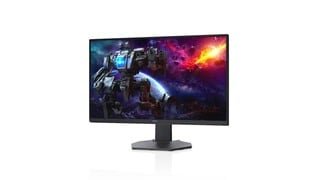
- Model:
- DCY89
- SKU:
- 6421624
Rating by feature
- Display Quality
Rating 4.7 out of 5 stars
- Ease of Use
Rating 4.7 out of 5 stars
- Features
Rating 4.7 out of 5 stars
Customers are saying
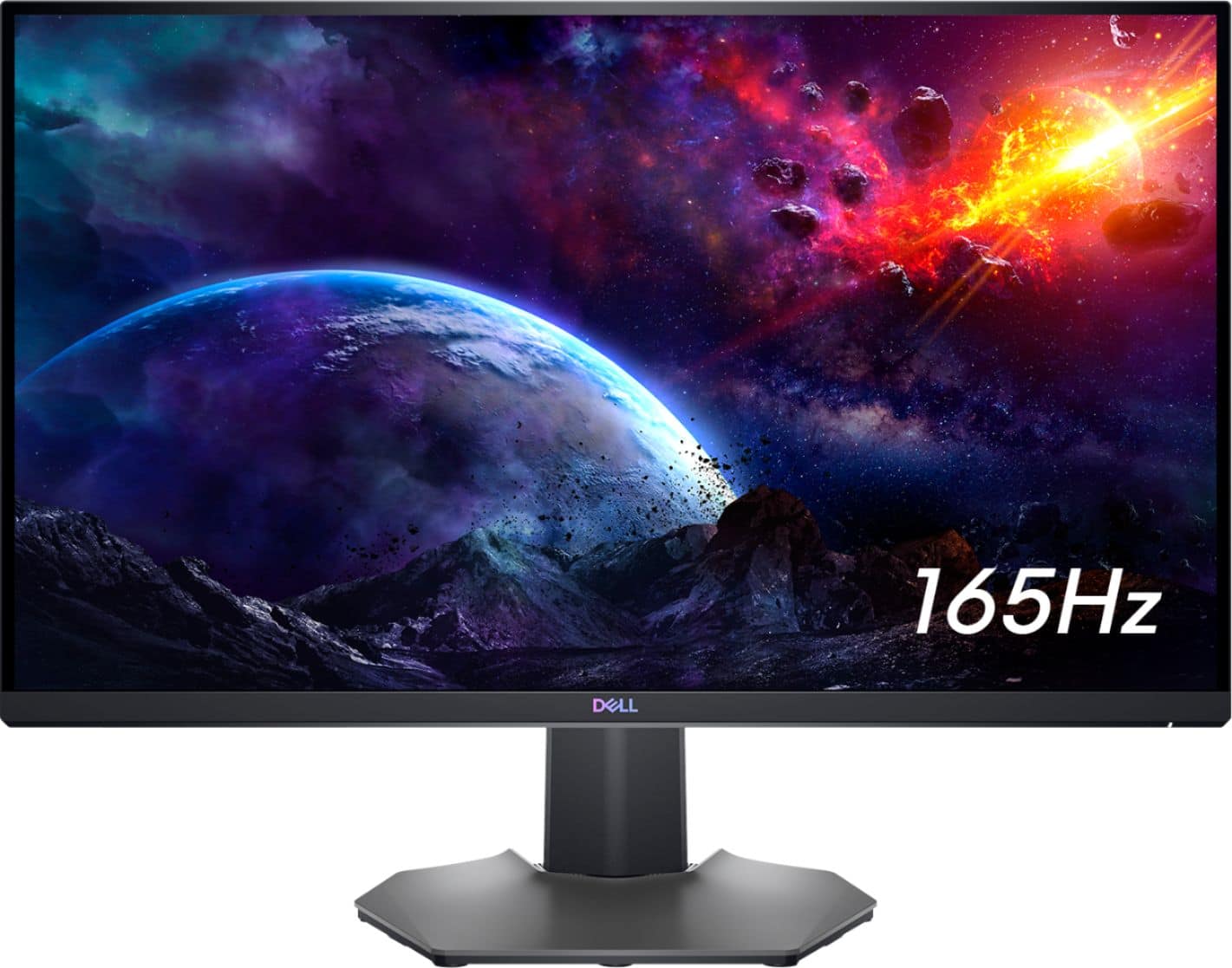
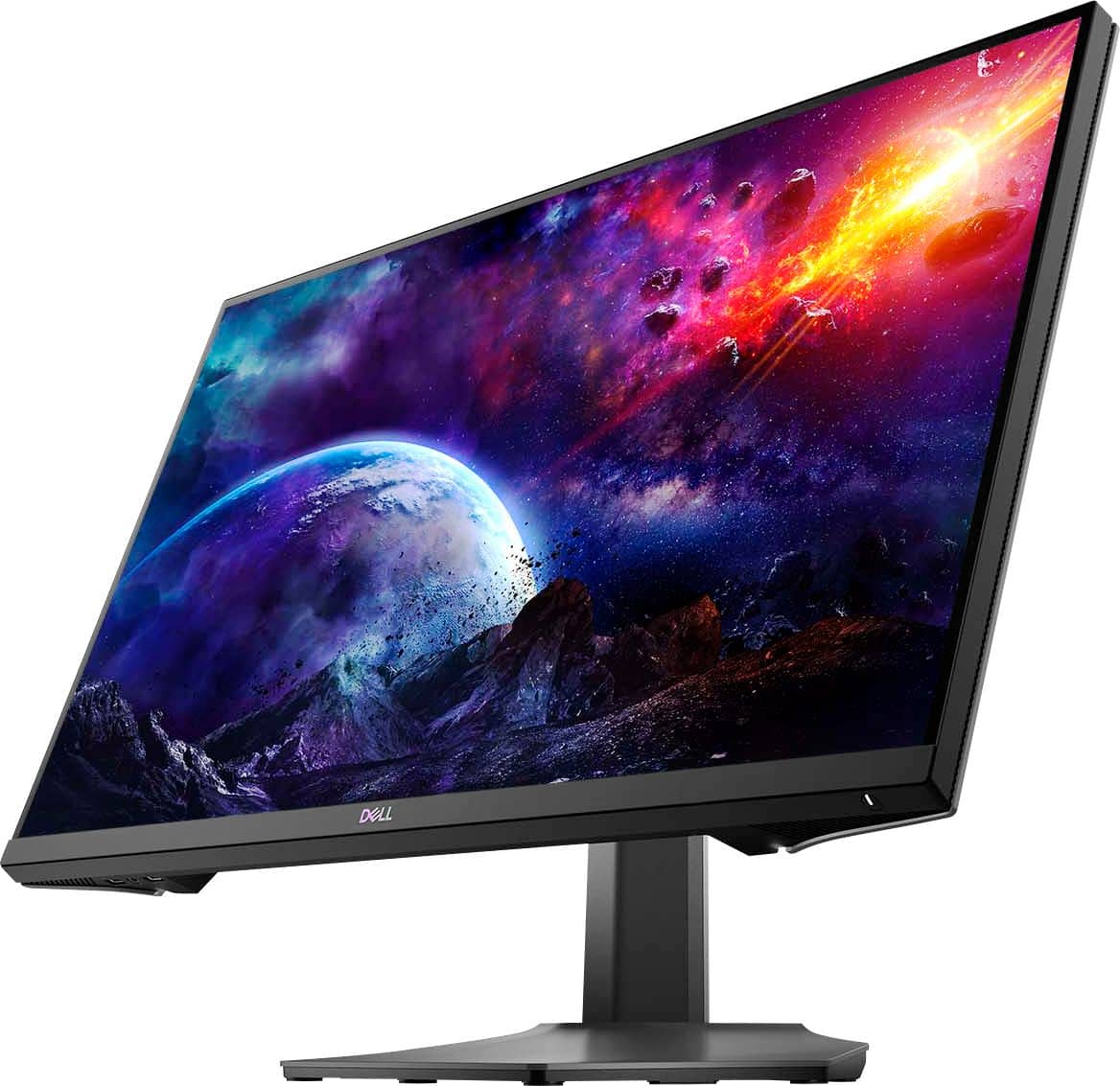
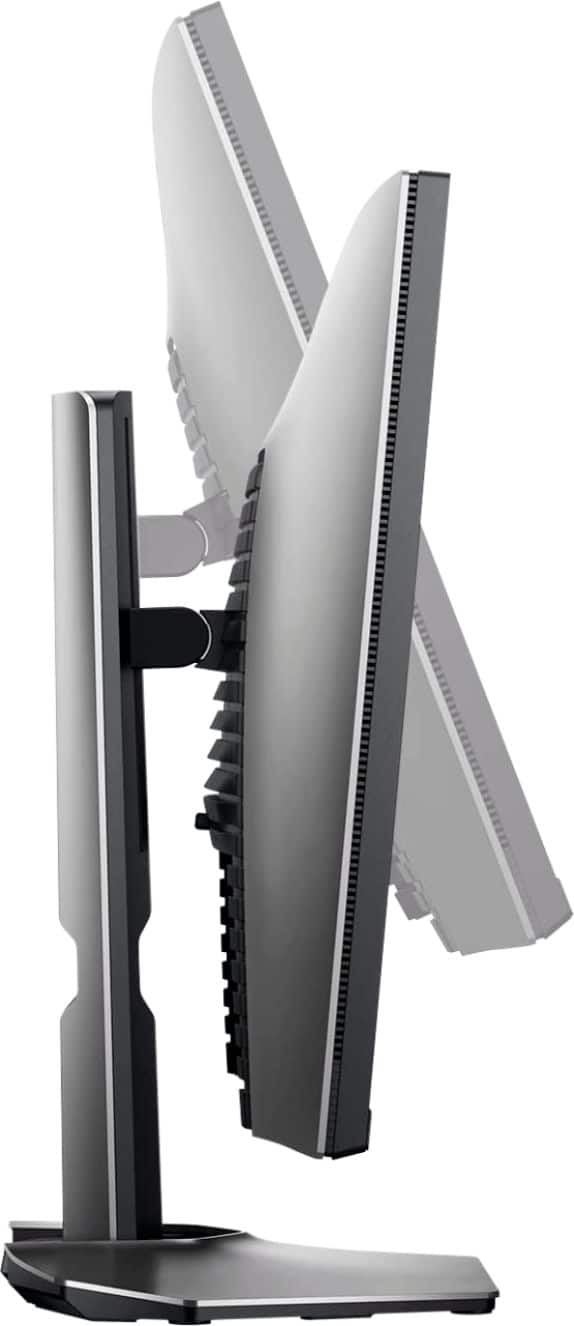
Customers are impressed with the picture quality, refresh rate, and color of the S2721DGF monitor, frequently praising its performance and vibrant visuals at a reasonable price point. Many also appreciate the HDR capabilities and adjustable stand. While some users noted issues with IPS glow and the lack of built-in speakers, the overall feedback highlights the monitor's strengths in image quality and value.
This summary was generated by AI based on customer reviews.
read before you buy
||Posted . Owned for 1 month when reviewed.This reviewer received promo considerations or sweepstakes entry for writing a review.Monitor lasted a grand total of 30 days before it stopped working. Used for about 40 hours a week for minimal work no gaming. It's been in the same spot since I set it up and now all of sudden the display only works for a minute before blacking out completely. It has power all LEDs are on, drivers are all up to date. Tried multiple cables and laptops and it still stops displaying after a minute of use. Apparently, bestbuy says it's not returnable either now waiting on dell to exchange this paper weight for a "new" one. Buyers beware.
No, I would not recommend this to a friendBrand response from YourDellTeam
Posted .Hi Valued Customer,
We appreciate you taking the time to leave us your review. We apologize for the issues you have come across with your Dell 27” gaming monitor because it stopped working even though you tried some troubleshooting tips and tried to connect it to different computers. We will share your review with our quality team, so future improvements can be made.
Please contact Dell Support Team at the information provided below at your earliest convenience so we can help you to resolve the issue with your monitor.
Best,
Katarina@Dell
Should you need further assistance, you can contact Dell directly with the information below.
Chat or call: https://bit.ly/DellSupportTeam
Phone number to Dell 1-800-624-9896
Washed out.
||Posted . Owned for less than 1 week when reviewed.This reviewer received promo considerations or sweepstakes entry for writing a review.All the colors are desaturated on pictures, but videos look fine, and I don't know why! I'm really upset because I'm a creator who takes a lot of photos and make money from that.
No, I would not recommend this to a friendBrand response from YourDellTeam
Posted .Dear Nerd,
Thank you very much for your valuable feedback. We are sorry to hear that you are not 100% satisfied with your Dell 27” Gaming IPS QHD monitor, because its colors are not very vibrant.
Your monitor has a built-in diagnostic tool that helps you determine if any screen abnormality you experience is an inherent problem with your monitor, or with your computer and video card.
To run the built-in diagnostics:
1. Ensure that the screen is clean (no dust particles on the surface of the screen).
2. Press and hold Button 4 for about 4 seconds until a pop-menu appears.
3. Use Button 1 or Button 2 to select the diagnostic tool and use Button 3 to confirm. A gray test pattern appears at the beginning of the diagnostic program.
4. Carefully inspect the screen for abnormalities.
5. Press Button 1 again to change the test patterns.
6. Repeat steps 4 and 5 to inspect the display in red, green, blue, black, white, and text screens.
7. Press Button 1 to end the diagnostic program.
If you do not detect any screen abnormalities upon using the built-in diagnostic tool, the monitor is functioning properly. Check the video card and computer.
The full article on built-in diagnostics can be found below:
How to Run a Diagnostic Test on a Dell Monitor: https://dell.to/3CW8ctj
If the issue with your monitor is still not resolved after applying the troubleshooting tips above, we recommend contacting the Dell Support Team at the information provided below for further guidance.
Best,
Katarina@Dell
Should you need further assistance, you can contact Dell directly with the information below.
Chat or call: https://bit.ly/DellSupportTeam
Phone number to Dell 1-800-624-9896
Defective
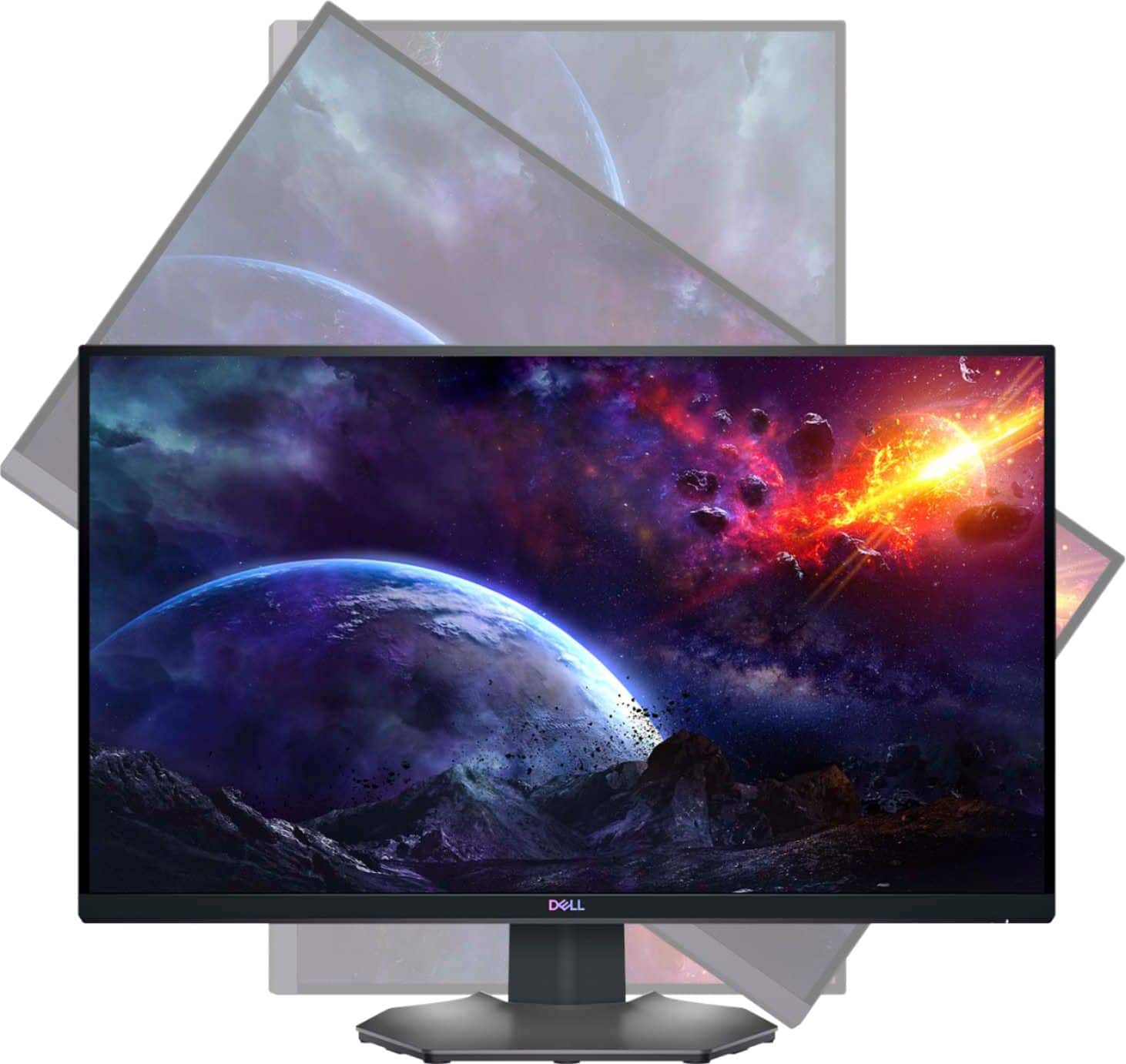
||Posted . Owned for less than 1 week when reviewed.This reviewer received promo considerations or sweepstakes entry for writing a review.Bought this about 6 hours ago and it already doesnt work. Bought this mainly because its a 27 inch and rotates vertically and was only $329.99 and to use it for my day trading and occasiaonlly game on it. Got home hooked up and it worked for about 30 minutes . Plugged in my PS5 the screen started flickering snd got really hot and now screen goes black ever 2 minutes.
No, I would not recommend this to a friendBrand response from YourDellTeam
Posted .Hi Cody,
Thank you for taking the time to leave us your valued feedback. We apologize for the problems you are having with your Dell Monitor. We suggest making sure you have the drivers for you monitor installed and up to date. I have provided a link to the Drivers and Downloads page for you monitor so you can check for and do any applicable installations and /or updates. I have also given you a link to the User's Guide to help with setup and troubleshooting options.
Drivers and Downloads Page: https://dell.to/3vwPbdg
User's Guide: https://dell.to/3vB8nq1
After utilizing the troubleshooting options provided above, if the issues persist, please contact our support team here: https://bit.ly/DellSupportTeam.
If you require further assistance, you can contact Dell directly with the information below.
Chat or call: https://bit.ly/DellSupportTeam
Phone number to Dell 1-800-624-9896
Best,
Ashley@Dell

Amazing gaming monitor!
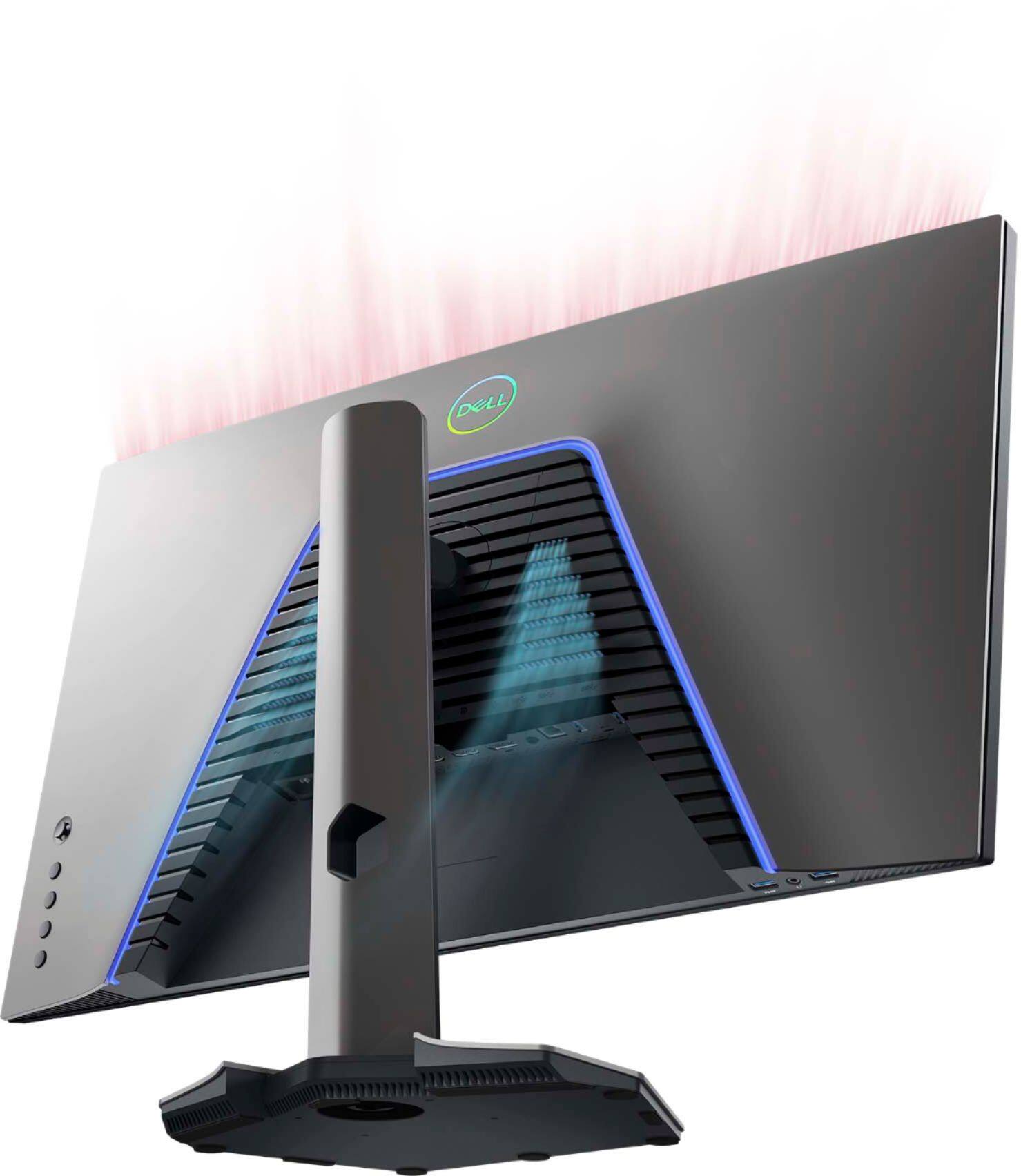
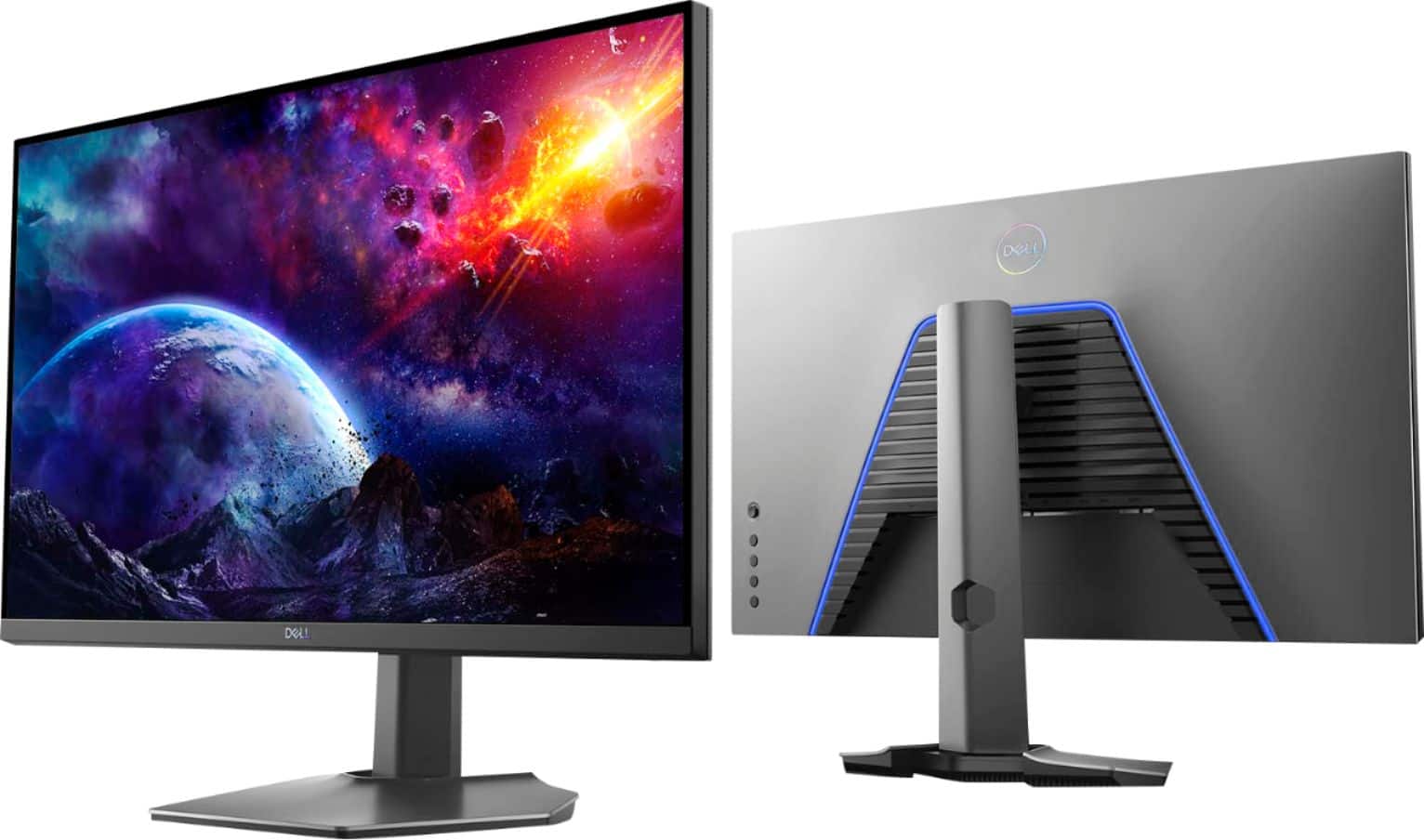
|Posted .This reviewer received promo considerations or sweepstakes entry for writing a review.The packaging is nice and minimalist. The monitor is packed very securely. Included in the box are one power plug, one HDMI cable, one USB to display port cable, and one USB to USB cable. Set up is super easy. Simply follow the instructions sheet that is included in the box. Build the stand, and then attach the stand to the back of the monitor, and that's the assembly portion. Plug the mode of connection, and then you turn it on. From there you're asked to choose your language. You can play with the settings. (The controls of the monitor are on the right side of the rear of the monitor) For my connection, I decided to go with USB to display port as I read that display port offers the best speed and visuals. You can choose from a couple of presets, or manually choose which options you want. (You can change the refresh rate from the monitor itself) Once I changed the display settings on my laptop, I was utilizing the Dell monitor as my new number 2. I set up HDR, super fast refresh rate, and maxed out the resolution. I tested out a FPS shooter to how how quick the response time would be. I set the game's settings at max, and set HDR. I had to do an extra step to set the monitor at 144hz, and it's honestly not too hard. I jumped into a match and I was blown away at how fast the response time was. There was no ghosting whatsoever, and I was able to turn without any input lag. The HDR really makes the visuals more vibrant. You have a lot of connection optons. You have audio and headphone jacks, usbs, hdmi, and display port. Overall, this monitor has everything you would need to plug into a pc, mac, or console. It is a bit pricey, but in this case, you get what you pay for and more. The monitor itself is quite beautiful. The bezels are thin, there's RGB lighting in the back, and it has a nice matte finish to it. This is an amazing monitor, and I would gladly recommend this monitor to everybody.
I would recommend this to a friendOpen Box-NO power cord 2 times (great product!)
||Posted . Owned for less than 1 week when reviewed.This reviewer received promo considerations or sweepstakes entry for writing a review.Unfortunately the product is going to take a 1-star rating, even though it's a great product. I've been using Dell monitors for 20+ years and love them. Product shines in every way. Issue is that I ordered an open box and it arrived with NO power cord. I trekked 1-1/2 hours to the store and they ordered me another open box, which arrived (wait for it!) with NO power cord. Spent way too much time driving and talking to customer support. My business now goes to another well-known online retailer.
I would recommend this to a friendPoor contrast for a high price.
||Posted . Owned for less than 1 week when reviewed.This reviewer received promo considerations or sweepstakes entry for writing a review.Was hoping I would like this monitor but it just has a very poor image quality. Blacks look grey and the whole monitor looks washed out due to backlight bleed. I do not recommend this product.
No, I would not recommend this to a friendBrand response from YourDellTeam
Posted .Zaiethas,
Thanks for your review and we're sorry that your monitor's colors are not meeting your needs. We'd recommend this article for some troubleshooting tips to help improve your display: https://dell.to/2CLF6yC.
Best,
Bryan
1-800-624-9896
Dead Pixel
||Posted .This reviewer received promo considerations or sweepstakes entry for writing a review.Monitor has a dead pixel. Happened conveniently a couple days after I couldn’t return it. Very disappointed.
No, I would not recommend this to a friendBrand response from YourDellTeam
Posted .Hi Bshel93,
We appreciate you taking the time to leave a review. We're sorry to hear that you're experiencing issues with a dead pixel regarding your Dell 27” gaming monitor. Your monitor has a built-in diagnostic tool that helps you determine if any screen abnormality you experience is an inherent problem with your monitor, or with your computer and video card.
To run the built-in diagnostics:
1. Ensure that the screen is clean (no dust particles on the surface of the screen).
2. Press and hold Up or Down or Left or Right direction for four seconds until a menu appears on the screen.
3. Using the joystick control, highlight the Diagnostics option and press the joystick button to start the diagnostics. A gray screen is displayed.
4. Observe if the screen has any defects or abnormalities.
5. Toggle the joystick once again until a red screen is displayed.
6. Observe if the screen has any defects or abnormalities.
7. Repeat steps 5 and 6 until the screen displays green, blue, black, and white colors. Note any abnormalities or defects.
The test is complete when a text screen is displayed. If you do not detect any screen abnormalities upon using the built-in diagnostic tool, the monitor should be functioning properly.
If the issue with your monitor is still not resolved after utilizing the troubleshooting options above, please contact the Dell Support Team at 1-800-624-9896 for further guidance.
Best,
Katarina@Dell
Should you need further assistance, you can contact Dell directly with the information below.
Chat or call: https://bit.ly/DellSupportTeam
Phone number to Dell 1-800-624-9896
Wouldn’t turn on
||Posted . Owned for less than 1 week when reviewed.This reviewer received promo considerations or sweepstakes entry for writing a review.For whatever reason they ship the monitor in its original box with zero added packaging or padding. Inside the monitor box there was also very minimal styrofoam. Naturally when I go to plug in and turn on tne monitor it doesn’t turn on. Tried multiple cords, different computers, nothing. Pretty frustrating
No, I would not recommend this to a friendBrand response from YourDellTeam
Posted .Hi Robert13,
We appreciate you taking the time to leave us your valued feedback. We apologize for the issues you have had with your Dell Monitor. Below I have provided a list of possible resolutions for this problem, along with a link to the full article should you need more information.
Resolutions
*Run the automated tools in SupportAssist to ensure that the drivers and BIOS are up to date and your computer is optimized
*Verify display or video issue on a known-good monitor
*Check for physical damage
*Run hardware diagnostics on the Dell monitor
*Reset the monitor to factory settings
*Verify display or video issue in Windows Safe Mode
*Download and install Microsoft Windows updates
*Change the video or display settings and adjust the brightness
*Touchscreen troubleshooting (touch-capable monitors only)
*Run a Video Stress Test using Dell SupportAssist
*Perform a Windows System Restore
*Restore your computer to factory defaults
How to troubleshoot display or video issues on a Dell Monitor: https://dell.to/3HEj0ND
If you still experience this issue after you have finished troubleshooting your Monitor, please reach out to our support team here at your earliest convenience: 1-800-624-9896.
Should you require further assistance, you can contact Dell directly with the information below.
Chat or call: https://bit.ly/DellSupportTeam
Phone number to Dell 1-800-624-9896
Best,
Ashley@Dell
Not great
||Posted .This reviewer received promo considerations or sweepstakes entry for writing a review.Had to return the first one because half of the screen went black after 39 days…..hopefully the next one will work
No, I would not recommend this to a friendBrand response from YourDellTeam
Posted .Hello,
Thank you for taking the time to share your review. We apologize for the issues you have come across with your monitor's screen not functioning properly. Your monitor provides a self-test feature that allows you to check whether the monitor is functioning properly. If the monitor and computer are properly connected but the monitor screen remains dark, run the monitor self-test by performing the following steps below.
If needed in the future, here are the recommended steps:
Turn off both your computer and the monitor.
Unplug the video cable from the back of the computer. To ensure proper Self-Test operation, remove all digital cables (DVI, HDMI or DisplayPort) from the back of the computer.
Turn on the monitor.
Turn off your monitor and reconnect the video cable: then turn on both your computer and the monitor.
If your monitor screen remains blank after you use the previous procedure, check your video card (GPU) and computer, because your monitor is functioning properly.
This link can be used to help run further steps and provide more in-depth information: https://dell.to/3AhVxir.
We recommend following the steps above to resolve your issue. If your monitor still has issues, please contact our support team here: https://bit.ly/DellSupportTeam.
Best regards,
Wendy C.
https://bit.ly/DellSupportTeam.
Phone number to Dell: 1-800-264-9896.
Worthless does not work as advertise.
||Posted .This reviewer received promo considerations or sweepstakes entry for writing a review.Purchased this monitor open box. I get home mount the monitor only to find out it doesn't work above 60 hz. It will not work at 165 hz as advertise making it a useless gaming monitor. Will never buy another Dell Product after this. Whats the purpose of having quality control if your quality control lets out a subpar product. In addition Best Buy can actually test your open box products before putting them back on the floor to sell?
No, I would not recommend this to a friendOpen Box not so excellent!
||Posted . Owned for 1 week when reviewed.This reviewer received promo considerations or sweepstakes entry for writing a review.Purchased this open box monitor only because it said it was in excellent condition and all of its contents were included. When I received it, I immediately noticed it was poorly taped and packaged, the inside contents were loose and I could hear the monitor move around freely. The screen was dirty with fingerprints, literature and power cord were missing, couldn't even use it right away. This was supposed to be a birthday present.
No, I would not recommend this to a friendNot worth the money
||Posted . Owned for 1 month when reviewed.This reviewer received promo considerations or sweepstakes entry for writing a review.What kind of $500 monitor dies within 2 months. My last monitor lasted me since 2011 and it still works fine unlike this one
No, I would not recommend this to a friendBrand response from YourDellTeam
Posted .Hovo,
Thanks for your review and we're sorry that your monitor is not working the way that it should. This monitor comes with a three-year warranty and you can contact Dell Support to follow-up with them about what your options are: http://dell.to/2sH7Qlm.
Best,
Bryan
1-800-624-9896
IPS is Amazing!
|Posted .This reviewer received promo considerations or sweepstakes entry for writing a review.Using a TN monitor for the past 2 years, I thought I was getting the best experience for gaming. But once I opened this new Dell IPS monitor, I now realize what I've been missing. Pros: -Amazing, vibrant colors -Great viewing angles -HDR is a nice feature to have -165Hz and native G-SYNC support -Subtle blue LED on back -Easy set-up -Using with both PC and Mac, Dell Display Manager in Windows makes it easy to switch inputs Cons: -I did run into an issue where the backlight just turned off, and nothing was viewable on screen. Had to unplug power cable to get it back working. -Only one DisplayPort connector (but two HDMI) Conclusion: This monitor is amazing. If you are in the market for a gaming monitor, this one will be a great purchase. I'm usually picky when it comes to my tech, but I think Dell has made a great display that will last for years.
I would recommend this to a friend- Pros mentioned:Price
Excellent Primary Gaming Monitor
|Posted .This reviewer received promo considerations or sweepstakes entry for writing a review.The first thing I noticed is the sleek look and feel of it. I'm not using the included base stand, as I've got it mounted on a monitor arm, but everything about this monitor is high class and feels solid. The rear LEDs are unobtrusive, pleasant, and easy to turn off. The menu is easy to navigate though the power button being on the bottom while the menu navigation buttons are on the back threw me for a bit. The small bezels are excellent and flow really well into my multi-monitor setup. When first plugging it in, I immediately turned on desktop HDR mode, since a wide color gamut is the reason I got this monitor. Unfortunately, as is the case with so many HDR setups, the max brightness while in HDR mode is so low that it's not ideal for working or gaming in a bright environment. I’ll probably keep the monitor in non-HDR modes with the brightness turned up. Color representation is good out of the box and I haven't felt a need to go in and tweak any settings beyond the standard brightness and contrast (higher on both). This monitor excels as a primary gaming monitor. I get no noticeable input lag and both the refresh rate and resolution are right at the peak for gaming performance right now (on higher end gaming PCs). I also use it for productivity work and am able to easily fit side-by-side documents on the screen at the native resolution with a maximum amount of information displayed at a time whilst remaining very readable. In comparison to my other 144hz 1440p monitor, max brightness is higher, color depth is better (it doesn't feel "washed out," this also helps it feel like a sharper display), and overall fit and finish is a bit higher quality.
I would recommend this to a friend Beast of a monitor
|Posted .This reviewer received promo considerations or sweepstakes entry for writing a review.Out of the box the monitor comes with an HDMI connector, a display port connector, a USB connector, a power cable, and a stand for the screen. It’s really big compared to my 23 inch monitor and I thought that was beastly compared to all the monitors I’ve owned over the years. It’s actually very light compared to my monitor, granted it’s three years older. The reason weight matters a lot for me is because I have a two arm monitor stand that rotates and swivels depending if I’m streaming and gaming, or just gaming myself. Kudos on how light it is. Setting it up would have been a breeze but I already have a complicated setup. I used the stand just for the reviews sake and it’s extremely sturdy and heavy, as any gaming monitor should be. I play a lot of FPS games so refresh rates are absolutely necessary. This monitor is the gaming standard “rule of thumb” and what you’d want to be at in order to be a competitive product in an already saturated market with all these products claiming to be #1. This has beat the lights out of all my gaming monitors. I noticed it had four screws in the back. I suspect that these screws are for mounting. So I’ll be taking them off and putting it up fairly soon after this review. The quality of the picture is astounding. Of course you can change this in your settings to fit your needs, from gaming modes to sports modes. This monitor even has the ability to switch between HDMI 1 and 2. This means that you can have something else plugged in i.e (cable box) and be able to switch effortlessly. One thing I look for on any monitor is tearing. I loath when tearing occurs when playing on high settings. Tearing is when the monitor chops your image up when moving fast in game. Not with this. Not at all. Changing the settings is really easy. The buttons are on the side and it even has a multidirectional joystick to move around in settings. No more having to reach under and guess at what button you’re pressing while in game only to have your screen say “display not connected” just to come back to you viewing someone’s “killcam.” The placement for the settings buttons is optimal ok this monitor and now necessary on all my monitors. I highly recommend this monitor albeit expensive, you won’t need another one for years, guaranteed. This has passed all of my standards by a long shot.
I would recommend this to a friendIntermittent Black Flickering
||Posted . Owned for less than 1 week when reviewed.This reviewer received promo considerations or sweepstakes entry for writing a review.Within 30 minutes of plugging the monitor in I was getting intermittent black flashes on the top half of my screen that were not fixed no matter the refresh rate, gsync on/off, hdr on/off, cable I used, or drivers I used. Further research has shown other people having similar problems with this monitor in 3 monitor setups, with no fix they could find either.
No, I would not recommend this to a friendBrand response from YourDellTeam
Posted .Dear Cody,
We want to thank you for taking the time to leave us your review. We sincerely apologize for the screen flickering issues you are having with your Dell Gaming Monitor. Below I have provided a link to help troubleshoot the flickering problem. I have also given you a link to help with setting up multiple monitors.
Troubleshooting flickering on Dell Gaming Monitors: https://dell.to/3qvVE6c
How to setup multiple monitors: https://dell.to/3eyfDLJ
After utilizing the troubleshooting options provided above, if the problem is not resolved, please contact our support team here: https://bit.ly/DellSupportTeam.
If you require further assistance, you can contact Dell directly with the information below.
Chat or call: https://bit.ly/DellSupportTeam
Phone number to Dell 1-800-624-9896
Best,
Ashley@Dell
If you are looking to buy it, please DON'T
||Posted .This reviewer received promo considerations or sweepstakes entry for writing a review.It just looks so bad!!!! omg, I cannot believe that I spent money on this thing, even the display port was defective, can you believe it? the only way that I made this thing work, was connecting it with my other LG cable, the screen is super yellow (don't even think it is because I do not know how to configure it) oh jeez, It is the worst purchase I ever made
No, I would not recommend this to a friendBrand response from YourDellTeam
Posted .HonestReview,
We're sorry that your new monitor is not as clear as you'd like it to be. We'd recommend the monitor self test to make sure that you are seeing the best picture possible: https://dell.to/3bHgJ4O.
Best,
Bryan@Dell
If you require further assistance, you can contact Dell directly with the information below
Chat or Call:
https://bit.ly/DellSupportTeam
Phone number to Dell: 1-800-624-9896
Huge difference in gaming experience.
|Posted .This reviewer received promo considerations or sweepstakes entry for writing a review.I’ve been PC gaming for about a year now and used an older monitor. I decided it was time for an upgrade and WOW, what a difference. There’s a couple of things I want to highlight. First, the response time. Everything was synced up. Super quick, no lag. I primarily play FPS and the movement speed looks so fast. No ghosting, no pixelating. Just quick movements. Nothing more annoying than playing a game and feeling like your screen is playing catch-up. Second, the picture quality is amazing. Run 75-90 frames per second, the picture and colors popped out and I became more drawn into the gaming experience. I’ll probably mess around with settings more but straight out of the box it’s nice. Set up was super easy. Screw the base into the stand and click right into the monitor. You get the USB, HDMI and DisplayPort cables included which is nice. Lastly and this may be minor, I like that the base is flat. My desk is smaller and I put my keyboard close to the base. Elevated bases don’t work because they lift my keyboard. Overall this is a fantastic monitor. If you’re looking for an upgrade make the leap and snag this one.
I would recommend this to a friendNo Power = No monitor
||Posted .This reviewer received promo considerations or sweepstakes entry for writing a review.I ordered this very excited for it and Seemed all good when it first arrived. Sadly when I opened the box there was no power cable. I called best buy with the simple Idea that they could just send me the cable but for some reason the only option I was given is to go back to the store I picked it up from and go through whole return process.
No, I would not recommend this to a friendSharp and fast gaming monitor. Immersive.
|Posted .This reviewer received promo considerations or sweepstakes entry for writing a review.The responsiveness and amazing resolution of this monitor makes for a surprisingly immersive experience. Here is my gaming desktop configuration: - AMD Ryzen™ 7 3700X 8-Core Processor at 3.6GHz - 8GB AMD Radeon™ RX 5700 Graphics This monitors pairs perfectly with this system. I primarily play Flight Simulator and a few combat games. All of these games look amazing on this monitor. It's so clear with Flight Sim that I can almost feel the aircraft turn and the scenery looks breathtaking. The slim bezels and 27" size are just right. Much better than my three-year old monitor that this one replaced. Also amazing for editing video and photos. Color detail is spot on. Setup was very easy; just plug and play. I use the display port option. The monitor was beautiful right out of the box and did not require any calibration. Before I started gaming, I thought that just about any decent monitor would do. But this amazing Dell monitor has certainly changed my mind. Apparently Dell belongs not only in my office, but also at home as part of my gaming environment! Highly recommended.
I would recommend this to a friend